
20 Best AI Church Communication Software in 2026

AI Church Communication Software Shortlist
Here's my pick of the 10 best software from the 20 tools reviewed.


AI church communication software uses artificial intelligence to help churches manage messaging, outreach, and engagement across multiple channels. If you’re looking for ways to connect with your congregation, automate routine communication, or keep your team organized, these AI tools can help you meet those goals without adding to your workload.
With so many options available, it’s important to find software that fits your ministry’s needs, supports your mission, and helps you communicate clearly—whether you’re reaching out to visitors, coordinating volunteers, or sharing updates withyour church family. This guide will help you compare the top AI church communication platforms so you can make an informed choice for your ministry.
Why Trust Our Software Reviews
We’ve been testing and reviewing church management software since 2020. As church leaders ourselves, we know how critical and difficult it is to make the right decision when selecting software.
We invest in deep research to help our audience make better software purchasing decisions. We’ve tested many tools for different church management use cases and written over 1,000 comprehensive software reviews. Learn how we stay transparent & our software review methodology.
Best AI Church Communication Software Summary
This comparison chart summarizes pricing details for my top AI church communication software selections to help you find the best one for your budget and business needs.
| Tool | Best For | Trial Info | Price | ||
|---|---|---|---|---|---|
| 1 | Best for integrated text and email messaging | 30-day free trial + free plan available | From $72/month | Website | |
| 2 | Best for small group connectivity | 30-day free trial available | From $15/month | Website | |
| 3 | Best for newsfeed and chat features | Free demo available | Pricing upon request | Website | |
| 4 | Best for auto-generating sermon resources | Free trial available | From $39/month | Website | |
| 5 | Best with AI-powered sermon content tools | Free plan available | From $65/month | Website | |
| 6 | Best for social scheduling | Free trial + free demo available | From $15/month | Website | |
| 7 | Best for faith-aligned message generation | Free plan available | From $49/month | Website | |
| 8 | Best for large-scale church texting | 30-day free trial available | From $29/month | Website | |
| 9 | Best for centralized church communication management | Free plan available | From $15/month | Website | |
| 10 | Best for custom SMS automation workflows | 14-day free trial available | From $25/month | Website |
-

ChMeetings
Visit WebsiteThis is an aggregated rating for this tool including ratings from Crozdesk users and ratings from other sites.4.9 -
Gracely
Visit WebsiteThis is an aggregated rating for this tool including ratings from Crozdesk users and ratings from other sites.4.9 -
Text In Church
Visit WebsiteThis is an aggregated rating for this tool including ratings from Crozdesk users and ratings from other sites.4.6


AI Church Communication Software Reviews
Below are my detailed summaries of the best AI church communication software that made it onto my shortlist. My reviews offer a detailed look at the features, best use cases, and integrations of each platform to help you find the best one for you.

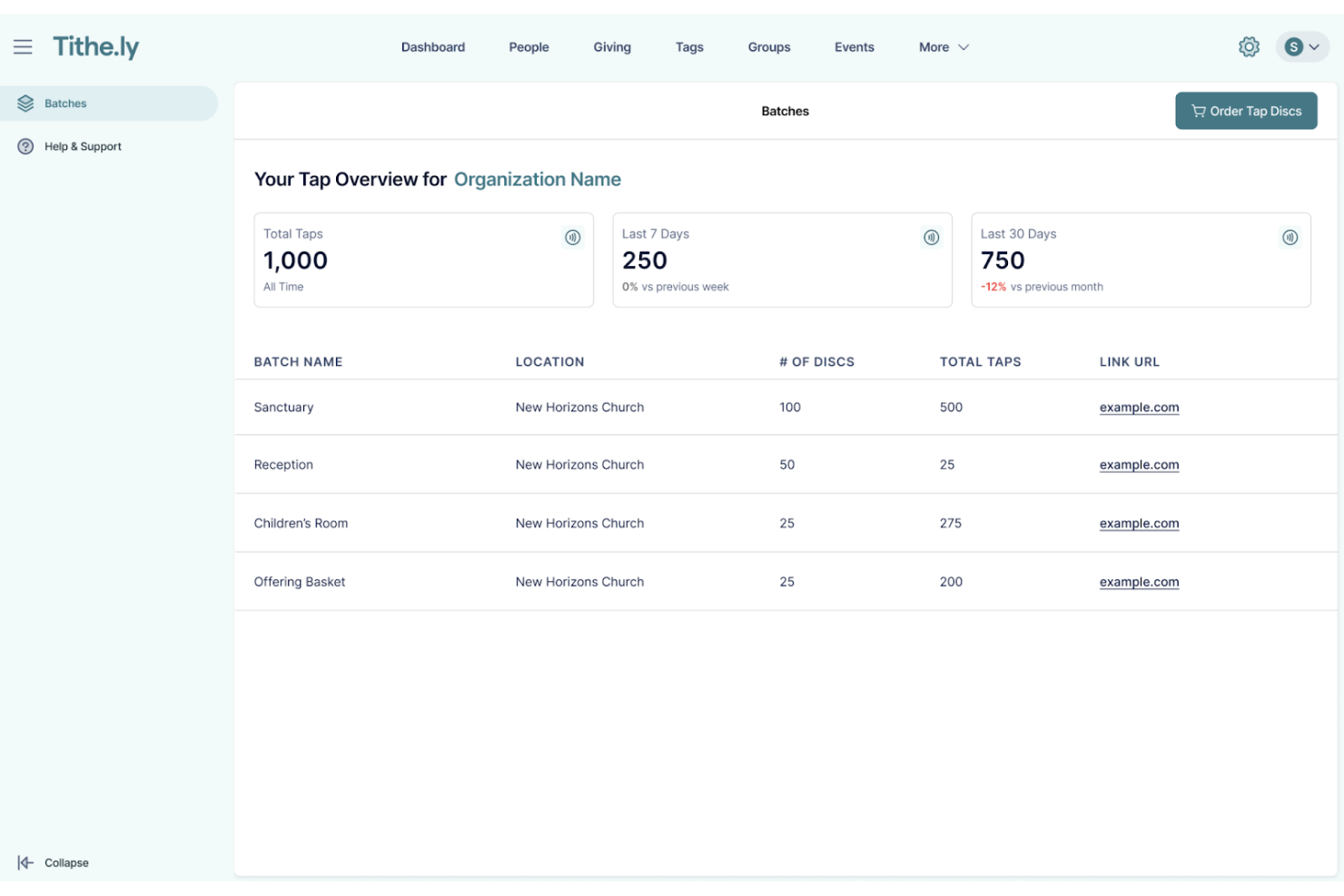
If you’re looking for a way to unify your church’s digital communication, Tithely offers a platform designed for faith communities. This tool is built for churches that want to manage both text and email outreach from one place. It helps ministry teams keep members informed, engaged, and connected without juggling multiple systems.
Who Is Tithely Best For?
Tithely is a good fit for churches and ministry teams that want to centralize text and email communication with their congregations.
Why I Picked Tithely
What stands out about Tithely is how it brings both text and email messaging together in one platform, which is rare among church communication tools. I picked it because this integration means you can reach your congregation through their preferred channel without switching between different systems. Tithely lets you schedule messages, segment your audience, and track delivery for both texts and emails from a single dashboard. This unified approach helps churches keep communication organized and consistent, especially when coordinating events, reminders, or urgent updates.
Tithely Key Features
Some other features that make Tithely useful for church communication include:
- Message templates: Create and reuse pre-written messages for recurring updates or announcements.
- Two-way messaging: Allow recipients to reply directly to texts or emails for more interactive communication.
- Contact management: Organize, import, and segment your congregation’s contact information within the platform.
- Automated birthday and anniversary messages: Schedule personalized greetings to celebrate important dates with members.
Tithely Integrations
Integrations include QuickBooks Online, RockRMS, Engiven, Elvanto, Salesforce, MinistryPlatform, Shelby Systems, FellowshipOne, and more.
Pros and Cons
Pros:
- Provides automated birthday and anniversary messages
- Includes two-way messaging for member replies
- Combines text and email in one dashboard
Cons:
- Does not support SMS short codes
- Lacks advanced analytics for performance

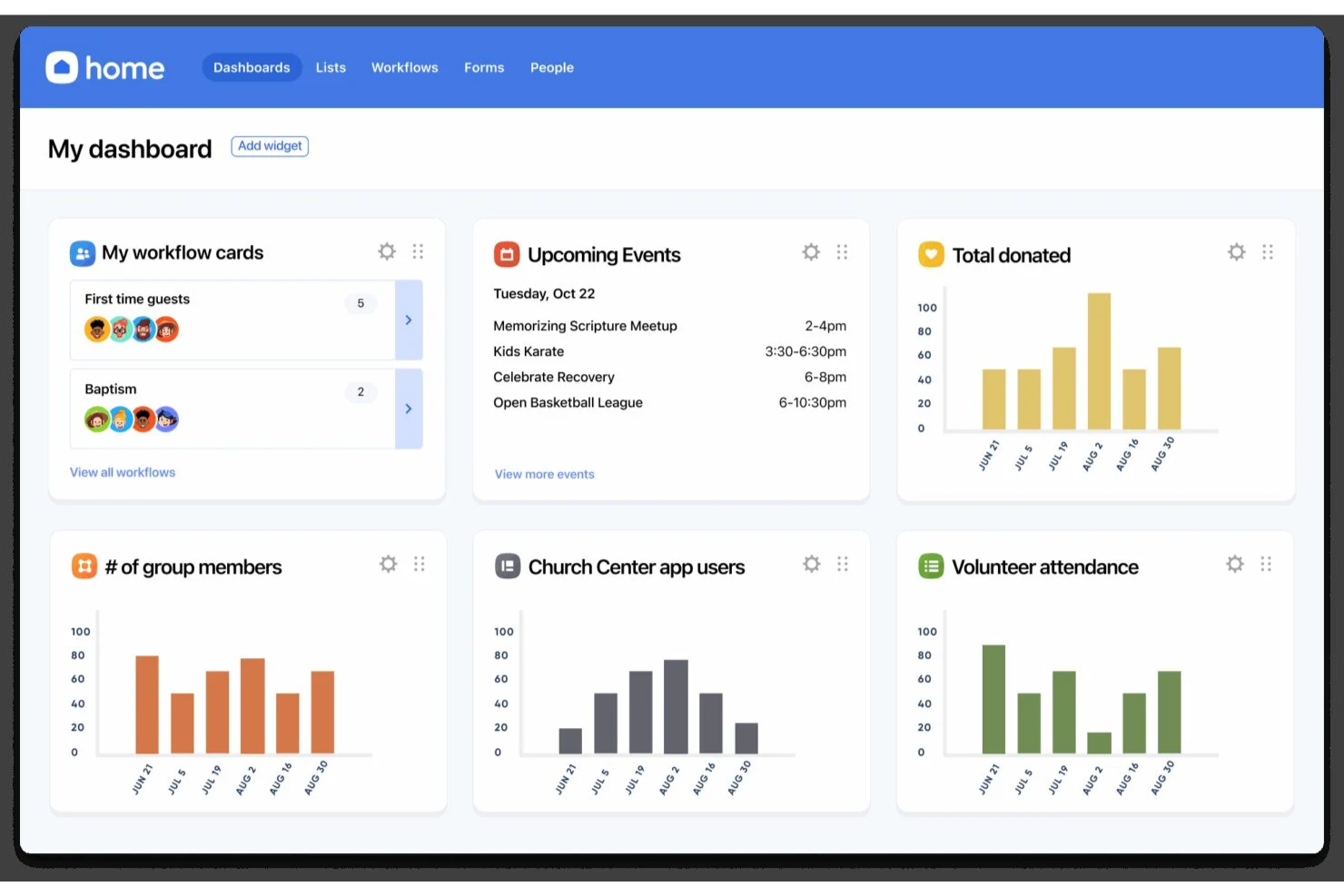
If you’re looking for a way to organize and support church small groups, Planning Center Groups offers a focused solution. This platform is designed for ministry leaders who want to manage group communication, events, and member engagement in one place. It helps churches keep group life connected and organized, especially as ministries grow or diversify.
Who Is Planning Center Best For?
Planning Center Groups is a good fit for church leaders and ministry teams who need to coordinate, communicate, and manage multiple small groups within their congregation.
Why I Picked Planning Center
What drew me to Planning Center Groups is how it brings small group connectivity to the forefront of church communication. The platform lets you create group directories, manage rosters, and send targeted messages to group members, all from a single dashboard. I appreciate how it supports event scheduling and attendance tracking, which helps leaders keep group life organized and engaged. These features make it a strong choice for churches that want to foster deeper relationships and consistent communication within their small groups.
Planning Center Key Features
Some other features that make Planning Center Groups useful for church communication include:
- Customizable group sign-up forms: Create and manage sign-up forms to help people join groups easily.
- Resource sharing: Upload and distribute study materials, documents, or announcements directly to group members.
- Automated reminders: Schedule and send reminders for upcoming meetings or events to keep everyone informed.
- Mobile app access: Allow leaders and members to manage groups, communicate, and access resources from their phones.
Planning Center Integrations
Integrations include BoxCast, Checkr, Mailchimp, PraiseCharts, RehearsalMix, SongSelect, Clearstream, and more.
Pros and Cons
Pros:
- Provides resource sharing for study materials
- Offers event scheduling with RSVP tracking
- Supports group messaging and announcements
Cons:
- Lacks advanced analytics for group engagement
- Limited automation for follow-up messaging

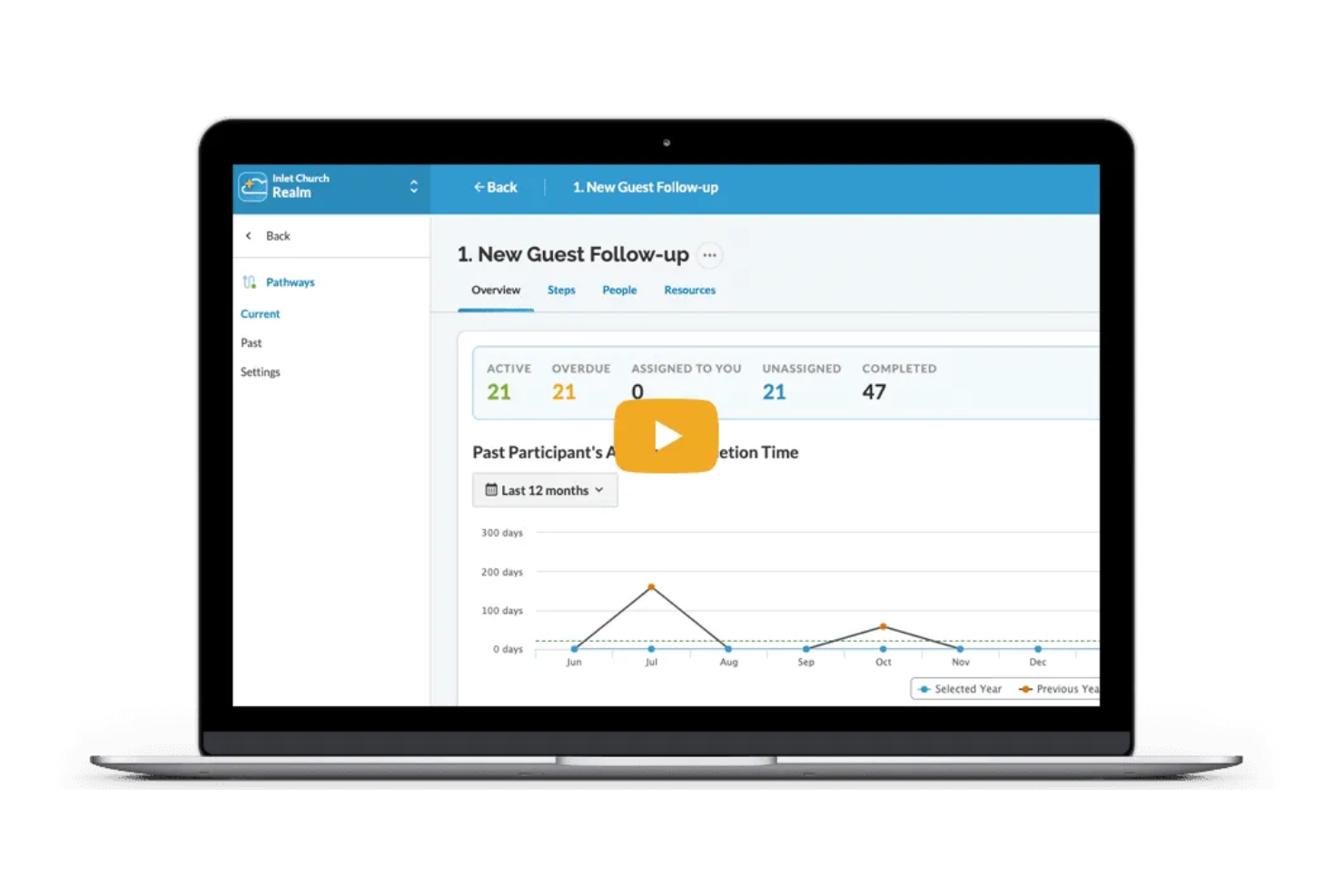
Realm is a church management platform designed for congregations that want to centralize communication and community engagement. If you’re looking for a solution that combines group messaging, event coordination, and member updates in one place, Realm is worth considering. It’s especially useful for churches aiming to keep members connected and informed through digital channels.
Who Is Realm Best For?
Realm is a good fit for church leaders and communication teams who want to foster ongoing engagement and conversation within their congregations.
Why I Picked Realm
What stands out to me about Realm is how it brings together newsfeed and chat features in a way that feels familiar to anyone who’s used social media. The platform lets you post announcements, share updates, and create group conversations, all within a secure church environment. I appreciate how members can comment, react, and interact directly on posts, which helps foster a sense of community and ongoing engagement. These features make Realm especially useful for churches that want to keep everyone connected and informed between services and events.
Realm Key Features
In addition to its newsfeed and chat capabilities, Realm offers several other features that support church communication and management:
- Event management tools: Schedule events, manage RSVPs, and communicate updates to attendees directly within the platform.
- Push notifications: Send real-time alerts to members’ mobile devices for urgent announcements or reminders.
- Document sharing: Upload and distribute files, such as newsletters or meeting notes, to specific groups or the entire congregation.
- Role-based permissions: Control access to communication tools and sensitive information based on user roles within the church.
Realm Integrations
Integrations include Constant Contact, Realm Connect mobile app, and more.
Pros and Cons
Pros:
- Role-based permissions protect sensitive information
- Event RSVPs integrate with communication tools
- Newsfeed keeps members updated in real time
Cons:
- Limited integrations with external tools
- No automated follow-up workflows for guests

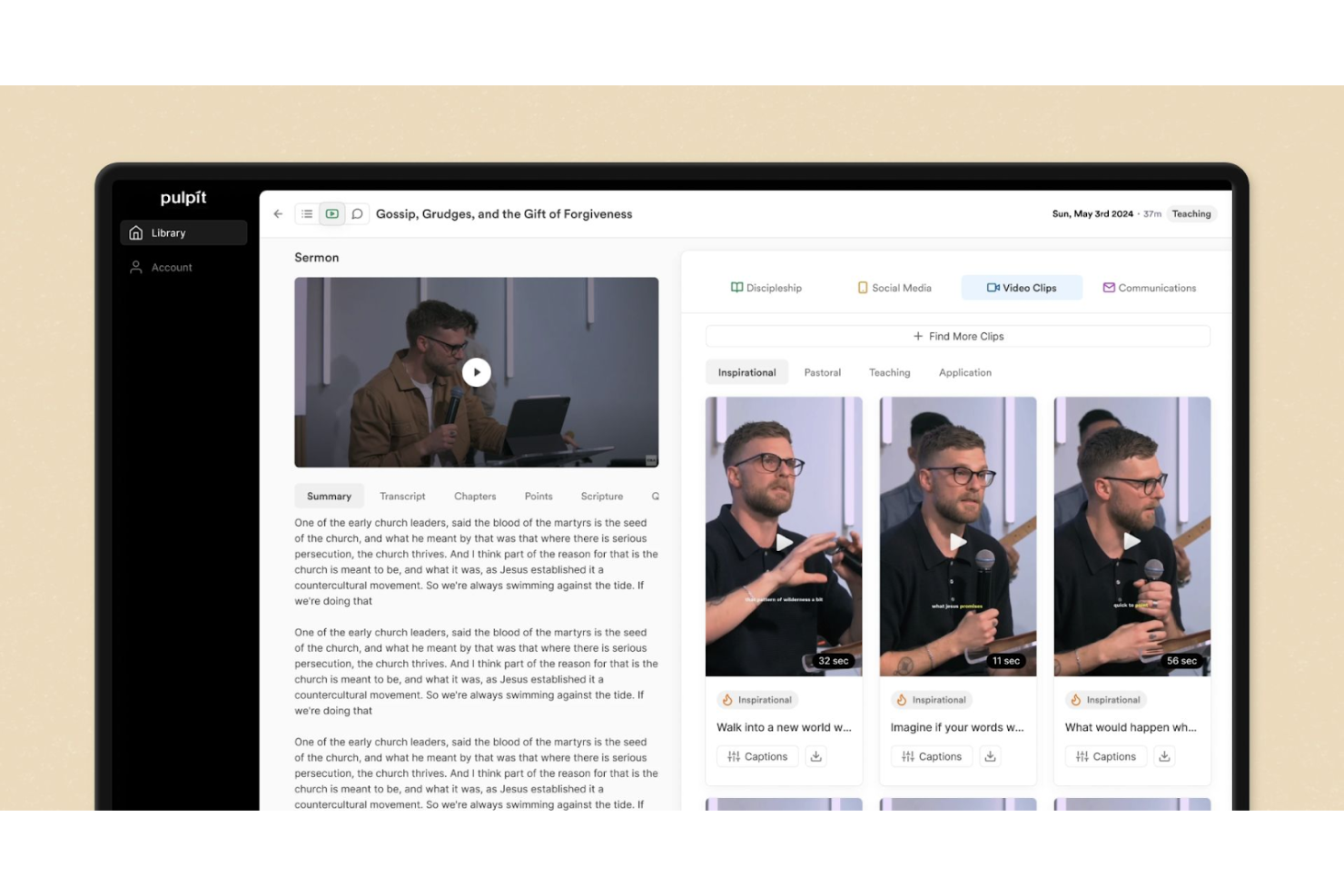
If you’re looking for a way to turn sermons into a range of ministry resources, Pulpit AI offers a focused solution. This platform is designed for pastors and church leaders who want to repurpose sermon content for teaching, outreach, and discipleship. It helps you save time by automatically generating bible study guides, discussion questions, and social media posts from your sermon transcripts or audio.
Who Is Pulpit AI Best For?
Pulpit AI is a good fit for pastors and ministry teams who want to quickly create study materials, discussion guides, and digital content from weekly sermons.
Why I Picked Pulpit AI
What sets Pulpit AI apart is its ability to automatically generate a wide range of sermon-based resources with minimal effort. I picked it because it takes your sermon transcript or audio and creates study guides, small group questions, and social media content in just a few clicks. This is especially helpful for pastors who want to extend the impact of their weekly messages without spending hours on manual content creation. The platform’s focus on sermon repurposing makes it a strong fit for churches looking to multiply their discipleship efforts through the use of AI.
Pulpit AI Key Features
Some other features that make Pulpit AI useful for church communication include:
- Multi-format export options: Download generated resources as Word documents, PDFs, or text files for easy sharing.
- Content editing tools: Make quick adjustments to AI-generated materials before distribution.
- Resource library: Store and organize all past sermon resources in one searchable location.
- Team collaboration: Invite staff or volunteers to review, edit, and manage generated content together.
Pulpit AI Integrations
Integration includes Subsplash.
Pros and Cons
Pros:
- Stores all generated resources in a searchable library
- Offers editing tools for AI-generated content
- Converts sermons into multiple resource formats
Cons:
- No built-in sermon scheduling or calendar
- Limited native integrations with church platforms

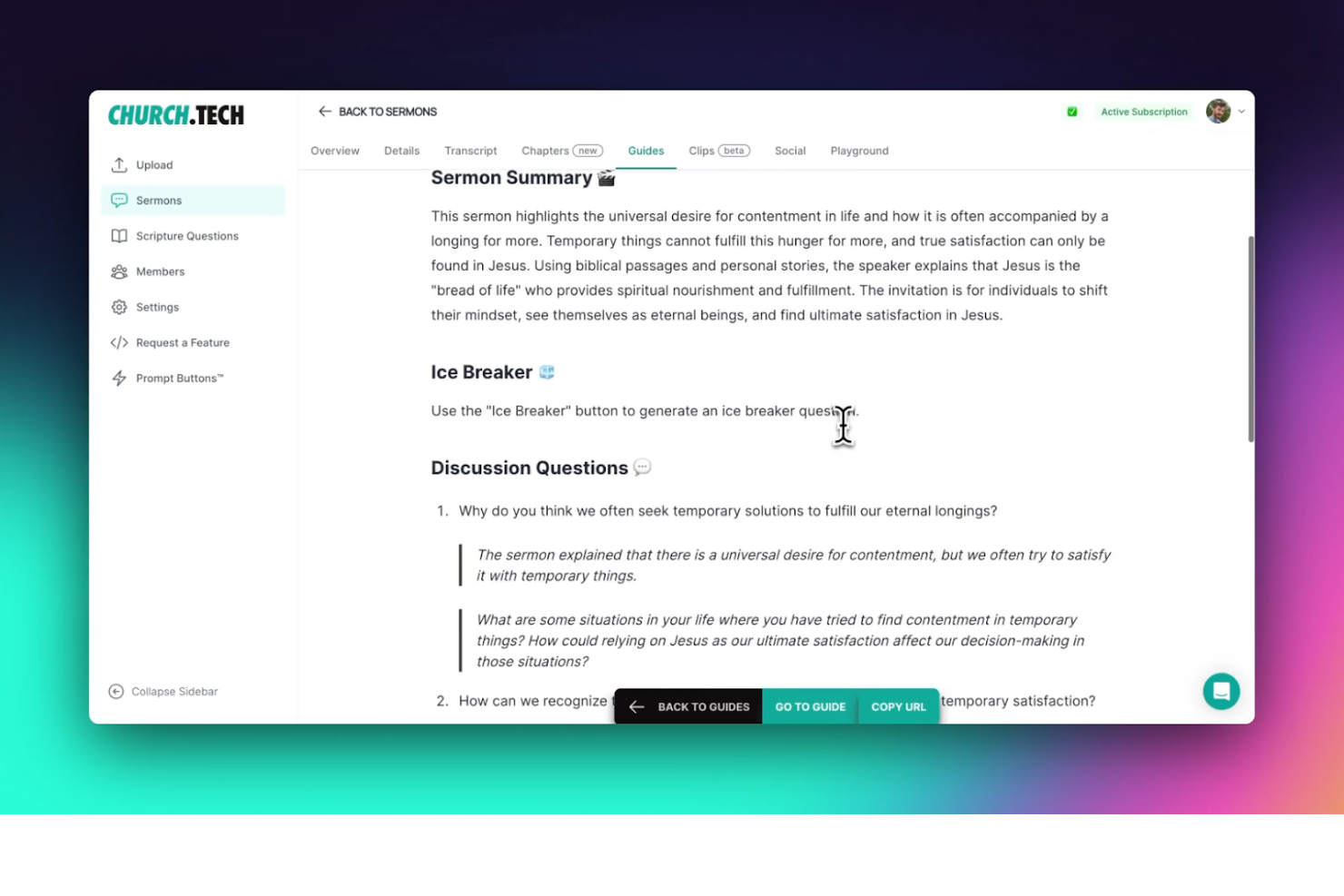
If you’re looking for AI-driven support in sermon preparation and church messaging, Church.tech offers a focused solution. This platform is designed for pastors and ministry leaders who want to generate, organize, and share content with less manual effort than a generic ChatGPT prompt might require. It’s especially useful for churches aiming to keep communication fresh and relevant while saving time on weekly content creation.
Who Is Church.tech Best For?
Church.tech is a good fit for pastors and ministry teams in churches of any size who want to streamline sermon creation and digital communication.
Why I Picked Church.tech
I picked Church.tech because its AI-powered sermon content tools address a real need for pastors who want to create meaningful messages without starting from scratch each week. The platform offers sermon idea generation and automated outline creation, which help leaders save time and stay inspired. I also appreciate that Church.tech includes tools for adapting a sermon series into newsletters and social posts, making it easier to keep your congregation engaged across channels. These features make it a strong choice for churches looking to modernize their communication with AI-driven content support.
Church.tech Key Features
Some other features that make Church.tech useful for church communication include:
- AI-powered prayer request management: Automatically organizes and categorizes incoming prayer requests for easier follow-up and tracking.
- Content scheduling: Lets you plan and schedule messages, devotionals, and announcements to go out at specific times.
- Volunteer communication tools: Provides targeted messaging options for coordinating with volunteer teams and ministry groups.
- Resource library: Stores and organizes past sermons, templates, and media assets for quick access and reuse.
Church.tech Integrations
Native integrations are not currently listed.
Pros and Cons
Pros:
- Produces accurate native language translations
- Generates multi-platform social media clips
- Automates sermon-to-devotional content conversion
Cons:
- Requires external video hosting services
- No built-in digital giving tools

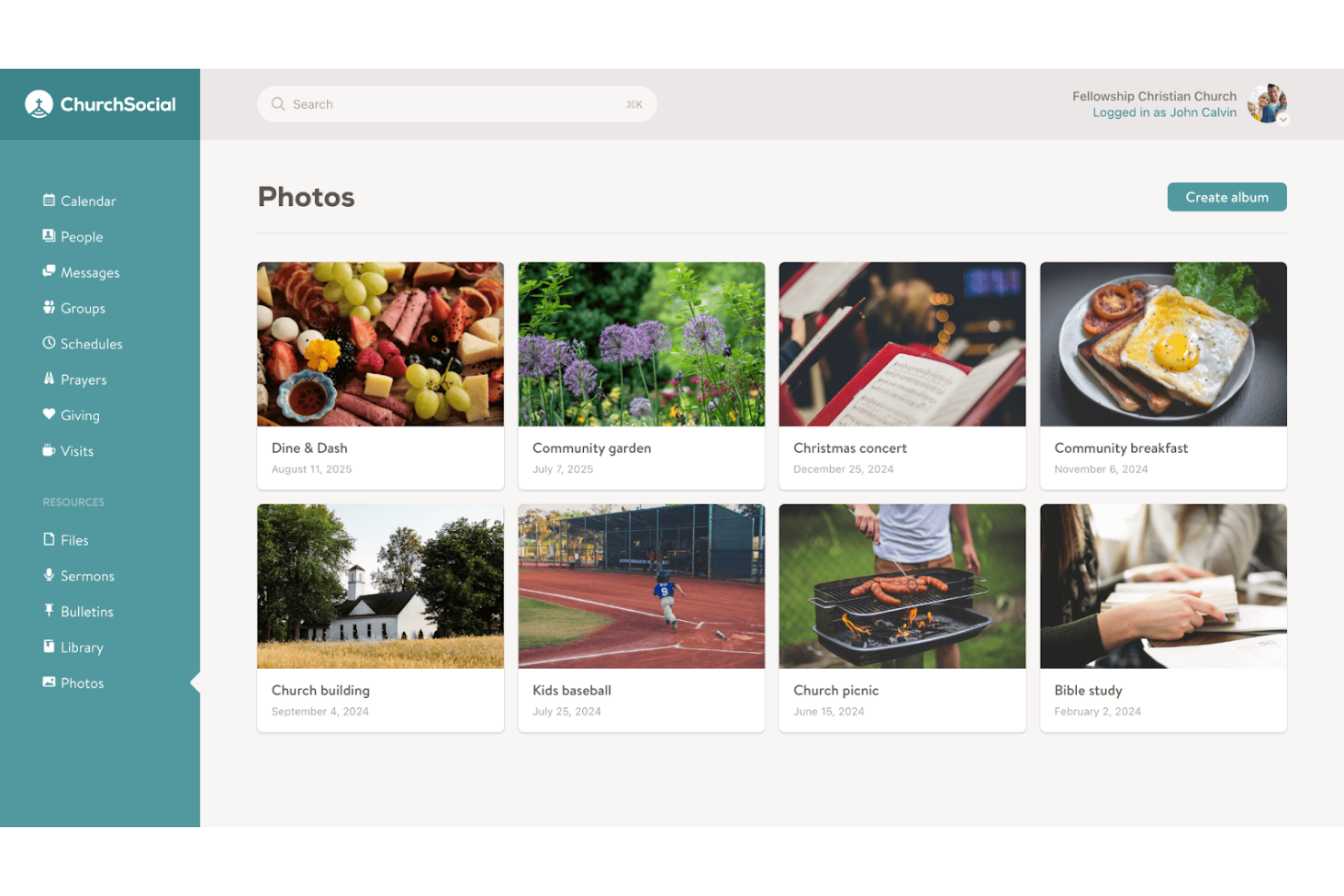
If you’re looking for a way to manage and automate your church’s online presence, ChurchSocial offers a focused solution. This platform is designed for ministry teams and communication leads who want to plan, schedule, and coordinate posts across multiple channels. It’s especially helpful for churches aiming to keep their messaging consistent and timely without adding extra manual work each week.
Who Is ChurchSocial Best For?
ChurchSocial is a good fit for church communication teams and social media coordinators who need to plan and automate posts across multiple platforms.
Why I Picked ChurchSocial
I chose ChurchSocial because its social scheduling tools are purpose-built for church communication needs. The platform lets you create, schedule, and manage posts across multiple social media channels from one dashboard, which is especially helpful for keeping your church’s messaging organized and consistent. I also appreciate that ChurchSocial includes a content calendar and approval workflows, so teams can plan campaigns and ensure posts align with ministry goals. These features make it a strong option for churches that want to stay active online without juggling multiple tools or manual posting.
ChurchSocial Key Features
Some other features that make ChurchSocial useful for church communication include:
- AI-powered content suggestions: The platform recommends post ideas and captions tailored to church events and themes.
- Image and media library: Store, organize, and reuse graphics, photos, and videos for future posts.
- Team collaboration tools: Assign roles, share drafts, and communicate within the platform to coordinate messaging.
- Analytics dashboard: Track engagement metrics and post performance across all connected social channels.
ChurchSocial Integrations
Integrations include Pushpay, Planning Center, Tithely, and more.
Pros and Cons
Pros:
- Media library stores reusable graphics and videos
- Centralized calendar for all scheduled content
- AI suggests content ideas for church posts
Cons:
- Lacks sermon or worship planning features
- No built-in email or SMS messaging

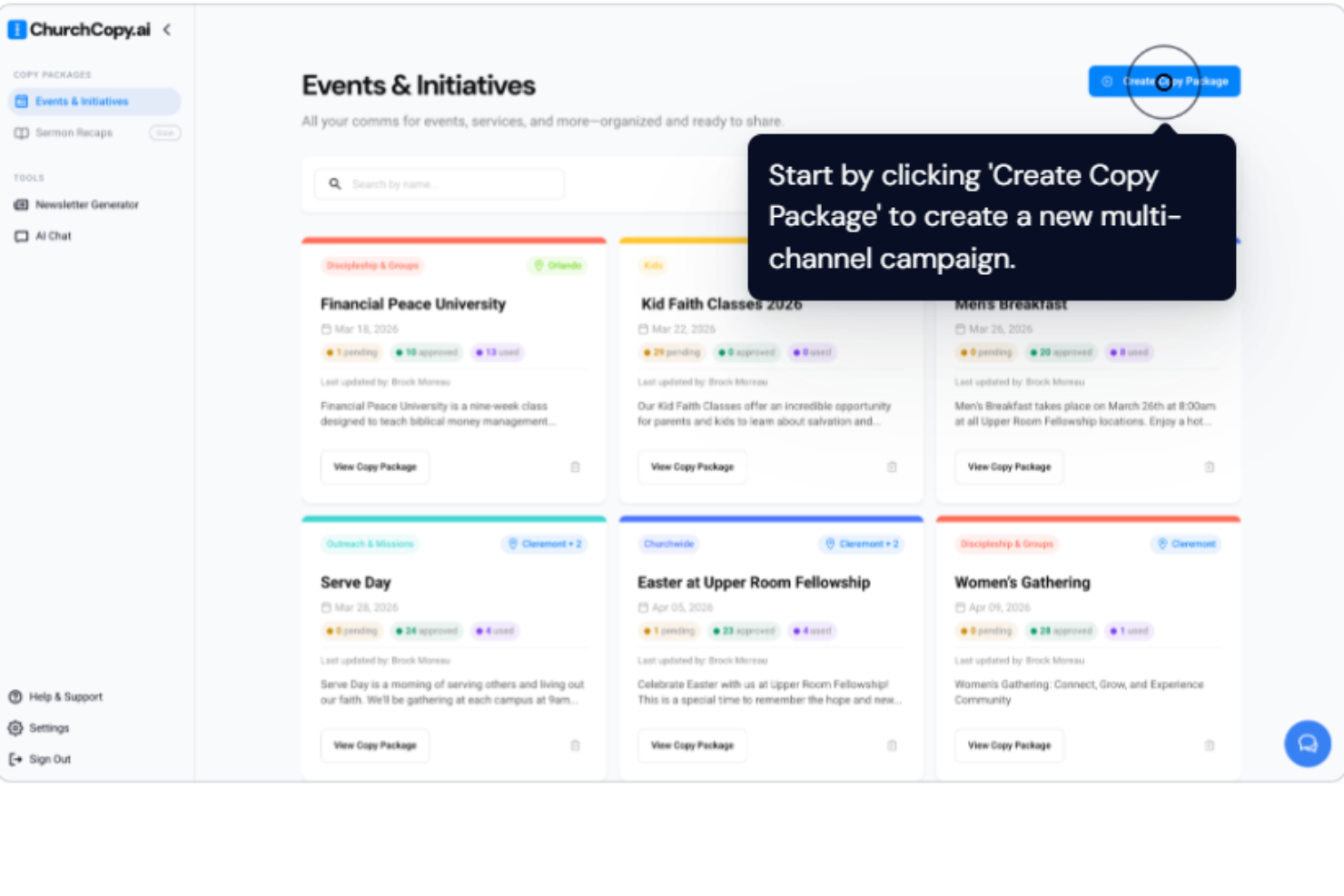
If you’re looking for AI-powered writing tailored to church communication, ChurchCopy is designed for you. This tool helps pastors, ministry leaders, and church staff create messages that reflect faith-based values and language. It’s built to support anyone who wants to generate sermons, devotionals, announcements, or outreach content that resonates with a Christian audience.
Who Is ChurchCopy Best For?
ChurchCopy is a good fit for pastors, ministry teams, and church communicators who want to generate faith-centered written content quickly and consistently.
Why I Picked ChurchCopy
What drew me to ChurchCopy is its focus on generating messages that align with Christian values and language, which is something most generic AI writing tools can’t offer. I picked it because it’s built specifically for churches, with templates and prompts designed for sermons, devotionals, and ministry announcements. The platform’s AI is trained to understand faith-based context, so you get content that feels authentic and appropriate for your congregation. This makes it a strong choice for church leaders who want to maintain theological integrity while saving time on communication tasks.
ChurchCopy Key Features
Some other features that make ChurchCopy useful for church communication include:
- Content repurposing tools: Transform sermons or devotionals into social posts, emails, or newsletters with a few clicks.
- Tone and style adjustment: Select from various tone presets to match your church’s communication style or audience.
- Scripture integration: Insert relevant Bible verses automatically into generated content.
- Bulk content generation: Create multiple pieces of content at once for different channels or campaigns.
ChurchCopy Integrations
Native integrations are not currently listed.
Pros and Cons
Pros:
- Content repurposing tools for newsletters and posts
- Bulk content generation for multiple channels
- Scripture auto-insertion for generated content
Cons:
- No mobile app for on-the-go editing
- No built-in event or calendar features
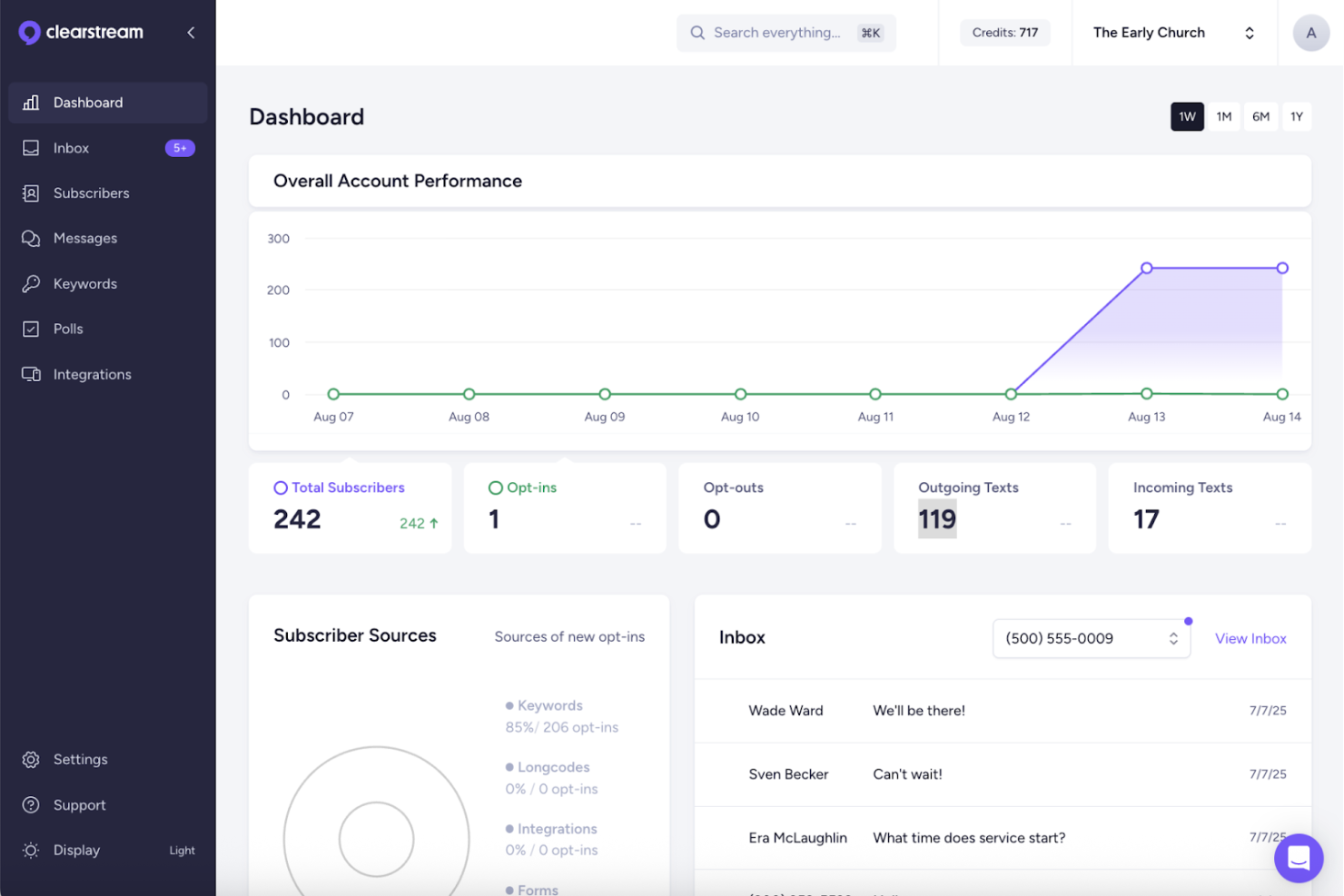
Clearstream is a church texting platform built for ministries that need to communicate with large groups quickly and reliably. It’s designed for church leaders and communication teams who want to manage mass texting, guest follow-up, and group messaging from one place. If you’re looking for a solution that handles high-volume outreach and integrates with popular church management systems, Clearstream is worth a closer look.
Who Is Clearstream Best For?
Clearstream is a good fit for church communication teams and ministry leaders who need to send high-volume text messages to large congregations or multiple campuses.
Why I Picked Clearstream
What drew me to Clearstream is how it’s purpose-built for sending large volumes of text messages to church communities. The platform supports dedicated shortcodes and long codes, which means you can reliably reach thousands of people at once without deliverability issues. I also appreciate its advanced list management and message scheduling tools, which let you organize contacts by campus, ministry, or group and plan communications in advance. These features make Clearstream especially well-suited for churches that need to coordinate messaging across multiple services, events, or locations.
Clearstream Key Features
Some other features that make Clearstream useful for church communication include:
- Two-way texting inbox: Manage and respond to incoming messages from members and guests in a centralized dashboard.
- Automated workflows: Set up keyword-based automations to trigger follow-up messages, forms, or next steps.
- Digital connect cards: Collect guest information and prayer requests through customizable online forms linked to your texting number.
- Message analytics: Track delivery rates, response rates, and engagement metrics for every message sent.
Clearstream Integrations
Integrations include Planning Center, Rock RMS, Breeze, Slack, Mailchimp, Simple, and more.
Pros and Cons
Pros:
- Enables two-way texting with message history
- Provides digital connect cards for data capture
- Supports mass texting to unlimited contacts
Cons:
- Lacks volunteer scheduling features
- Group messaging size limits for very large churches
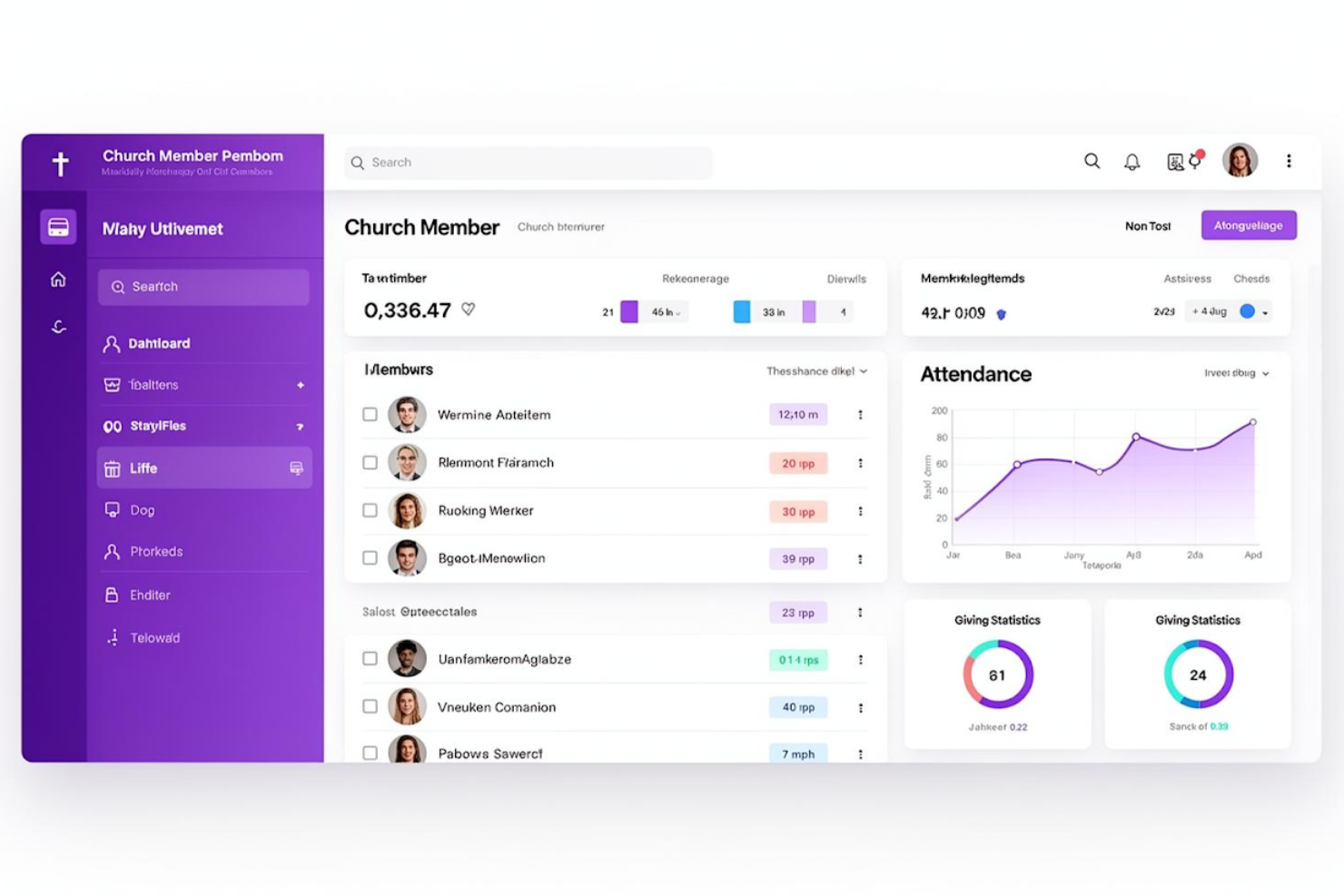
Church Central Cloud (CCC) offers a unified platform for managing church communications, documents, and member engagement. It’s designed for pastors and ministry leaders who want to keep all communication channels organized in one place. If you’re looking to reduce scattered messaging and improve team coordination, this tool brings everything together under one dashboard.
Who Is Church Central Cloud Best For?
Church Central Cloud is a good fit for church administrators and communication teams who need to manage all messaging, documents, and member updates from a single platform.
Why I Picked Church Central Cloud
What drew me to Church Central Cloud is how it brings all church communication tools and channels into one centralized hub. I see real value in the way it lets you manage announcements, newsletters, and group messages from a single dashboard, which helps reduce confusion and duplication. The platform’s document sharing and member directory features also make it easier for teams to collaborate and keep everyone informed. For churches that want to streamline communication and keep everything organized, this level of centralization is a strong advantage.
Church Central Cloud Key Features
Some other features that make Church Central Cloud stand out for church communication teams include:
- Event management tools: Schedule, promote, and track attendance for church events directly within the platform.
- Automated reminders: Set up automated email or SMS reminders for meetings, events, or important dates.
- Customizable member profiles: Maintain detailed records for each member, including contact information and participation history.
- Role-based access controls: Assign permissions to staff and volunteers based on their responsibilities within the church.
Church Central Cloud Integrations
Native integrations are not currently listed.
Pros and Cons
Pros:
- Role-based permissions for staff and volunteers
- Customizable member directories and profiles
- Central dashboard for all church communications
Cons:
- No native social media scheduling
- Lacks advanced video editing capabilities

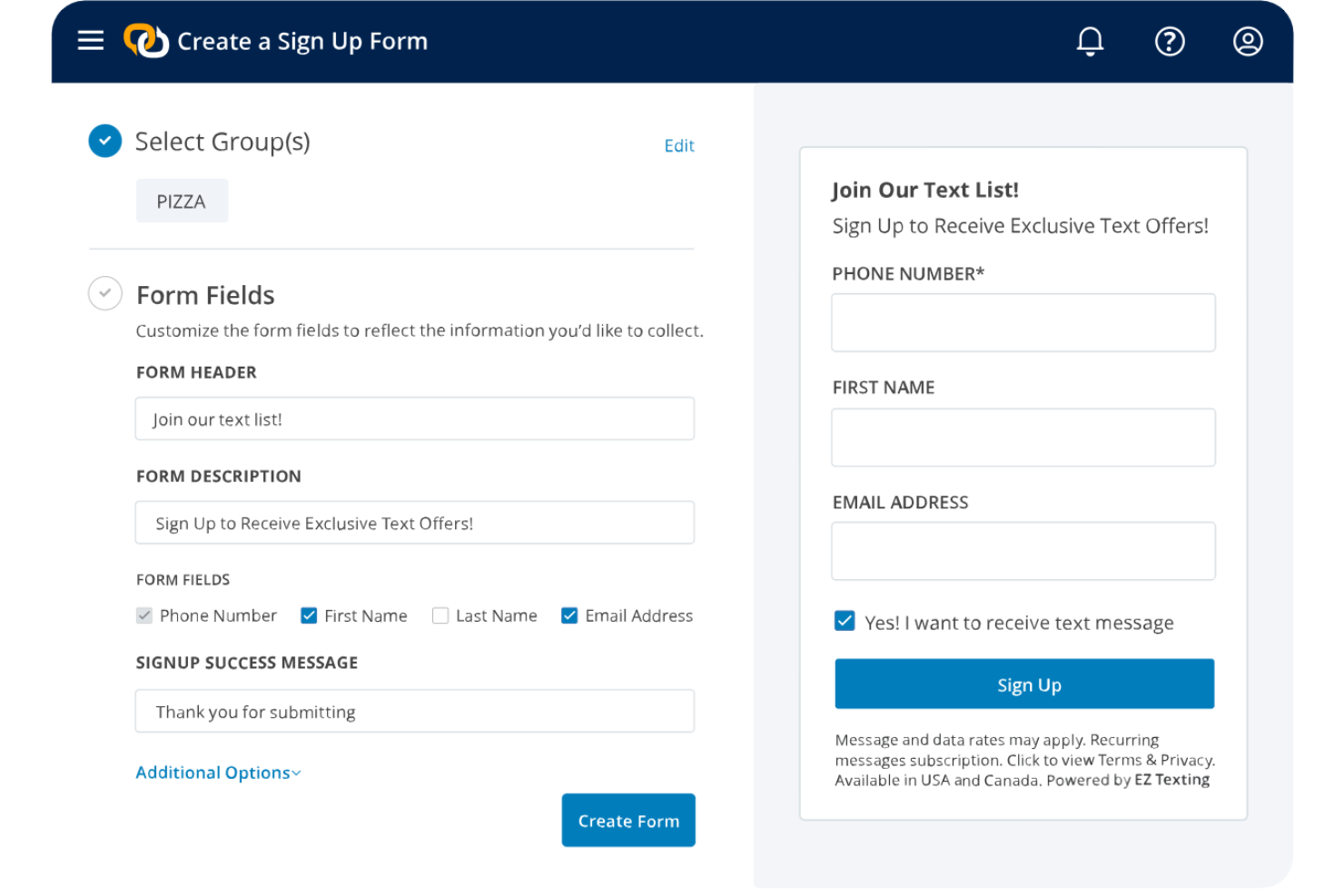
EZ Texting offers a text messaging platform designed for churches that want to reach members quickly and reliably. It’s a strong choice for ministry teams looking to automate reminders, event updates, and personalized outreach through SMS. If you need a way to connect with your congregation outside of email or social media, this tool helps you communicate directly and efficiently.
Who Is EZ Texting Best For?
EZ Texting is a good fit for church communication teams that want to automate and personalize SMS outreach to their congregations.
Why I Picked EZ Texting
What drew me to EZ Texting is how it lets churches build custom SMS automation workflows that go far beyond simple mass texting. You can set up automated text sequences for event reminders, prayer requests, or follow-ups with new visitors, all tailored to your ministry’s needs. I also like that you can segment your audience and trigger messages based on specific actions or dates, which helps keep communication timely and relevant. These automation features make EZ Texting a strong choice for churches that want to engage their congregation with targeted, consistent messaging.
EZ Texting Key Features
In addition to its automation workflows, I also found several features that support church communication needs:
- Mass texting: Send announcements or reminders to your entire congregation at once.
- Two-way texting: Allow members to reply directly and start conversations with ministry leaders.
- Contact management: Organize, segment, and update member lists for targeted communication.
- AI-powered message compose: Generate SMS content using built-in AI suggestions and templates.
EZ Texting Integrations
Integrations include Mailchimp, Planning Center, Google Calendar, Eventbrite, Stripe, Google Forms, Google Sheets, and more.
Pros and Cons
Pros:
- Event reminders integrate with calendar tools
- Segmented contact lists for targeted outreach
- AI message generator for quick content creation
Cons:
- Lacks built-in voice or video messaging
- No built-in church management system features
Other AI Church Communication Software
Here are some additional AI church communication software options that didn’t make it onto my shortlist, but are still worth checking out:
- Text In Church
For automated guest follow-up workflows
- Communicate
For campaign-based communications planning
- Donorbox
For donation-triggered email updates
- Faith Teams
For all-in-one church admin tools
- Pushpay
For integrating giving with communications
- Online Giving
For customizable donation messaging
- ChurchSpring
For automated guest follow-up messages
- Ministry Brands Amplify
For multi-campus message coordination
- EchoTexting
For scheduled group text campaigns
- Magai
For managing multi-model church content


AI Church Communication Software Selection Criteria
When selecting the best AI church communication software to include in this list, I considered common buyer needs and pain points like keeping all church communications organized and reducing manual messaging tasks. I also used the following framework to keep my evaluation structured and fair:
Core Functionality (25% of total score)
To be considered for inclusion in this list, each solution had to fulfill these common use cases:
- Send group messages to members
- Schedule and manage church events
- Automate reminders and notifications
- Store and organize member contact information
- Track communication history with members
Additional Standout Features (25% of total score)
To help further narrow down the competition, I also looked for unique features, such as:
- AI-powered content suggestions for messages
- Automated guest follow-up workflows
- Integration with fundraising platforms
- Multi-campus message coordination tools
- Advanced analytics for communication effectiveness
Usability (10% of total score)
To get a sense of the usability of each system, I considered the following:
- Simple and intuitive dashboard layout
- Clear navigation between communication tools
- Minimal steps to send or schedule messages
- Responsive design for mobile and desktop
- Accessibility for users with varying tech skills
Onboarding (10% of total score)
To evaluate the onboarding experience for each platform, I considered the following:
- Availability of step-by-step setup guides
- Access to training videos and webinars
- Interactive product tours for new users
- Pre-built templates for common communications
- Support for data migration from previous tools
Customer Support (10% of total score)
To assess how each church tech provider handles customer support services, I considered the following:
- Live chat or phone support availability
- Response time to support requests
- Access to a searchable help center
- Availability of onboarding specialists
- Community forums or user groups
Value For Money (10% of total score)
To evaluate the value for money of each platform, I considered the following:
- Transparent and predictable pricing structure
- Range of features included in base plans
- Discounts for nonprofits or churches
- Flexibility to scale with church growth
- Free trial or demo options
Customer Reviews (10% of total score)
To get a sense of overall customer satisfaction, I considered the following when reading customer reviews:
- Positive feedback on communication features
- Reports of reliable system uptime
- Comments on ease of adoption by staff
- Praise for customer support responsiveness
- Suggestions for future feature improvements
How to Choose AI Church Communication Software
It’s easy to get bogged down in long feature lists and complex pricing structures. To help you stay focused as you work through your unique software selection process, like the relevance of the AI for churches, here’s a checklist of factors to keep in mind:
| Factor | What to Consider |
|---|---|
| Scalability | Will the software handle your church’s growth, new ministries, or multiple campuses without major upgrades or added costs? |
| Integrations | Does the tool connect natively with your existing church management, giving, or calendar systems, or will you need workarounds? |
| Customizability | Can you tailor communication templates, user roles, and workflows to fit your church’s unique structure and ministry needs? |
| Ease of use | Will staff and volunteers of varying tech comfort levels be able to learn and use the system quickly, or will it require ongoing help? |
| Implementation and onboarding | How long will it take to get up and running, and what support or resources does the vendor provide for data migration and training? |
| Cost | Are there hidden fees, user limits, or required add-ons that could impact your budget as your needs change over time? |
| Security safeguards | Does the software offer adequate data protection, user access controls, and compliance with privacy standards relevant to your ministry? |
| Support availability | What support channels are offered (chat, phone, email), and are they available during your church’s busiest times or only standard hours? |
What Is AI Church Communication Software?
AI church communication software is a digital platform that uses artificial intelligence to help churches manage, automate, and personalize their communications with members and visitors. These tools support tasks like sending group messages, scheduling announcements, and analyzing engagement, allowing church leaders to reach their congregation more efficiently and with greater relevance.
Features of AI Church Communication Software
When selecting AI church communication software, keep an eye out for the following key features:
- Automated messaging: Automatically send emails, texts, or app notifications to groups or individuals based on schedules, triggers, or member actions.
- AI-powered content suggestions: Generate message drafts, announcements, or event reminders using artificial intelligence to save time and improve communication quality.
- Event scheduling and reminders: Create, manage, and promote church events while sending automated reminders to attendees.
- Member directory management: Store, organize, and update contact information, group memberships, and communication preferences for all members.
- Analytics and engagement tracking: Monitor message open rates, response rates, and overall engagement to help refine communication strategies.
- Role-based access controls: Assign permissions to staff and volunteers, ensuring the right people have access to the right communication tools and data.
- Customizable templates: Use and adapt pre-built templates for common messages, newsletters, or event invitations to maintain consistency and save time.
- Multi-channel communication: Reach your congregation through email, SMS, push notifications, or in-app messages from a single platform.
- Integration with church management systems: Connect communication tools with your existing church database, calendar, or giving platform for seamless data flow.
- Automated guest follow-up: Trigger personalized follow-up messages to visitors or new members based on their interactions or attendance.
Benefits of AI Church Communication Software
Implementing AI church communication software provides several benefits for your team and your business. Here are a few you can look forward to:
- Centralized communication management: Keep all messages, announcements, and reminders organized in one place, reducing confusion and missed updates.
- Time savings: Automate routine messaging and follow-ups, taking up less time from the staff and volunteers.
- Personalized outreach: Use AI-powered content suggestions and automated guest follow-up to tailor messages to individual members and visitors.
- Improved engagement tracking: Monitor open rates, responses, and participation to better understand what resonates with your congregation.
- Consistent messaging: Leverage customizable templates and scheduling tools to ensure every communication aligns with your church’s voice and timing.
- Enhanced data accuracy: Integrate with your church management system to keep member information up to date and reduce manual entry errors.
- Scalable for growth: Adapt easily as your church expands, adding new groups, campuses, or ministries without overhauling your communication process.
Costs and Pricing of AI Church Communication Software
Selecting AI church communication software requires an understanding of the various pricing models and plans available. Costs vary based on features, team size, add-ons, and more. The table below summarizes common plans, their average prices, and typical features included in AI church communication software solutions:
Plan Comparison Table for AI Church Communication Software
| Plan Type | Average Price | Common Features |
|---|---|---|
| Free Plan | $0 | Basic group messaging, limited contacts, simple event scheduling, and basic analytics. |
| Personal Plan | $5-$25/user/month | Expanded messaging limits, member directory management, customizable templates, and email support. |
| Business Plan | $30-$75/user/month | Multi-channel messaging, AI-powered content suggestions, integration options, and advanced analytics. |
| Enterprise Plan | $100-$250+/month | Unlimited users, multi-campus support, dedicated onboarding, advanced security, and priority support. |
AI Church Communication Software FAQs
Here are some answers to common questions about AI church communication software:
How does AI improve church communication?
AI improves church communication by automating routine tasks, suggesting personalized content, and analyzing engagement data. This helps leaders send timely, relevant messages and reduces the manual effort required to keep members informed and connected.
Can AI church communication software integrate with our existing church management system?
Yes, most AI church communication software can integrate with popular church management systems. Integration allows you to sync member data, automate updates, and streamline workflows, but always confirm compatibility with your current tools before purchasing.
Is it difficult to train staff and volunteers to use AI church communication software?
No, most platforms are designed with user-friendly interfaces and offer onboarding resources like tutorials, templates, and support. However, some users may need extra time or training, especially if they’re less comfortable with technology.
What security measures should I look for in AI church communication software?
Look for features like data encryption, user access controls, and compliance with privacy standards. These safeguards help protect sensitive member information and ensure your church meets legal and ethical responsibilities.
How do I know if my church needs AI-powered communication tools?
If your team spends a lot of time on manual messaging, struggles to keep members engaged, or wants to personalize outreach at scale, AI-powered tools can help. Consider your church’s size, communication volume, and growth plans when deciding.