

Tithe.ly Review: Pros, Cons, Features & Pricing
Tithely empowers your church with a user-friendly platform that simplifies giving, making it a standout choice for managing your church's financial contributions.

We review tools independently, and commissions help fund our testing. See our transparency policy, our methodology, or suggest a tool.
Tithe.ly is a church giving software built for churches that want to accept online donations, text giving, and recurring gifts without a steep learning curve. I'd consider it if your congregation is ready to move beyond passing the plate but doesn't need the enterprise complexity of Pushpay—Tithe.ly gives smaller and mid-sized churches a more accessible entry point with comparable core giving features at a lower cost.
Tithe.ly Evaluation Summary
4.7/5
- From $72/month
- 30-day free trial available
Why Trust Our Software Recommendations
6,700+
Reviews
20
Industry experts
16+
Evaluation factors
14
Years
Our team has been testing and reviewing software since 2012. As church leaders ourselves, we know how difficult—and important—it is to choose the right software.
For this guide, we evaluated tools using hands-on testing and independent research, scoring tools using our selection criteria.
Our reviews reflect our human editorial judgment, not a sales pitch.
Tithe.ly Overview
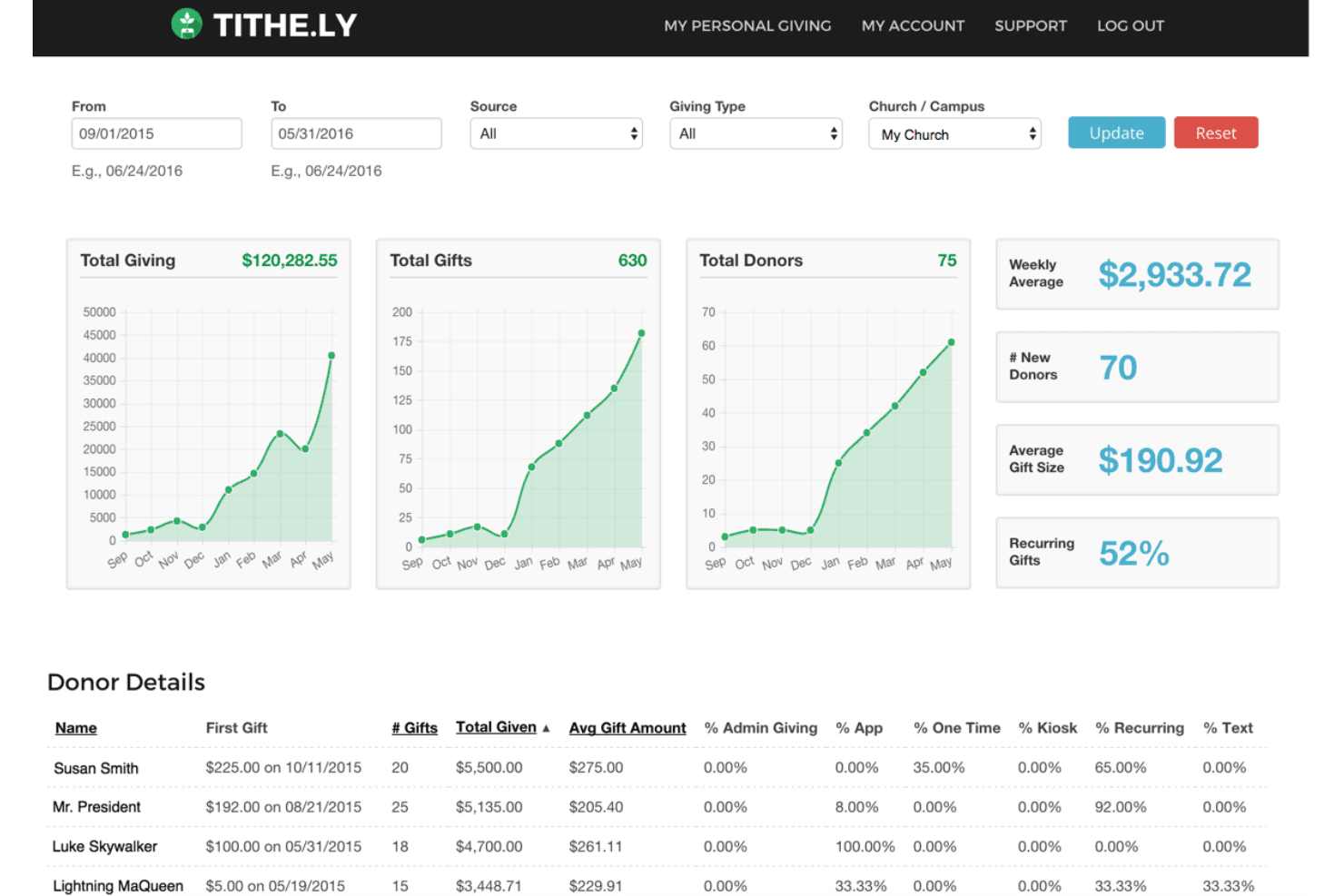
Tithe.ly is a smart, modern church-tech platform built around digital giving and church-management tools, designed to help congregations streamline donations, member engagement and operations with one integrated system. It’s best for churches that are actively trying to boost mobile and online giving, want a unified solution for apps, websites and member tools, and are willing to adopt a tech-forward approach to ministry. Conversely, smaller or very traditional churches with limited tech needs, minimal online giving, or tight budgets might find Tithe.ly’s full-suite features more than they require. These groups might not benefit from the higher-tier plans or the advanced tools as much as larger or growth-oriented congregations.
Pros
- The user-friendly interface makes donations and fundraising easy for your team.
- Customizable donation forms enhance your donor's experience.
- Strong donor management features support your church's financial tracking needs.
Cons
- Some users report technical glitches that may disrupt your workflow.
- Limited features compared to other platforms might not meet all your needs.
- Users seek more advanced reporting tools to better analyze contributions.
Is Tithe.ly Right For Your Needs?
Who Would be a Good Fit for Tithe.ly?
Tithe.ly is a strong choice for churches and ministries that want simple digital giving, event payments, and basic church management in one place. It’s especially helpful for smaller teams, volunteer-led ministries, and organizations that don’t have dedicated IT staff. Tithe.ly’s mobile giving, text-to-give, and responsive support make it easy for congregations to give and for leaders to manage donations without technical headaches.
- Small ChurchesTithe.ly is ideal for small churches needing a simple, cost-effective way to manage donations and engage their community.
- Mid-Sized CongregationsMid-sized congregations benefit from Tithe.ly's robust donor management and customizable forms to enhance member contributions.
- Church Finance TeamsFinance teams use Tithe.ly to track donations efficiently, thanks to its strong reporting capabilities and user-friendly interface.
- Nonprofit OrganizationsNonprofits find Tithe.ly valuable for its donation tracking and management features that support fundraising efforts.
- Religious SchoolsReligious schools can use Tithe.ly to streamline fundraising campaigns, leveraging its customizable donation forms.
- Community CentersCommunity centers benefit from Tithe.ly’s straightforward platform to handle contributions and support ongoing projects.
Who Would be a Bad Fit for Tithe.ly?
Tithe.ly may not be the best fit for large organizations, churches with complex accounting needs, or those wanting advanced customization and branding. If you need deep financial reporting, custom website design, or integration with enterprise systems, you’ll likely find Tithe.ly’s feature set limiting compared to more specialized solutions.
- Large EnterprisesLarge enterprises might find Tithe.ly lacking in advanced features and complex reporting tools needed for extensive financial analysis.
- Tech CompaniesTech companies may feel restrained by Tithe.ly's limited customization options and lack of extensive integrations.
- Advanced FundraisersAdvanced fundraisers seeking comprehensive analytics and reporting might find Tithe.ly's capabilities insufficient.
- Corporate NonprofitsCorporate nonprofits needing highly specialized donation management features might find Tithe.ly too basic.
- Financial AnalystsFinancial analysts requiring detailed data analysis and reporting tools may not find Tithe.ly to be robust enough.
- Software DevelopersSoftware developers looking for extensive customization and integration capabilities might find Tithe.ly limiting.
How We Test & Score Tools
We’ve spent years building, refining, and improving our software testing and scoring system. The rubric is designed to capture the nuances of software selection and what makes a tool effective, focusing on critical aspects of the decision-making process.
Below, you can see exactly how our testing and scoring works across seven criteria. It allows us to provide an unbiased evaluation of the software based on core functionality, standout features, ease of use, onboarding, customer support, integrations, customer reviews, and value for money.
Core Functionality (25% of final scoring)
The starting point of our evaluation is always the core functionality of the tool. Does it have the basic features and functions that a user would expect to see? Are any of those core features locked to higher-tiered pricing plans? At its core, we expect a tool to stand up against the baseline capabilities of its competitors.
Standout Features (25% of final scoring)
Next, we evaluate uncommon standout features that go above and beyond the core functionality typically found in tools of its kind. A high score reflects specialized or unique features that make the product faster, more efficient, or offer additional value to the user.
We also evaluate how easy it is to integrate with other tools typically found in the tech stack to expand the functionality and utility of the software. Tools offering plentiful native integrations, 3rd party connections, and API access to build custom integrations score best.
Ease of Use (10% of final scoring)
We consider how quick and easy it is to execute the tasks defined in the core functionality using the tool. High scoring software is well designed, intuitive to use, offers mobile apps, provides templates, and makes relatively complex tasks seem simple.
Onboarding (10% of final scoring)
We know how important rapid team adoption is for a new platform, so we evaluate how easy it is to learn and use a tool with minimal training. We evaluate how quickly a team member can get set up and start using the tool with no experience. High scoring solutions indicate little or no support is required.
Customer Support (10% of final scoring)
We review how quick and easy it is to get unstuck and find help by phone, live chat, or knowledge base. Tools and companies that provide real-time support score best, while chatbots score worst.
Customer Reviews (10% of final scoring)
Beyond our own testing and evaluation, we consider the net promoter score from current and past customers. We review their likelihood, given the option, to choose the tool again for the core functionality. A high scoring software reflects a high net promoter score from current or past customers.
Value for Money (10% of final scoring)
Lastly, in consideration of all the other criteria, we review the average price of entry level plans against the core features and consider the value of the other evaluation criteria. Software that delivers more, for less, will score higher.
Core Features
Donation Management: Tithely lets you track and manage donations efficiently, helping your team keep accurate financial records. It simplifies the process of monitoring contributions, ensuring you stay organized.
Customizable Donation Forms: You can tailor donation forms to fit your church's needs, enhancing the giving experience for your donors. This flexibility helps you maintain a consistent brand image and engage supporters.
Recurring Giving: Set up recurring donations easily, allowing your congregation to support your church consistently. This feature ensures steady cash flow and simplifies donor commitments.
Text Giving: Tithely's text giving feature enables your community to donate quickly via text message, making giving accessible and convenient. It encourages spontaneous donations and fits modern lifestyles.
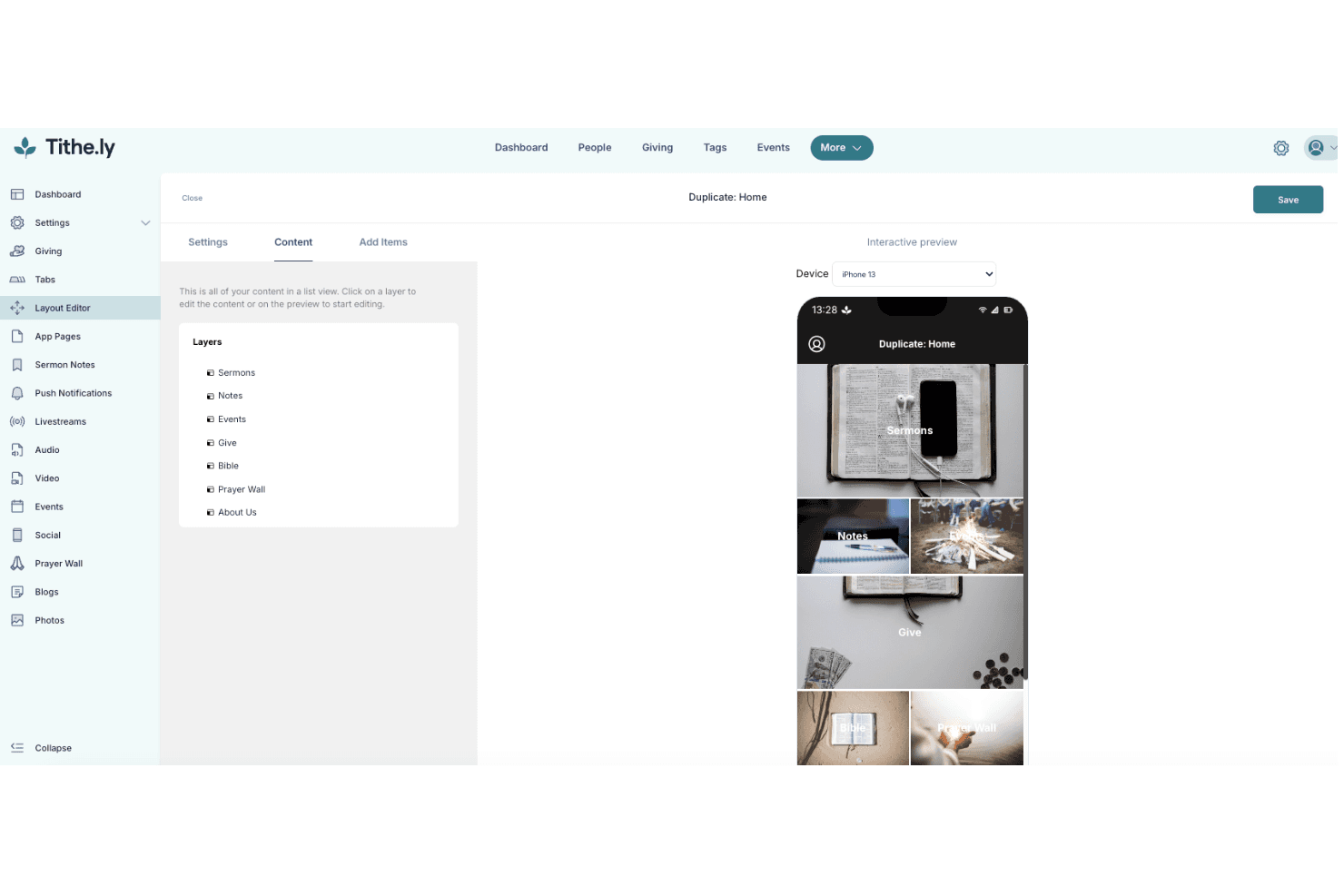
Mobile App: The mobile app lets your congregation give on-the-go, providing flexibility and ease of use. This accessibility encourages more frequent contributions.
Donor Management: Manage and organize donor information effectively, helping you build stronger relationships with your community. This feature supports personalized engagement and communication.
Ease of Use
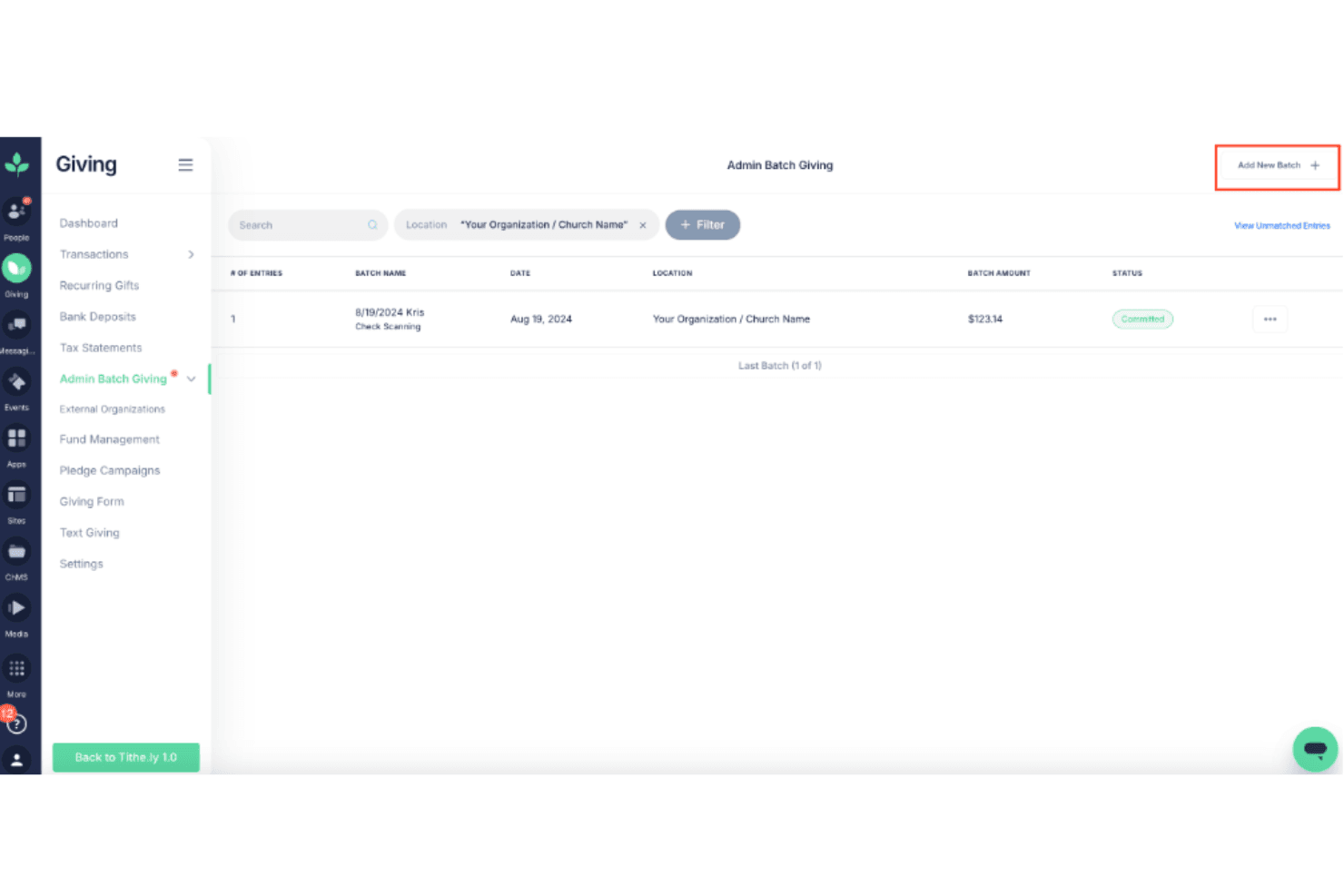
Tithely offers a straightforward interface that makes it easy for your team to manage donations and engage with your community. Users appreciate the intuitive navigation and clear layout, which simplify tasks like setting up recurring giving and customizing donation forms. While some users note occasional technical glitches, the overall experience remains positive. Tithely's user-friendly design empowers your team to focus on building relationships and driving contributions without getting bogged down in complicated processes.
Tithe.ly Specs
- API: No
- Calendar Management: No
- Contact Management: No
- Dashboards: No
- Data Export: Yes
- Data Import: Yes
- Document Management: No
- External Integrations: Yes
- Multi-User: Yes
- Notifications: Yes
- Payment Gateway Integration: No
- Scheduling: No
- Workflow Management: No


