

10 Best Event Management Software for Nonprofits for 2026

Best Event Management Software for Nonprofits for 2026


Event management software for nonprofits helps you plan, organize, and run events while tracking registrations, donations, and volunteer involvement in one place. If you’re searching for tools that fit your ministry’s unique needs—like managing fundraisers, coordinating volunteers, or engaging your congregation—finding the right platform can make a real difference. This guide will help you compare leading options for 2026, so you can choose software that supports your mission, fits your budget, and helps your team deliver meaningful events with confidence.
Why Trust Our Software Recommendations
Our team has been testing and reviewing software since 2012. As church leaders ourselves, we know how difficult—and important—it is to choose the right software.
For this guide, we evaluated tools using hands-on testing and independent research, scoring tools using our selection criteria.
Our reviews reflect our human editorial judgment, not a sales pitch.
Best Event Management Software for Nonprofits Summary
This comparison chart summarizes pricing details for my top event management software for nonprofits selections to help you find the best one for your budget and business needs.
| Tool | Best For | Trial Info | Price | ||
|---|---|---|---|---|---|
| 1 | Best for customizable RSVP forms | Free plan + free demo available | From $24/month (billed annually) | Website | |
| 2 | Best with zero transaction fees | Free plan available | Free to use | Website | |
| 3 | Best for donor-focused event tracking | Free demo available | From $40/month (billed annually) | Website | |
| 4 | Best for hybrid event experiences | Free demo available | From $499/user/month (billed annually) | Website | |
| 5 | Best for large-scale attendee management | Free demo available | Pricing upon request | Website | |
| 6 | Best for integrated fundraising tools | 30-day free trial + free plan available | From $29/month (billed annually) | Website | |
| 7 | Best for mobile bidding at events | Free demo available | Pricing upon request | Website | |
| 8 | Best for volunteer coordination features | Free demo available | From $99/month (billed annually) | Website | |
| 9 | Best for membership-based organizations | 60-day free trial available | From $59.40/month (billed annually) | Website | |
| 10 | Best for all-in-one CRM integration | Free demo available | Pricing upon request | Website |
Event Management Software for Nonprofits Reviews
Below are my detailed summaries of event management software for nonprofits that made it onto my shortlist. My reviews offer a detailed look at the features, best use cases, and integrations of each platform to help you find the best one for you.

RSVPify
Best for customizable RSVP forms
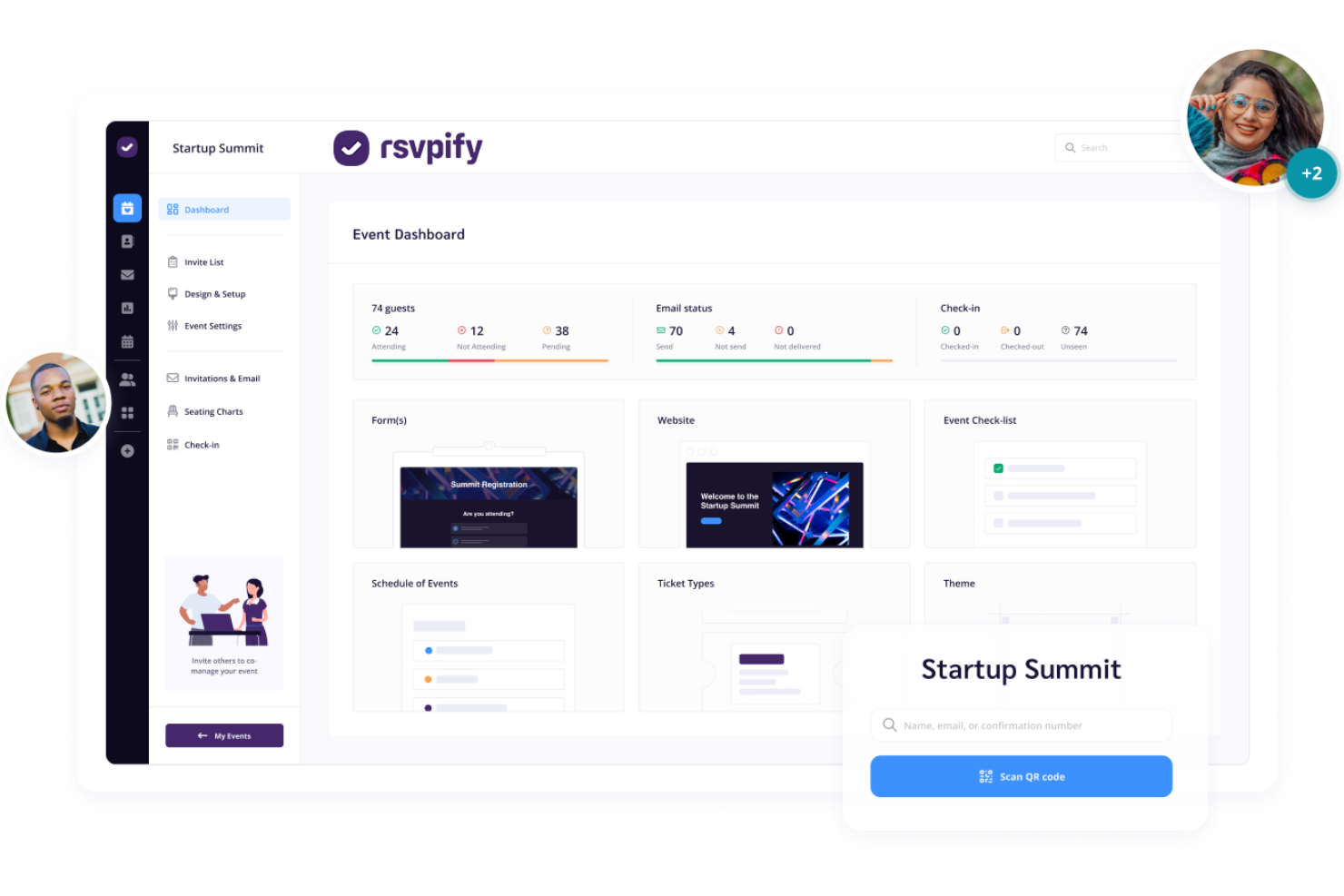
RSVPify gives nonprofits a way to create highly customizable RSVP forms for events of any size. This tool is especially useful for organizations that need to collect detailed attendee information or manage complex guest lists. For event planners who want more control over registration questions, meal choices, or group invites, RSVPify offers unmatched flexibility.
Why I Picked RSVPify
What sets RSVPify apart is its ability to let you design RSVP forms that fit the unique needs of your nonprofit’s events. I picked it because you can customize every aspect of the registration process, from adding specific questions to collecting meal preferences and managing plus-ones. The platform also supports conditional logic, so you can tailor follow-up questions based on attendee responses. This level of control is especially helpful for organizations that need to gather detailed information or handle complex guest scenarios.
RSVPify Key Features
Some other features in RSVPify that support nonprofit event management solutions include:
- Drag-and-Drop Seating Charts: Arrange guests visually and assign seats for banquets or galas.
- Integrated Payment Processing: Collect donations or ticket payments directly through the RSVP form.
- Event Check-In Tools: Use digital check-in for guests on event day with QR code scanning.
- Email Invitation and Reminder System: Use integrated email marketing to send branded invitations and automated reminders to your guest list.
RSVPify Integrations
Integrations include Salesforce, HubSpot, Calendly, Blackbaud, Google Sheets, Stripe, Bloomerang, and Google Forms.
Pros and Cons
Pros:
- Allows branded email invitations and reminders
- Offers drag-and-drop seating chart tools
- Supports conditional logic for RSVP questions
Cons:
- Limited options for recurring event setup
- No built-in volunteer management features

Zeffy
Best with zero transaction fees
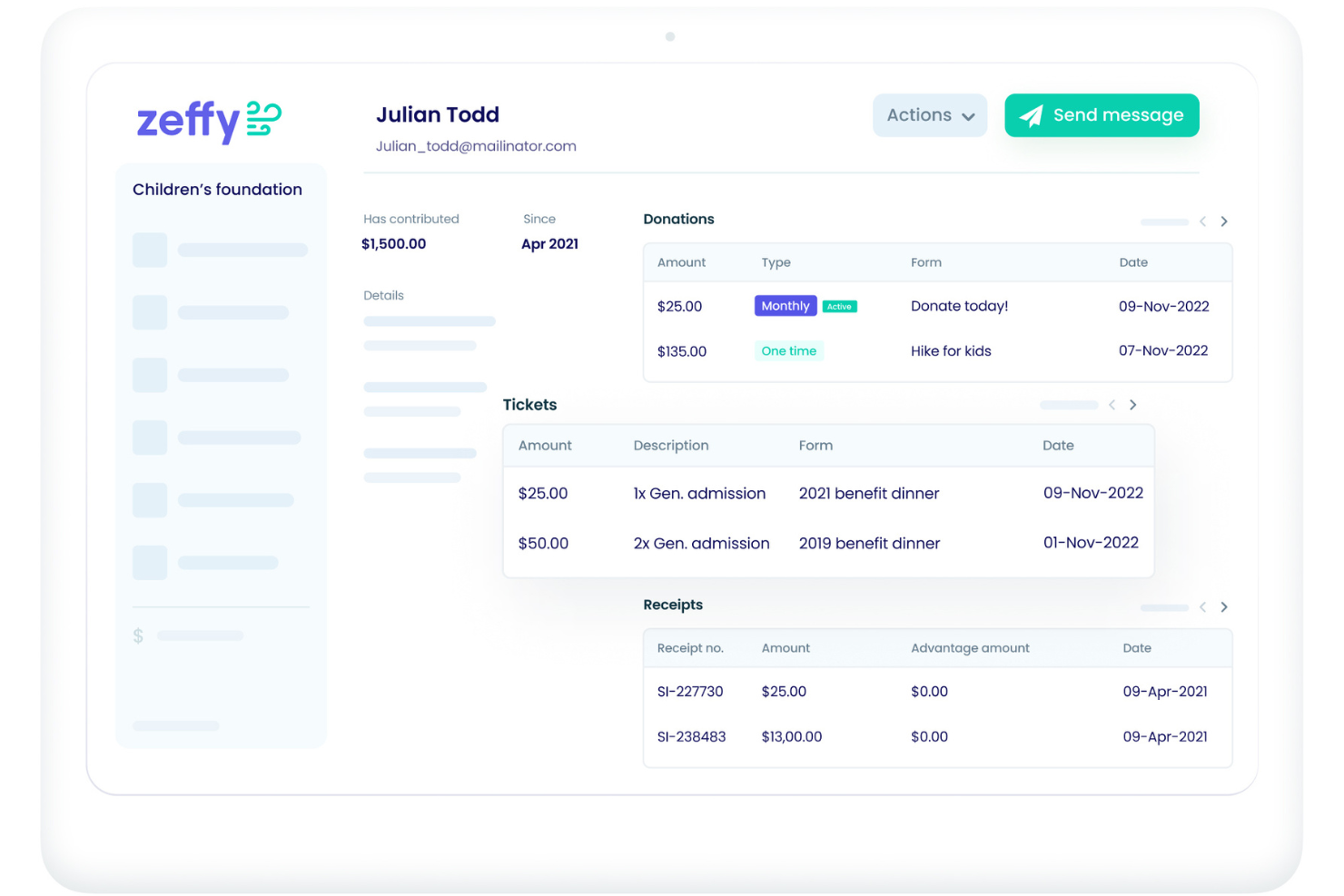
Zeffy stands out for nonprofits that want to avoid transaction fees on event registrations and donations. This platform is designed for organizations that need to maximize every dollar raised, making it especially appealing for smaller teams or those with tight budgets. If your group is looking for a way to manage events and fundraising without losing revenue to payment processors, Zeffy offers a truly fee-free solution.
Why I Picked Zeffy
Unlike most event management platforms, Zeffy processes donations and ticket sales without taking any transaction fees, which is a major advantage for nonprofits working to stretch every dollar. I picked Zeffy because it lets organizations collect payments and manage event registrations without losing a percentage to processing costs. The platform also supports unlimited fundraising campaigns and events, so you’re not limited by volume or scale. For nonprofits that want to maximize their fundraising impact, Zeffy’s zero-fee approach is a unique and practical solution.
Zeffy Key Features
Some other features in Zeffy that support nonprofit event management include:
- Customizable Event Pages: Create branded event pages with your organization’s logo and colors.
- Automated Tax Receipts: Generate and send tax receipts to donors and registrants automatically.
- Team Collaboration Tools: Invite team members to manage events and fundraising campaigns together.
- Attendee Management Dashboard: Track registrations, payments, and guest details in one place.
Zeffy Integrations
Native integrations are not currently listed.
Pros and Cons
Pros:
- Unlimited events and fundraising campaigns
- Automated tax receipts for all registrants
- No transaction fees on donations or tickets
Cons:
- Attendee check-in features are basic
- Limited reporting and analytics

Best for donor-focused event tracking
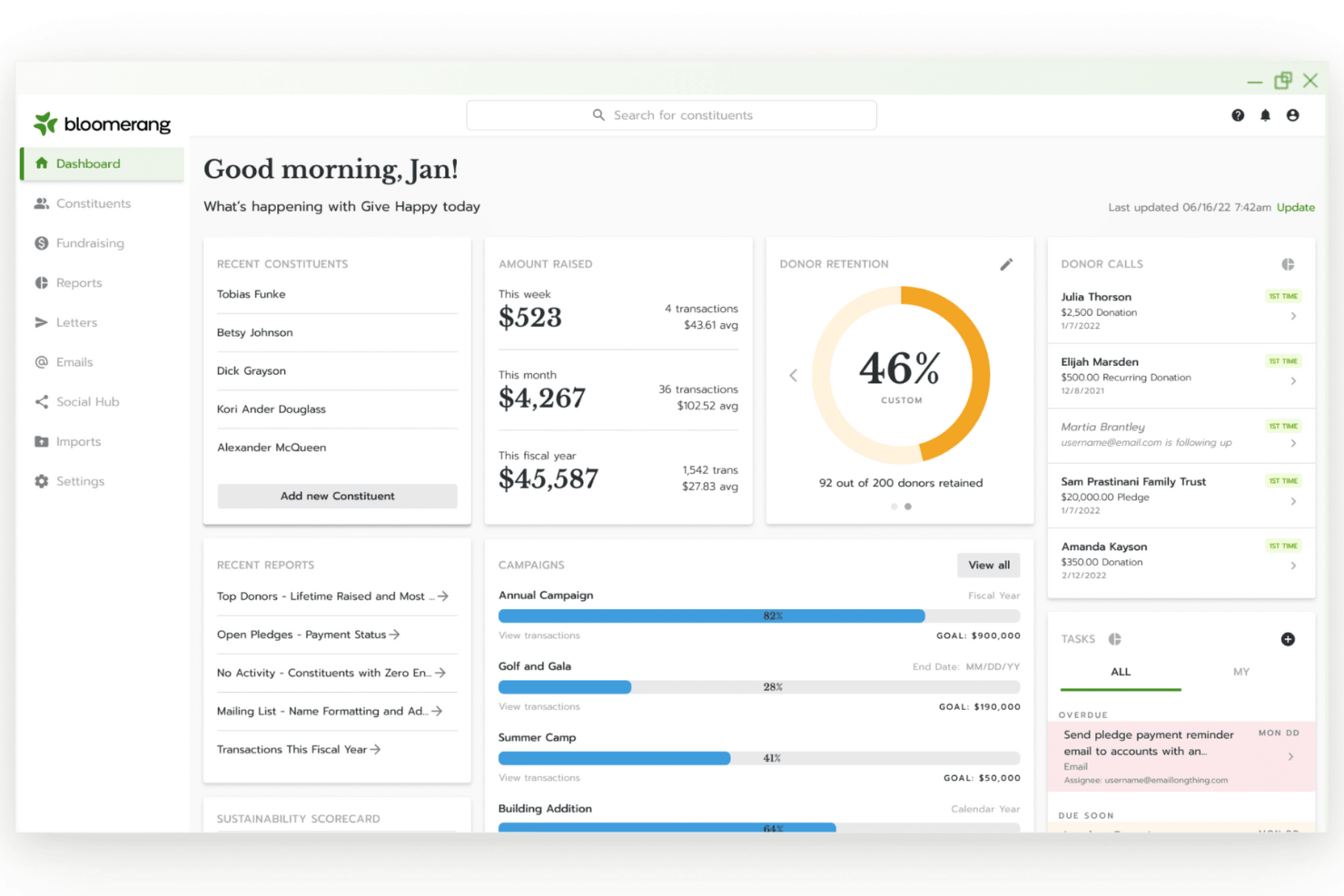
If you’re looking for nonprofit event management software that keeps donor relationships at the center, Bloomerang is worth a look. This platform is designed for nonprofits that want to track event engagement alongside donor data and giving history. It’s a good fit for teams focused on building long-term support through events and targeted follow-up.
Why I Picked Bloomerang
Bloomerang stands out for nonprofits that want to connect event participation directly to donor engagement. I picked it because its event tracking tools let you see which supporters attend, donate, or volunteer, and then link those actions to their giving history. The platform’s donor profiles and reporting features help you identify trends and tailor follow-up after events. This focus on donor data makes it easier to improve your stewardship and build lasting relationships through every event you host.
Bloomerang Key Features
Some other features in Bloomerang that support event management for nonprofits include:
- Online Giving Pages: Create branded donation pages to meet your fundraising goals for event ticket sales.
- Automated Acknowledgments: Set up automatic thank-you emails and receipts for event attendees and donors.
- Volunteer Management: Track volunteer sign-ups, hours, and roles for each event.
- Customizable Reporting: Build reports to analyze event performance, attendee demographics, and fundraising outcomes.
Bloomerang Integrations
Integrations include QuickBooks, Mailchimp, Constant Contact, DonorSearch, Amilia, Verified First, PayPal, Google Pay, Apple Pay, and Venmo.
Pros and Cons
Pros:
- Supports volunteer management for staffing
- Offers automated thank-you and receipt emails
- Tracks donor engagement across multiple events
Cons:
- Customization of event forms is restricted
- No built-in event ticketing or RSVP tools

Bizzabo
Best for hybrid event experiences
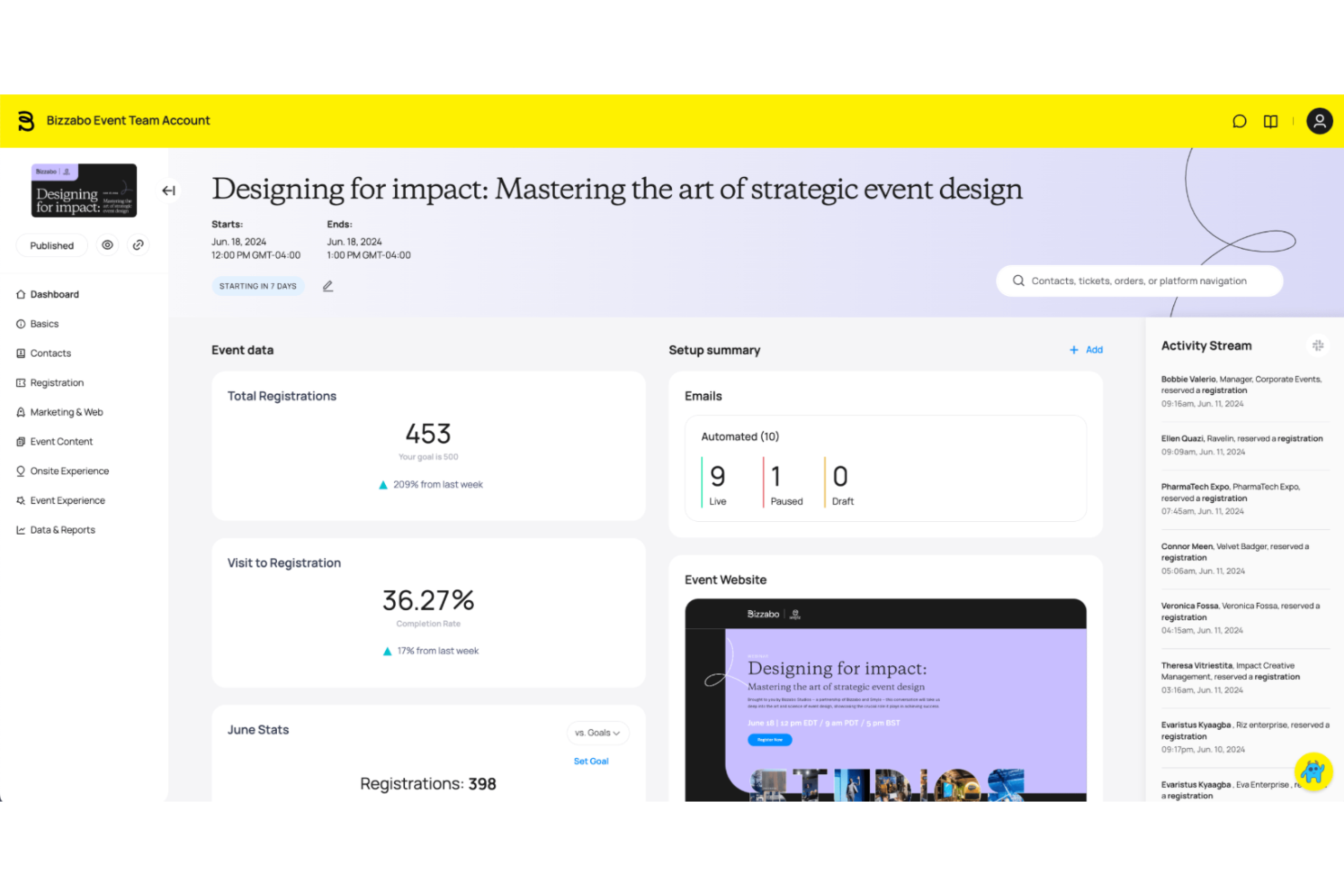
Bizzabo stands out for nonprofits that want to create engaging hybrid events with both in-person and virtual components. If your team needs to connect supporters across locations or offer flexible attendance options, this platform brings together live streaming, networking, and interactive tools in one place. Bizzabo is especially useful for organizations looking to blend physical and digital experiences for fundraising, conferences, or community gatherings.
Why I Picked Bizzabo
Hybrid events are becoming more important for nonprofits that want to reach both in-person and remote supporters. I picked Bizzabo because it offers a unified platform for managing live, virtual, and hybrid experiences, making it easier to coordinate complex events. The platform includes interactive live streaming, attendee networking tools, and engagement features like polls and Q&A that work across both physical and digital spaces. For organizations aiming to maximize participation and flexibility, Bizzabo’s hybrid event capabilities are a strong fit.
Bizzabo Key Features
Some other features in Bizzabo that support nonprofit event management include:
- Event Website Builder: Create branded event websites with registration and agenda details.
- Sponsor Management Tools: Track sponsorship packages, deliverables, and visibility options.
- Mobile Event App: Give attendees access to schedules, maps, and networking on their phones.
- Analytics Dashboard: Monitor attendee engagement and event performance in real time.
Bizzabo Integrations
Integrations include Salesforce, HubSpot, Mailchimp, Slack, Vimeo, Brightcove, ActiveCampaign, Microsoft Teams, and Zoom.
Pros and Cons
Pros:
- Sponsor management tracks deliverables and visibility
- Includes matchmaking options
- Hybrid event tools support in-person and virtual
Cons:
- Limited volunteer shift scheduling
- No built-in donation tools

Cvent
Best for large-scale attendee management
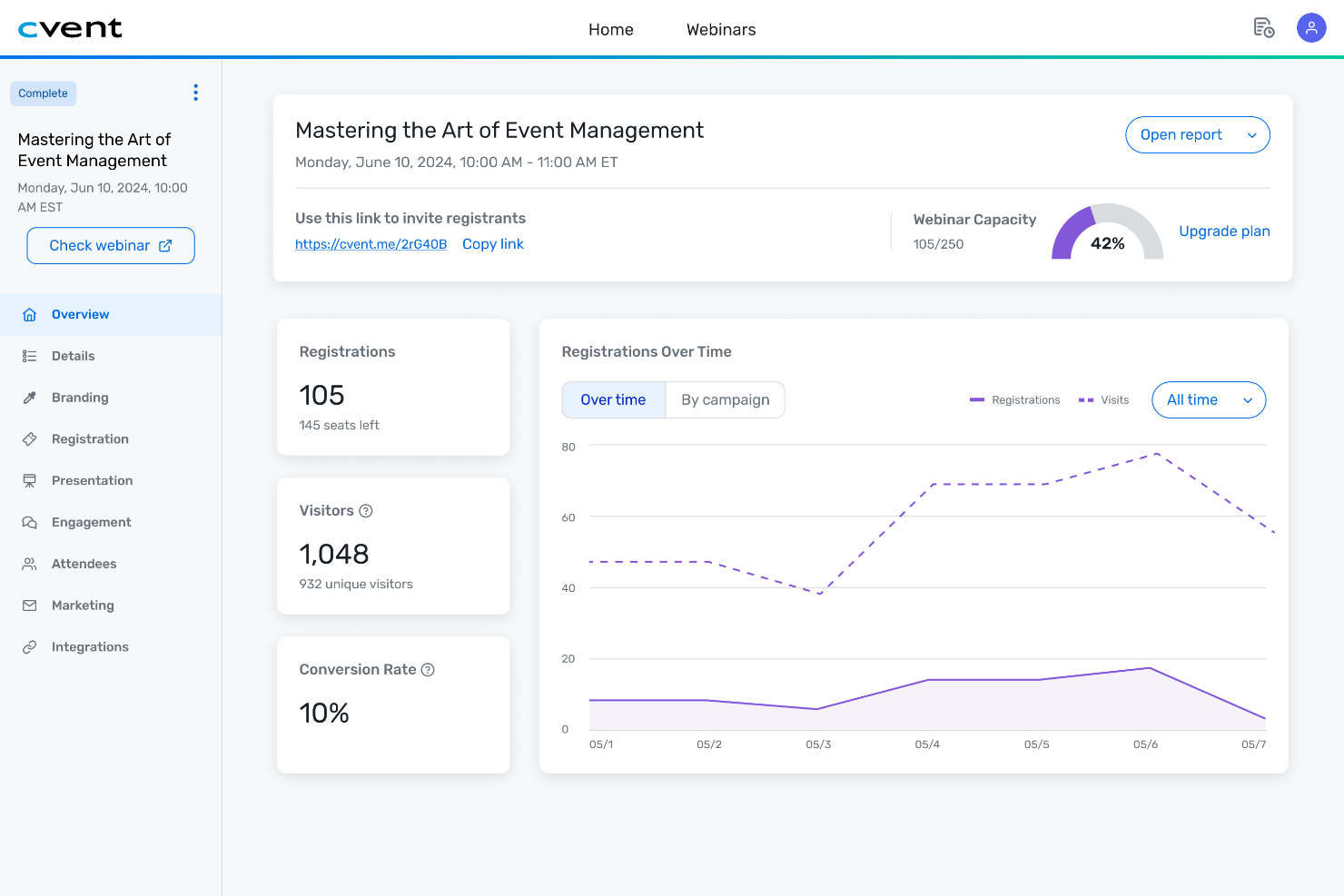
Cvent is designed for organizations that need to manage large-scale events with complex attendee logistics. Nonprofits running galas, conferences, or multi-day gatherings can use Cvent to handle registration, check-in, and communications for thousands of participants. If your team needs advanced tools for tracking attendance and coordinating event details at scale, Cvent offers features built for high-volume management.
Why I Picked Cvent
When it comes to managing events with thousands of attendees, Cvent stands out for its ability to handle complex logistics at scale. I picked Cvent because it offers advanced attendee management tools, including bulk registration, automated check-in, and real-time attendance tracking. The platform also supports detailed session management, so you can organize breakout sessions, workshops, and multi-track agendas with ease. For nonprofits hosting large conferences or fundraising galas, Cvent’s ability to manage complex event data and high-volume attendee coordination makes it a strong choice.
Cvent Key Features
Some other features in Cvent that support nonprofit event management include:
- Customizable Event Websites: Build branded event pages with registration forms and event details.
- On-site Badge Printing: Print attendee badges instantly at check-in stations.
- Mobile Event App: Give attendees access to schedules, maps, and networking tools on their phones.
- Sponsor and Exhibitor Management: Track sponsor packages and manage exhibitor logistics within the platform.
Cvent Integrations
Integrations include Salesforce, HubSpot, Microsoft Dynamics, Eloqua, SugarCRM, Veeva, NetSuite, Salesforce Pardot, and Zoom.
Pros and Cons
Pros:
- Provides mobile app for attendee engagement
- Offers real-time attendee tracking and analytics
- Supports multi-session and multi-day event formats
Cons:
- Restricted custom branding options
- Limited fundraising tools

Best for integrated fundraising tools
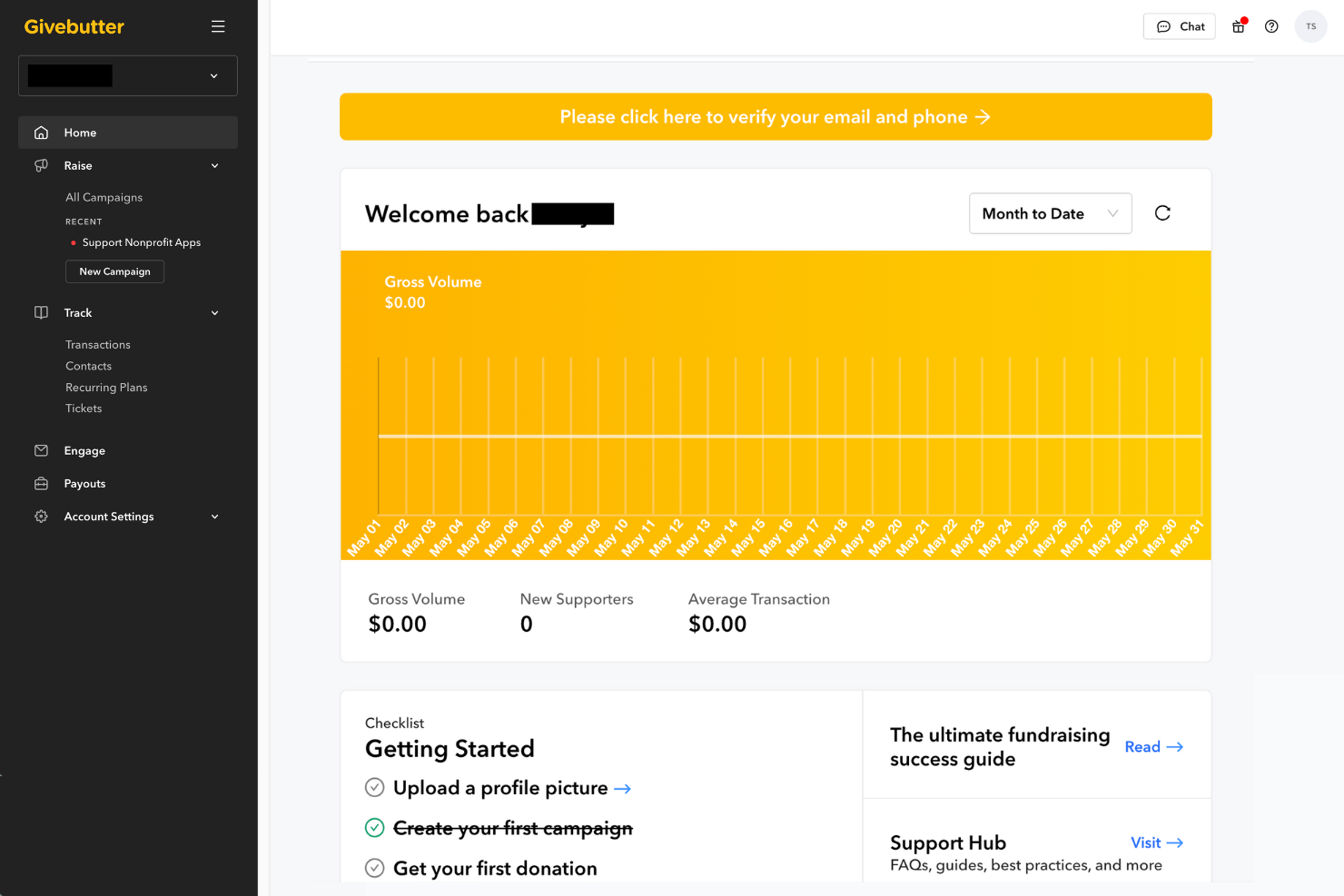
Givebutter brings together event management and fundraising software in one platform, making it a strong fit for nonprofits that want to run campaigns and events side by side. This solution is especially useful for organizations that need to coordinate ticketing, donations, and peer-to-peer fundraising from a single dashboard. If your team is looking for a way to connect event participation with integrated giving, Givebutter offers a unified approach.
Why I Picked Givebutter
What sets Givebutter apart is how it combines event management with a full suite of fundraising tools, making it especially useful for nonprofits that want to connect giving and participation. I picked Givebutter because it lets you run ticketed events, peer-to-peer campaigns, and auctions all from one platform. The built-in donation forms and campaign pages are designed to work with event registration, so you can encourage giving before, during, and after your events. For organizations that want to keep fundraising at the center of their events, Givebutter’s integrated approach is a strong fit.
Givebutter Key Features
Some other features in Givebutter that support nonprofit event management include:
- Text-to-Donate Functionality: Collect donations from attendees via SMS during events.
- Customizable Ticket Types: Set up multiple ticket options, including a free event tier, paid, and donation-based tickets.
- Live Event Pages: Host real-time fundraising thermometers and activity feeds during your events.
- Automated Thank-You Messages: Send personalized acknowledgments to donors and registrants automatically.
Givebutter Integrations
Integrations include Bloomerang, Double the Donation, Canva, Constant Contact, DonorSearch, HubSpot, Mailchimp, QuickBooks Online, Salesforce, and Zoom.
Pros and Cons
Pros:
- Multiple ticket types supported for each event
- Text-to-donate included for all campaigns
- Peer-to-peer fundraising built into event pages
Cons:
- Custom domain branding requires a paid plan
- Limited offline donation tracking for events

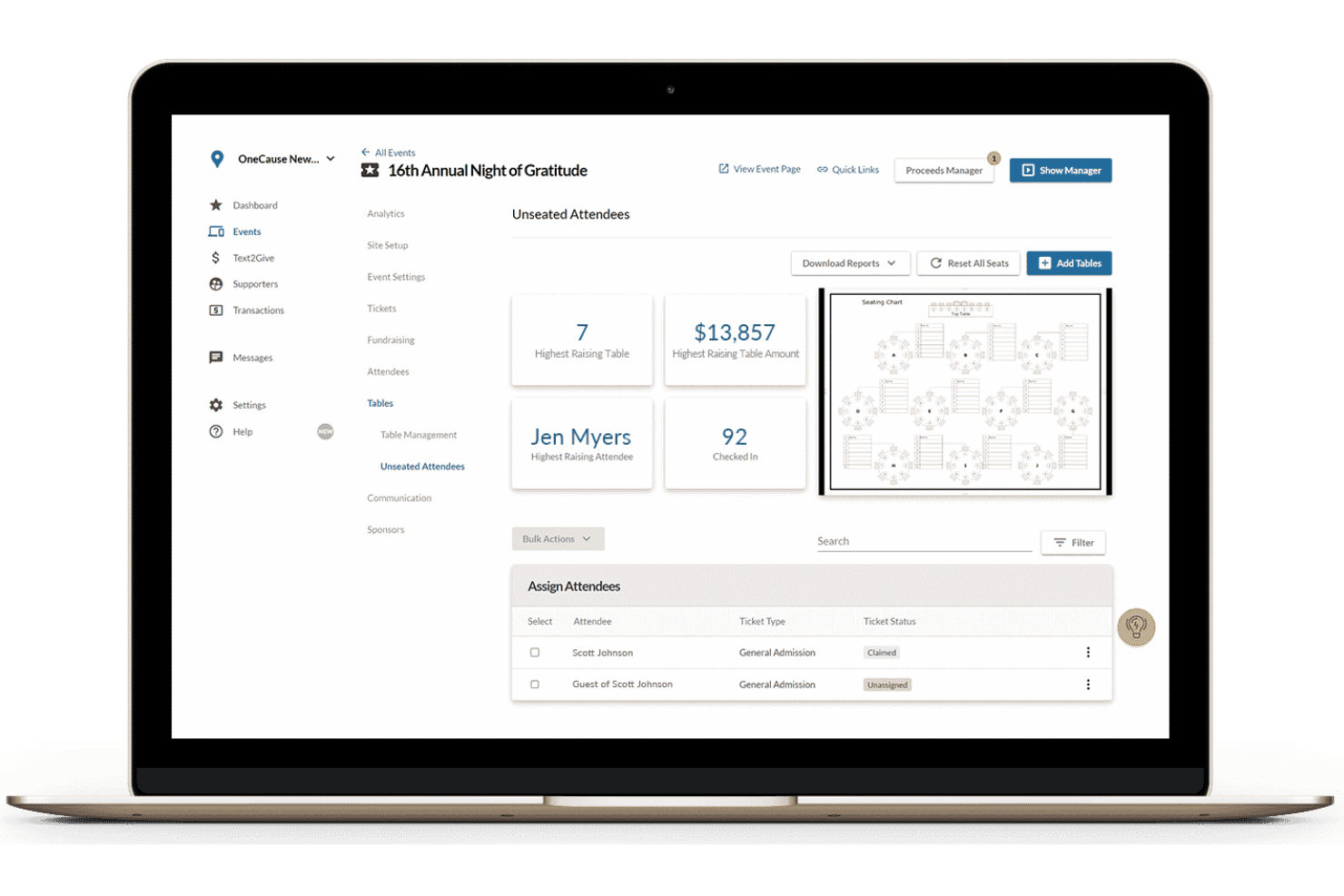
If your nonprofit hosts auctions or fundraising galas, OneCause is designed to make mobile bidding and giving simple for your guests. This platform is especially useful for organizations that want to boost participation and donations through silent auctions, paddle raises, and peer-to-peer fundraising. OneCause helps you manage event check-in, bidding, and payments all from attendees’ phones, reducing friction and keeping supporters engaged throughout your event.
Why I Picked OneCause
Mobile bidding can transform the way nonprofits run auctions and fundraising events, which is why I picked OneCause for this list. The platform’s mobile bidding feature uses gamification to let guests place bids, make donations, and receive instant notifications directly from their phones. I also appreciate that OneCause supports real-time leaderboards and outbid alerts, which help drive friendly competition and boost fundraising totals. For organizations focused on maximizing participation and revenue at live events, these mobile-first tools are a strong fit.
OneCause Key Features
Some other features in OneCause that support nonprofit event management include:
- Event Check-In App: Manage guest arrivals and registration from a tablet or mobile device.
- Table and Seating Management: Assign guests to tables and track seating arrangements for galas or dinners.
- Auction Item Management: Organize, display, and track auction items with images and descriptions.
- Integrated Payment Processing: Collect payments and donations securely through the platform.
OneCause Integrations
Native integrations are not currently listed.
Pros and Cons
Pros:
- Paddle raise feature tracks real-time donations
- Event check-in app speeds up guest entry
- Mobile bidding supports silent and live auctions
Cons:
- Higher payment processing fees
- Reporting exports require manual formatting
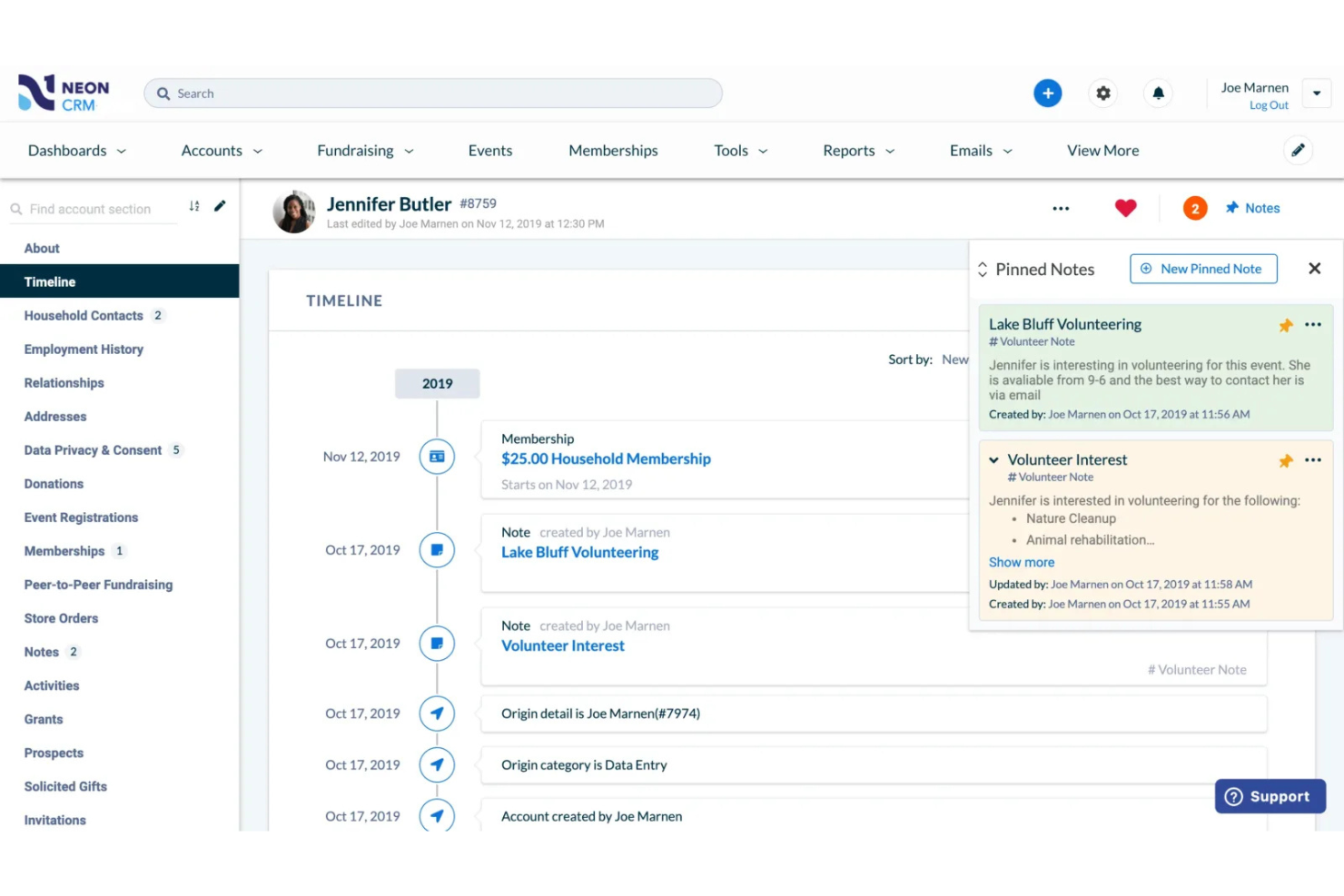
Neon CRM by Neon One stands out for nonprofit fundraising organizations that need to coordinate volunteers alongside event planning. This platform is designed for organizations that rely on volunteer engagement and want to manage sign-ups, schedules, and communications in one place. With Neon CRM, you can connect volunteer management directly to your event workflows, making it easier to organize people and logistics together.
Why I Picked Neon CRM
Volunteer coordination is where Neon CRM really shines for nonprofits planning events. I picked Neon CRM because it offers built-in volunteer management tools that let you schedule shifts, track hours, and communicate with volunteers directly from the platform. The system also allows you to match volunteers to specific roles or tasks based on their skills and availability. This focus on volunteer coordination helps organizations keep their events running smoothly and ensures every role is filled.
Neon CRM Key Features
In addition to its volunteer coordination strengths, Neon CRM offers several other features for nonprofit event management:
- Customizable Event Registration Forms: Create tailored sign-up forms to collect attendee information for each event.
- Integrated Fundraising Tools: Accept donations and manage fundraising campaigns directly within the platform.
- Automated Email Communication: Send event invitations, confirmations, and reminders to participants.
- Real-Time Reporting Dashboards: Monitor event performance and track key metrics as your event unfolds.
Neon CRM Integrations
Integrations include QuickBooks, Mailchimp, Salesforce Nonprofit Success Pack, PayPal, Venmo, Neon Pay, and Zapier.
Pros and Cons
Pros:
- Automated email reminders for event participants
- Fundraising and ticketing are integrated features
- Event registration forms are fully customizable
Cons:
- No built-in live streaming or webinar tools
- Mobile app lacks event management functions

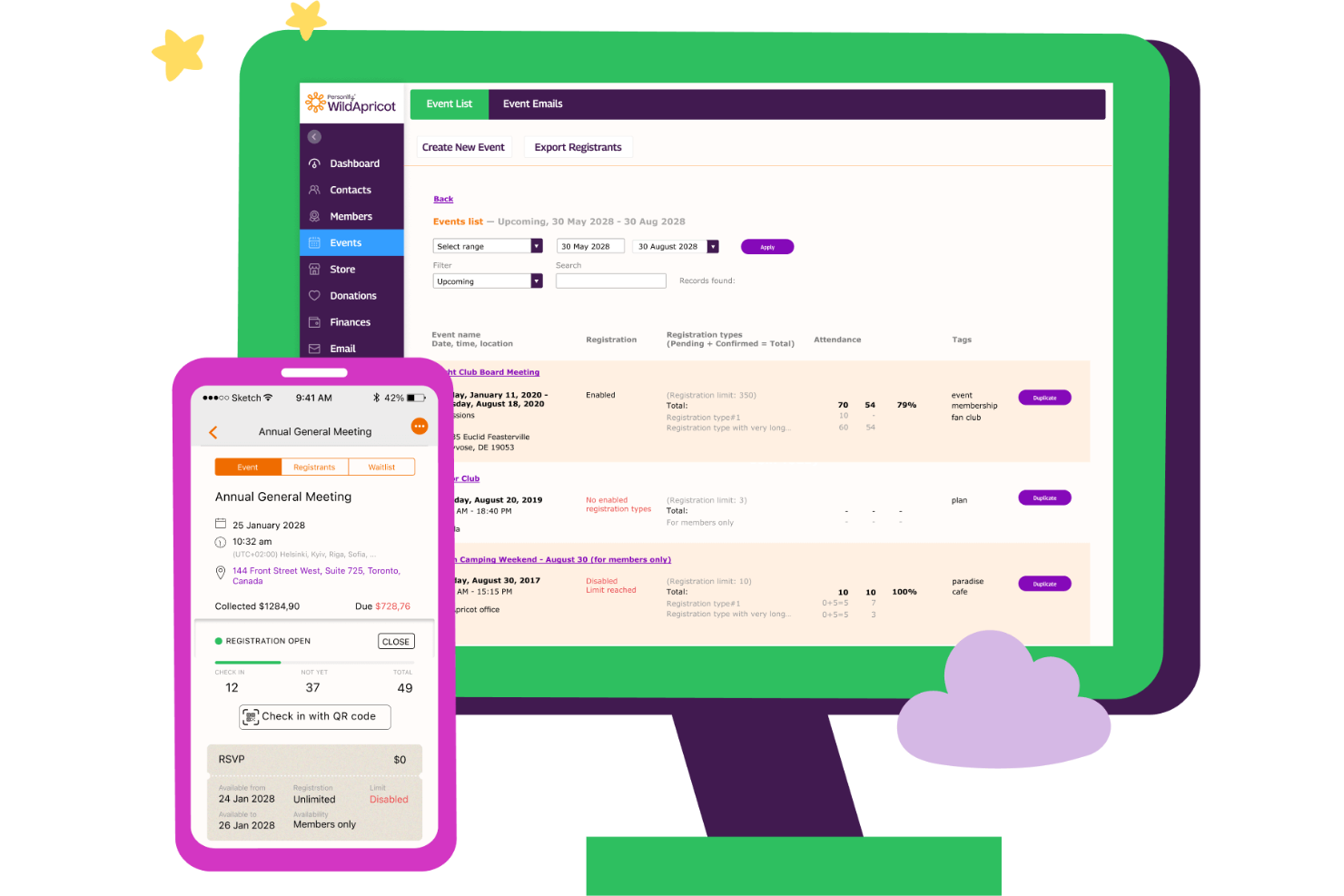
WildApricot is built for nonprofits and associations that rely on memberships as a core part of their operations. If you manage a member-based organization, this platform helps you automate renewals, event registrations, and communications in one place. WildApricot stands out for combining event management tools with membership, making it easier to engage and grow your community.
Why I Picked WildApricot
For organizations where membership is central to their mission, WildApricot offers a unique blend of event and member management in one platform. I picked WildApricot because it saves time by automating membership renewals, managing member directories, and handling event registrations without juggling multiple systems. The platform’s self-service member portal allows users to update their profiles, register for events, and pay dues online. This combination of features is especially valuable for nonprofits that want to simplify both their membership and event processes.
WildApricot Key Features
In addition to its membership management tools, WildApricot offers several features that support nonprofit event planning:
- Customizable Event Websites: Create branded event pages with registration forms and event details.
- Automated Email Campaigns: Schedule and send event invitations, reminders, and follow-ups to attendees.
- Online Payment Processing: Accept credit card payments for event tickets and donations directly through the platform.
- Mobile App for Admins: Manage event check-ins, view registrant lists, and update event details from your phone.
WildApricot Integrations
Integrations include WordPress, Make, Zapier, Google Calendar, Outlook Calendar, Personify Payments, Access, FileMaker, and QuickBooks.
Pros and Cons
Pros:
- Tailored email templates for nonprofit events
- Member directory is searchable and filterable
- Membership renewals automate recurring payments
Cons:
- No built-in auction or bidding features
- Website builder has limited design flexibility

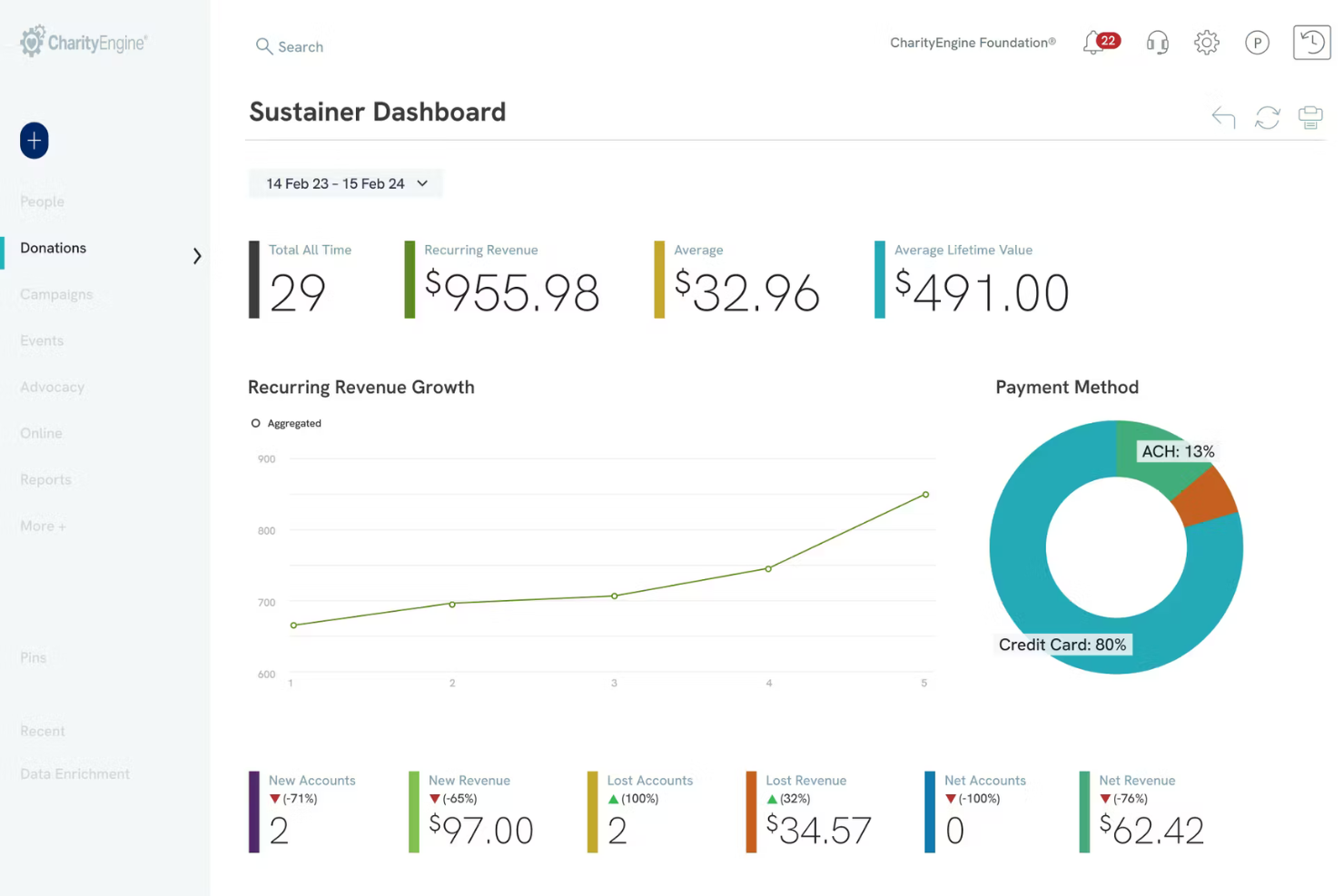
CharityEngine brings together event management and CRM tools in one platform, making it a strong fit for nonprofits that want to connect fundraising, donor engagement, and event planning. This solution is especially useful for organizations looking to track event participation alongside donor history and communications. With CharityEngine, you can manage registrations, automate follow-ups, and keep all supporter data in a single, unified system.
Why I Picked CharityEngine
What sets CharityEngine apart is its all-in-one CRM integration, which is especially valuable for nonprofits managing both events and donor relationships. I picked CharityEngine because it lets you track event registrations, donations, and supporter engagement in a single database. The platform’s user-friendly unified dashboard connects event participation with donor history, making it easier to personalize outreach and follow-up. This approach helps nonprofits see the full picture of supporter involvement, from event attendance to ongoing giving.
CharityEngine Key Features
Some other features that make CharityEngine useful for nonprofit event management include:
- Customizable Event Pages: Build branded registration and information pages for each event.
- Automated Email Campaigns: Schedule and send event invitations, reminders, and follow-ups.
- Volunteer Management Tools: Track volunteer sign-ups, assignments, and hours for events.
- Mobile Check-In: Use mobile devices to check in attendees at the event entrance.
CharityEngine Integrations
Native integrations are not currently listed.
Pros and Cons
Pros:
- Custom event pages support branded experiences
- Built-in volunteer management for event staffing
- Database links donors and event attendees
Cons:
- No self-serve onboarding or setup resources
- Lacks real-time dashboard views


How I Evaluate Event Management Software for Nonprofits
I split my evaluation into baseline criteria—can the tool handle event registration, volunteer scheduling, and check-in?—and differentiators that determine the best fit for church teams.
Core Functionality (Table Stakes For This List)
When I'm selecting tools for my list, I rank each one on a scale from 0 (does not offer the functionality) to 5 (excels in this area) for each core functionality listed below. Then, I calculate the tool's total score into a percentage. Each tool needs to achieve a minimum total score of 55% to be considered for inclusion.
- Event Registration & RSVP: I check whether the tool supports customizable forms for different event types—Sunday classes, weekend retreats, VBS camps—with options like tiered ticketing and waitlists.
- Payment & Donation Processing: Integrated giving matters here, so I look for tools that handle both event fees and donations with tax receipt generation and nonprofit-friendly processing rates.
- Volunteer Scheduling & Management: Whether it's assigning greeters to Sunday rotations or recruiting camp counselors, I evaluate how each tool handles role-based scheduling, sign-ups, and reminders.
- Attendee Communication: I look for built-in email and SMS tools that let you send event confirmations, last-minute schedule changes, and post-event follow-ups without relying on a separate platform.
- Attendance Tracking & Check-In: Secure child check-in with parent matching tags is a big one. I also evaluate general check-in options like kiosk mode, QR scanning, and attendance reporting.
- Member & Contact Database: Each tool should tie event participation back to member records, so I check for a native people database or direct integration with platforms like Planning Center or Breeze.
Once I have a list of tools that meet the criteria, I consider what sets each platform apart.
Differentiating Factors (What Sets Vendors Apart)
Here's how I compare and contrast different vendors:
Standout Features
Background check integration is a big differentiator—I look for tools that build volunteer screening directly into the onboarding workflow rather than requiring a separate process. Small group management also stands out when a platform ties Bible study or class sign-ups to the event calendar with leader dashboards. A branded mobile app adds real value too, giving members one place to browse upcoming events, register, and check in on Sunday morning.
Beyond Features
Pricing structure matters a lot in this space. I evaluate whether a platform offers church-size-based tiers or nonprofit discounts, since a 50-member church plant and a multi-campus congregation have very different budgets. Ecosystem integrations are another key factor—I check for native connections to tools like QuickBooks, Mailchimp, and popular ChMS platforms so your data actually flows between systems. I also consider onboarding support, because many church staff and volunteers aren't technical, and guided setup can make or break adoption.
How to Choose Event Management Software for Nonprofits
It’s easy to get bogged down in long feature lists and complex pricing structures. To help you stay focused as you work through your unique software selection process, here’s a checklist of factors to keep in mind:
| Factor | What to Consider |
|---|---|
| Scalability | Will the software handle your current and future event sizes, volunteer numbers, and attendee growth? Consider if it can support both small gatherings and large annual fundraisers. |
| Integrations | Does the tool connect with your existing donor management, accounting, or communication systems? Check for native integrations with platforms you already use. |
| Customizability | Can you tailor registration forms, branding, and workflows to fit your ministry’s unique needs? Avoid tools that force you into rigid templates. |
| Ease of use | Will staff and volunteers with varying tech skills be able to use the system without frustration? Look for clear navigation and minimal training requirements. |
| Implementation and onboarding | How long will it take to get up and running? Ask about migration support, training resources, and whether you’ll need outside IT help. |
| Cost | Are all fees transparent, including transaction and support costs? Compare pricing tiers and watch for hidden charges that could impact your budget. |
| Security safeguards | Does the software protect sensitive donor and attendee data? Look for encryption, user permissions, and compliance with privacy standards. |
| Support availability | What support channels are offered, and during what hours? Consider if you’ll need help during evenings or weekends when many events take place. |
What Is Event Management Software for Nonprofits?
Event management software for nonprofits is a digital platform designed to help organizations plan, organize, and execute events while managing registrations, volunteers, and fundraising activities. These tools centralize event logistics, communication, and data tracking, making it easier for nonprofit teams to coordinate efforts, engage supporters, and measure event outcomes—all within a single system.
Features
When selecting event management software for nonprofits, keep an eye out for the following key features:
- Event registration management: Collect attendee information, process sign-ups, and manage ticketing or RSVPs through customizable online forms.
- Volunteer scheduling: Assign volunteers to specific roles, track their availability, and manage shift sign-ups for smooth event operations.
- Fundraising tools: Accept donations, sell tickets, and track fundraising progress directly within the platform to support your event’s financial goals.
- Automated email communication: Send invitations, confirmations, reminders, and follow-ups to attendees and volunteers without manual effort.
- Payment processing: Securely handle payments for tickets, donations, or merchandise, and provide receipts to participants.
- Attendee tracking and reporting: Monitor registration numbers, check-in status, and engagement metrics to evaluate event success and inform future planning.
- Customizable event pages: Build branded event landing pages with details, images, and registration links to promote your event online.
- Integration with other systems: Connect with donor management, accounting, or communication tools to keep data consistent and reduce manual entry.
- Mobile access: Allow staff and volunteers to manage tasks, check in attendees, or communicate on the go using mobile-friendly interfaces.
- Survey and feedback collection: Gather post-event feedback from attendees and volunteers to assess satisfaction and identify areas for improvement.
Common Event Management Software for Nonprofits AI Features
Beyond the standard event management software for nonprofits features listed above, many of these solutions are incorporating AI with features like:
- Predictive attendance forecasting: Uses historical data and registration trends to estimate likely turnout, helping you plan resources and staffing more accurately.
- Automated communication scheduling: Analyzes attendee engagement patterns to send emails and reminders at optimal times for higher open and response rates.
- Smart volunteer matching: Matches volunteers to roles based on skills, past participation, and availability, reducing manual coordination and improving fit.
- AI-driven fundraising insights: Identifies potential high-value donors and suggests personalized outreach strategies based on giving history and engagement signals.
- Real-time sentiment analysis: Monitors attendee feedback and social media mentions during events to flag issues or highlight successes as they happen.
Benefits
Implementing event management software for nonprofits provides several benefits for your team and your business. Here are a few you can look forward to:
- Centralized event coordination: Manage registrations, volunteers, communications, and payments from one platform, reducing manual work and data silos.
- Improved volunteer engagement: Use scheduling and communication tools to match volunteers to roles and keep them informed before, during, and after events.
- Improved fundraising efforts: Integrate donation processing and ticket sales to track fundraising progress and simplify financial reporting.
- Enhanced attendee experience: Offer easy online registration, automated reminders, and mobile access to make participation smooth for attendees.
- Actionable event insights: Access real-time dashboards and reporting tools to evaluate event performance and inform future planning.
- Consistent branding and messaging: Customize event pages and communications to reflect your organization’s identity and mission.
- Secure data management: Protect sensitive donor and attendee information with built-in security safeguards and compliance features.
Costs & Pricing
Selecting event management software for nonprofits requires an understanding of the various pricing models and plans available. Costs vary based on features, team size, add-ons, and more. The table below summarizes common plans, their average prices, and typical features included in event management software for nonprofit solutions:
Plan Comparison Table for Event Management Software for Nonprofits
| Plan Type | Average Price | Common Features |
|---|---|---|
| Free Plan | $0 | Basic event registration, limited attendee tracking, simple volunteer scheduling, and email notifications. |
| Personal Plan | $10–$30/user/month | Customizable event pages, payment processing, basic reporting, and standard support. |
| Business Plan | $40–$80/user/month | Advanced analytics, fundraising tools, integration options, and branded communications. |
| Enterprise Plan | $100–$250/user/month | Custom workflows, dedicated account management, enhanced security, and priority support. |
Event Management Software for Nonprofits FAQs
Here are some answers to common questions about event management software for nonprofits:
Can event management software for nonprofits handle both virtual and in-person events?
Yes, most event management software for nonprofits supports both in-person and virtual events. Many platforms offer tools for online registration, virtual meeting links, and hybrid event management, making it easier to adapt to different event formats as your needs change.
How does event management software help with volunteer coordination?
Event management software helps by allowing you to schedule shifts, assign roles, and communicate with volunteers in one place. This centralization reduces confusion, ensures everyone knows their responsibilities, and makes it easier to track volunteer hours and engagement.
Is it possible to integrate event management software with donor management systems?
Yes, many event management software solutions offer integrations with donor management and CRM systems. This allows you to sync attendee and donor data, track giving history, and simplify follow-up communications after events.
What security measures should nonprofits look for in event management software?
Look for features like data encryption, user access controls, and compliance with privacy regulations such as GDPR. These safeguards help protect sensitive donor and attendee information from unauthorized access or breaches.
Are there discounts available for nonprofits when purchasing event management software?
Yes, many vendors offer special nonprofit pricing or discounts. It’s a good idea to ask about nonprofit rates, free tiers, or additional benefits for charitable organizations during your selection process.