

10 Best Church CRM Reviewed in 2026

Best Church CRM Shortlist


Managing a church community takes a lot of work. You’re handling events, donations, and everything in between, and it adds up fast. A church CRM can take some of that weight off your shoulders by keeping things organized, giving you more time to care for your community.
I've spent years testing and reviewing church management software. I know the ins and outs of the industry and aim to provide you with an unbiased look at the best solutions available. In this listicle, you'll find my top picks for church CRM, chosen for their ability to address your specific needs.
I believe these tools can make your work more manageable and efficient. So, let's dive into the options and find the perfect fit for your team.
Why Trust Our Software Recommendations
Our team has been testing and reviewing software since 2012. As church leaders ourselves, we know how difficult—and important—it is to choose the right software.
For this guide, we evaluated tools using hands-on testing and independent research, scoring tools using our selection criteria.
Our reviews reflect our human editorial judgment, not a sales pitch.
Best Church CRM Summary
This comparison chart summarizes pricing details for my top church CRM selections to help you find the best one for your budget and business needs.
| Tool | Best For | Trial Info | Price | ||
|---|---|---|---|---|---|
| 1 | Best for donor engagement workflows | Free plan available | From $150/month | Website | |
| 2 | Best for member and group management | 30-day free trial | From $19/month (billed annually) | Website | |
| 3 | Best for event management | Free plan available + 30-day free trial | From $12/month | Website | |
| 4 | Best for online giving features | 30-day free trial available | From $72/month | Website | |
| 5 | Best for financial management | Free demo available | Pricing upon request | Website | |
| 6 | Best for mobile giving | Free demo available | Pricing upon request | Website | |
| 7 | Best for budget-conscious users | 30-day free trial + free demo available | From $8/month (billed annually) | Website | |
| 8 | Best for UK churches | 30-day free trial | From $15.50/month/account | Website | |
| 9 | Best for multi-campus churches | Free plan + 30-day free trial available | From $15/20 members/month | Website | |
| 10 | Best for small churches | Free trial available | From $35.13/month | Website |
Best Church CRM Reviews
Below are my detailed summaries of the best church CRM that made it onto my shortlist. My reviews offer a detailed look at the key features, pros & cons, integrations, and ideal use cases of each tool to help you find the best one for you.

Donorbox
Best for donor engagement workflows
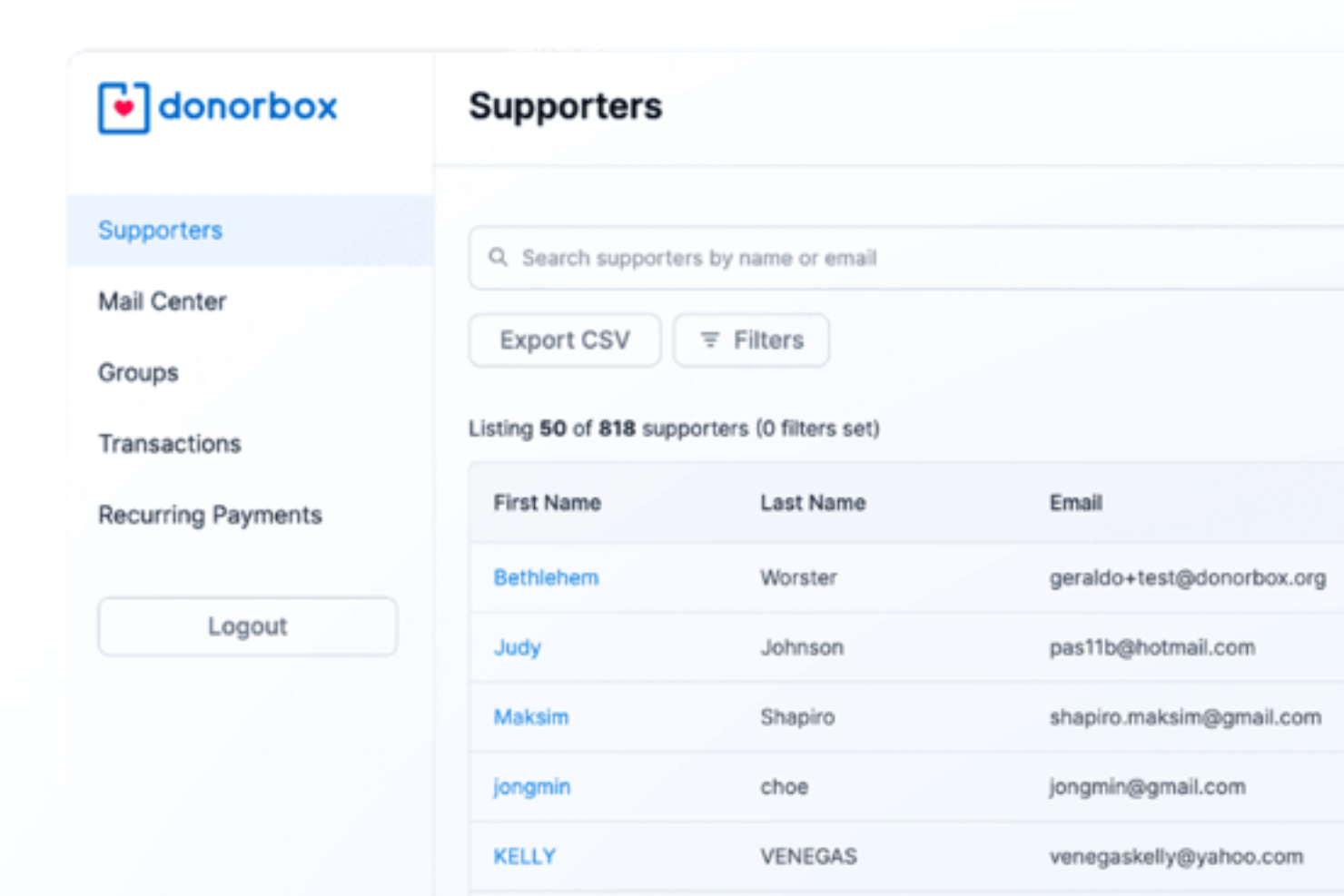
Donorbox gives your church a fundraising-centered CRM built around real supporter relationships and donation activity, helping your team manage contributions and connect with members in one unified place. Tailored to nonprofits and faith-based organizations that juggle giving, communications, and donor insight, it combines donor tracking with email engagement and automated tools so you spend less time chasing spreadsheets and more time building community.
Why I Picked Donorbox
I picked Donorbox because it centers its CRM around donor engagement workflows that matter to churches, helping you deepen relationships with congregants and contributors. Its Mail Center lets your team connect email communications directly to supporter profiles so you always see the context of every conversation.
The AI Assistant can help draft messaging or pull insights from donor data, which is useful for tailoring outreach to different giving groups. And the platform’s advanced segmentation tools help you group supporters by giving behavior, ministry involvement, or engagement levels to inform your outreach strategy, giving you more clarity on your church’s supporter base.
Donorbox Key Features
Aside from the CRM capabilities mentioned above, here are additional features you’ll find valuable for your church’s donor work:
- Recurring Donations: This feature allows donors to set up automatic, regular contributions, helping your church maintain steady financial support.
- Customizable Donation Forms: You can tailor these forms to match your church's branding, creating a more personalized experience for donors.
- Comprehensive Reporting: Gain insights into donation trends and donor behavior, enabling better strategic planning for your church's fundraising efforts.
- Secure Payment Processing: Protect your donors' information with secure, encrypted transaction processes, ensuring trust and reliability in every donation.
Donorbox Integrations
Integrations include Salesforce, Mailchimp, Double the Donation, QuickBooks, Planning Center, Action Network, and Little Green Light.
Pros and Cons
Pros:
- Supports multiple recurring donation intervals.
- AI assistant helps generate outreach content.
- Church and nonprofit focus on supporter data and giving history.
Cons:
- CRM may lack full contact interaction logging without add-ons.
- Some users find backend donor engagement features limited.

Gracely
Best for member and group management
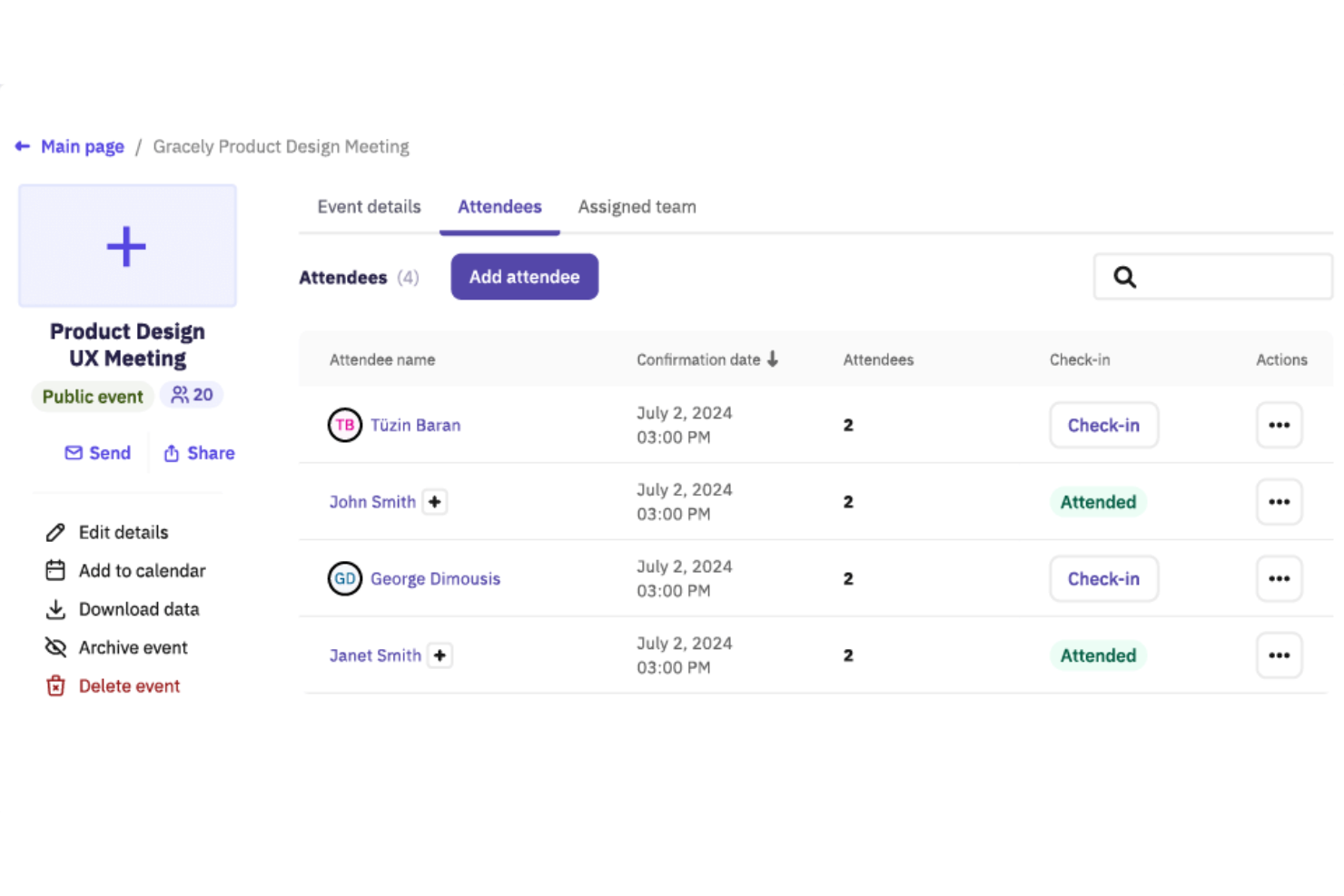
For churches seeking a reliable management solution, Gracely offers an intuitive platform that enhances your community's operations. It is designed to support ministries by simplifying administrative tasks and fostering communication within your congregation. Whether you're managing events, tracking contributions, or engaging with members, Gracely addresses these needs with ease.
Why I Picked Gracely
I picked Gracely for its robust member and group management capabilities, which are essential for any church CRM. The platform allows you to maintain detailed profiles and organize groups effectively, ensuring that you can keep track of your congregation's needs. Additionally, Gracely's event planning feature simplifies the process of organizing and managing church events, making it easier to engage your community. These specific functionalities closely align with the core needs of a church CRM, providing a reliable solution to your church's administrative challenges.
Gracely Key Features
In addition to its member and group management and event planning capabilities, Gracely offers:
- Online Giving and Contributions Tracking: This feature allows you to facilitate and track online donations, promoting financial transparency within your church.
- Customizable Forms: With this feature, you can collect vital information and feedback from your congregation through tailored forms.
- Dedicated Church Portal: This portal enables members to update their profiles, view giving history, and register for events, enhancing member engagement.
- Financial Management: Gracely helps you track income, expenses, and budgets with detailed financial reporting, simplifying your church's financial oversight.
Gracely Integrations
Native integrations are not currently listed by Gracely.
Pros and Cons
Pros:
- Secure online giving improves financial transparency
- Comprehensive event planning features simplify logistics
- Effective community management tools streamline church operations
Cons:
- Page refresh required to see newly added updates
- Some users may find the interface too simplistic
New Product Updates from Gracely

Gracely Rebuilds Accounting for Church Finance Management
Gracely rebuilds Accounting with fund tracking, income and expenses, transfers, reports, and exports. This gives churches a more complete way to manage finances in one place. For more information, visit Gracely’s official site.
 .
.
Best for event management
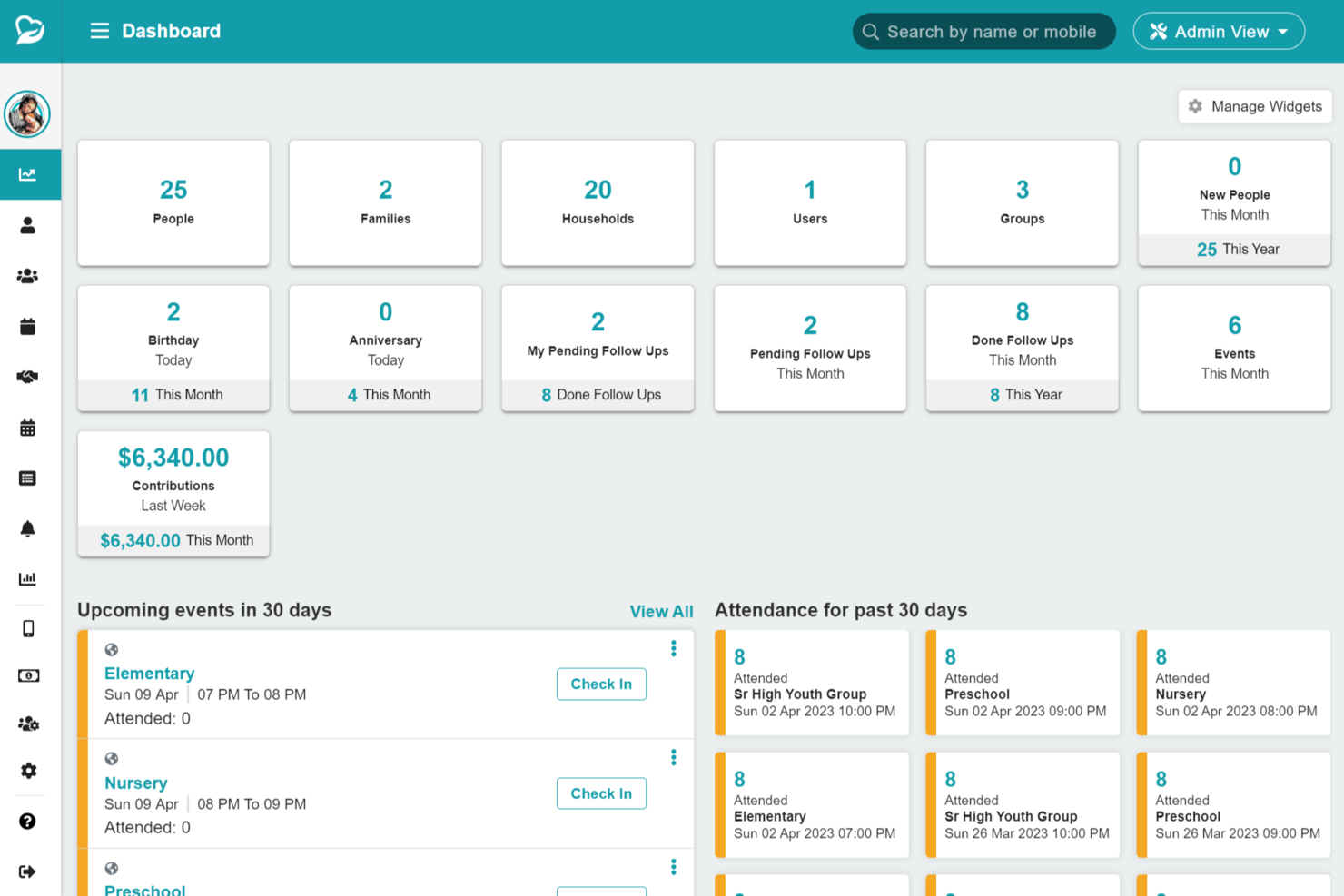
For churches seeking to enhance their management capabilities and improve member engagement, ChMeetings presents a user-friendly solution tailored to your needs. Designed to cater to the unique requirements of religious institutions, it offers features such as people management, event coordination, and donation tracking, making it an ideal choice for church administrators and leaders. Whether you're looking to streamline communication or organize worship services, ChMeetings provides the tools necessary to address these challenges effectively.
Why I Picked ChMeetings
I picked ChMeetings for its robust event management capabilities, which are crucial for any church CRM. The platform allows you to organize and track church events with ease, providing a shared calendar to communicate event details to your congregation. Additionally, the volunteer scheduling feature is invaluable, enabling you to assign and manage volunteers efficiently, ensuring that every event runs smoothly. These features, combined with the ability to facilitate online and offline donations, make ChMeetings a compelling choice for churches looking to improve their operational efficiency.
ChMeetings Key Features
In addition to its event management and volunteer scheduling capabilities:
- People & Groups: Manage member profiles, families, and group assignments to ensure organized communication within your congregation.
- Accounting: Track church finances, manage expenses, and generate financial reports to maintain transparency and accountability.
- Worship Planning: Coordinate worship services, including music and team management, for a seamless worship experience.
- Member Portal: Provide members with a secure portal to update information and register for events, enhancing their engagement with church activities.
ChMeetings Integrations
Native integrations are not currently listed by ChMeetings. However, the platform supports integration with over 7,000 apps through third-party services, allowing for extensive customization and workflow automation.
Pros and Cons
Pros:
- Member portal for self-service access
- Volunteer scheduling with automated reminders
- Robust event scheduling and attendance
Cons:
- No fully offline functionality currently
- Advanced reporting may feel limited
New Product Updates from ChMeetings

ChMeetings Improves Reconciliation and Adds Fund By Month Report
ChMeetings adds a direct Reconcile button, improved save-for-later support, and a new Fund By Month report. These updates make reconciliation easier to resume and give teams clearer month-by-month fund visibility. For more information, visit ChMeetings’ official site.
 .
.
Tithe.ly
Best for online giving features
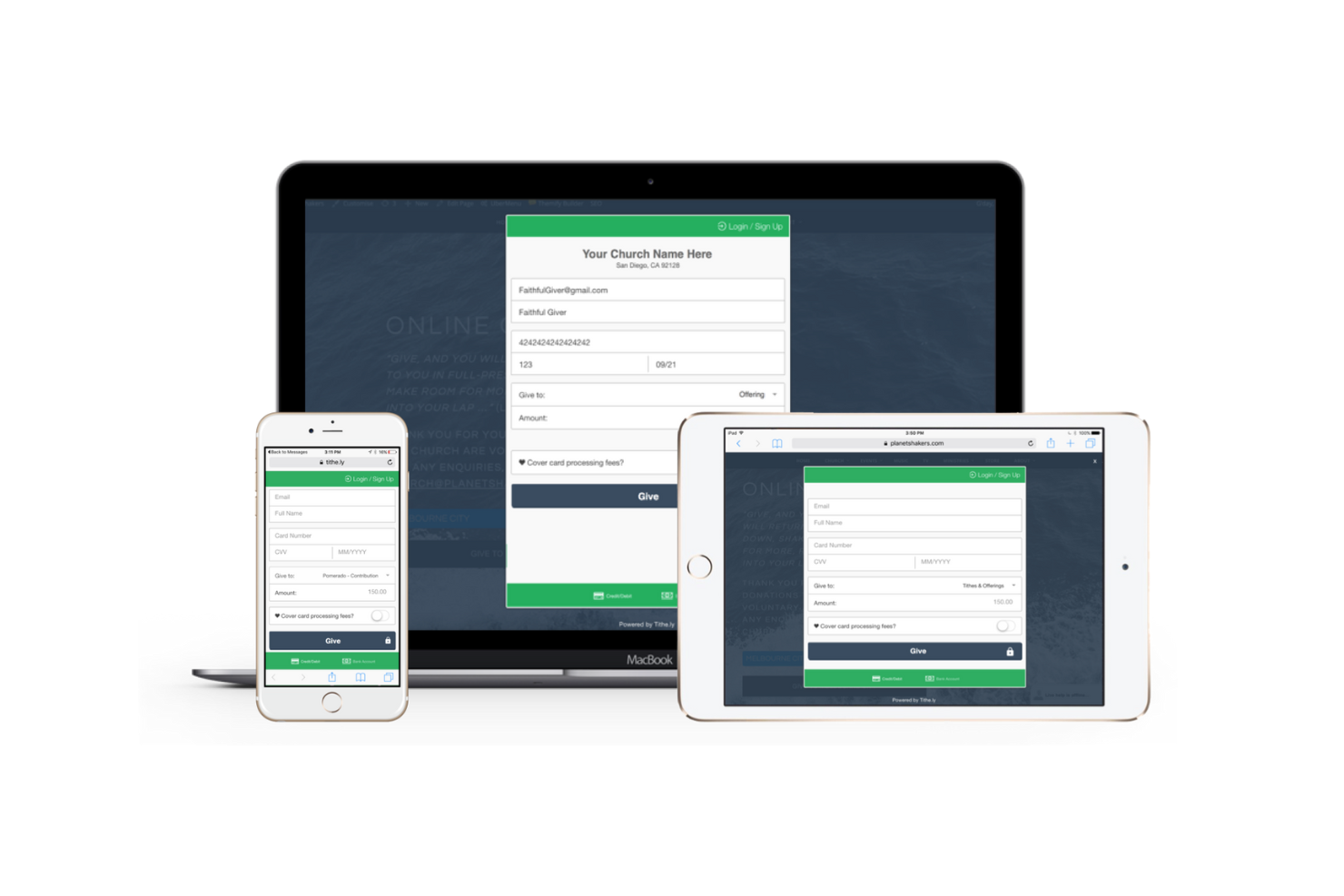
Tithe.ly is a church management platform focused on enhancing online giving for churches of all sizes. It provides tools for managing donations, a member engagement, and communication, making it an excellent choice for churches prioritizing digital contributions.
Why I picked Tithe.ly: It excels in facilitating online giving, a crucial aspect for modern churches. The platform offers features like mobile giving, text-to-give options, and recurring donations. These tools make it easy for your congregation to contribute, enhancing the overall giving experience. I believe Tithe.ly's focus on digital donations sets it apart for churches looking to boost their online giving capabilities.
Standout Features & Integrations:
Features include event registration to manage church activities, member directory for organizing contact information, and sermon streaming to reach your audience online.
Integrations include QuickBooks, Salesforce, Planning Centre, Rock RMS, Grow Church, Generis, and more.
Pros and Cons
Pros:
- Recurring donation capabilities
- Easy text-to-give setup
- Mobile giving options
Cons:
- May need technical support
- Limited customization features

IconCMO
Best for financial management
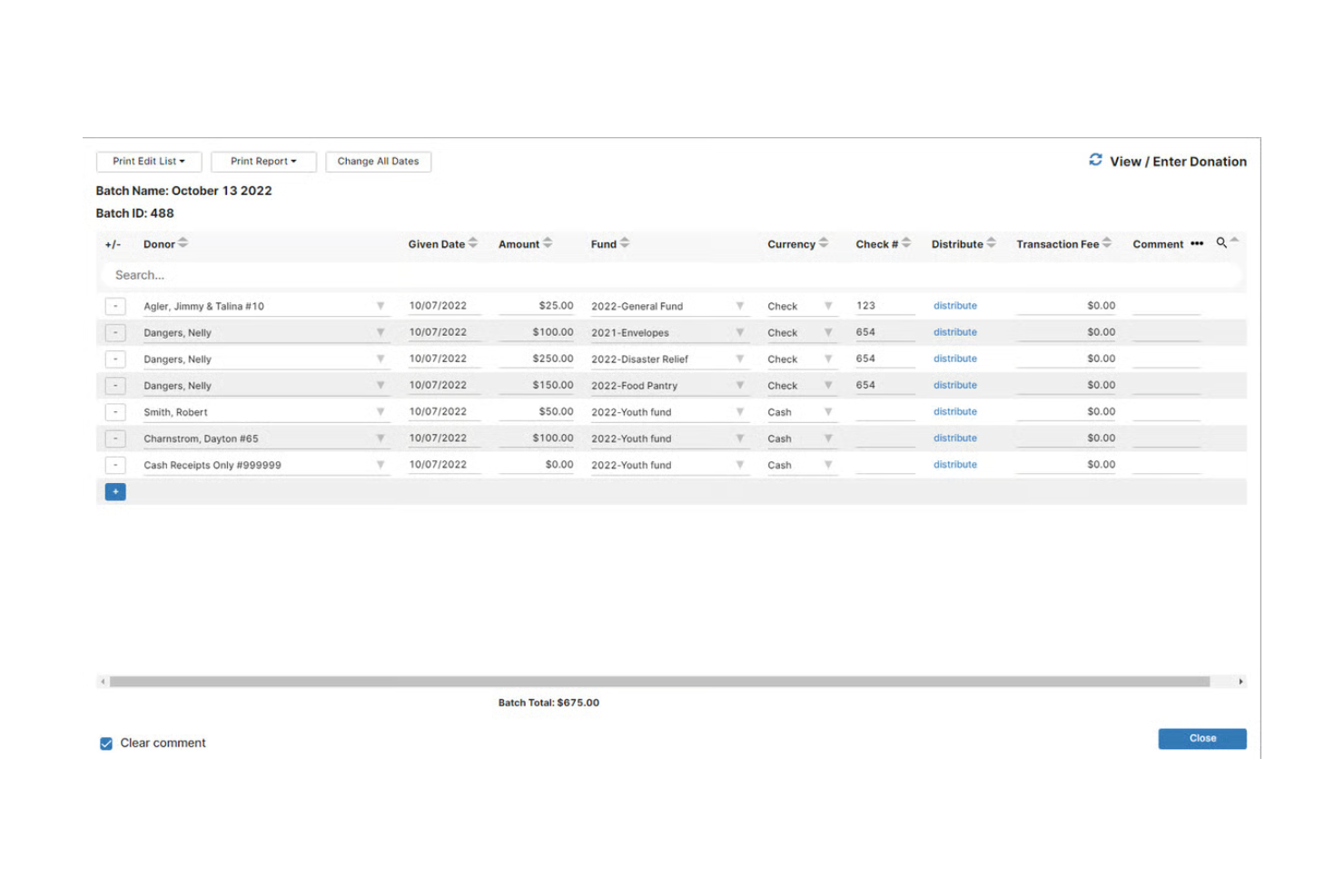
IconCMO is a church management software tailored for churches, focusing on financial management and accounting. It serves a wide range of churches by providing tools for budgeting, tracking donations, and managing membership data.
Why I picked IconCMO: It specializes in financial management, offering robust tools for handling church budgets and donations. You can manage your church's finances with features like fund accounting, contribution tracking, and detailed financial reports. These capabilities ensure your financial records are accurate and transparent. I believe its focus on finance makes it a valuable tool for churches prioritizing financial oversight.
Standout Features & Integrations:
Features include fund accounting to separate and track different financial sources, contribution statements for members, and membership management to efficiently organize and maintain member data.
Integrations are available through IconCMO’s API to connect to your own custom solutions or third-party software.
Pros and Cons
Pros:
- Customizable financial statements
- Effective fund accounting
- Detailed financial reports
Cons:
- Limited design customization
- Requires financial knowledge

Pushpay
Best for mobile giving
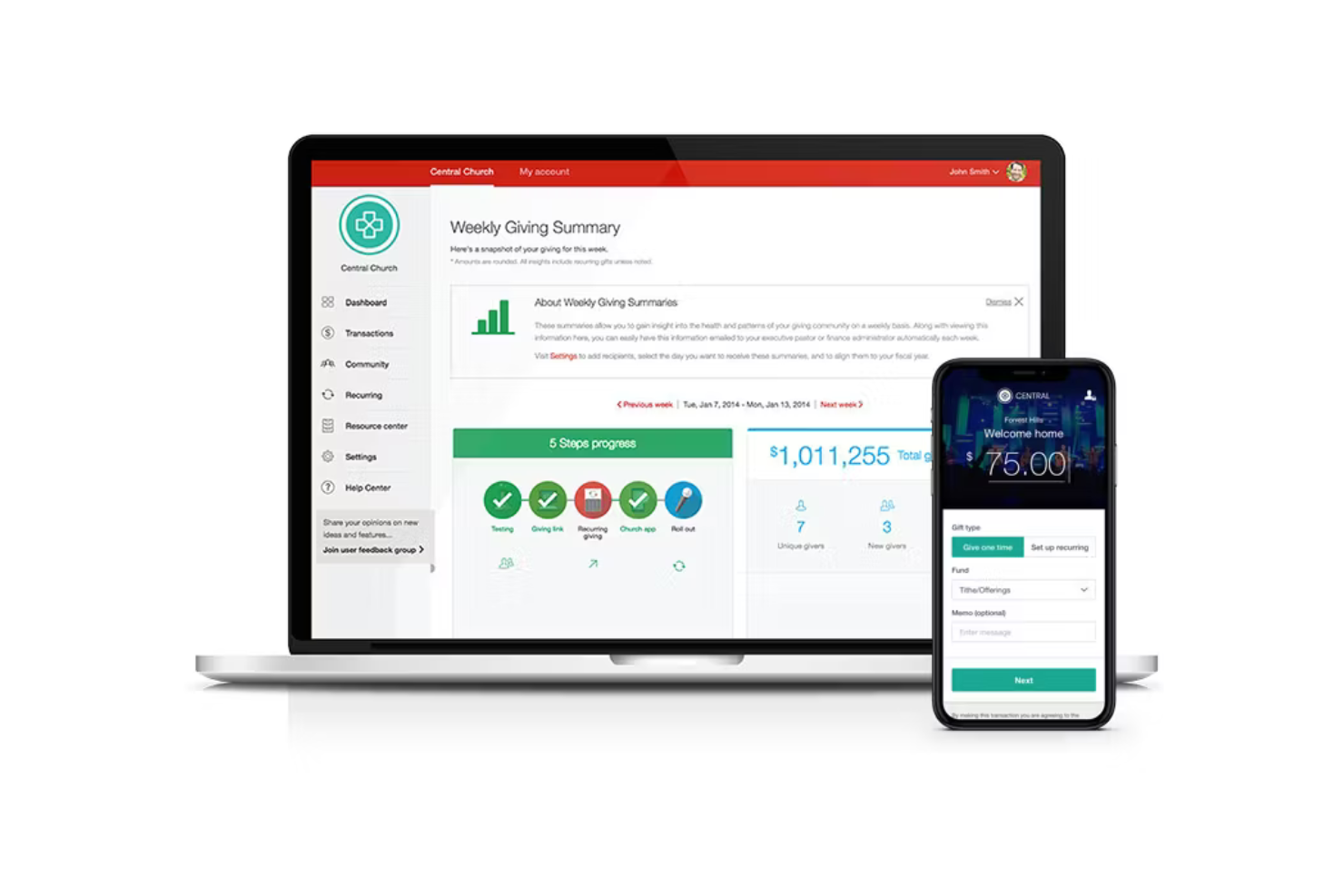
Pushpay is a church management platform primarily focused on enhancing mobile giving experiences for churches. It serves churches looking to improve their donation collection through mobile and digital channels, while also offering communication and engagement tools.
Why I picked Pushpay: It excels in providing mobile giving solutions that make donations easy for your congregation. With features like text-to-give, mobile app donations, and customizable giving pages, your church can increase its digital contributions. These features ensure that members can give conveniently from their smartphones.
Standout Features & Integrations:
Features include event management to help you organize church activities, a custom church app to keep your congregation connected, and communication tools to engage with your members effectively.
Integrations include Salesforce, Planning Center,, QuickBooks, Rock RMS, Mailchimp, Gusto, FellowshipOne, Sage Intacct, and more.
Pros and Cons
Pros:
- Comprehensive event management
- Effective text-to-give feature
- Customizable donation pages
Cons:
- Limited customization for app
- Higher cost than some alternatives

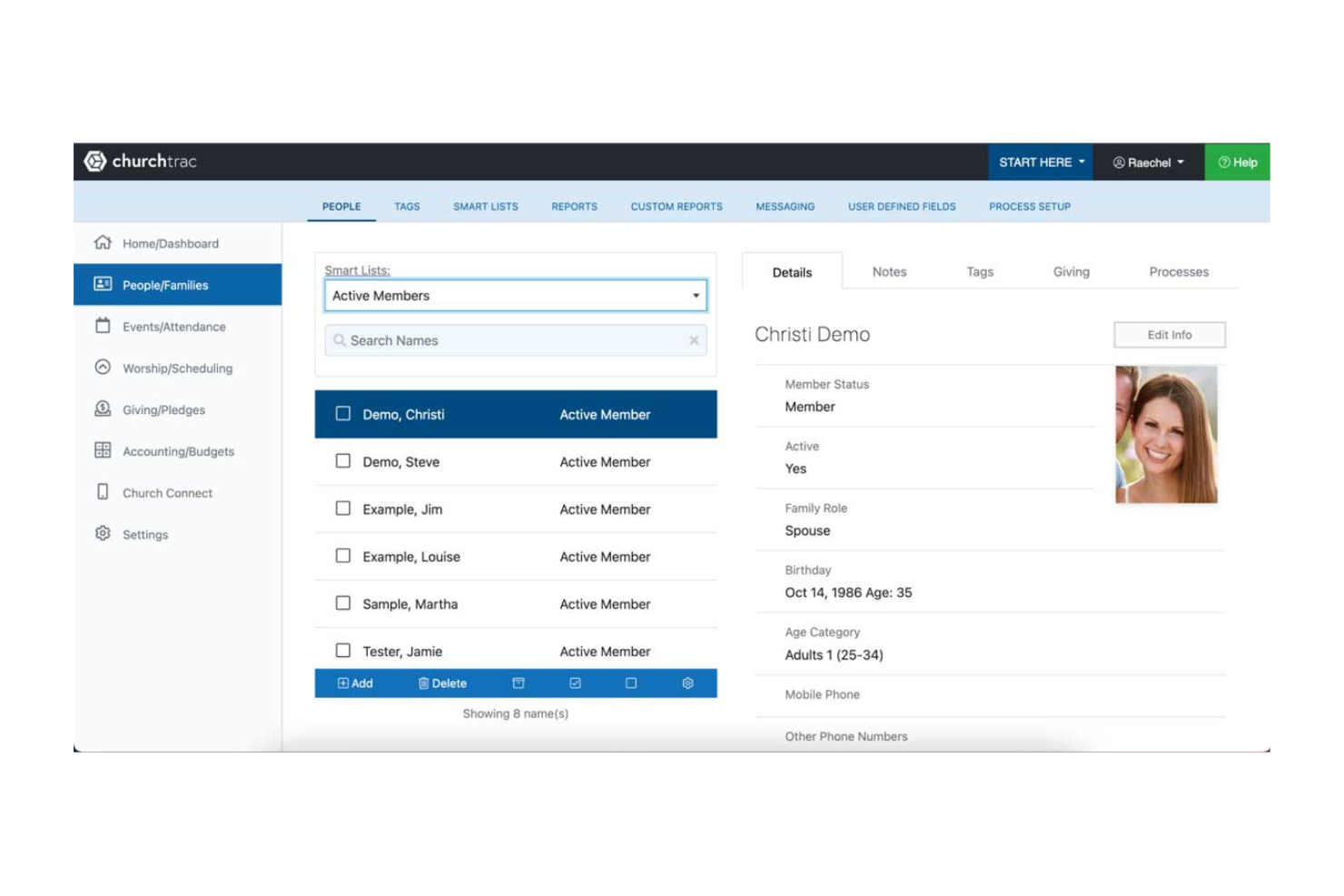
ChurchTrac is a church management software designed for budget-conscious churches seeking an affordable way to manage their operations. It offers tools for tracking membership, managing donations, and scheduling events, providing essential features without breaking the bank.
Why I picked ChurchTrac: It offers cost-effective solutions for churches looking to manage their operations efficiently. You can track attendance, manage your church's budget, and organize events all in one place. Its affordability makes it accessible for churches with limited resources. The tool’s straightforward interface ensures you and your team can easily navigate its features.
Standout Features & Integrations:
Features include custom dashboards that let you view key metrics at a glance, accounting tools for managing church finances, and worship planning to organize services effectively.
Integrations include QuickBooks, Mailchimp, Planning Center, PayPal, and Stripe.
Pros and Cons
Pros:
- Effective financial tools
- Customizable dashboards
- Affordable for small budgets
Cons:
- Limited customer support
- Limited advanced features

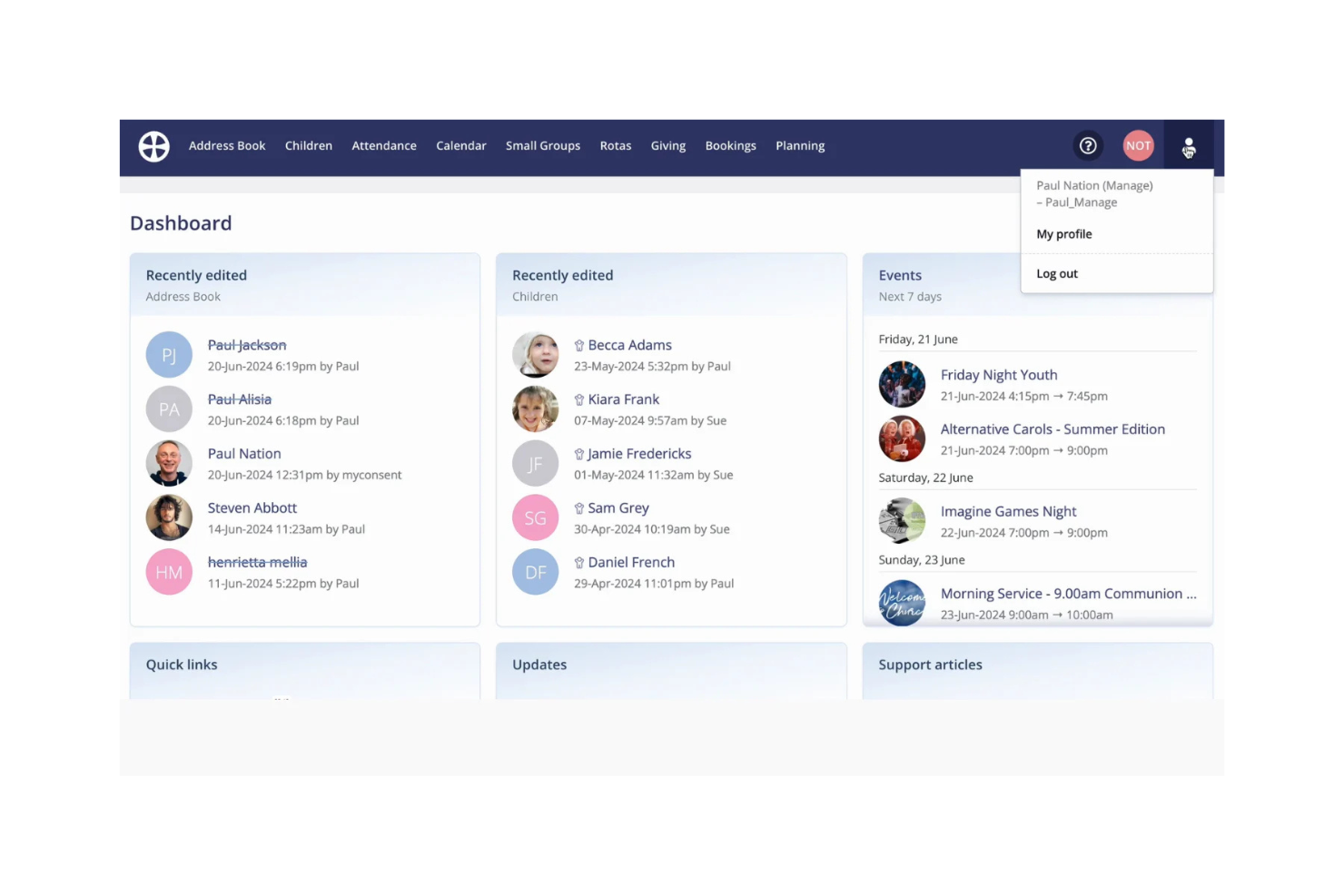
ChurchSuite is a church management software designed primarily for churches in the UK, offering tools for member management, event coordination, and communication. It caters to churches of all sizes looking to enhance their administrative efficiency and congregational engagement.
Why I picked ChurchSuite: It's tailored for UK churches, providing localized support and compliance with regional regulations. You can manage your church's database, communicate with members, and organize events. The platform's focus on the UK market ensures you have the tools needed for effective church management. In my experience, its regional focus makes it a valuable asset for churches in the UK.
Standout Features & Integrations:
Features include event management to support planning and attendance, a member database to organize contact information, and communication tools for sending emails and messages to your congregation.
Integrations include Mailchimp, Google Calendar, Stripe, PayPal, Elvanto, and Xero.
Pros and Cons
Pros:
- Compliance with UK regulations
- Effective event management tools
- Localized support for UK users
Cons:
- Primarily focused on UK market
- Limited customization options

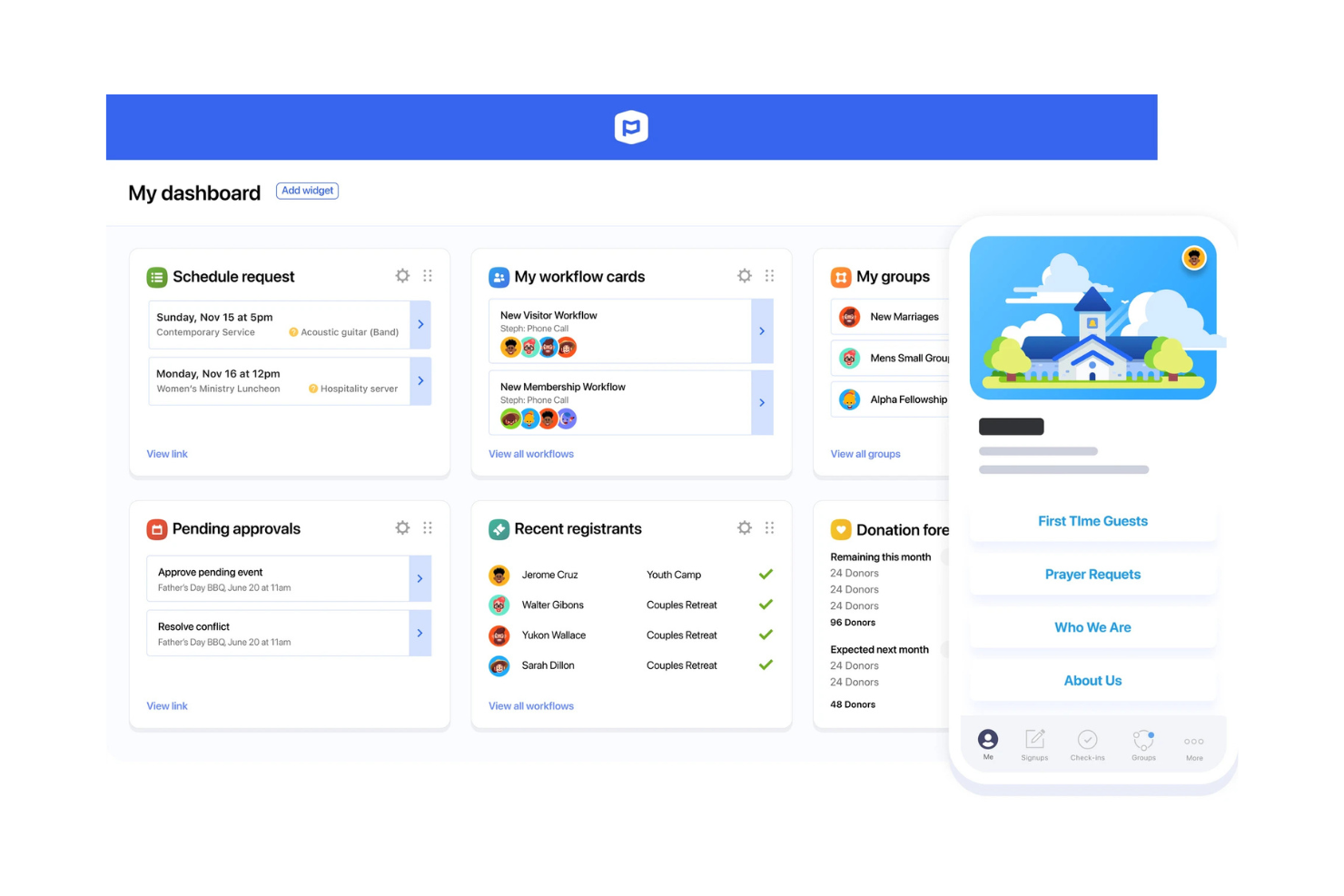
Planning Center is a church management software tailored for multi-campus churches looking to coordinate activities across locations. It provides tools for scheduling, organizing services, and managing members, helping your team keep everything in sync.
Why I picked Planning Center: It caters to multi-campus churches needing centralized management. You can schedule services across locations, manage volunteer teams, and track attendance effortlessly. Its flexibility allows you to adapt to your church's specific needs. The tool's design makes it easy for staff to collaborate, ensuring all campuses run smoothly.
Standout Features & Integrations:
Features include service planning to organize worship elements, volunteer scheduling for managing teams, and giving management to track donations efficiently.
Integrations include Mailchimp, QuickBooks, Stripe, PayPal, WorshipPlanning, and Twilio.
Pros and Cons
Pros:
- Detailed volunteer scheduling
- Supports multi-campus management
- Highly customizable modules
Cons:
- Some features require add-ons
- Requires time to learn

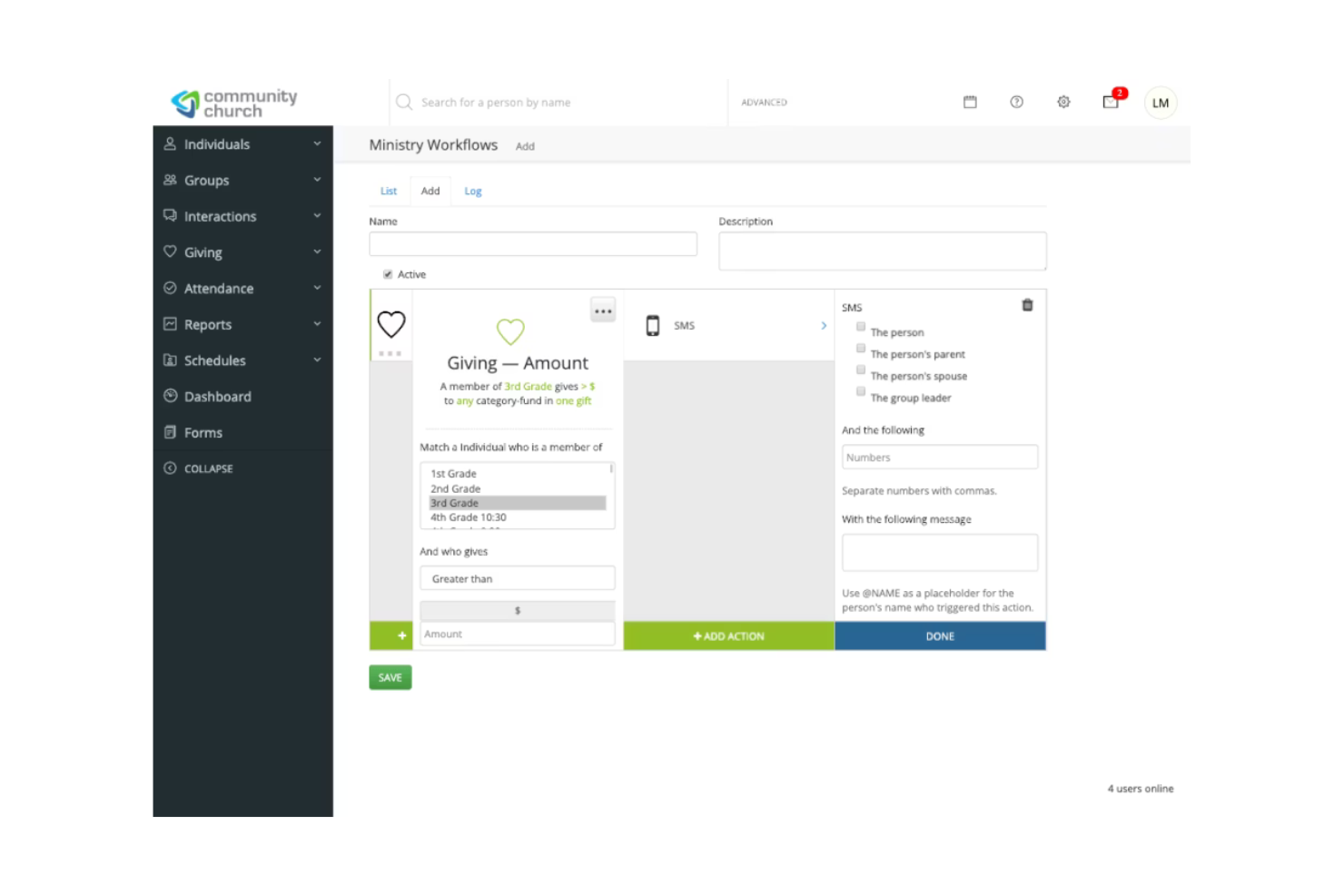
SimpleChurch CRM is a user-friendly church management system designed for small church communities. It focuses on simplifying tasks like member management, event scheduling, and donation tracking to help your team operate smoothly.
Why I picked SimpleChurch CRM: This tool caters to small churches that need straightforward solutions without complexity. It offers features like easy-to-use member directories, contribution tracking, and check-in systems for events. The simplicity of its interface and functionality makes it accessible for teams without technical expertise. You can manage your church's needs effectively without feeling overwhelmed by too many options.
Standout Features & Integrations:
Features include an intuitive check-in system for events, text messaging capabilities for quick communication, and volunteer management to organize your team efficiently.
Integrations include QuickBooks, Mailchimp, Planning Center, Tithe.ly, and Stripe.
Pros and Cons
Pros:
- Effective communication tools
- Quick setup process
- Simple interface for non-tech users
Cons:
- Basic reporting options
- Limited advanced features
Other Church CRM
Here are some additional church CRM options that didn’t make it onto my shortlist, but are still worth checking out:
- Faith Teams
All-in-one solution
- ChurchCRM
For open-source users
- B1 Church
For member engagement
- One Church Software
For multi-site management
- SteepleMate
For small group coordination
- FellowshipOne
For large church networks
- ServantKeeper
For detailed member profiles


How I Evaluate Church CRM
I evaluate church CRM tools against two layers: the baseline a pastor or admin needs—member records, attendance, and giving—and the differentiators that set one platform apart from another.
Core Functionality (Table Stakes For This List)
When I'm selecting tools for my list, I rank each one on a scale from 0 (does not offer the functionality) to 5 (excels in this area) for each core functionality listed below. Then, I calculate the tool's total score into a percentage. Each tool needs to achieve a minimum total score of 65% to be considered for inclusion.
- Member & Household Management: I look at how each tool structures family relationships, tracks visitor-to-member pipelines, and logs milestones like baptisms or confirmations.
- Attendance & Engagement Tracking: Each platform should let you log attendance across services, groups, and events, then surface trends like declining participation.
- Donation & Contribution Management: I check whether the tool handles online giving, recurring donations, pledge tracking, and year-end contribution statements for tax purposes.
- Congregation Communication Tools: Segmented outreach matters here—I evaluate whether you can message a specific ministry team or small group via email and SMS from within the CRM.
- Groups & Volunteer Coordination: Tools should support small group directories, volunteer scheduling with role assignments, and sign-up management for serving teams.
- Event & Registration Management: I look for event creation with registration forms, child check-in capabilities, and participation tracking tied back to member profiles.
Once I have a list of tools that meet this criteria, I consider what sets each platform apart.
Differentiating Factors (What Sets Vendors Apart)
Here's how I compare and contrast different vendors:
Standout Features
Workflow automation is a major differentiator. I look for tools that trigger follow-up sequences after a first-time visit or a missed week so pastoral care doesn't slip through the cracks. Multi-site support also matters for growing churches. Platforms handle campus-specific data and permissions differently, and the right fit depends on your leadership structure. A branded mobile app gives congregants direct access to giving, event sign-ups, and group chat, keeping engagement tied to the CRM instead of scattered across third-party tools.
Beyond Features
Pricing structure matters a lot for churches running on tight budgets. I evaluate whether a vendor charges per-member, per-campus, or on a flat tier, since a growing congregation can quickly outpace a per-record model. Integration with accounting tools like QuickBooks and worship platforms like Planning Center is another factor I check. A church CRM that doesn't connect to your existing giving processor or presentation software creates extra manual work for staff and volunteers who are already stretched thin.
How to Choose a Church CRM
It’s easy to get bogged down in long feature lists and complex pricing structures. To help you stay focused as you work through your unique software selection process, here’s a checklist of factors to keep in mind:
| Factor | What to Consider |
|---|---|
| Scalability | Will the CRM grow with your church? Consider future expansion, the number of users, and potential need for additional features as your congregation grows. |
| Integrations | Does it connect with tools you already use? Look for compatibility with existing systems like accounting software, email platforms, and social media. |
| Customizability | Can you tailor it to fit your needs? Check if the CRM allows adjustments to fields, reports, and user interfaces to match your specific requirements. |
| Ease of Use | Is it simple for everyone to use? Ensure the interface is intuitive for all users, regardless of their tech skills, to avoid frustration and resistance. |
| Implementation and Onboarding | How smooth is the transition? Assess the support for setup, training resources, and whether there's a clear plan to integrate the CRM into daily use. |
| Cost | How does it fit your budget? Compare pricing models, check for hidden fees, and consider long-term costs versus immediate benefits for your church. |
| Security Safeguards | Are your data protected? Ensure the CRM has encryption, access controls, and compliance with data protection regulations to safeguard member information. |
| Support Availability | Is help readily available? Look for 24/7 support, response times, and access to knowledgeable staff to assist with any issues that arise. |
What Is a Church CRM?
Church CRM tools are a type of software designed to help churches manage their operations, including member data, donations, and events. Church administrators, pastors, and volunteers typically use these tools to keep the church running smoothly and maintain engagement with the congregation.
Member management, donation tracking, and event scheduling features help with organization, communication, and community building. Overall, these tools provide churches with the ability to efficiently manage their resources and foster better relationships within their communities.
Features
When selecting a CRM tool for your church, keep an eye out for the following key features:
- Member management: Stores and organizes information about church members in a cloud-based system, helping church leaders keep records up to date and support ongoing follow-up and engagement.
- Donation tracking: Supports donor management by tracking contributions, including credit card donations, and generating reports that improve financial visibility.
- Event scheduling: Helps churches plan services and events while sending notifications that keep members informed and improve attendance.
- Communication tools: Enable mass emails, targeted messages, and automated follow-up so churches can communicate clearly with their congregation.
- Mobile app access: Provides on-the-go access for staff and volunteers, allowing church leaders to manage people management tasks from anywhere.
- Customizable dashboards: Allow users to tailor their view of member activity, donations, and events, making customer relationship management more efficient.
- Volunteer management: Organizes volunteer roles and schedules, helping churches automate coordination and reduce manual work.
- Online giving: Enables digital donations through secure, cloud-based tools that integrate with the church website for convenient giving.
- Reporting and analytics: Delivers insights into church members, donor trends, and engagement activity to support informed decision-making.
- Security safeguards: Protects sensitive member and donor data using encryption and compliance measures designed for church CRM systems.
- Unlimited users: Allows staff, volunteers, and church leaders to access the system without usage limits or added fees.
Benefits
Implementing church CRM provides several benefits for your team and your business. Here are a few you can look forward to:
- Improved organization: Centralizes member data, donations, and event details, making it easier for your team to access and manage information.
- Enhanced communication: Utilizes tools like messaging and email to keep your congregation informed and engaged with church activities.
- Efficient event planning: Streamlines scheduling and coordination, helping ensure successful and well-attended church events.
- Financial transparency: Tracks contributions and generates reports, providing clear insights into your church's financial health.
- Volunteer coordination: Manages volunteer roles and schedules, ensuring church activities run smoothly and efficiently.
- Convenient online giving: Facilitates digital donations, offering members a simple way to contribute financially to the church.
- Data security: Protects sensitive information with encryption and compliance with data protection regulations, giving peace of mind.
Costs & Pricing
Selecting a CRM requires an understanding of the various pricing models and plans available. Costs vary based on features, team size, add-ons, and more. The table below summarizes common plans, their average prices, and typical features included in church CRM solutions:
Plan Comparison Table for Church CRM
| Plan Type | Average Price | Common Features |
|---|---|---|
| Free Plan | $0 | Basic member management, limited event scheduling, and basic communication tools. |
| Personal Plan | $5-$25/user/month | Enhanced member management, donation tracking, event scheduling, and standard communication tools. |
| Business Plan | $30-$50/user/month | Advanced member management, detailed reporting, volunteer management, and online giving capabilities. |
| Enterprise Plan | $60-$100/user/month | Comprehensive analytics, full customization options, multi-site support, and premium customer support |
Church CRM FAQs
Here are some answers to common questions about church CRM:
Do Church CRM tools support volunteer coordination for events and weekly services?
Most Church CRM platforms include tools to manage volunteer schedules, roles, and availability. You can assign tasks, send reminders, and track participation more easily. This reduces confusion and helps teams stay organized for Sunday services and special events.
Can Church CRMs help manage multi-campus ministries effectively?
Many Church CRM systems allow you to oversee multiple locations under one account. You can track attendance, communications, and giving for each campus separately or as a whole. This makes it easier to support growth while keeping leadership aligned.
Can church CRMs integrate with existing tools?
Yes, most church CRMs offer integrations with popular tools like accounting software, email platforms, and social media. Check the CRM’s integration capabilities to ensure it can connect with the tools you’re already using. This will help streamline your processes and avoid data silos. Look for CRMs with a wide range of integrations to cover all your needs.
Is data security a concern with a church CRM tool?
Yes, data security is a significant concern with church CRM. Ensure the CRM has robust security measures like encryption and access controls to protect sensitive member information. Verify compliance with data protection regulations. It’s crucial to choose a CRM provider that prioritizes security to safeguard your church’s data.
What’s Next:
If you're in the process of researching church CRM, connect with a SoftwareSelect advisor for free recommendations.
You fill out a form and have a quick chat where they get into the specifics of your needs. Then you'll get a shortlist of software to review. They'll even support you through the entire buying process, including price negotiations.