

10 Best Church Directory App Reviewed in 2026

Best Church Directory App Shortlist


Managing a church community can be challenging, especially when it comes to keeping everyone connected. You might struggle with outdated contact lists or inefficient communication. That's where a church directory app comes in handy. It helps you organize and access member information with ease.
In my experience, these apps can make your life simpler by saving time and reducing stress. I test and review software independently, focusing on what really matters to you and your team. In this article, I'll share my top picks for church directory apps, highlighting their benefits and features. You'll find clear, unbiased insights to help you choose the right tool for your community.
Why Trust Our Software Recommendations
Our team has been testing and reviewing software since 2012. As church leaders ourselves, we know how difficult—and important—it is to choose the right software.
For this guide, we evaluated tools using hands-on testing and independent research, scoring tools using our selection criteria.
Our reviews reflect our human editorial judgment, not a sales pitch.
Best Church Directory App Summary
This comparison chart summarizes pricing details for my top church directory app selections to help you find the best one for your budget and business needs.
| Tool | Best For | Trial Info | Price | ||
|---|---|---|---|---|---|
| 1 | Best for growing churches | Free plan available + 30-day free trial | From $12/month | Website | |
| 2 | Best for automated member workflows | 30-day free trial | From $58/month | Website | |
| 3 | Best for people and group management | 30-day free trial | From $19/month (billed annually) | Website | |
| 4 | Best for multimedia integration | Free demo available | From $99/month | Website | |
| 5 | best for an all-in-one custom branded mobile app | Free 30-day trial | From USD $89/mo | Website | |
| 6 | Best for user-friendly interface | Free plan + free demo available | From $72/month | Website | |
| 7 | best for mobile-first church engagement | Free demo available | from $149/month | Website | |
| 8 | Best for instant directory updates | 30-day free trial | From $9.99/month | Website | |
| 9 | Best for integration with other tools | 30-day free trial + free demo available | From $15/month | Website | |
| 10 | Staff track and update member profiles in the mobile app instantly. | Free 30-day trial | from $49/month | Website |
Best Church Directory App Reviews
Below are my detailed summaries of the best church directory app that made it onto my shortlist. My reviews offer a detailed look at the key features, pros & cons, integrations, and ideal use cases of each tool to help you find the best one for you.

Best for growing churches
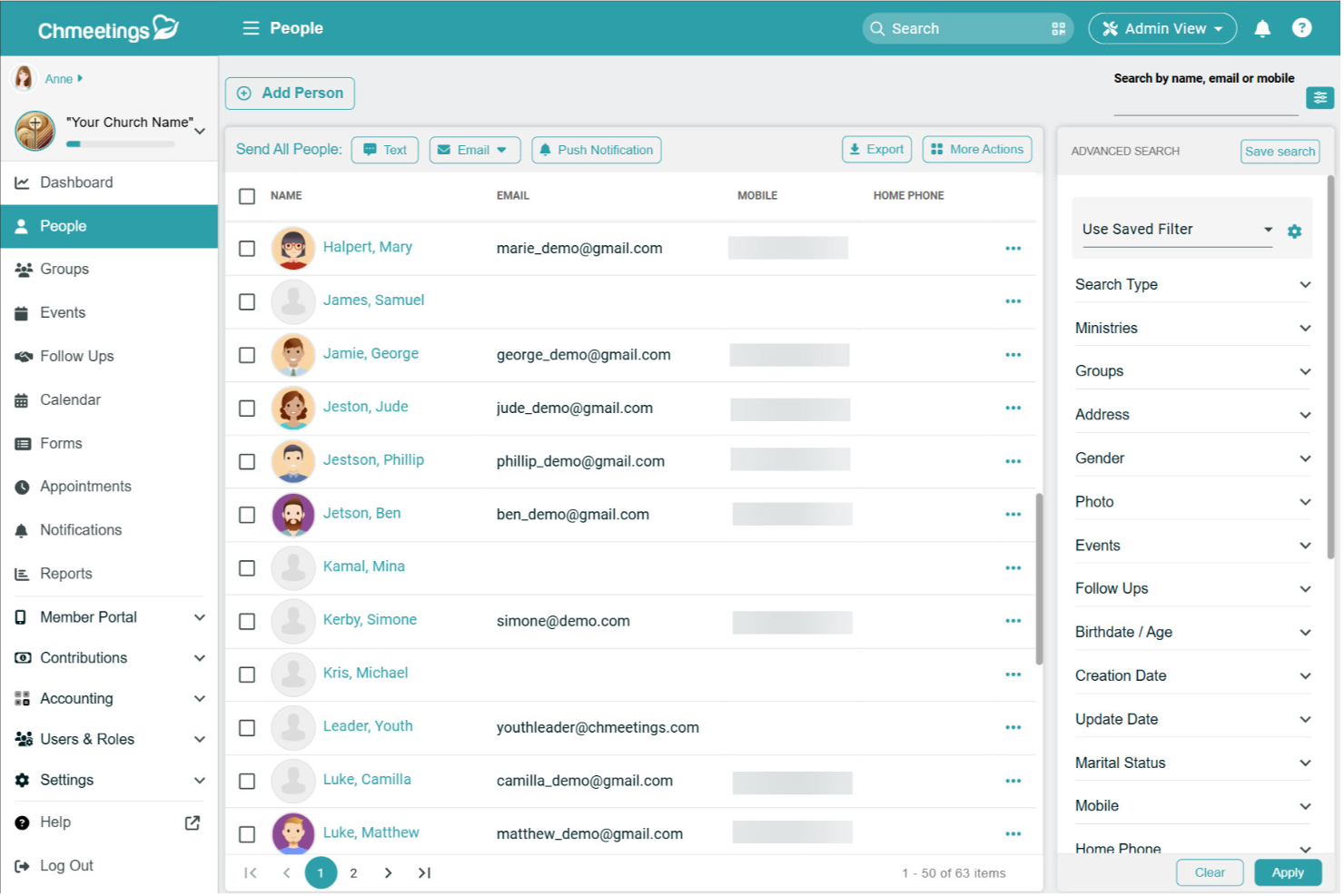
ChMeetings is a church management tool designed to help ministries keep people, events, and giving organized in one place. It offers a digital platform where you can manage member records, plan gatherings, and handle contributions with less effort.
Why I picked ChMeetings: I picked ChMeetings because it lets you build detailed member profiles with family and group information while making data easy to search and report on. It also ties people’s records to events and giving, so you can see who’s involved, where they serve, and how they support your ministry financially—all in one place.
Standout features & integrations:
Features include service planning, where you can prepare church services with scripture, songs, and notes all laid out in clear sections. Messaging tools also make it simple to send announcements, newsletters, or reminders directly to members through email, text, or push notifications.
Integrations include Stripe, PayPal, BlueSnap, Paystack, MailChimp, Twilio, SMS Global, Clickatell, Eazismspro, Zeffy, and Zapier. There's also the ChMeetings API for custom integrations.
Pros and Cons
Pros:
- Built-in donation and pledge options
- Strong event and attendance tracking
- Detailed member and family profiles
Cons:
- Reporting options can feel restrictive
- Limited customization for complex needs
New Product Updates from ChMeetings

ChMeetings Improves Reconciliation and Adds Fund By Month Report
ChMeetings adds a direct Reconcile button, improved save-for-later support, and a new Fund By Month report. These updates make reconciliation easier to resume and give teams clearer month-by-month fund visibility. For more information, visit ChMeetings’ official site.
 .
.
Best for automated member workflows
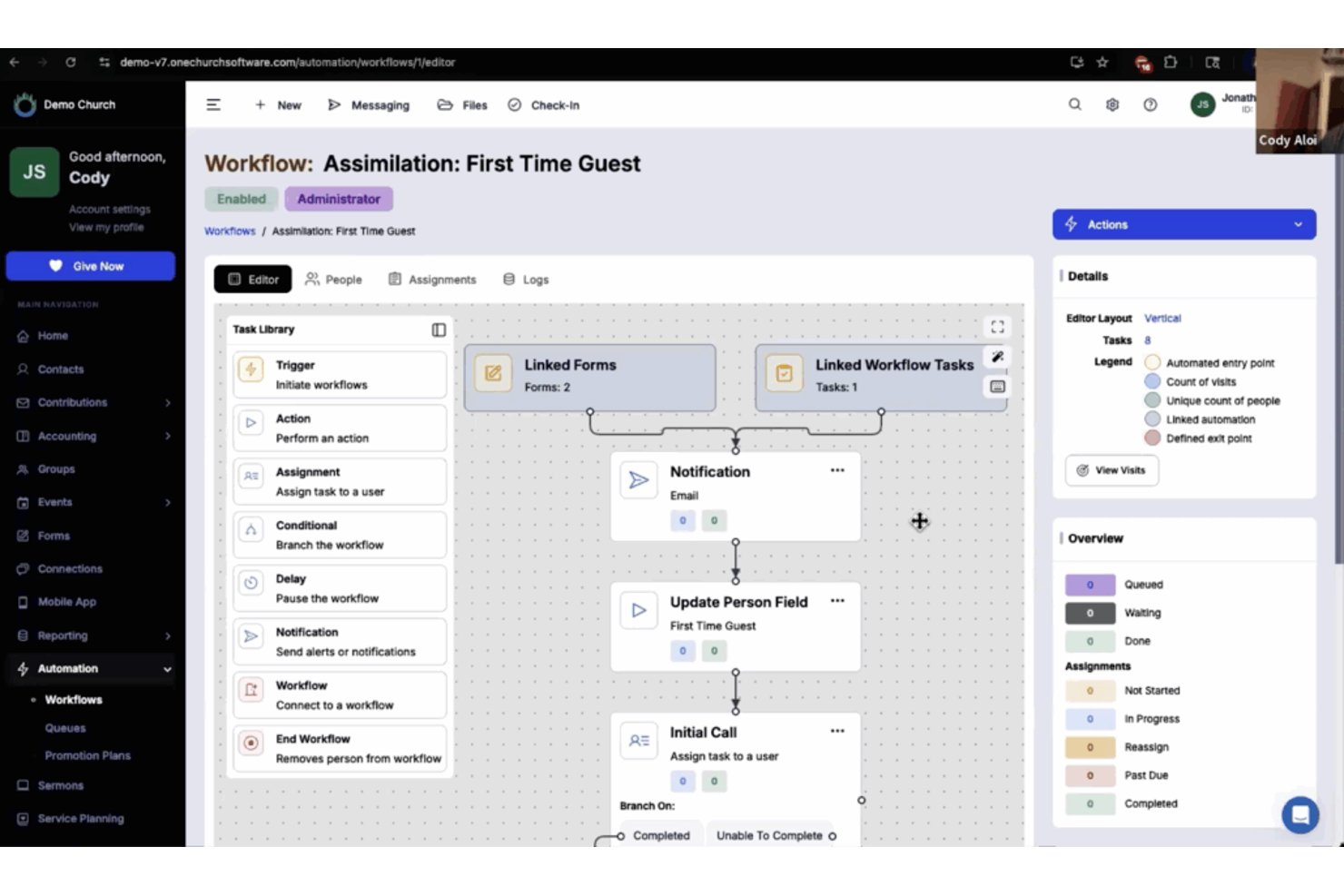
One Church Software is a church management platform that centralizes member directories, household profiles, small group organization, communication tools, and giving into a single system.
Who Is One Church Software Best For?
It's a strong fit for church administrators and membership coordinators who need to manage a growing congregation across multiple ministries from one platform.
Why I Picked One Church Software
One Church Software earns its spot on my shortlist because of how well its Automation Suite handles the unglamorous work of member follow-up. I love that I can build triggered workflows to automatically send texts, assign tasks, and route new visitors through a care sequence without manual steps. When a guest submits a connection card, One Church fires off a follow-up email, notifies a pastor, and schedules a check-in visit, all without touching a keyboard.
One Church Software Key Features
- Printable directory export: Generate up-to-date print or PDF directories for easy sharing with congregants who prefer physical copies.
- Integrated child check-in: Manage event attendance and child safety with built-in check-in tied directly to family profiles.
- Volunteer scheduling tools: Assign, schedule, and track volunteers for serving teams and ministry roles directly within the platform.
- Event and small group signups: Allow members to browse, register, and join events or small groups straight from the directory interface.
One Church Software Integrations
One Church Software offers native integrations with Mailchimp, Square, Pushpay, and PraiseCharts, and provides an API for custom integrations.
Pros and Cons
Pros:
- Supports full family relationship mapping
- Built-in check-in ties attendance to directory profiles
- Handles member care sequences automatically
Cons:
- Directory search filters fewer than rival platforms
- Mobile app has limited self-service features
New Product Updates from One Church Software

One Church Software Adds Apple Pay for Giving and Forms
One Church Software adds Apple Pay for online giving and form payments. This gives donors and form users another convenient way to complete payments across supported portals and embeds. For more information, visit One Church Software’s official site.
 .
.
Gracely
Best for people and group management
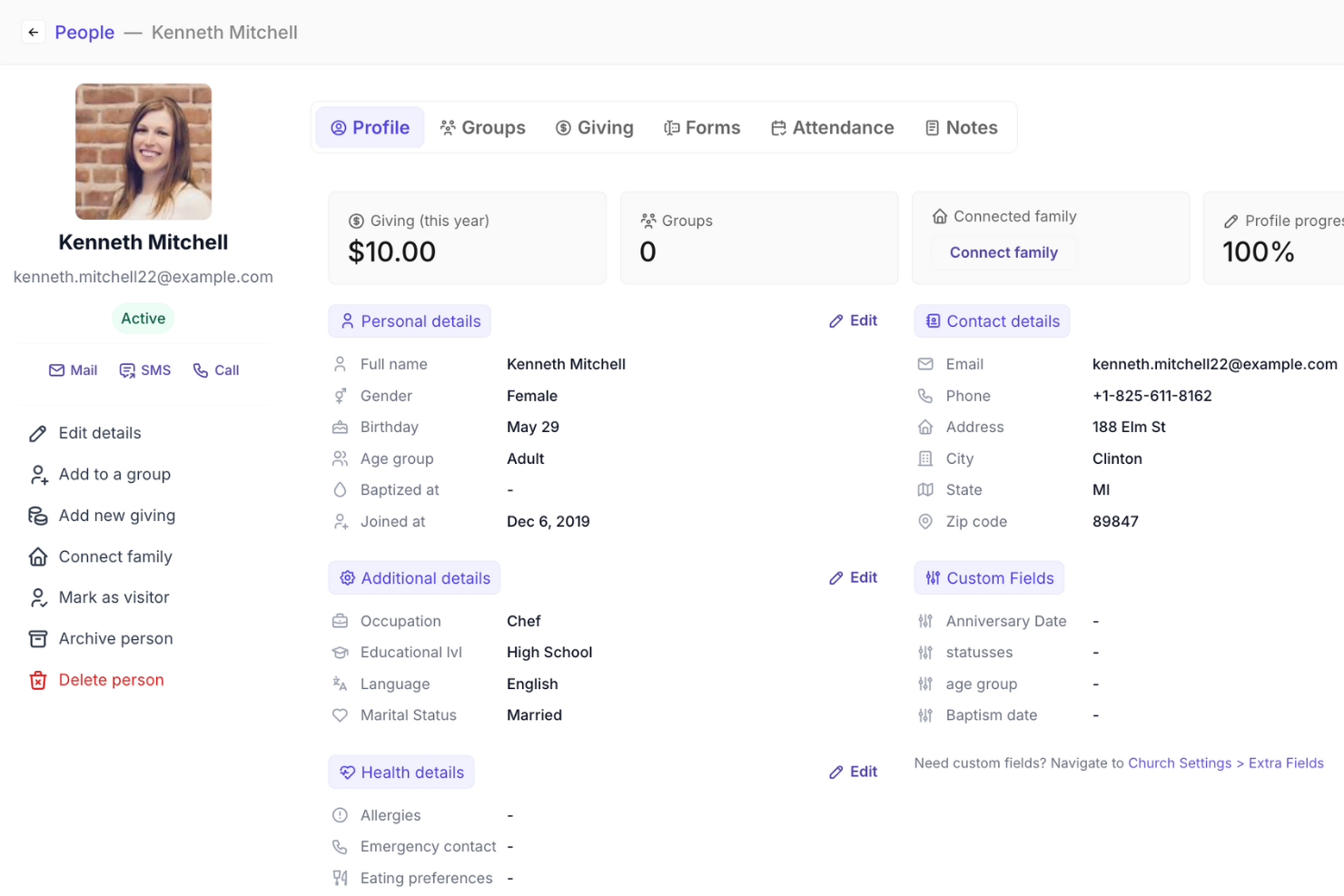
Gracely is an all-in-one church management software designed to help you manage members, organize events, and track giving. It provides an advanced platform to support your ministry, making it easier for you to focus on what truly matters.
Why I picked Gracely: Gracely offers detailed people and group management features. You can effortlessly organize contacts and groups, access personal details, and even track attendance. This allows you to maintain a well-organized directory and foster a sense of belonging among your members. Additionally, the software's church portal feature empowers members to update their profiles, view giving history, and stay connected, ultimately deepening their connection to the church community.
Standout features & integrations:
Features include online giving and contributions tracking, which simplifies the process of tithing and donation management. The communication tools also keep your congregation connected and engaged, allowing you to send personalized emails or SMS to members.
Integrations include Stripe, SendGrid, PayPal, Google Calendar, Google Pay, and Apple Pay.
Pros and Cons
Pros:
- Visitor and engagement tracking
- Group and event management
- Personalized SMS and email messaging
- User-friendly interface
- Detailed mobile app
Cons:
- Limited customer support
- Occasional technical issues
- Challenging setup process
- Potential learning curve
- Limited reporting features
New Product Updates from Gracely

Gracely Rebuilds Accounting for Church Finance Management
Gracely rebuilds Accounting with fund tracking, income and expenses, transfers, reports, and exports. This gives churches a more complete way to manage finances in one place. For more information, visit Gracely’s official site.
 .
.

Subsplash Church App is a digital platform designed for churches to manage multimedia content and member engagement. It serves church leaders by providing tools to share sermons, manage events, and communicate with the congregation.
Why I picked Subsplash Church App: It excels in multimedia integration, allowing you to share sermons, videos, and podcasts effortlessly. You can create a custom app to connect with your community through various media channels. The platform supports live streaming, enabling you to broadcast services in real-time. With its focus on multimedia, your church can engage members creatively and effectively.
Standout features & integrations:
Features include a giving platform that simplifies donations and tithes for your congregation. The app offers event management tools to help you organize and promote church activities. It also provides push notifications to keep your community informed about important updates.
Integrations include Planning Center, Mailchimp, CCB, YouTube, Vimeo, and Facebook Live.
Pros and Cons
Pros:
- Event management tools
- Integrated giving platform
- Live streaming support
- Custom app creation
- Strong multimedia capabilities
Cons:
- Limited support options
- Basic customization options
- Requires internet access
- Limited offline features
- Higher learning curve


Tithe.ly Custom Church App is a dynamic tool designed to enhance the engagement and management of church communities. With features like online giving, event planning, and member tracking, it provides a comprehensive solution for churches to stay connected with their congregations.
Why I Picked
What makes Tithe.ly Custom Church App stand out as a church directory app is its robust member tracking feature. This allows you to maintain detailed records of your congregation, ensuring that you have access to vital information whenever needed. It enhances your ability to engage with members by keeping everyone informed and connected.
Another reason I chose Tithe.ly is its event planning capabilities, which integrate seamlessly with the member directory. You can create and manage events while keeping track of attendance and participation. This feature supports your church's mission by facilitating community involvement and fostering a sense of belonging among members.
Standout Features
Features include an interactive prayer wall, which allows members to share prayer requests and support one another in real-time. The in-app giving feature provides a convenient way for members to contribute financially to the church's mission. Additionally, the app's sermon streaming and archives enable members to access sermons at their convenience, fostering spiritual growth and engagement.
Integrations
Integrations include Online Giving Form, Mobile Giving App, Text Giving, Pledge Campaigns, Giving Insights Dashboard, Messaging, Groups, Background Checks, Service Planning, Events & Check-In, Worship Team Tools, and Website Creation.
Pros and Cons
Pros:
- Drag-and-drop setup reduces need for external developers
- Combines giving, media, events and groups in one app hub
- Enables branded mobile communication with congregation in real time
Cons:
- Subscription cost continues whether usage stays low or grows
- App lives inside vendor’s container unless additional deployment fees paid

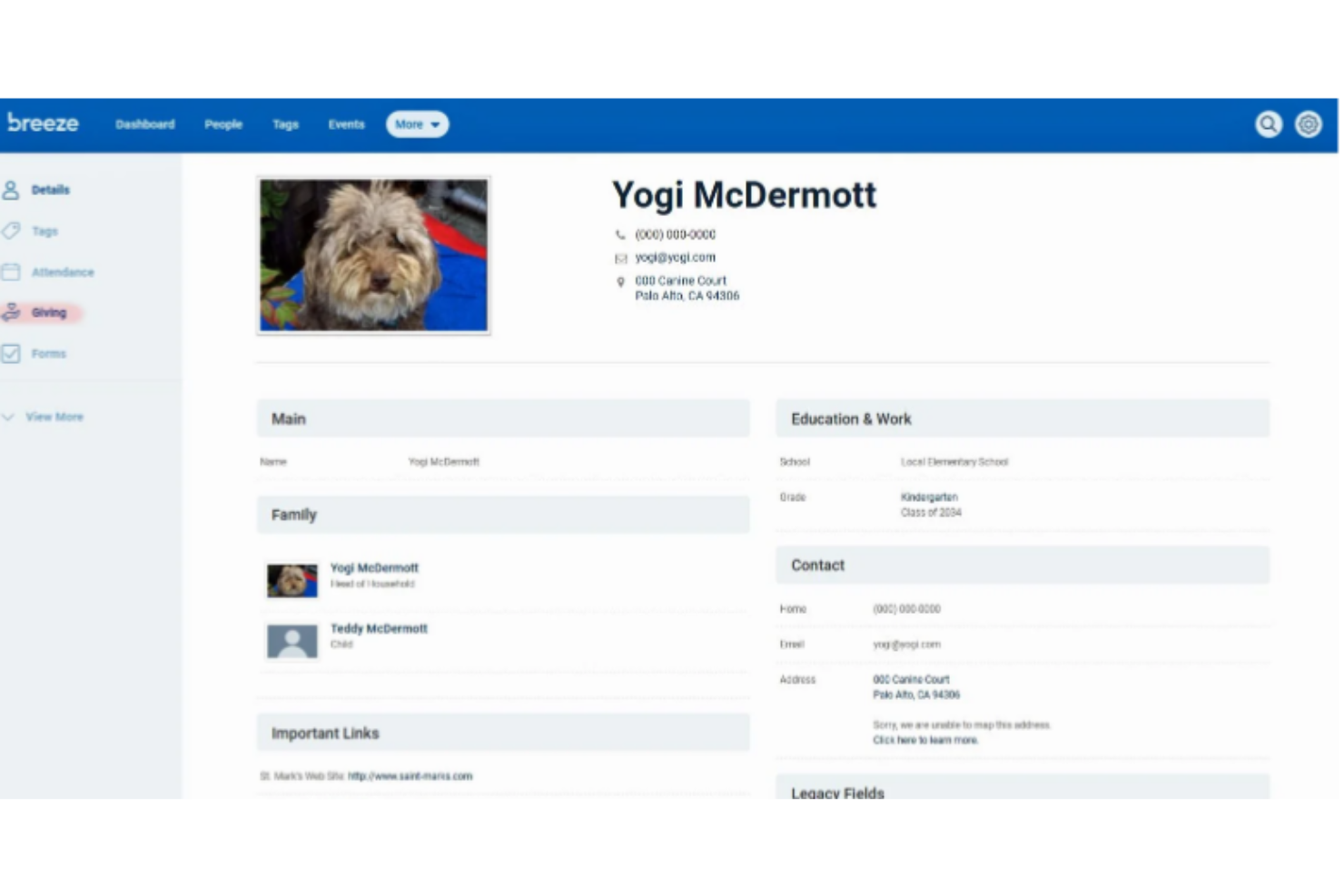
Breeze Online Church Directory is a church management tool designed for small to medium-sized churches. It helps users manage member information, communication, and event scheduling efficiently.
Why I picked Breeze Online Church Directory: Its user-friendly interface makes it easy for your team to navigate and manage church data. You can quickly update member profiles and track attendance. The app also offers customizable fields to fit your church's unique needs. With its simple design, onboarding new users becomes a breeze.
Standout features & integrations:
Features include the ability to track donations and generate giving reports, helping you manage church finances. The app supports event management, allowing you to schedule and promote events effortlessly. It also offers a child check-in system for enhanced security during services.
Integrations include QuickBooks, Mailchimp, Google Calendar, and Planning Center for seamless data synchronization and communication.
Pros and Cons
Pros:
- Effective attendance tracking
- Simple onboarding process
- Quick member profile updates
- Customizable fields
- Easy navigation
Cons:
- Limited customer support options
- Requires internet access
- Basic reporting tools
- No free version
- Limited advanced features


The Pushpay Church App is a versatile tool designed to enhance church management and community engagement. It offers a range of features that cater to the needs of congregations, helping to foster a connected and active church community.
Why I Picked
I picked the Pushpay Church App as a top choice for a church directory app because of its custom mobile apps feature. These tailored applications foster community engagement and communication among church members, offering a personalized experience that helps keep everyone connected. The ability to create custom apps means you can align the app with your church's specific needs, enhancing the sense of belonging among members.
Another reason for my choice is the app's insights and analytics feature. This provides actionable data to monitor church health and member engagement, allowing you to identify disengaged members and make informed decisions. By having access to these insights, you can better understand your congregation's needs and work towards creating a more vibrant and involved community.
Standout Features - Descriptive Format
Features include a giving platform that simplifies online donations and promotes increased generosity among congregants. The church management software streamlines operations and provides insights into church health and member engagement. Additionally, the app offers event management tools, facilitating the planning and execution of church events, which are crucial for community building and engagement.
Integrations
Integrations include ChurchStaq, ParishStaq, Resi, Quickbooks, Planning Center, Text-Em-All, Fellowship One, SecureSearch, Virtus, VisitorReach, Church Data Connect, and Clearstream.
Pros and Cons
Pros:
- Encourages consistent giving through mobile engagement.
- Simplifies event and volunteer coordination.
- Provides insights for data-driven ministry decisions.
Cons:
- Limited customization for directory fields.
- Customer support response time can be slow.

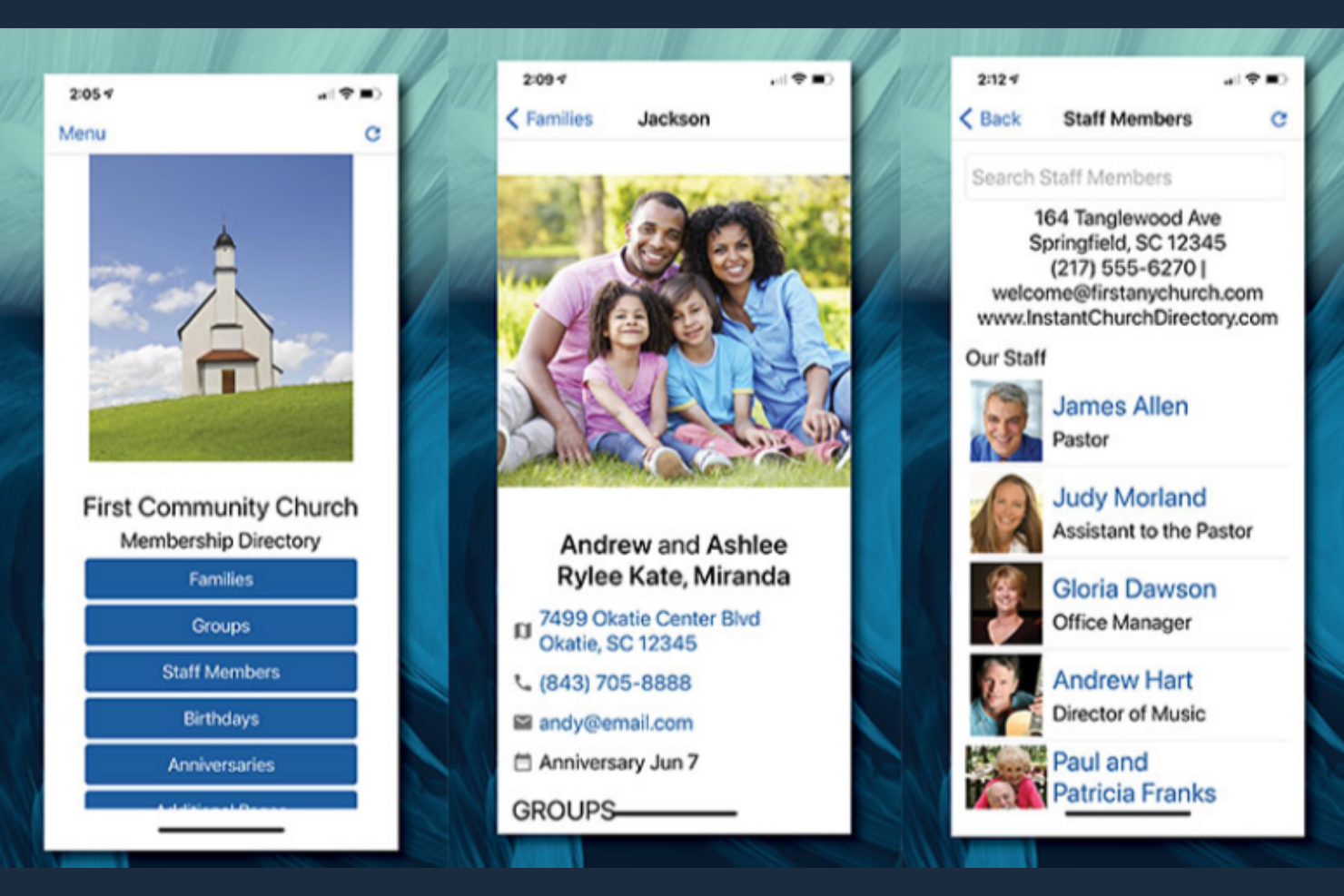
Instant Church Directory is an online tool that helps churches create and maintain member directories. It serves church administrators and members by providing tools for easy directory management and communication.
Why I picked Instant Church Directory: It offers instant updates, allowing you to keep your directory current without delay. The platform provides both online and printable directory options. You can upload member photos and contact information in real-time. With its intuitive interface, your team can manage updates effortlessly.
Standout features & integrations:
Features include a user-friendly mobile app that lets members access the directory anytime. The platform supports a secure login system to protect member data. It also offers customizable directory layouts to suit your church's preferences.
Integrations include options to export data for mailing labels and communication, but specific named integrations are not listed.
Pros and Cons
Pros:
- Customizable layouts
- Secure login system
- Real-time photo uploads
- Online and printable options
- Instant directory updates
Cons:
- Limited support options
- Internet access required
- Basic customization options
- No named third-party integrations
- Limited advanced features

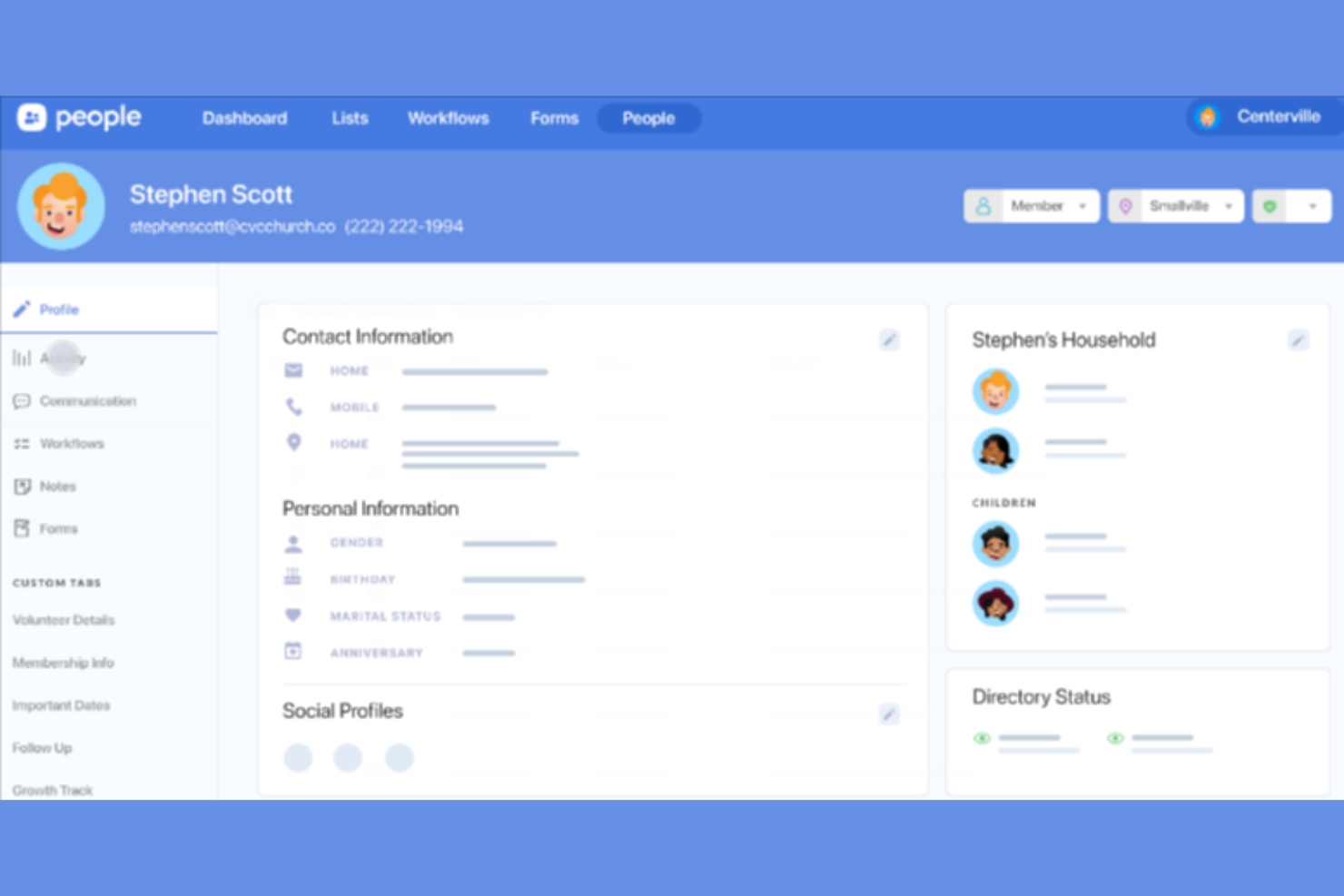
Planning Center People is a church management software that helps churches organize member data and communications. It is primarily used by church administrators to manage member information and enhance engagement.
Why I picked Planning Center People: It excels in integration capabilities, allowing you to connect with various church tools for a cohesive management experience. You can easily track attendance, manage groups, and communicate with members. The software's integration with other Planning Center products ensures a seamless workflow across different church activities. Its flexibility in connecting with multiple tools makes it a valuable asset for comprehensive church management.
Standout features & integrations:
Features include a detailed member profile system that helps you keep track of personal and family information. The app offers customizable workflows to streamline your church's processes. You can also set up automated actions for tasks like sending welcome emails to new members.
Integrations include Planning Center Check-Ins, Planning Center Giving, Planning Center Services, Mailchimp, and QuickBooks.
Pros and Cons
Pros:
- Flexible management tools
- Detailed member profiles
- Automated task actions
- Customizable workflows
- Excellent integration options
Cons:
- Limited support options
- Basic customization options
- Limited offline features
- Learning curve for new users
- Requires internet access

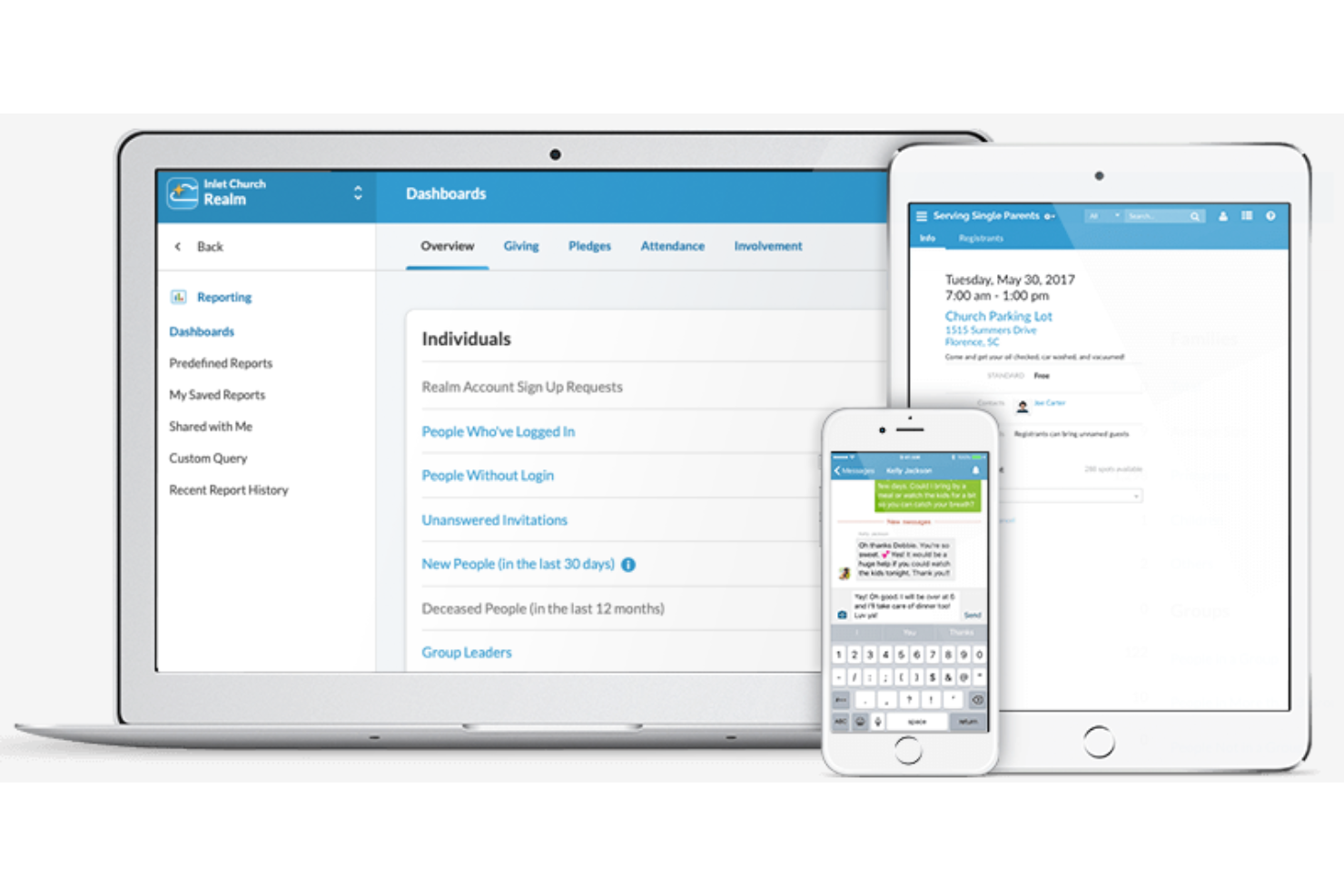
Realm by ACS Technologies Group, Inc. is an all-in-one church management tool that empowers ministry leaders to engage their members and streamline operations. It handles member profiles, contributions, attendance, volunteer scheduling, and communication so church teams can focus more on ministry and less on logistics.
Why I picked Realm:
This tool fits churches that want a unified platform for staff and congregants without juggling separate systems. It works especially well for ministries that prioritise mobile access—for pastors on the move and congregants that expect self-service. On the trade-off side, very small churches may find some features more than they need and might prefer a simpler, lower-cost option. Consider alternatives if your focus is purely giving or check-in and you don’t need full member management.
Standout features and integrations:
Features include detailed member profiles with custom fields, mobile giving and giving history, volunteer and event scheduling tools, automated attendance tracking, and a unified communication feed.
Integrations include online giving platforms, church accounting systems, background-check vendors, mobile apps for members, and event management systems.
Pros and Cons
Pros:
- Enables mobile giving and self-service member engagement.
- Offers unified database so information is consistent across staff and volunteers.
- Includes volunteer scheduling and event tools in one ecosystem.
Cons:
- Some ministry-specific workflows may require additional configuration.
- Multi-campus or very large churches may need to verify scale and pricing fit.
Other Church Directory App
Here are some additional church directory app options that didn’t make it onto my shortlist, but are still worth checking out:
- Ministry One
For custom app features
- Online Church Directory
For secure data storage
- DirectorySpot for Churches
For mobile directory access
- Aware3 Church App
For digital communication
- Go Church App
For keeping members informed
- ChurchSpring Directory
Website & ChMS combo
- Church Directory (Church Work LLC)
For comprehensive member profiles
- The Church Connectory
For easy member management
- My Church Directory
For customizable directories
- Church Directory App
For simple navigation
- ChurchTrac
For budget-friendly options


How I Evaluate Church Directory Apps
I evaluate church directory apps in two layers—core must-haves like member profiles and privacy controls, and differentiators like ChMS integration and mobile access that separate standout tools.
Core Functionality (Table Stakes For This List)
When I'm selecting tools for my list, I rank each one on a scale from 0 (does not offer the functionality) to 5 (excels in this area) for each core functionality listed below. Then, I calculate the tool's total score into a percentage. Each tool needs to achieve a minimum total score of 65% to be considered for inclusion.
- Member Profiles & Photos: I check whether each profile supports a photo, contact details, and custom fields—like baptism date or membership status—that reflect how churches actually track their people.
- Household & Family Grouping: Families attend church together, so I look for tools that link spouses, children, and dependents into household units with shared addresses and relationship labels.
- Congregant Self-Service Access: I evaluate whether members can log in from a phone or browser to look up fellow congregants and update their own contact info without calling the church office.
- Privacy & Permission Controls: Church members need to choose what they share, so I look at whether a tool lets individuals hide their phone number or address while keeping their name visible.
- Group & Ministry Segmentation: I check for the ability to filter the directory by small groups, worship teams, or youth ministry rosters so leaders can quickly find the people in their area of service.
- Directory Communication Tools: The ability to call, text, or email someone directly from their directory listing matters, so I evaluate whether the app supports in-context outreach to individuals and groups.
Once I have a list of tools that meet the criteria, I consider what sets each platform apart.
Differentiating Factors (What Sets Vendors Apart)
Here's how I compare and contrast different vendors:
Standout Features
A printable directory export is something I always check for—many churches still hand photo directories to homebound members or older congregants who prefer paper. I also look at whether members can browse and sign up for small groups or events directly from the directory. Volunteer scheduling tied to directory profiles is another differentiator, letting a kids' ministry coordinator manage serving rosters without jumping to a separate tool.
Beyond Features
ChMS ecosystem integration matters a lot—if your church already runs on Planning Center or Breeze, a directory app that syncs natively saves hours of duplicate data entry. I also evaluate onboarding support, since the person setting up the directory is often a part-time admin or volunteer, not an IT professional. Pricing structure deserves attention too. Some vendors charge per member, which penalizes growing churches, while others offer flat-rate plans that scale with your congregation.
How to Choose Church Directory App
It’s easy to get bogged down in long feature lists and complex pricing structures. To help you stay focused as you work through your unique software selection process, here’s a checklist of factors to keep in mind:
| Factor | What to Consider |
| Scalability | Can the app grow with your church? Consider the number of members it can handle and how easily you can add new users or features as your church expands. |
| Integrations | Does it connect with your existing systems? Check for compatibility with tools like calendars, email platforms, and financial software to avoid siloed information. |
| Customizability | Can you tailor the app to fit your church's needs? Look for options to customize fields, layouts, and reports so it aligns with your processes. |
| Ease of use | Is the app intuitive for all users? Evaluate the interface and navigation. A complex tool might slow down adoption and require more training. |
| Implementation and onboarding | How quickly can you get started? Consider the setup time, available training resources, and any support provided during the transition phase. |
| Cost | Does the pricing fit your budget? Compare plans and consider hidden costs like user limits or additional modules. A low upfront cost might lead to higher expenses. |
| Security safeguards | How does the app protect member data? Look for encryption, access controls, and compliance with data protection regulations to ensure information remains secure. |
| Support availability | Will you have the help you need? Check if support is available when you need it, and through your preferred channels, like phone, chat, or email. |
What Is Church Directory App?
Church directory app is a digital tool designed to help churches manage and organize member contact information. Church leaders, administrators, and volunteers typically use these tools to maintain accurate directories and facilitate communication within the congregation. Real-time updates, secure data storage, and mobile access features help with keeping member information current and accessible. Overall, these tools simplify directory management and enhance community engagement.
Features of Church Directory App
When selecting church directory app, keep an eye out for the following key features:
- Real-time updates: This feature allows you to keep member information current, ensuring everyone has access to the latest contact details.
- Secure data storage: Protects sensitive member information through encryption and access controls, maintaining privacy and security.
- Mobile access: Enables users to view and update the directory on-the-go, providing flexibility and convenience.
- Customizable templates: Allows you to tailor the directory's appearance and fields to match your church's unique needs.
- Integration capabilities: Connects with other tools like calendars and email platforms, facilitating seamless data management.
- Event management: Helps organize and promote church activities, keeping the congregation informed and engaged.
- Photo uploads: Adds a personal touch by including member photos in the directory, enhancing recognition and connection.
- Push notifications: Keeps members informed about important updates and events, improving communication within the church.
- Online giving support: Simplifies the donation process, making it easy for members to contribute to the church financially.
- Custom app features: Provides the ability to create a branded app that reflects your church's identity and community.
Benefits of Church Directory App
Implementing church directory app provides several benefits for your team and your business. Here are a few you can look forward to:
- Improved communication: Real-time updates and push notifications keep your congregation informed and connected.
- Enhanced security: Secure data storage protects member information, ensuring privacy and trust.
- Greater accessibility: Mobile access allows users to view and update directories from anywhere, offering convenience and flexibility.
- Personalized experience: Customizable templates and photo uploads help tailor the directory to your church's needs and foster community.
- Efficient management: Integration capabilities and event management tools streamline administrative tasks, saving time and effort.
- Increased engagement: Online giving support and custom app features encourage participation and involvement from your members.
- Cost-effective solution: Centralizing directory management reduces the need for multiple tools, optimizing resources and budget.
Costs and Pricing of Church Directory App
Selecting church directory app requires an understanding of the various pricing models and plans available. Costs vary based on features, team size, add-ons, and more. The table below summarizes common plans, their average prices, and typical features included in church directory app solutions:
Plan Comparison Table for Church Directory App
| Plan Type | Average Price | Common Features |
| Free Plan | $0 | Basic directory management, limited member profiles, and mobile access. |
| Personal Plan | $5-$25/ user/month | Real-time updates, secure data storage, and customizable templates. |
| Business Plan | $50-$100/ month | Integration capabilities, event management, and photo uploads. |
| Enterprise Plan | $100-$25/ month | Custom app features, online giving support, and advanced security safeguards. |
Church Directory App FAQs
Here are some answers to common questions about church directory app:
How much does church directory cost?
Is instant church directory safe?
Are church directories a good idea?
What information should be included in a church directory?
Can members update their own information?
How do I choose the right church directory app?
What’s Next:
If you're in the process of researching church directory app, connect with a SoftwareSelect advisor for free recommendations.
You fill out a form and have a quick chat where they get into the specifics of your needs. Then you'll get a shortlist of software to review. They'll even support you through the entire buying process, including price negotiations.