

13 Best Planning Center Alternatives Reviewed in 2026

10 Best Planning Center Alternatives Shortlist


Managing a church community is no small feat. You face challenges like organizing events, tracking attendance, and managing donations. That's where all-in-one church management software comes in.
If you've tried Planning Center and found it lacking for your specific needs, you're not alone. Many church managers seek alternatives for better customization, different features, or budget considerations.
In my experience, finding the right tool can make a world of difference. I'll guide you through my top picks of Planning Center alternatives. You'll discover options that cater to different needs and preferences, helping your team operate smoothly and efficiently.
What Is Planning Center?
Planning Center is a church management software designed to help churches organize and manage their activities. It's generally used by church administrators, pastors, and event coordinators who need an efficient way to handle scheduling, communication, and member information. Features like volunteer scheduling, event planning, and donation tracking help with organizing church operations, engaging with your community, and managing resources effectively. Overall, Planning Center provides valuable tools to keep your church running smoothly and connected.
Best Planning Center Alternatives Summary
This comparison chart summarizes pricing details for my top Planning Center alternative selections to help you find the best one for your budget and business needs.
| Tool | Best For | Trial Info | Price | ||
|---|---|---|---|---|---|
| 1 | Best for flexible event and group management | Free plan available | From $12/month | Website | |
| 2 | Best for online giving and tracking | Free plan available | From $19/month | Website | |
| 3 | Best for cost-effective giving solutions | 30-day free trial + free plan available | From $72/month | Website | |
| 4 | Best for mobile app connectivity | Not available | Pricing upon request | Website | |
| 5 | Best for membership engagement tools | Free plan available | From $49/month | Website | |
| 6 | Best for nonprofit fundraising | Free demo available | Pricing upon request | Website | |
| 7 | Best for comprehensive worship planning | 30-day free trial | From $50/month/account | Website | |
| 8 | Best for customizable church apps | Free demo available | From $99/month | Website | |
| 9 | Best for scalable church management | 30-day free trial | Pricing available upon request | Website | |
| 10 | Best for real-time engagement insights | Free trial available | From $39.60/user/month | Website |
Why Trust Our Software Reviews
We’ve been testing and reviewing church management software since 2020. As church leaders ourselves, we know how critical and difficult it is to make the right decision when selecting software.
We invest in deep research to help our audience make better software purchasing decisions. We’ve tested many tools for different church management use cases and written over 1,000 comprehensive software reviews. Learn how we stay transparent & our software review methodology.
-

ChMeetings
Visit WebsiteThis is an aggregated rating for this tool including ratings from Crozdesk users and ratings from other sites.4.9 -
Gracely
Visit WebsiteThis is an aggregated rating for this tool including ratings from Crozdesk users and ratings from other sites.4.8 -
Text In Church
Visit WebsiteThis is an aggregated rating for this tool including ratings from Crozdesk users and ratings from other sites.4.6


Best Planning Center Alternatives Reviews
Below are my detailed summaries of the best Planning Center alternatives that made it onto my shortlist. My reviews offer a detailed look at the key features, pros & cons, integrations, and ideal use cases of each tool to help you find the best one for you.

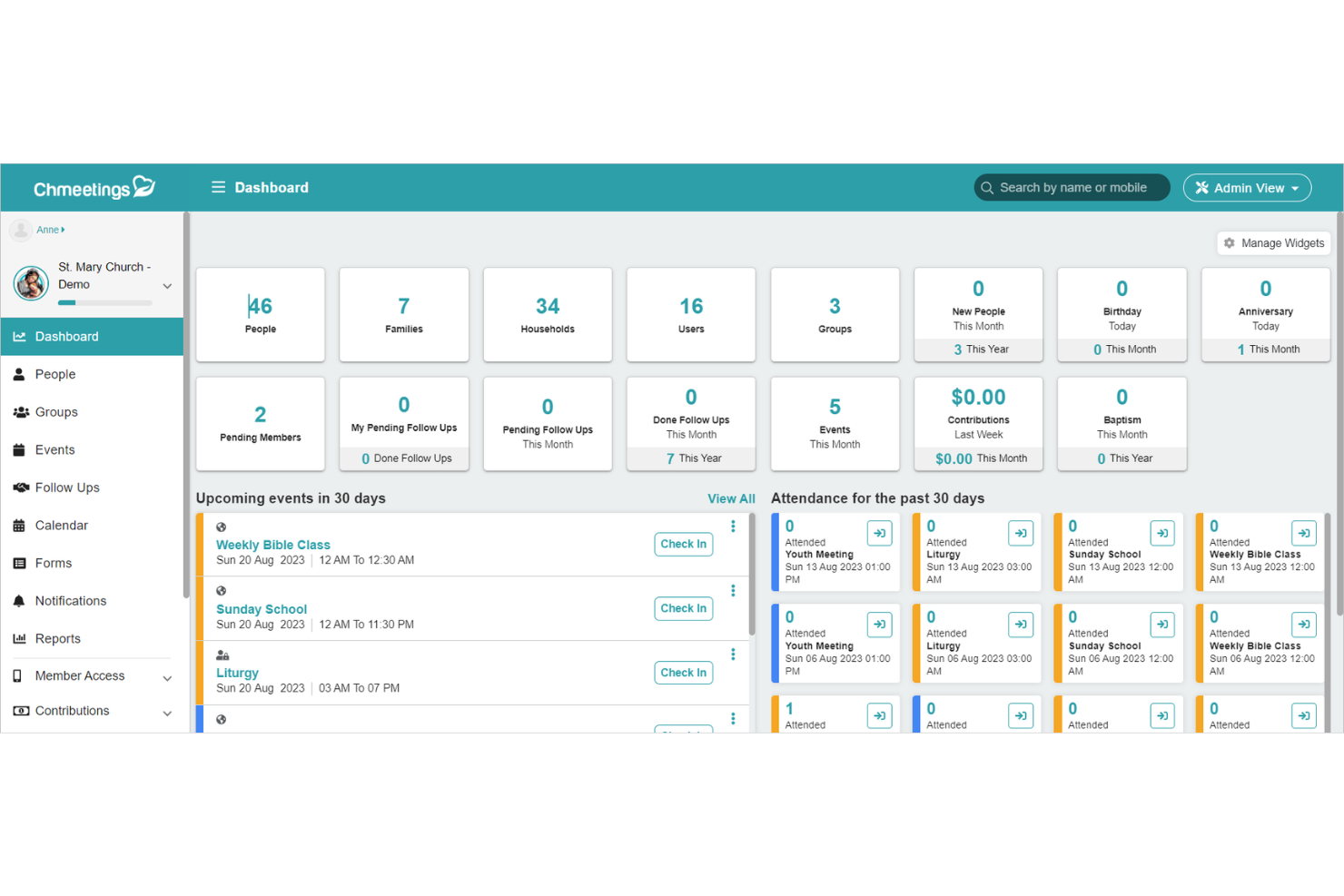
ChMeetings is a church management software designed to help ministries organize and grow their communities. It provides tools for managing members, planning events, tracking attendance, and handling communication—all in one secure place.
Why it's a good Planning Center alternative: I picked ChMeetings because it focuses on flexible event and group management, custom data tracking, and strong administrative control. You can manage events from planning through follow-up, with detailed attendance, roles, and reminders. Its custom forms and fields let you capture the exact member details your ministry needs, making your data more useful and relevant.
Permissions and access levels are customizable too, so your team can collaborate while keeping sensitive information secure. These tools together make ChMeetings a reliable alternative for churches that want more control and flexibility over how they organize people and activities.
Standout features & integrations:
Features include people management tools that let you organize individuals into families or groups and tag them by ministries or participation levels. There’s also a communication center that enables group emails, push notifications, and SMS—all from within the same dashboard, ensuring every member stays informed.
Integrations include Stripe, PayPal, BlueSnap, Paystack, Twilio, MailChimp, SMS Global, Zeffy, and Clickatell.
Pros and Cons
Pros:
- Built-in SMS, email, and push messaging
- Strong event and attendance tracking tools
- Supports multi-campus coordination easily
Cons:
- No built-in website builder, just a member page builder
- Limited integration options compared to others
New Product Updates from ChMeetings

ChMeetings Enhances Volunteer Management, Giving, and API Capabilities
ChMeetings introduces updates to volunteer scheduling, giving and accounting, forms, and API capabilities. These enhancements improve coordination, financial management, and platform flexibility. For more information, visit ChMeetings' official site.
 .
.
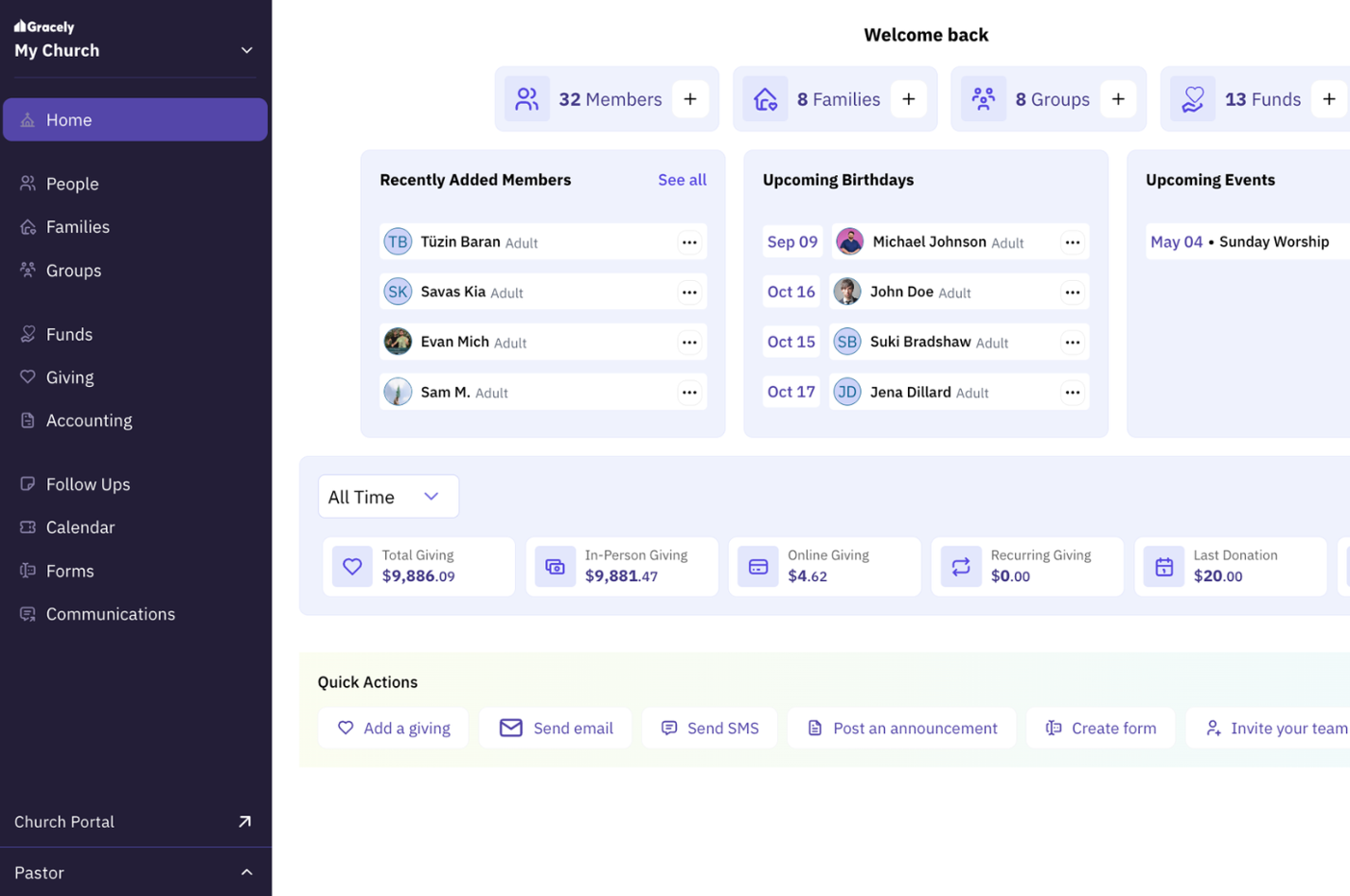
Gracely is a church management software designed to simplify church operations through efficient member management and financial tracking. Church leaders and administrators mainly use it to handle tasks like event planning, communication, and contributions tracking.
Why it's a good Planning Center alternative: Gracely excels in online giving and contributions tracking, providing secure tithing and detailed financial statements. This transparency builds trust within your community and simplifies financial management.
The tool also offers a personalized church portal where members can view their giving history and engage more deeply. Overall, Gracely enhances financial stewardship and member engagement for your church.
Standout features & integrations:
Features include customizable forms for registrations and surveys, helping streamline workflows and reduce paperwork. The software's cloud-based event management system allows you to plan and track events efficiently. Additionally, Gracely offers a church accounting feature that helps manage finances with clear, detailed reports.
Integrations include QuickBooks, PayPal, Stripe, Mailchimp, Planning Center, Google Calendar, Eventbrite, ProPresenter, Pushpay, and Tithe.ly.
Pros and Cons
Pros:
- Efficient event management
- Customizable member portal
- Transparent financial tracking
Cons:
- Occasional updates needed
- Basic customization features
New Product Updates from Gracely
Gracely Adds Rooms and Pledge Management Tools
Gracely introduces Rooms & Resources management and a Pledge Management tool. These updates help teams organize spaces and track giving more efficiently. For more information, visit Gracely’s official site.
 .
.
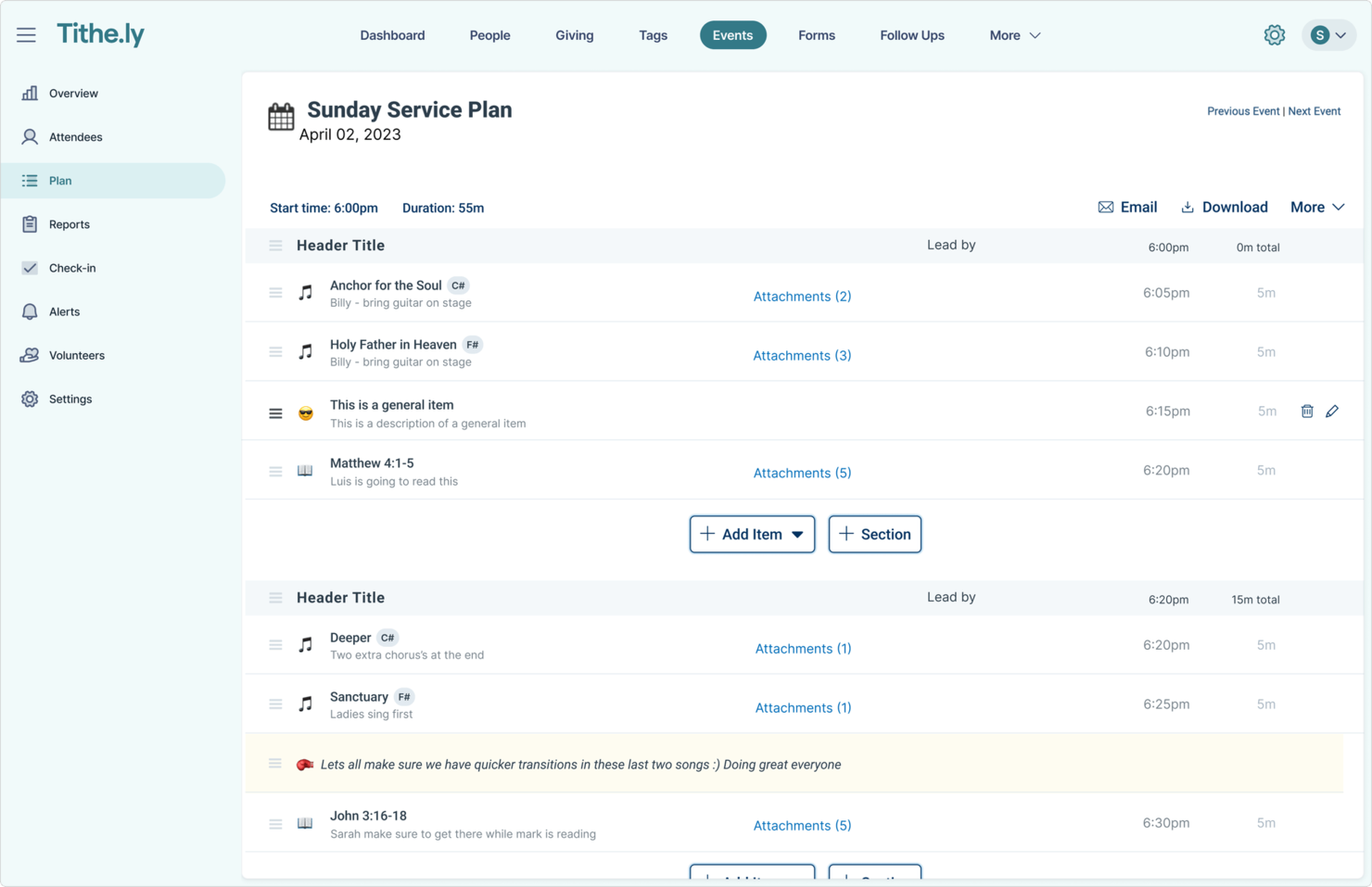
Tithe.ly is a digital giving platform designed for churches and ministries to simplify donation processes and enhance financial stewardship. Church leaders and financial administrators primarily use it to manage tithes and offerings.
Why it's a good Planning Center alternative: Tithe.ly offers an all-in-one solution for cost-effective giving solutions that make it easy for your congregation to donate online. Features like text giving, mobile app donations, and recurring giving options provide flexibility for your members.
Tithe.ly also includes a comprehensive dashboard to track donations and financial trends. This makes it an excellent choice for churches looking to optimize their giving strategies.
Standout features & integrations:
Features include event registration tools that allow your team to manage and track attendance for church events. The software provides a custom church app builder to enhance engagement with your congregation. Additionally, Tithe.ly offers a church management suite to help you organize and oversee church operations effectively. Members can give via credit card, ACH, text-to-give, or the mobile app, with recurring options supported.
Integrations include Planning Center, QuickBooks, Salesforce, Mailchimp, Google Calendar, CCB, ProPresenter, Pushpay, Vanco, and Givelify
Pros and Cons
Pros:
- Supports recurring giving
- Custom church app builder
- Effective event registration tools
Cons:
- Occasional technical issues
- Requires internet connection

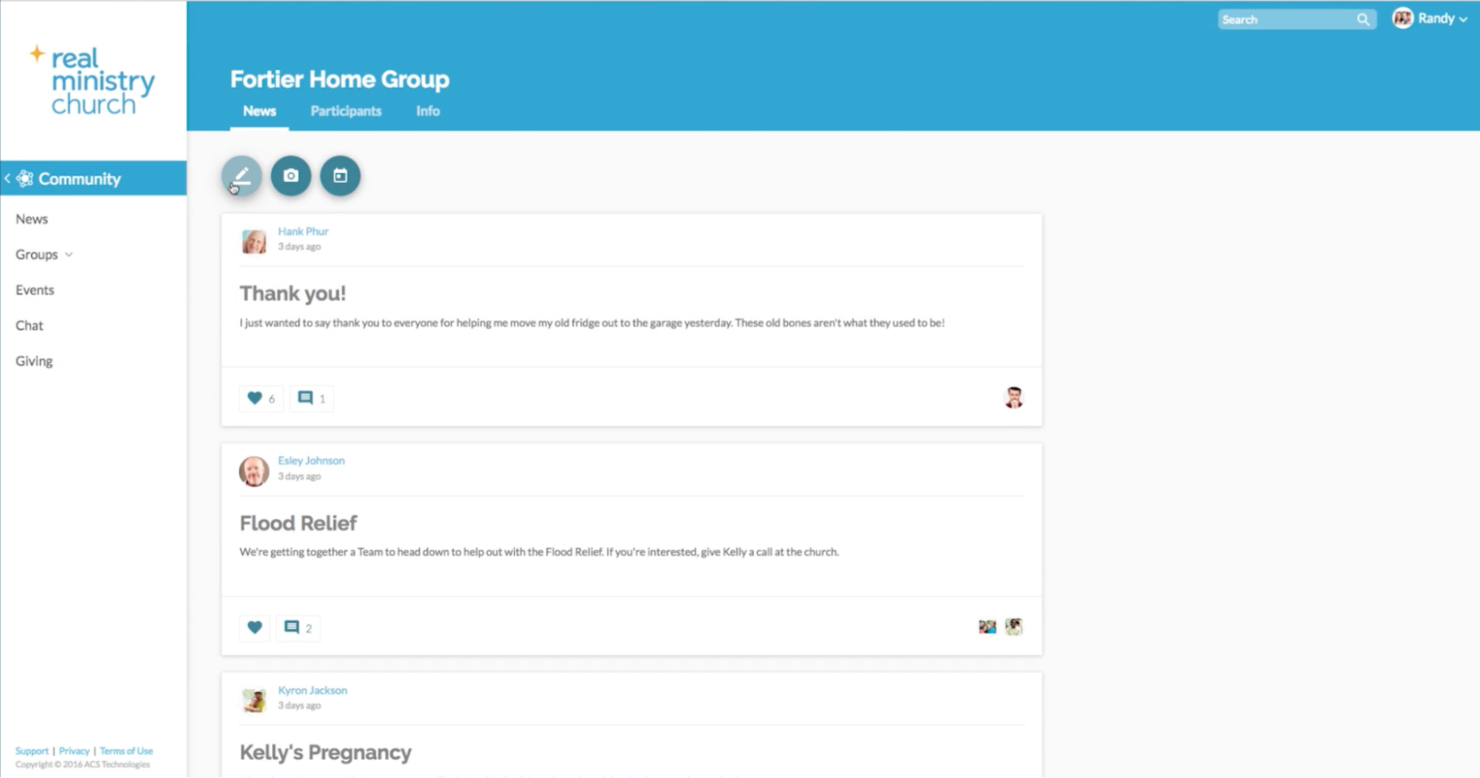
Realm is a church management software designed for church leaders and administrators to enhance community engagement and streamline operations. It focuses on member management, event planning, and communication.
Why it's a good Planning Center alternative: Realm excels in mobile app connectivity, providing your team and congregation with easy access to church information on the go. Its mobile app allows members to connect, give, and register for events using their smartphones.
The platform also supports real-time communication, helping you keep your community informed and engaged. This makes Realm an ideal choice for churches looking to leverage mobile technology for better connectivity.
Standout features & integrations:
Features include a built-in giving platform that simplifies donations and tracks contributions. The software provides event management tools to help you plan and coordinate church activities efficiently. Additionally, Realm offers a group management feature to organize and manage small groups and classes effectively.
Integrations include QuickBooks, Mailchimp, Planning Center, Google Calendar, Eventbrite, ProPresenter, Pushpay, Tithe.ly, Vanco, and Givelify.
Pros and Cons
Pros:
- Built-in giving platform
- Real-time communication features
- Strong mobile app connectivity
Cons:
- Basic customization options
- Learning curve for new users

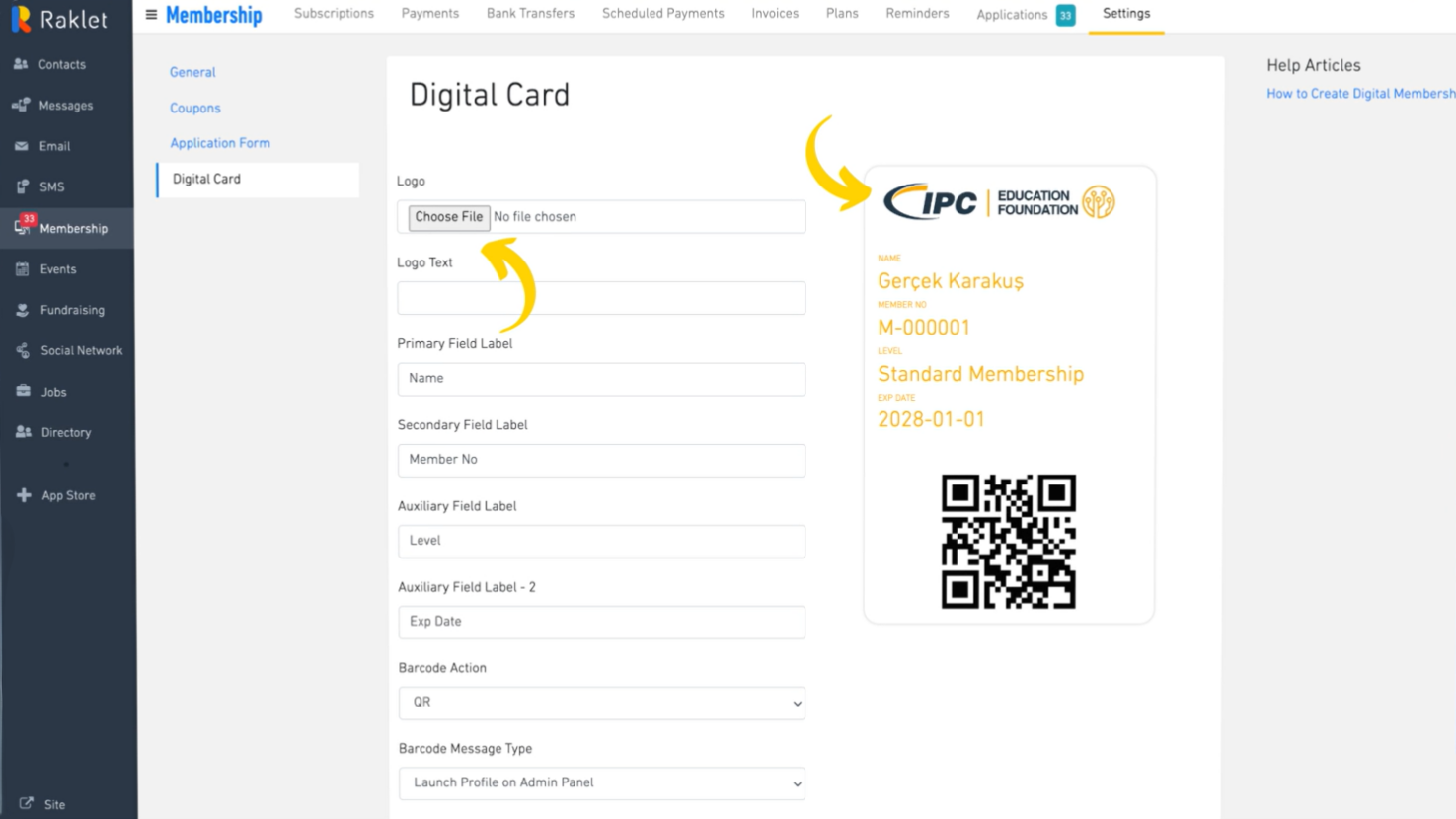
Raklet is a membership management platform designed for organizations to engage and manage their communities effectively. Community managers and administrators use it to handle memberships, communication, and events.
Why it's a good Planning Center alternative: Raklet offers powerful membership engagement tools that keep your community active and connected. With features like automated membership renewals, event management, and email marketing, you can maintain a thriving community.
Raklet also provides detailed analytics to track engagement and growth. This makes it a great choice for organizations focused on boosting member interaction and retention.
Standout features & integrations:
Features include customizable membership plans that cater to different needs, a built-in CRM to manage member data, and an event management system to organize and track events efficiently. You can also use automated email campaigns to reach your audience and increase engagement.
Integrations include Stripe, PayPal, Mailchimp, Zapier, Eventbrite, Google Calendar, QuickBooks, Slack, Salesforce, and Zoom.
Pros and Cons
Pros:
- Built-in CRM
- Detailed analytics
- Automated renewals
Cons:
- Occasional technical issues
- Learning curve for new users

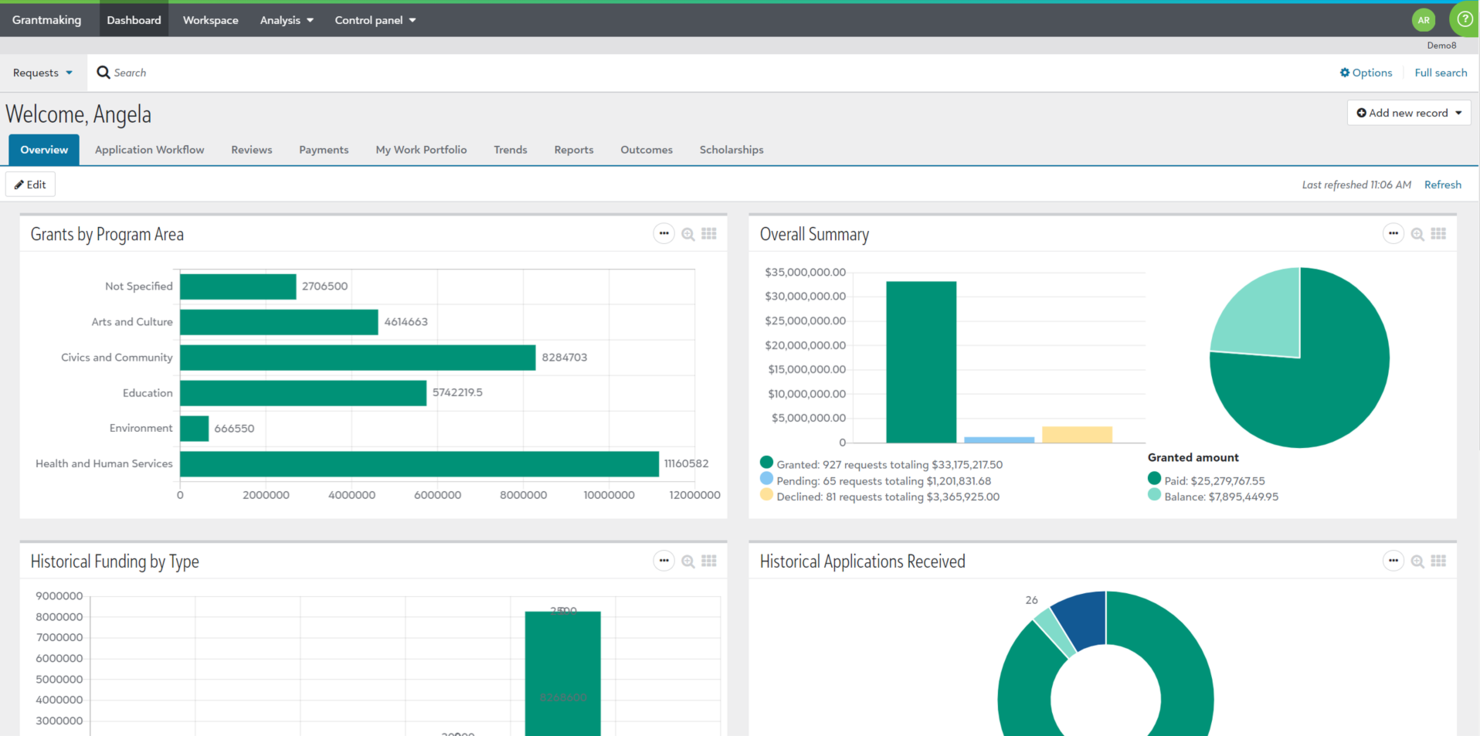
Blackbaud is a software solution tailored for nonprofit organizations, including churches, to manage their fundraising, financial management, and donor relationships. It's primarily used by development teams and financial officers to streamline operations and enhance donor engagement.
Why it's a good Planning Center alternative: Blackbaud provides specialized tools for nonprofit fundraising and donation management, making it easier for your team to connect with donors and raise funds effectively. Features like donor management, online giving, and event planning help you build and maintain strong relationships with your supporters.
The tool also offers comprehensive financial tracking, ensuring transparency and accountability. This makes Blackbaud an excellent choice for churches focused on fundraising and financial management.
Standout features & integrations:
Features include customizable dashboards that allow you to monitor key metrics and performance indicators at a glance. The platform offers grant management tools to help you track and report on funding opportunities. Additionally, Blackbaud provides a volunteer management system to organize and engage your volunteers effectively.
Integrations include Salesforce, QuickBooks, Microsoft Dynamics 365, Mailchimp, PayPal, Eventbrite, Constant Contact, Google Analytics, HubSpot, and Zoom.
Pros and Cons
Pros:
- Grant management tools
- Customizable dashboards
- Effective donor management
Cons:
- Occasional software updates
- Steep learning curve

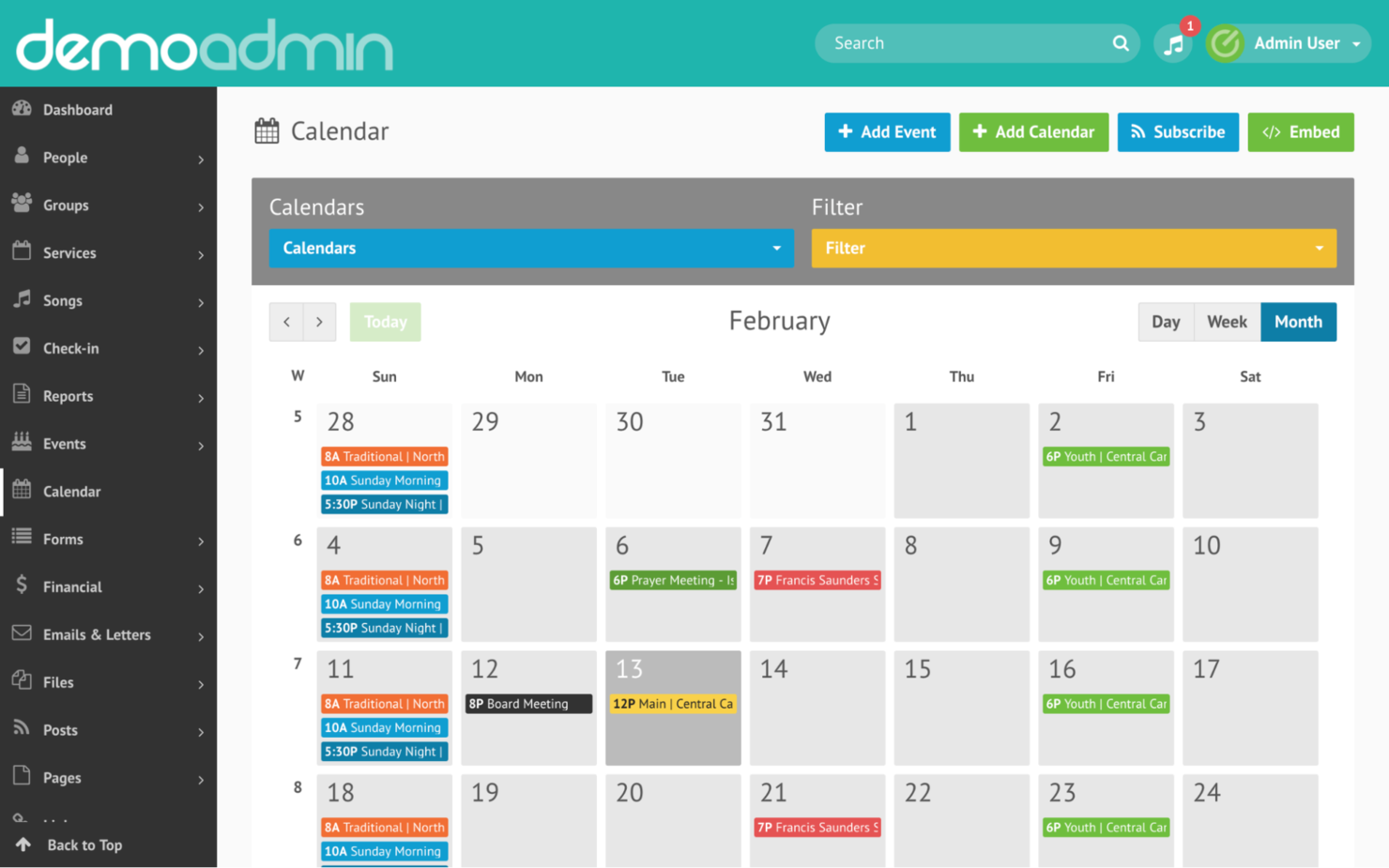
Elvanto is a church management software designed for church leaders and worship teams to manage their operations and plan services efficiently. It focuses on worship planning, member management, and communication.
Why it's a good Planning Center alternative: Elvanto provides comprehensive worship planning tools, allowing your team to organize services with ease. Features like service scheduling, volunteer management, and music library access help streamline worship preparation.
The platform also supports detailed reporting and analytics, giving insights into church activities. This makes Elvanto a strong option for churches looking to enhance their worship planning processes.
Standout features & integrations:
Features include a built-in music library that supports worship planning by providing easy access to songs. The platform offers child check-in systems to ensure safety and track attendance. Additionally, Elvanto provides a member directory, helping you manage and communicate with your congregation effectively.
Integrations include Planning Center, Mailchimp, ProPresenter, SongSelect, Tithe.ly, Stripe, PayPal, Google Calendar, QuickBooks, and Xero.
Pros and Cons
Pros:
- Built-in music library
- Detailed reporting and analytics
- Comprehensive worship planning
Cons:
- Basic user interface
- Requires internet connection

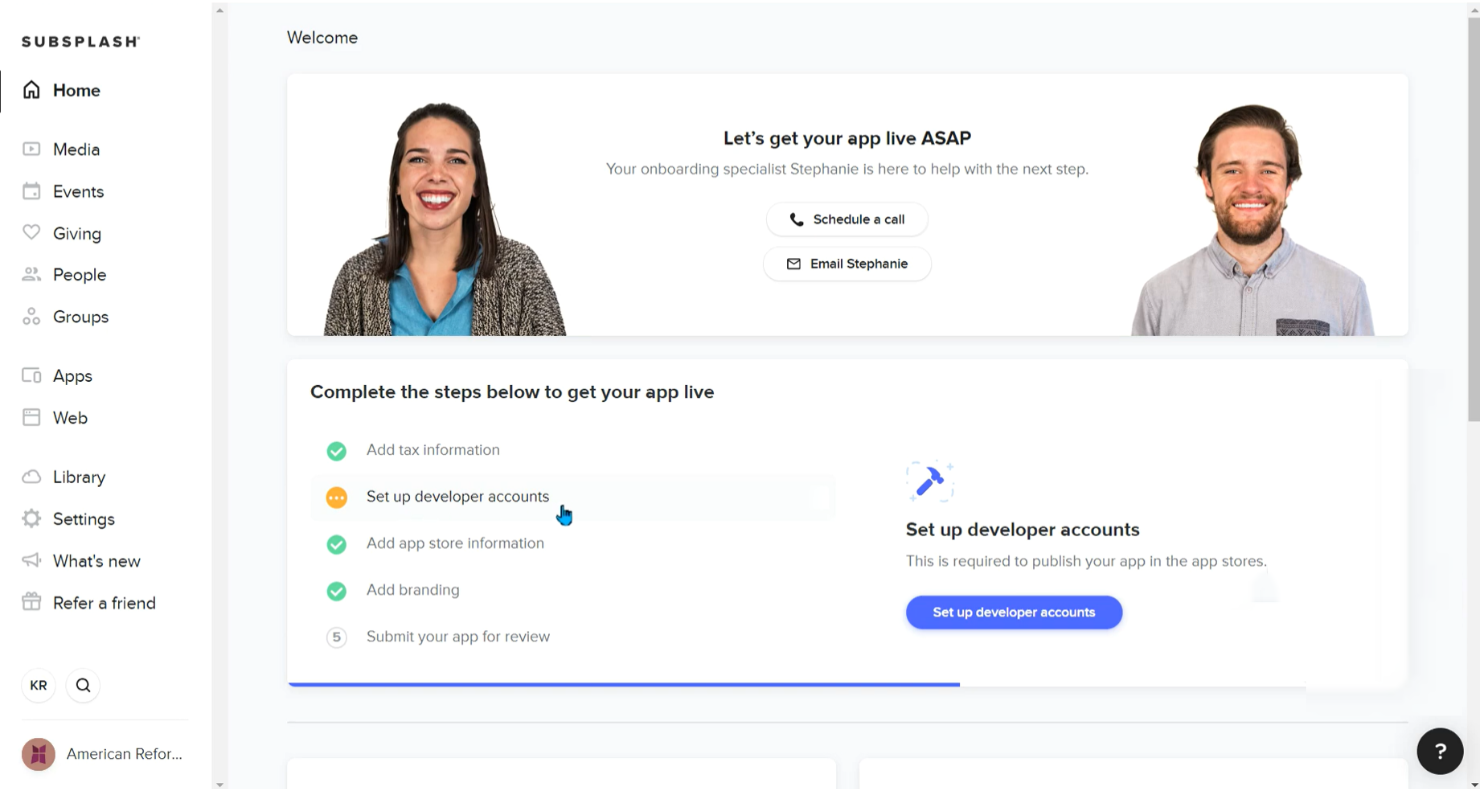
Subsplash is a church management system platform designed for churches to create and manage their own customized mobile iOS and Android apps and digital content. Church leaders and communication teams primarily use it to engage their congregations through digital means.
Why it's a good Planning Center alternative: Subsplash offers customizable church apps that allow your team to create a unique digital presence. Features like media hosting, live streaming, and push notifications help you stay connected with your community.
The platform also supports online giving, making it easy for congregants to donate. Overall, Subsplash provides a tailored digital experience that enhances church engagement.
Standout features & integrations:
Features include a media hosting service that allows you to store and share sermons and podcasts easily. The platform offers live streaming capabilities to broadcast services in real time. Additionally, push notifications help you communicate important updates to your congregation instantly.
Integrations include Pushpay, Planning Center, CCB, Mailchimp, Google Analytics, Church Community Builder, YouTube, Vimeo, Facebook, and Instagram.
Pros and Cons
Pros:
- Supports live streaming
- Effective media hosting
- Customizable app features
Cons:
- Basic reporting tools
- Occasional technical glitches

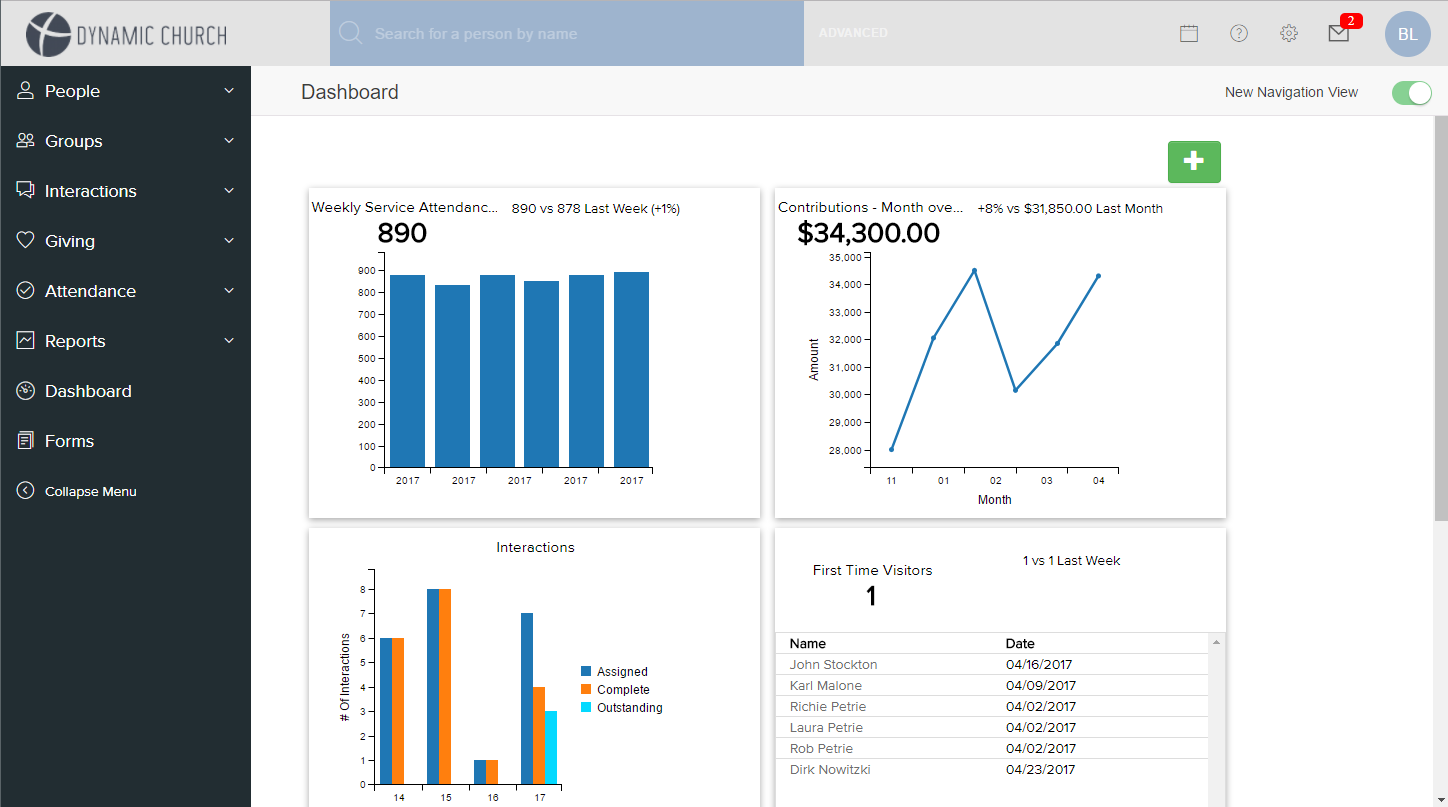
Fellowship One is a church management software designed to enhance efficiency for churches of all sizes. Church administrators and financial officers primarily use it to manage church operations and finances.
Why it's a good Planning Center alternative: Fellowship One provides scalable solutions, making it adaptable for both small and large congregations. Key features like streamlined financial processes, online giving options, and mobile access support efficient church management.
It also offers safety features like integrated background checks for staff and volunteers. Overall, Fellowship One provides a comprehensive management experience tailored to various church needs.
Standout features & integrations:
Features include online giving methods that increase donations, mobile apps for on-the-go management, and worship planning tools that help organize services. The software also provides accounting features that streamline financial processes and a mobile-optimized experience for congregants, enhancing their engagement with the church.
Integrations include QuickBooks, Mailchimp, Church Community Builder, Planning Center, ProPresenter, Eventbrite, Tithe.ly, Vanco, Pushpay, and Givelify.
Pros and Cons
Pros:
- Integrated background checks
- Streamlined financial processes
- Easy mobile access
Cons:
- Requires training for new users
- Limited customization options

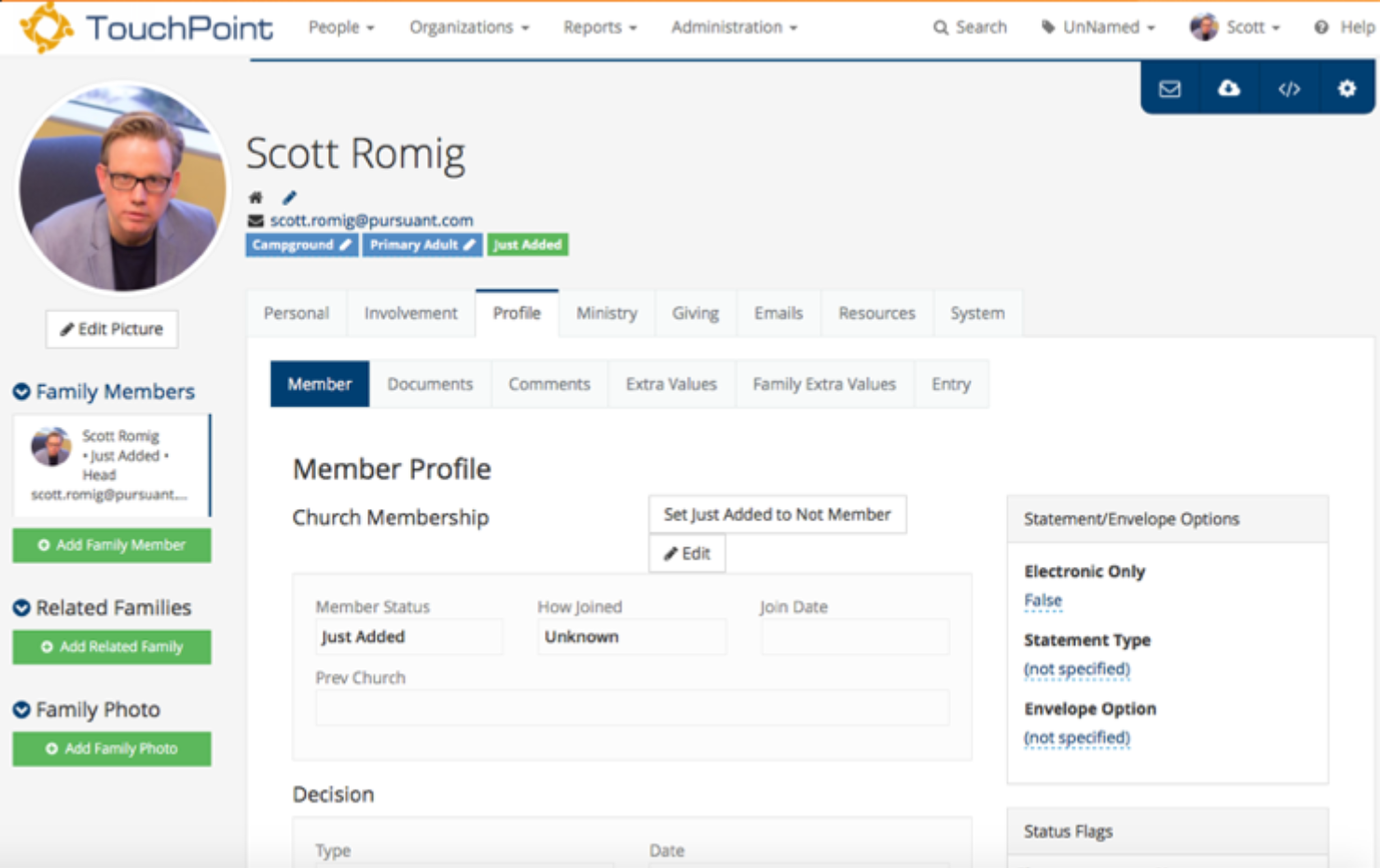
TouchPoint is a church management software tailored for church leaders and administrators to manage memberships and enhance engagement. It focuses on providing tools for member tracking, communication, and event management.
Why it's a good Planning Center alternative: TouchPoint offers real-time engagement insights, helping your team understand member involvement and tailor activities accordingly. Features like detailed member profiles and attendance tracking allow you to monitor participation closely.
The software also includes a communication hub for sending targeted messages to your congregation. This helps you keep your community informed and engaged effectively.
Standout features & integrations:
Features include customizable dashboards that provide an overview of church metrics at a glance. The platform offers an online giving portal to facilitate donations and a volunteer management system to organize and track volunteer activities seamlessly.
Integrations include QuickBooks, Mailchimp, Planning Center, Google Calendar, Eventbrite, ProPresenter, Pushpay, Tithe.ly, Vanco, and Givelify.
Pros and Cons
Pros:
- Effective communication tools
- Detailed member profiles
- Real-time engagement insights
Cons:
- Limited offline functionality
- Complex initial setup
Other Planning Center Alternatives
Here are some additional Planning Center alternatives that didn’t make it onto my shortlist, but are still worth checking out:
- SeekerWorks
For intuitive guest management
- Excellerate
For detailed attendance tracking
- MinistryPlatform
For customizable church solutions


Planning Center Alternatives Selection Criteria
When selecting the best Planning Center alternatives to include in this list, I considered common needs and pain points for mid-sized churches, related to church management software products, like managing member data and streamlining communication. I also used the following framework to keep my evaluation structured and fair:
Core Functionality (25% of total score)
To be considered for inclusion in this list, each solution had to fulfill these common use cases:
- Manage member information and profiles
- Track attendance and participation
- Facilitate online giving and donations
- Schedule events and services
- Communicate with members and staff
Additional Standout Features (25% of total score)
To help further narrow down the competition, I also looked for unique features, such as:
- Integration with social media platforms
- Advanced analytics and reporting
- Customizable mobile apps for members
- Multilingual support for diverse congregations
- Integration with worship planning tools
Usability (10% of total score)
To get a sense of the usability of each system, I considered the following:
- Intuitive user interface
- Easy navigation across features
- Minimal learning curve
- Accessible from mobile devices
- Availability of user guides and documentation
Onboarding (10% of total score)
To evaluate the onboarding experience for each platform, I considered the following:
- Availability of training videos
- Interactive product tours
- Access to webinars and tutorials
- Onboarding templates for quick setup
- Availability of chatbot assistance
Customer Support (10% of total score)
To assess each software provider’s customer support services, I considered the following:
- Availability of live chat support
- Responsive email support
- Access to phone support
- Comprehensive help center or FAQ section
- Availability of community forums
Value For Money (10% of total score)
To evaluate the value for money of each platform, I considered the following:
- Competitive pricing for features offered
- Flexible pricing plans
- Discounts for non-profit organizations
- Transparent pricing structure
- No hidden fees
Customer Reviews (10% of total score)
To get a sense of overall customer satisfaction, I considered the following when reading customer reviews:
- Positive feedback on core functionalities
- Satisfaction with customer support
- Ease of use and implementation
- Value for money perceptions
- Feedback on any limitations or issues
Why Look For A Planning Center Alternative?
While Planning Center is a good choice of church management software, there are a number of reasons why some users seek out alternative solutions. You might be looking for a Planning Center alternative because…
- You need more affordable pricing options
- Your team requires better customization features
- You want simpler event scheduling tools
- Your church needs multilingual support
- You require offline access for remote areas
- Your team needs more integration options
If any of these sound like you, you’ve come to the right place. My list contains several church management software options that are better suited for teams facing these challenges with Planning Center and looking for alternative solutions.
Planning Center Key Features
Here are some of the key features of Planning Center, to help you contrast and compare what alternative solutions offer.Each module—from People & Communication to Donations—can be adopted at your own pace, depending on your ministry’s needs:
- People & Communication: Manage a free membership database and engage with your community.
- Events Management: Schedule events, handle registrations, and track attendance for your church.
- Worship & Teams: Plan worship services, schedule teams, and manage digital music resources.
- Mobile App & Website: Create a custom mobile app and website for your ministry's engagement.
- Donations: Manage tithes, offerings, and generate financial reports to keep track of contributions.
- System Tools: Utilize a dashboard and task management tools for efficient church operations.
What’s Next:
If you're in the process of researching church management software, connect with a SoftwareSelect advisor for free recommendations.
You fill out a form and have a quick chat where they get into the specifics of your needs. Then you'll get a shortlist of software to review. They'll even support you through the entire buying process, including price negotiations.