ChMeetings Review: Pros, Cons, Features and Pricing


ChMeetings is an all-in-one church management software (ChMS) that simplifies church operations by integrating tools for managing members, finances, events, and communication. This software is ideal for churches of all sizes, providing features for volunteer scheduling, worship planning, and online giving. ChMeetings is trusted by over 7,000 churches and offers a 30-day free trial to explore its capabilities.
ChMeetings addresses common pain points like event organization, volunteer management, and communication challenges, making it a valuable tool for clergy and administrative teams. In this article, I'll cover ChMeetings's features, pros and cons, use cases, pricing, and more to help you decide if this software aligns with your church's operational needs and goals.
ChMeetings Evaluation Summary
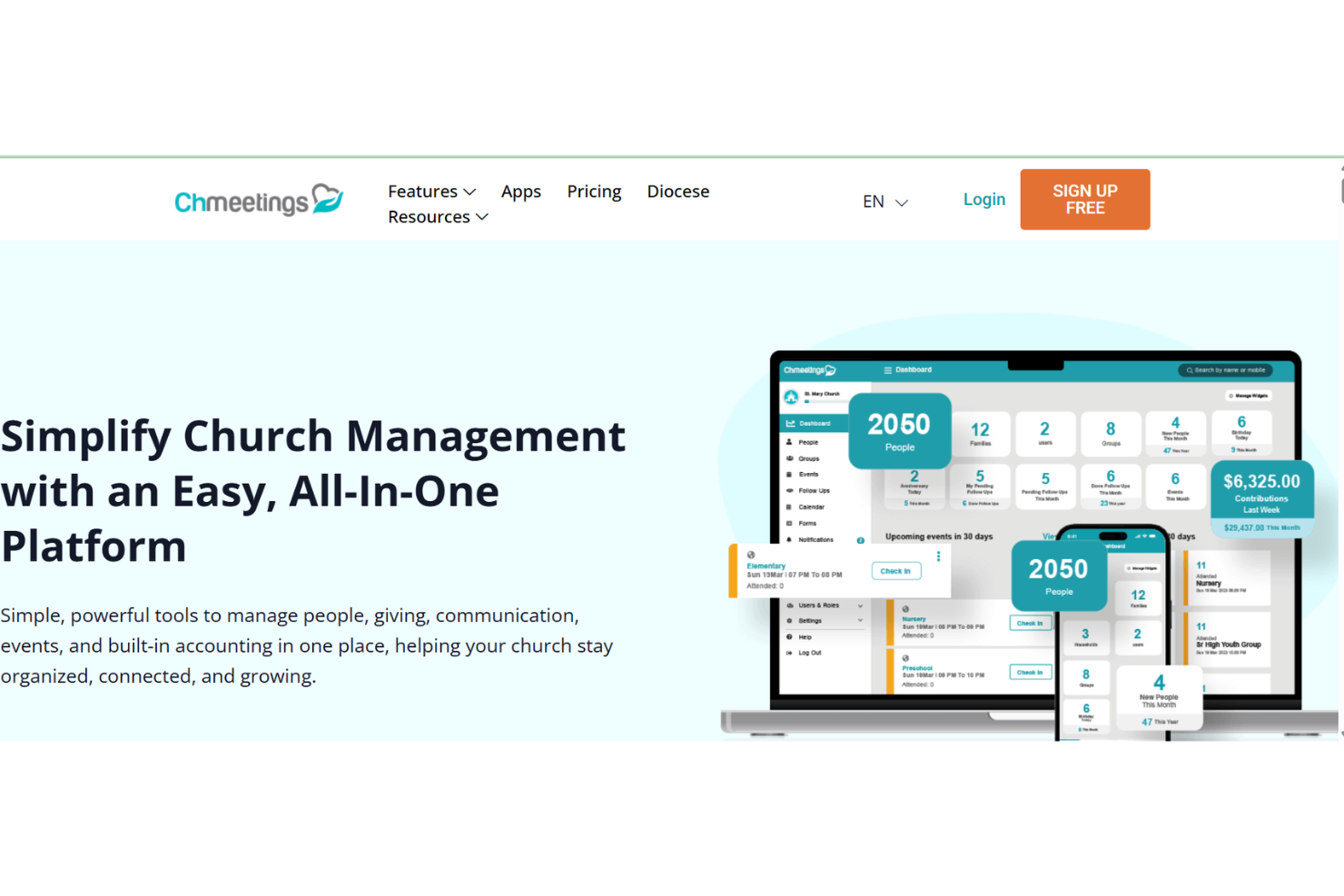
- From $12/month
- Free plan available
Why Trust Our Software Reviews
We’ve been testing and reviewing church management software since 2020. As church leaders ourselves, we know how critical and difficult it is to make the right decision when selecting software.
We invest in deep research to help our audience make better software purchasing decisions. We’ve tested many tools for different church management use cases and written over 1,000 comprehensive software reviews. Learn how we stay transparent & our software review methodology.
ChMeetings Overview
In my opinion, ChMeetings stands out as a solid church management tool, offering a balance of affordability and functionality. Its ease of use and customizable features make it appealing for churches of varying sizes. While it excels in providing a comprehensive package that includes membership management and communication, it might not offer the advanced features found in pricier alternatives. However, for small to medium-sized churches looking for a cost-effective solution, ChMeetings is a worthy contender. The platform's straightforward interface and robust support make it a reliable choice for those seeking to manage their church community efficiently.
pros
-
Customer support is responsive and helpful when you encounter issues.
-
It offers efficient tools for managing member data and events.
-
The user interface is intuitive and easy for your team to navigate.
cons
-
Reporting tools can be less detailed than other software.
-
Customization options are limited, which might not fit specific needs.
-
It may lack some advanced features that larger organizations need.
-

ChMeetings
Visit WebsiteThis is an aggregated rating for this tool including ratings from Crozdesk users and ratings from other sites.4.9 -
Gracely
Visit WebsiteThis is an aggregated rating for this tool including ratings from Crozdesk users and ratings from other sites.4.9 -
Text In Church
Visit WebsiteThis is an aggregated rating for this tool including ratings from Crozdesk users and ratings from other sites.4.6


How We Test & Score Tools
We’ve spent years building, refining, and improving our software testing and scoring system. The rubric is designed to capture the nuances of software selection and what makes a tool effective, focusing on critical aspects of the decision-making process.
Below, you can see exactly how our testing and scoring works across seven criteria. It allows us to provide an unbiased evaluation of the software based on core functionality, standout features, ease of use, onboarding, customer support, integrations, customer reviews, and value for money.
Core Functionality (25% of final scoring)
The starting point of our evaluation is always the core functionality of the tool. Does it have the basic features and functions that a user would expect to see? Are any of those core features locked to higher-tiered pricing plans? At its core, we expect a tool to stand up against the baseline capabilities of its competitors.
Standout Features (25% of final scoring)
Next, we evaluate uncommon standout features that go above and beyond the core functionality typically found in tools of its kind. A high score reflects specialized or unique features that make the product faster, more efficient, or offer additional value to the user.
We also evaluate how easy it is to integrate with other tools typically found in the tech stack to expand the functionality and utility of the software. Tools offering plentiful native integrations, 3rd party connections, and API access to build custom integrations score best.
Ease of Use (10% of final scoring)
We consider how quick and easy it is to execute the tasks defined in the core functionality using the tool. High scoring software is well designed, intuitive to use, offers mobile apps, provides templates, and makes relatively complex tasks seem simple.
Onboarding (10% of final scoring)
We know how important rapid team adoption is for a new platform, so we evaluate how easy it is to learn and use a tool with minimal training. We evaluate how quickly a team member can get set up and start using the tool with no experience. High scoring solutions indicate little or no support is required.
Customer Support (10% of final scoring)
We review how quick and easy it is to get unstuck and find help by phone, live chat, or knowledge base. Tools and companies that provide real-time support score best, while chatbots score worst.
Customer Reviews (10% of final scoring)
Beyond our own testing and evaluation, we consider the net promoter score from current and past customers. We review their likelihood, given the option, to choose the tool again for the core functionality. A high scoring software reflects a high net promoter score from current or past customers.
Value for Money (10% of final scoring)
Lastly, in consideration of all the other criteria, we review the average price of entry level plans against the core features and consider the value of the other evaluation criteria. Software that delivers more, for less, will score higher.
Core Features
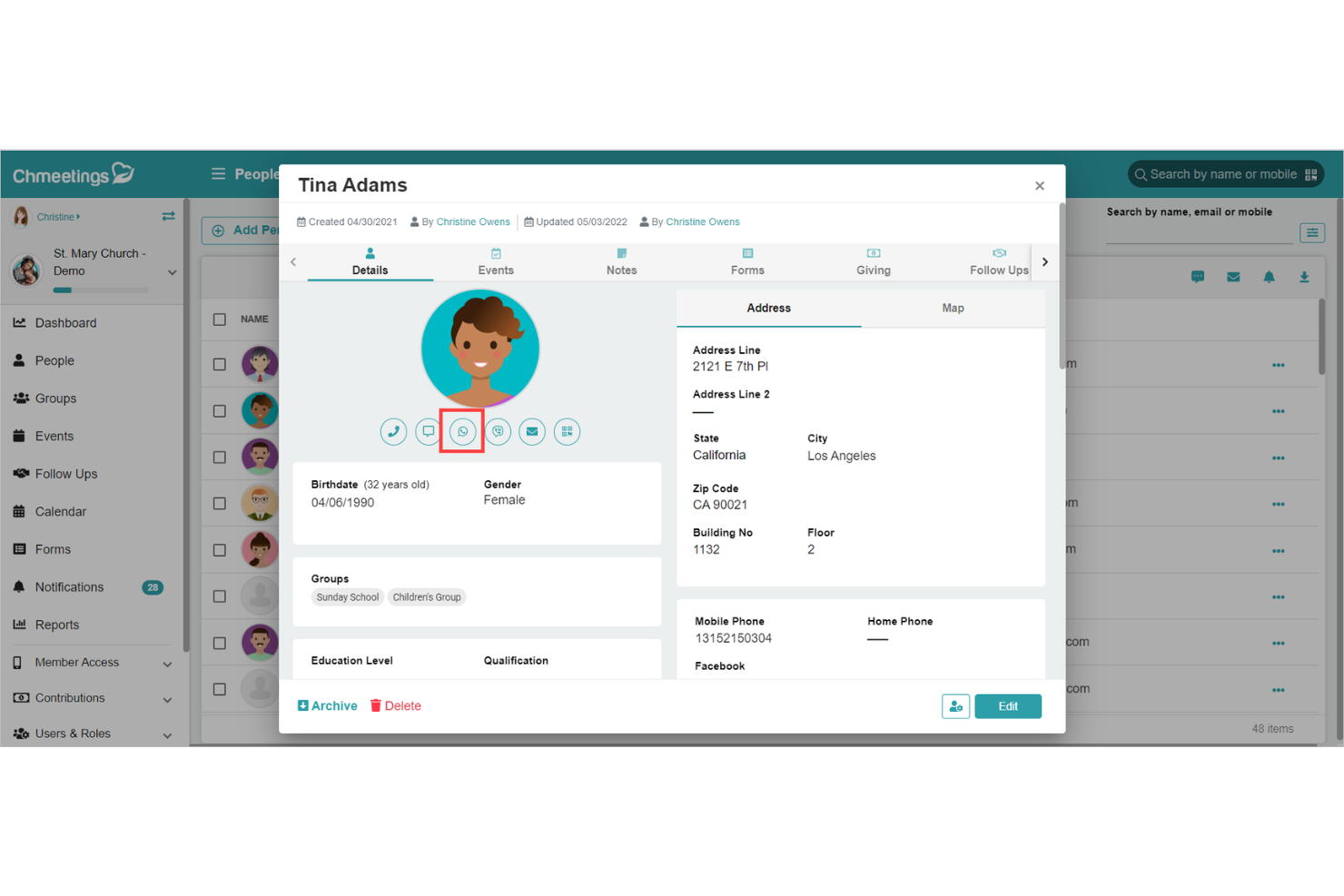
Member Management: ChMeetings lets you store and organize member data easily through a centralized member portal, keeping records up to date and accessible for both your team and congregation.
Event Scheduling: Plan and manage church events with ease, ensuring your team stays organized. The calendar feature helps you avoid conflicts and keep everyone informed.
Communication Tools: Use built-in messaging and push notifications to connect with your members and volunteers efficiently, making it easy to handle reminders and follow-ups.
Volunteer Coordination: Track and manage your volunteers' activities to ensure smooth operations. Assign tasks and monitor participation to keep your events running smoothly.
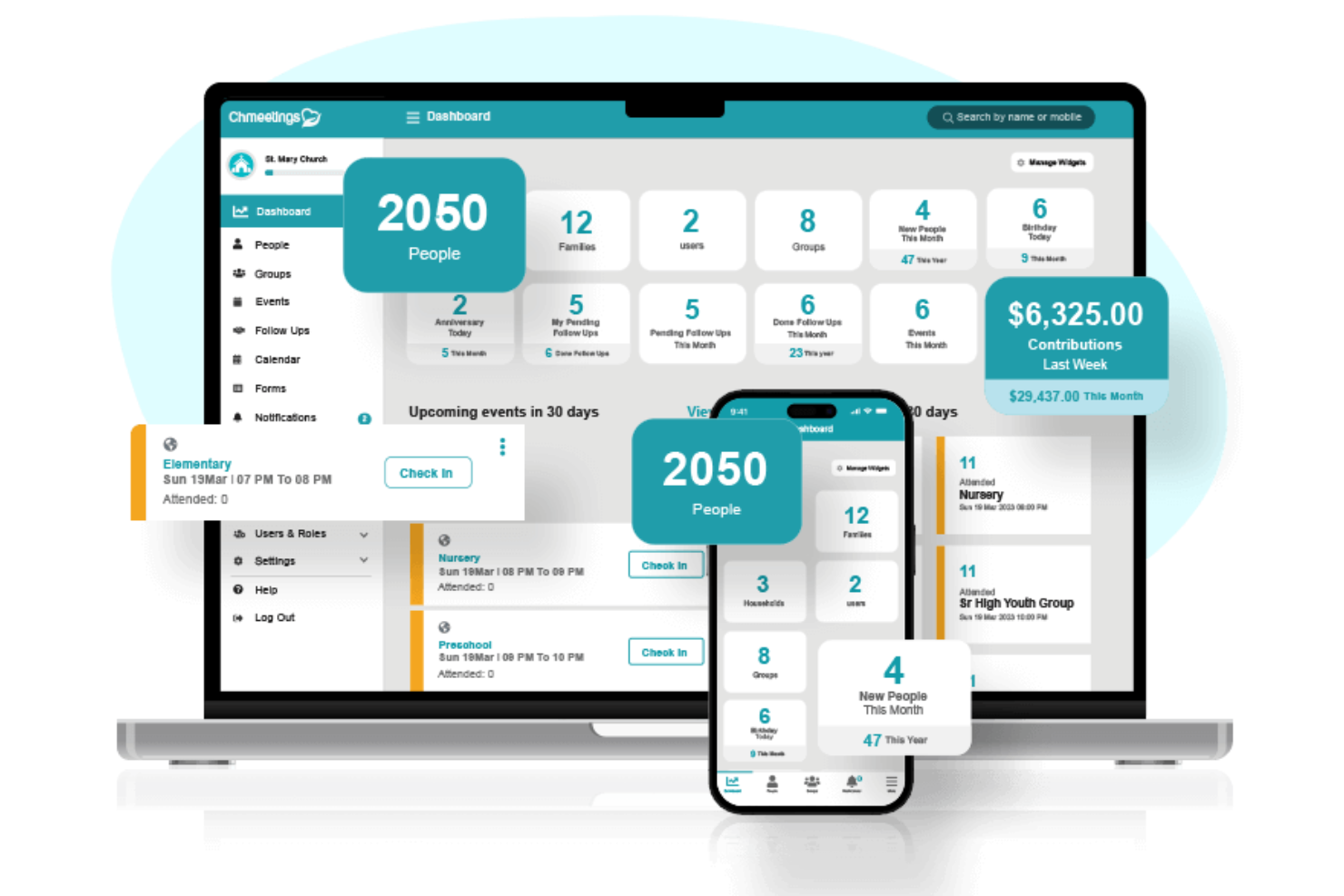
Attendance Tracking: Monitor attendance and manage child check-ins to understand engagement levels in your church. Use this data to make informed decisions about future services.
Donation Management: Track donations and manage financial contributions effortlessly. Generate reports to keep your team informed about your church's financial health.
Ease of Use
ChMeetings stands out for its user-friendly interface, making it easy for your team to navigate and streamline everyday church activities. The intuitive design helps even those with limited tech skills quickly adapt to the software. Its straightforward functionalities, like member management and event scheduling, mean you can focus more on your ministry work and less on technical hurdles. Users often praise its simplicity, which minimizes the learning curve and enhances overall usability.
Integrations
ChMeetings integrates with Stripe, PayPal, Paystack, MailChimp, Twilio, SMS Global, Clickatell, Eazismspro, and Bulk SMS Nigeria.
ChMeetings also offers an API and connects with third-party integration tools like Zapier for custom integrations.

New Product Updates from ChMeetings

ChMeetings Enhances Volunteer Management, Giving, and API Capabilities
ChMeetings introduces updates to volunteer scheduling, giving and accounting, forms, and API capabilities, improving how organizations manage operations and access data. These updates streamline communication, expand financial tools, and support custom integrations. Highlights include:
- Volunteer Scheduling Enhancements: Send push notifications and text reminders to volunteers, improving coordination and communication.
- Giving and Accounting Updates: Add bi-annual pledge options, enhanced transaction reporting, and improved search for better financial management.
- Document Generation from Forms: Create downloadable documents from form submissions using custom templates for streamlined workflows.
- API Enhancements: Access events, attendance, and people data programmatically to support integrations and custom reporting.
Visit ChMeetings’ official site for more details.
 for more details.
ChMeetings Adds Scheduling, Contribution, & API Enhancements
ChMeetings introduces team-based volunteer scheduling, enhanced member profiles, contribution management improvements, expanded messaging tools, and new developer APIs. These updates improve coordination, financial tracking, communication, and system integrations across church operations. Highlights include:
- Volunteer Scheduling with Team-Based Roles: Enables better organization and role assignment within volunteer teams.
- Song Import Feature: Simplifies the process of incorporating music into scheduling.
- Absentee Event Tracking: Offers improved insights into member attendance patterns.
- Editable and Exportable Deposits: Supports easier financial record-keeping and data management.
- MMS Audio/Video Attachments: Enhances communication with richer media options.
- New API Endpoints: Provides developers with additional options for integration and customization for churches, ministries, and groups.
Visit ChMeetings's official site for more details.

ChMeetings Launches Centralized Worship Planning Tools
ChMeetings adds Worship Planning, Volunteer Management, a Song Library, and reusable Plan Templates in one centralized workspace. These updates reduce manual coordination and keep service planning, music, and volunteers aligned in a single flow. Highlights include:
- Worship Planning: Create and manage structured worship plans tied directly to church events.
- Volunteer Management: Assign roles, manage signups, and send reminders from each plan.
- Song Library: Store, organize, and attach songs and media directly to worship plans.
- Plan Templates: Reuse service structures to save time and maintain consistency.
Visit ChMeetings’ official site for more details.

ChMeetings Enhances Giving, Accounting, and Administrative Controls
ChMeetings updates its platform with new tools for managing contributions, streamlining accounting tasks, and expanding administrative flexibility. These enhancements help churches track giving more effectively, work faster with financial data, and simplify daily administrative work.
- Improved Giving Management: Enhances donation tracking and reporting capabilities, allowing for better oversight and management of contributions.
- Streamlined Accounting Processes: Provides tools to simplify financial reconciliation and budgeting processes, reducing administrative burdens.
- Expanded Administrative Control: Offers greater flexibility and permissions settings for administrators to ensure a secure and tailored user experience.
Visit ChMeetings’ official site for more details.

ChMeetings Adds Receipt Scanning, Budget Reports, and Group Chat Expansion
ChMeetings’ latest updates enhance both administrative efficiency and team communication. From simplifying expense tracking to expanding collaboration tools, these features help churches and organizations manage operations more effectively. Here are the highlights:
- Duplicate Detection and Receipt Scanning in Transaction Imports: Streamlines financial management by identifying potential duplicates and saving time with automated receipt reading.
- Enhanced Budget Comparison Reports: Provides clearer insights into financial goals with detailed target versus actual performance analysis.
- Simplified Family Check-In: Eases the process of managing group attendances with grouped name tag printing and shared security codes.
- Form Submission Notifications and Profile Enhancements: Improves data collection with notifications, number field constraints, and dynamic dropdown options.
- Branded App Group Chat Support: Facilitates large-scale communication within church groups, supporting chats for up to 1,000 members.
Visit ChMeetings's official site for more details.
ChMeetings Specs
- API
- Calendar Management
- Contact Management
- Dashboards
- Data Export
- Data Import
- Document Management
- External Integrations
- Multi-User
- Notifications
- Payment Gateway Integration
- Scheduling
- Workflow Management