
13 Church Expense Management Software for 2026

10 Church Expense Management Software Shortlist
Here's my pick of the 10 best software from the 13 tools reviewed.


Church expense management software helps you track, approve, and report on your ministry’s spending, so you can steward resources with clarity and accountability. If you’re searching for the best church expense management software, you’re likely balancing the need for financial transparency with the realities of limited staff, volunteer turnover, and complex reporting requirements.
The right tool can help you manage budgets, automate approvals, and keep your congregation’s trust—without adding to your administrative burden. In this guide, you’ll find a carefully researched shortlist of solutions designed for large and small churches, so you can compare features and choose the best fit for your ministry’s needs.
Why Trust Our Software Reviews
Church Expense Management Software Summary
This comparison chart summarizes pricing details for my top church expense management software selections to help you find the best one for your budget and business needs.
| Tool | Best For | Trial Info | Price | ||
|---|---|---|---|---|---|
| 1 | Best for integration with existing accounting tools | 30-day free trial available | From $38/user/month | Website | |
| 2 | Best for automated compliance workflows | 15-day free trial | From $79/month | Website | |
| 3 | Best with built-in fund accounting | 30-day free trial + free demo available | From $8/month (billed annually) | Website | |
| 4 | Best for payroll and check printing | 14-day free trial | From $24/month | Website | |
| 5 | Best for desktop and online deployment options | Free demo available | From $47/month | Website | |
| 6 | Best with integrated physical and virtual cards | Free plan available | From $29/month | Website | |
| 7 | Best for user-friendly financial reporting | 30-day free trial | From $49/month | Website | |
| 8 | Best for customizable automation features | 30-day free trial available | From $58/month | Website | |
| 9 | Best for free data migration | Free plan available | From $12/month | Website | |
| 10 | Best for multi-campus financial management | Free demo available | Pricing upon request | Website |
-

Gracely
Visit WebsiteThis is an aggregated rating for this tool including ratings from Crozdesk users and ratings from other sites.4.9 -
Text In Church
Visit WebsiteThis is an aggregated rating for this tool including ratings from Crozdesk users and ratings from other sites.4.8 -
One Church Software
Visit WebsiteThis is an aggregated rating for this tool including ratings from Crozdesk users and ratings from other sites.4.8


Church Expense Management Software Reviews
Below are my detailed summaries of church expense management software that made it onto my shortlist. My reviews offer a detailed look at the features, pricing, and integrations of each software to help you find the best one for you.

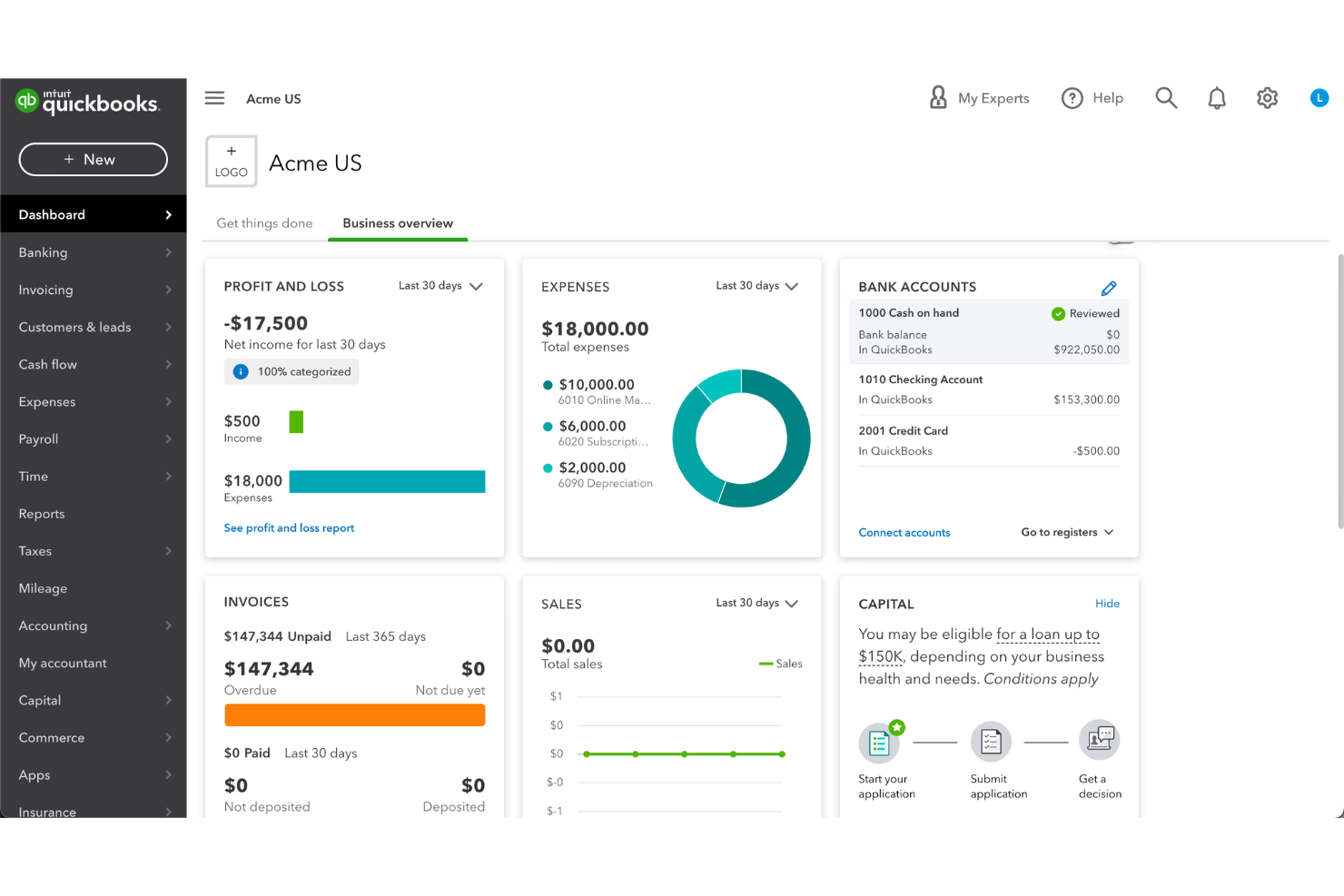
QuickBooks is a well-known accounting platform that many churches use to manage finances with familiar tools. It’s a strong fit for churches that want detailed tracking of expenses, donations, and budgets in a system trusted by accountants. If your church needs reliable financial oversight and reporting, QuickBooks can help you organize and monitor every dollar.
Who Is QuickBooks Best For?
QuickBooks suits churches of any size that want to manage finances using familiar accounting workflows and detailed reporting.
Why I Picked QuickBooks
I chose QuickBooks because it connects easily with a wide range of other accounting, bookkeeping, and financial tools that many churches already use. This makes it simple to sync expense data, donations, and budgets with your bank accounts, payroll providers, and payment processors. I see this as especially helpful for churches that want to avoid manual data entry or double-handling of financial records. With QuickBooks, you can keep your church’s financial information organized and up to date across multiple platforms.
QuickBooks Key Features
In addition to its integration capabilities, QuickBooks offers several features that support church expense management:
- Fund tracking: Track designated funds and restricted accounts separately for accurate church financial oversight.
- Donation recording: Record, categorize, and report on donations from multiple sources within the platform.
- Customizable chart of accounts: Set up and manage accounts tailored to church-specific financial categories and reporting needs.
- Automated recurring transactions: Schedule and automate regular expenses like utilities, subscriptions, or vendor payments.
QuickBooks Integrations
Integrations include Amazon Business, PayPal, Square, Etsy, Amazon Seller, and Gusto.
Pros and Cons
Pros:
- Supports recurring and scheduled expense entries
- Offers detailed fund accounting for churches
- Syncs with major donation and payroll platforms
Cons:
- Lacks features for volunteer expense tracking
- No built-in church membership management

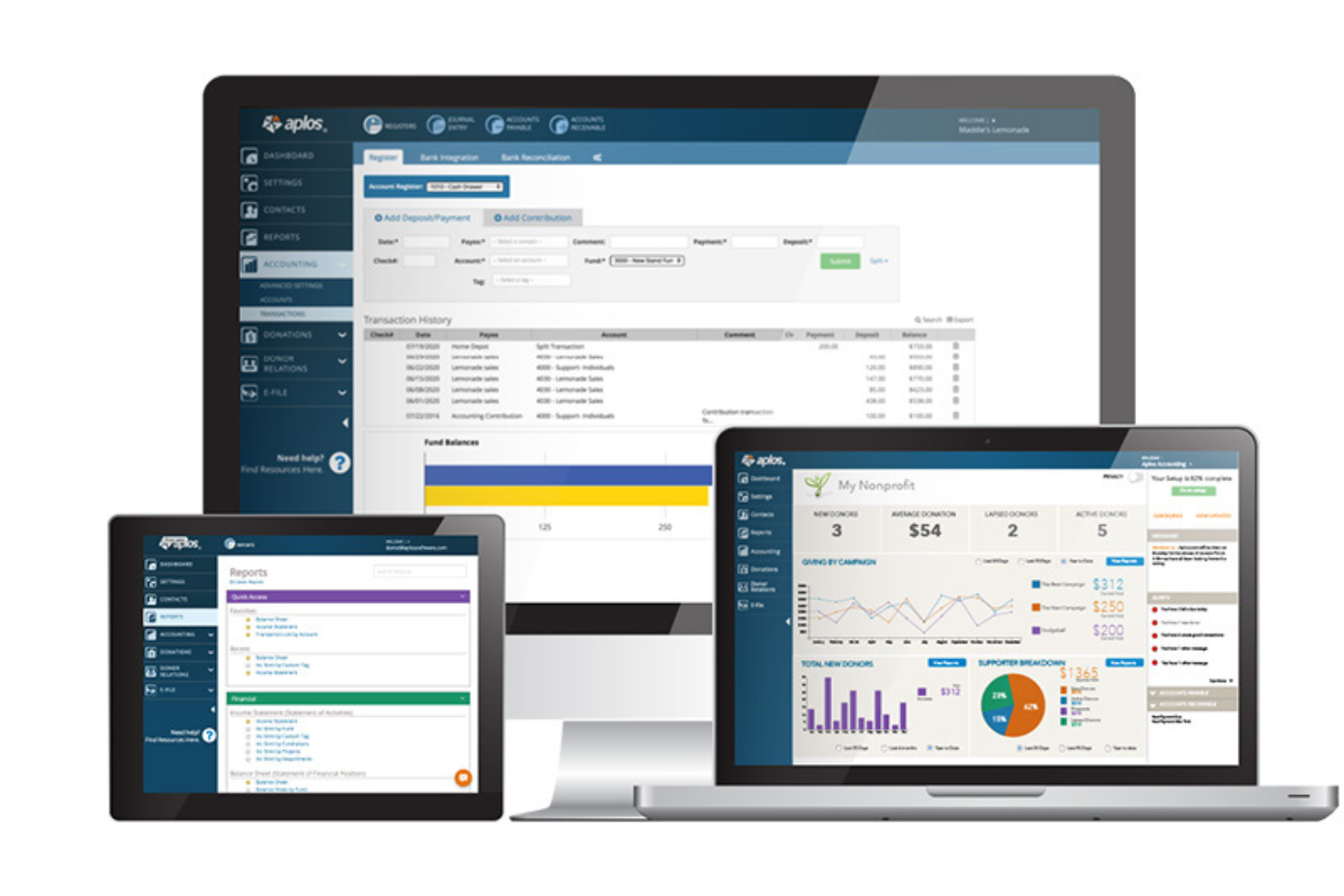
Aplos is a cloud-based platform built for churches and nonprofits that need to manage finances with accuracy and transparency. It appeals to leaders who want to simplify accounting, giving, and reporting in one place. With features tailored for faith-based organizations, Aplos helps you keep financial records organized and compliant.
Who Is Aplos Best For?
Aplos fits small to mid-sized churches and nonprofits that need specialized accounting and donation tracking.
Why I Picked Aplos
What stands out about Aplos is how it automates compliance tasks that can otherwise overwhelm church finance teams. I picked Aplos because it offers built-in workflows for tracking designated funds, preparing IRS-compliant donation statements, and managing audit trails—all essential for churches that need to meet strict reporting standards. The platform also supports customizable charts of accounts and automated recurring transactions, which help maintain accuracy and reduce manual errors. These features make Aplos a strong choice for churches that want to stay organized and compliant without extra administrative burden.
Aplos Key Features
Some other features that make Aplos useful for church expense management include:
- Online giving tools: Accept and track donations through customizable online forms and giving portals.
- Budgeting module: Create, manage, and monitor multiple budgets for different ministries or funds.
- Accounts payable management: Enter, schedule, and pay bills directly from the platform.
- Bank reconciliation: Match transactions with bank statements to ensure financial records are accurate.
Aplos Integrations
Integrations include Keela, Raisely, Ramp, PEX, Gusto, DonorElf, Church Community Builder, and Stripe.
Pros and Cons
Pros:
- Online giving forms and event registration
- Budgeting tools for multiple ministries or funds
- Tracks pledges, giving, and donor history
Cons:
- Mobile app lacks full financial functionality
- Bank sync can be unreliable at times

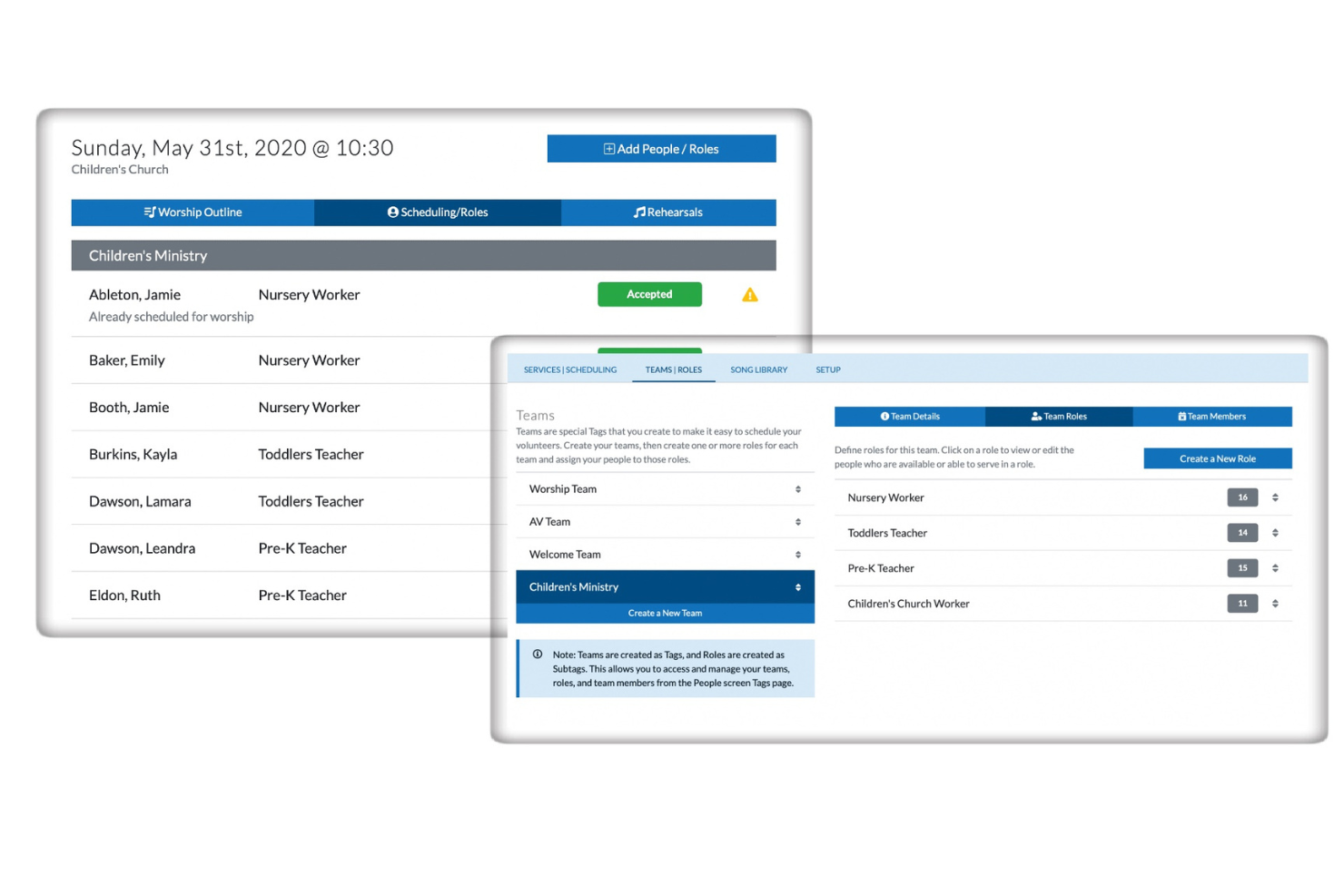
ChurchTrac offers a dedicated platform for churches looking to manage expenses, giving, and budgets in one place. It’s designed for ministries that want to keep financial records organized while also handling membership and event details. This tool appeals to church leaders who need a straightforward way to oversee both finances and daily operations without juggling multiple systems.
Who Is ChurchTrac Best For?
ChurchTrac suits small to mid-sized churches that want an all-in-one solution for managing finances, membership, and ministry activities.
Why I Picked ChurchTrac
I picked ChurchTrac because its built-in fund accounting is designed specifically for the unique needs of churches. With dedicated tools for tracking designated funds, you can easily separate and report on restricted and unrestricted giving. The platform also lets you manage budgets and generate detailed financial statements tailored for ministry oversight. This focus on fund accounting helps ensure transparency and accountability for every dollar your congregation entrusts to you.
ChurchTrac Key Features
In addition to its fund accounting capabilities, ChurchTrac offers several other features designed to support church administration and ministry operations:
- Member management: Track contact details, family relationships, attendance, and involvement for everyone in your congregation.
- Event scheduling: Create, manage, and share church events with built-in calendar tools and room/resource reservations.
- Online giving integration: Accept and track online donations directly within the platform, with automatic donor records.
- Volunteer management: Organize volunteer teams, schedule service roles, and communicate assignments to participants.
ChurchTrac Integrations
Integrations include Mailchimp.
Pros and Cons
Pros:
- Offers online giving and event tools
- Manages both expenses and membership data
- Generates detailed financial and budget reports
Cons:
- Importing historical financial data is manual
- No payroll processing features included

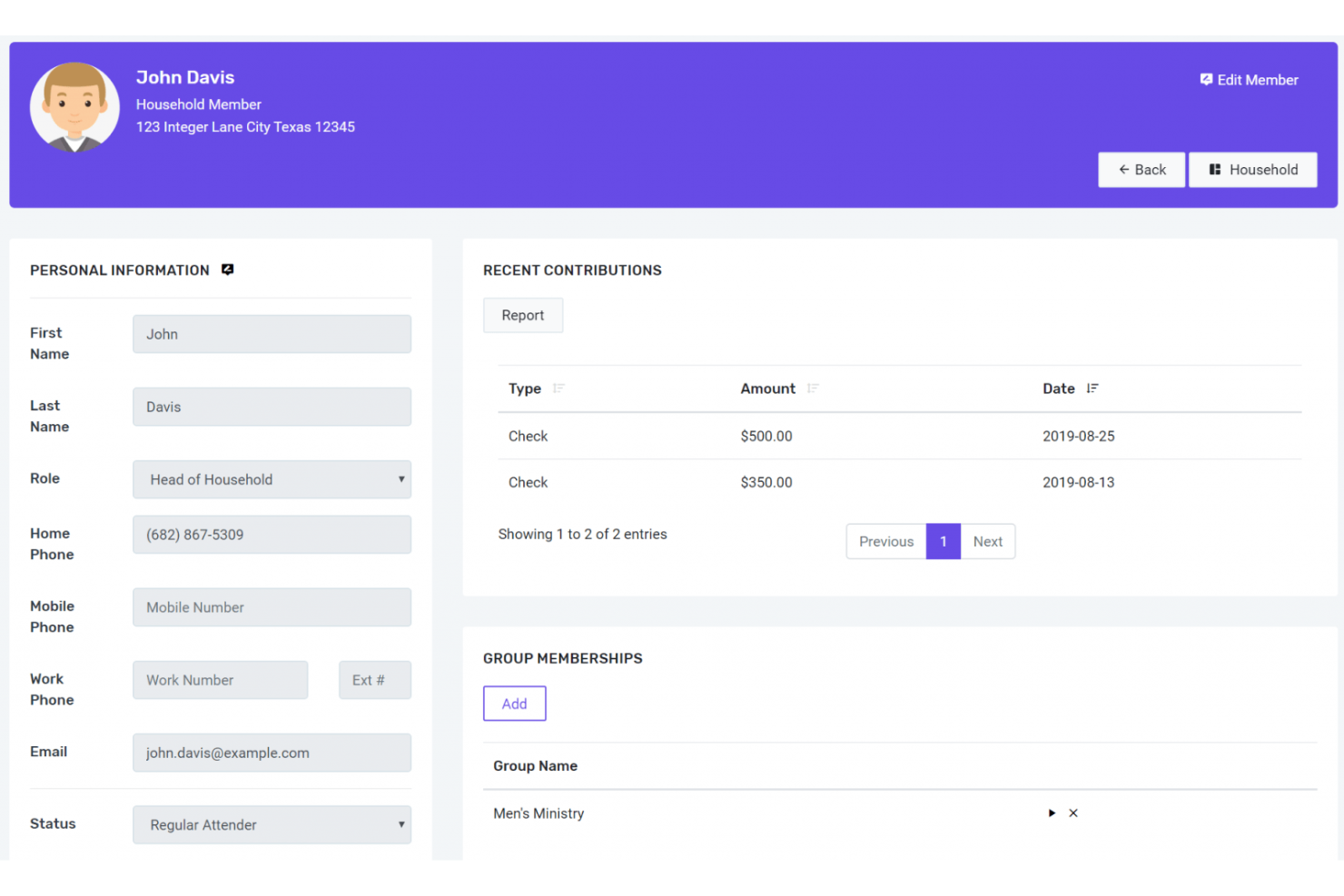
FlockBase is a church accounting software designed for congregations that need reliable financial management and recordkeeping. It appeals to churches looking for tools that handle contributions, expenses, and member data in one place. With features tailored for faith-based organizations, FlockBase helps simplify complex financial tasks for church treasurers and administrators.
Who Is FlockBase Best For?
FlockBase fits small to mid-sized churches that need dedicated accounting and payroll tools for faith-based organizations.
Why I Picked FlockBase
What stands out about FlockBase is its focus on payroll and check printing, which are often pain points for churches managing staff and vendor payments. The built-in payroll module handles clergy-specific tax rules and generates tax forms, so you can process payroll without needing a separate system. I also like that FlockBase supports direct check printing from within the platform, making it easier to pay bills and reimbursements directly from your church’s accounts. These features help churches keep payroll and expense payments organized and compliant in one place.
FlockBase Key Features
In addition to payroll and check printing, FlockBase offers several other features that support church expense management:
- Fund accounting: Track designated funds separately to ensure proper stewardship and reporting for restricted donations.
- Contribution tracking: Record, categorize, and report on member giving for both tax and internal purposes.
- Bank reconciliation: Match transactions with bank statements to maintain accurate financial records.
- Custom financial reports: Generate detailed reports tailored to church boards, committees, and leadership needs.
FlockBase Integrations
Native integrations include CSG Forte and QuickBooks.
Pros and Cons
Pros:
- Very affordable for small churches
- Integrated IRS-compliant payroll
- Built specifically for fund accounting
Cons:
- Cloud version lacks desktop features
- Reporting customization is restricted
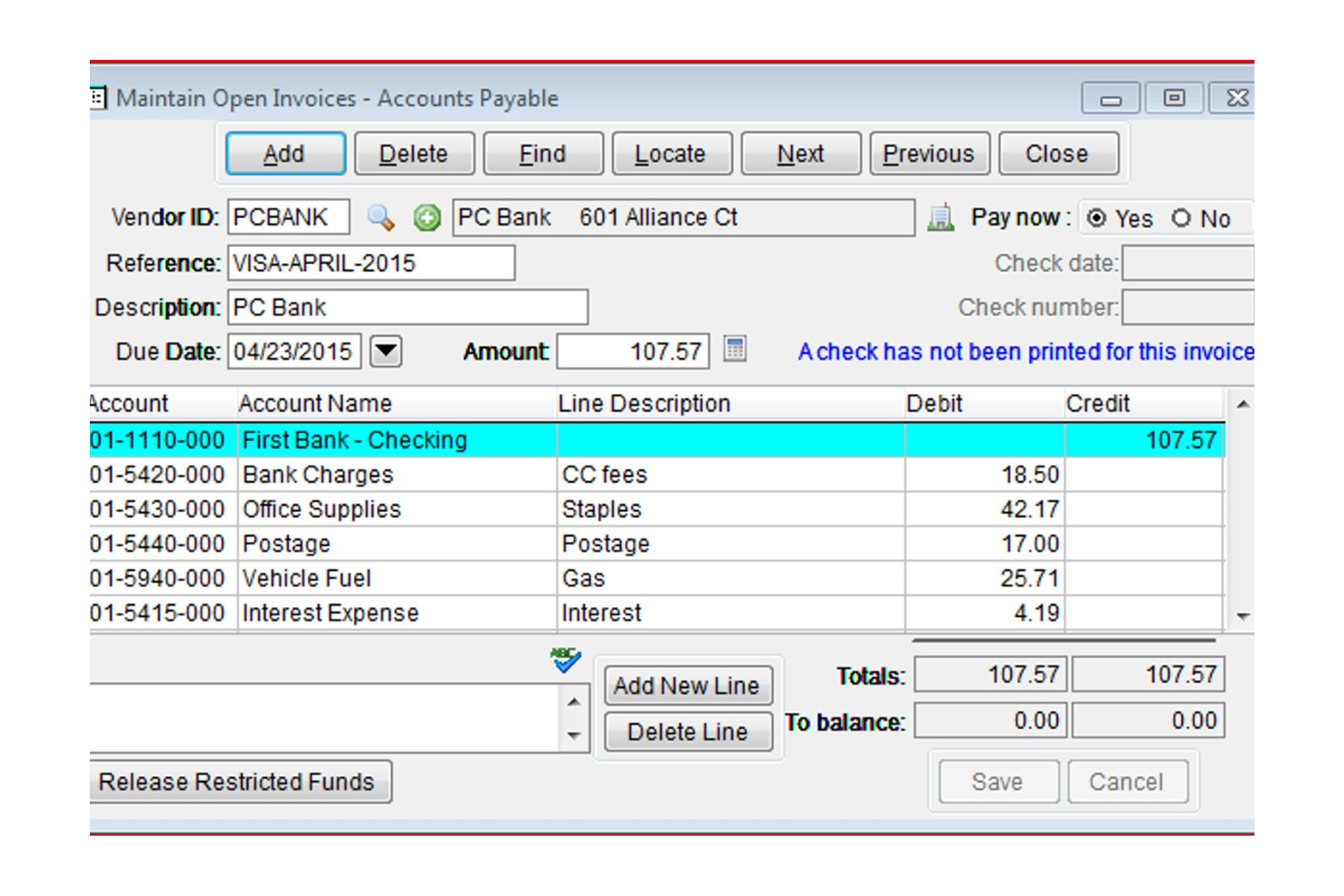
PowerChurch offers a church management system and accounting software designed for congregations that want flexibility in how they access their data. It appeals to churches that need both financial tracking and member management in one system. With features for managing contributions, expenses, and attendance, PowerChurch helps church leaders keep operations organized and transparent.
Who Is PowerChurch Best For?
PowerChurch suits small to mid-sized churches that want both desktop and online options for managing finances and membership records.
Why I Picked PowerChurch
What makes PowerChurch stand out is its flexibility to run as either a desktop or an online solution, which is rare among church expense management tools. This dual deployment option means your team can choose the setup that fits your church’s technology preferences and internet reliability. I appreciate that PowerChurch includes full accounting modules, so you can manage expenses, track contributions, and handle payroll from the same platform. The ability to switch between local and cloud access gives churches more control over their data and workflows.
PowerChurch Key Features
Some other features that help churches manage expenses and operations include:
- Accounts payable management: Enter, track, and pay bills directly from the system.
- Contribution tracking: Record and report on member giving for tax and stewardship purposes.
- Event scheduling: Organize and manage church events, facilities, and resource reservations.
- Custom financial reporting: Generate detailed financial statements and custom reports for leadership and committees.
PowerChurch Integrations
Integrations include Vanco, SimpleTexting, Protect My Ministry, PowerChurch E-File, and Constant Contact.
Pros and Cons
Pros:
- Tracks designated and restricted giving funds
- Handles clergy-specific payroll and tax forms
- Offers both desktop and cloud deployment
Cons:
- Does not include built-in document storage
- No multi-campus or multi-entity support

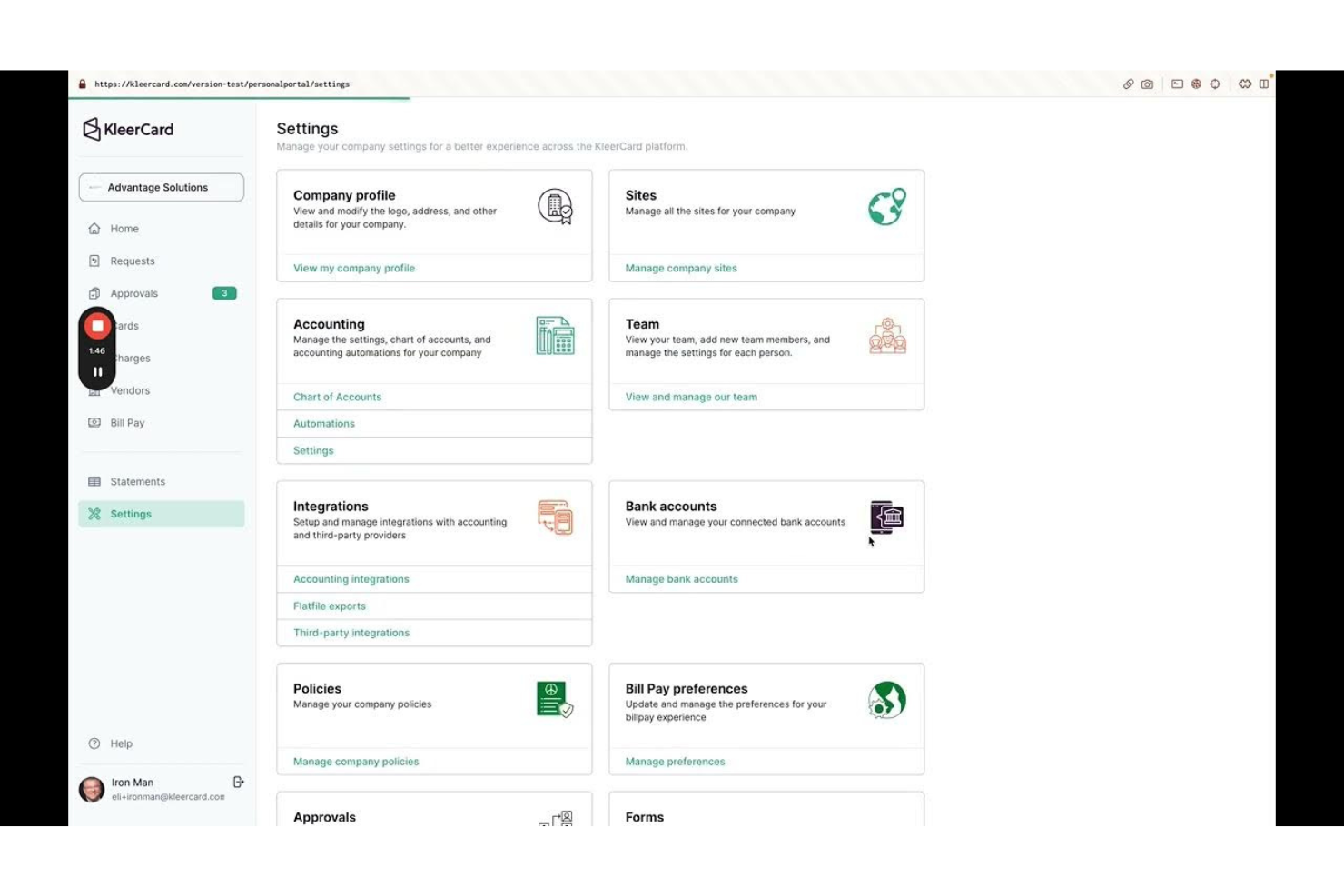
KleerCard offers a modern expense management platform designed for churches and faith-based organizations. It appeals to leaders who want to simplify spending controls, automate expense tracking, and manage staff purchases in real time. With features tailored for multi-user oversight and clear transaction visibility, KleerCard helps churches keep financial processes organized and accountable.
Who Is KleerCard Best For?
KleerCard suits churches and ministries that need centralized control over staff spending and expense tracking.
Why I Picked KleerCard
What drew me to KleerCard is its ability to issue both physical and virtual cards, which gives churches flexible options for managing staff and volunteer expenses. I picked KleerCard because you can set spending limits, track purchases in real time, and instantly deactivate cards if needed—all from a single dashboard. This level of control is especially helpful for churches with multiple ministries or events, where different team members need access to funds but oversight is essential. The platform’s credit card management features help reduce the risk of unauthorized spending and make reconciliation much simpler.
KleerCard Key Features
Some other features that support church financial management and oversight include:
- Custom spending controls: Set transaction limits and merchant restrictions for each card issued to staff or volunteers.
- Receipt capture via mobile app: Upload and attach receipts to transactions directly from a smartphone.
- Automated expense categorization: Assign expenses to specific categories or ministry budgets for easier tracking and reporting.
- Real-time transaction monitoring: View and review card activity as it happens to maintain oversight and accountability.
KleerCard Integrations
Integrations include QuickBooks Online, NetSuite, Sage, Aplos, ACS, Realm, and Shelby.
Pros and Cons
Pros:
- Integrates with major church accounting platforms
- Automated receipt capture and matching
- Custom approval workflows for church policies
Cons:
- Mobile app lacks full admin controls
- No built-in reimbursement processing

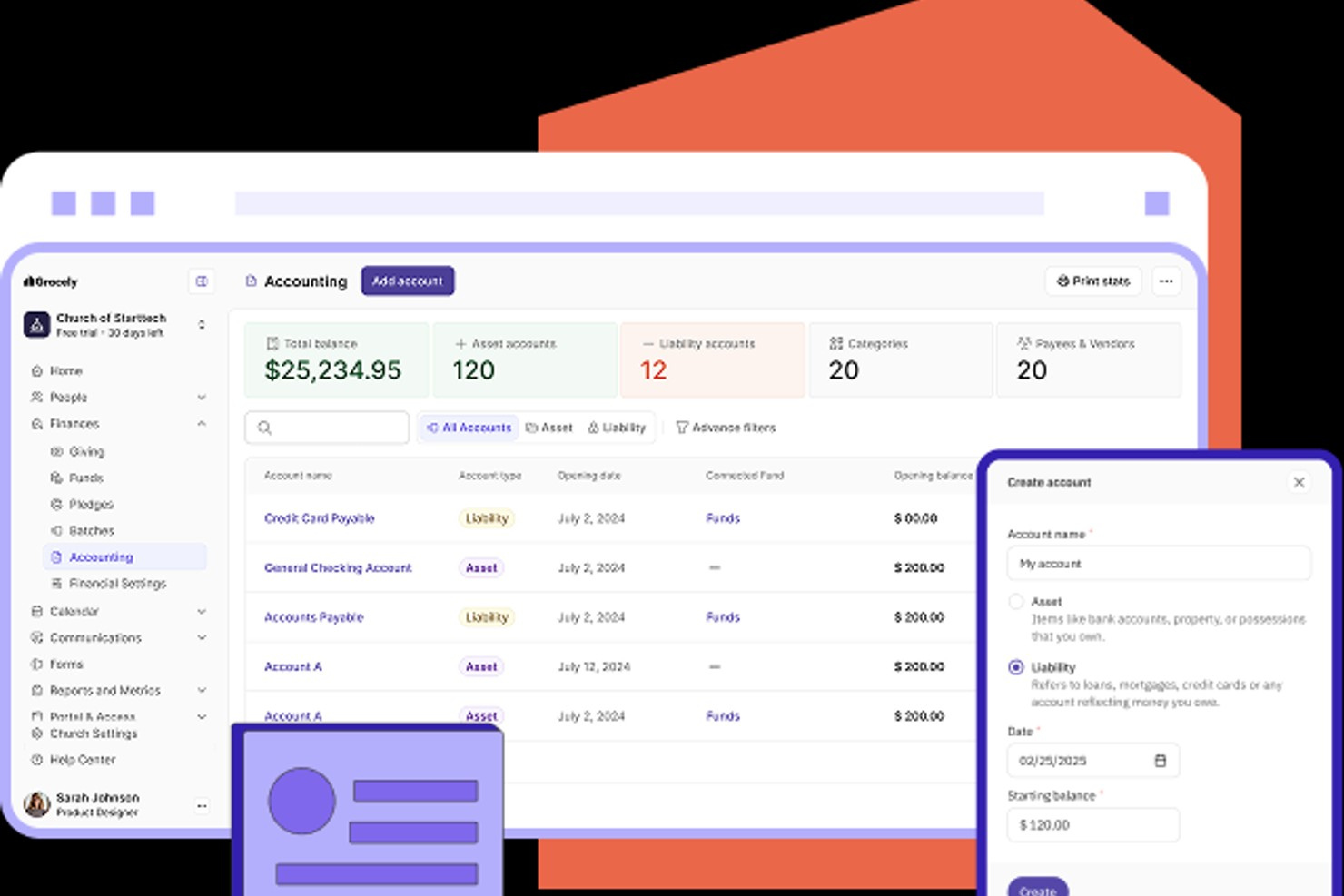
Gracely offers a financial management platform designed for churches and ministries that want clear, accessible oversight of their finances. It appeals to leaders who need to track expenses, manage budgets, and generate reports without a complex learning curve. With its focus on simplicity, Gracely helps churches keep financial processes organized and transparent.
Who Is Gracely Best For?
Gracely suits small to mid-sized churches and ministries that want straightforward financial tracking and reporting.
Why I Picked Gracely
What drew me to Gracely is how it makes financial reporting accessible for church leaders who may not have an accounting background. The platform offers visual dashboards and customizable report templates, so you can quickly see where funds are going and how budgets are tracking. I also appreciate that Gracely lets you drill down into specific expense categories and export reports for board meetings or audits. These features help churches maintain transparency, accurate records, and make informed decisions without getting lost in complicated spreadsheets.
Gracely Key Features
Some other features that help churches manage finances and operations include:
- Automated bank feeds: Connect bank accounts to automatically import and reconcile transactions within the platform.
- Budget creation tools: Build and manage annual or project-based budgets with customizable categories.
- Document storage: Upload and organize receipts, invoices, and financial documents for easy access and audit trails.
- Multi-user access: Invite staff or finance team members with customizable permissions for collaboration and oversight.
Gracely Integrations
Native integrations are not currently listed by Gracely.
Pros and Cons
Pros:
- Easy member data import process
- Fast and responsive support team
- Affordable flat-rate pricing
Cons:
- Advanced reporting lacks depth
- Member login process is cumbersome

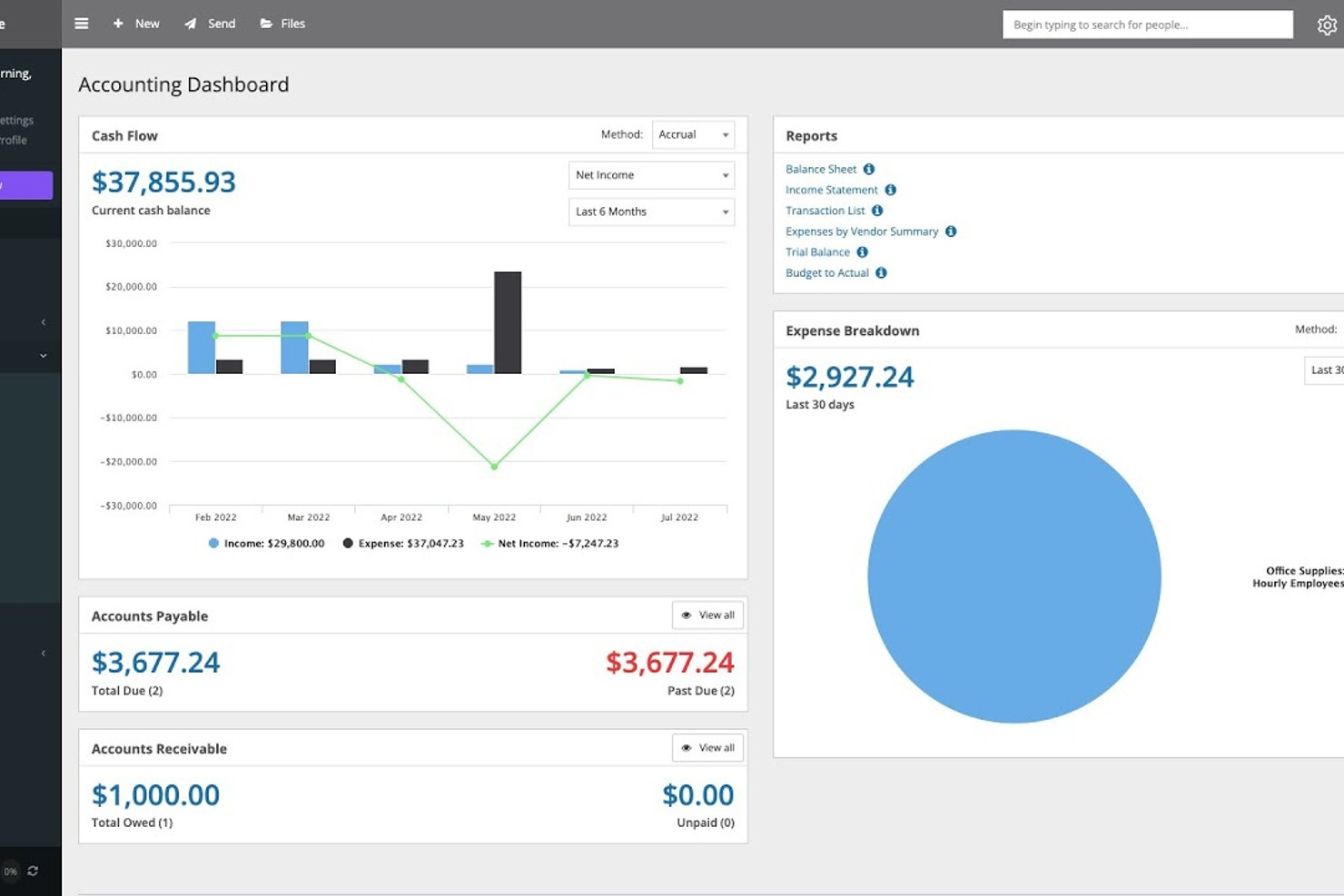
If your church needs a flexible platform to manage finances and operations, One Church Software offers a unified solution. It’s designed for churches that want to centralize giving, expenses, and people management in one place. With features that help automate routine tasks, it can simplify complex workflows for church leaders and administrators.
Who Is One Church Software Best For?
One Church Software fits mid-sized to large churches that want to automate and customize their financial and administrative workflows.
Why I Picked One Church Software
What drew me to One Church Software is how deeply you can tailor its automation features to fit your church’s unique processes. You can set up custom workflows that automatically route expense approvals, trigger notifications for budget thresholds, or assign follow-up tasks when certain financial events occur. I see this as especially valuable for churches with complex approval chains or those looking to reduce manual oversight in expense management. The platform’s automation tools help ensure that financial processes stay consistent and transparent, even as your ministry grows.
One Church Software Key Features
Some other features that help churches manage their operations and finances include:
- Contribution tracking: Record, organize, and report on donations and pledges from individuals and families.
- Event registration management: Set up event sign-ups, manage attendee lists, and collect payments online.
- Document storage: Upload and organize important files, such as policies, forms, and financial documents, within the platform.
- Mobile app access: Access key features and manage church data from anywhere using the dedicated mobile app.
One Church Integrations
One Church Software offers native integrations with Protect My Ministry, YouTube, and Vimeo.
Pros and Cons
Pros:
- Intuitive and clean user interface
- Highly responsive live chat support
- Specialized fund accounting module
Cons:
- Data migration can be a bit rough
- Accounting is a paid monthly add-on
New Product Updates from One Church Software

One Church Software Launches Version 7.0
One Church Software has released Version 7.0, introducing a faster, more intuitive interface and enhanced modules for dashboards, service planning, and giving management. For more information, visit One Church Software's official site.
 .
.
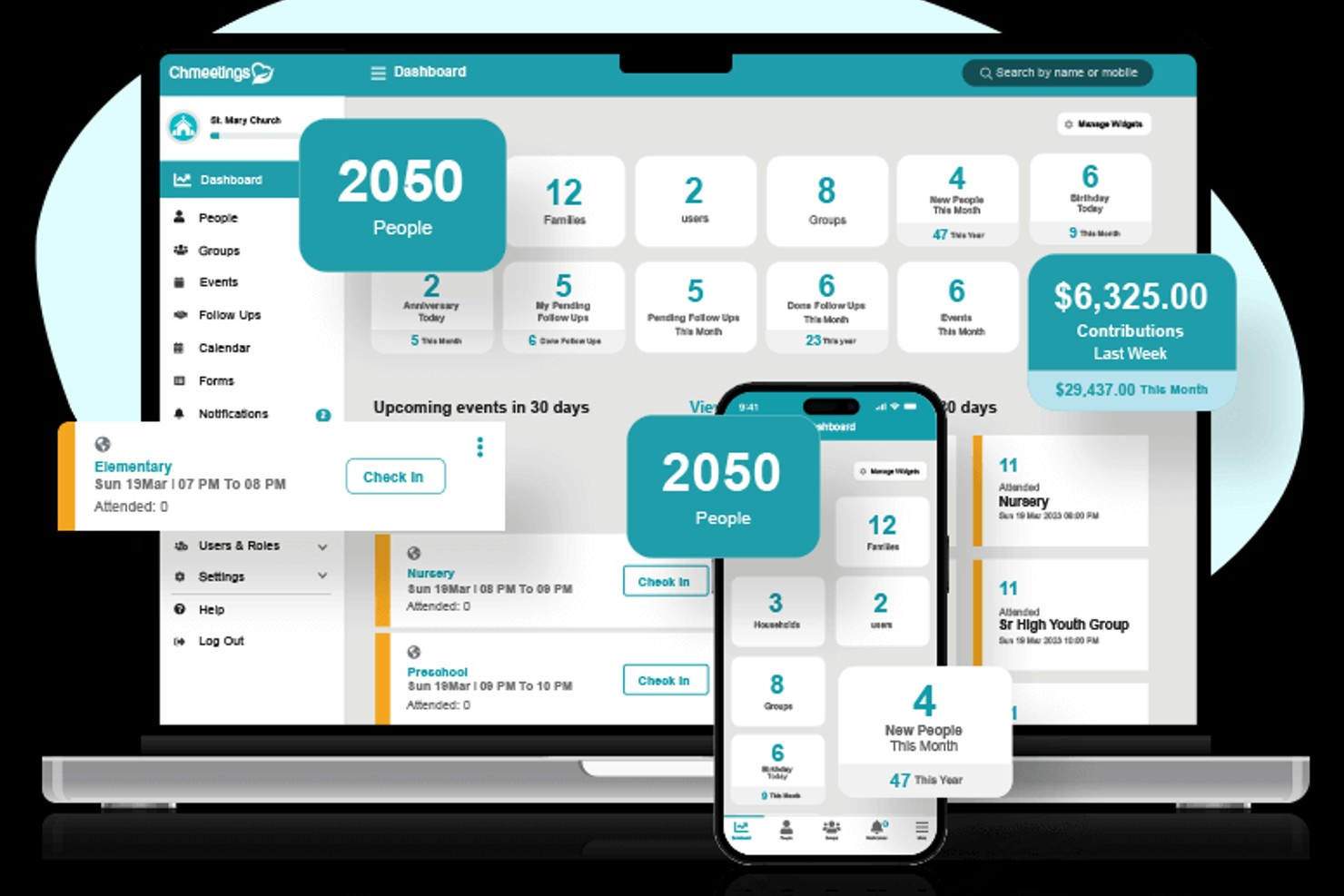
ChMeetings offers a church management software platform with built-in accounting features designed for congregations of all sizes. It appeals to church leaders who want to handle member data, giving, and expense tracking in one place. With its focus on simplifying financial oversight, ChMeetings helps churches keep records organized and accessible.
Who Is ChMeetings Best For?
ChMeetings fits churches and ministries that want an all-in-one platform for managing membership, giving, and expenses.
Why I Picked ChMeetings
What stands out about ChMeetings is its commitment to making transitions easy for churches by offering free data migration. I picked ChMeetings because moving financial records and member data from an old system can be a major barrier for many congregations, and this feature removes that obstacle. The platform also provides dedicated support during the migration process, which helps ensure that sensitive financial and giving data is transferred accurately. This makes ChMeetings a practical choice for churches that want to upgrade their expense management tools without risking data loss or disruption.
ChMeetings Key Features
In addition to its data migration support, ChMeetings offers several features to help churches manage their operations:
- Donation tracking: Record, organize, and report on all donations received, including recurring gifts and pledges.
- Attendance management: Monitor attendance for services, events, and small groups with customizable tracking options.
- Mobile app access: Use the ChMeetings mobile app to manage church data, communicate, and access features on the go.
- Role-based permissions: Assign different access levels to staff and volunteers to protect sensitive information and maintain security.
ChMeetings Integrations
Integrations include Stripe, PayPal, Bluesnap, Paystack, MailChimp, Twilio, SMS Global, Clickatell, and Zeffy.
Pros and Cons
Pros:
- Role-based permissions for financial data
- Recurring expense and pledge management
- Free data migration for new users
Cons:
- Budgeting tools are basic compared to peers
- Customization can feel restricted
New Product Updates from ChMeetings

ChMeetings Adds Scheduling, Contribution, & API Enhancements
ChMeetings introduces team-based volunteer scheduling, improved contribution management, expanded communication tools, and enhanced API functionality. These updates help churches manage volunteers, finances, and member data more efficiently. For more information, visit ChMeetings’ official site.
 .
.
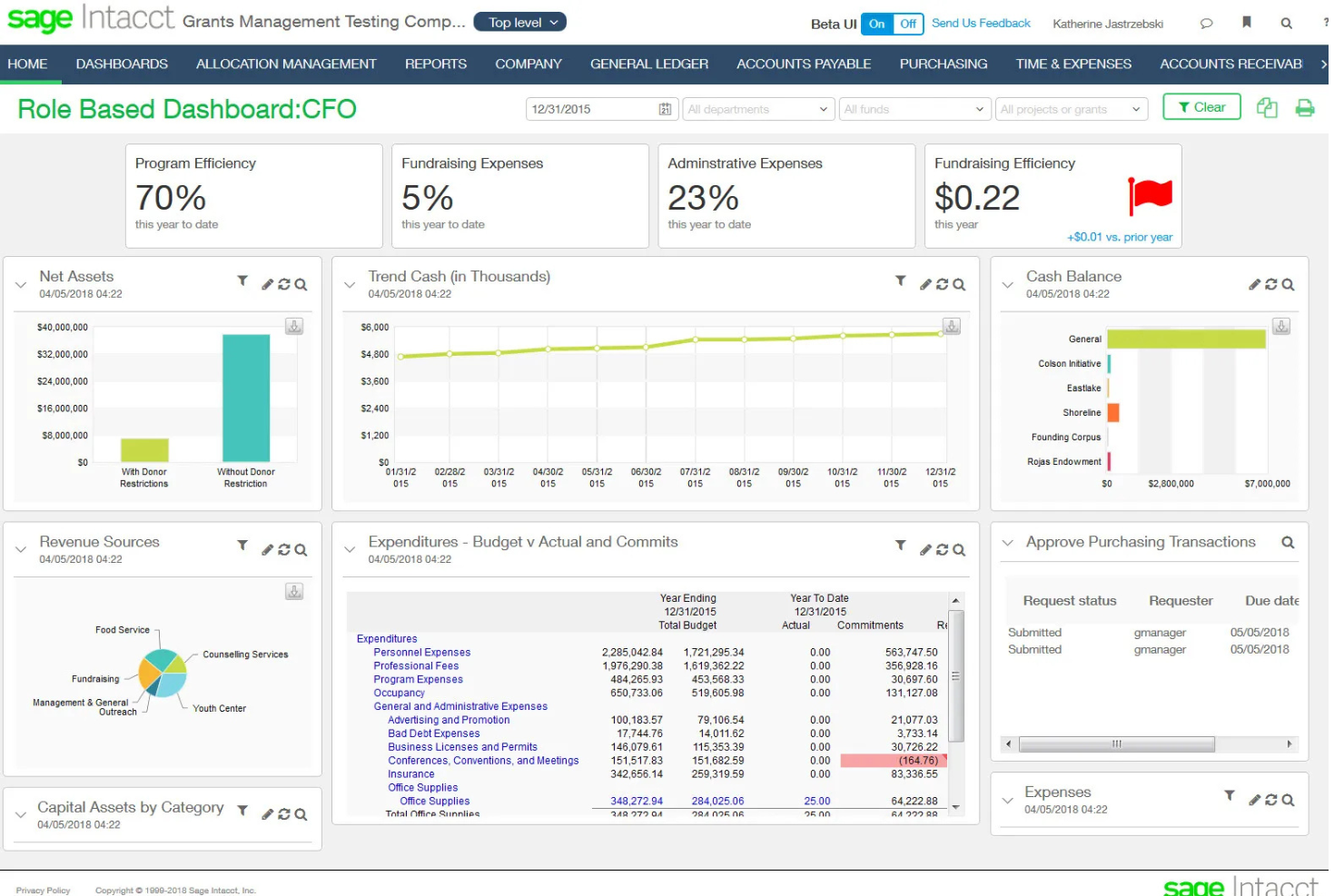
Sage Intacct is a cloud-based financial management platform designed for nonprofits and faith-based organizations. It appeals to churches that need advanced accounting, grant tracking, and real-time financial visibility. If your church manages complex finances or multiple funds, Sage Intacct helps you keep everything organized and transparent.
Who Is Sage Intacct Best For?
Sage Intacct fits mid-sized to large churches and multi-campus ministries that need advanced financial oversight and reporting.
Why I Picked Sage Intacct
I picked Sage Intacct because it’s built to handle the financial complexity that comes with managing multiple church campuses or ministries. The platform lets you consolidate financial data from different locations, track funds and expenses by campus, and generate detailed reports for each ministry area. I appreciate how its multi-entity management tools allow you to set permissions, budgets, and workflows for each site while still maintaining a unified financial picture. This makes it much easier for churches with several locations to stay organized and accountable.
Sage Intacct Key Features
Some other features that make Sage Intacct useful for church expense management include:
- Grant and fund tracking: Track restricted and unrestricted funds, grants, and donations with detailed reporting for compliance and transparency.
- Automated approval workflows: Set up custom approval processes for expenses, reimbursements, and purchase requests to maintain financial controls.
- Role-based dashboards: Give staff and ministry leaders access to personalized dashboards with real-time financial data relevant to their responsibilities.
- Document management: Attach receipts, invoices, and supporting documents directly to transactions for easy audit trails and recordkeeping.
Sage Intacct Integrations
Integrations include Sage Intacct Planning, Sage HR, Sage Payroll, Sage Fixed Assets, and Sage AR Automation.
Pros and Cons
Pros:
- AICPA-endorsed financial compliance
- Powerful real-time reporting dimensions
- Advanced fund accounting for ministries
Cons:
- Reporting tool feels overly technical
- Long and complex implementation process
Other Church Expense Management Software
Here are some additional church expense management software options that didn’t make it onto my shortlist, but are still worth checking out:


Church Expense Management Software Selection Criteria
When selecting the best church expense management software to include in this list, I considered common buyer needs and pain points like tracking designated funds and managing multi-campus expenses. I also used the following framework to keep my evaluation structured and fair:
Core Functionality (25% of total score)
To be considered for inclusion in this list, each solution had to fulfill these common use cases:
- Track and categorize expenses
- Manage budgets and fund allocations
- Generate financial reports
- Approve and reimburse expenses
- Import and export financial data
Additional Standout Features (25% of total score)
To help further narrow down the competition, I also looked for unique features, such as:
- Multi-campus or multi-entity management
- Automated approval workflows
- Grant and donor fund tracking
- Role-based dashboards and permissions
- Document and receipt attachment
Usability (10% of total score)
To get a sense of the usability of each system, I considered the following:
- Simple and intuitive navigation
- Clean and readable interface design
- Logical workflow for expense entry
- Accessibility for non-accounting staff
- Mobile access for on-the-go entry
Onboarding (10% of total score)
To evaluate the onboarding experience for each platform, I considered the following:
- Availability of training videos and tutorials
- Step-by-step product tours or walkthroughs
- Pre-built templates for common church needs
- Access to live webinars or onboarding sessions
- Responsive chatbots or help desk support
Customer Support (10% of total score)
To assess each software provider’s customer support services, I considered the following:
- Multiple support channels like phone and chat
- Knowledgeable and responsive support staff
- Access to a searchable help center
- Community forums or user groups
- Availability of dedicated account managers
Value For Money (10% of total score)
To evaluate the value for money of each platform, I considered the following:
- Transparent and predictable pricing
- Features included at each pricing tier
- Discounts for nonprofits or churches
- No hidden fees or surprise charges
- Flexibility to scale as needs grow
Customer Reviews (10% of total score)
To get a sense of overall customer satisfaction, I considered the following when reading customer reviews:
- Positive feedback on expense tracking features
- Reports of reliable customer support
- Comments on ease of onboarding and training
- User satisfaction with reporting tools
- Feedback on integration with other church systems
How to Choose Church Expense Management Software
It’s easy to get bogged down in long feature lists and complex pricing structures. To help you stay focused as you work through your unique software selection process, here’s a checklist of factors to keep in mind:
| Factor | What to Consider |
| Scalability | Will the software support your church as it grows, adds campuses, or expands ministries? Check for multi-entity support and flexible user limits. |
| Integrations | Does the tool connect with your existing accounting, payroll, or donor management systems? Confirm native integrations and data sync options. |
| Customizability | Can you tailor workflows, approval processes, and reporting to match your church’s structure and policies? Avoid rigid systems that force workarounds. |
| Ease of use | Will staff and volunteers with varying tech skills be able to use the system confidently? Look for clear navigation and minimal training requirements. |
| Implementation and onboarding | How long will it take to get up and running? Ask about migration support, training resources, and typical onboarding timelines for churches your size. |
| Cost | Are pricing tiers transparent and predictable? Consider total cost of ownership, including setup, support, and any add-ons you may need. |
| Security safeguards | Does the software offer role-based permissions, audit trails, and data encryption? Ensure it meets your church’s privacy and stewardship standards. |
| Support availability | What support channels are offered, and during what hours? Consider if you’ll need after-hours help or a dedicated account manager for urgent issues. |
What Is Church Expense Management Software?
Church expense management software is a digital tool designed to help churches track income, approve, and report on spending across ministries, campuses, and events. It centralizes expense data, supports budgeting and fund allocation, and ensures financial transparency for leadership and congregations. These systems help churches maintain accountability, simplify reimbursements, and meet compliance requirements, all while adapting to the unique financial structures and oversight needs of faith-based organizations.
Features of Church Expense Management Software
When selecting church expense management software, keep an eye out for the following key features:
- Expense tracking: Record, categorize, and monitor all church-related expenses in one centralized system, making it easier to manage spending across ministries and events.
- Fund accounting: Separate and track designated, restricted, and unrestricted funds to ensure compliance with donor intent and church policies.
- Budget management: Set, monitor, and adjust budgets for ministries, departments, or events, helping leaders stay accountable and make informed financial decisions.
- Approval workflows: Route expense requests and reimbursements through customizable approval chains to maintain oversight and prevent unauthorized spending.
- Financial reporting: Generate detailed reports on expenses, budgets, and fund balances to provide transparency for leadership, boards, and congregations.
- Document attachment: Upload and link receipts, invoices, and supporting documents directly to transactions for easy reference and audit readiness.
- Role-based permissions: Control access to sensitive financial data by assigning user roles and permissions based on staff or volunteer responsibilities.
- Bank reconciliation: Match recorded transactions with bank statements to ensure accuracy and catch discrepancies quickly.
- Integration capabilities: Connect with accounting, payroll, and donor management systems to streamline data flow and reduce manual entry.
- Mobile access: Allow staff and volunteers to submit expenses, approvals, or receipts from their phones or tablets, supporting ministry work on the go.
Benefits of Church Expense Management Software
Implementing church expense management software provides several benefits for your team and your business. Here are a few you can look forward to:
- Improved financial transparency: Centralized expense tracking and reporting make it easier to share clear, accurate financial information with leadership and congregations.
- Stronger fund accountability: Fund accounting features help ensure designated and restricted funds are used according to donor intent and church policies.
- Streamlined approval processes: Customizable approval workflows reduce bottlenecks and prevent unauthorized spending by routing requests through the right channels.
- Simplified audits and compliance: Document attachment and audit trails make it easier to prepare for audits and meet regulatory or denominational requirements.
- Better budget management: Real-time budget tracking and alerts help ministry leaders make informed decisions and avoid overspending.
- Time savings for staff and volunteers: Automated data entry, integrations, and mobile access reduce manual work and free up time for ministry activities.
- Scalability for growing churches: Multi-campus and multi-entity support allow your financial processes to grow alongside your church’s ministries and outreach.
Costs and Pricing of Church Expense Management Software
Selecting church expense management software requires an understanding of the various pricing models and plans available. Costs vary based on features, team size, add-ons, and more. The table below summarizes common plans, their average prices, and typical features included in church expense management software solutions:
Plan Comparison Table for Church Expense Management Software
| Plan Type | Average Price | Common Features |
| Free Plan | $0 | Basic expense tracking, limited users, simple reporting, and manual data entry. |
| Personal Plan | $12-$79/month | Expense tracking, basic fund accounting, budget management, and limited approval workflows. |
| Business Plan | $49-$129/month | Advanced fund accounting, multi-campus support, custom approval workflows, integrations, and reporting. |
| Enterprise Plan | $200+/month | Multi-entity management, advanced security, custom onboarding, dedicated support, and audit trails. |
Church Expense Management Software FAQs
Here are some answers to common questions about church expense management software:
How is church expense management software different from regular business expense software?
Church expense management software is designed for the unique needs of churches, such as fund accounting, donor restrictions, and multi-campus oversight. It helps track designated funds, manage ministry budgets, and ensure compliance with nonprofit regulations, which standard business tools may not support.
Can volunteers and non-financial staff use church expense management software easily?
Yes, most church expense management software is built with user-friendly interfaces and simple workflows. Many solutions offer mobile access and role-based permissions, making it easy for volunteers and staff with limited accounting experience to submit expenses and receipts.
What types of expenses can be tracked with church expense management software?
You can track a wide range of expenses, including ministry supplies, event costs, staff reimbursements, facility maintenance, and outreach spending. The software allows you to categorize expenses by fund, department, or project for better oversight.
How does church expense management software help with audits and compliance?
These tools store receipts, invoices, and approval records alongside each transaction, creating a clear audit trail. They also support fund accounting and reporting, making it easier to demonstrate compliance with donor intent, denominational policies, and nonprofit regulations.
Is it possible to integrate church expense management software with other church systems?
Yes, many solutions offer integrations with accounting platforms, donor management systems, and payroll tools. This reduces manual data entry, keeps records consistent, and helps maintain a complete financial picture across your church’s operations.
What’s Next:
If you're in the process of researching church volunteer management software, connect with a SoftwareSelect advisor for free recommendations.
You fill out a form and have a quick chat where they get into the specifics of your needs. Then you'll get a shortlist of software to review. They'll even support you through the entire buying process, including price negotiations.