
24 Best Church Website Builders Reviewed For 2026

20 Best Church Website Builder Shortlist
Here's my pick of the 20 best software from the 24 tools reviewed.


Church website building software is a tool that helps churches like yours create and maintain their own online presence. Great website building tools allow churches like yours to stream sermons, promote events, collect donations, and connect with visitors online.
With over 20 years in church leadership, I've lost countless hours cramming 'church website development' between a million other pastoral tasks. I find myself wrangling obtuse technical jargon (what the heck's a 303 redirect anyway?) and wondering why our church website doesn't work neatly on my phone,. Just horrible. Without software, building a church website becomes a massive html-fuelled migraine. I've evaluated dozens of different church website building tools.
You can skip the headache with this comparison of the top church website builders. Whether you're starting from scratch or looking to upgrade, these tools can help you create a website that’s simple to manage, fits your budget, and makes your church’s mission clear to everyone who visits.
Why Trust Our Software Reviews
Since 2019, we've been testing and reviewing church website-building software. My team and I are pastors and church leaders ourselves; we know how critical and difficult selecting the right church website-building software is.
To that end, we’ve invested in deep research to help our readers make better software purchasing decisions. We’ve tested more than 2,000 tools for specifically for church website building, and written over 1,000 comprehensive software reviews.
Learn how we stay transparent & our church website building software review methodology.
The 10 Best Church Website Builders Summary
| Tool | Best For | Trial Info | Price | ||
|---|---|---|---|---|---|
| 1 | Best for visual site customization | Free plan available | From $17/month | Website | |
| 2 | Best for extensive plugin options | Free plan available | From $9/month (billed annually) | Website | |
| 3 | Best for modern design templates | Free trial available | From $16/month (billed annually) | Website | |
| 4 | Best for quick site setup | Free plan available | From $10/month (billed annually) | Website | |
| 5 | Best for donation and event tools | 30-day free trial + free plan available | From $72/month | Website | |
| 6 | Best for mobile app integration | Free demo available | Pricing upon request | Website | |
| 7 | Best for multisite management | No free trial | from $65/month | Website | |
| 8 | Best for simple drag-and-drop editing | No free trial | from $39/month + $500 setup fee | Website | |
| 9 | Best for sermon media management | 14-day free trial | From $29/month (billed annually) | Website | |
| 10 | Best for multi-language support | 30-day free trial | from $75 per quarter | Website | |
| 11 | Best for school and ministry solutions | contact for a demo | from $40/month plus $600 setup | Website | |
| 12 | Best for built-in worship media library | Free trial available | From $23/month (billed annually) | Website | |
| 13 | Best for custom design services | 30-day money back guarantee | from $29/month | Website | |
| 14 | Best for drag-and-drop site editing | Free demo available | From $16.50/month (billed annually) | Website | |
| 15 | Best for lifetime customer support | Free demo available | From $20/user/month (+ $1000 upfront fee) | Website | |
| 16 | Best with Catholic parish directory tools | Free demo available | Pricing upon request | Website | |
| 17 | Best for centralized communication tools | 14-day free trial | From $49/month (billed annually) | Website | |
| 18 | Best for live streaming tools | 45-day free trial (no credit card required) | from $19/month | Website | |
| 19 | Best for integrated member management | Not available | Pricing upon request | Website | |
| 20 | Best for integrated event management | Free trial available | From $69.99/month | Website |
-

ChMeetings
Visit WebsiteThis is an aggregated rating for this tool including ratings from Crozdesk users and ratings from other sites.4.9 -
Gracely
Visit WebsiteThis is an aggregated rating for this tool including ratings from Crozdesk users and ratings from other sites.4.8 -
Text In Church
Visit WebsiteThis is an aggregated rating for this tool including ratings from Crozdesk users and ratings from other sites.4.8


Reviews Of The Best Church Website Builders
Here’s a brief description of each of the church website builders on my list, showing what it does best, plus screenshots to showcase some of the features.


Wix gives churches the flexibility to design a website that truly reflects their community’s personality and mission. With its visual editor and wide range of templates, church leaders can create a site that matches their branding and worship style. If you want to highlight ministries, events, and sermons with a custom look, Wix offers the creative control to make it happen.
Who is Wix Best For?
Wix serves communications staff and creative leads at small to mid-sized churches that want visual control over site layout and design. It is appropriate for ministries that frequently update content and value design flexibility.
Why I Picked Wix
What sets Wix apart for church website builders is its focus on visual site customization. I picked Wix because its drag-and-drop editor lets you adjust every element on your site, from colors and fonts to image placement, so your church’s online presence can match your unique identity. The template library includes designs tailored for faith communities, making it easy to highlight ministries, events, and sermons in a visually engaging way. If you want your church website to stand out and reflect your congregation’s character, Wix gives you the creative tools to do it.
Wix Key Features
Some other features that make Wix useful for church websites include:
- Event Management Tools: Set up event pages, manage RSVPs, and share event details with your congregation.
- Built-In Blog: Post sermons, devotionals, and church news directly on your site.
- App Market: Add features like donation forms, live chat, or calendars through the Wix App Market.
- Member-Only Pages: Create private areas for staff, volunteers, or small groups to access exclusive content.
Wix Integrations
Native integrations are not currently listed by Wix.
Pros and Cons
Pros:
- App Market for custom features
- Drag-and-drop design tools
- Pre-designed church templates
Cons:
- Limited storage on basic plans
- Limited scalability for large sites


If you want full control over your church website’s design and functionality, WordPress offers unmatched flexibility. This open-source platform appeals to churches that need custom features, integrations, or unique layouts. With thousands of plugins, you can add sermon archives, event calendars, donation forms, and more to fit your ministry’s needs.
Who is WordPress Best For?
WordPress suits church administrators and communications teams at small to large congregations that need broad plugin flexibility. It works well for organizations seeking control over functionality, integrations, and content management across diverse ministry needs.
Why I Picked WordPress
I chose WordPress for its unmatched range of plugin options, which is especially valuable for churches with unique needs. You can add plugins for sermon management, event calendars, and online giving, all tailored to your ministry’s workflow. The platform’s open-source nature means you’re not limited to built-in features—there’s a plugin for almost any function you can imagine. This flexibility makes WordPress a strong choice if you want to build a church website that grows and adapts with your congregation.
WordPress Key Features
Some other features make WordPress a versatile option for building a church website:
- Theme Library: Choose from thousands of free and paid themes to match your church’s branding and style.
- Media Management: Upload, organize, and display images, audio, and video files for sermons, events, and announcements.
- User Roles and Permissions: Assign different access levels to staff, volunteers, and members for secure site management.
- Multisite Capability: Manage multiple church campuses or ministries under one WordPress installation.
WordPress Integrations
Integrations include WooCommerce, Jetpack, Akismet, bbPress, BuddyPress, and LiteSpeed Cache.
Pros and Cons
Pros:
- Scales easily for growing churches
- Over 50,000 plugins for add-ons
- Fully customizable templates and layouts
Cons:
- Custom coding requires expertise
- Steeper learning curve for beginners


If your church wants a visually striking website without hiring a designer, SquareSpace offers a wide range of modern templates. This platform is a good fit for ministries that want to showcase events, sermons, and community life with strong visual appeal. Its drag-and-drop editor makes it easy to create a polished site that reflects your church’s identity.
Who is Squarespace Best For?
Squarespace fits communications leads and ministry staff at small to mid-sized churches that prioritize modern design and straightforward content publishing. It supports organizations that want a polished online presence without managing complex infrastructure.
Why I Picked SquareSpace
What sets SquareSpace apart for church website builders is its collection of modern, visually engaging templates. I picked SquareSpace because these templates let you create a site that feels current and welcoming, which is important for connecting with both new visitors and your congregation. You can easily customize layouts, fonts, and color schemes to match your church’s branding and atmosphere. The built-in image galleries and video backgrounds also help ministries highlight events, sermons, and community life in a visually compelling way.
SquareSpace Key Features
Some other features make SquareSpace a practical choice for church websites:
- Event Scheduling Tools: Create, manage, and display upcoming church events with built-in calendar features.
- Donation Forms: Accept online giving directly through customizable donation forms.
- Member Areas: Set up password-protected pages for staff, volunteers, or small groups.
- Email Campaigns: Design and send newsletters or announcements to your congregation from within the platform.
SquareSpace Integrations
Integrations include Mailchimp, Acuity Scheduling, QuickBooks, Xero, ShipStation, and Pinterest.
Pros and Cons
Pros:
- Reliable hosting with no extra setup
- Sleek, professional design templates
- Easy drag-and-drop interface
Cons:
- Advanced features can have a learning curve
- No free plan available


If you need to get a church website up and running quickly, Weebly offers a straightforward solution. Its drag-and-drop builder appeals to church leaders who want to launch a site without technical hurdles or long setup times. For congregations that value speed and simplicity, Weebly makes it easy to publish essential information and updates right away.
Who is Weebly Best For?
Weebly suits church volunteers and staff at small congregations that need a straightforward website launch. It supports ministries looking for basic functionality with minimal setup time.
Why I Picked Weebly
For churches that need to launch a website without delay, Weebly stands out for its quick site setup. I picked Weebly because its drag-and-drop editor lets you build and publish pages in minutes, even if you have no web design experience. The platform includes ready-made templates and simple content blocks, so you can add service times, event details, and contact forms right away. If your priority is getting a functional church website online fast, Weebly makes that process straightforward.
Weebly Key Features
Some other features that make Weebly useful for church websites include:
- Custom Domain Support: Connect your own church domain name for a professional web address.
- Built-In Blog: Share sermons, devotionals, and church news through a simple blogging tool.
- Form Builder: Create custom forms for prayer requests, volunteer sign-ups, or event RSVPs.
- Mobile-Responsive Templates: Ensure your church website looks good on phones and tablets.
Weebly Integrations
Native integrations are not currently listed by Weebly.
Pros and Cons
Pros:
- App center with church-friendly add-ons
- Easy-to-customize templates
- Drag-and-drop website builder
Cons:
- Advanced customization needs developer help
- Limited design flexibility for advanced users


If your church needs a website builder with built-in giving and event management, Tithe.ly is designed for you. It’s especially useful for congregations that want to handle donations, registrations, and communication from one platform. Tithe.ly helps you connect your website to your church’s financial and event life without relying on extra plugins.
Who is Tithe.ly Best For?
Tithe.ly serves church administrators and finance teams at small to mid-sized congregations that manage donations and events online. It is appropriate for ministries seeking to consolidate giving and event coordination tools.
Why I Picked Tithe.ly
When a church needs a website builder that goes beyond just pages and posts, Tithe.ly stands out for its donation and event tools. I picked Tithe.ly because it lets you embed giving forms, manage event registrations, and track donations directly from your website. The platform’s event calendar and RSVP features are built specifically for church activities, making it easy to organize everything from worship services to community outreach. If you want your website to be a hub for both communication and church operations, Tithe.ly brings those pieces together.
Tithe.ly Key Features
Some other features that make Tithe.ly a strong choice for church websites include:
- Customizable Website Templates: Choose from layouts designed for churches and ministries.
- Drag-and-Drop Page Builder: Rearrange and edit website content visually without coding.
- Sermon Media Library: Upload and organize sermon audio, video, and notes for your congregation.
- Integrated Blog Platform: Post news, devotionals, and updates directly to your site.
Tithe.ly Integrations
Integrations include QuickBooks Online, RockRMS, The StudioC, Engiven, Elvanto, Salesforce, and Planning Center Online.
Pros and Cons
Pros:
- Easy financial reporting and transparency
- Detailed donor management tools
- Supports text-to-give for easy donations
Cons:
- Limited website customization options
- Fewer design options for branding


Subsplash SnapPages offers a website builder that connects directly with Subsplash’s mobile app platform. This is a strong fit for churches that want to keep their website and mobile app content in sync without extra work. If you’re looking to reach your congregation on both web and mobile, SnapPages makes it easy to manage everything from one place.
Who is Subsplash SnapPages Best For?
Subsplash SnapPages fits communications and digital teams at mid-sized to large churches that require integration with a branded mobile app. It serves organizations focused on aligning website content with mobile engagement strategies.
Why I Picked Subsplash SnapPages
For churches that want their website and mobile app to work together seamlessly, Subsplash SnapPages stands out. The platform lets you publish sermons, events, and announcements to both your website and your Subsplash mobile app at the same time. I picked SnapPages because this direct integration helps you keep your digital presence unified without double entry. If reaching your congregation on every device matters, SnapPages is built for that kind of connected communication.
Subsplash SnapPages Key Features
Some other features that make SnapPages useful for church website building include:
- Drag-and-Drop Editor: Build and update website pages visually without coding.
- Customizable Templates: Choose from a variety of pre-designed layouts tailored for churches.
- Media Embedding: Add sermon videos, audio, and livestreams directly to your site.
- SEO Tools: Adjust page titles, descriptions, and metadata to help your site get found online.
Subsplash SnapPages Integrations
Native integrations are not currently listed by Subsplash SnapPages.
Pros and Cons
Pros:
- Intuitive, easy‑to‑use interface that streamlines church management and engagement.
- Users praise Subsplash’s responsive and helpful customer support.
- Affordable all‑in‑one solution with media hosting, live streaming and attractive websites/apps
Cons:
- Some users report the web builder isn’t intuitive
- Customization and third party integrations are limited


If your church manages multiple campuses or ministries, Ekklesia360 is designed to help you keep everything organized under one digital roof. This platform is especially useful for multisite churches that need to manage separate sites, calendars, and content from a single dashboard. Ekklesia360 makes it easier to maintain consistency and control across all your church locations online.
Who is Ekklesia360 Best For?
Ekklesia360 supports communications and IT teams at multi-campus churches that manage several sites under one structure. It serves organizations coordinating content across locations within a unified system.
Why I Picked Ekklesia360
Managing multiple church campuses online can get complicated, and Ekklesia360 is built to address that challenge. I picked this tool because it lets you create and oversee several distinct church websites from a single admin dashboard, making it easier to keep branding and messaging consistent. The platform also offers centralized content management, so you can share events, sermons, and resources across all your sites without duplicating work. For churches with multisite ministries, these features help maintain unity and organization across every location.
Ekklesia360 Key Features
Some other features that make Ekklesia360 useful for churches include:
- Sermon Media Library: Upload, organize, and display sermon videos and audio for your congregation.
- Online Giving Tools: Accept donations directly through your website with secure giving forms.
- Event Management System: Create, promote, and manage church events with built-in registration options.
- Customizable Page Templates: Choose from a range of templates designed specifically for church websites.
Ekklesia360 Integrations
Integrations include e360 ChMS, ShelbyNext, Shelby Arena, Fellowship One, Elexio, and Church Office Online.
Pros and Cons
Pros:
- Responsive support team provides reliable assistance when issues arise.
- Ready-made templates make building and launching a church website quick and easy.
- All-in-one platform integrates with member communication and online giving.
Cons:
- Some user report building larger pages being a complex process
- Customization options are limited—design flexibility and interface customization can seem restrictive.


Clover Sites is designed for churches that want to build and update their website with minimal technical effort. Its drag-and-drop editor appeals to ministry teams who need to quickly share sermons, events, and announcements without relying on IT support. This platform helps churches keep their online presence current and welcoming, even with limited staff or volunteer time.
Who is Clover Sites Best For?
Clover Sites serves church staff and volunteers at small congregations that need simple drag-and-drop site management. It is appropriate for ministries that want to update pages quickly without technical oversight.
Why I Picked Clover Sites
For churches that want to update their website without technical hurdles, Clover Sites stands out for its simple drag-and-drop editing. I picked Clover Sites because its editor lets you add, move, and update content blocks—like sermons, events, and images—directly on the page. The platform also offers pre-built ministry page templates, so you can quickly launch sections for youth, outreach, or giving. This approach helps churches keep their site fresh and relevant, even if no one on staff has web design experience.
Clover Sites Key Features
I also found several other features that make Clover Sites useful for church websites:
- Media Player Integration: Upload and display sermon audio and video directly on your site.
- Online Giving Tools: Set up donation forms and recurring giving options for your congregation.
- Mobile-Responsive Templates: Ensure your website looks good and functions well on smartphones and tablets.
- SSL Security: Protect your site and visitor data with built-in SSL encryption.
Clover Sites Integrations
Integrations include Clover Give, Clover People, Clover Media, Amplify Streaming, and several church streaming platforms.
Pros and Cons
Pros:
- Integrates with major church tools
- Church-specific templates and tools
- Simple drag-and-drop editor
Cons:
- Lacks advanced analytics tools
- Limited template customization options


If your church wants to organize and share sermons online, The Church Co offers a website builder with built-in sermon media management. This platform is designed for pastors and media teams who need to upload, categorize, and present audio and video sermons in a searchable library. The Church Co helps churches create a digital hub where members can easily access past messages and media content.
Who is The Church Co Best For?
The Church Co works for media directors and communications teams at mid-sized churches that manage sermon recordings and related content. It fits organizations that publish and organize sermon media as a core part of their outreach.
Why I Picked The Church Co
For churches that want to make sermon content central to their website, The Church Co stands out for its sermon media management tools. I picked The Church Co because it lets you upload, organize, and display sermon audio and video in a searchable, filterable library. The platform also supports sermon series, speaker profiles, and scripture tagging, so visitors can easily find messages that matter to them. This focus on sermon media makes it a strong choice for churches that prioritize digital discipleship and content accessibility.
The Church Co Key Features
Some other features that make The Church Co useful for church websites include:
- Drag-and-Drop Page Builder: Create and customize web pages using a visual editor with no coding required.
- Online Giving Integration: Accept donations directly through your website with built-in giving tools.
- Event Management Tools: List, promote, and manage church events with RSVP and calendar features.
- Prayer Request Submission: Allow members to submit prayer requests through a dedicated online form.
The Church Co Integrations
Integrations include Planning Center, PushPay, and ChurchSuite.
Pros and Cons
Pros:
- Supports filtering by speaker and date
- Easy-to-use sermon library tools
- Seamless sermon podcast hosting
Cons:
- Advanced analytics not included
- Limited design customization options


Church123 is designed for churches that need to reach multilingual congregations online. This platform stands out by offering built-in multi-language support, making it easier for diverse communities to access content in their preferred language. If your ministry serves people from different backgrounds, Church123 helps you create a welcoming and accessible website for everyone.
Who is Church123 Best For?
Church123 serves church administrators at small congregations that operate in multilingual communities. It is appropriate for ministries that need to present content in multiple languages for local outreach.
Why I Picked Church123
For churches that serve multilingual communities, Church123 offers a practical solution with its built-in multi-language support. You can create and manage content in several languages, making it easier for people from different backgrounds to feel included and informed. I picked Church123 because it allows you to switch between languages on the same site and customize each language version as needed. This focus on accessibility and inclusivity makes Church123 a strong choice for ministries with diverse congregations.
Church123 Key Features
In addition to its multi-language capabilities, I also found these features worth noting:
- Drag-and-Drop Page Editor: Build and update website pages using a visual editor with no coding required.
- Sermon Podcasting Tools: Upload, organize, and share sermon audio for your congregation.
- Integrated Event Calendar: Display upcoming services, events, and activities directly on your site.
- Built-In Contact Forms: Collect inquiries, prayer requests, or volunteer sign-ups through customizable forms.
Church123 Integrations
Native integrations are not currently listed by Church123.
Pros and Cons
Pros:
- Straightforward drag-and-drop editing
- No-cost migration from other church platforms.
- Dozens of clean, simple website templates
Cons:
- Design options are very simple & basic
- Lacks some advanced features offered by more specialized church builders.


FaithNetwork is designed for churches, schools, and ministries that need a website builder tailored to both educational and faith-based communities. If you’re looking to manage school communications, ministry events, and parent engagement from one platform, this tool brings those functions together. FaithNetwork helps you create a unified digital presence that serves both your congregation and your school families.
Who is FaithNetwork Best For?
FaithNetwork serves administrators at churches and affiliated schools that need coordinated website solutions. It supports ministries managing both congregational and educational communications within one framework.
Why I Picked FaithNetwork
What sets FaithNetwork apart is its focus on serving both schools and ministries within a single platform. If your church operates a school or has a strong educational component, you can manage classroom communications, parent notifications, and ministry news all in one place. I picked FaithNetwork because it offers features like event scheduling and secure parent portals that are tailored for faith-based education environments. This makes it a strong fit for churches that need to bridge the gap between ministry and school communities online.
FaithNetwork Key Features
I also found several features that support both church and school needs:
- Customizable Website Templates: Choose from a variety of templates designed for faith-based organizations and schools.
- Online Giving Tools: Set up donation forms and manage contributions directly through your website.
- Media Library Management: Upload, organize, and share sermon videos, podcasts, and other media content.
- Mobile-Responsive Design: Ensure your website displays well on smartphones and tablets for families and congregants on the go.
FaithNetwork Integrations
Native integrations are not currently listed by FaithNetwork.
Pros and Cons
Pros:
- Offers custom-designed, fully responsive websites with comprehensive media management
- Supports podcasts, sermon media, social media integration, prayer wall, calendars
- Expert team handles maintenance of the site and page features
Cons:
- One-time set-up fee may be prohibitive for smaller churches
- Limited options for churches wanting a self-managed website.

ShareFaith gives churches a website builder paired with a large library of worship media, including graphics, videos, and sermon art. This platform is a good fit for pastors, worship leaders, and communications teams who want ready-to-use creative assets for their site and services. With ShareFaith, you can keep your website visually engaging and find media resources for every season and ministry event.
Who is ShareFaith Best For?
ShareFaith suits worship leaders and ministry coordinators at small to mid-sized churches that rely on built-in worship media resources. It serves congregations that want website management combined with access to presentation materials.
Why I Picked ShareFaith
What sets ShareFaith apart is its extensive built-in worship media library, which is directly integrated into the website builder. I picked ShareFaith because it gives churches instant access to thousands of graphics, sermon slides, countdowns, and worship backgrounds without needing to search for assets elsewhere. The platform also offers seasonal and event-specific media collections, making it easy to keep your website and worship services visually fresh throughout the year. For churches that want a website builder with creative resources ready to go, ShareFaith is a strong choice.
ShareFaith Key Features
In addition to its media library, I also found these features helpful for building and managing a church website:
- Drag-and-Drop Website Editor: Build and update pages visually without coding.
- Online Giving Integration: Accept tithes and donations directly through your website.
- Sermon Podcast Hosting: Upload and share sermon audio with built-in podcast tools.
- Event Calendar: Display upcoming church events with a customizable calendar.
ShareFaith Integrations
Native integrations are not currently listed by ShareFaith.


If your church wants a website that truly reflects its unique identity, Church Dev specializes in custom design services tailored for ministries. This platform is a strong fit for leaders who want more than a template and need hands-on design support to capture their vision. Church Dev helps churches stand out online with personalized layouts, branding, and features built around each congregation’s needs.
Who is Church Dev Best For?
Church Dev suits church leadership teams at small to mid-sized congregations seeking tailored website design support. It aligns with ministries that prefer guided implementation rather than self-service tools.
Why I Picked Church Dev
What sets Church Dev apart is its commitment to custom design services for churches that want a truly unique online presence. Instead of relying on standard templates, Church Dev works directly with your team to create a website that matches your church’s branding, mission, and ministry goals. I picked Church Dev because it offers one-on-one design consultations and tailored site layouts, which help churches communicate their identity clearly. For leaders who want a website that feels handcrafted and specific to their congregation, these custom design features make Church Dev a strong choice.
Church Dev Key Features
Some other features that make Church Dev appealing for church website builders include:
- Sermon Media Library: Upload, organize, and display sermon audio and video for your congregation.
- Online Giving Integration: Connect your website to digital giving platforms for tithes and donations.
- Event Calendar: Add, update, and share church events with a built-in calendar tool.
- Prayer Request Forms: Allow members to submit prayer requests directly through your website.
Church Dev Integrations
Native integrations are not currently listed by Church Dev.
Pros and Cons
Pros:
- Provides fast, friendly and professional customer support with timely responses and guidance
- Built for non-developers with a user-friendly drag-and-drop builder requiring no coding
- Includes unlimited pages, sermons, events, blog posts, podcasts, and other features
Cons:
- Some users report communication issues or slow, inaccurate design changes during setup.
- Only builds church-specific websites, so it is not suitable for other types of organizations

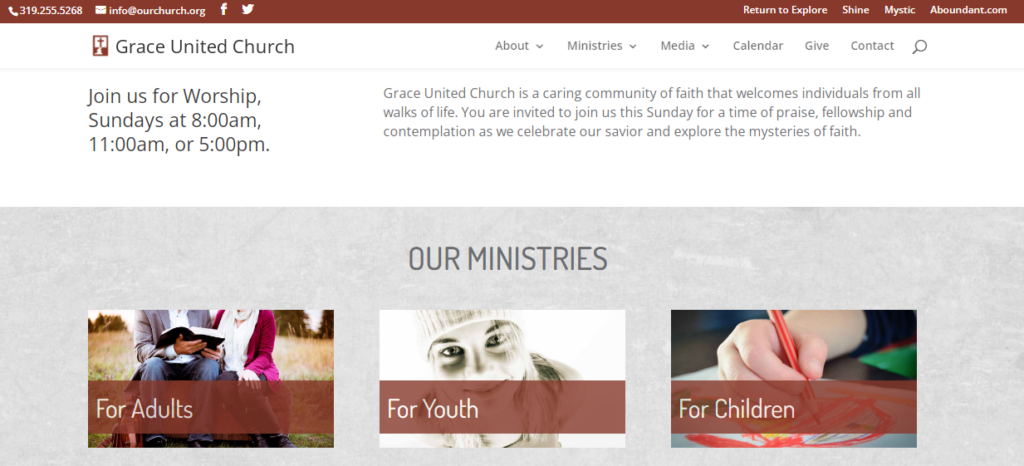
Aboundant offers a drag-and-drop website builder designed for churches that want to create and update their sites without technical skills. It’s a strong fit for congregations looking for visual editing, flexible layouts, and easy content management. If you need to quickly build a modern church website and empower volunteers or staff to keep it fresh, Aboundant’s editing tools stand out.
Who Is Aboundant Best For?
Aboundant suits church staff and volunteers at small congregations that need straightforward drag-and-drop website editing. It supports ministries seeking simple content updates without dedicated technical resources.
Why I Picked Aboundant
Aboundant stands out for its true drag-and-drop site editing, which is especially helpful for churches that want to build and update their websites visually. I picked Aboundant because it lets you arrange content blocks, images, and forms directly on the page, so you can see changes as you make them. The platform also offers pre-built templates designed for church needs, making it easy to launch a site that looks polished. For teams with limited technical experience, Aboundant’s editing tools make website updates accessible to anyone on staff or in your volunteer group.
Aboundant Key Features
Some other features that make Aboundant appealing include:
- Event Management Tools: Create, display, and manage church events with built-in calendar features.
- Online Giving Integration: Connects your website to digital giving platforms for donations and tithes.
- Sermon Media Library: Upload and organize audio, video, and written sermons for easy access.
- Member-Only Pages: Restrict access to certain pages for specific groups or members within your congregation.
Aboundant Integrations
Native integrations are not currently listed by Aboundant.


If you’re looking for a church website builder that prioritizes ongoing support, Ministry Designs is worth considering. This platform appeals to churches that want hands-on help at every stage, from setup to ongoing updates. Ministry Designs stands out by offering lifetime customer support, making it easier for your team to manage and grow your online presence with confidence.
Who is Ministry Designs Best For?
Ministry Designs fits church communications teams at small to mid-sized congregations that value ongoing support after launch. It supports organizations that prefer long-term vendor assistance for website updates.
Why I Picked Ministry Designs
What sets Ministry Designs apart is its commitment to lifetime customer support, which is rare among church website builders. I picked this tool because it gives churches direct access to a dedicated support team for as long as they use the platform. You can reach out for help with website setup, content updates, or troubleshooting at any point, without worrying about support expiring. This ongoing partnership is especially valuable for churches that want reliable guidance as their needs change over time.
Ministry Designs Key Features
In addition to its lifetime support, I also found these features helpful:
- Drag-and-Drop Website Builder: Create and edit pages visually without coding knowledge.
- Sermon Media Library: Upload, organize, and display sermon audio and video for your congregation.
- Online Giving Integration: Accept donations directly through your website with built-in giving tools.
- Event Management Tools: Add, update, and promote church events with a calendar and event pages.
Ministry Designs Integrations
Native integrations are not currently listed by Ministry Designs.
Pros and Cons
Pros:
- Users report the support team as competent, courteous, and quick to resolve issues.
- Easily migrate up to 20 pages from your existing website into Ministry Designs.
- Extensive library of professionally designed templates and pages
Cons:
- Limited design flexibility compared to mainstream website builders
- Platform lock: migrating your website away from Ministry Designs is difficult.


GabrielSoft is designed for Catholic parishes that need a website builder with specialized parish directory and sacramental record tools. It’s especially useful for churches that want to keep parishioner information, family records, and ministry groups organized and accessible online. If your parish needs to manage directories, track sacraments, and communicate with members through a single platform, GabrielSoft offers features tailored to those needs.
Who is GabrielSoft Best For?
GabrielSoft works for parish administrators and diocesan staff at Catholic churches that manage parish directories and sacramental records. It fits organizations that require structured recordkeeping aligned with Catholic parish operations.
Why I Picked GabrielSoft
What sets GabrielSoft apart is its focus on Catholic parish directory tools, which are essential for parishes that need to manage detailed family and sacramental records. I picked GabrielSoft because it allows you to track parishioner information, sacraments, and family relationships all within the same platform you use to build your website. The system also supports ministry group management, so you can organize volunteers and communicate with specific segments of your parish. For Catholic churches that require specialized record-keeping alongside their website, GabrielSoft brings these needs together in one place.
GabrielSoft Key Features
Some other features that stood out to me in GabrielSoft include:
- Online Giving Integration: Connects your website to online donation tools for easy parishioner contributions.
- Event Calendar: Lets you post and manage parish events directly on your website.
- Mass Scheduling: Provides tools for scheduling Masses and assigning liturgical roles.
- Email Communication Tools: Allows you to send targeted emails to parishioners or ministry groups from within the platform.
GabrielSoft Integrations
Integrations include Online Giving, Pay, Group Messaging, Live Streaming, and Twilio.
Pros and Cons
Pros:
- Excellent for small group management
- Detailed member profiles for tracking
- Strong social media integrations
Cons:
- Custom integrations require technical skills
- No built-in sermon hosting


Nucleus brings together website building and centralized communication tools designed specifically for churches. It’s a strong option for pastors and ministry teams who want to manage forms, announcements, and next steps from one dashboard. With Nucleus, you can keep your congregation informed and engaged without juggling multiple platforms.
Who is Nucleus Best For?
Nucleus supports church leadership and operations teams at growing congregations that need centralized communication tools. It is well suited to ministries coordinating messaging, forms, and engagement from a single system.
Why I Picked Nucleus
What drew me to Nucleus is its focus on centralized communication, which is a real need for many churches managing multiple ministries and events. Nucleus combines website building with tools like digital connection cards, announcement feeds, and a unified dashboard for all next steps. This setup helps you keep forms, sign-ups, and key information in one place, so nothing gets lost or overlooked. If you want a church website builder that doubles as a communication hub, Nucleus is built for that purpose.
Nucleus Key Features
Some other features that make Nucleus stand out for church website building include:
- Drag-and-Drop Page Builder: Create and update website pages visually without coding.
- Prayer Request Wall: Allow members to submit and view prayer requests online.
- Sermon Library: Upload, organize, and display sermon videos and audio.
- Online Giving Integration: Accept donations and tithes directly through your website.
Nucleus Integrations
Integrations include Planning Center, Google Calendar, and Apple Calendar.
Pros and Cons
Pros:
- Fast website load times
- User-friendly interface for beginners
- Mobile-responsive website design
Cons:
- No built-in sermon streaming
- Restricted template variety


For churches that want to prioritize live streaming, Digital Church Platform offers a website builder with integrated broadcast tools. This platform is designed for ministries that need to reach online audiences with high-quality video and interactive features. Digital Church Platform helps you centralize your digital presence while making live and on-demand worship accessible to your congregation.
Who is Digital Church Platform Best For?
Digital Church Platform works for media and production teams at churches that stream services regularly. It suits ministries that treat live streaming as a central component of their digital presence.
Why I Picked Digital Church Platform
Live streaming is a top priority for many churches today, and Digital Church Platform is built with this need in mind. I picked this tool because it offers a dedicated live streaming module that lets you broadcast services directly from your website, without relying on third-party platforms. The platform also supports features like live chat and automated sermon archiving, which help you engage your online congregation and keep your content organized. For churches that want to make worship accessible in real time, these built-in streaming tools are a strong fit.
Digital Church Platform Key Features
Some other features that make Digital Church Platform useful for churches include:
- Customizable Website Templates: Choose from a variety of church-focused templates to match your ministry’s branding.
- Online Giving Integration: Enable secure donations directly through your website with built-in giving tools.
- Event Registration Tools: Manage sign-ups and RSVPs for church events and activities.
- Sermon Podcast Hosting: Upload and distribute sermon audio as a podcast for your congregation.
Digital Church Platform Integrations
Native integrations are not currently listed by Digital Church Platform.
Pros and Cons
Pros:
- Exceptional customer support praised by customers.
- Comprehensive features (website builder, event management, forms, online giving, live streaming, custom domain) available even on starter plan.
- Dual editing modes (live and advanced) let you make quick edits or detailed updates with ease.
Cons:
- Storing member information online raises potential security and privacy issues
- Users report this tool is more operations & administration-centric than creative or design-centric.


ChurchTrac offers a website builder designed for churches that want to manage both their online presence and their congregation in one place. It’s a good fit for ministries looking to connect website content with member directories, giving, and event management. If you need a platform that brings together communication, scheduling, and people management, ChurchTrac stands out for its integrated approach.
Who is ChurchTrac Best For?
ChurchTrac serves church administrators and operations staff at small to mid-sized congregations that require integrated member management. It supports ministries focused on maintaining accurate records, attendance tracking, and internal coordination.
Why I Picked ChurchTrac
I chose ChurchTrac because it combines website building with integrated member management, which is a rare find in this space. The platform lets you connect your website directly to your church’s member directory, so you can keep contact information, groups, and attendance up to date without switching tools. I also appreciate how ChurchTrac links online giving and event registration to your website, making it easier for congregants to engage and participate. For churches that want their website to be more than just a digital bulletin board, these features help create a connected and organized ministry hub.
ChurchTrac Key Features
Some other features I noticed in ChurchTrac that support church website management include:
- Customizable Website Templates: Choose from a variety of templates designed specifically for churches to quickly launch your site.
- Sermon Media Uploads: Upload and organize sermon audio, video, and notes for your congregation to access online.
- Online Forms: Create custom forms for prayer requests, volunteer sign-ups, or event RSVPs directly on your website.
- Calendar Integration: Display church events and schedules on your website with a built-in calendar tool.
ChurchTrac Integrations
Integrations include Stripe, Twilio, SongSelect, MinistrySafe, and MailChimp.
Pros and Cons
Pros:
- Affordable pricing for small churches
- Easy-to-use communication features
- All-in-one member engagement tools
Cons:
- Basic reporting features
- Limited website design templates


SteepleMate offers a website builder designed for churches that want to manage events and communications in one place. It’s a good fit for congregations looking to simplify event scheduling, registrations, and announcements through their website. If your team needs a platform that brings together event management and online engagement, SteepleMate is built with those needs in mind.
Who is SteepleMate Best For?
SteepleMate serves church administrators and ministry coordinators at small to mid-sized congregations that manage recurring programs and special events. It supports organizations that require structured scheduling and event oversight within a centralized system.
Why I Picked SteepleMate
I chose SteepleMate because its integrated event management tools set it apart from other church website builders. The platform lets you create and promote events directly on your website, with built-in options for RSVPs and registrations. You can also manage event calendars and send automated reminders to your congregation, which helps keep everyone informed and engaged. These features make SteepleMate especially useful for churches that host frequent gatherings, classes, or community activities and want everything organized in one place.
SteepleMate Key Features
Some other features in SteepleMate make it a flexible option for building and managing your church website:
- Customizable Website Templates: Choose from a variety of templates designed specifically for churches and tailor them to match your ministry’s branding.
- Online Giving Integration: Enable secure online donations directly through your website, making it easier for members to give.
- Sermon Media Library: Upload and organize sermon audio, video, and notes so your congregation can access messages anytime.
- Volunteer Sign-Up Forms: Create and manage forms for volunteer opportunities, helping you coordinate service teams and special projects.
SteepleMate Integrations
Integrations include QuickBooks.
Pros and Cons
Pros:
- Integrates with church management tools
- Built-in mobile-friendly giving portals
- Mobile-first design for all templates
Cons:
- Limited free plan features
- Fewer advanced SEO tools
Other Church Website Builders:
We’ve not yet had a chance to check out these website builders for churches yet, but it’s worth taking a look to see if they meet your needs.
- Appypie
For no-code mobile site creation
- Elexio
For member database integration
- FaithLife
Free church website builder for mobile-friendly websites.
- Fellowship One
For people management features


Related Software Reviews
Church website software is a crucial component of a church's software stack. There are several other key types of software that can drastically reduce the administrative load on a lead pastor.
We've exhaustively researched, evaluated and ranked the following:
- church financial software: streamline and simplify the tasks required to keep your church's books in good order.
- church payroll software: ensure payroll is calculated quickly, accurately, and in compliance with your region's legal and financial guidelines.
- church management software: coordinate and organize the tasks required to manage your church effectively (giving/donations, member management, volunteer scheduling, event management.)
Selection Criteria for Church Website Building Software
We’ve been iterating and improving this framework of selection criteria since 2019. I'm happy with where we've landed! This rubric of sorts helps us to identify tools that meet and exceed the 'essential' functions. These criteria have proven to consistently yield excellent results:
Core Church Website Building Software Functionality - 25%:
The church website building tool being considered must meet the general needs-profile or use cases for churches. We ask questions like...
- Does it include a drag-and-drop editor?
- Does it provide customizable templates?
- Are online giving tools integrated into the builder?
- Does it provide a church event calendar, sermon library, and member directory?
- Does the tool ensure your website will meet industry standards for mobile responsiveness and multimedia integration?
- Are SEO tools built in?
Basically, we want to make sure the software achieves the following:
- Providing a seamless giving experience
- Sharing sermons and other media content
- Promoting upcoming events and activities
- Offering a welcoming, user-friendly visitor experience
- Enabling easy content management and updates
Additional Standout Features - 25%:
In addition to possessing the most common features, we look for unique functionality that sets the software tool apart from the competition:
- Recurring Giving Options: Makes it easier for members to set up automated tithing.
- Live Streaming Integration: Enables live streaming of services directly on the website.
- Multi-Site Management: Simplifies managing multiple campus websites from one platform.
- Language Support: Offers multilingual capabilities for churches with diverse congregations.
- Custom Forms: Provides flexibility for creating tailored sign-up forms for events or volunteer opportunities.
Usability - 10%:
When evaluating usability, I look for:
- Drag-and-Drop Interface: Makes it easy to build and update web pages.
- Template Customization: Allows non-technical users to personalize website designs.
- Content Editing: Offers straightforward tools for adding and updating sermons, events, and announcements.
Onboarding - 10%:
When assessing onboarding, I look for:
- Training Videos: Helps staff quickly learn the software.
- Templates: Offers pre-built designs to jumpstart website creation.
- Interactive Product Tours: Provides guided tutorials for key features.
- Chatbots: Answers onboarding questions in real time.
- Webinars: Shares best practices for maximizing the software's potential.
Customer Support - 10%:
When reviewing customer support, I consider:
- 24/7 Availability: Ensures immediate assistance, especially for critical issues.
- Dedicated Support Reps: Provides personalized help through onboarding and beyond.
- Knowledge Base: Offers a comprehensive library of troubleshooting articles.
- Live Chat: Enables instant, real-time assistance.
Value For Money - 10%:
When evaluating value for money, I assess:
- Pricing Tiers: Offers scalable plans to fit different church sizes.
- Feature Breadth: Provides all essential features within affordable plans.
- Contract Flexibility: Allows monthly or annual payment options.
- Discounts: Gives nonprofits or multi-campus churches budget-friendly deals.
Customer Reviews - 10%:
When analyzing customer reviews, I prioritize:
- Ease of Use: High ratings for intuitive interfaces.
- Support Quality: Positive feedback on customer service responsiveness.
- Feature Set: Praise for comprehensive and useful features.
- Implementation Process: Reports of seamless onboarding and adoption.
- Reliability: High marks for website uptime and technical stability.
Over the years, we’ve found this criteria to be incredibly helpful - and it’s consistently pointing us to the best-in-class church website builder tools.
How to Choose Church Website Building Software
As you work through your software selection process, keep the following points in mind:
- Look for Ease of Use: Pick a website builder that's simple to use, even for those with little tech know-how. A drag-and-drop builder lets your team update content quickly, without needing a web developer.
- Utilize Customizable Templates: Look for templates that fit your church's style. Whether your church is traditional or modern, the right template should match your identity. A flexible template helps your site feel welcoming and familiar.
- Prioritize Integrated Giving Solutions: Giving is crucial for church operations. Software with built-in donation features makes tithing easy for members and cuts down on admin work for staff. For example, Tithe.ly or Subsplash streamline online donations through the website.
- Mobile Responsiveness is Critical: Many members access your site on mobile devices. Make sure the software offers a smooth mobile experience so members can easily access sermons, events, and giving from their phones. A mobile-friendly site keeps members connected on the go.
- Incorporate Community Engagement Tools: Choose software with tools like event calendars, sermon libraries, and member directories. These features build community and keep members engaged. For example, offering sermon recordings or a weekly devotional on your site deepens member involvement beyond Sunday services.
Trends in Church Website Building Software
Throughout 2026, church website-building software has continued to shift and evolve, keeping pace with the changing needs of churches. Here’s a look at the latest trends shaping the industry, highlighted by the most rapidly changing features, novel functionalities, and emerging needs:
Enhanced Giving Solutions
- Integrated Text-to-Give: Text-based donations are becoming popular, offering members a simple way to give. Tithe.ly and Pushpay have improved their text-to-give features for better website integration.
- Recurring Giving Options: Subsplash and Breeze lead with better recurring giving features, making automated tithing easier directly from the church's website.
Engagement and Community Building
- Member Directories: Church Community Builder now has better member directories with tagging and group sorting, helping members connect based on interests and ministries.
- Event Management: Planning Center and Faithlife have improved event calendars with advanced filters and multi-event views, making it easier to promote activities and manage volunteers.
Improved Content Delivery
- Sermon Streaming Integration: BoxCast and Resi have partnered with website builders to enable live streaming directly from church websites, making it easy for members to access services online.
- Podcast Publishing: Sermon podcasting is now standard, with tools like Podbean and Buzzsprout offering direct integrations to distribute audio content more efficiently.
Mobile-First Focus
- Mobile App Integration: Subsplash and Sharefaith have integrated mobile app capabilities into their website builders, providing a unified mobile experience for users.
- Progressive Web Apps (PWAs): Pushpay and Tithe.ly now offer progressive web app features that make church websites act like mobile apps, enhancing mobile engagement.
Features in Decline:
- Basic SEO Tools: With comprehensive SEO tools now standard, basic keyword optimization features are less relevant. Advanced tools like schema markup and automated metadata generation are now more important.
- Single-Channel Giving: Multi-channel giving, including text, web, and app donations, has made single-channel giving features less attractive as churches aim for broader reach.
These trends show how church website building software is adapting to meet congregations' needs. It focuses on improving giving options, boosting engagement, delivering content efficiently, and reinforcing brand identity. By prioritizing these features, churches can better connect with their communities and foster growth in the digital age.
What is Church Website Building Software?
Church website building software is a tool that lets churches create, manage, and customize their websites - without needing tech skills.
Top tools include drag-and-drop editors for easy page building, templates for branding, integrated giving options for donations, and event calendars to keep the congregation informed. For example, a small church can use a simple template to share service times and sermons. A larger church might use advanced features like sermon streaming and multisite management to connect with members across different campuses.
Features of Church Website Building Software
The right church website software can boost community engagement, increase online giving, and ensure a welcoming visitor experience. Look for these features:
- Drag-and-drop editor: This feature lets you easily design pages by simply dragging elements like text boxes, images, or buttons where you want them—no need to learn code or call in tech support.
- Customizable templates: Choose from professionally designed templates tailored for churches. You can adjust colors, fonts, and layouts to make your website reflect your unique community and mission.
- Event management tools: Organize church events with calendar integration, RSVP features, and reminders. This keeps your congregation in the loop about upcoming services, fundraisers, and community events.
- Donation and giving options: Secure, integrated tools allow your members to make online donations or tithes, set up recurring giving, and track their contributions with ease.
- Sermon media library: Store and share sermons, podcasts, or video messages so your congregation can catch up or revisit messages anytime, right from your website.
- Mobile responsiveness: Ensure your website looks and works great on all devices—smartphones, tablets, and desktops—so everyone has a seamless experience.
- Member portal: Allow members to log in, update their contact information, manage volunteer sign-ups, or access members-only resources.
- Newsletter integration: Easily collect email sign-ups and send announcements, newsletters, or prayer requests to your community without extra hassle.
Benefits that Church Website Builders Offer
Church website building software helps churches connect with members, grow their community, and manage their online presence. Here are five main benefits:
- Better Community Engagement: Provides event calendars, sermon libraries, and member directories to help members stay connected and informed.
- More Online Giving: Works with secure giving platforms to make donations easy, helping churches meet financial goals and support their ministries.
- Easier Content Management: Includes simple tools like drag-and-drop editors so staff can update the website without needing tech skills.
- Improved Visitor Experience: Offers user-friendly navigation and clear branding to help newcomers find service times, programs, and events quickly.
- Stronger Brand Identity: Features customizable templates to showcase the church's unique vision and values, making a strong impression on visitors.
These benefits help churches maintain a strong online presence, reach more people, and increase member involvement. Investing in church website-building software lets churches focus on their mission while the software handles digital needs.
Costs And Pricing for Church Website Building Software
Choosing the right plan depends on your church's size, budget, and specific needs. A smaller church might find the Basic plan sufficient, while larger, multisite churches could benefit from Premium or Enterprise features.
| Plan Type | Average Price | Common Features | Best for... |
|---|---|---|---|
| Free | $0 | Basic templates, event calendar, simple sermon library, limited giving tools | Small churches with limited budgets |
| Basic | $20-$50/month | Customizable templates, basic SEO tools, integrated giving, event calendar | Growing churches needing more customization |
| Standard | $50-$100/month | Drag-and-drop editor, sermon streaming, podcast publishing, member directory, advanced SEO tools | Medium-sized churches wanting advanced features |
| Premium | $100-$200/month | Multisite management, mobile app integration, text-to-give, custom forms, priority support | Large churches managing multiple locations |
| Enterprise | $200+/month | Multilingual support, progressive web apps (PWAs), custom templates, multisite branding control, dedicated account manager | Mega churches with complex needs and global reach |
Frequently Asked Questions about Church Website Building Software
What’s the cheapest way to build and run a church website if we have zero tech skills?
The most affordable option is usually a simple website builder like Wix, Neo, or Hostinger. They offer drag-and-drop tools and basic templates you can manage yourself. Expect to pay anywhere from $2 to $20 per month, and most have free trials. You won’t need to hire anyone or mess with code.
Can we get help setting up the website without paying a designer or agency?
Yes, many website builders offer free onboarding guides, video tutorials, and live chat support to walk you through setup. You can also ask for help in online church leader groups or forums—lots of pastors share tips and even volunteer their time. If you have a tech-savvy volunteer, that’s a bonus.
How do we keep costs down for ongoing changes, like updating events or sermons?
Choose a builder that lets you make updates yourself with a simple editor. Avoid platforms that require a developer for every change. Look for ones with easy content management so staff or volunteers can handle updates without extra costs. Some hosting plans include a set number of monthly changes, so check the details before you commit.
Are there hidden costs or fees we should watch out for with church website builders?
Watch for extra charges like domain registration, premium templates, or add-on features (like donation processing or livestreaming). Some platforms bundle these in the plan, but others charge separately. Always read the pricing page and ask about nonprofit discounts before signing up.
What’s the best way to handle online giving on a tight budget?
Many builders let you add donation links or buttons for free, using services like PayPal or Stripe. For more advanced giving tools, look for platforms that offer nonprofit rates or free integrations. Start simple—just make sure the donation process is secure and easy for your members.
Hankering for More Information?
My SEO team tells me that if someone gets this far down the article, it's because they haven't found the information they're looking for. I prefer to think it's because I'm a killer writer. We've agreed to disagree. That being said if you're looking for MORE fantastically written, helpful resources, I've got one suggestion:
Join TheLeadPastor.com Newsletter
As a subscriber, you will gain access to expert reviews, insightful advice, and practical wisdom from other seasoned pastors. Get the guidance you need to make your church's online presence shine.