
14 Best Church Growth Software Solutions for 2026

Church Growth Software Shortlist
Here’s my shortlist of church growth software:


Church growth software helps you organize church member data, track engagement, and manage ministry operations so your church can grow with clarity and purpose. If you’re searching for tools to support your congregation’s needs, improve communication, and simplify administrative tasks, you’re not alone. Many church leaders rely on church management software to move beyond basic spreadsheets and build a centralized church database that supports day-to-day operations. These platforms often include features like church accounting, church website management, and tools designed for small churches or a growing church plant, all within a user-friendly system supported by a reliable support team. This list will help you compare leading church growth software for 2026, so you can find solutions that fit your ministry’s mission, size, and workflow.
Best Church Growth Software Summary
This comparison chart summarizes pricing details for my top church growth software selections to help you find the best one for your budget and business needs.
| Tool | Best For | Trial Info | Price | ||
|---|---|---|---|---|---|
| 1 | Best for quick onboarding and setup | 30-day free trial available | From $72/month | Website | |
| 2 | Best for integrated giving solutions | 30-day free trial available | From $72/month | Website | |
| 3 | Best for all-in-one member management | 30-day free trial + free demo available | From $8/month (billed annually) | Website | |
| 4 | Best for Catholic parish administration | Free demo available | Pricing upon request | Website | |
| 5 | Best for volunteer scheduling tools | 30-day free trial available | From $15/month | Website | |
| 6 | Best for detailed attendance tracking | Free demo available | From $73.32/month (billed annually) | Website | |
| 7 | Best for real-time analytics dashboards | Free plan available | Pricing upon request | Website | |
| 8 | Best for integrated discipleship tools | Free demo available | From $6,000 (billed annually) | Website | |
| 9 | Best for SMS and WhatsApp communication | Free plan + free demo available | From $20/month | Website | |
| 10 | Best for multi-campus administration | Free demo available | Pricing upon request | Website |
Why Trust Our Software Reviews
-

ChMeetings
Visit WebsiteThis is an aggregated rating for this tool including ratings from Crozdesk users and ratings from other sites.4.8 -
Gracely
Visit WebsiteThis is an aggregated rating for this tool including ratings from Crozdesk users and ratings from other sites.4.9 -
Text In Church
Visit WebsiteThis is an aggregated rating for this tool including ratings from Crozdesk users and ratings from other sites.4.8


Church Growth Software Reviews
Below are my detailed summaries of church growth software that made it onto my shortlist. My reviews offer a detailed look at the features, best use cases, and integrations of each platform to help you find the best one for your church.

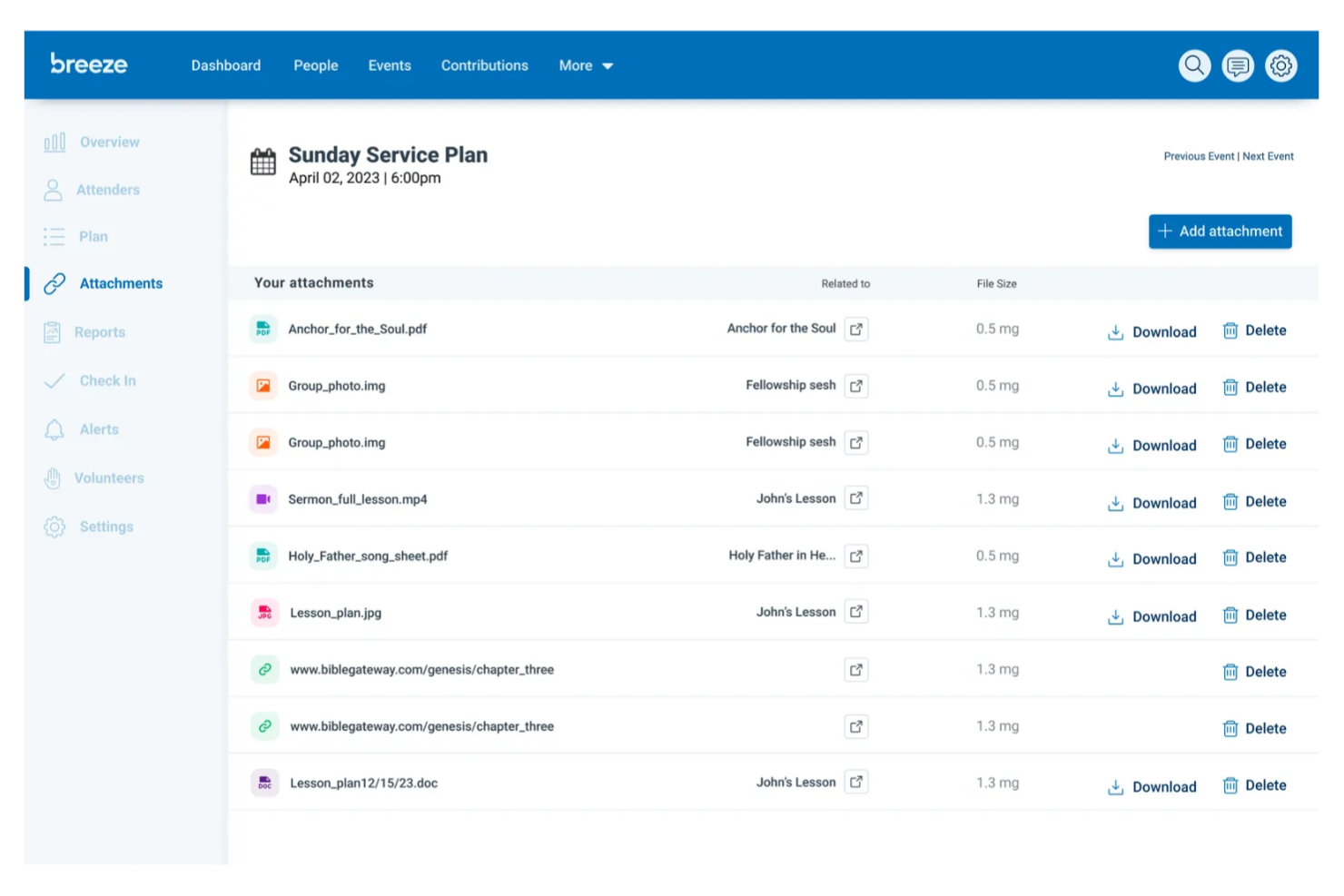
For churches that want to get started quickly, Breeze ChMS offers a setup process designed to minimize onboarding time. This tool is a fit for leaders who need to organize people, events, and giving without a steep learning curve. Its straightforward approach helps smaller teams or first-time users manage church data and communication right away.
Why I Picked Breeze ChMS
When a church needs to get organized without a long setup process, Breeze ChMS stands out for its quick onboarding and setup. I picked Breeze ChMS because you can import member data, set up groups, and start tracking attendance in just a few steps. The platform’s event management and communication tools are ready to use right away, so you don’t have to wait to start connecting with your congregation. For churches that want to move fast and avoid technical hurdles, Breeze ChMS offers a direct path to getting started.
Breeze ChMS Key Features
Some other features in Breeze ChMS can help you manage your church’s growth and engagement:
- Online Giving: Accept and track donations through customizable online giving forms.
- Volunteer Management: Organize volunteer teams and schedule service opportunities.
- Text and Email Messaging: Send group or individual messages directly from the platform.
- Customizable Reports: Generate reports on attendance, giving, and member engagement.
Breeze ChMS Integrations
Integrations include QuickBooks, Tithely Giving, Tithely Church Apps, Tithely Sites, SongSelect, Mailchimp, Breeze Worship Tools, and more.
Pros and Cons
Pros:
- Volunteer scheduling links to event calendars
- Bulk communication tools include text and email
- Member directory supports custom fields and tags
Cons:
- No built-in background check functionality
- Event registration lacks payment processing options

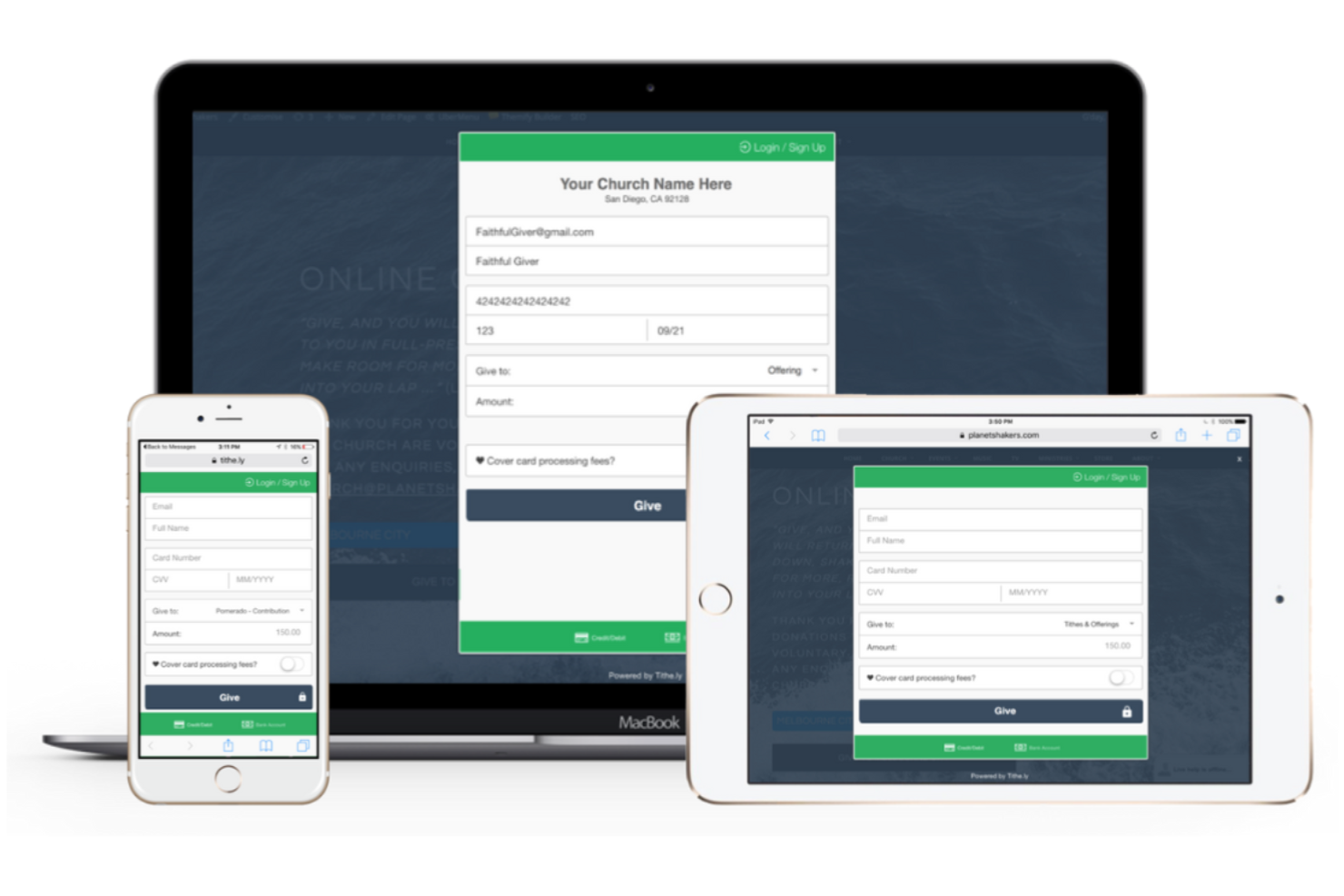
If your church is looking for a way to connect giving, communication, and member management in one place, Tithely is designed for you. This platform appeals to leaders who want integrated digital giving tools alongside church management features. Its focus on smooth online and mobile giving helps churches encourage generosity and simplify financial tracking.
Why I Picked Tithely
For churches that want to make giving simple and accessible, Tithely stands out with its integrated giving solutions. I picked Tithely because it combines online, mobile, and text-based giving options directly within its church management platform. The tool also offers features like recurring giving and detailed donation tracking, which help churches encourage consistent generosity and manage finances transparently. These capabilities make Tithely a strong fit for leaders who want to grow their ministries by making generosity easy for their congregations.
Tithely Key Features
Some other features that make Tithely useful for church growth include:
- Event Management: Schedule, promote, and track attendance for church events.
- Member Directory: Maintain a searchable database of member profiles and contact details.
- Group Messaging: Send targeted messages to specific groups or teams within your church.
- Volunteer Scheduling: Organize and assign volunteers to roles and shifts for services and events.
Tithely Integrations
Integrations include QuickBooks, RockRMS, The StudioC, Engiven, Elvanto, Salesforce, MinistryPlatform, Shelby Systems, FellowshipOne, and more.
Pros and Cons
Pros:
- Event registration links directly to giving tools
- Donor management tracks giving history and trends
- ntegrates with major church management systems
Cons:
- No built-in worship planning or media tools
- Giving transaction fees is not optional

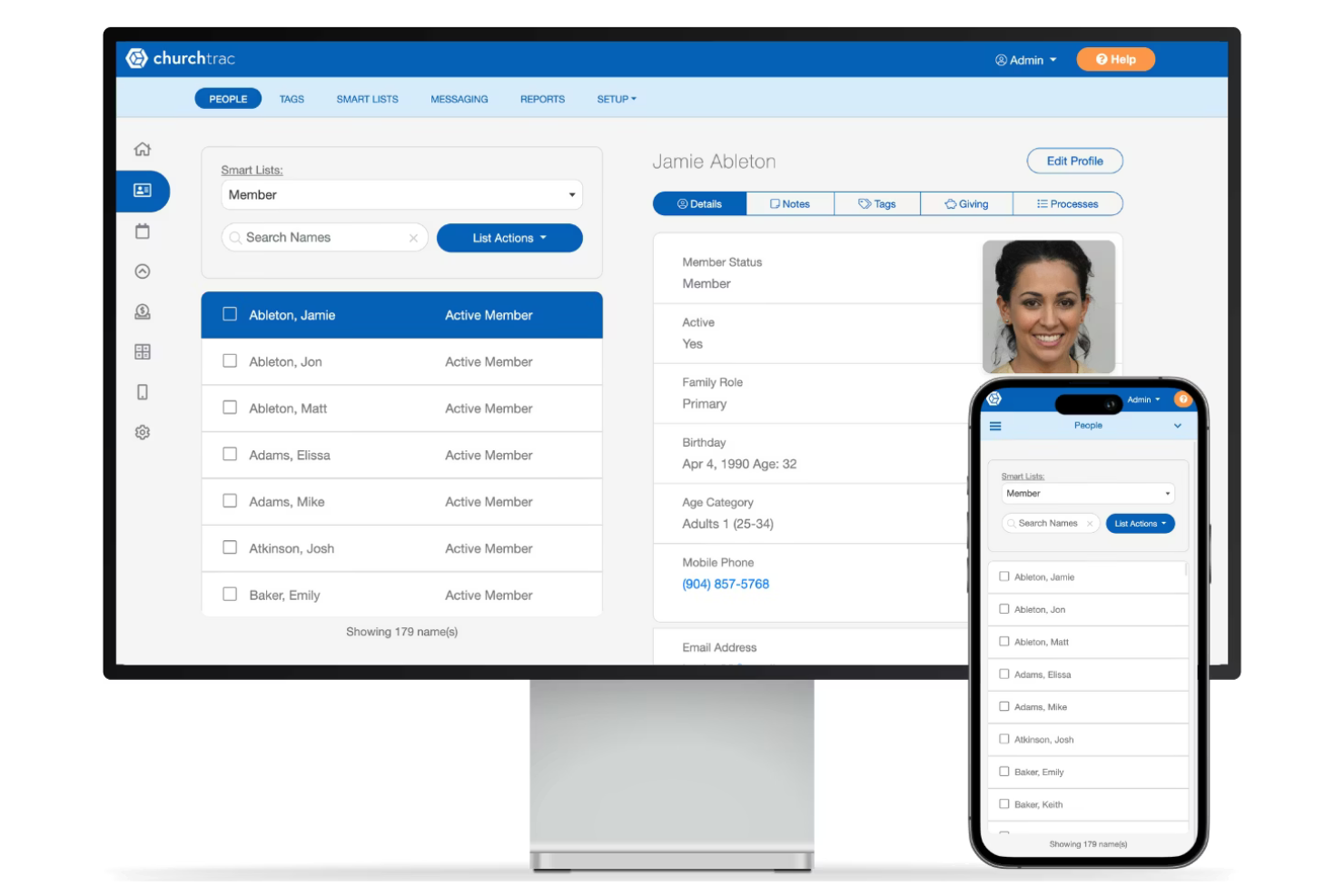
If you’re looking for a church growth platform that brings all your member management tasks into one place, ChurchTrac is worth a closer look. This tool is designed for church administrators who want to track attendance, manage giving, and organize events without juggling multiple systems. Its all-in-one approach helps leaders keep member data, communication, and ministry planning connected and accessible, while supporting features like credit card donations for easier giving management.
Why I Picked ChurchTrac
I chose ChurchTrac because it brings together all the core elements of member management in one platform. Its member database lets you track personal details, attendance, and involvement across ministries, which is essential for understanding and supporting church growth. I also like that you can manage contributions and giving records directly alongside member profiles, making financial tracking much simpler. The built-in event management tools help you coordinate everything from worship services to outreach, so you can keep your congregation connected and engaged.
ChurchTrac Key Features
Some other features in ChurchTrac can help you manage your church’s growth and daily operations:
- Custom Forms: Create digital forms for event registrations, volunteer sign-ups, or prayer requests and collect responses in one place.
- Text and Email Messaging: Send targeted messages to individuals or groups directly from the platform to keep your congregation informed.
- Worship Planning: Organize service elements, schedule teams, and share plans with worship leaders and volunteers.
- Child Check-In: Use a secure check-in system for children’s ministry to track attendance and ensure safety.
ChurchTrac Integrations
Integrations include Stripe, Twilio, SongSelect, MinistrySafe, Mailchimp, and more.
Pros and Cons
Pros:
- Supports text and email messaging to groups
- Offers secure child check-in functionality
- Includes built-in worship planning tools
Cons:
- Volunteer scheduling tools are basic
- Lacks built-in website builder features

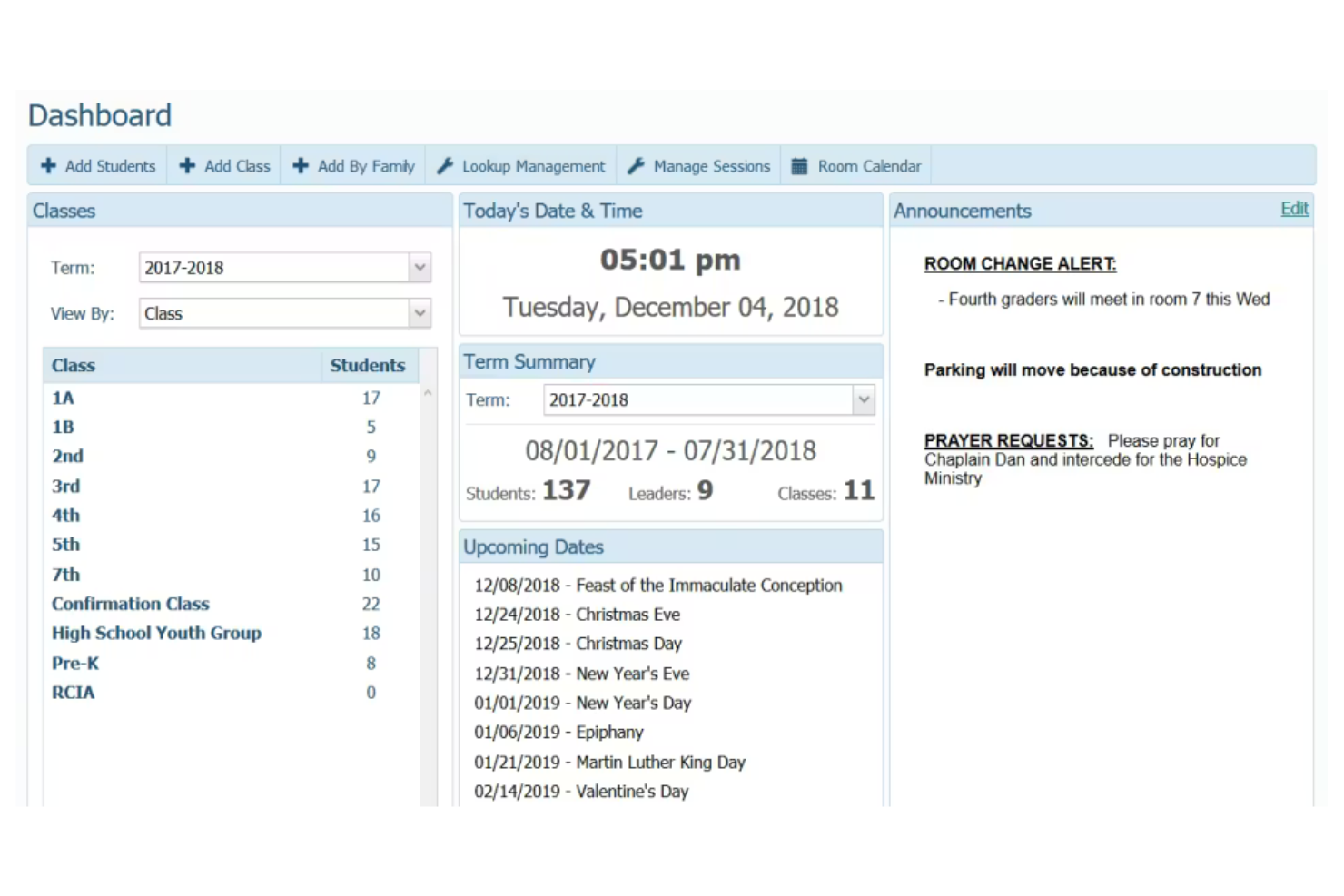
ParishSOFT is designed specifically for Catholic parishes and dioceses that need to manage complex administrative and sacramental records. This platform appeals to church leaders who want tools tailored for Catholic workflows, including parishioner management, religious education, and contribution tracking. Its focus on Catholic-specific needs helps simplify parish operations and maintain compliance with diocesan standards.
Why I Picked ParishSOFT
What sets ParishSOFT apart is its deep alignment with the unique needs of Catholic parish administration. I picked ParishSOFT because it offers sacramental record management and religious education tracking, both of which are essential for Catholic parishes. The platform also supports contribution management tailored to diocesan reporting requirements. These features help Catholic leaders maintain accurate records and meet compliance standards while supporting parish growth.
ParishSOFT Key Features
Some other features that make ParishSOFT valuable for church growth include:
- Online Giving Portal: Accept and track online donations from parishioners.
- Volunteer Scheduling: Organize and assign volunteers for ministries and events.
- Family Directory: Maintain detailed household and family member records.
- Event Registration: Manage sign-ups and attendance for parish events.
ParishSOFT Integrations
Native integrations are not currently listed.
Pros and Cons
Pros:
- Contribution tracking aligns with diocesan reporting
- Family directory links households and parishioners
- Religious education tracking for faith formation programs
Cons:
- Online giving portal does not support text-to-give
- No native integrations with external platforms

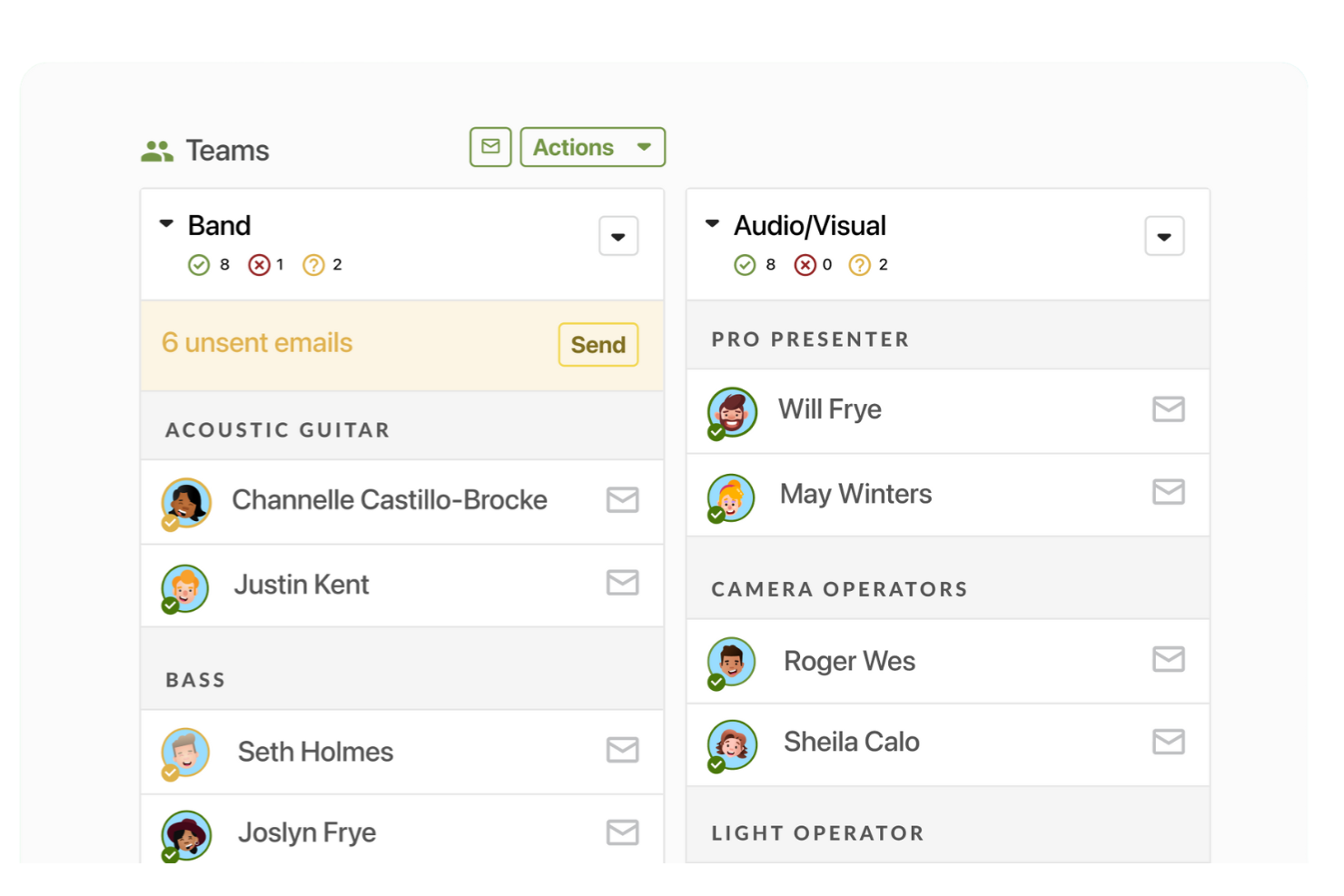
If your church needs a reliable way to coordinate volunteers, Planning Center offers specialized tools for scheduling and communication. This platform is designed for ministry leaders who manage rotating teams, service roles, and event staffing. Its volunteer scheduling features help you fill positions, track availability, and keep everyone informed as your church grows.
Why I Picked Planning Center
Volunteer scheduling is a challenge for many growing churches, and Planning Center addresses this need with purpose-built tools. I picked Planning Center because it lets you create volunteer teams, assign roles, and automate reminders for upcoming service dates. The platform’s availability tracking helps you avoid double-booking and ensures every position is filled. With its focus on volunteer coordination, Planning Center supports churches that rely on organized, dependable teams to serve their communities.
Planning Center Key Features
Some other features in Planning Center can help you manage your church’s operations and engagement:
- Event Registration: Collect sign-ups, manage payments, and track attendance for church events.
- Check-Ins: Provide secure child check-in and attendance tracking for classes and programs.
- Giving Management: Accept, track, and report on donations and recurring gifts.
- Resource Booking: Reserve rooms, equipment, and facilities for meetings and ministry activities.
Planning Center Integrations
Integrations include BoxCast, Checkr, Mailchimp, PraiseCharts, RehearsalMix, SongSelect, Clearstream, MinistrySafe, Protect My Ministry, and more.
Pros and Cons
Pros:
- Check-in system offers secure child check-in
- Service planning includes music and media libraries
- Volunteer scheduling supports recurring and rotating teams
Cons:
- Integrations require separate subscriptions or accounts
- No built-in workflow automation for follow-up

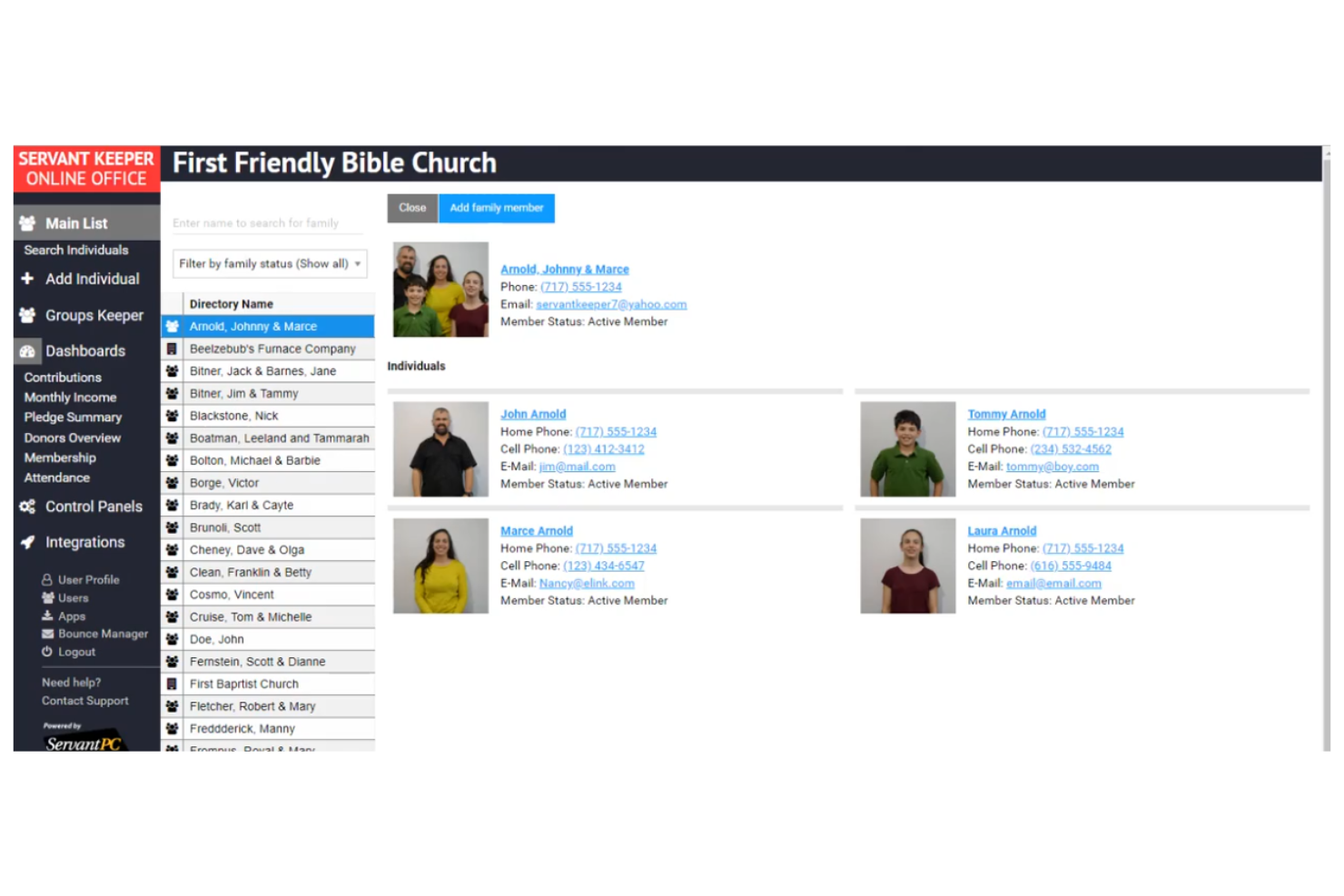
If your church needs to track attendance patterns in detail, Servant Keeper offers specialized tools for this purpose. This platform is designed for leaders who want to monitor engagement across multiple ministries, classes, and events. Its flexible attendance features help you spot trends and follow up with individuals or groups who may need extra care.
Why I Picked Servant Keeper
For churches that want to go beyond basic headcounts, Servant Keeper offers detailed attendance tracking that supports deeper engagement. I picked Servant Keeper because it lets you track attendance by individual, group, or event, and even record reasons for absences. The system’s customizable attendance forms and reporting tools help you identify trends and follow up with members who may be slipping through the cracks. This level of detail is especially valuable for ministries focused on nurturing relationships and supporting church growth through personal connection.
Servant Keeper Key Features
In addition to its attendance tracking capabilities, Servant Keeper offers several other features that support church management:
- Member Profiles: Store detailed information, including contact details, family relationships, and custom fields.
- Contribution Tracking: Record and report on donations, pledges, and giving history for individuals and groups.
- Mass Communication Tools: Send emails, texts, or printed letters to targeted groups or the entire congregation.
- Child Check-In System: Manage secure check-in and check-out for children’s ministries and events.
Servant Keeper Integrations
Native integrations are not currently listed.
Pros and Cons
Pros:
- Contribution tracking links to member profiles
- Child check-in system supports printed badges
- Attendance reports include custom absence reasons
Cons:
- Event management tools are limited in scope
- Contribution statements lack advanced formatting options

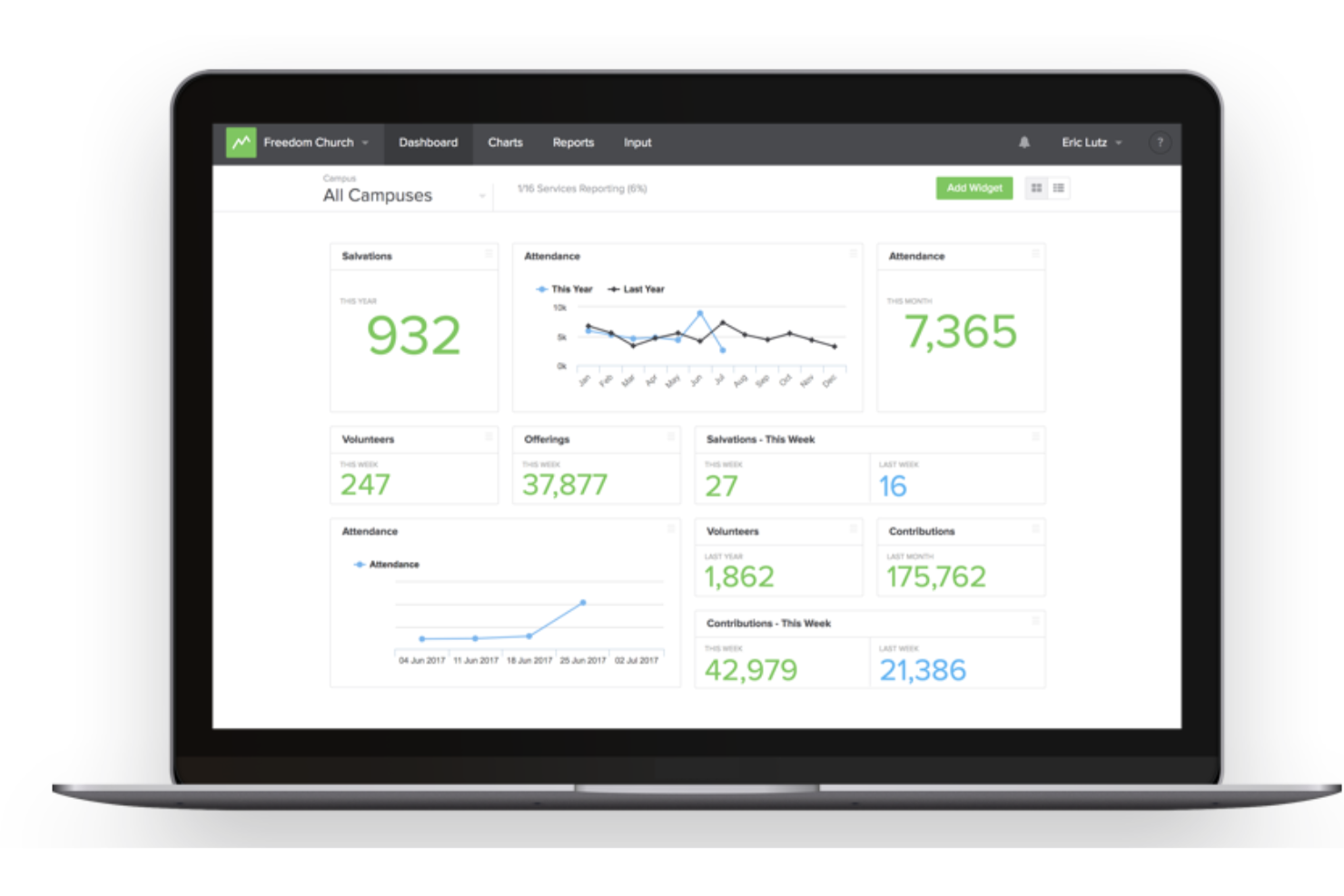
If you’re looking for a way to track church attendance, giving, and engagement in real time, Church Metrics is designed for you. This tool appeals to pastors and ministry leaders who want to visualize trends and make data-driven decisions quickly. Its customizable dashboards and mobile access help you monitor ministry health and growth from anywhere.
Why I Picked Church Metrics
When you need instant insight into your church’s health, Church Metrics stands out for its real-time analytics dashboards. I picked Church Metrics because it lets you track attendance, giving, salvations, and other key metrics as soon as data is entered. The platform’s customizable dashboards and reporting tools help you spot trends and respond quickly to changes in your ministry. This focus on live data makes it easier to measure growth and make informed decisions week by week.
Church Metrics Key Features
Some other features that make Church Metrics useful for church growth include:
- Multi-Campus Tracking: Monitor and compare data across multiple church locations from a single account.
- Custom Metric Creation: Set up and track unique data points specific to your ministry’s needs.
- Mobile App Access: Enter and view data on the go using dedicated iOS and Android apps.
- Role-Based Permissions: Assign different access levels to staff and volunteers for data entry and reporting.
Church Metrics Integrations
Native integrations are not currently listed.
Pros and Cons
Pros:
- Real-time dashboards update instantly with new data
- Mobile app supports on-the-go data entry
- Custom metrics track unique ministry activities
Cons:
- Data import options are limited for new users
- No built-in giving or donation tracking

TouchPoint Software is designed for churches that want to connect discipleship, communication, and administration in one place. This platform appeals to leaders who need tools for tracking spiritual growth, managing small groups, and following up with members. Its integrated discipleship features help you guide people through next steps and keep your ministry focused on spiritual development.
Why I Picked TouchPoint Software
What sets TouchPoint Software apart is its focus on integrated discipleship tools that help churches nurture spiritual growth at every stage. I picked TouchPoint Software because it lets you create and manage discipleship pathways, track individual progress, and automate follow-up tasks for next steps like baptism or volunteering. The platform’s small group management and attendance tracking features also support leaders in building deeper connections within the congregation. These tools make it easier to keep discipleship at the center of your church’s growth strategy.
TouchPoint Software Key Features
In addition to its discipleship tools, TouchPoint Software offers several other features that support church management:
- Online Giving Platform: Accept and track donations through customizable online giving forms.
- Mobile App for Members: Provide a branded app where members can register for events, give, and access resources.
- Volunteer Management: Schedule, communicate with, and track volunteers for various ministries and events.
- Email and Text Messaging: Send targeted communications to individuals, groups, or the entire congregation.
TouchPoint Software Integrations
Native integrations are not currently listed.
Pros and Cons
Pros:
- Built-in text messaging for targeted follow-up
- Volunteer scheduling includes automated reminders
- Discipleship pathways track members' spiritual growth Volunteer scheduling includes automated reminders Built-in text messaging for targeted follow-up
Cons:
- Recurring giving setup can be confusing
- Member portal branding requires additional setup
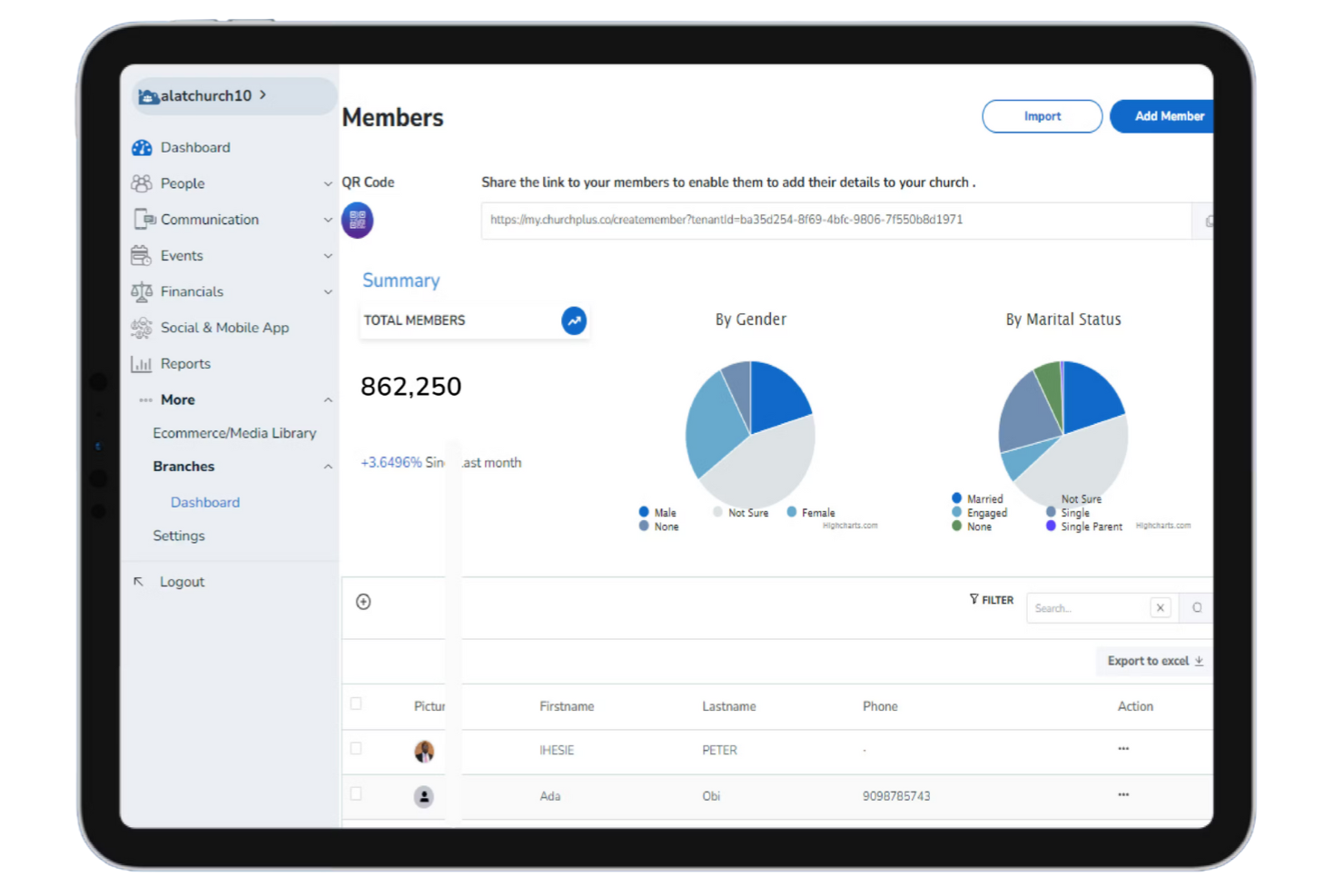
ChurchPlus stands out for churches that want to reach members through SMS and WhatsApp messaging. This platform is a fit for leaders who need to coordinate communication, send reminders, and engage congregations where they’re most active. Its focus on direct, mobile-first outreach helps churches keep members informed and connected in real time.
Why I Picked ChurchPlus
Direct communication is essential for church leaders who want to keep their congregations engaged and informed. I picked ChurchPlus because it offers built-in SMS and WhatsApp messaging, making it easy to reach members on the platforms they use most. The tool also supports bulk messaging and automated reminders, which help churches coordinate events and follow up with attendees. These features make ChurchPlus a strong choice for ministries focused on timely, personal outreach as part of their growth strategy.
ChurchPlus Key Features
Some other features that make ChurchPlus useful for church growth include:
- Member Database: Store and organize detailed member profiles and contact information.
- Attendance Tracking: Record and monitor attendance for services and events.
- Online Giving: Accept and manage digital donations through the platform.
- Event Management: Plan, schedule, and oversee church events from a central dashboard.
ChurchPlus Integrations
Native integrations are not currently listed.
Pros and Cons
Pros:
- Online giving supports multiple payment gateways
- Attendance tracking links to member profiles
- Bulk messaging supports large congregation outreach
Cons:
- Volunteer management features are not included
- No built-in sermon or media library
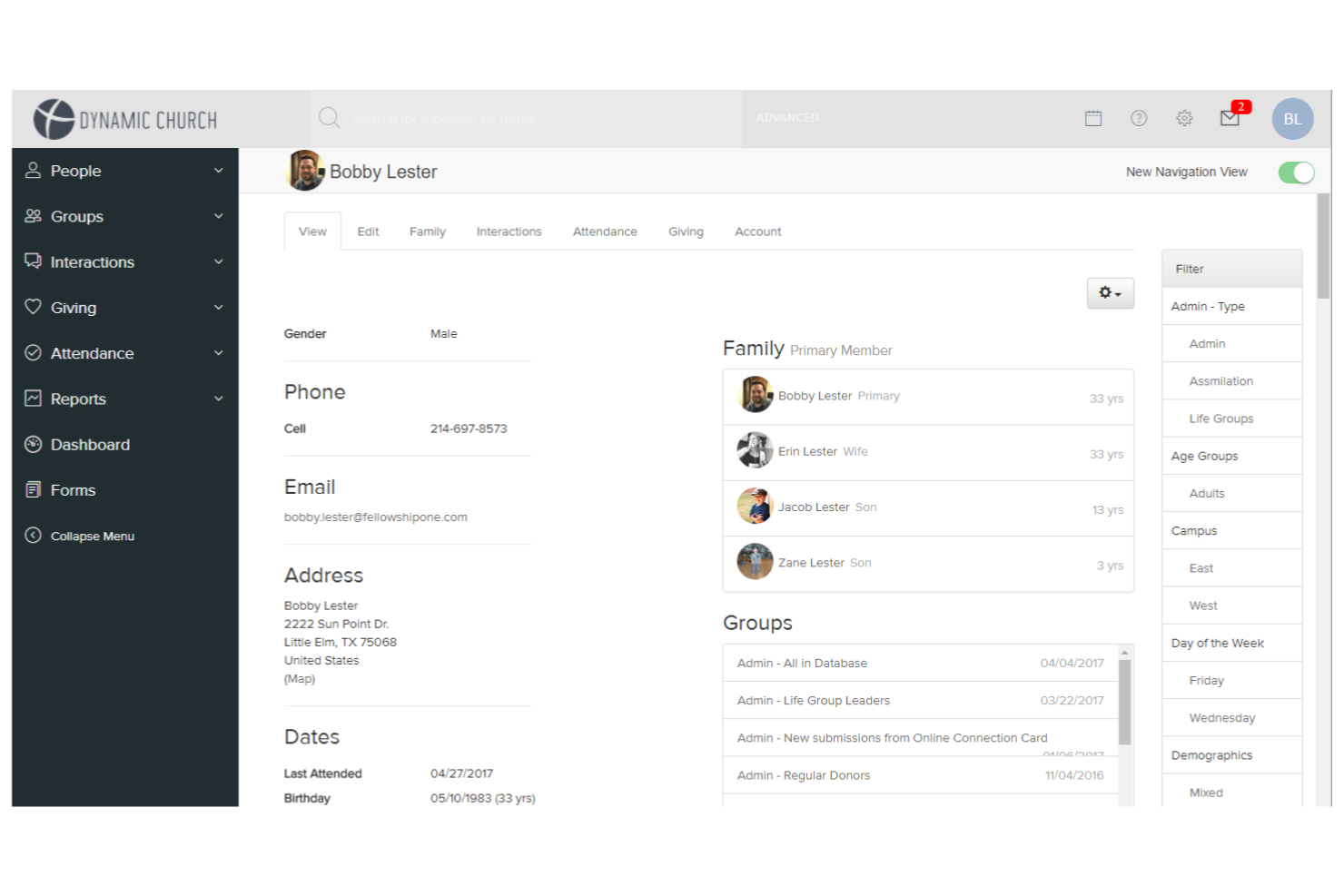
FellowshipOne is built for churches managing multiple campuses or locations under one ministry. This platform appeals to leaders who need to coordinate people, events, and resources across several sites without losing visibility or control. Its centralized administration tools help you unify data, standardize processes, and support growth across your entire organization.
Why I Picked FellowshipOne
For churches operating across multiple campuses, FellowshipOne offers tools that help you manage complex organizational structures from a single platform. I picked FellowshipOne because it lets you centralize member data, event scheduling, and volunteer coordination for all your locations. The platform’s campus-specific reporting and permissions make it possible to maintain both oversight and autonomy at each site. This approach supports church growth by making it easier to scale ministries and maintain consistency as you expand.
FellowshipOne Key Features
Some other features that make FellowshipOne useful for church growth include:
- Online Giving Tools: Accept and track donations through customizable online giving forms.
- Child Check-In System: Manage secure check-in and check-out for children’s ministries and events.
- Group Management: Organize, track, and communicate with small groups or ministry teams.
- Automated Workflow Engine: Set up automated processes for follow-up, communication, and task assignments.
FellowshipOne Integrations
Integrations include FellowshipOne Giving and FellowshipOne Financials. FellowshipOne also offers an API for custom integrations.
Pros and Cons
Pros:
- Group management tracks ministry participation
- Child check-in system supports large events
- Multi-campus dashboard centralizes all location data
Cons:
- Data migration from other systems can be complex
- Reporting exports require manual formatting
Other Church Growth Software
Here are some additional church growth software options that didn’t make it onto my shortlist, but are still worth checking out:
- One Church Software
For customizable workflow automation
- ChMeetings
For mobile-first congregation access
- Ministry Brands
With multi-campus management tools
- Gracely
For automated guest follow-up workflows


Church Growth Software Selection Criteria
When selecting the best church growth software to include in this list, I considered common buyer needs and pain points like tracking member engagement and managing digital giving. I also used the following framework to keep my evaluation structured and fair:
Core Functionality (25% of total score)
To be considered for inclusion in this list, each solution had to fulfill these common use cases:
- Manage member and visitor information
- Track attendance and engagement
- Facilitate online and mobile giving
- Organize events and volunteer schedules
- Communicate with groups and individuals
Additional Standout Features (25% of total score)
To help further narrow down the competition, I also looked for unique features, such as:
- Automated guest follow-up workflows
- Multi-campus management capabilities
- Customizable reporting and analytics
- Integrated worship planning tools
- Mobile app for congregation engagement
Usability (10% of total score)
To get a sense of the usability of each system, I considered the following:
- Simple and intuitive navigation
- Clean and modern interface design
- Minimal clicks to complete core tasks
- Responsive design for mobile and desktop
- Clear labeling and accessible menus
Onboarding (10% of total score)
To evaluate the onboarding experience for each platform, I considered the following:
- Availability of step-by-step setup guides
- Access to training videos and tutorials
- Pre-built templates for common workflows
- Interactive product tours or walkthroughs
- Live chat or onboarding webinars
Customer Support (10% of total score)
To assess each software provider’s customer support services, I considered the following:
- Multiple support channels like chat, email, and phone
- Fast response times to inquiries
- Access to a searchable help center
- Availability of dedicated account managers
- Community forums or user groups
Value For Money (10% of total score)
To evaluate the value for money of each platform, I considered the following:
- Transparent and predictable pricing structure
- Features included at each pricing tier
- No hidden fees or surprise charges
- Discounts for nonprofits or annual billing
- Flexibility to scale as the church grows
Customer Reviews (10% of total score)
To get a sense of overall customer satisfaction, I considered the following when reading customer reviews:
- Positive feedback on core features
- Reports of reliable uptime and performance
- Comments on ease of adoption and training
- Experiences with customer support quality
- Suggestions for improvement or missing features
How to Choose Church Growth Software
It’s easy to get bogged down in long feature lists and complex pricing structures. To help you stay focused as you work through your unique software selection process, here’s a checklist of factors to keep in mind:
| Factor | What to Consider |
|---|---|
| Scalability | Will the software support your church as it grows in size, campuses, or ministries? Check for user limits, data caps, and upgrade paths. |
| Integrations | Does it connect with your existing tools for accounting, communication, or worship planning? Confirm native integrations, not just API options. |
| Customizability | Can you tailor workflows, forms, and communications to fit your church’s unique processes and branding? Avoid rigid systems that force you into a one-size-fits-all approach. |
| Ease of use | Will staff and volunteers of varying tech skill levels be able to use it confidently? Look for clear navigation and minimal training requirements. |
| Implementation and onboarding | How long will it take to get up and running? Ask about data migration, training resources, and support during setup. |
| Cost | Are all costs transparent, including transaction fees, add-ons, and support? Compare the total cost of ownership, not just monthly rates. |
| Security safeguards | How does the vendor protect sensitive member and financial data? Look for encryption, access controls, and compliance with privacy standards. |
| Support availability | What support channels are offered, and during what hours? Consider if you’ll need weekend or after-hours help, especially around major events. |
What Is Church Growth Software?
Church growth software is a digital platform designed to help churches manage outreach, engagement, and operational tasks that support growth. These tools typically combine features for tracking attendance, managing giving, organizing events, and communicating with members. By centralizing these functions, church growth software helps leaders understand trends, nurture relationships, and coordinate ministry efforts more effectively.
Features of Church Growth Software
When selecting church growth software, keep an eye out for the following key features:
- Member management: Store, organize, and update detailed records for members, visitors, and families, making it easier to track engagement and follow up.
- Attendance tracking: Record attendance for services, events, and small groups, helping leaders spot trends and identify outreach opportunities.
- Online giving: Enable secure digital donations through web, mobile, or text, and track giving history for individuals and households.
- Event management: Plan, schedule, and promote church events, with tools for registration, reminders, and volunteer coordination.
- Communication tools: Send targeted emails, texts, or app notifications to specific groups or the entire congregation for timely updates and announcements.
- Volunteer scheduling: Assign, organize, and communicate with volunteers for services, events, and ongoing ministry roles.
- Reporting and analytics: Generate reports on attendance, giving, and engagement to inform decision-making and measure ministry impact.
- Group management: Create and manage small groups, classes, or ministry teams, including rosters, meeting schedules, and communication.
- Integration capabilities: Connect with other software such as accounting platforms, worship planning tools, or email marketing systems to streamline workflows.
Benefits of Church Growth Software
Implementing church growth software provides several benefits for your team and your business. Here are a few you can look forward to:
- Centralized information: Keep all member, giving, and event data in one place, making it easier to access and manage.
- Improved engagement: Use communication tools and attendance tracking to connect with members and visitors more intentionally.
- Simplified giving: Offer multiple digital giving options and track contributions, supporting consistent financial health.
- Simplified event planning: Coordinate events, volunteers, and registrations from a single platform, reducing administrative work.
- Data-driven decisions: Generate reports and analytics to understand trends and measure ministry impact.
- Improved volunteer management: Schedule, organize, and communicate with volunteers efficiently, ensuring roles are filled and teams are supported.
- Scalable growth: Adapt the software as your church expands, adding new users, ministries, or campuses without disruption.
Costs and Pricing of Church Growth Software
Selecting church growth software requires an understanding of the various pricing models and plans available. Costs vary based on features, team size, add-ons, and more. The table below summarizes common plans, their average prices, and typical features included in church growth software solutions:
Plan Comparison Table for Church Growth Software
| Plan Type | Average Price | Common Features |
|---|---|---|
| Free Plan | $0 | Basic member management, limited event scheduling, simple attendance tracking, and basic reporting. |
| Personal Plan | $10–$30/month | Member and group management, online giving, event planning, email communication, and basic analytics. |
| Business Plan | $40–$100/month | Advanced reporting, volunteer scheduling, mobile app access, integration options, and custom branding. |
| Enterprise Plan | $150–$400/month | Multi-campus support, advanced security, dedicated support, custom workflows, and unlimited users. |
Church Growth Software FAQs
Here are some answers to common questions about church growth software:
How does church growth software help with member engagement?
Church growth software helps you track attendance, follow up with visitors, and send targeted communications. This makes it easier to identify trends, reach out to those who may be disengaging, and keep your congregation connected and informed.
Can church growth software handle multiple campuses or locations?
Yes, many church growth software solutions offer multi-campus management. This lets you track attendance, giving, and events separately for each location while still providing a unified view for leadership.
What should I look for when migrating data to new church growth software?
Look for tools that offer data import options, migration support, and clear documentation. Ask about compatibility with your current system and whether the vendor provides onboarding assistance or templates to simplify the process.
Is church growth software secure for handling sensitive information?
Yes, most reputable church growth software uses encryption, access controls, and compliance with privacy standards. Always confirm what security measures are in place and who can access sensitive member and financial data.
How customizable are church growth software platforms?
Most platforms allow you to customize forms, workflows, and communication templates. Some also let you adjust user permissions, branding, and reporting to better fit your church’s unique needs.
What kind of support is available if I run into issues?
Support options vary, but many vendors offer live chat, email, phone support, and searchable help centers. Some also provide onboarding webinars, training videos, and user communities for ongoing help.