
Quickbooks Online Review: Pros, Cons, Features & Pricing
Quickbooks Online offers comprehensive accounting tools that are ideal for managing church finances (and small business needs), though its cost and complexity may challenge smaller congregations.

We review tools independently, and commissions help fund our testing. See our transparency policy, our methodology, or suggest a tool.
QuickBooks Online is a church accounting software built for ministries managing multiple funds, donation records, and detailed financial reports. I'd consider it if your church has outgrown a tool like Aplos. QuickBooks Online gives you deeper accounting functionality and a broader integration ecosystem, without the complexity of enterprise finance systems.
QuickBooks Online Evaluation Summary
4/5
- From $38/month
- Free plan + 30-day free trial available
Why Trust Our Software Recommendations
6,700+
Reviews
20
Industry experts
16+
Evaluation factors
14
Years
Our team has been testing and reviewing software since 2012. As church leaders ourselves, we know how difficult—and important—it is to choose the right software.
For this guide, we evaluated tools using hands-on testing and independent research, scoring tools using our selection criteria.
Our reviews reflect our human editorial judgment, not a sales pitch.
QuickBooks Online Overview
Pros
- You can easily track donations and expenses with detailed reporting and expense tracking.
- The platform provides strong security features to protect your financial data, such as permissions and real-time monitoring.
- Its mobile app allows you to manage finances on the go, whether on android or ios devices. Quickbooks offers integrations for third-party apps, making it suitable for a variety of sales channels and e-commerce needs.
- Quickbooks payroll and bill pay features help streamline your workflow.
Cons
- You might find the interface overwhelming if you’re new to accounting software or double-entry systems.
- The customization options for financial reports and chart of accounts are somewhat limited compared to quickbooks desktop and other quickbooks alternatives.
- Customer support can be slow to respond, impacting your workflow.
- Some users may prefer the desktop version for certain functionality or inventory management needs.
Is QuickBooks Online Right For Your Needs?
Who Would be a Good Fit for QuickBooks Online?
Quickbooks Online is ideal for larger churches and ministries with complex financial needs. If your team handles multiple funding sources, tracks detailed expenses, and needs in-depth financial reports, this software will serve you well. Its robust security features ensure your financial data remains safe, making it perfect for organizations that prioritize data protection. Business owners who want to use Quickbooks to manage bank account activity, send invoices, and monitor cash flow in real-time will also benefit.
- Large ChurchesQuickbooks Online’s detailed reporting and financial management tools are perfect for handling complex budgets and project profitability.
- Ministries with StaffIf you have a dedicated finance team, Quickbooks Online offers the sophistication needed for precise management, including inventory tracking and time tracking.
- Nonprofit OrganizationsQuickbooks Online supports donation tracking, helping you manage contributions effectively with expense tracking and categorize features.
- Finance DepartmentsFor teams focused on detailed budget analysis, this software provides comprehensive financial insights and balance sheet management.
- Mobile TeamsQuickbooks Online’s mobile app lets you manage finances on the go, ideal for teams that work remotely on android or ios.
- Data-Security Focused OrganizationsIts strong security features protect sensitive financial information, making it suitable for those prioritizing data safety, including cpa and self-employed professionals.
Who Would be a Bad Fit for QuickBooks Online?
Quickbooks Online may not suit small churches or ministries with limited financial resources and simple accounting needs. If your team lacks dedicated financial staff, the complexity of the software might overwhelm you. Its interface can be challenging for those unfamiliar with accounting software, and you might find the onboarding process cumbersome without prior experience. Small business owners who only require basic bookkeeping or prefer using excel for simple bank transactions may want to consider Quickbooks alternatives.
- Small ChurchesThe complexity and pricing of Quickbooks Online can be excessive for churches with straightforward financial needs or those seeking only simple start features.
- Volunteer-Run GroupsWithout experienced finance staff, the software’s learning curve could be too steep for volunteer teams, especially those not familiar with double-entry systems.
- Simple BookkeepingIf you only need basic accounting, Quickbooks Online’s advanced features, such as inventory management and project profitability, might be unnecessary.
- Limited BudgetsOrganizations with tight finances might find the software’s pricing prohibitive, especially compared to Quickbooks alternatives like FreshBooks or Xero.
- Tech-Averse TeamsIf your team struggles with technology, Quickbooks Online’s interface might be difficult to navigate, and the user-friendly design of other tools may be preferable.
- Short-Term ProjectsFor temporary projects, the investment in Quickbooks Online may not be justified given its capabilities and pricing.
How We Test & Score Tools
We’ve spent years building, refining, and improving our software testing and scoring system. The rubric is designed to capture the nuances of software selection and what makes a tool effective, focusing on critical aspects of the decision-making process.
Below, you can see exactly how our testing and scoring works across seven criteria. It allows us to provide an unbiased evaluation of the software based on core functionality, standout features, ease of use, onboarding, customer support, integrations, customer reviews, and value for money.
Core Functionality (25% of final scoring)
The starting point of our evaluation is always the core functionality of the tool. Does it have the basic features and functions that a user would expect to see? Are any of those core features locked to higher-tiered pricing plans? At its core, we expect a tool to stand up against the baseline capabilities of its competitors.
Standout Features (25% of final scoring)
Next, we evaluate uncommon standout features that go above and beyond the core functionality typically found in tools of its kind. A high score reflects specialized or unique features that make the product faster, more efficient, or offer additional value to the user.
We also evaluate how easy it is to integrate with other tools typically found in the tech stack to expand the functionality and utility of the software. Tools offering plentiful native integrations, 3rd party connections, and API access to build custom integrations score best.
Ease of Use (10% of final scoring)
We consider how quick and easy it is to execute the tasks defined in the core functionality using the tool. High scoring software is well designed, intuitive to use, offers mobile apps, provides templates, and makes relatively complex tasks seem simple.
Onboarding (10% of final scoring)
We know how important rapid team adoption is for a new platform, so we evaluate how easy it is to learn and use a tool with minimal training. We evaluate how quickly a team member can get set up and start using the tool with no experience. High scoring solutions indicate little or no support is required.
Customer Support (10% of final scoring)
We review how quick and easy it is to get unstuck and find help by phone, live chat, or knowledge base. Tools and companies that provide real-time support score best, while chatbots score worst.
Customer Reviews (10% of final scoring)
Beyond our own testing and evaluation, we consider the net promoter score from current and past customers. We review their likelihood, given the option, to choose the tool again for the core functionality. A high scoring software reflects a high net promoter score from current or past customers.
Value for Money (10% of final scoring)
Lastly, in consideration of all the other criteria, we review the average price of entry level plans against the core features and consider the value of the other evaluation criteria. Software that delivers more, for less, will score higher.
Core Features
Donation Tracking: Keep tabs on contributions with ease, helping you manage and report on donations effortlessly. This feature ensures transparency and accountability for your donors, and integrates with your chart of accounts.
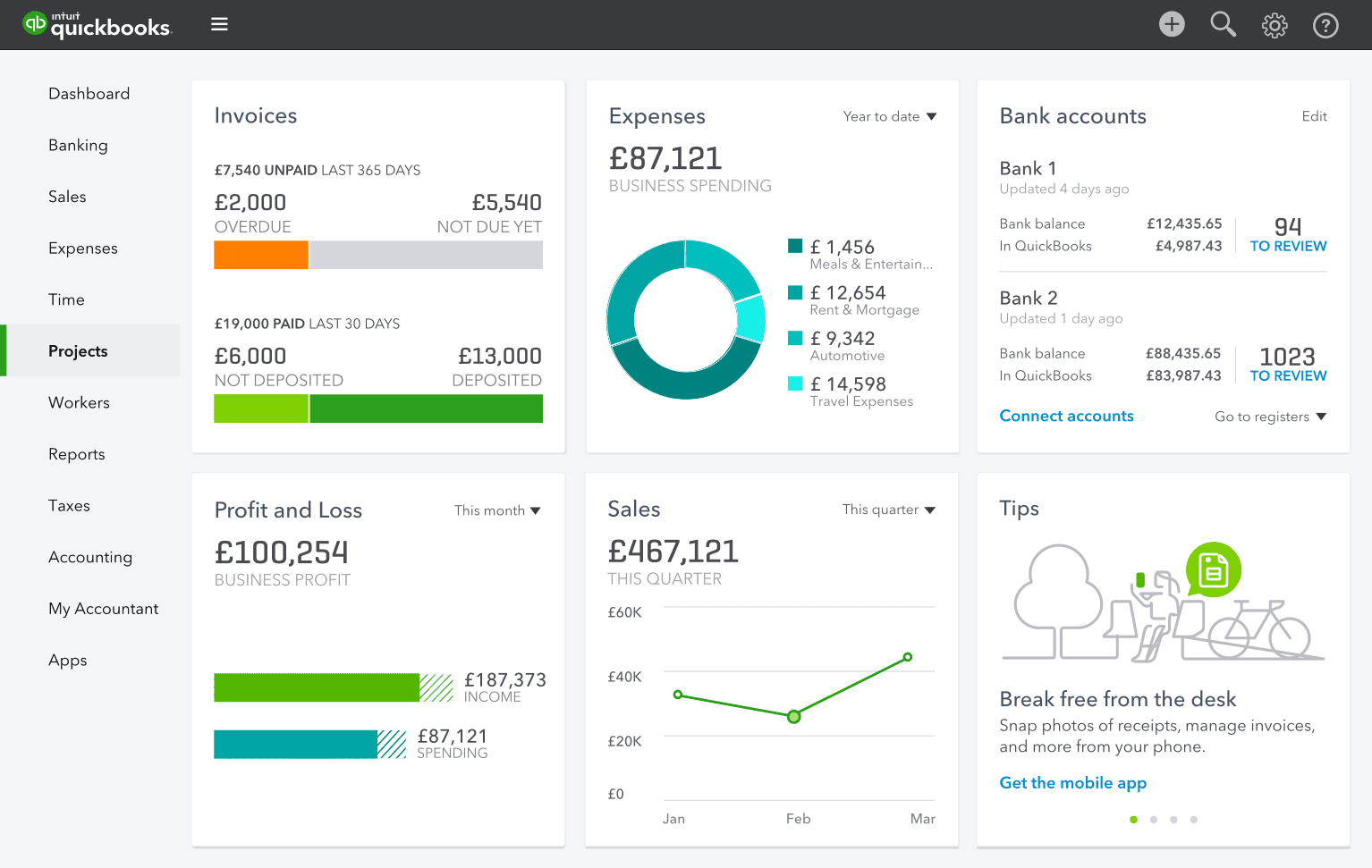
Expense Management: Record and categorize your expenses quickly, offering you a clear view of where your funds are going. It helps you stick to your budget, monitor cash flow, and make informed decisions.
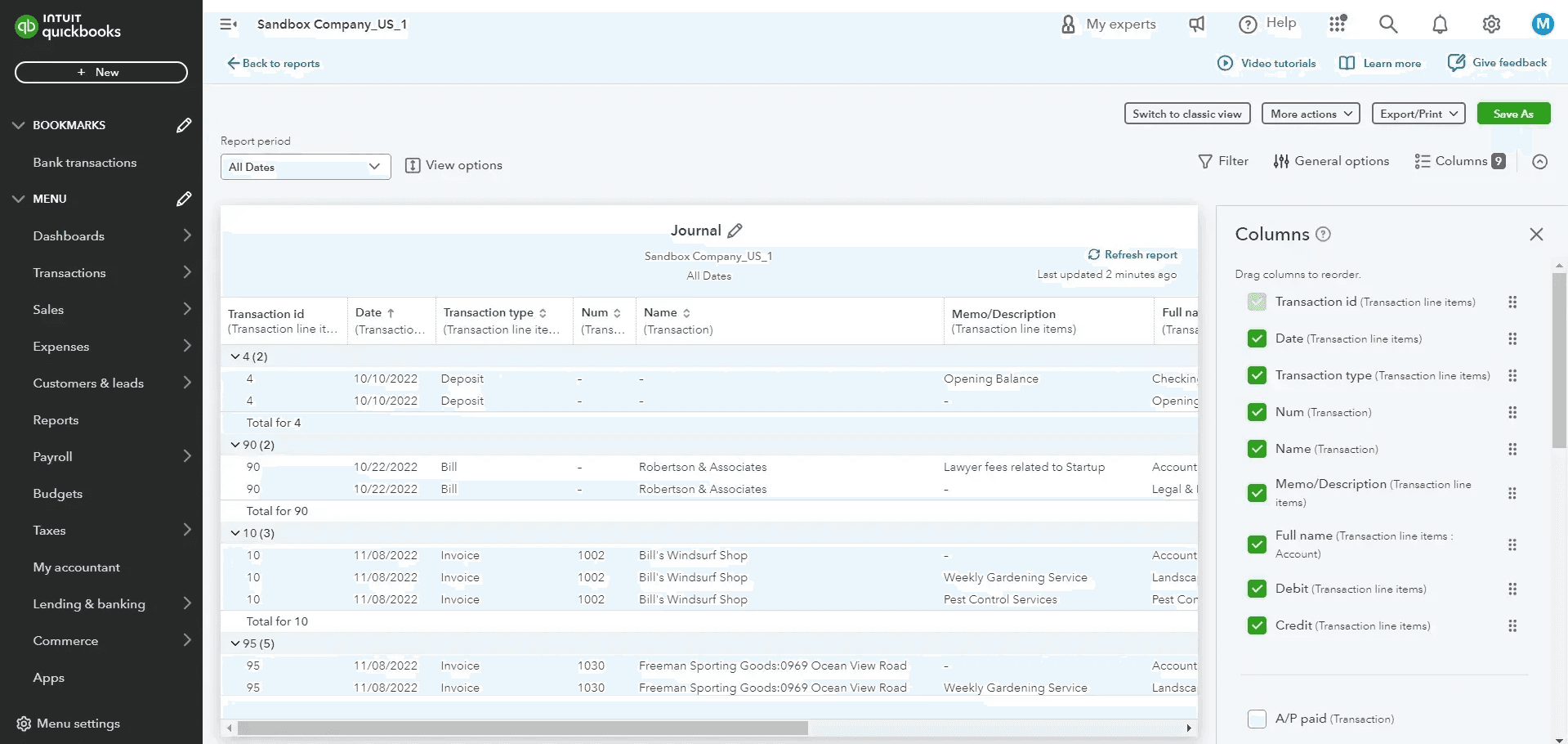
Financial Reporting: Generate detailed financial reports that provide insights into your church’s financial health. This feature helps you present clear financial data, including balance sheet and profit and loss statements, to your board and congregation.
Budgeting Tools: Plan and monitor your budgets with precision, allowing you to allocate resources effectively. You can adjust plans as needed to meet your financial goals and improve project profitability.
Payroll Processing: Handle staff payments efficiently, ensuring accurate and timely payroll management with Quickbooks payroll. This feature reduces errors and saves you time.
Audit Trails: Track every financial transaction, giving you a secure and traceable record of all activities. It ensures compliance and helps in internal audits, supporting your workflow.
Standout Features
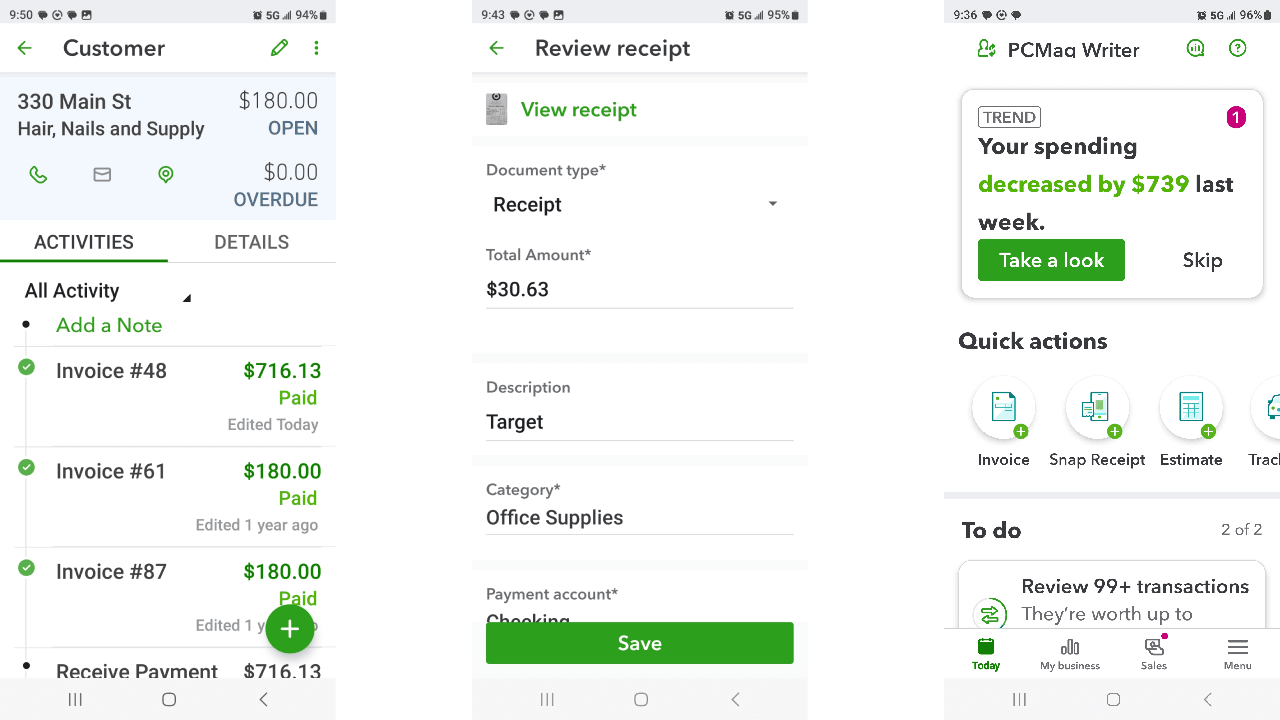
Mobile Access: With a user-friendly mobile app, you can manage your finances wherever you are. This feature allows you to stay on top of your accounting tasks on the go, whether you’re using Android or iOS.
Advanced Security: Protect your sensitive financial data with top-notch security measures, including permissions and real-time alerts. These safeguards give you peace of mind knowing your information is safe.
Ease of Use
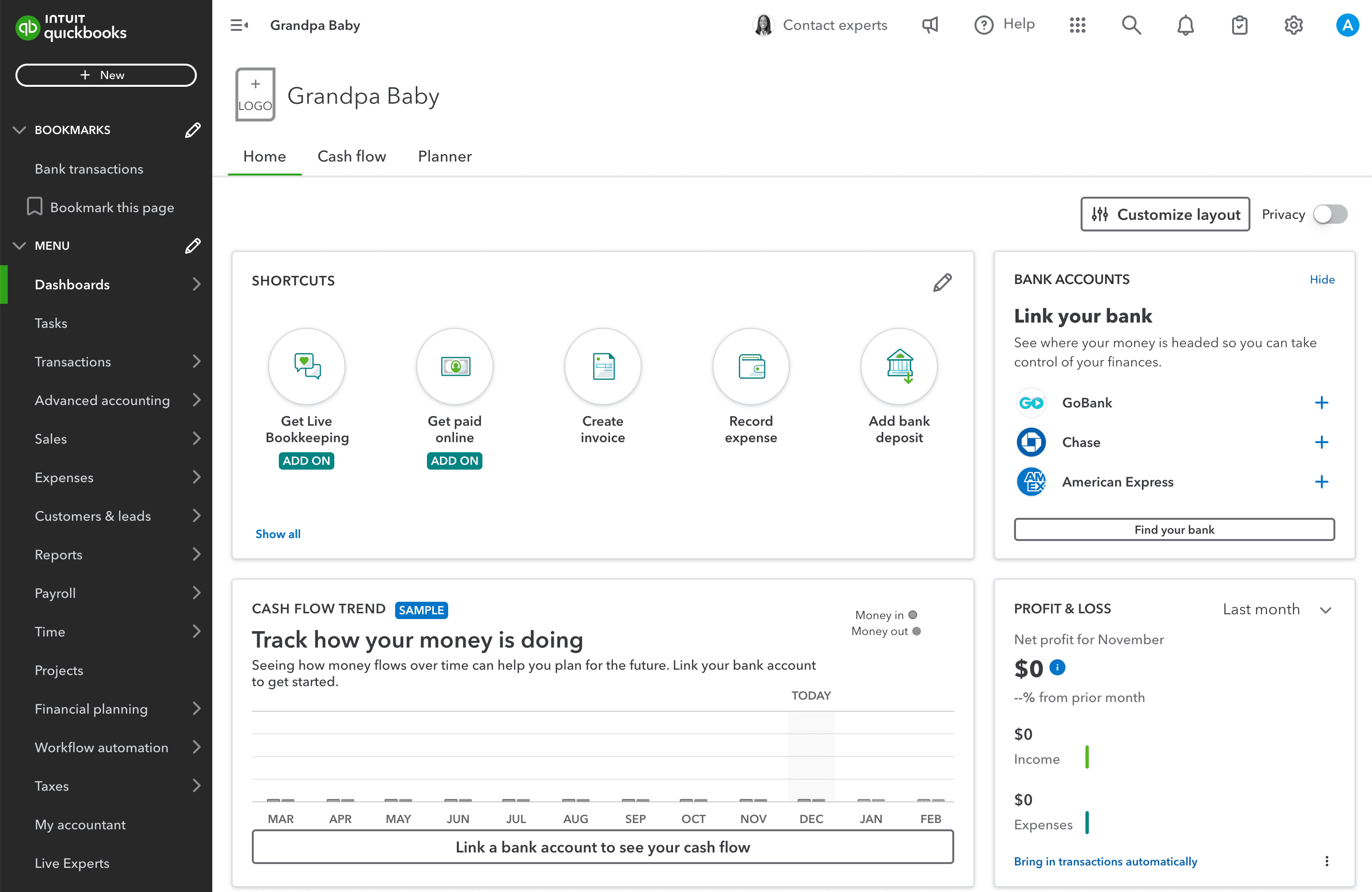
Quickbooks Online offers a robust set of features, but you might find its interface a bit challenging if you’re new to accounting software. The learning curve can be steep, especially without prior experience, but once you get the hang of it, the comprehensive tools become invaluable for small business accounting.
Its layout is organized, yet the abundance of options—from expense tracking to inventory management—might overwhelm users looking for straightforward solutions. However, once familiar, it streamlines your bookkeeping and accounting tasks efficiently, helping you automate routine entries and reconcile your bank account and credit card transactions.
Onboarding
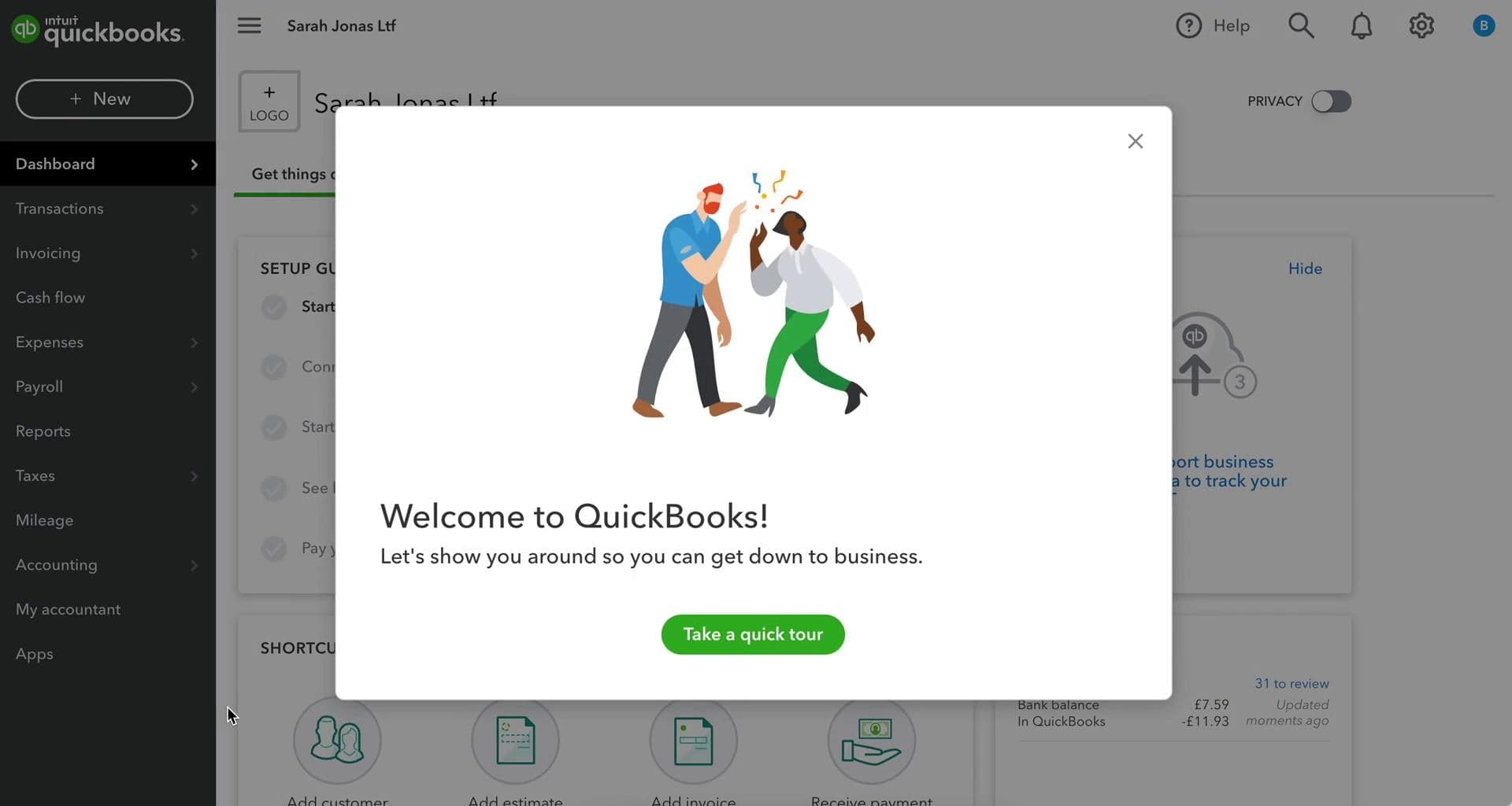
Quickbooks Online’s onboarding process can be daunting for new users, with its detailed setup and numerous features. While it offers tutorials and guides to help you get started, the initial learning phase may take time before you see value. Some users find the resources helpful, but others might need additional support to navigate the complexities, especially when migrating data from excel or other systems. If you’re prepared for a detailed setup, you’ll eventually appreciate the depth of its functionality.
Customer Support
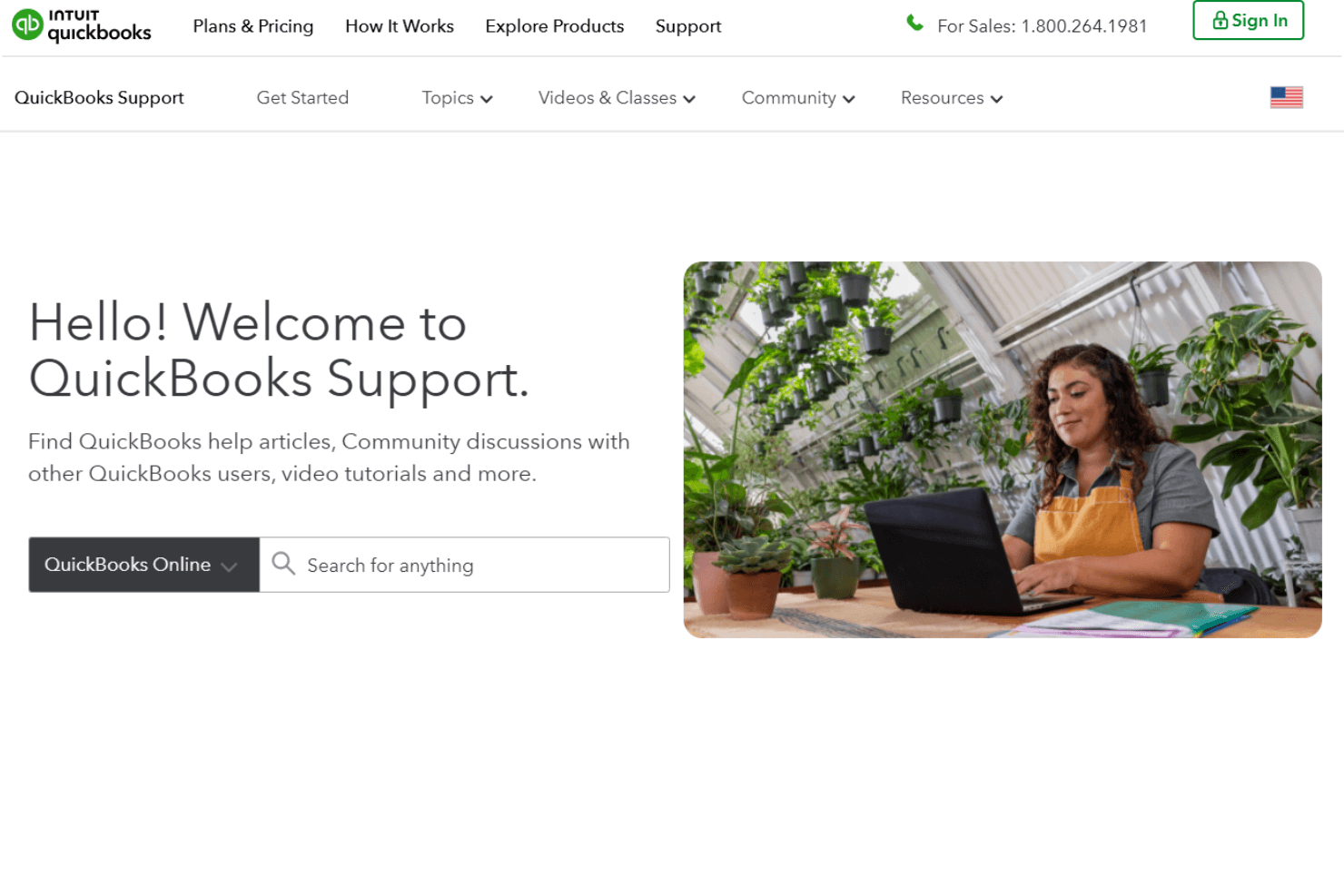
Quickbooks Online provides several customer support channels, including chat, phone, and online resources, but response times can be slow. Users often appreciate the detailed guides and community forums available, though some find direct support lacks immediacy. If you encounter issues, be prepared for possible delays in getting resolutions. The assistance can be helpful once reached, but patience might be required when waiting for support. Quickbooks Online integrates natively with PayPal, Square, Etsy, eBay, Shopify, SOS Inventory, QuickBooks Time, Method:CRM, and Gusto, making it easy to connect with your preferred sales channels and third-party apps.
Quickbooks Online also has an API and connects with third-party integration tools like Zapier, expanding its functionality for business owners.
Value for Money
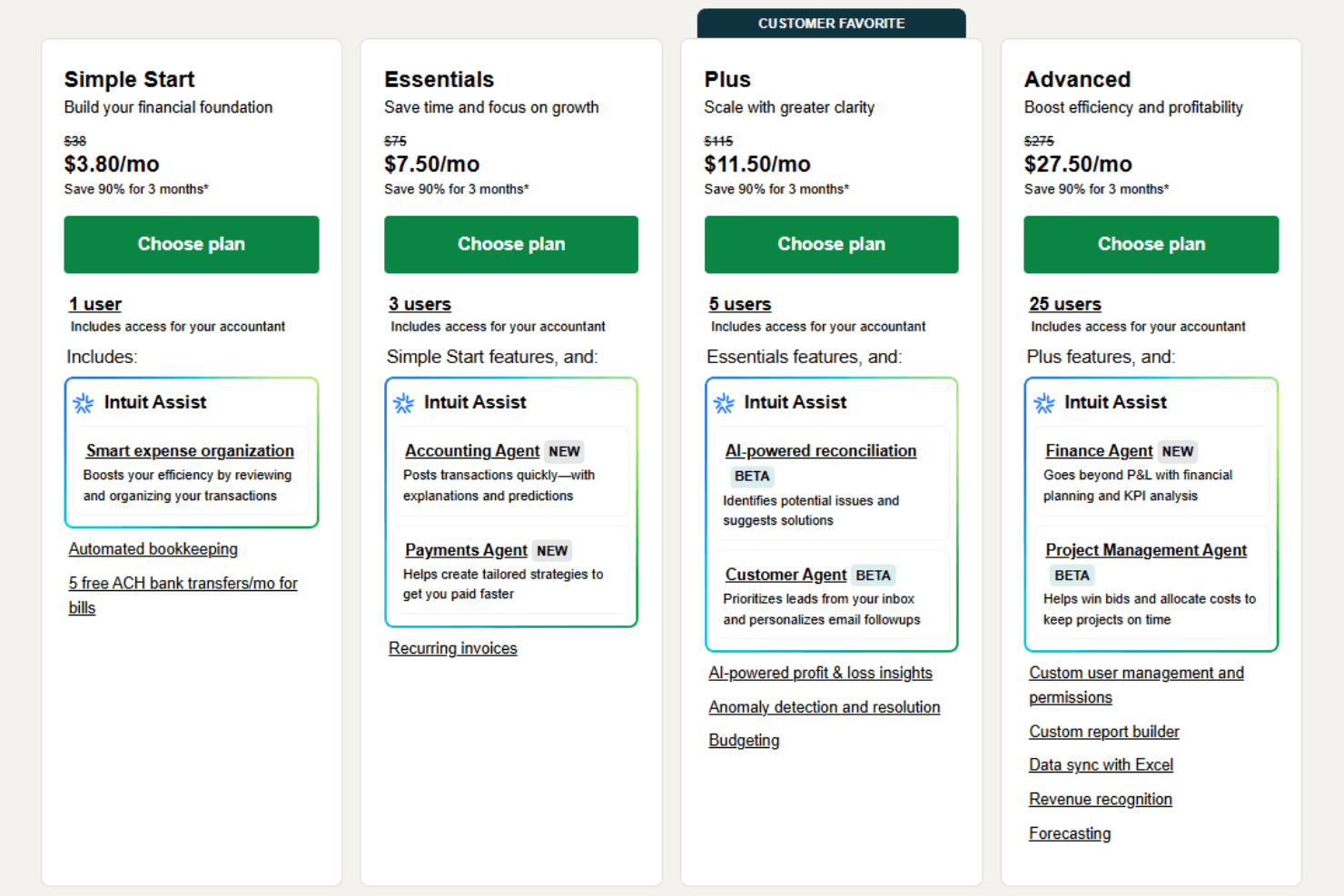
Quickbooks Online pricing may seem high, especially for smaller churches, but the features you get can justify the cost for larger organizations and small business owners. With multiple pricing tiers, you can choose a plan that fits your needs, though the investment might not be ideal for those with simple accounting requirements.
- Simple Start: Includes basic income and expense tracking, bank account and credit card management, and send invoices features.
- Essentials: Adds bill pay, sales tax tracking, and multi-user access with customizable permissions.
- Plus: Offers project profitability tracking, time tracking, and more detailed financial reports.
- Advanced: Provides advanced reporting, inventory management, quickbooks live support, and dedicated account support.
New Product Updates from QuickBooks Online
 Opens new window
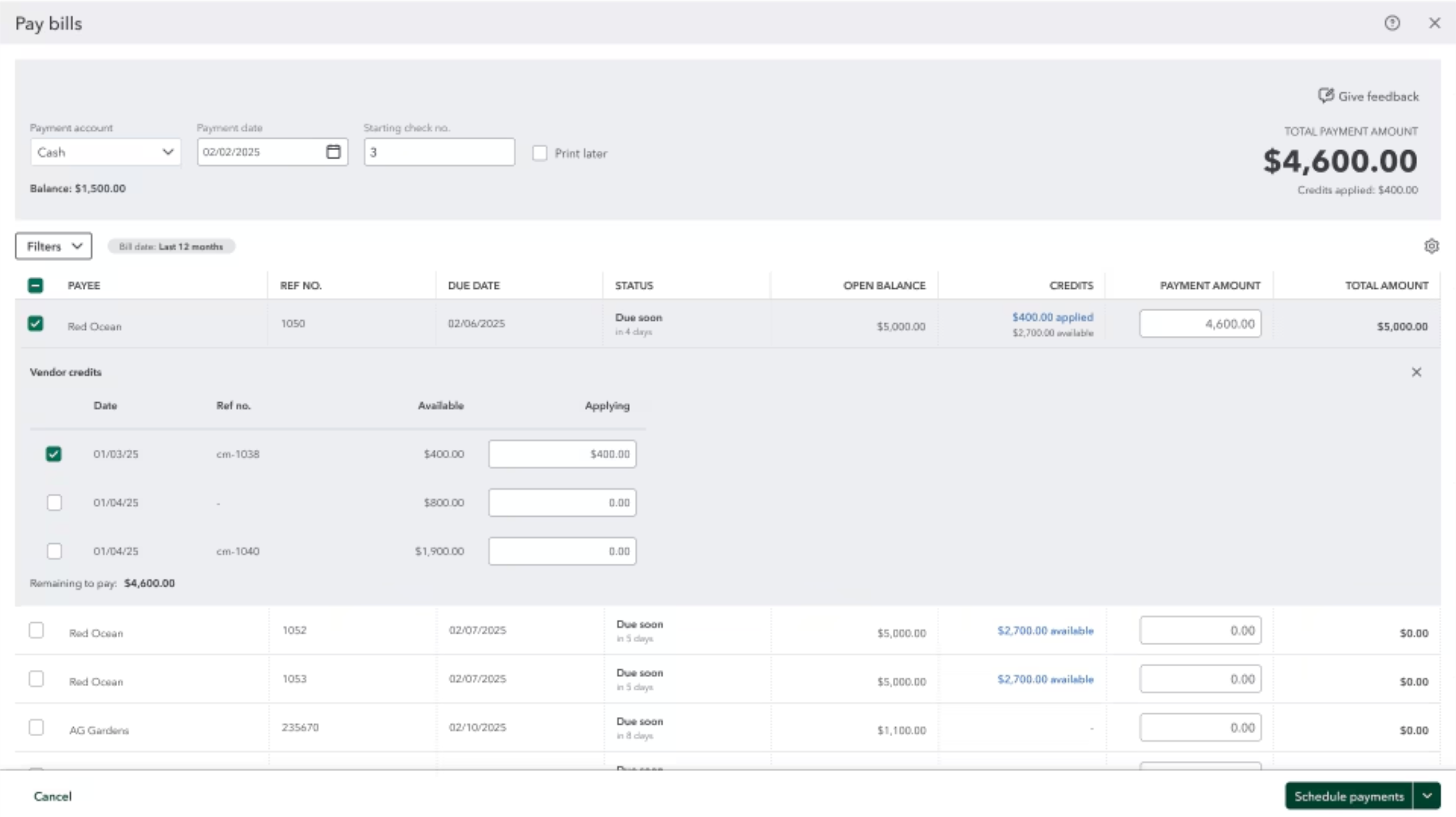
QuickBooks Adds Vendor Credits, Payroll Uploads, and Job Costing Controls
QuickBooks adds vendor credit application during Bill Pay, CSV and Excel payroll uploads through Intuit Intelligence, and service-item classification across employee hours and paychecks. These updates improve payment handling, payroll preparation, and job costing across customers, projects, and other dimensions. Highlights include:
- Vendor Credits in Bill Pay: Apply selected vendor credits while scheduling a payment and show applied credits on remittance advice.
- Spreadsheet Payroll Uploads: Upload CSV or Excel payroll data for Intuit Intelligence to extract, review, and add to payroll.
- Service Item Tracking: Classify employee hours by service item and carry those details into payroll and job costing reports.
- Split Paycheck Allocation: Divide a single paycheck across multiple service items when labor spans different work.
- Payroll Adjustments: Edit or reassign service items while running payroll or correcting a paycheck.
Visit QuickBooks Online’s official site for more details.
 Opens new window
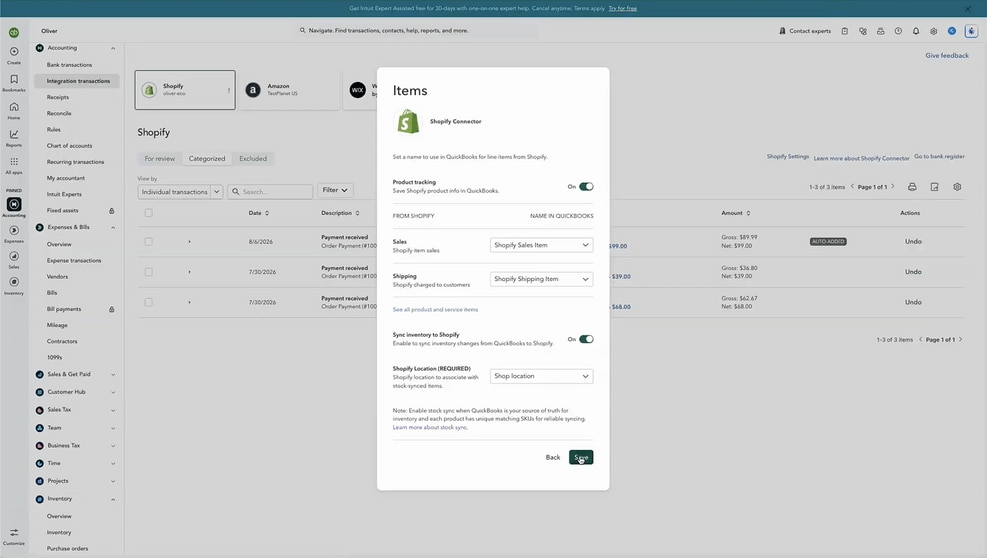
QuickBooks Online Adds Two-Way Shopify Inventory Sync
QuickBooks Online now syncs inventory changes between QuickBooks and Shopify as purchases and sales occur. Stock updates from purchase orders, sales receipts, and invoices flow across both systems with audit visibility in Shopify. Highlights include:
- Two-Way Inventory Sync: Keeps QuickBooks Online and Shopify inventory aligned automatically.
- Purchase Order Updates: Syncs received stock to Shopify, including partial shipments.
- Sales Order Sync: Imports Shopify orders into QuickBooks as sales receipts or invoices.
- Inventory Accounting: Updates on-hand quantities, cost of goods sold, and inventory asset values.
- Source of Truth: Keeps QuickBooks as the primary inventory record.
- Audit Trail: Records QuickBooks inventory adjustments in Shopify’s audit log.
Visit QuickBooks Online’s official site for more details.
 Opens new window
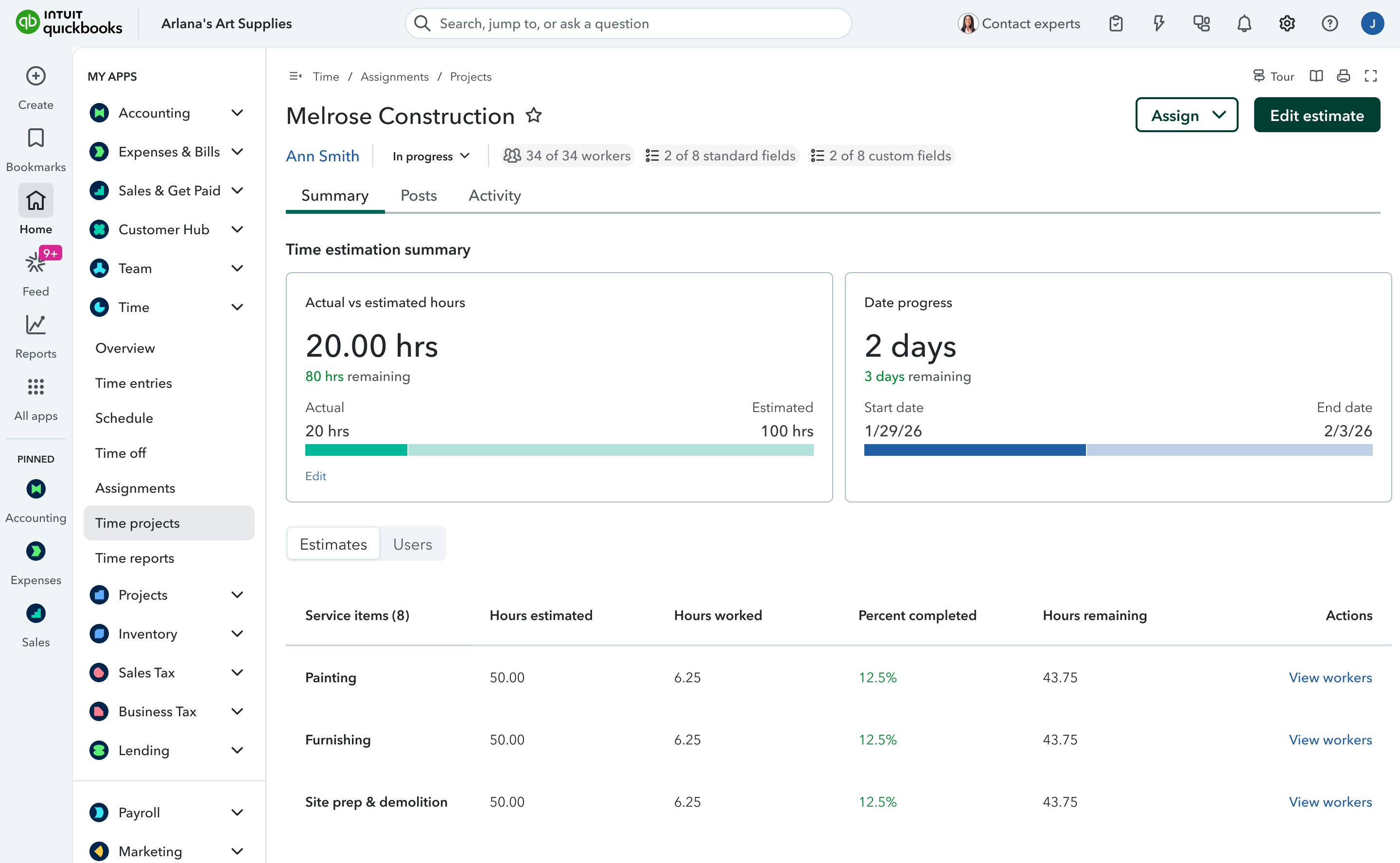
QuickBooks Time Now Built Into QuickBooks Online
QuickBooks Online now has QuickBooks Time rebuilt directly inside the product, delivering a more seamless way to track time and connect it to payroll and accounting. This reduces switching between tools and helps ensure time data flows through your books with fewer gaps and delays. Highlights include:
- Built-In Time Tracking: Brings QuickBooks Time functionality directly into QuickBooks Online for managing timekeeping and scheduling.
- Real-Time Data Connection: Keeps time, payroll, and accounting data connected without manual imports, exports, or syncing.
- Integrated Payroll Workflows: Automatically carries tracked hours into payroll and related QuickBooks workflows.
Visit QuickBooks Online's official site for more details.
 Opens new window
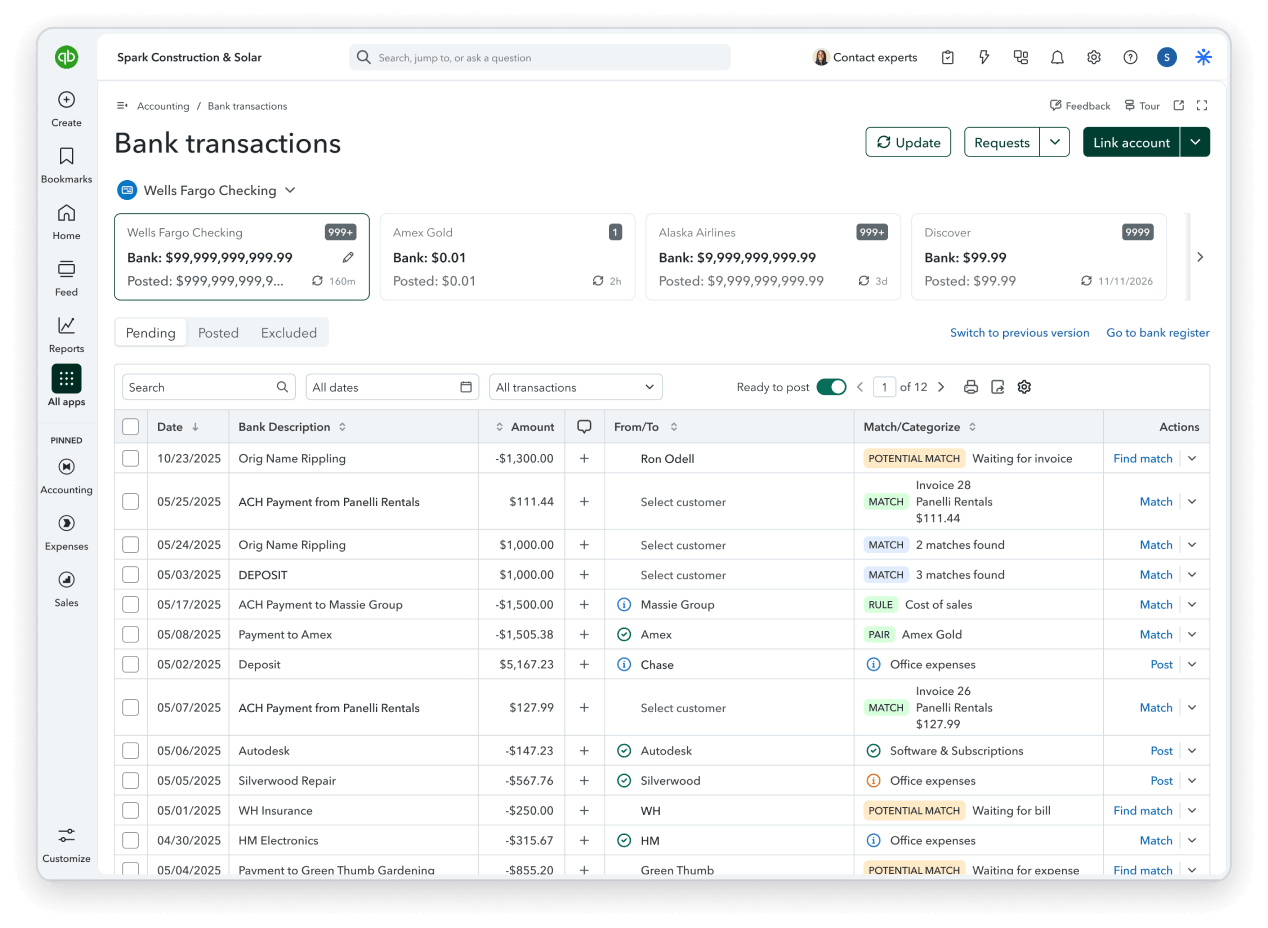
QuickBooks Online Adds Smarter Automation, Banking, and Bill Pay
QuickBooks Online now supports AI-powered invoice drafting and custom automations created through plain-language instructions, while banking updates improve transaction matching and reconciliation safeguards. Bill Pay also requires fewer steps, with additional improvements to reports, bank connections, and mobile workflows. Highlights include:
- Custom Automations: Lets users create scheduled workflows through Intuit Intelligence using plain-language instructions.
- Invoice Automation: Drafts invoices from saved documents and prepares reminders for review.
- Bank Matching: Surfaces likely transaction matches first and expands the search window for delayed or batched payments.
- Reconciliation Controls: Flags changes to reconciled transactions before they affect balances.
- Bill Pay Improvements: Reduces steps in the payment flow and removes check as the default payment method.
- Reporting and Reliability: Improves reports, bank connections, receipt capture, mileage tracking, and mobile stability.
Visit QuickBooks Online’s official site for more details.
QuickBooks Online Adds AI Payments and Affirm BNPL
QuickBooks Online adds Payments with AI, Affirm BNPL, and enhancements to Bill Pay Elite. Payments with AI introduces more intelligent support for payment workflows, while Affirm BNPL gives customers another way to pay over time. Bill Pay Elite also receives updates aimed at making bill management and payment processing more efficient. Highlights include:
- Payments with AI: Adds AI-powered capabilities to help businesses manage payment-related tasks more efficiently.
- Affirm BNPL: Gives eligible customers a buy now, pay later option when making payments.
- Bill Pay Elite: Adds enhancements to the premium bill payment experience.
Visit QuickBooks Online’s official site for more details.
 Opens new window
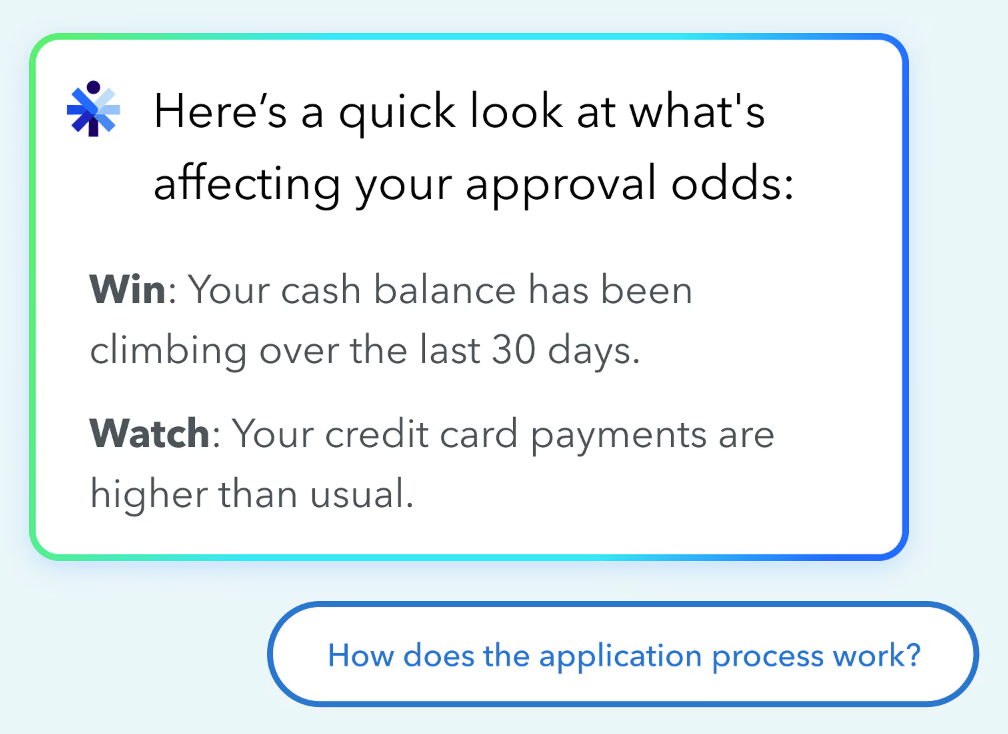
QuickBooks Adds Lending Overview With Real-Time Eligibility Insights
QuickBooks adds Lending Overview and real-time lending eligibility insights, giving businesses a clearer view of how lenders may assess their financial health. These updates help users identify approval factors, review potential funding options, and plan financing decisions earlier. Highlights include:
- Lending Overview: Shows real-time insights into business lending health, approval factors, and potential financing options.
- Intuit Intelligence: Explains which financial factors may help or hurt approval chances using QuickBooks data.
- Funding Options: Surfaces potential loans, credit lines, and other financing offers directly within QuickBooks for eligible users.
Visit QuickBooks Online’s official site for more details.
QuickBooks Online Advanced Adds AI Automation and Growth Tools
QuickBooks Online Advanced adds Bill Pay Elite, Construction Financials, Enhanced Project Financials, Books Upkeep, Conversational Forecasting, and Two-Way Spreadsheet Sync, bringing more accounting, project management, and reporting capabilities into a single platform. These updates reduce manual work, improve financial visibility, and help businesses manage operations more efficiently. Highlights include:
- Bill Pay Elite: Manage bill payments, approvals, 1099 filing, and vendor payments directly within QuickBooks Online Advanced.
- Construction Financials: Track job costs, budgets, change orders, and profitability in a unified workflow.
- Enhanced Project Financials: Monitor budgets, margins, and project performance with AI-assisted project management tools.
- Books Upkeep: Uses AI to automate bookkeeping tasks, surface exceptions, and keep books current throughout the month.
- Conversational Forecasting: Lets users ask natural-language questions to analyze scenarios and forecast business performance.
- Two-Way Spreadsheet Sync: Syncs transactions, budgets, and reports between QuickBooks and Excel to reduce manual data entry.
Visit QuickBooks Online's official site for more details.
 Opens new window
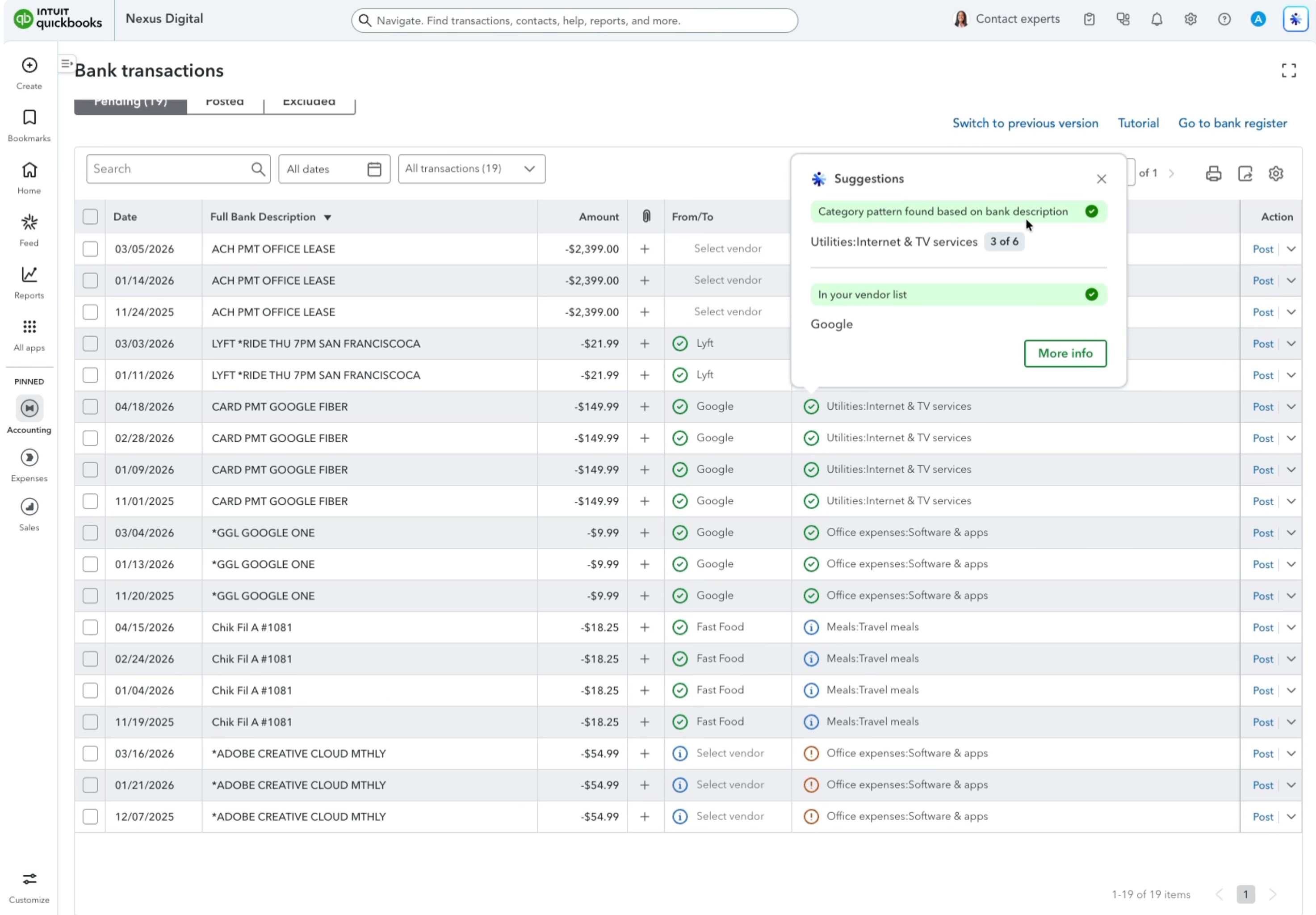
QuickBooks Adds AI Bank Feeds, Payroll Tools, and Built-In Time Tracking
QuickBooks has added AI bank feed review signals, payroll updates, and QuickBooks Time integration to simplify financial and team management tasks. These updates help businesses improve transaction accuracy, streamline payroll processes, and reduce tool switching. Highlights include:
- AI Bank Feed Review Signals: Identify transactions that need attention with improved AI suggestions, review indicators, and inline editing.
- Payroll Management Updates: Create certified payroll reports and submit payroll tax amendments faster through QuickBooks Workforce.
- Built-In Time Tracking: Access QuickBooks Time features directly in QuickBooks Online for timekeeping, scheduling, and team management.
Visit QuickBooks’ official site for more details.
 Opens new window
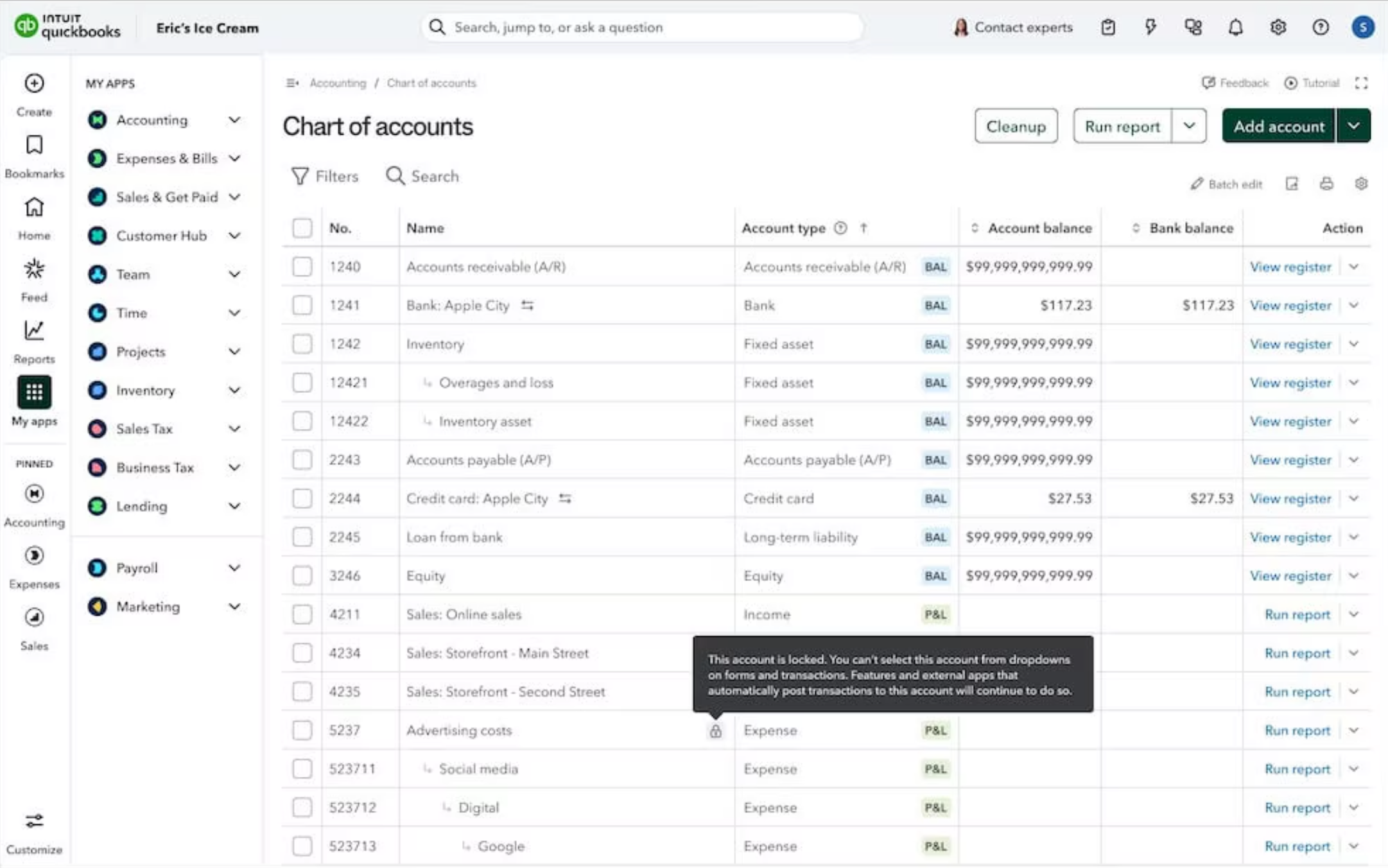
QuickBooks Online Adds Smarter Automation and Payment Options
QuickBooks Online adds recurring bill autopay, Affirm buy now pay later for invoices, and account locking in the Chart of Accounts. These updates help businesses reduce manual work, improve payment workflows, and prevent accounting errors. Highlights include:
- Bill Pay Autopay: Users can automate recurring bill payments with customizable schedules and free standard ACH payments.
- Affirm Integration: Businesses can offer buy now, pay later options for invoices while receiving payment upfront.
- Chart of Accounts Locking: Teams can lock parent accounts to prevent incorrect transaction postings and reduce manual corrections.
Visit QuickBooks Online’s official site for more details.
QuickBooks Online Specs
- 2-Factor Authentication: Yes
- Accounts Payable: Yes
- Accounts Receivable: Yes
- API: Yes
- Balance Sheet: Yes
- Billing/Invoicing: Yes
- BitCoin: Yes
- Budgeting: Yes
- Calendar Management: Yes
- Contact Management: Yes
- CRM Integration: Yes
- Customer Management: Yes
- Dashboard: Yes
- Data Export: Yes
- Data Import: Yes
- Data Visualization: Yes
- Expense Tracking: Yes
- External Integrations: Yes
- Forecasting: Yes
- General Account Ledger: Yes
- Inventory Tracking: Yes
- Multi-Currency: Yes
- Multi-User: Yes
- Notifications: Yes
- P&L: Yes
- PayPal: Yes
- Payroll: Yes
- SAP Integration: Yes
- Stripe: Yes
- Supplier Management: Yes
- Tax Management: Yes
QuickBooks Online FAQs
QuickBooks Online Company Overview & History
Quickbooks Online, developed by Intuit, is a cloud-based accounting software that was first launched in 1992. Intuit Quickbooks, headquartered in Mountain View, California, has grown to become a leading provider of financial software solutions. Known for its user-friendly interface and robust functionality, Quickbooks Online serves small to medium-sized businesses globally. The company fosters a strong developer ecosystem, encouraging third-party apps and integrations to enhance its offerings.
Quickbooks Online Major Milestones
- 1983: Intuit was founded by Scott Cook and Tom Proulx in Mountain View, California.
- 1992: Quickbooks software was first released, quickly gaining popularity among small businesses.
- 2013: Quickbooks captured up to 85% of the U.S. small business accounting software market.
- 2020: Launched Quickbooks 2021, introducing enhanced payment processes, payment reminders, and automated features.
- 2023: Announced discontinuation of Quickbooks Point of Sale software by October.
What’s Next?
Subscribe to our newsletter to get the latest resources, best practices, and insights on managing churches from expert pastors and church leaders.