
14 Best Open Source Church Management Software Reviewed in 2026

10 Best Open Source Church Management Software Shortlist
Here's my pick of the 10 best software from the 14 tools reviewed.


Managing a church community is tough. You're juggling communication, finances, and volunteer coordination. Open source church management software can help ease these tasks, giving you more time to focus on what truly matters—your congregation.
In my experience, these tools offer flexibility and customization, letting you tailor features to fit your unique needs. From tracking donations to managing events, they address many challenges you face every day.
In this article, I'll walk you through the best open source church management software available. I've tested and reviewed each one to provide you with an unbiased view. You'll find practical insights and tips to help you choose the right solution for your team.
Why Trust Our Software Reviews
Best Open Source Church Management Software Summary
This comparison chart summarizes pricing details for my top open source church management software selections to help you find the best one for your budget and business needs.
| Tool | Best For | Trial Info | Price | ||
|---|---|---|---|---|---|
| 1 | Best for multilingual support | Free demo available | Free, open source software | Website | |
| 2 | Best for volunteer management | Free plan available | Pricing upon request | Website | |
| 3 | Best for lyrics and chord management | Free demo available | Free, open source software | Website | |
| 4 | Best for worship presentation | Free demo available | Free, open source software | Website | |
| 5 | Best for module variety | Free trial available | From $24.90/user/month (billed annually) | Website | |
| 6 | Best for non-profit organizations | Free download available | Free, open source software | Website | |
| 7 | Best for multimedia integration | Free demo available | Free, open source software | Website | |
| 8 | Best for small congregations | Free demo available | Free, open source software | Website | |
| 9 | Best for customizability | Free demo available | Free, open source software | Website | |
| 10 | Best for donation tracking | Free demo available | Free, open source software | Website |
-

Gracely
Visit WebsiteThis is an aggregated rating for this tool including ratings from Crozdesk users and ratings from other sites.4.9 -
Text In Church
Visit WebsiteThis is an aggregated rating for this tool including ratings from Crozdesk users and ratings from other sites.4.8 -
One Church Software
Visit WebsiteThis is an aggregated rating for this tool including ratings from Crozdesk users and ratings from other sites.4.8


Best Open Source Church Management Software Review
Below are my detailed summaries of the best open source church management software that made it onto my shortlist. My reviews offer a detailed look at the key features, pros & cons, integrations, and ideal use cases of each tool to help you find the best one for you.

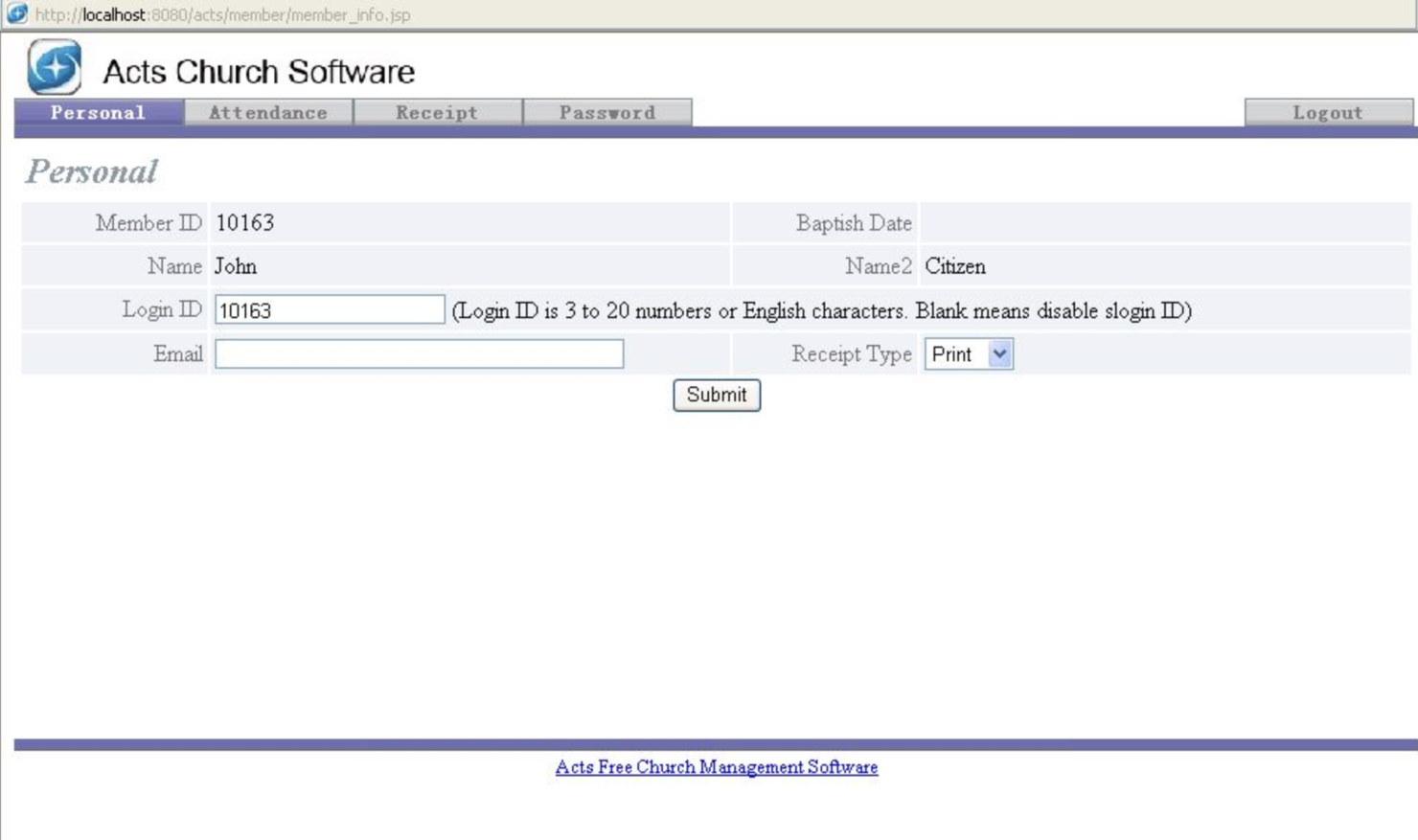
ACTS is an open-source church management software tailored for churches that require multilingual capabilities. It serves church administrators by managing membership information, contributions, and events efficiently.
Why I picked ACTS: It's particularly beneficial for churches with diverse congregations due to its multilingual support. You can manage member information and track contributions in multiple languages, which enhances accessibility. The software also offers event management features, allowing you to organize church activities effectively. Its open-source nature provides flexibility, enabling you to customize it to meet your unique needs.
Standout features & integrations:
Features include comprehensive member management tools that help track attendance and contributions. You can create and manage events, making it easier to keep your congregation engaged. The software also supports detailed reporting, which aids in making informed decisions for your church.
Integrations include PayPal, QuickBooks, Google Calendar, Mailchimp, and more.
Pros and Cons
Pros:
- Supports diverse congregations
- Strong event management
- Detailed reporting tools
- Customizable open-source platform
- Multilingual capabilities
Cons:
- Not cloud-based
- Basic user interface
- No mobile app
- Limited advanced features
- Requires technical expertise


ChurchCRM is a cloud-based church management software designed for churches of all sizes. It helps with managing people, events, and contributions, making it valuable for enhancing community engagement.
Why I picked ChurchCRM: It's especially effective for volunteer management, offering features like unlimited people and family records, and volunteer tracking. You can manage services, groups, and events efficiently, which is ideal for organizing church activities. The software also supports multilingual capabilities, allowing you to engage with a diverse congregation. Its mobile-friendly design means you can access it from any device, ensuring your team stays connected.
Standout features & integrations:
Features include unlimited people and family records, services and group management, and contributions tracking. You can also manage events and check-ins, which is great for keeping track of attendance. The software allows for self-registration and self-verification, providing flexibility for your congregation.
Integrations include Gitter, GitHub, POEditor, Softaculous, CPanel, and more.
Pros and Cons
Pros:
- Custom fields for data
- Easy volunteer tracking
- Mobile-friendly interface
- Multilingual support
- Unlimited user access
Cons:
- Complex for beginners
- No mobile app
- Basic reporting features
- Limited customer support
- Requires technical setup

OpenSong is an open-source worship presentation software that caters to worship leaders and musicians. It helps manage lyrics, chords, and presentations, making it a valuable tool for church music teams.
Why I picked OpenSong: It excels in lyric and chord management, offering features that simplify song organization. You can create and edit songs easily, which is beneficial for quickly updating worship sets. The software supports transposing chords, making it adaptable for different musical needs. Its ability to project lyrics during services helps enhance the worship experience for your congregation.
Standout features & integrations:
Features include an intuitive interface for managing song lyrics and chords. You can edit and transpose songs, which is great for adapting to different musical keys. The software also allows for the creation of custom songbooks, which helps you organize your worship sets efficiently.
Integrations include PowerPoint, PDF, MediaShout, and more.
Pros and Cons
Pros:
- Lightweight software
- Supports multiple languages
- Custom songbooks
- Chord transposition available
- Easy song editing
Cons:
- Not cloud-based
- Requires manual updates
- Basic design capabilities
- No mobile app
- Limited advanced features

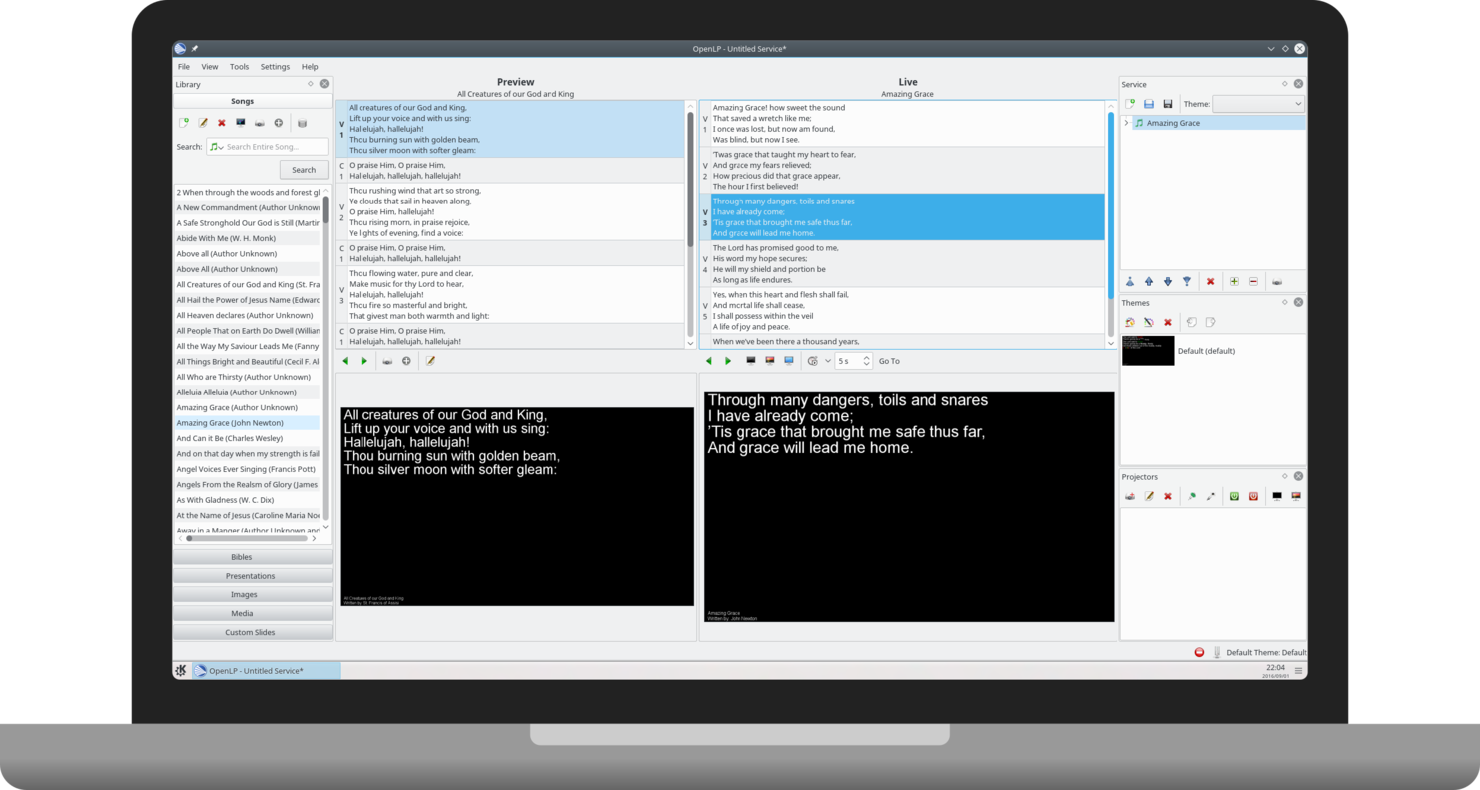
OpenLP is an open-source worship presentation software designed for churches looking to enhance their worship services. It caters to worship leaders and teams by providing tools to display lyrics, Bible verses, and multimedia presentations.
Why I picked OpenLP: It's ideal for worship presentation, offering a user-friendly interface that simplifies the process of displaying lyrics and Bible verses. You can import songs and scriptures from various sources, making it flexible for different worship styles. The live display feature allows your team to control presentations seamlessly during services. Additionally, its ability to support multiple formats ensures you can incorporate different media types into your worship experience.
Standout features & integrations:
Features include the ability to project lyrics and scripture, which enhances your worship services. The software supports a wide range of media formats, allowing you to incorporate videos and images. Additionally, it offers a live display control feature, making it easy to manage presentations during services.
Integrations include VLC, LibreOffice, PowerPoint, OpenSong, and more.
Pros and Cons
Pros:
- Community-driven development
- Multilingual scripture support
- Live display control
- Easy song import
- Wide media format support
Cons:
- No mobile app support
- Basic design capabilities
- Requires initial setup time
- Occasional software bugs
- Limited advanced features

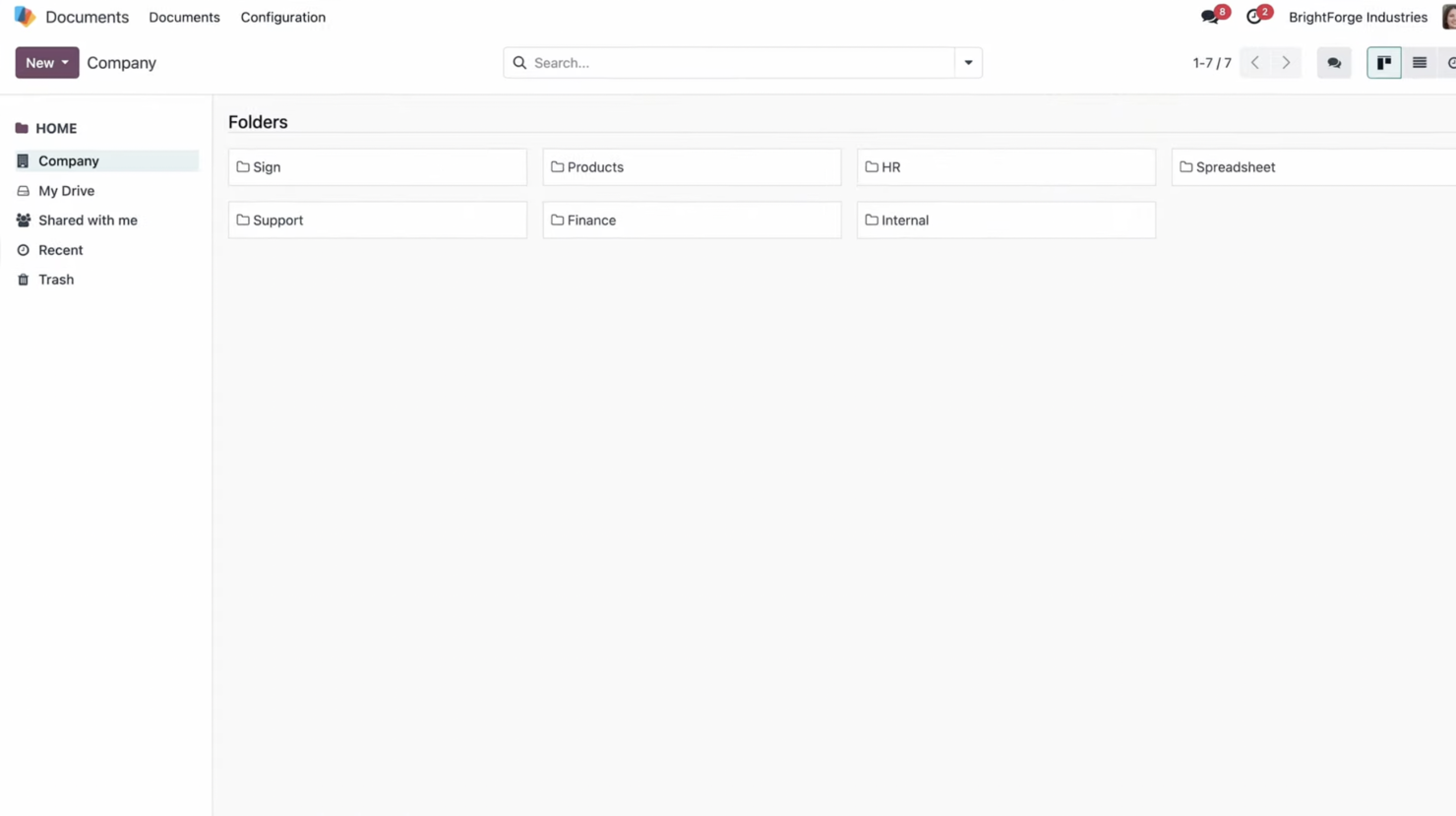
Odoo is an open-source business management software suite that serves a diverse range of industries, including churches. It provides tools for managing various business functions such as CRM, billing, accounting, and inventory, offering a comprehensive solution for organizational needs.
Why I picked Odoo: It offers a wide variety of modules, which makes it versatile for different organizational needs. You can choose from a range of applications like CRM, accounting, and project management, which lets you tailor the software to fit your church's specific requirements. The modular approach allows you to add or remove features as needed, providing flexibility and scalability. This adaptability helps you manage your church more efficiently, whether you're focusing on finances, communication, or community engagement.
Standout features & integrations:
Features include an intuitive interface that makes it easy to navigate through different modules. The software offers real-time reporting, which helps you make informed decisions. You can also automate routine tasks, freeing up your time for more strategic activities.
Integrations include QuickBooks, PayPal, Shopify, Amazon, WooCommerce, eBay, Google Maps, Twilio, and Slack.
Pros and Cons
Pros:
- Scalable for growing organizations
- Easy module customization
- Flexible for various needs
- Real-time reporting tools
- Highly modular system
Cons:
- Can be resource-intensive
- Steep learning curve
- Limited support for small teams
- Complex initial setup
- Requires technical expertise


CiviCRM is an open-source relationship management software designed for non-profit organizations, including churches. It helps manage contacts, fundraising, event management, and communication, making it a valuable tool for non-profits.
Why I picked CiviCRM: It's tailored for non-profit organizations, offering comprehensive tools for managing relationships and communications. You can track donations and memberships, which is crucial for maintaining donor engagement. The software also provides event management features, allowing you to organize and promote events efficiently. Its open-source nature means you can customize it to fit your organization's unique needs.
Standout features & integrations:
Features include contact management tools that help maintain detailed records of members and donors. You can manage memberships and contributions, which is essential for non-profit operations. The software also offers email marketing capabilities, allowing you to communicate effectively with your audience.
Integrations include WordPress, Joomla, Drupal, Mailchimp, and QuickBooks.
Pros and Cons
Pros:
- Effective email marketing tools
- Great for managing memberships
- Comprehensive contact management
- Strong community support
- Highly customizable
Cons:
- No mobile app
- Steep learning curve
- Limited customer support
- Complex initial setup
- Requires technical expertise

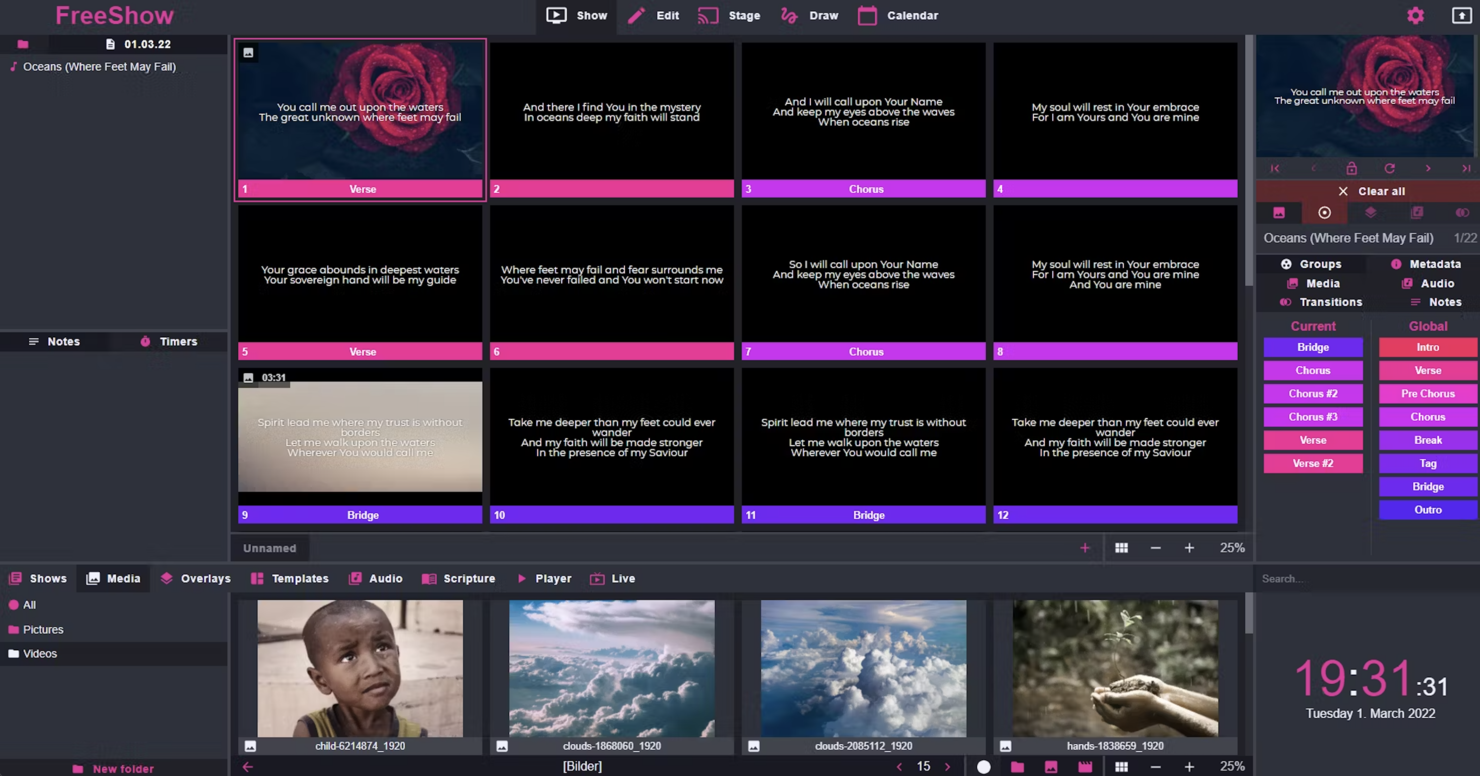
FreeShow is a free, open-source multimedia presentation software designed for churches and worship teams. It helps create engaging presentations by integrating various multimedia elements, enhancing the worship experience.
Why I picked FreeShow: It's particularly effective for multimedia integration, offering features that support video, images, and audio seamlessly. You can create dynamic presentations using its intuitive interface, which is great for keeping your congregation engaged. The software supports multiple screens, allowing you to display content to different areas in your venue. Its open-source nature means you can customize it to fit your specific needs, giving you flexibility in your presentations.
Standout features & integrations:
Features include support for multiple screen outputs, which enhances the visual experience in your worship services. The software allows you to import and manage a variety of media files, making it easy to create diverse presentations. Additionally, you can schedule and automate presentations, ensuring a smooth flow during services.
Integrations include VLC, OBS Studio, ProPresenter, Ableton Live, and more.
Pros and Cons
Pros:
- Automation capabilities
- Intuitive interface
- Wide media file compatibility
- Customizable open-source platform
- Supports multiple screen outputs
Cons:
- Not cloud-based
- Occasional software bugs
- No mobile app
- Limited advanced features
- Requires technical setup


CHUMS is a free, open-source church management software designed for growing congregations and multi-campus churches. It helps manage attendance, member databases, and giving, providing essential tools for church operations.
Why I picked CHUMS: It's particularly beneficial for small congregations due to its cost-effective nature. CHUMS offers features like self-serve check-in stations and attendance analytics, which are ideal for churches with limited resources. Its advanced giving management helps you track donations efficiently. The user-friendly dashboard ensures that even those without technical expertise can navigate the software with ease.
Standout features & integrations:
Features include self-serve check-in stations, which simplify event management. Attendance analytics provide insights into congregation engagement. Advanced giving management helps your team track donations effectively.
Integrations include Google Calendar, Mailchimp, Stripe, Twilio, and more.
Pros and Cons
Pros:
- Suitable for multi-campus churches
- Self-serve check-in stations
- Advanced giving management
- User-friendly interface
- Free with no hidden fees
Cons:
- Limited customer support
- Requires internet connection
- No mobile app
- Basic reporting features
- Limited customization options

Rock RMS is an open-source church management system designed for churches that need flexibility in managing their operations. It caters to a wide range of users, from small churches to large multi-campus congregations, focusing on engagement, administration, and analytics.
Why I picked Rock RMS: It's known for its customizability, allowing you to tailor the system to fit your specific needs. You can create custom workflows and dashboards, which is ideal for churches wanting a personalized experience. The software's ability to manage complex data sets helps you analyze and engage your congregation effectively. Its community-driven development ensures that new features are continually added to meet evolving needs.
Standout features & integrations:
Features include customizable workflows that help automate tasks and save time. The dashboard offers real-time analytics, giving you insights into your congregation's engagement. You also get tools for managing events and communications, making it easier to stay connected with your members.
Integrations include Twilio, Mailchimp, Planning Center, Pushpay, QuickBooks, and more.
Pros and Cons
Pros:
- Tailored dashboards
- Real-time analytics
- Frequent feature updates
- Strong community support
- Highly customizable workflows
Cons:
- Not ideal for very small churches
- Complex initial setup
- Limited customer support
- Requires technical expertise
- Steep learning curve


ChurchInfo is an open-source church management software aimed at helping churches manage their congregations more effectively. It is designed for church administrators who need to track member information, donations, and attendance efficiently.
Why I picked ChurchInfo: It's particularly useful for donation tracking, offering features that simplify the management of contributions. You can easily generate reports on giving, which is essential for transparency and planning. The software allows you to maintain detailed member profiles, helping you manage relationships within your congregation. Additionally, its open-source nature means you can customize it to fit your specific needs, giving you flexibility in how you manage church data.
Standout features & integrations:
Features include detailed member profiles that help manage relationships within your congregation. You can track attendance, which aids in understanding member engagement. The software also provides tools for managing events, making it easier to organize church activities.
Integrations include QuickBooks, PayPal, WooCommerce, WordPress, and more.
Pros and Cons
Pros:
- Generates giving reports
- Event management tools
- Comprehensive donation tracking
- Detailed member profiles
- Customizable open-source platform
Cons:
- Not cloud-based
- Basic user interface
- No mobile app
- Limited advanced features
- Requires technical setup
Other Open Source Church Management Software
Here are some additional open source church management software options that didn’t make it onto my shortlist, but are still worth checking out:
- Quelea
For multilingual worship services
- Soft Projector
For simple lyric projection
- OpenChurch
For community engagement tools
- Apostello
For SMS communication


Open Source Church Management Software Selection Criteria
When selecting the best open source church management software to include in this list, I considered common buyer needs and pain points like ease of customization and support for multilingual congregations. I also used the following framework to keep my evaluation structured and fair:
Core Functionality (25% of total score)
To be considered for inclusion in this list, each solution had to fulfill these common use cases:
- Manage member databases
- Track donations and contributions
- Organize events and registrations
- Facilitate communication with members
- Generate reports and analytics
Additional Standout Features (25% of total score)
To help further narrow down the competition, I also looked for unique features, such as:
- Multilingual support
- Customizable workflows
- Mobile app availability
- Integration with social media platforms
- Advanced data privacy settings
Usability (10% of total score)
To get a sense of the usability of each system, I considered the following:
- Intuitive interface design
- Clear navigation paths
- Minimal learning curve
- Responsive design for different devices
- Customization options for user preferences
Onboarding (10% of total score)
To evaluate the onboarding experience for each platform, I considered the following:
- Availability of training videos
- Access to interactive product tours
- Provision of setup templates
- Availability of webinars
- Support from chatbots or live assistance
Customer Support (10% of total score)
To assess each software provider’s customer support services, I considered the following:
- Availability of 24/7 support
- Access to a knowledge base or help center
- Response time for inquiries
- Availability of community forums
- Personalized support options
Value For Money (10% of total score)
To evaluate the value for money of each platform, I considered the following:
- Competitive pricing against similar tools
- Availability of free trials or demos
- Scalability of pricing plans
- Inclusion of essential features in base plans
- Transparency of pricing structure
Customer Reviews (10% of total score)
To get a sense of overall customer satisfaction, I considered the following when reading customer reviews:
- Overall satisfaction ratings
- Feedback on software reliability
- Reports of customer support experience
- Comments on ease of use
- Insights into feature effectiveness
How to Choose Open Source Church Management Software
It’s easy to get bogged down in long feature lists and complex pricing structures. To help you stay focused as you work through your unique software selection process, here’s a checklist of factors to keep in mind:
| Factor | What to Consider |
|---|---|
| Scalability | Will the software grow with your church? Consider the ability to handle more members, events, and data as your congregation expands. |
| Integrations | Does the software work with your existing tools? Check for compatibility with platforms like email systems, calendars, and accounting software. |
| Customizability | Can you tailor the software to fit your needs? Look for options to modify fields, reports, and workflows to match your church's operations. |
| Ease of use | Is the software easy for your team to learn and use? Consider intuitive interfaces and straightforward navigation to minimize training time. |
| Implementation and onboarding | What resources are needed to get started? Evaluate the time and effort required for setup, including data migration and initial training. |
| Cost | What’s the total cost of ownership? Compare upfront costs, ongoing fees, and hidden expenses. Ensure it fits your budget without sacrificing necessary features. |
| Security safeguards | How does the software protect your data? Look for encryption, backup procedures, and user access controls to ensure member information is secure. |
| Support availability | What support options are available? Check for access to customer service, community forums, and documentation for troubleshooting and guidance. |
What Is Open Source Church Management Software?
Open source church management software is a type of tool that helps churches manage their operations and community engagement effectively. Church administrators, volunteers, and leaders generally use these tools to organize events, track donations, and manage member information. Features like member databases, event scheduling, and donation tracking help with efficient church management and engagement. Overall, these tools provide valuable support to streamline administrative tasks and enhance community interactions.
Features of Open Source Church Management Software
When selecting open source church management software, keep an eye out for the following key features:
- Member database: Helps you store and manage detailed information about your congregation members, making it easy to track engagement and participation.
- Donation tracking: Allows you to monitor and report on contributions, ensuring transparency and aiding in financial planning.
- Event scheduling: Provides tools to organize and manage church events, helping coordinate activities and improve attendance.
- Multilingual support: Enables communication and management in multiple languages, catering to diverse congregations.
- Customizable workflows: Lets you tailor processes to fit your church's unique needs, enhancing efficiency and flexibility.
- Integration capabilities: Ensures compatibility with other software tools your church uses, such as calendars and accounting systems.
- Security safeguards: Protects sensitive member data with encryption and access controls, maintaining trust and compliance.
- Email marketing tools: Facilitates communication with your congregation through targeted email campaigns, improving engagement.
- Mobile access: Allows you to manage church operations on the go, ensuring convenience and accessibility for staff and volunteers.
Benefits of Open Source Church Management Software
Implementing open source church management software provides several benefits for your team and your business. Here are a few you can look forward to:
- Cost savings: Open source solutions often have lower costs, allowing you to allocate your budget to other important areas of ministry.
- Flexibility: Customizable workflows let you tailor the software to fit your church's specific needs, enhancing operational efficiency.
- Improved communication: Email marketing tools and multilingual support help you engage effectively with a diverse congregation.
- Data security: Strong security safeguards ensure member data is protected, maintaining trust and compliance with privacy standards.
- Enhanced organization: Member databases and event scheduling features help you manage church activities and member information efficiently.
- Scalability: The ability to integrate with other tools and scale up as your church grows ensures the software remains useful over time.
Costs and Pricing of Open Source Church Management Software
Selecting open source church management software requires an understanding of the various pricing models and plans available. Costs vary based on features, team size, add-ons, and more. The table below summarizes common plans, their average prices, and typical features included in open source church management software solutions:
Plan Comparison Table for Open Source Church Management Software
| Plan Type | Average Price | Common Features |
|---|---|---|
| Free Plan | $0 | Basic member management, event scheduling, and donation tracking. |
| Personal Plan | $5-$15/user/month | Enhanced reporting, email communication tools, and limited integrations. |
| Business Plan | $20-$40/user/month | Advanced customization, multilingual support, and mobile access. |
| Enterprise Plan | $50-$100/user/month | Full integration capabilities, advanced security features, and priority support. |
Open Source Church Management Software FAQs
Here are some answers to common questions about open source church management software:
How do I choose the right open source church management software?
First, identify the specific needs of your church, such as managing member data or organizing events. Consider the features that are most important to you, and make sure the software supports those. Evaluate the number of users and your budget to find a solution that fits both.
What are the common challenges when implementing this software?
Common challenges include data migration from previous systems, training staff to use new tools, and ensuring the software integrates with existing systems. To address these, plan for a transition period and provide adequate training and support for your team.
Can open source church management software handle large congregations?
Yes, many open source solutions are scalable and can handle large amounts of data and numerous users. Check the software's scalability options and ensure it can grow with your church, managing increased member data and event needs efficiently.
How secure is open source church management software?
Security varies by software, but many open source solutions offer strong security features like data encryption and user access controls. Always review the security measures in place and ensure they meet your church's requirements for protecting sensitive member information.
What level of customization is available with open source solutions?
Open source church management software often offers high levels of customization, allowing you to tailor the software to fit your specific needs. You can modify fields, reports, and workflows, but this may require technical expertise or developer support.
Is there support available for open source church management software?
Support options vary, but many open source solutions offer community forums, documentation, and sometimes paid support plans. Evaluate the level of support available and consider whether your team will need additional assistance during implementation and use.
What’s Next:
If you're in the process of researching open source church management software, connect with a SoftwareSelect advisor for free recommendations.
You fill out a form and have a quick chat where they get into the specifics of your needs. Then you'll get a shortlist of software to review. They'll even support you through the entire buying process, including price negotiations.