
13 Best Event Registration Software Reviewed in 2026

Best Event Registration Software Shortlist
Here’s my shortlist of the best event registration software:


Managing events at your church can be overwhelming—from coordinating registrations to handling communications, it's easy to feel swamped. That's where the right event registration software comes in. It eases the burden, simplifying everything from sign-ups to tracking attendance.
In my experience, finding the right tool can transform how your team manages event registration. I've tested and reviewed various options to bring you an unbiased look at the best on the market.
In this article, you'll discover event registration software solutions that address your unique challenges. I'll cover the features, pros and cons, and pricing of each so you can make an informed choice for your church.
Why Trust Our Software Reviews
Best Event Registration Software Summary
This comparison chart summarizes pricing details for my top event registration software selections to help you find the best one for your budget and business needs.
| Tool | Best For | Trial Info | Price | ||
|---|---|---|---|---|---|
| 1 | Best for virtual event hosting | Free demo available | From $499/user/month (billed annually) | Website | |
| 2 | Best for small to medium events | Free plan available | Pricing upon request | Website | |
| 3 | Best for customizable registration | Free trial + free demo available | From $1.50/registration | Website | |
| 4 | Best for large-scale conferences | Free demo available | Pricing upon request | Website | |
| 5 | Best for private events | Free plan + free demo available | From $24/month (billed annually) | Website | |
| 6 | Best for budget-friendly pricing | Free demo available | From $0.99 + 1%/registrant | Website | |
| 7 | Best for hybrid events | Free demo available | Pricing upon request | Website | |
| 8 | Best for virtual trade shows | Free demo available | Pricing upon request | Website | |
| 9 | Best for attendee engagement | Free demo available | Pricing upon request | Website | |
| 10 | Best for data analytics | Free demo available | Pricing upon request | Website |
-

Gracely
Visit WebsiteThis is an aggregated rating for this tool including ratings from Crozdesk users and ratings from other sites.4.9 -
Text In Church
Visit WebsiteThis is an aggregated rating for this tool including ratings from Crozdesk users and ratings from other sites.4.8 -
One Church Software
Visit WebsiteThis is an aggregated rating for this tool including ratings from Crozdesk users and ratings from other sites.4.8


Best Event Registration Software Reviews
Below are my detailed summaries of the best event registration software that made it onto my shortlist. My reviews offer a detailed look at the key features, pros and cons, integrations, and ideal use cases of each tool to help you find the best one for you.

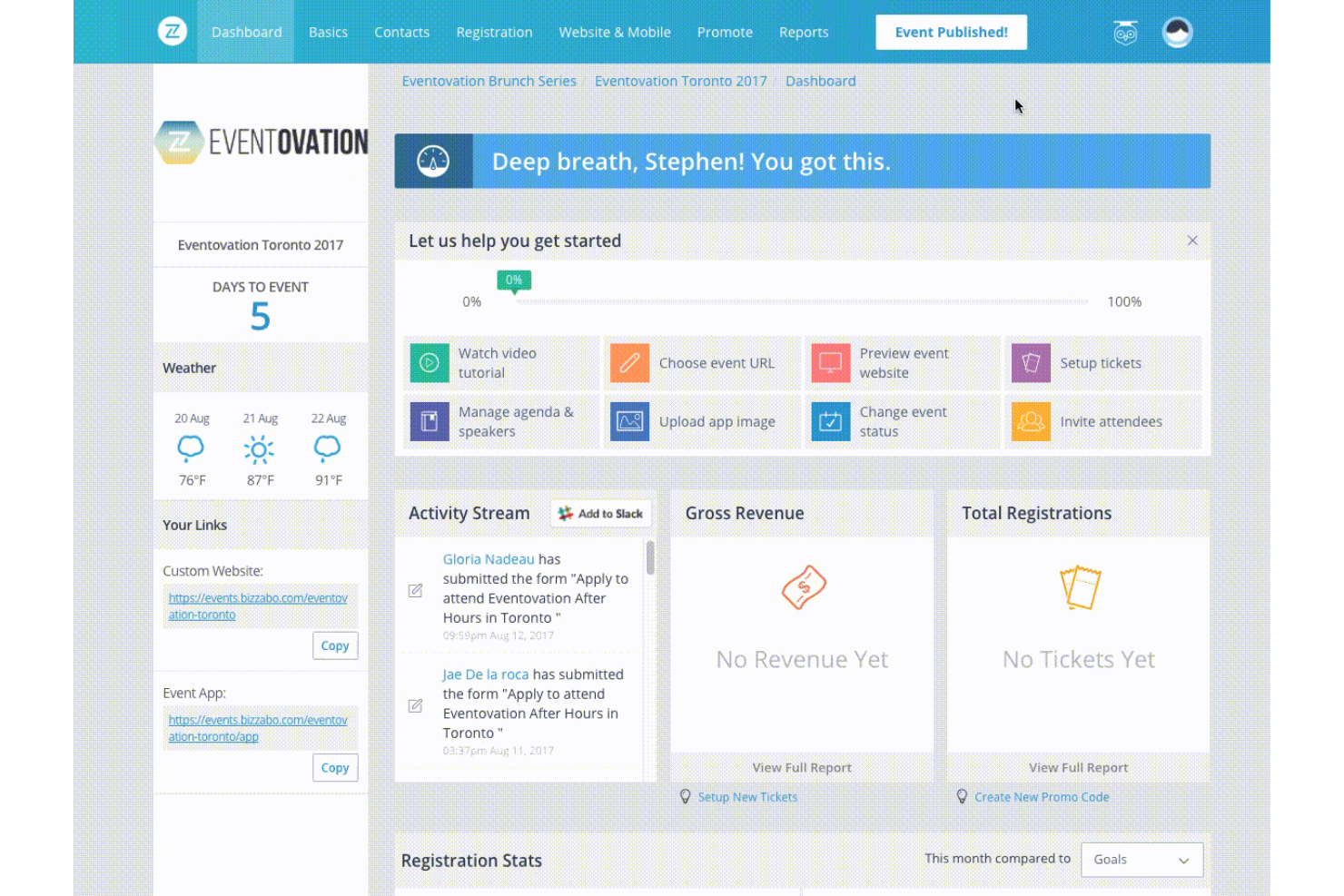
Bizzabo is a versatile event management platform well-suited for churches and faith-based organizations hosting virtual, hybrid, or in-person events. It helps church teams plan and run online conferences, leadership summits, training sessions, and livestreamed gatherings, with tools for registration, engagement, and performance tracking.
Why I picked Bizzabo: Bizzabo works well for churches because it supports virtual, hybrid, and in-person events in one platform, making it easy to reach both local and remote congregations. Churches can host live streams, interactive worship sessions, panels, and workshops, while engaging attendees through polls and Q&A. Customizable event pages help maintain consistent branding, and detailed analytics allow church leaders to measure attendance, participation, and overall engagement across events of any size.
Standout Features and Integrations:
Features include customizable branding options, networking tools, and email campaign automation. You can use its real-time audience engagement features to keep participants involved. The platform also offers extensive reporting capabilities for post-event analysis.
Integrations include Salesforce Campaigns, Marketo, HubSpot, Google Analytics, and more.
Pros and Cons
Pros:
- Real-time audience engagement
- Detailed performance analytics
- Effective for large virtual events
Cons:
- Limited design flexibility
- Support quality can be inconsistent

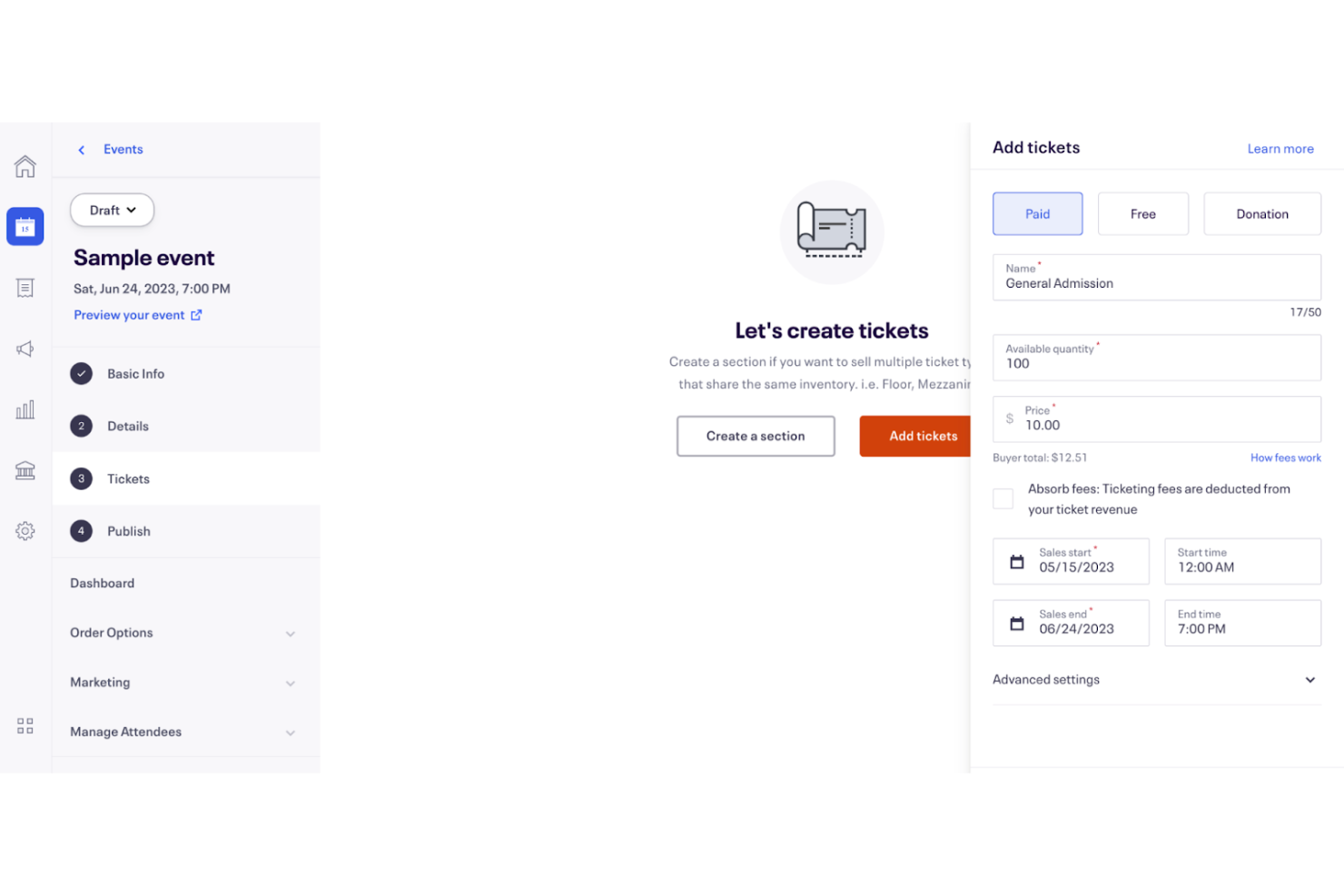
Eventbrite is an event management platform well-suited for churches and faith-based organizations hosting small to medium-sized events. It provides simple tools for ticketing, event promotion, and registration, making it easy to manage gatherings such as worship services, conferences, fundraisers, workshops, and community outreach events.
Why I picked Eventbrite: Eventbrite works especially well for church events because it’s easy to use for both organizers and attendees. Creating event pages, collecting registrations, and tracking attendance is straightforward, even for volunteers. Churches can host free events, ticketed events, or donations-based gatherings, offering flexibility for different ministry needs. The mobile app also allows church staff to manage check-ins and attendee details on the day of the event.
Standout Features and Integrations:
Features include customizable event pages, mobile app access, and QR code check-ins. You can also benefit from built-in marketing tools to promote your events. The platform provides insights and analytics to track event performance.
Integrations include Mailchimp, Facebook, HubSpot, Google Analytics, Zoom, WordPress, Zapier, and more.
Pros and Cons
Pros:
- Customizable event pages
- Flexible event pricing
- Easy mobile app access
Cons:
- May have high transaction fees
- Limited branding options

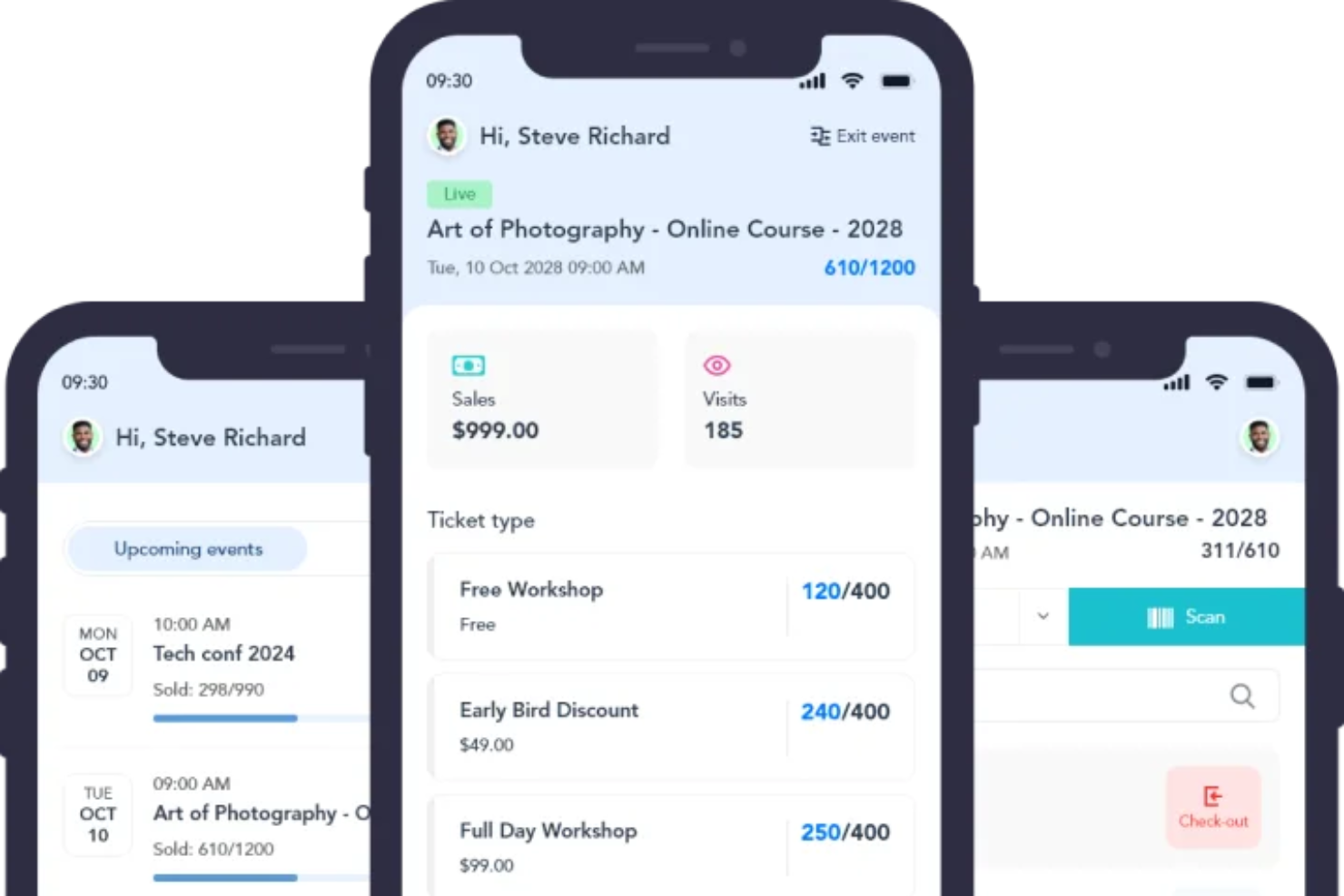
Eventzilla is an event management platform well-suited for churches and faith-based organizations that need flexible and customizable event registration. It supports a wide range of church events—from Bible studies and volunteer training to conferences and community outreach programs—by offering tools for registration, ticketing, and attendee management.
Why I picked Eventzilla: Eventzilla is a strong choice for churches because of its highly customizable registration forms, allowing you to collect the exact information needed for ministries, volunteers, or attendees. The platform offers flexible ticketing options, including free events, paid tickets, early bird pricing, and group discounts. Its intuitive dashboard makes it easy for church staff and volunteers to manage registrants, while real-time reporting and automatic payouts help track attendance and finances with minimal administrative effort.
Standout Features and Integrations:
Features include built-in event promotion tools, automated email reminders, and mobile check-in capabilities. You can create discount codes to boost ticket sales. The platform also supports multiple payment gateways for convenience.
Integrations include PayPal, Stripe, Mailchimp, Zoom, and more.
Pros and Cons
Pros:
- Real-time reporting available
- User-friendly management dashboard
- Flexible ticketing options
Cons:
- User interface may seem dated
- May need additional features for large events

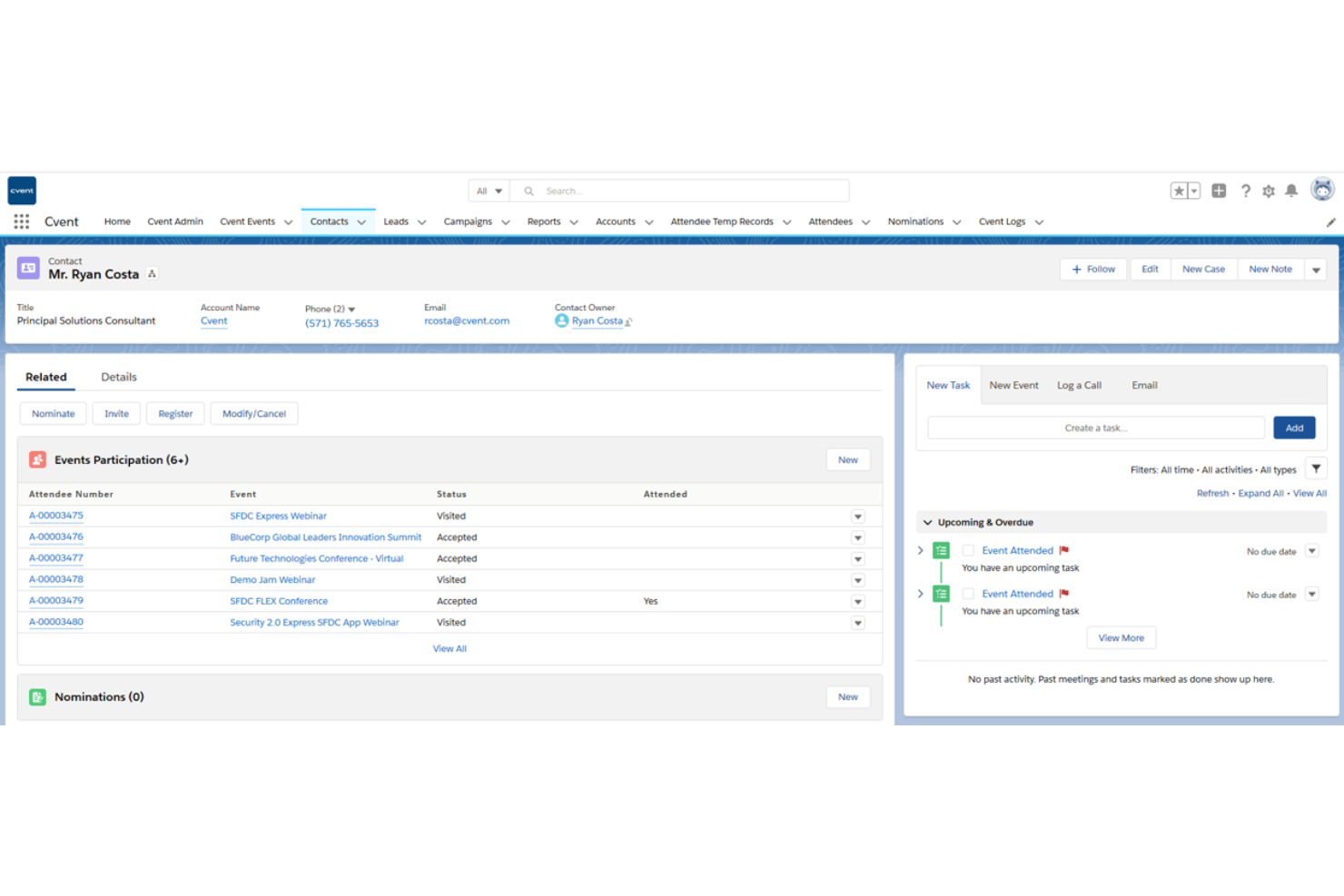
Cvent is an event management platform well-suited for churches and faith-based organizations hosting large-scale conferences, conventions, and multi-day gatherings. It offers robust tools for registration, marketing, venue sourcing, and attendee engagement, making it ideal for complex church events with multiple sessions, tracks, and large attendance numbers.
Why I picked Cvent: Cvent is a strong fit for large church conferences and denominational events because it supports venue sourcing, event diagramming, and group management—helpful for coordinating worship sessions, breakout ministries, and guest speakers. The platform also handles group bookings and travel coordination, which is useful for regional or national church events. Post-event analytics help church leaders evaluate attendance, engagement, and overall event impact, while built-in engagement tools enhance the experience for attendees before, during, and after the event.
Standout Features and Integrations:
Features include branded event websites, automated marketing, and speaker management. You can use on-site check-in tools to simplify event entry. The platform also offers mobile event apps for networking.
Integrations include Salesforce CRM, Marketo, HubSpot, Microsoft Dynamics, and more.
Pros and Cons
Pros:
- Integrated mobile event apps
- Effective for large-scale events
- Advanced venue sourcing features
Cons:
- Limited customization without extra cost
- Complex setup process

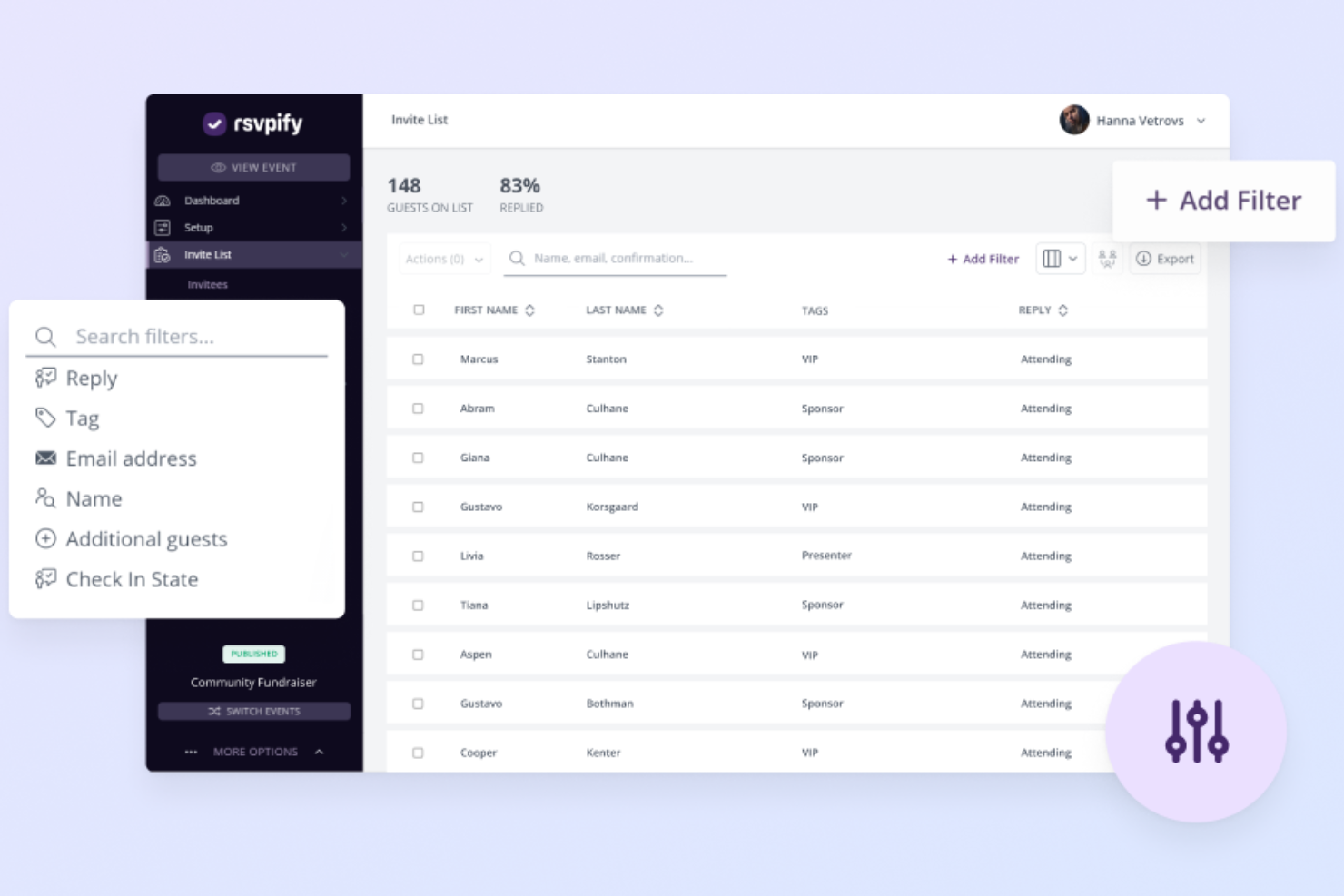
RSVPify is an event management tool well-suited for churches and faith-based organizations hosting private or invitation-only events. It’s ideal for managing RSVPs for gatherings such as church dinners, leadership meetings, retreats, weddings, baptisms, and special ministry events, with tools for guest lists, customization, and communication.
Why I picked RSVPify: RSVPify works well for church events that require guest list control and personal touches. Churches can create custom event pages, track RSVPs, and manage attendee details like meal preferences or seating needs. Automated reminders help reduce no-shows, while the platform’s customization options make it easy to create a welcoming, organized experience for congregants and invited guests.
Standout Features and Integrations:
Features include drag-and-drop seating charts, event reminders, and guest check-in capabilities. RSVPify makes it simple to manage meal preferences and create detailed guest profiles. The platform also allows for real-time updates to your event.
Integrations include Stripe, Mailchimp, Google Analytics, Zapier, PayPal, and more.
Pros and Cons
Pros:
- Simple guest list management
- Supports meal preferences
- Ideal for private events
Cons:
- Basic design customization
- Limited for large-scale events

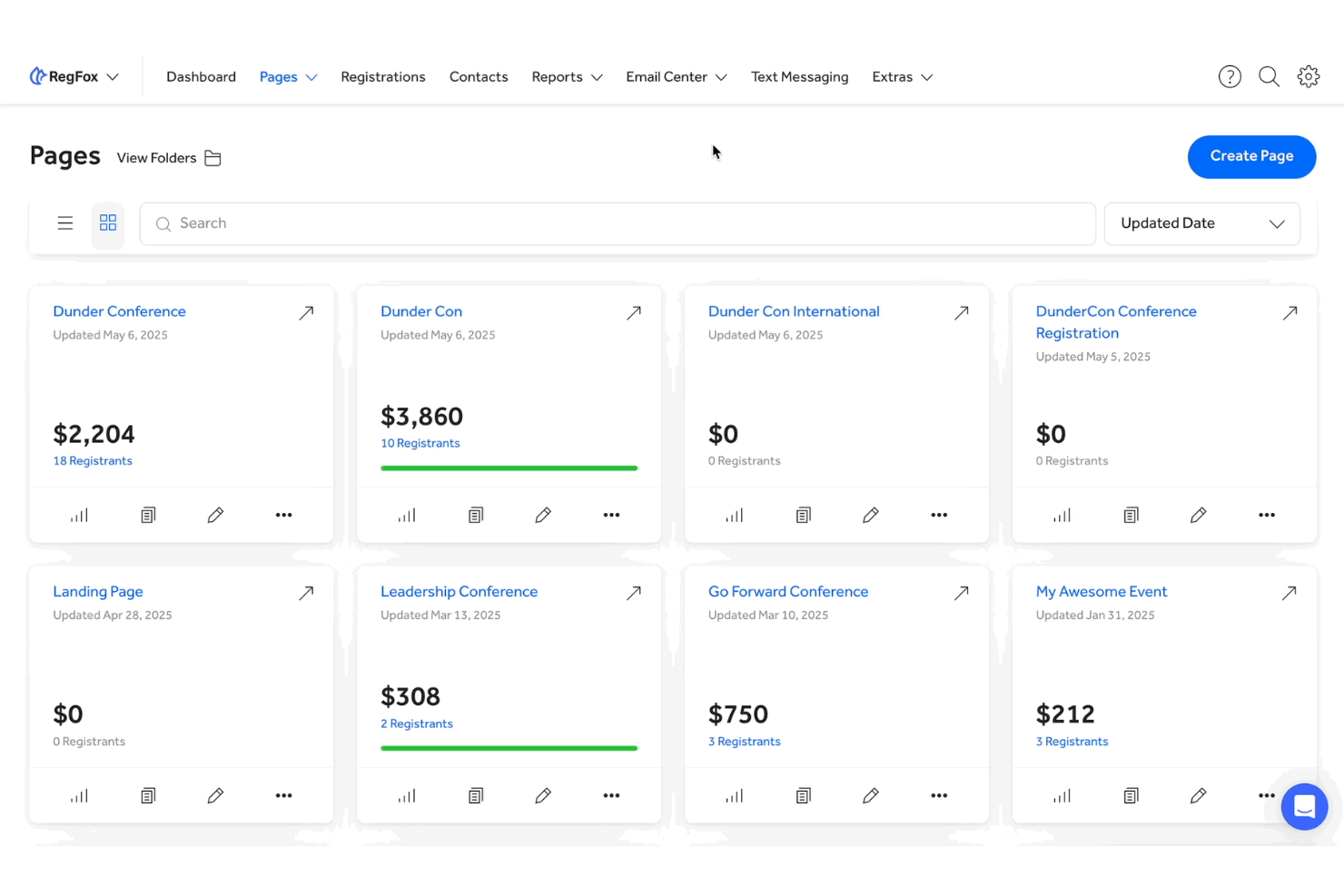
RegFox is an event registration platform well-suited for churches and faith-based organizations looking for an affordable way to manage event sign-ups and payments. It allows church organizers to handle registrations, collect payments or donations, and manage attendee information efficiently for events of all sizes, from workshops and retreats to conferences and community programs.
Why I picked RegFox: RegFox stands out for churches because of its budget-friendly and transparent pricing, making it easier to manage events without stretching ministry funds. Churches can create custom, embeddable registration forms that fit seamlessly into their website, keeping everything on-brand and simple for attendees. Payment processing is straightforward, and tracking registrations or managing attendee lists requires minimal effort—ideal for church staff and volunteers alike.
Standout Features and Integrations:
Features include customizable registration pages, real-time analytics, and discount code management. Users can also benefit from its drag-and-drop form builder. The platform offers powerful reporting tools to help you analyze event data effectively.
Integrations include Mailchimp, QuickBooks, PayPal, Stripe, and more.
Pros and Cons
Pros:
- Efficient payment processing
- Real-time analytics available
- Transparent pricing model
Cons:
- Fees add up for small events
- Limited design customization

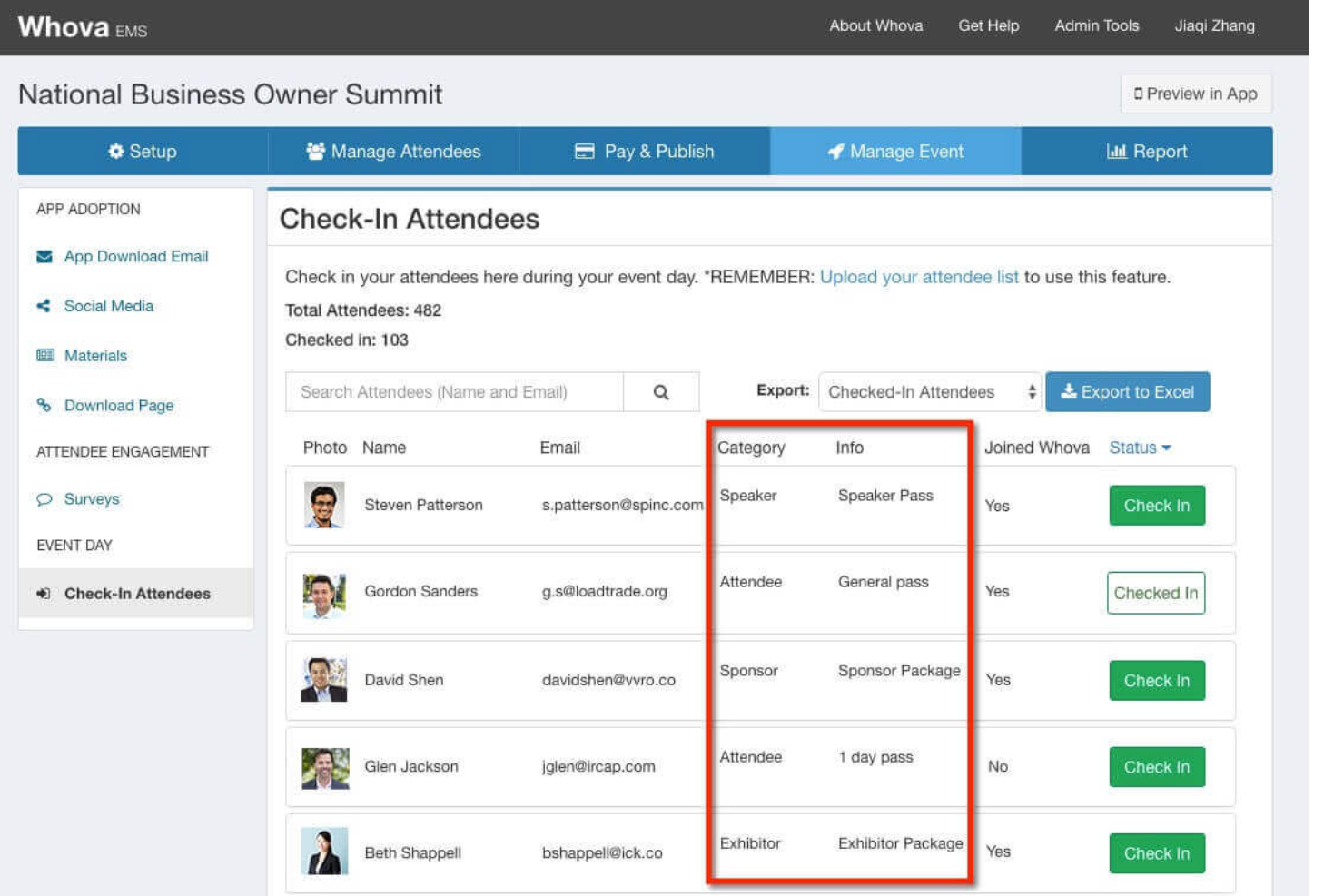
Whova is an event registration software designed for event organizers who manage hybrid events. It offers solutions for managing registrations, attendee engagement, and event marketing from conferences to workshops.
Why I picked Whova: Whova shines in managing hybrid events, offering features such as personalized registration, attendee networking opportunities, and on-demand, on-site badge printing. It provides tools for creating various ticket types and handling payments efficiently. The software also supports virtual event hosting, making it versatile for different event formats. Attendees can access event materials and participate in live polls to elevate their overall experience.
Standout Features and Integrations:
Features include networking capabilities, live polling, and virtual session hosting. Whova offers hassle-free customization for registration forms and ticket sales management. The platform allows for detailed reporting and analytics to track event success.
Integrations include Eventbrite, Constant Contact, Cvent, RegFox, and Zapier.
Pros and Cons
Pros:
- Supports virtual sessions
- Customizable registration forms
- Easy to manage hybrid events
Cons:
- Limited offline support
- Limited customization for branding
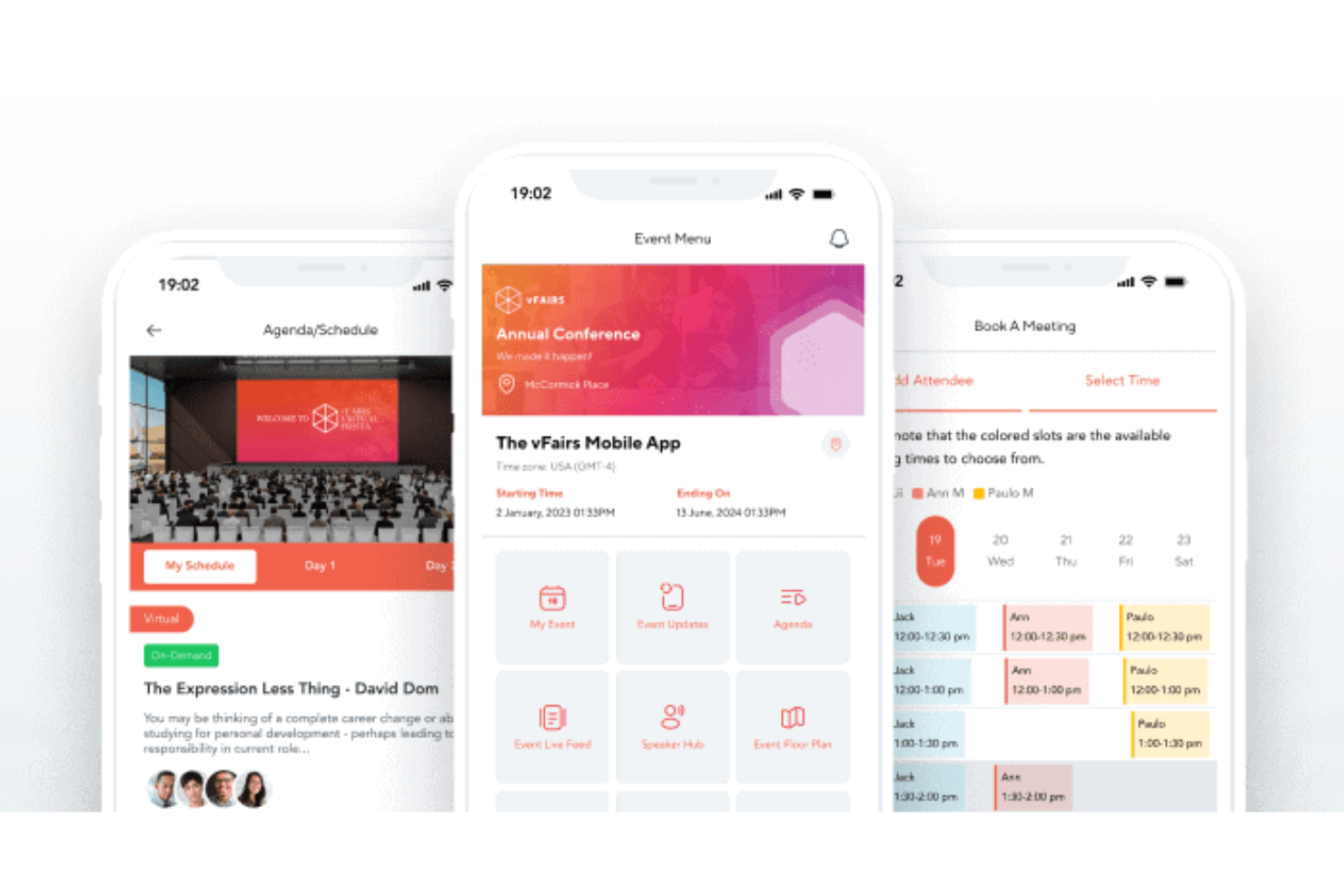
vFairs is a virtual event platform well suited for churches and faith-based organizations hosting online conferences, ministry expos, training events, and large virtual gatherings. It helps churches create immersive digital experiences with tools for networking, session hosting, and engaging attendees in a visually interactive environment.
Why I picked vFairs: vFairs works well for church events that benefit from a more immersive virtual format, such as ministry fairs, leadership conferences, or global gatherings. The platform supports interactive virtual booths, which churches can use for ministries, missions, sponsors, or resources, along with live webinars for sermons, workshops, and panel discussions. Networking lounges and chat features encourage connection and fellowship among attendees, while built-in analytics help church leaders measure engagement and evaluate the success of virtual events.
Standout Features and Integrations:
Features include customizable virtual lobbies, gamification elements, and live streaming capabilities. You can set up virtual booths with resource downloads and videos. The platform also supports multi-language options to reach a global audience.
Integrations include Salesforce CRM, Zoom, Marketo, HubSpot, and more.
Pros and Cons
Pros:
- Supports multi-language events
- Offers interactive booths for exhibitors
- Ideal for virtual trade shows
Cons:
- Multi-language setups can require guidance
- Complex configuration for 3D environments and booths

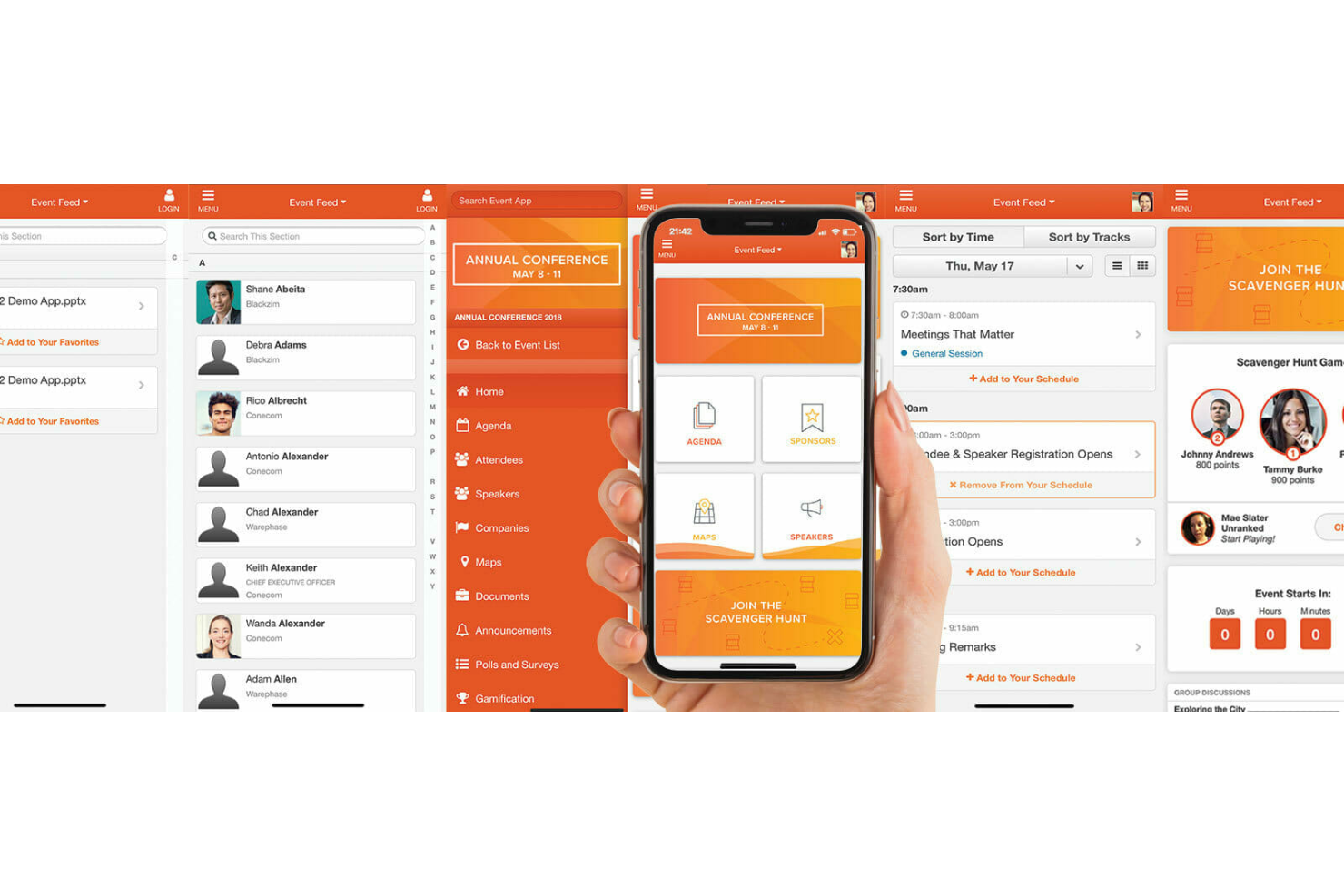
EventMobi is an event management platform well-suited for churches and faith-based organizations that want to create engaging, interactive event experiences. It works for both in-person and virtual church events, such as conferences, leadership training, youth gatherings, and multi-session ministry events.
Why I picked EventMobi: EventMobi stands out for churches because of its strong focus on attendee engagement. Churches can use interactive agendas, live polls, and in-app announcements to keep attendees informed and involved throughout the event. Customizable event apps allow for personalized schedules, session content, and speaker information, while real-time feedback tools help church leaders understand what resonated most. Built-in analytics make it easier to measure engagement and improve future church events.
Standout Features and Integrations:
Features include customizable branding, audience response systems, and gamification elements. You can use EventMobi’s live Q&A and chat features to generate interaction. The platform also offers session tracking to monitor attendance.
Integrations include Salesforce Campaigns, Marketo, HubSpot, Mailchimp, and more.
Pros and Cons
Pros:
- Real-time feedback collection
- Supports personalized event experiences
- Effective for attendee interaction
Cons:
- May need additional resources for large events
- Limited mobile app customization

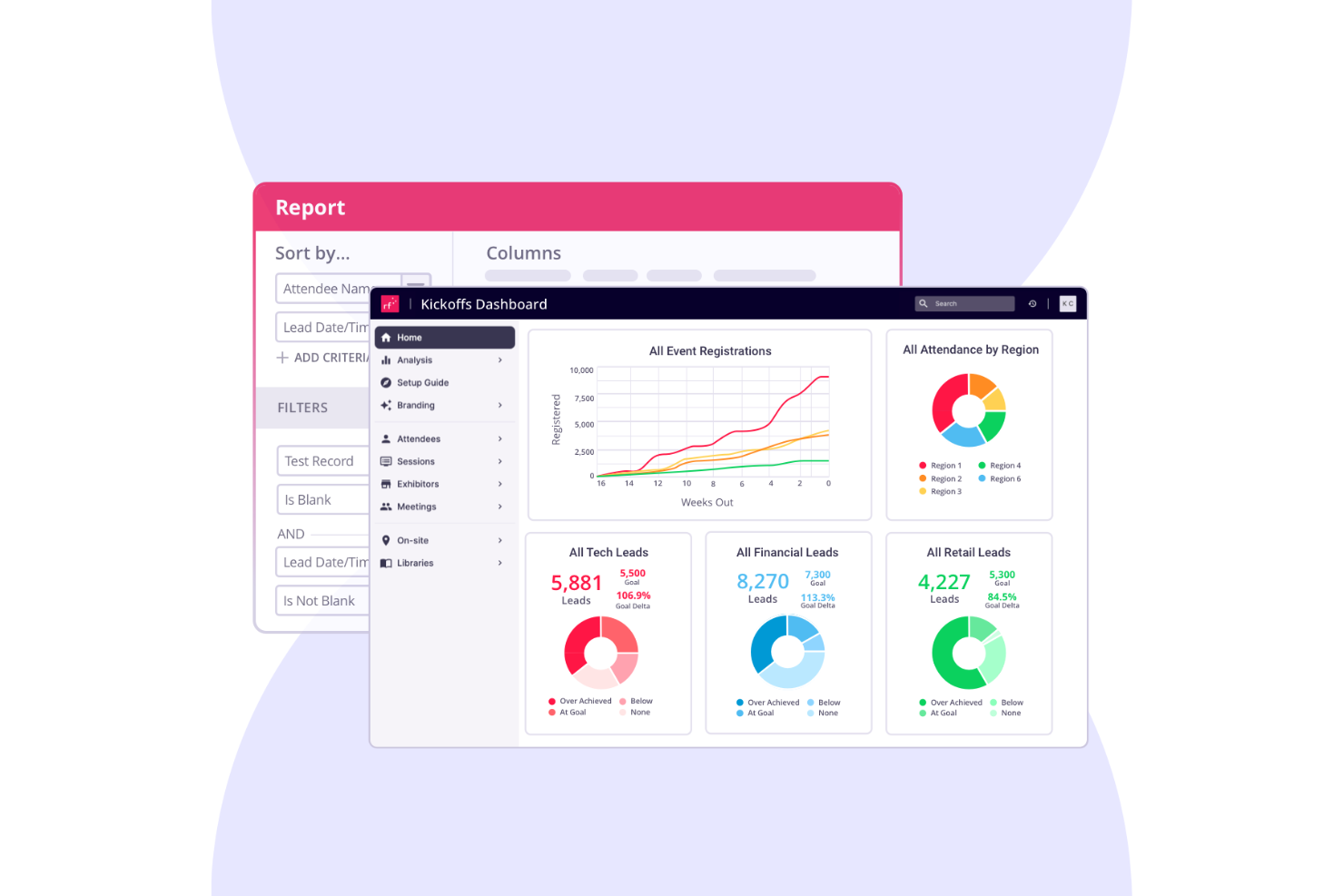
RainFocus is an event management platform well-suited for churches and faith-based organizations that host large conferences, conventions, or multi-day ministry events. It offers tools for registration, attendee engagement, and performance tracking, helping church teams manage complex events with multiple sessions, tracks, and activities.
Why I picked RainFocus: RainFocus is a good fit for church events that require detailed insights into attendance and engagement. The platform provides advanced analytics that help track attendee behavior and participation in real time. Churches can customize reports to evaluate session popularity, engagement levels, and overall event effectiveness. Its support for complex event structures and personalized attendee experiences allows church leaders to use data to improve future conferences and large-scale gatherings.
Standout Features and Integrations:
Features include customizable dashboards, real-time data visualization, and advanced reporting tools. You can manage multiple events from a single interface. The platform also supports personalized content delivery to increase attendee engagement.
Integrations include Salesforce CRM, Marketo, HubSpot, Slack, Zoom, and more.
Pros and Cons
Pros:
- Real-time engagement tracking
- Supports complex event structures
- Detailed data analytics available
Cons:
- Multi-event management can require support
- Complex data model and permission setup
Other Event Registration Software
Here are some additional event registration software options that didn’t make it onto my shortlist, but are still worth checking out:
- Ticketbud
For flexible ticketing
- Hubilo Virtual PRO
For attendee interaction tools
- Cvent Splash
For branded event pages


Best Event Registration Software Selection Criteria
When selecting the best event registration software to include in this list, I considered common buyer needs and pain points like managing attendee data and customizing event registration forms. I also used the following framework to keep my evaluation structured and fair:
Core Functionality (25% of total score)
To be considered for inclusion in this list, each solution had to fulfill these common use cases:
- Manage attendee registrations
- Process payments securely
- Customize registration forms
- Generate event reports
- Send automated email confirmations
Additional Standout Features (25% of total score)
To help further narrow down the competition, I also looked for unique features, such as:
- Virtual event hosting capabilities
- Advanced networking tools
- Real-time analytics dashboards
- Multi-language support
- Integration with CRM systems
Usability (10% of total score)
To get a sense of the usability of each system, I considered the following:
- Intuitive user interface
- Straightforward navigation
- Minimal learning curve
- Mobile accessibility
- Customizable dashboard
Onboarding (10% of total score)
To evaluate the onboarding experience for each platform, I considered the following:
- Availability of training videos
- Interactive product tours
- Access to templates
- In-depth webinars
- Responsive chatbots
Customer Support (10% of total score)
To assess each software provider’s customer support services, I considered the following:
- 24/7 support availability
- Live chat assistance
- Detailed help center
- Email response time
- Access to phone support
Value for Money (10% of total score)
To evaluate the value for money of each platform, I considered the following:
- Competitive pricing
- Flexible subscription plans
- Transparent pricing structure
- Discounts for nonprofits
- Additional features included in base price
Customer Reviews (10% of total score)
To get a sense of overall customer satisfaction, I considered the following when reading customer reviews:
- Overall satisfaction ratings
- Feedback on ease of use
- Comments on customer support
- Reports on feature reliability
- Experiences with onboarding process
How To Choose the Best Event Registration Software
It’s easy to get bogged down in long feature lists and complex pricing structures. To help you stay focused as you work through your unique software selection process, here’s a checklist of factors to keep in mind:
| Factor | What To Consider |
|---|---|
| Scalability | Will the software grow with your events? Consider the number of attendees you expect now and in the future. Look for tools that can handle increased volume. |
| Integrations | Does it connect with your existing tools? Check for compatibility with CRM systems, marketing platforms, and payment gateways you already use. |
| Customizability | Can you tailor the software to your needs? Ensure it allows you to customize forms, branding, and user experiences to fit your specific event requirements. |
| Ease of use | Is it user-friendly for your team? Evaluate the interface and navigation. Test it with non-technical users to ensure it’s accessible. |
| Implementation and onboarding | How quickly can you get up and running? Look for clear onboarding processes, training resources, and customer support to assist during setup. |
| Cost | Is it within your budget? Compare pricing plans and consider any additional costs for features or support. Evaluate whether the value matches the price. |
| Security safeguards | Does it protect your data? Ensure it complies with data protection regulations and offers encryption and secure payment processing. |
| Support availability | Will you get help when needed? Check the availability of customer support, including live chat, phone support, and response times for inquiries. |
What Is Event Registration Software?
The best event registration software solutions are tools that help organizers manage event sign-ups, attendee data, and payment processing. Event planners, marketers, and coordinators typically use these tools to simplify event management and elevate attendee experiences. Customizable registration forms, payment gateways, and reporting features help with efficient event planning, data management, and financial transactions. These tools provide value by saving time, reducing errors, and improving overall event organization.
Features
When selecting event registration software, keep an eye out for the following key features:
- Customizable registration forms: Allow you to fit your event's registration flow, elevating user experience and data collection.
- Payment processing: Facilitates secure transactions, offering multiple payment options to accommodate different attendee preferences.
- Reporting and analytics: Provide insights into event performance, helping you make data-driven decisions for future events.
- Attendee management: Simplifies tracking and organizing attendee information, making it easier to manage communications and logistics.
- Integration capabilities: Connect with tools such as CRM and marketing platforms to organize workflows and improve data consistency.
- Mobile access: Enables on-the-go management and attendee check-ins, increasing flexibility and efficiency during events.
- Email automation: Sends automated confirmation emails and reminders, ensuring attendees receive timely information without manual effort.
- Virtual event support: Offers tools for hosting online events, including live streaming and interactive features, to expand your event's reach.
- Security safeguards: Ensure data protection and compliance with regulations, safeguarding attendee information and transactions.
- Networking tools: Facilitate attendee interaction through features such as chat and forums, increasing engagement and event value.
Benefits
Implementing the best event registration software provides several benefits for your team and your business. Here are a few you can look forward to:
- Time saving: Automated registration and payment processes can free up your team to focus on other event planning tasks.
- Improved accuracy: Reduces manual data entry errors by capturing attendee information directly through customizable forms.
- Improved attendee experience: Offers easy registration and communication, boosting satisfaction and engagement.
- Data-driven insights: Provide detailed analytics and reporting, helping you evaluate event success and make informed decisions.
- Scalability: Supports events of various sizes so you can grow your events without changing your software.
- Increased security: Protects sensitive attendee data through secure payment gateways and compliance with data protection standards.
- Better communication: Automation of email reminders and updates ensures attendees receive timely information and reduces manual follow-up.
Costs & Pricing
Selecting the best event registration software requires an understanding of the various pricing models and plans available. Costs vary based on features, team size, add-ons, and more. The table below summarizes common plans, their average prices, and typical features included in the best event registration software solutions:
Plan Comparison Table for the Best Event Registration Software
| Plan Type | Average Price | Common Features |
|---|---|---|
| Free Plan | $0 | Basic registration forms, limited reporting, and basic email support |
| Personal Plan | $9-$30/user/month | Customizable forms, basic analytics, email support, and payment processing |
| Business Plan | $50-$100/user/month | Advanced analytics, integrations with CRM tools, priority support, and customizable branding |
| Enterprise Plan | $150-$499/user/month | Full customization, dedicated account manager, detailed analytics, and multi-event support. |
Best Event Registration Software FAQs
Here are some answers to common questions about event registration software:
What is the difference between event registration software and event management software?
Event registration tools focus on managing attendee sign-ups and payments, while event management software includes broader functionalities such as scheduling, venue management, and event marketing. If you need all-in-one management tools, consider an event management platform. For simple registration needs, a registration tool might suffice.
Can event registration software handle international events?
Yes, many event registration software solutions support international events by offering multi-language options and handling multiple currencies. Check if the software you’re considering provides these features, especially if you plan to host global events. This ensures smooth transactions and a better experience for international attendees.
How secure is event registration software?
Most event registration software includes security measures such as data encryption and secure payment gateways. Always verify that the software complies with relevant data protection regulations, such as GDPR, to protect your attendees’ information and avoid potential legal issues. Ask the vendor about their specific security protocols.
Can I customize the look of my event registration page?
Yes, most event registration software platforms allow you to customize the registration page to match your branding. You can usually adjust colors, logos, and layout. This customization helps maintain brand consistency and gives your event a professional appearance. Verify the extent of customization you require before choosing a platform.
What’s Next:
If you're in the process of researching the best event registration software, connect with a SoftwareSelect advisor for free recommendations.
You fill out a form and have a quick chat where they get into the specifics of your needs. Then you'll get a shortlist of software to review. They'll even support you through the entire buying process, including price negotiations.