

10 Best Bible Software in 2026

Best Bible Software Shortlist


Bible software refers to digital tools that help you read, study, and research scripture on your computer or mobile device. If you’re looking for the best Bible software, you likely want resources that make in-depth study, original language work, and sermon preparation easier—without adding to your workload. With so many options available, it’s tough to know which platform fits your ministry’s needs, your study habits, and your team’s workflow. This guide will help you compare the top Bible software for 2026, so you can choose the right solution for your spiritual leadership and teaching.
Why Trust Our Software Recommendations
Our team has been testing and reviewing software since 2012. As church leaders ourselves, we know how difficult—and important—it is to choose the right software.
For this guide, we evaluated tools using hands-on testing and independent research, scoring tools using our selection criteria.
Our reviews reflect our human editorial judgment, not a sales pitch.
Bible Software Comparison Table
This comparison table summarizes pricing details for my top Bible software selections:
| Tool | Best For | Trial Info | Price | ||
|---|---|---|---|---|---|
| 1 | Best for multi-translation comparison | Free plan available | From $4.92/month (billed annually) | Website | |
| 2 | Best for quick verse lookup tools | Free forever | Free forever | Website | |
| 3 | Best with collaborative reading plans | Free to download | Free to download | Website | |
| 4 | Best with free offline access | Free to use | Free to use | Website | |
| 5 | Best for mobile reading and study | Free plan available | From $5.99/month | Website | |
| 6 | Best with customizable research workspaces | Free trial available | From $49 one-time fee | Website | |
| 7 | Best for advanced original language tools | 30-day free trial available | Pricing upon request | Website | |
| 8 | Best for integrated topical indexes | Free demo available | From $69.95 | Website | |
| 9 | Best for in-depth textual analysis | Free to use | Free to use | Website | |
| 10 | Best for interactive diagramming features | Free plan available | From $2.99/month | Website |
Best Bible Software Reviews
Below are my detailed summaries of the Bible software that made it onto my shortlist. My reviews offer a detailed look at the features, best use cases, and capabilities of each software to help you find the best one for you.

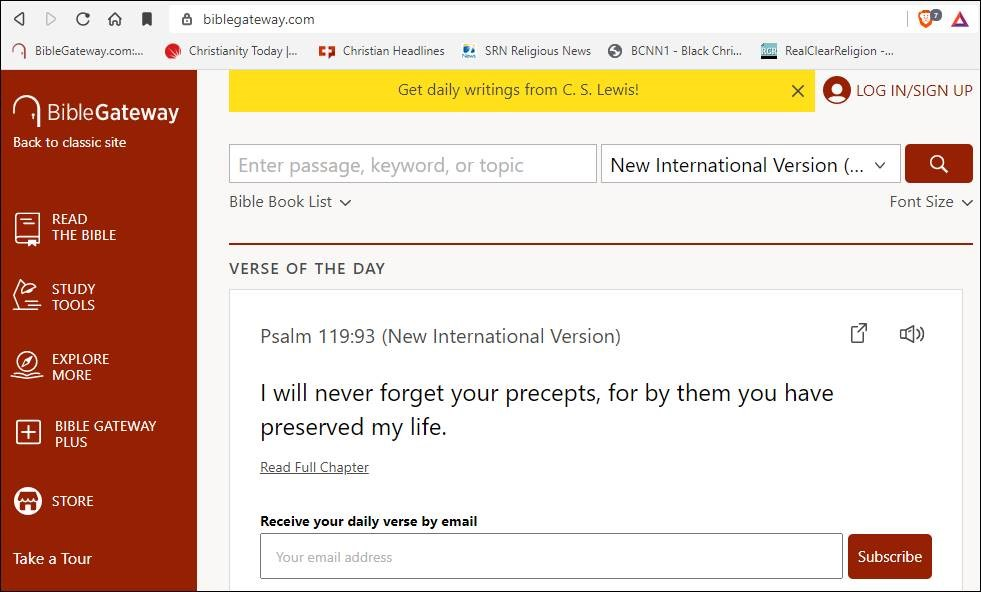
If you need to compare multiple Bible translations side by side, Bible Gateway is built for that purpose. It’s especially helpful for pastors, teachers, and anyone who wants to study Scripture across different versions without switching platforms. The platform makes it easy to explore language differences and deepen your understanding of the text.
Who Is Bible Gateway Best For?
Bible Gateway is a strong fit for pastors, Bible teachers, and students who need to compare multiple translations of Scripture quickly and easily.
Why I Picked Bible Gateway
What sets Bible Gateway apart for me is how easily you can view multiple translations of the same passage side by side. This feature is especially valuable when you want to compare wording, phrasing, or interpretation across different versions without toggling between tabs or windows. I also appreciate that you can search for a verse or keyword and instantly see results in several translations at once. For anyone who needs to analyze scripture from various perspectives, Bible Gateway makes multi-translation comparison simple and accessible.
Bible Gateway Key Features
Some other features that make Bible Gateway useful for Bible study and teaching include:
- Audio Bibles: Listen to scripture passages read aloud in various translations.
- Commentary access: View a range of classic and modern Bible commentaries alongside Scripture.
- Reading plans: Choose from multiple Bible reading plans to guide daily study.
- Parallel passage tool: Compare related passages from different parts of the Bible in a single view.
Bible Gateway Integrations
Integrations are not publicly listed.
Pros and Cons
Pros:
- Offers daily reading plans
- Includes audio Bibles
- Parallel Bible viewing feature
Cons:
- Occasional content updates needed
- Requires stable internet connection

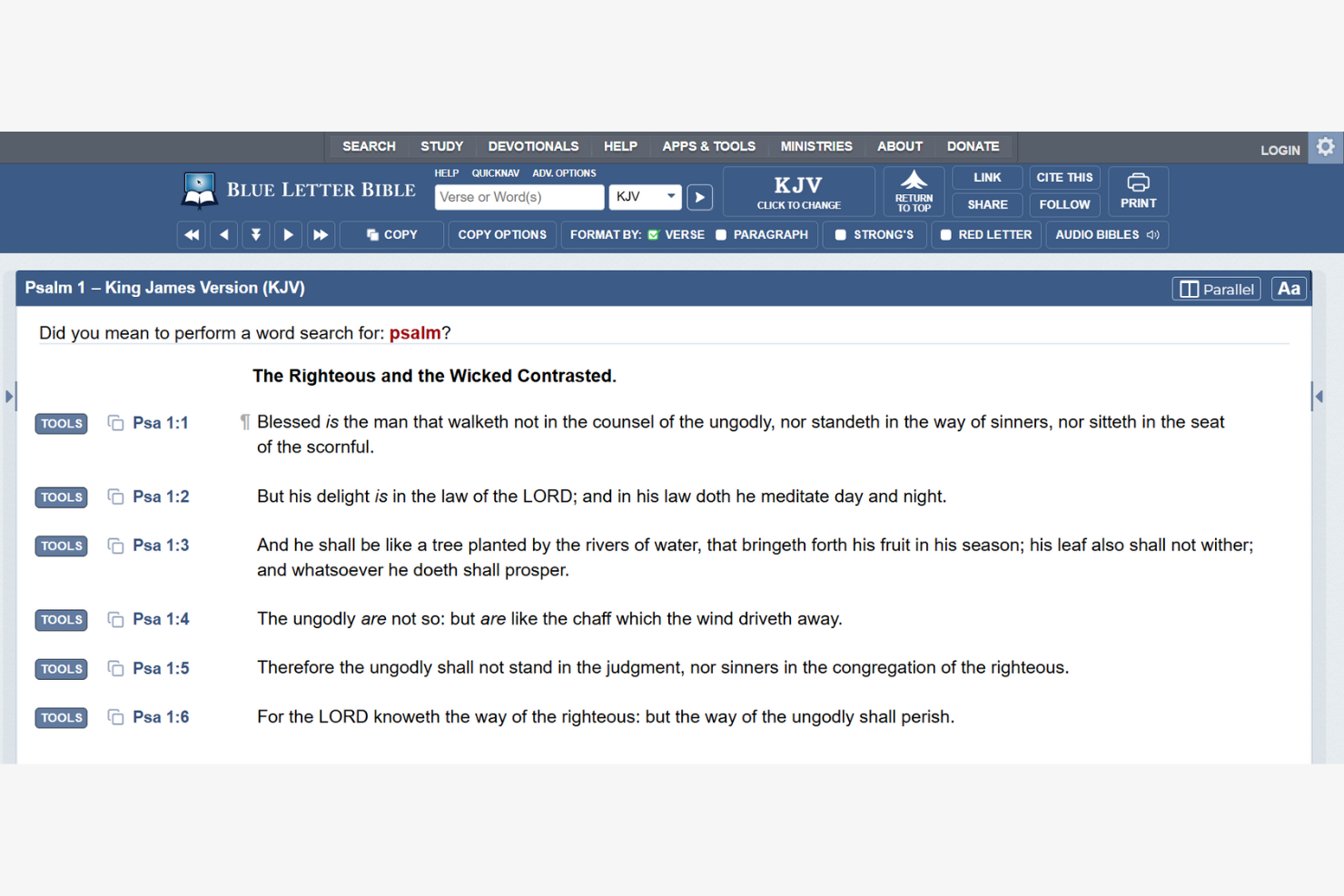
If you need fast access to scripture and study tools, Blue Letter Bible is designed for you. It’s especially useful for pastors, teachers, and anyone who wants to look up verses, compare translations, or dig into original language tools on the fly. Blue Letter Bible helps you quickly find, study, and cross-reference passages without a complicated setup.
Who Is Blue Letter Bible Best For?
Blue Letter Bible is a strong choice for pastors, Bible teachers, and students who need quick, reliable verse lookup and study tools during sermon prep or teaching.
Why I Picked Blue Letter Bible
What drew me to Blue Letter Bible is how quickly you can look up any verse or passage without extra steps. The search bar is always visible, and you can jump straight to a verse, keyword, or topic in seconds. I also like that you get instant access to original language tools, cross-references, and multiple translations right from the same screen. For anyone who needs fast, reliable verse lookup—whether during sermon prep or live teaching—Blue Letter Bible keeps everything just a click away.
Blue Letter Bible Key Features
Some other features that make Blue Letter Bible useful for Bible study include:
- Interlinear tools: View original Hebrew and Greek words alongside English translations for deeper study.
- Audio Bibles: Listen to scripture passages read aloud directly from the platform.
- Commentary library: Access a wide range of classic and modern Bible commentaries for additional insight.
- Customizable reading plans: Set up and track personalized Bible reading schedules within your account.
Blue Letter Bible Integrations
Integrations are not publicly listed.
Pros and Cons
Pros:
- Customizable reading plans and study tools
- Audio Bible options for multiple translations
- Fast verse lookup with minimal navigation
Cons:
- Limited modern Bible translations
- No built-in sermon or note organization

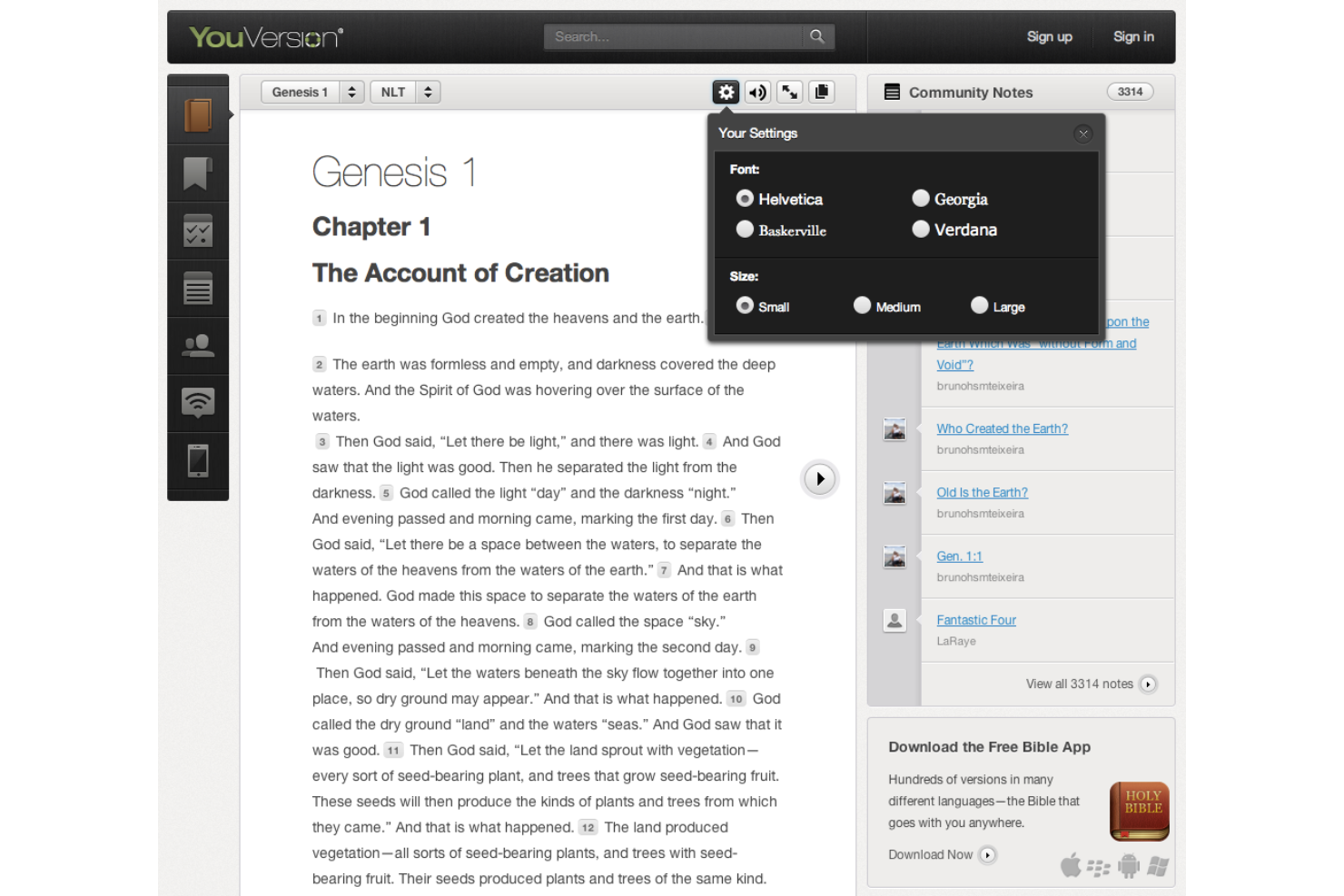
If you’re looking for a Bible app that makes group study and shared reading easy, YouVersion is worth considering. The platform is designed for churches, small groups, and individuals who want to read scripture together and track progress as a community. Its collaborative reading plans and interactive features help foster connection and accountability around daily Bible engagement.
Who Is YouVersion Best For?
YouVersion is a strong fit for churches, small groups, and individuals who want to engage in collaborative Bible reading and shared study plans.
Why I Picked YouVersion
What drew me to YouVersion is how it centers collaborative reading plans as a core part of the experience. You can invite others to join a plan, track each person’s progress, and share reflections or prayer requests right inside the app. I also appreciate that group members can comment and interact on daily readings, which helps foster real community around scripture. For anyone who wants to encourage group engagement and accountability in Bible study, YouVersion’s collaborative features make it a standout choice.
YouVersion Key Features
Some other features that make YouVersion useful for Bible study and church engagement include:
- Audio Bible support: Listen to scripture passages in multiple translations and languages.
- Verse image creation: Create and share custom verse graphics directly from the app.
- Offline Bible access: Download translations for reading without an internet connection.
- Highlighting and bookmarking: Mark, organize, and revisit favorite passages easily.
YouVersion Integrations
Integrations are not publicly listed.
Pros and Cons
Pros:
- Allows verse sharing and social engagement
- Includes collaborative reading plans for groups
- Offers over 2,300 Bible translations
Cons:
- Displays ads for some devotional content
- Lacks advanced study tools for in-depth research

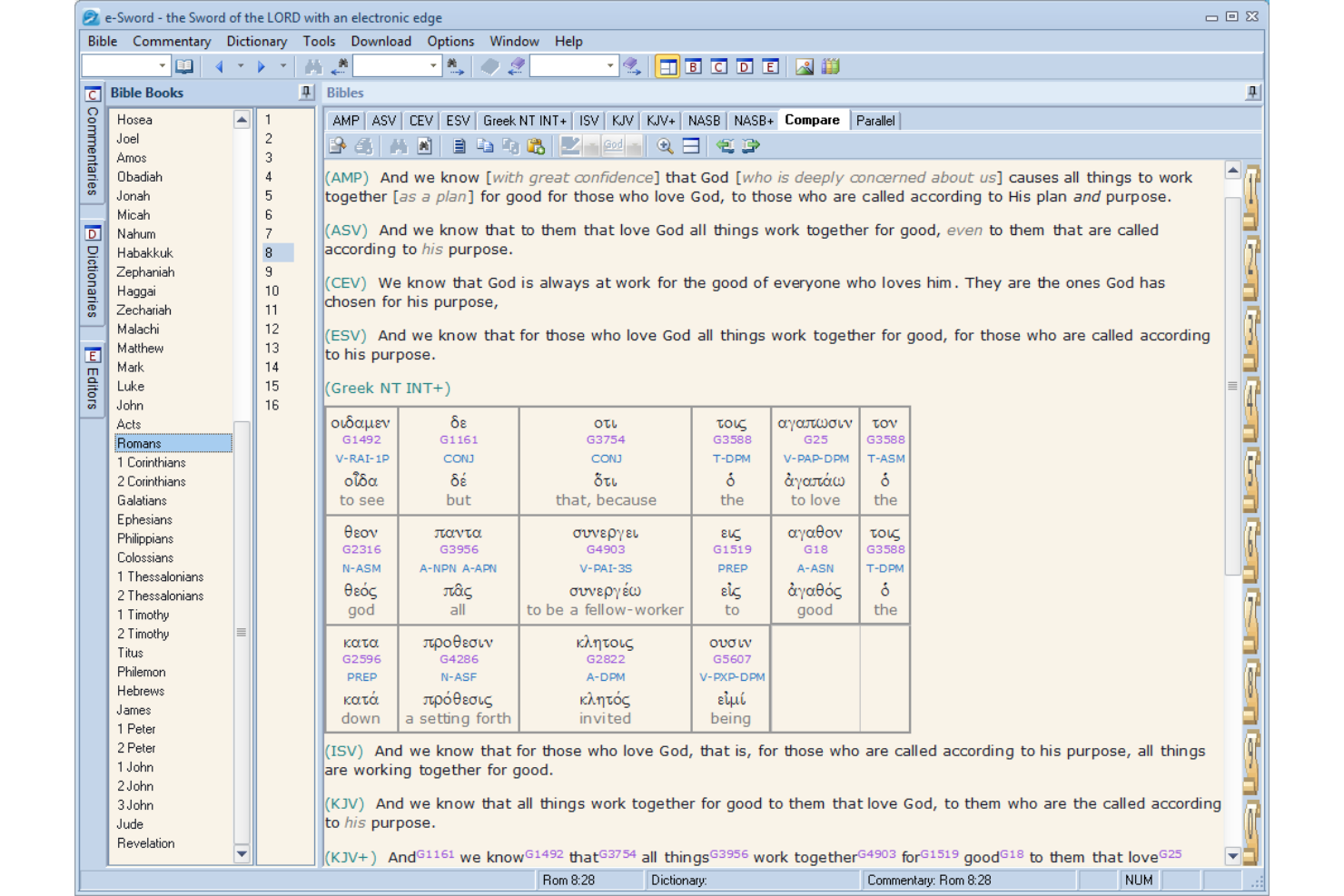
If you’re looking for Bible software that works entirely offline and doesn’t require a subscription, e-Sword is worth considering. This tool appeals to pastors, church leaders, and Bible students who want free, reliable access to scripture and study resources without internet access. e-Sword helps you build a personal digital library and study scripture in-depth wherever you are.
Who Is e-Sword Best For?
e-Sword is a strong fit for pastors, church leaders, and Bible students who need free, offline access to scripture and study tools.
Why I Picked e-Sword
What drew me to e-Sword is its commitment to providing full Bible study functionality without requiring an internet connection or ongoing payments. I picked e-Sword because it lets you download a wide range of translations, commentaries, and dictionaries for offline use, which is especially valuable for ministry leaders in areas with limited connectivity. The software’s simple download-and-install process means you can get started quickly and access your entire library anytime. For anyone who needs reliable, free offline access to scripture and study tools, e-Sword stands out as a practical solution.
e-Sword Key Features
Some other features in e-Sword that support in-depth Bible study include:
- Parallel Bible view: Compare multiple translations side by side for deeper understanding.
- Verse notes and journaling: Attach personal notes or journal entries directly to specific verses.
- Scripture search tool: Search for words, phrases, or references across your entire library.
- Built-in scripture memory tool: Create and review verse lists to support scripture memorization.
e-Sword Integrations
Integrations are not publicly listed.
Pros and Cons
Pros:
- Supports personal note-taking and journaling
- Large library of free and paid modules
- Entirely free to download and use
Cons:
- No cloud sync or backup for notes
- No mobile app for iOS or Android

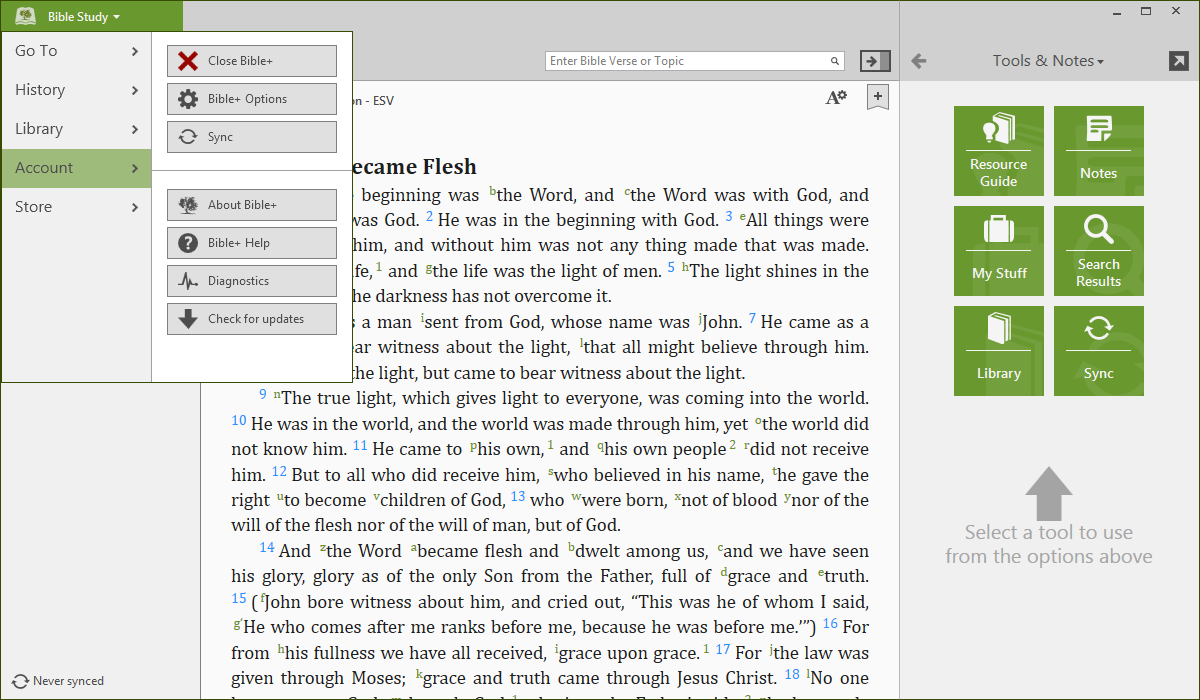
If you want Bible software that works well on your phone or tablet, Olive Tree is designed for mobile-first reading and study. This platform appeals to pastors, church leaders, and laypeople who need quick access to scripture and study tools on the go. Olive Tree helps you read, annotate, and compare translations from anywhere, making it a practical choice for busy ministry schedules.
Who Is Olive Tree Best For?
Olive Tree is a strong choice for pastors, church leaders, and Bible readers who prioritize mobile access for scripture study and note-taking.
Why I Picked Olive Tree
What stands out about Olive Tree is how well it adapts to mobile reading and study, which is essential for ministry leaders who are often on the move. I picked Olive Tree because its app is designed specifically for smartphones and tablets, with features like split-screen reading and offline access to your library. The ability to highlight, take notes, and sync content across devices means you can prepare lessons or reflect on scripture wherever you are. This focus on mobile functionality makes Olive Tree a practical choice for anyone who needs Bible study tools that travel with them.
Olive Tree Key Features
Some other features in Olive Tree that support Bible study include:
- Resource guide: This tool automatically displays relevant commentaries, maps, and study materials alongside your current passage.
- Strong’s numbers integration: Tap on any word with a Strong’s number to access original language definitions and concordance data.
- Reading plans: Choose from a variety of built-in reading plans to guide your daily scripture engagement.
- Customizable themes: Adjust font size, background color, and reading modes to suit your preferences and environment.
Olive Tree Integrations
Integrations are not publicly listed.
Pros and Cons
Pros:
- Syncs notes and highlights across devices
- Offers a library of purchasable study materials
- Split-screen view for comparing translations
Cons:
- Fewer advanced search options than competitors
- No sermon or worship planning tools
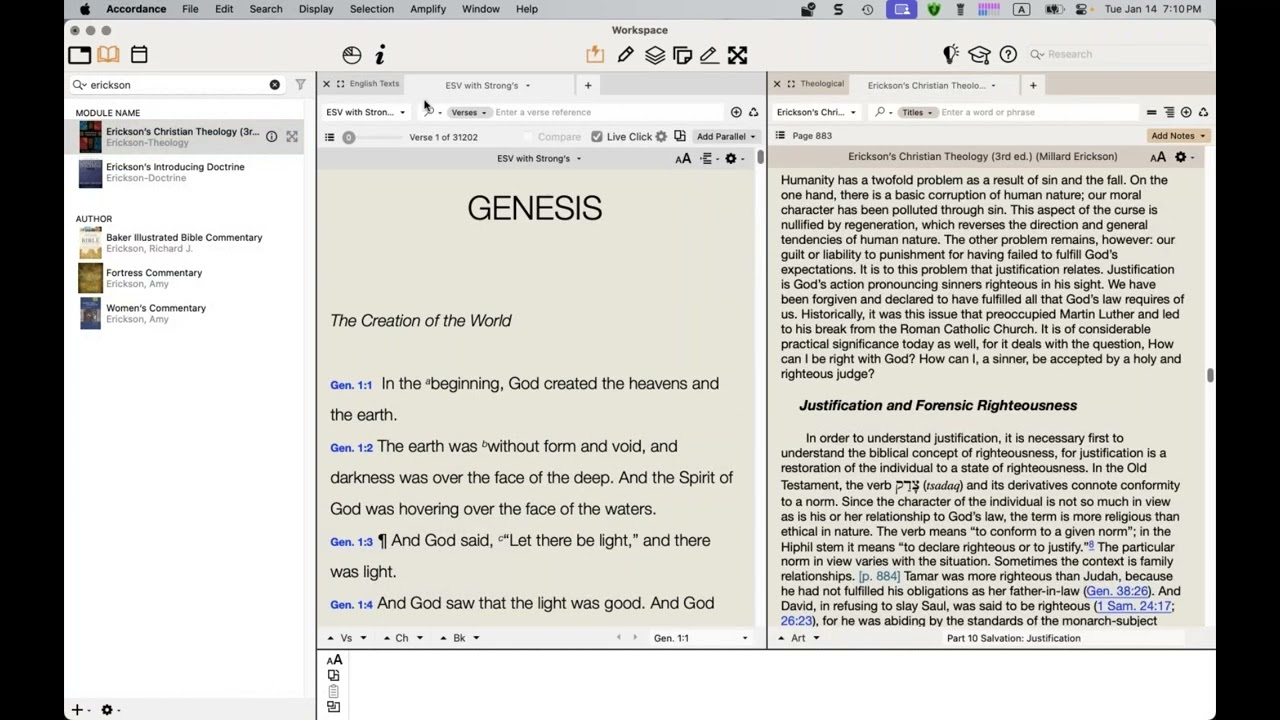
If you want Bible software that adapts to your study style, Accordance offers a flexible approach. This platform appeals to pastors, scholars, and serious Bible students who need customizable research workspaces and advanced study tools. Accordance helps you organize resources, compare translations, and dig deep into scripture without a cluttered interface.
Who Is Accordance Best For?
Accordance is a strong fit for pastors, scholars, and Bible students who want to create highly customizable research workspaces for in-depth scripture study.
Why I Picked Accordance
What drew me to Accordance is how it lets you build research workspaces that match your study habits and ministry needs. You can arrange multiple texts, commentaries, and original language tools side by side, then save those layouts for different types of study or teaching prep. I appreciate how easy it is to compare translations and resources in real time without losing your place. This level of customization makes Accordance especially useful for anyone who wants to tailor their Bible study environment for deep, focused research.
Accordance Key Features
Some other features in Accordance that support in-depth Bible study include:
- Original language tools: Access Greek, Hebrew, and other ancient texts with parsing and lexicon support.
- Instant details pane: Hover over any word to see definitions, parsing, and cross-references without leaving your main workspace.
- User notes and highlights: Add personal notes, highlights, and custom categories to any passage for future reference.
- Flexible search options: Search by word, phrase, grammatical construction, or verse range across your entire library.
Accordance Integrations
Integrations are not publicly listed.
Pros and Cons
Pros:
- Offline access to purchased resources
- Deep library of scholarly commentaries
- Highly customizable multi-pane workspaces
Cons:
- No built-in sermon presentation tools
- Fewer modern collaboration features
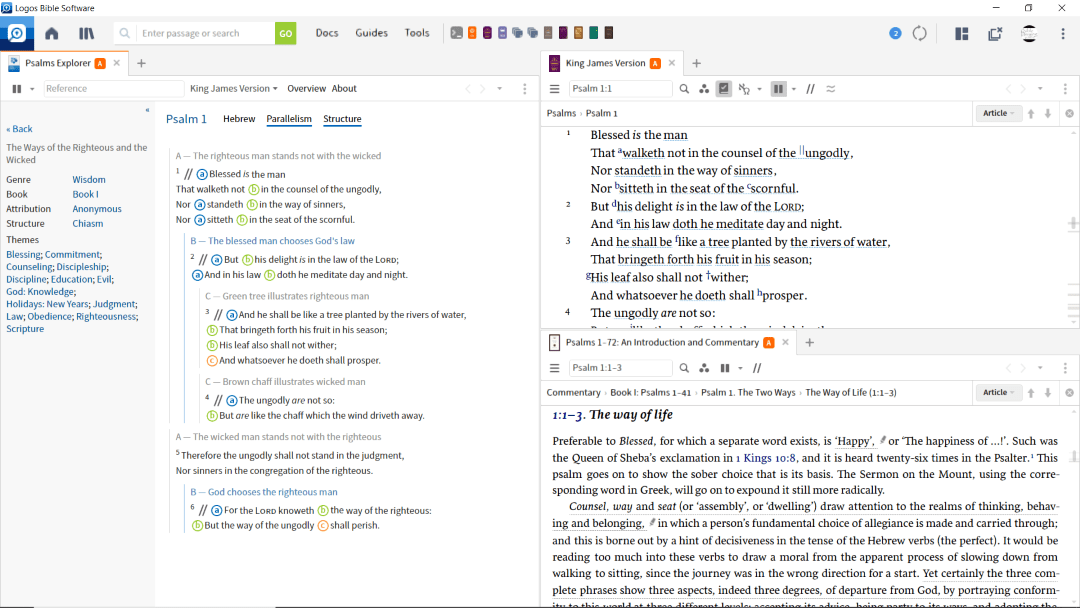
Logos is designed for pastors, seminary students, and anyone who wants to dig deep into original biblical languages. Its advanced language tools and extensive resource library help you explore Greek, Hebrew, and theological texts side by side. If you need to prepare sermons or lead in-depth Bible studies, Logos offers specialized features that support serious research and teaching.
Who Is Logos Best For?
Logos is a strong fit for pastors, scholars, and ministry leaders who need advanced original language tools for sermon preparation, teaching, or academic study.
Why I Picked Logos
I chose Logos because its original language tools set it apart from other Bible software. The platform offers interlinear Bibles, advanced Greek and Hebrew lexicons, and visual filters that let you trace words and themes across scripture. I find the ability to run complex morphological searches and compare translations side by side especially valuable for sermon prep and deep study. These features make Logos a top choice for anyone who wants to engage with the biblical text at a scholarly level.
Logos Key Features
Some other features in Logos that support in-depth study and ministry work include:
- Sermon builder: Create, organize, and export sermon manuscripts and outlines directly within the platform.
- Passage guide: Automatically gathers commentaries, cross-references, and media resources for any scripture passage you enter.
- Notes and highlights: Add personal notes, highlights, and tags to any resource, with all annotations searchable across your library.
- Reading plans: Set up custom reading schedules for yourself or groups, tracking progress through various Bible translations and resources.
Logos Integrations
Integrations are not publicly listed.
Pros and Cons
Pros:
- Powerful search across all resources
- Deep library of commentaries and references
- Extensive original language study resources
Cons:
- Limited offline access to some resources
- Resource-heavy and slow on older devices

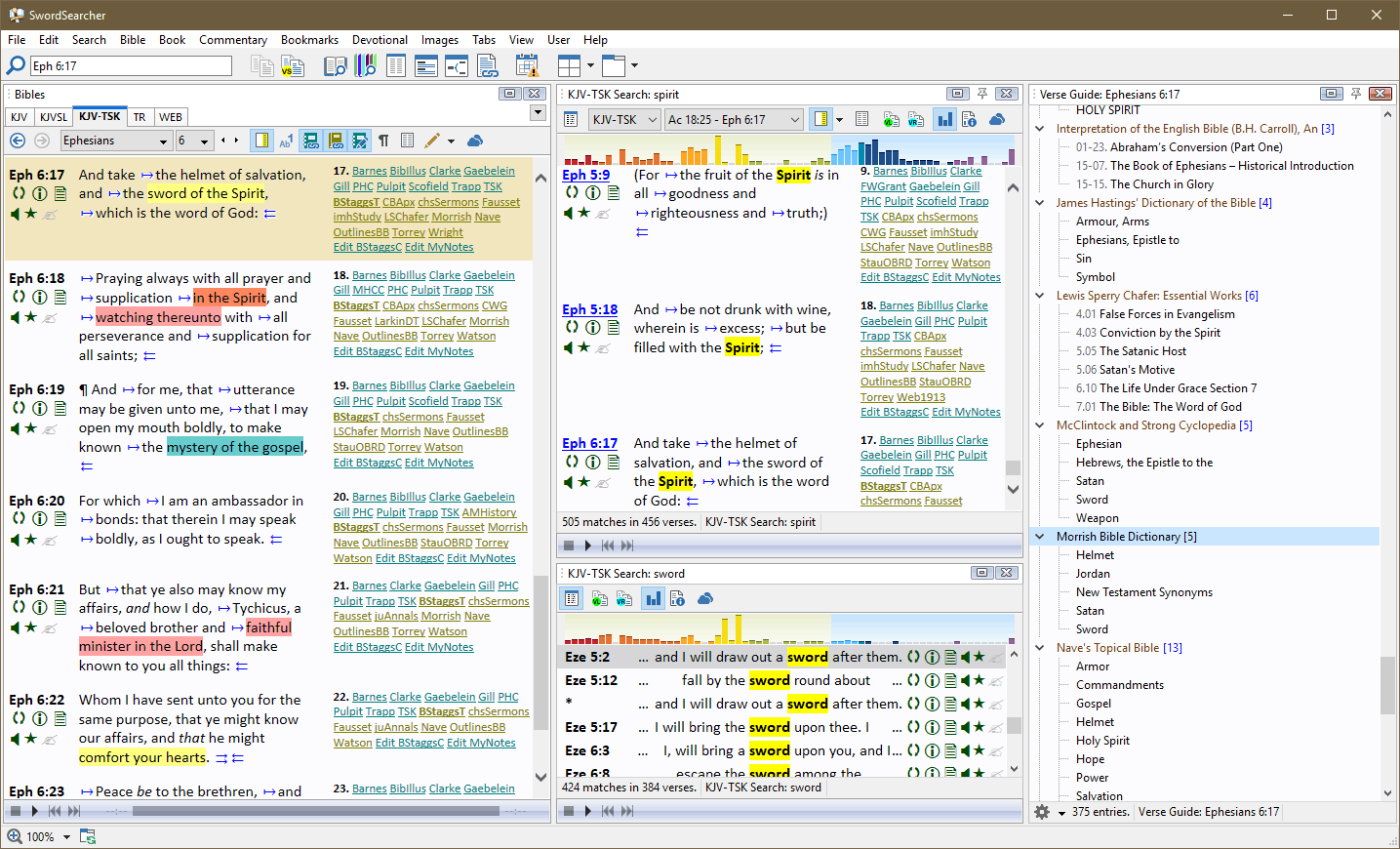
SwordSearcher offers a Bible study platform designed for users who want deep topical exploration alongside Scripture. It’s especially useful for pastors, teachers, and researchers who need quick access to integrated topical indexes and cross-references. If you’re looking to connect themes, doctrines, and passages efficiently, SwordSearcher brings these resources together in one searchable tool.
Who Is SwordSearcher Best For?
SwordSearcher is a strong fit for pastors, Bible teachers, and researchers who need integrated topical indexes to connect Scripture themes and doctrines quickly.
Why I Picked SwordSearcher
What sets SwordSearcher apart for me is its deep integration of topical indexes directly within the Bible study environment. I picked SwordSearcher because it lets you instantly access and cross-reference topics, doctrines, and themes without leaving your main study window. The Topic and Verse Guide pulls together related passages, commentaries, and dictionaries in one place, making it easy to trace ideas across Scripture. For anyone who wants to explore biblical topics in depth and connect them to specific verses, SwordSearcher’s approach is both thorough and practical.
SwordSearcher Key Features
In addition to its topical index tools, SwordSearcher offers several other features for in-depth Bible study:
- Library of classic commentaries: Access a wide range of historical and theological commentaries directly within the software.
- Verse list tool: Collect, organize, and export custom lists of verses for study or teaching.
- Inline scripture popups: Hover over references to instantly view full scripture passages without leaving your current window.
- User book creation: Create and manage your own study books, notes, or sermon outlines within the platform.
SwordSearcher Integrations
Integrations are not publicly listed.
Pros and Cons
Pros:
- Custom user book and note creation
- Fully offline access with no internet required
- Extensive topical index for fast research
Cons:
- Limited collaboration or sharing features
- Lacks cloud sync or online backup

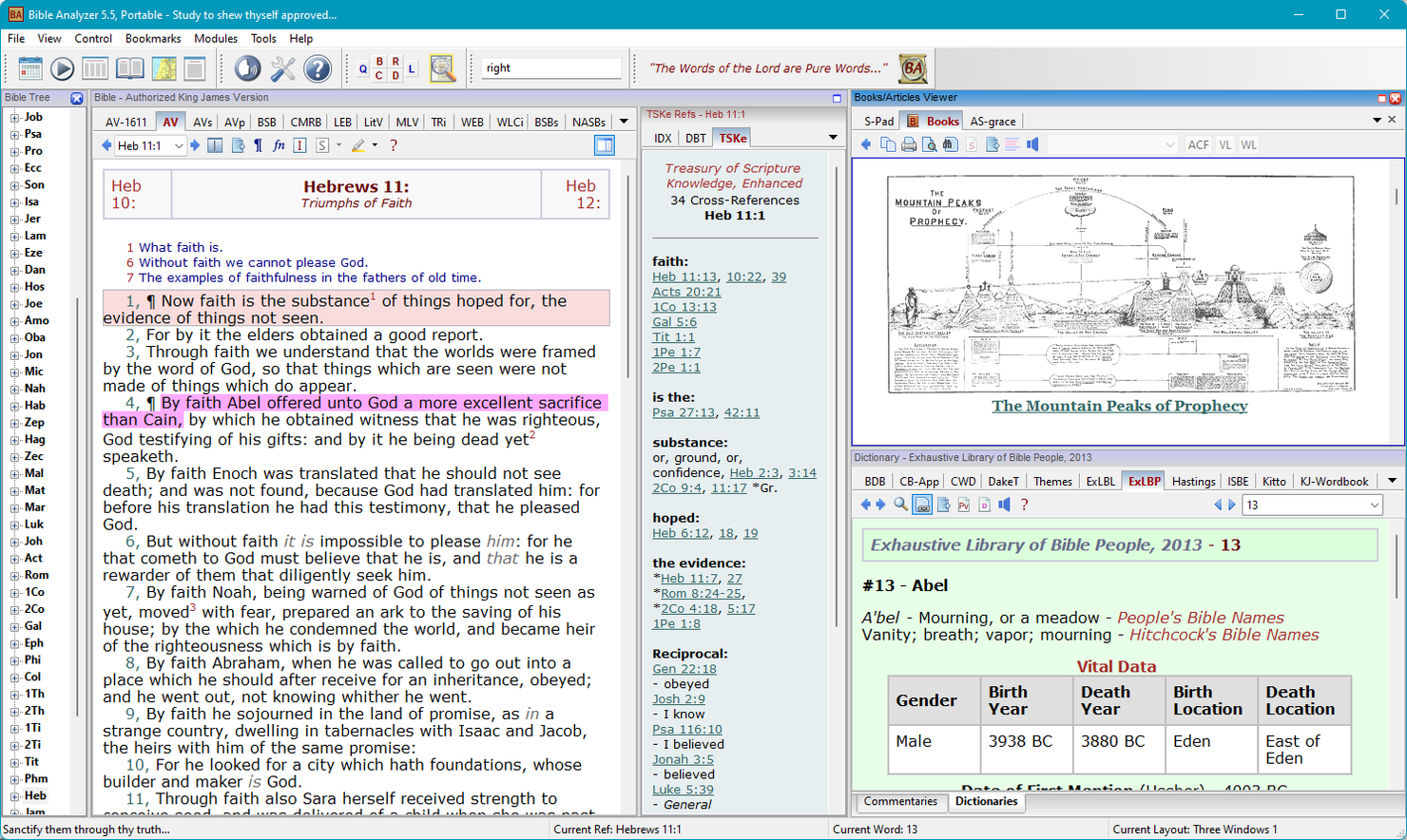
Bible Analyzer is designed for users who want to dig deeply into the original text and structure of scripture. It’s a strong choice for pastors, Bible teachers, and researchers who need advanced search, statistical, and cross-referencing tools. If you’re looking to analyze word frequency, compare translations, or explore textual patterns, Bible Analyzer brings these capabilities together in one platform.
Who Is Bible Analyzer Best For?
Bible Analyzer is a strong fit for pastors, Bible teachers, and researchers who need advanced tools for in-depth textual and statistical analysis of scripture.
Why I Picked Bible Analyzer
What drew me to Bible Analyzer is its focus on in-depth textual analysis that goes beyond basic Bible reading. I appreciate how it lets you run complex searches, analyze word frequency, and compare passages across multiple translations side by side. The built-in statistical tools and cross-reference features make it easy to spot patterns and connections that might otherwise go unnoticed. For anyone who wants to dig into the structure and language of scripture, Bible Analyzer offers a set of tools that are both specialized and practical.
Bible Analyzer Key Features
Some other features that make Bible Analyzer stand out for Bible study include:
- Audio Bible support: Listen to scripture passages directly within the software for auditory study or group reading.
- Parallel Bible display: View multiple Bible translations side by side for easy comparison.
- Built-in commentary modules: Access a range of classic and modern commentaries integrated into your study workflow.
- Customizable reading plans: Set up and track personalized Bible reading schedules to support ongoing study.
Bible Analyzer Integrations
Integrations are not publicly listed.
Pros and Cons
Pros:
- Large library of included commentaries
- Strong’s numbers and lexicon integration
- Extensive original language study tools
Cons:
- Feature depth requires installing specific modules
- Utilitarian interface layout style

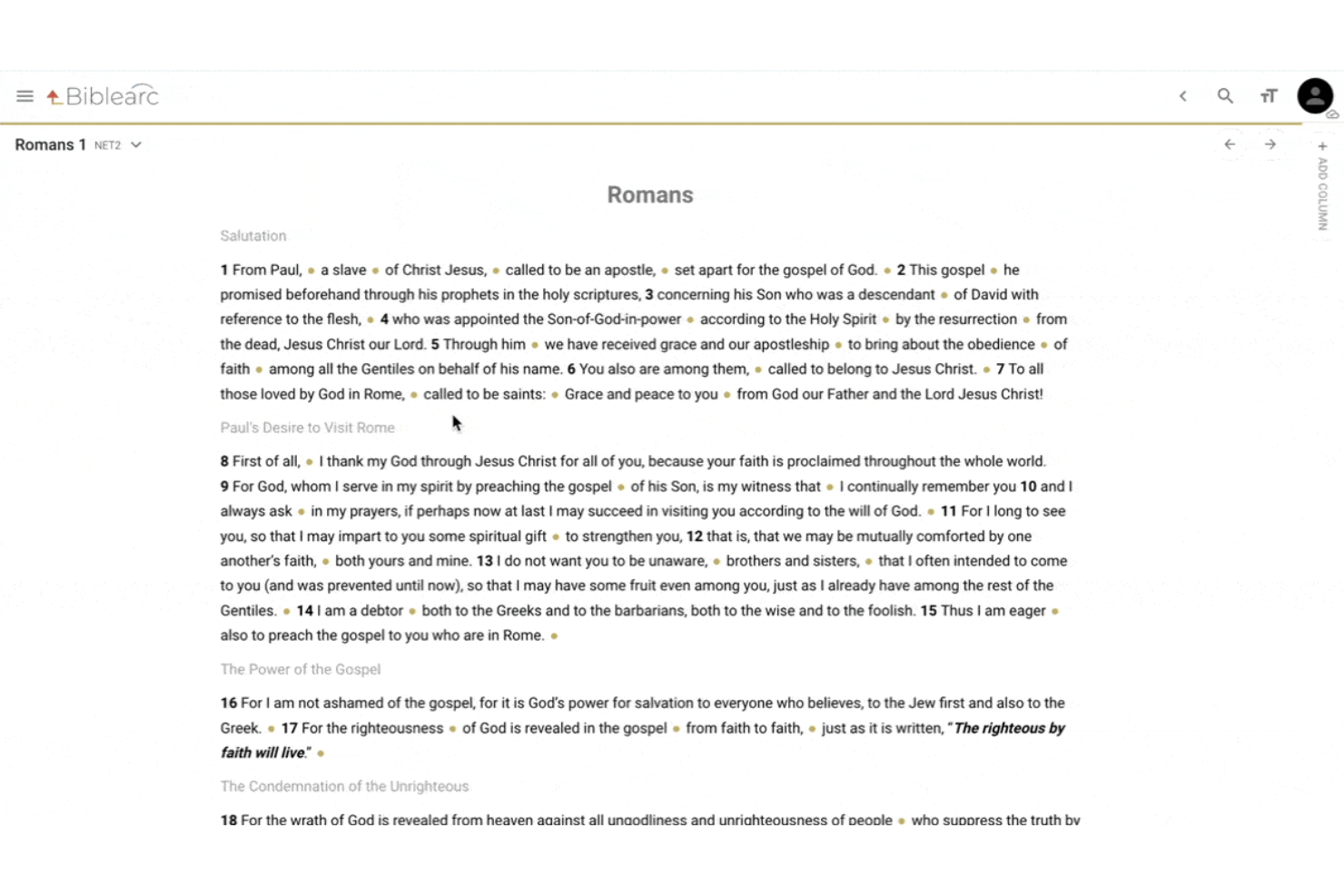
Biblearc offers a unique approach to Bible study with its interactive diagramming and visual analysis tools. It’s especially appealing to pastors, Bible teachers, and seminary students who want to map out passages and explore textual relationships visually. If you’re looking for a way to deepen your study through hands-on engagement with scripture structure, Biblearc stands out in this space.
Who Is Biblearc Best For?
Biblearc is a strong fit for pastors, Bible teachers, and seminary students who want interactive diagramming tools to visually analyze and map Scripture passages.
Why I Picked Biblearc
What sets Biblearc apart for me is its focus on interactive diagramming, which isn’t common in most Bible software. I like that you can visually map out the structure of passages, draw connections between clauses, and annotate relationships right on the text. The arc diagramming and phrasing tools make it easy to break down complex scripture and see how ideas flow together. For anyone who wants to move beyond reading and into hands-on, visual analysis of biblical texts, Biblearc offers a unique and practical set of features.
Biblearc Key Features
In addition to its diagramming tools, Biblearc offers several other features for in-depth Bible study:
- Original language resources: Access Greek and Hebrew texts with parsing and lexicon tools for deeper word study.
- Cross-reference explorer: Quickly view and navigate related passages across the Bible for broader context.
- Collaborative study workspaces: Share projects and notes with others for group study or teaching preparation.
- Customizable highlighting and notes: Mark up passages and add personal notes directly within the text for ongoing reference.
Biblearc Integrations
Integrations are not publicly listed.
Pros and Cons
Pros:
- Built-in cross-referencing and passage linking
- Original language tools for Greek and Hebrew
- Visual diagramming for in-depth passage analysis
Cons:
- Requires specific structural study training
- No true native desktop app


Cómo evalúo el software bíblico
Divido mi evaluación en dos capas: características fundamentales que una herramienta debe tener para calificar, y diferenciadores que importan para pastores que hacen exégesis profunda o preparan sermones semanalmente.
Funcionalidad principal (Requisitos mínimos para esta lista)
Cuando selecciono herramientas para mi lista, califico cada una en una escala del 0 (no ofrece la funcionalidad) al 5 (destaca en esta área) para cada funcionalidad principal descrita a continuación. Luego, calculo la puntuación total de la herramienta como un porcentaje. Cada herramienta necesita lograr una puntuación total mínima del 65% para ser considerada para la inclusión.
- Biblioteca bíblica multitraducción: Reviso cuántas traducciones incluye cada herramienta y si versiones importantes como la ESV, NIV, NASB y KJV están incluidas o requieren compra por separado.
- Herramientas de lenguas originales: Léxicos, interlineales y anotaciones morfológicas son importantes cuando se rastrea una palabra como "hesed" en el texto hebreo durante la preparación de un sermón.
- Búsqueda y concordancia: Evalúo si la búsqueda va más allá de buscar palabras clave básicas para admitir consultas booleanas, números Strong y filtros entre varios tipos de recursos.
- Comentarios y recursos de estudio: Una buena biblioteca mezcla obras clásicas de dominio público con comentarios modernos reconocidos y diccionarios teológicos útiles para el estudio real.
- Referencias cruzadas y notas: Analizo cómo cada herramienta gestiona las anotaciones personales, si las notas se sincronizan entre dispositivos y cuán fácil es etiquetar y recuperar destacados semanas después.
- Herramientas para la preparación de sermones y estudios: Funcionalidades como generadores de esquemas, guías de pasajes o materiales exportables para enseñanza demuestran si la herramienta está pensada para pastores que enseñan semanalmente.
Una vez que tengo una lista de herramientas que cumplen con estos criterios, considero qué distingue a cada plataforma.
Factores diferenciadores (Qué distingue a los proveedores)
Así es como comparo y contrasto diferentes proveedores:
Funciones destacadas
Los generadores de planes de lectura son muy útiles para directores de discipulado que necesitan distribuir guías de estudio semanales en grupos pequeños. También evalúo si una herramienta puede exportar versículos y esquemas a programas de proyección como ProPresenter o EasyWorship, lo que ahorra tiempo real a los equipos de alabanza los domingos por la mañana. El acceso móvil y sin conexión también es fundamental: los pastores que hacen visitas hospitalarias o viajan para conferencias necesitan que sus notas y destacados estén disponibles sin Wi-Fi.
Más allá de las funciones
Los modelos de licenciamiento importan más de lo que la mayoría de compradores espera. Algunas plataformas agrupan recursos en paquetes por niveles, mientras que otras permiten comprar comentarios y léxicos por separado. Evalúo si los recursos adquiridos se transfieren si cambias de herramienta en el futuro. El encaje denominacional es otro factor: un pastor reformado que prepara una serie sobre teología del pacto necesita colecciones seleccionadas distintas a un líder católico que estudia a los Padres de la Iglesia. También considero el soporte de incorporación, ya que las herramientas con funciones exegéticas profundas suelen exigir tiempo real de aprendizaje.
How I Evaluate Bible Software
I split my evaluation into two layers: baseline features a tool must have to qualify, and differentiators that matter for pastors doing deep exegesis or weekly sermon prep.
Core Functionality (Table Stakes For This List)
When I'm selecting tools for my list, I rank each one on a scale from 0 (does not offer the functionality) to 5 (excels in this area) for each core functionality listed below. Then, I calculate the tool's total score into a percentage. Each tool needs to achieve a minimum total score of 65% to be considered for inclusion.
- Multi-Translation Bible Library: I check how many translations ship with each tool and whether major versions like the ESV, NIV, NASB, and KJV are included or require separate purchase.
- Original Language Tools: Lexicons, interlinears, and morphological tagging matter when you're tracing a word like "hesed" through the Hebrew text during sermon prep.
- Search & Concordance: I evaluate whether search goes beyond basic keyword lookup to support Boolean queries, Strong's numbers, and filtering across multiple resource types.
- Commentaries & Study Resources: A good library mixes classic public domain works with respected modern commentaries and theological dictionaries you'd actually reference in study.
- Cross-References & Notes: I look at how each tool handles personal annotations, whether notes sync across devices, and how easily you can tag and retrieve highlights weeks later.
- Sermon & Study Prep Tools: Features like outline builders, passage guides, or exportable teaching materials show whether a tool is built for pastors who teach weekly.
Once I have a list of tools that meet this criteria, I consider what sets each platform apart.
Differentiating Factors (What Sets Vendors Apart)
Here's how I compare and contrast different vendors:
Standout Features
Reading plan builders are a big deal for discipleship directors who need to distribute weekly study guides across small groups. I also evaluate whether a tool can export verses and outlines into projection software like ProPresenter or EasyWorship, which saves worship teams real time on Sunday mornings. Mobile and offline access rounds things out—pastors doing hospital visits or traveling for conferences need their notes and highlights available without Wi-Fi.
Beyond Features
Licensing models matter more than most buyers expect. Some platforms bundle resources into tiered packages, while others let you buy commentaries and lexicons individually. I evaluate whether purchased resources transfer if you switch tools down the road. Denominational fit is another factor—a Reformed pastor preparing a series on covenant theology needs different curated collections than a Catholic leader studying the Church Fathers. I also consider onboarding support, because tools with deep exegetical features often demand real learning time.
How to Choose Bible Software
It’s easy to get bogged down in long feature lists and complex pricing structures. To help you stay focused as you work through your unique software selection process, here’s a checklist of factors to keep in mind:
| Factor | What to Consider |
|---|---|
| Scalability | Will the software support your group size now and as you grow? Consider limits on users, groups, or devices. |
| Integrations | Does it connect with other tools you use, like presentation software or church management systems? Check for native integrations, not just API access. |
| Customizability | Can you tailor reading plans, permissions, or notifications to fit your ministry’s needs? Avoid tools that force a rigid workflow. |
| Ease of use | Will staff, volunteers, and congregants of all tech levels find it accessible? Test the interface with a few real users before committing. |
| Implementation and onboarding | How much time and support will it take to get everyone set up? Look for clear migration paths, training resources, and responsive onboarding help. |
| Cost | Are there hidden fees, required upgrades, or per-user charges? Compare total cost of ownership, not just the sticker price. |
| Security safeguards | How does the vendor protect sensitive data, such as user accounts or prayer requests? Ask about encryption, privacy policies, and admin controls. |
| Support availability | What support channels are offered, and during what hours? Consider if you’ll need help outside standard business times or in urgent situations. |
What Is Bible Software?
Bible software is a digital tool that lets users read, search, and study scripture on computers or mobile devices. It often includes features like multiple translations, note-taking, highlighting, and reading plans. Many platforms also support group study, audio Bibles, and offline access. Churches, small groups, and individuals use Bible software to deepen engagement with scripture and support teaching, learning, and personal devotion.
Benefits of Bible Software
Implementing Bible software provides several benefits for your team and your business. Here are a few you can look forward to:
- Centralized scripture access: Store multiple translations, study resources, and notes in one place, making it easy for your team to find and use scripture.
- Enhanced collaboration: Share reading plans, notes, and bookmarks with groups, supporting coordinated study and teaching efforts.
- Improved engagement: Use features like audio Bibles, reading plans, and verse sharing to encourage regular interaction with Scripture among your congregation or team.
- Efficient study preparation: Search tools, integrated commentaries, and note-taking help leaders prepare lessons and sermons more quickly and thoroughly.
- Flexible accessibility: Access resources offline or across devices, ensuring your team can study and teach wherever they are.
- Secure data management: Protect sensitive information, such as user accounts and group notes, with built-in security safeguards and admin controls.
- Simplified onboarding: User-friendly interfaces and guided setup help staff and volunteers get started with minimal training or technical support.
Costs & Pricing
Selecting Bible software requires an understanding of the various pricing models and plans available. Costs vary based on features, team size, add-ons, and more. The table below summarizes common plans, their average prices, and typical features included in Bible software solutions:
Plan Comparison Table for Bible Software
| Plan Type | Average Price | Common Features |
|---|---|---|
| Free Plan | $0 | Access to basic translations, limited note-taking, basic search, and reading plans. |
| Personal Plan | $5–$15/user/month | Multiple translations, advanced search, audio Bibles, note organization, and offline access. |
| Business Plan | $15–$30/user/month | Group management, collaborative reading plans, user permissions, reporting tools, and priority support. |
| Enterprise Plan | $30–$50/user/month | Custom integrations, advanced security, dedicated onboarding, admin controls, and premium resources. |
Bible Software FAQs
Here are some answers to common questions about Bible software:
Can Bible software be used offline?
Yes, many Bible software solutions offer offline access to downloaded translations and resources. Once you download the core text of the Bible or your favorite English Bible version, you can study without an internet connection. However, utilizing new features, syncing your library, downloading major updates, or using cloud-based Bible study software tools will require a temporary connection.
How do collaborative reading plans work in Bible software?
Collaborative reading plans let groups read and discuss scripture together by sharing progress, notes, and comments within the Bible study app. Whether your group is tackling a specific book of the Bible, diving into the New Testament, or discussing daily Bible verses, this feature helps teams or congregations stay connected and accountable in their study of the Word of God.
Are there Bible software options for multiple devices?
Yes, most premium and free Bible platforms support use across all your hardware. You can switch between your desktop or laptop at home and your mobile devices on the go. Apps are optimized for various operating systems, meaning you can study on macOS, a Windows PC, an iPad, or an iPhone, with your notes, highlights, and reading progress syncing automatically between them.
What security features are available in Bible software?
Bible software often includes password protection, user permissions, and encrypted data storage. These features help safeguard sensitive information—such as personal journals, counseling notes, or proprietary small group data—and control access for group or organizational use.
Can I import or export notes and bookmarks?
Many tools allow you to import or export notes, bookmarks, and highlights. If you are doing an intense study on a specific Hebrew word or tracking a theme like the KJV translation history, this functionality makes it much easier to back up your hard work or transfer your personal insights to another platform.