

10 Best AI Church Marketing Software in 2026

Best AI Church Marketing Software Shortlist


AI church marketing software uses artificial intelligence to help churches automate outreach, personalize communication, and analyze engagement across digital channels. If you’re searching for ways to connect with your congregation, attract new visitors, or manage ministry communications with limited resources, these tools can help you do more with less.
In this list, you’ll find trusted options that support guest follow-up, event promotion, online service hosting, and data-driven decision-making—so you can focus on ministry while your technology handles the details.
Why Trust Our Software Recommendations
Our team has been testing and reviewing software since 2012. As church leaders ourselves, we know how difficult—and important—it is to choose the right software.
For this guide, we evaluated tools using hands-on testing and independent research, scoring tools using our selection criteria.
Our reviews reflect our human editorial judgment, not a sales pitch.
AI Church Marketing Software Comparison Table
This comparison table summarizes pricing details for my top AI church marketing software selections:
| Tool | Best For | Trial Info | Price | ||
|---|---|---|---|---|---|
| 1 | Best for sermon clip scheduling to social media | Free plan available | From $15/month | Website | |
| 2 | Best for AI-driven giving and member data insights | Free demo available | Pricing upon request | Website | |
| 3 | Best for one sermon fueling a full content week | 14-day free trial | Pricing upon request | Website | |
| 4 | Best for multilingual sermon content repurposing | 14-day free trial | From $63/month | Website | |
| 5 | Best for sermon-to-social content on a lean team | Free trial + free demo available | From $15/month | Website | |
| 6 | Best for AI analytics across giving and attendance | Free demo available | Pricing upon request | Website | |
| 7 | Best for ministry-tuned AI sermon content creation | Free plan available | From $65/month | Website | |
| 8 | Best for AI content built around ministry guardrails | Free plan available | From $49/month | Website | |
| 9 | Best for AI-driven member outreach at scale | Free demo available | Pricing upon request | Website | |
| 10 | Best for guest follow-up and member outreach | Free plan available | From £9/month | Website |

Best AI Church Marketing Software Reviews
Below are my detailed summaries of the best AI church marketing software that made it onto my shortlist. My reviews offer a detailed look at the features, best use cases, and integrations of each platform to help you find the best one for you.

OpusClip
Best for sermon clip scheduling to social media
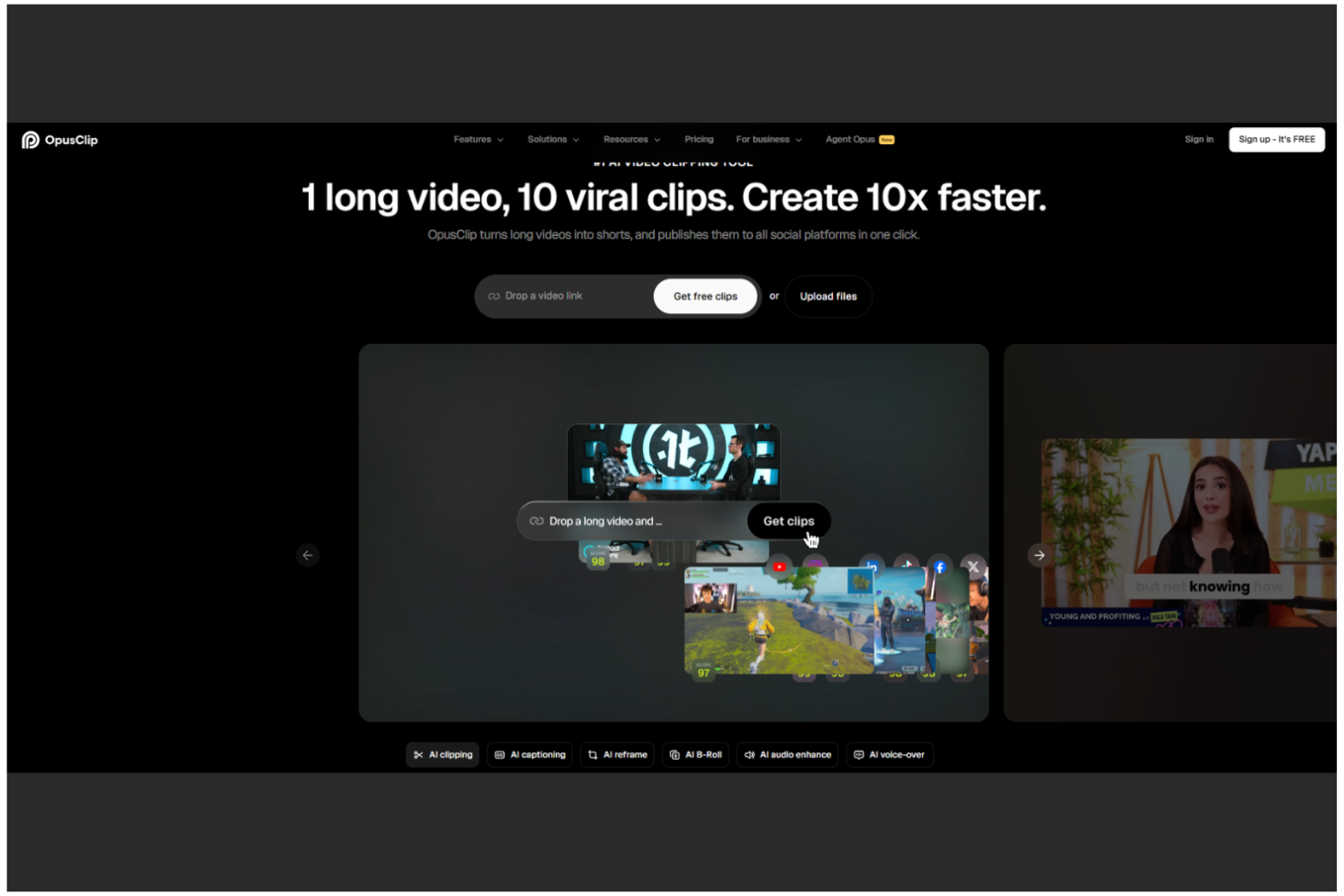
OpusClip is an AI video clipping tool that automatically repurposes long-form sermon recordings into short, platform-ready clips with captions, B-roll, and scheduling for social media channels.
Who Is OpusClip Best For?
OpusClip is a strong fit for church media coordinators whose primary job is turning weekly sermon recordings into ready-to-post short-form video content for social media.
Why I Picked OpusClip
I picked OpusClip as one of the best because it does one thing exceptionally well: turning a full-length sermon recording into multiple publish-ready short clips without manual editing. I love how the AI Clipping engine scans the entire sermon and surfaces the highest-engagement moments automatically, while AI Animated Captions layer on accurate, styled text across 20-plus languages. The AI Producer feature takes it further, assembling a complete short-form video with B-roll, motion design, and music from a single raw recording.
OpusClip Key Features
- AI filler and silence removal: Automatically detects and cuts filler words like "um" and "uh," plus awkward pauses, from sermon recordings before clips are generated.
- Multi-language caption generation: Produces animated captions in 20-plus languages, making sermon clips accessible to multilingual congregations.
- Team workspace: Shared credits, brand templates, and up to 10 seats let church media teams collaborate on clip production from a single account.
- Social media scheduler: Schedules and auto-posts clips directly to YouTube Shorts, TikTok, Instagram Reels, Facebook, LinkedIn, and X from within the platform.
OpusClip Integrations
OpusClip connects with YouTube, Google Drive, Vimeo, Zoom, StreamYard, Riverside, TikTok, Instagram, Facebook, LinkedIn, and X for video imports and social publishing. Pro includes Adobe Premiere Pro and DaVinci Resolve exports; Business adds an API for custom integrations.
Pros and Cons
Pros:
- Team workspace for easy collaboration
- AI-generated multi-language captions add accessibility
- Auto-converts sermons into social-ready clips
Cons:
- No audience segmentation or personalization options
- No email or SMS marketing features

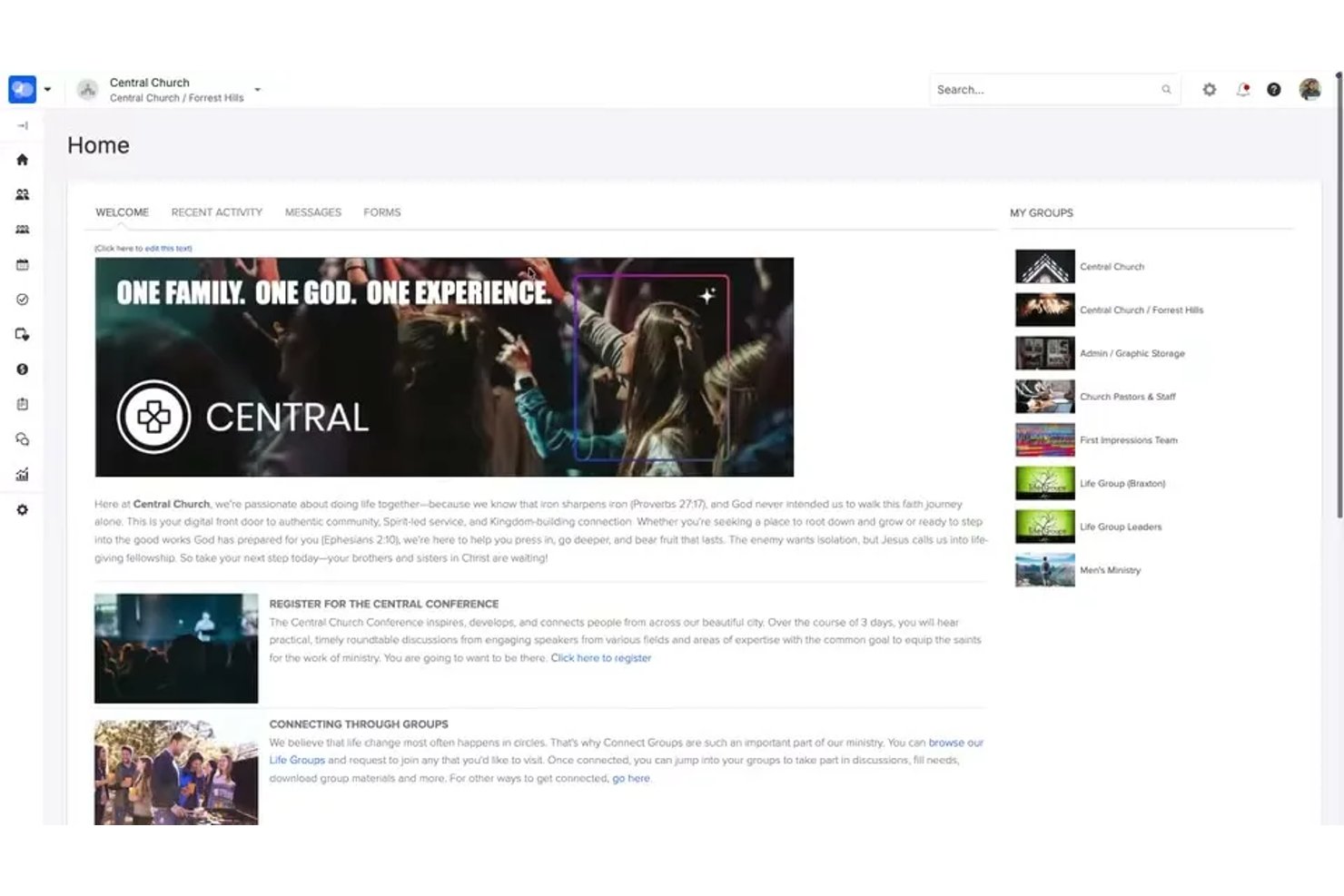
ChurchStaq is an integrated church management platform by Pushpay that combines digital giving, member data, communications, group tools, and a custom-branded church app with AI-powered people search and giving analysis.
Who Is ChurchStaq Best For?
ChurchStaq is a strong fit for pastors and ministry leaders at mid-size to large churches who want giving data, member insights, and communication tools in one place.
Why I Picked ChurchStaq
I picked ChurchStaq as one of the best because its AI-driven giving and member data tools give ministry leaders a level of congregational intelligence I haven't seen elsewhere. The AI People Search lets you pull segmented lists using plain-English queries, like finding first-time givers from the past quarter or families with missing contact info. Pair that with AI Giving Data Analysis, which generates instant trend charts from natural language questions, and you have a genuinely sharp picture of where your congregation stands.
ChurchStaq Key Features
- Mailchimp sync: Bidirectionally syncs contacts, groups, and saved searches from ChurchStaq member profiles into Mailchimp for email marketing campaigns.
- Automated follow-up processes: Triggers communication sequences via email, SMS, and push notifications based on actions like guest check-ins or volunteer interest form submissions.
- Branded church app: A custom-branded mobile app that delivers announcements, push notifications, sermon media, events, and in-app giving to congregation members.
- Lapsed-giver re-engagement workflows: Automatically flags at-risk donors and initiates giving recovery sequences to help you reconnect with members who've stopped giving.
ChurchStaq Integrations
ChurchStaq offers 80+ documented integrations, including Mailchimp, Resi, Clearstream, Planning Center, Rock RMS, QuickBooks Online, Nurture.io, MortarStone, Fishhook, and Gusto. API access supports custom integrations.
Pros and Cons
Pros:
- Strong dashboarding for giving and attendance
- Automated lapsed-giver and guest follow-ups
- Natural language AI for member segmentation
Cons:
- Cannot repurpose sermon or media content
- No AI content generation or social publishing

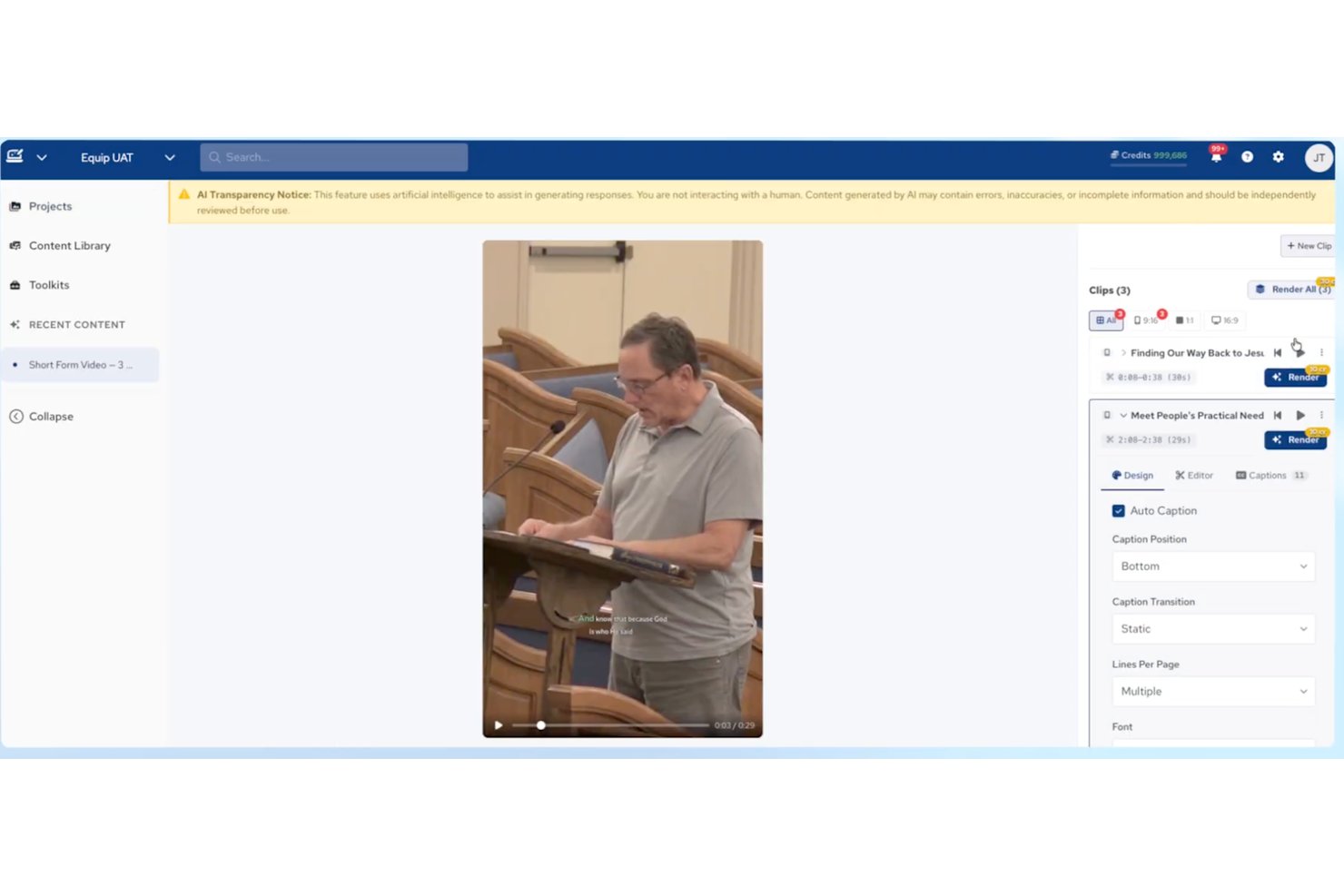
Amplify is an AI-powered church marketing and content platform from Ministry Brands that generates sermon-based social posts, emails, devotionals, short-form video clips, and multilingual content from a single sermon upload.
Who Is Amplify Best For?
Amplify is a strong fit for churches that want to stretch a single Sunday sermon into a full week of social posts, emails, devotionals, and short-form video without hiring a larger content team.
Why I Picked Amplify
I've included Amplify in my top picks because its Equip AI module does something I genuinely haven't seen elsewhere: it turns a single uploaded sermon into social posts, devotionals, email campaigns, short-form video clips, and small group guides in one pipeline. The series plan generator is a standout for me—paste in one message or theme, and Equip maps out a full multi-week preaching series with derivative content for each week. Its voice learning feature also trains on your pastor's specific preaching style, so generated copy sounds like your team wrote it, not a generic AI.
Amplify Key Features
- 30+ language dubbing: Re-voices full sermon videos in 30+ languages without re-recording a single word.
- Bible AI chat: An in-platform AI assistant grounded in Scripture for theological research and content queries.
- Keyword opt-in segmentation: Congregation members self-select into topic-based groups, enabling targeted follow-up messaging.
- Draft-to-publish team workflow: Role-based content review and approval process with commenting lets staff and volunteers collaborate before anything goes live.
Amplify Integrations
Amplify has native integrations across its own ecosystem, including People, Giving, Website, Mobile App, Streaming, and Communications. Equip also connects with Amplify Streaming for livestream imports and the Website and Communications modules for publishing generated content; third-party integrations aren’t clearly documented.
Pros and Cons
Pros:
- Privacy policy excludes data from AI model training
- Multilingual dubbing for video and written content
- Generates full week of content from sermons
Cons:
- Lacks direct social media publishing integrations
- No AI-powered audience segmentation features

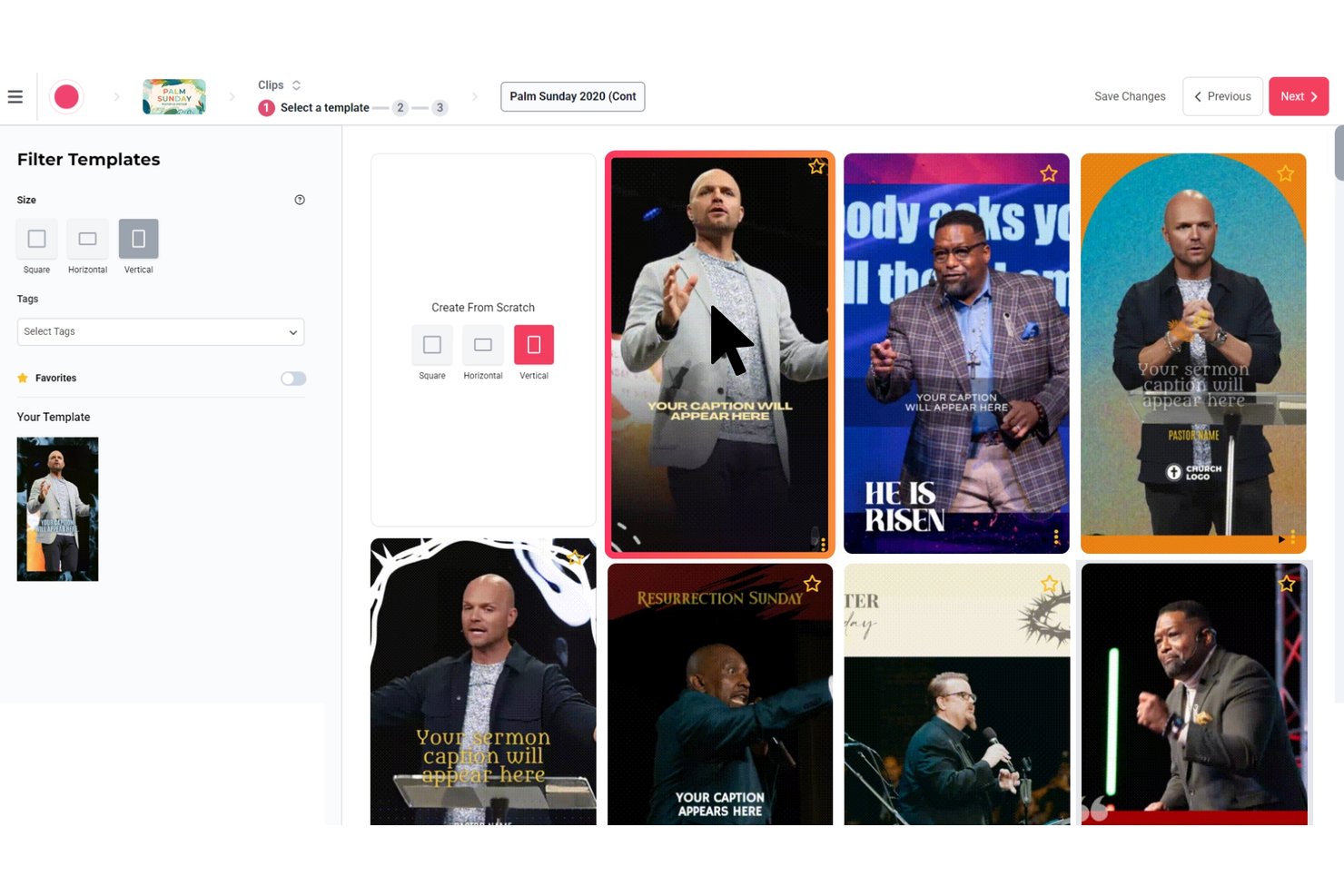
Sermon Shots is a sermon repurposing platform that uses AI to transform uploaded sermon videos into clips, captions, devotionals, blog posts, discussion guides, quote graphics, and multilingual dubbed content.
Who Is Sermon Shots Best For?
Sermon Shots is a strong fit for churches and ministries that need to turn a single sermon upload into a full week's worth of multilingual, multi-format content without a large media team.
Why I Picked Sermon Shots
Sermon Shots earns its spot on my shortlist because of what it does with multilingual content: one sermon upload can generate dubbed video in 33 languages and translated written assets in 40+ languages, which is genuinely rare in church tech. I also love the denomination and Bible version settings, which ensure that AI-generated devotionals, discussion guides, and blog posts use your church's preferred scripture translation and theological language. The AI Camera Crew is another standout, automatically tracking and reframing the pastor in vertical video without a dedicated editor.
Sermon Shots Key Features
- 5-day devotional series generator: Converts a single sermon into five daily devotional readings, each with Bible passages, reflection questions, and extracted quotes.
- Direct social publishing: Post clips and quote images directly to Facebook and Instagram from the Sermon Shots dashboard without downloading or manually uploading files.
- SermonSend pages: Builds shareable, custom-branded sermon landing pages with embedded clips, devotionals, summaries, and reflections that can be linked to your church's domain.
- Make.com and Zapier integrations: Connect Sermon Shots to external email tools, websites, or social platforms to build automated weekly content distribution workflows.
Sermon Shots Integrations
Sermon Shots offers native integrations with Resi.io, Switcher, WordPress, Facebook, and Instagram, plus documented connections with Church Visuals, Remix, and StreamingChurch.tv. It also provides an API, Make.com integration, and Zapier.
Pros and Cons
Pros:
- Directly publishes sermon content to social media
- AI generates denomination-aware devotionals and guides
- Turns sermons into multilingual clips and blogs
Cons:
- Cannot segment or personalize outreach audiences
- No email, SMS, or analytics features

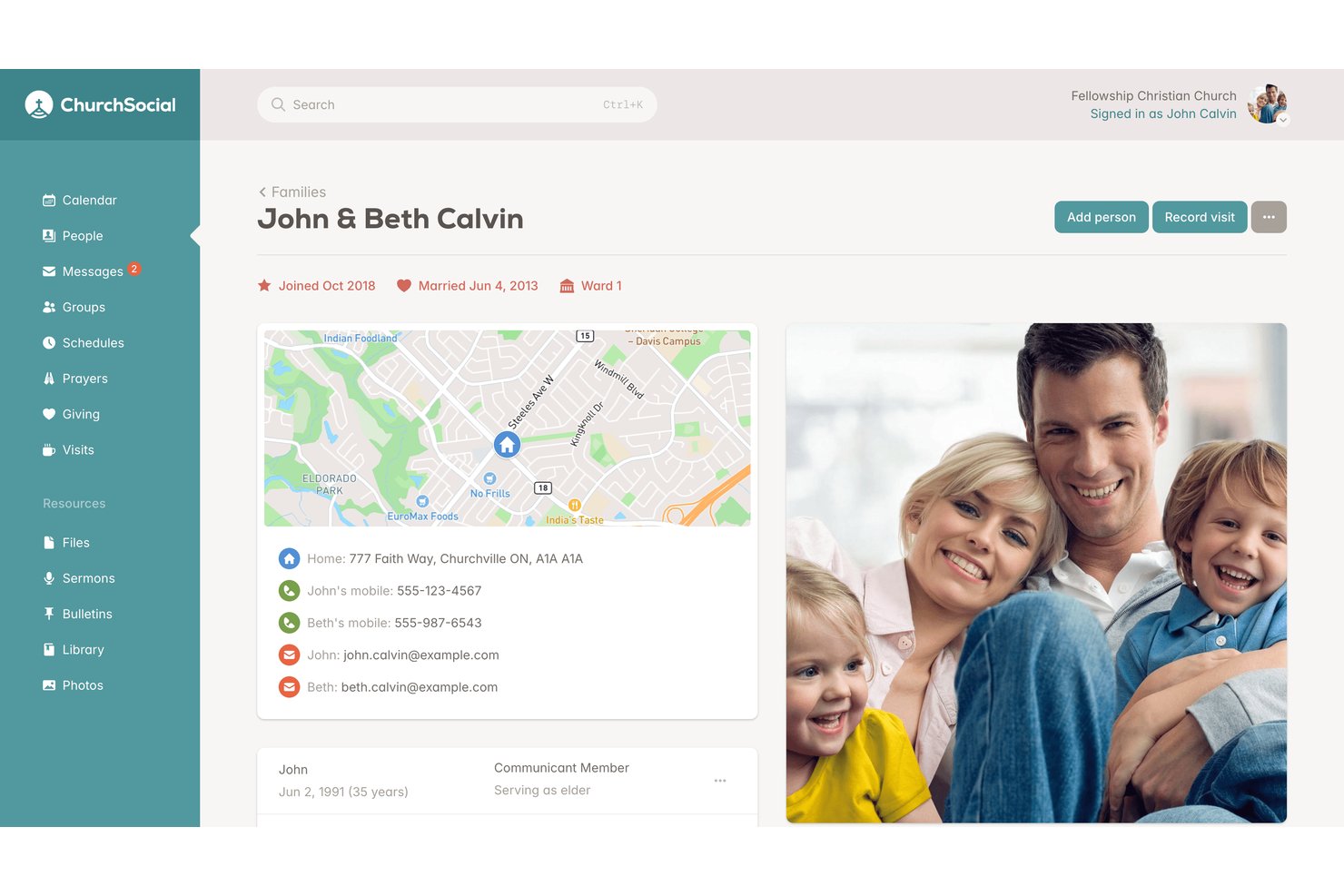
ChurchSocial is a ministry-focused social media management and AI content platform that handles social scheduling, AI caption writing, and sermon-to-social repurposing across Facebook, Instagram, TikTok, YouTube, X, and Google Business Profile.
Who Is ChurchSocial Best For?
ChurchSocial is a strong fit for small and mid-sized churches with lean communications teams that need to turn one weekly sermon into a full slate of social content fast.
Why I Picked ChurchSocial
I picked ChurchSocial as one of the best because its Sermon Studio turns a single upload into a full week of content, which is exactly what a lean communications team needs. Upload a sermon recording, and the AI transcribes it, cuts clips by letting you edit the transcript directly, tracks the speaker automatically, and generates animated subtitles—all without a video editor. On top of that, you get a blog post, newsletter draft, and small group guide from the same session.
ChurchSocial Key Features
- AI caption writer: Generates social media captions from a prompt or uploaded sermon content, giving your team a starting point instead of a blank page.
- Multi-platform social scheduler: Plans, schedules, and auto-publishes posts across Facebook, Instagram, TikTok, YouTube, X, and Google Business Profile from one visual calendar.
- Church calendar sync: Connects with Planning Center, Pushpay/CCB, and Tithely/Breeze to pull upcoming events directly into your content calendar.
- AI-generated graphics: Applies your church's branding to customizable templates and generates images matched to your content topic inside the Design Studio add-on.
ChurchSocial Integrations
ChurchSocial offers native integrations with Planning Center, Pushpay/Church Community Builder, and Tithely/Breeze for church calendar syncing. It also references Zapier for extending workflows, but it doesn’t natively send email or SMS messages.
Pros and Cons
Pros:
- Transcript-based video clip editing saves hours
- Ministry-language AI makes posts sound pastoral
- Transforms one sermon into full content package
Cons:
- Lacks audience segmentation and personalization features
- No built-in email or SMS sending

Best for AI analytics across giving and attendance
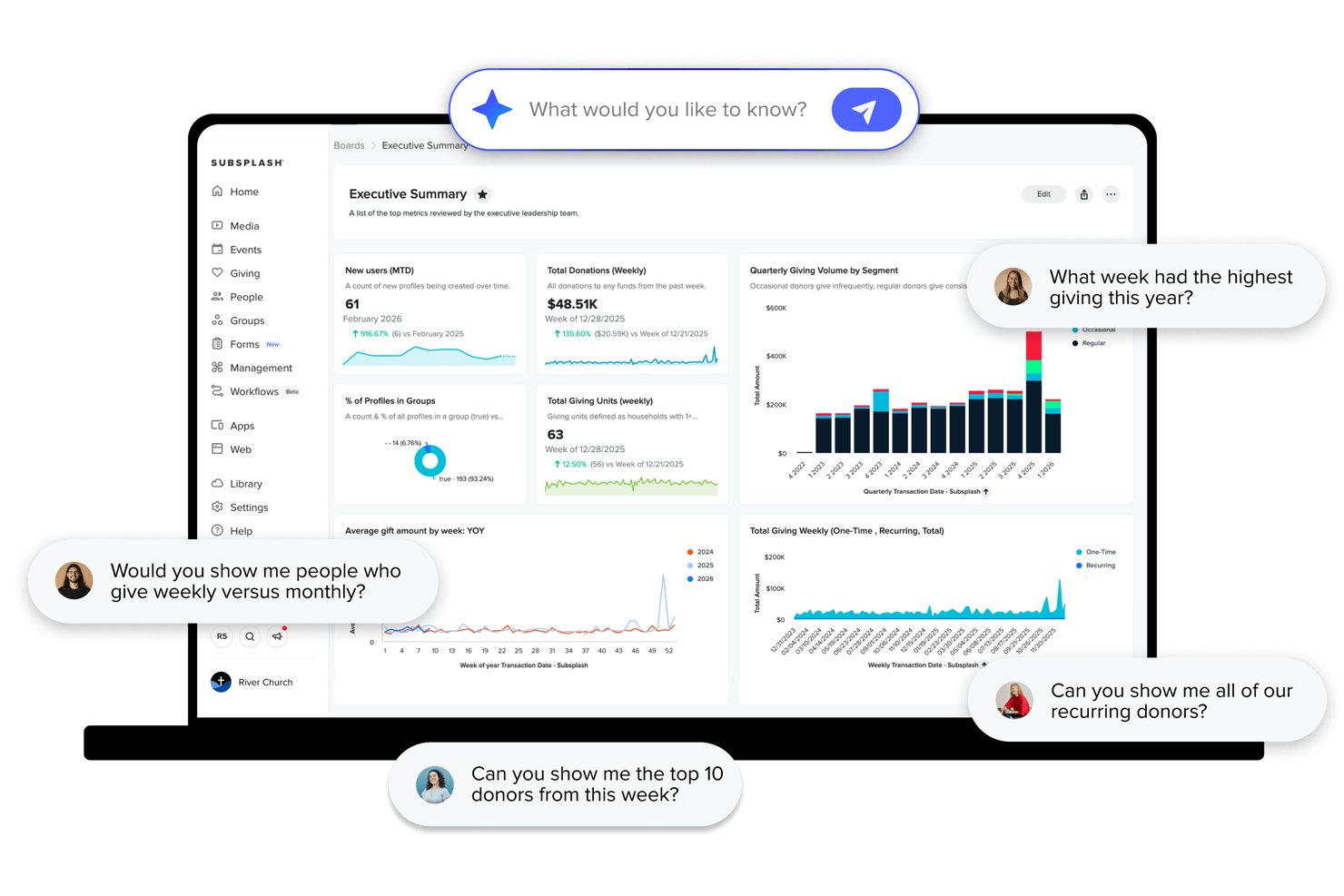
Subsplash is an all-in-one church platform that combines AI-powered sermon repurposing, multi-channel messaging, giving tools, ChMS, media hosting, and analytics into a single system.
Who Is Subsplash Best For?
Subsplash is a strong fit for established churches that want one platform to handle giving, attendance tracking, and AI-driven analytics without stitching together multiple tools.
Why I Picked Subsplash
Subsplash earns its spot on my shortlist because Trends AI connects giving data, attendance records, and engagement metrics into one dashboard your team can actually query in plain language. I picked it specifically for how it links those data streams: ask something like "which services had the highest first-time giving this quarter" and get a clear answer, no spreadsheet required. Pulpit AI adds another layer, turning one sermon upload into 20+ content assets automatically.
Subsplash Key Features
- Pulpit AI sermon assistant: Helps pastors refine outlines and find scripture references, illustrations, and practical applications before a sermon is delivered.
- Group-based push notification targeting: Sends push notifications to specific audience segments like volunteers, new guests, or small group members within the church app.
- Workflows task management: A Kanban-style tool that auto-creates follow-up cards for staff when someone submits a connect card or volunteer application form.
- SongSelect integration: Pulls from 100,000+ worship songs directly into the service planning module for seamless order-of-service building.
Subsplash Integrations
Subsplash integrates with Planning Center, Breeze, Rock RMS, Ministry Platform, StudioC, MortarStone, Engiven, and SongSelect. Enterprise and Pro Package plans support custom API integrations, and Zapier is also available.
Pros and Cons
Pros:
- Dashboard supports natural language data queries
- AI analytics link giving, media, and attendance
- Repurposes sermons into 20+ content assets
Cons:
- AI content limited to sermon-based material
- No direct social media publishing feature

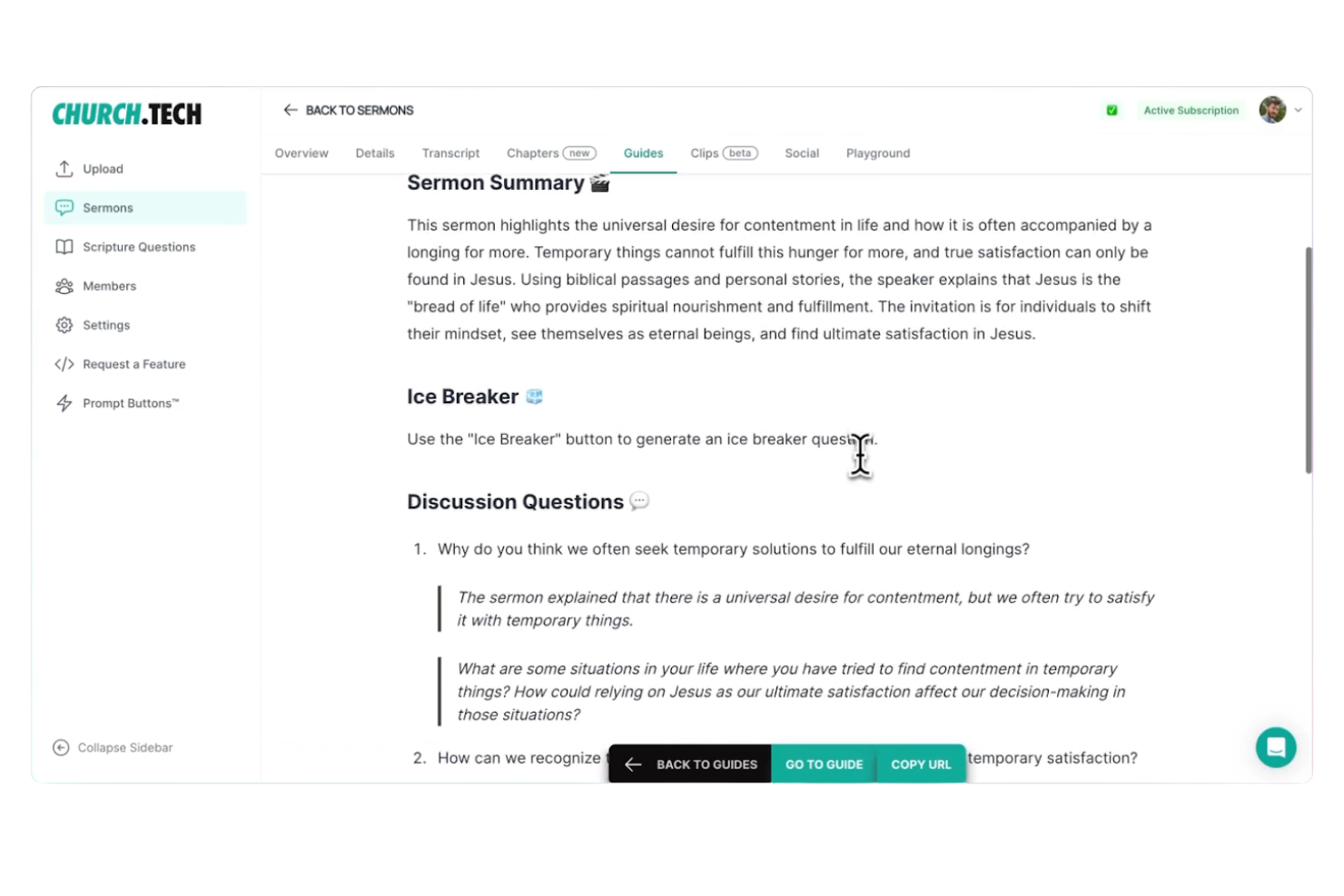
Church.tech is a ministry-focused AI content platform that turns sermon audio, video, or notes into social media posts, video clips, quote graphics, devotionals, discussion guides, and email-ready content across multiple channels.
Who Is Church.tech Best For?
Church.tech is a strong fit for communications directors and media coordinators at mid-to-large churches who need to produce a high volume of sermon-based content across multiple channels each week.
Why I Picked Church.tech
I picked Church.tech as one of the best because no other tool on this list turns a single sermon into a full week of ministry content as automatically. Upload your sermon audio or video once, and the platform generates social posts, quote graphics, devotionals, small group discussion guides, and an email-ready synopsis simultaneously. I especially like the Sermon Playground on the Pro plan, which lets you generate unlimited content variations from one sermon input.
Church.tech Key Features
- Ministry Tools library: A catalog of 100+ AI tools covering announcements, group leader messaging, event promotion, kids' ministry content, and church administration.
- Faith-safe guardrails: Built-in content filters ensure all AI-generated output stays theologically consistent and aligned with your church's voice.
- Clip editor: An in-platform video editor for refining AI-generated social clips into vertical, horizontal, or square formats for each platform.
- Team collaboration workspace: Multiple staff members and volunteers can create and manage content together without any technical or editing skills required.
Church.tech Integrations
Documented connections include Facebook, Instagram Reels, TikTok, YouTube Shorts, Google, Gmail, Apple Mail, and Microsoft 365. API access is listed for custom integrations; Planning Center, HubSpot, and Mailchimp apply to broader Gloo Workspace modules.
Pros and Cons
Pros:
- Volunteer teams can produce content easily
- Built with faith-safe AI guardrails
- Sermon uploads instantly create multiple content types
Cons:
- Email sending requires outside tools or upgrades
- Lacks built-in congregation segmentation tools

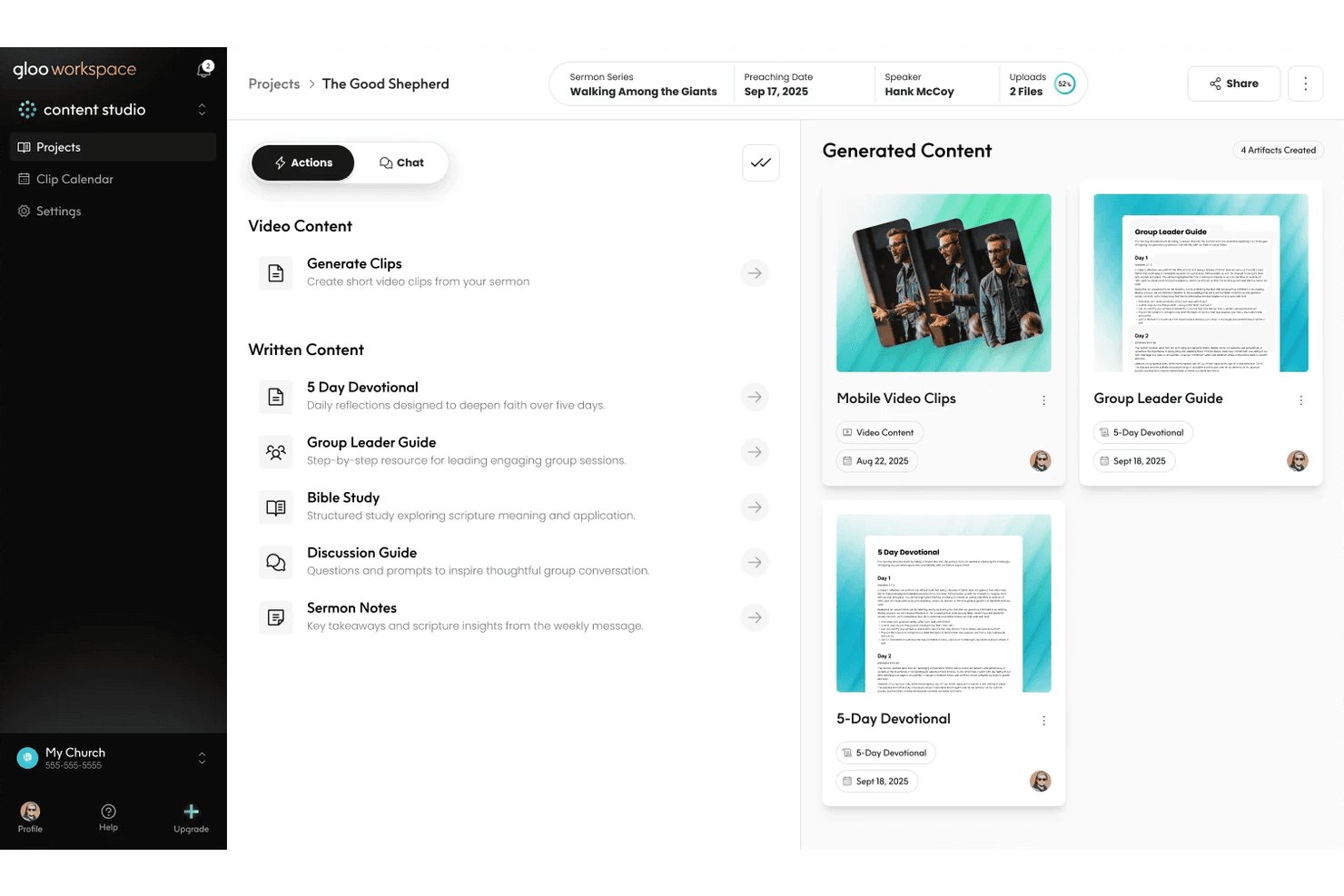
Gloo is a ministry-specific AI workspace that combines sermon repurposing, multi-channel congregation messaging, AI-assisted pastoral workflows, and church health analytics into one platform.
Who Is Gloo Best For?
Gloo is a strong fit for churches that want AI content tools built within clear ministry and theological boundaries.
Why I Picked Gloo
Gloo earns its spot on my shortlist because it's the only AI workspace I've seen that applies explicit faith guardrails across every content output, from sermon clips to pastoral care drafts. Upload a single sermon, and Content Studio auto-generates social clips, devotionals, discussion guides, and a kids' version, all filtered through ministry-aligned AI. Ministry Chat adds another layer, giving pastors access to frontier models tuned specifically for theological context.
Gloo Key Features
- Keyword-triggered workflow automation: Set up automated SMS response sequences that activate when congregation members text a specific word, like "CONNECT" or "GIVE."
- Multi-channel broadcast messaging: Send one-to-many SMS and email blasts to your entire congregation or segmented contact groups from a single dashboard.
- Congregation health assessments: Distribute wellbeing and ministry health surveys—developed with partners like Barna—directly to members via text or email.
- National benchmarking dashboard: Compare your church's attendance, engagement, and health metrics against similar ministries using Gloo's Insights module.
Gloo Integrations
Gloo Workspace integrates with Planning Center, Church Community Builder, Rock RMS, MinistryPlatform, Mailchimp, HubSpot, and Google Workspace. Asana, Slack, and Canva are listed as coming soon.
Pros and Cons
Pros:
- Benchmarks ministry metrics against national data
- Repurposes sermons into multiple content types
- Keeps AI content within ministry boundaries
Cons:
- No predictive analytics for engagement insights
- Free messaging credits recently reduced sharply

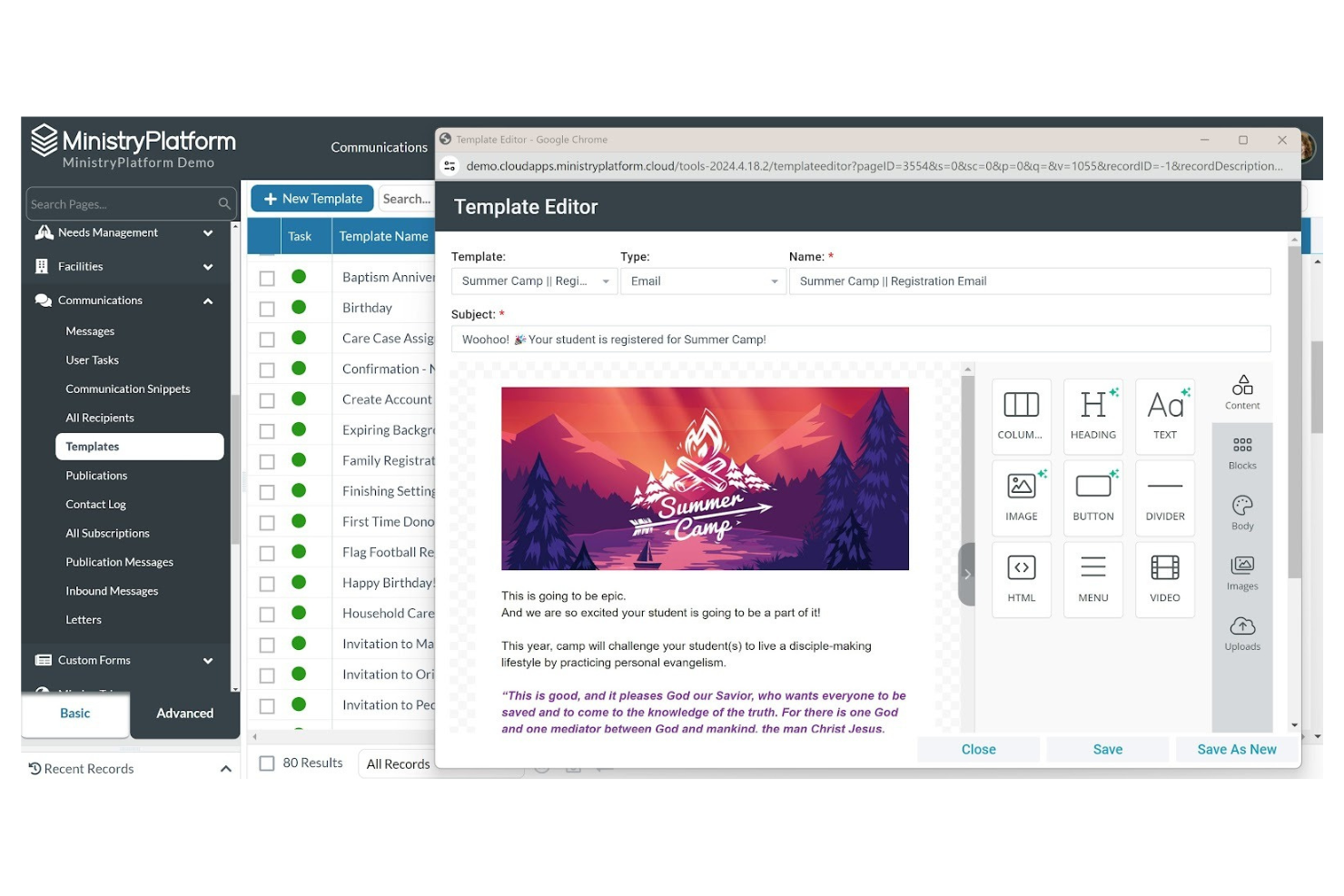
If you’re looking for a church management system that adapts to your ministry’s unique needs, Ministry Platform is worth considering. This platform is designed for churches and faith-based organizations that want to centralize member data, track engagement, and manage events. Ministry Platform helps you organize complex information so you can better connect with your congregation and support your ministry goals.
Who Is Ministry Platform Best For?
Ministry Platform is a good fit for mid-sized to large churches that need flexible tools to manage member data, events, and engagement.
Why I Picked Ministry Platform
I picked Ministry Platform because its customizable member management tools let you tailor the system to your church’s unique outreach and engagement needs. You can create custom fields, workflows, and reports to track everything from visitor follow-up to volunteer participation. This flexibility means you’re not locked into a one-size-fits-all approach and can adapt the platform as your ministry grows or changes. For churches that want to personalize their marketing and communication strategies based on detailed member data, Ministry Platform offers a strong foundation.
Ministry Platform Key Features
Some other features that make Ministry Platform useful for church marketing teams include:
- Event management tools: Schedule, promote, and track attendance for church events and outreach activities.
- Integrated email and SMS messaging: Send targeted communications directly from the platform to specific groups or individuals.
- Online giving and donation tracking: Accept and monitor contributions through digital giving tools connected to member records.
- Volunteer management: Organize, schedule, and communicate with volunteers for ministry programs and special events.
Ministry Platform Integrations
Integrations include Realm Accounting, Growth Method, Verified First, MinistrySafe, Intulse, Twilio, MortarStone, SendGrid, eSPACE, and iDonate.
Pros and Cons
Pros:
- Integrated online giving and donation tracking
- Built-in event registration and follow-up tools
- Customizable member profiles for targeted outreach
Cons:
- Requires separate tools for website management
- No built-in AI-driven marketing automation
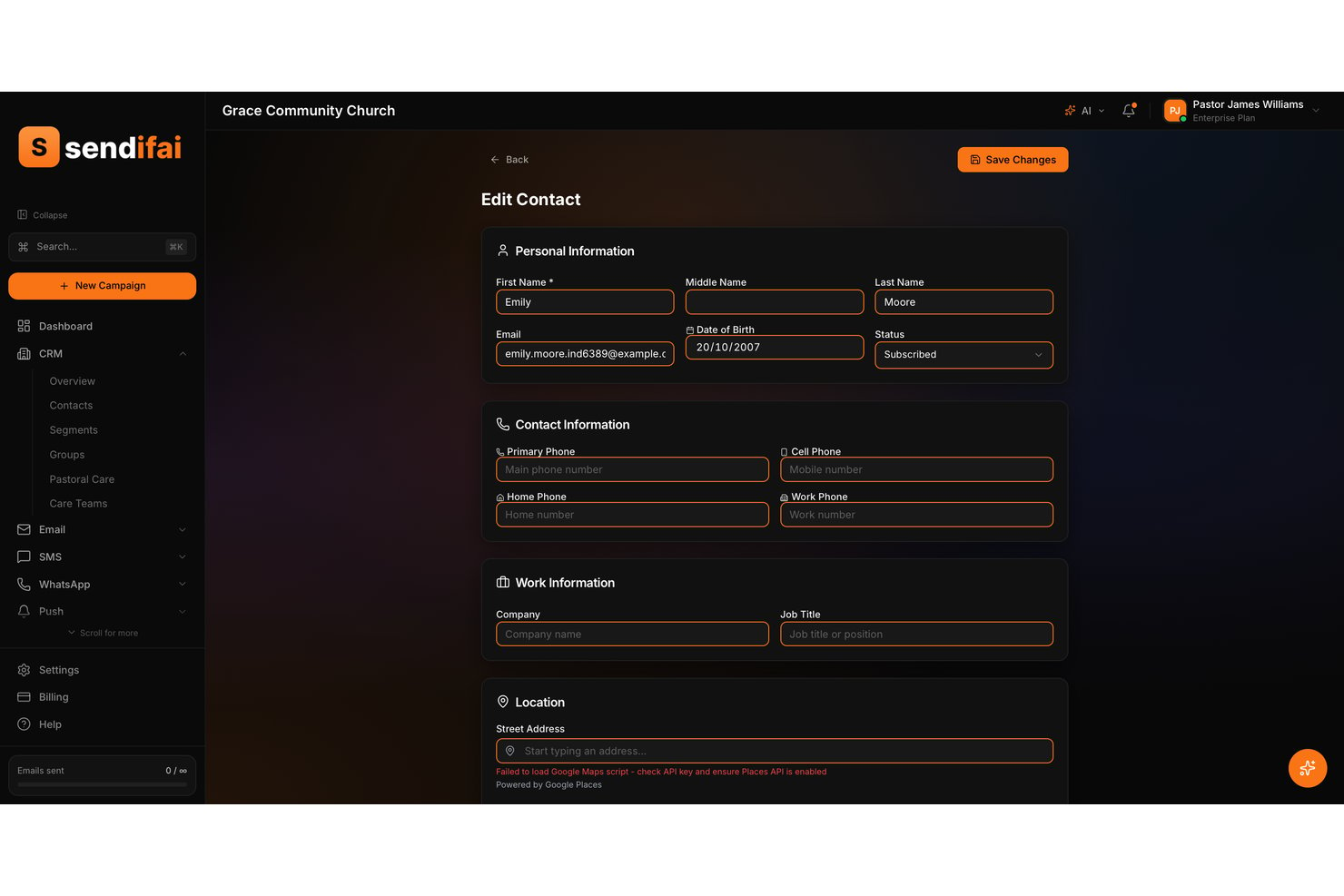
sendifai is a church-first AI marketing platform that combines CRM, multi-channel messaging (email, SMS, and WhatsApp), guest follow-up automation, congregation segmentation, and an AI assistant called Isla for generating ministry-specific campaign content.
Who Is sendifai Best For?
sendifai is a strong fit for church communications teams and pastoral staff who want a purpose-built CRM with guest follow-up automation and multi-channel outreach in one place.
Why I Picked sendifai
I picked sendifai as one of the best because no other tool on this list handles guest follow-up with the same intentionality. When a first-time visitor checks in, sendifai automatically triggers a welcome sequence across email, SMS, and WhatsApp, so no one slips through the cracks between Sunday and the following week. Its AI assistant, Isla, drafts the care notes and follow-up messages in a tone that actually sounds pastoral, not promotional.
sendifai Key Features
- Household relationship mapping: Links family members together in a single profile so you can view and message an entire household at once.
- Proactive Insights engine: Analyzes contact and campaign data daily to surface churn risks, engagement opportunities, and optimization recommendations.
- Visual workflow builder: Lets you design multi-channel automations with trigger-based logic, conditional branching, and A/B testing in a single drag-and-drop interface.
- Modular add-on pricing: Each feature set—email, SMS, giving, events—has its own free tier and can be scaled independently so you only pay for what your church actually uses.
sendifai Integrations
sendifai doesn't have any native integrations. It uses Stripe Connect for giving payouts, but integrations with Planning Center, YouTube, Canva, Meta Business Suite, or other church marketing tools aren't clearly documented.
Pros and Cons
Pros:
- Supports household relationship mapping for families
- Offers advanced multi-channel outreach in one platform
- Includes guest follow-up automation and care notes
Cons:
- No native third-party app or media tool connections
- Sermon repurposing workflow is undocumented and unverified
Other AI Church Marketing Software
Here are some additional AI Church Marketing Software options that didn’t make it onto my shortlist, but are still worth checking out:
- ChurchSocial.AI
For automating social media posts
- Quso.ai
With AI-powered content scheduling
- Tithe.ly
For all-in-one church messaging and giving
- Text In Church
For AI-powered guest follow-up texting
- Pulpit AI
For sermon-to-devotional and small group content
- Pastors.ai
For turning sermons into multilingual clips
- Clearstream
For SMS and email congregation outreach


How I Evaluate AI Church Marketing Software
Every tool on this list needs to do more than slap an AI label on basic email scheduling—I look for platforms that actually help a church team turn a Sunday sermon into a week's worth of social posts, emails, and outreach without extra staff. I split my evaluation into core functionality every tool must deliver and differentiating factors that separate good options from great ones.
Core Functionality (Table Stakes For This List)
When I'm selecting tools for my list, I rank each one on a scale from 0 (does not offer the functionality) to 5 (excels in this area) for each core functionality listed below. Then, I calculate the tool's total score into a percentage. Each tool needs to achieve a minimum total score of 55% to be considered for inclusion.
- AI-Powered Content Generation: I evaluate whether a tool can draft real church content—like Easter invite emails or small group promos—with usable output, not just generic marketing copy.
- Multi-Channel Distribution: Each tool should let your team push content to email, SMS, and social from one place instead of copying and pasting between platforms.
- Sermon & Media Repurposing: I look for AI that takes a full sermon recording and turns it into shareable clips, quote graphics, or blog-ready transcripts automatically.
- Congregation Segmentation & Personalization: The tool should target messages by group—new visitors get a welcome series while long-time members see volunteer opportunities.
- Church-Specific Templates & Context: I check for ready-made templates built around ministry needs like sermon series launches, baptism announcements, or giving campaigns.
- Engagement Analytics: Reporting should show which outreach drives real action, like event sign-ups or first-time visits, so your team knows what's working.
Once I have a list of tools that meet the criteria, I consider what sets each platform apart.
Differentiating Factors (What Sets Vendors Apart)
Here's how I compare and contrast different vendors:
Standout Features
Brand voice training is a big one—I look for AI that learns your church's specific tone so a youth ministry post sounds different from a seniors' newsletter without manual rewriting. Scripture-aware AI also matters because a misquoted verse erodes trust fast. I evaluate whether the tool can pull and cite references accurately in context. Visitor follow-up automation rounds things out, triggering personalized welcome sequences the moment a guest fills out a connect card.
Beyond Features
I check whether a tool integrates with the church tech stack your team already relies on—platforms like Planning Center or Breeze—so member data flows into campaigns without manual exports. Pricing structure matters too, since most churches run on tight budgets; I look for plans that scale by congregation size rather than per-seat models built for corporate teams. Data privacy is another factor I weigh, especially how each vendor handles sensitive congregant information and whether member data is used to train external AI models.
How to Choose AI Church Marketing Software
It’s easy to get bogged down in long feature lists and complex pricing structures. To help you stay focused as you work through your unique software selection process, here’s a checklist of factors to keep in mind:
| Factor | What to Consider |
|---|---|
| Scalability | Will the software support your church as it grows, adds campuses, or expands digital outreach? |
| Integrations | Does it connect natively with your existing church management, giving, or communication systems? |
| Customizability | Can you tailor workflows, branding, and messaging to fit your ministry’s unique needs and voice? |
| Ease of use | Will staff and volunteers of varying tech skill levels be able to use the platform confidently? |
| Implementation and onboarding | How long will it take to get up and running, and what resources or training are available to help? |
| Cost | Are pricing tiers clear, and do they align with your budget and expected usage over time? |
| Security safeguards | Does the vendor offer data encryption, user permissions, and compliance with privacy standards? |
| Support availability | What support channels are offered, and are they available during your ministry’s busiest times? |
What is AI Church Marketing Software?
AI Church Marketing Software is a category of digital tools that use artificial intelligence to help churches automate, personalize, and manage their outreach and communication efforts.
These platforms support tasks like scheduling messages, segmenting audiences, generating content, and tracking engagement across channels. By leveraging AI, churches can reach their communities more efficiently and tailor their messaging to better connect with members and visitors.
Features
When selecting AI Church Marketing Software, keep an eye out for the following key features:
- AI-powered content generation: Automatically create emails, social posts, or announcements using artificial intelligence to match your church’s tone and messaging needs.
- Audience segmentation: Group members and visitors based on demographics, interests, or engagement history to send targeted communications.
- Automated campaign scheduling: Set up recurring or one-time campaigns that send messages at optimal times without manual intervention.
- Multi-channel messaging: Manage and send communications across email, SMS, and social media from a single dashboard.
- Engagement analytics: Track open rates, click-throughs, and responses to measure the effectiveness of your outreach efforts.
- Event promotion tools: Create, schedule, and market church events with built-in registration and reminder features.
- Integration with church management systems: Sync data with your existing member database, donation platform, or volunteer scheduler for a unified workflow.
- Personalization tools: Use AI to tailor messages with names, interests, or past interactions for a more meaningful connection.
- Compliance and privacy controls: Ensure communications meet data protection standards and allow recipients to manage their preferences.
- Template library: Access pre-built templates for common church communications, saving time and ensuring consistency in your outreach.
Benefits
Implementing AI church marketing software provides several benefits for your team and your business. Here are a few you can look forward to:
- Time savings: Automate repetitive outreach tasks like scheduling messages and segmenting audiences, freeing up staff and volunteer hours.
- Personalized communication: Use AI-driven tools to tailor messages based on member interests, engagement, or demographics for deeper connections.
- Improved engagement tracking: Access real-time analytics to see which messages resonate and adjust your approach for better results.
- Consistent multi-channel outreach: Manage email, SMS, and social media communications from one platform, ensuring your messaging stays unified.
- Data-driven decision making: Leverage reporting and analytics features to guide your marketing strategies and resource allocation.
- Scalable outreach: Easily expand your communication efforts as your church grows, without adding manual workload.
- Enhanced event promotion: Promote events with automated reminders and registration tools, increasing participation and reducing administrative effort.
Costs and Pricing
Selecting AI church marketing software requires an understanding of the various pricing models and plans available. Costs vary based on features, team size, add-ons, and more. The table below summarizes common plans, their average prices, and typical features included in AI church marketing software solutions:
Plan Comparison Table for AI church marketing software
| Plan Type | Average Price | Common Features |
|---|---|---|
| Free Plan | $0 | Basic messaging tools, limited audience segmentation, simple analytics, and access to a template library. |
| Personal Plan | $10-$25/month | Multi-channel messaging, basic automation, audience segmentation, and limited integration options. |
| Business Plan | $30-$75/month | Advanced automation, AI-powered content generation, detailed analytics, event promotion tools, and integration with church management systems. |
| Enterprise Plan | $100-$300/month | Custom workflows, priority support, advanced security safeguards, unlimited users, and dedicated onboarding assistance. |
AI church marketing software FAQs
Here are some answers to common questions about AI church marketing software:
Can AI church marketing software integrate with my existing church management system?
Yes, most AI church marketing software platforms offer integrations with popular church management systems. This allows you to sync member data, automate communications, and avoid duplicate data entry, making your workflows more efficient.
Is AI church marketing software difficult to set up for non-technical staff?
No, many platforms are designed with user-friendly interfaces and provide onboarding resources like tutorials, templates, and live support. This helps staff and volunteers with varying technical skills get started quickly and confidently.
How does AI church marketing software help with event promotion?
AI church marketing software can automate event reminders, segment invitations to specific groups, and track RSVPs. These features help increase attendance and reduce the manual effort required to organize and promote church events.
What security measures should I look for in AI church marketing software?
Look for features like data encryption, user permissions, and compliance with privacy standards such as GDPR. These safeguards help protect sensitive member information and ensure your church meets legal requirements.
Can I personalize messages using AI church marketing software?
Yes, most platforms use AI to personalize messages based on member names, interests, or engagement history. This helps your communications feel more relevant and meaningful to each recipient.