

Managing a church comes with unique challenges, from coordinating events to fostering community engagement. Subsplash may cover some needs, but its limited features and lack of customization can leave gaps. Exploring alternatives can make a real difference.
From my experience, the right church management software lightens your workload and strengthens your ministry’s outreach. In this article, I’ll walk you through the best Subsplash alternatives, focusing on features that solve your specific pain points.
You’ll get unbiased reviews of top options that align with your church’s goals so you can find the solution that fits your team best.
What is Subsplash?
Subsplash is a church management software designed to assist with various church activities. It's commonly used by church leaders, administrators, and volunteers who seek to improve community engagement and manage church operations efficiently.
Media hosting, mobile app integration, and online giving features help with connecting your community, organizing events, and facilitating donations. Overall, Subsplash provides a platform for enhancing church interactions and simplifying administrative tasks.
Subsplash Alternatives Comparison Table
This comparison table summarizes pricing details for my top Subsplash alternative selections
Score legend (out of 5)
- Excellent4.5–5
- Good4–4.4
- Average3–3.9
- Below average2–2.9
- Poor1–1.9
Sorted by: Default
| Tool | Starting Price | Website | |||||||
|---|---|---|---|---|---|---|---|---|---|
Best for seamless event management | Not rated | 3 | 2 | Not rated | 4 | 3 | 4 | $19/month Free plan + 30-day trial available | Website |
Best for multilingual support | 3.0 out of 5 | 1 | 3 | 2 | 4 | 4 | 4 | $12/month Free plan available | Book Demo |
Best for volunteer coordination | 3.2 out of 5 | 1 | 3 | 3 | 4 | 4 | 4 | $58/month 30-day free trial available | Website |
Best for ease of use | 3.0 out of 5 | 2 | 2 | 2 | 4 | 4 | 4 | $72/month 30-day free trial + free demo available | Website |
Best for integrated giving tools | 3.0 out of 5 | 3 | 3 | 1 | 4 | 3 | 4 | $72/month Free plan + 30-day trial + demo available | Website |
Best for customizable tools | Not rated | Not rated | 1 | Not rated | 4 | 3 | Not rated | $15/month Free plan + 30-day free trial + free demo available | Website |
Best for digital engagement | 3.0 out of 5 | 1 | 4 | 2 | 4 | 3 | 4 | Pricing upon request Free demo available | Website |
Best for community engagement | 3.2 out of 5 | 3 | 2 | 3 | 4 | 3 | 4 | Pricing upon request Free trial + free demo available | Website |
Best for people management | 2.8 out of 5 | 2 | 3 | 1 | 4 | 4 | 3 | $69.99/month Free plan + free demo available | Website |
Best for automating tasks | Not rated | 3 | 1 | Not rated | 4 | 3 | 3 | $66/month 60-day free trial available | Website |


Why Trust Our Software Recommendations
6,700+
Reviews
20
Industry experts
16+
Evaluation factors
14
Years
Our team has been testing and reviewing software since 2012. As church leaders ourselves, we know how difficult—and important—it is to choose the right software.
For this guide, we evaluated tools using hands-on testing and independent research, scoring tools using our selection criteria.
Our reviews reflect our human editorial judgment, not a sales pitch.
Best Subsplash Alternatives Reviews
Below are my detailed summaries of the best Subsplash alternatives that made it onto my shortlist. My reviews offer a detailed look at the key features, pros & cons, integrations, and ideal use cases of each tool to help you find the best one for you.
 Best for seamless event management
- Free plan + 30-day trial available
- From $19/month (billed annually)
Visit WebsiteCustomer Rating:4.8/5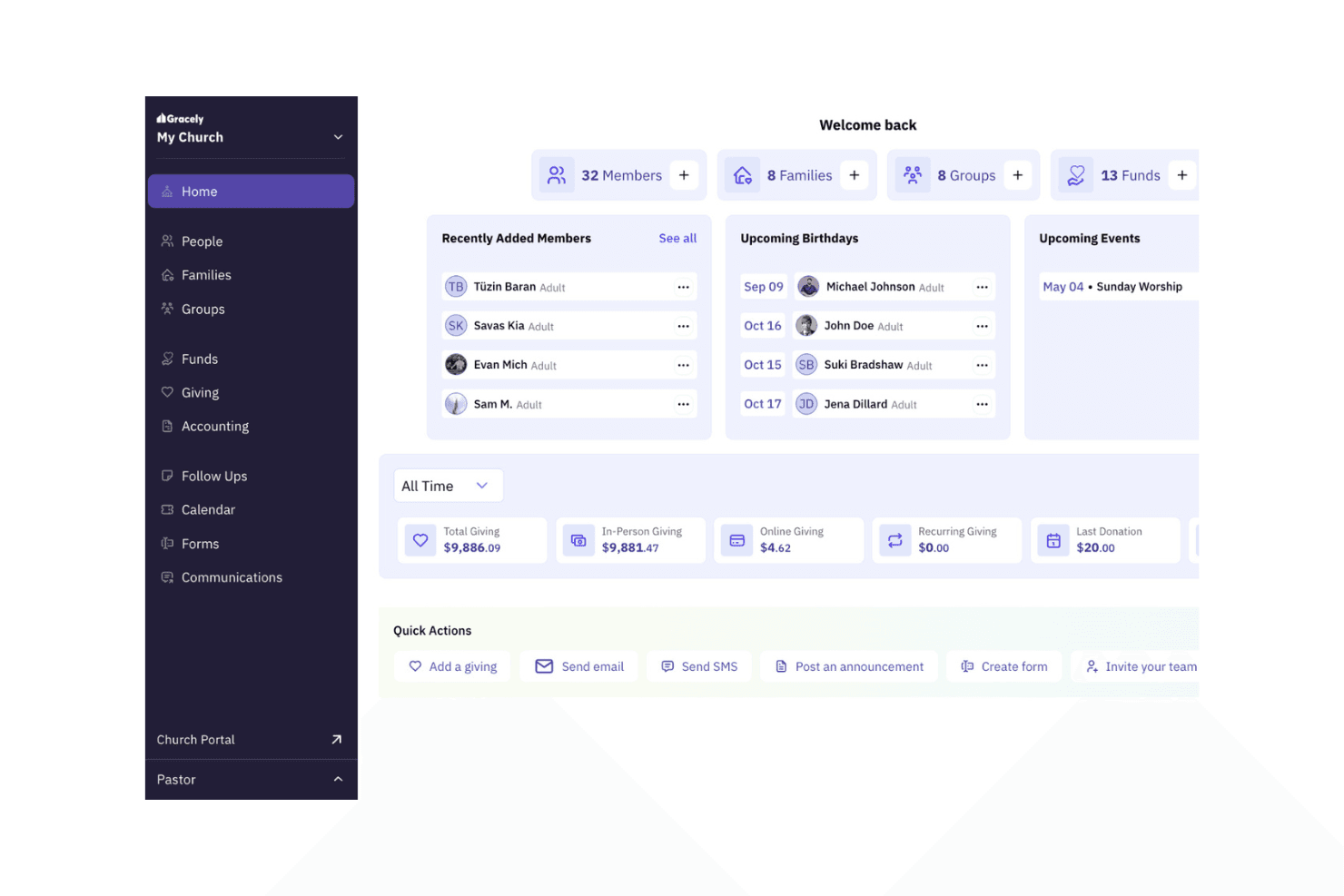
Gracely provides a church dashboard to track members, giving, and events. Gracely is a church management platform that brings member records, giving, events, and communications into one place—making it a practical fit for smaller churches that want to consolidate admin work without paying for tools they won't use.
Who Is Gracely Best For?
Gracely suits smaller churches that want member management, giving, and event coordination in one place without paying for tools they'll never use.
Why I Picked Gracely
I've included Gracely in my top picks because its event management tools handle the full lifecycle of a church event in one place. I can build an event page, set ticket types (free or paid), cap registrations, and check in kids with name-tag printing, all without switching platforms. Volunteer scheduling ties directly into events too, so I can assign roles and see who's serving where before the first person walks through the door.
Gracely Key Features
- Online giving widget: Embed a donation form directly on your church website, with support for Apple Pay, Google Pay, Stripe, and PayPal.
- Child check-in with name-tag printing: Check children in from mobile devices, tablets, or kiosks and print name tags for secure pickup verification.
- Member directory: Give members access to a searchable, privacy-controlled directory through the Church Portal and My Gracely app.
- Multi-campus management: Manage multiple church campuses from a single Gracely account, available on the Pro plan.
Gracely Integrations
Gracely offers native integrations with Stripe, PayPal, Apple Pay, and Google Pay for online giving. No public API or other integrations are clearly documented.
Pros and Cons
Pros:
- Member app supports giving and announcements
- Giving records and tax statements together
- Event registration, tickets, and check-in
Cons:
- No church-branded mobile app builder
- No sermon or livestream hosting
Learn more about Gracely:
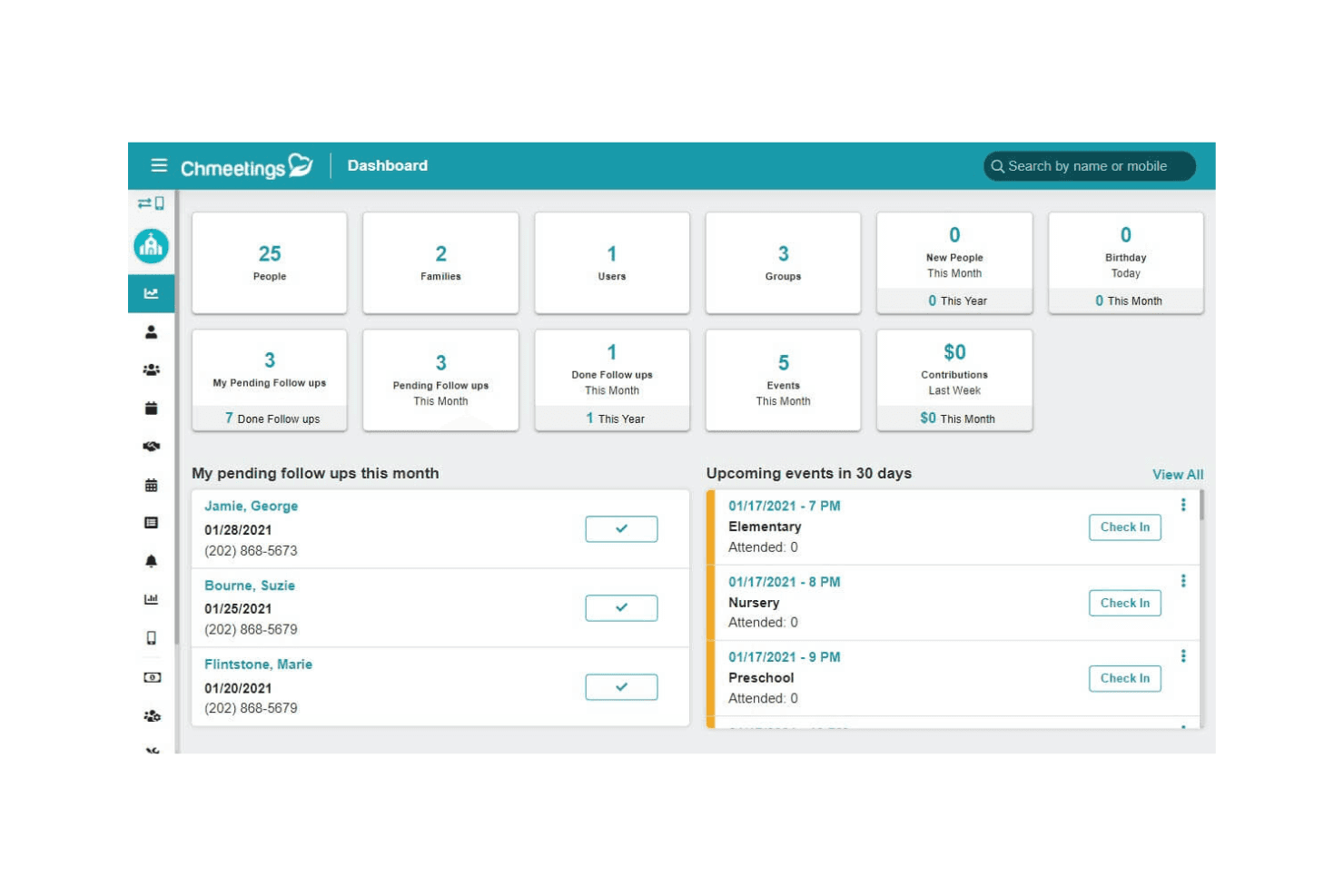
ChMeetings gives churches a central dashboard for people, events, and follow-ups. ChMeetings is an all-in-one church management platform that handles member records, giving, events, communications, volunteer scheduling, and accounting—making it a practical fit for churches that want to consolidate multiple tools into one affordable system.
Who Is ChMeetings Best For?
ChMeetings is a strong fit for churches serving multilingual or internationally distributed congregations that need a full-featured ChMS without paying enterprise-level prices.
Why I Picked ChMeetings
I picked ChMeetings as one of the best because it's the only platform on this list built to serve congregations across language barriers, supporting 26 languages so members can engage in their native tongue. I appreciate how this extends into communications: you can send emails, SMS, and push notifications to targeted groups, then use the AI Writing Assistant to translate or adjust tone on the fly. The member portal and giving tools follow the same multilingual-first design, so donors and volunteers across different countries can fully participate without hitting a language wall.
ChMeetings Key Features
- Online giving with fund tracking: Accept one-time and recurring donations via card, ACH, Apple Pay, Google Pay, or PayPal, and assign contributions to designated funds with pledge tracking.
- Event check-in with child security labels: Check attendees in by QR code or kiosk self-check-in, and print matching child and parent labels with security codes for family events.
- Built-in fund accounting: Track income and expenses across ministries and funds, reconcile accounts, generate balance sheets, and sync supported bank transactions directly in the platform.
- Volunteer self-signup sheets: Create public or private signup sheets where volunteers can select roles, services, and dates, with availability conflict detection built in.
ChMeetings Integrations
ChMeetings offers native integrations with Stripe and PayPal, plus a documented Paystack connection for payments. It connects with over 9,000 apps through Zapier and provides an API for custom integrations.
Pros and Cons
Pros:
- Reviewers praise targeted email and group messaging
- Unifies giving, attendance, and member records
- Supports member communications across 26 languages
Cons:
- Website support relies on embeds and links
- No native sermon streaming or podcast publishing
Learn more about ChMeetings: Best for volunteer coordination
- 30-day free trial available
- From $58/month
Visit WebsiteCustomer Rating:4.8/5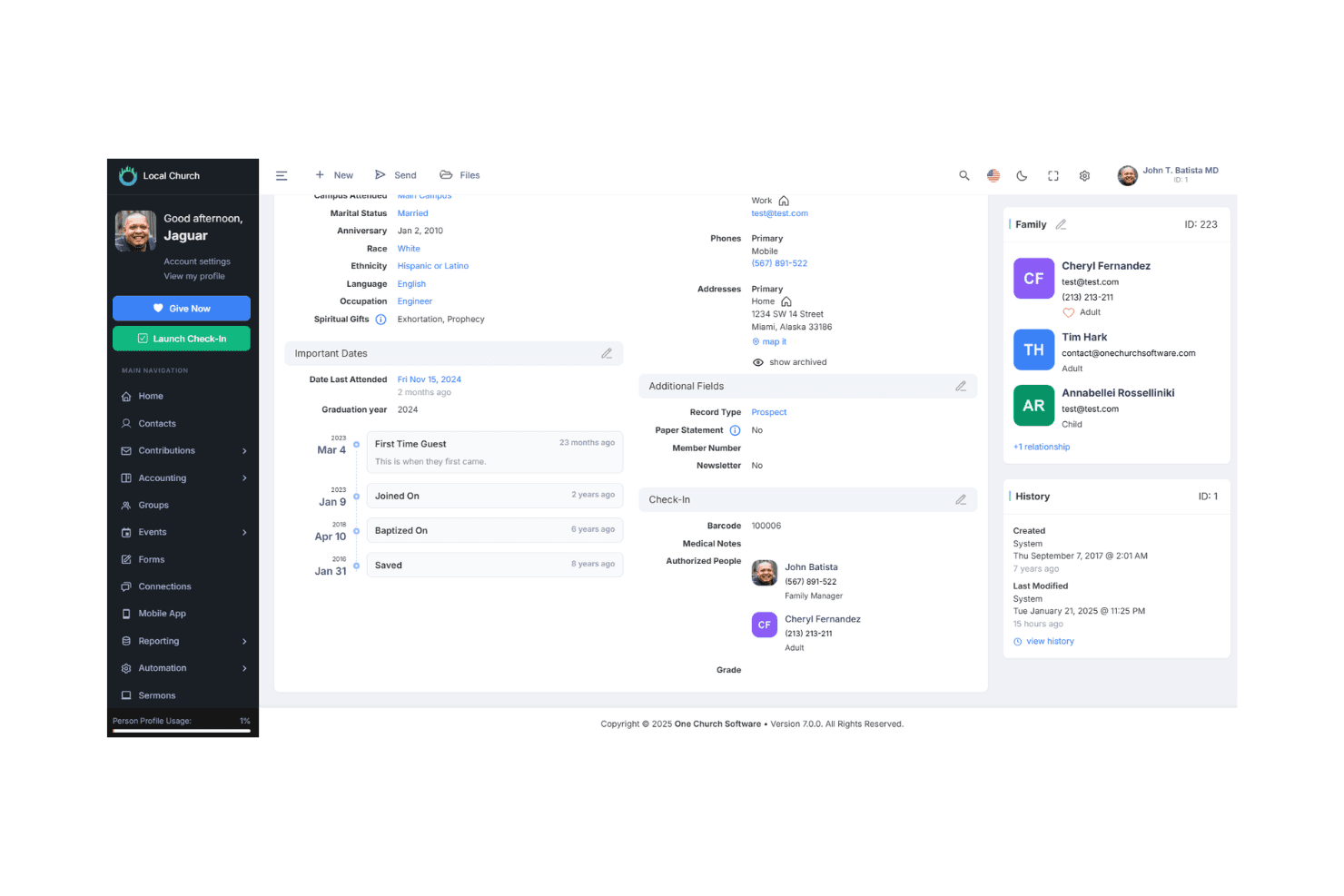
One Church Software displays detailed member profiles with family and check-in data. One Church Software is an all-in-one church management platform that bundles member records, giving, communication, volunteer scheduling, and service planning into a single system for churches that want to replace multiple disconnected tools.
Who Is One Church Software Best For?
One Church Software is a strong fit for churches that want to coordinate volunteers and manage services, members, and giving from one place without stitching together separate tools.
Why I Picked One Church Software
I picked One Church Software as one of the best because its volunteer coordination tools are genuinely built for how Sunday services actually run. I love that you can schedule volunteers directly within a service plan, send availability requests by text or email, track preferences and unavailable dates, and see at a glance which positions are still open. The multi-grid view makes it easy to manage dozens of roles across a single service without losing track of who confirmed.
One Church Software Key Features
- Online and text giving: Members can donate via web, mobile app, or text message, with support for recurring gifts and donor-managed payment methods.
- Automated workflows: Core+ includes a workflow builder that triggers emails, SMS messages, group promotions, and reminders based on form submissions or query results.
- Event registration and check-in: Churches can build custom event registration forms, collect payments, and manage in-person check-in with printed security labels.
- Role-based security controls: Staff access can be scoped by campus and permission level, with individual fields and pages set to hidden, read-only, or editable.
One Church Software Integrations
One Church Software offers native integrations with YouTube, Vimeo, Pushpay, Square, and Protect My Ministry. API and webhooks are available for custom integrations on Core+ and Premium plans.
Pros and Cons
Pros:
- Reviewers praise responsive, helpful customer support
- Member, giving, and event records stay together
- Service plans clarify open volunteer roles
Cons:
- Volunteer scheduling centers on worship services
- Subsplash migration omits recurring gifts and media
Learn more about One Church Software: Best for ease of use
- 30-day free trial + free demo available
- From $72/month
Visit WebsiteCustomer Rating:4.8/5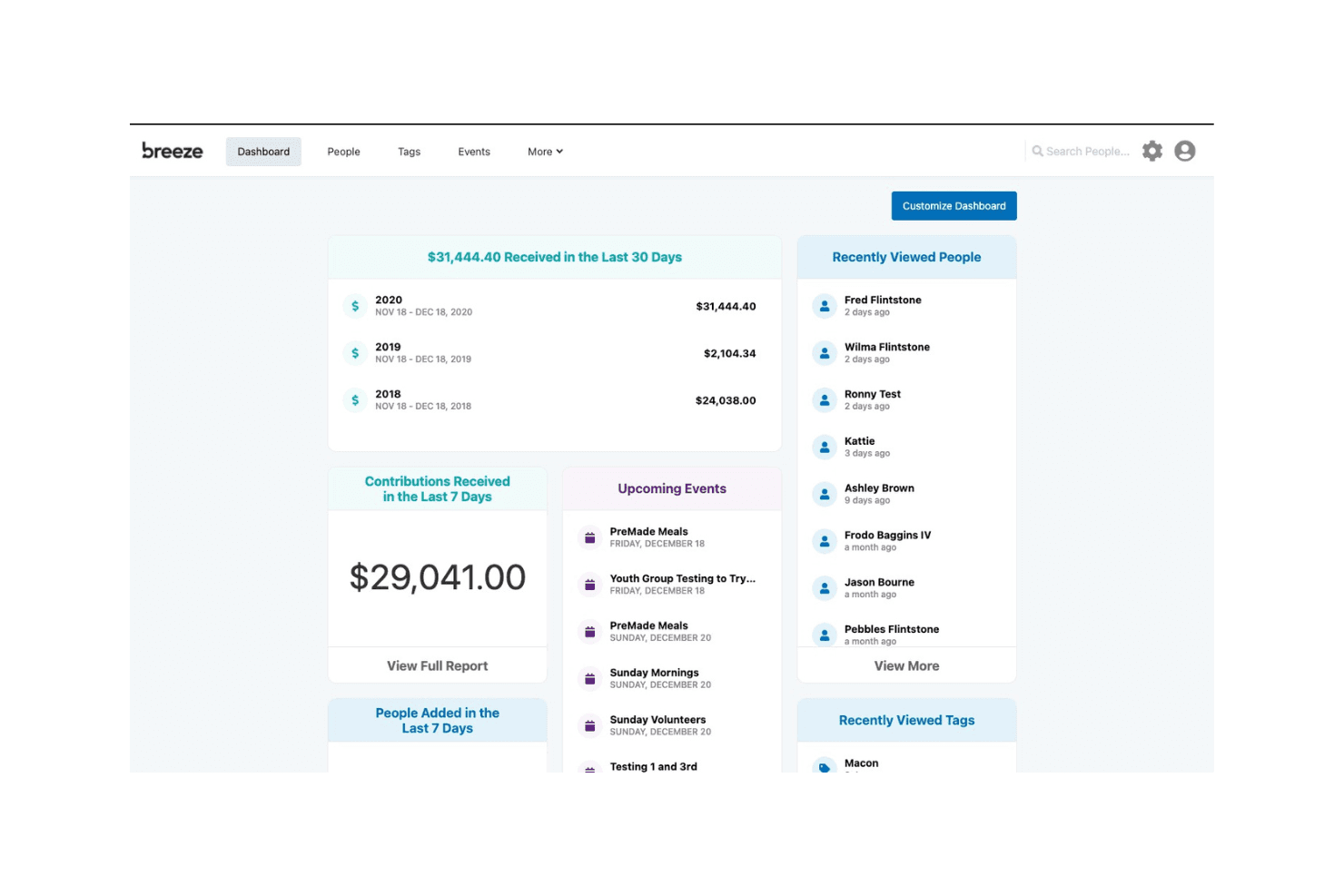
Breeze ChMS centralizes giving, events, and people on one dashboard. Tithely Church Management (formerly Breeze ChMS) is a church management platform that brings together member records, giving, group management, event check-in, and team communication in one place—making it a solid fit for churches that want straightforward day-to-day administration without a steep learning curve.
Who Is Tithely Church Management Best For?
Tithely Church Management is a great fit for small to mid-sized churches that want an approachable, day-to-day admin platform without a steep setup process or long-term commitment.
Why I Picked Tithely Church Management
I picked Tithely Church Management as one of the best because its setup-to-launch timeline is genuinely short: most churches are up and running within one to two weeks, with data migration included at no extra cost. I especially appreciate how member profiles automatically connect giving records, check-in history, and event registrations in one view, so your team isn't jumping between systems to get a complete picture of someone. The flat-rate pricing with no per-person fees also means you're never penalized for a growing congregation.
Tithely Church Management Key Features
- Kids check-in with pickup security: Families check in through kiosks, print child and parent name tags, and use unique security codes to verify guardians at pickup.
- Service planning with team scheduling: Assign roles to worship leaders, volunteers, and tech teams within a shared service outline, with automated reminders sent to each person.
- Group management with open, approval, and private options: Create groups with rosters, attendance tracking, and meeting details, with flexible membership settings for different ministry contexts.
- MinistrySafe background checks and training: Initiate background checks and assign abuse-prevention training to staff and volunteers directly from a person's profile.
Breeze ChMS Integrations
Documented integrations include QuickBooks Online, Planning Center Online, Church Community Builder, Rock RMS, Engiven, MinistrySafe, and CCLI SongSelect. Breeze ChMS also provides an API for custom integrations, though its protocols and developer features aren’t specified.
Pros and Cons
Pros:
- Check-in, groups, and messaging share one platform
- Giving records connect with member profiles
- Reviewers praise accessible people and attendance tools
Cons:
- Reviewers cite limited reporting and export flexibility
- Custom app and website require separate products
Learn more about Breeze ChMS: Best for integrated giving tools
- Free plan + 30-day trial + demo available
- From $72/month
Visit WebsiteCustomer Rating:4.8/5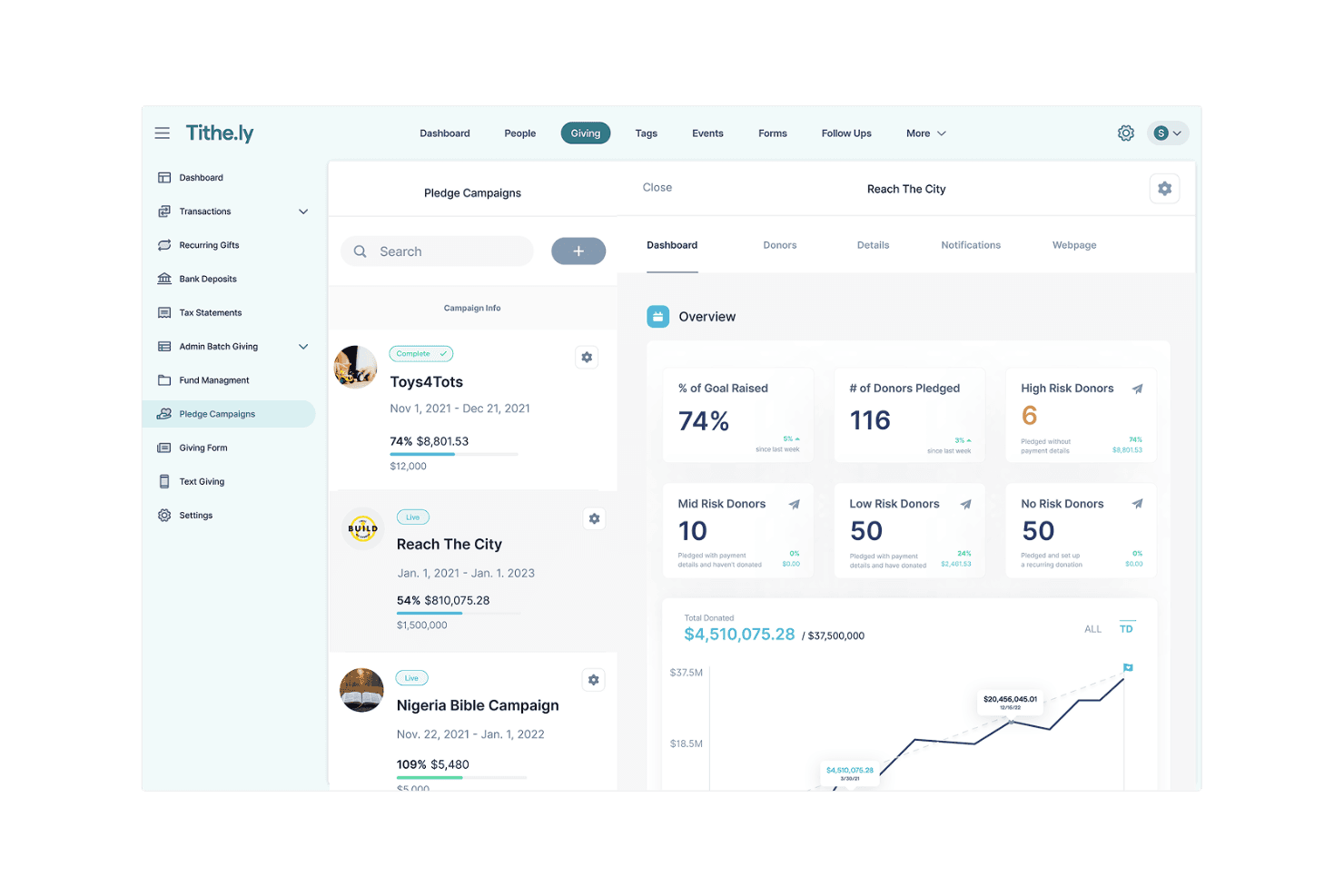
Tithe.ly tracks pledge campaign progress and donor risk levels. Tithely is a church management platform that connects giving, member records, volunteer scheduling, and communications in one place—making it a strong fit for churches that want their donation tools and congregation database working together without juggling separate systems.
Who Is Tithely Best For?
Tithely is a strong fit for churches that want giving, member records, and communications managed in one place rather than across separate tools.
Why I Picked Tithely
I've included Tithely in my top picks because giving tools and member records live in the same system, which means a donor's giving history appears right on their profile without any manual syncing. I especially like that you can generate tax statements filtered by fund, household, or location and email them directly from the platform. Recurring giving, fund designation, and contribution reports are all built into the same database your team uses for attendance and check-in.
Tithely Key Features
- Volunteer scheduling: Assign volunteers to service roles, set up recurring schedules, and send automated reminders that volunteers can confirm or decline.
- Kids and event check-in: Self-service check-in with parent or guardian matching, printable name tags, and unique pickup security codes for children's ministry.
- Service and worship planning: Build service outlines, manage setlists and chord charts, and integrate with CCLI SongSelect to import lyrics directly into the platform.
- MinistrySafe background checks: Initiate background checks and assign abuse-prevention training to staff and volunteers directly from their people profiles.
Tithe.ly Integrations
Tithe.ly lists integrations with QuickBooks Online, Elvanto, Planning Center Online, Church Community Builder, MinistryPlatform, FellowshipOne, Rock RMS, and MinistrySafe. An API is available for custom integrations.
Pros and Cons
Pros:
- Member, attendance, and event records stay connected
- Donor statements simplify year-end follow-up
- Giving history stays beside member profiles
Cons:
- Reporting and follow-up workflows feel basic
- Sermon hosting limits weaken media replacement
 Best for customizable tools
- Free plan + 30-day free trial + free demo available
- From $15/month
Visit WebsiteCustomer Rating:4.2/5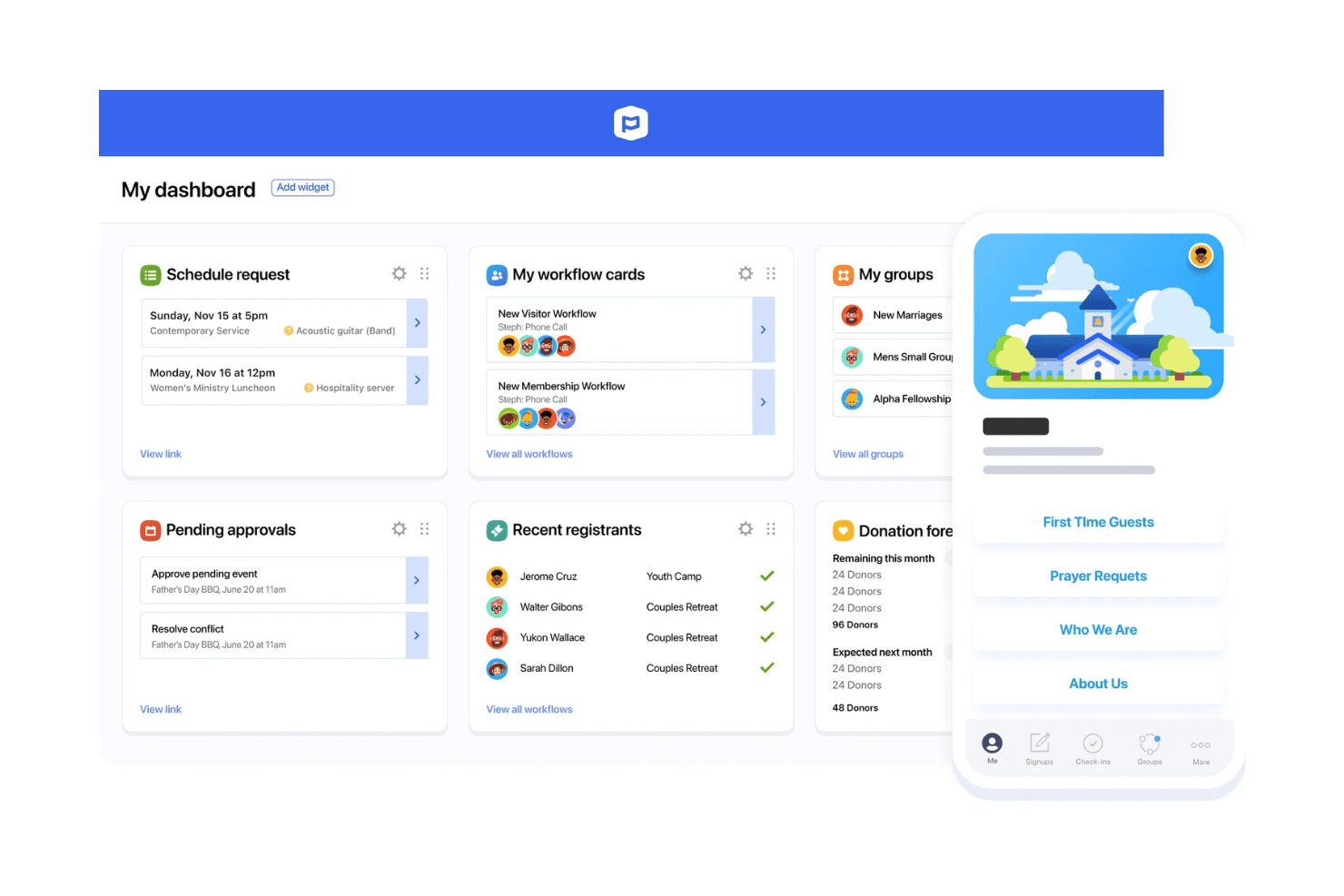
Planning Center's dashboard centralizes scheduling, workflows, and group management. Planning Center is a modular church management system built around a free member database, letting church teams manage people records, follow-up workflows, and congregation communication without committing to a bundled, all-or-nothing platform.
Who Is Planning Center Best For?
Planning Center is a strong fit for church operations teams that want a free, modular member database they can build on over time—without being locked into a single bundled platform.
Why I Picked Planning Center
I picked Planning Center as one of the best because its modular build lets you customize exactly what your church manages without paying for tools you don't need. I especially appreciate the People database: you can build custom fields for things like membership class completion or volunteer interests, then use Lists to auto-segment members and trigger multi-step follow-up workflows. Rather than a locked, bundled system, you're assembling a setup that fits how your church actually runs.
Planning Center Key Features
- Automated workflows: Set up multi-step workflows that automatically add people based on form responses, event signups, attendance, or serving activity.
- CSV import and data migration: Import member records, custom fields, and household links from an existing system using a CSV file.
- Role-based permissions: Assign manager, editor, or viewer access to control who can view, edit, export, or delete people records.
- REST API with webhooks: Access a full JSON API 1.0-compliant REST API and configure webhooks to connect People with other tools and automate data flows.
Planning Center Integrations
Planning Center has native integrations with Checkr, Mailchimp, and Zapier, plus marketplace integrations with Clearstream and Text In Church. Its REST API and webhooks support custom connections.
Pros and Cons
Pros:
- Reviewers praise workflows for volunteer onboarding
- CSV imports support member and household records
- Custom lists trigger member follow-up workflows
Cons:
- Native texting is U.S.-only and one-way
- Giving, media, and app tools sit elsewhere
Learn more about Planning Center:
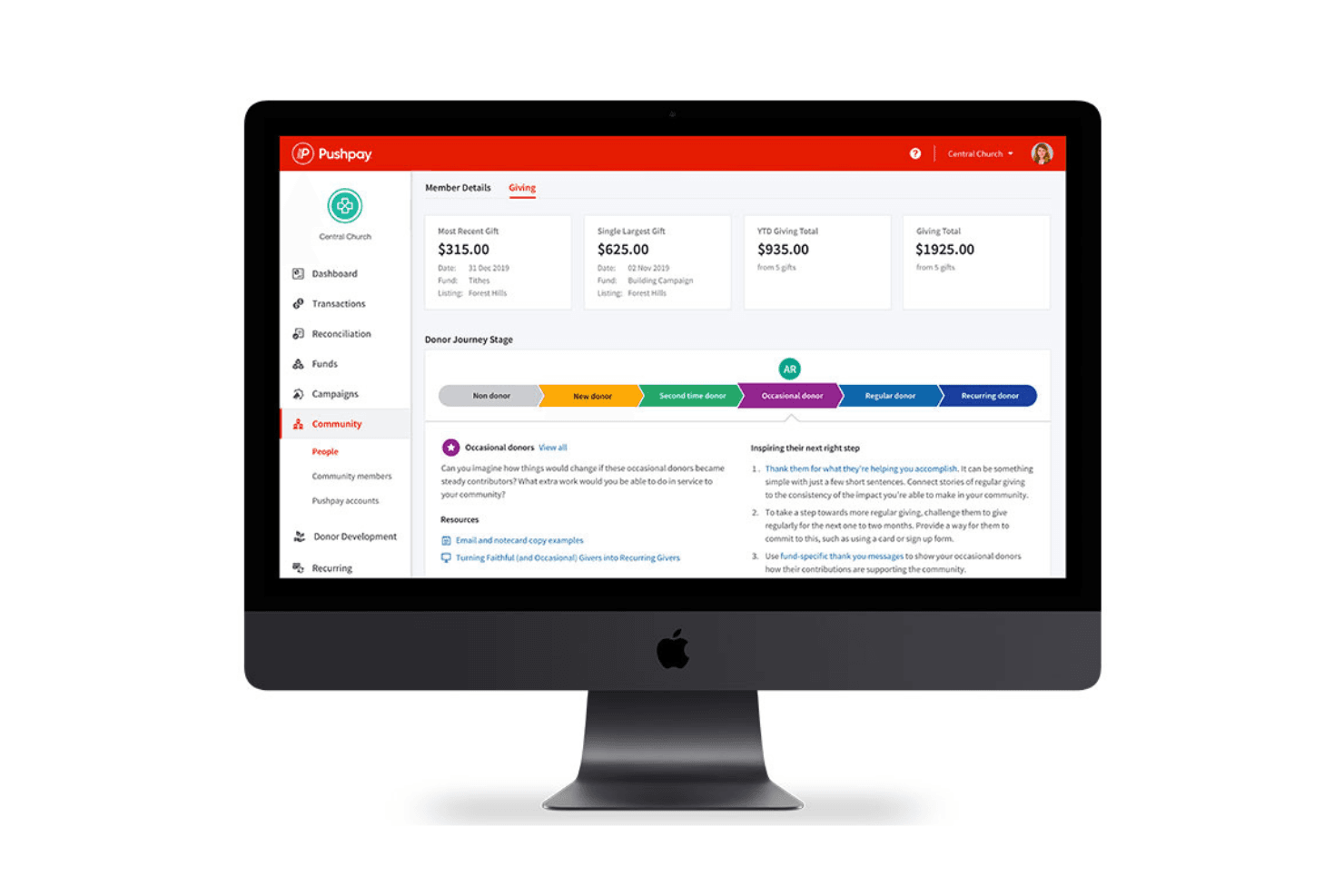
Pushpay tracks donor giving history and journey stage in one view. Pushpay's ChurchStaq is an all-in-one church platform that unifies giving, member management, group communication, volunteer scheduling, and a branded mobile app—making it a strong fit for churches that want to consolidate digital tools without juggling multiple vendors.
Who Is Pushpay Best For?
Pushpay's ChurchStaq is a strong fit for mid-to-large churches that want giving, member management, and a branded mobile app consolidated into one platform.
Why I Picked Pushpay
I picked Pushpay's ChurchStaq as one of the best because it's built specifically around keeping your congregation digitally connected, not just administratively managed. I love how the branded mobile app surfaces dynamic home screens, in-app giving, push notifications, and sermon engagement tools like fill-in-the-blank notes and polls, all without touching a line of code. Pushpay's Everygift technology also actively works to recover failed transactions and re-engage lapsed donors, which is something I haven't seen handled this deliberately elsewhere.
Pushpay Key Features
- Everygift technology: Automatically works to prevent failed transactions, recover missed gifts, and re-engage donors who lapse.
- Child check-in: Links children to family profiles and manages check-in directly within the platform, available on the Advanced plan.
- Volunteer scheduling: Lets staff schedule volunteers, build service plans, and track serving activity across ministries.
- Donor development dashboard: Gives staff a dedicated analytics view of donor engagement, giving trends, and year-over-year comparisons, unlocked at the Advanced tier.
Pushpay Integrations
Pushpay lists 60+ marketplace integrations, including Mailchimp, Clearstream, BombBomb, PastorsLine, Text-Em-All, QuickBooks Online, Resi, and Engiven. ChurchStaq also offers a Public API for custom integrations.
Pros and Cons
Pros:
- Reviewers praise the newer app structure
- Group needs can drive rapid event sign-ups
- Unified profiles connect giving, attendance, groups, and service
Cons:
- Administrators cite ongoing group-maintenance demands
- Reviewers report limited flexibility in custom reports
Learn more about Pushpay: Best for community engagement
- Free trial + free demo available
- Pricing upon request
Visit WebsiteCustomer Rating:4.1/5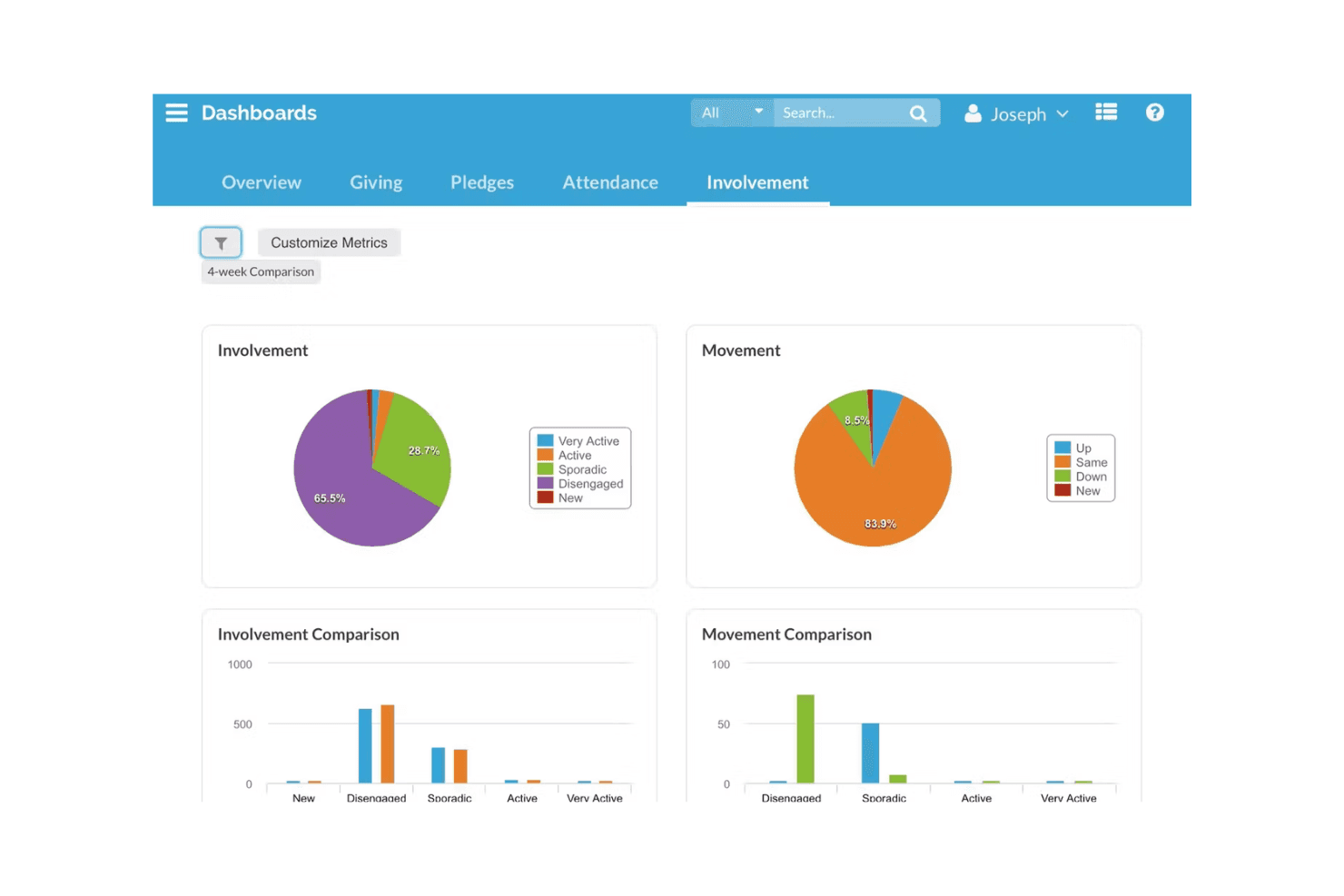
Realm visualizes member involvement and movement trends via dashboards. Realm is a cloud-based church management system from ACS Technologies that centralizes member records, giving, groups, events, and communications for churches that want one connected platform for operations and congregation engagement.
Who Is Realm Best For?
Realm is a strong fit for established congregations that want giving, member records, groups, and communications managed in one connected system.
Why I Picked Realm
Realm earns its spot on my shortlist because community engagement isn't an afterthought here—it's built into how the whole platform works. I particularly like the Connect app, which lets congregants join groups, RSVP to events, message one another, and manage their giving all in one place. The newsfeed lets you share church-wide updates and event photos, while group tools let leaders send targeted messages to specific ministry teams.
Realm Key Features
- Online and mobile giving: Donors can give by card, ACH, digital wallet, text, or the Connect app, with options for one-time or recurring gifts and fund designation.
- Volunteer scheduling: Staff can assign volunteers to serving teams, surface scheduling conflicts and preferences, and share assignments directly within the platform.
- Child check-in: Parents can check in children, confirm allergy information, and add instructions, with attendance recorded automatically at kiosk stations.
- Pathways: Staff can build step-by-step workflows for processes like visitor follow-up, membership, and volunteer training, with automated triggers and notifications at each stage.
Realm Integrations
Realm documents integrations with Vanco, BoxCast, Constant Contact, Engiven, and Planning Center People. Vanco handles giving, BoxCast supports streaming on Refresh Websites, and no public API is documented.
Pros and Cons
Pros:
- Donors can manage gifts in congregation app
- Groups support targeted congregation updates
- Giving records sit alongside church profiles
Cons:
- Members report account-setup and adoption friction
- No church-branded app builder is documented
 Best for people management
- Free plan + free demo available
- From $69.99/month
Visit WebsiteCustomer Rating:4.8/5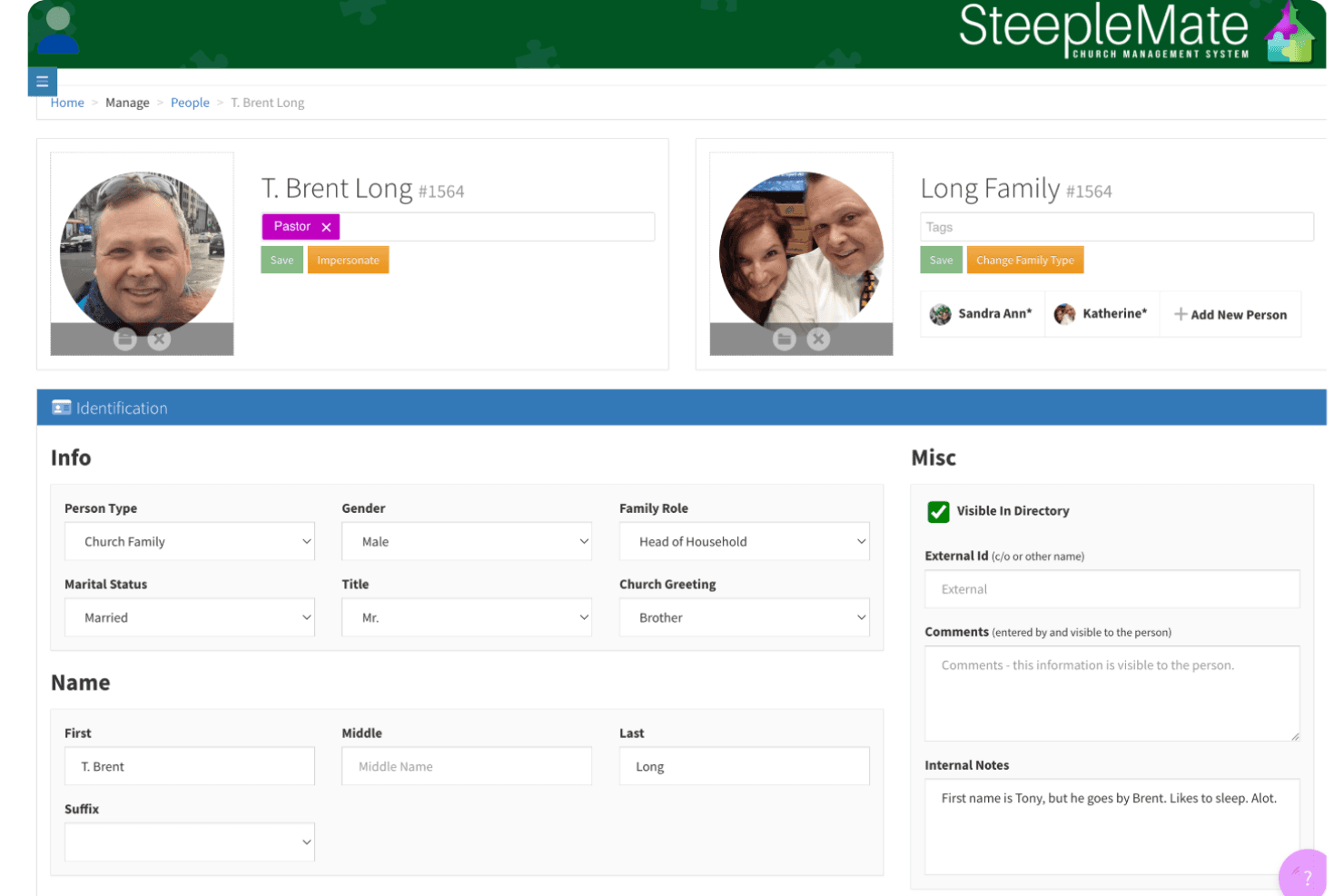
SteepleMate lets users manage detailed member profiles and family records. SteepleMate is a church management platform built for smaller and mid-sized congregations that want to organize member records, automate follow-up, and coordinate communication without the complexity of enterprise-level tools.
Who Is SteepleMate Best For?
SteepleMate is a strong fit for smaller and mid-sized congregations that need a tidy, affordable way to manage member records, track attendance, and automate follow-up communication.
Why I Picked SteepleMate
I picked SteepleMate for people management because it handles the full member lifecycle in one place, from first visit to ongoing engagement. I especially like CareTracks, which lets me build automated follow-up sequences triggered by guest visits or form submissions, so no one slips through the cracks after a Sunday service. Family record linking and child check-in with allergy tagging and pickup controls are the kind of operational details that matter when you're managing a real congregation week to week.
SteepleMate Key Features
- Text-to-give: Donors can text a keyword or dollar sign to your church's number to trigger a gift, with funds split across multiple designations via a single message.
- Mass email and SMS messaging: Send segmented or church-wide messages by email, SMS, or MMS, with scheduling controls and a full communication history log.
- Event registration and payment collection: Create event pages with registration forms that accept payments directly, with RSVP tracking and automated reminders.
- Role-based access and audit logs: Assign customizable permission levels to staff and volunteers, and review a log of all data changes made within the system.
SteepleMate Integrations
SteepleMate doesn't have any native integrations, and no API is documented for custom connections.
Pros and Cons
Pros:
- Reviews praise consolidated church administration
- Child check-in tracks allergies and authorized pickups
- Automates guest follow-up with CareTracks
Cons:
- Many tabs can overwhelm church staff
- Media streaming capabilities remain undocumented
Learn more about SteepleMate:
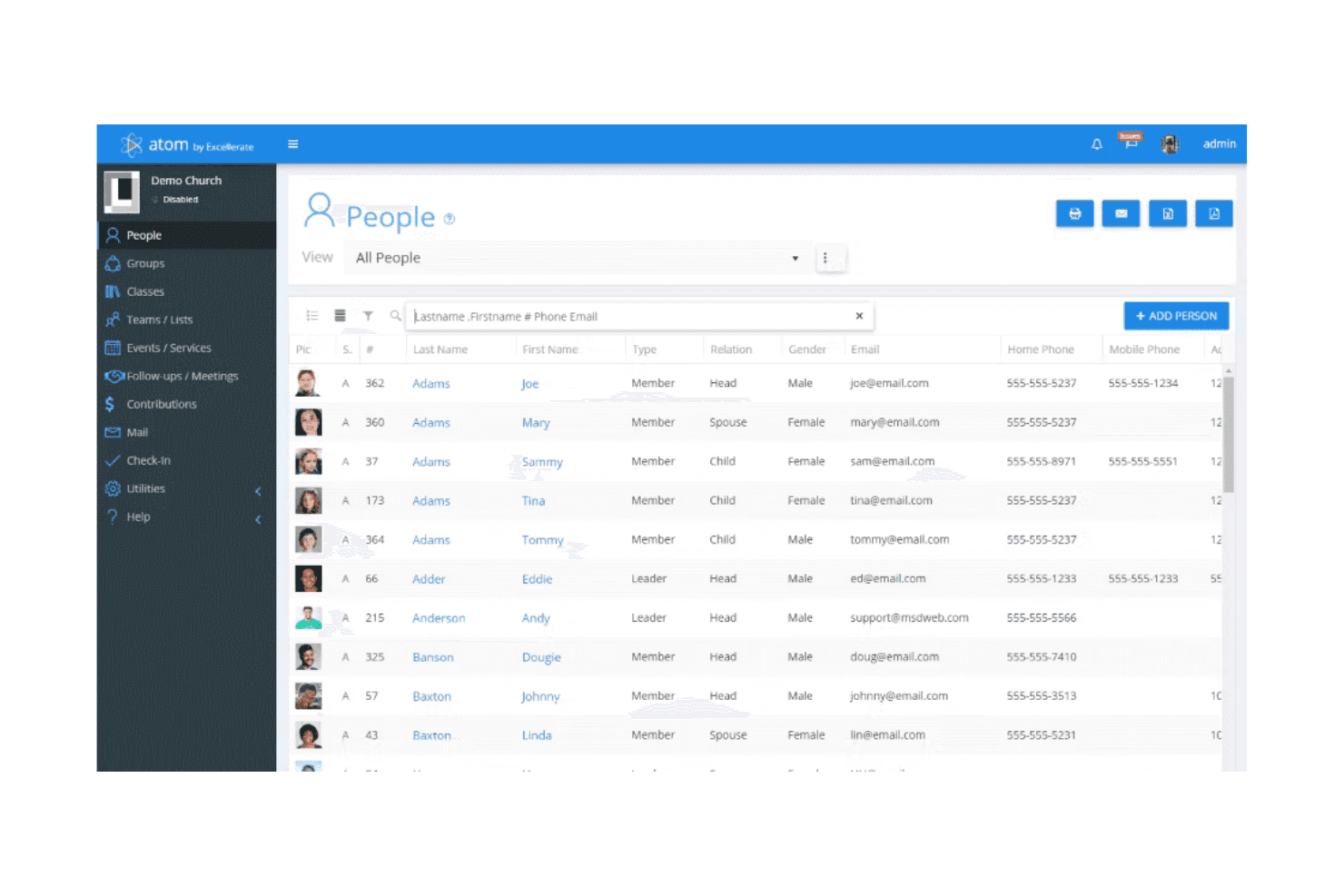
WildApricot displays a full member directory with contact details. WildApricot is a membership management platform that may appeal to church administrators who need to organize member records, automate renewals, manage event registration, and collect online donations without juggling separate tools.
Who Is WildApricot Best For?
WildApricot is a solid fit for smaller churches that want to manage memberships, renewals, and events in one place without maintaining separate tools.
Why I Picked WildApricot
I picked WildApricot as one of the best because I love how much it automates the repetitive admin work that eats up a church administrator's week. Membership renewals trigger automatically, renewal reminders go out without manual follow-up, and event confirmation emails fire the moment someone registers. I particularly appreciate the action-triggered email sequences: when a member lapses, WildApricot can automatically send a re-engagement series without anyone touching a keyboard.
WildApricot Key Features
- Member database: A cloud-based contact and membership database that stores records, tracks activity, and supports search, filtering, and custom fields.
- Online donation forms: Customizable donation forms that accept one-time and recurring contributions directly on your organization's website.
- Drag-and-drop website builder: A template-based editor for building mobile-responsive websites with member-only content and integrated event and membership pages.
- QR code event check-in: A mobile admin tool that scans attendee QR codes to check in registered guests against event records in real time.
WildApricot Integrations
WildApricot lists 1,600+ app integrations, including native WordPress connectivity, Make, QuickBooks, Google Calendar, Outlook Calendar, and Zapier. It also provides admin and member APIs plus webhooks for custom connections.
Pros and Cons
Pros:
- QR check-in supports event-day attendance tracking
- Automated renewals reduce manual follow-up
- Member and event records share one system
Cons:
- Email formatting can complicate congregation-wide updates
- No church-branded app or sermon streaming
Learn more about WildApricot:
Other Subsplash Alternatives
Here are some additional Subsplash alternatives that didn’t make it onto my shortlist, but are still worth checking out:
- 11TouchpointBest for customizable apps
- 12ExcellerateBest for detailed tracking
- 13ChurchTracBest for affordability
- 14RakletBest for customizable membership plans
- 15ElexioBest for integrated website solutions
- 16MinistryPlatformBest for large congregations
- 17PowerChurchBest for desktop-based management
- 18Church WindowsBest for financial management
How I Evaluate Subsplash Alternatives
I split my evaluation into two layers: the baseline requirements a platform must meet—like branded apps, giving, and media streaming—and the differentiators that separate the right fit from the rest.
Core Functionality (Table Stakes For This List)
When I'm selecting tools for my list, I rank each one on a scale from 0 (does not offer the functionality) to 5 (excels in this area) for each core functionality listed below. Then, I calculate the tool's total score into a percentage. Each tool needs to achieve a minimum total score of 55% to be considered for inclusion.
- Custom Church App: I check whether a platform offers branded native apps or just a mobile-responsive site—there's a big difference when your congregation opens it on Sunday morning.
- Media Streaming & Hosting: Sermon libraries, live streaming, and on-demand playback all matter here, and I look at how each tool organizes content into series and episodes.
- Online Giving: I evaluate whether giving is built into the platform with recurring options and donor management, or if it just links out to a third-party processor.
- Church Website Builder: A church's website and app should pull from the same content—I look for builders that natively connect sermons, events, and giving pages.
- Member Engagement Tools: Push notifications, group messaging, and prayer request feeds keep a congregation connected between Sundays, so I check how each tool handles these.
- ChMS Integration or Features: I look for native syncing with platforms like Planning Center or Breeze, or built-in member database tools that reduce duplicate data entry.
Once I have a list of tools that meet this criteria, I consider what sets each platform apart.
Differentiating Factors (What Sets Vendors Apart)
Here's how I compare and contrast different vendors:
Standout Features
Multi-campus churches need separate content feeds, giving reports, and branding per location—I check whether a platform handles that from one dashboard. Sermon transcription and AI repurposing tools are also worth evaluating, since they let your team turn a Sunday message into clips, blog posts, and social content without extra production work. I also look at event and group management, because a platform that handles small group signups and volunteer scheduling alongside your app and website saves your team from juggling separate tools.
Beyond Features
Pricing transparency matters a lot in this space—I check whether a platform bundles app, giving, and website into one price or charges per module, since that changes the total cost picture for smaller churches. Integration ecosystem is another key factor, especially how well a platform syncs with Planning Center or Breeze for member data. I also evaluate data ownership and portability, because if your church ever needs to switch platforms, you want to know your donor records and sermon archives come with you.
Why Look For A Subsplash Alternative?
While Subsplash is a good choice of church management software, there are a number of reasons why some users seek out alternative solutions. You might be looking for a Subsplash alternative because…
- You need more customization options
- Your team requires multilingual support
- You're looking for better pricing plans
- You need advanced reporting features
- Your church is expanding rapidly
- You're seeking better integration capabilities
If any of these sound like you, you’ve come to the right place. My list contains several church management software options that are better suited for teams facing these challenges with Subsplash and looking for alternative solutions.
Subsplash Key Features
Here are some of the key features of Subsplash, to help you contrast and compare what alternative solutions offer:
- Media tools: Share live streams, media hosting, and podcasts without ads to keep your audience engaged.
- Channel creation: Develop modern websites and custom mobile/TV apps to enhance your church's online presence.
- Community connection: Manage groups, messaging, and events to foster church engagement.
- Giving solutions: Offer mobile, web, and text giving options with detailed analytics to track donations.
- Check-in: Simplify attendance tracking for events and services, ensuring a smooth experience for your congregation.
- Push notifications: Send important updates and reminders directly to your members' devices.
- Volunteer management: Coordinate and organize volunteers effectively, ensuring all activities run smoothly.
- Bible access: Provide congregants with easy access to biblical resources and tools through your platform.
- Forms + notes: Collect information and take notes efficiently to keep your church organized.
- AI integration: Use artificial intelligence to enhance functionality and improve user experience.