

Managing a church is no small feat, and having the right website builder can make a world of difference. You might find Wix doesn't quite meet your needs, whether it's due to limited customization, scalability, or church-specific features. That's where alternatives come in.
I understand the unique challenges you face, like engaging your congregation online and managing church events efficiently. In my experience, the right tool can alleviate these pain points.
In this article, I'll share unbiased reviews of top Wix alternatives that cater specifically to churches. You'll find options that offer specialized features, better design flexibility, and tools tailored to your ministry's needs. Let's explore solutions that can truly support your mission.
What Is Wix?
Wix is a website builder that offers a range of templates and tools to create professional-looking sites. It's commonly used by pastors, small business owners, and freelancers who need an easy-to-use platform to establish an online presence. Drag-and-drop design, customizable templates, and integrated SEO tools help with creating visually appealing and functional websites without needing technical skills. Overall, Wix provides a user-friendly solution for those looking to build and manage a website with minimal hassle.
Wix Alternatives Comparison Table
This comparison chart summarizes pricing details for my top Wix alternative selections:
Score legend (out of 5)
- Excellent4.5–5
- Good4–4.4
- Average3–3.9
- Below average2–2.9
- Poor1–1.9
Sorted by: Default
| Tool | Starting Price | Website | |||||||
|---|---|---|---|---|---|---|---|---|---|
Best for elegant template designs | 4.0 out of 5 | 4 | 4 | 4 | 4 | 4 | 4 | $25/month 14-day free trial available | Website |
Best for virtual design and no code | 3.8 out of 5 | 4 | 4 | 3 | 3 | 4 | 5 | $15/month Free plan + free demo available | Website |
Best for simple drag-and-drop sites | 3.3 out of 5 | 3 | 3 | 3 | 4 | 4 | 3 | $16/month Free plan available | Website |
Best for intuitive church design | 2.3 out of 5 | 3 | 3 | 1 | 1 | 3 | 3 | Pricing upon request 14-day free trial + free demo available | Website |
Best for ready-made church sites | 2.3 out of 5 | 3 | 2 | 2 | 1 | 3 | 3 | $29/month 14-day free trial available | Website |
Best for church-specific media tools | Not rated | 2 | 3 | Not rated | 1 | 3 | 3 | $60/month 7-day free trial + demo available | Website |
Best for nonprofits and churches | 2.2 out of 5 | 2 | 1 | 3 | 1 | 3 | 3 | $180/year 30-day free trial + demo available | Website |
Best for church growth focus | 2.5 out of 5 | 3 | 3 | 3 | 1 | 3 | 2 | $97/month Not available | Website |
Best for Catholic parish management | 2.5 out of 5 | 3 | 2 | 2 | 1 | 4 | 3 | Pricing upon request Free plan for beta testers + 30-day free trial + free demo available | Website |
Best for effortless church setup | 2.7 out of 5 | 3 | 3 | 2 | 1 | 4 | 3 | $65/month Free plan + 15-day free trial available | Website |


Why Trust Our Software Recommendations
6,700+
Reviews
20
Industry experts
16+
Evaluation factors
14
Years
Our team has been testing and reviewing software since 2012. As church leaders ourselves, we know how difficult—and important—it is to choose the right software.
For this guide, we evaluated tools using hands-on testing and independent research, scoring tools using our selection criteria.
Our reviews reflect our human editorial judgment, not a sales pitch.
Best Wix Alternatives Reviews
Below are my detailed summaries of the best Wix alternatives that made it onto my shortlist. My reviews offer a detailed look at the key features, pros & cons, integrations, and ideal use cases of each tool to help you find the best one for you.
 Best for elegant template designs
- 14-day free trial available
- From $25/month
Visit WebsiteCustomer Rating:4.6/5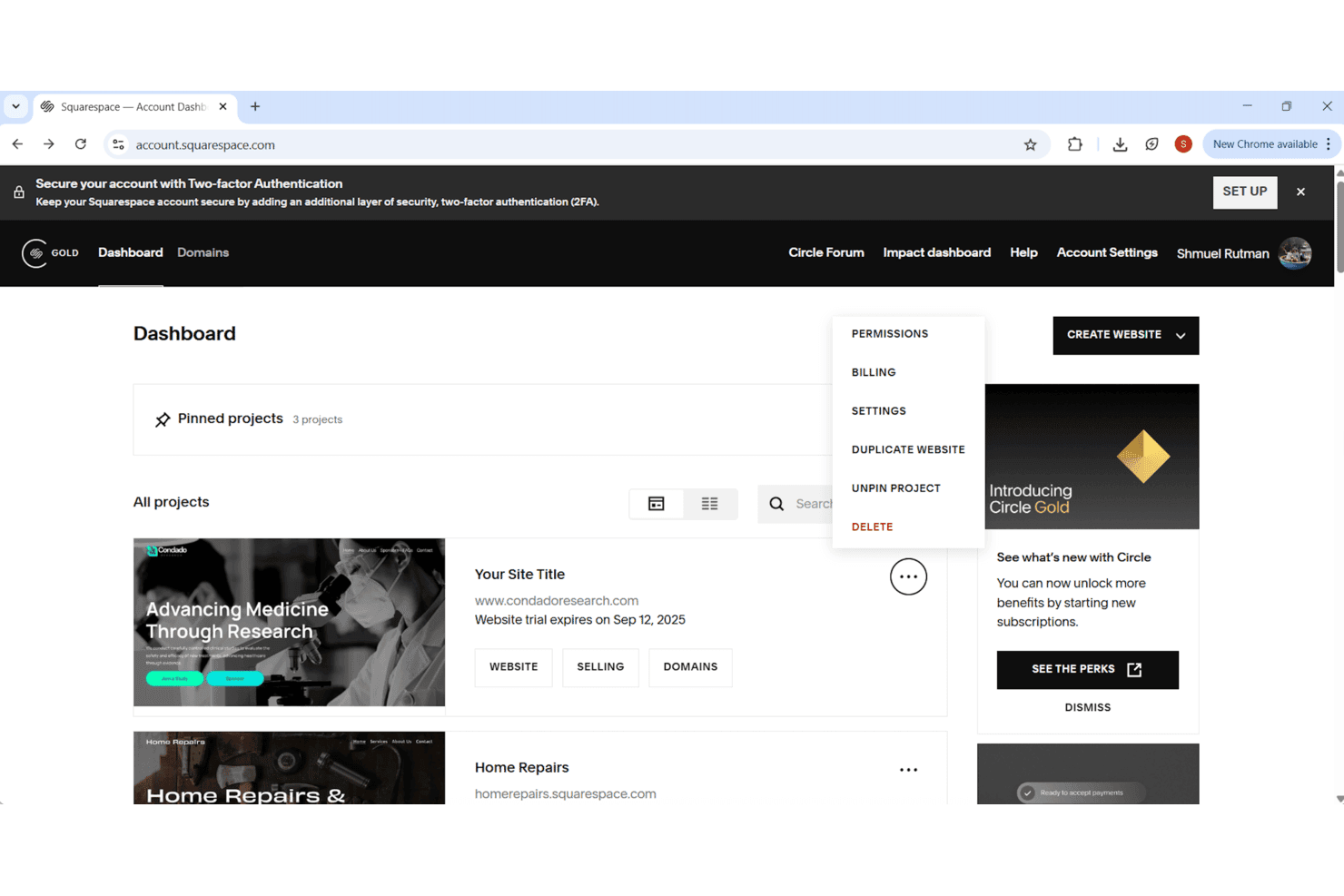
Squarespace lets users manage and organize multiple website projects from one dashboard. Squarespace is a no-code website builder that suits churches and ministries looking to establish a polished online presence—combining site hosting, donation collection, member content, and scheduling tools in one platform.
Who Is Squarespace Best For?
Squarespace suits churches, nonprofits, and mission-driven organizations that want a polished, professional web presence without needing a developer on staff.
Why I Picked Squarespace
I picked Squarespace as one of the best Wix alternatives because its template designs are genuinely a cut above what most builders offer. Where Wix gives you volume, Squarespace gives you polish: its professionally designed templates use refined typography, cohesive color palettes, and thoughtful layouts that hold up without heavy customization. I also appreciate that Fluid Engine lets you rearrange mobile layouts independently of your desktop view, so the site looks intentional on every screen, not just the one you built it on.
Squarespace Key Features
- Blueprint AI website generation: Describe your ministry or organization and Squarespace generates a multi-page site with pages, copy, images, colors, and fonts.
- Donation collection: Accept one-time or recurring contributions directly through your site without a third-party plugin.
- Acuity Scheduling integration: Let congregation members book appointments, classes, or events through a built-in scheduling tool.
- Contributor roles and permissions: Assign staff or volunteers specific access levels, such as store manager or email campaign editor, to control what each person can edit.
Squarespace Integrations
Squarespace offers marketplace integrations with HubSpot, Mailchimp, QuickBooks Online, Printful, ShipStation, and TaxJar, plus native connections to Google Analytics and Google Search Console. It also provides APIs for custom integrations and supports Zapier.
Pros and Cons
Pros:
- Built-in recurring donations suit ministry sites
- Mobile layouts can be arranged independently
- Polished templates need little visual rework
Cons:
- Template switching isn't available on version 7.1
- Grid rules can frustrate precise placement
Learn more about Squarespace: Best for virtual design and no code
- Free plan + free demo available
- From $15/month (billed annually)
Visit WebsiteCustomer Rating:4.4/5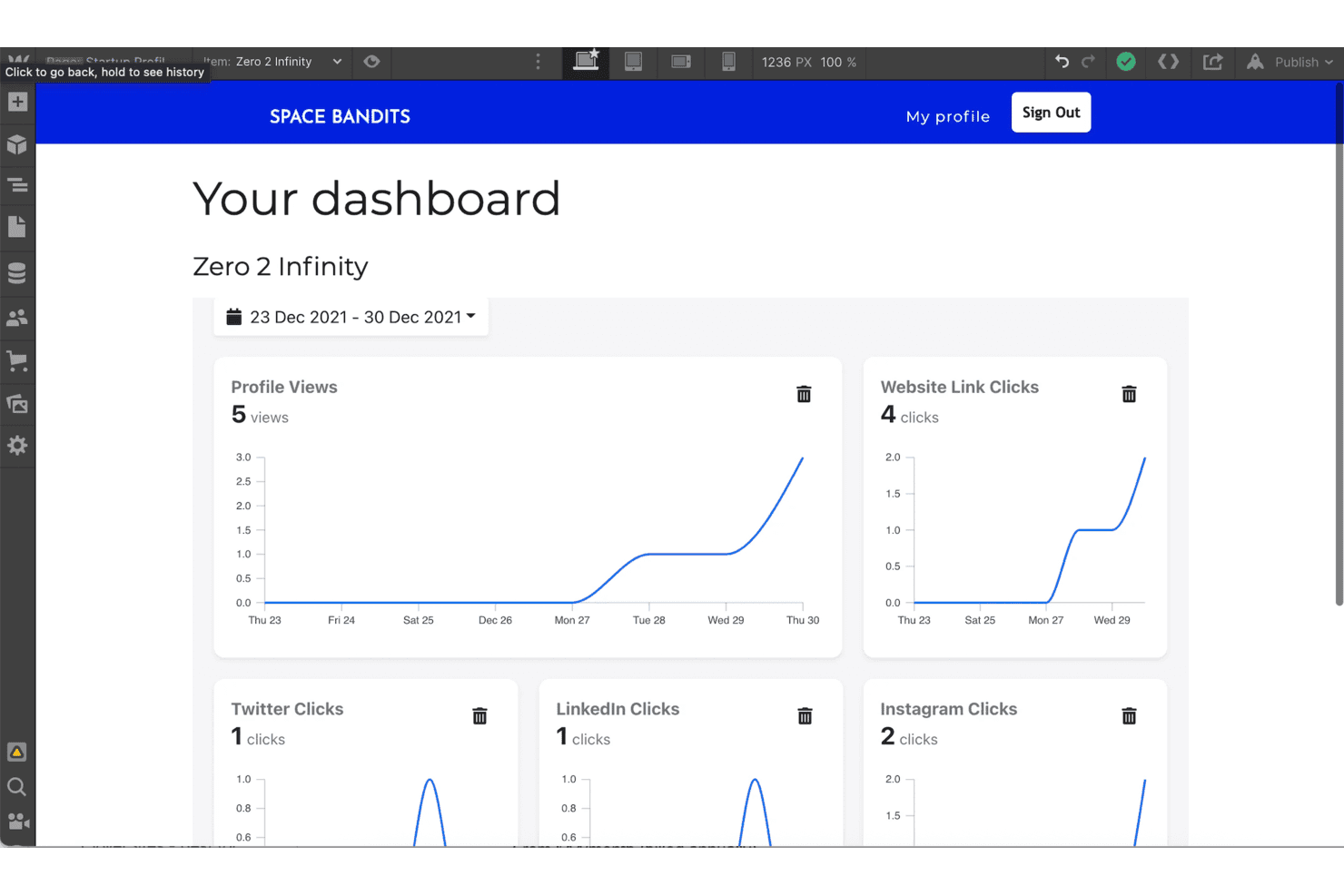
Webflow displays startup profile analytics in a visual dashboard. Webflow is a visual website builder that gives designers and marketing teams precise control over layouts, interactions, and content without writing code—making it a strong fit for churches that want a polished, fully custom web presence.
Who Is Webflow Best For?
Webflow is a strong fit for designers and marketing teams who want pixel-level control over a site's look and layout without touching code.
Why I Picked Webflow
Webflow earns its spot on my shortlist because its visual design canvas gives you pixel-level control over layouts, typography, and CSS Grid without touching code. I love that you can build fully custom, on-brand pages by dragging and arranging elements directly on the canvas, then preview exactly how they'll render across breakpoints before publishing. For churches that want a site that looks professionally designed rather than templated, Webflow's visual CMS also lets your team update content in context without breaking the design.
Webflow Key Features
- Visual CMS with in-context editing: Update and publish CMS content directly on the canvas, so your team can make changes without touching the design or waiting on a developer.
- Code export: Download your site's HTML, CSS, JavaScript, and assets as a ZIP file to host or edit the code independently of Webflow.
- Breakpoint-based responsive controls: Preview and adjust layouts across desktop, tablet, and mobile breakpoints using inherited styles you can override at each screen size.
- A/B testing and personalization: Run split tests and show different site experiences to different visitor audiences using Webflow Optimize.
Webflow Integrations
Webflow offers native integrations with Stripe, PayPal, Google Shopping, Meta, and Mailchimp. Marketplace integrations include HubSpot, Google Ads, Airtable, and Google Sheets, with REST APIs, SDKs, webhooks, and Zapier for custom connectivity.
Pros and Cons
Pros:
- Exportable code offers hosting portability
- Client content edits avoid designer bottlenecks
- Precise canvas control beyond Wix templates
Cons:
- Store tools lag on inventory and variations
- Responsive edits need breakpoint-by-breakpoint checks
Learn more about Webflow: Best for simple drag-and-drop sites
- Free plan available
- From $16/month
Visit WebsiteCustomer Rating:4.3/5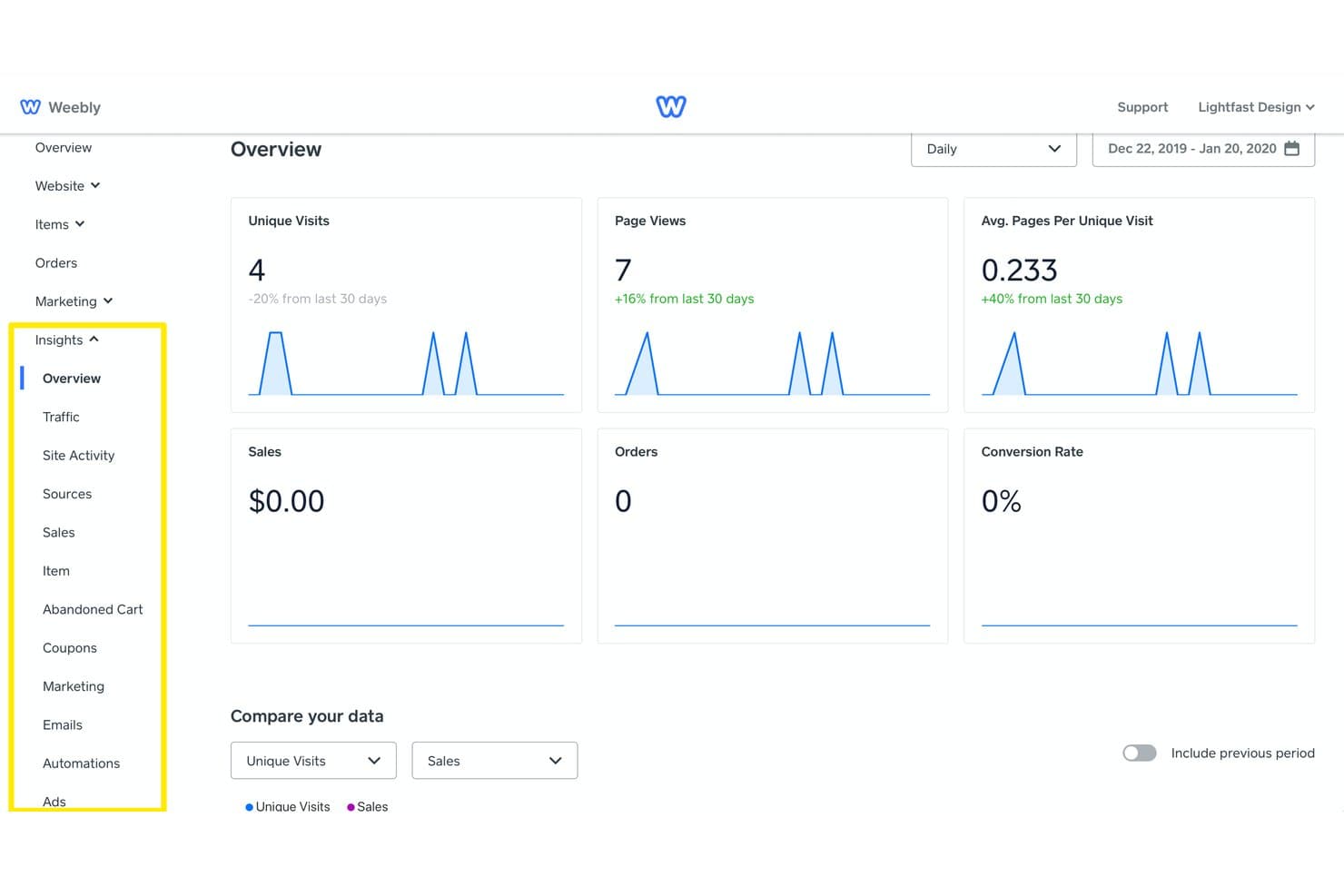
Weebly tracks visits, page views, sales, and conversions in one dashboard. Weebly is a drag-and-drop website and online store builder that suits churches and small ministries looking for a low-cost, beginner-friendly way to get a site live without any coding knowledge.
Who Is Weebly Best For?
Weebly suits small ministries and churches that want to get a simple site live fast, without hiring a developer or learning to code.
Why I Picked Weebly
I picked Weebly because its drag-and-drop editor is genuinely one of the simplest ways to get a church site live without touching a single line of code. I especially like that you can drop in a contact form, embed a video sermon, or add an Instagram feed directly on the page, all within the same editing view. The built-in blog tools also let you publish and schedule posts with custom URLs and meta descriptions, which keeps your content organized without needing a separate plugin.
Weebly Key Features
- Membership groups: Create members-only sections of your site with controlled page access and visitor registration options.
- Email campaigns: Build and schedule email newsletters and promotions using a drag-and-drop editor with open and click reporting.
- App Center: Browse and add from over 350 third-party apps covering areas like live chat, SEO, forms, and social feeds.
- Form builder: Create contact forms, surveys, and RSVP lists with configurable fields and email or dashboard delivery of responses.
Weebly Integrations
Weebly’s App Center lists 354 marketplace apps, with documented built-in connections to Square, Stripe, PayPal, Authorize.net, UPS, USPS, and FedEx. It also supports marketplace connections for Instagram, WhatsApp Messenger, YouTube, Vimeo, and Twitch; API availability isn’t documented.
Pros and Cons
Pros:
- Responsive themes adapt pages across devices
- Store tools cover inventory, coupons, and checkout
- Drag-and-drop setup helps launch pages quickly
Cons:
- Site exports omit blogs and store pages
- Templates can feel dated beside Wix
Learn more about Weebly: Best for intuitive church design
- 14-day free trial + free demo available
- Pricing upon request
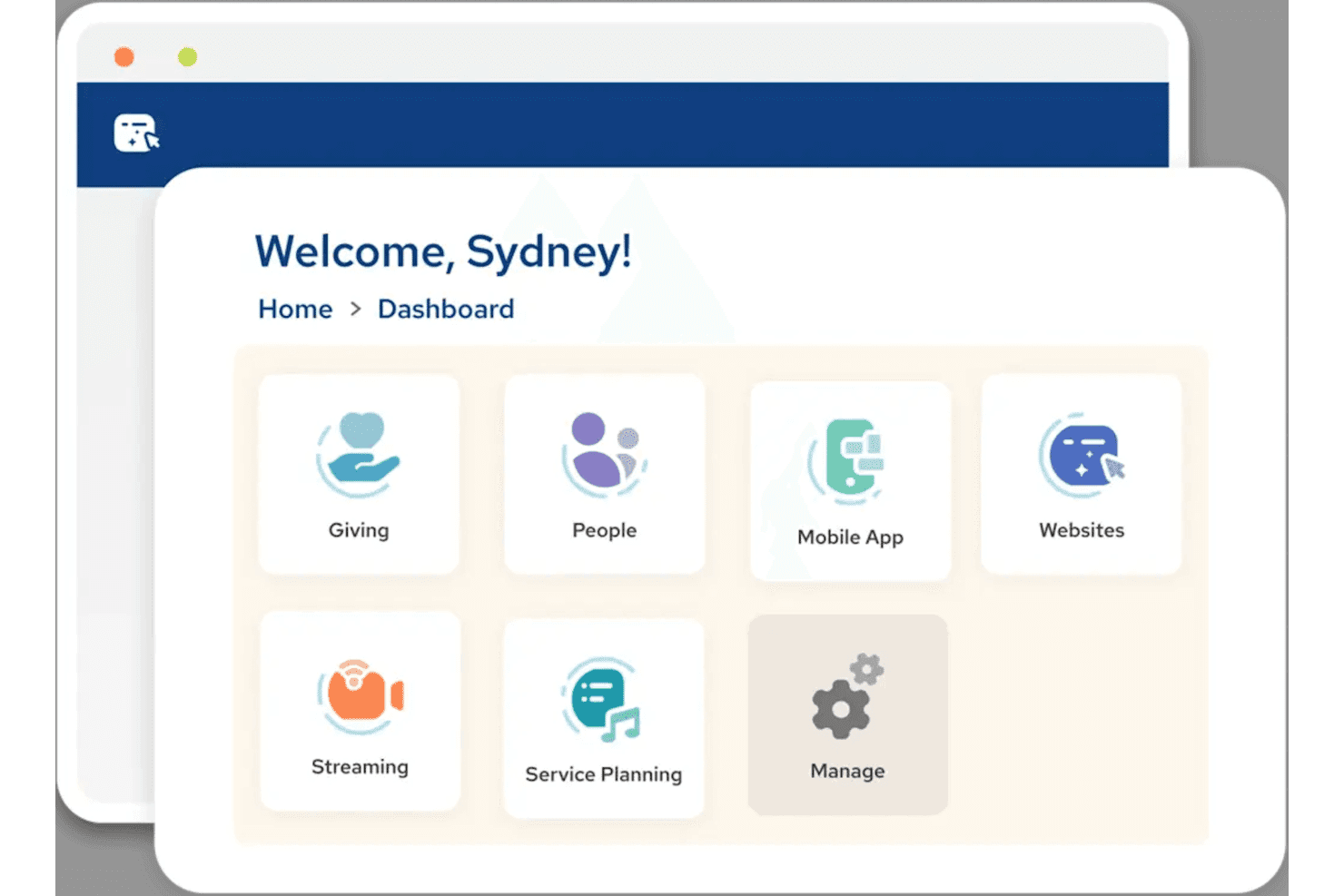
CloverSites centralizes church tools like Giving, Streaming, and Websites. Amplify by Ministry Brands is an all-in-one church platform that pairs a no-code drag-and-drop website builder with giving, communications, and member management tools—making it a practical fit for church administrators who want their website and ministry operations in one place.
Who Is CloverSites Best For?
CloverSites is a natural fit for church administrators and ministry teams who want their website, giving, and member communications managed from one platform.
Why I Picked CloverSites
I picked CloverSites as one of the best because its drag-and-drop editor is built specifically around how church teams actually work, with ready-to-edit, ministry-focused templates that let staff update sermon pages, event listings, and giving forms without touching a line of code. I love that the website connects directly to Amplify Giving, so embedded donation forms are live on the site rather than redirected elsewhere. Most teams get a site live in two to three weeks.
CloverSites Key Features
- AI sermon preparation: An AI-powered tool that helps pastors draft, refine, and repurpose sermon content into social media clips and other formats.
- Member communication tools: Built-in messaging features let staff and volunteers send quick updates or planned announcements to members via email and text.
- Service planning tools: Scheduling, communication, and resource management tools help coordinate worship teams and volunteers for each service.
- Mobile member app: A dedicated app keeps congregation members connected and engaged with church content and updates from anywhere.
CloverSites Integrations
CloverSites doesn't have any native integrations.
Pros and Cons
Pros:
- Users praised cleaner design and signup workflows
- Embedded giving forms support online donations
- Church-focused templates suit ministry websites
Cons:
- Full codebase control requires another path
- No product catalog or shopping cart
Learn more about CloverSites: Best for ready-made church sites
- 14-day free trial available
- From $29/month (billed annually)
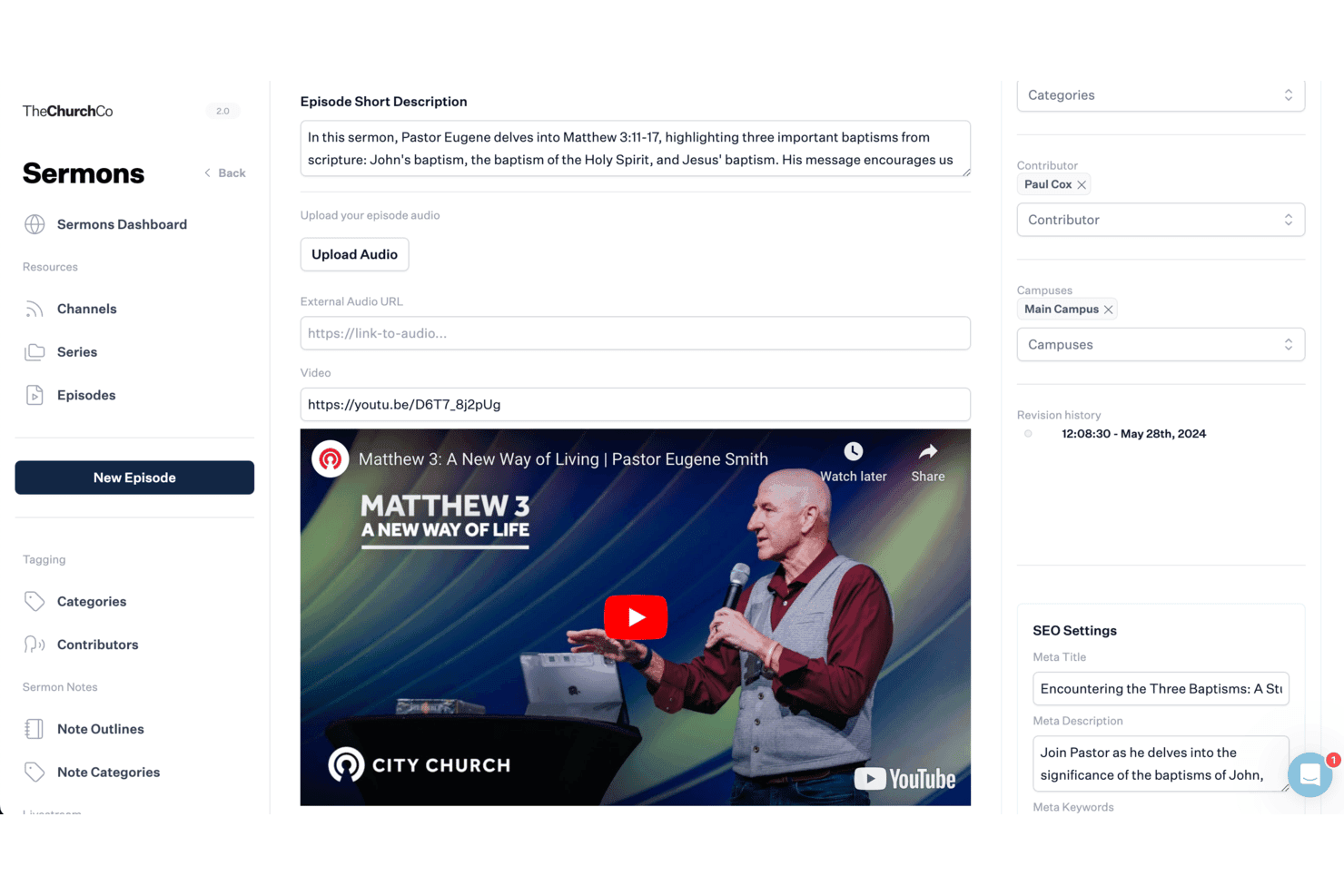
The Church Co lets users manage sermon episodes with video and SEO settings. The Church Co is a church-specific website platform that gives ministry leaders a no-code way to build, manage, and grow their online presence—with built-in tools for sermons, events, online giving, and member management all in one place.
Who Is The Church Co Best For?
The Church Co is built specifically for churches and ministries that want a ready-made website with sermon hosting, online giving, and member tools already built in.
Why I Picked The Church Co
I picked The Church Co because it's the only website builder on this list designed entirely around how churches actually operate, with sermon libraries, event calendars, online giving, and a members portal built in from day one. Rather than adapting general-purpose tools to fit ministry needs, every template and feature is church-specific, so there's no retrofitting required. I especially like that the platform pairs the website with a branded mobile app on the Ultimate plan, keeping sermon content and giving in one place across both.
The Church Co Key Features
- Sermon and media library: Upload, host, and organize sermons by series, speaker, and category, with audio streaming and multiple podcast feed support.
- Digital prayer wall: Collect and moderate prayer request submissions, with options for anonymous posts and notifications sent to a designated prayer team.
- Small groups directory: Display groups by category on a filterable page with a map view, letting visitors find nearby groups and contact leaders through a built-in form.
- Planning Center integration: Sync events, registrations, groups, and sermons from Planning Center directly to the church website, with member data updating in both directions.
The Church Co Integrations
The Church Co offers native integrations with Planning Center, PushPay, Church Suite, and Stripe. It doesn’t document an API or app marketplace, so connectivity focuses on church management and online giving rather than Wix-style extensions.
Pros and Cons
Pros:
- Website and branded app share content
- Contemporary layouts give churches a polished presence
- Church pages bundle sermons, events, and giving
Cons:
- Template blocks constrain layouts; no code export
- No product catalog or shopping cart
Learn more about The Church Co: Best for church-specific media tools
- 7-day free trial + demo available
- From $60/month
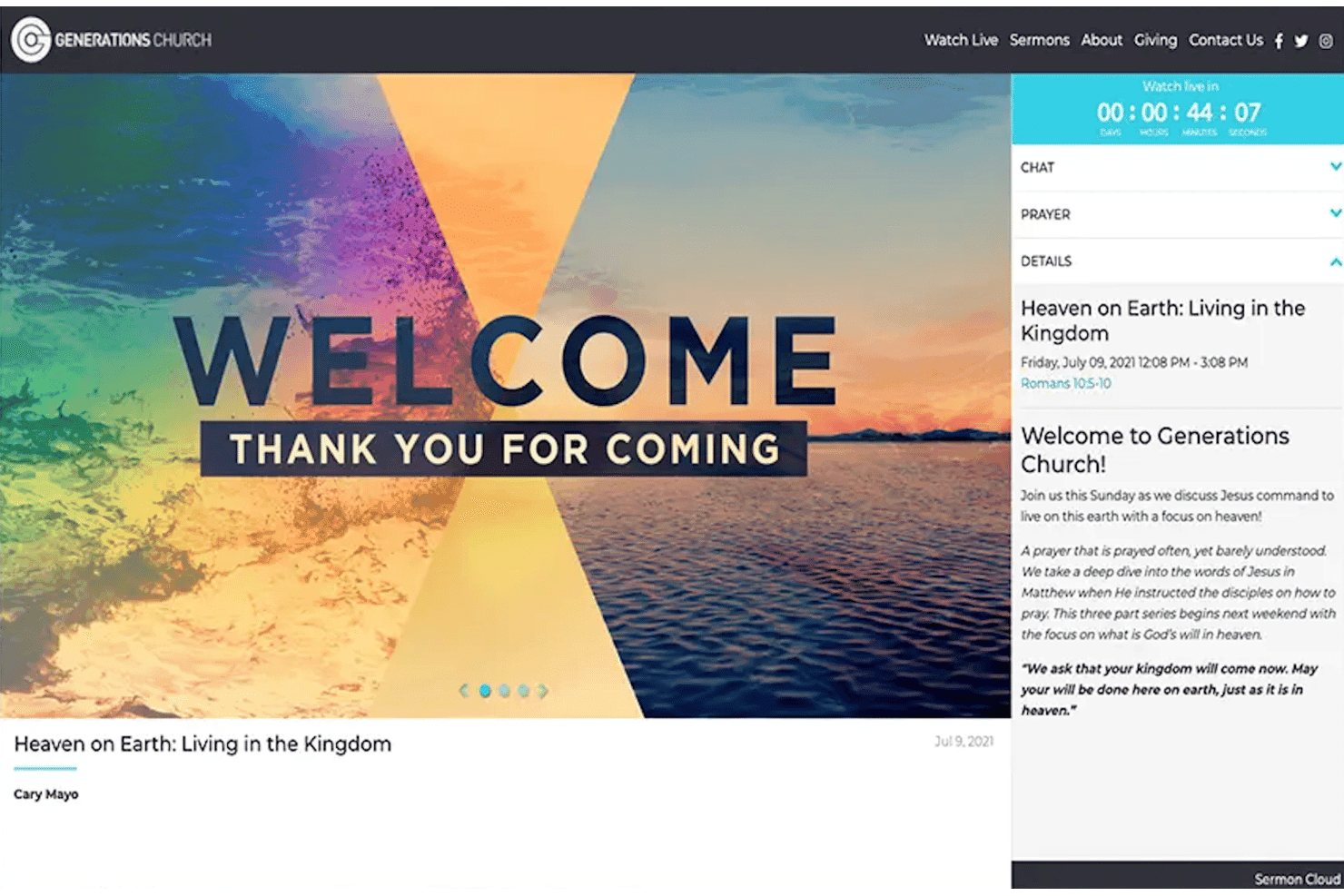
ShareFaith lets churches stream live services with chat and prayer tools. ShareFaith is a church-focused website builder that lets ministry teams create and manage a professional online presence—with sermon libraries, online giving, event registration, and a media library of 100,000+ church-specific assets built right in.
Who Is ShareFaith Best For?
ShareFaith is built for churches and ministry teams that want a website with sermon libraries, online giving, and a deep library of church-specific media assets already baked in.
Why I Picked ShareFaith
I picked ShareFaith as one of the best because no other website builder on this list comes loaded with 100,000+ church-specific media assets right out of the box. I love that sermon libraries, worship graphics, and ministry-focused templates are built directly into the platform, so your site isn't just functional, it's already stocked with the content your congregation expects. The drag-and-drop Elementor editor makes it straightforward to publish audio and video sermons, set up event registration, and collect online giving without touching a line of code.
ShareFaith Key Features
- Sermon library: Publish audio and video sermons that visitors can search, filter, and download directly from your church website.
- Prayer request management: Collect prayer requests through your site and control privacy, sharing, and response settings from a central dashboard.
- Blog, podcast, and newsletter publishing: Share written content, audio episodes, and newsletters to keep your congregation informed between services.
- Ministry strategist guidance: Work with a ShareFaith strategist to build your website around your church's specific ministry goals.
ShareFaith Integrations
ShareFaith doesn't have any native integrations. Its API and marketplace options are also not documented.
Pros and Cons
Pros:
- Reviewers praise accessible drag-and-drop editing
- Ministry-specific templates fit church websites
- Bundled church media and sermon publishing
Cons:
- No product catalog, cart, or checkout
- Design flexibility trails Wix and Squarespace
Learn more about ShareFaith: Best for nonprofits and churches
- 30-day free trial + demo available
- From $180/year (billed annually)
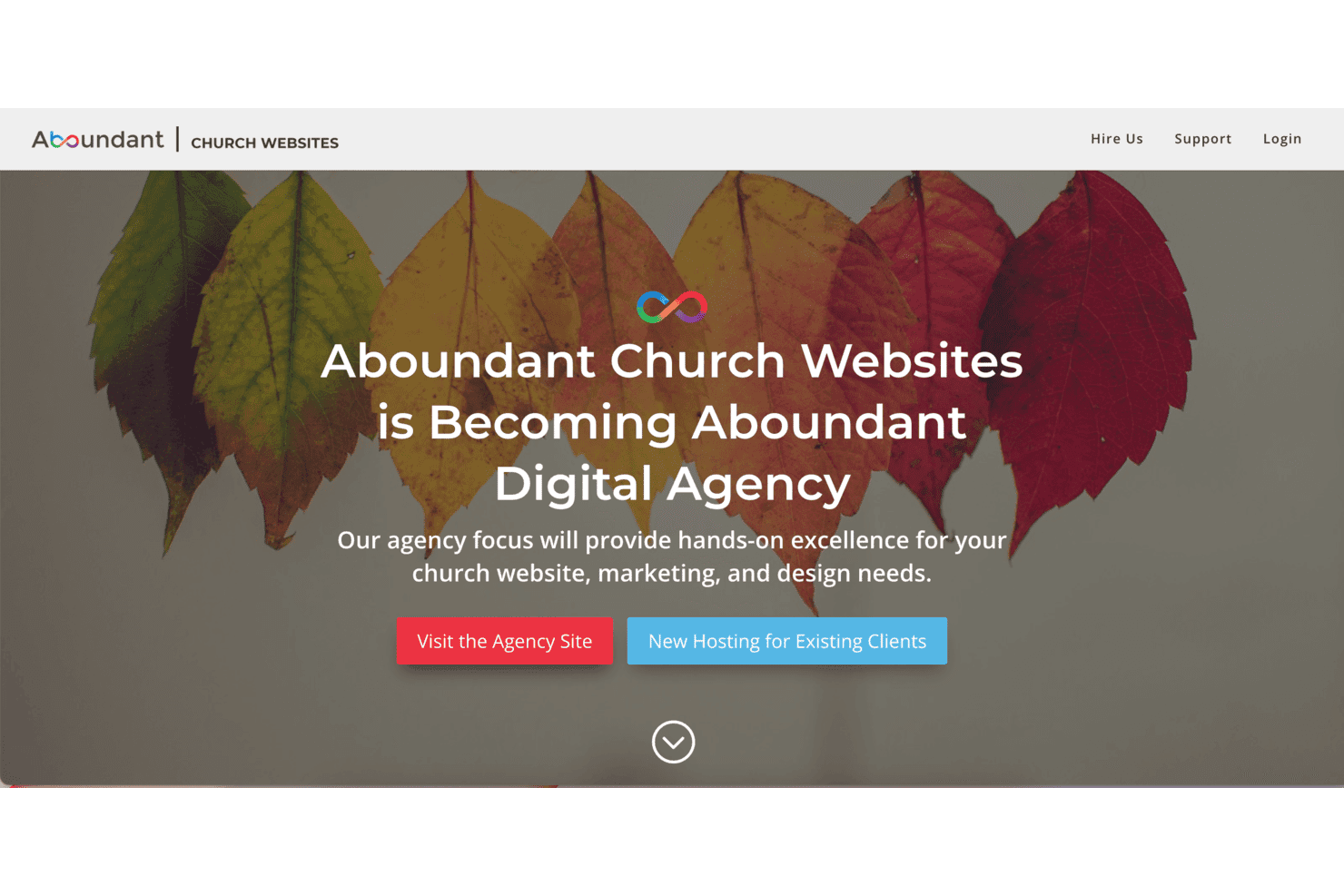
Aboundant transitions from church websites to a full digital agency. Aboundant is a WordPress-based website builder designed specifically for churches and ministries, offering drag-and-drop editing, event calendars, livestream support, and online giving tools in one hosted package.
Who Is Aboundant Best For?
Aboundant is a strong fit for churches and ministries that want an all-in-one, WordPress-based website without managing hosting or technical setup themselves.
Why I Picked Aboundant
I picked Aboundant as one of the best because it's built from the ground up for churches and ministries, not retrofitted from a generic site builder. I love that it pairs a drag-and-drop Divi editor with church-specific tools like a built-in events calendar, livestream support, and online giving, so your congregation can find service times, register for events, and give online without needing separate platforms. The WordPress foundation also means your site isn't locked into a proprietary ecosystem.
Aboundant Key Features
- Divi drag-and-drop page builder: A visual editor lets you build and customize pages directly in your browser without writing any code.
- Multiple user permission levels: Assign different access roles to staff and volunteers so each person can only edit what they're responsible for.
- WordPress plugin ecosystem: Because the platform runs on WordPress, you can extend your site's functionality by adding plugins for features not built in by default.
- Google Analytics integration: Site traffic data is built into your dashboard so you can track visitor behavior without connecting a separate analytics account.
Aboundant Integrations
Native integrations are not clearly documented. Aboundant supports the WordPress plugin ecosystem, and its built-in domain system works with eNom; no API or integration count is documented.
Pros and Cons
Pros:
- WordPress foundation allows plugin-based extensions
- Volunteers can update pages and events
- Church-specific calendars support ministry communication
Cons:
- DIY website phaseout clouds hosting continuity
- One theme restricts ready-made design choices
Learn more about Aboundant:
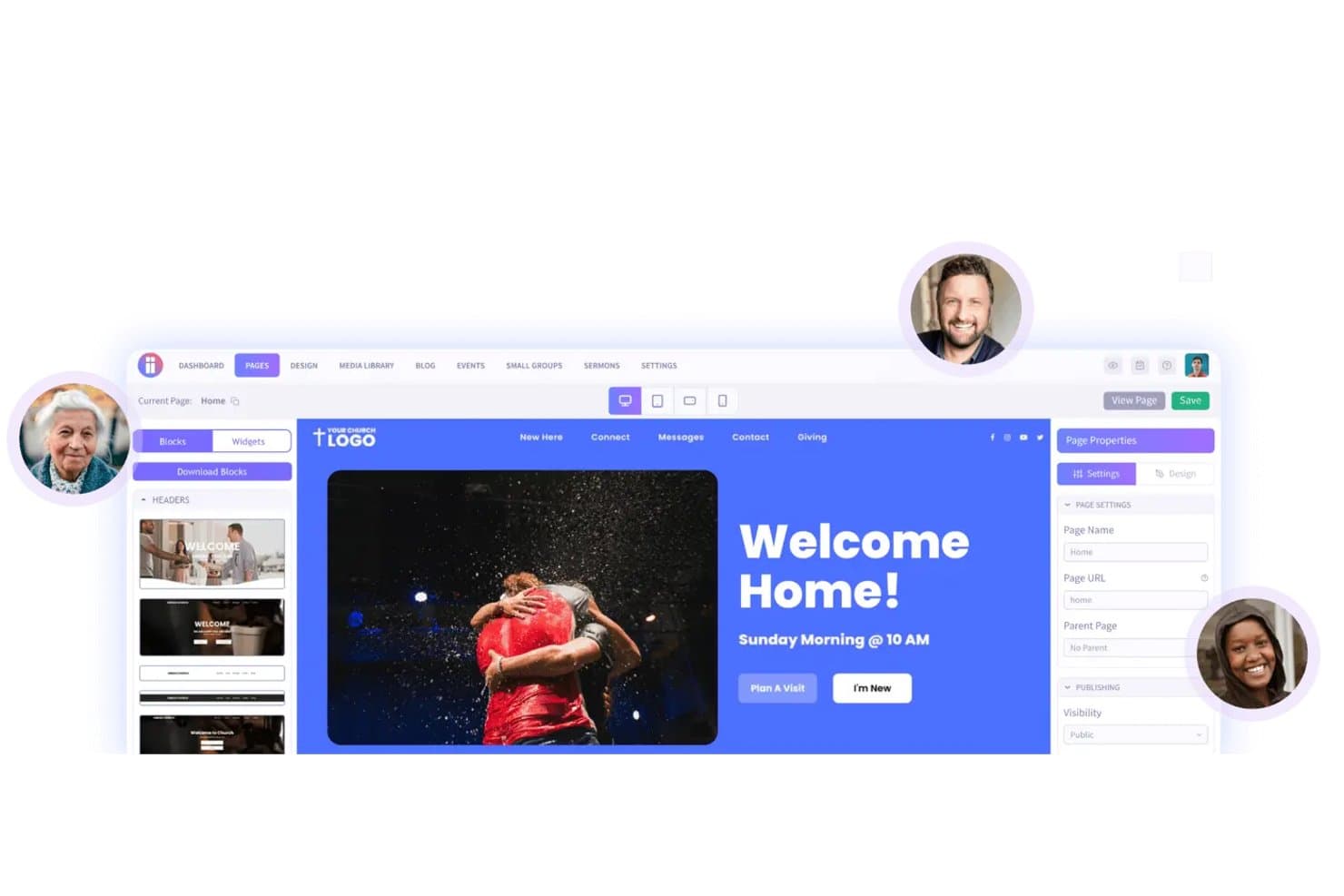
Ministry Designs lets users build and customize church websites visually. Ministry Designs is a church-specific website builder that handles the initial site build for you, making it a practical fit for ministry teams who want a professionally designed site with built-in tools for sermons, events, online giving, and small groups—without needing a developer.
Who Is Ministry Designs Best For?
Ministry Designs is built exclusively for churches, making it a natural fit for ministry teams that want a professionally built website without handling the technical work themselves.
Why I Picked Ministry Designs
I picked Ministry Designs as one of the best because it's built from the ground up with church growth in mind. Every feature, from the sermon manager that auto-organizes messages by series, speaker, and topic, to the built-in small groups and events tools, exists to help a congregation connect and expand. I also appreciate that the team builds your site using your existing content within three weeks, so your church has a growth-ready web presence without months of setup.
Ministry Designs Key Features
- Block-based page editor: Build and customize pages by editing prebuilt content blocks without writing any code.
- Cloud design library: Browse and download from a library of more than 1,000 predesigned pages and blocks to add to your site.
- On-page SEO tools: Manage friendly URLs, meta tags, and sitemaps at both the global and individual page level.
- Holiday landing pages: Access ready-made landing pages built for seasonal services and special church events.
Ministry Designs Integrations
Ministry Designs supports Google Calendar feeds and embeds from YouTube, Vimeo, and Facebook for church content. It also connects with major online-giving providers and church-management software, but does not document specific vendors, an API, or a native integration count.
Pros and Cons
Pros:
- Donation pages suit ministry needs
- Vendor-built launch reduces setup work
- Church-specific sermon and event publishing
Cons:
- Template-based designs limit visual freedom
- No documented merchandise cart or inventory
Learn more about Ministry Designs: Best for Catholic parish management
- Free plan for beta testers + 30-day free trial + free demo available
- Pricing upon request
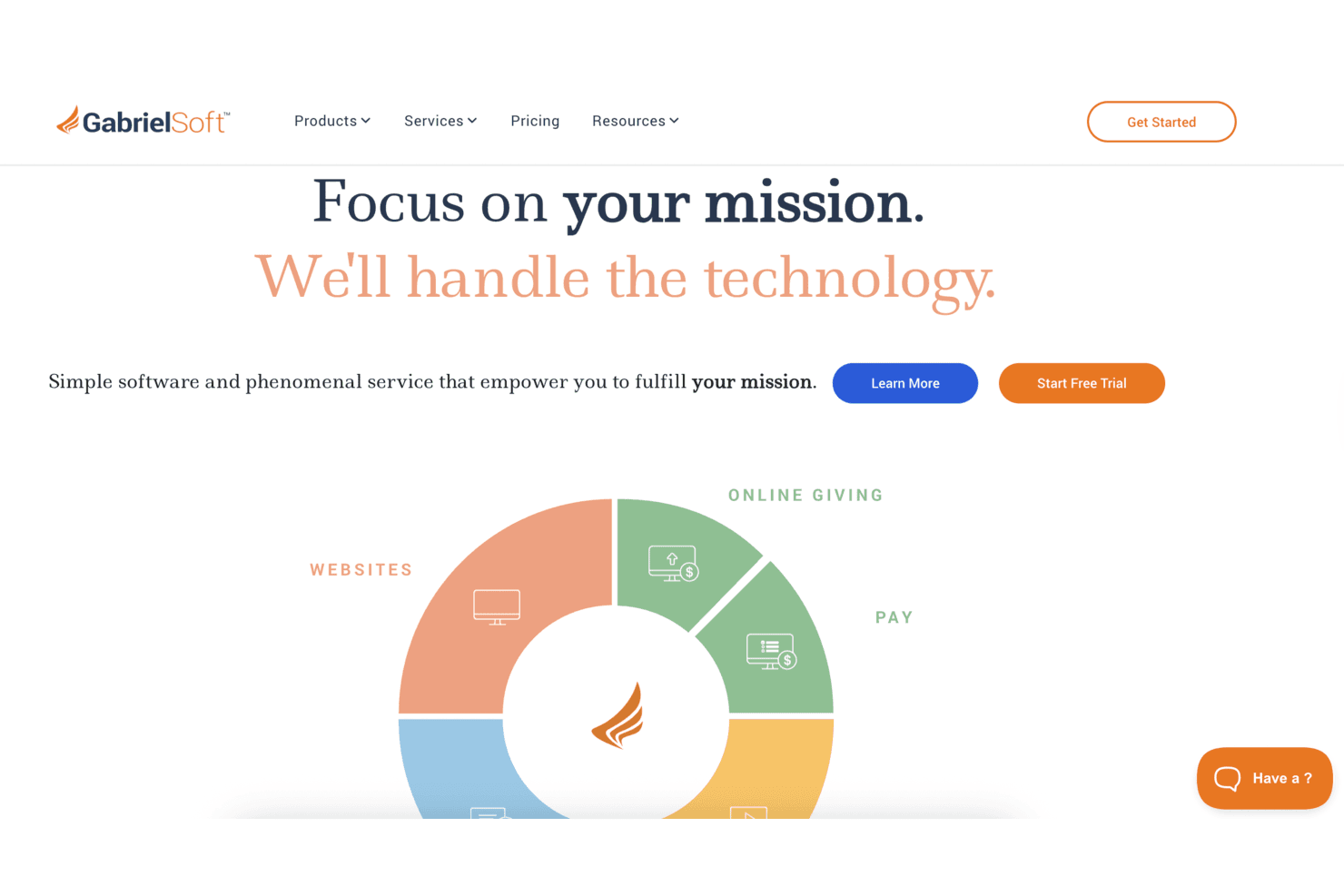
GabrielSoft helps churches manage websites, giving, and payments. GabrielSoft is a website-building platform built specifically for churches, schools, and ministries, offering a no-code drag-and-drop editor, built-in donation and payment forms, group messaging, and live streaming in one place.
Who Is GabrielSoft Best For?
GabrielSoft is built for Catholic parishes and faith-based organizations that need a website, online giving, and communication tools in one place.
Why I Picked GabrielSoft
I picked GabrielSoft because it's purpose-built for Catholic parishes, with every feature oriented around how a parish actually operates. I love that the drag-and-drop site builder comes with church-specific content modules like sermon posts, event listings, and people profiles, so there's no retrofitting a generic tool to fit ministry needs. Built-in donation forms and group messaging through Connect mean parishes can manage their congregation's giving and communication from one place.
GabrielSoft Key Features
- Live streaming to multiple platforms: Broadcast live events to your website, Facebook Live, YouTube Live, Roku, and Apple TV simultaneously, with automatic archiving for on-demand viewing.
- Multi-role website administration: Assign Author, Publisher, or Admin roles to staff and volunteers so the right people can update specific content without full site access.
- Payment and registration forms: Build forms for event registrations, ticket sales, tuition, and other payments that visitors can complete without leaving your site.
- Quick Flip content transfer: A one-time service that copies text, images, and files from your existing website into a GabrielSoft theme, typically completed within a few days.
GabrielSoft Integrations
GabrielSoft offers 7 documented native integrations, including CardConnect, Facebook Live, YouTube Live, Restream.io, Roku, Apple TV, and iTunes. No public API or app marketplace is documented.
Pros and Cons
Pros:
- Giving and registrations stay on-site
- Volunteers can update content without coding
- Church-ready sermon and event publishing
Cons:
- No retail product catalog or shopping cart
- Fewer layout controls than Wix
Learn more about GabrielSoft:
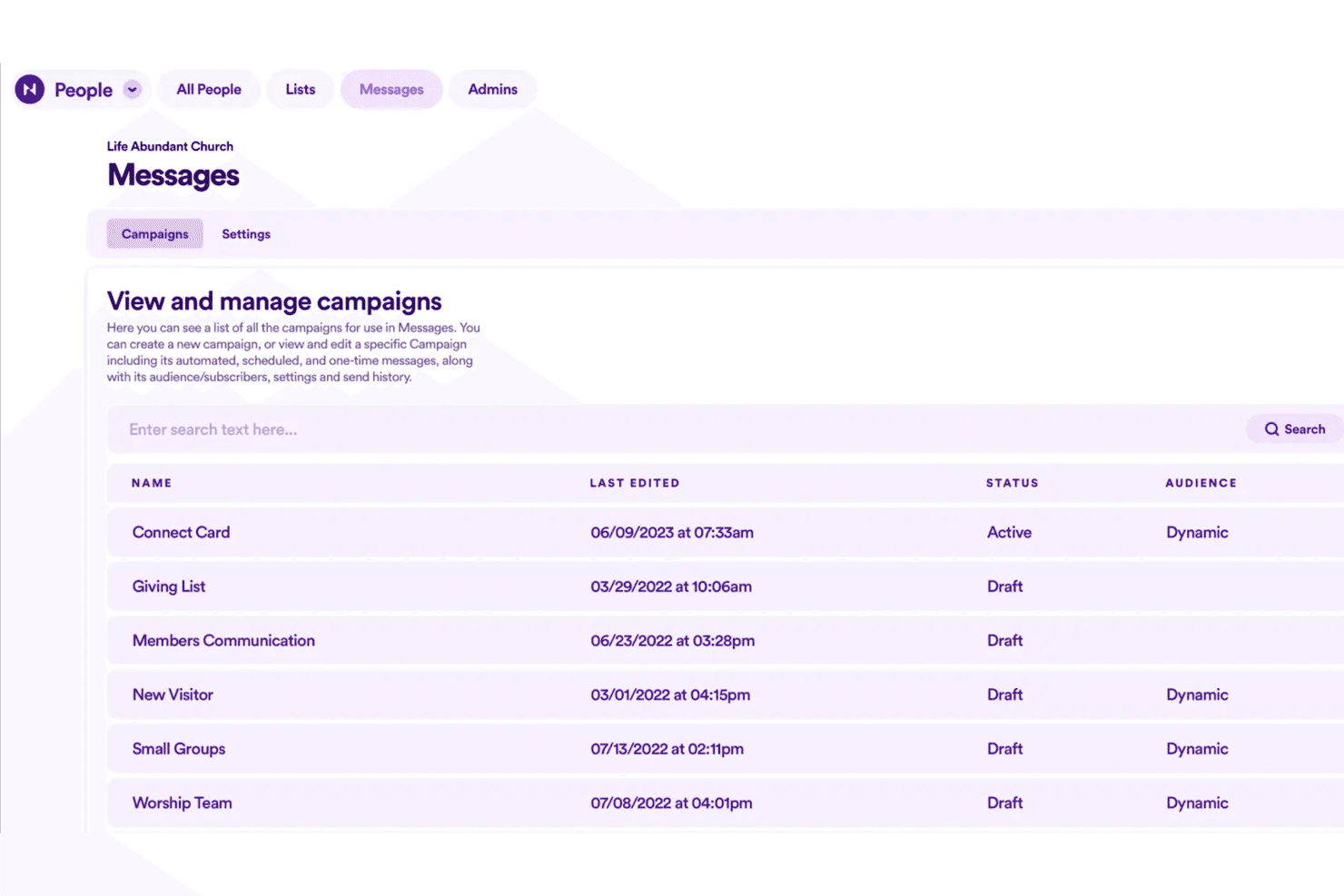
Nucleus lets users view and manage messaging campaigns in one place. Nucleus is a church-specific website and communications platform that brings together a no-code site builder, congregational next-steps tools, sermon publishing, email communications, and online giving in one place—purpose-built for ministry teams who want less juggling between disconnected tools.
Who Is Nucleus Best For?
Nucleus is a strong fit for church leaders and ministry teams who want their website, communications, giving, and next-steps tools in one purpose-built platform.
Why I Picked Nucleus
I picked Nucleus as one of the best because church teams can go from zero to a fully launched website without touching a single line of code, and the platform's section-based builder comes pre-loaded with church-specific page templates for things like ministries, small groups, and Plan a Visit paths. I especially appreciate the done-for-you makeover service, which handles content migration, church-specific SEO, and live training so your team isn't figuring it out alone. The built-in Launcher keeps next steps like prayer requests, giving, and event registrations in one hub directly on your site.
Nucleus Key Features
- Sermon library: Publish video and audio messages in a searchable library, organized by series, speaker, topic, and Scripture reference, with a built-in podcast RSS feed.
- Email campaigns and audiences: Build targeted email audiences from People lists and connection types, then send one-time campaigns or automated follow-up sequences.
- Conditional logic in Flows: Create step-by-step forms that show or hide questions based on a person's previous answers, supporting registrations, volunteer applications, and visit planning.
- Role-based permissions: Assign team members access to specific pages, products, prayer inboxes, or financial data without granting full account control.
Nucleus Integrations
Nucleus documents integrations with Planning Center, Apple Calendar, Google Calendar, and Microsoft Calendar. It also supports Zapier; API availability isn’t stated.
Pros and Cons
Pros:
- Built-in next-step tools support church visitors
- Mobile-first sites earn reviewer praise
- Church templates cover ministries and small groups
Cons:
- No general product catalog or shopping cart
- Section-based editing limits visual freedom
Learn more about Nucleus:
Other Wix Alternatives
Here are some additional Wix alternatives that didn’t make it onto my shortlist, but are still worth checking out:
- 11ChurchTracBest for small church management
- 12GoDaddyBest for quick site setup
- 13Hostinger ReachBest for affordable hosting solutions
- 14SubsplashBest for engaging church apps
- 15Tithe.lyBest for church giving solutions
- 16ChurchPilotBet for church administration tools
Related Reviews
How I Evaluate Wix Alternatives
I look at church website builders on two levels: the baseline features every tool must offer—online giving, drag-and-drop building, sermon hosting—and the differentiators beyond that.
Core Functionality (Table Stakes For This List)
When I'm selecting tools for my list, I rank each one on a scale from 0 (does not offer the functionality) to 5 (excels in this area) for each core functionality listed below. Then, I calculate the tool's total score into a percentage. Each tool needs to achieve a minimum total score of 65% to be considered for inclusion.
- Drag-and-Drop Website Builder: I check whether you can build a full church site visually, with ministry-ready templates for sermon pages, staff bios, and service schedules.
- Online Giving & Donations: Each tool gets evaluated on how it handles recurring tithes, one-time gifts, fund designation, and donor tax receipts within the platform.
- Sermon & Media Hosting: I look for a native sermon library where pastors can organize recordings by series, speaker, or scripture rather than relying on external embeds.
- Event & Registration Management: Whether it's a VBS sign-up or a men's retreat with paid registration, I evaluate how each platform handles event publishing and RSVPs.
- Member & Congregation Management: Tools that include directories, small group organization, or basic CRM features score higher than those that only capture contact form submissions.
- Mobile-Responsive & App Support: I evaluate how each site renders on phones and whether the platform offers a companion church app congregants can actually download and use.
Once I have a list of tools that meet this criteria, I consider what sets each platform apart.
Differentiating Factors (What Sets Vendors Apart)
Here's how I compare and contrast different vendors:
Standout Features
A branded church app makes a real difference—congregants can watch sermons, give, and check event details from one place instead of bookmarking a mobile site. I also evaluate whether a platform supports text-to-give, since many members prefer giving via SMS during a service. Volunteer scheduling matters too, especially for worship teams and nursery rotations where self-service swaps and automated reminders save hours of coordination each week.
Beyond Features
Pricing structure matters when most churches run on tight budgets—I look at whether platforms offer nonprofit or ministry-specific tiers and how transaction fees on donations add up over time. Integration with the broader church tech stack is another key factor, especially connections to tools like Planning Center or Pushpay that many churches already rely on. I also consider how well a platform scales from a church plant to a multi-campus organization without forcing a full migration to a different product.
Why Look For A Wix Alternative?
While Wix is a good choice of church website builder, there are a number of reasons why some users seek out alternative solutions. You might be looking for a Wix alternative because…
- You need more church-specific features
- Your team wants better customization options
- You require stronger support for online donations
- Your church needs multilingual site capabilities
- You seek improved integration with church management systems
If any of these sound like you, you’ve come to the right place. My list contains several church website builder options that are better suited for teams facing these challenges with Wix and looking for alternative solutions.
Wix Key Features
Here are some of the key features of Wix, to help you contrast and compare what alternative solutions offer:
- Drag & Drop Editor: Customize your site design with an intuitive tool that lets you easily move elements around.
- AI Website Builder: Create personalized sites quickly by inputting key information and letting AI do the rest.
- eCommerce Capabilities: Set up an online store with features like product galleries, inventory management, and payment processing.
- SEO Tools: Enhance your site's visibility with built-in search engine optimization features.
- Mobile App: Manage your site on the go with a mobile app that offers business management tools.
- Customizable Templates: Choose from over 900 templates to fit your brand and customize them to your liking.
- Domain Registration: Secure your online identity with domain registration directly through Wix.
- Blogging Platform: Share content and engage your audience with an integrated blogging platform.
- Online Booking: Allow clients to schedule appointments directly through your site with integrated booking tools.
- Analytics: Gain insights into your site's performance and user behavior with built-in analytics tools.