

10 Small Church Bookkeeping Software Options Picked for 2026

Small Church Bookkeeping Software Shortlist


Small church bookkeeping software helps you track donations, manage expenses, and handle accounting tasks tailored to the unique needs of smaller faith-based organizations. If you’re looking to simplify financial management, stay organized, and maintain transparency for your church, the right church accounting software can make a real difference. This list will help you compare the best church accounting software options for 2026 so you can find a solution that fits your ministry’s size, budget, and workflow, helping you spend less time on bookkeeping without sacrificing accuracy or oversight.
Why Trust Our Software Reviews
We’ve been testing and reviewing church management software since 2020. As church leaders ourselves, we know how critical and difficult it is to make the right decision when selecting software.
We invest in deep research to help our audience make better software purchasing decisions. We’ve tested many tools for different church management use cases and written over 1,000 comprehensive software reviews. Learn how we stay transparent & our software review methodology.
Best Small Church Bookkeeping Software Summary
This comparison chart summarizes pricing details for my top small church bookkeeping software selections to help you find the best one for your budget and business needs.
| Tool | Best For | Trial Info | Price | ||
|---|---|---|---|---|---|
| 1 | Best for tracking donations | Free plan + 30-day free trial + free demo available | From $12/month | Website | |
| 2 | Best for ease of use | 30-day free trial available | From $72/month | Website | |
| 3 | Best for integration options | 30-day free trial | From $38/month | Website | |
| 4 | Best for user-friendly interface | 30-day free trial available | From $2.50/month | Website | |
| 5 | Best for detailed reporting | Free demo available | Pricing upon request | Website | |
| 6 | Best for cloud-based access | Free demo available | Pricing upon request | Website | |
| 7 | Best for nonprofit accounting | Free demo + 15-day free trial available | From $79/month | Website | |
| 8 | Best for large churches | 30-day free trial upon request | Pricing upon request | Website | |
| 9 | Best for small congregations | 14-day free trial | From $24/month | Website | |
| 10 | Best for comprehensive support | Download free demo | costs from $395 | Website |

Small Church Bookkeeping Software Reviews
Below are my detailed summaries of the small church bookkeeping software that made it onto my shortlist. My reviews offer a detailed look at the features, pricing, and best use cases of each software to help you find the best one for you.

Best for tracking donations
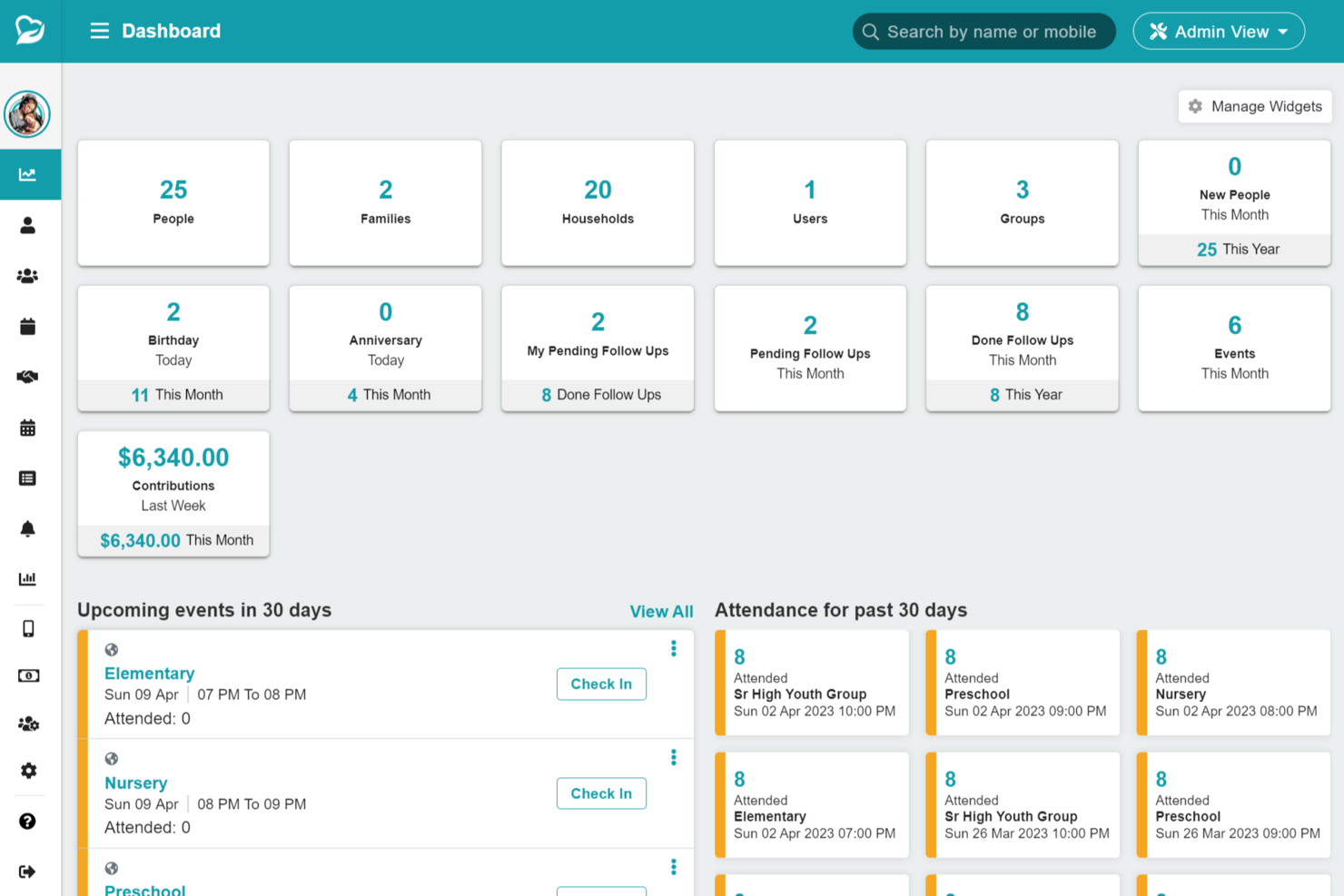
ChMeetings is a church management platform with a built-in accounting module that covers fund accounting, donation tracking, expense management, budgeting, and financial reporting, designed specifically for churches.
Who Is ChMeetings Best For?
ChMeetings is a good fit for small and mid-sized churches that want financial management tools built into their church management system.
Why I Picked ChMeetings
I picked ChMeetings as one of the best because donation tracking is genuinely built into the core of the platform. I like that it connects giving records directly to member profiles, so when I pull a year-end tax statement, it's already tied to the right person and ready to email out in bulk. The ability to deposit contribution batches straight into the accounting module also means I'm not manually reconciling giving records against the books.
ChMeetings Key Features
- Fund accounting: Allocate income and expenses to specific funds and track each fund's balance in real time.
- Budget tracking: Compare actual spending against planned budgets across ministries and make adjustments as needed.
- Bank sync: Connect your bank account via Plaid to import transactions and apply rule-based categorization.
- Account reconciliation: Match bank transactions to recorded entries using a step-by-step interface that flags missing or duplicate items.
ChMeetings Integrations
ChMeetings offers native integrations with Stripe, PayPal, BlueSnap, Paystack, Mailchimp, Twilio, SMS Global, Clickatell, Eazismspro, Bulk SMS Nigeria, and Zeffy. It also connects with Zapier and provides an API for custom integrations.
Pros and Cons
Pros:
- Event payments and ticket management facilities
- Automated bank syncing and custom rules
- Built-in donation tracking with fund allocation
Cons:
- Limited financial customization for complex ministries
- Limited advanced business capabilities
New Product Updates from ChMeetings

ChMeetings Adds Project Management and Attendance Automation
ChMeetings adds built-in project and task management, automated attendance reports, profile field updates, and expanded date reminder options. These updates help teams organize work and automate more routine administrative tasks. For more information, visit ChMeetings’ official site.
 .
.
Tithe.ly
Best for ease of use
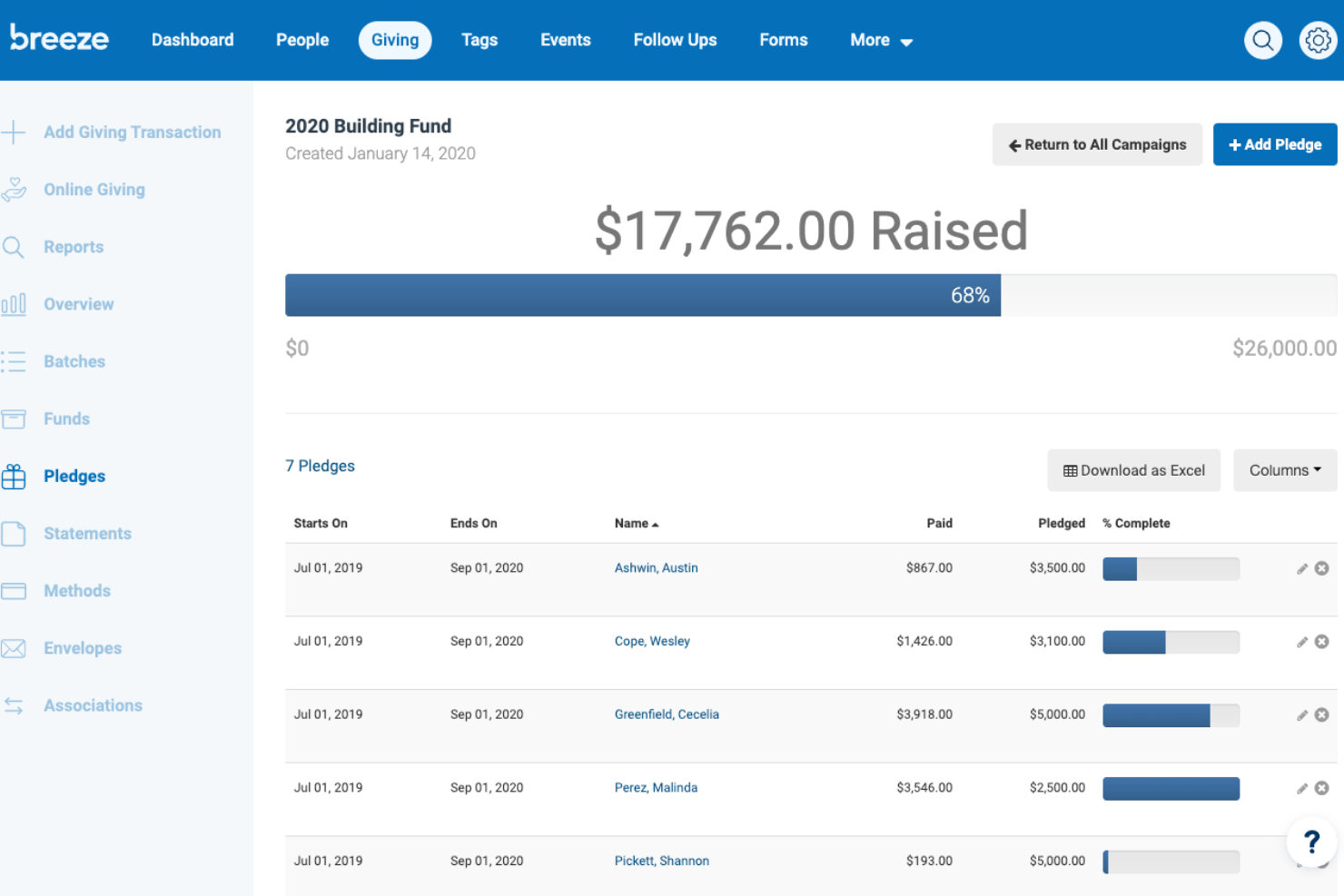
Tithely Church Management is designed for churches that want simple bookkeeping alongside member management and giving tools in one place. If you’re looking for a solution that combines donation tracking, basic accounting, and easy-to-use reporting, Tithely Church Management keeps things straightforward for small teams. It’s especially helpful for churches that want to manage finances without needing a separate accounting system.
Who is Tithely Church Management Best For?
Church staff and finance teams in small to mid-sized congregations in North America seeking easy-to-use church management and giving tools.
Why I Picked Tithely Church Management
For churches that want bookkeeping built right into their church management system, Tithely Church Management stands out for its simplicity and all-in-one approach. I picked Tithely Church Management because it combines giving management, contribution tracking, and basic financial reporting in a single platform. You can record donations, generate giving statements, and track funds without switching between multiple tools. This makes Tithely Church Management a strong fit for small churches that want to keep financial processes straightforward and connected to their broader ministry management.
Tithely Church Management Key Features
Some other features that make Tithely Church Management useful for small church bookkeeping include:
- Batch transaction entry: Enter multiple donations or payments at once to save time on data entry.
- Customizable financial categories: Set up your own income and expense categories to match your church’s chart of accounts.
- Exportable financial reports: Download giving and financial data in CSV or Excel format for further analysis or sharing.
- User access controls: Assign different permission levels to staff and volunteers to protect sensitive financial information.
Tithely Church Management Integrations
Integrations include QuickBooks, Tithely Church Apps, Tithely Sites, SongSelect, Mailchimp, Planning Center, Google Calendar, Stripe, PayPal, Pushpay, Church Community Builder, and more.
Pros and Cons
Pros:
- Generates donor statements for tax purposes
- Offers customizable financial categories for churches
- Includes built-in giving and contribution tracking
Cons:
- Limited audit trail for financial transactions
- Lacks full double-entry accounting features

Best for integration options
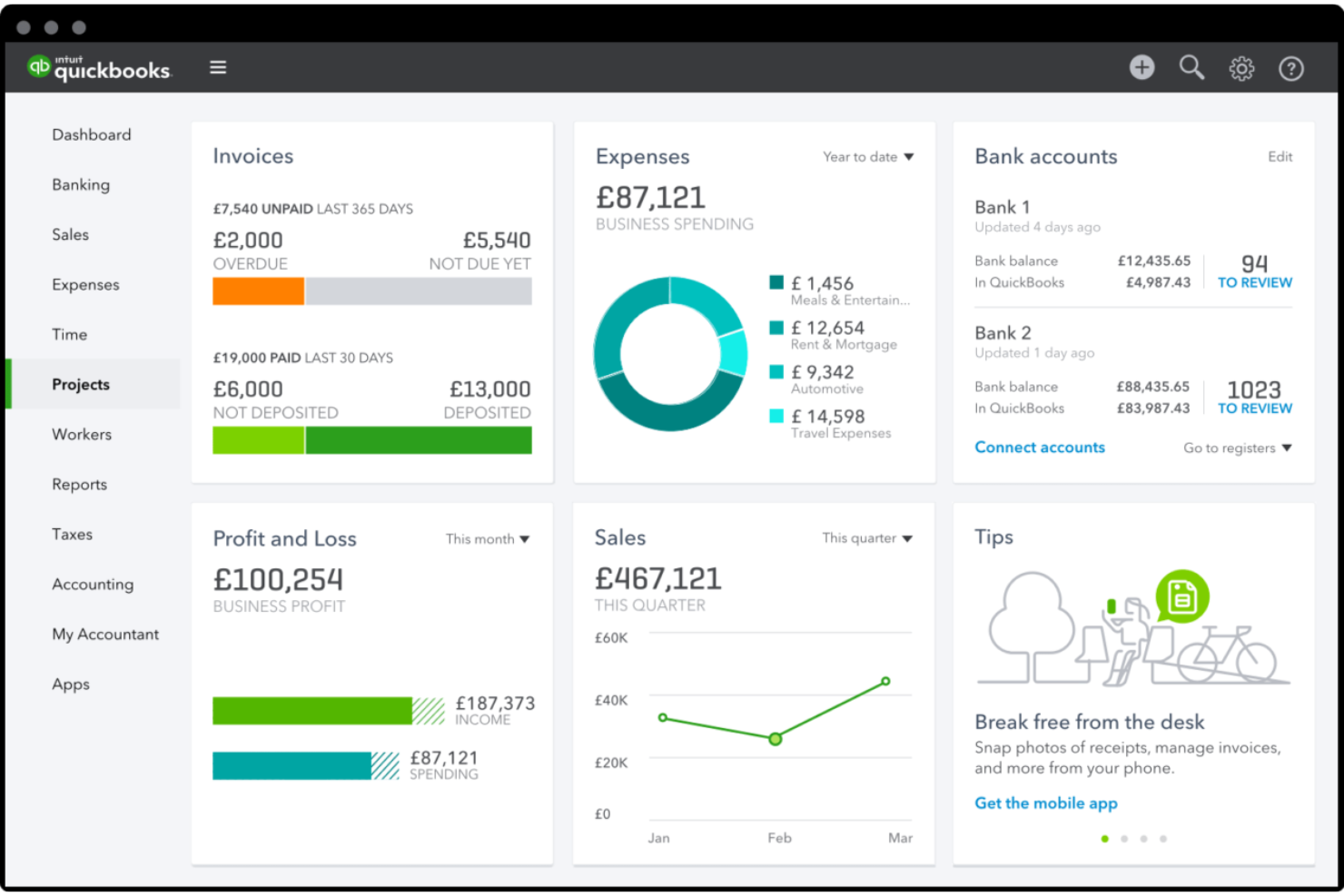
QuickBooks offers small churches a familiar accounting platform with nonprofit fund tracking features. If you need to manage designated funds, track expenses, and generate financial reports for your board or congregation, this tool brings flexibility and depth. Its widespread use means you can often find local accountants or volunteers already comfortable with its workflows.
Who is QuickBooks Best For?
Accounting and finance teams in small to mid-sized churches and nonprofits globally requiring integration with other financial tools and services.
Why I Picked QuickBooks
Many small churches already know QuickBooks as a trusted accounting solution, but I picked it for its ability to handle nonprofit fund tracking within a familiar interface. QuickBooks lets you set up and manage multiple funds or classes, so you can track designated giving and restricted accounts with clarity. The platform also supports detailed reporting, making it easier to prepare statements for your board or congregation. For churches that want a widely used tool with nonprofit features, QuickBooks offers a flexible approach to church bookkeeping.
QuickBooks Key Features
Some other features in QuickBooks help churches manage their finances more completely:
- Automated bank feeds: Connect your church’s bank accounts to automatically import and categorize transactions.
- Recurring transactions: Set up recurring payments or deposits for regular expenses and income.
- Invoice and receipt management: Create, send, and track invoices and receipts for events, rentals, or other church activities.
- User permissions: Assign different access levels to staff or volunteers based on their roles.
QuickBooks Integrations
Integrations include Shopify, PayPal, Square, Gusto, Expensify, Bill.com, Amazon Business, and more.
Pros and Cons
Pros:
- Includes automated bank and credit card feeds
- Offers recurring transactions for regular giving
Cons:
- Lacks built-in contribution statement generation
- No built-in church membership management
- Supports fund accounting with class tracking

Xero
Best for user-friendly interface
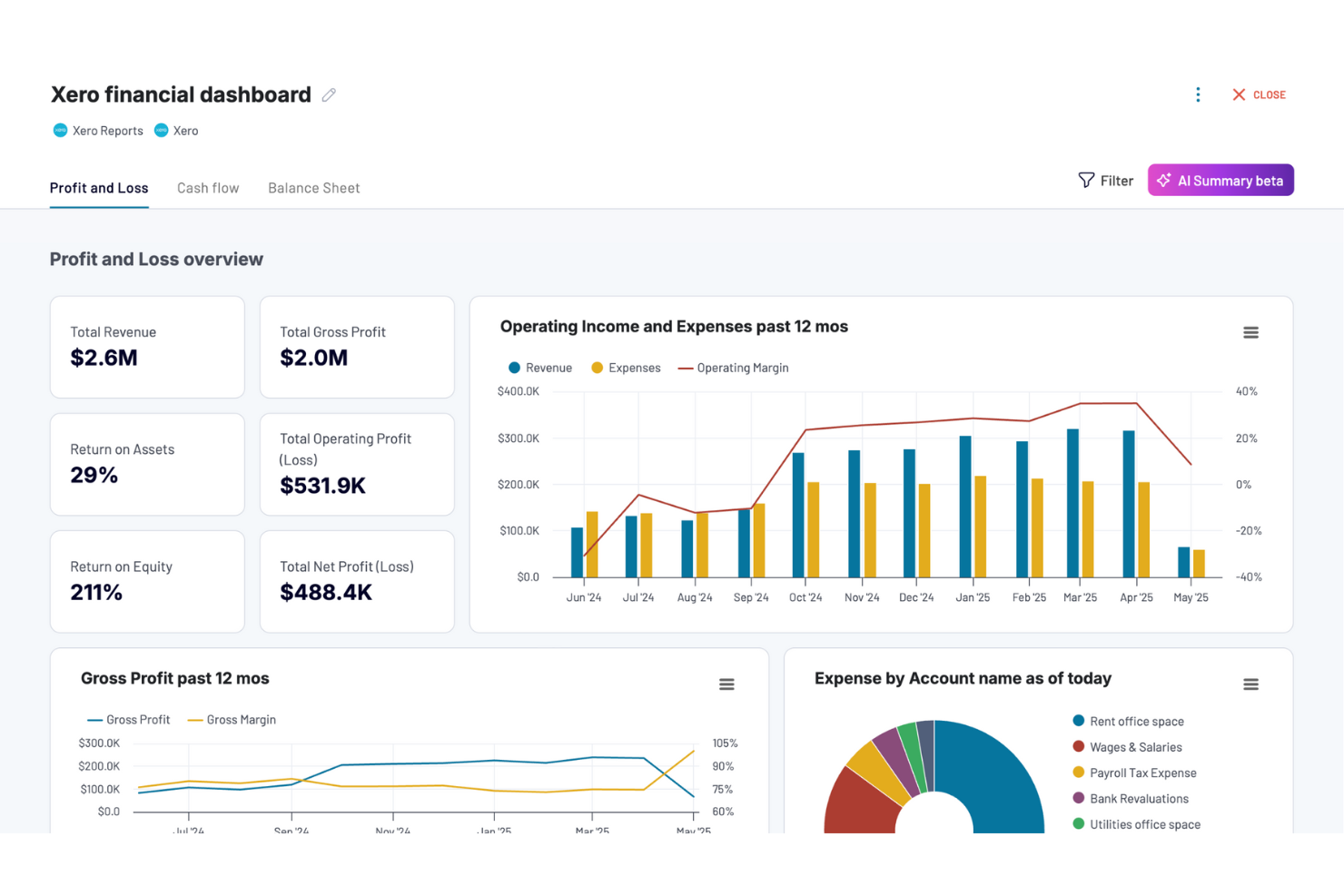
If you’re looking for a cloud-based accounting solution that handles bank feeds and reconciliation automatically, Xero is worth considering. This software appeals to small churches that want to simplify bookkeeping and access financial data from anywhere. Xero’s automation features can help reduce manual entry and keep your church’s finances organized.
Who is Xero Best For?
Finance and accounting teams in small to mid-sized nonprofit organizations globally using a user-friendly online accounting interface.
Why I Picked Xero
Xero stands out for small churches that need cloud-based accounting with automated bank feeds and reconciliation. I picked Xero because its automatic bank transaction imports and real-time reconciliation help reduce manual bookkeeping work—a common challenge for volunteer-led finance teams. The software also lets you categorize transactions and generate up-to-date financial reports, which supports transparency and accountability. These features make it easier for small churches to keep accurate records and stay on top of their finances without extra administrative burden.
Xero Key Features
Some other features in Xero can help small churches manage their finances more efficiently:
- Multi-currency support: Track and manage transactions in different currencies if your church receives international donations.
- Customizable chart of accounts: Set up account categories that match your church’s unique funds and expense types.
- Recurring invoice creation: Schedule and automate regular invoices for facility rentals or recurring donations.
- Mobile app access: Review transactions, approve expenses, and check balances from your phone or tablet.
Xero Integrations
Integrations include Quadient, Shopify, Gusto, Zapier, Stripe, HubSpot, GoCardless, and more.
Pros and Cons
Pros:
- Mobile app supports remote bookkeeping tasks
- Real-time financial reporting for transparency
- Automated bank feeds reduce manual entry
Cons:
- Customization for the church chart of accounts is manual
- Limited donor management and contribution statements

Best for detailed reporting
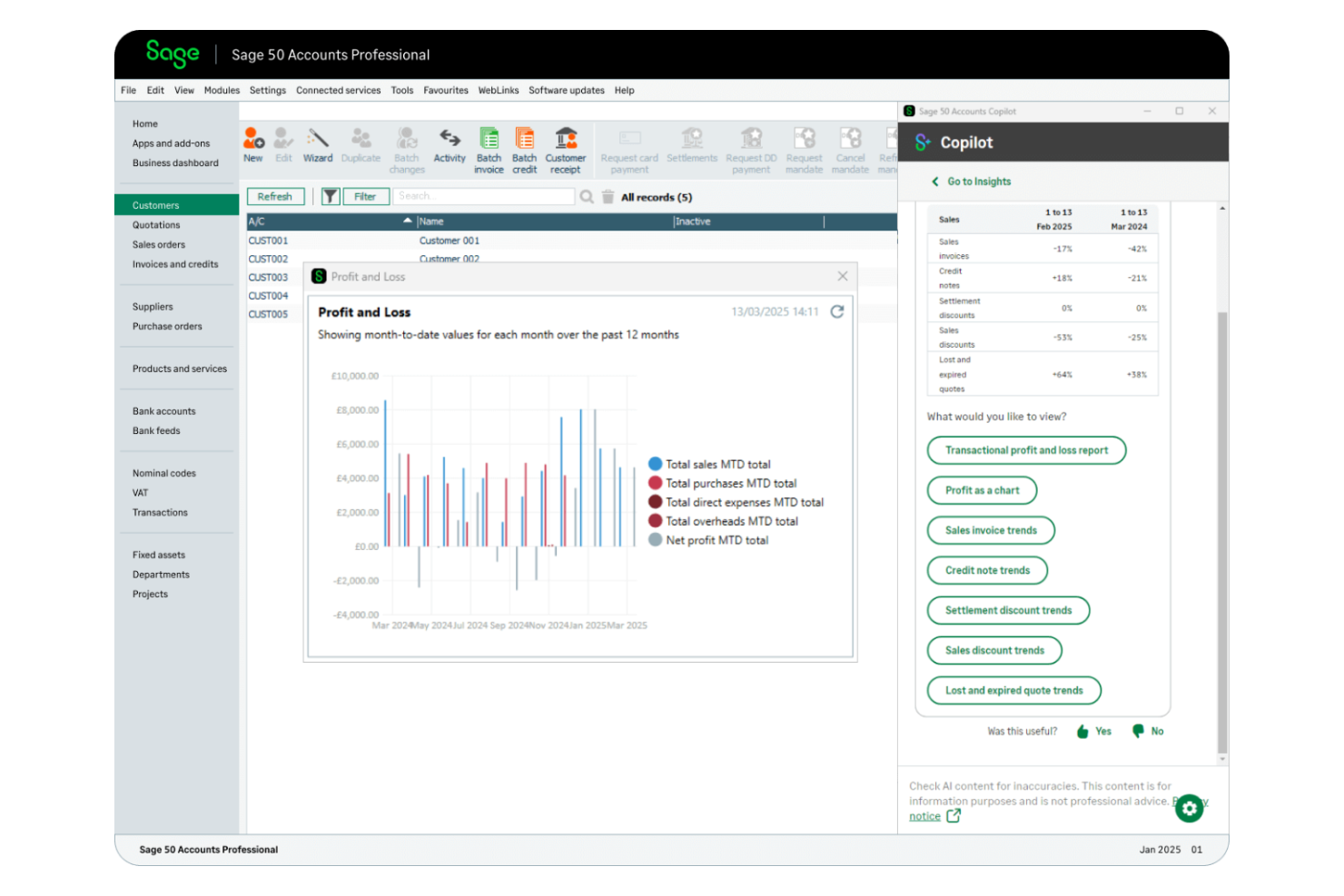
Sage Intacct offers cloud-based fund accounting designed for organizations that need advanced financial controls and reporting. If your church manages multiple funds, grants, or restricted donations, this platform helps you keep everything organized and compliant. It’s a strong fit for churches that want to automate complex accounting tasks and gain deeper insights into their finances.
Who is Sage Intacct Best For?
Finance teams in mid-sized to large nonprofits worldwide needing detailed financial reporting and cloud-based accounting capabilities.
Why I Picked Sage Intacct
What sets Sage Intacct apart is its focus on cloud-based fund accounting with advanced reporting, which is especially important for churches managing multiple funds or restricted donations. I picked Sage Intacct because it lets you track each fund separately, supporting compliance and transparency for designated giving. The platform’s customizable reporting tools allow you to generate detailed financial statements tailored to your church’s needs. For small churches that need to manage complex accounting requirements and provide clear financial oversight, Sage Intacct offers a level of control and flexibility that’s hard to match.
Sage Intacct Key Features
In addition to its fund accounting and reporting strengths, Sage Intacct offers several other features that support small church bookkeeping needs:
- Automated accounts payable workflows: Set up approval processes and automate vendor payments to reduce manual entry.
- Multi-entity management: Manage finances for multiple campuses or ministries within a single system.
- Bank reconciliation tools: Import bank transactions and match them to your records for easier account balancing.
- Role-based user permissions: Control access to sensitive financial data by assigning specific roles to staff and volunteers.
Sage Intacct Integrations
Integrations include Salesforce, Bill.com, ADP, FloQast, BlueSnap, Brightpearl, Yooz, and more.
Pros and Cons
Pros:
- Provides advanced, customizable financial reports
- Offers granular fund and grant tracking
- Handles multi-entity and multi-campus accounting
Cons:
- Lacks built-in donation and giving tools
- Requires an annual contract for most subscriptions

IconCMO
Best for cloud-based access
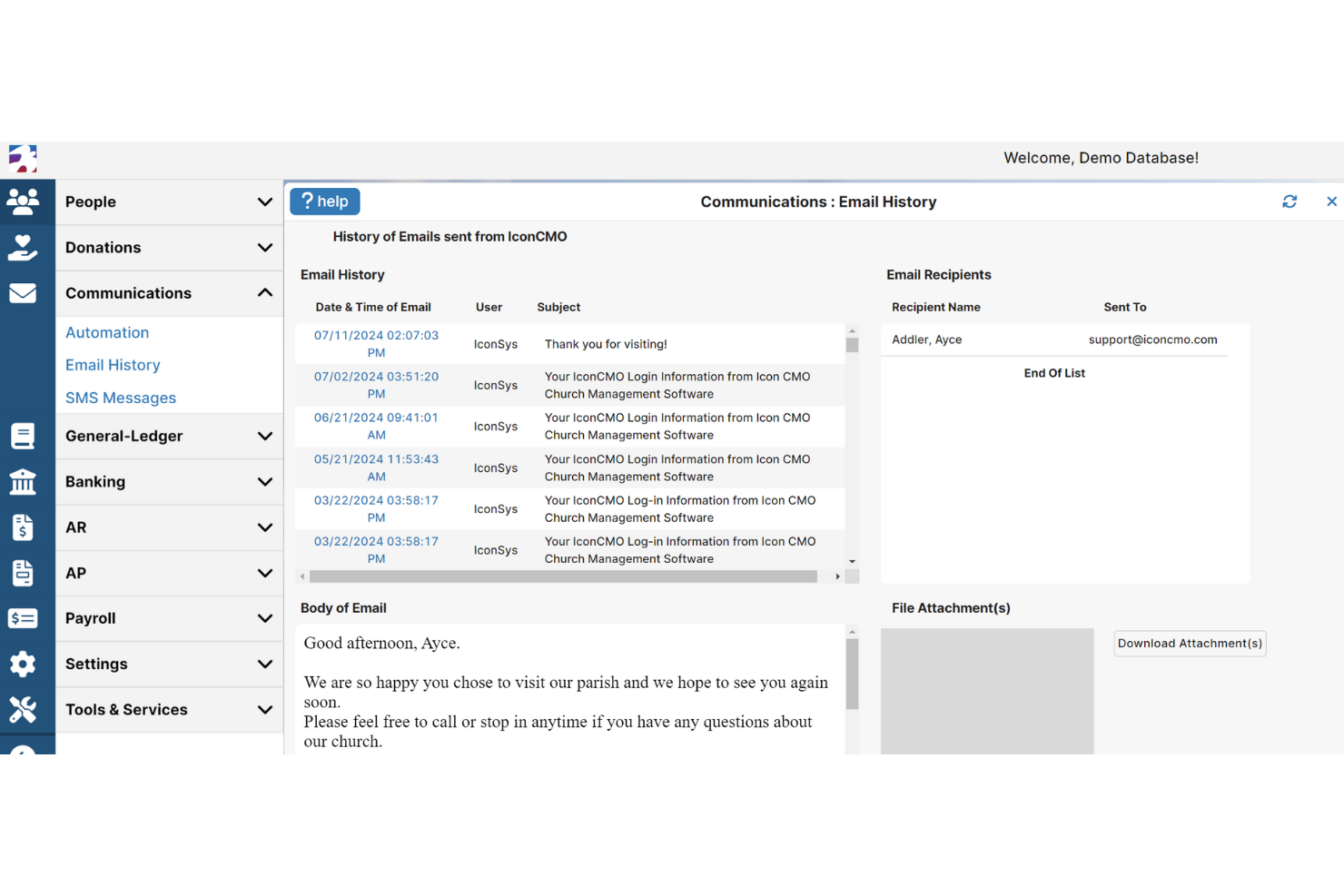
If you’re looking for a cloud-based bookkeeping solution designed specifically for churches, IconCMO offers real-time fund accounting and member management in one platform. This tool is a strong fit for small to mid-sized congregations that want to manage finances, contributions, and communication from anywhere. Its real-time reporting and secure online access help church leaders keep financial records accurate and accessible for staff and volunteers.
Who is IconCMO Best For?
Church finance teams and administrators in small to mid-sized congregations in North America leveraging cloud-based access for accounting and management.
Why I Picked IconCMO
What sets IconCMO apart is its cloud-based approach to church management and bookkeeping, which is especially valuable for small churches that need flexibility and remote access. I picked IconCMO because it offers real-time fund accounting, so you can track designated funds and generate up-to-date financial reports from anywhere. The platform also lets you manage contributions and membership records in one place, making it easier to keep your church’s financial and member data organized. This combination of real-time access and integrated fund tracking makes IconCMO a practical choice for churches that want to move away from desktop software.
IconCMO Key Features
Some other features that make IconCMO useful for small church bookkeeping include:
- Automated recurring donations: Set up and manage scheduled giving for members and families.
- Accounts payable management: Track bills, manage vendor payments, and print checks directly from the platform.
- Event and calendar management: Organize church events, schedule rooms, and coordinate resources in one place.
- Customizable financial statements: Generate and export detailed financial reports tailored to your church’s needs.
IconCMO Integrations
Integrations include Vanco, Mailchimp, Yearli, Kotapay, Constant Contact, and more.
Pros and Cons
Pros:
- Recurring donation management for regular givers
- Real-time fund accounting for designated funds
- Cloud access supports remote bookkeeping tasks
Cons:
- Interface navigation can feel unintuitive at times
- Reporting customization options are somewhat restricted

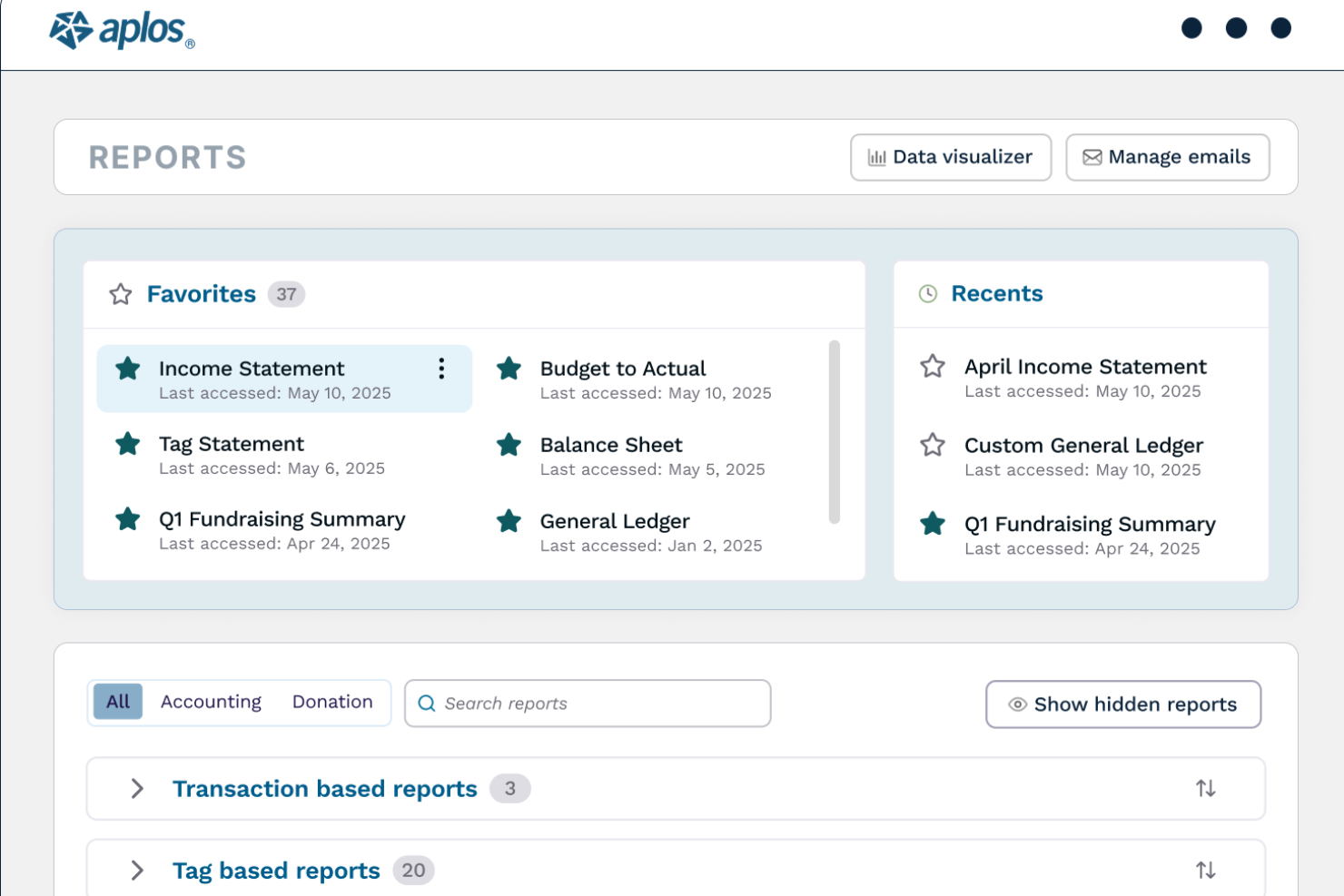
Aplos is designed specifically for churches and nonprofits that need true fund accounting and donation tracking in one place. If you’re looking for a solution that handles designated funds, generates giving statements, and manages donor communications, this platform brings those features together. It’s a strong fit for small churches that want accounting tools built around ministry needs rather than business workflows.
Who is Aplos Best For?
Nonprofit and church finance teams in North America and Europe managing specialized accounting, donations, and fund tracking.
Why I Picked Aplos
What sets Aplos apart is its focus on purpose-built fund accounting and donation tracking for churches. I picked Aplos because it lets you create and manage multiple funds, track designated giving, and generate donor statements without workarounds. The platform also includes built-in tools for managing donor communications and online giving, which are essential for small churches. If you need accounting software that’s designed around church finances and donor relationships, Aplos offers features that directly address those needs.
Aplos Key Features
In addition to its fund accounting and donation tracking, Aplos offers several other features that support church bookkeeping:
- Event registration management: Track event sign-ups and payments directly within the platform.
- Recurring giving setup: Allow donors to schedule automatic recurring gifts online.
- Budgeting tools: Create, monitor, and adjust budgets for different funds or ministries.
- Customizable financial reports: Generate reports tailored to your church’s specific financial tracking needs.
Aplos Integrations
Integrations include Raisely, PEX, Gusto, Keela, FACTS Management, PayPal, Donorelf, and more.
Pros and Cons
Pros:
- Includes event registration and payment tracking
- Tracks multiple funds with true fund accounting
- Built-in giving statements for donors
Cons:
- No built-in volunteer management tools
- Limited payroll features for churches

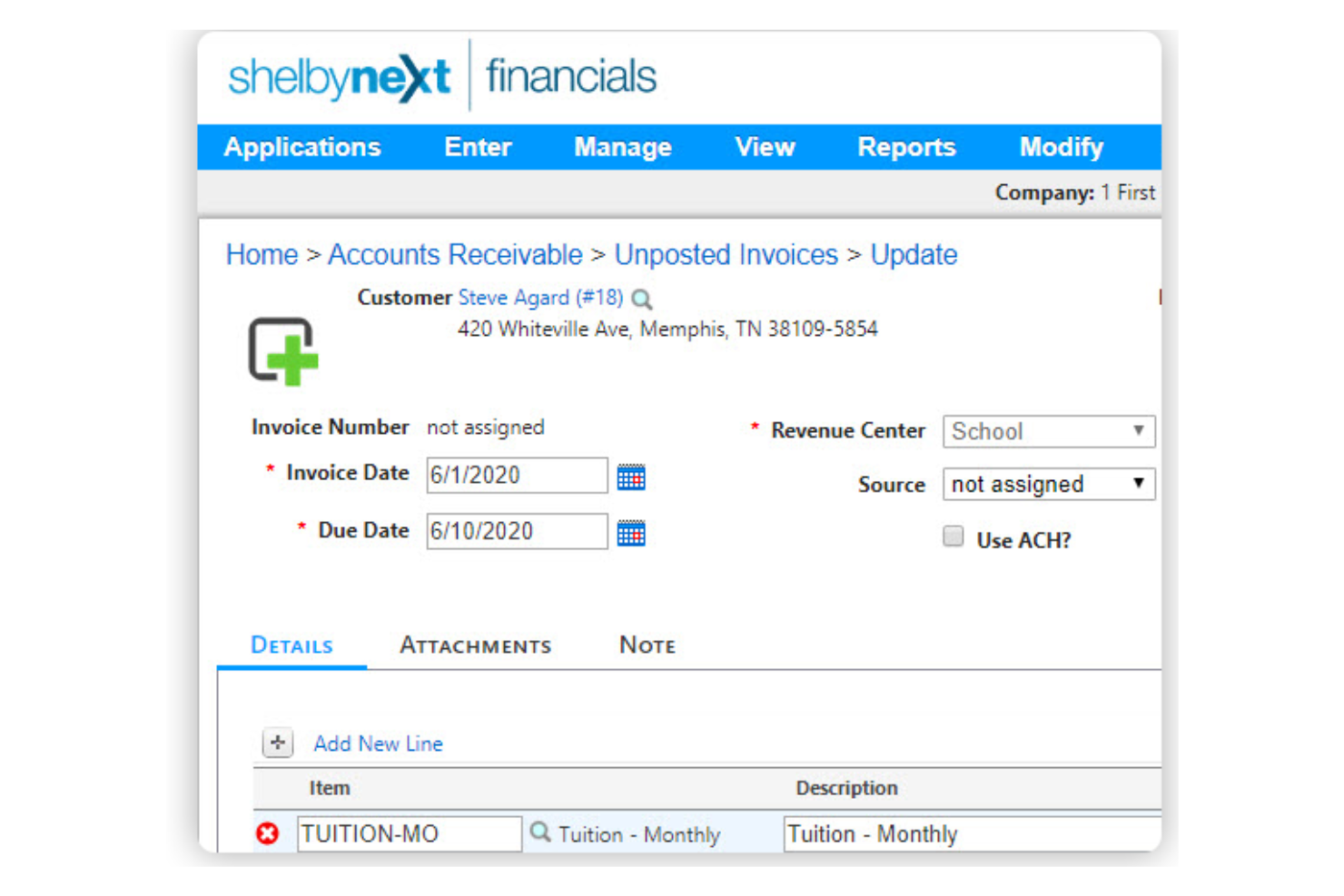
ShelbySystems is designed for churches that need advanced accounting controls and detailed audit trails. This platform appeals to finance teams and administrators who want to manage funds, budgets, and reporting with transparency and accuracy. Its focus on audit-ready records and customizable reporting helps small churches meet accountability standards and track every dollar with confidence.
Who is ShelbySystems Best For?
Finance and administrative teams in large churches in North America managing membership, giving, and operational data at scale.
Why I Picked ShelbySystems
When I looked for a solution that prioritizes accountability and transparency, ShelbySystems stood out for its advanced reporting and audit trail capabilities. The platform lets you generate detailed financial statements and custom reports, which are essential for small churches that need to present clear records to boards or congregations. I appreciate that every transaction is tracked with a full audit trail, making it easier to review and verify financial activity. These features help small churches maintain compliance and build trust with their communities.
ShelbySystems Key Features
Some other features that make ShelbySystems practical for small church bookkeeping include:
- Multi-fund accounting: Track and manage multiple funds within a single chart of accounts.
- Accounts payable automation: Process invoices, schedule payments, and manage vendor records.
- Bank reconciliation tools: Match transactions and reconcile accounts directly within the platform.
- Budget management module: Set up, monitor, and adjust budgets for different ministries or departments.
ShelbySystems Integrations
Integrations include MinistryOne, Clover Sites, and more.
Pros and Cons
Pros:
- Budgeting tools allow ministry-specific tracking
- Multi-fund accounting supports complex church finances
- Audit trails track every financial transaction
Cons:
- Reporting exports sometimes requires manual formatting
- Initial setup requires a detailed chart of accounts

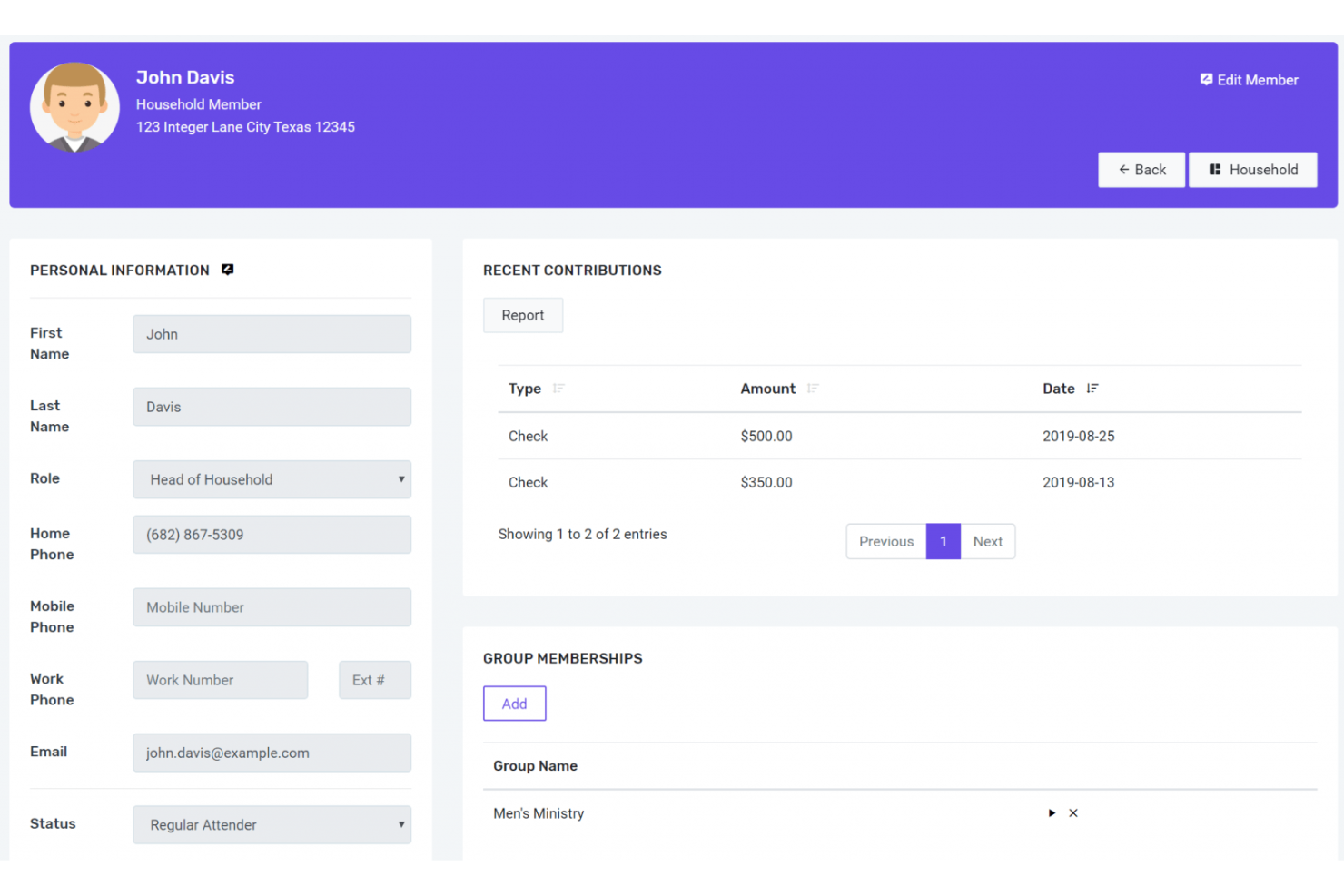
FlockBase is designed for small churches that need straightforward accounting, payroll, and giving management in one place. If you’re looking for a solution that handles both financial tracking and payroll without extra complexity, this tool is built for you. Its focus on church-specific needs like fund accounting and contribution tracking makes it a practical choice for congregations with limited administrative resources.
Who is FlockBase Best For?
Church staff and small congregation leaders in North America and Europe handling day-to-day church administration for smaller communities.
Why I Picked FlockBase
FlockBase stands out for its focus on simple church accounting with built-in payroll and giving tracking. I picked FlockBase because it lets small churches manage their finances and payroll from one dashboard, which is rare among church bookkeeping tools. The software includes features for tracking designated funds, processing payroll for staff, and recording contributions by donor. This combination helps churches handle both day-to-day bookkeeping and payroll compliance without needing separate systems.
FlockBase Key Features
Some other features in FlockBase help round out its bookkeeping capabilities for small churches:
- Bank reconciliation: Match transactions and balances with your bank statements directly in the software.
- Check printing: Print checks for vendors, staff, or reimbursements from within the platform.
- Custom chart of accounts: Set up and manage a chart of accounts tailored to your church’s structure.
- Member directory management: Maintain a searchable directory of members and households.
FlockBase Integrations
Integrations include CSG Forte and more.
Pros and Cons
Pros:
- Supports custom chart of accounts setup
- Offers check printing directly from the platform
- Includes payroll processing for church staff
Cons:
- Requires manual data entry for some transactions
- No built-in budgeting or forecasting tools

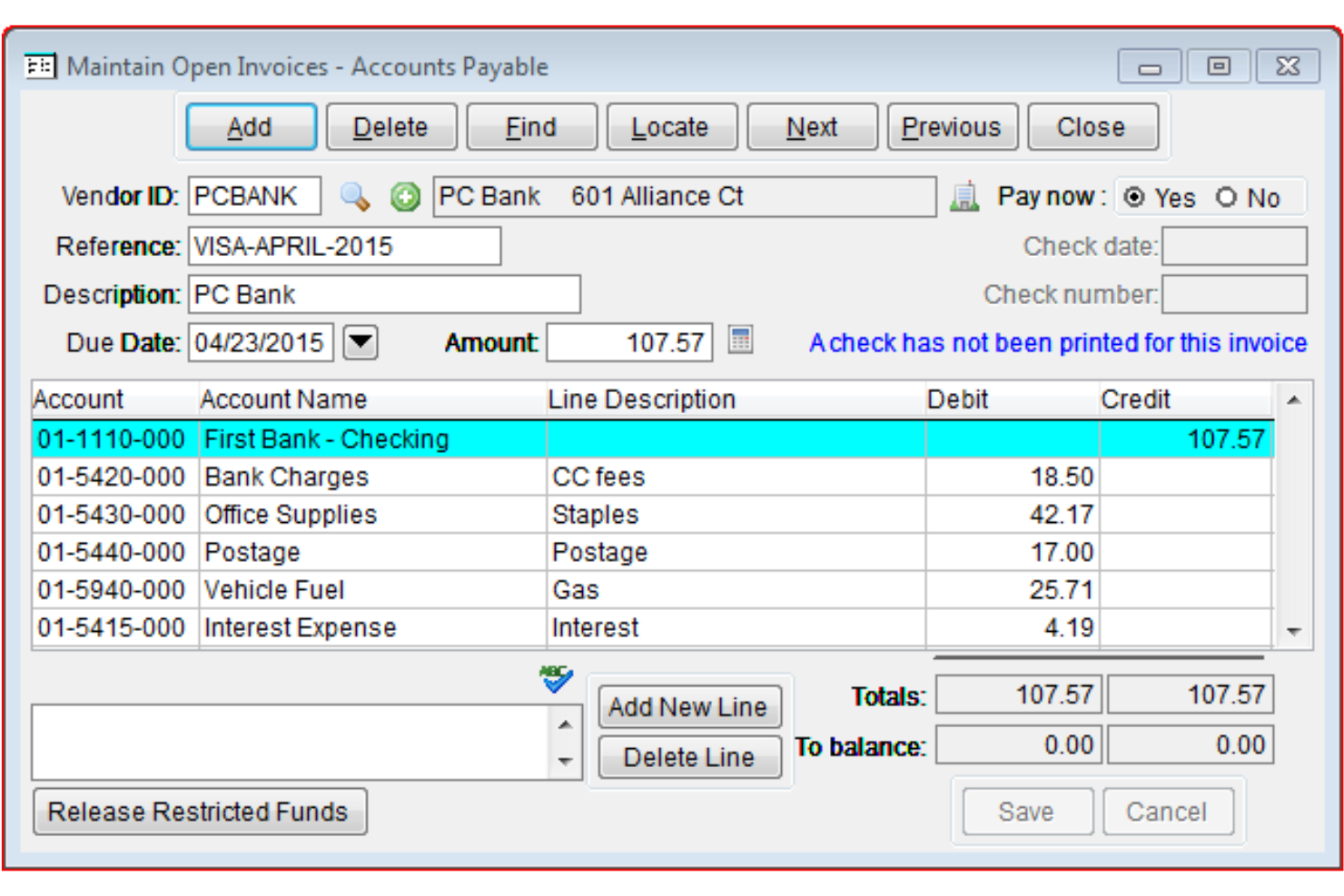
PowerChurch Plus offers a desktop-based solution for churches that want integrated fund accounting with their church management tools. This platform is a fit for small to mid-sized congregations that need detailed financial tracking, including true fund accounting and payroll. It’s especially useful for churches that prefer a locally installed system and want to manage both finances and membership in one place.
Who is PowerChurch Best For?
Church administrators in small to mid-sized congregations globally requiring comprehensive support for accounting and operations.
Why I Picked PowerChurch Plus
Unlike many cloud-based options, PowerChurch Plus delivers a desktop church management system with integrated fund accounting, which is a rare combination for small churches. I picked PowerChurch Plus because it supports true fund accounting, allowing you to track designated funds and restricted gifts in detail. The software also includes built-in payroll management, so you can handle staff compensation and tax reporting within the same platform. This makes it a strong choice for churches that need both robust financial controls and local data storage.
PowerChurch Plus Key Features
Some other features that make PowerChurch Plus useful for small church bookkeeping include:
- Accounts payable management: Track vendor invoices, schedule payments, and print checks directly from the system.
- Contribution tracking: Record individual donations and generate year-end giving statements for donors.
- Budgeting tools: Set up annual budgets and compare actual income and expenses against projections.
- Customizable reporting: Create and export detailed financial and membership reports tailored to your church’s needs.
PowerChurch Plus Integrations
Integrations include Vanco, SimpleTexting, Protect My Ministry, PowerChurch E-File, Constant Contact, Clockify, Dynamic Systems, Avery, MagTek, and more.
Pros and Cons
Pros:
- Offers detailed accounts payable management
- Includes built-in payroll processing tools
- Supports true fund accounting for churches
Cons:
- Limited cloud backup and remote access options
- Requires installation on Windows computers
Other Small Church Bookkeeping Software
Here are some additional small church bookkeeping software options that didn’t make it onto my shortlist, but are still worth checking out:
- ChurchPro
For all-in-one church management
- ACS Technologies
For member management
- ChurchTrac
For budget-conscious churches
- ParishSOFT
For parish-specific features
- MoneyMinder
For volunteer management


How I Evaluate Small Church Bookkeeping Software
I look at two layers when evaluating these tools: baseline requirements—true fund accounting, giving statements, clergy housing allowance—and the differentiators that separate the best options.
Core Functionality (Table Stakes For This List)
When I'm selecting tools for my list, I rank each one on a scale from 0 (does not offer the functionality) to 5 (excels in this area) for each core functionality listed below. Then, I calculate the tool's total score into a percentage. Each tool needs to achieve a minimum total score of 55% to be considered for inclusion.
- Fund Accounting: I check whether a tool separates restricted and unrestricted fund balances—for example, keeping a building fund isolated from a general tithe fund so designated gifts aren't accidentally spent elsewhere.
- Contribution & Tithe Tracking: Each platform should link every gift to a donor record and the correct fund, supporting batch entry for Sunday deposits and recurring online donations.
- Giving Statements & Tax Receipts: I evaluate whether the tool generates IRS-compliant year-end contribution statements and handles edge cases like non-cash gifts or quid-pro-quo donations.
- Church-Specific Chart of Accounts: A preconfigured chart of accounts with church-relevant categories (missions, benevolence, pastoral expenses) saves volunteer treasurers from building one from scratch.
- Ministry Financial Reporting: I look for budget-vs-actual reports segmented by ministry or fund that a pastor or elder board can actually read without an accounting background.
- Payroll & Clergy Compensation: The tool should handle clergy housing allowance designations and dual-status tax treatment, since these are unique payroll requirements most generic platforms miss entirely.
Once I have a list of tools that meet this criteria, I consider what sets each platform apart.
Differentiating Factors (What Sets Vendors Apart)
Here's how I compare and contrast different vendors:
Standout Features
ChMS integration matters a lot here. When a tool connects with platforms like Planning Center or Breeze, donor and member data stays in sync without manual re-entry. I also evaluate role-based permissions—volunteer treasurers need access to the general ledger without seeing individual giving records or payroll details. Finally, board-ready dashboards make a real difference. Elders and deacons shouldn't need to interpret raw financial exports. A clean visual summary of fund balances and budget health saves time during monthly meetings.
Beyond Features
Pricing structure matters when a church runs on tithes alone. I look for plans that don't charge per user, since a volunteer treasurer, the pastor, and an outside CPA may all need access. Ease of use is equally important—many small churches rely on volunteers who've never touched accounting software, so guided workflows and plain-language labels go a long way. I also consider data security practices like audit trails and role-based controls, which help protect donor information and reduce fraud risk in teams with limited financial oversight.
How to Choose Small Church Bookkeeping Software
It’s easy to get bogged down in long feature lists and complex pricing structures. To help you stay focused as you work through your unique software selection process, here’s a checklist of factors to keep in mind:
| Factor | What to Consider |
|---|---|
| Scalability | Will the software handle your church’s growth, such as adding new funds, ministries, or users over time? |
| Integrations | Does it connect natively with your church management system, payroll provider, or donation platforms? |
| Customizability | Can you tailor account structures, reports, and permissions to match your church’s unique workflows? |
| Ease of use | Will volunteer treasurers or non-accountants be able to navigate and use the system confidently? |
| Implementation and onboarding | What support, training, or migration help is available to get your data and team up and running quickly? |
| Cost | Are all essential modules included in the base price, or are there extra fees for features you need? |
| Security safeguards | Does the software offer user permissions, audit trails, and data encryption to protect sensitive financial information? |
| Support availability | Can you reach support during your busiest times, and is help available by phone, chat, or email when you need it? |
What Is Small Church Bookkeeping Software?
Small church bookkeeping software is a digital tool designed to help churches record, organize, and manage their financial transactions. It supports tasks like tracking donations, managing multiple funds, generating financial reports, and reconciling accounts. These systems are tailored to the unique needs of churches, making it easier for staff and volunteers to maintain accurate, transparent financial records and meet reporting requirements.
Features
When selecting small church bookkeeping software, keep an eye out for the following key features:
- Fund accounting: Tracks income and expenses by designated funds, helping churches manage restricted and unrestricted gifts separately.
- Donation tracking: Records individual and batch donations, links gifts to donor profiles, and generates giving statements for tax purposes.
- Bank reconciliation: Matches recorded transactions with bank statements to keep financial records accurate and up to date.
- Accounts payable: Manages bills, schedules payments, and tracks outstanding obligations to vendors or service providers.
- Financial reporting: Generates standard and custom reports, such as income statements, balance sheets, and budget comparisons, for leadership and congregational transparency.
- User permissions: Allows administrators to set different access levels for staff and volunteers, protecting sensitive financial data.
- Fixed asset management: Keeps records of church property and equipment, including purchase dates, values, and depreciation schedules.
- Audit trails: Logs changes and user activity within the system, supporting accountability and compliance with financial policies.
- Import/export tools: Enables easy transfer of data to and from spreadsheets or other accounting systems, simplifying setup and reporting.
- Recurring transactions: Automates regular entries for things like monthly bills or scheduled donations, reducing manual work and errors.
Small church bookkeeping software solutions do not typically include AI as part of their feature offering.
Benefits
Implementing small church bookkeeping software provides several benefits for your team and your business. Here are a few you can look forward to:
- Accurate fund management: Track designated and restricted funds separately to support donor intent and church policies.
- Simplified donation tracking: Record, organize, and report on gifts from individuals and families, making year-end giving statements easy to generate.
- Improved financial transparency: Generate clear, detailed reports for leadership and congregations, supporting trust and accountability.
- Efficient workflows: Automate recurring transactions and batch entries, reducing manual work for staff and volunteers.
- Secure data access: Set user permissions to protect sensitive financial information and maintain audit trails for accountability.
- Easier onboarding for volunteers: Use guided setup tools, templates, and training resources to help new treasurers or bookkeepers get started quickly.
- Reliable bank reconciliation: Match transactions with bank statements to catch errors early and keep records up to date.
Costs & Pricing
Selecting small church bookkeeping software requires an understanding of the various pricing models and plans available. Costs vary based on features, team size, add-ons, and more. The table below summarizes common plans, their average prices, and typical features included in small church bookkeeping software solutions:
Plan Comparison Table for Small Church Bookkeeping Software
| Plan Type | Average Price | Common Features |
|---|---|---|
| Free Plan | $0 | Basic income and expense tracking, limited donation recording, simple reports, and single-user access. |
| Personal Plan | $5-$40/month | Fund accounting, donation tracking, basic financial reports, and support for a small team. |
| Business Plan | $40-$100/month | Multi-user access, advanced reporting, bank reconciliation, accounts payable, and user permissions. |
| Enterprise Plan | $100-$250+/month | Customizable workflows, integrations, advanced security, onboarding support, and priority customer service. |
Small Church Bookkeeping Software FAQs
Here are some answers to common questions about small church bookkeeping software:
Can small church bookkeeping software handle multiple funds or accounts?
Yes, most small church bookkeeping software supports fund accounting, allowing you to track multiple funds or accounts separately. This helps you manage restricted and unrestricted gifts, ministry budgets, and designated projects without confusion.
Is it possible to import existing financial data into small church bookkeeping software?
Yes, many solutions offer import tools for spreadsheets or other accounting systems. Before switching, check if your chosen software supports the file formats you use and whether migration support or templates are available to simplify the process.
How secure is small church bookkeeping software for sensitive financial data?
Most reputable platforms use data encryption, user permissions, and audit trails to protect sensitive information. Always review a vendor’s security safeguards and ask about compliance with privacy standards relevant to your church.
Do volunteer treasurers need accounting experience to use these tools?
No, most small church bookkeeping software is designed for users with limited accounting backgrounds. Look for solutions with intuitive interfaces, clear labeling, and training resources to help volunteers get started confidently.
What kind of customer support is available for small church bookkeeping software?
Support options vary, but many vendors offer email, chat, and phone support, along with searchable help centers and onboarding webinars. Consider your team’s preferred support channels and the vendor’s response times when making your choice.