

10 Best Free Church Presentation Software For 2026

10 Best Free Church Presentation Software Shortlist


Free church presentation software makes it possible to run high-quality worship visuals, sermon slides, and announcements—without stretching your church’s budget. These tools are designed to serve churches that need reliable tech without the burden of monthly fees or complicated licensing.
In 2019, I helped plant a church and (predictably) found myself juggling multiple roles... I was on the preaching rotation, played bass on the worship team occasionally, and helped manage finances. Like several other church leadership teams I’ve served with over the past few decades, our church plant was working with a razor-thin budget. As nice as it would have been to have high-end presentation software... we just couldn't afford it. The need was clear, but the cost felt like a constant barrier. That season showed me just how essential it is to find tools that serve the mission without straining the budget.
That’s why I’ve put together this list of the best free church presentation software options. These tools can help your church leadership team reduce costs, avoid unnecessary subscriptions, and still deliver smooth, professional presentations that support and strengthen your Sunday services.
Why Trust Our Software Recommendations
Our team has been testing and reviewing software since 2012. As church leaders ourselves, we know how difficult—and important—it is to choose the right software.
For this guide, we evaluated tools using hands-on testing and independent research, scoring tools using our selection criteria.
Our reviews reflect our human editorial judgment, not a sales pitch.
Free Church Presentation Software Comparison Table
| Tool | Best For | Trial Info | Price | ||
|---|---|---|---|---|---|
| 1 | Free church presentation software for cloud-based presentations | 14-day free trial | From $26.99/month | Website | |
| 2 | Best for combining media & church tools | 30-day free trial available | From $72/month | Website | |
| 3 | Free church presentation software for collaborative presentations | Not available | Free | Website | |
| 4 | Free church presentation software for Apple devices | Not available | Free | Website | |
| 5 | Free church presentation software for live streaming presentations | Free to use | Free to use | Website | |
| 6 | Free church presentation software for portability | Not available | Free | Website | |
| 7 | Free church presentation software for multi-screen video presentations | 14-day free trial | From $29/month | Website | |
| 8 | Free, open source church presentation software available on Windows, MacOS, and Linux | Free to use | Free to use | Website | |
| 9 | Free church presentation software for presenting song lyrics | Free to use | Free to use | Website | |
| 10 | Free church presentation software with a mobile app version | Free to use | Free to use | Website |
The Best Free Church Presentation Software Solutions Reviews
Here’s a brief description of each free church presentation platform to showcase each tool’s best use case, some noteworthy features, and screenshots to give a snapshot of the user interface.

Proclaim
Free church presentation software for cloud-based presentations
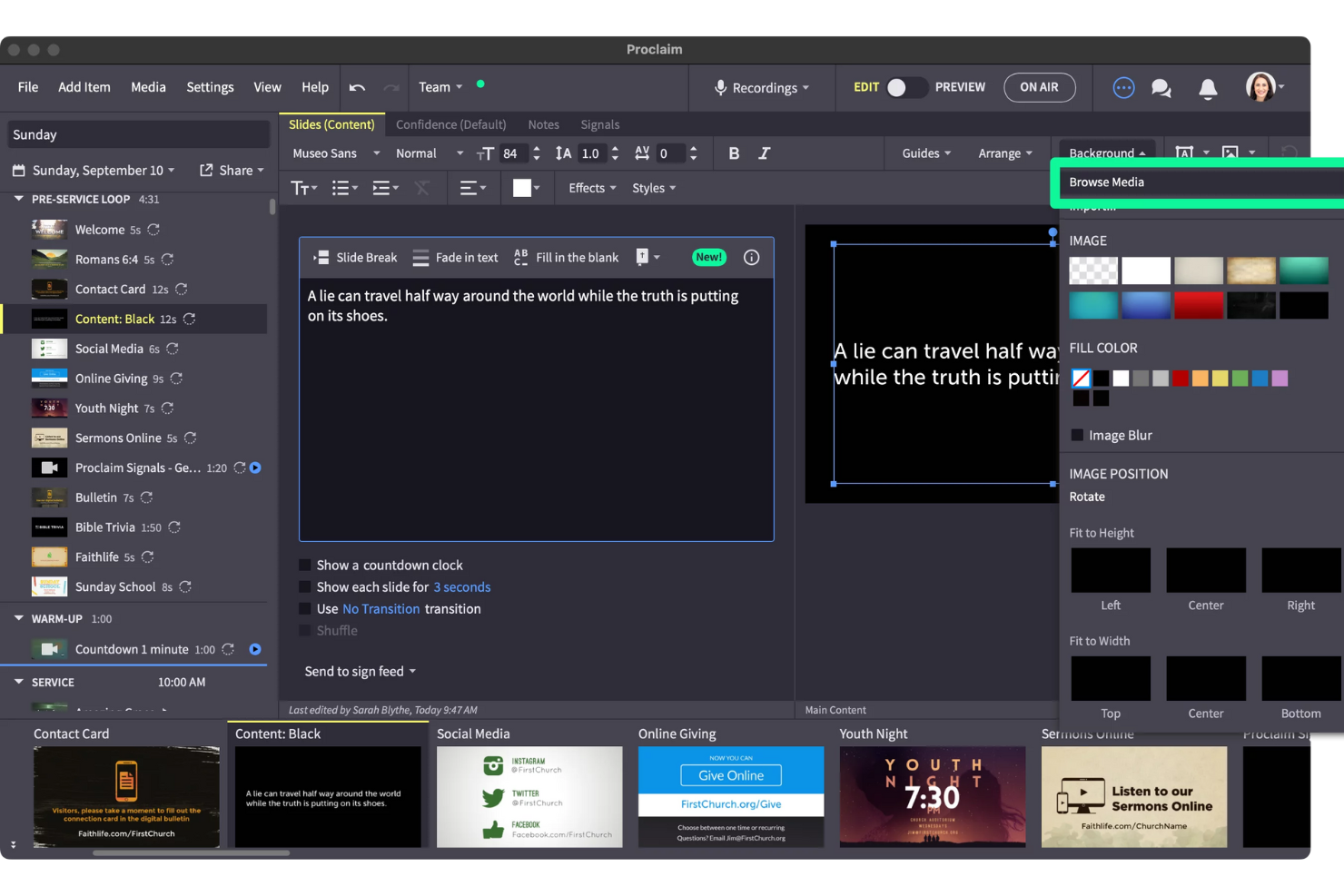
Proclaim is a church presentation software platform that lets you create, organize, and display worship lyrics, sermon slides, and media content from any device using a cloud-based system.
Who Is Proclaim Best For?
Proclaim is a good fit for small to mid-sized churches that need a dedicated presentation tool their worship and tech teams can access and edit together from anywhere.
Why I Picked Proclaim
I picked Proclaim because its cloud-based collaboration matches how church teams work. My team can open the same presentation from different locations and make live edits without overwriting each other's work—so the worship leader can update song lyrics from home while the tech volunteer adjusts sermon slides from the booth. I also love the auto-populate feature for song lyrics, which pulls directly from your SongSelect by CCLI account and formats every slide automatically. The cloud access comes with unlimited installs and unlimited user accounts, so there's no seat-count math to do when onboarding new volunteers.
Proclaim Key Features
- Confidence monitor: Display lyrics, notes, chords, and timers on a custom monitor for each person on stage, including musicians and speakers.
- Order of service: Lay out every part of your service from opening prayer to closing benediction and automate when each section starts presenting.
- Sermon recording and publishing: Record, edit, and publish sermons directly in Proclaim, with automatic posting to your church website and online channels.
- Digital signage: Display announcement slides on any TV or screen using the free Digital Signage app on Fire TV Stick, Apple TV, or any web browser.
Proclaim Integrations
Proclaim offers native integrations with SongSelect by CCLI, Hymnbase, Ableton Live via MIDI, and the Logos Bible study platform. It also supports importing presentations from PowerPoint and Keynote.
What's Free?
Proclaim offers a 14-day free trial with access to all features and unlimited users. After the trial, a paid subscription is required to continue using the software.

Tithe.ly
Best for combining media & church tools

Tithely is a church management platform that brings together presentation software, worship planning, media management, and communication tools for churches and ministries.
Who Is Tithely Best For?
Tithely is a strong fit for churches and ministries that want to manage worship media, presentations, and congregational operations from a single platform.
Why I Picked Tithely
Tithely earns its spot on my shortlist because it's one of the few platforms that ties presentation and worship planning directly into a broader church management system. I like that the service planning tools let my team organize songs, sermon notes, and service transitions all in one place—ensuring nothing is missed on Sunday morning. The SongSelect integration means I can pull lyrics and chord charts directly from CCLI without switching tabs or copying content manually. The Tithely Worship App also gives the worship team access to setlists and rehearsal resources ahead of time, which keeps everyone aligned before they ever step on stage.
Tithely Key Features
- Kids check-in: Print parent and child name tags, track attendance, and assign unique security codes for child safety during services and events.
- Workflow automation: Automate recurring tasks like birthday emails, group assignments, and follow-up sequences to reduce manual admin work.
- Free media library: Access over 5,800 downloadable graphics, sermon slides, stock photos, and social media kits at no cost.
- Custom church app: Build a branded mobile app with a drag-and-drop editor that includes sermon streaming, push notifications, and in-app giving.
Tithely Integrations
Tithely offers native integrations with SongSelect by CCLI, Planning Center, Mailchimp, QuickBooks, and Elvanto. An API is available for custom integrations.
What's Free?
Tithely offers a free giving plan. for churches that only need an online donation platform.

Free church presentation software for collaborative presentations
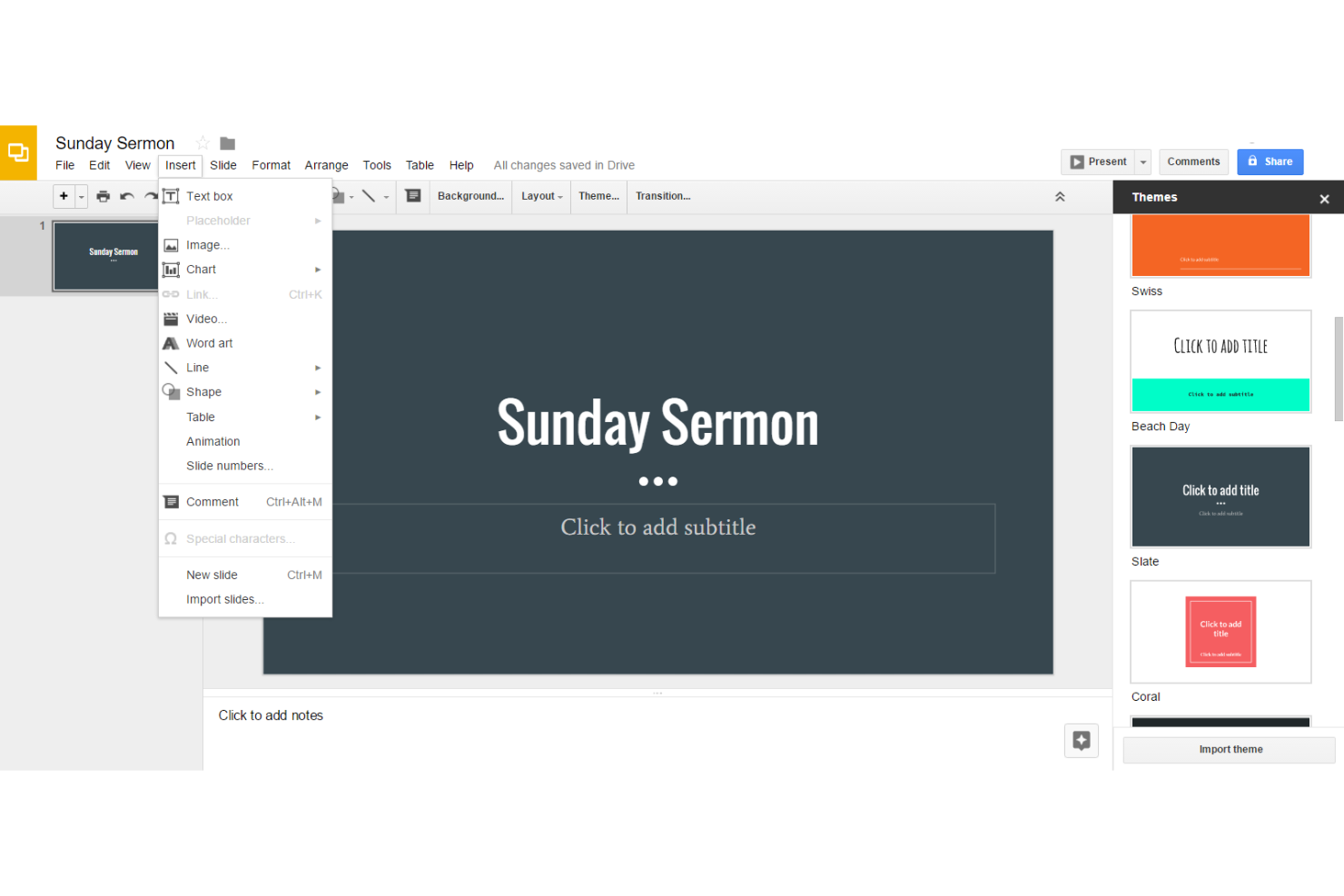
Google Slides is a cloud-based presentation software that lets church teams create, edit, and share slide decks together in real time using any device with internet access.
Who Is Google Slides Best For?
Google Slides is a great fit for small to mid-sized churches that need a free, accessible tool for building and sharing presentations across staff and volunteers.
Why I Picked Google Slides
Google Slides is free for any church team with a Google account, with no paywalls blocking core collaboration features. Multiple team members can edit the same presentation at the same time—so your worship leader, communications volunteer, and pastor can all work on Sunday's slides without emailing files back and forth. The granular sharing controls let you set who can edit, comment, or view, which keeps things organized across staff and volunteers. Live pointers let co-creators highlight specific content in real time.
Google Slides Key Features
- Slide templates: Choose from a library of pre-built templates to quickly build polished presentations for sermons, announcements, or events.
- Multimedia embedding: Insert images, YouTube videos, and audio directly into slides to support worship or teaching content.
- Presenter view: Display speaker notes on your screen while the audience sees only the slides during a live service.
- Offline editing: Enable offline mode to create and edit presentations without an internet connection, then sync changes automatically when reconnected.
Google Slides Integrations
Google Slides offers native integrations across the Google Workspace ecosystem, including Google Drive, Google Docs, Google Sheets, and Google Meet. An API is available for custom integrations.
What's Free?
Google Slides is free to use with a Google account and offers a free-forever plan. There are no user limits or major feature restrictions for individuals and small teams using the standard version.

Free church presentation software for Apple devices
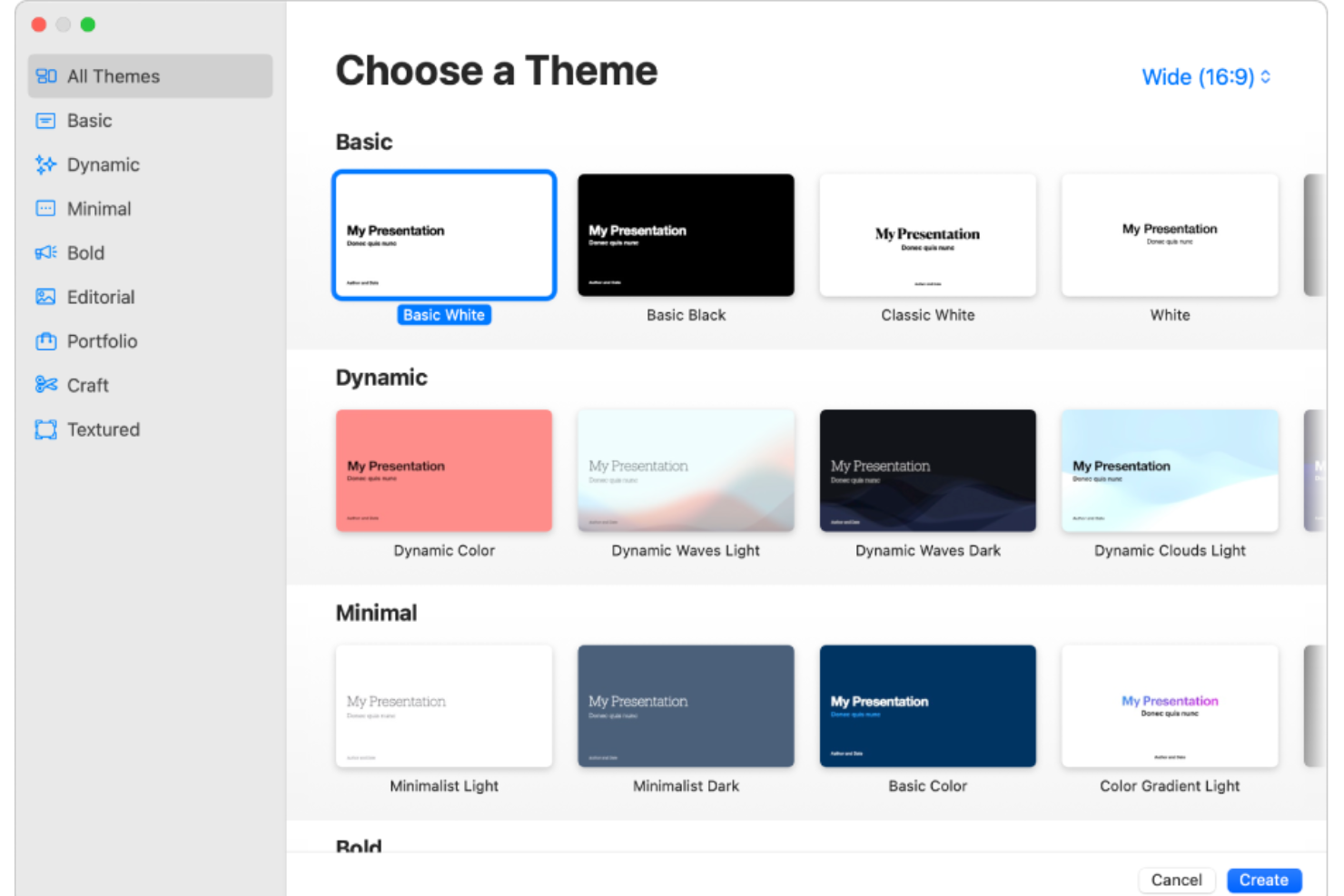
Apple Keynote is a presentation software for macOS and iOS that lets you create, design, and display multimedia slideshows with images, video, audio, and custom layouts.
Who Is Apple Keynote Best For?
Apple Keynote is a great fit for churches and ministries that already run on Apple devices like Macs or iPads and need a free tool for Sunday services and presentations.
Why I Picked Apple Keynote
Apple Keynote earns its spot on my shortlist because it's completely free on any Apple device—no subscription, no hidden costs. I love how it works with AirPlay, so I can wirelessly mirror a sermon slideshow from a Mac or iPad directly to a display screen without any extra hardware setup. The presenter notes view is also a standout for Sunday services: I can see my notes and a slide preview on my device while the congregation only sees the full-screen slide. Keynote's built-in slide transitions and object animations also let me add polished visual movement to scripture text and worship graphics without needing a design background.
Apple Keynote Key Features
- Custom themes: Create and save your own slide themes in Keynote, then access them across all your Apple devices via iCloud.
- Interactive presentations: Turn text, images, shapes, and videos into links that jump to other slides, open web pages, or trigger actions during a live service.
- Web video embedding: Embed YouTube or Vimeo videos directly into a slide and play them during your presentation without switching apps or downloading files.
- Dynamic backgrounds: Add animated, motion-based backgrounds to title or closing slides using built-in presets or fully customizable options.
Apple Keynote Integrations
Integrations include iCloud, Box, Microsoft PowerPoint, Google Drive, Microsoft OneDrive, YouTube, Vimeo, GIPHY, Apple Music, and various third-party apps via Apple Creator Studio or macOS Services.
What's Free?
Apple Keynote is completely free to download and use on any Mac, iPad, or iPhone. There are no time limits, user restrictions, or feature limitations for the free version.

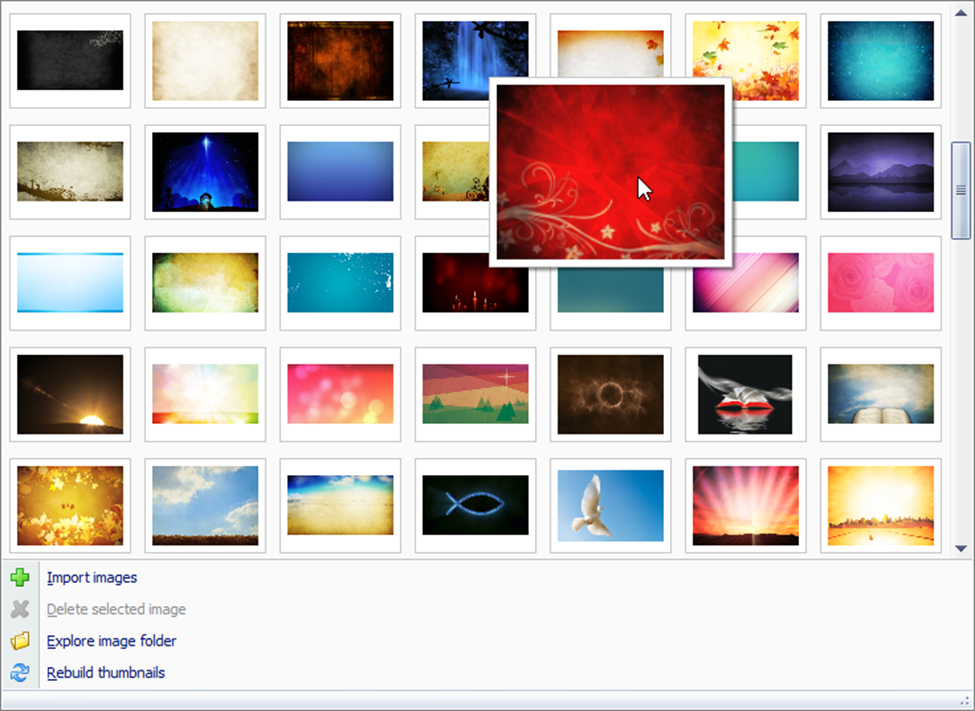
VideoPsalm is a church presentation software that lets you display song lyrics, Bible verses, images, videos, and PowerPoint slides for worship services and events.
Who Is VideoPsalm Best For?
VideoPsalm is a good fit for small to mid-sized churches and worship teams looking for a free tool to manage on-screen presentations during services.
Why I Picked VideoPsalm
VideoPsalm earns its spot on my shortlist because it's completely free and built specifically for church worship presentations. What I like most is its native integration with OBS Studio and Streamlabs, which lets you pipe song lyrics and Bible verses directly into a live stream without any workarounds. I also appreciate the one-click live video feed feature, which makes it easy to switch between presentation content and a live camera during a service. On top of that, the portable agenda file means I can prep everything at home and run the exact same presentation at church from a USB drive.
VideoPsalm Key Features
- Bilingual song and Bible verse display: Show lyrics or Bible verses in two languages simultaneously on the same slide, useful for multicultural congregations.
- On-the-fly song editing: Edit or correct song lyrics directly during a live projection without interrupting the presentation.
- Music chord display: Overlay guitar or instrument chords above song lyrics using A-B-C or Do-Ré-Mi notation, with automatic transposition via the capo property.
- Songbook organization: Store and manage songs across multiple separate songbook databases, each with its own styles, images, and video loops.
VideoPsalm Integrations
VideoPsalm offers native integrations with OBS Studio and Streamlabs for live streaming presentations. An API for custom integrations is not clearly documented.
What's Free?
VideoPsalm is completely free to use with no time limits or feature restrictions. All core features, including live streaming integrations and unlimited users, are available in the free version.

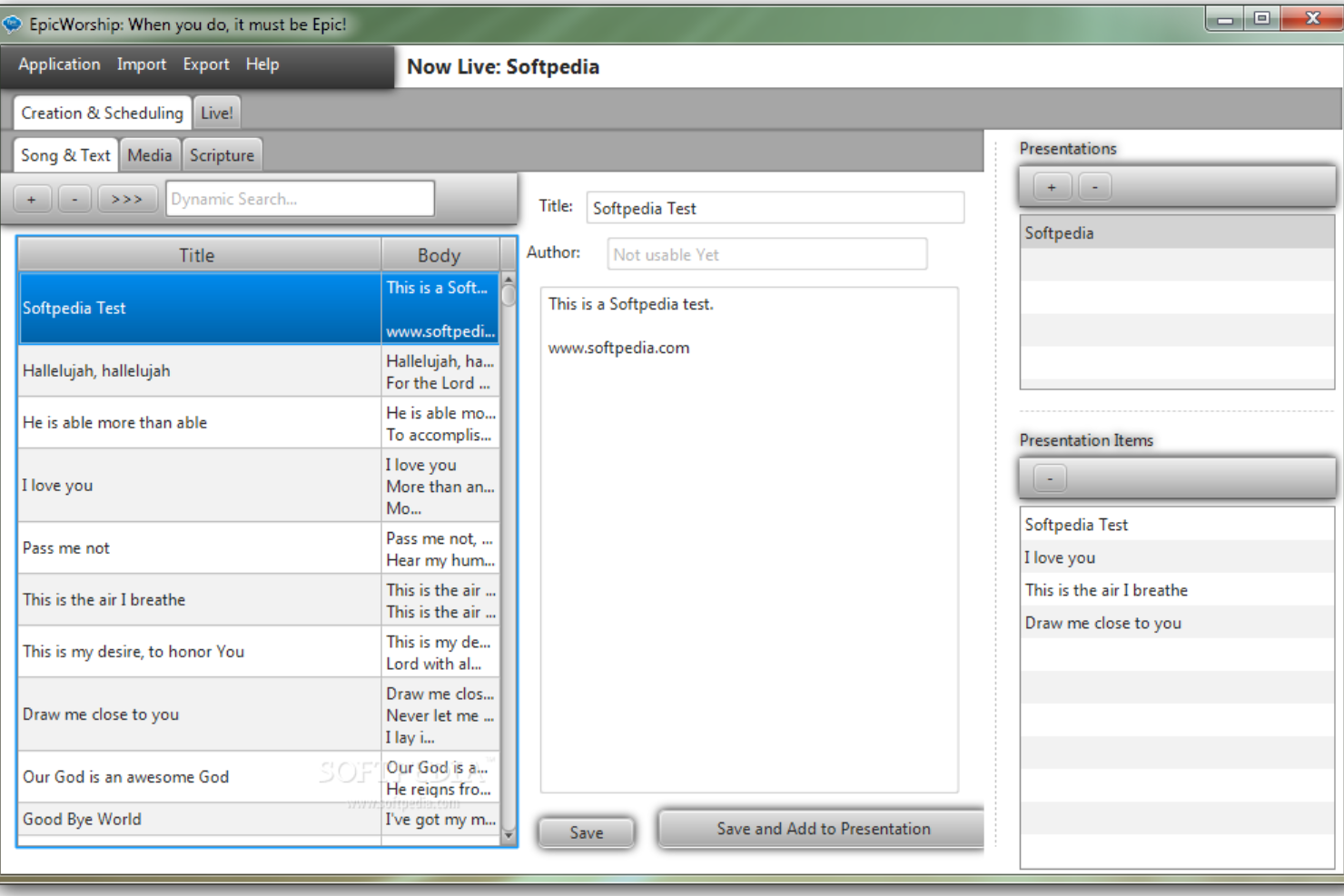
EpicWorship is a free church presentation software designed for creating and displaying worship lyrics, scripture slides, and multimedia content during church services.
Who Is EpicWorship Best For?
EpicWorship suits small churches and ministries that need a lightweight, no-cost presentation tool they can run from any computer.
Why I Picked EpicWorship
EpicWorship earns its spot on my shortlist because it's a portable, cross-platform application that runs on Windows, Mac, and Linux from a single JAR file. It requires no installation—your worship team can carry it on a USB drive and run it on whatever computer is available that Sunday. It also includes built-in Bible display alongside lyric projection, so you're not juggling separate tools during a service. For churches that rotate between venues or share equipment, that flexibility is rare for a free tool.
EpicWorship Key Features
- Animated background support: Display moving backgrounds behind lyrics and scripture slides to create a more visually engaging worship experience.
- Multi-platform executable: Run EpicWorship on Windows, Mac, or Linux using the same JAR file, with platform-specific executable wrappers included in each release.
- Dual-screen output: Project slides to a second display or projector while keeping the control interface on your primary screen.
- Open-source codebase: Access and modify EpicWorship's source code freely, giving tech-savvy church volunteers the ability to customize the software for their specific needs.
EpicWorship Integrations
Integrations include VLC Media Player, Microsoft PowerPoint, OSIS (CrossWire Bible Society), Zefania XML, OpenSong, and various Bible databases via CSV.What's Free?
EpicWorship is available as a free-forever download with no user or feature restrictions; all core presentation features are included.
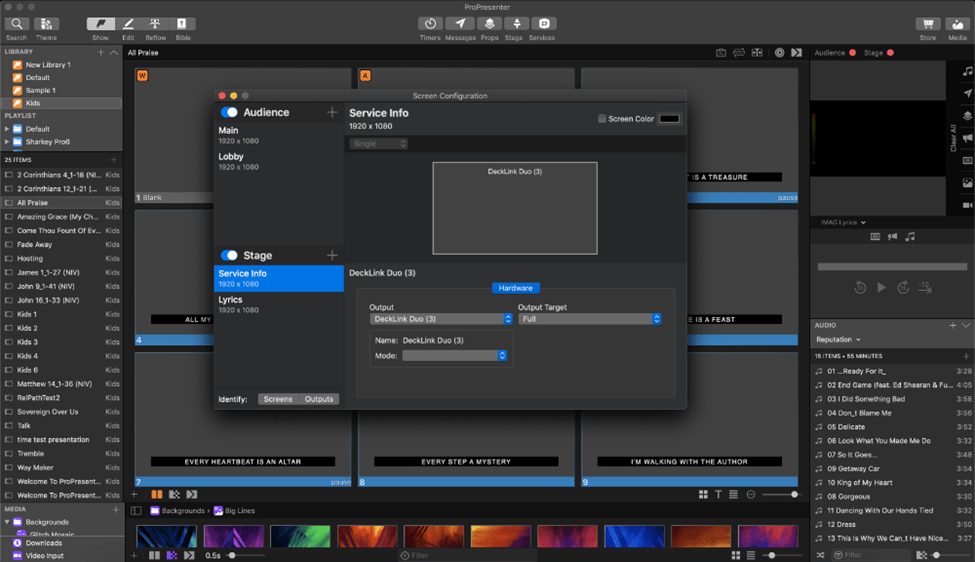
ProPresenter is a church presentation software platform that lets you create, organize, and display worship lyrics, scripture, and multimedia across multiple screens for live church services.
Who Is ProPresenter Best For?
ProPresenter is a strong fit for churches and worship teams that run live services with multi-screen setups and need dedicated tools for lyrics, scripture, and video display.
Why I Picked ProPresenter
ProPresenter earns its spot as one of the best on my shortlist because it's purpose-built for live church services, and the multi-screen management is genuinely impressive. I like that it supports up to 8 unique outputs, so my team can send different content layouts to the main auditorium screen, a lobby display, and an overflow room all at once. The independent content layers mean I can have a worship lyric slide running on the main screen while a separate background video plays behind it, without one affecting the other. The 14-day free trial also gives worship teams full access to test those capabilities before committing.
ProPresenter Key Features
- Bible lookup: Search and display scripture from 130+ translations across 25+ languages directly within your presentation.
- Stage display: Build customizable confidence monitors that show notes, countdowns, and upcoming slides to speakers and worship leaders on stage.
- Live editing: Add or update slides, videos, and images in real time without interrupting what's currently showing on the main output screen.
- Macro control: Set up automated sequences of actions that trigger from a slide, a connected device, or on demand during a live service.
ProPresenter Integrations
ProPresenter offers native integrations with Planning Center, SongSelect by CCLI, and Resi for live streaming. An API is available for custom integrations.
What's Free?
ProPresenter offers a 14-day free trial with full access to all features. After the trial, continued use requires a paid license and there is no free-forever plan.
OpenSong
Free, open source church presentation software available on Windows, MacOS, and Linux
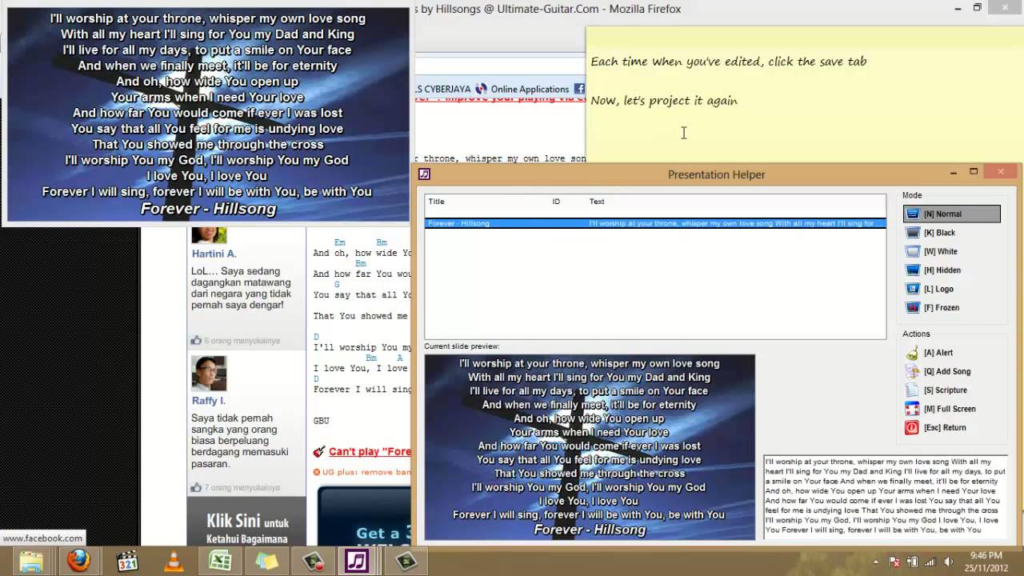
OpenSong is a church presentation software that lets you organize and display worship lyrics, Bible verses, and chord charts across Windows, MacOS, and Linux platforms.
Who Is OpenSong Best For?
OpenSong is a good fit for small churches and volunteer-led worship teams that need a no-cost, no-frills presentation tool without ongoing subscription fees.
Why I Picked OpenSong
OpenSong earns its spot on my shortlist because it's one of the few genuinely free, open source options that covers both worship presentation and musician support in one place. I like that I can build a set list combining songs, Bible passages, and announcement loops, then run through them back-to-back without switching tools. The automatic chord transposition is a feature I use constantly—it lets my worship team instantly shift a song to a different key without reprinting anything. OpenSong runs on Windows, MacOS, and Linux, so it works regardless of what hardware your church already has.
OpenSong Key Features
- Song metadata tracking: Store a song's title, author, copyright, CCLI number, tempo, time signature, and theme all within each song file.
- Custom font styling: Adjust font face, size, bold, italic, and underline for individual slide elements like titles, lyrics, and copyright lines.
- Background customization: Set any image file or color as the slide background to match your church's visual style.
- Multi-language support: Download OpenSong in multiple languages, made available through its open source community.
OpenSong Integrations
Integrations include Bitfocus Companion, OBS Studio, CCLI SongSelect, Dropbox, NDI, JustChords, Ultimate Guitar, Chordie, Worship Together, HolyChords, and various Bluetooth/MIDI foot pedals.
What's Free?
OpenSong is completely free and open source with no time limits or user restrictions. All features are available without cost, and you can use it on Windows, MacOS, or Linux.

Quelea
Free church presentation software for presenting song lyrics
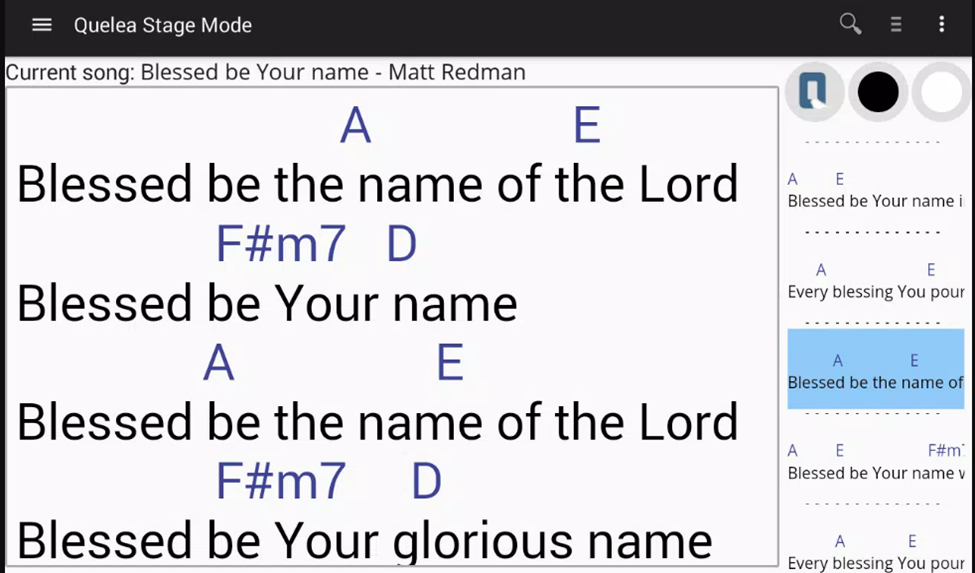
Quelea is a free church presentation software designed for worship services, offering tools for projecting song lyrics, Bible verses, and multimedia content.
Who Is Quelea Best For?
Quelea is a great fit for small to mid-sized churches looking for a free, open-source presentation tool to manage worship services without a software budget.
Why I Picked Quelea
Quelea is one of my top picks because I love how it handles song lyric projection with real-world worship needs in mind. The quick-edit feature is genuinely useful: if I spot a typo mid-song, I can control-click any verse and fix it on the spot without interrupting the service. I also like the stage view, which lets me push chord charts to the band's monitor while keeping the congregation's screen clean. Quelea also supports video backgrounds and mobile lyric viewing, keeping the worship team aligned.
Quelea Key Features
- Bible verse display: Pull in any Bible translation using the Zefania XML format and project verses directly during your service.
- Import options: Bring in songs from EasyWorship, OpenLP, OpenSong, Survivor songbooks, and the Kingsway online library without manual re-entry.
- Mobile lyric viewing: Push live lyrics to any mobile device with a browser so congregation members or volunteers can follow along in real time.
- Projector test patterns: Use built-in calibration patterns to check that your projector is correctly positioned and set up before the service starts.
Quelea Integrations
Native integrations are not clearly documented. An API is available for custom integrations.
What's Free?
Quelea is completely free and open-source with no time limits or user restrictions. All features are available without cost, and there are no paid upgrades or locked functionalities.

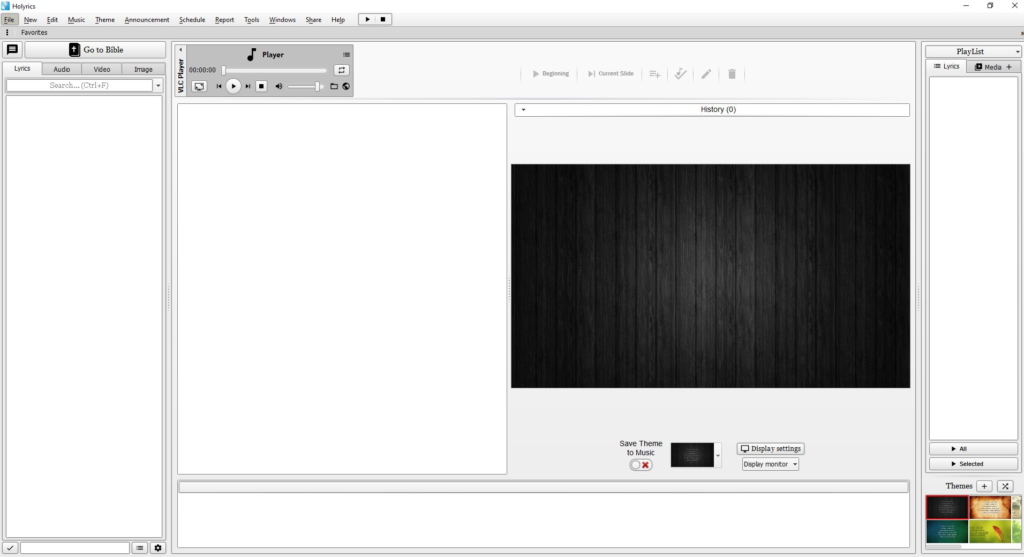
Holyrics is a church presentation software designed for worship services, offering tools for projecting song lyrics, Bible verses, and multimedia content.
Who Is Holyrics Best For?
Holyrics is a good fit for small to mid-sized churches looking for a dedicated, free presentation tool to manage worship services without a large tech budget.
Why I Picked Holyrics
Holyrics is one of my top picks because I love that it's completely free and pairs a full desktop presentation tool with a dedicated mobile app. I use the Holyrics app to control song lyrics and Bible verse presentations directly from my phone, which means I'm not tied to the projection computer during a service. The stage view feature is another thing I rely on—it lets me set up return monitors with their own custom display settings, so musicians and speakers see exactly what they need without it affecting the main projection. The communication panel also lets me push messages and alerts to those monitors privately, which keeps things running without interrupting the congregation.
Holyrics Key Features
- Playlist scheduling: Build a service order in advance by queuing songs, Bible verses, and media files into a single playlist before the service begins.
- Web lyrics search: Search for and import song lyrics directly from the web into your library without manually typing them out.
- Team member scheduling: Register staff and volunteers in the system and assign them to specific services using the built-in scheduling tool.
- Playback history log: Automatically records the date and time of every song played, giving you a running log of what was used in each service.
Holyrics Integrations
Integrations include VLC Media Player, OBS Studio, VMIX, CCLI SongSelect, Google Calendar, YouTube, Spotify, NDI, MIDI, and various Bible databases including YouVersion and BibleGateway. An API is available for custom integrations.
What's Free?
Holyrics offers a free-forever plan with access to its full desktop presentation software and mobile app. There are no user limits or major feature restrictions for core presentation and worship planning functions.
Other Options
Here are a few more that didn’t make the top list.
- EasySlides
Free church presentation software with confidence monitoring feature
- Prezi
Presentation tool for creating and presenting exciting slides.
- WorshipTools
Free church presentation software with looping motion graphics
- OpenLP
Free church presentation software for managing your song library
- FreeWorship
Free church presentation software with Microsoft PowerPoint integration
- Praisenter
Free church presentation software for multilingual services
- Datasoul
Open source church presentation software for displaying song lyrics and texts.
- LyricsPro
Church presentation software for displaying song lyrics.
- Praise Base Presenter
Tool for projecting song lyrics, images, and Bible verses.


How I Evaluate Free Church Presentation Software
First, I define what counts as free. For church presentation software, that means a free-forever plan—not a trial—that lets a volunteer actually run Sunday lyrics and scripture slides. I then weigh two layers: core functionality to make my list, and differentiators that separate the best options.
Core Functionality (Table Stakes For This List)
In addition to my free offer requirements, I also use a scoring system to select tools for my list. Here's how it works:
I rank each one on a scale from 0 (does not offer the functionality) to 5 (excels in this area) for each core functionality listed below. Then, I calculate the tool's total score into a percentage. Each tool needs to achieve a minimum total score of 55% to be considered for inclusion.
- Lyrics & Scripture Display: I check whether the tool includes a built-in song library and multiple Bible translations, or if your team has to manually type every verse and chorus.
- Multi-Screen Output: Separate stage and audience screens matter, so I look for independent output control that lets musicians see upcoming lyrics while the congregation sees the current slide.
- Service Planning Tools: I evaluate how each tool handles building a full Sunday morning order of service—songs, scripture readings, announcements, and sermon slides sequenced in advance.
- Media Playback Support: Motion backgrounds, countdown timers, and announcement videos should play natively inside the presentation flow without needing a separate media player running alongside.
- Free Tier Availability: I look for a genuinely free version your church can use long-term, not a 14-day trial that locks you out right before Easter Sunday.
- Live Streaming Integration: Whether it's NDI output, a virtual camera feed into OBS, or direct platform streaming, I evaluate how each tool connects your in-room worship to your online congregation.
Once I have a list of tools that meet this criteria, I consider what sets each platform apart.
Differentiating Factors (What Sets Vendors Apart)
Here's how I compare and contrast different vendors:
Standout Features
Planning Center integration is a big one—I look for tools that pull service orders and song lyrics directly, so your worship leader's midweek prep actually shows up on the booth computer Sunday morning. Cross-platform compatibility matters just as much, since many churches run a Windows desktop at the tech booth and a MacBook in the pastor's office. Mobile remote control rounds things out. A worship leader who can advance slides from stage without signaling the booth volunteer changes the entire service flow.
Beyond Features
Licensing transparency is something I evaluate closely—some tools lock multi-screen output or streaming behind a paid tier, which defeats the purpose for churches searching specifically for free options. I also consider hardware demands, since many churches run donated or aging computers that need to handle dual-output projection without stuttering during a sermon video. Community support resources carry real weight too. When your volunteer operator hits an issue ten minutes before service, an active user forum or YouTube walkthrough is worth more than a ticket queue with a 48-hour response time.
What is Church Presentation Software?
Free church presentation software is a tool that lets churches create and display worship lyrics, sermon slides, and service visuals—without paying for a software license.
These tools are built to meet the core needs of a church service. They can easily handle projecting lyrics in sync with the worship team, showing sermon points clearly, and incorporating last-minute media updates, all without skipping a beat. While they may not have every advanced feature of paid platforms, the best free options offer dependable performance, intuitive interfaces, and enough customization to support everything from small church plants to mid-size congregations.
For churches working with limited budgets, they’re an essential way to maintain quality without added cost.
Church Presentation Apps: Key Features
Features of Church Presentation Software
When selecting church presentation software, keep an eye out for the following key features:
Easy-to-use interface: A user-friendly design lets you create and manage presentations without needing to spend hours learning the system. Think quick, intuitive, and volunteer-friendly.
Media integration: Seamlessly add images, songs, videos, and even live camera feeds into your presentations. This simplifies creating visually dynamic services and helps keep everyone engaged.
Slide customization: Tailor slides with custom backgrounds, fonts, and transitions. Whether it’s a sermon or announcement, everything looks polished and aligned with your church’s branding and message.
Scripture display: Instantly pull up and show Bible verses on your slides without frantic flipping. You can display multiple translations and switch between passages quickly.
Song lyric management: Store a library of worship songs and display lyrics dynamically, making it easy for your congregation to sing along with verses and choruses in the right order.
Service scheduling: Organize your entire service flow—including sermons, songs, and announcements—so your team knows what’s coming next and services run smoothly.
Multi-screen support: Display presentations on multiple screens, including separate feeds for stage monitors and the congregation, so everyone sees exactly what they need.
Remote control capability: Operate slides from a mobile device or tablet, giving you the freedom to present from anywhere in the room instead of being tied to the AV booth.
Common Church Presentation Software AI Features
Beyond the standard church presentation software features listed above, many of these solutions are incorporating AI with features like:
Automatic lyric formatting: AI detects song structure and automatically lays out verses and choruses for readable, engaging lyric slides.
Scripture suggestion: AI recommends relevant Bible passages based on your sermon topic or keywords, helping you find supporting verses in seconds.
Image and background selection: AI suggests appropriate images or backgrounds to complement your slides, improving visual impact without overwhelming you with choices.
Speech-driven slide advancement: AI listens to the presenter and advances slides automatically in sync with spoken content, keeping the presentation flowing smoothly.
Real-time translation: AI-powered tools translate slides and spoken words into multiple languages, making services accessible to a more diverse audience.