

10 Best AI Church Financial Management Tools in 2026

Best AI Church Financial Management Tools Shortlist


AI church financial management tools are software platforms that use artificial intelligence to help churches track donations, manage budgets, and generate financial reports with less manual effort.
If you’re looking for ways to simplify your church’s finances, improve transparency, or make better decisions with real-time insights, these tools are designed for you.
In this list, you’ll find options that fit different church sizes and needs, so you can choose a solution that supports your ministry’s mission and keeps your finances organized in 2026.
Why Trust Our Software Recommendations
Our team has been testing and reviewing software since 2012. As church leaders ourselves, we know how difficult—and important—it is to choose the right software.
For this guide, we evaluated tools using hands-on testing and independent research, scoring tools using our selection criteria.
Our reviews reflect our human editorial judgment, not a sales pitch.
AI Church Financial Management Tools Comparison Table
This comparison table summarizes pricing details for my top AI church financial management tool selections:
| Tool | Best For | Trial Info | Price | ||
|---|---|---|---|---|---|
| 1 | Best for simplifying financial reporting with AI-assisted donation insights | Free demo available | From $72/month | Website | |
| 2 | Best for streamlining contribution tracking with AI-assisted donation insights | 30-day free trial available | From $72/month | Website | |
| 3 | Best for donor engagement analytics | Free plan available | From 2.9% + $0.30 per donation | Website | |
| 4 | Best with AI-powered people search | Free demo available | Pricing upon request | Website | |
| 5 | Best for bringing together giving and member data with AI-enhanced insights | Not available | Pricing upon request | Website | |
| 6 | Best for combining operational and giving data with AI-supported insights | Free plan + 30-day free trial available | From $15/20 members/month | Website | |
| 7 | Best for organizing contribution data into AI-supported financial reports | Free demo available | From $$73.32/month (billed annually) | Website | |
| 8 | Best for gaining AI-assisted visibility into financial activity across churches | Free demo available | Pricing upon request | Website | |
| 9 | Best for AI analysis of member engagement and giving analytics | Free demo available | Pricing upon request | Website |
Best AI Church Financial Management Tools Reviews
Below are my detailed summaries of the best AI church financial management tools that made it onto my shortlist. My reviews offer a detailed look at the features, capabilities, and integrations of each platform to help you find the best one for you.

Best for simplifying financial reporting with AI-assisted donation insights
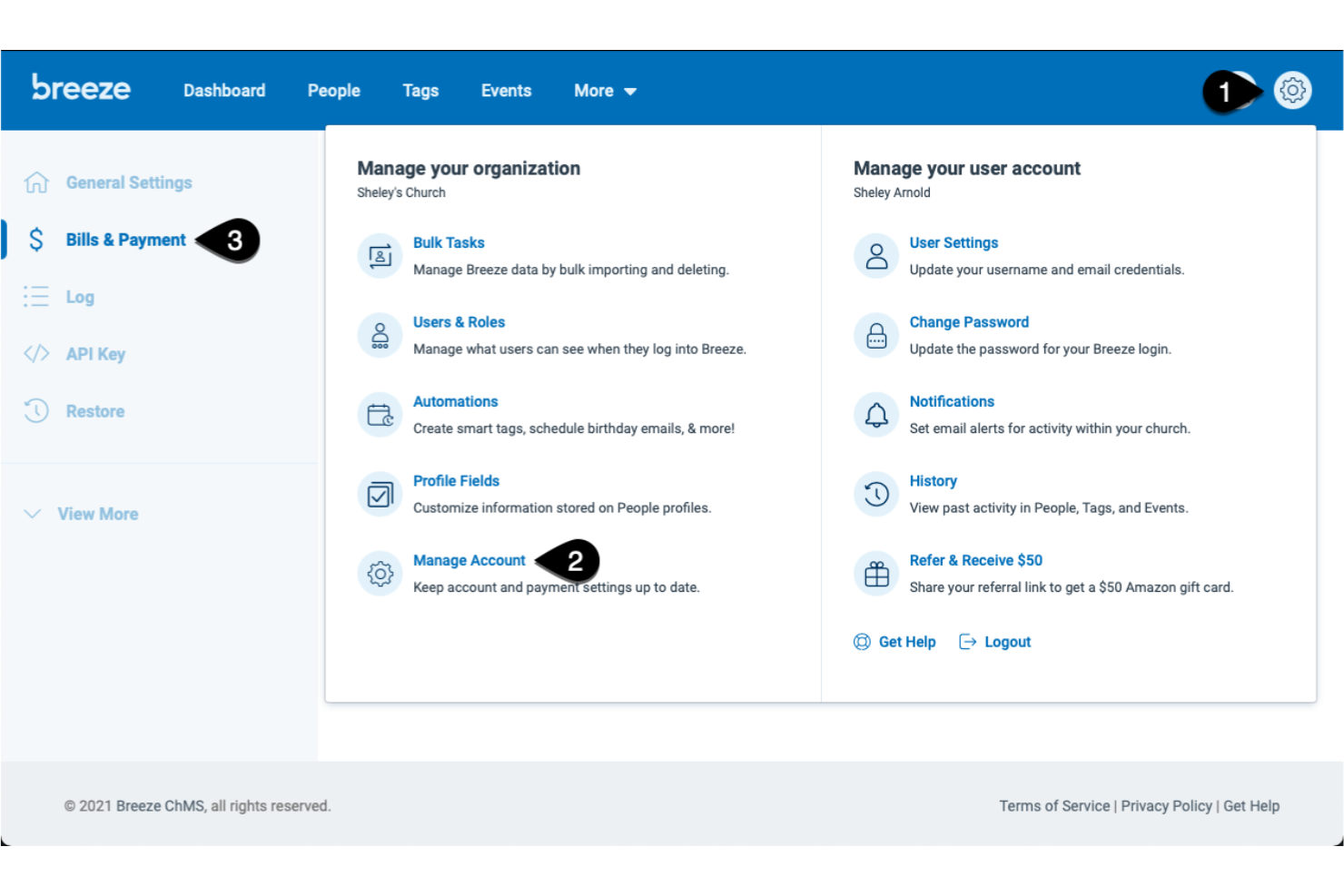
Breeze ChMS is a church management software platform designed for churches that want to handle donation tracking, financial reporting, member management, and event scheduling in one system.
Who Is Breeze ChMS Best For?
Small to mid-sized churches seeking straightforward donation and financial management.
Why I Picked Breeze ChMS
I picked Breeze ChMS for its ability to quickly generate detailed financial reports and donation summaries with AI-assisted insights. I like how the platform automatically categorizes gifts and flags unusual giving patterns, which helps my team stay on top of trends. I also use its customizable reporting tools to break down giving by fund, donor, or event without extra manual work.
Breeze ChMS Key Features
- Batch donation entry: Enter multiple gifts at once for faster processing.
- Recurring giving management: Set up and track automated recurring donations from members.
- Role-based access controls: Assign permissions to staff and volunteers based on their responsibilities.
- Fund-specific tracking: Monitor giving and balances for individual funds or campaigns.
Breeze ChMS Integrations
Breeze ChMS offers native integrations with QuickBooks Online, Mailchimp, and Planning Center. An API is available for custom integrations.
Pros and Cons
Pros:
- Fund tracking provides clear visibility across campaigns
- Recurring giving management improves donation consistency
- Financial reporting tools simplify donation tracking
Cons:
- Not ideal for highly complex multi-entity structures
- Limited advanced reporting customization

Tithe.ly
Best for streamlining contribution tracking with AI-assisted donation insights
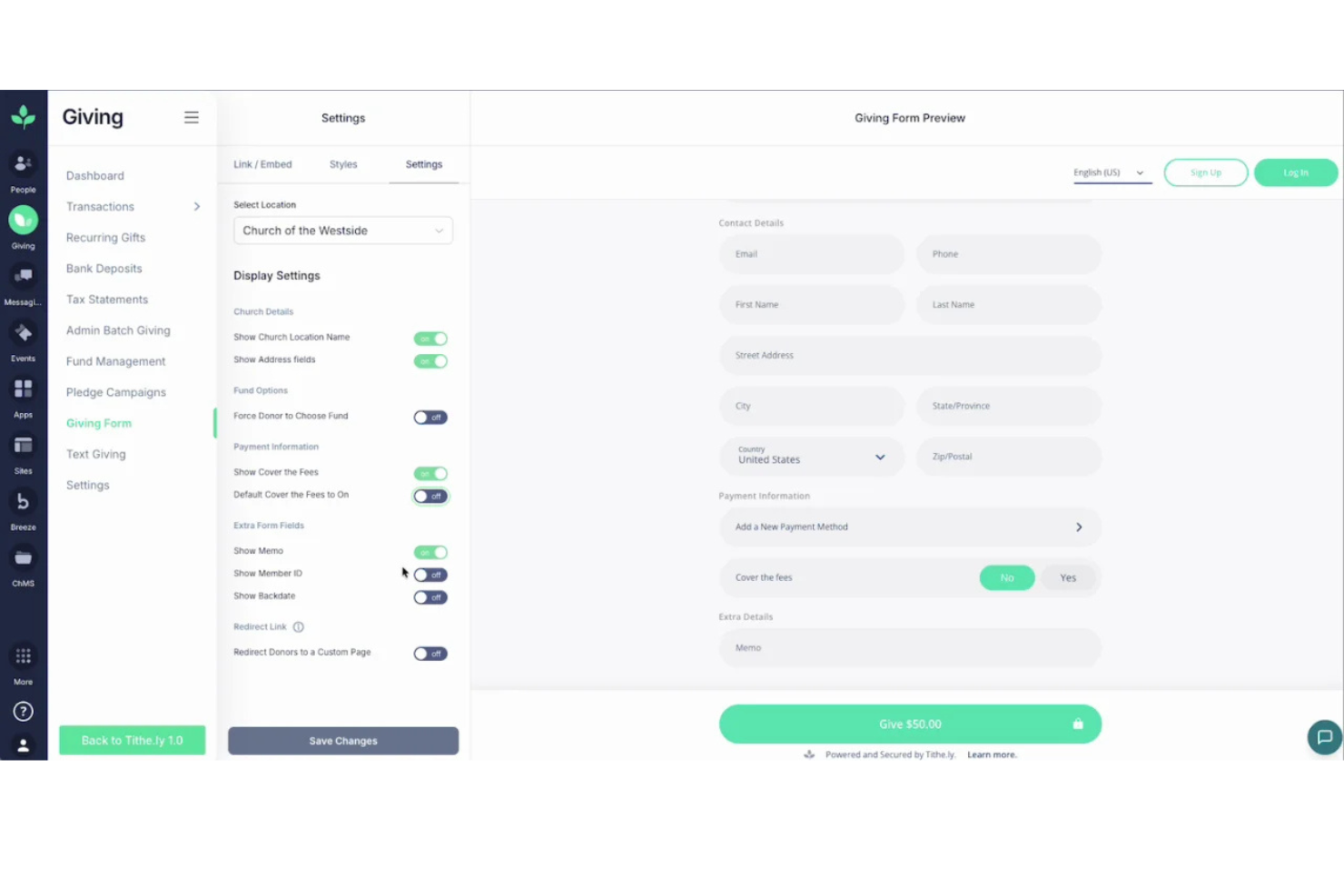
Tithe.ly is a church financial management platform that offers digital giving, contribution tracking, donor management, and reporting tools designed specifically for faith-based organizations.
Who Is Tithe.ly Best For?
Churches and ministries of any size needing digital giving and automated contribution tracking.
Why I Picked Tithe.ly
I picked Tithe.ly as one of the best because I can automate contribution tracking and generate AI-powered donation insights right from the dashboard. I like how the platform syncs giving data across online, mobile, and in-person channels, so my team never has to reconcile records manually. I also use its batch deposit tools and detailed donor profiles to keep our financial records organized and audit-ready.
Tithe.ly Key Features
- Event registration management: Track attendance and payments for church events.
- Custom giving forms: Create branded online giving pages for specific funds.
- Multi-campus support: Manage finances and giving across multiple church locations.
- Automated tax receipt generation: Send year-end giving statements to donors automatically.
Tithe.ly Integrations
Tithe.ly offers native integrations with QuickBooks Online, Planning Center, Elvanto, Church Community Builder, and Breeze ChMS. An API is available for custom integrations.
Pros and Cons
Pros:
- Automated tax receipts simplify donor communications
- Custom giving forms support targeted fundraising efforts
- Multi-channel giving sync reduces manual reconciliation
Cons:
- Limited anomaly detection for complex or irregular donation patterns
- AI-assisted insights are basic and not highly customizable

Givelify
Best for donor engagement analytics
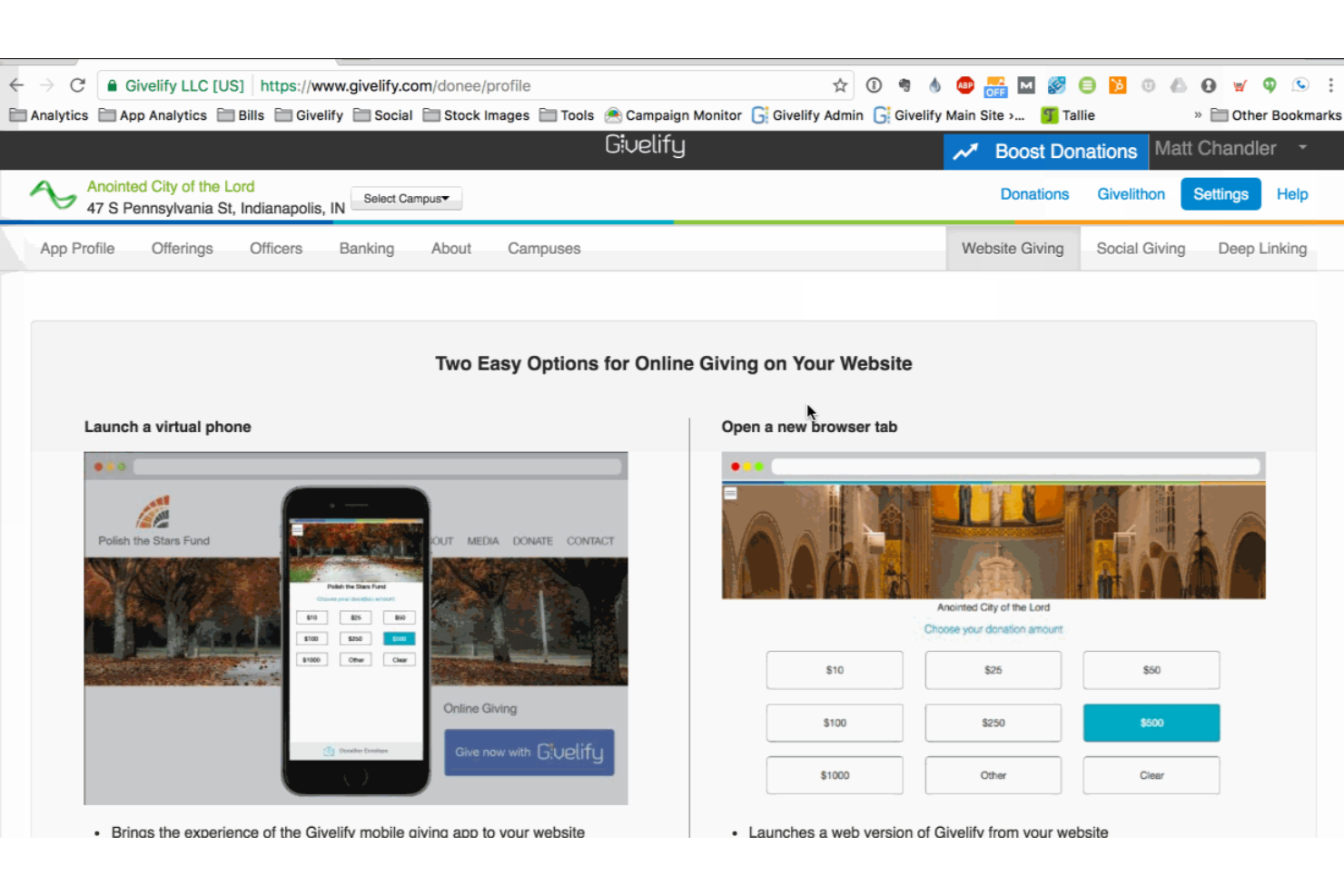
Givelify is a digital giving and donation management platform for churches and nonprofits that combines mobile giving, donation tracking, and real-time donor analytics.
Who Is Givelify Best For?
Churches and faith-based organizations that want to track and analyze donor engagement through digital giving.
Why I Picked Givelify
I picked Givelify as one of the best because its donor engagement analytics let me see giving trends and donor activity in real time. I use its dashboard to track individual and group giving patterns, which helps my team identify active and lapsed donors. The platform’s mobile giving app also makes it easy for our congregation to give from anywhere, and I can quickly generate reports to share with leadership.
Givelify Key Features
- Mobile giving app: Lets donors give through a dedicated iOS and Android app.
- Custom campaign creation: Allows you to set up and manage multiple giving campaigns.
- Automated donation receipts: Send IRS-compliant receipts to donors automatically.
- Admin dashboard: Provides centralized access to manage donations and donor records.
Givelify Integrations
Integrations include Shelby Next, Shelby Arena, Power Church, Servant Keeper, ACS Realm, and ACS People.
Pros and Cons
Pros:
- Automated receipts simplify compliance and recordkeeping
- Mobile giving app increases accessibility for contributors
- Donor engagement analytics highlight giving trends clearly
Cons:
- Lacks deeper AI-driven segmentation for complex donor analysis
- AI insights focus more on engagement than financial forecasting

Pushpay
Best with AI-powered people search
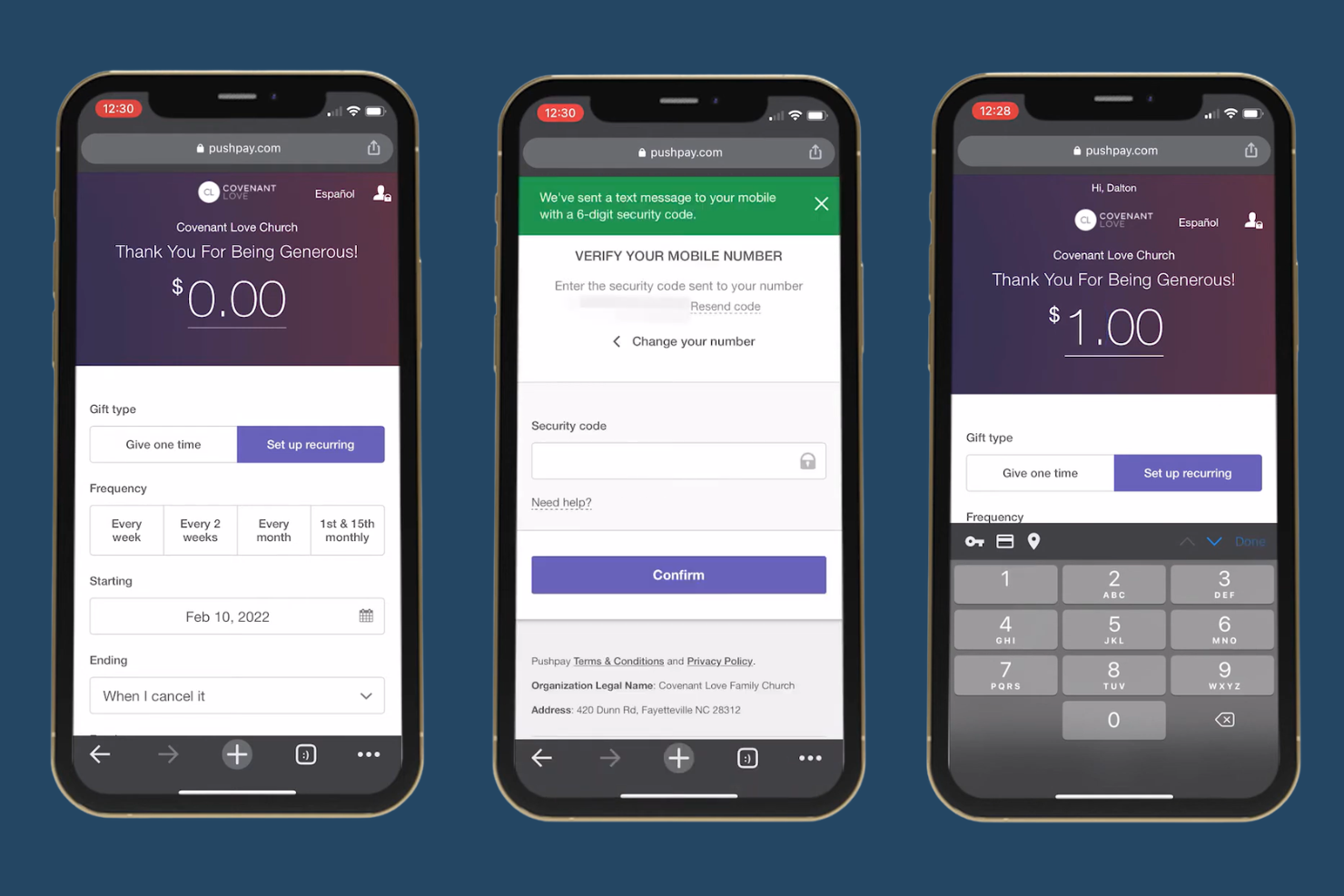
Pushpay is a church financial management platform that combines digital giving, donor management, and AI-driven data tools for churches and ministries.
Who Is Pushpay Best For?
Churches and ministries seeking a digital giving and donor management platform with advanced AI-powered search capabilities.
Why I Picked Pushpay
I picked Pushpay as one of the best because its AI-powered people search lets me quickly locate donor and member records, even with incomplete information. I use its digital giving dashboard to track contributions in real time. The platform’s automation tools help my team organize donor data and generate detailed financial reports without manual sorting.
Pushpay Key Features
- Mobile giving app: Accepts donations through a branded mobile app for iOS and Android.
- Recurring giving setup: Lets donors schedule automatic recurring gifts directly from their account.
- Batch donation entry: Allows entry of multiple donations at once for simplified processing.
- Custom financial reports: Generates detailed, customizable reports on giving and donor activity.
Pushpay Integrations
Pushpay offers native integrations with Church Community Builder, QuickBooks, Shelby Systems, Rock RMS, and Planning Center. An API is available for custom integrations.
Pros and Cons
Pros:
- Custom financial reports provide detailed giving insights
- Mobile giving app supports flexible donation experiences
- AI-powered people search improves donor record accuracy
Cons:
- Batch donation entry can be unintuitive for new users
- Limited native integrations compared to similar tools

Realm
Best for bringing together giving and member data with AI-enhanced insights
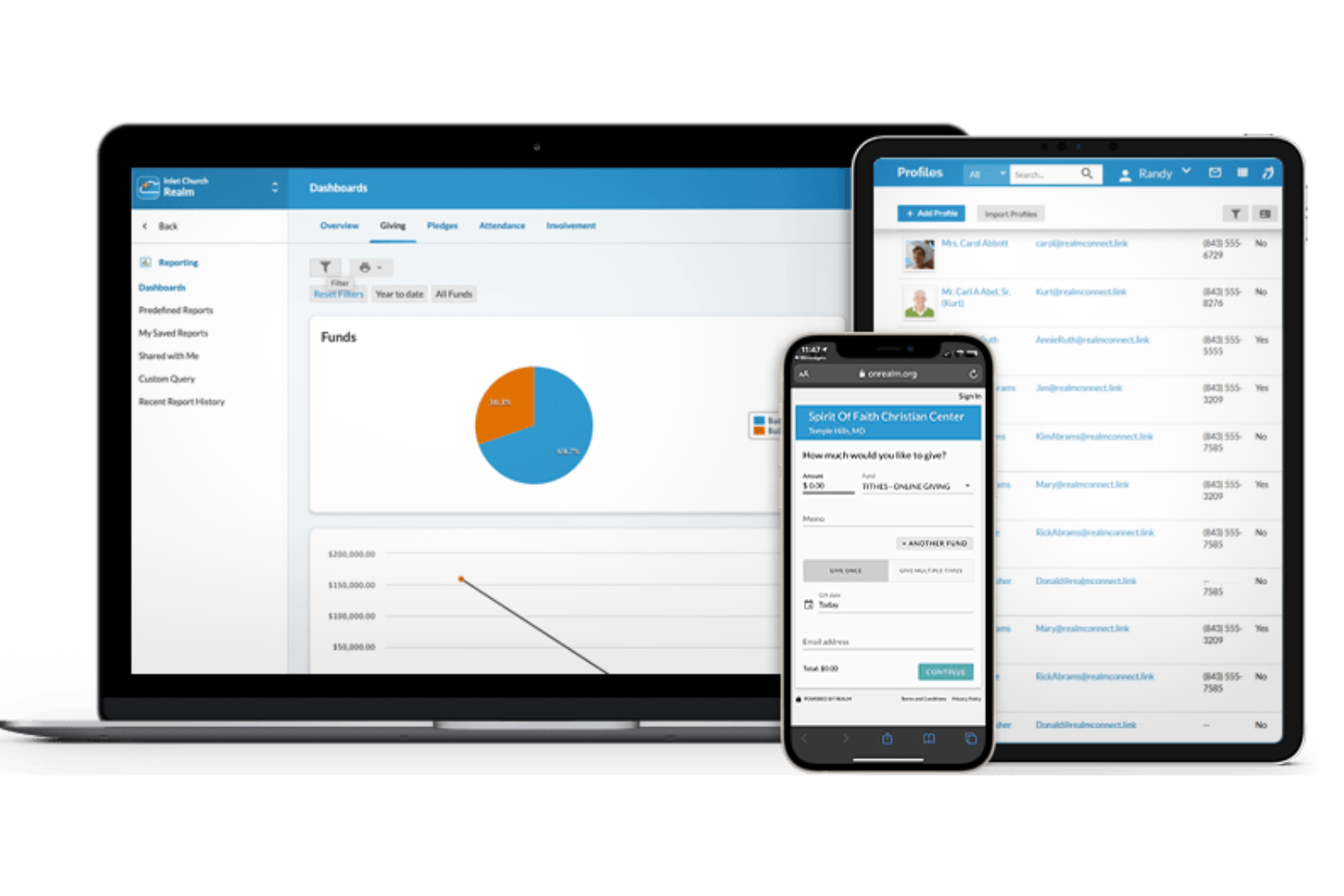
Realm is a church management software platform that combines giving management, member directories, event tracking, and reporting with AI-driven analytics for faith-based organizations.
Who Is Realm Best For?
Churches and faith-based organizations seeking unified management of giving, membership, and engagement data.
Why I Picked Realm
I picked Realm as one of the best because with it, I can connect all our giving records, pledges, and member engagement data in one place and use AI-powered analytics to spot trends in both financial and participation patterns. I like how the platform lets me drill into donor histories and automate recurring giving management. My team uses its real-time dashboards to monitor giving campaigns and member involvement side by side.
Realm Key Features
- Batch contribution entry: Enter multiple donations at once for faster processing.
- Fund management: Track and manage multiple designated funds within the platform.
- Role-based access controls: Set permissions for staff and volunteers by role.
- Automated tax statement generation: Create and send year-end giving statements to donors.
Realm Integrations
Native integrations are not clearly documented.
Pros and Cons
Pros:
- Fund management supports structured financial tracking
- Real-time dashboards improve financial visibility
- Combines giving and member data for unified insights
Cons:
- Limited customization in reporting outputs
- Native integrations not publicly listed

Best for combining operational and giving data with AI-supported insights
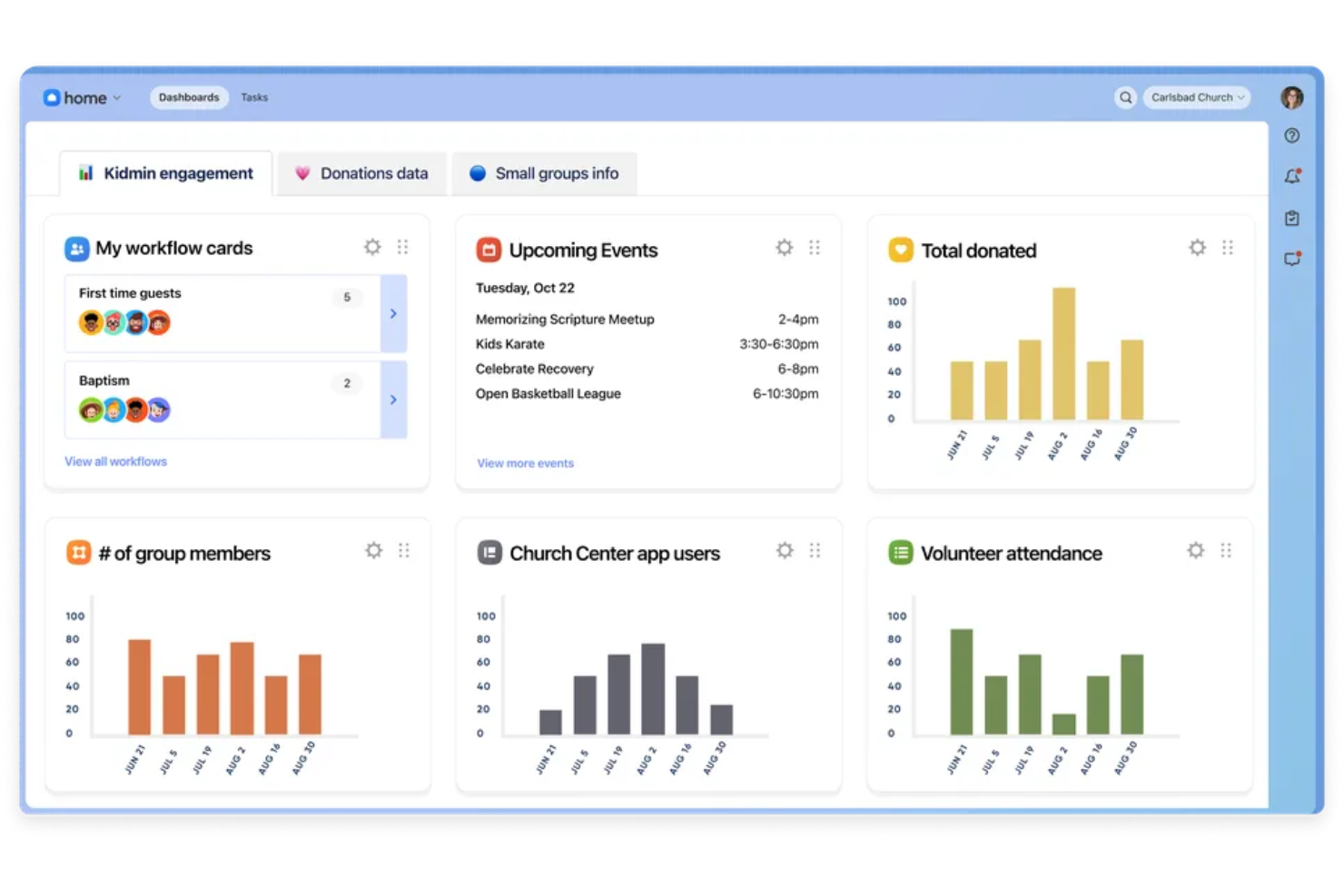
Planning Center is a church management platform that brings together giving, people management, event scheduling, volunteer coordination, and financial tracking in one system.
Who Is Planning Center Best For?
Multi-ministry churches and faith-based organizations that need to manage giving, events, and operations in one platform.
Why I Picked Planning Center
I picked Planning Center because I can connect giving data with attendance, volunteer schedules, and event registrations in one place. The AI-powered dashboards help me spot trends in both donations and participation. I use its reporting tools to drill into specific ministries or campaigns, so my team can make data-driven decisions about resource allocation.
Planning Center Key Features
- Batch donation entry: Enter multiple donations at once for faster processing.
- Automated donor statements: Generate and send year-end giving statements automatically.
- Role-based permissions: Control access to sensitive financial and member data by user role.
- Fund management: Track giving across multiple funds and campaigns within the platform.
Planning Center Integrations
Planning Center offers native integrations with QuickBooks Online, Mailchimp, and Church Community Builder, and provides an API for custom integrations.
Pros and Cons
Pros:
- Role-based permissions protect sensitive financial data
- AI-supported dashboards surface operational insights
- Unified platform connects giving, events, and member data
Cons:
- Batch donation entry can slow down high-volume processing
- Reporting exports lack deeper customization options

Best for organizing contribution data into AI-supported financial reports
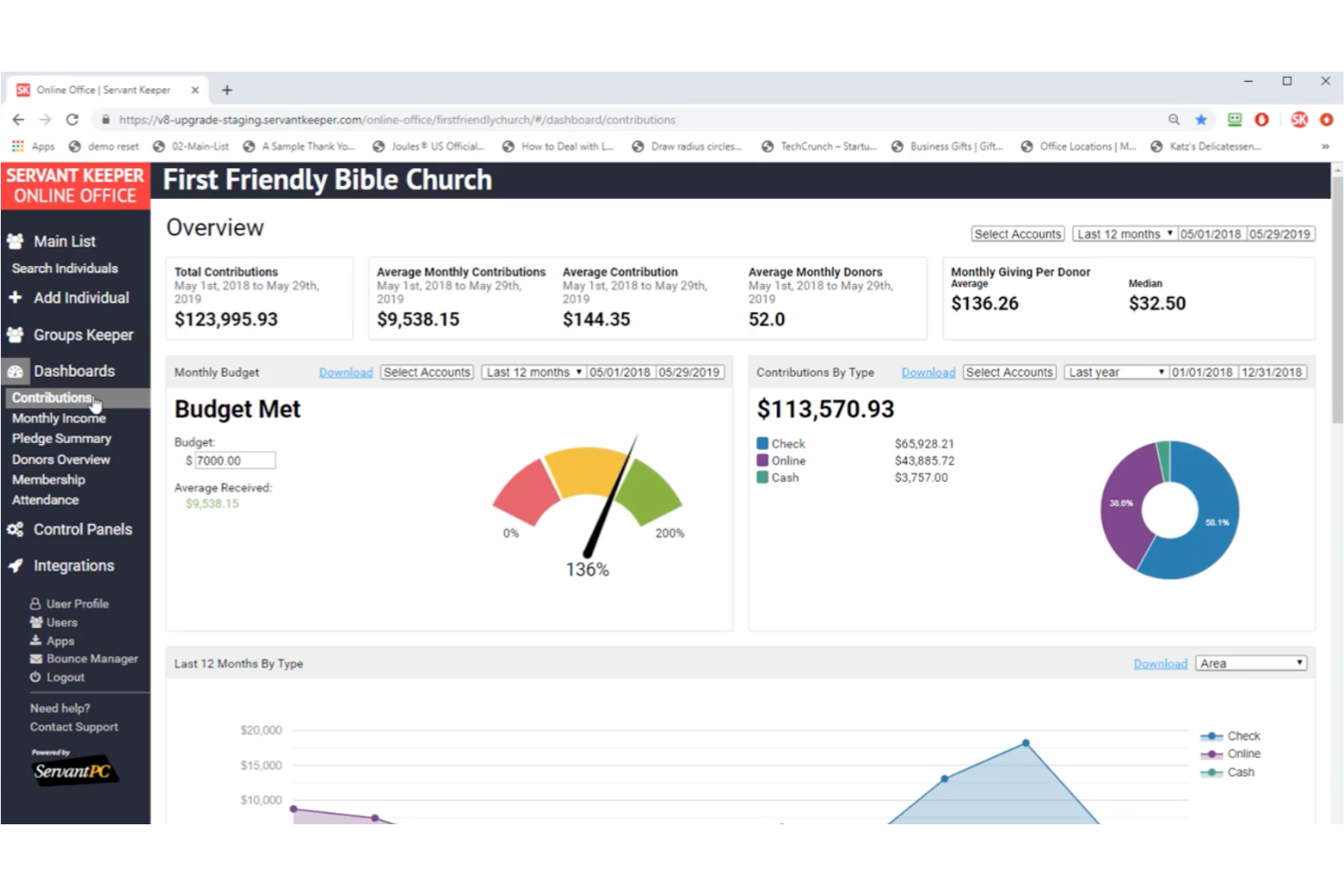
Servant Keeper is a church management software platform that offers contribution tracking, donor database management, financial reporting, and AI-supported data organization for churches and ministries.
Who Is Servant Keeper Best For?
Church administrators and finance teams who need to organize and report on contribution data for small to mid-sized congregations.
Why I Picked Servant Keeper
I picked Servant Keeper because I can organize detailed contribution records and quickly generate AI-supported financial reports for our church board meetings. I like how the tool lets me tag and categorize donations, then use its reporting engine to break down giving by fund, donor, or campaign. My team uses its batch entry and audit trail features to keep our records accurate and ready for review.
Servant Keeper Key Features
- Cloud-based access: Manage financial data securely from any device.
- Automated recurring giving: Set up and track scheduled donations for members.
- Customizable user permissions: Control access levels for staff and volunteers.
- Integrated pledge tracking: Monitor and report on pledge commitments throughout the year.
Servant Keeper Integrations
Servant Keeper offers native integrations with QuickBooks, Vanco, and Constant Contact. An API is available for custom integrations.
Pros and Cons
Pros:
- Pledge tracking helps monitor donor commitments
- Custom permissions improve data access control
- Contribution tracking supports detailed financial reporting
Cons:
- Limited ability to scale AI insights across large data sets
- AI capabilities are minimal and rely heavily on manual setup

Best for gaining AI-assisted visibility into financial activity across churches
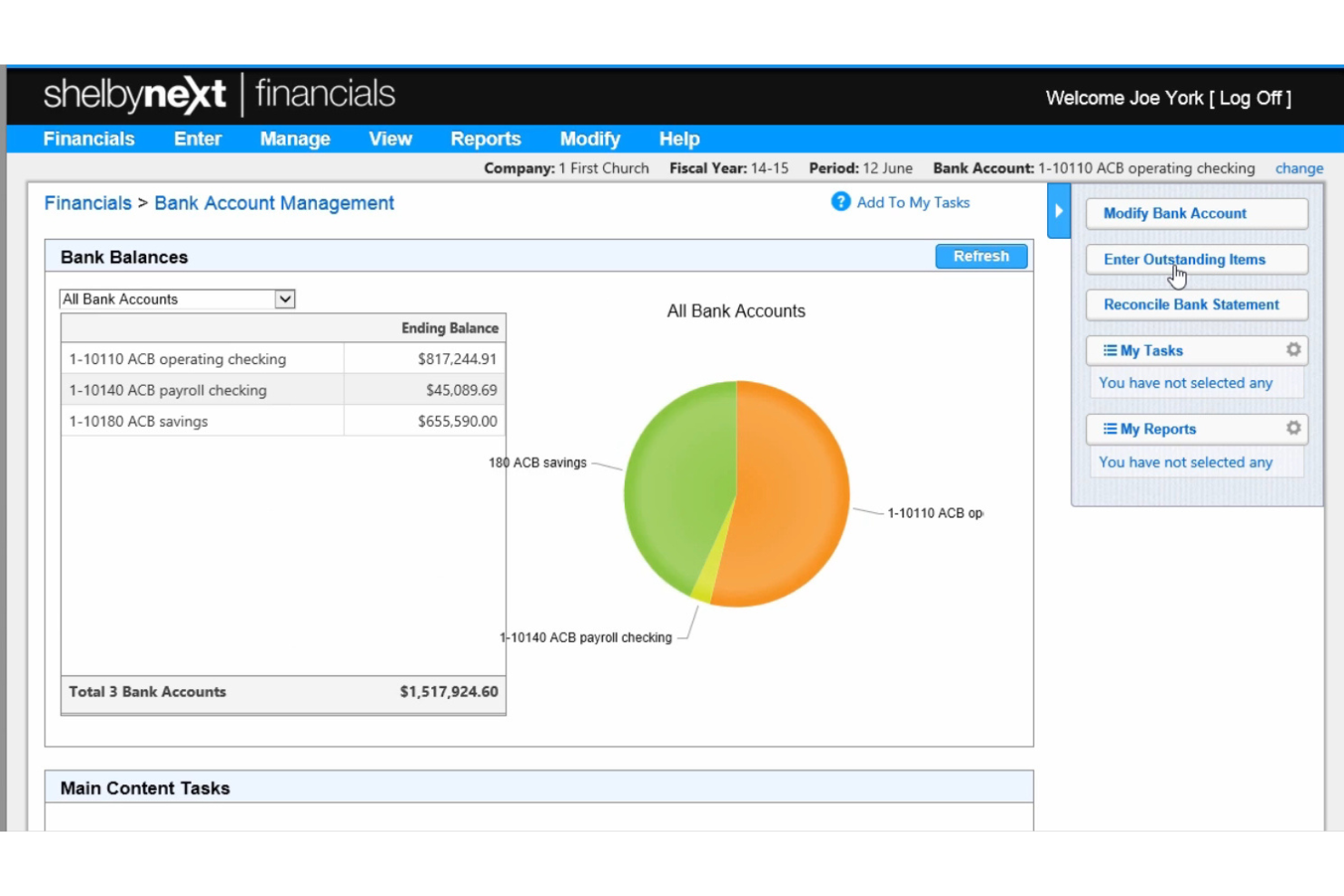
ShelbyNext is a church financial management platform that combines multi-location accounting, contribution tracking, AI-powered reporting, and fund management in one system.
Who Is ShelbyNext Best For?
Finance and operations teams at multi-campus churches needing centralized oversight of contributions and expenses.
Why I Picked ShelbyNext
I picked ShelbyNext because I can use its AI-powered dashboards to monitor giving, expenses, and budgets across multiple locations in real time. I like how the platform lets me drill into detailed transaction histories and set up custom alerts for unusual financial activity. My team uses its fund accounting features to keep designated funds separate and compliant.
ShelbyNext Key Features
- Batch contribution entry: Enter multiple donations at once for faster processing.
- Recurring giving management: Set up and track automated recurring donations from members.
- Role-based access controls: Assign permissions to staff and volunteers based on their responsibilities.
- Automated tax statement generation: Create and send year-end giving statements to donors.
ShelbyNext Integrations
Native integrations are not clearly documented. An API is available for custom integrations.
Pros and Cons
Pros:
- Customizable fund and campaign tracking
- Multi-campus support for complex church structures
- AI-powered dashboards highlight giving and attendance trends
Cons:
- Reporting exports lack advanced customization
- Batch donation entry can be cumbersome
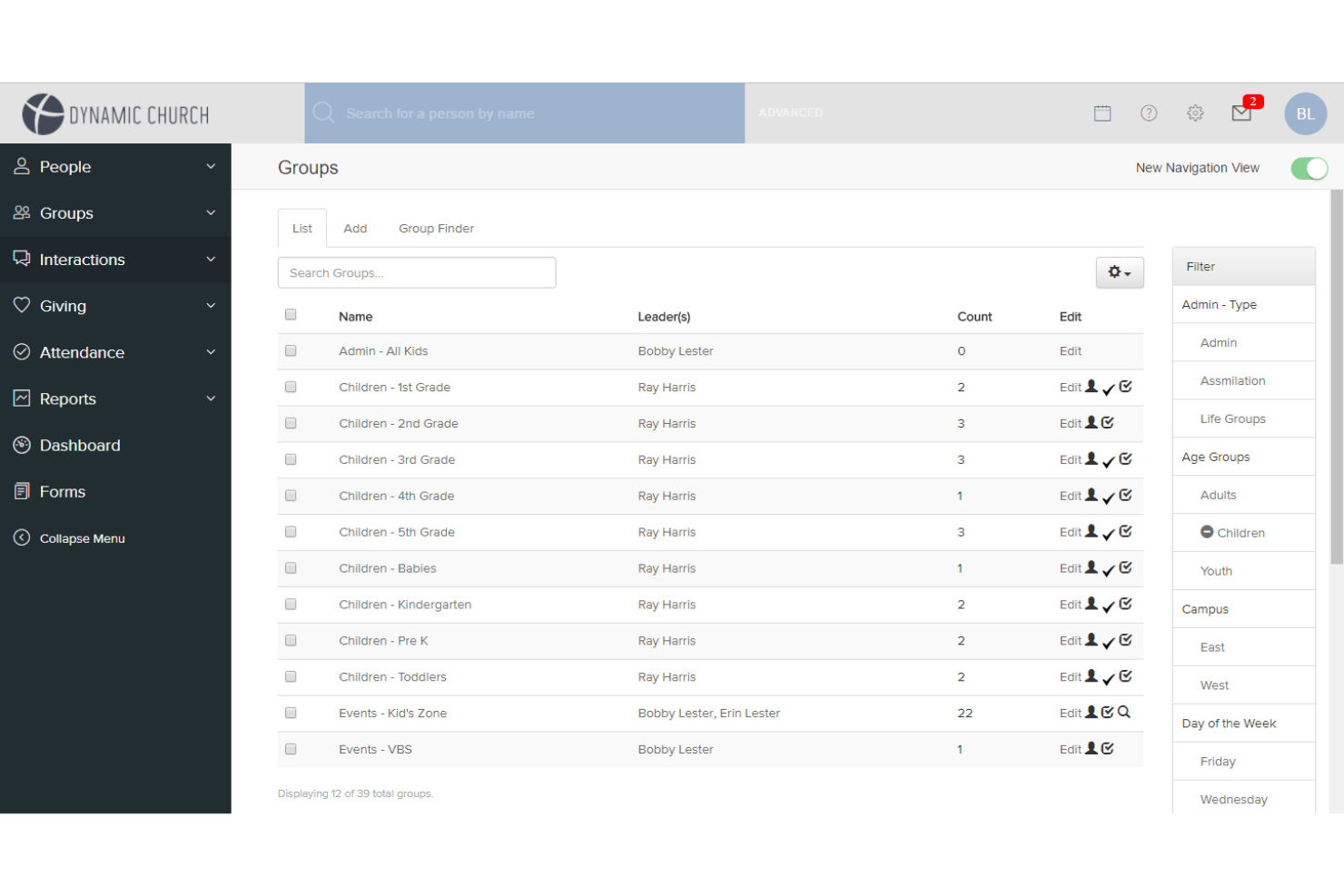
FellowshipOne is a church management software platform that combines member database management, contribution tracking, event scheduling, and reporting with AI-driven analytics for engagement and giving.
Who Is FellowshipOne Best For?
Churches and ministries seeking to analyze member engagement and giving patterns using AI-driven insights.
Why I Picked FellowshipOne
I picked FellowshipOne because I can use its AI-powered analytics to spot trends in member engagement and giving patterns across different ministries. I like how the platform visualizes attendance and contribution data, letting me drill into specific groups or individuals. My team uses its reporting tools to identify shifts in donor behavior and target follow-up efforts where they're needed most.
FellowshipOne Key Features
- Batch contribution entry: Enter multiple donations at once for faster processing.
- Fund accounting: Track designated funds and restricted giving within the platform.
- Automated tax statement generation: Create and send year-end giving statements to donors.
- Role-based access controls: Assign permissions to staff and volunteers based on their responsibilities.
FellowshipOne Integrations
FellowshipOne offers native integrations with QuickBooks, Church Community Builder, and ShelbyNext.
Pros and Cons
Pros:
- Reporting tools provide visibility into donor behavior
- Fund accounting supports restricted donation tracking
- Analytics connect engagement and giving patterns
Cons:
- Batch entry workflows can be inefficient
- Limited flexibility in report customization

Best for automated bank reconciliation
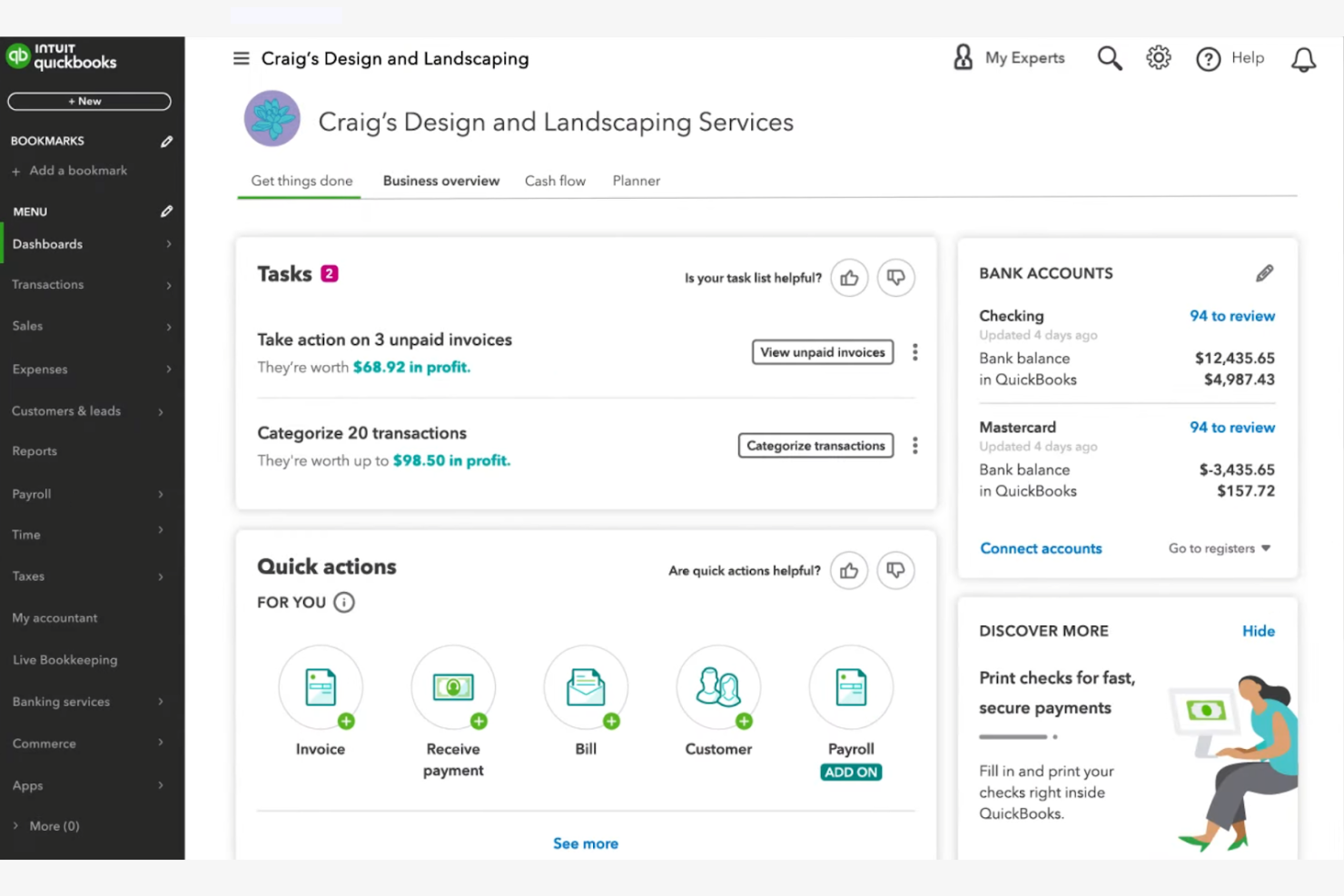
QuickBooks Online is a cloud-based accounting platform that brings AI-assisted bookkeeping, fund tracking, automated bank reconciliation, and financial reporting to churches and nonprofits managing ministry finances.
Who Is QuickBooks Online Best For?
It's a strong fit for church bookkeepers and finance directors at small-to-mid-sized congregations who already have a working knowledge of accounting fundamentals.
Why I Picked QuickBooks Online
I picked QuickBooks Online because its AI-powered bank reconciliation cuts through one of the most time-consuming tasks in church finance. Intuit Intelligence automatically flags anomalies and resolves mismatched transactions across ministry accounts, which saves significant manual review time. The Advanced tier also pairs reconciliation with cash flow forecasting and Finance AI, so the data from your reconciled books feeds directly into budget planning.
QuickBooks Online Key Features
- Fund tracking and class/location tagging: Supports segmented tracking for different church ministries and funds using classes and locations.
- Custom board and donor reporting: Generates specialized reports tailored for church boards, donors, and annual filings.
- Multi-user access with role controls: Allows unique user IDs and tiered permissions for staff and volunteers managing finances.
- Integration with donor and fundraising tools: Connects with platforms like DonorPerfect, Fundly, and Kindful for streamlined import of giving data.
QuickBooks Online Integrations
QuickBooks Online offers native integrations with DonorPerfect, Fundly, Kindful, Method:Donor, and Expensify. An API is available for custom integrations.
Pros and Cons
Pros:
- Multi-user access supports staff and volunteer roles
- Automated cash flow forecasting aids budget planning
- AI-powered bank reconciliation saves hours weekly
Cons:
- Clergy tax handling requires third-party workarounds
- No native church-specific fund accounting structure
New Product Updates from QuickBooks Online

QuickBooks Adds Vendor Credits, Payroll Uploads, and Job Costing Controls
QuickBooks adds vendor credits in Bill Pay, spreadsheet payroll uploads, and service-item tracking for employee hours. These updates help teams manage payments, prepare payroll, and allocate labor costs with less manual work. For more information, visit QuickBooks Online’s official site.
 .
.Other AI Church Financial Management Tools
Here are some additional AI church financial management tools options that didn’t make it onto my shortlist, but are still worth checking out:
- QuickBooks Online
For automated bank reconciliation
- Blackbaud
For applying AI-powered predictive analytics to donor forecasting and fundraising strategy


How I Evaluate AI Church Financial Management Tools
I don't include a tool just because it labels itself "AI"—it needs to do something meaningful, like flagging a budget variance across ministry funds or forecasting a seasonal giving dip before it hits cash flow. I evaluate each option on two levels: the core functionality it must have to qualify and the differentiating factors that separate a good fit from a great one.
Core Functionality (Table Stakes For This List)
When I'm selecting tools for my list, I rank each one on a scale from 0 (does not offer the functionality) to 5 (excels in this area) for each core functionality listed below. Then, I calculate the tool's total score into a percentage. Each tool needs to achieve a minimum total score of 55% to be considered for inclusion.
- AI-Powered Fund Accounting: I look for tools that use AI to categorize transactions into restricted, unrestricted, and designated funds—like automatically sorting a building campaign gift from general tithes.
- Automated Contribution Management: Each tool should handle tithe and offering tracking with AI-assisted donor matching, so duplicate records from online and in-person giving don't pile up at year-end.
- Predictive Financial Forecasting: I evaluate whether AI forecasting goes beyond static reports to model scenarios like projected summer giving dips or the financial impact of launching a new campus.
- Anomaly & Fraud Detection: The tool should flag unusual activity across ministry accounts, such as a spike in petty cash withdrawals or an expense that falls outside normal patterns for a department.
- Intelligent Reporting & Insights: Board-ready financial summaries that AI generates on demand matter here—I check whether pastors and treasurers can pull meaningful reports without needing an accounting background.
- Church-Specific Integrations: Connections to ChMS platforms, online giving tools, and payroll systems familiar with clergy compensation are what I look for, since church finance doesn't operate in a vacuum.
Once I have a list of tools that meet the criteria, I consider what sets each platform apart.
Differentiating Factors (What Sets Vendors Apart)
Here's how I compare and contrast different vendors:
Standout Features
Natural language querying is a big differentiator—I want to see whether a volunteer treasurer can type "What did we spend on missions last quarter?" and get a clear answer without digging through reports. AI donor retention insights also carry weight, especially when a tool can surface lapsed givers and suggest re-engagement timing based on historical patterns. Smart budget recommendations round things out, where the AI proposes ministry allocations informed by seasonal giving cycles and past spend.
Beyond Features
Clergy-specific tax handling matters a lot here—I check whether a platform supports housing allowances and dual-status compensation, since getting this wrong creates real headaches at year-end. Volunteer-friendly onboarding is another priority. Many churches rely on part-time bookkeepers or lay treasurers, so I evaluate whether someone without an accounting background can navigate the system after a short setup. Donor privacy also weighs in, particularly role-based access that keeps individual giving records visible only to authorized staff.
How to Choose AI Church Financial Management Tools
It’s easy to get bogged down in long feature lists and complex pricing structures. To help you stay focused as you work through your unique software selection process, here’s a checklist of factors to keep in mind:
| Factor | What to Consider |
| Scalability | Will the tool handle your church’s growth, multi-campus needs, or seasonal giving spikes without extra cost or complexity? |
| Integrations | Does it connect natively to your accounting, donor management, or communication tools, or will you need workarounds? |
| Customizability | Can you tailor reports, user roles, and workflows to match your church’s unique financial processes and approval structures? |
| Ease of use | Will staff and volunteers of varying tech skill levels be able to navigate and use the system confidently? |
| Implementation and onboarding | How long will it take to migrate data, train your team, and get up and running? Are there resources or support for onboarding? |
| Cost | Are all fees clear, including setup, support, and add-ons? Does the pricing fit your budget and expected usage? |
| Security safeguards | Does the tool offer role-based access, audit trails, and data encryption to protect sensitive financial and donor information? |
| Support availability | Can you reach support when you need it—especially during critical reporting periods or year-end close? |
What Are AI Church Financial Management Tools?
AI church financial management tools are a type of church accounting software designed to help churches manage finances, track online donation activity, and improve financial stewardship with less time spent on manual work. While often described as AI tools, most currently offer AI-supported features such as reporting insights and pattern recognition, reflecting a growing and evolving area within church management systems.
These tools typically combine all-in-one bookkeeping capabilities with elements of a church management system, giving ministry leaders a centralized way to handle restricted funds, reporting, and day-to-day accounting tasks.
They can replace traditional spreadsheets by supporting donation tracking, payable processes, and financial reporting, making them especially valuable for small churches that need user-friendly systems to streamline operations while maintaining accuracy and transparency.
Features
When selecting AI church financial management tools, keep an eye out for the following key features:
- Donation tracking: Automatically records and categorizes gifts by donor, fund, and campaign, making it easy to monitor giving patterns and generate contribution statements.
- Fund accounting: Separates and manages multiple funds or accounts within the same system, ensuring compliance with nonprofit financial standards and clear reporting.
- AI-powered reporting: Uses artificial intelligence to generate financial reports, highlight trends, and provide actionable insights for church leaders and finance teams.
- Automated reconciliation: Matches bank transactions with recorded entries, reducing manual work and minimizing errors in financial records.
- Pledge management: Tracks member pledges, monitors progress toward goals, and sends reminders or updates to donors as needed.
- Role-based permissions: Allows administrators to set different access levels for staff and volunteers, protecting sensitive financial data and supporting accountability.
- Batch entry: Enables quick input of multiple donations or transactions at once, saving time during busy giving periods or events.
- Audit trails: Maintains a detailed log of all changes and transactions, supporting transparency and simplifying audits or reviews.
- Recurring giving setup: Lets donors schedule automatic contributions, improving consistency in church income and simplifying donor management.
- Integration capabilities: Connects with accounting, communication, and donor management tools to optimize workflows and reduce data entry duplication.
Benefits
Implementing AI church financial management tools provides several benefits for your team and your business. Here are a few you can look forward to:
- Improved financial accuracy: Automated donation tracking and reconciliation reduce manual errors and ensure your records are always up to date.
- Faster reporting and insights: AI-powered reporting delivers real-time financial data and trend analysis, helping leaders make informed decisions quickly.
- Enhanced transparency: Audit trails and clear fund accounting support accountability and make it easier to share financial information with your congregation or board.
- Time savings for staff: Batch entry, recurring giving setup, and automated workflows free up staff and volunteer time for ministry and outreach.
- Better donor engagement: Pledge management and communication integrations help you track commitments and keep donors informed and appreciated.
- Stronger data security: Role-based permissions and secure access controls protect sensitive financial and donor information from unauthorized access.
- Scalability for growth: Flexible tools and integration capabilities allow your financial processes to grow with your church, whether you add new campuses or expand ministries.
Costs & Pricing
Selecting AI church financial management tools requires an understanding of the various pricing models and plans available. Costs vary based on features, team size, add-ons, and more. The table below summarizes common plans, their average prices, and typical features included in AI church financial management tools solutions:
Plan Comparison Table for AI Church Financial Management Tools
| Plan Type | Average Price | Common Features |
| Free Plan | $0 | Basic donation tracking, limited reporting, single user access, and email support. |
| Personal Plan | $10-$30/month | Donation and pledge management, simple fund accounting, basic AI reports, and limited integrations. |
| Business Plan | $40-$100/month | Multi-user access, advanced AI-powered analytics, batch entry, role-based permissions, and integrations with accounting tools. |
| Enterprise Plan | $150-$400/month | Multi-campus support, custom workflows, premium support, advanced security, and full API access. |
AI Church Financial Management Tools FAQs
Here are some answers to common questions about AI church financial management tools:
How does AI improve church financial management?
AI improves church financial management by automating routine tasks like donation tracking, bank reconciliation, and report generation. This reduces manual errors, saves staff time, and provides leaders with real-time insights for better decision-making.
Can AI church financial management tools handle multiple funds or campuses?
Yes, most AI church financial management tools support fund accounting and multi-campus management. This lets you track separate budgets, donations, and expenses for each fund or location while keeping everything organized in one system.
Are these tools secure enough for sensitive financial and donor data?
Yes, reputable AI church financial management tools use encryption, role-based permissions, and audit trails to protect sensitive data. Always check for compliance with privacy standards and ask about security certifications before choosing a solution.
What kind of support is available for onboarding and troubleshooting?
Most vendors offer onboarding resources like training videos, product tours, and webinars. Ongoing support often includes live chat, email, or phone help, as well as access to a knowledge base or user community.
How do these tools integrate with other church software?
Many AI church financial management tools offer integrations with accounting platforms, donor management systems, and communication tools. Check if your existing software is supported or if custom integrations are possible through APIs.