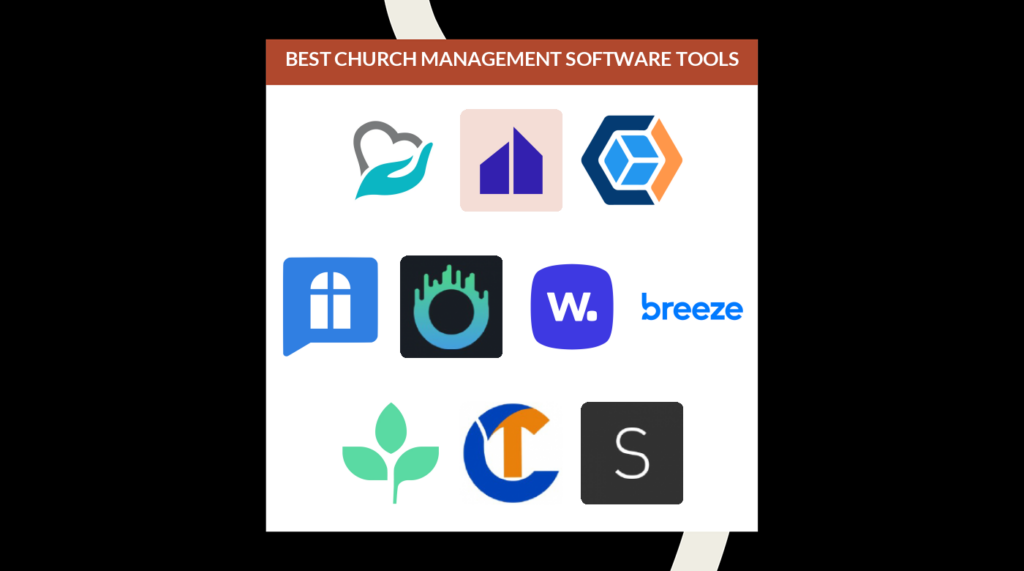
Kerkbeheersoftware (ChMS) helpt het aantal uren dat kerkleiders besteden aan administratie, planning en communicatie drastisch te verminderen. Het zorgt er niet alleen voor dat je leiders, medewerkers en vrijwilligers op één lijn blijven, maar maakt ook veel tijd vrij voor jou en je pastorale medewerkers om te investeren in gebed, onderwijs en discipelschap.
Ik heb de afgelopen ruim 20 jaar dat ik in de bediening werk deel uitgemaakt van leiderschapsteams van 4 kerken. Tijdens mijn loopbaan heb ik nauw samengewerkt met tientallen kerken en predikanten in heel Noord-Amerika en honderden uren besteed aan het beoordelen en gebruiken van kerkbeheertools. Ik heb uit de eerste hand gezien dat pastorale teams die kerkbeheersoftware gebruiken, minder tijd reactief bezig zijn, meer tijd besteden aan gebed, discipelschap en onderwijs, en tegelijkertijd veel meer controle over hun tijd hebben.
Ik ben ervan overtuigd dat kerkbeheersoftware voor predikanten tegenwoordig niet optioneel is, maar essentieel. Wanneer je processen en systemen gebrekkig of verouderd zijn, verspillen je vrijwilligers uren, worden gasten over het hoofd gezien en vallen kansen voor de bediening tussen wal en schip. Maar de juiste software zorgt voor gezondere communicatie, consistentere pastorale zorg en soepelere activiteiten binnen de bediening. Daarom heb ik deze lijst samengesteld: om je te helpen een ChMS te vinden die je missie daadwerkelijk ondersteunt.
Redenen om mijn beoordelingen van kerkbeheersoftware te vertrouwen:
- Ik test en beoordeel kerksoftware sinds 2019.
- Ik ben een predikant die de gevolgen van slecht gekozen software zelf heeft ervaren.
- Ik gebruik diepgaand onderzoek om andere kerkleiders te helpen weloverwogen aankoopbeslissingen te nemen.
- Mijn team en ik hebben meer dan 2.000 tools getest voor uiteenlopende behoeften van kerken.
- Mijn team en ik hebben meer dan 1.000 uitgebreide softwarebeoordelingen geschreven.
- Ik zet me in voor transparantie.
- Ik gebruik een grondige methodologie voor het beoordelen van kerkbeheersoftware.
Waarom u onze softwareaanbevelingen kunt vertrouwen
6,700+
Reviews
20
Industry experts
16+
Evaluation factors
14
Years
Ons team test en beoordeelt software sinds 2012. Als kerkleiders weten we zelf hoe moeilijk — en belangrijk — het is om de juiste software te kiezen.
Voor deze gids hebben we tools geëvalueerd met behulp van praktijktests en onafhankelijk onderzoek, waarbij we tools beoordeelden aan de hand van onze selectiecriteria.
Onze reviews weerspiegelen ons menselijke redactionele oordeel, geen verkooppraatje.
Vergelijkingstabel voor kerkbeheersoftware
| Tool | Best For | Trial Info | Price | ||
|---|---|---|---|---|---|
| 1 | Best voor het beheren van kerkelijke donaties en evenementen | Gratis abonnement beschikbaar | Vanaf $19/maand | Website | |
| 2 | Het beste voor betrokkenheid van gemeenten op afstand | Er wordt geen maandelijkse vergoeding gevraagd, maar in plaats daarvan een percentage van de ingezamelde giften (een vergoeding die door donoren kan worden gedekt als zij daarvoor kiezen) | Prijs op aanvraag | Website | |
| 3 | Beste keuze voor alles-in-één kerkbeheer | 30 dagen gratis proberen + gratis abonnement beschikbaar | Gratis voor 100 leden. Betaalde abonnementen kosten vanaf $10/maand voor maximaal 250 leden. | Website | |
| 4 | Het beste voor groeiende gemeenten | 30 dagen gratis proberen | Vanaf $58/maand | Website | |
| 5 | Het beste voor geautomatiseerde kerkcommunicatie | Een gratis proefperiode van 30 dagen beschikbaar | Vanaf $37/maand | Website | |
| 6 | Best voor gebruiksgemak | Gratis demo | Vanaf $50/maand | Website | |
| 7 | Het beste voor terugkerende donaties | Gratis proefperiode van 30 dagen beschikbaar | Vanaf $72/maand | Website | |
| 8 | Het beste voor het bijhouden van ledeninformatie | Gratis proefperiode van 30 dagen beschikbaar | Vanaf $37/maand | Website | |
| 9 | Ideaal voor het verbinden van de geloofsgemeenschap | Niet beschikbaar | Prijzen op aanvraag | Website | |
| 10 | Het beste voor het organiseren van ledeninformatie | Gratis proefversie beschikbaar | Vanaf $69.99/maand | Website |


De 20 beste beoordelingen van kerkbeheersoftware
In dit bericht hebben we geprobeerd een breed spectrum aan software te behandelen, waarbij we rekening hebben gehouden met de complexiteit, prijsklassen en functionaliteit.
 Best voor het beheren van kerkelijke donaties en evenementen
- Gratis abonnement beschikbaar
- Vanaf $19/maand
Visit WebsiteCustomer Rating:4.8/5
Het overzichtsscherm van Gracely geeft kerkleiders in real time inzicht in leden, gezinnen, groepen, aanstaande verjaardagen en donatieactiviteiten, allemaal op één plek. Gracely is een kerkbeheerplatform voor geloofsgemeenschappen die het bijhouden van donaties, het plannen van evenementen en de betrokkenheid van leden op één plek willen vereenvoudigen.
Voor wie is Gracely het meest geschikt?
Gracely is een goede keuze voor kleine tot middelgrote kerken die een eenvoudige manier nodig hebben om giften te beheren en bedieningsevenementen te organiseren zonder een steile leercurve.
Waarom ik voor Gracely heb gekozen
Gracely staat op mijn selectie vanwege de manier waarop het omgaat met de twee zaken die de meeste kerken moeilijk georganiseerd houden: donaties en evenementen. Ik vind het prettig dat je met de donatietools eenmalige en terugkerende giften kunt bijhouden, overzichten van giften kunt genereren en de voortgang van campagnes kunt volgen zonder een afzonderlijke boekhoudingstool nodig te hebben. Wat evenementen betreft, heb ik gemerkt dat de functies voor registratie en ticketverkoop echt nuttig zijn voor het beheren van alles, van zondagsdiensten tot inzamelingsdiners. Door beide in één platform te combineren, helpt Gracely kerken om te voorkomen dat ze meerdere tools tegelijk moeten gebruiken.
Belangrijkste functies van Gracely
- Ledenprofielen: Bewaar persoonlijke gegevens, contactgegevens, familiebanden en de donatiegeschiedenis van elk gemeentelid in een centrale ledenlijst.
- Inchecken van kinderen: Registreer en volg de aanwezigheid van kinderen met een veilig inchecksysteem, inclusief een exporteerbare aanwezigheidsgeschiedenis voor veiligheidsopvolging.
- Aanpasbare formulieren: Maak formulieren voor registraties, enquêtes en aanmeldingen om papieren processen te vervangen en ledeninformatie digitaal vast te leggen.
- Kerkboekhouding: Houd inkomsten en uitgaven bij voor meerdere rekeningen, categoriseer transacties met aangepaste labels en pas belastinglabels toe voor financiële rapportage.
Integraties van Gracely
Er zijn geen ingebouwde integraties vermeld.
Pros and Cons
Pros:
- Er is een gratis abonnement beschikbaar
- Gebruiksvriendelijke interface
- Effectieve functies om leden met elkaar te verbinden
Cons:
- Beperkte taalondersteuning
- Beperkt aantal beschikbare integraties
Learn more about Gracely: Het beste voor betrokkenheid van gemeenten op afstand
- Er wordt geen maandelijkse vergoeding gevraagd, maar in plaats daarvan een percentage van de ingezamelde giften (een vergoeding die door donoren kan worden gedekt als zij daarvoor kiezen)
- Prijs op aanvraag
Visit WebsiteCustomer Rating:4.5/5
Met Subsplash kun je de volgorde van je dienst plannen, inclusief aanbiddingsmuziek, preeknotities en mededelingen. Subsplash biedt kerken een uniform platform voor het beheren van digitale giften, media, evenementen en communicatie, waarmee bedieningsteams contact kunnen onderhouden met hun gemeenten via aangepaste apps, websites en geïntegreerde tools voor betrokkenheid.
Voor wie is Subsplash het meest geschikt?
Subsplash is geschikt voor kerken van elke omvang die een consistente digitale aanwezigheid willen opbouwen en zowel leden die fysiek aanwezig zijn als leden op afstand betrokken willen houden via mobiele apps, streaming en online geven.
Waarom ik voor Subsplash koos
Subsplash staat op mijn lijst omdat het speciaal is ontwikkeld voor kerken die leden buiten de zondagochtendgemeente willen bereiken. Ik ben vooral te spreken over de mobiele app met een eigen huisstijl, waarmee gemeenten preken kunnen streamen, preekarchieven kunnen raadplegen en pushmeldingen kunnen ontvangen—allemaal op één plek die hun leden dagelijks al controleren. Ik gebruik ook de geïntegreerde tools voor online geven, waarmee leden op afstand eenvoudig hun tienden kunnen geven zonder ooit het gebouw te hoeven betreden. Voor kerken met hybride of verspreide gemeenten is die combinatie van mediaverspreiding en geven in één app echt moeilijk elders te evenaren.
Belangrijkste functies van Subsplash
- Evenementregistratie: Leden kunnen zich rechtstreeks via de app of website registreren voor kerkevenementen, waarbij alle registraties vanuit één dashboard worden beheerd.
- Inchecken van kinderen: Met een ingebouwde inchecktool kunnen medewerkers en vrijwilligers de aanwezigheid van kinderen bijhouden en veiligheidsprocedures tijdens diensten beheren.
- Persoonsprofielen: Sla individuele ledengegevens op en beheer deze, waaronder contactgegevens en de geschiedenis van hun betrokkenheid, binnen het kerkbeheerdashboard.
- Vrijwilligersbeheer: Wijs vrijwilligers toe, plan hen in en houd hen bij binnen verschillende bedieningen vanuit hetzelfde platform dat voor geven en media wordt gebruikt.
Integraties van Subsplash
Eigen integraties worden momenteel niet vermeld.
Pros and Cons
Pros:
- Biedt een "alles-in-één"-oplossing voor alle basisbehoeften van kerken
- Gebruiksvriendelijke interface met een moderne gebruikersinterface
- Uitstekende functionaliteit voor mobiele apps
Cons:
- Beperkte integraties met andere systemen
 Beste keuze voor alles-in-één kerkbeheer
- 30 dagen gratis proberen + gratis abonnement beschikbaar
- Gratis voor 100 leden. Betaalde abonnementen kosten vanaf $10/maand voor maximaal 250 leden.
Visit WebsiteCustomer Rating:4.9/5
ChMeetings biedt een gecentraliseerd dashboard met een snel overzicht van kerkelijke activiteiten, waaronder bijdragen, aanwezigheid, evenementen en opvolgingstaken. ChMeetings is een kerkmanagementplatform voor predikanten en leiders van kerkelijke bedieningen die ledengegevens, evenementen, communicatie en donaties op één plek willen organiseren, waardoor het eenvoudiger wordt om kerkelijke activiteiten te coördineren en de gemeente te betrekken.
Voor wie is ChMeetings het meest geschikt?
ChMeetings is zeer geschikt voor kleine tot middelgrote kerken die één platform nodig hebben om leden, evenementen en donaties te beheren zonder meerdere hulpmiddelen tegelijk te moeten gebruiken.
Waarom ik voor ChMeetings heb gekozen
ChMeetings verdient zijn plek als een van de beste opties op mijn shortlist, omdat het daadwerkelijk elk kerngebied van kerkbeheer binnen één platform omvat. Ik vind het prettig dat ledenprofielen, donatiegegevens, evenementenbeheer, aanbiddingsplanning en ingebouwde boekhouding allemaal op één plek staan, zodat mijn team niet tussen afzonderlijke hulpmiddelen hoeft te schakelen om een volledig beeld te krijgen van wat er in de kerk gebeurt. De functie voor aanbiddingsplanning is een goed voorbeeld van deze diepgang: ik kan een volledige liturgie samenstellen, liederen beheren en teamleden toewijzen binnen hetzelfde systeem dat ik gebruik om aanwezigheid bij te houden en communicatie te versturen. De ingebouwde boekhoudmodule is een ander gebied waarop ChMeetings verder gaat dan de meeste andere platforms. Hiermee kan ik uitgaven bijhouden, fondsen controleren en rapporten genereren zonder een afzonderlijk financieel hulpmiddel nodig te hebben.
Belangrijkste functies van ChMeetings
- Planning van vrijwilligers: Wijs vrijwilligers specifieke rollen toe, stel herinneringen in en beheer hun beschikbaarheid voor diensten en evenementen.
- Ledenportaal: Bied leden een zelfbedieningsomgeving waarin ze hun eigen contactgegevens kunnen bijwerken, zich voor evenementen kunnen registreren en online kunnen doneren.
- Hulpmiddelen voor opvolging van aanwezigheid: Markeer automatisch leden die meerdere diensten hebben gemist, zodat leiders contact kunnen opnemen voordat iemand zich stilletjes terugtrekt.
- Aangepaste formulieren: Maak rechtstreeks binnen het platform formulieren voor evenementregistraties, enquêtes of feedback, zonder een hulpmiddel van derden nodig te hebben.
Integraties van ChMeetings
Integraties omvatten Stripe, PayPal, Mailchimp en Twilio. Er is ook een API beschikbaar voor aangepaste integraties.
Pros and Cons
Pros:
- Zeer betaalbaar, met getrapte prijzen op basis van de omvang van de kerk
- Ondersteunt het veilig bijhouden van donaties en online betalingen
- Meertalige ondersteuning
Cons:
- De mobiele app kan op sommige punten worden verbeterd
- Zou uitgebreidere functies voor financieel beheer kunnen bieden
Learn more about ChMeetings: Het beste voor groeiende gemeenten
- 30 dagen gratis proberen
- Vanaf $58/maand
Visit WebsiteCustomer Rating:4.8/5
Het overzichtsscherm van One Church Software geeft een overzicht van nieuws, taken en aankomende evenementen. One Church Software is een cloudgebaseerd kerkbeheerplatform voor kerken en bedieningen die ledenbetrokkenheid, evenementenplanning, donaties en vrijwilligerscoördinatie in één geïntegreerd systeem willen vereenvoudigen.
Voor wie is One Church Software het meest geschikt?
One Church Software is zeer geschikt voor groeiende gemeenten die schaalbare hulpmiddelen nodig hebben om een toenemend aantal leden, donaties en bedieningsactiviteiten te beheren zonder hun platform te ontgroeien.
Waarom ik One Church Software heb gekozen
One Church Software staat op mijn lijst van kandidaten omdat het is ontworpen om mee te groeien met een gemeente. Ik ben vooral enthousiast over de ondersteuning voor meerdere campussen, waarmee je leden, teams en rapportages per locatie kunt organiseren zonder het overzicht over de hele kerk te verliezen. De automatiseringstools zijn hier ook een echte meerwaarde: ik gebruik ze om vervolgmails en sms-berichten te activeren op basis van formulierinzendingen of aanwezigheidsgegevens, zodat geen enkele nieuwe bezoeker of inactief geworden lid tussen wal en schip valt. Voeg daar de vooraf gebouwde rapporten voor inactieve donateurs en afgenomen aanwezigheid aan toe, en je hebt een systeem dat je actief helpt verbonden te blijven naarmate je gemeente groeit.
Belangrijkste functies van One Church Software
- Online geven: Accepteer eenmalige en terugkerende donaties via aanpasbare geefpagina's met opties voor geven via sms en kiosken.
- Inchecken van kinderen: Beheer veilig in- en uitchecken voor de kinderbediening, inclusief het afdrukken van labels en het vastleggen van allergie- of medische notities.
- Groepsbeheer: Organiseer leden in kleine groepen, lessen of bedieningsteams met ingebouwde communicatie en aanwezigheidsregistratie.
- Evenementregistratie: Maak en beheer evenementinschrijvingen met aangepaste formulieren, capaciteitslimieten en geautomatiseerde bevestigingsmails.
Integraties van One Church Software
Integraties met externe systemen worden momenteel niet vermeld.
Pros and Cons
Pros:
- Handig evenementenbeheer
- Integreert alle kerkbeheerfuncties in één systeem
- Mobiele app beschikbaar
Cons:
- Gebrek aan integraties
- Kan duur worden met meer gebruikersprofielen en aanvullende functies
Learn more about One Church Software: Het beste voor geautomatiseerde kerkcommunicatie
- Een gratis proefperiode van 30 dagen beschikbaar
- Vanaf $37/maand
Visit WebsiteCustomer Rating:4.6/5
Mobiele interface van Text In Church met tweerichtingsberichten voor kerkcommunicatie en ledenbetrokkenheid Text In Church helpt pastors en kerkleiders contact te houden met leden en gasten via geautomatiseerde berichten, en helpt bij het beheren van opvolging, herinneringen en groepscommunicatie binnen je gemeente.
Voor wie is Text In Church het meest geschikt?
Text In Church is zeer geschikt voor kleine tot middelgrote kerken die een speciale tool willen om contact te houden met gasten die voor het eerst komen en vaste bezoekers via sms en e-mail.
Waarom ik voor Text In Church heb gekozen
Ik heb Text In Church geselecteerd als een van de beste opties omdat de geautomatiseerde werkstromen de opvolging regelen die veel kerken moeilijk kunnen volhouden. Wanneer een gast die voor het eerst komt een digitale connectiekaart invult, activeert het platform automatisch een gepersonaliseerde sms-reeks gedurende de daaropvolgende weken—handmatige herinneringen zijn niet nodig. Ik vind ook de functie voor onbeperkte trefwoorden handig, waarmee je sms-aanwijzingen kunt instellen voor RSVP's, gebedsverzoeken of aanmeldingen als vrijwilliger, zodat mensen op hun eigen moment kunnen reageren. Het systeem voor personeelsmeldingen waarschuwt je team wanneer een nieuwe gast contact maakt, zodat de juiste persoon op het juiste moment opvolging kan geven.
Belangrijkste functies van Text In Church
- Tweerichtingsberichten: Verzend en ontvang individuele sms-gesprekken met leden rechtstreeks binnen het platform.
- Groepsberichten: Deel je gemeente op in groepen en verstuur gerichte sms- of e-mailberichten naar specifieke doelgroepen.
- Geplande berichten: Plan sms- of e-mailberichten vooraf voor komende evenementen, diensten of aankondigingen.
- Donatielinks in berichten: Voeg directe donatielinks toe aan sms- of e-mailberichten, zodat leden kunnen doneren.
Integraties van Text In Church
Integraties omvatten Planning Center, Church Community Builder, Mailchimp, Rock RMS en Zapier.
Pros and Cons
Pros:
- Tweerichtingsberichten maken realtime betrokkenheid mogelijk
- Geautomatiseerde werkstromen stroomlijnen opvolgingsprocessen
- Integraties ondersteunen gegevenssynchronisatie tussen platforms
Cons:
- Beperkte aanpassingsmogelijkheden voor geautomatiseerde berichten
- Voor volledige functionaliteit is internet vereist
Learn more about Text In Church:

Een voorbeeld van de interface van Breeze voor het genereren van rapporten voor donatiebeheer. Breeze ChMS is een kerkbeheersplatform voor kleine tot middelgrote kerken die ledenbeheer, evenementenplanning, donaties en communicatie op één plek willen vereenvoudigen.
Voor wie is Breeze ChMS het meest geschikt?
Breeze ChMS is zeer geschikt voor kleine tot middelgrote kerken die behoefte hebben aan een toegankelijk, eenvoudig systeem dat hun medewerkers en vrijwilligers met minimale training kunnen leren gebruiken.
Waarom ik voor Breeze ChMS heb gekozen
Breeze ChMS staat op mijn lijst omdat er weinig configuratie nodig is en het eenvoudig te implementeren is. Ik ben erg te spreken over de aanpasbare tags en groepsfunctie: je kunt je gemeente in enkele minuten indelen op basis van kleine groep, vrijwilligersrol of bedieningsteam en die groepen vervolgens rechtstreeks berichten sturen zonder tussen verschillende tools te hoeven schakelen. Het check-insysteem voor kinderen is ook een sterk punt: het print naamkaartjes voor ouders en kinderen, wijst unieke beveiligingscodes toe en houdt de aanwezigheid bij zonder technische configuratie. Voor kerken waarvan medewerkers en vrijwilligers niet bijzonder technisch onderlegd zijn, is dat soort gebruiksgemak direct uit de doos moeilijk te vinden.
Belangrijkste functies van Breeze ChMS
- Online geven: Gemeenteleden kunnen rechtstreeks via de geefpagina van je kerk betalen met een creditcard, betaalpas of ACH, waarbij bijdragen automatisch aan donorprofielen worden toegevoegd.
- Evenementregistratie: Maak evenementen aan met aangepaste registratieformulieren, stel capaciteitslimieten in en houd aanmeldingen bij vanuit hetzelfde platform dat je gebruikt voor ledenbeheer.
- Overzichten van bijdragen: Genereer en e-mail jaaroverzichten van bijdragen in bulk naar donateurs, rechtstreeks op basis van geregistreerde bijdragegegevens.
- Planning van vrijwilligers: Wijs vrijwilligers specifieke rollen en diensttijden toe en stuur vervolgens automatische herinneringen om hun beschikbaarheid te bevestigen.
Integraties van Breeze ChMS
Integraties omvatten Tithely Giving, Tithely People, Tithely Messaging, Tithely Church Apps, Tithely Events, Tithely Sites, Sermonly Sermon Writer, Tithely Print, het accepteren van Bitcoin en crypto via Engiven, en een openbare API voor aangepaste integraties.
Pros and Cons
Pros:
- Eenvoudige gegevensoverdracht vanuit andere systemen
- Responsieve klantenservice
Cons:
- Sommige functies zijn vrij basaal
Learn more about Breeze ChMS: Het beste voor terugkerende donaties
- Gratis proefperiode van 30 dagen beschikbaar
- Vanaf $72/maand
Visit WebsiteCustomer Rating:4.7/5
Met Tithe.ly kun je dienstplannen organiseren en inplannen, met gedetailleerde overzichten van liederen en lezingen. Tithely is een kerkbeheerplatform voor geloofsgemeenschappen en biedt hulpmiddelen om het geven te vereenvoudigen, leden te beheren, evenementen te organiseren en vanuit één dashboard met de gemeente te communiceren.
Voor wie is Tithely het meest geschikt?
Tithely is zeer geschikt voor kleine tot middelgrote kerken die een alles-in-éénplatform nodig hebben om zowel hun gemeente als hun geefprogramma's te beheren.
Waarom ik voor Tithely heb gekozen
Tithely staat op mijn shortlist vanwege de uitstekende manier waarop het terugkerende giften beheert. Ik vind het prettig dat donateurs hun terugkerende giften volledig zelf kunnen instellen, pauzeren of bijwerken, zonder contact te hoeven opnemen met beheerders. Die flexibiliteit, waarbij donateurs zelf de controle houden, zorgt ervoor dat het geven consistent blijft zonder extra werk voor je medewerkers. Ik gebruik ook de hulpmiddelen voor geefcampagnes om geefdoelen in te stellen en de voortgang in realtime te volgen, waardoor gesprekken over rentmeesterschap met je gemeente veel concreter en datagestuurder worden.
Belangrijkste functies van Tithely
- Check-in voor kinderen: Print naamkaartjes voor ouders en kinderen, houd aanwezigheid bij en wijs elk kind tijdens diensten en evenementen unieke beveiligingscodes toe.
- Workflowautomatisering: Stel geautomatiseerde taken in, zoals verjaardagsmails, groepsindelingen en opvolgberichten, om handmatig administratief werk te verminderen.
- Aanpasbare tags: Deel leden in groepen in, zoals vrijwilligers, kleine groepen of evenementdeelnemers, om communicatie gericht te versturen en betrokkenheid te volgen.
- Dienstplanning: Coördineer weekenddiensten, inclusief een liedbibliotheek en SongSelect®-integratie, via een ingebouwde planningstool.
Tithely-integraties
Integraties omvatten SongSelect, MinistrySafe en de Tithely Worship App.
Pros and Cons
Pros:
- Geven via sms
- Eenvoudig de donateursgeschiedenis bijhouden
- Geefhulpmiddelen voor mobiel gebruik
Cons:
- Beperkte functies buiten donaties
- Geen gratis abonnement beschikbaar
 Het beste voor het bijhouden van ledeninformatie
- Gratis proefperiode van 30 dagen beschikbaar
- Vanaf $37/maand
Visit WebsiteCustomer Rating:4.7/5
Churchteams biedt een intuïtieve interface voor het inchecken en beheren van gezinsleden. Churchteams is een kerkbeheerplatform voor pastors en bedieningsleiders die ledengegevens willen organiseren, communicatie willen stroomlijnen en groepen en evenementen op één plek willen coördineren.
Voor wie is Churchteams het meest geschikt?
Churchteams is zeer geschikt voor kleine tot middelgrote kerken die een speciaal systeem nodig hebben om gemeenteleden bij te houden, groepen te beheren en verbonden te blijven met hun gemeenschap.
Waarom ik voor Churchteams heb gekozen
Churchteams staat op mijn shortlist als een van de beste opties vanwege de grondige manier waarop het bijhouden van ledeninformatie wordt aangepakt. Ik vind het prettig dat ledenvelden volledig aanpasbaar zijn, zodat mijn team precies de gegevens kan vastleggen die voor onze bediening van belang zijn—of het nu gaat om geestelijke gaven, de status van een antecedentenonderzoek of mijlpalen in discipelschap. Reacties op contactkaarten en pastorale gesprekken kunnen rechtstreeks aan individuele ledenprofielen worden toegevoegd, en opvolgingstaken kunnen worden toegewezen met automatische e-mail- en sms-herinneringen wanneer ze niet worden afgerond. De mogelijkheid om leden met één klik vanuit een e-mail hun eigen gegevens te laten bijwerken, houdt de database ook actueel zonder al het werk bij het personeel neer te leggen.
Belangrijkste functies van Churchteams
- Beveiligingstags voor het inchecken van kinderen: Print naamkaartjes of stuur ouders via sms een unieke beveiligingscode die bij het inchecken overeenkomt met de code op het kaartje van hun kind.
- Geautomatiseerde communicatieprocessen: Stel geactiveerde e-mail- en sms-reeksen in voor situaties zoals opvolging van gasten, training van vrijwilligers en herinneringen aan evenementen.
- Sms'en met een Text-to-Church-trefwoord: Geef leden toegang tot donaties, evenementregistratie en vrijwilligersroosters door een trefwoord te sms'en—zonder dat een app of inlog nodig is.
- Registratie en rapportage van aanwezigheid: Bekijk realtime incheckgegevens, genereer samenvattende aanwezigheidsrapporten en ontvang geplande waarschuwingen wanneer leden afwezig zijn.
Integraties van Churchteams
Er worden momenteel geen eigen integraties vermeld.
Pros and Cons
Pros:
- Uitstekende 24/7-klantenondersteuning, met begeleiding en oplossingen om de gebruikerservaring te verbeteren.
- Gebruiksvriendelijke interface die geschikt is voor uiteenlopende technische vaardigheden, waardoor de leercurve beperkt blijft.
- Uitgebreide functies voor kerkbeheer, waaronder het bijhouden van donaties, teambuilding en evenementenbeheer.
Cons:
- Alleen online training beschikbaar, zonder mogelijkheden voor training op locatie.
- Mist een onlinekalenderfunctie, wat de planningsmogelijkheden kan beperken.
Learn more about Churchteams: Ideaal voor het verbinden van de geloofsgemeenschap
- Niet beschikbaar
- Prijzen op aanvraag
Visit WebsiteCustomer Rating:4.1/5
Realm biedt rapporten voor je kerk in een eenvoudige dashboardweergave. Realm is een cloudgebaseerd kerkbeheerplatform voor kerken en bedieningen die ledengegevens willen organiseren, giften willen beheren, evenementen willen coördineren en de betrokkenheid binnen hun geloofsgemeenschap willen versterken.
Voor wie is Realm het meest geschikt?
Realm is geschikt voor kleine tot middelgrote kerken die op zoek zijn naar een alles-in-éénplatform voor het beheren van leden, giften en bedieningsactiviteiten.
Waarom ik voor Realm heb gekozen
Realm kwam op mijn shortlist terecht omdat het is gebouwd rond verbinding binnen de gemeenschap. Ik ben enthousiast over de functie Verbonden groepen: leden van de geloofsgemeenschap kunnen zelf naar kleine groepen zoeken en zich daarbij aansluiten, berichten op groepswanden plaatsen en vergaderschema's bekijken zonder dat medewerkers elke interactie hoeven te beheren. Ik vind het ook prettig dat groepsleiders hun eigen hulpmiddelen krijgen om ledenlijsten te beheren, aanwezigheid bij te houden en bronnen te delen, waardoor de druk op kerkmedewerkers aanzienlijk afneemt. Met de gerichte communicatie van Realm kunnen leiders een specifieke groep berichten sturen in plaats van de hele geloofsgemeenschap, zodat een leider van een kleine groep alleen de eigen leden kan informeren via e-mail, een melding in de app of sms.
Belangrijkste functies van Realm
- Online geven: Leden van de geloofsgemeenschap kunnen eenmalige of terugkerende giften rechtstreeks via het geefportaal of de mobiele app van Realm doen.
- Giftenoverzichten: Genereer en verspreid automatisch jaaroverzichten van giften onder leden voor belastingdoeleinden.
- Evenementenregistratie: Maak evenementen aan, stel capaciteitslimieten in en verzamel registraties en betalingen van leden op één plek.
- Vrijwilligersbeheer: Plan vrijwilligers in voor specifieke rollen en diensten en houd hun deelnamegeschiedenis in de loop der tijd bij.
Integraties van Realm
Integraties omvatten Constant Contact, Givelify, Vanco, QuickBooks, ShelbyNext, MinistrySafe, Protect My Ministry en een API voor aangepaste integraties.
Pros and Cons
Pros:
- Geïntegreerde oplossing voor kerkbeheer
- Functies voor verbinding en communicatie
- Functies voor evenementenregistratie en betalingsverwerking
Cons:
- De gebruikersinterface kan worden verbeterd
- Mogelijk een leercurve voor nieuwe gebruikers
 Het beste voor het organiseren van ledeninformatie
- Gratis proefversie beschikbaar
- Vanaf $69.99/maand
Visit WebsiteCustomer Rating:4.8/5
Met SteepleMate kunt u een gedetailleerd overzicht van kerkleden bijhouden, van verjaardagen tot gezinsindelingen. SteepleMate is software voor kerkbeheer, ontworpen voor kerken en religieuze organisaties om hun activiteiten te beheren en de betrokkenheid van de gemeenschap te vergroten. Het biedt functies zoals personen- en gastenbeheer, kerkgidsen, gebedsnetwerken, online donaties en evenementenbeheer.
Als senior redacteur voor TheLeadpastor.com vertrouw ik op een openhartige lezersgemeenschap om unieke inzichten te bieden in de verschillende softwaretools voor kerken. De predikanten/kerkleiders met wie ik contact heb? Zij benadrukken consequent dat de ondersteuning van SteepleMate responsief en menselijk is. Vragen krijgen echte antwoorden, geen tickets die blijven liggen en verouderen. Een oudere predikant vertelde me hoe het ondersteuningsteam van SteepleMate de tijd nam om hem te helpen zijn gmail-account in te stellen, zodat hij toegang kreeg tot SteepleMate. Ongelooflijk, toch?
Waarom ik voor SteepleMate heb gekozen: Een reden om SteepleMate te overwegen is het uitgebreide systeem voor personen- en gastenbeheer. Met deze functie kunt u ledeninformatie efficiënt organiseren, aanwezigheid bijhouden en interacties met gasten beheren, zodat iedereen in uw gemeenschap zich verbonden en verzorgd voelt.
Een ander waardevol aspect van SteepleMate zijn de mogelijkheden voor evenementenbeheer. U kunt eenvoudig kerkevenementen plannen en coördineren, RSVP's beheren en details met deelnemers communiceren, waardoor het proces voor zowel organisatoren als deelnemers eenvoudiger wordt. Het platform biedt ook een webkioskfunctie, die kan worden gebruikt voor taken zoals het inchecken bij evenementen,
Belangrijkste functies en integraties van SteepleMate
Functies zijn onder meer online geven, verjaardagen bijhouden, massacommunicatie, personeelsbeheer, toezeggingen en campagnes, dynamische uitbetalingen, bijdragen in natura, aanpasbare websites, toegang via een mobiele app, preekbeheer, aanwezigheidsregistratie en kiosken op locatie.
Integraties voor SteepleMate omvatten QuickBooks voor financiële administratie.
Pros and Cons
Pros:
- Robuuste tools voor personenbeheer
- Ruim aanbod aan functies voor geven
- Goed incheckproces
Cons:
- Beperkte aanpassingsmogelijkheden in bepaalde modules
- Beperkte integratiemogelijkheden
Learn more about SteepleMate:
Andere kerkbeheersoftware
Werkt geen van bovenstaande opties voor jou? Bekijk de onderstaande lijst voor aanvullende tools voor kerkbeheer:
- 11BlackbaudBeste voor het beheren van personen en betalingen
- 12ElvantoHet meest geschikt voor kerkfinanciën
- 13Wild ApricotHet beste voor leden-databasebeheer
- 14Planning CenterHet beste voor meegroeien met de groei van de kerk
- 15Fellowship OneHet beste voor online administratief beheer
- 16TouchpointBeste mobiele-app-ervaring
- 17ElexioBest voor personenbeheer
- 18PowerChurchBeste voor gedetailleerde ledengegevens
- 19ExcellerateBeste voor lokale netwerkinstallatie op locatie
- 20ChurchTracHet meest geschikt voor het centraliseren van kerkelijke functies
- 21WhatspotHet beste voor openbare boekingstoegang
- 22MinistryPlatformIdeaal voor grote kerken
- 23CommunicateIdeaal voor planning met slepen en neerzetten
Andere belangrijke gerelateerde softwaretools
Deze tools zijn ook grondig getest en beoordeeld, en goedgekeurd door hoofdpredikanten:
- Tools voor ledenbeheer
- Software voor donateursbeheer
- Software voor kerkelijke giften
- Boekhoudsoftware voor kerken
- Beste aanbiddingssoftware
Hoe ik kerkbeheersoftware beoordeel
Ik verdeel mijn beoordeling in twee lagen: de essentiële hulpmiddelen waarvan elke kerkadministratie afhankelijk is—ledenadministratie, giften en inchecken—en de onderscheidende factoren die ervoor zorgen dat het ene platform zich van het andere onderscheidt.
Kernfunctionaliteit (basisvereisten voor deze lijst)
Bij het selecteren van tools voor mijn lijst beoordeel ik elke tool op een schaal van 0 (biedt de functionaliteit niet aan) tot 5 (blink uit op dit gebied) voor elke hieronder vermelde kernfunctionaliteit. Vervolgens reken ik de totaalscore van de tool om naar een percentage. Elke tool moet een minimale totaalscore van 65% behalen om in aanmerking te komen voor opname.
- Leden- en huishoudendatabase: Ik zoek naar uitgebreide profielen van gemeenteleden die verder gaan dan eenvoudige contactgegevens—zoals huishoudensindeling, notities over pastorale zorg en aangepaste tags om mijlpalen zoals doop of lidmaatschapscursussen bij te houden.
- Beheer van bijdragen en giften: Elke tool die ik beoordeel, moet online geven, terugkerende donaties en het bijhouden van toezeggingen ondersteunen, en bovendien jaarlijkse belastingoverzichten genereren die het financiële team zonder handmatig werk kan versturen.
- Groeps- en vrijwilligersplanning: Ik controleer of je kleine groepen kunt organiseren, vrijwilligersroosters kunt opstellen en roulaties voor diensten kunt instellen—zoals het plannen van crèchesteams of leden van een aanbiddingsteam voor meerdere zondagse diensten.
- Evenementen- en aanwezigheidsregistratie: Dit omvat registratie voor diensten, aanmeldingen voor evenementen en beveiligd inchecken voor kinderen, met functies zoals afgedrukte naamkaartjes en lijsten met bevoegde personen voor het ophalen van kinderen waarop leiders van het kinderwerk wekelijks vertrouwen.
- Communicatie met de gemeente: Ik beoordeel ingebouwde communicatietools—e-mail, SMS of pushmeldingen—en of je berichten kunt segmenteren op groep, locatie of bediening, zodat je bericht over een jeugdretraite alleen de juiste gezinnen bereikt.
- Kerkelijke boekhouding en rapportage: Boekhouding op basis van fondsen is hierbij belangrijk, omdat kerken giften aan aangewezen fondsen, zoals zendingen, bouwcampagnes en algemene bedrijfsvoering, anders bijhouden dan bij standaard bedrijfsboekhouding.
Nadat ik een lijst heb samengesteld met tools die aan de criteria voldoen, kijk ik naar wat elk platform onderscheidt.
Onderscheidende factoren (waarmee leveranciers zich onderscheiden)
Zo vergelijk ik verschillende leveranciers met elkaar:
Opvallende functies
Workflowautomatisering is een belangrijke onderscheidende factor—ik zoek naar tools die vervolgacties starten wanneer een eerste bezoeker een contactkaart invult of een nieuw lid een cursus afrondt. Ondersteuning voor meerdere locaties is ook belangrijk voor kerken die afzonderlijke locaties, diensttijden en vrijwilligersteams vanuit één account beheren. Een mobiele app in de huisstijl waarin leden kunnen geven, zich voor evenementen kunnen registreren en preken kunnen streamen, brengt alles samen voor gemeenteleden tussen de zondagen door.
Meer dan functies
De prijsstructuur is een van de eerste dingen die ik beoordeel, omdat veel kerken met krappe budgetten werken en behoefte hebben aan transparante prijzen per lid of op basis van niveaus, zonder onverwachte transactiekosten voor giften. Ik controleer ook de integraties—de meeste kerken gebruiken al QuickBooks of een tool zoals ProPresenter, en een platform dat daarmee verbinding maakt, bespaart uren aan dubbele gegevensinvoer. Ondersteuning bij de implementatie is eveneens belangrijk, vooral voor kleinere gemeenten waar een vrijwilliger de migratie vanuit spreadsheets of een verouderd systeem uitvoert en praktische hulp nodig heeft bij het instappen.
Hoe kies je kerkbeheersoftware?
1. Overweeg Schaalbaarheid.
De beste hulpmiddelen zijn ontworpen om MEE te groeien met je kerk.
Natuurlijk heb je nu maar iets kleins nodig, maar kies software die kan meegroeien naarmate je kerk groeit. Anders... moet je dit over 3-5 jaar gewoon helemaal opnieuw doen... wanneer de kosten (en belangen) hoger zullen zijn.
2. Geef prioriteit aan gebruiksvriendelijkheid.
De technische vaardigheden van je team zullen variëren, dus kies software die voor iedereen eenvoudig te gebruiken is:
- Training: handleidingen en webinars zijn enorm belangrijk.
- Eenvoudige interface: Toegankelijk voor alle medewerkers en vrijwilligers.
- Toegang vanuit de cloud: Maakt werken vanaf elke locatie mogelijk.
3. Zoek naar integratie.
Het DOEL van een ChMS is om je kerkbeheer te vereenvoudigen en te stroomlijnen. Het aantal softwarehulpmiddelen waarmee je moet werken, zou lager moeten worden. Bijvoorbeeld:
- Het zou je in staat moeten stellen informatie uit te wisselen tussen het systeem en je boekhoudsoftware.
- Het zou naadloos moeten kunnen communiceren met je e-maildienst of socialemediakanalen
- Het zou rechtstreeks moeten kunnen samenwerken met de geefsoftware van je kerk (zodat je specifieke donaties aan specifieke leden kunt koppelen)
Wanneer dit gebeurt, besteed je VEEL minder tijd aan het schakelen tussen hulpmiddelen.
4. Kies voor flexibiliteit
Je kerk heeft unieke behoeften, dus zorg ervoor dat het ChMS dat je overweegt zich daaraan kan aanpassen. De twee belangrijkste gebieden die flexibiliteit ondersteunen zijn:
- De mogelijkheid om de soorten informatie die je opslaat aan te passen. Stem de gegevens van leden af op de behoeften van je kerk.
- De mogelijkheid om de soorten rapporten die je opvraagt aan te passen. Genereer rapporten die relevant zijn voor je bediening en je visie en missie rechtstreeks ondersteunen.
5. Bezuinig niet op klantenondersteuning en training
Als je kerk geen eigen IT-afdeling heeft, is dit vooral cruciaal. Zorg ervoor dat de ChMS-tool die je kiest het volgende biedt:
- Uitgebreide training: Handleidingen, webinars en gebruikersforums.
- Toegankelijke ondersteuning: Mogelijkheden voor telefoon, e-mail en livechat.
- Geautomatiseerd taakbeheer: Helpt groei efficiënt te beheren.
- Uitbreidbare opslag: Zorgt ervoor dat je nooit zonder ruimte komt te zitten.
Trends in kerkbeheersoftware
Ik loop graag voorop op het gebied van kerktechnologie, dus bekijk ik regelmatig de nieuwste versies, beoordelingen en software-updates van de belangrijkste vernieuwers en smaakmakers in kerksoftware.
Dit is vandaag de nieuwste technologie:
- ChMS + sociale media + streamingplatforms:
Veel hulpmiddelen maken nu verbinding met sociale media en livestreamingdiensten (om hun bereik onder online leden te vergroten). - Verschuiving naar mobiele ontwikkeling en appontwikkeling
De beste hulpmiddelen bieden speciale apps en werken GEWELDIG op telefoons. Om voor de hand liggende redenen erg handig. - Geavanceerde analyses / rapportage
Nu steeds meer mensen telefoons en apps gebruiken, worden er enorme hoeveelheden gegevens verzameld. Die gegevens bevatten inzichten die ontzettend nuttig kunnen zijn bij besluitvorming. Word echter niet eng tegenover je leden.
Futuristische / ultramoderne technologie:
- Communicatie op basis van AI
Benut de kracht van LLM's om communicatie met leden te personaliseren en zelfs betrokkenheid per donor te stimuleren. OPMERKING: dit is niet voor iedereen. Sommige mensen reageren al geprikkeld op het noemen van AI. Wees voorzichtig met de manier waarop je dit implementeert. - Virtuele realiteit (VR)-diensten
Enkele geavanceerde platforms testen VR-technologie voor meeslepende ervaringen met deelname op afstand. Het is een wilde wereld.
Op weg naar buiten...
- Zeg de ondersteuning voor het afdrukken van adreslijsten en fysieke post vaarwel
De meeste kerken zijn afgestapt van arbeidsintensieve mailings en adreslijsten... en ik zie dat ChMS-leveranciers die ondersteuning steeds verder afbouwen - Hulpmiddelen op locatie verdwijnen...
Je hoeft niet meer op kantoor te zijn om in te loggen op je ChMS. Cloudgebaseerde software is tegenwoordig de standaard. Het is eenvoudiger toegankelijk, gemakkelijker bij te werken en vereist minder IT-ondersteuning.
Wat is kerkbeheersoftware?
Kerkbeheersoftware (ChMS) is een hulpmiddel dat de dagelijkse werkzaamheden van je kerk eenvoudiger, gemakkelijker en goedkoper maakt. Met het juiste ChMS bij de hand vereist het beheren van je kerk veel minder gedoe. Het stelt je in staat om:
- informatie over kerkleden up-to-date te houden
- de communicatie met je medewerkers, vrijwilligers en leden te stroomlijnen
- donaties en financiële administratie te automatiseren
Ik kan me niet voorstellen dat ik mijn kerk zou leiden zonder dit systeem (nou ja, dat kan ik wel - maar het is verschrikkelijk).
Functies van kerkbeheersoftware
Let bij het kiezen van kerkbeheersoftware op de volgende belangrijke functies:
- Beheer van de ledendatabase: Bewaar en organiseer ledenprofielen, inclusief contactgegevens, familieverbanden en deelnamegegevens. Met deze functie vind je snel iedereen in je gemeente en blijf je op de hoogte van belangrijke gebeurtenissen in hun leven.
- Registratie van aanwezigheid: Houd bij wie naar diensten, lessen of evenementen komt. Je kunt aanwezigheidspatronen in de loop van de tijd bekijken, waardoor je trends kunt herkennen en meer betrokkenheid kunt stimuleren.
- Beheer van donaties en giften: Registreer, volg en rapporteer donaties. Zo kun je eenvoudig belastingverklaringen versturen, donateurs bedanken en je kerkelijke financiën overzichtelijk houden — zonder te verdrinken in papierwerk.
- Planning van evenementen en agenda: Plan kerkelijke evenementen, automatiseer herinneringen en voorkom dubbele boekingen. Je kunt alles regelen, van wekelijkse diensten tot grote inzamelingsacties, zonder iets over het hoofd te zien.
- Communicatiehulpmiddelen: Stuur e-mails, sms-berichten of andere berichten naar je gemeente, rechtstreeks vanuit het platform. Iedereen op de hoogte houden van nieuws, wijzigingen in het rooster of mogelijkheden voor vrijwilligerswerk is een fluitje van een cent.
- Vrijwilligersbeheer: Werf, plan en coördineer vrijwilligers voor activiteiten en evenementen. Geen paniek meer op het laatste moment over de bezetting van de zondagsschool of hulp in de voedselbank.
- Rapportages en analyses: Genereer rapportages over aanwezigheid, giften en betrokkenheid van leden. Deze inzichten geven je een duidelijk beeld van de gezondheid van je kerk en helpen je betere beslissingen te nemen.
- Aanmelding en beveiliging voor kinderen: Bied een veilige, gestroomlijnde aanmelding voor kinderwerk. Ouders kunnen ontspannen in de wetenschap dat er toezicht is op de kinderen en dat alleen bevoegde volwassenen hen mogen ophalen.
Voordelen die je ChMS moet bieden
Kerkbeheersoftware is onmisbaar in de digitale wereld van vandaag. Het helpt kerken efficiënter te werken, waardoor middelen zoals tijd, geld en vrijwilligers vrijkomen voor betrokkenheid bij de gemeenschap en evangelisatie.
1. Je besteedt minder tijd aan administratie.
De software automatiseert routinetaken zoals het bijhouden van leden, planning en rapportage. Dit bespaart tijd en moeite, zodat kerkmedewerkers zich meer kunnen richten op het kerkelijk werk.
2. Communicatie wordt eenvoudiger.
Het verbetert de communicatie met leden via massale e-mails, sms-berichten en integratie met sociale media. Zo bereikt belangrijke informatie en nieuws iedereen snel en efficiënt.
3. Financieel beheer verbetert.
De software houdt donaties bij, beheert budgetten en genereert financiële rapportages. Dit biedt een duidelijk beeld van de financiën van je kerk, waardoor je weloverwogen beslissingen kunt nemen en verantwoording kunt bevorderen.
4. Leden raken meer betrokken.
Functies zoals inschrijving voor evenementen, aanmelding van vrijwilligers en groepsbeheer vergroten de betrokkenheid van leden. Het maakt het eenvoudig voor leden om activiteiten te vinden en eraan deel te nemen die hun interesse hebben.
5. Meer duidelijkheid bij besluitvorming.
Het verzamelen en analyseren van gegevens over aanwezigheid, donaties en betrokkenheid helpt kerkleiders weloverwogen beslissingen te nemen. Deze inzichten geven richting aan planning en inspanningen voor gemeenschapswerk, waardoor de kerk kan groeien en haar impact kan verdiepen.
Kosten en prijzen voor kerkbeheersoftware
| Plantype | Gemiddelde prijs | Veelvoorkomende functies | Ideaal voor... |
|---|---|---|---|
| PlantypeGratis | Gemiddelde prijs$0 | Veelvoorkomende functiesBasisbeheer van leden, beperkte communicatietools, basisrapportages. | Ideaal voor...Kleine kerken met een beperkt budget. |
| PlantypeBasis | Gemiddelde prijs$25/maand | Veelvoorkomende functiesLedenbeheer, e-mailcommunicatie, donatiebeheer, basisplanning van evenementen. | Ideaal voor...Kleine tot middelgrote kerken die de belangrijkste functies nodig hebben. |
| PlantypeStandaard | Gemiddelde prijs$60/maand | Veelvoorkomende functiesAlle functies van Basis, plus sms-berichten, geavanceerde rapportages en vrijwilligersbeheer. | Ideaal voor...Middelgrote kerken die meer hulpmiddelen nodig hebben. |
| PlantypePremium | Gemiddelde prijs$120/maand | Veelvoorkomende functiesAlle functies van Standaard, plus toegang tot een mobiele app, aangepaste dashboards en verbeterde beveiligingsfuncties. | Ideaal voor...Grotere kerken die geavanceerde functies nodig hebben. |
| PlantypeZakelijk | Gemiddelde prijs$250/maand | Veelvoorkomende functiesAlle Premium-functies, plus volledige integratie met andere software, voorrangsondersteuning en onbeperkte gebruikers. | Ideaal voor...Zeer grote kerken die functies van het hoogste niveau nodig hebben. |
Veelgestelde vragen over kerkbeheersoftware
Zijn er verborgen kosten waar ik op moet letten bij de aanschaf van kerkbeheersoftware?
Ja, veel kerkbeheersystemen adverteren met een lage maandelijkse prijs, maar je moet letten op extra kosten voor bijvoorbeeld gegevensmigratie, ondersteuning, training of aanvullende functies. Vraag altijd naar de kosten voor upgrades, het toevoegen van gebruikers of het integreren van andere hulpmiddelen. Lees het contract en vraag om een volledig overzicht voordat je een beslissing neemt, zodat je later niet voor verrassingen komt te staan.
Als onze kerk groeit of moet overstappen naar een ander platform, hoe moeilijk en duur is het dan om onze gegevens te verplaatsen?
Overstappen naar een ander platform kan tijd kosten en soms extra geld kosten, vooral als je hulp nodig hebt bij het verplaatsen van je gegevens. Sommige leveranciers bieden gratis migratie aan, terwijl andere hiervoor kosten in rekening brengen. Vraag voordat je tot aankoop overgaat hoe eenvoudig het is om je gegevens te exporteren en of er hulp beschikbaar is. Door vooruit te plannen, kun je jezelf later veel problemen en geld besparen.
Hoe gemakkelijk is het voor vrijwilligers en medewerkers die niet technisch onderlegd zijn om het systeem te leren gebruiken?
De meeste moderne software is ontworpen om eenvoudig te zijn, maar sommige hulpmiddelen zijn gemakkelijker te gebruiken dan andere. Zoek naar systemen met duidelijke instructies, videogidsen en snelle ondersteuning. Als je oudere vrijwilligers of medewerkers hebt, vraag dan om een demonstratie en probeer het systeem eerst uit. Goede training en een gebruiksvriendelijk ontwerp maken een groot verschil.
Is het riskant om voor een gratis of zeer goedkope kerkbeheersoplossing te kiezen?
Gratis of goedkope opties kunnen goed werken voor kleine kerken, maar ze kunnen beperkingen hebben op het gebied van functies, ondersteuning of gegevensbeveiliging. Sommige gratis versies bieden geen back-ups of updates, waardoor de informatie van je kerk gevaar kan lopen. Weeg de voor- en nadelen tegen elkaar af en overweeg of iets meer betalen je de betrouwbaarheid en hulp biedt die je nodig hebt.
Welke doorlopende kosten kan ik naast de maandelijkse prijs verwachten?
Naast het maandelijkse bedrag betaal je mogelijk voor extra gebruikers, geavanceerde functies, ondersteuning of gegevensopslag. Sommige systemen brengen kosten in rekening voor updates, aanpassingen of integraties met andere hulpmiddelen. Vraag leveranciers om een volledige lijst met mogelijke kosten, zodat je een nauwkeurig budget kunt opstellen en verrassingen kunt voorkomen wanneer de behoeften van je kerk veranderen.
Je ChMS helpt je om efficiënt leiding te geven en te beheren
De beste kerkbeheersoftware biedt functies die de efficiëntie en productiviteit verhogen. Een succesvolle implementatie van kerkbeheersoftware betekent dat je je gemeente beter kunt beheren, donaties kunt bijhouden, leden kunt beheren en met je gemeenten kunt communiceren.