
14 Online Fundraising Platforms for 2026

Online Fundraising Platforms Shortlist
Here’s my shortlist of online fundraising platforms:


Online fundraising software platforms are digital tools that help you collect, manage, and track donations for your church, nonprofit, community campaign, or personal fundraising. If you’re searching for the best fundraising solution, you’re likely looking for tools that fit your ministry’s needs, support your mission, and make giving simple for your supporters. With so many fundraising sites available, it’s important to find a platform that matches your goals, budget, and technical comfort level. This list will help you compare top choices for 2026, so you can confidently select the right tool to support your efforts and achieve fundraising success.
Why Trust Our Software Reviews
Best Online Fundraising Platforms Summary
This comparison chart summarizes pricing details for my top online fundraising platform selections to help you find the best one for your budget and business needs.
| Tool | Best For | Trial Info | Price | ||
|---|---|---|---|---|---|
| 1 | Best for mobile auction fundraising | Free demo available | Pricing upon request | Website | |
| 2 | Best for peer-driven fundraising campaigns | Free plan available | From 2.9% + $0.30 per transaction | Website | |
| 3 | Best for event-based giving solutions | Free demo available | Pricing upon request | Website | |
| 4 | Best for free fundraising tools | Free-forever plan available | Free to use | Website | |
| 5 | Best for customizable campaign pages | Free plan available | From $0/mo | Website | |
| 6 | Best for multi-prize fundraising raffles | Free plan + free demo available | From 2.9% platform fee | Website | |
| 7 | Best for Salesforce integration | Free demo available | From $59/month (billed annually) | Website | |
| 8 | Best for pledge-driven fundraising | Free plan available | From $0/month | Website | |
| 9 | Best for faith-based donor engagement | Free plan available | From $0/month | Website | |
| 10 | Best for K-12 group fundraising | Free plan available | From $0/month | Website |
-

ChMeetings
Visit WebsiteThis is an aggregated rating for this tool including ratings from Crozdesk users and ratings from other sites.4.8 -
Gracely
Visit WebsiteThis is an aggregated rating for this tool including ratings from Crozdesk users and ratings from other sites.4.9 -
Text In Church
Visit WebsiteThis is an aggregated rating for this tool including ratings from Crozdesk users and ratings from other sites.4.8


Online Fundraising Platforms Reviews
Below are my detailed summaries of the online fundraising platforms that made it onto my shortlist. My reviews offer a detailed look at the features, best use cases, and integrations of each platform to help you find the best one for you.

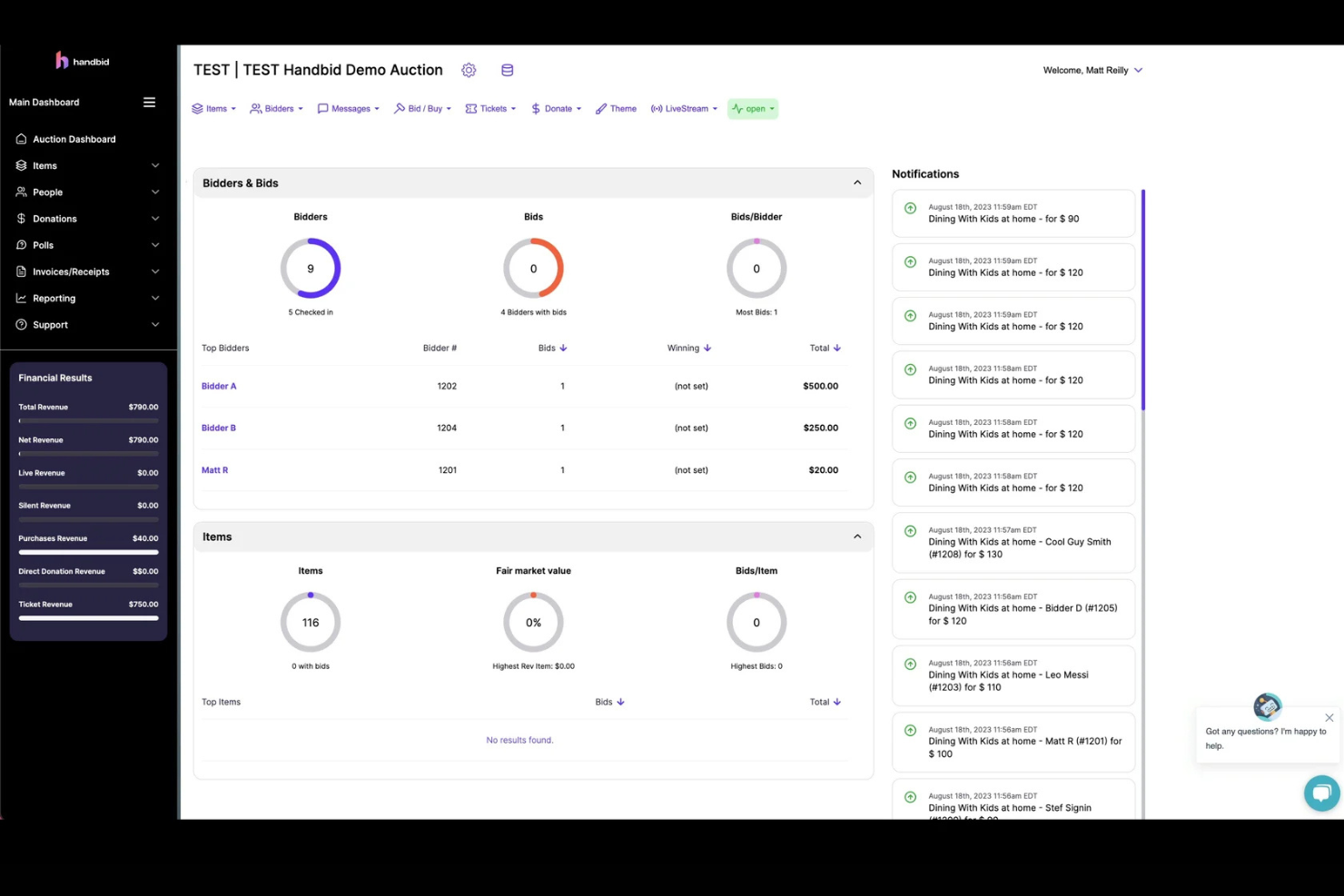
If your ministry or nonprofit relies on auctions to raise funds, Handbid is built to make mobile bidding simple and accessible for your supporters. This platform is especially useful for churches and organizations that want to run silent or live auctions where guests can participate from their phones. Handbid helps you manage item listings, bidding, and payments all in one place, making auction fundraising more interactive and less stressful for your team.
Why I Picked Handbid
Mobile auction fundraising brings unique challenges, and Handbid is designed specifically to address them. I picked Handbid because it offers a dedicated mobile app for bidding, which allows guests to participate in silent and live auctions from anywhere during your event. The platform also includes real-time notifications for outbid alerts and auction updates, keeping donors engaged throughout the process. If your fundraising strategy relies on auctions, Handbid gives you the tools to manage bidding, item tracking, and payments all in one mobile-friendly solution.
Handbid Key Features
Some other features that make Handbid useful for online fundraising include:
- Event Ticketing: Sell and manage event tickets directly through the platform.
- Item Import and Bulk Editing: Upload auction items in bulk and make changes to multiple listings at once.
- Leaderboard Displays: Show live bidding activity and top bidders on screens during your event.
- Integrated Payment Processing: Collect payments for winning bids and donations within the same system.
Handbid Integrations
Integrations include GiveChariot, Bloomerang, Salsa, Kindful, DonorPerfect, and Salesforce.
Pros and Cons
Pros:
- Fast mobile checkout system
- Gamifies the bidding process
- Real-time push notifications
Cons:
- Lacks broader CRM features
- Focused mainly on auctions

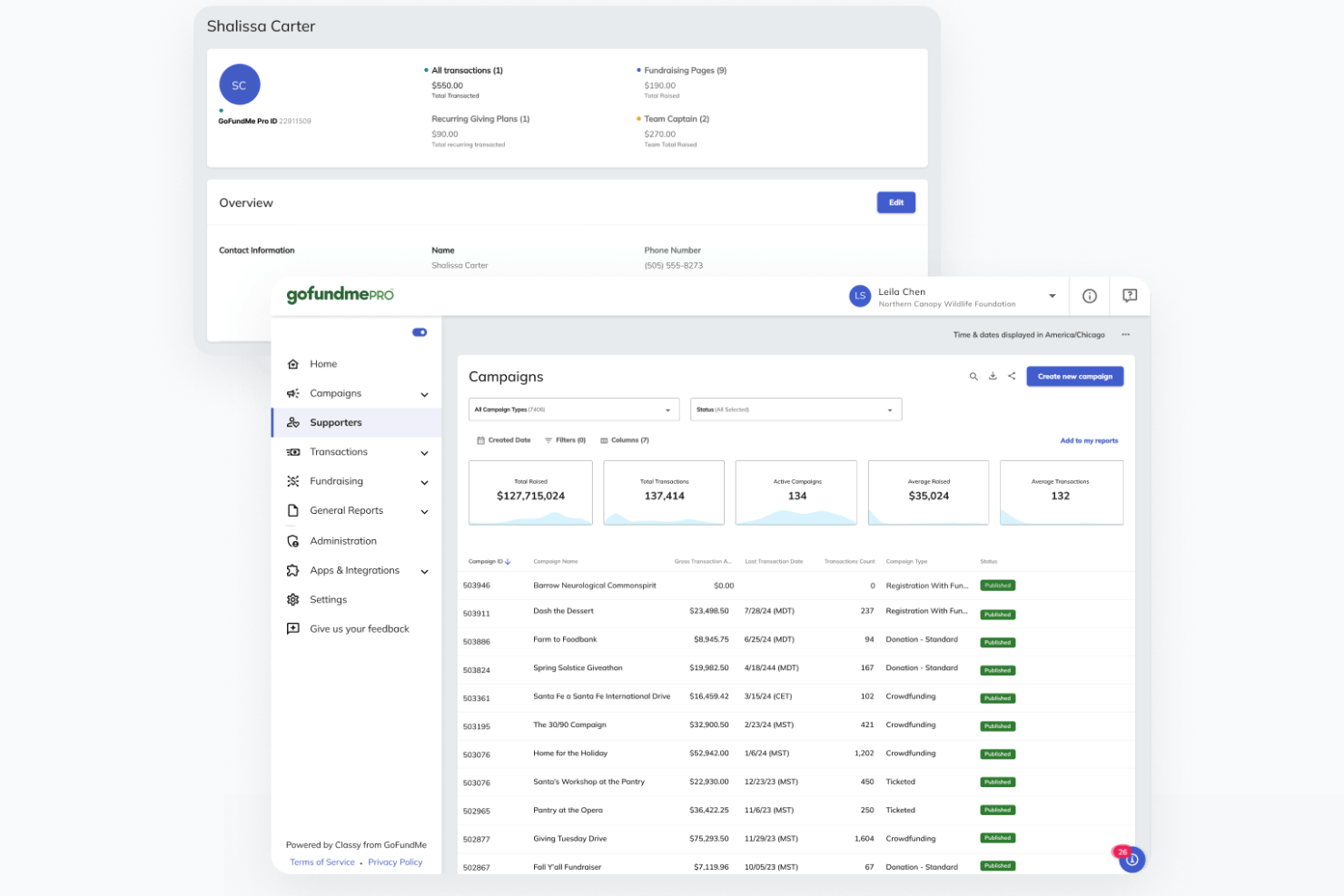
If you’re looking to mobilize your community for fundraising, GoFundMe is built for peer-driven campaigns that thrive on social sharing. This platform is especially useful for churches, ministries, and groups that want to empower individuals to fundraise on their behalf. GoFundMe makes it easy for supporters to create their own campaigns and rally their networks for your cause.
Why I Picked GoFundMe
Peer-driven fundraising campaigns are at the heart of GoFundMe’s platform, which is why I picked it for this list. GoFundMe lets individuals and groups create their own fundraising pages, making it simple for supporters to share campaigns across social media and reach new donors. I appreciate how the platform’s built-in sharing tools and campaign updates keep momentum going and encourage wider participation. If you want to activate your community and empower supporters to fundraise on your behalf, GoFundMe is purpose-built for that approach.
GoFundMe Key Features
Some other features that make GoFundMe useful for online fundraising include:
- Fund Withdrawal Options: Organizers can withdraw funds directly to their bank accounts at any time.
- Donor Commenting: Supporters can leave public messages and words of encouragement on campaign pages.
- Campaign Photo and Video Uploads: Add multiple images and videos to personalize and strengthen campaign storytelling.
- Automatic Thank-You Notes: The platform sends thank-you messages to donors after each contribution.
GoFundMe Integrations
Integrations include Stripe, PayPal, Facebook, Instagram, X (Twitter), and YouTube.
Pros and Cons
Pros:
- Very easy campaign setup
- Zero platform fee options
- Huge built-in donor trust
Cons:
- Campaigns get lost in crowd
- Lacks recurring gift options

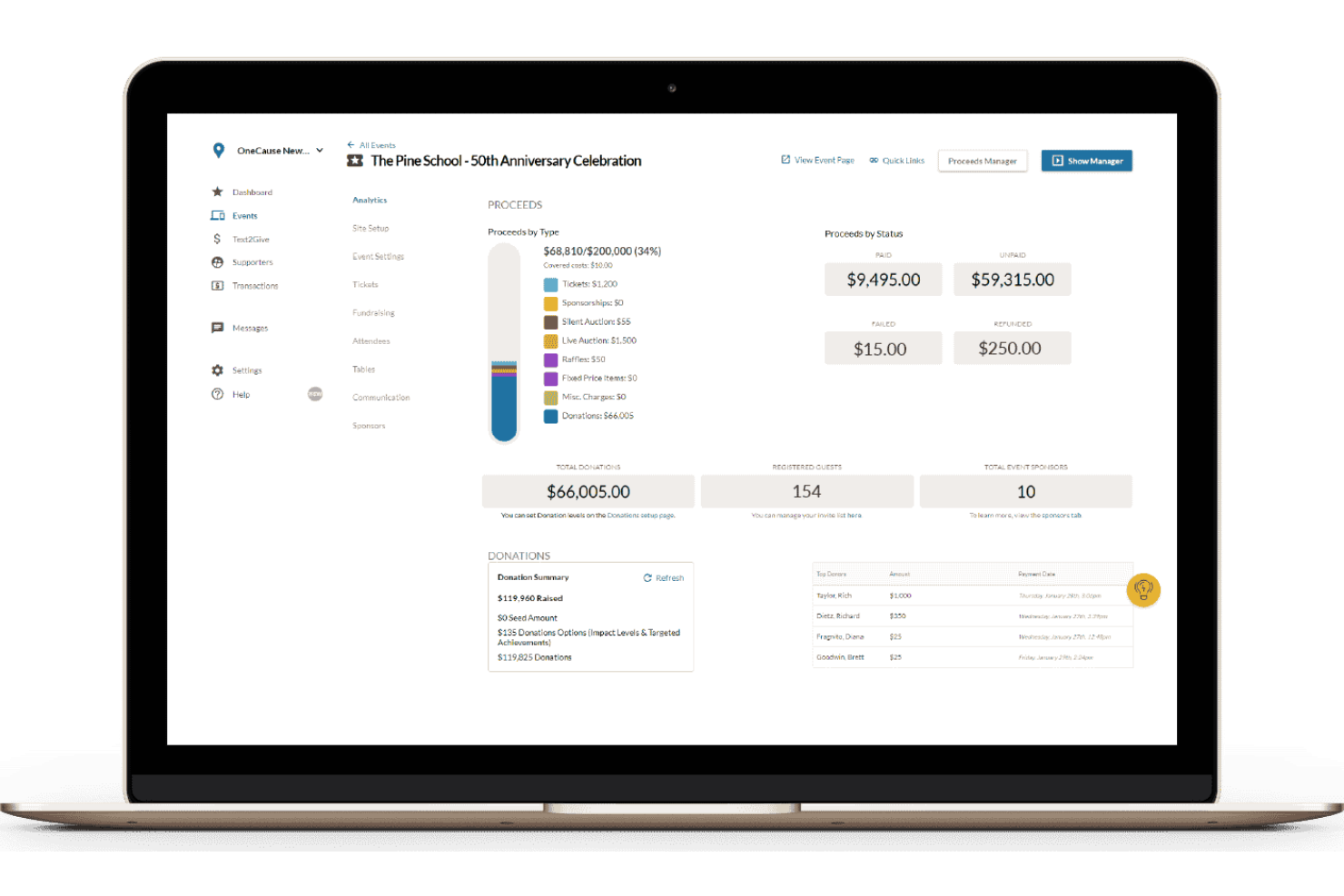
For ministries and churches that rely on events to drive giving, OneCause offers a platform designed specifically for event-based fundraising. It’s a strong fit for leaders who want to manage auctions, galas, or peer-to-peer events while keeping donor engagement at the center. OneCause helps you coordinate ticketing, mobile bidding, and live fundraising moments all in one place.
Why I Picked OneCause
Event-based giving requires tools that can handle the unique demands of live fundraising, and that’s where OneCause stands out. I picked OneCause because it offers dedicated features for managing auctions, ticket sales, and mobile bidding during events. The platform also supports real-time fundraising activities, like paddle raises and live appeals, which are essential for maximizing engagement at galas or benefit dinners. If your fundraising strategy centers on events, OneCause gives you the structure and flexibility to run everything from registration to donation collection in one place.
OneCause Key Features
Some other features that make OneCause valuable for online fundraising include:
- Text-to-Give: Donors can contribute by sending a simple text message from their mobile devices.
- Customizable Event Pages: Create branded event pages with your own images, messaging, and sponsor logos.
- Table and Seating Management: Organize guest lists and assign seating for in-person events directly within the platform.
- Donation Thermometers: Display real-time fundraising progress to encourage participation during events.
OneCause Integrations
Integrations include Salesforce, Microsoft Dynamics, DonorDock, and Stripe.
Pros and Cons
Pros:
- Robust reporting dashboard
- Great hybrid event support
- Seamless ticketing system
Cons:
- Overkill for simple campaigns
- Mobile app can be buggy

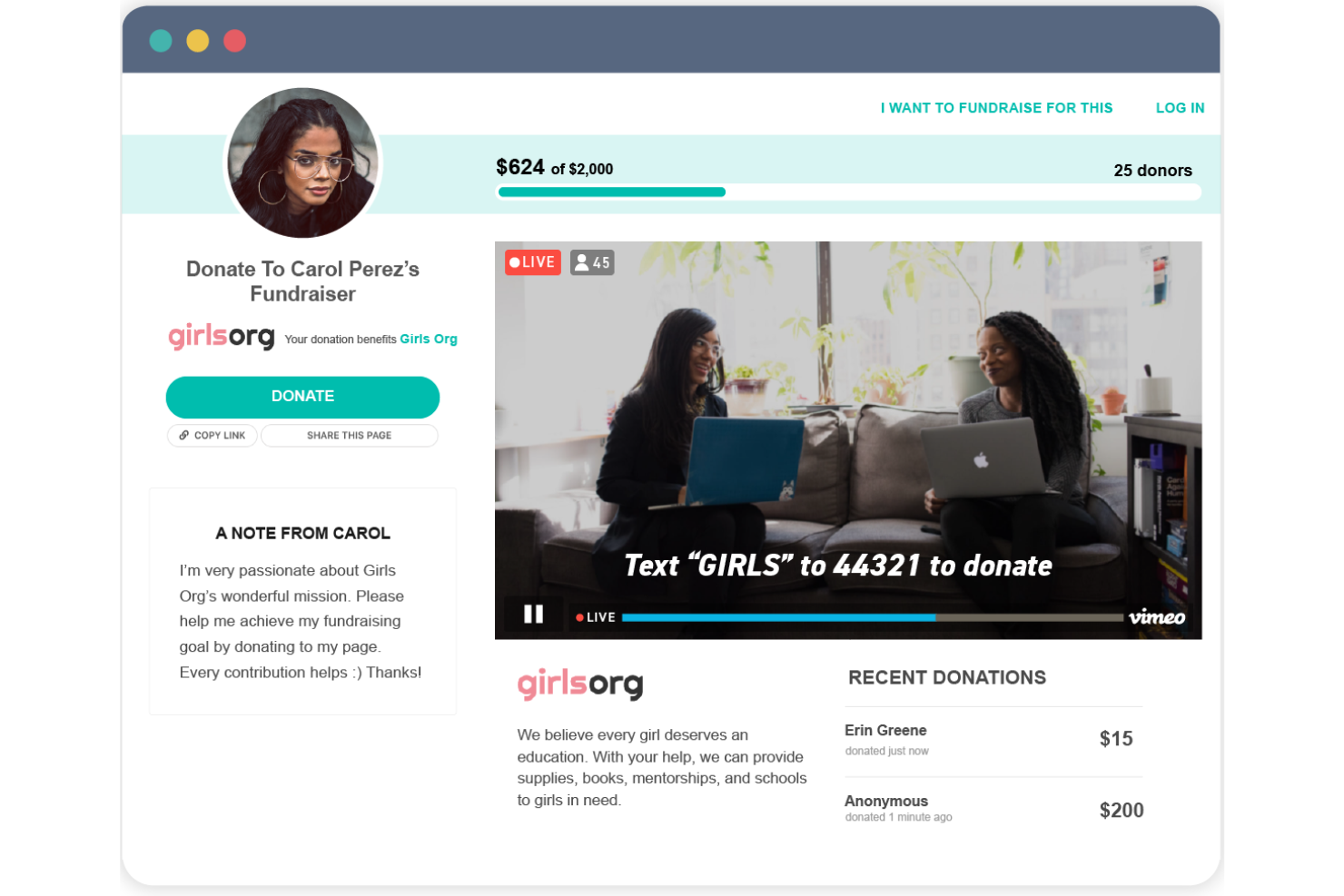
Give Lively offers a suite of free fundraising tools designed for nonprofits that want to maximize their impact without spending on software. This platform is especially appealing to organizations with limited budgets or those just starting out with digital fundraising. Give Lively helps you launch donation pages, peer-to-peer campaigns, and event ticketing without monthly fees or hidden costs.
Why I Picked Give Lively
What sets Give Lively apart is its commitment to offering genuinely free fundraising tools for nonprofits. I picked Give Lively because it provides unlimited access to donation pages, peer-to-peer fundraising, and event ticketing without charging platform fees. The platform also supports text-to-donate functionality, which helps organizations reach donors wherever they are. For groups that need to stretch every dollar, Give Lively’s no-cost approach makes it a practical choice for online fundraising.
Give Lively Key Features
Some other features that make Give Lively useful include:
- Recurring Donation Options: Let donors set up automatic, ongoing contributions to your organization.
- Customizable Donation Widgets: Embed branded donation forms directly on your website.
- Supporter Management Dashboard: Track donor activity and manage supporter information in one place.
- Matching Gift Integration: Connect with Double the Donation to encourage and process employer-matched gifts.
Give Lively Integrations
Integrations include Salesforce, Stripe, PayPal, Double the Donation, and Mailchimp.
Pros and Cons
Pros:
- Clean modern donation forms
- Great peer-to-peer options
- Text-to-give features included
Cons:
- Support is mostly via email
- Must apply to use platform

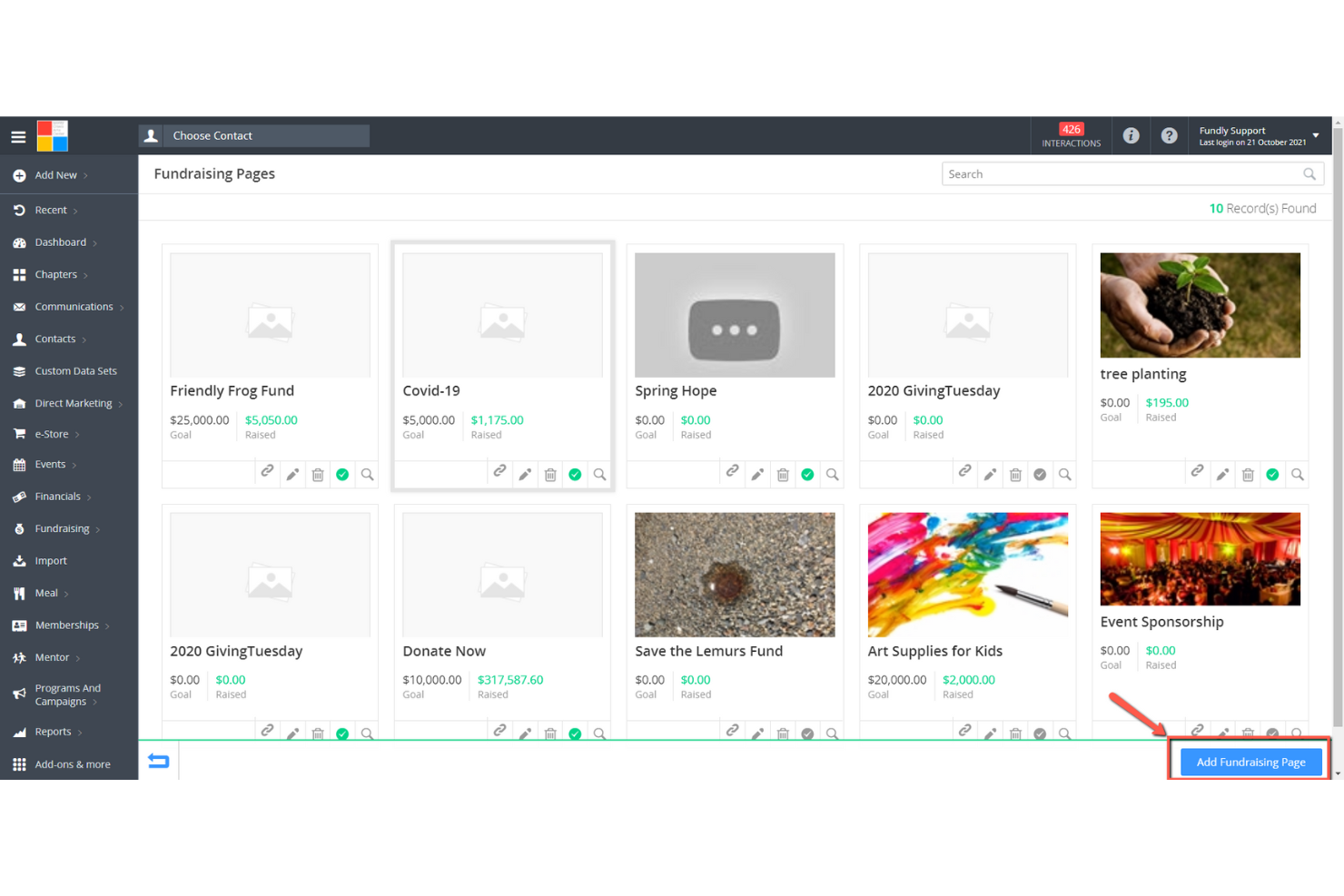
For ministries and organizations that want to tailor every detail of their fundraising campaigns, Fundly offers flexible campaign page customization. This platform is a good fit for churches, nonprofits, and community groups that need to highlight unique stories, visuals, and branding for each project. Fundly helps you create visually engaging pages that can reflect your mission and connect with supporters in a personal way.
Why I Picked Fundly
When you need to create campaign pages that truly reflect your ministry’s story and vision, Fundly stands out for its customization options. I picked Fundly because it lets you adjust layouts, colors, images, and videos so each campaign page feels unique and mission-driven. The platform also supports custom donation levels and storytelling sections, which help you highlight specific needs or projects. If you want your fundraising campaigns to look and feel like an extension of your church or organization, Fundly gives you the creative control to make that happen.
Fundly Key Features
Some other features that make Fundly useful for online fundraising include:
- Social Media Sharing Tools: Share campaigns directly to Facebook, Twitter, and other platforms from within Fundly.
- Fundraiser Progress Thermometer: Display real-time fundraising progress on each campaign page.
- Supporter Comment Wall: Allow donors and supporters to leave public messages on campaign pages.
- Mobile-Responsive Design: Ensure campaign pages display correctly on smartphones and tablets.
Fundly Integrations
Integrations include Stripe, Facebook, Mailchimp, and Eventbrite.
Pros and Cons
Pros:
- Mobile app for campaign admin
- Great for personal and org use
- Easy Facebook integration
Cons:
- Customization is quite basic
- Lacks complex event ticketing
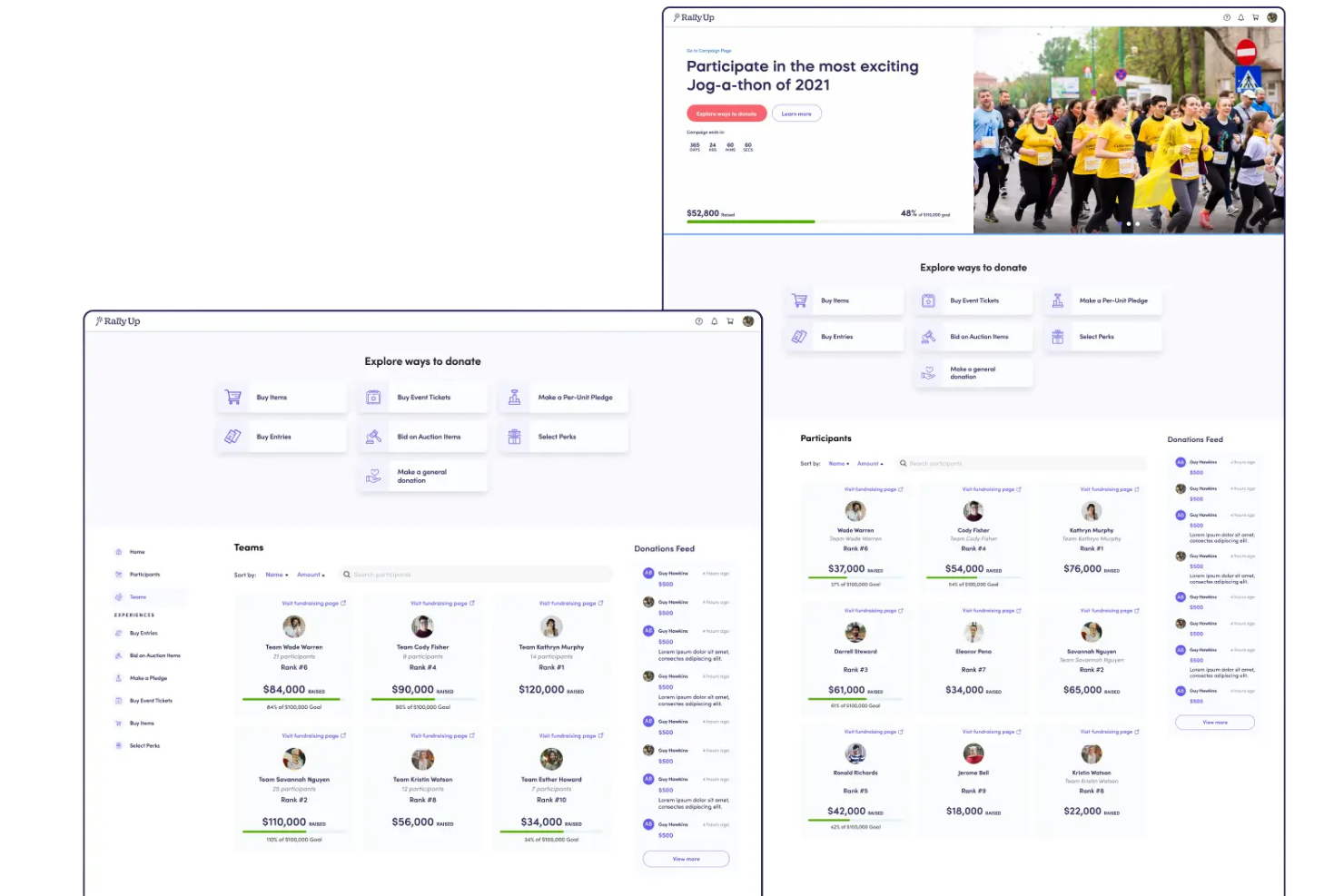
If you’re looking to run fundraising raffles with multiple prizes (like a custom t-shirt or gift basket), RallyUp is designed for you. This platform is especially useful for nonprofits, schools, and community groups that want to offer several prize options in a single campaign. RallyUp helps you manage complex raffle structures and ensures every prize and entry is tracked accurately.
Why I Picked RallyUp
RallyUp stands out for organizations that want to run raffles with multiple prizes in a single campaign. I picked RallyUp because it lets you set up several prize tiers and assign different entry options for each, which is ideal for maximizing donor engagement. The platform also automates random winner selection and provides real-time tracking for every prize and ticket. If you need a solution that handles complex raffle logistics without manual oversight, RallyUp is built for that purpose.
RallyUp Key Features
In addition to its multi-prize raffle capabilities, I also found these features worth noting:
- Customizable Campaign Pages: Design branded fundraising pages with your organization’s colors, logos, and messaging.
- Text-to-Give Functionality: Allow donors to contribute by sending a simple text message.
- Integrated Payment Processing: Accept payments through credit card, ACH, Apple Pay, and Google Pay.
- Donor Management Dashboard: Track donor activity, manage contacts, and export donor data for reporting.
RallyUp Integrations
Integrations include Salesforce, Stripe, PayPal, MemberHub, and Double the Donation.
Pros and Cons
Pros:
- Great hybrid event capability
- Free pricing tier available
- Highly customizable campaigns
Cons:
- Takes time to build campaigns
- Processing fees can be confusing
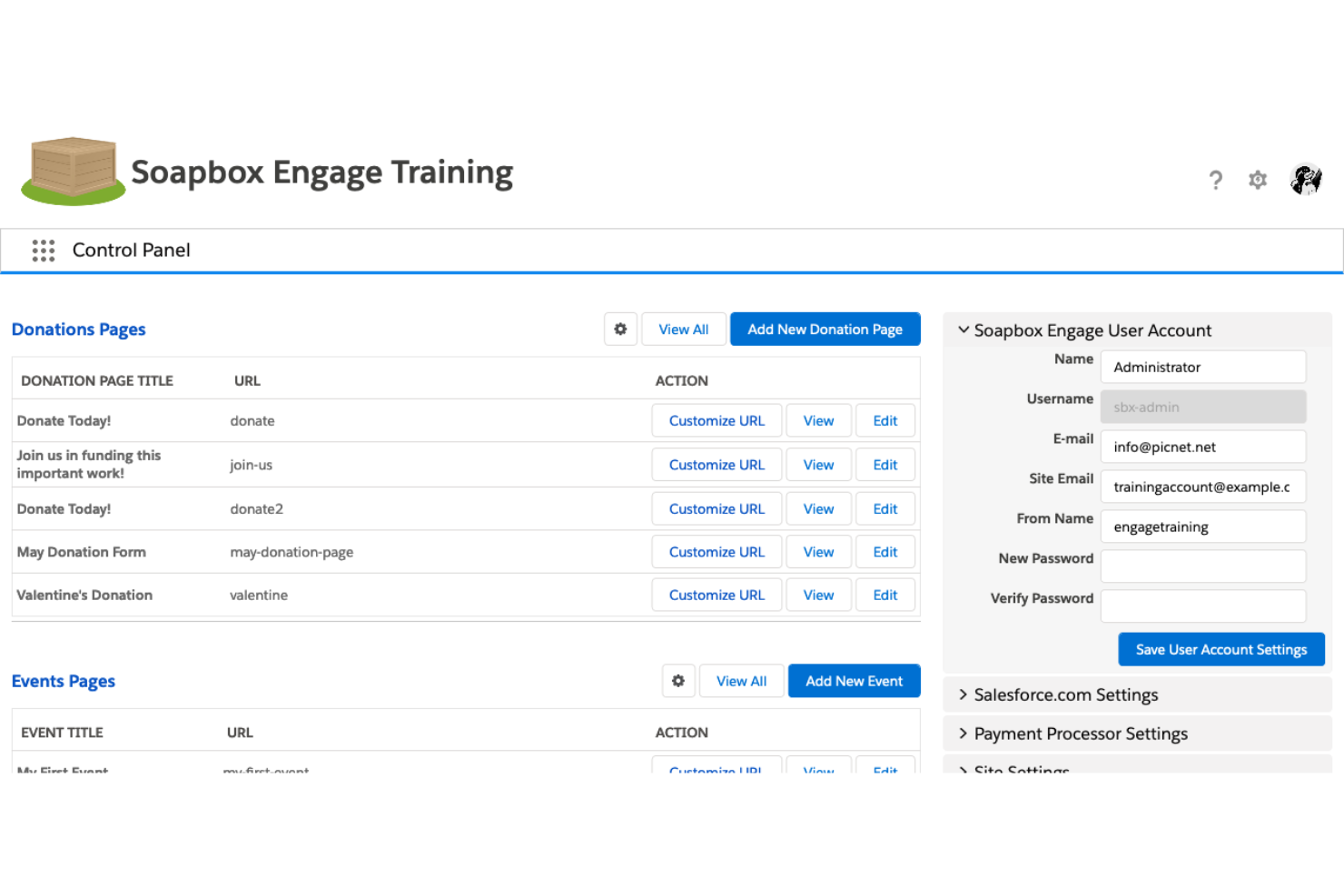
If your ministry or nonprofit relies on Salesforce to manage relationships and data, Soapbox Engage is designed to fit right into your workflow. This platform is especially useful for organizations that want to connect online fundraising, event registration, and forms directly with their Salesforce database. With Soapbox Engage, you can keep supporter information up to date and automate data entry, reducing manual work and the risk of errors.
Why I Picked Soapbox Engage
For ministries and nonprofits that depend on Salesforce, Soapbox Engage offers a direct connection between your fundraising activities and your CRM. I picked Soapbox Engage because it syncs donations, event registrations, and form submissions straight into Salesforce, so you don’t have to manually transfer data. The platform also lets you customize forms and donation pages to capture the exact information you need for your records. This level of integration helps you keep supporter data organized and actionable without extra steps.
Soapbox Engage Key Features
Some other features that make Soapbox Engage useful for online fundraising include:
- Peer-to-Peer Fundraising Tools: Enable supporters to create their own fundraising pages and campaigns.
- Recurring Donation Management: Allow donors to set up and manage ongoing gifts directly from your site.
- Event Registration Forms: Collect attendee information and payments for events through customizable forms.
- Customizable Email Receipts: Send branded, automated receipts and acknowledgments to donors after each transaction.
Soapbox Engage Integrations
Integrations include Salesforce, Microsoft Dynamics, Authorize.net, Braintree, Stripe, and PayPal.
Pros and Cons
Pros:
- Great e-commerce store add-on
- Customizable matching gifts
- Strong advocacy campaign tools
Cons:
- Setup takes significant time
- High monthly subscription cost
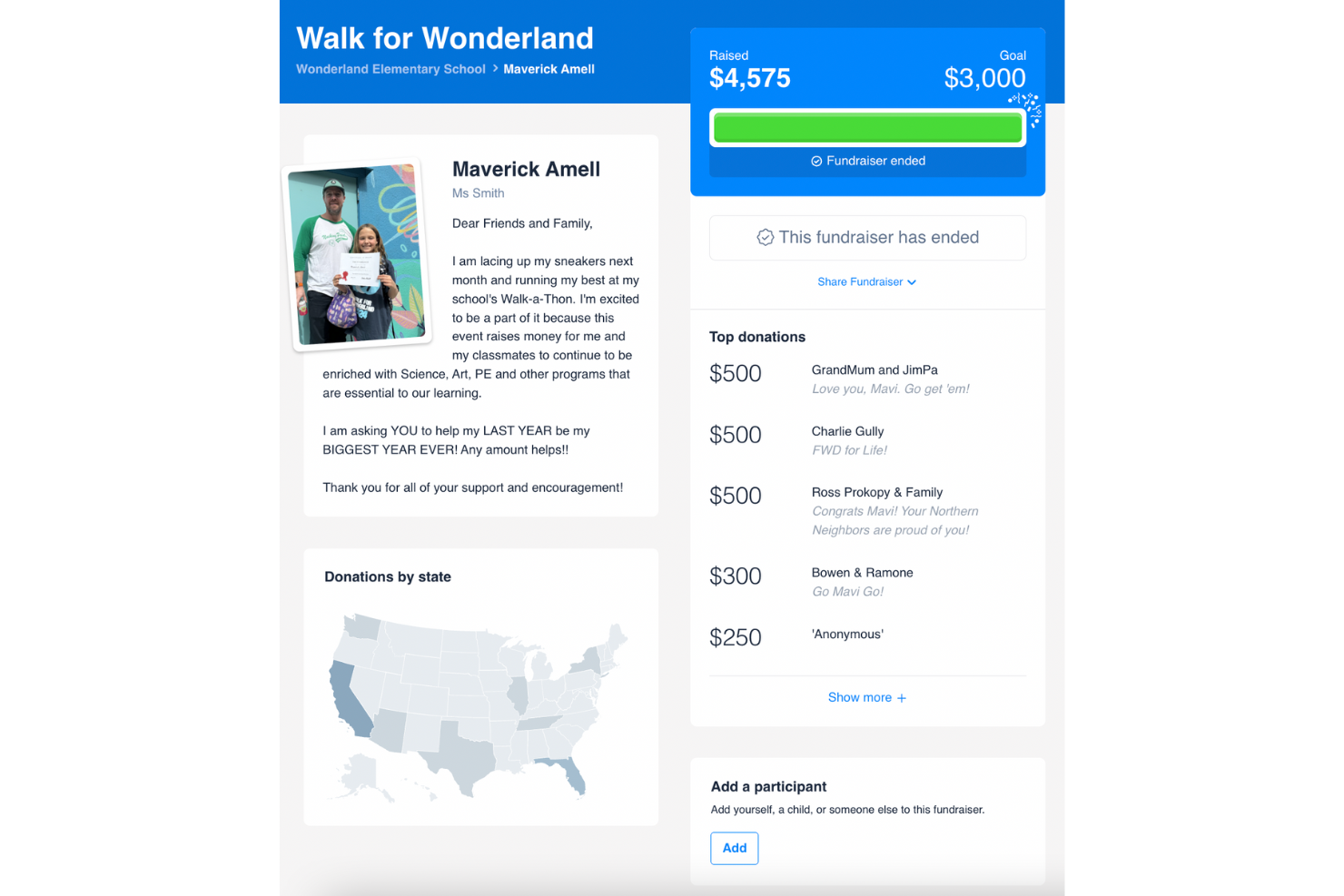
If your church, school, or community group runs pledge-based fundraisers, 99Pledges is built to make that process simple. This platform is especially helpful for teams and organizations that want to track individual and group pledges for events like walk-a-thons or read-a-thons. With 99Pledges, you can set up campaigns quickly and let participants collect pledges online without handling cash or checks.
Why I Picked 99Pledges
When it comes to pledge-driven fundraising, 99Pledges stands out for its focus on event-based campaigns like walk-a-thons, fun runs, and read-a-thons. I picked 99Pledges because it lets each participant or team have their own fundraising page, making it easy to track individual and group progress. The platform also automates pledge collection and reminders, so you don’t have to chase down payments. This setup is especially helpful for organizations that rely on community participation and want to keep fundraising organized and transparent.
99Pledges Key Features
In addition to its pledge-driven campaign tools, I also found these features helpful:
- Mobile-Friendly Donation Pages: Supporters can make pledges and donations easily from any device.
- Real-Time Progress Thermometers: Display live fundraising totals on each campaign page.
- Automated Thank-You Emails: Send instant, personalized acknowledgments to donors after each pledge.
- CSV Export of Donor Data: Download detailed donor and pledge information for offline records or reporting.
99Pledges Integrations
Integrations include Google Analytics, PayPal, Stripe, Facebook, Twitter, Instagram, YouTube, Mailchimp, Salesforce, and QuickBooks.
Pros and Cons
Pros:
- Simple flat payment fee rate
- Extremely easy to manage
- Individual pages for students
Cons:
- Design looks slightly outdated
- Lacks recurring donations
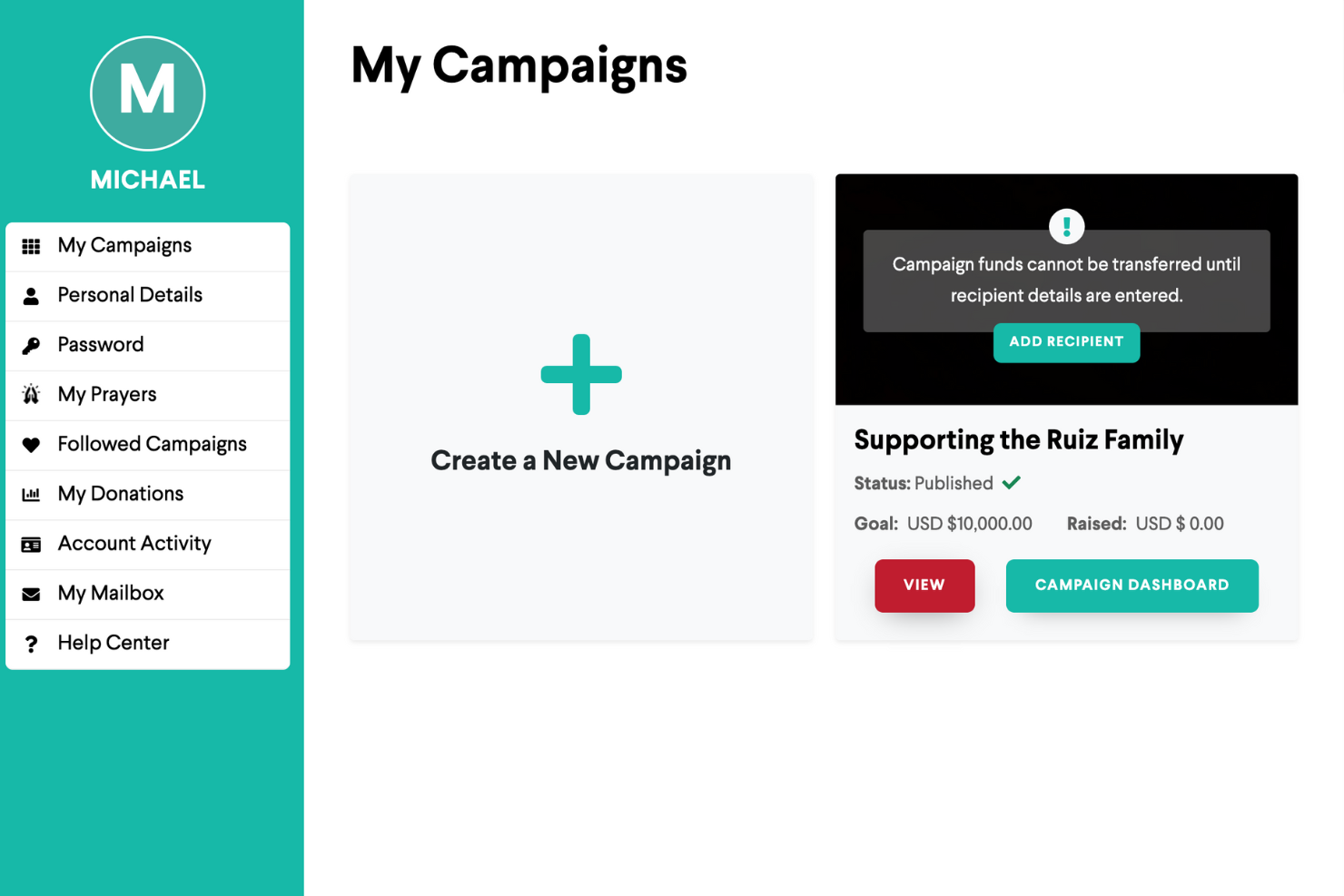
GiveSendGo offers a fundraising platform designed specifically for churches, ministries, and individuals seeking faith-based donor engagement. This tool appeals to organizations and leaders who want to connect with supporters through prayer requests and spiritual encouragement alongside financial giving. GiveSendGo helps you foster a sense of community and shared mission that goes beyond standard donation forms.
Why I Picked GiveSendGo
What sets GiveSendGo apart is its focus on faith-based donor engagement, making it a natural fit for ministries and churches looking to build spiritual connections with supporters. I picked GiveSendGo because it lets you share prayer requests and updates directly on campaign pages, inviting donors to participate in more than just financial giving. The platform also features a prayer wall, where supporters can offer encouragement and prayers for each campaign. This approach helps foster a sense of community and shared purpose that’s unique among online fundraising platforms.
GiveSendGo Key Features
Some other features that make GiveSendGo useful for online fundraising include:
- Customizable Campaign Pages: Create campaign pages with personalized images, videos, and stories.
- Social Sharing Tools: Share campaigns directly to Facebook, Twitter, and other platforms from within the dashboard.
- Donation Progress Tracking: Display real-time donation totals and progress bars on each campaign.
- Recurring Giving Option: Allow donors to set up automatic, ongoing contributions to your campaign.
GiveSendGo Integrations
Integrations include Facebook, Twitter, Instagram, PayPal, Stripe, Mailchimp, Google Analytics, Salesforce, QuickBooks, and Eventbrite.
Pros and Cons
Pros:
- Easy personal campaign setup
- Allows prayer requests on page
- Protects religious campaigns
Cons:
- Basic analytics and reporting
- Lacks advanced nonprofit tools

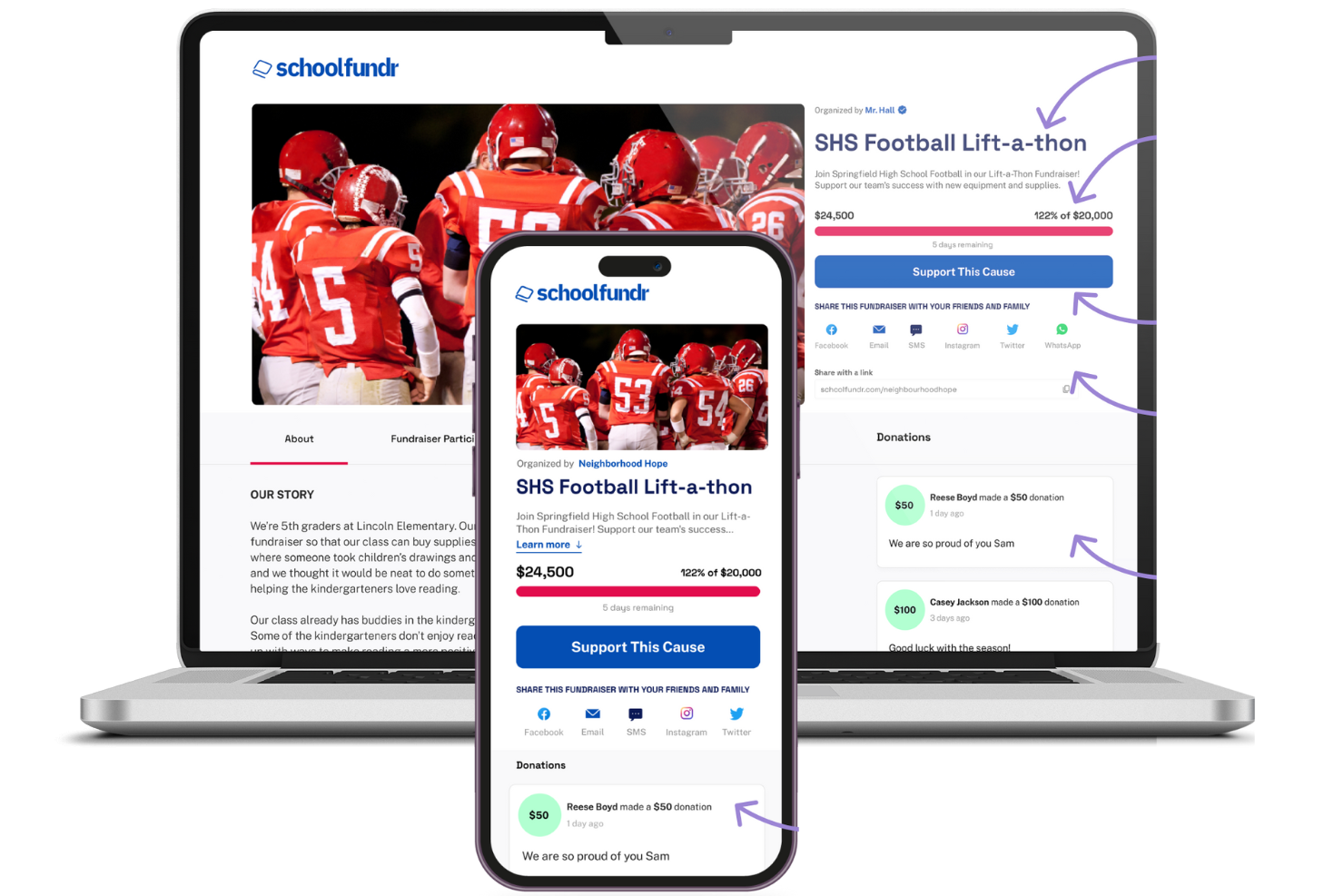
Schoolfundr is built for K-12 schools and youth groups that need a simple way to organize group fundraising. The platform appeals to teachers, coaches, and parent organizations looking for tools that support team-based campaigns and transparent tracking. Schoolfundr helps you manage group participation and keep fundraising efforts focused on students and school activities.
Why I Picked Schoolfundr
Schoolfundr stands out for its focus on K-12 group fundraising, which is a unique need among online fundraising platforms. I picked Schoolfundr because it lets you set up team-based campaigns where each student or participant can have their own fundraising page linked to the group goal. The platform also provides real-time tracking of individual and group progress, making it easy for teachers and organizers to monitor participation. This structure helps schools and youth groups keep fundraising efforts organized and transparent for everyone involved.
Schoolfundr Key Features
In addition to group and individual tracking, I also found these features helpful:
- Customizable Campaign Pages: Personalize fundraising pages with school logos, photos, and messaging.
- Mobile-Friendly Interface: Access and manage campaigns from any device, including smartphones and tablets.
- Automated Thank-You Emails: Send instant acknowledgment messages to donors after each contribution.
- Fundraiser Progress Thermometer: Display a visual progress bar to show how close the group is to reaching its fundraising goal.
Schoolfundr Integrations
Integrations include Google Analytics, Facebook, Twitter, Instagram, PayPal, Stripe, Mailchimp, Salesforce, QuickBooks, and Eventbrite.
Pros and Cons
Pros:
- Simple dashboard for coaches
- Keeps all gathered donations
- Student-led sharing tools
Cons:
- Basic visual customization
- Lacks complex event management
Other Online Fundraising Platforms
Here are some additional crowdfunding platform options that didn’t make it onto my shortlist, but are still worth checking out:
- Vertical Raise
For team-based donation tracking
- Donorbox
For recurring donation management
- Bloomerang
For donor retention analytics
- Donately
For simple donation form setup


Online Fundraising Platforms Selection Criteria
When selecting the best online fundraising platforms to include in this list, I considered common buyer needs and pain points like managing multiple fundraising campaigns and tracking donor engagement. I also used the following framework to keep my evaluation structured and fair:
Core Functionality (25% of total score)
To be considered for inclusion in this list, each solution had to fulfill these common use cases:
- Collect online donations
- Create and manage fundraising campaigns
- Track donor information
- Generate fundraising reports
- Offer secure payment processing
Additional Standout Features (25% of total score)
To help further narrow down the competition, I also looked for unique features, such as:
- Peer-to-peer fundraising tools
- Text-to-give donation options
- Embeddable donation forms and customizable landing pages
- Automated donor thank-you messages
- Multi-prize raffle management
Usability (10% of total score)
To get a sense of the usability of each system, I considered the following:
- Simple and intuitive navigation
- Clean and modern interface design
- Easy access to core features
- Responsive design for mobile devices
- Minimal steps to complete key tasks
Onboarding (10% of total score)
To evaluate the onboarding experience for each platform, I considered the following:
- Availability of step-by-step setup guides
- Access to training videos and tutorials
- Interactive product tours for new users
- Pre-built templates for common campaigns
- Live chat or chatbot support during setup
Customer Support (10% of total score)
To assess each software provider’s customer support services, I considered the following:
- Multiple support channels available
- Fast response times to inquiries
- Access to a searchable help center
- Availability of onboarding webinars
- Dedicated account management for larger organizations
Value For Money (10% of total score)
To evaluate the value for money of each platform, I considered the following:
- Transparent and predictable pricing
- No hidden transaction fees or surprise charges
- Flexible plans for different organization sizes
- Features included at each pricing tier
- Discounts for nonprofits or annual billing
Customer Reviews (10% of total score)
To get a sense of overall customer satisfaction, I considered the following when reading customer reviews:
- Positive feedback on fundraising results
- Reports of reliable platform performance
- Comments on ease of campaign setup
- Experiences with customer support quality
- Suggestions for feature improvements
How to Choose Online Fundraising Platforms
It’s easy to get bogged down in long feature lists and complex pricing structures. To help you stay focused as you work through your unique software selection process, here’s a checklist of factors to keep in mind:
| Factor | What to Consider |
|---|---|
| Scalability | Will the platform support your growth in campaigns, donors, and fundraising goals over time? |
| Integrations | Does the tool connect natively with your donor database, accounting software, or email marketing? |
| Customizability | Can you tailor donation forms, campaign pages, and communications to fit your ministry’s branding? |
| Ease of use | Will staff and volunteers of varying tech skill levels be able to use the platform confidently? |
| Implementation and onboarding | How long will it take to get up and running, and what training or migration support is provided? |
| Cost | Are all fees transparent, including transaction, platform, and add-on costs? Can you predict your total spend? |
| Security safeguards | Does the platform offer secure payment processing, data encryption, and compliance with privacy laws? |
| Support availability | What support channels are offered, and are they available during your busiest fundraising periods? |
What Are Online Fundraising Platforms?
Online fundraising platforms are digital tools that help organizations collect, manage, and track donations through web-based campaigns. These platforms support a range of fundraising activities, including one-time gifts, recurring donations, peer-to-peer campaigns, and event-based giving. They provide secure payment processing, donor management, and reporting features, making it easier for churches and nonprofits to engage supporters and reach their fundraising goals.
Features
When selecting online fundraising platforms, keep an eye out for the following key features:
- Donation processing: Allows you to securely accept and process donations from various payment methods, making it easy for donors to contribute.
- Recurring donations: Enable donors to set up automatic, regular contributions, providing a steady stream of support for your organization.
- Customizable donation pages: Let you tailor donation forms to align with your brand, enhancing donor experience and trust.
- Event ticketing: Provides tools to manage and sell tickets for fundraising events, simplifying event organization and participation.
- Peer-to-peer fundraising: Empowers supporters to create their own fundraising pages, expanding your reach and increasing engagement.
- Text-to-donate: Allows donors to contribute via text message, offering convenience and increasing donation opportunities.
- Donor management: Helps you track and manage donor information, improving relationship-building and communication efforts.
- Real-time tracking: Offers instant updates on fundraising progress, helping you monitor campaigns and make data-driven decisions.
- Social media integration: Connects your campaigns with social platforms, boosting visibility and encouraging social sharing.
- Security safeguards: Ensures donor data is protected with encryption and privacy measures, building trust and compliance with standards.
Benefits
Implementing online fundraising platforms provides several benefits for your team and your business. Here are a few you can look forward to:
- Expanded donor reach: Accept online donations from supporters anywhere, using mobile-friendly forms and multiple payment options.
- Centralized donor management: Track giving history, segment supporters, and maintain up-to-date records in one secure place.
- Streamlined campaign oversight: Launch, monitor, and adjust multiple fundraising campaigns from a single dashboard for successful fundraising.
- Automated donor communications: Send instant thank-you messages and tax receipts, reducing manual follow-up and improving donor experience.
- Data-driven decision making: Access real-time reports and analytics to evaluate campaign performance and guide future fundraising ideas and strategies.
- Recurring giving support: Enable donors to set up automatic contributions, helping your organization build predictable, ongoing support.
- Simplified event fundraising: Manage ticket sales, registrations, and attendance for fundraising events within the same platform.
Costs & Pricing
Selecting online fundraising platforms requires an understanding of the various pricing models and plans available. Costs vary based on features, team size, add-ons, and more. The table below summarizes common plans, their average prices, and typical features included in online fundraising platforms solutions:
Plan Comparison Table for Online Fundraising Platforms
| Plan Type | Average Price | Common Features |
|---|---|---|
| Free Plan | $0–$25/month | Basic donation forms, limited campaign management, standard payment processing, and basic reporting. |
| Personal Plan | $0–$59/month | Customizable forms, donor management tools, simple analytics, and email acknowledgments. |
| Business Plan | $65–$139/month | Advanced reporting, recurring giving options, event management, integrations, and branded campaigns. |
| Enterprise Plan | $200–$800+/month | Custom workflows, priority support, API access, advanced security, and multi-user administration. |
Online Fundraising Platforms FAQs
Here are some answers to common questions about online fundraising platforms:
Can online fundraising platforms handle recurring donations?
Yes, most online fundraising platforms let donors set up recurring gifts. This feature helps organizations build predictable revenue streams and makes it easier for supporters to give regularly without having to remember each time.
How do online fundraising platforms keep donor data secure?
Online fundraising platforms use encryption, secure payment gateways, and compliance with privacy laws like PCI DSS and GDPR. Always check that your chosen platform meets current security standards to protect sensitive donor information.
What types of payment methods do these platforms support?
Most platforms accept credit and debit cards, ACH bank transfers, and digital wallets like PayPal or Apple Pay. Some also support text-to-give and international payment options, making it easier to reach a wider donor base.
Can I integrate an online fundraising platform with my church management or accounting software?
Yes, many platforms offer integrations with popular church management, CRM, and accounting tools. This helps you sync donor data, track giving, and reduce manual data entry across your systems.
How quickly can I start accepting donations after signing up?
You can usually start accepting donations within a few hours to a couple of days. The timeline depends on how quickly you set up your account, customize your forms, and complete any required payment processor verification steps.