

Using the wrong church streaming software is downright aggravating:
- You pay for features that never get used... and don't have what you really need.
- Audio and video fall out of sync — again — and people start tuning out.
- The stream lags or buffers, especially for members watching from rural areas.
These problems show up when we rely on tools that weren’t built for churches—or that are simply too complex for our current team to manage.
Each of the streaming tools in this list is either designed for or well-suited to ministry environments like yours.
This list will help you pick something that just works—so your team stays sane, your viewers stay engaged, and you can focus on the message, not the machinery.
Why Trust Our Software Recommendations
6,700+
Reviews
20
Industry experts
16+
Evaluation factors
14
Years
Our team has been testing and reviewing software since 2012. As church leaders ourselves, we know how difficult—and important—it is to choose the right software.
For this guide, we evaluated tools using hands-on testing and independent research, scoring tools using our selection criteria.
Our reviews reflect our human editorial judgment, not a sales pitch.
Comparison Table: Live Streaming Software For Churches
| Tool | Best For | Trial Info | Price | ||
|---|---|---|---|---|---|
| 1 | Best for simulcasting to 30+ platforms at once | Free plan + free demo available | From $19/month | Website | |
| 2 | Best with branded mobile app streaming | Free demo available | Pricing upon request | Website | |
| 3 | Best for browser-based multistream to 8+ destinations | Free plan available | From $44.99/month | Website | |
| 4 | Best for multi-destination live production switching | Free trial available | From $34/month (billed annually) | Website | |
| 5 | Best for building a custom production setup | 60-day free trial | From $60 one-time | Website | |
| 6 | Best for churches streaming to any platform at once | 14-day free trial | From $99/month to $999/month | Website | |
| 7 | Best for late-join rewind on enterprise streams | 14-day free trial + free demo available | From $199/month | Website | |
| 8 | Best for multi-destination church broadcasting | 30-day free trial | Pricing upon request | Website | |
| 9 | Best for single-Mac Apple worship production | 14-day free trial. | from $69.99 per month | Website | |
| 10 | Best for iPhone-based giving and multi-camera worship | 14-day free trial | From $65/month | Website |


Best Live Streaming Software For Churches
Virtually every church is working on improving their streaming – and for good reason. 83% of visitors who walk in your front door checked out your church and service online first. THESE tools will help you improve your church’s streaming.
Finding the right church streaming software can be surprisingly frustrating. You want to serve your congregation well online, but the tech side of things keeps getting in the way.
-
Volunteers get overwhelmed by clunky interfaces they don’t understand.
-
You’re constantly training new team members because the software isn’t intuitive.
-
The livestream randomly crashes mid-sermon, and no one knows how to fix it.
-
Audio and video fall out of sync — again — and people start tuning out.
-
The stream lags or buffers, especially for members watching from rural areas.
-
You’re paying for features you never use, but not getting what you really need.
-
Every new setup or update eats an entire Saturday just to get functional.
-
Your team feels burned out from babysitting glitchy equipment.
-
Viewers text in saying, “There’s no sound,” while you’re preaching.
-
You spend more time maintaining your stream than preparing your message.
These problems show up when we rely on tools that weren’t built for churches—or that are simply too complex for our current team to manage. You shouldn’t need a full-time tech director to make church online work.
That’s why I put together this roundup of church streaming software tools. Each one is either designed for or well-suited to ministry environments like yours. This list will help you pick something that just works—so your team stays sane, your viewers stay engaged, and you can focus on the message, not the machinery.
 Best for simulcasting to 30+ platforms at once
- Free plan + free demo available
- From $19/month
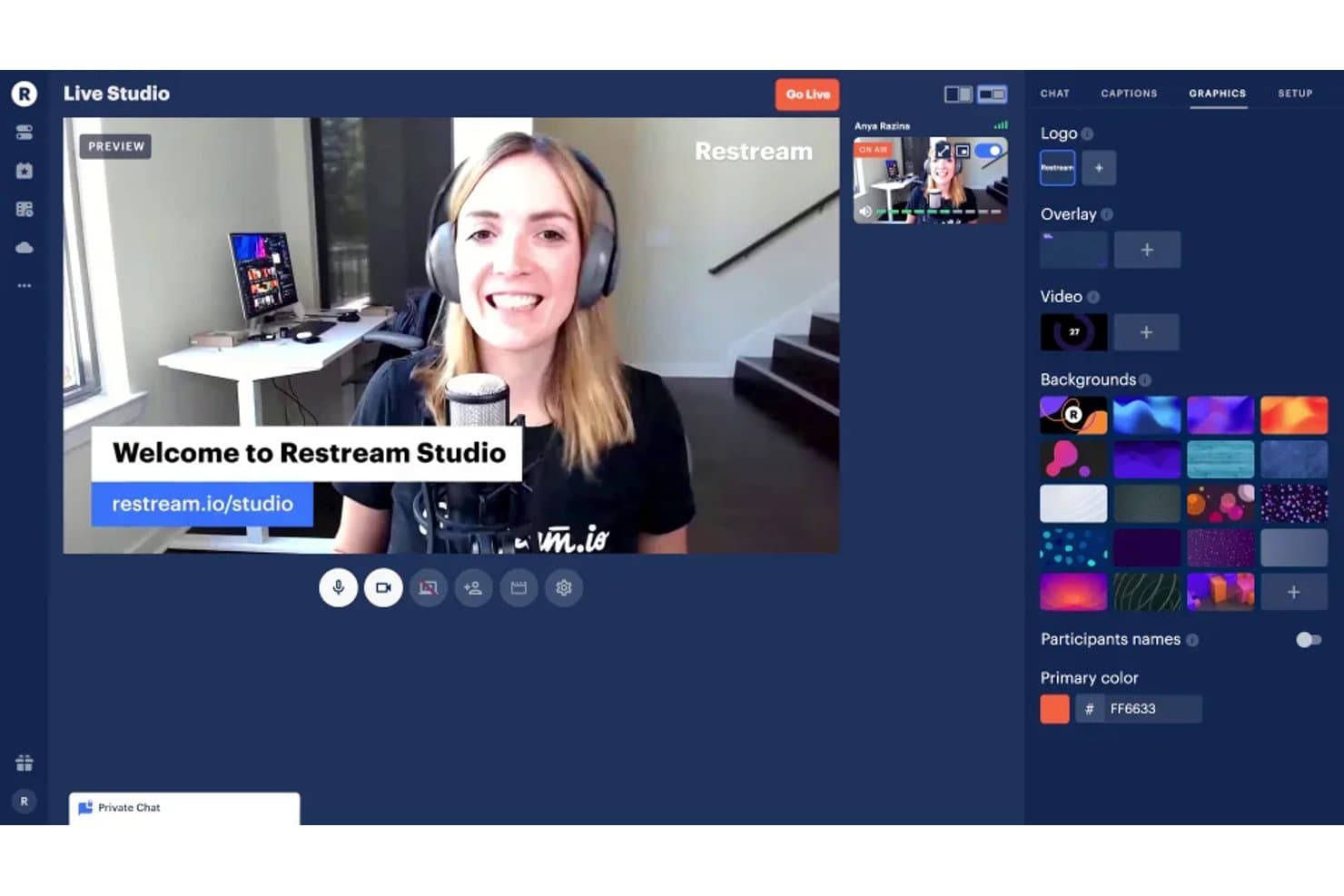
Restream Studio lets users customize live streams with graphics and backgrounds. Restream is a multistreaming platform that lets you broadcast one live feed simultaneously to 30+ destinations, including YouTube, Facebook, Instagram, and custom RTMP channels, using either a browser-based studio or an external encoder like OBS or vMix.
Who Is Restream Best For?
Restream is a strong fit for volunteer-run AV teams that need a no-install, browser-based way to push one Sunday service feed to multiple platforms at once.
Why I Picked Restream
I've included Restream in my top picks because it does one thing exceptionally well: it takes a single live feed and pushes it to 30+ destinations at once, including YouTube, Facebook, Instagram, and any custom RTMP channel. I love that this works through a browser-based Studio with no software to install, which is a real advantage for volunteer AV teams running Sunday services. Restream's per-channel controls also let you switch individual platforms on or off mid-stream without interrupting the rest.
Restream Key Features
- Combined chat dashboard: Aggregates viewer comments from all connected platforms into a single window so your team can monitor and respond without switching between tabs.
- Restream Events scheduling: Lets you schedule streams in advance and automatically announce them on YouTube, Facebook, and LinkedIn before you go live.
- AI-powered Clips add-on: Automatically identifies key moments from your stream, crops them to vertical format, adds captions, and prepares them for TikTok, Shorts, and Reels.
- External encoder compatibility: Works with OBS, vMix, Wirecast, and other professional encoders, so your existing production setup connects directly to Restream's distribution network.
Restream Integrations
Restream integrates with OBS, vMix, Wirecast, YouTube, Facebook, Instagram, TikTok, LinkedIn, and custom RTMP/SRT destinations. It also provides an API for custom integrations.
Pros and Cons
Pros:
- Combined chat supports cross-platform viewer responses
- Browser Studio suits rotating volunteer teams
- Reaches multiple congregations from one broadcast
Cons:
- No native prayer or giving workflows
- Recordings disappear before long-term sermon archiving
Learn more about Restream: Best with branded mobile app streaming
- Free demo available
- Pricing upon request
Visit WebsiteCustomer Rating:4.5/5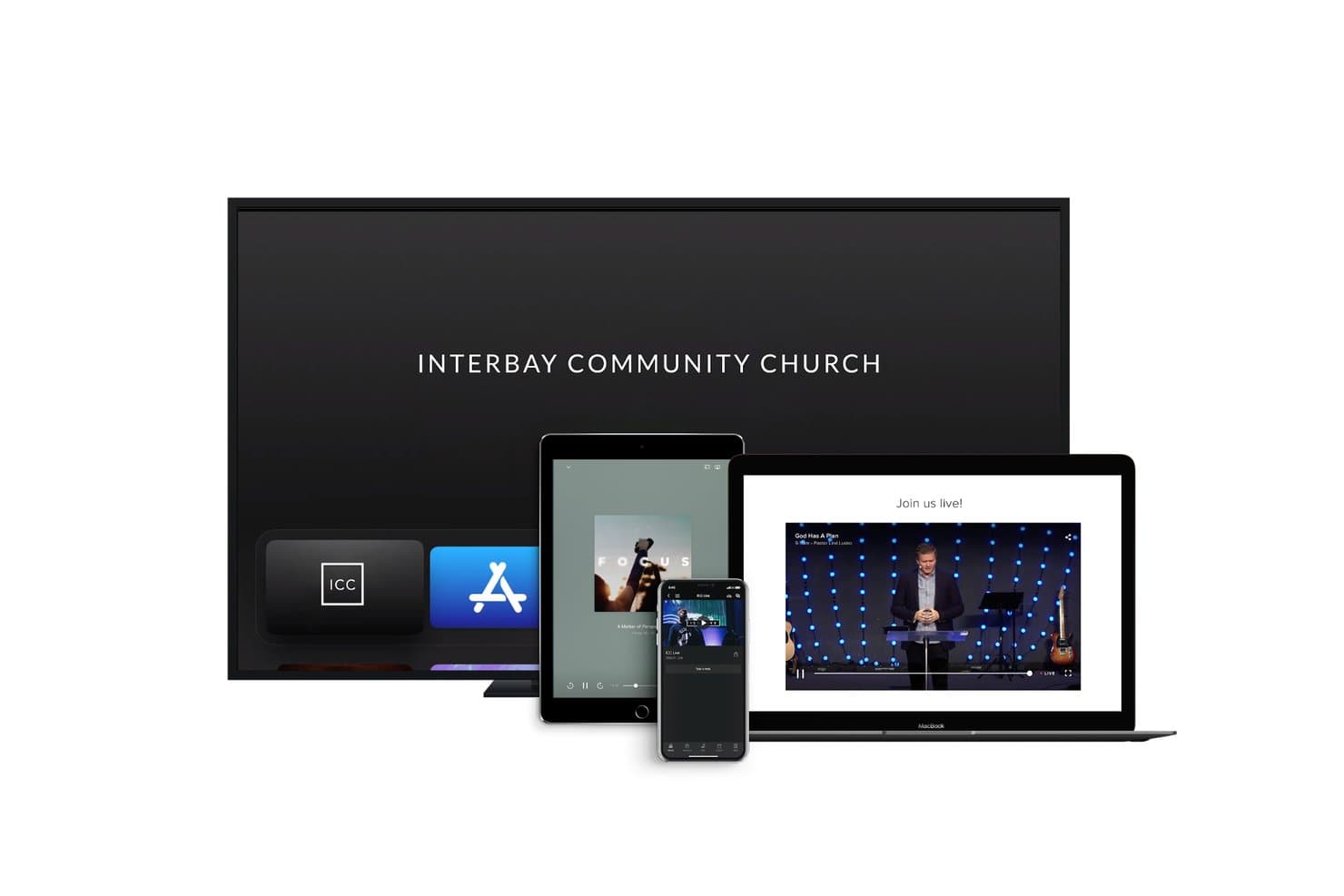
Subsplash offers multi-platform streaming capabilities for churches, enabling live services on TV, tablet, mobile, and desktop devices. Subsplash is a church-specific platform that combines live streaming, branded mobile and TV apps, media hosting, and integrated giving into one system.
Who Is Subsplash Best For?
Subsplash fits churches that want their streaming, giving, and media library inside a single branded app rather than scattered across third-party platforms.
Why I Picked Subsplash
Subsplash earns its spot on my shortlist because it delivers something most streaming tools don't: a fully branded church app that puts live services, sermon archives, and giving in one place under your church's name. I love that Live RS uses the SRT protocol, which holds a stable stream through up to 30% packet loss, making it a strong fit for churches streaming from rural campuses or LTE hotspots. Streams automatically archive into a searchable media library, complete with speaker tags, series organization, and podcast distribution to Apple and Spotify.
Subsplash Key Features
- Pulpit AI sermon repurposing: Converts sermon video, audio, or manuscripts into 20+ pieces of content, including captioned clips, social posts, small group guides, and recap emails.
- Multi-platform TV app distribution: Streams simultaneously to Apple TV, Roku, Fire TV, and Google TV alongside your branded mobile app.
- Live stream chat with follow-up tools: Lets viewers chat during services, with post-stream analytics that link chatters to profiles for pastoral follow-up.
- Recurring stream templates: Saves your stream setup so volunteers can launch weekly services without reconfiguring settings each time.
Subsplash Integrations
Subsplash integrates with Facebook Live, YouTube, Zoom, Church Online Platform, Planning Center, CCB, and Rock RMS. Enterprise plans add custom APIs and single sign-on for broader church system connectivity.
Pros and Cons
Pros:
- SRT helps maintain streams on unstable connections
- Automatic sermon archiving supports on-demand ministry
- Branded mobile and TV viewing experience
Cons:
- Chat requires viewer login and add-ons
- External tools handle switching and graphics
 Best for browser-based multistream to 8+ destinations
- Free plan available
- From $44.99/month
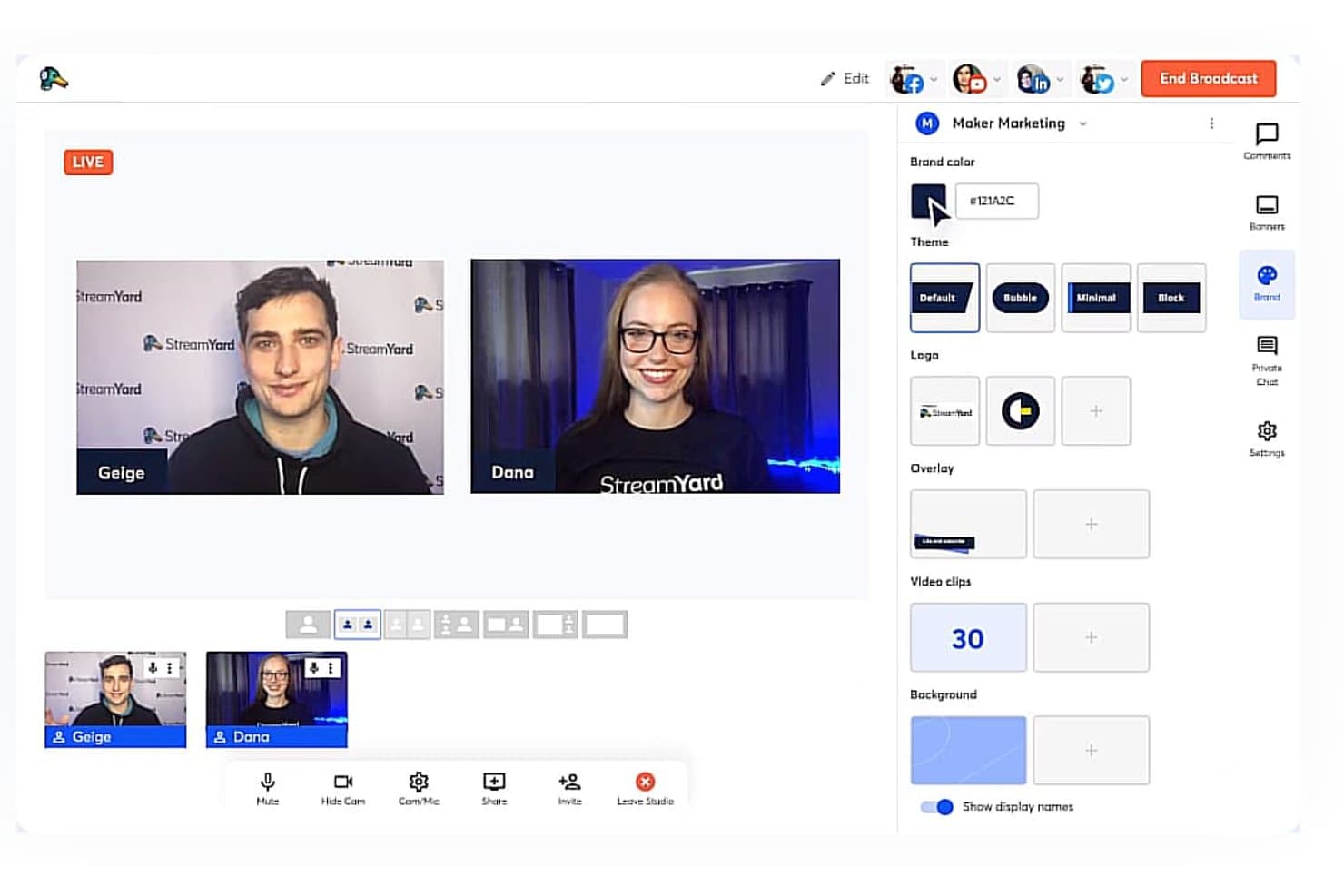
StreamYard lets churches brand and customize live broadcasts easily. StreamYard is a browser-based live streaming studio that lets you multistream to multiple platforms simultaneously, manage on-screen guests, apply branded overlays and layouts, and record services for on-demand replay.
Who Is StreamYard Best For?
StreamYard is a great fit for churches with rotating volunteer teams who need a low-barrier, browser-based setup to go live across multiple platforms every week.
Why I Picked StreamYard
I picked StreamYard as one of the best because it handles browser-based multistreaming to up to 10 destinations better than almost anything else I've seen, sending a single upload from your church to YouTube, Facebook, and your website simultaneously. I especially like the reusable "Worship Service" studio setup, where saved layouts for stage view, sermon close-ups, and slide screens give rotating volunteer teams a repeatable Sunday workflow. AI Clips also turns full-service recordings into captioned vertical shorts automatically, so one livestream feeds your archive, your podcast, and your social channels.
StreamYard Key Features
- On-Air hosted watch page: A branded landing page where viewers can register, watch your service live, and chat, with the option to embed it on your church website.
- Multi-Aspect Ratio Streaming (MARS): Sends a landscape stream to YouTube and a portrait stream to Instagram or TikTok simultaneously from one broadcast.
- Per-participant local recording: Saves separate audio and video tracks for each person on screen, making post-service podcast editing significantly easier.
- Pre-recorded content playback: Plays pre-recorded video as if it's live, supporting up to 8 hours of scheduled content on the Business plan.
StreamYard Integrations
StreamYard offers native integrations with YouTube, Facebook, Instagram, LinkedIn, Brightcove, Twitch, and Kick, plus custom RTMP connectivity for Vimeo, TikTok, Dacast, Amazon Live, and website players.
Pros and Cons
Pros:
- AI Clips repurpose services into shorts
- Saved worship layouts simplify rotating teams
- Browser-based volunteer setup needs little hardware
Cons:
- On-Air chat offers no individual moderation
- Layout switching lacks broadcast-grade production depth
Learn more about StreamYard: Best for multi-destination live production switching
- Free trial available
- From $34/month (billed annually)
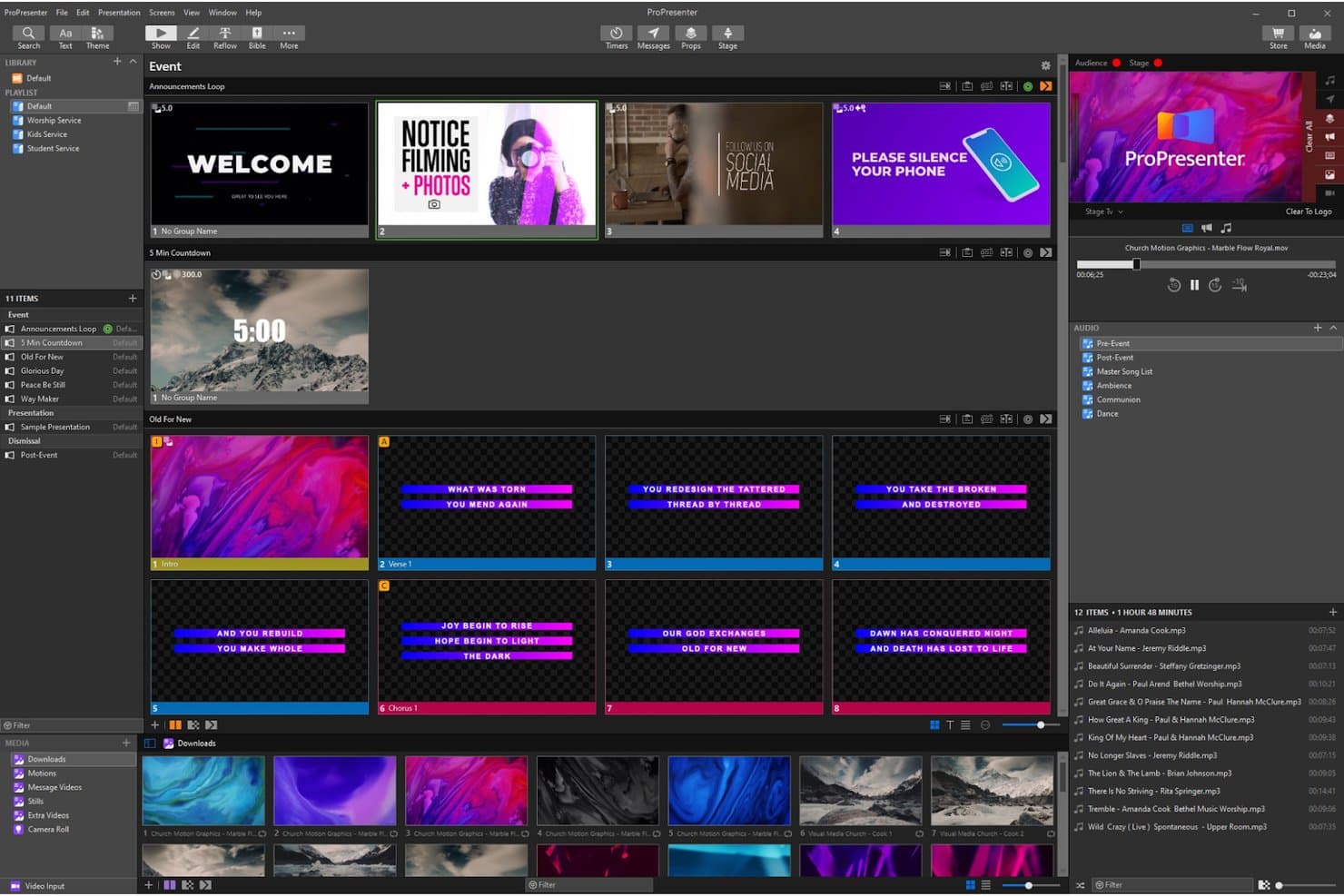
Wirecast supports church presentation workflows with multi-panel slide management. Wirecast is a live production and streaming software for Mac and Windows that handles multi-camera mixing, graphics layering, and simultaneous multi-platform broadcasting from a single desktop setup.
Who Is Wirecast Best For?
Wirecast is a strong fit for church media directors who already manage a dedicated AV setup and want professional-grade production switching with multi-platform distribution built in.
Why I Picked Wirecast
Wirecast earns its spot on my list because of how well it handles multi-destination live production switching, pushing a single stream to 10+ platforms at once through cloud multistreaming. I love that it supports up to 250 layers, stinger transitions, and NDI-based ProPresenter overlays, so your sermon graphics and lyrics feed directly into the broadcast without a separate capture card. Churches running weekend services to YouTube, Facebook, and ChurchStreaming.tv simultaneously will find this setup hard to replicate with lighter tools.
Wirecast Key Features
- Rendezvous remote guests: Invite up to 7 remote speakers or missionaries to join your broadcast live from any browser, no software download required.
- GPU-accelerated encoding: Offloads encoding to your graphics card via Intel QuickSync, Nvidia NVENC, or Apple H.264 to reduce CPU strain during services.
- VST3 audio plugin support: Apply professional audio processing plugins directly within Wirecast to polish your sermon audio before it hits the stream.
- Free trial with no time limit: Download the full Studio or Pro feature set and run unlimited broadcasts before purchasing, with a watermark on outputs until you subscribe.
Wirecast Integrations
Wirecast integrates with YouTube, Facebook Live, Twitch, Vimeo, LinkedIn Live, X/Twitter, ChurchStreaming.tv, Restream.io, Zoom Webinar, and custom RTMP/SRT destinations. It also supports ProPresenter overlays through NDI.
Pros and Cons
Pros:
- Graphics processing reduces production computer strain
- Browser guests join without software downloads
- Advanced switching for polished worship broadcasts
Cons:
- Reported crashes threaten unattended weekend broadcasts
- No native replay library or viewer engagement
Learn more about Wirecast:
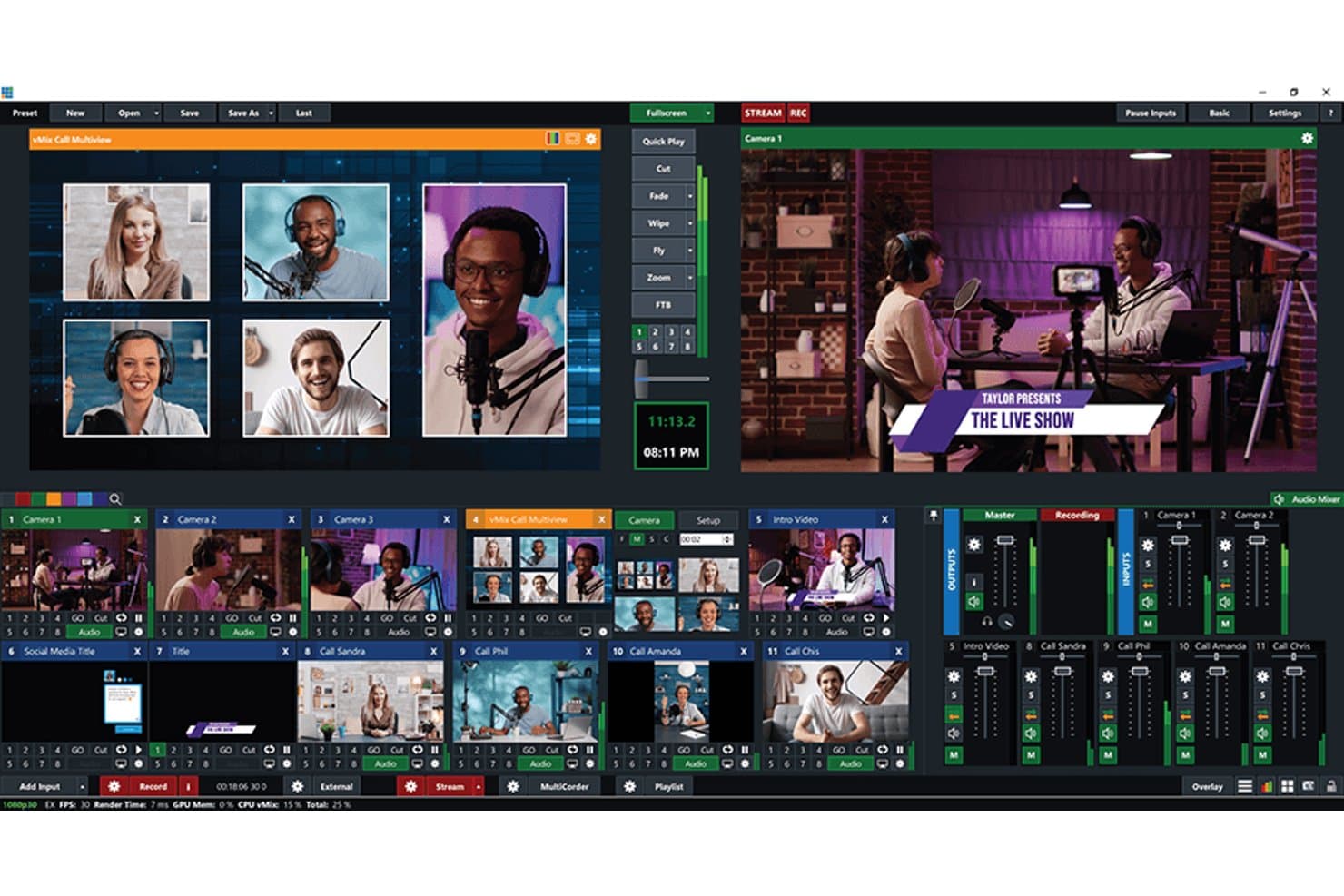
vMix supports multi-camera live streaming with video call guests on screen. vMix is a Windows-based live production and streaming software that handles camera switching, graphics overlays, multi-destination streaming, and local recording from a single PC.
Who Is vMix Best For?
vMix is the right fit for church media directors who want full production control and are comfortable building a custom setup around dedicated Windows hardware.
Why I Picked vMix
I picked vMix as one of the best because it's built for media directors who want to design their production setup from the ground up rather than fit into a pre-packaged solution. Running everything from one Windows PC, it handles live camera switching, NDI-based lyric overlays from ProPresenter, and simultaneous streaming to up to five platforms at once. I especially like how its Reference Systems guide takes the guesswork out of hardware selection, giving you a vetted build from a 4-camera laptop rig up to a 24-camera studio setup.
vMix Key Features
- vMix Call: Brings remote guests—like off-site speakers or members sharing testimonies—into your live production through a web browser, with up to 8 callers depending on your edition.
- LiveLAN: Streams your program feed to overflow rooms, lobbies, and nurseries over your local network without needing an additional streaming platform.
- MultiCorder: Records each camera as a separate file simultaneously, giving your team clean, isolated footage for post-service editing.
- vMix Social: Pulls in live chat from YouTube, Facebook, Twitch, and other platforms so operators can approve and display viewer comments as on-screen graphics.
vMix Integrations
vMix has documented integrations with ProPresenter, Zoom Meetings, Zoom Events, Zoom Sessions, Facebook Live, YouTube, Twitch, and Vimeo. It also supports NDI, SRT, OMT, custom RTMP destinations, and an API for custom control.
Pros and Cons
Pros:
- Detailed production controls suit trained operators
- Isolated camera files support sermon repurposing
- One PC handles switching, recording, and streaming
Cons:
- Rotating volunteers need substantial operator training
- Windows-only operation limits platform choice
Learn more about vMix: Best for churches streaming to any platform at once
- 14-day free trial
- From $99/month to $999/month
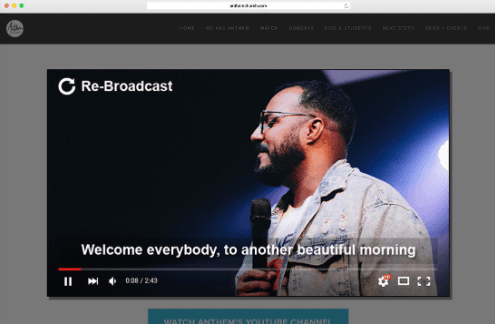
Boxcast is suitable for first-time and seasoned streamers. BoxCast is a cloud-based church streaming platform that handles live broadcasting, multi-platform simulcasting, on-demand video archiving, and automated scheduling from a single dashboard.
Who Is BoxCast Best For?
BoxCast is a strong fit for church media directors and volunteer AV teams who need to broadcast live services to multiple platforms at once without managing complex technical setups.
Why I Picked BoxCast
I picked BoxCast as one of the best because it handles multi-platform simulcasting in the cloud, meaning your Sunday service goes to YouTube, Facebook, X, and your church website in one shot without your team managing separate streams. I love that unlimited simulcast destinations come standard, so you're never paying per platform. BoxCast's automated scheduling also lets broadcasts start and stop on their own, which is a genuine relief when you're relying on volunteers.
BoxCast Key Features
- Stream Diagnostics: Real-time alerts flag issues like low bitrate, packet loss, and interrupted streams so you can catch problems before they affect your congregation.
- Adaptive bitrate transcoding: BoxCast generates up to four quality levels per stream so viewers on slower connections still get a smooth playback experience.
- On-demand video library: Recordings are automatically archived with trimming tools, chapter markers, and a Simulated Live option for replaying past services.
- BoxCast Sharing: An AI-assisted clipping tool that lets you pull short highlight clips from broadcasts to share on social media.
BoxCast Integrations
BoxCast integrates with ProPresenter, OBS, vMix, Wirecast, Facebook Live, YouTube Live, X, Vimeo, Tithe.ly, and PayPal. It also supports RTMP/SRT encoders, M3U8 exports, and an API for custom integrations.
Pros and Cons
Pros:
- Diagnostics flag bitrate and network failures
- Automated scheduling supports volunteer-led broadcasts
- Unlimited simulcasting reaches every channel
Cons:
- Multi-site tools offer limited advanced controls
- Proprietary hardware limits equipment flexibility
Learn more about Boxcast: Best for late-join rewind on enterprise streams
- 14-day free trial + free demo available
- From $199/month
StreamShark offers a live streaming platform for the best viewing experience. StreamShark is a live streaming platform built on multi-CDN delivery that handles live broadcasting, multiplatform distribution, DVR-enabled replay, and on-demand video hosting.
Who Is StreamShark Best For?
StreamShark is a strong fit for larger churches with a dedicated media team that needs enterprise-grade reliability and late-join rewind for online congregants.
Why I Picked StreamShark
I picked StreamShark as one of the best because its Live DVR rewind is the feature I keep coming back to for larger congregations. When someone joins a Sunday service 20 minutes late, they can rewind to the very beginning on the same player link, with no separate replay link needed. I also love that once the service ends, StreamShark automatically archives the stream and swaps the same embed to the trimmed on-demand recording, so your church website never needs updating.
StreamShark Key Features
- Multi-CDN live broadcasting: StreamShark routes your stream through 70+ edge locations across six continents for reliable delivery to large audiences.
- Multistreaming to social platforms: Send one stream simultaneously to Facebook, YouTube, LinkedIn, Twitch, and custom RTMP or SRT destinations from a single control screen.
- Moderated Q&A chat: A built-in Q&A mode holds viewer questions until a moderator approves them, letting your team control what appears on screen.
- Automatic video archiving: Every live stream is saved to a hosted video library with tagging, playlists, and embeddable links the moment the broadcast ends.
StreamShark Integrations
StreamShark offers native integrations with Facebook Live, YouTube, LinkedIn, and Twitch, plus custom RTMP/SRT destinations. It supports vMix, Epiphan, Matrox, and AWS Elemental encoders; no ProPresenter or church management integrations are documented.
Pros and Cons
Pros:
- Multi-CDN delivery supports large congregations
- Same link becomes trimmed replay
- Late joiners rewind to service start
Cons:
- Eight-hour DVR window limits long events
- No built-in worship production tools
Learn more about StreamShark: Best for multi-destination church broadcasting
- 30-day free trial
- Pricing upon request
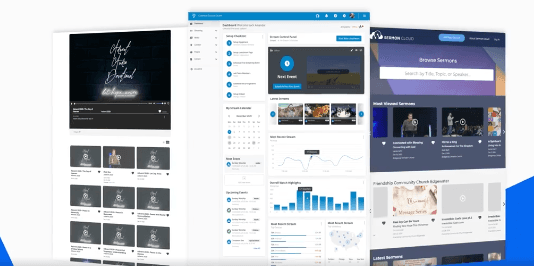
Churchstreaming.tv makes it easy to broadcast across various sources. Churchstreaming.tv is a cloud-based live streaming platform built specifically for churches, offering multi-destination broadcasting, adaptive video delivery, sermon archiving, and audience engagement tools like chat and prayer requests.
Who Is Churchstreaming.tv Best For?
Churchstreaming.tv is a solid fit for church media directors who need to push a single stream to multiple destinations simultaneously, from YouTube and Facebook to smart-TV apps like Roku and Apple TV.
Why I Picked Churchstreaming.tv
Churchstreaming.tv earns its spot on my shortlist because of how well it handles multi-destination broadcasting out of the box. I like that a single stream pushes simultaneously to your church website, YouTube, Facebook, Apple TV, and Roku, so Sunday's service reaches every viewer without extra effort. The built-in Sermon Cloud archive automatically tags messages by speaker, series, and Bible passage, making past services genuinely searchable for your congregation.
Churchstreaming.tv Key Features
- Adaptive quality streaming: The platform automatically adjusts video quality for each viewer based on their internet connection, serving options from audio-only up to 1080p.
- Sermon Cloud archive tagging: Past services are automatically tagged by speaker, series, Bible passage, and keyword, making them searchable on your church site and in search engines.
- Podcast and RSS feed management: Churchstreaming.tv generates and manages podcast feeds for your sermon library, with stats for subscriptions, listens, and downloads.
- Moderated prayer requests: Viewers can submit prayer requests directly from the live stream page, which your team can review and moderate before they're visible.
Churchstreaming.tv Integrations
Churchstreaming.tv supports integrations with YouTube, Facebook, Apple TV, Roku, FireTV, Church Online Platform, Clover Sites, Wirecast, OBS, and custom RTMP or HLS destinations. It also connects with the Ministry Brands Amplify suite.
Pros and Cons
Pros:
- Moderated prayer requests support pastoral follow-up
- Multi-destination broadcasting reaches scattered congregants
- Searchable sermon archives preserve weekly messages
Cons:
- External encoders handle all production switching
- Reliability complaints threaten Sunday service continuity
Learn more about Churchstreaming.tv: Best for single-Mac Apple worship production
- 14-day free trial.
- from $69.99 per month
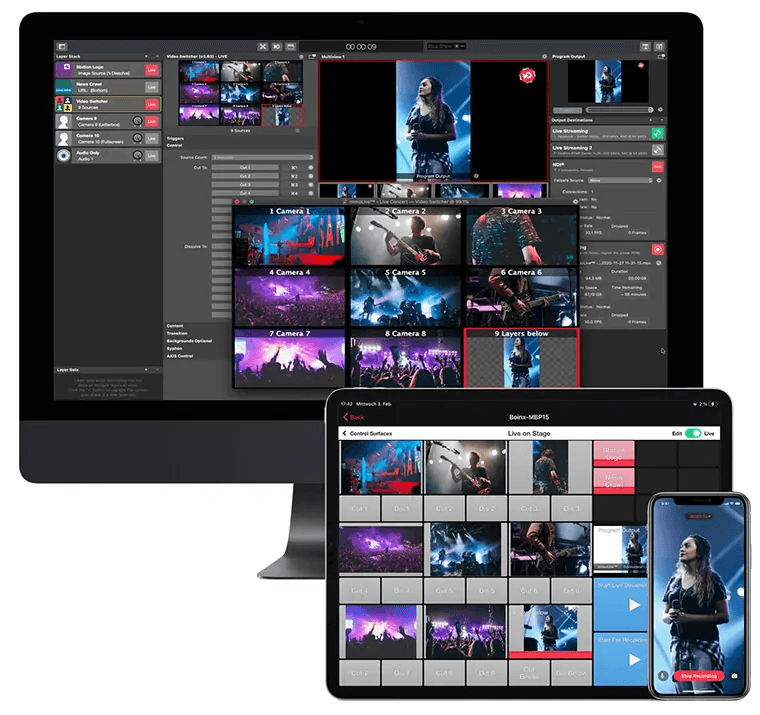
mimoLive is professional-grade event recording software for Macs. mimoLive is a macOS-only live production app that handles camera switching, graphics, multistreaming, ISO recording, and automation from a single Mac.
Who Is mimoLive Best For?
mimoLive is a strong fit for church media directors and volunteer AV teams running their entire production from a single Mac.
Why I Picked mimoLive
mimoLive earns its spot on my shortlist because it consolidates a full broadcast setup onto one Mac, which is exactly what a lean church AV team needs on a Sunday morning. I love that its layer-based production engine handles live camera switching, lower thirds, and chroma key simultaneously without extra hardware. Its NDI support means you can pull in PTZ camera feeds wirelessly, and the iPad Remote Surface lets a single volunteer manage the whole show from the pew.
mimoLive Key Features
- Simultaneous multistreaming: Stream to up to 6 destinations at once, each with its own codec, bitrate, and audio mix settings.
- Machine-learning background removal: Remove backgrounds from on-screen speakers without a green screen, using built-in ML processing.
- ISO recording: Capture each camera source as a separate local file alongside the program output, with date and time tokens in filenames.
- Live comments display: Pull in YouTube and Facebook comments to moderate and display on screen during a live service.
mimoLive Integrations
mimoLive integrates with Zoom, Microsoft Teams, Blackmagic ATEM and DeckLink, NDI devices, Elgato Stream Deck, X-keys, and Bitfocus Companion. Its HTTP API and WebSocket events support custom integrations, including ProPresenter workflows.
Pros and Cons
Pros:
- Monitors bitrate, dropped frames, and reconnections
- Captures isolated camera recordings for future editing
- Runs switching, graphics, and streaming on one Mac
Cons:
- Lacks native hosting, giving, and prayer tools
- Requires macOS for every production workstation
Learn more about mimoLive: Best for iPhone-based giving and multi-camera worship
- 14-day free trial
- From $65/month
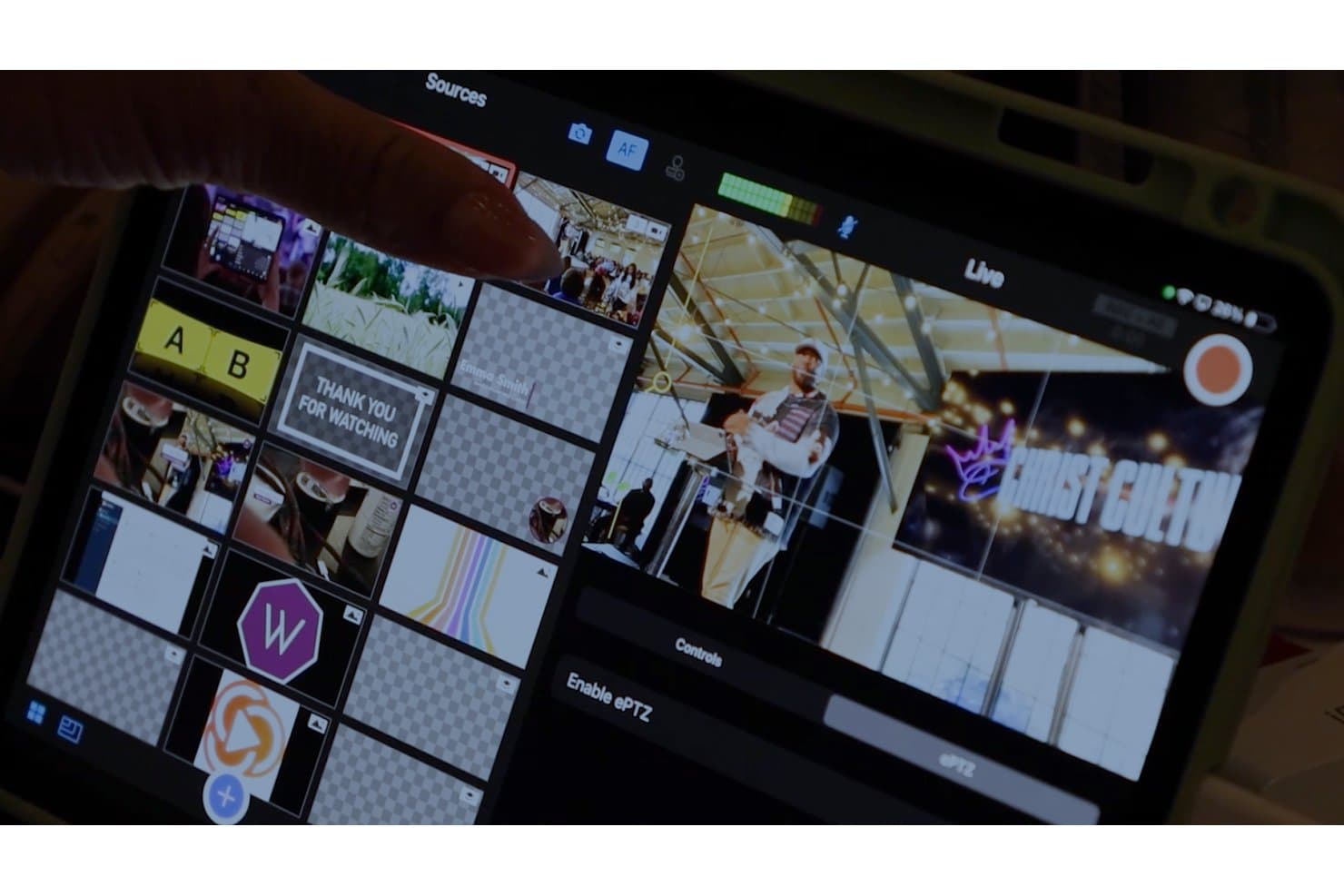
Switcher Studio lets churches manage live scenes and sources on iPad. Switcher Studio is an iPhone, iPad, and Mac-based live streaming app that combines multi-camera switching, multi-platform broadcasting, video hosting, and integrated giving tools in one subscription.
Who Is Switcher Studio Best For?
Switcher Studio is a strong fit for churches with volunteer-led AV teams who want a full production setup without dedicated hardware.
Why I Picked Switcher Studio
I've included Switcher Studio in my top picks because it's built specifically around the iPhone-and-iPad production setup that most volunteer-led church AV teams already have. I love that Scene Builder lets your team group cameras, graphics, and text into a single tap, so switching between worship and sermon views mid-service doesn't require a trained operator. The built-in giving integration with platforms like Tithe.ly and Givelify means donation prompts go out live, without a separate tool or a percentage cut taken from every gift.
Switcher Studio Key Features
- Director Mode: Records every camera angle simultaneously, so you can edit and produce a polished replay after the service ends.
- Multiview templates: Choose from 40+ picture-in-picture, split-screen, and grid layouts to display multiple camera angles in a single frame.
- Remote guest access: Invite up to five guests to join your stream from a browser link, no app download required.
- Social comment aggregation: Pulls Facebook and YouTube comments into one view, with the option to display them on screen during the live stream.
Switcher Studio Integrations
Switcher Studio offers native integrations with YouTube, Facebook, Twitch, Tithe.ly, Givelify, PayPal, Venmo, and Cash App. Custom RTMP connections support Instagram, TikTok, X, and LinkedIn.
Pros and Cons
Pros:
- Scene Builder simplifies worship-to-sermon switching
- Director Mode preserves every camera angle
- iPhone-based production suits volunteer teams
Cons:
- Audio mixing remains limited for complex services
- Apple hardware remains required for production
Learn more about Switcher Studio:
Other Options
- 11EcammBest for ProPresenter overlay in Mac worship production
- 12ResiBest for multi-campus stream failover
- 13Tithe.lyBest for streaming with real-time giving tools
- 14OBS StudioBest for zero-cost broadcast production setup
- 15DacastBest for max viewers at minimum monthly cost
- 16ChurchSpringBest for all-in-one website and streaming
- 17SermonCastBest for churches reaching homebound viewers on-demand
- 18Christian World MediaBest for church discovery via public streaming guide
- 19StreamlabsBest for OBS-based streaming on a free plan
How I Evaluate Church Streaming Software
I split my evaluation into three parts, giving the most weight to broadcasting services live and sending one stream to multiple channels. Next, I look for distinguishing features such as ProPresenter integration for lyrics. Finally, I consider support, onboarding, and pricing for volunteer teams.
Core Functionality (Table Stakes For This List)
When I'm selecting tools for my list, I score each one on a scale from 0 (does not offer the functionality) to 5 (excels in this area) for each core functionality listed below. I then convert the total into a percentage to help assess each tool's overall fit, with extra weight on any functionalities I’ve deemed essential.
- Live Broadcasting (Essential): I look for reliable live audio and video controls that suit the church’s setup, from a single-camera service to a multi-camera worship team.
- Multi-Platform Distribution (Essential): I check whether one stream can reach destinations such as the church website, YouTube, and Facebook at the same time.
- Production Switching: I evaluate how easily operators can switch camera angles and add lyrics or announcements during a service.
- On-Demand Replay: I look for an organized archive that lets viewers find and watch past services after they’ve aired.
- Viewer Engagement: I assess live chat and features such as prayer requests or giving prompts that help remote congregants participate.
- Stream Monitoring: I check for live stream-health indicators and connectivity or quality alerts that help operators respond during a broadcast.
Once I have a list of tools that meet the criteria, I consider what sets each platform apart.
Differentiating Factors (What Sets Vendors Apart)
Here's how I compare and contrast different vendors:
Standout Features
I look for ProPresenter integration because volunteer operators need lyrics and scripture overlays to trigger in sync with the worship set—without manually switching windows mid-service. NDI camera support is another priority; it lets churches add camera angles over a network instead of investing in a dedicated hardware switcher. I also check whether a platform offers built-in giving prompts during the live stream, since that removes the friction of directing viewers to a separate donation page.
Beyond Features
Volunteer usability matters most to me. I check whether a platform offers simplified operator views or quick-start modes, because rotating volunteers can't afford a learning curve every Sunday morning. I also evaluate vendor support responsiveness during weekend services—some providers like BoxCast and Resi offer church-specific support teams, while others rely on general ticketing that won't help mid-broadcast. Finally, I look at content ownership policies and sermon archive portability so your library isn't locked to one vendor if you switch.
How to Choose Church Streaming Software
As you work through your own unique software selection process, keep the following points in mind:
- Ease of Use for Volunteers: Most churches rely on volunteers to manage tech during services. Choose software that’s simple to set up and operate, even for people without much technical experience. Look for tools with intuitive controls, clear tutorials, and responsive customer support to minimize training time.
- Stream Quality and Reliability: Few things are more frustrating for your congregation than buffering or poor audio. Select software that prioritizes high-quality video and audio streaming, even with limited internet speeds. Some tools even offer adaptive streaming that adjusts quality automatically based on bandwidth.
- Integration with Existing Tools: Your software should work seamlessly with the tools you’re already using, like cameras, microphones, or presentation software. Check for compatibility with your current setup to avoid costly upgrades or frustrating workarounds. For example, if you use ProPresenter, confirm that your streaming software supports it.
- Custom Features for Churches: Not all streaming tools are designed with churches in mind. Look for features like sermon overlays, scripture slides, or options to stream to multiple platforms like YouTube and Facebook at once. These extras can help you create a more engaging worship experience for online viewers.
- Affordability for Tight Budgets: Many small to mid-size churches operate on limited budgets. Compare pricing plans carefully and prioritize software that offers the features you need at a price you can afford. Some providers even offer special discounts or plans for churches.
By keeping these considerations front and center, you’ll be better equipped to choose the right church streaming software for your ministry’s needs.
Trends in Church Streaming Software
Church streaming software has advanced to better serve congregations and streamline operations for church leaders. Key trends include:
- Enhanced Multi-Platform Streaming: Tools now allow simultaneous broadcasting to platforms like YouTube and Facebook, expanding reach without extra effort.
- Integrated Donation Features: Some software includes in-stream giving options, simplifying tithing for online attendees and supporting church finances.
- Custom Branding Capabilities: The ability to add church logos and personalized elements helps maintain a consistent identity across digital services.
- Improved User Interfaces: Developers focus on intuitive designs, making it easier for volunteers to manage streams with minimal training.
- Advanced Analytics: Access to detailed viewer statistics enables churches to understand and engage their online audience more effectively.
- Mobile Compatibility: Support for mobile streaming ensures that services are accessible to members on various devices, enhancing flexibility.
- Security Enhancements: Stronger security measures protect streams from unauthorized access, ensuring a safe viewing experience for congregants.
These developments address the growing need for accessible, engaging, and secure online worship experiences, allowing church leaders to focus more on ministry and less on technical challenges.
What is Church Streaming Software?
Church streaming software is a tool that lets churches broadcast their services live online so people can worship from anywhere. It’s like setting up a digital window into your sanctuary, making it easy for members who are sick, traveling, or far away to stay connected. It usually includes features like live video, recording for later viewing, and tools to stream on platforms like YouTube or Facebook. With the right setup, it takes the stress out of going online and helps churches focus on ministry.
Features of Church Streaming Software
Using church streaming software can free you up to focus on ministry by simplifying operations. With the right tools, you’ll spend less time fixing technical problems, more time connecting with people, and be able to reach your congregation effectively online. To help you do that, here are the most important features to look for.
- Simple Setup: Choose software that’s easy to install and get running quickly so you can spend more time ministering and less time troubleshooting.
- User-Friendly Dashboard: A clear and straightforward dashboard makes managing streams less stressful for you and your volunteers.
- Multi-Platform Streaming: Software that lets you stream to YouTube, Facebook, or your website at the same time helps you reach more people without extra work.
- Reliable Streaming Quality: High-quality, stable streaming ensures your congregation can worship without interruptions, which reflects well on your ministry.
- Automated Scheduling: Look for tools that allow you to schedule streams in advance, so you don’t have to manage it live every time.
- Integration with Existing Tools: Software that works with your cameras, microphones, and presentation tools saves you time and money.
- Tech Support: Having access to quick support means you can solve problems fast and get back to focusing on people.
- Custom Branding: The ability to add your church’s logo or customize the stream helps reinforce your ministry’s identity while reaching others.
- Analytics and Insights: Software that tracks viewership stats shows you how well you’re connecting with your audience, helping you fine-tune your ministry approach.
- Affordable Pricing Plans: Finding a tool within your budget lets you reserve resources for other ministry priorities without compromising on quality.
With features like these, church streaming software can help you manage the technical side of ministry while giving you more time and energy to focus on people. Look for tools that fit your church’s needs, and you’ll be on your way to more meaningful ministry.
Benefits of Church Streaming Software
Church streaming software helps churches connect with their congregation, save time on tech, and expand their ministry’s reach. It’s a tool that makes online worship easier and more effective. Here are the top benefits it offers:
- Broader Audience Reach: Streaming makes it simple to share services with members who can’t attend in person, as well as attract new viewers online.
- Improved Engagement: Tools like live chat and interactive features help online attendees feel part of the service, creating a sense of community.
- Simplified Operations: With user-friendly dashboards and automation options, managing streams takes less time and reduces stress for volunteers and staff.
- Cost Efficiency: A good streaming solution is often more affordable than costly AV upgrades, making it a budget-friendly way to modernize your ministry.
- Increased Giving Opportunities: Integrated donation tools make it easier for online viewers to contribute, helping sustain your church financially.
Church streaming software is more than just a tech tool; it’s a way to serve your congregation better and grow your ministry without overloading your team. With the right system, you can focus on what matters most—caring for your people.
Costs & Pricing for Church Streaming Software
Church streaming software usually offers several plans to fit different needs and budgets, ranging from free options to premium solutions. These plans are designed to help churches of all sizes find the right features without overpaying for tools they don’t need. Below is a breakdown of the common plans available:
| Plan Type | Average Price | Common Features | Best For... |
|---|---|---|---|
| Plan TypeFree Plan | Average Price$0/month | Common FeaturesBasic live streaming, single-platform streaming, limited support | Best For...Small churches just starting out with streaming |
| Plan TypeBasic Plan | Average Price$20-$50/month | Common FeaturesMulti-platform streaming, recording, basic overlays, analytics | Best For...Churches needing more flexibility for online services |
| Plan TypeStandard Plan | Average Price$50-$100/month | Common FeaturesCustom branding, multi-camera support, scheduling, detailed analytics | Best For...Mid-size churches expanding online reach |
| Plan TypePremium Plan | Average Price$100-$300/month | Common FeaturesAdvanced features like adaptive streaming, integrations, priority support | Best For...Larger churches with dedicated streaming teams |
| Plan TypeEnterprise Plan | Average PriceCustom Pricing | Common FeaturesFull customization, unlimited viewers, advanced security | Best For...Mega-churches or organizations with complex needs |
Each plan is tailored to different levels of need, so it’s important to choose one that matches your church’s size and goals. Start small if you’re new to streaming, but consider advanced plans if your congregation relies heavily on online services.
Church Streaming Software Frequently Asked Questions
1. How can I ensure our streaming setup aligns with our worship style?
Church streaming software is flexible and can fit a variety of worship styles. Look for tools that offer customizable layouts, scripture overlays, and multi-camera support. These features allow you to match the flow and tone of your in-person services, creating a seamless experience for your congregation online.
2. Is it possible to stream to multiple locations within our church simultaneously?
Yes, many tools allow you to stream to different screens or rooms within your church, often referred to as simulcasting. This feature is especially useful for overflow spaces, multi-campus churches, or specialized groups like children’s ministries.
3. What kind of internet speed do we need for smooth streaming?
A stable internet connection with at least 5 Mbps upload speed is usually sufficient for basic HD streaming. If you plan to stream in 4K or use multi-platform features, you might need closer to 10-20 Mbps. Always test your connection during the time of day you plan to stream to ensure consistency.
4. Can church streaming software help us manage our video library?
Many tools offer video management features like automatic saving, categorization, and the ability to create on-demand content. This makes it easier to organize and share past sermons, Bible studies, or special events with your congregation.
5. Are there options to include closed captions or translations for non-English speakers?
Yes, some software includes automatic captioning or translation tools to make services accessible to a wider audience. This is helpful for churches with multilingual congregations or those reaching out to diverse communities.
These questions cover practical concerns that pastors might have when starting or upgrading their streaming capabilities, helping you make informed decisions about the best software for your church’s needs.