

Reaching people beyond the church walls through streaming has become essential for many ministries. In my own experience, it’s been an incredible way to connect with those who couldn’t join in person, but without the right tools, the process can quickly become overwhelming.
- You spend hours troubleshooting unreliable tech, only for the stream to drop during your service.
- Engaging your online audience feels impossible, with poor video quality and no way to interact with viewers.
- Volunteers struggle with complex setups, leaving you to handle tech issues on Sunday mornings.
- Your budget feels tight, and high-end software seems out of reach.
- You’re unsure how to track online engagement, so you don’t know if your digital ministry is making an impact.
We felt these same struggles early on, and they all boiled down to not having the right tools for the job. That’s why I’ve put together this list of the best church streaming services—tools designed to make streaming simpler, more reliable, and impactful for churches of all sizes. Take a look and find the platform that’s right for your ministry.
Why Trust Our Software Recommendations
6,700+
Reviews
20
Industry experts
16+
Evaluation factors
14
Years
Our team has been testing and reviewing software since 2012. As church leaders ourselves, we know how difficult—and important—it is to choose the right software.
For this guide, we evaluated tools using hands-on testing and independent research, scoring tools using our selection criteria.
Our reviews reflect our human editorial judgment, not a sales pitch.
Comparison Table: Church Streaming Services For Online Sermons
| Tool | Best For | Trial Info | Price | ||
|---|---|---|---|---|---|
| 1 | Best for simulcasting sermons across 30+ platforms | Free plan + free demo available | From $19/month | Website | |
| 2 | Best with AI-powered sermon content creation | Free demo available | Pricing upon request | Website | |
| 3 | Best for simulcasting to social platforms | Free trial + free plan available | From $12/month (billed annually) | Website | |
| 4 | Best for streaming paywalled sermon content | Free trial + free demo available | From $39/month (billed annually) | Website | |
| 5 | Best for church-wide streaming analytics | 14-day free trial | From $99/month to $999/month | Website | |
| 6 | Best for on-demand event archiving at scale | 14-day free trial + free demo available | From $199/month | Website | |
| 7 | Best for church-specific sermon library setup | 30-day free trial | Pricing upon request | Website | |
| 8 | Best for free, large-scale sermon reach | Free plan available | Pricing upon request | Website | |
| 9 | Best for streaming tied to an integrated giving suite | Free demo available | Pricing upon request | Website | |
| 10 | Best for multisite sermon streaming and failover | Free demo + 30-day free trial available | From $99/month (billed annually) | Website |


Review Of The Best Church Streaming Services For Online Sermons
Here’s a brief description of each church streaming service to showcase each tool’s best use case, some noteworthy features, and screenshots to give a snapshot of the user interface.
 Best for simulcasting sermons across 30+ platforms
- Free plan + free demo available
- From $19/month
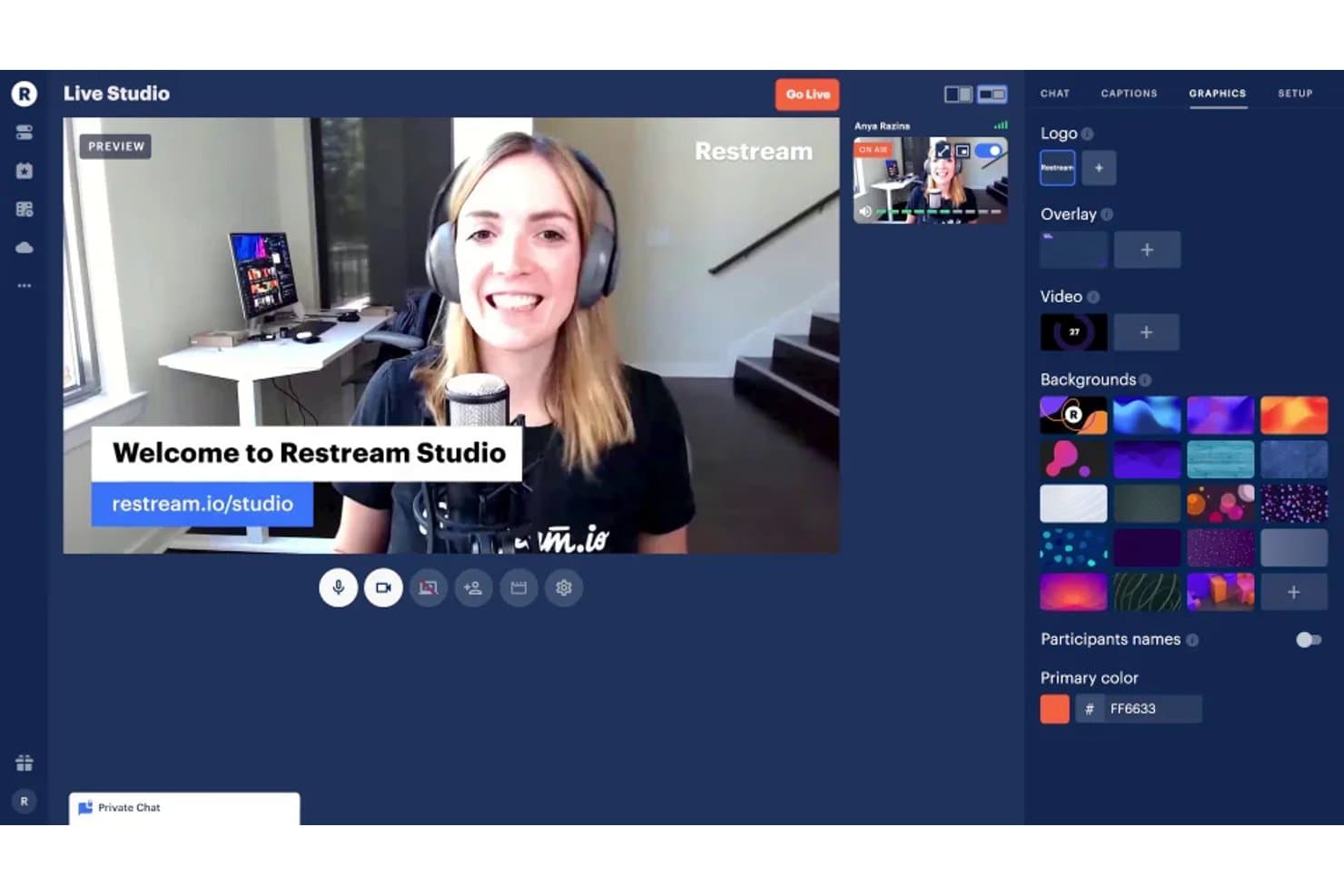
Restream Studio lets users customize live streams with graphics and backgrounds. Restream is a cloud-based multistreaming platform that lets you broadcast live services simultaneously to 30+ destinations, including YouTube, Facebook, Instagram, and TikTok, using either a browser-based studio or your existing encoder setup.
Who Is Restream Best For?
Restream is a strong fit for churches whose top priority is reaching as many viewers as possible across multiple platforms simultaneously, with minimal technical overhead for volunteer AV teams.
Why I Picked Restream
I picked Restream as one of the best because no other tool on this list matches its ability to send a single sermon feed to 30+ platforms at once, including YouTube, Facebook, Instagram, TikTok, and LinkedIn, without requiring extra upload bandwidth per destination. I love that you can configure your channels once and reuse that setup every Sunday, and the unified chat pulls comments from every platform into one window so your team isn't jumping between tabs during service.
Restream Key Features
- Browser-based studio: Go live directly from your browser with no software to install, so volunteer AV teams can run Sunday services without a complicated setup.
- Streaming analytics dashboard: Track peak viewers, watch time, and chat activity across all platforms from one place after each service.
- Automatic cloud recording: Every stream is saved to cloud storage automatically, letting you download or share the recording after the service ends.
- Custom overlays and branding: Add your church logo, on-screen ticker, QR codes, and backgrounds to keep your broadcast visually consistent each week.
Restream Integrations
Restream offers 30+ native integrations, including YouTube, Facebook, Instagram, TikTok, LinkedIn, Twitch, and Telegram. It also supports OBS, vMix, Wirecast, custom RTMP and SRT channels, plus a public API for custom integrations.
Pros and Cons
Pros:
- Detailed analytics guide outreach decisions
- Unified chat gathers viewer conversations
- Browser studio suits volunteer AV teams
Cons:
- No built-in giving or sermon library
- Recordings expire before long-term archiving
Learn more about Restream: Best with AI-powered sermon content creation
- Free demo available
- Pricing upon request
Visit WebsiteCustomer Rating:4.5/5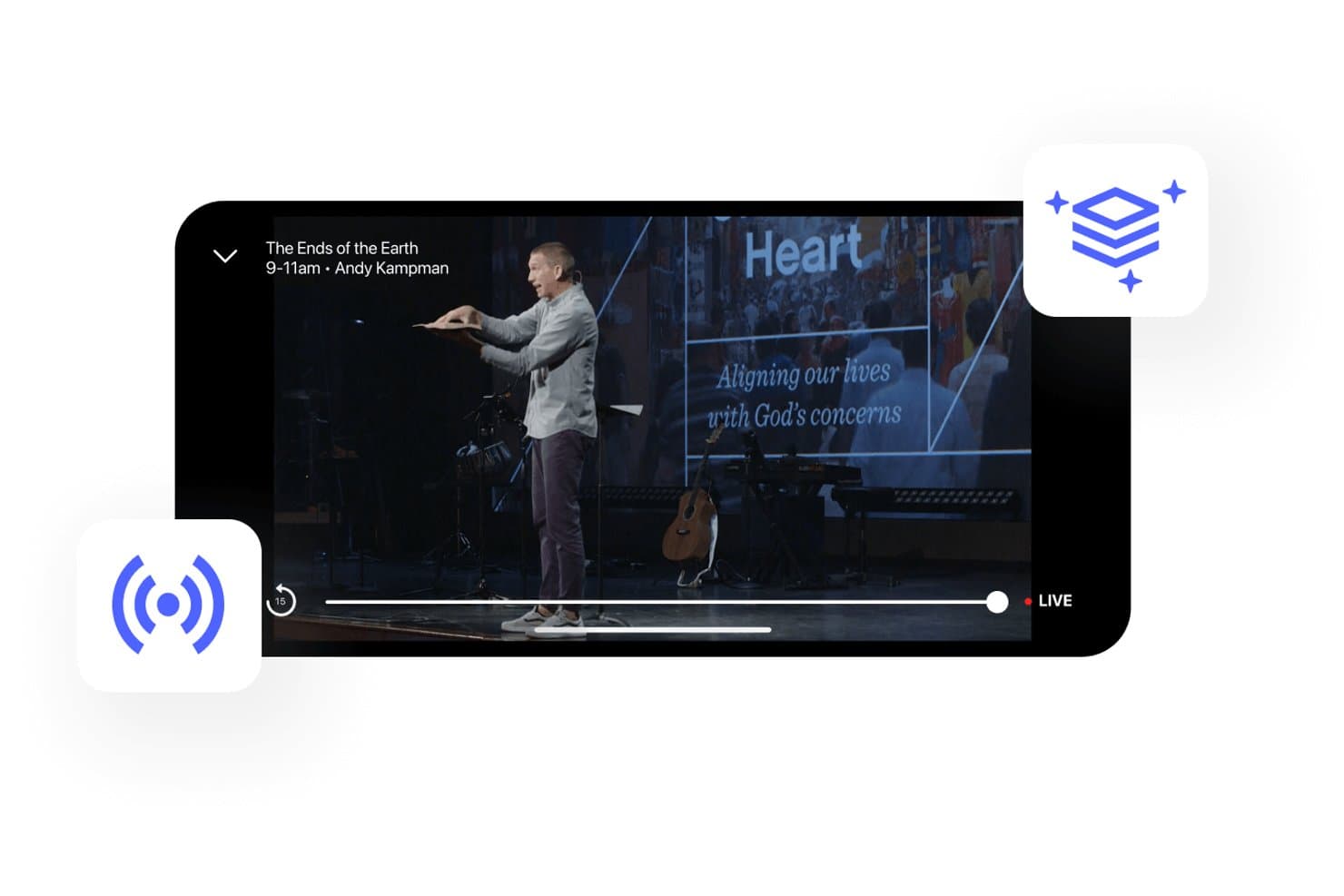
Subsplash offers a live church streaming experience with real-time sermon playback, service details, and a LIVE indicator for online attendees. Subsplash is a church streaming and media platform that combines live broadcasting, multi-platform distribution, on-demand sermon archiving, AI-powered content repurposing, giving integration, and church management tools in one system.
Who Is Subsplash Best For?
Subsplash is a strong fit for media directors and worship pastors who want to turn every sermon into a full week of content without managing multiple tools.
Why I Picked Subsplash
I've included Subsplash in my top picks because its Pulpit AI integration turns a single live sermon into more than 20 content assets, including vertical social clips with face tracking, 7-day devotionals, small-group guides, and newsletter copy, all generated directly from the archived stream. What I find most useful is that this workflow is built into the media library itself, so once a service ends and the recording is trimmed, generating a week's worth of content takes one click.
Subsplash Key Features
- Simulated live broadcasting: Pre-recorded video can be scheduled and broadcast as if it were live, letting your team prepare services in advance.
- Stream health telemetry: Every broadcast generates a report grading resolution, frame rate, bitrate variance, and disconnect count as Excellent, Fair, or Poor.
- Repeating stream templates: Weekly streams can be saved as templates that carry over syndication settings, artwork, series assignments, and push notification timing.
- Multi-campus content management: One app can deliver campus-specific content, service times, and giving, with campus-level giving reports available from a single dashboard.
Subsplash Integrations
Subsplash has documented integrations with Rock RMS, Planning Center, Pushpay ChMS, Breeze, Ministry Platform, StudioC, and MortarStone. It supports Church Online Platform, custom API integrations on Enterprise, and Zapier.
Pros and Cons
Pros:
- One stream reaches apps, websites, and socials
- Instant on-demand archives publish sermons automatically
- Pulpit AI repurposes sermons into weekly content
Cons:
- Viewer engagement lacks polls and reactions
- Encoder start and stop remain manual
 Best for simulcasting to social platforms
- Free trial + free plan available
- From $12/month (billed annually)
Visit WebsiteCustomer Rating:4.5/5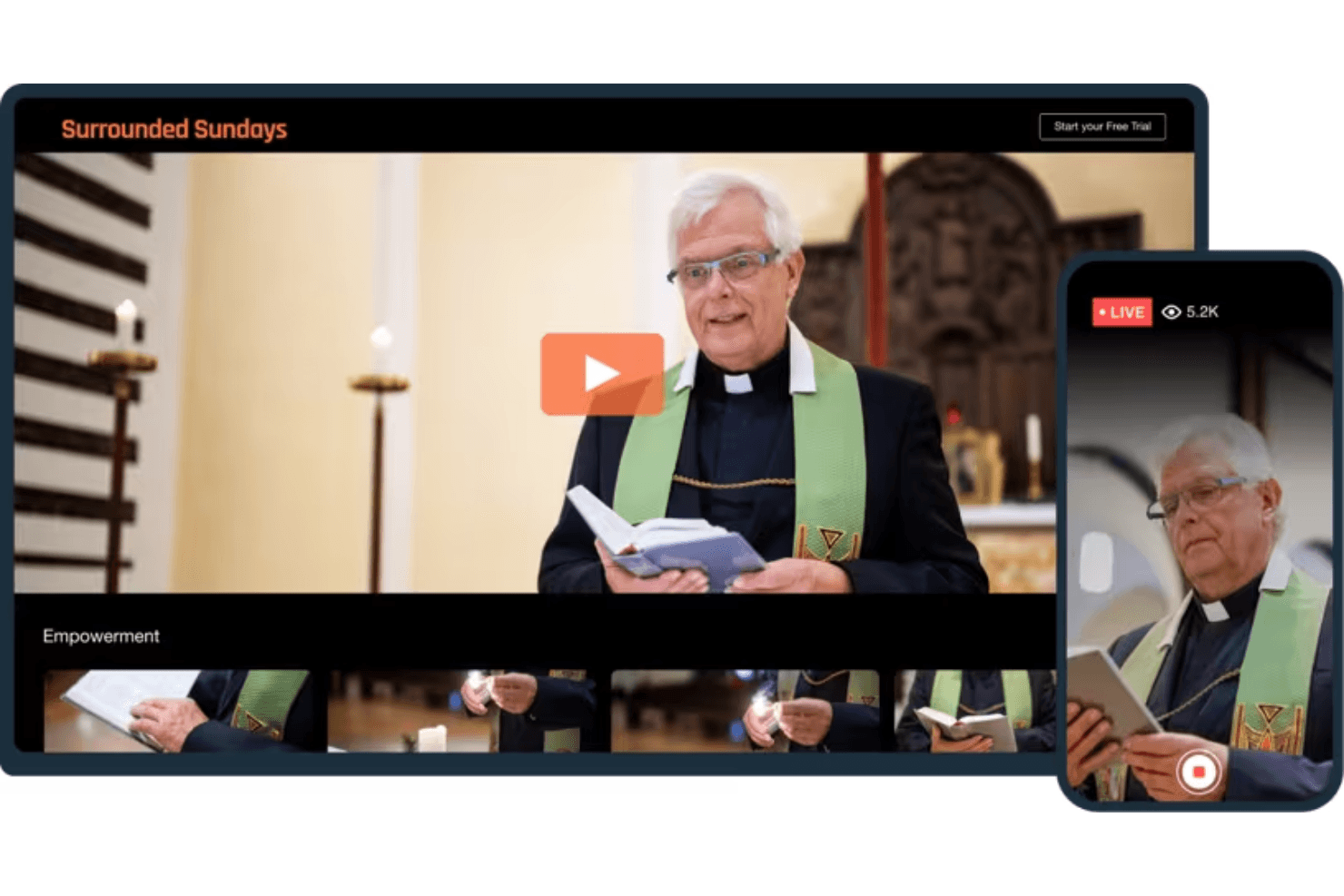
Vimeo allows churches to reach their audience by streaming services live or on-demand. Vimeo is a video hosting and live streaming platform that supports live broadcasting, simulcasting to multiple social platforms, on-demand sermon archives, and viewer engagement tools like chat, Q&A, and polls.
Who Is Vimeo Best For?
Vimeo is a strong fit for churches with a media-savvy volunteer or staff member who wants to broadcast services across Facebook, YouTube, and other platforms simultaneously from a single setup.
Why I Picked Vimeo
Vimeo earns its spot on my shortlist because of how well it handles simulcasting to multiple platforms at once. I love that you can connect up to 10 accounts (Facebook, YouTube, LinkedIn) plus 20 custom RTMP destinations, and those settings carry over to every recurring weekly service automatically. That means your team sets up the destinations once and streams to all of them every Sunday without repeating the work.
Vimeo Key Features
- Browser-based production studio: Stream live with multiple camera inputs, audio mixing, lower thirds, and logo overlays without installing extra software.
- Automatic recording and archiving: Every live stream saves to your library automatically, with folders and showcases to organize past sermons.
- Recurring live event scheduling: Set up a weekly service once and Vimeo repeats the event on schedule, including start-time display in each viewer's local time zone.
- Live chat, Q&A, and polls: Engage your online congregation during services with built-in interactive tools, including anonymous questions and audience upvoting.
Vimeo Integrations
Vimeo connects to Facebook, YouTube, LinkedIn, Vimeo OTT, and custom RTMP destinations including Instagram, TikTok, X, and Twitch for simulcasting. It also integrates with Church Online and Altar Live and offers an API for custom integrations.
Pros and Cons
Pros:
- Automatic recordings keep sermon archives together
- Recurring simulcasts reduce weekly setup work
- Reviewers praise clean interface and video quality
Cons:
- Mobile chat moderation isn't available
- Live events require manual shutdown
Learn more about Vimeo: Best for streaming paywalled sermon content
- Free trial + free demo available
- From $39/month (billed annually)
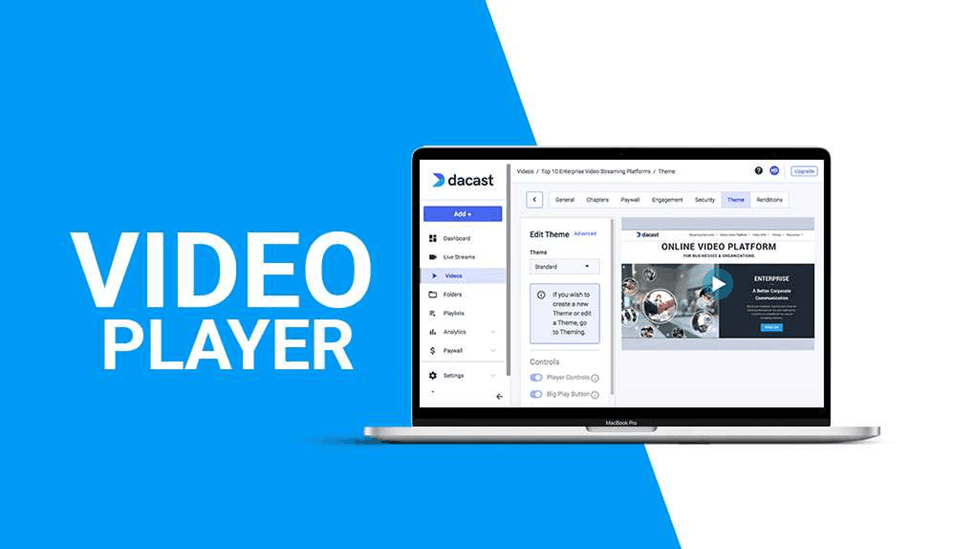
You can customize Dacast’s video player with your church’s logo and name to promote branding. Dacast is a live streaming and video hosting platform that supports HD broadcast, multi-platform simulcasting, on-demand sermon archiving, white-label player customization, and built-in paywall and subscription tools.
Who Is Dacast Best For?
Dacast is a strong fit for churches that want to charge for sermon access through paid subscriptions or pay-per-view, while keeping full control over their brand and content.
Why I Picked Dacast
I've included Dacast in my top picks because it's the strongest option I've found for churches that want to charge for sermon access through pay-per-view or subscription paywalls built directly into their video player. You can set viewing windows, issue promo codes, and accept payments in 140+ currencies without sending viewers to a separate checkout. I also like that the white-label player keeps your church's branding front and center, with no third-party ads interrupting the experience.
Dacast Key Features
- Multi-platform simulcasting: Sends your live stream to YouTube, Facebook, Twitch, X, and custom RTMP destinations simultaneously from one setup.
- White-label video player: Lets you apply your church's logo, colors, and fonts to the player, with no third-party ads shown to viewers.
- Advanced streaming analytics: Tracks viewer counts, watch time, location, device, and real-time data across all plans, including Starter.
- AES encryption and password protection: Restricts sermon access with password gates, domain restrictions, geo-blocking, and AES-encrypted streams.
Dacast Integrations
Dacast connects with OBS Studio, Wirecast, vMix, StreamYard, YouTube, Facebook, Twitch, X, Google Drive, and FTP. It supports custom integrations through its REST API, Player API, webhooks, and iOS and Android SDKs.
Pros and Cons
Pros:
- Unlimited viewers support congregation-wide broadcasts
- Ad-free player keeps sermons on-brand
- Reviewers praise responsive customer support
Cons:
- Scheduling tools require higher-tier plans
- No native chat or prayer requests
Learn more about Dacast: Best for church-wide streaming analytics
- 14-day free trial
- From $99/month to $999/month
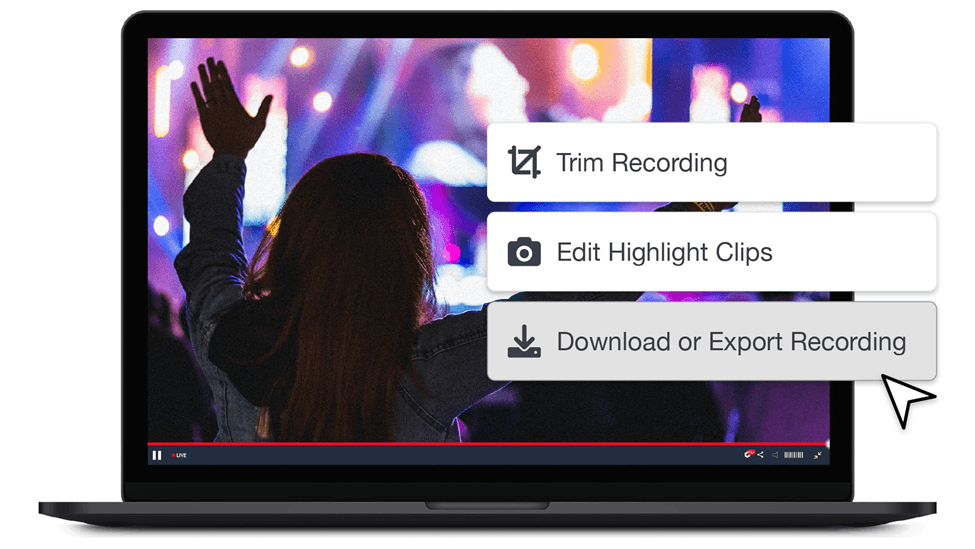
You can use Boxcast to trim live stream videos before uploading them to your website or social media platform. BoxCast is a church streaming platform that supports live broadcasting, multi-platform simulcasting, on-demand sermon archiving, and viewer analytics built around ministry reporting.
Who Is BoxCast Best For?
BoxCast suits churches with a dedicated media director or technical volunteer team that wants detailed viewer analytics to guide ministry decisions.
Why I Picked BoxCast
BoxCast earns its spot on my shortlist because its analytics dashboard goes deeper than any other church streaming tool I've seen. I love that it breaks down not just how many people watched, but when they watch: a day-of-week and time-of-day bubble chart shows exactly when your congregation tunes in, live or on-demand. The geographic viewer map is equally useful, letting you acknowledge distant members by name during a service because you can actually see where they're watching from.
BoxCast Key Features
- BoxCast Flow: BoxCast's patented streaming protocol uses adaptive bitrate and forward error correction to reduce buffering on weak church networks.
- Multi-platform simulcasting: Streams go live to your website, Facebook, YouTube, and X simultaneously from a single upload, with saved custom RTMP destinations for additional platforms.
- Video Markers: Tag and label key moments in recorded broadcasts to create chaptered sermon archives that are easy for viewers to navigate.
- Viewer Chat with moderation: An embeddable, moderated chat window lets online congregants participate during services, with profanity filtering and rate limiting built in.
BoxCast Integrations
BoxCast integrates with Planning Center and Subsplash, and distributes streams to Facebook Live, YouTube Live, and X. Custom RTMP supports Instagram and other destinations, while API access enables custom integrations.
Pros and Cons
Pros:
- Flexible encoder options fit existing production setups
- Reviewers praise steady streams and responsive support
- Clear viewer trends guide ministry decisions
Cons:
- Long-term sermon archives require separate storage
- Social simulcast views stay outside reports
Learn more about Boxcast: Best for on-demand event archiving at scale
- 14-day free trial + free demo available
- From $199/month
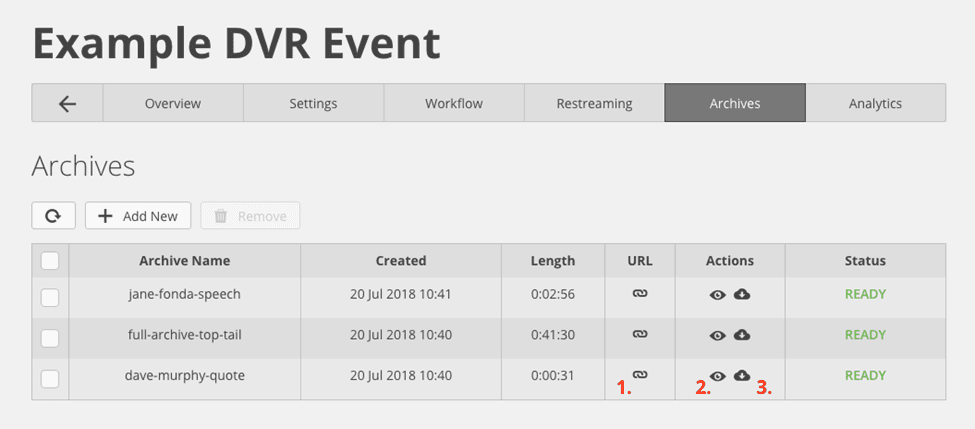
StreamShark has an archiving feature for automatically recording live events for later use. StreamShark is an enterprise live streaming and video-on-demand platform that combines multi-CDN broadcasting, automatic on-demand archiving, multistreaming to social platforms, and an embeddable media library with branded channels.
Who Is StreamShark Best For?
StreamShark is a strong fit for larger churches with a dedicated AV or media team that needs reliable, high-volume live streaming and automatic sermon archiving.
Why I Picked StreamShark
I picked StreamShark as one of the best because its automatic on-demand archiving is built into every plan, meaning every sermon your church streams is saved to a branded, searchable library without any extra steps. I love that multi-CDN delivery spreads your stream across 70+ edge locations simultaneously, so even large Sunday services with thousands of remote viewers stay stable. The unified multistream dashboard lets you go live to YouTube, Facebook, and custom destinations all at once, then stop them together when the service ends.
StreamShark Key Features
- Multi-CDN delivery: Your stream broadcasts across 70+ edge locations simultaneously, keeping large Sunday services stable for thousands of remote viewers.
- Embeddable, moderated live chat: A built-in chat widget with moderation controls lets you manage viewer comments directly from the broadcast dashboard.
- Branded channel library: Create up to 20 channel pages with your own logo, colors, and domain to host and organize your archived sermon videos.
- Simultaneous multistream start/stop: Go live to Facebook, YouTube, and custom destinations at once, then end all streams together from one dashboard.
StreamShark Integrations
StreamShark offers four native social integrations with Facebook Live, YouTube, LinkedIn Live, and Twitch, plus custom RTMP/SRT destinations. It also supports Epiphan and AWS Elemental encoders, but has no documented native integrations with church management or giving platforms.
Pros and Cons
Pros:
- Reviewers praise responsive support during broadcasts
- Every live sermon is archived automatically
- Reliable delivery for large remote congregations
Cons:
- No prayer requests or sermon notes tools
- Encoder-based setup assumes technical AV skills
Learn more about StreamShark: Best for church-specific sermon library setup
- 30-day free trial
- Pricing upon request
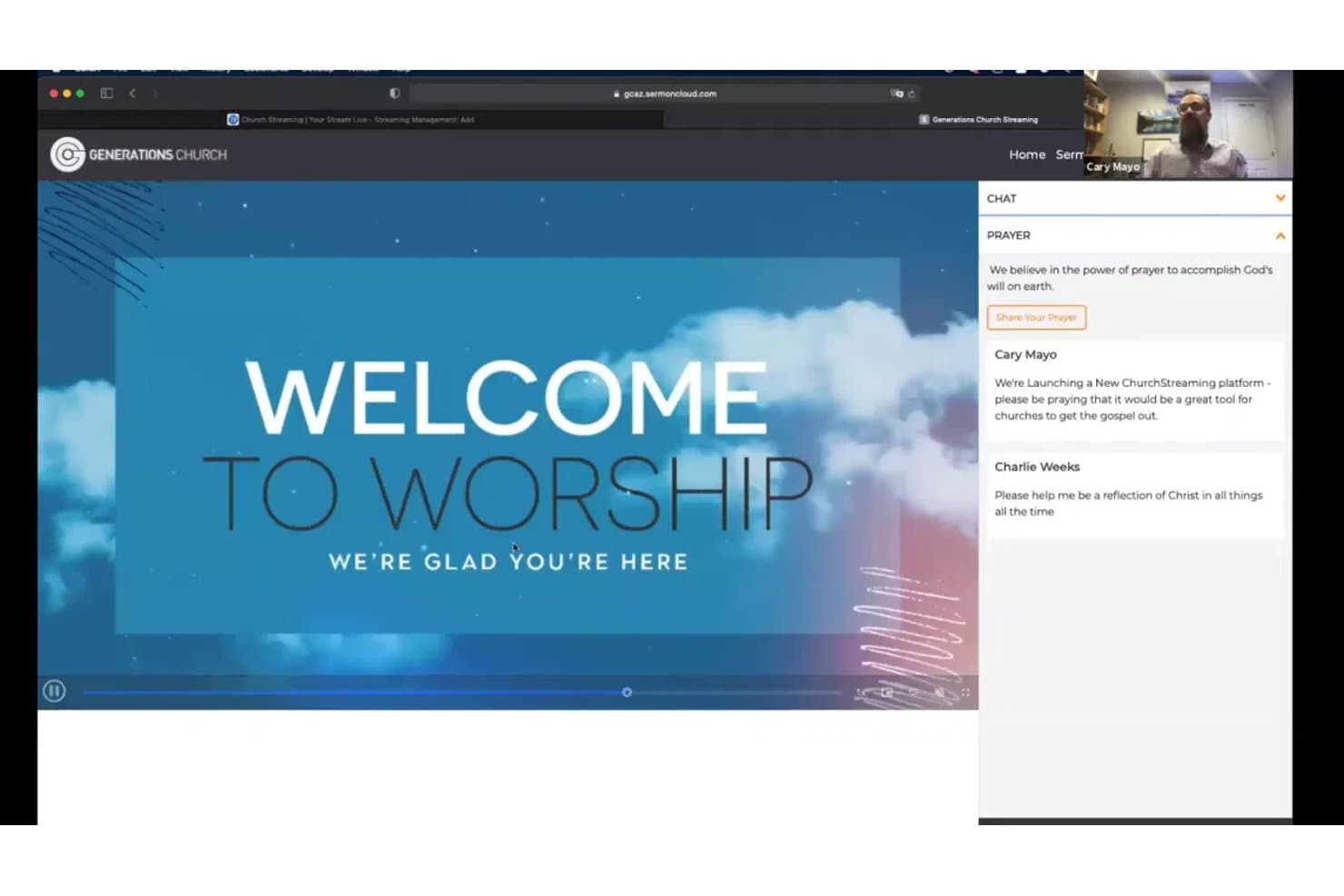
Churchstreaming.tv lets users share prayers during live worship streams. Churchstreaming.tv is a church-focused live streaming platform that handles live broadcasting, multi-platform distribution, and sermon archiving with built-in metadata tagging by series, speaker, and Bible passage.
Who Is Churchstreaming.tv Best For?
Churchstreaming.tv is a strong fit for church administrators who want a dedicated sermon library with organized archiving by speaker, series, and Bible passage.
Why I Picked Churchstreaming.tv
I've included Churchstreaming.tv in my top picks because its sermon archiving system is built around the way churches actually organize content. Every recorded service can be tagged by speaker, Bible passage, series, and keyword, so your congregation can search the library the same way they'd look up a specific sermon topic or book of the Bible. I also like that Sermon Cloud feeds directly into podcast and RSS distribution, meaning a Sunday message automatically reaches listeners who prefer audio.
Churchstreaming.tv Key Features
- Multi-platform distribution: Sends your live stream simultaneously to your website, YouTube, Facebook, Apple TV, Roku, and any RTMP or HLS destination from a single setup.
- Simulated live replay: Plays a pre-recorded service as a scheduled broadcast when you're not live, so your stream page always has active content.
- Moderated prayer requests: Lets online viewers submit prayer requests during a service, with moderation controls before anything appears publicly.
- Podcast and RSS feed management: Automatically publishes sermon recordings to podcast feeds and tracks subscription, listen, and download stats through Sermon Cloud.
Churchstreaming.tv Integrations
Churchstreaming.tv integrates with Sermon Cloud, YouTube, Facebook, Apple TV, and Roku for sermon distribution. It also supports RTMP and HLS destinations, plus embeds in Church Online Platform and Clover Sites.
Pros and Cons
Pros:
- Tutorial library helps volunteers configure encoder workflows
- One setup distributes services across multiple destinations
- Sermons searchable by passage, speaker, and series
Cons:
- Recent billing complaint raises cancellation concerns
- Recent reviewer reported inconsistent service reliability
Learn more about Churchstreaming.tv: Best for free, large-scale sermon reach
- Free plan available
- Pricing upon request
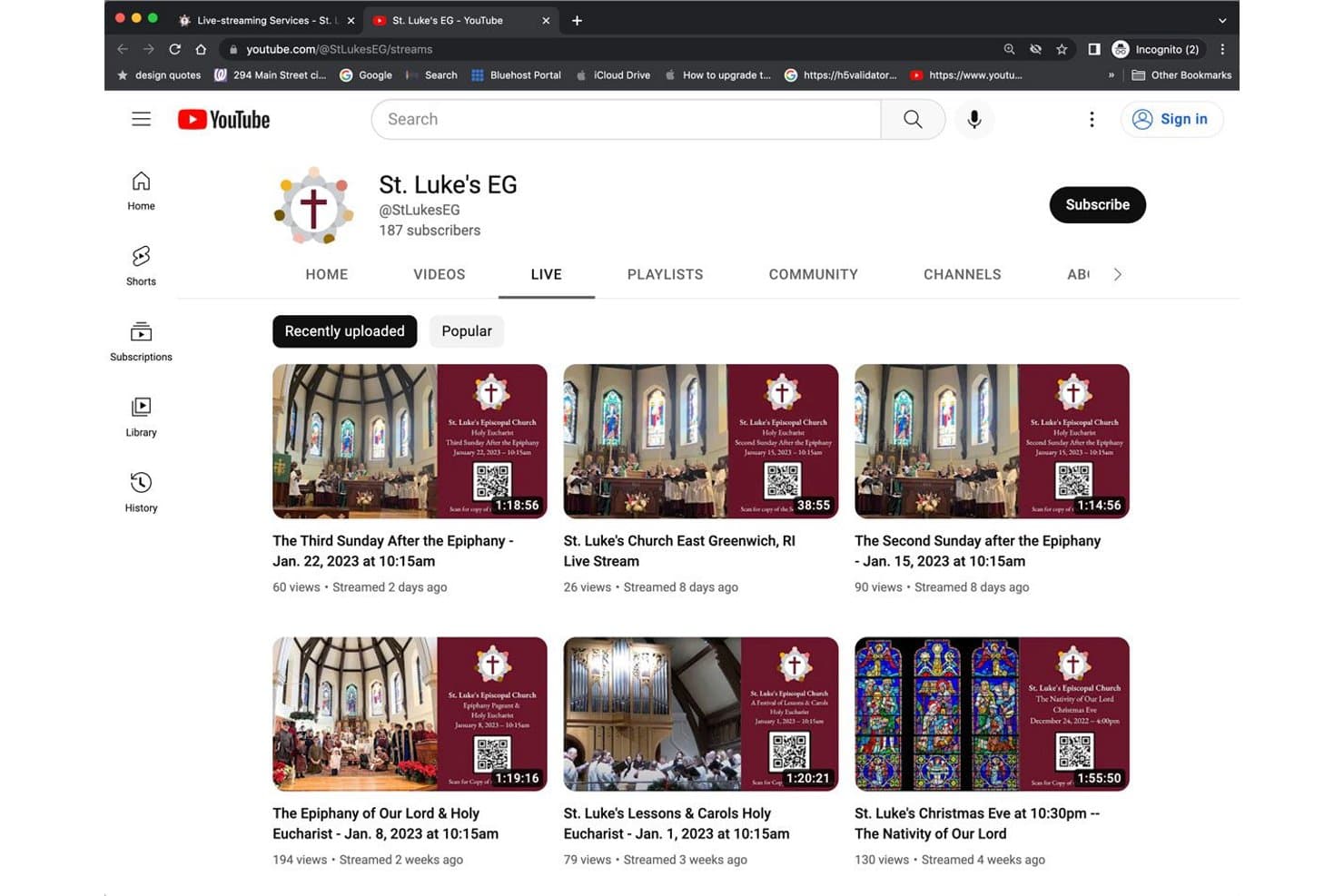
YouTube Live organizes past church streams for easy on-demand viewing. YouTube Live is a free video streaming platform built into every YouTube channel that lets churches broadcast live services, archive recordings automatically, and engage viewers through live chat, polls, and Q&A.
Who Is YouTube Live Best For?
YouTube Live is a great fit for smaller or budget-conscious churches with volunteer-run AV teams that want free, reliable streaming to a wide audience without investing in paid software.
Why I Picked YouTube Live
YouTube Live earns its spot on my shortlist because no other free platform comes close to its organic reach, and for churches streaming on a tight budget, that matters. I love that streams auto-archive with chat replay and chapters, so a Sunday service is immediately available on-demand without any extra steps. Polls and live Q&A keep remote congregants engaged during the sermon itself, not just watching passively.
YouTube Live Key Features
- Adjustable stream latency: Choose between normal, low, or ultra-low latency settings to balance video quality and real-time viewer interaction.
- Live chat moderation tools: Set blocked-word lists, slow mode, and message-hold filters to keep your stream's comment section on-topic.
- DVR playback for live viewers: Let congregants pause and rewind the stream as it happens, so no one misses a moment of the service.
- Detailed streaming analytics: Access retention curves, viewer demographics, and device data during and after each service, with CSV export available.
YouTube Live Integrations
YouTube Live connects with OBS, vMix, Blackmagic ATEM, Restream, and Switcher Studio, plus church websites through iframe embeds. Native ChMS and church-branded giving integrations aren’t documented.
Pros and Cons
Pros:
- Polls and Q&A engage remote congregants
- Automatic archives preserve chat and chapters
- Streams play across phones, TVs, and consoles
Cons:
- Small channels face mobile viewer limits
- Worship music can trigger copyright claims
Learn more about YouTube Live: Best for streaming tied to an integrated giving suite
- Free demo available
- Pricing upon request
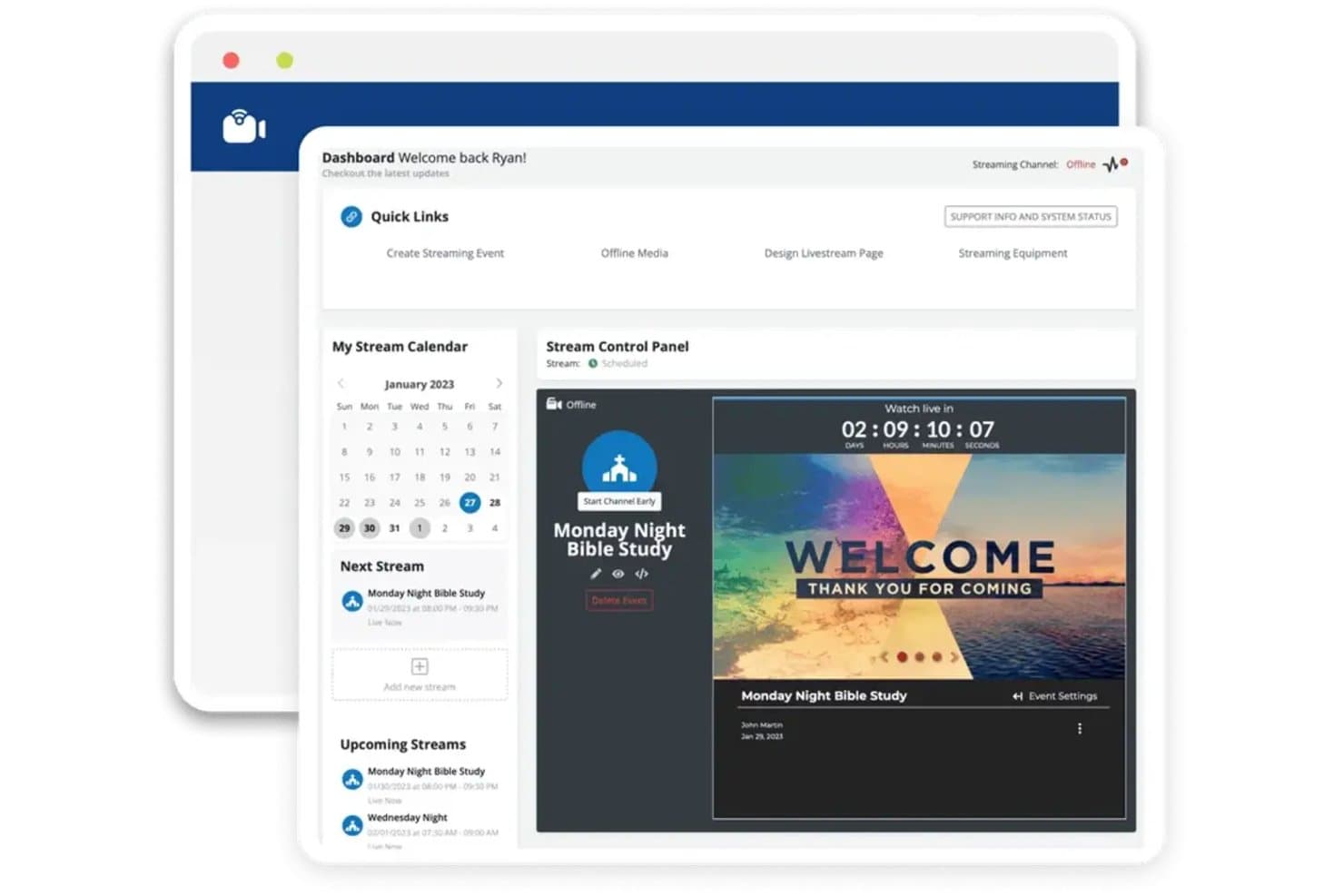
Ministry Brands Amplify lets users schedule and manage live streams from one dashboard. Ministry Brands Amplify is a church streaming platform that combines live and on-demand video broadcasting, multi-platform distribution, viewer engagement tools, and native integration with giving and church management modules.
Who Is Ministry Brands Amplify Best For?
Ministry Brands Amplify is a strong fit for church administrators and media directors who want streaming, giving, and church management handled in one connected platform.
Why I Picked Ministry Brands Amplify
I picked Ministry Brands Amplify because streaming and giving live in the same platform, which means a "Give Now" prompt can appear directly inside the live player without routing viewers to a third-party site. I also like that archived sermons post automatically and sync to the church website and app without re-uploading, keeping your media library current after every service. On top of that, simultaneous distribution to YouTube, Facebook, Apple TV, and your church app is configured once and runs without extra steps each week.
Ministry Brands Amplify Key Features
- Adaptive bitrate streaming: The player automatically adjusts video quality to match each viewer's connection speed and screen size.
- Moderated prayer request tool: Viewers can submit prayer requests during the live stream, which your team reviews before they're visible.
- DVR rewind for live streams: Viewers can pause, rewind, or jump to any point in an active broadcast without waiting for the archive.
- Pre-roll and post-roll clip support: You can attach intro or outro clips to live and on-demand videos directly within the platform.
Ministry Brands Amplify Integrations
Ministry Brands Amplify has native integrations across its ecosystem, including People (ChMS), Giving, Websites, Mobile App, and Sermon Cloud. It also distributes streams to YouTube, Facebook, and Apple TV, with custom RTMP support.
Pros and Cons
Pros:
- Moderated prayer requests support online engagement
- Viewers can rewind active live streams
- Archives sermons automatically for on-demand viewing
Cons:
- Resolution and failover specifications aren’t published
- Recurring service scheduling details remain unclear
Learn more about Ministry Brands Amplify: 10Best for multisite sermon streaming and failover
Resi
- Free demo + 30-day free trial available
- From $99/month (billed annually)
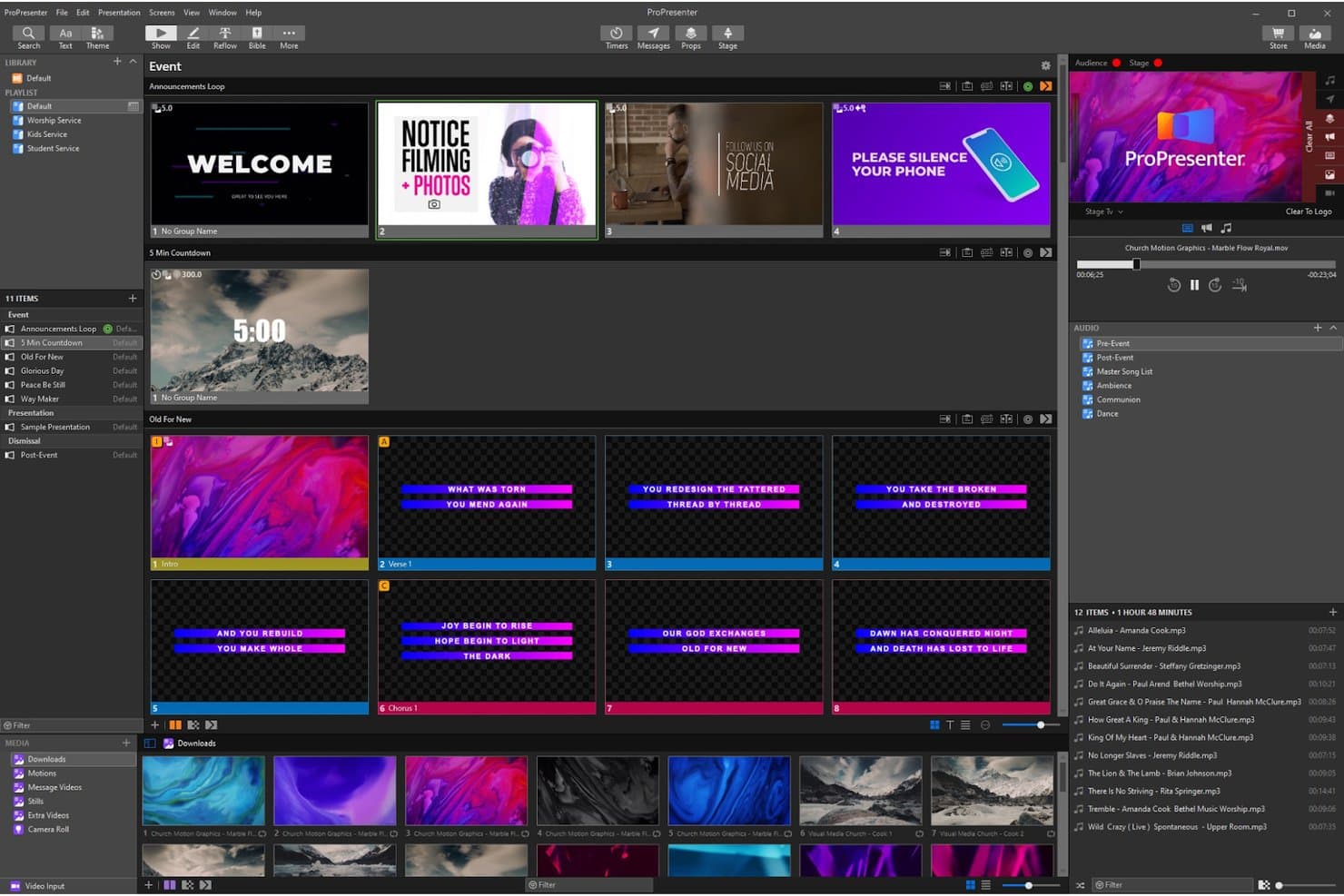
Resi supports church event presentation with slides and media management. Resi is a church live streaming platform built around its patented Resilient Streaming Protocol, offering live broadcasting, multi-platform distribution, on-demand video hosting, multisite delivery, automated scheduling, and real-time analytics.
Who Is Resi Best For?
Resi is a strong fit for multi-campus churches and media directors who need broadcast-grade reliability across multiple locations without babysitting the stream every Sunday.
Why I Picked Resi
Resi earns its spot on my shortlist because its patented Resilient Streaming Protocol is built specifically to keep your stream alive when your internet isn't cooperating. For multi-campus churches, I especially like the multisite delivery system: each decoder holds a 60-minute local buffer and automatically fails over to the cloud if the local network drops. Automated scheduling means the stream starts and stops on its own, so no one has to babysit the encoder on Sunday morning.
Resi Key Features
- Real-time analytics dashboard: Tracks viewer counts, watch time, geographic data, and device breakdowns across live and on-demand content in one view.
- QRclick overlay system: Detects QR codes shown on screen and surfaces tap-to-act links inside the Resi player for giving or registration.
- Studio AI clip creation: Automatically generates vertical short-form clips with captions, transcripts, and suggested titles from your recorded sermons.
- Branded Media Sites: Hosts your on-demand sermon library on an ad-free, custom-domain site outside social platform copyright systems.
Resi Integrations
Resi offers integrations with Planning Center, Tithe.ly, Rock RMS, Pushpay, Subsplash, ProPresenter, Church Online Platform, Altar Live, Maestro, and Sardius. Its REST API and webhooks support custom connections.
Pros and Cons
Pros:
- Reviewers praise responsive Sunday support
- Scheduled broadcasts start without Sunday intervention
- Streams recover through internet disruptions
Cons:
- No native chat, polls, or prayer requests
- Requires Resi hardware or ProPresenter
Learn more about Resi:
Other Options
Here are a few more that didn’t make the top list.
- 11StreamSpotBest for set-and-forget scheduled broadcasts
- 12Altar LiveBest for fostering community around live worship
- 13OneStreamBest for browser-based multi-platform church streams
- 14StreamYardBest for multistreaming to 10 destinations at once
- 15WirecastBest for broadcast-grade stock media library
- 16mimoLiveBest for Mac-native multi-camera sermon production
- 17sermon.netBest for ministry-owned sermon archiving and reach
How I Evaluate Church Streaming Services
I split my evaluation into three parts, giving the most weight to core functions: stream worship live and simulcast it to a church website and social platforms. Next, I look for distinctions such as in-stream giving. Finally, I consider volunteer-friendly setup, live-event support, and pricing value beyond features.
Core Functionality (Table Stakes For This List)
When I'm selecting tools for my list, I score each one on a scale from 0 (does not offer the functionality) to 5 (excels in this area) for each core functionality listed below. I then convert the total into a percentage to help assess each tool's overall fit, with extra weight on any functionalities I’ve deemed essential.
- Live Broadcasting (Essential): I look for stable audio and video through a full service, including transitions between speakers, music, and camera feeds.
- Multi-Platform Distribution (Essential): I check whether a team can send one service to its website and social channels at the same time, with reusable setup.
- On-Demand Archive: I assess whether recordings are saved and organized so congregants can find a past service without a separate upload.
- Viewer Engagement: I look for integrated chat, reactions, or prayer requests, plus moderation tools that help staff manage interaction during worship.
- Service Scheduling: I check whether teams can schedule recurring services and rely on predictable start and stop times.
- Streaming Analytics: I consider whether staff can review views, watch duration, and engagement to understand how people follow a service.
Once I have a list of tools that meet the criteria, I consider what sets each platform apart.
Differentiating Factors (What Sets Vendors Apart)
Here's how I compare and contrast different vendors:
Standout Features
I look for giving integration that places donation prompts inside the stream itself, not on a separate page. A well-timed giving moment during the offering keeps online viewers engaged the same way passing a plate does in the room. I also evaluate multi-campus management, checking whether one dashboard can push a single feed to multiple locations with independent fallback options. Beyond that, mobile streaming support matters for midweek events or mission trips where a full production rig isn't practical.
Beyond Features
I check whether a platform connects with your existing church management system, since linked giving and attendance records save hours of duplicate entry each week. Live-event reliability matters just as much—I look for failover options and Sunday-morning support channels, because a dropped stream mid-sermon isn't something your congregation forgets. I also evaluate how each vendor handles content ownership and data export, so your sermon archive stays portable if you ever switch providers.
Trends in Church Streaming Services
In 2025, church streaming services have evolved significantly, integrating advanced technologies to enhance virtual worship experiences. These developments address various challenges faced by church leaders, from engaging remote congregations to ensuring seamless and accessible services.
Enhanced Audience Engagement
- Interactive Features: Platforms now offer live chat, polls, and Q&A sessions during services, fostering real-time interaction between congregants and church leaders. This shift transforms passive viewing into active participation, strengthening community bonds.
- Personalized Content Delivery: Utilizing data analytics, services can tailor content recommendations based on viewer preferences and viewing history, ensuring congregants receive relevant sermons and materials.
Improved Accessibility and Inclusivity
- Automated Captioning and Translation: Advanced AI-driven tools provide real-time captions and translate services into multiple languages, making worship accessible to a diverse audience, including those with hearing impairments and non-native speakers.
- Multi-Platform Streaming: Services now support streaming across various platforms, including social media and dedicated apps, allowing congregants to join services through their preferred channels.
Advanced Analytics and Insights
- Engagement Metrics: Detailed analytics offer insights into viewer behavior, such as watch time and interaction rates, enabling church leaders to assess the impact of their services and make informed decisions.
- Feedback Mechanisms: Incorporating surveys and feedback forms within the streaming platform allows congregants to share their thoughts, helping churches to continuously improve their offerings.
Seamless Integration and Usability
- User-Friendly Interfaces: Modern platforms prioritize intuitive design, reducing the learning curve for church staff and volunteers, and ensuring smooth operation during live services.
- Integration with Church Management Systems: Streaming services now seamlessly integrate with existing church management software, streamlining administrative tasks and providing a unified system for managing congregant information and service schedules.
These trends highlight the ongoing commitment of church streaming services to leverage technology in enhancing worship experiences, fostering community engagement, and ensuring inclusivity for all congregants.
What are Church Streaming Services?
A church streaming service is a platform that allows churches to broadcast their services live or on-demand over the internet. These tools let congregants watch from home, on their phones, or wherever they are, making it easy to stay connected even when they can’t be in the building. For example, you can stream Sunday worship to Facebook and YouTube at the same time, record the sermon for later, and even add captions so everyone can follow along. It’s all about using simple technology to expand your reach and keep your community engaged.
Features of Church Streaming Services
When pastors use church streaming services, they can save time, reduce technical headaches, and focus more on ministry. The right tools make it easier to handle the operations side of streaming, so your energy goes into leading worship and connecting with people instead of troubleshooting equipment or managing logistics. Here are three key benefits and the most important features to look for to make them happen.
- Automated Scheduling: Lets you set up your streams ahead of time and ensures they start on time without constant oversight. This frees you from worrying about the details on Sunday morning.
- Multi-Platform Streaming: Sends your stream to multiple platforms like Facebook, YouTube, and your website at the same time, saving time while reaching more people.
- Cloud-Based Storage: Automatically stores recordings of your services for on-demand viewing, so you don’t have to manually upload or manage files.
- Integrated Analytics: Tracks engagement, such as view counts and watch time, helping you understand how your services are resonating and where to focus your efforts.
- Customizable Templates: Offers pre-built layouts and overlays for branding and service visuals, so you can create professional streams without spending hours on design.
- User-Friendly Interface: Keeps things simple for volunteers and staff, so anyone can operate the system without specialized training.
- Built-In Troubleshooting Tools: Helps diagnose and fix common streaming issues, so problems don’t interrupt your service and take time away from ministry.
- Donation Integration: Allows viewers to give directly through the streaming platform, reducing the need for separate systems and making it easier to support ministry efforts.
- Security Features: Protects private events with password protection or unlisted links, so you can focus on the message instead of worrying about unauthorized access.
- Mobile Control Options: Lets you manage the stream from your phone, making it easy to oversee everything even when you’re not near a computer.
By choosing a church streaming service with these features, you’ll simplify the operations side of streaming. That way, you can focus on what matters most: leading your church and serving your congregation.
Benefits of Church Streaming Services
Church streaming services have become essential tools for churches of all sizes, especially as online ministry continues to grow. These platforms make it easier to reach people wherever they are while simplifying the technical side of broadcasting. Here are five key benefits church streaming services provide:
- Expanded Reach: Broadcasting services online allows churches to connect with members who can’t attend in person and even reach new audiences outside their local community.
- Enhanced Engagement: Features like live chat and interactive polls create opportunities for online viewers to participate, making them feel more involved in worship.
- Improved Accessibility: Tools like automated captions and multi-language support ensure everyone, including those with disabilities or language barriers, can participate in the service.
- Time and Resource Efficiency: By automating processes like recording and multi-platform streaming, these services save staff and volunteers time, freeing them to focus on other ministry work.
- Data-Driven Insights: Built-in analytics help churches understand viewer behavior and engagement, enabling leaders to make informed decisions about their online ministry.
Church streaming services empower churches to grow their ministry online while keeping operations manageable. Whether your focus is reaching a broader audience or fostering deeper engagement, these tools help align technology with your mission.
Costs & Pricing of Church Streaming Services
When selecting a church streaming service, it's important to understand the various plans and pricing options available to ensure they align with your church's needs and budget. Below is a table summarizing common plan types, their average prices, included features, and suitability for different church sizes and requirements.
| Plan Type | Average Price (per month) | Common Features | Best For... |
|---|---|---|---|
| Plan TypeFree | Average Price (per month)$0 | Common FeaturesBasic live streaming, limited storage, standard definition video quality | Best For...Small churches or those new to streaming, with minimal streaming needs |
| Plan TypeBasic | Average Price (per month)$30–$50 | Common FeaturesHD streaming, moderate storage, basic analytics, limited customer support | Best For...Small to mid-size churches with regular streaming requirements |
| Plan TypeStandard | Average Price (per month)$70–$100 | Common FeaturesFull HD streaming, increased storage, advanced analytics, multi-platform streaming | Best For...Mid-size churches seeking enhanced streaming capabilities |
| Plan TypePremium | Average Price (per month)$150–$200 | Common Features4K streaming, unlimited storage, priority support, custom branding, advanced security | Best For...Large churches with high-quality streaming needs and larger online audiences |
| Plan TypeEnterprise | Average Price (per month)Custom Pricing | Common FeaturesTailored features, dedicated support, integration with existing systems | Best For...Mega churches or organizations with complex streaming and integration needs |
When choosing a plan, consider your church's size, streaming frequency, desired video quality, and budget to select the option that best fits your ministry's goals.
Church Streaming Services: Frequently Asked Questions
1. Can church streaming services work with our existing audio and video equipment?
Yes, most church streaming services are designed to integrate with a wide range of audio and video setups. Many platforms support popular hardware like cameras, microphones, and switchers through connections like HDMI, USB, or NDI. Some services even provide specific setup guides for common equipment, ensuring a smooth integration process.
2. What kind of internet connection is required for live streaming?
A stable internet connection is critical for successful live streaming. Ideally, you should have at least 10 Mbps upload speed for HD streaming and higher speeds for 4K video. Most streaming services offer built-in tools to test your connection and optimize settings based on your bandwidth to prevent buffering or dropped streams.
3. How do these platforms handle copyrighted music during a service?
Church streaming services often include features to help manage copyright compliance, such as the ability to mute or replace copyrighted music. Some platforms also integrate with licensing services like CCLI to ensure your streams meet legal requirements. Always verify licensing needs for the music you plan to use to avoid interruptions.
4. Can we monetize our streams to support the ministry?
Yes, many platforms offer tools for monetization, including donation buttons, pay-per-view options, and integration with online giving platforms. These features allow churches to collect offerings directly from viewers during the stream, supporting ministry efforts even for remote congregants.
5. How secure are church streaming services for private events like funerals or small group meetings?
Most platforms offer security features like password-protected streams, unlisted links, and user authentication to ensure that private events are only accessible to invited participants. These options make it easy to maintain privacy for sensitive gatherings while still providing a virtual option for those who can’t attend in person.