
Appy Pie Bewertung: Vorteile, Nachteile, Funktionen und Preisübersicht


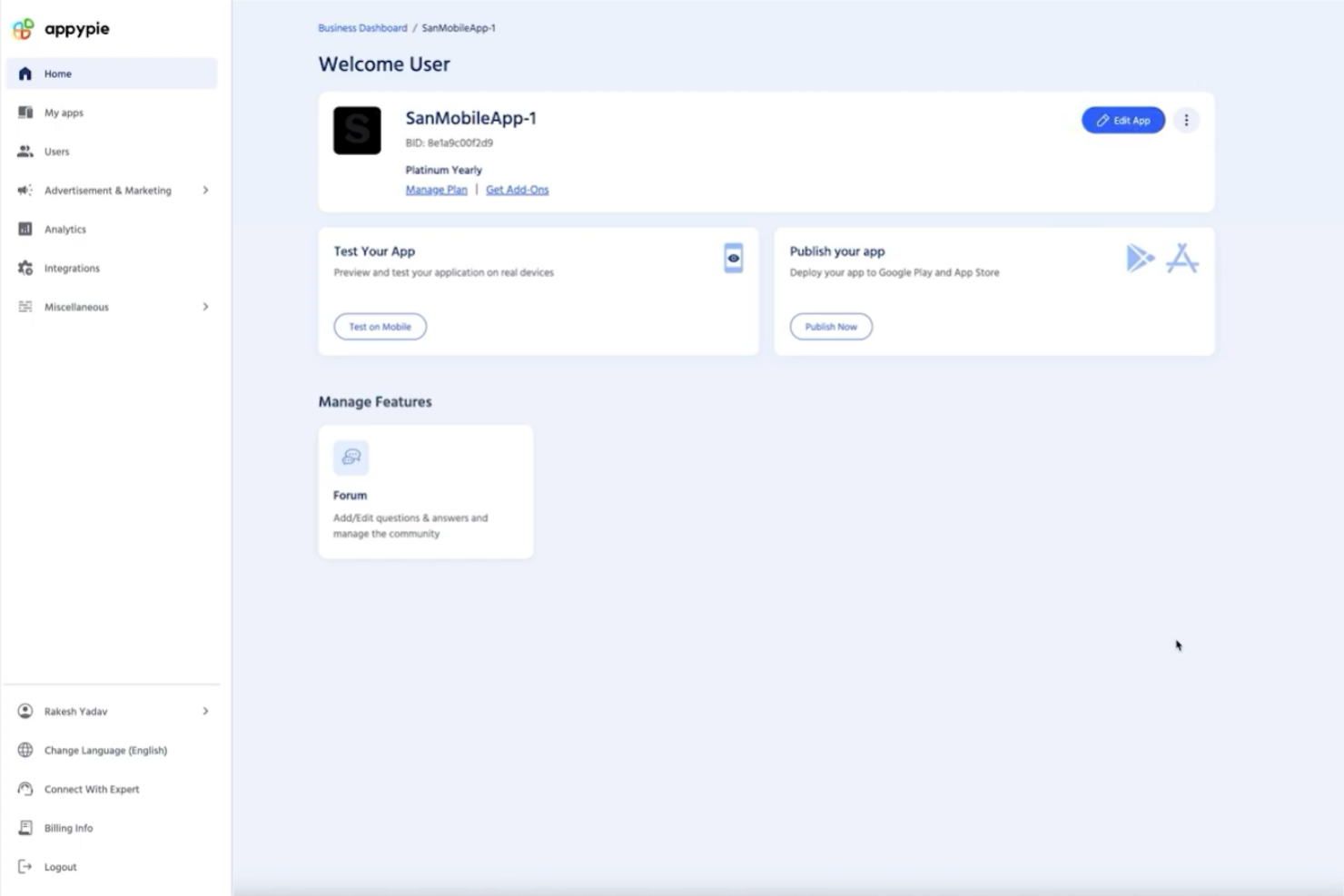
Appy Pie is a no-code church website builder for ministry leaders who need to launch a site without a developer or a design background. I'd consider it if budget and speed matter more than pixel-perfect customization—it's easier to get up and running than Squarespace, which rewards users who already have design experience and time to invest in the build.
Appy Pie Evaluation Summary
- From $16/app/month
- 7-day free trial available
Warum Sie unseren Software-Empfehlungen vertrauen können
Unser Team testet und bewertet Software seit 2012. Als Kirchenleiter wissen wir selbst, wie schwierig – und wichtig – es ist, die richtige Software auszuwählen.
Für diesen Leitfaden haben wir Tools mithilfe von praktischen Tests und unabhängiger Recherche bewertet und dabei unsere Bewertungskriterien angewendet.
Unsere Bewertungen spiegeln unser menschliches redaktionelles Urteilsvermögen wider, keine Verkaufsstrategie.
Appy Pie Overview
If you’re judging Appy Pie as a church website tool, I think its drag-and-drop builder and affordable pricing make it a strong pick for churches with limited tech skills or budgets. Compared to others, onboarding is quick, and the interface is easy to navigate, but customization and integrations can feel basic.
Support is responsive, and you’ll find plenty of templates for ministries, but advanced features like event registration or media libraries aren’t as deep. I’d suggest Appy Pie for small to mid-sized churches wanting a simple, budget-friendly way to get online fast.
pros
-
Drag-and-drop builder makes website creation fast for churches
-
Built-in push notifications help keep congregations informed
-
Affordable pricing plans fit small church budgets
cons
-
Limited advanced features for sermon media or event calendars
-
Template designs can feel generic for church branding needs
-
Custom domain setup sometimes requires extra support steps
-

AskMyChurch
Visit Website -
ChMeetings
Visit WebsiteThis rating combines scores from multiple user review sites to reflect overall customer sentiment about the product.4.9 -
Subsplash
Visit WebsiteThis rating combines scores from multiple user review sites to reflect overall customer sentiment about the product.4.5





Wie wir Tools testen & bewerten
Wir haben jahrelang unser System zur Softwarebewertung entwickelt, verfeinert und verbessert. Der Bewertungsmaßstab erfasst die Feinheiten bei der Softwareauswahl und was ein Tool effektiv macht, mit Fokus auf die wichtigsten Entscheidungsaspekte. Nachfolgend sehen Sie genau, wie unsere Tests und Bewertungen in sieben Kategorien funktionieren. So können wir eine objektive Bewertung der Software anhand von Kernfunktionen, herausragenden Merkmalen, Benutzerfreundlichkeit, Onboarding, Kundensupport, Integrationen, Kundenbewertungen und Preis-Leistungs-Verhältnis liefern.
Kernfunktionalität (25% der Gesamtbewertung)
Der Ausgangspunkt unserer Bewertung ist immer die Basisfunktionalität des Tools. Verfügt es über die grundlegenden Funktionen und Merkmale, die ein Nutzer erwarten würde? Sind einige dieser Kernfunktionen auf höherpreisige Tarife beschränkt? Im Kern erwarten wir, dass ein Tool den Grundfunktionen seiner Mitbewerber standhält.
Herausragende Funktionen (25% der Gesamtbewertung)
Als Nächstes bewerten wir ungewöhnliche, herausragende Funktionen, die über die übliche Kernfunktionalität hinausgehen. Eine hohe Punktzahl spiegelt spezialisierte oder einzigartige Funktionen wider, die das Produkt schneller, effizienter oder für den Nutzer wertvoller machen. Wir bewerten außerdem, wie einfach sich das Tool mit anderen, typischerweise in der technologischen Infrastruktur verwendeten Tools integrieren lässt, um die Funktionalität und den Nutzen der Software zu erweitern. Tools mit vielen nativen Integrationen, Verbindungen zu Drittanbietern und API-Zugängen für maßgeschneiderte Integrationen schneiden am besten ab.
Benutzerfreundlichkeit (10% der Gesamtbewertung)
Wir betrachten, wie schnell und einfach sich die Kernfunktionen mit dem Tool ausführen lassen. Hoch bewertete Software ist gut gestaltet, intuitiv zu bedienen, bietet mobile Apps, stellt Vorlagen bereit und macht selbst komplexere Aufgaben einfach.
Onboarding (10% der Gesamtbewertung)
Wir wissen, wie wichtig eine schnelle Akzeptanz im Team für eine neue Plattform ist, daher bewerten wir, wie leicht ein Tool mit minimaler Schulung zu erlernen und zu nutzen ist. Entscheidend ist, wie schnell ein Teammitglied ohne Vorkenntnisse das Tool einrichten und verwenden kann. Lösungen mit hoher Bewertung erfordern wenig bis keine Unterstützung.
Kundensupport (10% der Gesamtbewertung)
Wir prüfen, wie schnell und unkompliziert Hilfe per Telefon, Live-Chat oder Wissensdatenbank erreichbar ist. Tools und Unternehmen, die Echtzeit-Support bieten, erzielen die besten Ergebnisse, während Chatbots am schlechtesten abschneiden.
Kundenbewertungen (10% der Gesamtbewertung)
Zusätzlich zu unseren eigenen Tests berücksichtigen wir auch den Net Promoter Score aktueller und ehemaliger Kunden. Wir analysieren, wie wahrscheinlich diese Kunden das Tool erneut für die Kernfunktionen wählen würden. Eine hohe Bewertung spiegelt einen hohen Net Promoter Score wider.
Preis-Leistungs-Verhältnis (10% der Gesamtbewertung)
Abschließend vergleichen wir den durchschnittlichen Preis der Einstiegstarife angesichts der Kernfunktionen und der anderen Bewertungskriterien. Software, die mehr für weniger bietet, erhält eine bessere Bewertung.
Core Features
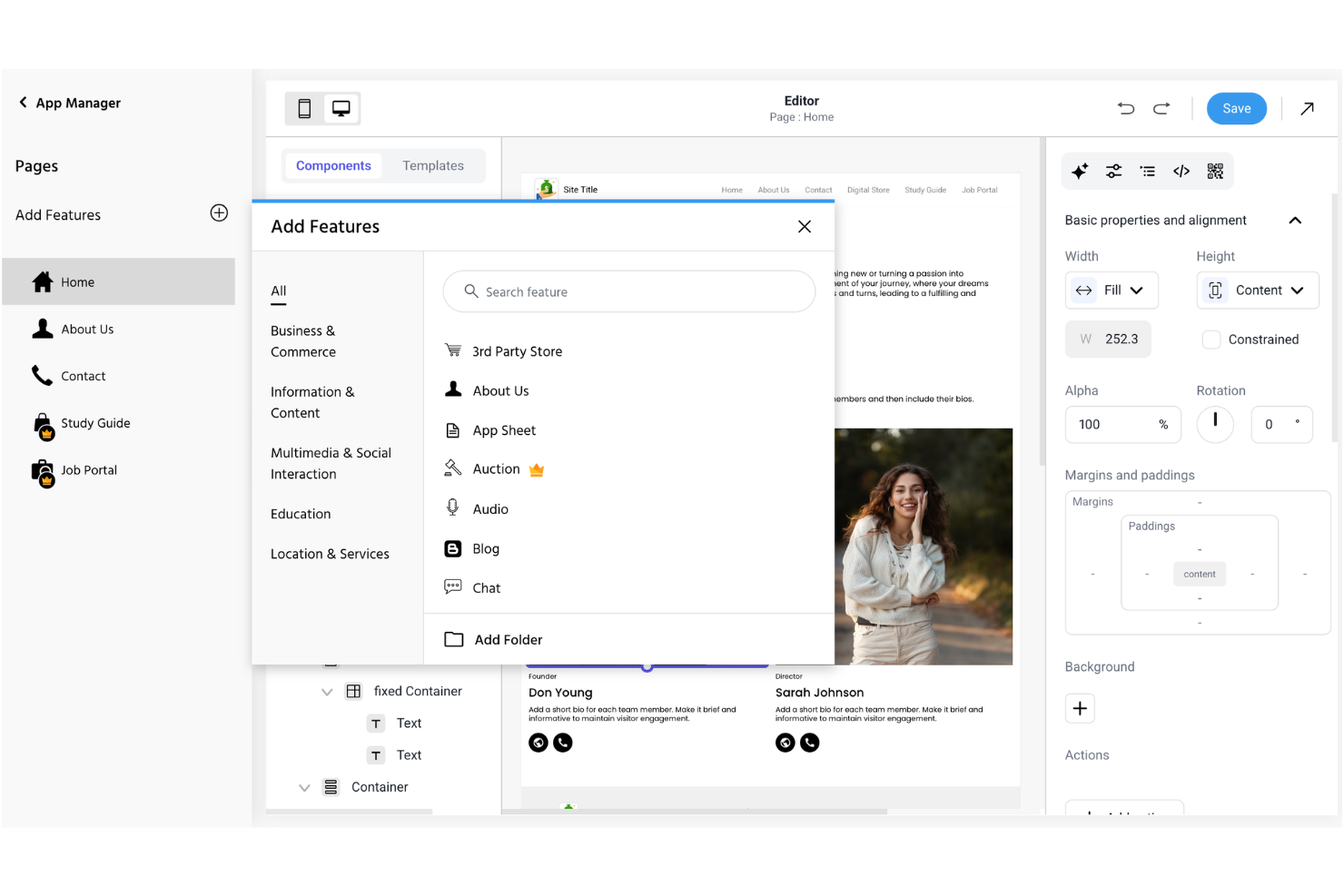
Drag-and-Drop Website Builder
Create and edit pages visually without coding. This lets church staff and volunteers quickly update content and layouts.
Customizable Templates
Choose from a range of pre-built designs tailored for churches. Templates include sections for sermons, events, and contact info.
Push Notifications
Send instant updates to your congregation’s devices. This feature helps keep members informed about service changes or urgent news.
Event Management
Add, edit, and display upcoming church events on your site. Members can easily see what’s happening and when.
Mobile Optimization
Websites automatically adjust for smartphones and tablets. This ensures your church’s site looks good and works well on any device.
Form Builder
Create custom forms for prayer requests, sign-ups, or feedback. Responses are collected in one place for easy follow-up.
Ease of Use
Appy Pie stands out for its straightforward, visual editor and simple setup process, making it easy for church staff and volunteers to get a site online quickly. Most users say they can publish pages, update events, and send notifications without needing technical help.
The interface is clean and intuitive, with clear prompts and helpful guides, so even first-timers can manage content and settings confidently.
Integrations
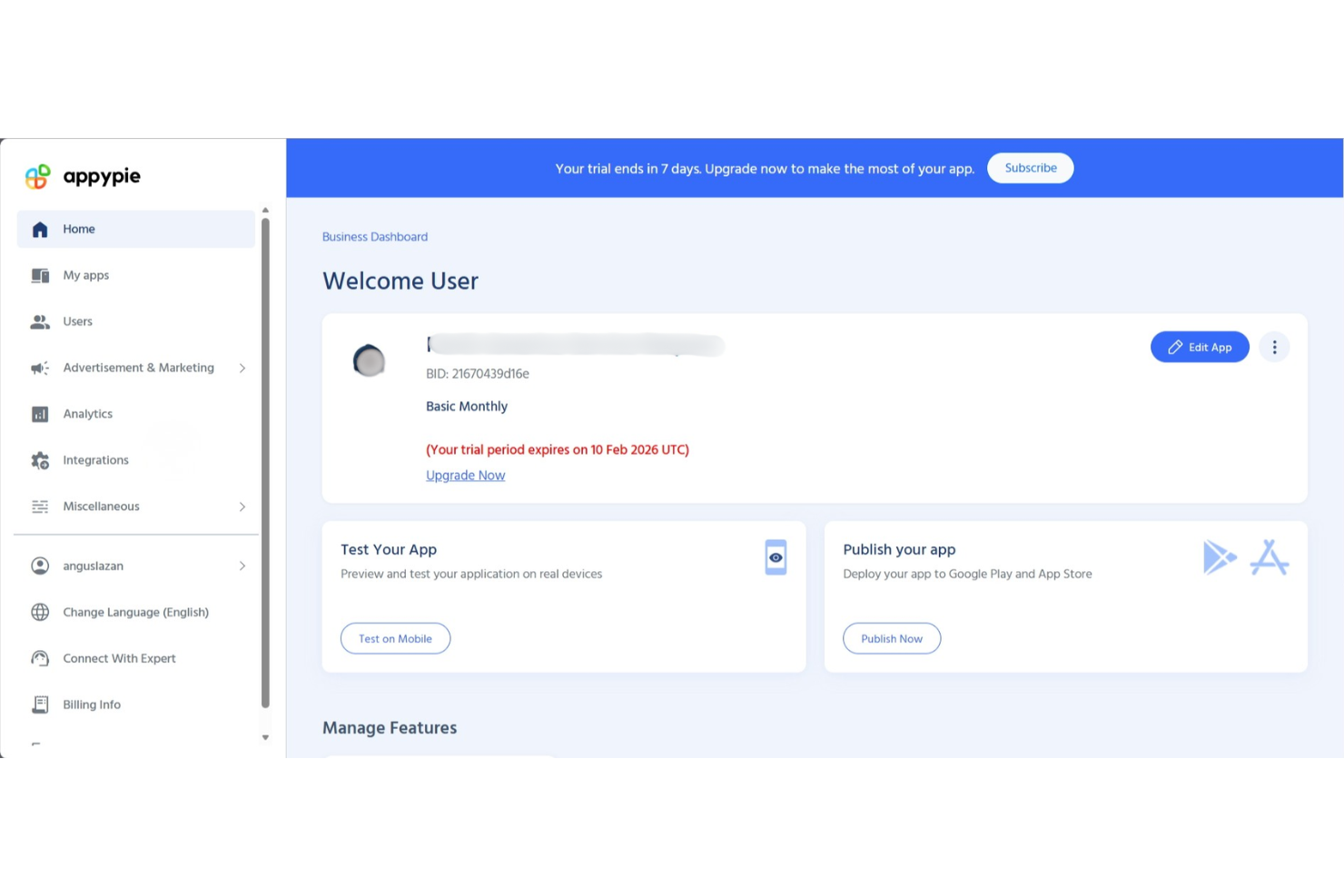
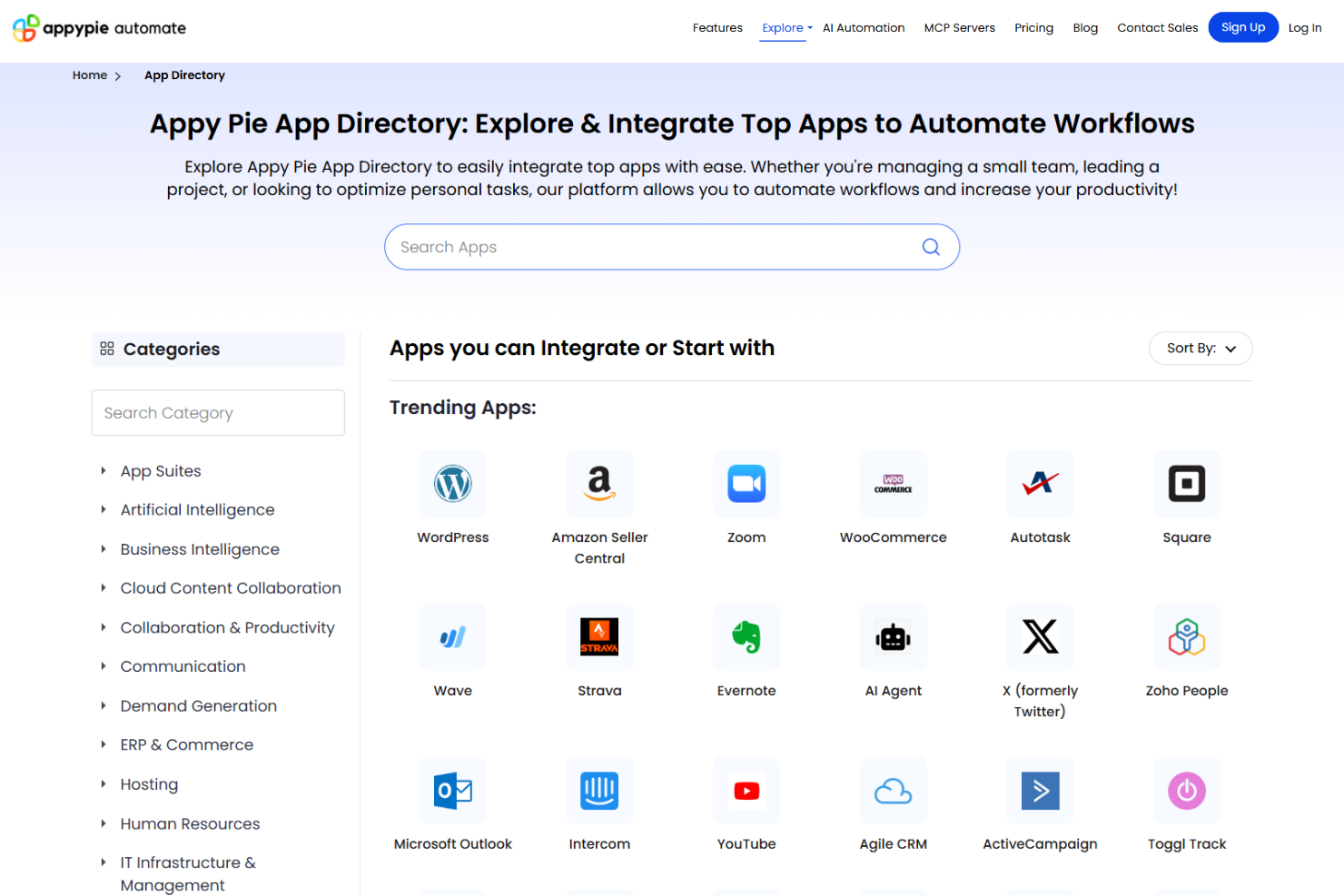
Appy Pie integrates with Google Analytics, Facebook Pixel, Stripe, PayPal, Mailchimp, Slack, Trello, Dropbox, Salesforce, and Shopify, among others.
Appy Pie also offers an API and connects with third-party integration tools for expanded functionality.
Appy Pie Specs
- API
- Bug Tracking
- CI/CD Integration
- Cloud Deployment
- Code Review
- Code Transformation
- Collaboration Support
- Data Export
- Data Import
- Developer Tools
- External Integrations
- Git Integration
- History/Version Control
- IDE Plugins
- Local Deployment
- Multi-User
- Notifications
- Project Management
- Release Management
- Static Analysis
- Task Scheduling/Tracking
- Testing