

Circle Review: Pros, Cons, Features, and Pricing Explained
Circle stands out for its intuitive community-building tools and flexible integrations, making it ideal for creators seeking a customizable, all-in-one membership platform.

We review tools independently, and commissions help fund our testing. See our transparency policy, our methodology, or suggest a tool.
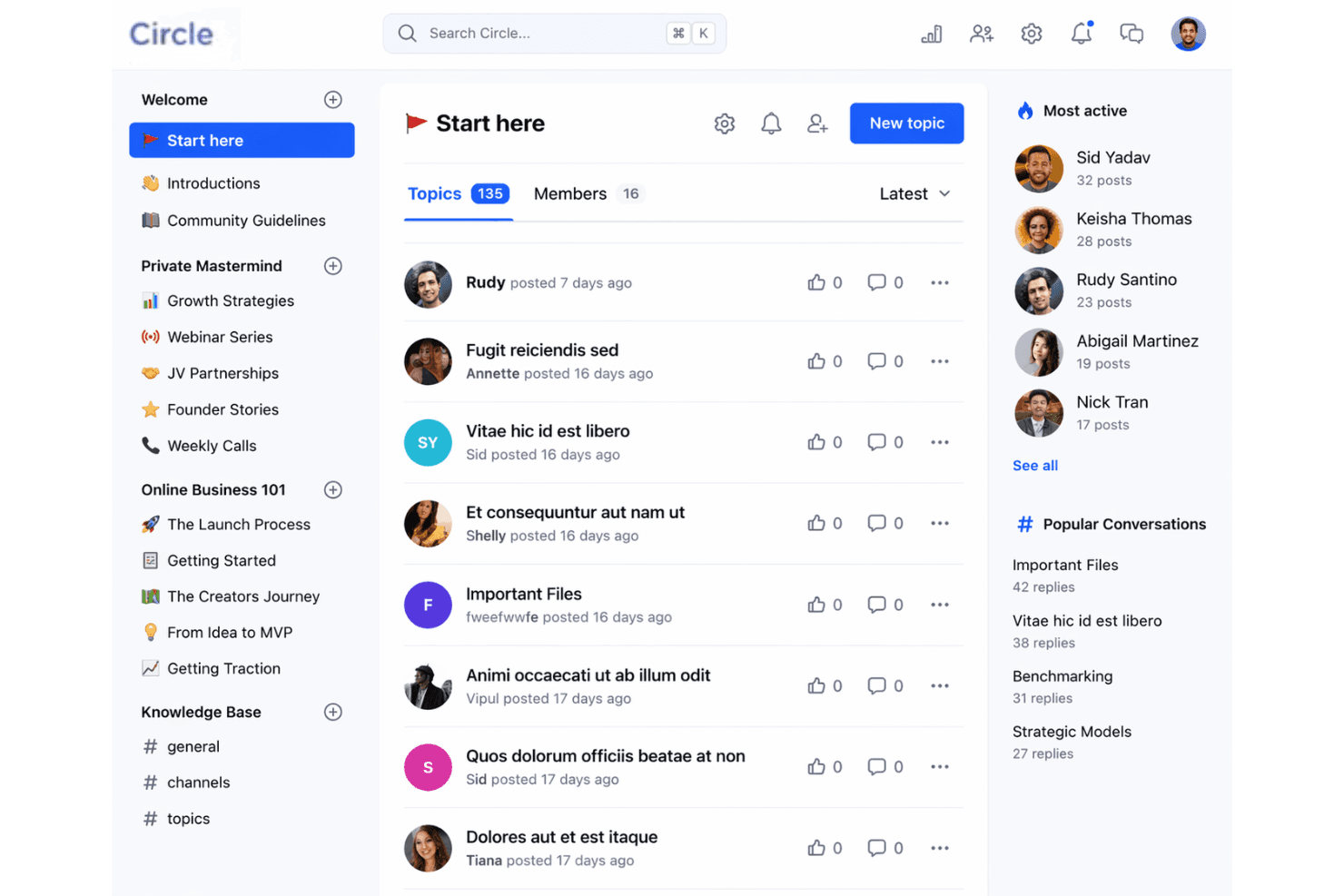
Circle is an online membership software designed to help you build, manage, and engage your community in one place. As a community builder, you know how challenging it can be to keep members connected, organize groups, and communicate updates without juggling multiple tools. The Circle platform brings your people together with discussion forums, live streams, event management, and resource sharing—all within a single, easy-to-use platform.
In this review, you'll find a clear breakdown of Circle's features, use cases, pros and cons, and pricing, so you can decide if it's the right fit for your needs.
Circle Evaluation Summary
4.5/5
- From $89/month
- 14-day free trial + free demo available
Why Trust Our Software Recommendations
6,700+
Reviews
20
Industry experts
16+
Evaluation factors
14
Years
Our team has been testing and reviewing software since 2012. As church leaders ourselves, we know how difficult—and important—it is to choose the right software.
For this guide, we evaluated tools using hands-on testing and independent research, scoring tools using our selection criteria.
Our reviews reflect our human editorial judgment, not a sales pitch.
Circle Overview
When judging Circle as an online membership software, its clean interface, flexible integrations, and strong community features set it apart from many alternatives. Pricing is mid-range, and onboarding is straightforward, making it accessible for teams with limited tech support. While its event tools and resource management are solid, some advanced reporting and automation options are less developed than others. If you're selecting software for building active, connected communities, then you might want to use Circle.
Pros
- Offers structured community spaces for group discussions and resources
- Built-in event management supports recurring and one-time live streams and events
- Active community support and regular feature updates
Cons
- Limited advanced reporting and analytics options
- No built-in donation or giving management tools
- Some users report slow response times from customer support
Is Circle Right For Your Needs?
Who Would be a Good Fit for Circle?
Circle works best for organizations and teams that need to foster ongoing engagement, resource sharing, and group interaction in a digital space. Its structured forums, event management, and content hosting make it a strong choice for communities, creators, and learning environments that value connection and collaboration. Whether you're an entrepreneur building a paid community or an educator launching online courses, Circle's feature set aligns well with the demands of modern community building. If your work depends on building relationships and facilitating real-time communication, the platform is well worth your attention.
- Small ChurchesCircle's group spaces and event tools help manage member engagement.
- Online Course CreatorsCourse modules and community features support interactive learning environments.
- Nonprofit NetworksResource libraries and discussion forums enable knowledge sharing and support.
- Volunteer TeamsTask coordination and group messaging keep volunteers connected and informed.
- Faith-Based GroupsPrivate spaces and event scheduling suit ongoing ministry activities.
- Coaching CommunitiesLive events and member directories help coaches connect with clients.
Who Would be a Bad Fit for Circle?
Circle is less suited for organizations that require complex administrative tools, advanced analytics, or integrated financial management. If your team needs deep reporting, built-in giving, or highly specialized workflows, Circle's focus on community engagement may not meet your operational demands. Consider other options if your primary needs go beyond communication and group management.
- Large EnterprisesCircle lacks advanced analytics and enterprise-level administrative controls.
- Financial ServicesNo built-in payment processing or compliance management features.
- HR DepartmentsDoes not offer onboarding, payroll, or employee record management.
- Event PlannersLimited ticketing, registration, and attendee tracking capabilities.
- Healthcare ProvidersNo HIPAA compliance or patient data management tools.
- Fundraising TeamsMissing integrated donation and fundraising management features.
How We Test & Score Tools
We’ve spent years building, refining, and improving our software testing and scoring system. The rubric is designed to capture the nuances of software selection and what makes a tool effective, focusing on critical aspects of the decision-making process.
Below, you can see exactly how our testing and scoring works across seven criteria. It allows us to provide an unbiased evaluation of the software based on core functionality, standout features, ease of use, onboarding, customer support, integrations, customer reviews, and value for money.
Core Functionality (25% of final scoring)
The starting point of our evaluation is always the core functionality of the tool. Does it have the basic features and functions that a user would expect to see? Are any of those core features locked to higher-tiered pricing plans? At its core, we expect a tool to stand up against the baseline capabilities of its competitors.
Standout Features (25% of final scoring)
Next, we evaluate uncommon standout features that go above and beyond the core functionality typically found in tools of its kind. A high score reflects specialized or unique features that make the product faster, more efficient, or offer additional value to the user.
We also evaluate how easy it is to integrate with other tools typically found in the tech stack to expand the functionality and utility of the software. Tools offering plentiful native integrations, 3rd party connections, and API access to build custom integrations score best.
Ease of Use (10% of final scoring)
We consider how quick and easy it is to execute the tasks defined in the core functionality using the tool. High scoring software is well designed, intuitive to use, offers mobile apps, provides templates, and makes relatively complex tasks seem simple.
Onboarding (10% of final scoring)
We know how important rapid team adoption is for a new platform, so we evaluate how easy it is to learn and use a tool with minimal training. We evaluate how quickly a team member can get set up and start using the tool with no experience. High scoring solutions indicate little or no support is required.
Customer Support (10% of final scoring)
We review how quick and easy it is to get unstuck and find help by phone, live chat, or knowledge base. Tools and companies that provide real-time support score best, while chatbots score worst.
Customer Reviews (10% of final scoring)
Beyond our own testing and evaluation, we consider the net promoter score from current and past customers. We review their likelihood, given the option, to choose the tool again for the core functionality. A high scoring software reflects a high net promoter score from current or past customers.
Value for Money (10% of final scoring)
Lastly, in consideration of all the other criteria, we review the average price of entry level plans against the core features and consider the value of the other evaluation criteria. Software that delivers more, for less, will score higher.
Core Features
Spaces
Organize discussions, resources, and events into dedicated community spaces. Set permissions to make spaces public or private.
Events and Live Streams
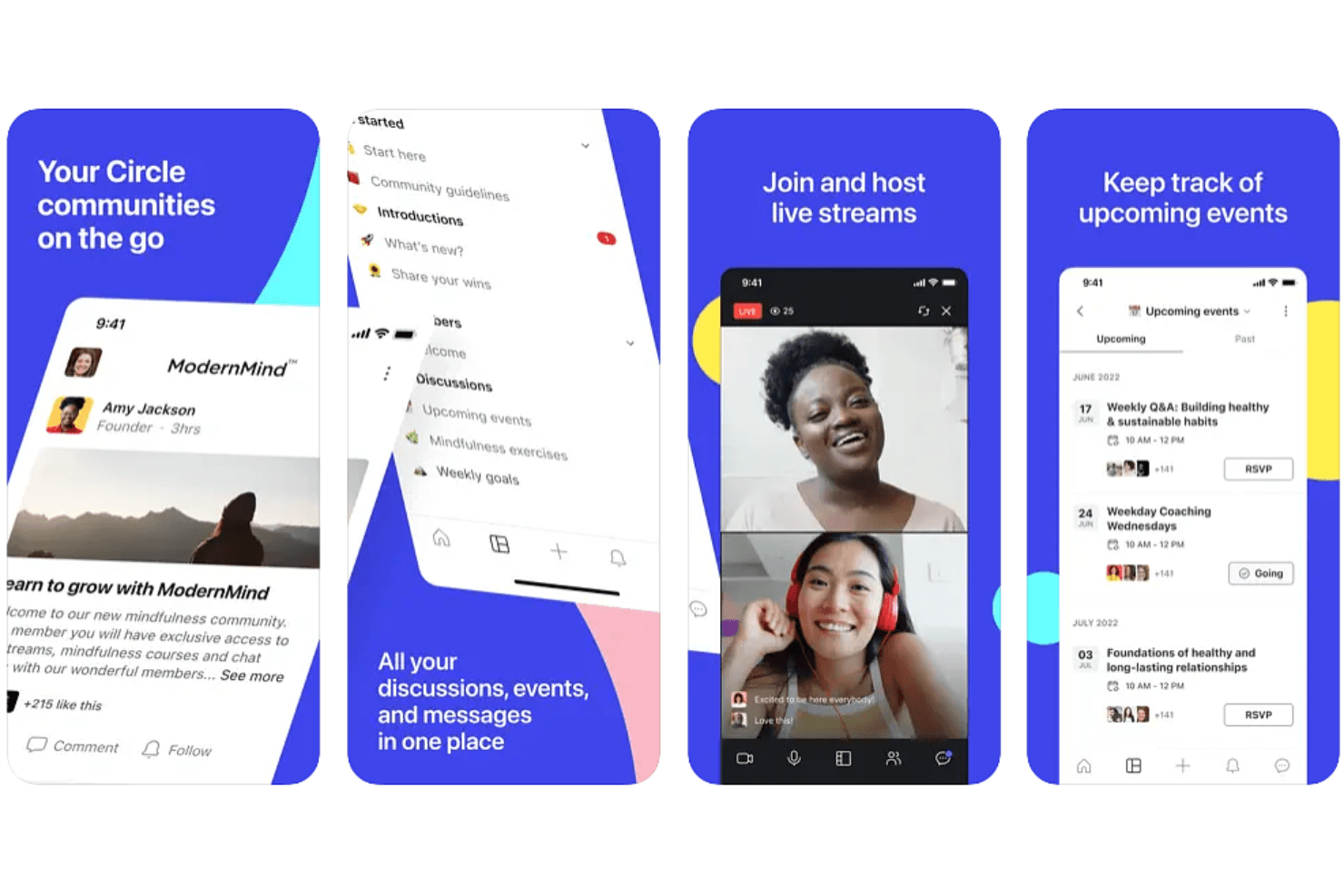
Host live streams, webinars, or recurring meetings directly within your community. Members can RSVP, add events to calendars, and get reminders.
Member Directory
A searchable directory helps community members find and connect with each other. Profiles include bios, interests, and contact info.
Content Library
Upload and organize files, videos, and resources for easy member access. Control who sees what content in each space.
Posts and Announcements
Share updates or news with targeted groups or your entire community. Posts support rich media and comments for real-time interaction.
Moderation Tools
Assign moderators, set posting guidelines, and manage member activity. Automated tools help flag inappropriate content and maintain a safe environment.
Ease of Use
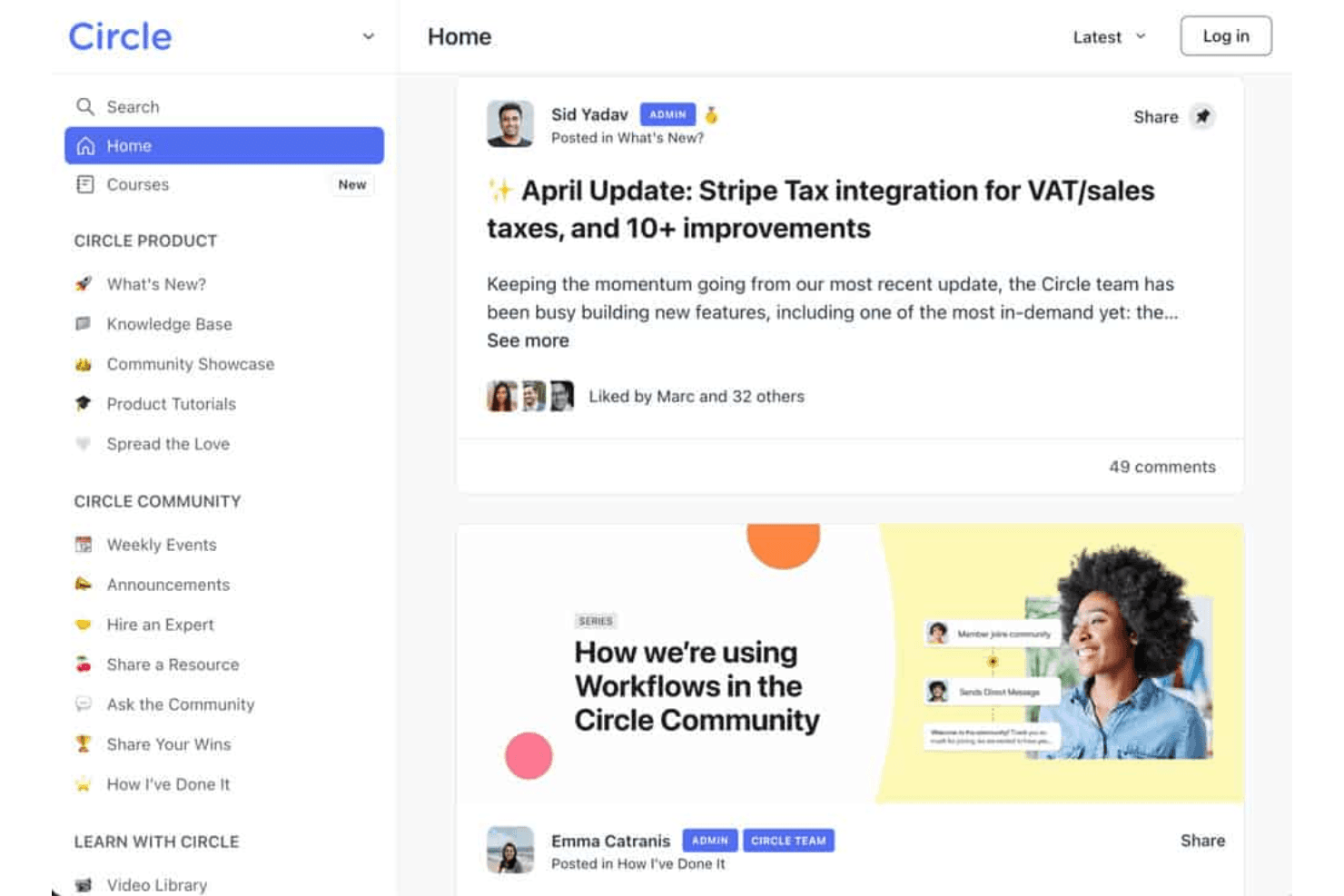
Circle is widely recognized for its clean, intuitive interface and straightforward navigation, making it easy for both admins and members to get started. Users often highlight the drag-and-drop space organization and simple event setup as especially user-friendly. The onboarding process is guided and clear, with helpful tutorials and community support available. While some advanced features require exploration, most users find Circle's usability a strong advantage over more complex or cluttered platforms like alternatives such as those positioned against kajabi, mighty networks, skool, or teachable.
Integrations
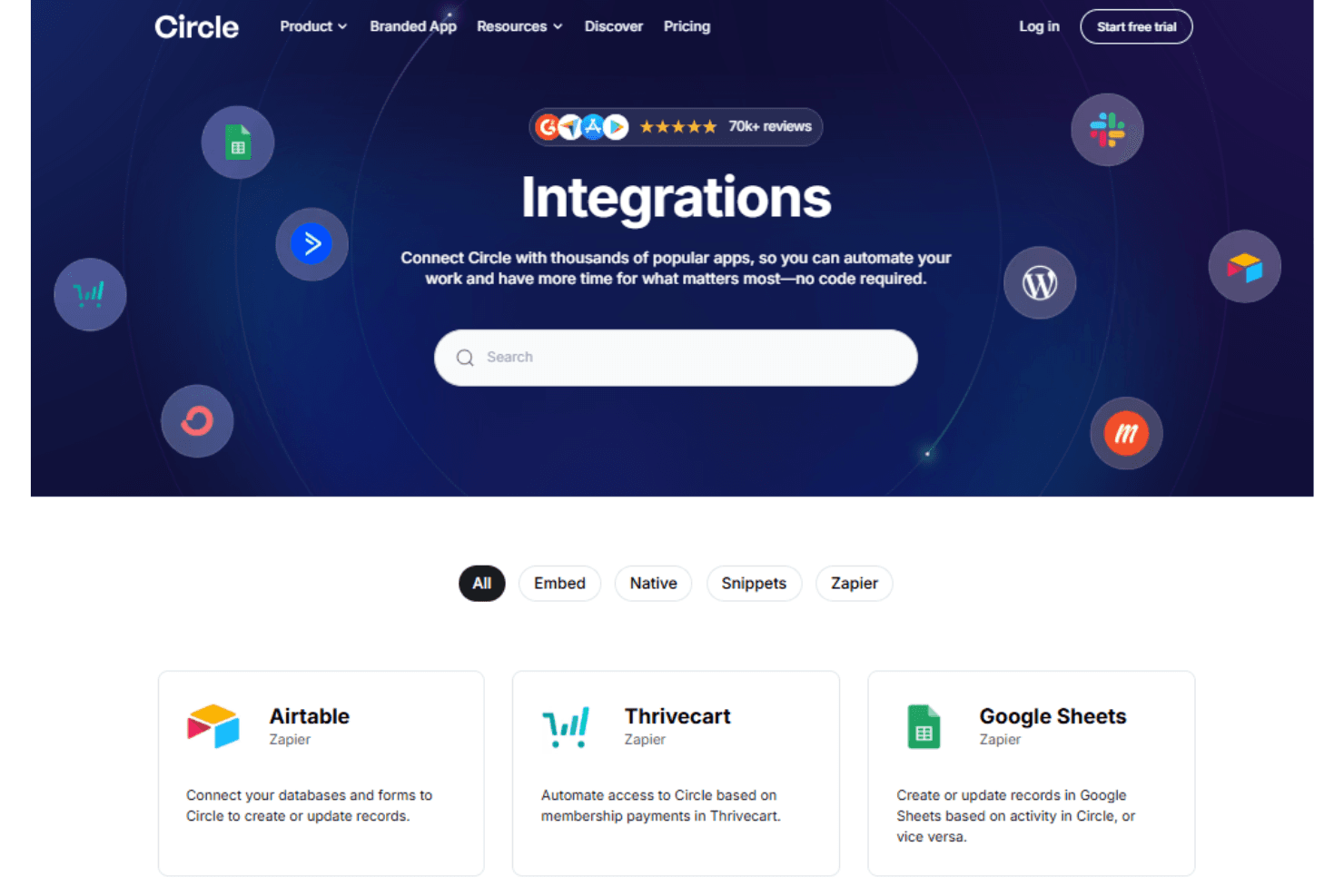
Circle integrates with Zapier, Memberful, Stripe, Google Analytics, Youtube, and WordPress, among others.
Circle also offers an API and connects with third-party integration tools for expanded functionality.
Circle Specs
- API: Yes
- Calendar Management: Yes
- Call Integration: Yes
- Chat: Yes
- Click-to-Dial: Yes
- Contact Management: Yes
- CRM Integration: Yes
- Customer Management: Yes
- Dashboard: Yes
- Data Export: Yes
- Data Import: Yes
- Data Visualization: Yes
- Email Integration: Yes
- Escalation Management: Yes
- External Integrations: Yes
- Google Apps Integration: Yes
- Inventory Tracking: Yes
- Knowledge Base: Yes
- Lead Management: Yes
- Lead Scoring: Yes
- Marketing Automation: Yes
- Multi-User: Yes
- Net Promoter Score: Yes
- Notifications: Yes
- Online Surveys: Yes
- SAP Integration: Yes
- Scheduling: Yes
- Self-service Portal: Yes
- Supplier Management: Yes
- Support Forum: Yes
- Ticket Management: Yes

