


Recensione di Aboundant: Pro, Contro, Funzionalità e Prezzi


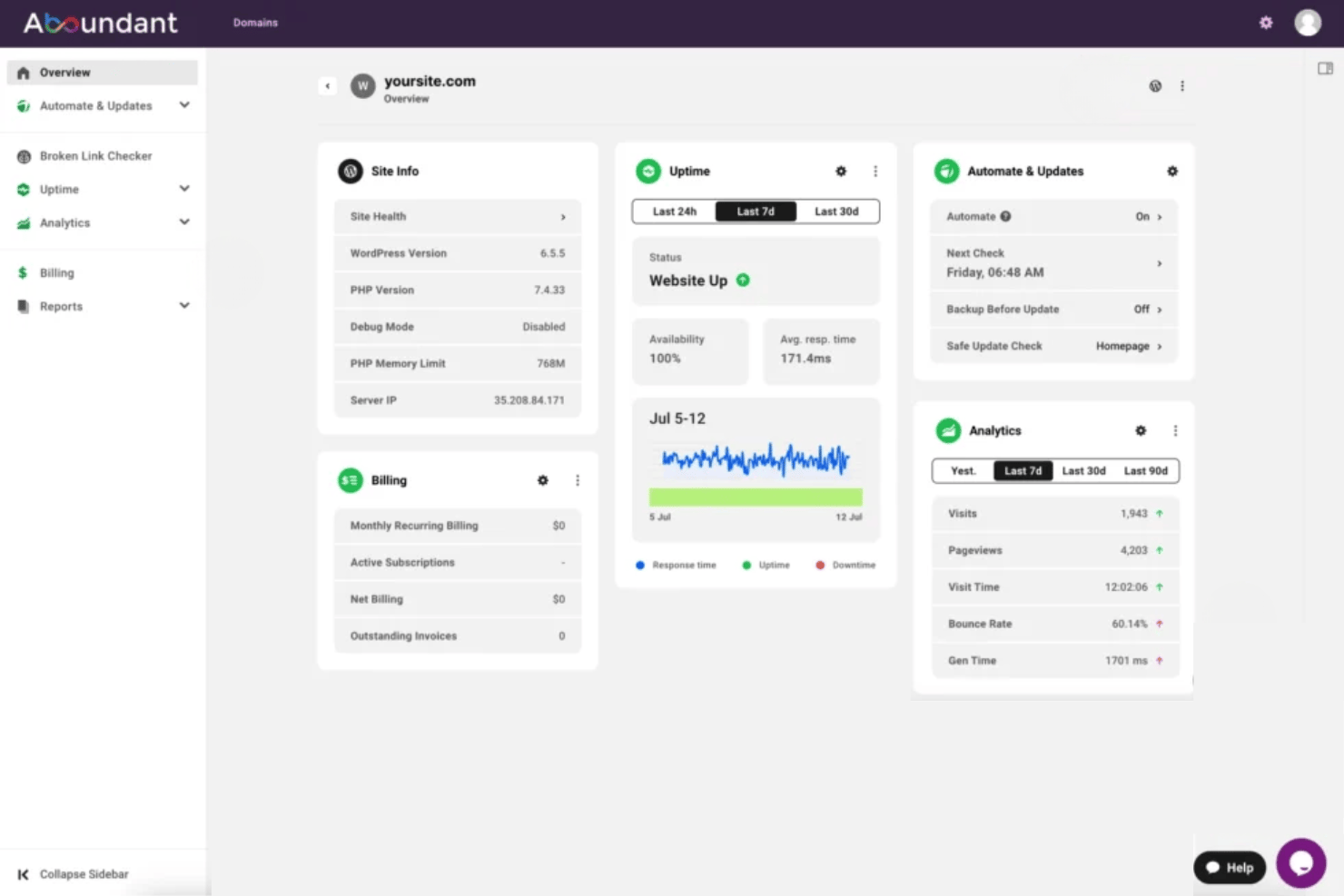
Aboundant is a church website builder built for churches that need a ministry-ready website without hiring a developer. I'd consider it if your congregation needs sermon libraries, event calendars, and online giving tools that work together from day one. If you've been looking at a general builder like Squarespace, Aboundant is the better fit. Its templates and features are designed around church workflows, not repurposed from business use cases.
Aboundant Evaluation Summary
- From $180/year
- 30-day free trial
Perché fidarsi dei nostri consigli sui software
Il nostro team testa e recensisce software dal 2012. In quanto leader ecclesiastici noi stessi, sappiamo quanto sia difficile — e importante — scegliere il software giusto.
Per questa guida, abbiamo valutato gli strumenti attraverso test pratici e ricerche indipendenti, assegnando un punteggio agli strumenti in base ai nostri criteri di selezione.
Le nostre recensioni riflettono il nostro giudizio editoriale umano, non un discorso di vendita.
Aboundant Overview
When I compare Aboundant to other church website options, I notice its strengths in ready-to-use templates, built-in giving tools, and simple pricing plans. I think its support team understands church needs better than most, and the admin interface is easy enough for volunteers to manage. You might choose Aboundant if you want quick onboarding and don’t need complex integrations. For small to midsize congregations looking to unite their digital presence without tech stress, I’d say Aboundant deserves serious consideration. It may underperform if you want deep customization or advanced event features, but for most churches, it checks the right boxes.
pros
-
Built-in church calendar with event management tools
-
Online giving forms included at all pricing tiers
-
Ministry-specific content widgets simplify update
cons
-
No native mobile app for member access
-
Limited options for advanced sermon media organization
-
Fewer pre-built integrations than other platforms
-

AskMyChurch
Visit Website -
ChMeetings
Visit WebsiteThis rating combines scores from multiple user review sites to reflect overall customer sentiment about the product.4.9 -
Subsplash
Visit WebsiteThis rating combines scores from multiple user review sites to reflect overall customer sentiment about the product.4.5





Come Testiamo e Valutiamo gli Strumenti
Abbiamo trascorso anni a costruire, perfezionare e migliorare il nostro sistema di test e valutazione dei software. Il nostro metodo è progettato per cogliere tutte le sfumature della selezione software e ciò che rende uno strumento efficace, concentrandosi sugli aspetti critici del processo decisionale. Qui sotto puoi vedere esattamente come funzionano i nostri test e valutazioni in base a sette criteri. Questo ci permette di offrire una valutazione imparziale dei software considerando funzionalità di base, caratteristiche distintive, facilità d’uso, onboarding, supporto clienti, integrazioni, recensioni dei clienti e rapporto qualità-prezzo.
Funzionalità di Base (25% del punteggio finale)
Il punto di partenza della nostra valutazione è sempre la funzionalità di base dello strumento. Dispone delle funzionalità e caratteristiche essenziali che un utente si aspetterebbe di trovare? Alcune di queste funzioni di base sono limitate a piani con prezzi superiori? In sostanza, ci aspettiamo che uno strumento sia all’altezza delle capacità minime offerte dai concorrenti.
Caratteristiche Distintive (25% del punteggio finale)
Successivamente analizziamo le caratteristiche distintive che vanno oltre la funzionalità base tipica degli strumenti di questa tipologia. Un punteggio alto riflette funzioni specializzate o uniche che rendono il prodotto più veloce, efficiente o offrono valore aggiunto all’utente. Valutiamo anche quanto sia semplice integrare altri strumenti comunemente presenti nello stack tecnologico per espandere la funzionalità e l’utilità del software. Gli strumenti che offrono numerose integrazioni native, connessioni di terze parti e accesso API per creare integrazioni personalizzate ottengono il punteggio migliore.
Facilità d’Uso (10% del punteggio finale)
Consideriamo quanto sia veloce e facile eseguire i compiti principali definiti usando lo strumento. I software con punteggi elevati sono ben progettati, intuitivi, offrono app mobili, mettono a disposizione modelli e rendono semplici anche i compiti più complessi.
Onboarding (10% del punteggio finale)
Sappiamo quanto sia importante adottare rapidamente una nuova piattaforma, quindi valutiamo quanto sia semplice imparare e utilizzare uno strumento con il minimo training. Esaminiamo quanto rapidamente un membro del team possa essere operativo senza esperienza precedente. Le soluzioni con punteggio alto richiedono poco o nessun supporto.
Supporto Clienti (10% del punteggio finale)
Valutiamo quanto sia rapido e semplice risolvere i problemi e ottenere assistenza tramite telefono, chat dal vivo o knowledge base. Gli strumenti e le aziende che forniscono supporto in tempo reale ottengono il punteggio migliore, mentre i chatbot ottengono la valutazione più bassa.
Recensioni dei Clienti (10% del punteggio finale)
Oltre ai nostri test e valutazioni, prendiamo in considerazione il net promoter score di clienti attuali e passati. Esaminiamo la loro propensione, data la scelta, a selezionare nuovamente lo strumento per le funzioni principali. Un software con punteggio alto riflette un net promoter score elevato da parte dei clienti attuali o precedenti.
Rapporto Qualità-Prezzo (10% del punteggio finale)
Infine, considerando tutti gli altri criteri, esaminiamo il prezzo medio dei piani base rispetto alle funzionalità principali e valutiamo il valore degli altri indicatori. I software che offrono di più, a meno, ottengono un punteggio superiore.
Core Features
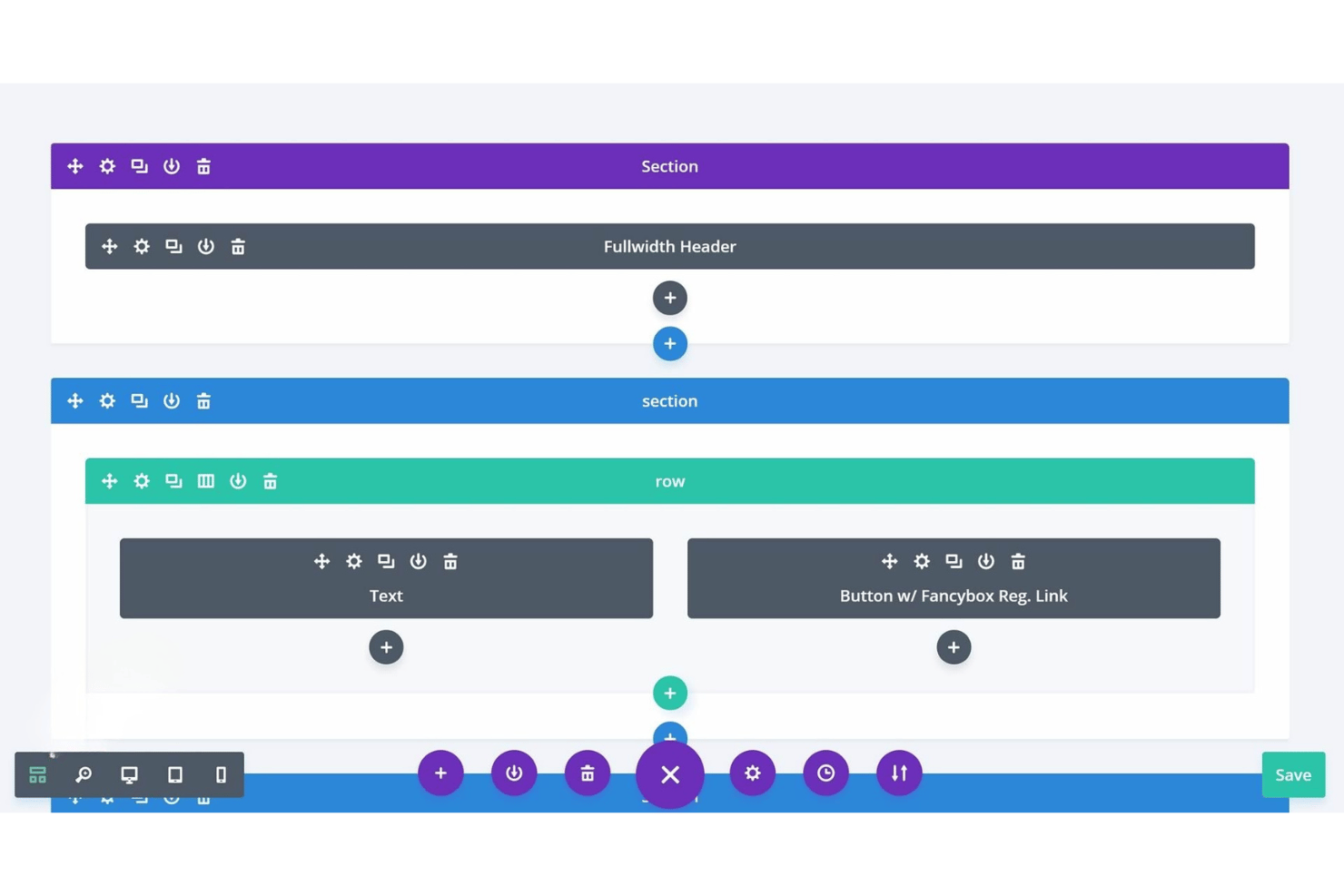
Drag-and-Drop Page Builder
Create pages visually with intuitive drag-and-drop tools. This lets any staff or volunteer quickly update content without coding.
Church Calendar and Event Tools
Publish upcoming services, group meetings, and community events in a unified calendar. Members can view details or RSVP with a click.
Online Giving and Donation Forms
Embed branded giving forms on any page for easy contributions. All pricing plans include donation tracking and recurring gift options.
Sermon Media Library
Organize and display sermons by date, topic, or preacher. Users can watch media directly on your site or download sermon files.
Built-In Blog and News Feed
Share updates, devotionals, or ministry stories with a built-in blogging tool. Scheduled publishing keeps your congregation in the loop.
Ministry-Focused Content Widgets
Add content blocks like staff bios, prayer requests, or scripture easily. Pre-built widgets help churches display ministry-specific information in seconds.
Ease of Use
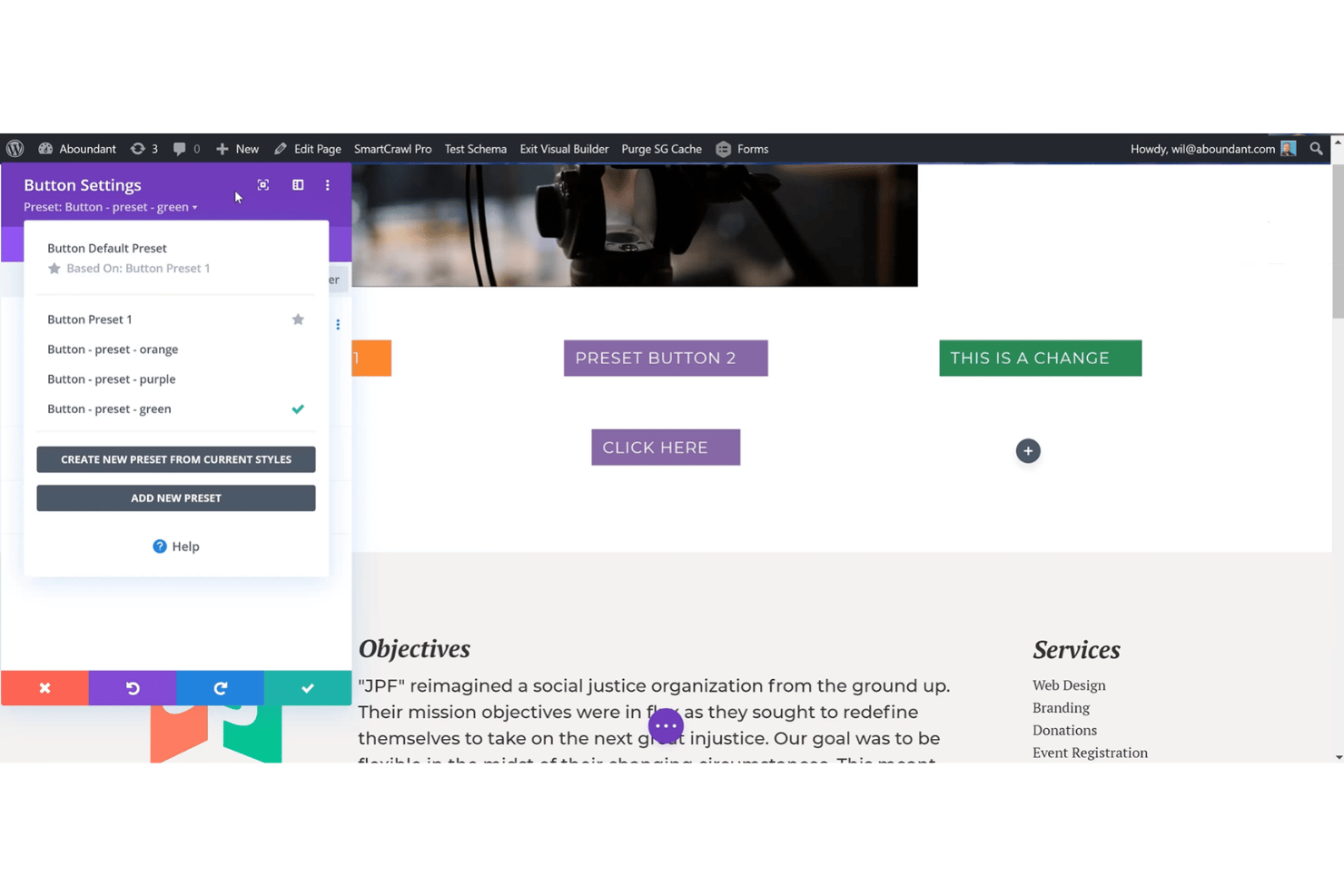
Aboundant stands out for its genuinely accessible interface—most church volunteers can build pages or update events with minimal tech skills. Its drag-and-drop builder, clear navigation, and pre-made ministry widgets reduce confusion and rework.
Users mention fast setup, while built-in tutorials guide you through common site tasks, making it one of the more approachable options available.
Integrations
Aboundant integrates with PayPal, Stripe, Google Analytics, Mailchimp, Vimeo, YouTube, Facebook, Twitter, Google Maps, and Google Calendar.
Aboundant does not currently offer an open API or direct connections with third-party integration platforms.
Aboundant Specs
- API
- Calendar Management
- Contact Management
- Dashboards
- Data Export
- Data Import
- Document Management
- External Integrations
- Multi-User
- Notifications
- Payment Gateway Integration
- Scheduling
- Workflow Management

