

Recensione di WorshipTools: Pro, Contro, Caratteristiche e Prezzi
Cosa c’è dopo? Iscriviti alla nostra newsletter per ricevere le ultime risorse, best practice e approfondimenti sulla gestione delle chiese da pastori ed esperti di settore.

Recensiamo gli strumenti in modo indipendente e le commissioni ci aiutano a finanziare i nostri test. Consulta la nostra politica sulla trasparenza, la nostra metodologia, oppure suggerisci uno strumento.
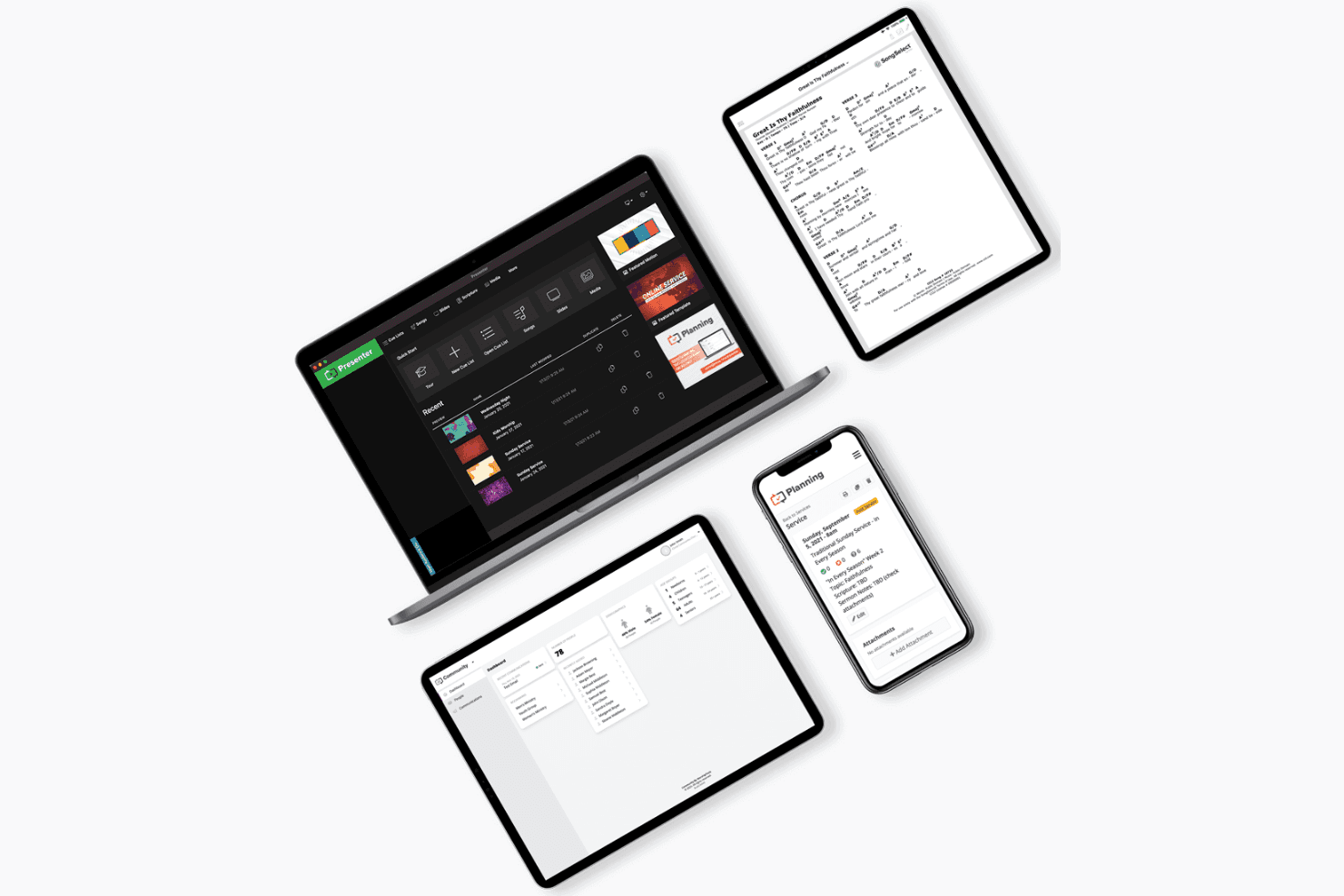
WorshipTools is a church presentation software built for congregations that need song libraries, worship planning, and live display managed in one connected system. I'd consider it if your team currently juggles separate tools for service planning and Sunday morning presentation. If you're weighing it against ProPresenter, WorshipTools has a clear edge for smaller and mid-sized churches that don't need a feature-heavy desktop suite and want something the entire worship team can access without per-seat licensing costs.
WorshipTools Evaluation Summary
4.2/5
- From $19/month
- Free plan available
Perché fidarsi dei nostri consigli sui software
6,700+
Reviews
20
Industry experts
16+
Evaluation factors
14
Years
Il nostro team testa e recensisce software dal 2012. In quanto leader ecclesiastici noi stessi, sappiamo quanto sia difficile — e importante — scegliere il software giusto.
Per questa guida, abbiamo valutato gli strumenti attraverso test pratici e ricerche indipendenti, assegnando un punteggio agli strumenti in base ai nostri criteri di selezione.
Le nostre recensioni riflettono il nostro giudizio editoriale umano, non un discorso di vendita.
Is WorshipTools Right For Your Needs?
Chi sarebbe un buon destinatario per WorshipTools?
WorshipTools is ideal for small to medium-sized churches and volunteer teams that want easy-to-use software without the hassle. If you're a ministry leader looking for intuitive service planning tools, WorshipTools delivers with its user-friendly interface and responsive support. It suits those who value simplicity and need straightforward solutions for organizing worship services.
- Small ChurchesWorshipTools is great for small churches thanks to its ease of use and simple onboarding process.
- Volunteer TeamsIt's perfect for volunteer teams due to its intuitive interface that doesn't require technical expertise.
- Tech-Savvy LeadersTech-savvy leaders will appreciate WorshipTools's straightforward design and functionality.
- Youth MinistriesYouth ministries benefit from the engaging presentation tools that make services more dynamic.
- Community CentersCommunity centers can use WorshipTools for events with its basic yet effective presentation features.
- Non-Profit OrganizationsNon-profits find value in WorshipTools's affordability and ease of access for diverse teams.
Chi non sarebbe adatto per WorshipTools?
WorshipTools might not suit large churches or organizations that require advanced features and extensive customization. If your team needs complex presentation capabilities or frequent updates, you might find WorshipTools lacking. It's not ideal for those who rely on intricate integrations or have highly specific technical requirements that go beyond basic service planning.
- Large ChurchesLarge churches may find WorshipTools inadequate due to its limited advanced features.
- Corporate EventsCorporate events often need more sophisticated presentation tools than WorshipTools offers.
- Professional AV TeamsProfessional AV teams might look elsewhere for software with more robust customization options.
- Tech-Heavy DepartmentsTech-heavy departments requiring complex integrations will find WorshipTools too basic.
- Event PlannersEvent planners needing diverse multimedia capabilities won't find WorshipTools sufficient.
- Advanced UsersAdvanced users seeking cutting-edge features will find WorshipTools's offerings too simple.
Come Testiamo e Valutiamo gli Strumenti
Abbiamo trascorso anni a costruire, perfezionare e migliorare il nostro sistema di test e valutazione dei software. Il nostro metodo è progettato per cogliere tutte le sfumature della selezione software e ciò che rende uno strumento efficace, concentrandosi sugli aspetti critici del processo decisionale. Qui sotto puoi vedere esattamente come funzionano i nostri test e valutazioni in base a sette criteri. Questo ci permette di offrire una valutazione imparziale dei software considerando funzionalità di base, caratteristiche distintive, facilità d’uso, onboarding, supporto clienti, integrazioni, recensioni dei clienti e rapporto qualità-prezzo.
Funzionalità di Base (25% del punteggio finale)
Il punto di partenza della nostra valutazione è sempre la funzionalità di base dello strumento. Dispone delle funzionalità e caratteristiche essenziali che un utente si aspetterebbe di trovare? Alcune di queste funzioni di base sono limitate a piani con prezzi superiori? In sostanza, ci aspettiamo che uno strumento sia all’altezza delle capacità minime offerte dai concorrenti.
Caratteristiche Distintive (25% del punteggio finale)
Successivamente analizziamo le caratteristiche distintive che vanno oltre la funzionalità base tipica degli strumenti di questa tipologia. Un punteggio alto riflette funzioni specializzate o uniche che rendono il prodotto più veloce, efficiente o offrono valore aggiunto all’utente. Valutiamo anche quanto sia semplice integrare altri strumenti comunemente presenti nello stack tecnologico per espandere la funzionalità e l’utilità del software. Gli strumenti che offrono numerose integrazioni native, connessioni di terze parti e accesso API per creare integrazioni personalizzate ottengono il punteggio migliore.
Facilità d’Uso (10% del punteggio finale)
Consideriamo quanto sia veloce e facile eseguire i compiti principali definiti usando lo strumento. I software con punteggi elevati sono ben progettati, intuitivi, offrono app mobili, mettono a disposizione modelli e rendono semplici anche i compiti più complessi.
Onboarding (10% del punteggio finale)
Sappiamo quanto sia importante adottare rapidamente una nuova piattaforma, quindi valutiamo quanto sia semplice imparare e utilizzare uno strumento con il minimo training. Esaminiamo quanto rapidamente un membro del team possa essere operativo senza esperienza precedente. Le soluzioni con punteggio alto richiedono poco o nessun supporto.
Supporto Clienti (10% del punteggio finale)
Valutiamo quanto sia rapido e semplice risolvere i problemi e ottenere assistenza tramite telefono, chat dal vivo o knowledge base. Gli strumenti e le aziende che forniscono supporto in tempo reale ottengono il punteggio migliore, mentre i chatbot ottengono la valutazione più bassa.
Recensioni dei Clienti (10% del punteggio finale)
Oltre ai nostri test e valutazioni, prendiamo in considerazione il net promoter score di clienti attuali e passati. Esaminiamo la loro propensione, data la scelta, a selezionare nuovamente lo strumento per le funzioni principali. Un software con punteggio alto riflette un net promoter score elevato da parte dei clienti attuali o precedenti.
Rapporto Qualità-Prezzo (10% del punteggio finale)
Infine, considerando tutti gli altri criteri, esaminiamo il prezzo medio dei piani base rispetto alle funzionalità principali e valutiamo il valore degli altri indicatori. I software che offrono di più, a meno, ottengono un punteggio superiore.
Core Features
Slide Management:
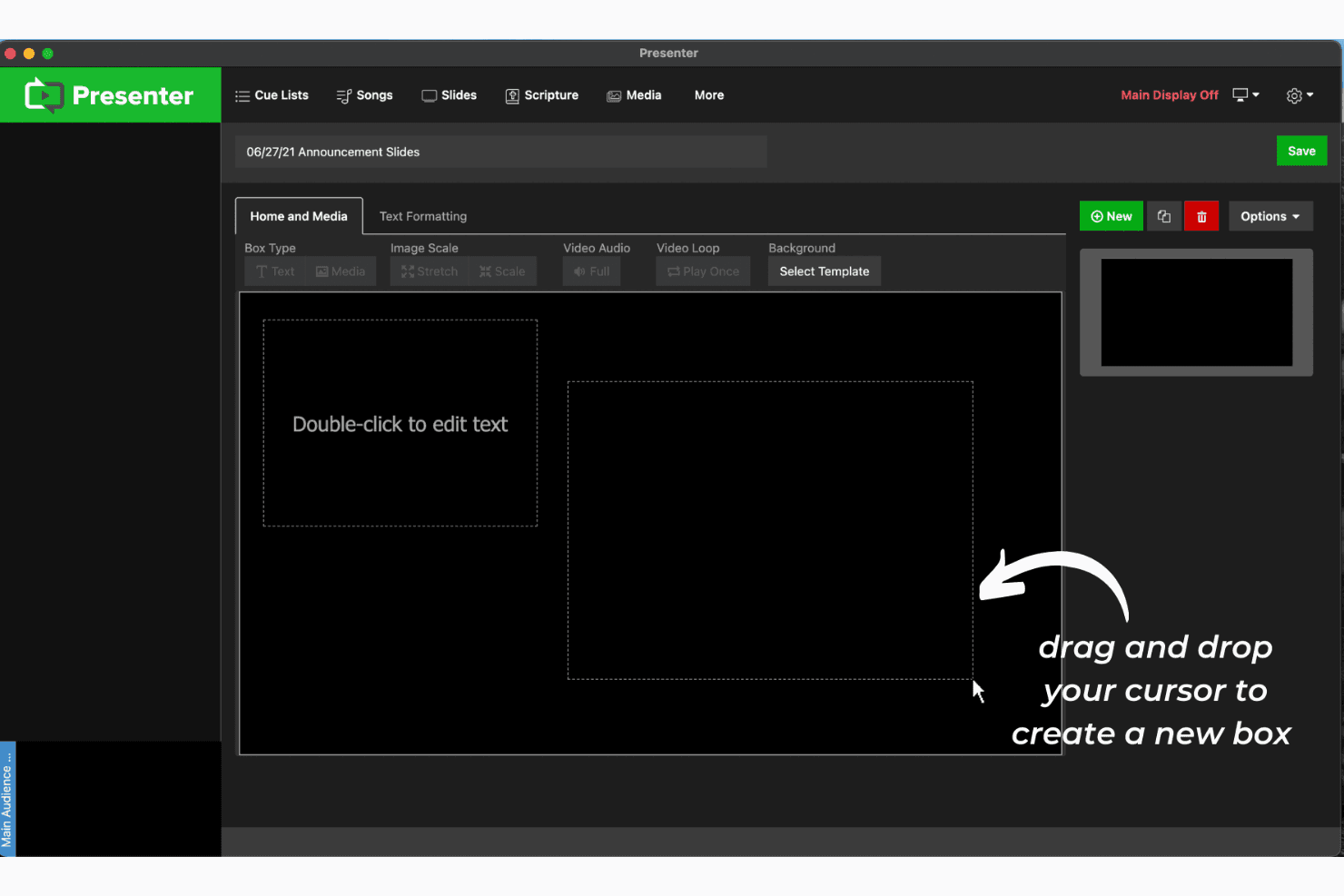
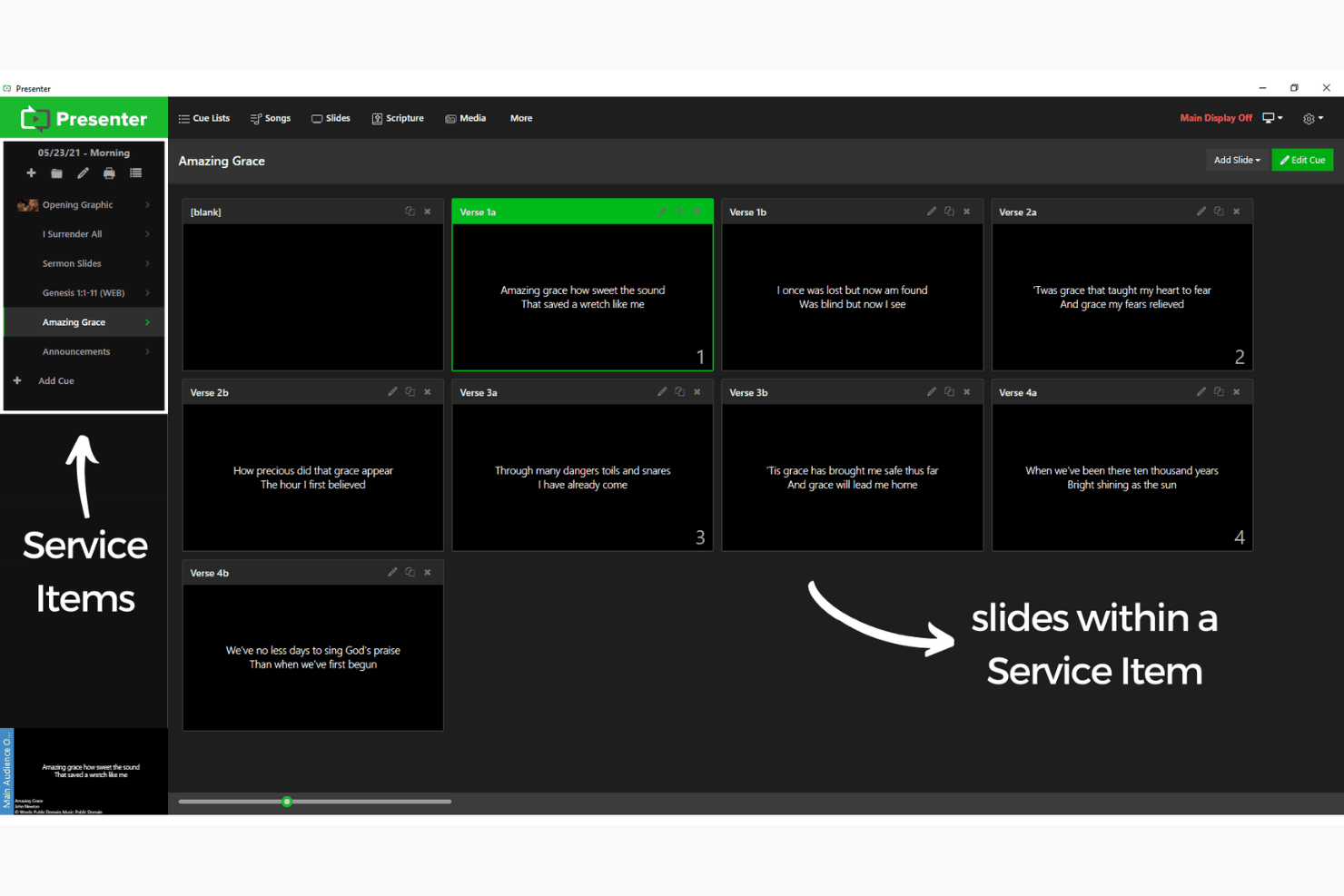
You can easily organize and manage your worship slides, making service planning straightforward. Drag-and-drop functionality lets you quickly adjust presentations as needed.
Song Database:
Store and access a comprehensive library of worship songs, so your team always has the right material at hand. Search and sort features make finding songs a breeze.
Lyric Projection:
Display song lyrics clearly and professionally during services. This feature ensures everyone can follow along, enhancing congregation participation.
Media Playback:
Incorporate videos and audio seamlessly into your presentations. This adds depth to your services and keeps your audience engaged.
Service Planning:
Plan your entire worship service with a detailed schedule. This helps your team stay organized and on track.
Customizable Templates:
Use customizable templates to create engaging presentations that fit your church's style. This saves you time and ensures consistency across services.
Ease of Use
WorshipTools stands out for its user-friendly design, making it accessible to all skill levels. The intuitive interface allows your team to manage slides and media effortlessly. Its drag-and-drop functionality simplifies service planning, while clear navigation ensures you find what you need quickly. Users appreciate the straightforward onboarding process, which means less time training and more time focusing on your services. This ease of use makes WorshipTools a favorite among church teams looking for simplicity.
WorshipTools Specs
- API: No
- Calendar Management: Yes
- Contact Management: Yes
- Dashboards: Yes
- Data Export: Yes
- Data Import: Yes
- Document Management: No
- External Integrations: Yes
- Multi-User: Yes
- Notifications: Yes
- Payment Gateway Integration: Yes
- Scheduling: Yes
- Workflow Management: Yes
Alternatives to WorshipTools


WorshipTools FAQs
Cosa succede adesso?
Iscriviti alla nostra newsletter per ricevere le ultime risorse, le migliori pratiche e approfondimenti su come gestire le chiese da pastori esperti e leader di chiesa.