

Recensione di Google Calendar: Pro, Contro, Funzionalità e Prezzi
Google Calendar si distingue per la sua interfaccia intuitiva e le sue capacità di integrazione senza interruzioni, rendendolo una scelta eccellente per le chiese che cercano di gestire la programmazione in modo efficiente.

Recensiamo gli strumenti in modo indipendente e le commissioni ci aiutano a finanziare i nostri test. Consulta la nostra politica sulla trasparenza, la nostra metodologia, oppure suggerisci uno strumento.
Google Calendar is a free church scheduling software for ministries that need to coordinate services, events, and room bookings across staff and volunteers. I'd consider it over Planning Center if your church doesn't need a full ministry management platform and instead needs shared calendars that your team can use right away.
Google Calendar Evaluation Summary
4.6/5
- $7.56/month
- 14-day free trial
Perché fidarsi dei nostri consigli sui software
6,700+
Reviews
20
Industry experts
16+
Evaluation factors
14
Years
Il nostro team testa e recensisce software dal 2012. In quanto leader ecclesiastici noi stessi, sappiamo quanto sia difficile — e importante — scegliere il software giusto.
Per questa guida, abbiamo valutato gli strumenti attraverso test pratici e ricerche indipendenti, assegnando un punteggio agli strumenti in base ai nostri criteri di selezione.
Le nostre recensioni riflettono il nostro giudizio editoriale umano, non un discorso di vendita.
Google Calendar Overview
In my opinion, Google Calendar is a solid choice for church scheduling. Its intuitive interface and seamless integration with other Google services make it a great fit for tech-savvy teams. Compared to other church scheduling tools, it stands out in ease of use and cost-effectiveness. However, it may lack some advanced features specific to larger church organizations. It's best for smaller churches or those already using Google Workspace. If you're choosing a scheduling tool, consider Google Calendar for its simplicity and excellent value.
Pros
- It's easy to use, so your team can start scheduling right away.
- You can access it from any device, making it convenient for everyone.
- Its intuitive design helps you manage your church's events effortlessly.
Cons
- It may lack some specialized features for larger church organizations.
- Customization options are limited compared to other church-specific tools.
- There's no direct support for complex scheduling needs.
Is Google Calendar Right For Your Needs?
Who Would be a Good Fit for Google Calendar?
Google Calendar is a great fit for small church teams, volunteer coordinators, and administrative staff who need an easy-to-use scheduling tool. It's perfect for those already using Google Workspace, as it integrates seamlessly with other Google services. Beyond church use, it works just as well for personal use and small businesses that need a reliable calendar app without the overhead of complex scheduling apps. If your team values accessibility and simplicity, Google Calendar's intuitive design and device compatibility make it ideal for managing events and tasks. Its straightforward interface allows your team to quickly organize schedules without a steep learning curve.
- Small ChurchesGoogle Calendar offers user-friendly scheduling for smaller congregations with fewer events and simpler coordination needs.
- Volunteer CoordinatorsIts intuitive interface helps you manage volunteer schedules efficiently, keeping everyone informed and organized.
- Administrative StaffGoogle Calendar's easy access across devices allows your team to manage tasks and appointments on the go.
- Educational InstitutionsSchools and colleges can benefit from its scheduling features for organizing classes, meetings, and events.
- Non-Profit OrganizationsNon-profits with limited resources will appreciate Google Calendar's cost-effectiveness and ease of use.
- Remote TeamsDistributed teams can coordinate effectively with Google Calendar's real-time updates and accessibility from anywhere.
Who Would be a Bad Fit for Google Calendar?
Google Calendar may not be ideal for large churches or organizations with complex scheduling needs that require advanced features. If your team needs detailed reporting, resource management, or integration with specialized church management systems, you might find Google Calendar lacking. Its limited customization options and lack of church-specific functionality can be a drawback for teams needing tailored scheduling solutions.
- Large ChurchesIts lack of advanced scheduling features makes it unsuitable for managing multiple services or large events.
- Event PlannersGoogle Calendar doesn't provide the intricate tools needed for detailed event planning and resource allocation.
- Resource ManagersYou'll find its lack of resource management capabilities limiting if you need to coordinate facilities or equipment.
- Church NetworksFor networks managing multiple locations, Google Calendar's basic features might not suffice for complex oversight.
- Corporate OfficesLarge corporations requiring detailed scheduling analytics will miss the reporting features found in specialized tools.
- Hospitality IndustryHotels and venues needing comprehensive booking systems will find Google Calendar too basic.
Come Testiamo e Valutiamo gli Strumenti
Abbiamo trascorso anni a costruire, perfezionare e migliorare il nostro sistema di test e valutazione dei software. Il nostro metodo è progettato per cogliere tutte le sfumature della selezione software e ciò che rende uno strumento efficace, concentrandosi sugli aspetti critici del processo decisionale. Qui sotto puoi vedere esattamente come funzionano i nostri test e valutazioni in base a sette criteri. Questo ci permette di offrire una valutazione imparziale dei software considerando funzionalità di base, caratteristiche distintive, facilità d’uso, onboarding, supporto clienti, integrazioni, recensioni dei clienti e rapporto qualità-prezzo.
Funzionalità di Base (25% del punteggio finale)
Il punto di partenza della nostra valutazione è sempre la funzionalità di base dello strumento. Dispone delle funzionalità e caratteristiche essenziali che un utente si aspetterebbe di trovare? Alcune di queste funzioni di base sono limitate a piani con prezzi superiori? In sostanza, ci aspettiamo che uno strumento sia all’altezza delle capacità minime offerte dai concorrenti.
Caratteristiche Distintive (25% del punteggio finale)
Successivamente analizziamo le caratteristiche distintive che vanno oltre la funzionalità base tipica degli strumenti di questa tipologia. Un punteggio alto riflette funzioni specializzate o uniche che rendono il prodotto più veloce, efficiente o offrono valore aggiunto all’utente. Valutiamo anche quanto sia semplice integrare altri strumenti comunemente presenti nello stack tecnologico per espandere la funzionalità e l’utilità del software. Gli strumenti che offrono numerose integrazioni native, connessioni di terze parti e accesso API per creare integrazioni personalizzate ottengono il punteggio migliore.
Facilità d’Uso (10% del punteggio finale)
Consideriamo quanto sia veloce e facile eseguire i compiti principali definiti usando lo strumento. I software con punteggi elevati sono ben progettati, intuitivi, offrono app mobili, mettono a disposizione modelli e rendono semplici anche i compiti più complessi.
Onboarding (10% del punteggio finale)
Sappiamo quanto sia importante adottare rapidamente una nuova piattaforma, quindi valutiamo quanto sia semplice imparare e utilizzare uno strumento con il minimo training. Esaminiamo quanto rapidamente un membro del team possa essere operativo senza esperienza precedente. Le soluzioni con punteggio alto richiedono poco o nessun supporto.
Supporto Clienti (10% del punteggio finale)
Valutiamo quanto sia rapido e semplice risolvere i problemi e ottenere assistenza tramite telefono, chat dal vivo o knowledge base. Gli strumenti e le aziende che forniscono supporto in tempo reale ottengono il punteggio migliore, mentre i chatbot ottengono la valutazione più bassa.
Recensioni dei Clienti (10% del punteggio finale)
Oltre ai nostri test e valutazioni, prendiamo in considerazione il net promoter score di clienti attuali e passati. Esaminiamo la loro propensione, data la scelta, a selezionare nuovamente lo strumento per le funzioni principali. Un software con punteggio alto riflette un net promoter score elevato da parte dei clienti attuali o precedenti.
Rapporto Qualità-Prezzo (10% del punteggio finale)
Infine, considerando tutti gli altri criteri, esaminiamo il prezzo medio dei piani base rispetto alle funzionalità principali e valutiamo il valore degli altri indicatori. I software che offrono di più, a meno, ottengono un punteggio superiore.
Core Features
Event Scheduling
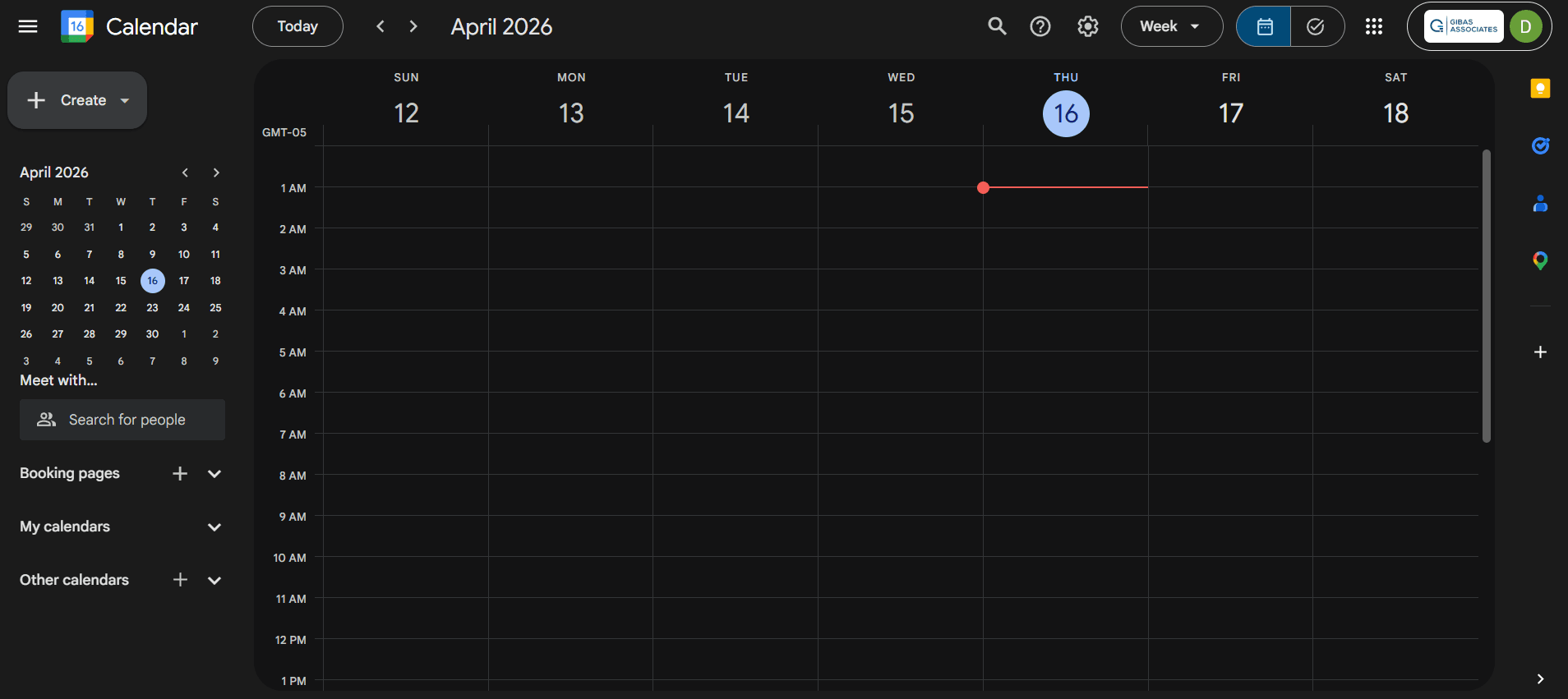
Easily create and manage specific events, set reminders, and send calendar invites to attendees. Coordination stays simple and your team stays on track.
Recurring Events
Set up repeating events like weekly services or meetings, saving time on scheduling. Consistency in your church's calendar is built right in.
Shared Calendars
Share multiple calendars with your team to keep everyone in sync. Avoid scheduling conflicts and improve communication across the board.
Notifications
Receive timely alerts for upcoming events so nothing slips through the cracks. Customize notifications to suit your team's preferences.
Time Zone Support
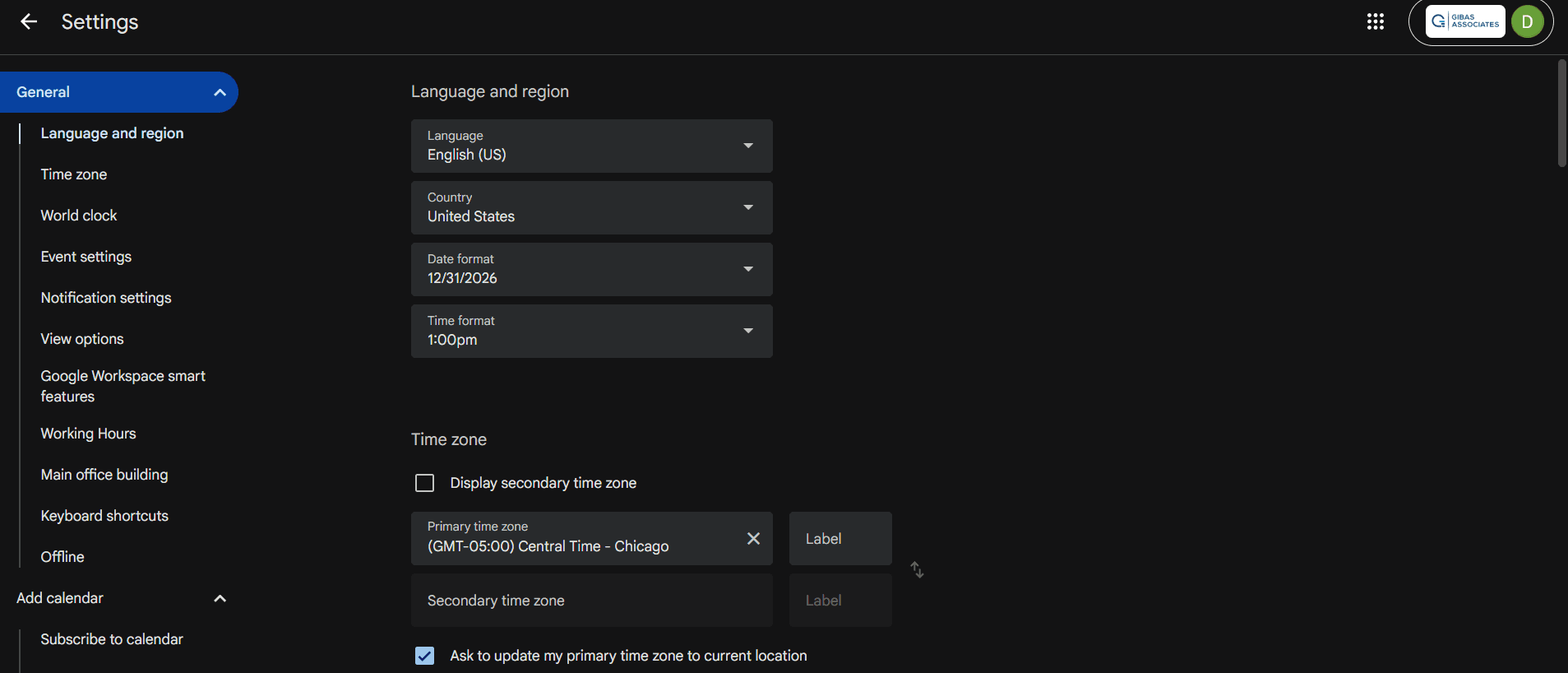
Scheduling across different time zones is hassle-free for virtual meetings and webinars. Events automatically adjust to the correct local time.
Color-Coding
Organize your calendar visually with color-coded events to differentiate activities at a glance. Quickly identify what's on your schedule without digging through details.

Ease of Use
Google Calendar shines in user-friendliness, making it a top choice for church scheduling. Its intuitive interface allows your team to quickly create, manage, and share events without a steep learning curve. You'll appreciate the straightforward drag-and-drop functionality and customizable notifications that keep everyone informed. Its mobile accessibility ensures you can manage your schedule from anywhere, adding to its practicality. Compared to other tools, Google Calendar's simplicity and accessibility make it easy for anyone to use effectively.
Integrations
Google Calendar integrates natively with the entire Google ecosystem; Gmail, Google Drive, and Google Meet. It also natively connects with tools like Zoom, Asana, Microsoft Outlook, Calendly, TogglTrack, and Notion.
For custom workflows, it provides an API and works with automation platforms like Zapier to help you automate repetitive tasks and book meetings without manual effort.

Google Calendar Specs
- API: Yes
- Appointment Scheduling: Yes
- Attendance Tracking: Yes
- Calendar Management: Yes
- Contact Management: Yes
- Contact Sharing: Yes
- Dashboards: Yes
- Email Integration: Yes
- External Integrations: Yes
- Google Apps Integration: Yes
- Mobile App: Yes
- Multi-User: Yes
- Notifications: Yes
- Project Management: Yes
- Reports: Yes
- Resource Management: Yes
- Scheduling: Yes
- Task Scheduling/Tracking: Yes
- Time Management: Yes
- Vacation & Absence Calendar: Yes

