

Recensione Circle: Pro, Contro, Caratteristiche e Prezzi Spiegati
Circle si distingue per i suoi strumenti intuitivi per la creazione di community e integrazioni flessibili, rendendolo ideale per i creatori che cercano una piattaforma di abbonamento tutto-in-uno personalizzabile.

Recensiamo gli strumenti in modo indipendente e le commissioni ci aiutano a finanziare i nostri test. Consulta la nostra politica sulla trasparenza, la nostra metodologia, oppure suggerisci uno strumento.
Circle is an online membership software designed to help you build, manage, and engage your community in one place. As a community builder, you know how challenging it can be to keep members connected, organize groups, and communicate updates without juggling multiple tools. The Circle platform brings your people together with discussion forums, live streams, event management, and resource sharing—all within a single, easy-to-use platform.
In this review, you'll find a clear breakdown of Circle's features, use cases, pros and cons, and pricing, so you can decide if it's the right fit for your needs.
Circle Evaluation Summary
4.5/5
- From $89/month
- 14-day free trial + free demo available
Perché fidarsi dei nostri consigli sui software
6,700+
Reviews
20
Industry experts
16+
Evaluation factors
14
Years
Il nostro team testa e recensisce software dal 2012. In quanto leader ecclesiastici noi stessi, sappiamo quanto sia difficile — e importante — scegliere il software giusto.
Per questa guida, abbiamo valutato gli strumenti attraverso test pratici e ricerche indipendenti, assegnando un punteggio agli strumenti in base ai nostri criteri di selezione.
Le nostre recensioni riflettono il nostro giudizio editoriale umano, non un discorso di vendita.
Circle Overview
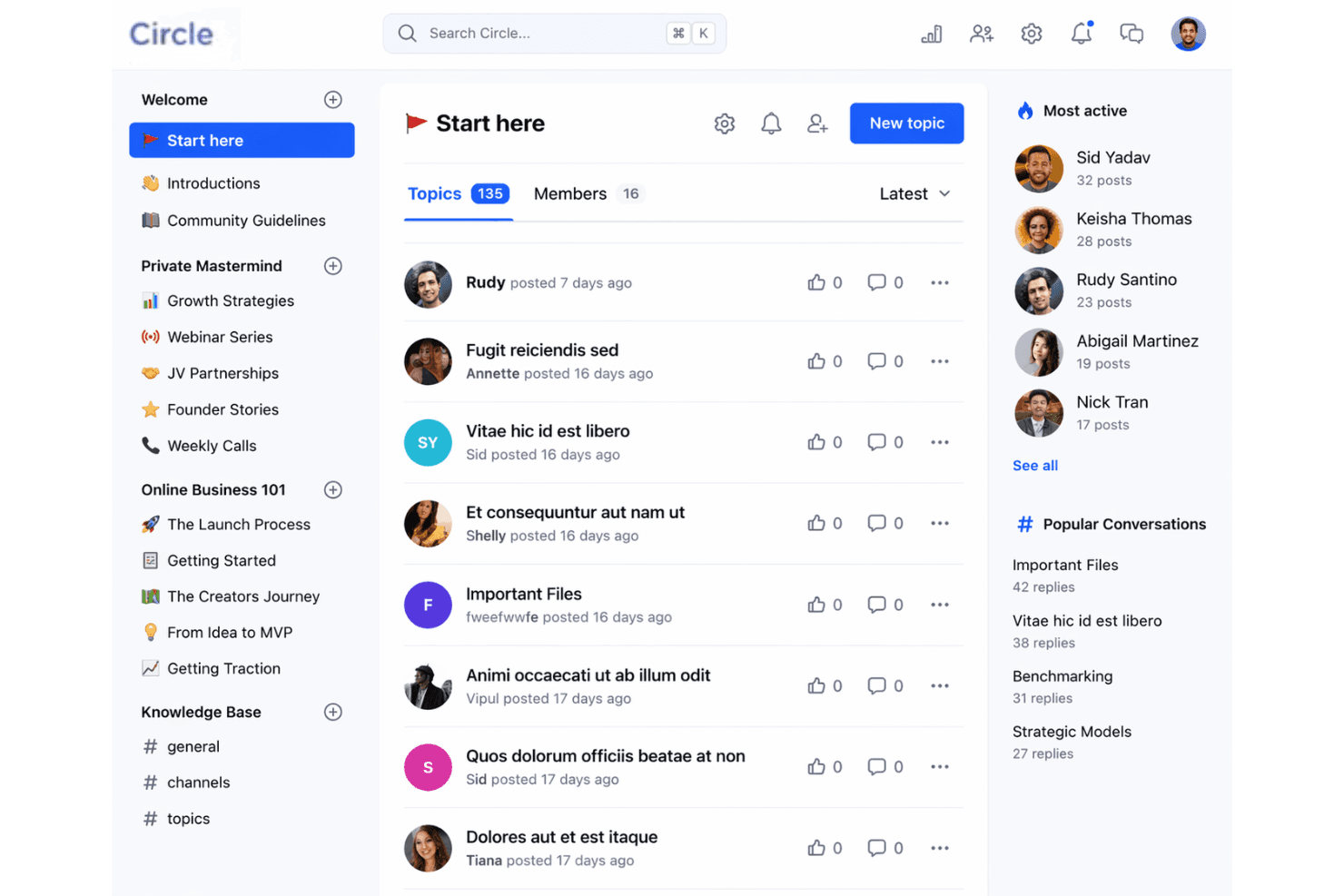
When judging Circle as an online membership software, its clean interface, flexible integrations, and strong community features set it apart from many alternatives. Pricing is mid-range, and onboarding is straightforward, making it accessible for teams with limited tech support. While its event tools and resource management are solid, some advanced reporting and automation options are less developed than others. If you're selecting software for building active, connected communities, then you might want to use Circle.
Pros
- Offers structured community spaces for group discussions and resources
- Built-in event management supports recurring and one-time live streams and events
- Active community support and regular feature updates
Cons
- Limited advanced reporting and analytics options
- No built-in donation or giving management tools
- Some users report slow response times from customer support
Is Circle Right For Your Needs?
Who Would be a Good Fit for Circle?
Circle works best for organizations and teams that need to foster ongoing engagement, resource sharing, and group interaction in a digital space. Its structured forums, event management, and content hosting make it a strong choice for communities, creators, and learning environments that value connection and collaboration. Whether you're an entrepreneur building a paid community or an educator launching online courses, Circle's feature set aligns well with the demands of modern community building. If your work depends on building relationships and facilitating real-time communication, the platform is well worth your attention.
- Small ChurchesCircle's group spaces and event tools help manage member engagement.
- Online Course CreatorsCourse modules and community features support interactive learning environments.
- Nonprofit NetworksResource libraries and discussion forums enable knowledge sharing and support.
- Volunteer TeamsTask coordination and group messaging keep volunteers connected and informed.
- Faith-Based GroupsPrivate spaces and event scheduling suit ongoing ministry activities.
- Coaching CommunitiesLive events and member directories help coaches connect with clients.
Who Would be a Bad Fit for Circle?
Circle is less suited for organizations that require complex administrative tools, advanced analytics, or integrated financial management. If your team needs deep reporting, built-in giving, or highly specialized workflows, Circle's focus on community engagement may not meet your operational demands. Consider other options if your primary needs go beyond communication and group management.
- Large EnterprisesCircle lacks advanced analytics and enterprise-level administrative controls.
- Financial ServicesNo built-in payment processing or compliance management features.
- HR DepartmentsDoes not offer onboarding, payroll, or employee record management.
- Event PlannersLimited ticketing, registration, and attendee tracking capabilities.
- Healthcare ProvidersNo HIPAA compliance or patient data management tools.
- Fundraising TeamsMissing integrated donation and fundraising management features.
Come Testiamo e Valutiamo gli Strumenti
Abbiamo trascorso anni a costruire, perfezionare e migliorare il nostro sistema di test e valutazione dei software. Il nostro metodo è progettato per cogliere tutte le sfumature della selezione software e ciò che rende uno strumento efficace, concentrandosi sugli aspetti critici del processo decisionale. Qui sotto puoi vedere esattamente come funzionano i nostri test e valutazioni in base a sette criteri. Questo ci permette di offrire una valutazione imparziale dei software considerando funzionalità di base, caratteristiche distintive, facilità d’uso, onboarding, supporto clienti, integrazioni, recensioni dei clienti e rapporto qualità-prezzo.
Funzionalità di Base (25% del punteggio finale)
Il punto di partenza della nostra valutazione è sempre la funzionalità di base dello strumento. Dispone delle funzionalità e caratteristiche essenziali che un utente si aspetterebbe di trovare? Alcune di queste funzioni di base sono limitate a piani con prezzi superiori? In sostanza, ci aspettiamo che uno strumento sia all’altezza delle capacità minime offerte dai concorrenti.
Caratteristiche Distintive (25% del punteggio finale)
Successivamente analizziamo le caratteristiche distintive che vanno oltre la funzionalità base tipica degli strumenti di questa tipologia. Un punteggio alto riflette funzioni specializzate o uniche che rendono il prodotto più veloce, efficiente o offrono valore aggiunto all’utente. Valutiamo anche quanto sia semplice integrare altri strumenti comunemente presenti nello stack tecnologico per espandere la funzionalità e l’utilità del software. Gli strumenti che offrono numerose integrazioni native, connessioni di terze parti e accesso API per creare integrazioni personalizzate ottengono il punteggio migliore.
Facilità d’Uso (10% del punteggio finale)
Consideriamo quanto sia veloce e facile eseguire i compiti principali definiti usando lo strumento. I software con punteggi elevati sono ben progettati, intuitivi, offrono app mobili, mettono a disposizione modelli e rendono semplici anche i compiti più complessi.
Onboarding (10% del punteggio finale)
Sappiamo quanto sia importante adottare rapidamente una nuova piattaforma, quindi valutiamo quanto sia semplice imparare e utilizzare uno strumento con il minimo training. Esaminiamo quanto rapidamente un membro del team possa essere operativo senza esperienza precedente. Le soluzioni con punteggio alto richiedono poco o nessun supporto.
Supporto Clienti (10% del punteggio finale)
Valutiamo quanto sia rapido e semplice risolvere i problemi e ottenere assistenza tramite telefono, chat dal vivo o knowledge base. Gli strumenti e le aziende che forniscono supporto in tempo reale ottengono il punteggio migliore, mentre i chatbot ottengono la valutazione più bassa.
Recensioni dei Clienti (10% del punteggio finale)
Oltre ai nostri test e valutazioni, prendiamo in considerazione il net promoter score di clienti attuali e passati. Esaminiamo la loro propensione, data la scelta, a selezionare nuovamente lo strumento per le funzioni principali. Un software con punteggio alto riflette un net promoter score elevato da parte dei clienti attuali o precedenti.
Rapporto Qualità-Prezzo (10% del punteggio finale)
Infine, considerando tutti gli altri criteri, esaminiamo il prezzo medio dei piani base rispetto alle funzionalità principali e valutiamo il valore degli altri indicatori. I software che offrono di più, a meno, ottengono un punteggio superiore.
Core Features
Spaces
Organize discussions, resources, and events into dedicated community spaces. Set permissions to make spaces public or private.
Events and Live Streams
Host live streams, webinars, or recurring meetings directly within your community. Members can RSVP, add events to calendars, and get reminders.
Member Directory
A searchable directory helps community members find and connect with each other. Profiles include bios, interests, and contact info.
Content Library
Upload and organize files, videos, and resources for easy member access. Control who sees what content in each space.
Posts and Announcements
Share updates or news with targeted groups or your entire community. Posts support rich media and comments for real-time interaction.
Moderation Tools
Assign moderators, set posting guidelines, and manage member activity. Automated tools help flag inappropriate content and maintain a safe environment.
Ease of Use
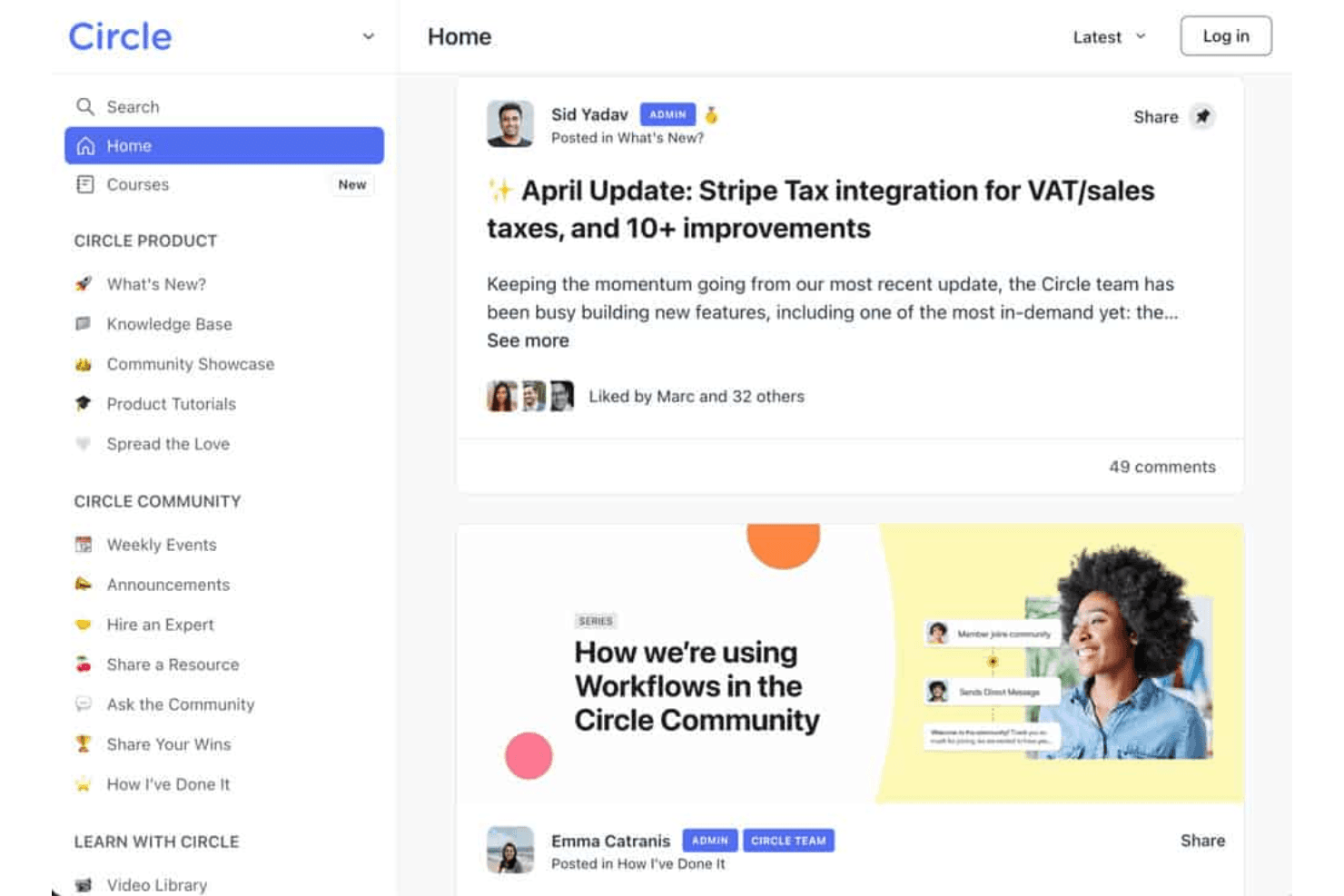
Circle is widely recognized for its clean, intuitive interface and straightforward navigation, making it easy for both admins and members to get started. Users often highlight the drag-and-drop space organization and simple event setup as especially user-friendly. The onboarding process is guided and clear, with helpful tutorials and community support available. While some advanced features require exploration, most users find Circle's usability a strong advantage over more complex or cluttered platforms like alternatives such as those positioned against kajabi, mighty networks, skool, or teachable.

Integrations
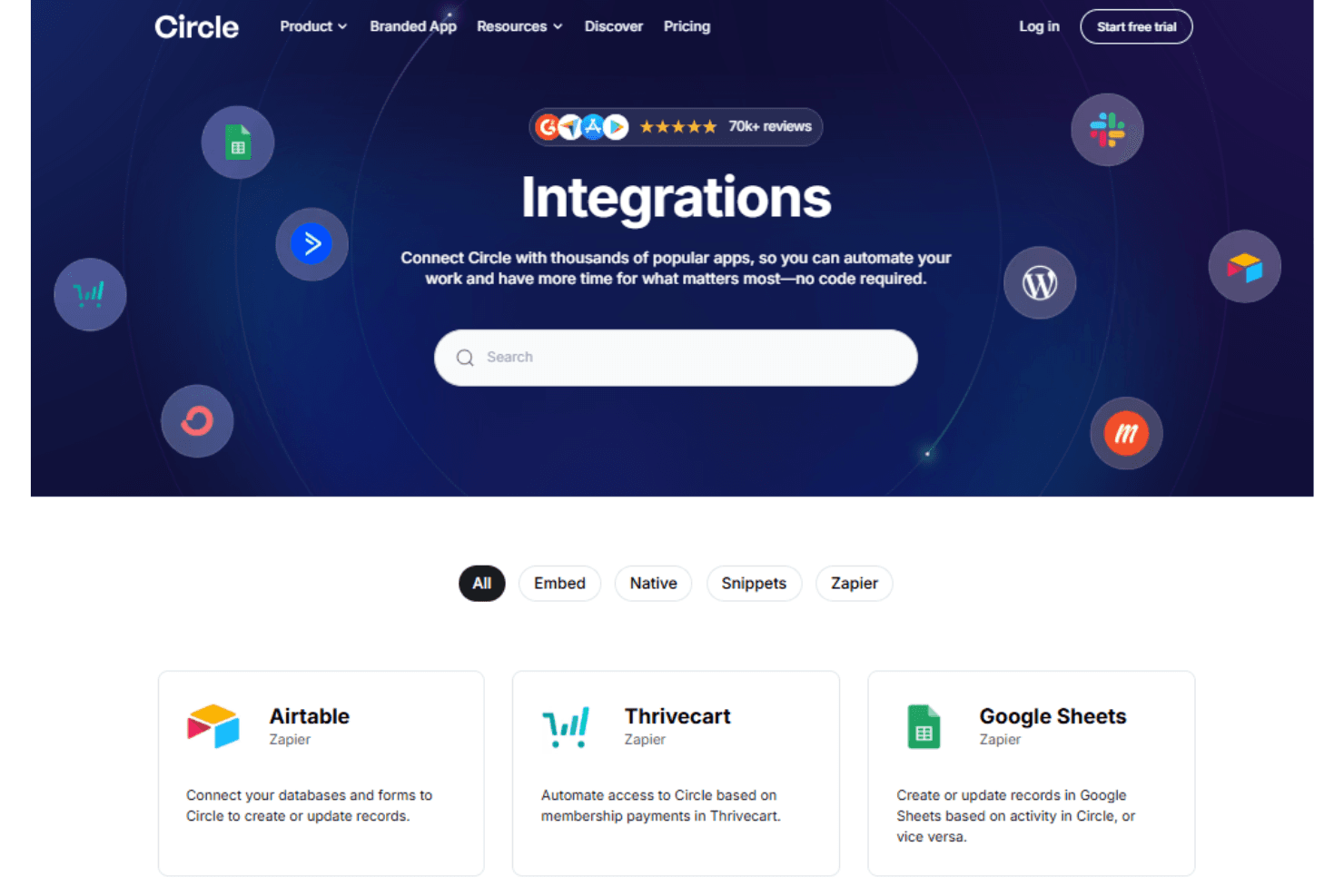
Circle integrates with Zapier, Memberful, Stripe, Google Analytics, Youtube, and WordPress, among others.
Circle also offers an API and connects with third-party integration tools for expanded functionality.
Circle Specs
- API: Yes
- Calendar Management: Yes
- Call Integration: Yes
- Chat: Yes
- Click-to-Dial: Yes
- Contact Management: Yes
- CRM Integration: Yes
- Customer Management: Yes
- Dashboard: Yes
- Data Export: Yes
- Data Import: Yes
- Data Visualization: Yes
- Email Integration: Yes
- Escalation Management: Yes
- External Integrations: Yes
- Google Apps Integration: Yes
- Inventory Tracking: Yes
- Knowledge Base: Yes
- Lead Management: Yes
- Lead Scoring: Yes
- Marketing Automation: Yes
- Multi-User: Yes
- Net Promoter Score: Yes
- Notifications: Yes
- Online Surveys: Yes
- SAP Integration: Yes
- Scheduling: Yes
- Self-service Portal: Yes
- Supplier Management: Yes
- Support Forum: Yes
- Ticket Management: Yes

