

Recensione ACS Technologies: Pro, Contro, Funzionalità e Prezzi
ACS Technologies riunisce la gestione della chiesa in un'unica piattaforma, dai registri dei membri e donazioni fino alla pianificazione degli eventi, la comunicazione e le attività ministeriali.

Recensiamo gli strumenti in modo indipendente e le commissioni ci aiutano a finanziare i nostri test. Consulta la nostra politica sulla trasparenza, la nostra metodologia, oppure suggerisci uno strumento.
ACS is a church software built for mid-size to large congregations that need to manage membership records, contributions, and financial accounting in one integrated system. I'd consider it when your church has outgrown simpler tools like Breeze—especially if you need more depth in financial reporting and fund accounting than lightweight platforms typically provide.
ACS Evaluation Summary
3.8/5
- Pricing upon request
- Free demo available
Perché fidarsi dei nostri consigli sui software
6,700+
Reviews
20
Industry experts
16+
Evaluation factors
14
Years
Il nostro team testa e recensisce software dal 2012. In quanto leader ecclesiastici noi stessi, sappiamo quanto sia difficile — e importante — scegliere il software giusto.
Per questa guida, abbiamo valutato gli strumenti attraverso test pratici e ricerche indipendenti, assegnando un punteggio agli strumenti in base ai nostri criteri di selezione.
Le nostre recensioni riflettono il nostro giudizio editoriale umano, non un discorso di vendita.
ACS Overview
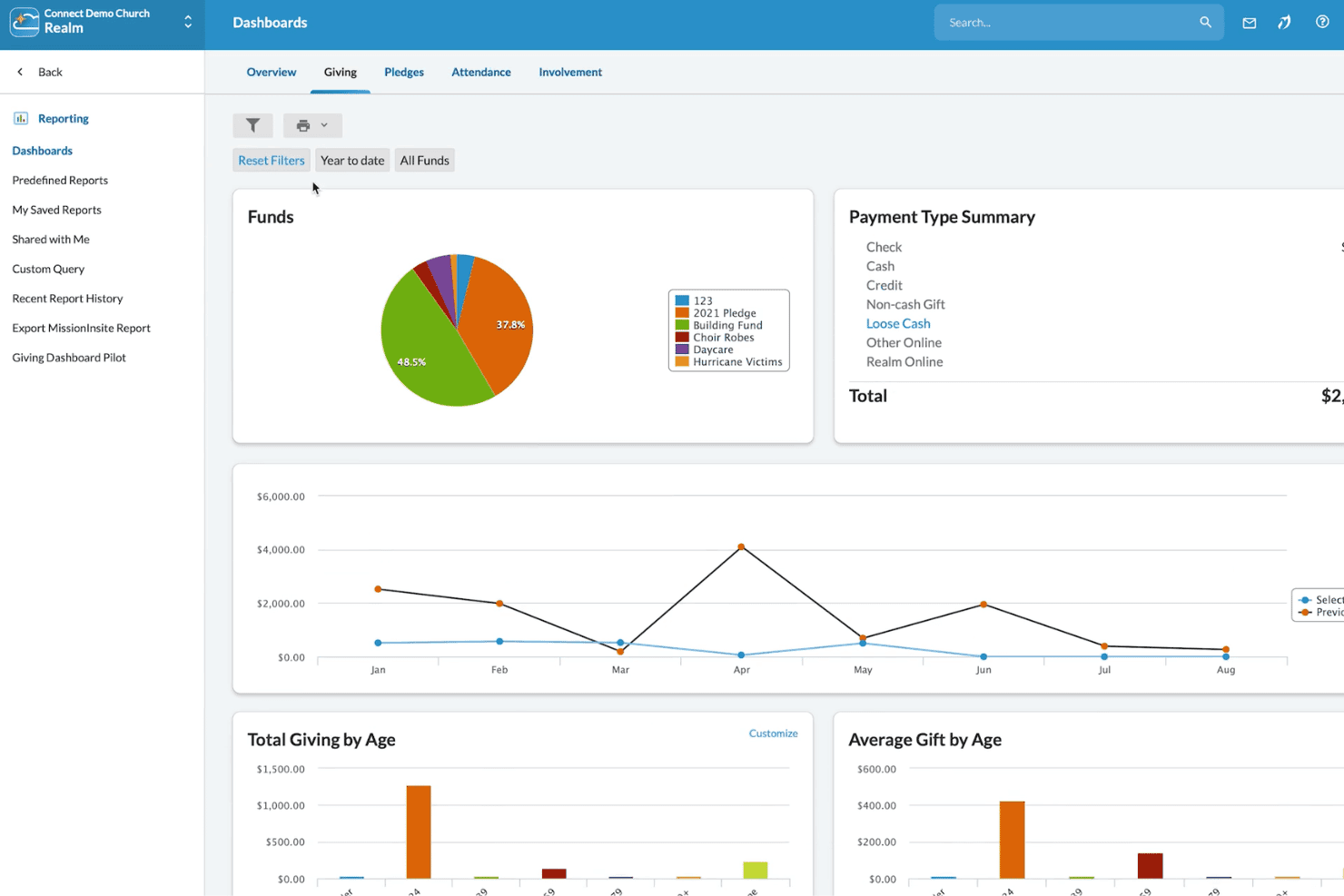
In my view, ACS Technologies stands out for its customizable modules and deep donor management, making it a strong pick if you need room to scale and specialize. While its interface can feel dated and onboarding takes time, support is responsive, and integrations are solid. Pricing skews higher, so you’ll want to compare it closely if budget is key.
For multi-campus churches or those with complex accounting and reporting needs, I think ACS Technologies deserves strong consideration. Smaller churches with simpler needs might find the depth—and cost—more than they want.
Pros
- Offers detailed fund accounting for complex church finances
- Includes robust donor tracking and contribution statements
- Scales well for multi-campus and large congregations
Cons
- Interface and design feel dated compared to competitors
- Custom reports require advanced setup and experience
- Mobile experience is limited for staff and volunteers
Is ACS Right For Your Needs?
Who Would be a Good Fit for ACS?
ACS Technologies is ideal for churches with complex administrative, finance, and communication needs that require detailed tracking across multiple ministries or campuses. Multi-campus congregations and organizations managing large databases will find its fund accounting, volunteer portals, and customizable reporting especially valuable.
ACS Technologies gives staff, finance teams, and administrators tools for deep donor insight, advanced financial controls, and targeted communication that smaller systems just can’t match.
- Multi-Campus ChurchesACS Technologies handles separate funds, campuses, and ministry groups through unified reporting and flexible workflows.
- Finance DepartmentsTeams benefit from dedicated church-oriented accounting, robust budgeting, and donation tracking built for ministry compliance.
- Large Staff TeamsACS Technologies supports multiple staff roles, granular permissions, and communication tools to keep large teams coordinated.
- Volunteer CoordinatorsSelf-service scheduling and team communication simplify volunteer management across events and service areas.
- Denominational HeadquartersCentral admin can oversee data, financials, and outreach for multiple churches from a single platform.
- Faith-Based SchoolsTrack student families, giving, and event participation alongside church administrative needs.
Who Would be a Bad Fit for ACS?
ACS Technologies isn’t built for small congregations, non-religious nonprofits, or those needing modern, mobile-first tools for a lightweight experience. Organizations with basic database or attendance needs will find its price and complexity excessive, while its dated interface and lengthy learning curve won’t fit users wanting simple setup or quick access on mobile. Teams with informal workflows or minimal tech support may struggle to take advantage of all ACS Technologies has to offer.
- Small ChurchesACS is often too complex and expensive for churches with fewer than 100 regular attendees.
- Solo PastorsManaging all features and administration solo is overwhelming and not resource-efficient.
- Youth MinistriesThe interface and limited mobile capabilities make it tough for fast-paced youth teams.
- Basic Event TrackingFor groups only needing simple attendance or calendar tools, ACS has more features than needed.
- Nonprofit OrganizationsACS Technologies is specialized for churches and ministries, so general nonprofits won’t get value from its church-oriented tools
- Volunteer-Only TeamsThose with no paid staff or dedicated admins may find learning and managing ACS Technologies unmanageable.
Come Testiamo e Valutiamo gli Strumenti
Abbiamo trascorso anni a costruire, perfezionare e migliorare il nostro sistema di test e valutazione dei software. Il nostro metodo è progettato per cogliere tutte le sfumature della selezione software e ciò che rende uno strumento efficace, concentrandosi sugli aspetti critici del processo decisionale. Qui sotto puoi vedere esattamente come funzionano i nostri test e valutazioni in base a sette criteri. Questo ci permette di offrire una valutazione imparziale dei software considerando funzionalità di base, caratteristiche distintive, facilità d’uso, onboarding, supporto clienti, integrazioni, recensioni dei clienti e rapporto qualità-prezzo.
Funzionalità di Base (25% del punteggio finale)
Il punto di partenza della nostra valutazione è sempre la funzionalità di base dello strumento. Dispone delle funzionalità e caratteristiche essenziali che un utente si aspetterebbe di trovare? Alcune di queste funzioni di base sono limitate a piani con prezzi superiori? In sostanza, ci aspettiamo che uno strumento sia all’altezza delle capacità minime offerte dai concorrenti.
Caratteristiche Distintive (25% del punteggio finale)
Successivamente analizziamo le caratteristiche distintive che vanno oltre la funzionalità base tipica degli strumenti di questa tipologia. Un punteggio alto riflette funzioni specializzate o uniche che rendono il prodotto più veloce, efficiente o offrono valore aggiunto all’utente. Valutiamo anche quanto sia semplice integrare altri strumenti comunemente presenti nello stack tecnologico per espandere la funzionalità e l’utilità del software. Gli strumenti che offrono numerose integrazioni native, connessioni di terze parti e accesso API per creare integrazioni personalizzate ottengono il punteggio migliore.
Facilità d’Uso (10% del punteggio finale)
Consideriamo quanto sia veloce e facile eseguire i compiti principali definiti usando lo strumento. I software con punteggi elevati sono ben progettati, intuitivi, offrono app mobili, mettono a disposizione modelli e rendono semplici anche i compiti più complessi.
Onboarding (10% del punteggio finale)
Sappiamo quanto sia importante adottare rapidamente una nuova piattaforma, quindi valutiamo quanto sia semplice imparare e utilizzare uno strumento con il minimo training. Esaminiamo quanto rapidamente un membro del team possa essere operativo senza esperienza precedente. Le soluzioni con punteggio alto richiedono poco o nessun supporto.
Supporto Clienti (10% del punteggio finale)
Valutiamo quanto sia rapido e semplice risolvere i problemi e ottenere assistenza tramite telefono, chat dal vivo o knowledge base. Gli strumenti e le aziende che forniscono supporto in tempo reale ottengono il punteggio migliore, mentre i chatbot ottengono la valutazione più bassa.
Recensioni dei Clienti (10% del punteggio finale)
Oltre ai nostri test e valutazioni, prendiamo in considerazione il net promoter score di clienti attuali e passati. Esaminiamo la loro propensione, data la scelta, a selezionare nuovamente lo strumento per le funzioni principali. Un software con punteggio alto riflette un net promoter score elevato da parte dei clienti attuali o precedenti.
Rapporto Qualità-Prezzo (10% del punteggio finale)
Infine, considerando tutti gli altri criteri, esaminiamo il prezzo medio dei piani base rispetto alle funzionalità principali e valutiamo il valore degli altri indicatori. I software che offrono di più, a meno, ottengono un punteggio superiore.
Core Features
People Management
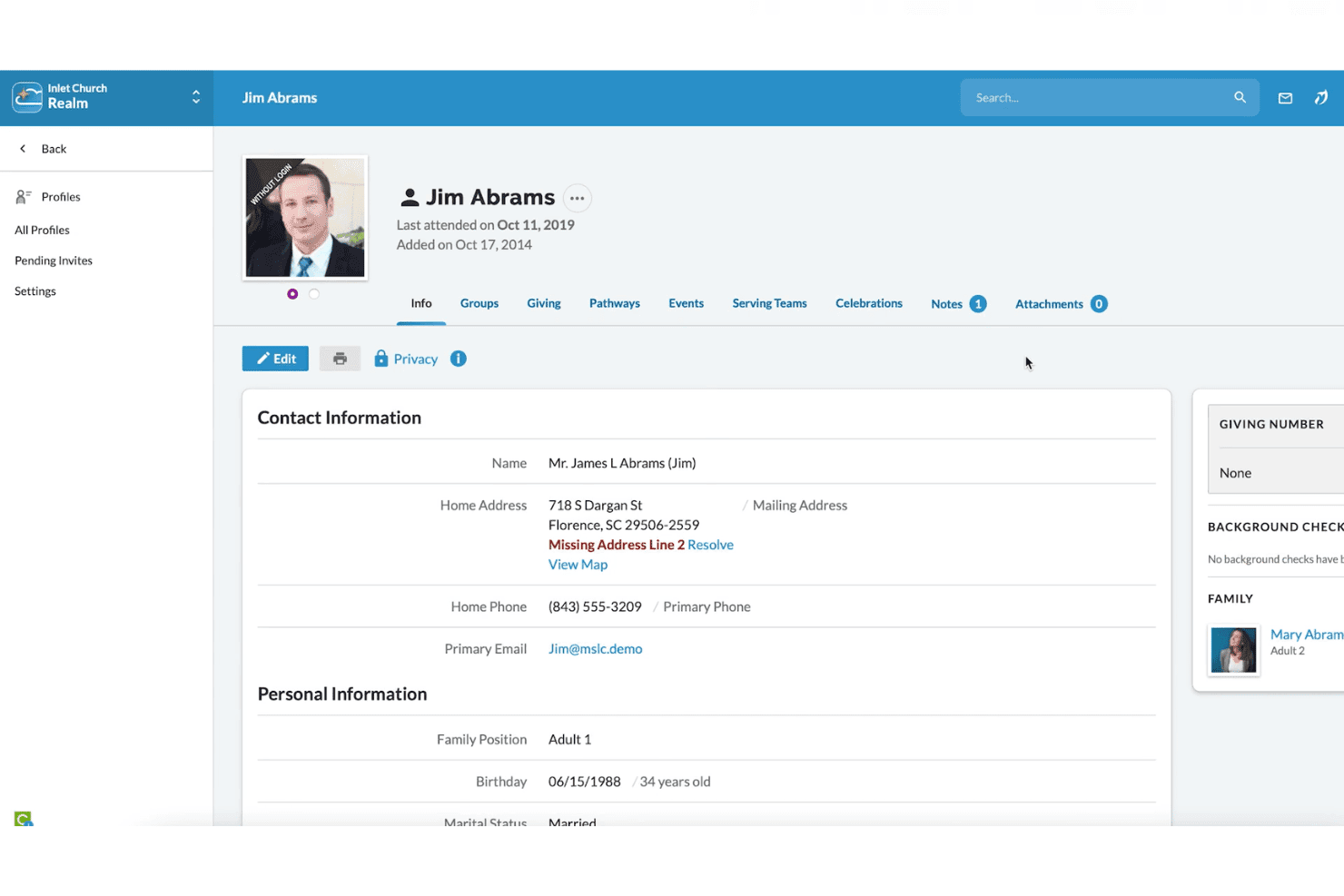
Track member data, family relationships, and attendance in customizable profiles. Use search and reporting to find groups, demographics, or individuals quickly.
Donor and Contribution Tracking
Record gifts, pledges, and contributions tied to donor profiles. Generate giving statements and detailed year-end reports for transparency.
Fund Accounting
Handle designated funds, accounts payable, and budgeting with tools built for church finance rules. Manage payroll, ledgers, and vendor payments in one place.
Event and Room Scheduling
Plan church events, reserve rooms, and manage resources in a shared calendar. Prevent double-booking and notify staff or volunteers automatically.
Check-In and Security
Use check-in stations for children’s ministry and events to boost safety. Print badges and automate notifications to parents or guardians as needed.
Communication Tools
Send group emails, texts, or printed mailings to targeted segments. Use built-in message history and list management to coordinate outreach or announcements.
Ease of Use
ACS Technologies’ rich feature set can be intimidating at first, especially for churches new to digital management. The interface is cluttered and feels outdated, but experienced users appreciate the customization options and depth.
Most reviewers find basic tasks like check-in or contribution entry straightforward, but advanced reporting and setup take time to master.
Integrations
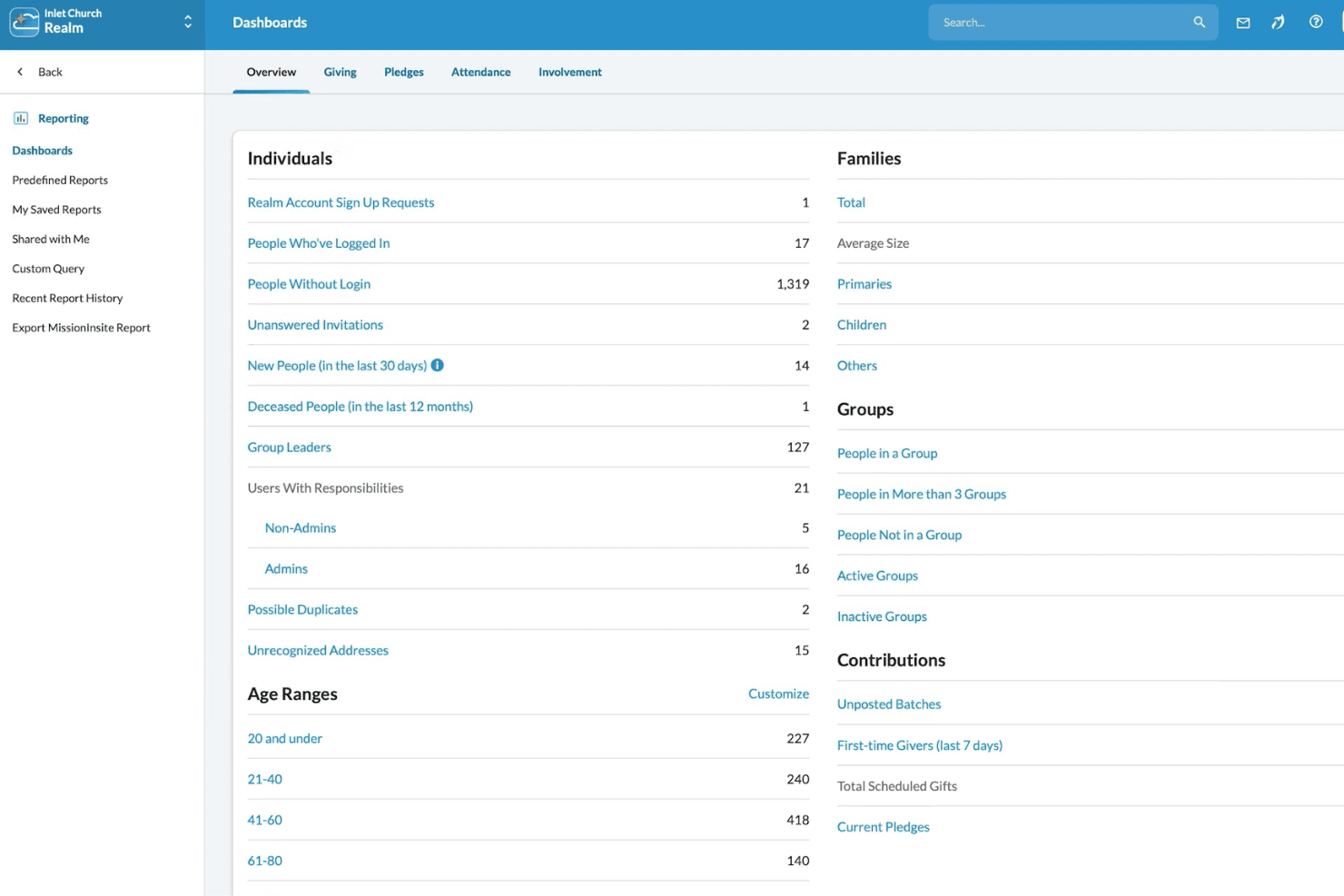
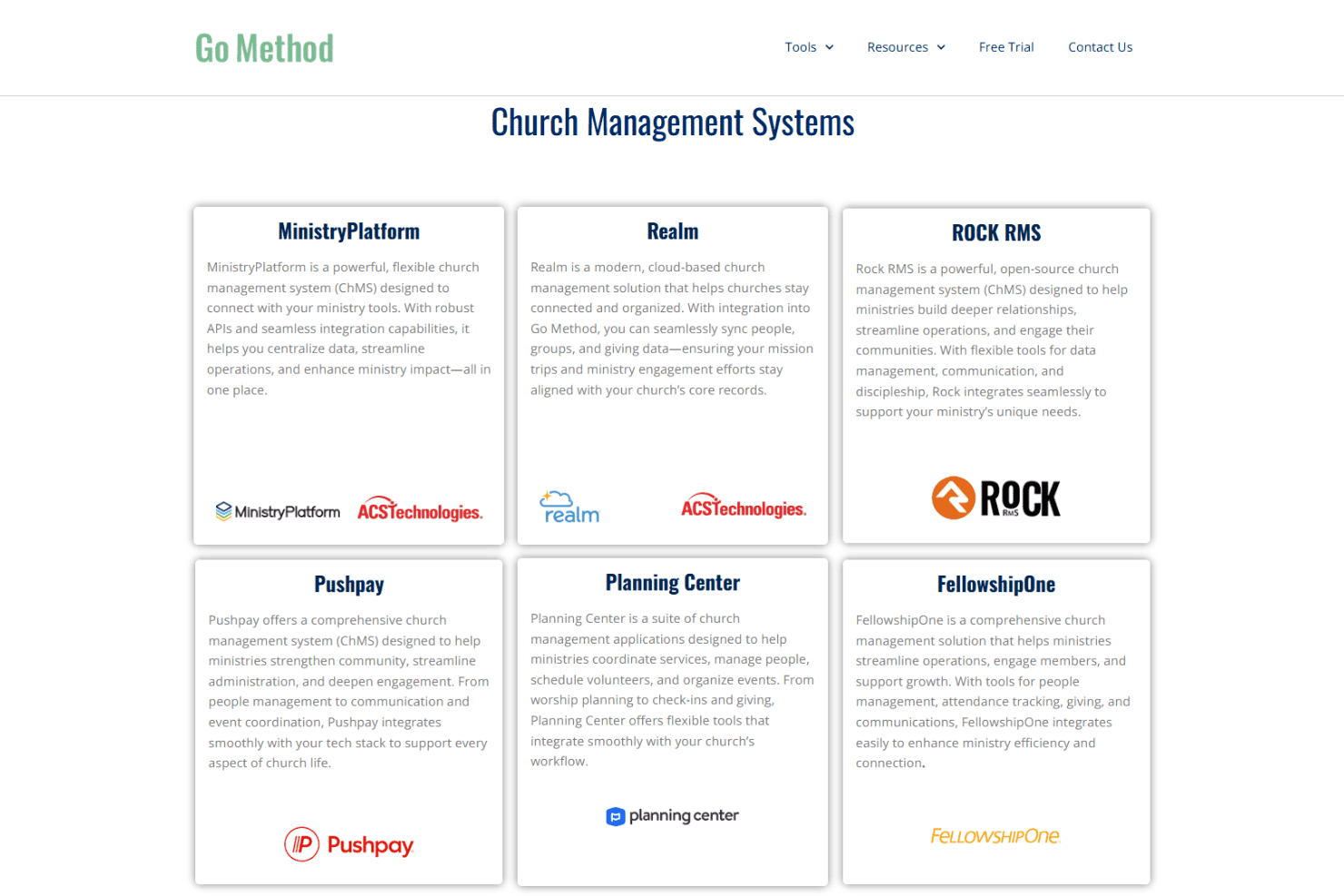
ACS Technologies integrates with BombBomb, eSPACE, Vanco, Shelby Systems, Realm, Go Method, MinistryPlatform, Growth Method, Paychex, and Sage, among others.
ACS Technologies also offers API options and can connect with select third-party integration tools.
ACS Specs
- API: No
- Calendar Management: No
- Contact Management: No
- Dashboards: No
- Data Export: No
- Data Import: No
- Document Management: No
- External Integrations: No
- Multi-User: No
- Notifications: No
- Payment Gateway Integration: No
- Scheduling: No
- Workflow Management: No


