

Avis sur Pushpay : avantages, inconvénients, fonctionnalités remarquables et guide des tarifs
If I could use just one word for Pushpay, it’d be “streamlined.” Here’s what actually matters if your church is weighing impact, innovation, and ease in your next giving platform.

Nous évaluons les outils de façon indépendante, et les commissions aident à financer nos tests. Consultez notre politique de transparence, notre méthodologie, ou suggérez un outil.
Pushpay is a church management software built around digital giving, donor engagement, and congregation communication for growing churches and multi-site ministries. I'd reach for it when your team needs a giving platform that pairs recurring donations and text-to-give with a member app your congregation will actually open on Sunday morning. Compared to Tithe.ly, which fits smaller churches looking for low-cost giving tools, Pushpay gives you deeper donor management, custom-branded mobile apps, and ChMS integration through Church Community Builder, so it's the stronger pick once your ministry outgrows entry-level platforms.
Pushpay Evaluation Summary
4/5
- Pricing upon request
- Free demo available
Pourquoi faire confiance à nos recommandations de logiciels
6,700+
Reviews
20
Industry experts
16+
Evaluation factors
14
Years
Notre équipe teste et évalue des logiciels depuis 2012. En tant que dirigeants d’église nous-mêmes, nous savons à quel point il est difficile — et important — de choisir le bon logiciel.
Pour ce guide, nous avons évalué les outils grâce à des tests pratiques et une recherche indépendante, en notant les outils selon nos critères de sélection.
Nos avis reflètent notre jugement éditorial humain, et non un argumentaire de vente.
Pushpay Overview
If you’re judging church management software on donor engagement, member app adoption, and ease of managing multi-site ministries, I think Pushpay stands out. Its recurring giving tools, branded apps, and deep reporting are ahead of many alternatives, though pricing can feel premium. The interface is clean, onboarding is straightforward, and integration with your existing church tools is strong. Churches serious about long-term growth and digital giving will get the most from Pushpay, especially if you care about moving beyond entry-level platforms and want more than just basic giving features.
Pros
- Offers branded mobile apps for donor and member engagement
- Deep reporting tools for donation and member data
- Supports recurring giving and text-to-give features
Cons
- Pricing is higher than many similar church platforms
- Advanced features may require onboarding assistance
- Fewer built-in event management tools than some competitors
Is Pushpay Right For Your Needs?
Who Would be a Good Fit for Pushpay?
Pushpay is ideal for medium to large churches, multi-site ministries, and teams that depend on volunteers for operations. Its guided onboarding, giving tools, and reporting features work best for growing ministries needing cohesive donor management and smooth event organization. I think churches invested in tech-driven engagement or those already using integrations like Church Community Builder or Planning Center will see strong alignment, especially where multiple staff and lay leaders need access to donor data and workflows.
- Medium-Sized ChurchesPushpay supports structured giving, donor tracking, and volunteer coordination, making it easier to manage more complex ministry operations.
- Multi-Site MinistriesThe platform’s integrations and user management keep staff and volunteer teams unified across different locations.
- Tech-Averse StaffWith guided setup and in-app training, even staff with little IT background can confidently oversee day-to-day tasks and donor records.
- Volunteer TeamsClear app workflows and intuitive dashboards mean volunteers can handle check-ins, event setups, and follow-up without extra training.
- Growth-Focused MinistriesAutomation, reporting, and engagement tools help ministries that are scaling to reach more people while staying organized.
- Financial AdministratorsWith QuickBooks and donor management integrations, Pushpay helps finance teams manage contributions and prepare detailed reports.
Who Would be a Bad Fit for Pushpay?
Pushpay isn’t a good match for very small churches, ministries on tight budgets, or organizations not focused on donor engagement. Its pricing, advanced features, and reliance on digital workflows won’t suit those needing only basic tools. If your team doesn’t need integrations or automated workflows—or if you work outside a church or faith context—Pushpay probably isn’t the right choice.
- Small CongregationsHigher pricing and robust features are often more than what a small community church with limited needs requires.
- Nonprofit OrganizationsPushpay is church-centric, so nonprofits without ministry needs may miss sector-specific features offered by other platforms.
- Budget-Constrained ChurchesIf you only need basic contribution tracking and event signups, Pushpay’s cost may be hard to justify.
- Secular TeamsThose outside faith-based contexts and ministries will find Pushpay’s workflows and language too specific.
- Solo PastorsChurches with one staff member might find the platform’s automation and reporting excessive for their simple needs.
- Non-Tech Users Requiring Advanced FeaturesAdvanced reporting and custom workflows can still present a learning curve for teams needing only basic day-to-day management.
Comment nous testons et évaluons les outils
Nous avons passé des années à construire, affiner et améliorer notre système de test et d’évaluation de logiciels. Notre grille a été conçue pour saisir les nuances de la sélection de logiciels et ce qui rend un outil efficace, en mettant l’accent sur les aspects critiques du processus de prise de décision. Vous trouverez ci-dessous exactement comment notre système d’évaluation fonctionne selon sept critères. Cela nous permet de fournir une évaluation impartiale du logiciel basée sur les fonctionnalités de base, les caractéristiques remarquables, la facilité d’utilisation, l’intégration, l’assistance client, les intégrations, les avis clients et le rapport qualité/prix.
Fonctionnalités de base (25 % de la note finale)
Le point de départ de notre évaluation est toujours la fonctionnalité de base de l’outil. Dispose-t-il des fonctionnalités et options fondamentales qu’un utilisateur s’attendrait à trouver ? Certaines de ces fonctionnalités essentielles sont-elles réservées à des forfaits plus chers ? Nous attendons d’un outil qu’il soutienne efficacement la comparaison avec les capacités minimales de ses concurrents.
Fonctionnalités remarquables (25 % de la note finale)
Ensuite, nous évaluons les fonctionnalités remarquables ou uniques qui dépassent la simple fonctionnalité de base habituellement proposée dans ce type d’outils. Un score élevé reflète des caractéristiques spécialisées ou atypiques qui rendent le produit plus rapide, plus efficace, ou offrent une valeur ajoutée à l’utilisateur. Nous évaluons aussi la facilité d’intégration à d’autres outils généralement présents dans la pile technologique pour élargir la fonctionnalité et l’utilité du logiciel. Les outils offrant de nombreuses intégrations natives, des connexions tierces et un accès à une API pour créer des intégrations personnalisées obtiennent les meilleurs scores.
Facilité d’utilisation (10 % de la note finale)
Nous considérons la rapidité et la simplicité avec laquelle il est possible d’effectuer les tâches relevant des fonctions de base grâce à l’outil. Les logiciels les mieux notés sont bien conçus, intuitifs, proposent des applications mobiles, offrent des modèles prêts à l’emploi et simplifient des tâches relativement complexes.
Intégration et prise en main (10 % de la note finale)
Nous savons à quel point il est important d’assurer une adoption rapide de la plateforme par les équipes. Nous évaluons donc la simplicité d’apprentissage et d’utilisation d’un outil avec très peu de formation. Nous vérifions à quelle vitesse un membre de l’équipe peut s’installer et commencer à utiliser l’outil sans expérience préalable. Les solutions les mieux notées nécessitent peu ou pas du tout de support.
Support client (10 % de la note finale)
Nous vérifions la rapidité et la facilité avec lesquelles il est possible de sortir une impasse et d’obtenir de l’aide par téléphone, chat en direct ou base de connaissance. Les outils/entreprises qui offrent un support en temps réel obtiennent la meilleure note, tandis que les chatbots obtiennent la moins bonne.
Avis clients (10 % de la note finale)
Au-delà de notre propre test et évaluation, nous tenons compte du score net de recommandation des clients actuels et passés. Nous examinons leur probabilité, à l’avenir, de choisir à nouveau cet outil pour la fonctionnalité de base. Un logiciel très bien noté reflète un score de recommandation élevé de la part de ses utilisateurs actuels ou anciens.
Rapport qualité/prix (10 % de la note finale)
Enfin, en tenant compte de tous les autres critères, nous examinons le prix moyen des offres d’entrée de gamme au regard des fonctionnalités essentielles et la valeur offerte selon les autres critères d’évaluation. Les logiciels qui offrent plus, pour moins cher, obtiennent une meilleure note.
Core Features
Digital Giving and Recurring Donations
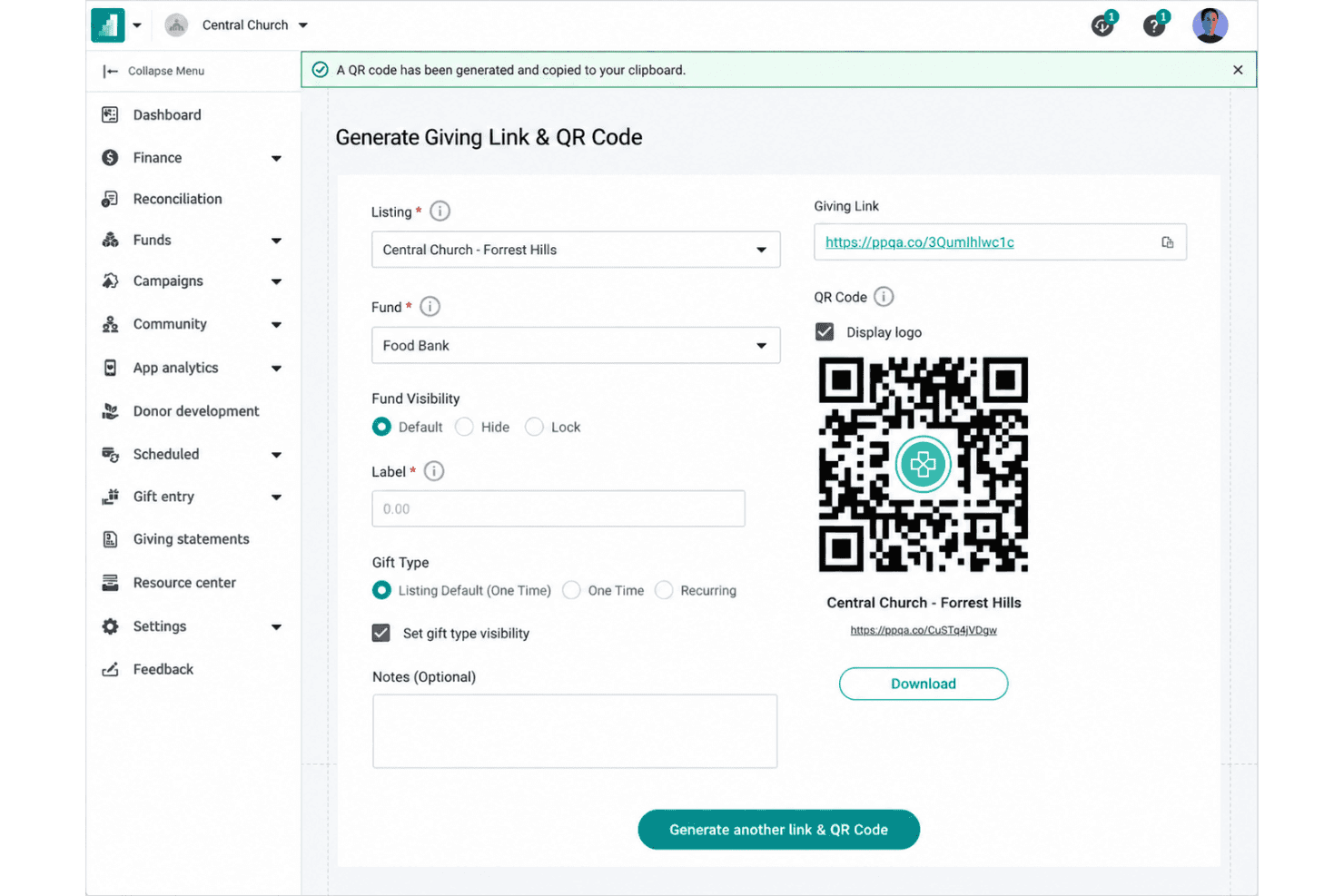
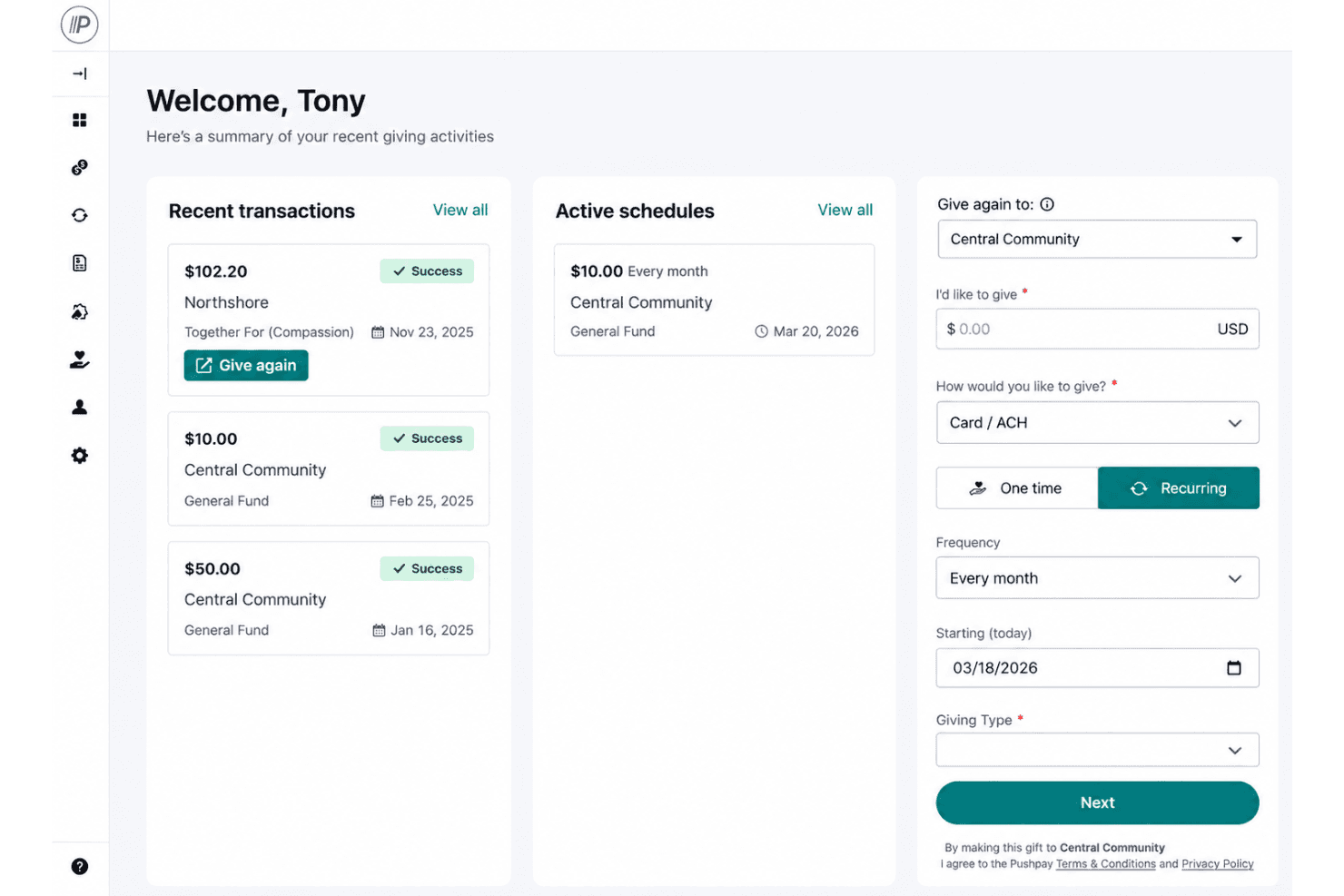
Set up and manage online giving with scheduled recurring donations with different payment methods, making it simple for members to support your ministry.
Custom-Branded Mobile App
Launch a mobile app with your church's branding, giving members access to giving, event signups, prayer requests, and messages. The app encourages engagement beyond Sunday and keeps communication clear.
Text-to-Give Functionality
Members can give using simple text messages, lowering barriers to participation and speeding up donations. Pushpay links these gifts directly to donor profiles for accurate tracking.
Donor and Member Management
Keep detailed profiles for donors and congregation members, helping you track attendance, engagement, volunteering, and contributions. Automated insights reveal giving trends and help with follow-up.
Contribution and Engagement Reporting
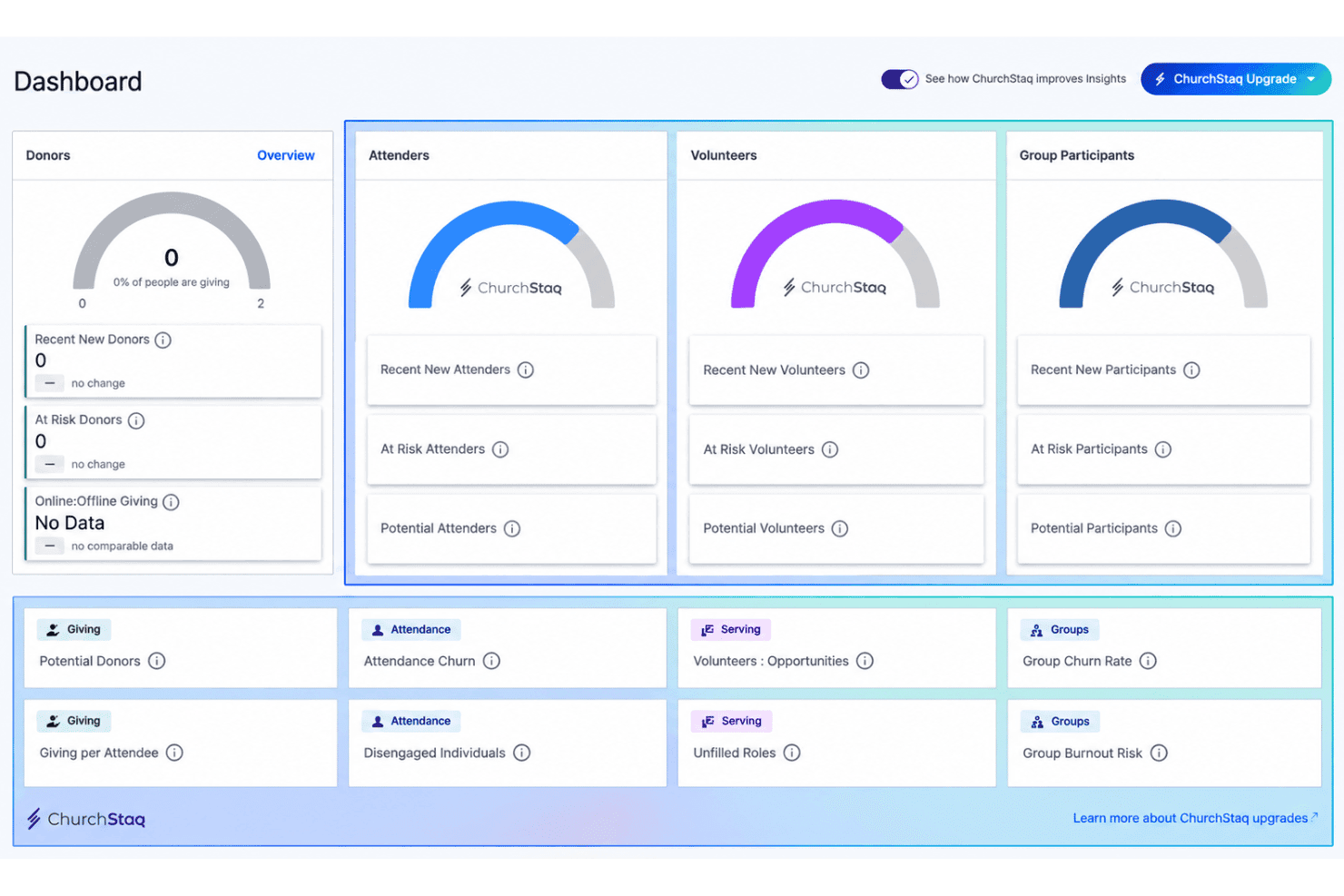
View real-time dashboards and detailed reports on giving patterns, campaign results, and congregational engagement. These insights help you plan budget decisions and connect with members who may need outreach.
Event and Volunteer Management
Organize volunteer scheduling and manage event registrations within the platform, reducing manual coordination. Send reminders and track participation to make planning simpler.
Ease of Use
Pushpay is easy for volunteer-driven teams to pick up thanks to its clean layout and guided setup. The dashboard keeps giving, event signups, and reporting just a click away, so you rarely dig through menus. User reviews highlight quick onboarding, intuitive mobile app workflows, and well-organized donor records as strengths. Some leaders mention a learning curve around advanced reporting, but most say even tech-averse staff can manage day-to-day tasks confidently.
Integrations
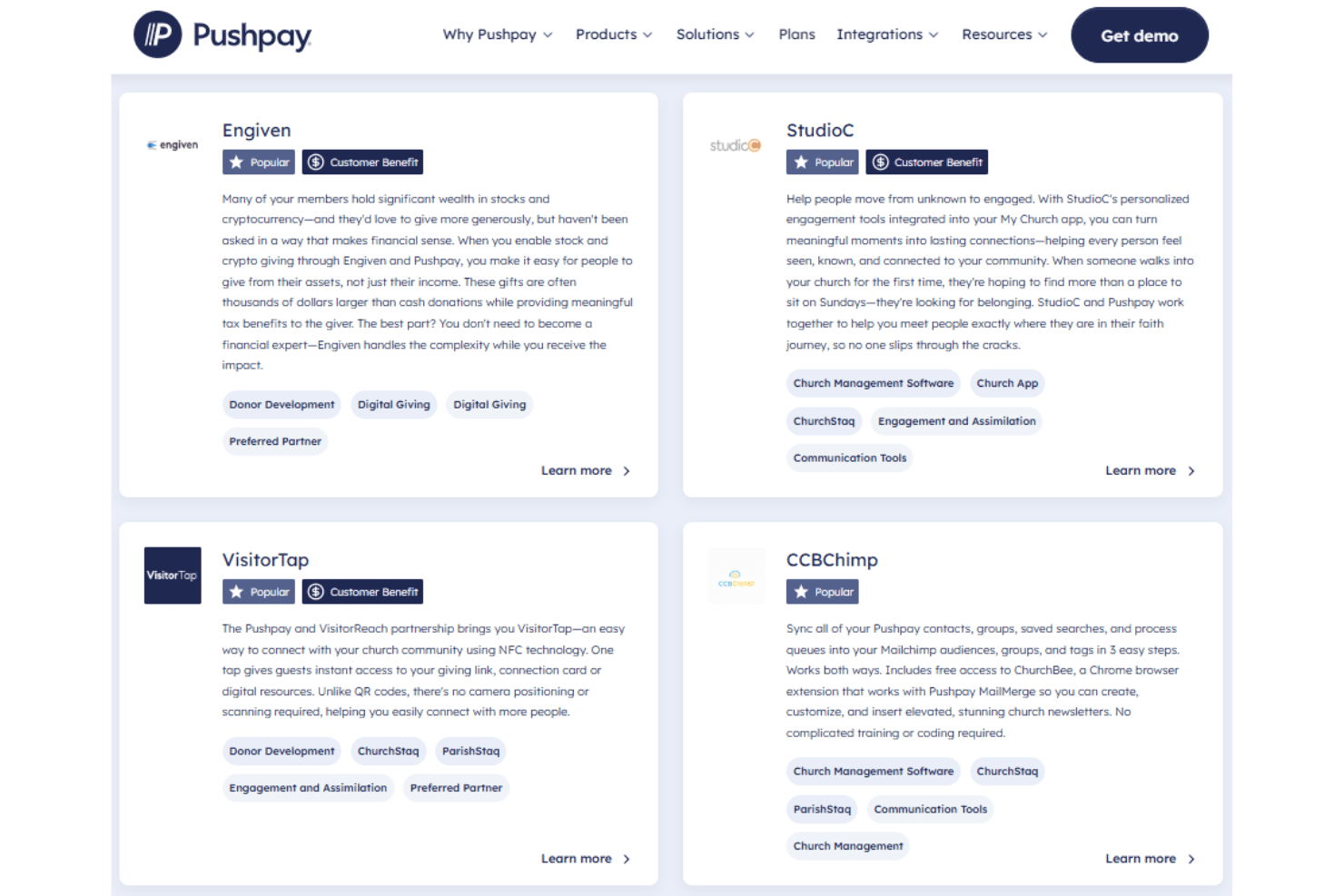
Pushpay integrates with Rock RMS, StudioC, MortarStone, Mailchimp, QuickBooks, Txt2Give, and Sage Intacct, among others.
Pushpay also offers an API for custom integrations and connects with certain third-party tools.
Pushpay Specs
- API: Yes
- Calendar Management: Yes
- Contact Management: Yes
- Dashboards: Yes
- Data Export: Yes
- Data Import: Yes
- Document Management: Yes
- External Integrations: Yes
- Multi-User: Yes
- Notifications: Yes
- Payment Gateway Integration: Yes
- Scheduling: Yes
- Workflow Management: Yes


