


Subsplash Vs. Pushpay: Comparison & Expert Reviews for 2026
Which church software wins for giving, engagement, and growth? I break down exactly how Subsplash and Pushpay stack up, so you can choose confidently in 2026.

We review tools independently, and commissions help fund our testing. See our transparency policy, our methodology, or suggest a tool.
Subsplash
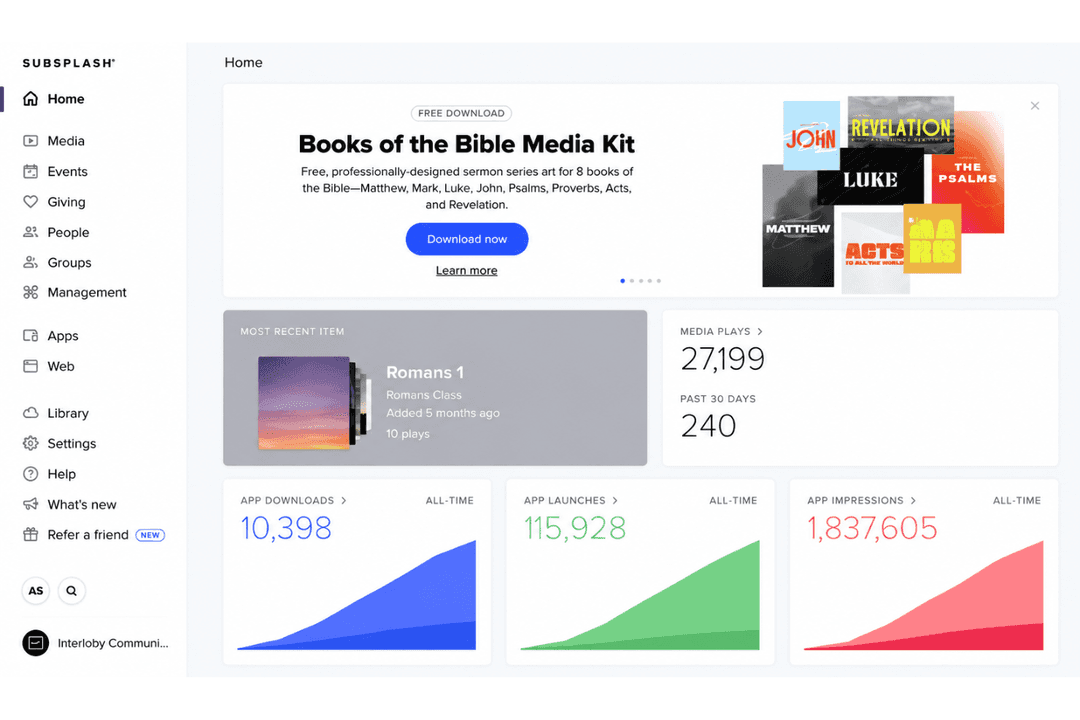
4.5/5
- Free demo available
- Pricing upon request
Pushpay
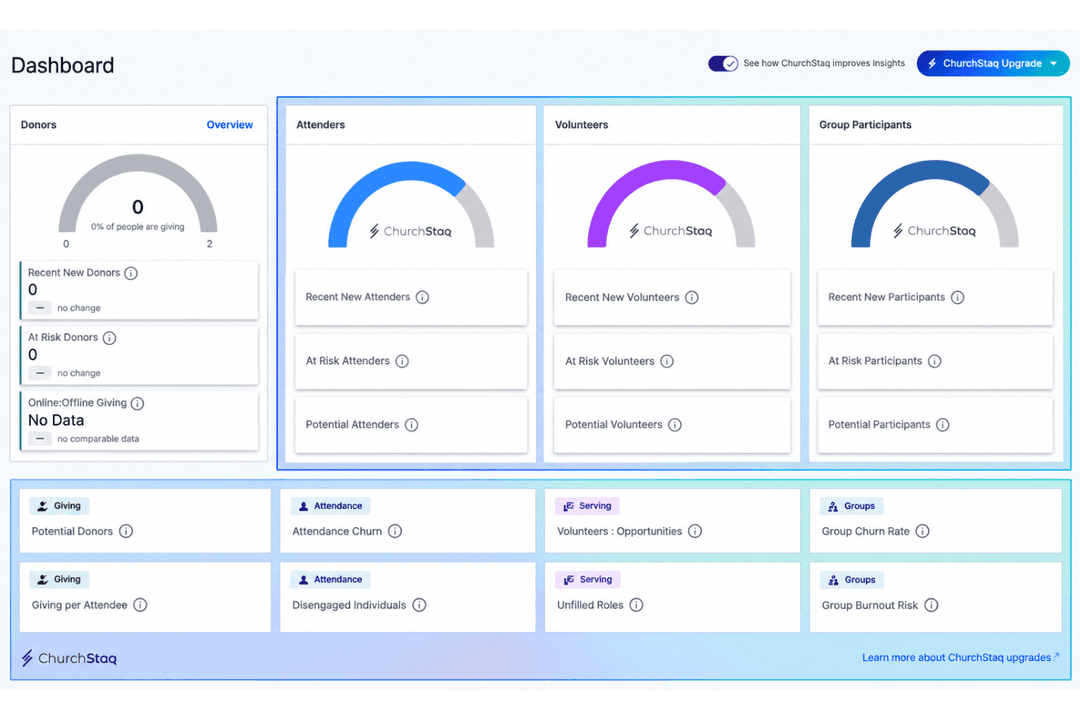
4/5
- Free demo available
- Pricing upon request
Why Trust Our Software Recommendations
6,700+
Reviews
20
Industry experts
16+
Evaluation factors
14
Years
Our team has been testing and reviewing software since 2012. As church leaders ourselves, we know how difficult—and important—it is to choose the right software.
For this guide, we evaluated tools using hands-on testing and independent research, scoring tools using our selection criteria.
Our reviews reflect our human editorial judgment, not a sales pitch.
| Subsplash | Pushpay | |
|---|---|---|
| Free Trial | Free demo available | Free demo available |
| Pricing | Pricing upon request | Pricing upon request |
Subsplash vs. Pushpay Pricing & Hidden Costs
Subsplash uses custom pricing that bundles features into packages based on your ministry’s size and goals, so exact numbers come out of a sales conversation rather than a pricing page. Giving can be bought on its own, which keeps the entry point low if that’s all you need for now. Pushpay also quotes per church, but it’s clearer about the shape of the deal: tiers run from a core package up to a complete one across giving, church management, and the full bundle, setup fees aren’t charged, and integrations don’t carry their own line item.
To choose the best fit, dig into contract details and ask for a line-by-line breakdown of processing rates, onboarding options, and what happens at renewal. Pushpay sells on multi-year terms and expects the balance if you leave early, so the commitment runs longer than it first looks. With Subsplash, budget for the Apple and Google developer accounts your app needs, and for a paid onboarding tier if you want coaching rather than self-guided setup. Getting this straight upfront saves you frustration and shows you where the real value sits.
| Subsplash | Pushpay | |
|---|---|---|
| API | Yes | Yes |
| Calendar Management | Yes | Yes |
| Contact Management | Yes | Yes |
| Dashboards | Yes | Yes |
| Data Export | Yes | Yes |
| Data Import | Yes | Yes |
| Document Management | Yes | Yes |
| External Integrations | Yes | Yes |
| Multi-User | Yes | Yes |
| Notifications | Yes | Yes |
| Payment Gateway Integration | Yes | Yes |
| Scheduling | Yes | Yes |
| Workflow Management | Yes | Yes |
| Integration | Subsplash | Pushpay |
|---|---|---|
| IntegrationPlanning Center | Subsplash✅ | Pushpay✅ |
| IntegrationRock RMS | Subsplash✅ | Pushpay✅ |
| IntegrationFellowshipOne | Subsplash❌ | Pushpay✅ |
| IntegrationMortarStone | Subsplash✅ | Pushpay✅ |
| IntegrationStudioC | Subsplash✅ | Pushpay✅ |
| IntegrationQuickBooks | Subsplash❌ | Pushpay✅ |
| IntegrationAPI | Subsplash✅ | Pushpay✅ |
| IntegrationZapier | Subsplash✅ | Pushpay❌ |
Both platforms plug into the church tech most ministries already run, and both cover Planning Center and Rock RMS. Pushpay reaches further into the back office, connecting to accounting software and to the staffing and background-check services that come with running at scale, and its church management system is the former Church Community Builder rather than a partner integration. Subsplash is the more open of the two at the edges, since Zapier lets you wire up connections neither vendor has built.
| Factor | Subsplash | Pushpay |
|---|---|---|
| FactorData Privacy | SubsplashCommits to GDPR principles and CCPA, and participates in the EU-US Data Privacy Framework for churches with members abroad. | PushpayKeeps information security and privacy specialists in house, with security training required across the company. |
| FactorPayment Security | SubsplashProcesses giving at Level 1 PCI DSS compliance across app, web, and text. | PushpayCertified as a Level 1 PCI DSS service provider, with machine learning fraud detection screening transactions as they come in. |
| FactorRegulatory Compliance | SubsplashRuns on data center infrastructure holding SOC and ISO 27001 certifications. | PushpayPuts its development practices and infrastructure through annual external audit, with no SOC or ISO certification of its own. |
| FactorSystem Reliability | SubsplashBuilt on certified data center infrastructure, though it doesn’t commit to a stated uptime guarantee. | PushpayKeeps giving available through service interruptions and recovers failed payments, so gifts aren’t lost to a bad moment. |
| FactorAccess Controls | SubsplashRoles and permissions limit who sees member and donor records, and no full congregation directory is exposed in the app by design. | PushpayPermissions sit inside the church management system, so each campus runs its own records while leadership reports across all of them. |
This one runs the other way from what most buyers expect. Both platforms take donor data seriously and both process giving at the top PCI tier, but Subsplash carries the broader set of credentials, including certified data center infrastructure and explicit GDPR and CCPA commitments. Pushpay concentrates its security posture on the payment layer, with fraud screening, independent penetration testing, and annual external audits. If your board wants certificates on file, Subsplash gives you more to hand over.
| Factor | Subsplash | Pushpay |
|---|---|---|
| FactorUser Interface | SubsplashClean dashboard with big icons makes navigation simple, even for non-technical staff. | PushpayModern look and clear menus help staff move between giving, people, and reports quickly. |
| FactorOnboarding | SubsplashSelf-guided courses carry most of the build, with a specialist calling in for the app store steps. | PushpayGuided setup with migration help when you’re moving off another system, though there’s more to configure at the start. |
| FactorContent Management | SubsplashDrag-and-drop tools make updating sermons, events, and media easy for volunteers, across the app and the website. | PushpaySermon archives, notes, and livestreams are managed for the app, but your website stays wherever it lives now. |
| FactorSupport Access | SubsplashFast chat support and a deep help center are easily accessible from within the dashboard. | PushpayA full training university with courses, certifications, and live sessions backs up the support team. |
| FactorCustomization | SubsplashSimple customization for church branding and layouts directly in the app builder. | PushpayYou choose between a fully branded custom app and a shared app, with branding set at the app level. |
Subsplash feels more welcoming out of the box, which matters when volunteers are the ones updating content. Pushpay asks more of you at the start and gives more back once staff are trained, and it invests heavily in that training. I think Subsplash wins for a small team that needs to move this week, and Pushpay wins for a church with someone whose actual job is running the system.
Subsplash
- Combines app, website, giving, media, and people management in one platform
- Branded apps reach mobile, TV, and car, with updates published in a single step
- Quick setup for digital giving and live streaming
- Multi-site administration is thinner than purpose-built church management systems
- No built-in bookkeeping or accounting, so finance still lives in separate software
- Upfront costs are higher than some other church platforms
Pushpay
- Offers branded mobile apps for donor and member engagement
- Deep reporting tools for donation and member data
- Supports recurring giving and text-to-give features
- Pricing is higher than many similar church platforms
- Advanced features may require onboarding assistance
- Fewer built-in event management tools than some competitors
Subsplash
- Small to Mid-Sized ChurchesSubsplash’s simple app setup, guided onboarding, and friendly support make it ideal for small teams handling multiple roles.
- Churches Consolidating Scattered ToolsGreat for congregations wanting all activities (giving, app, groups) integrated into a single branded experience.
- Digital Ministry TeamsEnables easy launch of mobile apps, live streaming, and integrated giving with minimal training.
- Volunteer CoordinatorsIntegrated volunteer management and messaging make scheduling and follow-up seamless.
- Ministries Wanting Fast LaunchClear guides and live chat support shorten the learning curve and speed up digital presence launches.
- Churches Using Church Management IntegrationsReady-made integrations with Church Community Builder, Planning Center, or Breeze reduce manual work and keep info in sync.
Pushpay
- Medium-Sized ChurchesPushpay supports structured giving, donor tracking, and volunteer coordination, making it easier to manage more complex ministry operations.
- Multi-Site MinistriesThe platform’s integrations and user management keep staff and volunteer teams unified across different locations.
- Tech-Averse StaffWith guided setup and in-app training, even staff with little IT background can confidently oversee day-to-day tasks and donor records.
- Volunteer TeamsClear app workflows and intuitive dashboards mean volunteers can handle check-ins, event setups, and follow-up without extra training.
- Growth-Focused MinistriesAutomation, reporting, and engagement tools help ministries that are scaling to reach more people while staying organized.
- Financial AdministratorsWith QuickBooks and donor management integrations, Pushpay helps finance teams manage contributions and prepare detailed reports.
Who Should Use Subsplash, and Who Should Use Pushpay?
Subsplash is a great fit for churches that want one platform covering the congregation-facing side, including a website, media, and a branded app that reaches past the phone, without piling complexity onto a small staff. Pushpay is the stronger pick for larger congregations and multi-site networks that need per-campus administration, serious donor development, and the accounting and background-check connections that come with running at scale. It’s also the only one of the two with a product built specifically for Catholic parishes and dioceses. If you value simplicity and reach, go with Subsplash; if your priority is data-driven giving and administrative depth, Pushpay is the better bet.
| Subsplash | Pushpay | |
|---|---|---|
| App Experience | Subsplash Runs on phones, TV, and car screens, with one publish sending a sermon to the app, website, and podcast feeds. | Pushpay Mobile-first on iOS and Android, with sermon notes, a member directory, and check-in built into the app. |
| Donor Analytics | Subsplash AI dashboards track giving and engagement trends alongside how your content is performing. | Pushpay Pulls giving, attendance, and serving into one health view, flagging first-time donors and people who have drifted. |
| Integration Scope | Subsplash Covers the main church management systems and opens up the rest through Zapier and an API. | Pushpay Reaches further into accounting, staffing, and background checks, with its own church management system at the center. |
| Pricing Approach | Subsplash Quote-based packages, with giving available on its own if that’s all you need. | Pushpay Quote-based as well, but structured into named tiers and sold on multi-year terms. |
| Web Presence | Subsplash Includes a drag-and-drop website builder with pages built to be found in search. | Pushpay No website builder, so your site stays with whoever hosts it today. |
| Custom Church App | Both provide a custom-branded app that gives members one place for sermons, events, and giving. |
|---|---|
| Digital Giving | Both offer secure, customizable digital giving, so members can give online, in the app, or by text, with recurring options and real-time tracking. |
| Event Management | Each lets you create and manage events, handle sign-ups, and share schedules with your congregation. Sr. |
| Reporting & Analytics | Each gives you dashboards tracking giving, attendance, and engagement. |
| Volunteer Coordination | Both include tools for recruiting, scheduling, and communicating with volunteers. |