


Avis sur Blackbaud : avantages, inconvénients, fonctionnalités et tarifs


Blackbaud is a church software built around nonprofit financial management, donor tracking, and giving analytics. It's worth considering if your church needs more than a basic people database—specifically if you're managing major gifts, complex fund accounting, or multi-site giving campaigns. Compared to Planning Center, which centers on service planning and team coordination, Blackbaud goes much deeper on the financial and fundraising side, making it a stronger fit for larger congregations with dedicated development or finance staff.
Blackbaud Evaluation Summary
- Pricing upon request
- Free demo available
Pourquoi faire confiance à nos recommandations de logiciels
Notre équipe teste et évalue des logiciels depuis 2012. En tant que dirigeants d’église nous-mêmes, nous savons à quel point il est difficile — et important — de choisir le bon logiciel.
Pour ce guide, nous avons évalué les outils grâce à des tests pratiques et une recherche indépendante, en notant les outils selon nos critères de sélection.
Nos avis reflètent notre jugement éditorial humain, et non un argumentaire de vente.
Blackbaud Overview
When I compare Blackbaud to other church management software, I think its donor management, event planning, and reporting tools are a step above most options. The interface feels modern, and the onboarding process is smoother than many competitors. Pricing is on the higher side, but the depth of features and responsive support justify it for larger churches or ministries with complex needs.
If you’re judging software by integration options and customization, Blackbaud stands out, though smaller congregations might find it more than they need. For example, its volunteer scheduling and fundraising modules are especially strong.
pros
-
Responsive customer support for complex needs
-
Strong reporting and analytics capabilities
-
Advanced donor and fundraising management tools
cons
-
Interface can feel overwhelming for smaller teams
-
Some church-specific features are limited or missing
-
Pricing is higher than many alternatives
-

AskMyChurch
Visit Website -
ChMeetings
Visit WebsiteThis rating combines scores from multiple user review sites to reflect overall customer sentiment about the product.4.9 -
Subsplash
Visit WebsiteThis rating combines scores from multiple user review sites to reflect overall customer sentiment about the product.4.5





Comment nous testons et évaluons les outils
Nous avons passé des années à construire, affiner et améliorer notre système de test et d’évaluation de logiciels. Notre grille a été conçue pour saisir les nuances de la sélection de logiciels et ce qui rend un outil efficace, en mettant l’accent sur les aspects critiques du processus de prise de décision. Vous trouverez ci-dessous exactement comment notre système d’évaluation fonctionne selon sept critères. Cela nous permet de fournir une évaluation impartiale du logiciel basée sur les fonctionnalités de base, les caractéristiques remarquables, la facilité d’utilisation, l’intégration, l’assistance client, les intégrations, les avis clients et le rapport qualité/prix.
Fonctionnalités de base (25 % de la note finale)
Le point de départ de notre évaluation est toujours la fonctionnalité de base de l’outil. Dispose-t-il des fonctionnalités et options fondamentales qu’un utilisateur s’attendrait à trouver ? Certaines de ces fonctionnalités essentielles sont-elles réservées à des forfaits plus chers ? Nous attendons d’un outil qu’il soutienne efficacement la comparaison avec les capacités minimales de ses concurrents.
Fonctionnalités remarquables (25 % de la note finale)
Ensuite, nous évaluons les fonctionnalités remarquables ou uniques qui dépassent la simple fonctionnalité de base habituellement proposée dans ce type d’outils. Un score élevé reflète des caractéristiques spécialisées ou atypiques qui rendent le produit plus rapide, plus efficace, ou offrent une valeur ajoutée à l’utilisateur. Nous évaluons aussi la facilité d’intégration à d’autres outils généralement présents dans la pile technologique pour élargir la fonctionnalité et l’utilité du logiciel. Les outils offrant de nombreuses intégrations natives, des connexions tierces et un accès à une API pour créer des intégrations personnalisées obtiennent les meilleurs scores.
Facilité d’utilisation (10 % de la note finale)
Nous considérons la rapidité et la simplicité avec laquelle il est possible d’effectuer les tâches relevant des fonctions de base grâce à l’outil. Les logiciels les mieux notés sont bien conçus, intuitifs, proposent des applications mobiles, offrent des modèles prêts à l’emploi et simplifient des tâches relativement complexes.
Intégration et prise en main (10 % de la note finale)
Nous savons à quel point il est important d’assurer une adoption rapide de la plateforme par les équipes. Nous évaluons donc la simplicité d’apprentissage et d’utilisation d’un outil avec très peu de formation. Nous vérifions à quelle vitesse un membre de l’équipe peut s’installer et commencer à utiliser l’outil sans expérience préalable. Les solutions les mieux notées nécessitent peu ou pas du tout de support.
Support client (10 % de la note finale)
Nous vérifions la rapidité et la facilité avec lesquelles il est possible de sortir une impasse et d’obtenir de l’aide par téléphone, chat en direct ou base de connaissance. Les outils/entreprises qui offrent un support en temps réel obtiennent la meilleure note, tandis que les chatbots obtiennent la moins bonne.
Avis clients (10 % de la note finale)
Au-delà de notre propre test et évaluation, nous tenons compte du score net de recommandation des clients actuels et passés. Nous examinons leur probabilité, à l’avenir, de choisir à nouveau cet outil pour la fonctionnalité de base. Un logiciel très bien noté reflète un score de recommandation élevé de la part de ses utilisateurs actuels ou anciens.
Rapport qualité/prix (10 % de la note finale)
Enfin, en tenant compte de tous les autres critères, nous examinons le prix moyen des offres d’entrée de gamme au regard des fonctionnalités essentielles et la valeur offerte selon les autres critères d’évaluation. Les logiciels qui offrent plus, pour moins cher, obtiennent une meilleure note.
Core Features
Donor Management
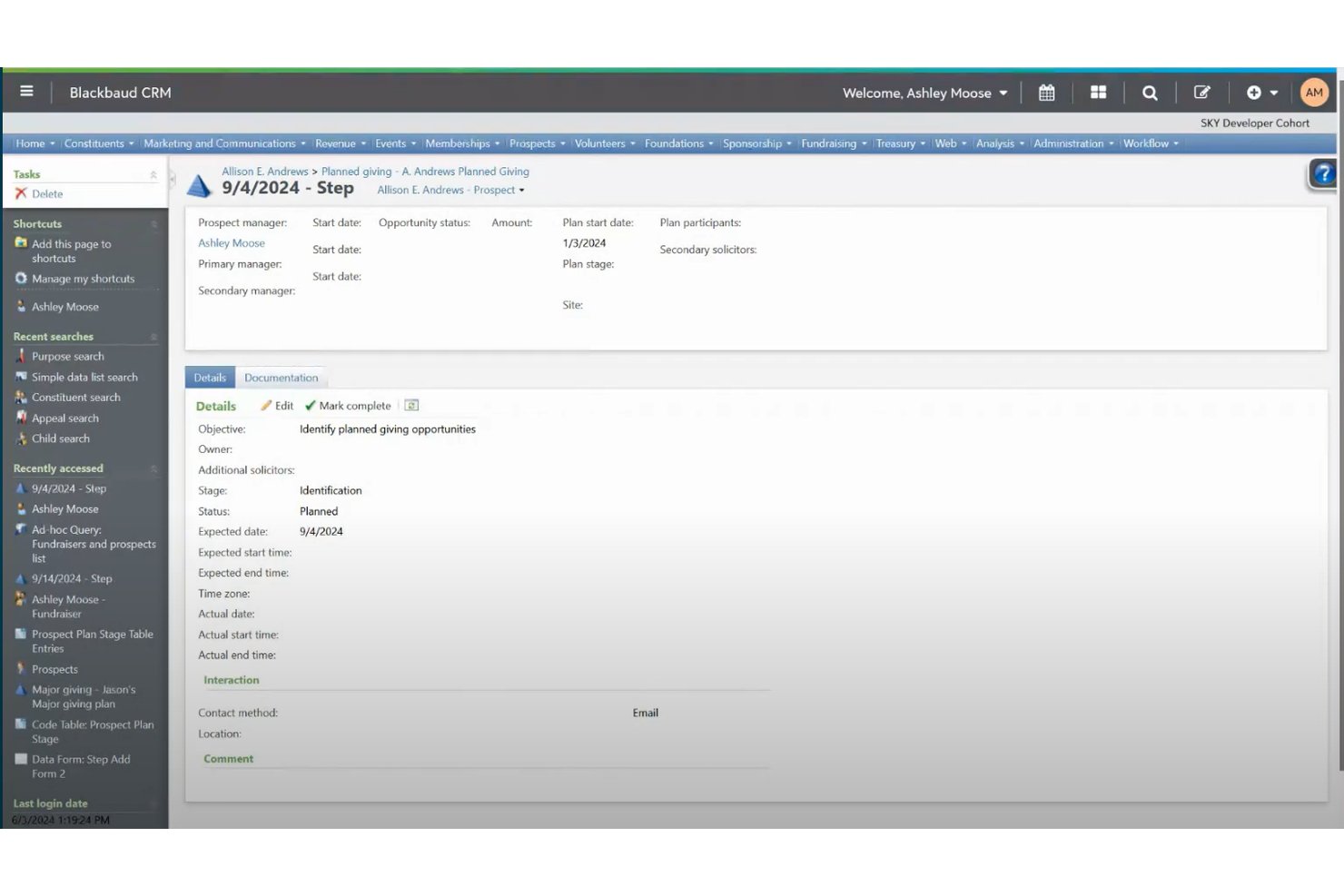
Blackbaud offers a comprehensive donor management system that helps you track donations and maintain donor relationships. Its detailed reporting tools enable you to analyze giving patterns and engage donors effectively.
Event Management
Plan and execute events seamlessly with Blackbaud's integrated tools. You can handle registrations, track attendance, and manage logistics all in one place.
Membership Tracking
Keep your congregation's information organized and accessible. Blackbaud allows you to track member involvement, attendance, and personal details effortlessly.
Financial Reporting
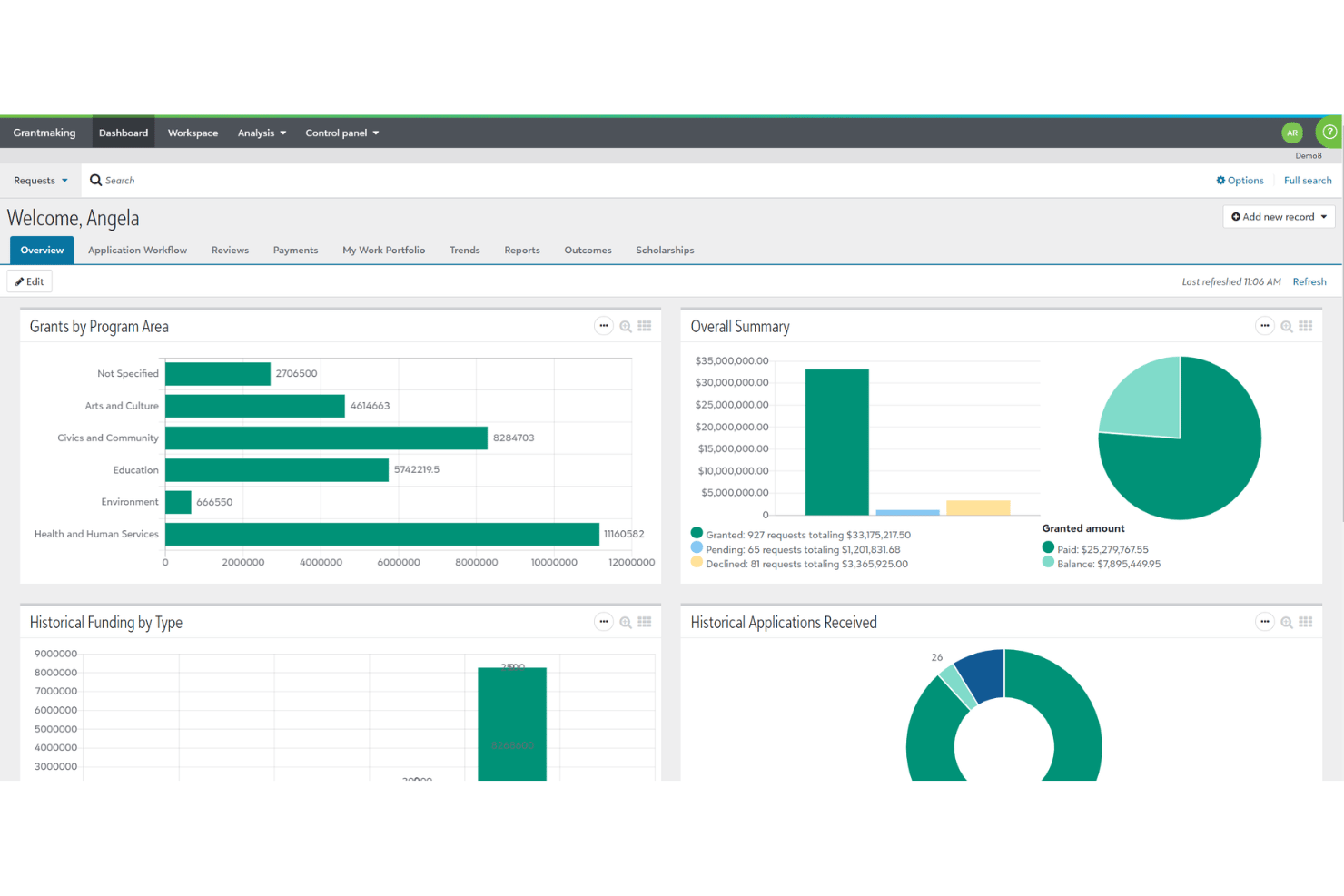
Blackbaud's financial tools help your team manage budgets and generate accurate reports. This feature ensures transparency and accountability in your financial operations.
Volunteer Coordination
Organize and manage your volunteer activities efficiently. Blackbaud lets you schedule shifts, track hours, and communicate with volunteers easily.
Communication Tools
Engage with your community through Blackbaud's communication features. You can send newsletters, updates, and personalized messages to keep everyone informed.
Ease of Use
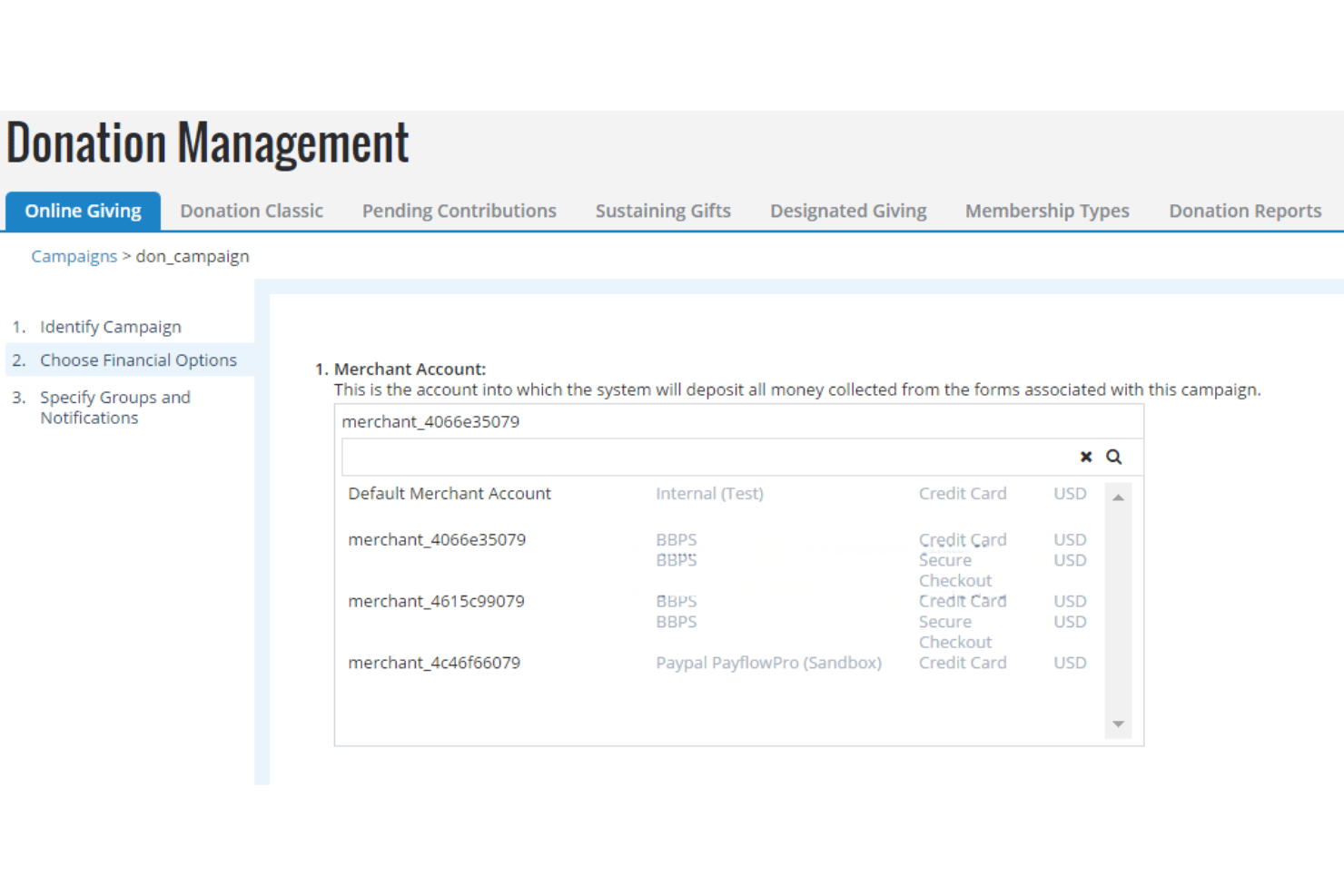
Blackbaud’s interface is modern and packed with features, but it can feel overwhelming for smaller teams or those new to church management software. Users with experience in data management or fundraising will find navigation intuitive, especially when using advanced reporting and donor tools.
However, setup and customization require time and training, so churches with dedicated administrative staff will get the most value from its depth and flexibility.
Integrations
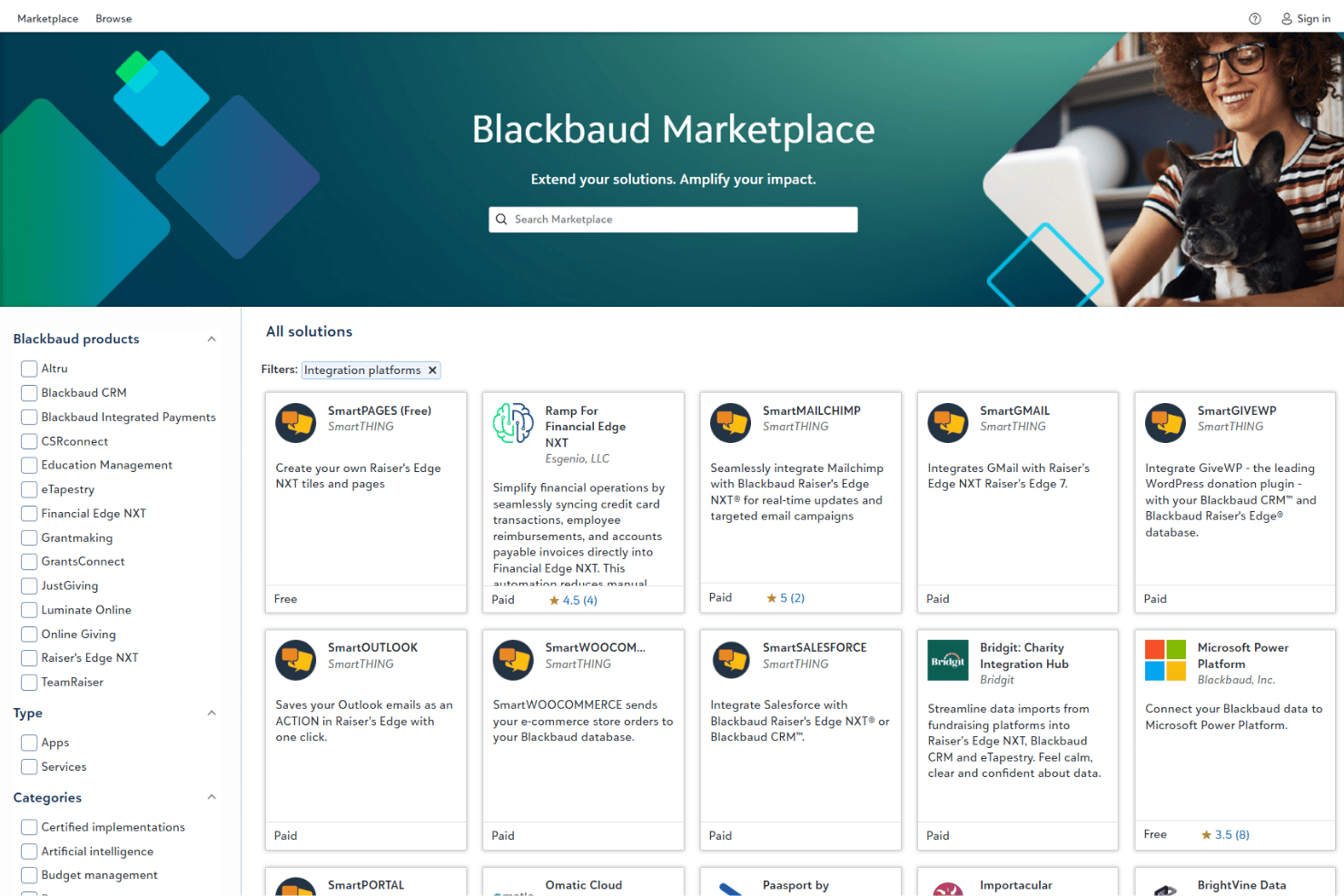
Blackbaud integrates with Microsoft Office 365, Salesforce, QuickBooks, Mailchimp, Eventbrite, WealthEngine, Constant Contact, PayPal, Double the Donation, and YourCause, among others.
Blackbaud also offers an API and connects with third-party integration tools for expanded functionality.
Blackbaud Specs
- API
- Calendar Management
- Contact Management
- Dashboards
- Data Export
- Data Import
- Document Management
- External Integrations
- Multi-User
- Notifications
- Payment Gateway Integration
- Scheduling
- Workflow Management

