

Reseña de ACS Technologies: Ventajas, Desventajas, Características y Precios
ACS Technologies integra la gestión eclesiástica en una sola plataforma, desde registros de miembros y donaciones hasta planificación de eventos, comunicación y operaciones ministeriales.

Revisamos herramientas de manera independiente, y las comisiones ayudan a financiar nuestras pruebas. Consulta nuestra política de transparencia, nuestra metodología o sugiere una herramienta.
ACS is a church software built for mid-size to large congregations that need to manage membership records, contributions, and financial accounting in one integrated system. I'd consider it when your church has outgrown simpler tools like Breeze—especially if you need more depth in financial reporting and fund accounting than lightweight platforms typically provide.
ACS Evaluation Summary
3.8/5
- Pricing upon request
- Free demo available
Por qué confiar en nuestras recomendaciones de software
6,700+
Reviews
20
Industry experts
16+
Evaluation factors
14
Years
Nuestro equipo lleva probando y evaluando software desde 2012. Como líderes eclesiásticos, sabemos lo difícil —y lo importante— que es elegir el software adecuado.
Para esta guía, evaluamos las herramientas mediante pruebas prácticas e investigación independiente, puntuando las herramientas según nuestros criterios de selección.
Nuestras reseñas reflejan nuestro criterio editorial humano, no un discurso de ventas.
ACS Overview
In my view, ACS Technologies stands out for its customizable modules and deep donor management, making it a strong pick if you need room to scale and specialize. While its interface can feel dated and onboarding takes time, support is responsive, and integrations are solid. Pricing skews higher, so you’ll want to compare it closely if budget is key.
For multi-campus churches or those with complex accounting and reporting needs, I think ACS Technologies deserves strong consideration. Smaller churches with simpler needs might find the depth—and cost—more than they want.
Pros
- Offers detailed fund accounting for complex church finances
- Includes robust donor tracking and contribution statements
- Scales well for multi-campus and large congregations
Cons
- Interface and design feel dated compared to competitors
- Custom reports require advanced setup and experience
- Mobile experience is limited for staff and volunteers
Is ACS Right For Your Needs?
Who Would be a Good Fit for ACS?
ACS Technologies is ideal for churches with complex administrative, finance, and communication needs that require detailed tracking across multiple ministries or campuses. Multi-campus congregations and organizations managing large databases will find its fund accounting, volunteer portals, and customizable reporting especially valuable.
ACS Technologies gives staff, finance teams, and administrators tools for deep donor insight, advanced financial controls, and targeted communication that smaller systems just can’t match.
- Multi-Campus ChurchesACS Technologies handles separate funds, campuses, and ministry groups through unified reporting and flexible workflows.
- Finance DepartmentsTeams benefit from dedicated church-oriented accounting, robust budgeting, and donation tracking built for ministry compliance.
- Large Staff TeamsACS Technologies supports multiple staff roles, granular permissions, and communication tools to keep large teams coordinated.
- Volunteer CoordinatorsSelf-service scheduling and team communication simplify volunteer management across events and service areas.
- Denominational HeadquartersCentral admin can oversee data, financials, and outreach for multiple churches from a single platform.
- Faith-Based SchoolsTrack student families, giving, and event participation alongside church administrative needs.
Who Would be a Bad Fit for ACS?
ACS Technologies isn’t built for small congregations, non-religious nonprofits, or those needing modern, mobile-first tools for a lightweight experience. Organizations with basic database or attendance needs will find its price and complexity excessive, while its dated interface and lengthy learning curve won’t fit users wanting simple setup or quick access on mobile. Teams with informal workflows or minimal tech support may struggle to take advantage of all ACS Technologies has to offer.
- Small ChurchesACS is often too complex and expensive for churches with fewer than 100 regular attendees.
- Solo PastorsManaging all features and administration solo is overwhelming and not resource-efficient.
- Youth MinistriesThe interface and limited mobile capabilities make it tough for fast-paced youth teams.
- Basic Event TrackingFor groups only needing simple attendance or calendar tools, ACS has more features than needed.
- Nonprofit OrganizationsACS Technologies is specialized for churches and ministries, so general nonprofits won’t get value from its church-oriented tools
- Volunteer-Only TeamsThose with no paid staff or dedicated admins may find learning and managing ACS Technologies unmanageable.
Cómo Probamos y Puntuamos Herramientas
Hemos pasado años creando, refinando y mejorando nuestro sistema de prueba y puntuación de software. La rúbrica está diseñada para captar las particularidades de la selección de software y lo que hace que una herramienta sea efectiva, centrándose en los aspectos críticos del proceso de toma de decisiones. A continuación, puedes ver exactamente cómo funcionan nuestras pruebas y puntuaciones en siete criterios. Nos permite proporcionar una evaluación imparcial del software basada en la funcionalidad principal, características destacadas, facilidad de uso, incorporación, soporte al cliente, integraciones, reseñas de clientes y relación calidad-precio.
Funcionalidad principal (25% de la puntuación final)
El punto de partida de nuestra evaluación es siempre la funcionalidad principal de la herramienta. ¿Tiene las funciones y características básicas que un usuario esperaría ver? ¿Alguna de esas funciones principales está bloqueada en planes de precios superiores? En esencia, esperamos que una herramienta se mantenga frente a las capacidades mínimas de sus competidores.
Características destacadas (25% de la puntuación final)
A continuación, evaluamos características poco comunes que van más allá de la funcionalidad principal típicamente encontrada en herramientas de su tipo. Una puntuación alta refleja funciones especializadas o únicas que hacen que el producto sea más rápido, eficiente o que aporte valor adicional al usuario. También evaluamos lo fácil que es integrarse con otras herramientas habitualmente presentes en la infraestructura tecnológica, para ampliar la funcionalidad y utilidad del software. Las herramientas que ofrecen muchas integraciones nativas, conexiones con terceros y acceso API para crear integraciones personalizadas obtienen la mejor puntuación.
Facilidad de uso (10% de la puntuación final)
Consideramos qué tan rápido y fácil es ejecutar las tareas definidas en la funcionalidad principal utilizando la herramienta. El software con alta puntuación está bien diseñado, es intuitivo de usar, ofrece aplicaciones móviles, proporciona plantillas y hace que tareas relativamente complejas parezcan simples.
Incorporación (10% de la puntuación final)
Sabemos lo importante que es la rápida adopción por parte del equipo en una nueva plataforma, por lo que evaluamos lo fácil que es aprender y usar una herramienta con una formación mínima. Evaluamos lo rápido que un miembro del equipo puede configurarse y comenzar a usar la herramienta sin experiencia previa. Las soluciones mejor puntuadas indican que se requiere poco o ningún soporte.
Soporte al cliente (10% de la puntuación final)
Revisamos lo rápido y fácil que es obtener ayuda por teléfono, chat en vivo o base de conocimiento. Las herramientas y empresas que brindan soporte en tiempo real obtienen la mejor puntuación, mientras que los chatbots obtienen la peor.
Reseñas de clientes (10% de la puntuación final)
Más allá de nuestras propias pruebas y evaluaciones, consideramos la puntuación neta del promotor de clientes actuales y anteriores. Revisamos la probabilidad de que elegirían nuevamente la herramienta para la funcionalidad principal. Un software de alta puntuación refleja una puntuación neta del promotor elevada por parte de sus clientes actuales o pasados.
Relación calidad-precio (10% de la puntuación final)
Por último, en consideración del resto de los criterios, revisamos el precio promedio de los planes de nivel inicial frente a las funciones principales y consideramos el valor de los otros criterios de evaluación. El software que ofrece más, por menos, obtendrá una mejor puntuación.
Core Features
People Management
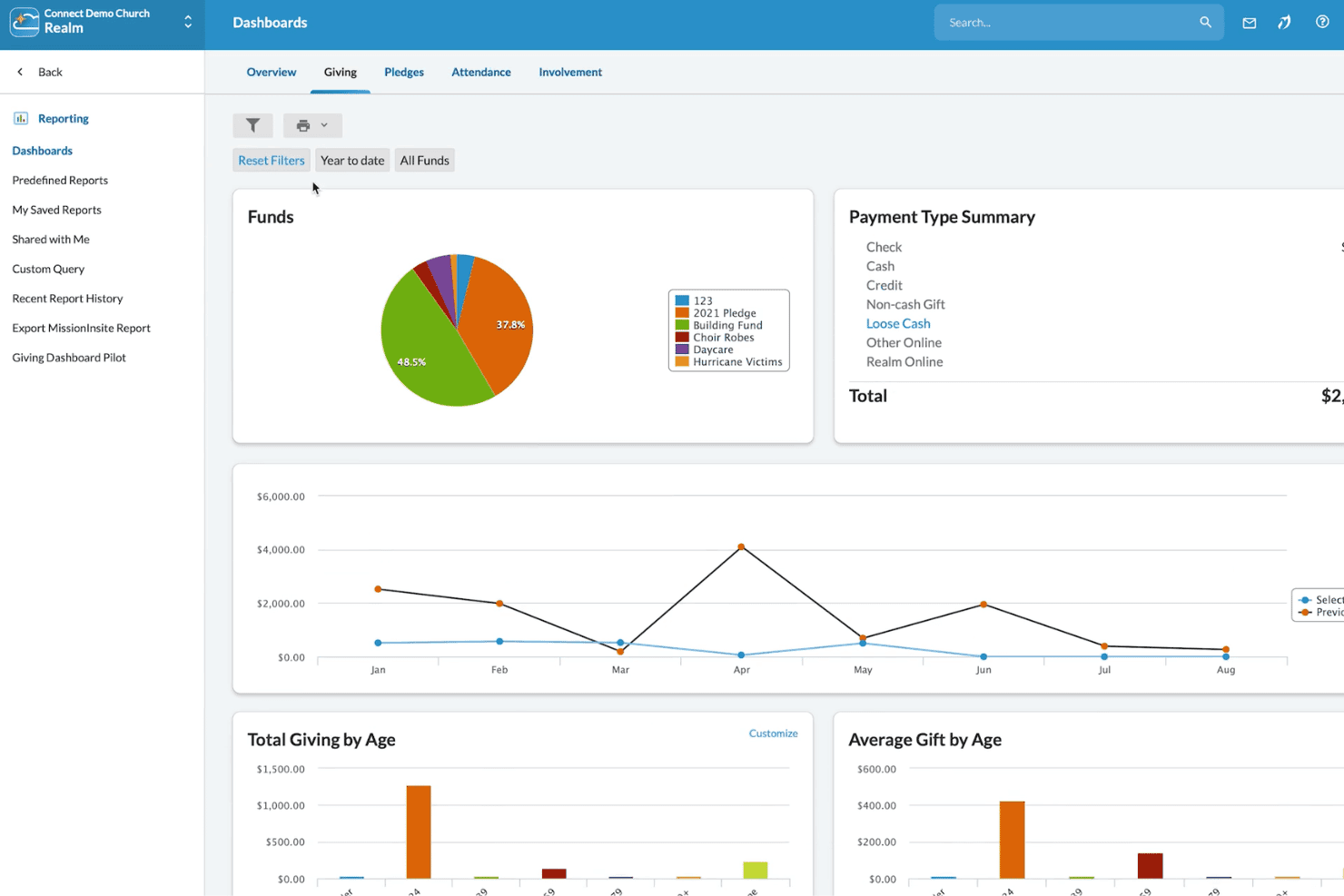
Track member data, family relationships, and attendance in customizable profiles. Use search and reporting to find groups, demographics, or individuals quickly.
Donor and Contribution Tracking
Record gifts, pledges, and contributions tied to donor profiles. Generate giving statements and detailed year-end reports for transparency.
Fund Accounting
Handle designated funds, accounts payable, and budgeting with tools built for church finance rules. Manage payroll, ledgers, and vendor payments in one place.
Event and Room Scheduling
Plan church events, reserve rooms, and manage resources in a shared calendar. Prevent double-booking and notify staff or volunteers automatically.
Check-In and Security
Use check-in stations for children’s ministry and events to boost safety. Print badges and automate notifications to parents or guardians as needed.
Communication Tools
Send group emails, texts, or printed mailings to targeted segments. Use built-in message history and list management to coordinate outreach or announcements.
Ease of Use
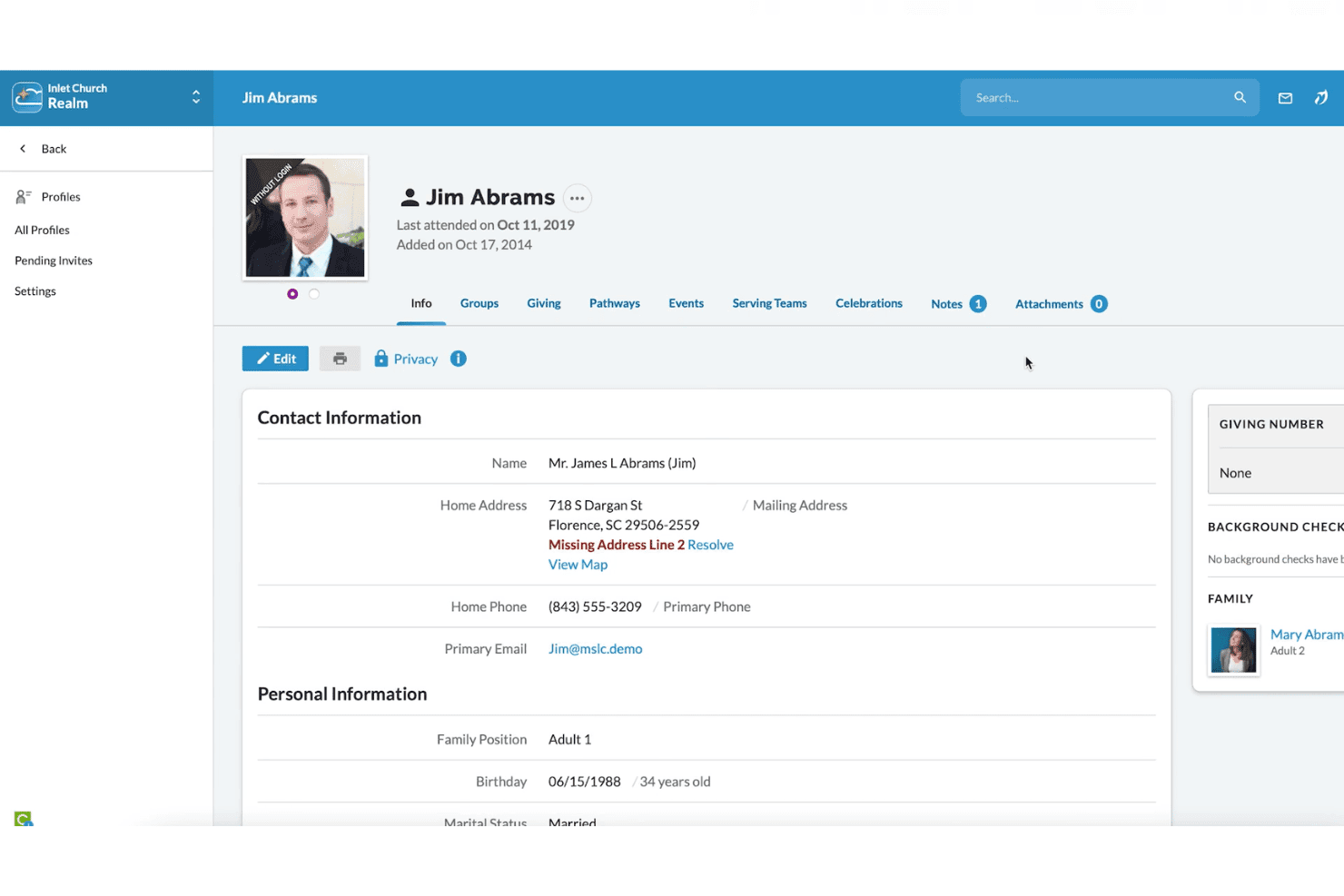
ACS Technologies’ rich feature set can be intimidating at first, especially for churches new to digital management. The interface is cluttered and feels outdated, but experienced users appreciate the customization options and depth.
Most reviewers find basic tasks like check-in or contribution entry straightforward, but advanced reporting and setup take time to master.
Integrations
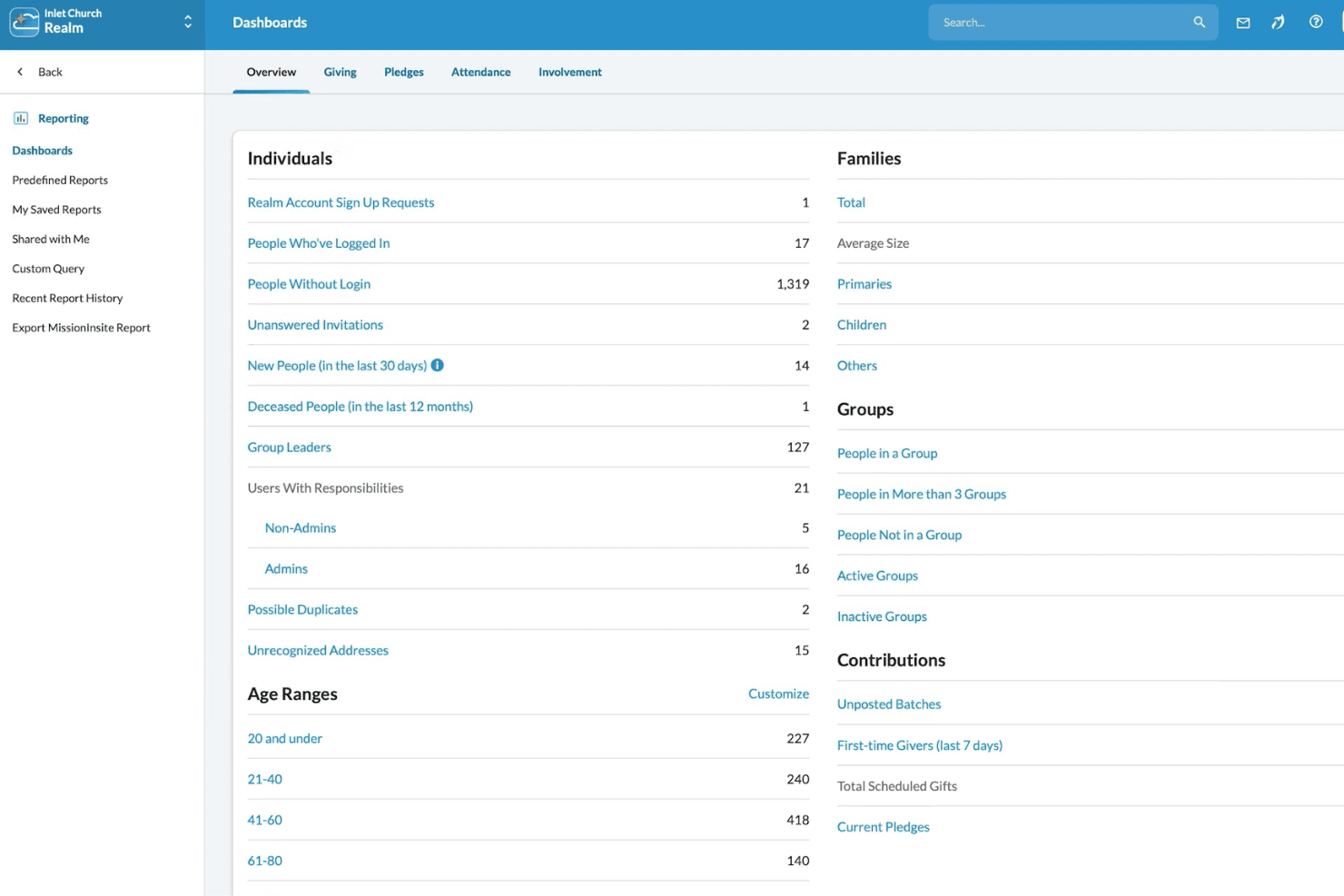
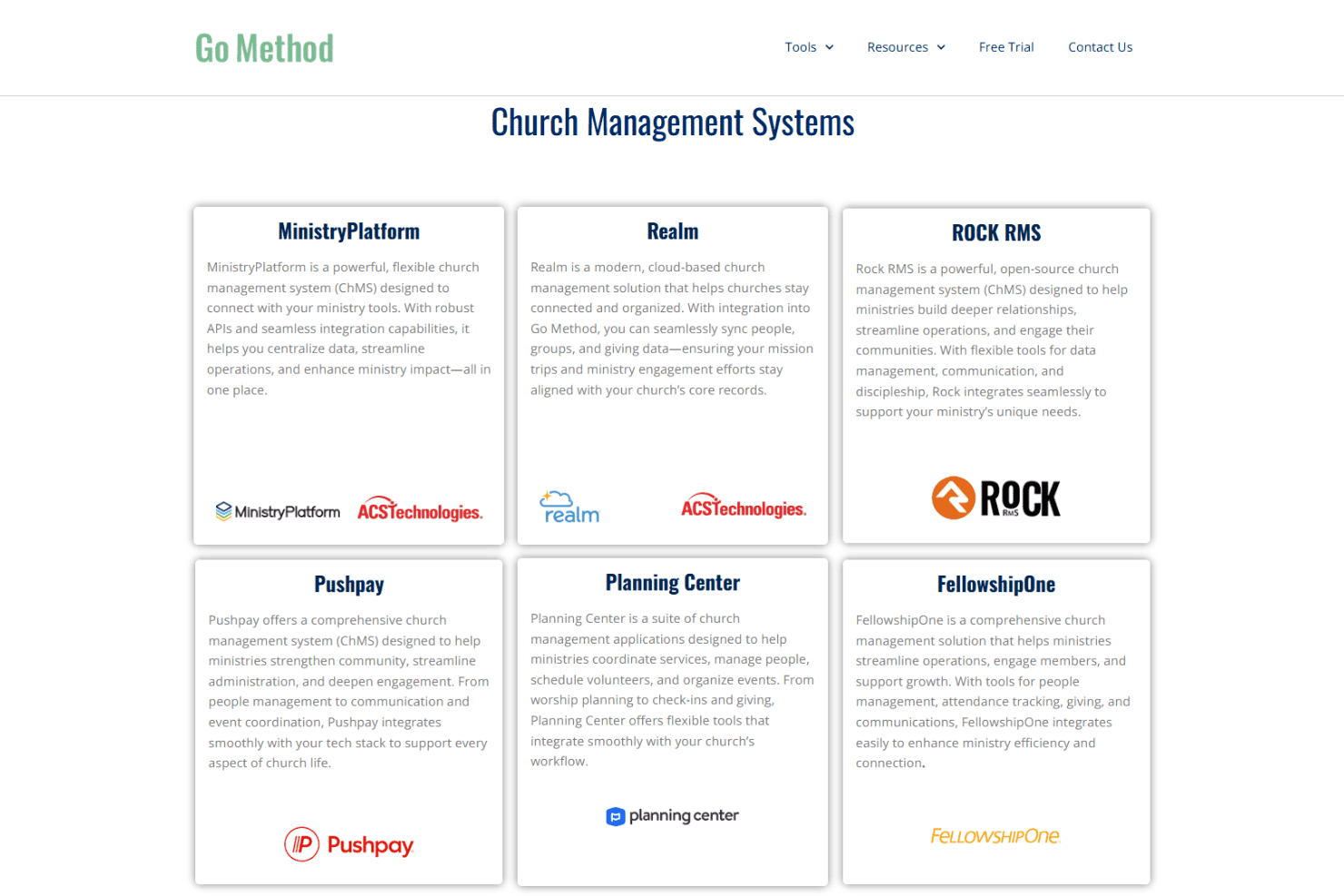
ACS Technologies integrates with BombBomb, eSPACE, Vanco, Shelby Systems, Realm, Go Method, MinistryPlatform, Growth Method, Paychex, and Sage, among others.
ACS Technologies also offers API options and can connect with select third-party integration tools.
ACS Specs
- API: No
- Calendar Management: No
- Contact Management: No
- Dashboards: No
- Data Export: No
- Data Import: No
- Document Management: No
- External Integrations: No
- Multi-User: No
- Notifications: No
- Payment Gateway Integration: No
- Scheduling: No
- Workflow Management: No


