

Reseña de Pushpay: ventajas, desventajas, características destacadas y guía de precios
If I could use just one word for Pushpay, it’d be “streamlined.” Here’s what actually matters if your church is weighing impact, innovation, and ease in your next giving platform.

Revisamos herramientas de manera independiente, y las comisiones ayudan a financiar nuestras pruebas. Consulta nuestra política de transparencia, nuestra metodología o sugiere una herramienta.
Pushpay is a church management software built around digital giving, donor engagement, and congregation communication for growing churches and multi-site ministries. I'd reach for it when your team needs a giving platform that pairs recurring donations and text-to-give with a member app your congregation will actually open on Sunday morning. Compared to Tithe.ly, which fits smaller churches looking for low-cost giving tools, Pushpay gives you deeper donor management, custom-branded mobile apps, and ChMS integration through Church Community Builder, so it's the stronger pick once your ministry outgrows entry-level platforms.
Pushpay Evaluation Summary
4/5
- Pricing upon request
- Free demo available
Por qué confiar en nuestras recomendaciones de software
6,700+
Reviews
20
Industry experts
16+
Evaluation factors
14
Years
Nuestro equipo lleva probando y evaluando software desde 2012. Como líderes eclesiásticos, sabemos lo difícil —y lo importante— que es elegir el software adecuado.
Para esta guía, evaluamos las herramientas mediante pruebas prácticas e investigación independiente, puntuando las herramientas según nuestros criterios de selección.
Nuestras reseñas reflejan nuestro criterio editorial humano, no un discurso de ventas.
Pushpay Overview
If you’re judging church management software on donor engagement, member app adoption, and ease of managing multi-site ministries, I think Pushpay stands out. Its recurring giving tools, branded apps, and deep reporting are ahead of many alternatives, though pricing can feel premium. The interface is clean, onboarding is straightforward, and integration with your existing church tools is strong. Churches serious about long-term growth and digital giving will get the most from Pushpay, especially if you care about moving beyond entry-level platforms and want more than just basic giving features.
Pros
- Offers branded mobile apps for donor and member engagement
- Deep reporting tools for donation and member data
- Supports recurring giving and text-to-give features
Cons
- Pricing is higher than many similar church platforms
- Advanced features may require onboarding assistance
- Fewer built-in event management tools than some competitors
Is Pushpay Right For Your Needs?
Who Would be a Good Fit for Pushpay?
Pushpay is ideal for medium to large churches, multi-site ministries, and teams that depend on volunteers for operations. Its guided onboarding, giving tools, and reporting features work best for growing ministries needing cohesive donor management and smooth event organization. I think churches invested in tech-driven engagement or those already using integrations like Church Community Builder or Planning Center will see strong alignment, especially where multiple staff and lay leaders need access to donor data and workflows.
- Medium-Sized ChurchesPushpay supports structured giving, donor tracking, and volunteer coordination, making it easier to manage more complex ministry operations.
- Multi-Site MinistriesThe platform’s integrations and user management keep staff and volunteer teams unified across different locations.
- Tech-Averse StaffWith guided setup and in-app training, even staff with little IT background can confidently oversee day-to-day tasks and donor records.
- Volunteer TeamsClear app workflows and intuitive dashboards mean volunteers can handle check-ins, event setups, and follow-up without extra training.
- Growth-Focused MinistriesAutomation, reporting, and engagement tools help ministries that are scaling to reach more people while staying organized.
- Financial AdministratorsWith QuickBooks and donor management integrations, Pushpay helps finance teams manage contributions and prepare detailed reports.
Who Would be a Bad Fit for Pushpay?
Pushpay isn’t a good match for very small churches, ministries on tight budgets, or organizations not focused on donor engagement. Its pricing, advanced features, and reliance on digital workflows won’t suit those needing only basic tools. If your team doesn’t need integrations or automated workflows—or if you work outside a church or faith context—Pushpay probably isn’t the right choice.
- Small CongregationsHigher pricing and robust features are often more than what a small community church with limited needs requires.
- Nonprofit OrganizationsPushpay is church-centric, so nonprofits without ministry needs may miss sector-specific features offered by other platforms.
- Budget-Constrained ChurchesIf you only need basic contribution tracking and event signups, Pushpay’s cost may be hard to justify.
- Secular TeamsThose outside faith-based contexts and ministries will find Pushpay’s workflows and language too specific.
- Solo PastorsChurches with one staff member might find the platform’s automation and reporting excessive for their simple needs.
- Non-Tech Users Requiring Advanced FeaturesAdvanced reporting and custom workflows can still present a learning curve for teams needing only basic day-to-day management.
Cómo Probamos y Puntuamos Herramientas
Hemos pasado años creando, refinando y mejorando nuestro sistema de prueba y puntuación de software. La rúbrica está diseñada para captar las particularidades de la selección de software y lo que hace que una herramienta sea efectiva, centrándose en los aspectos críticos del proceso de toma de decisiones. A continuación, puedes ver exactamente cómo funcionan nuestras pruebas y puntuaciones en siete criterios. Nos permite proporcionar una evaluación imparcial del software basada en la funcionalidad principal, características destacadas, facilidad de uso, incorporación, soporte al cliente, integraciones, reseñas de clientes y relación calidad-precio.
Funcionalidad principal (25% de la puntuación final)
El punto de partida de nuestra evaluación es siempre la funcionalidad principal de la herramienta. ¿Tiene las funciones y características básicas que un usuario esperaría ver? ¿Alguna de esas funciones principales está bloqueada en planes de precios superiores? En esencia, esperamos que una herramienta se mantenga frente a las capacidades mínimas de sus competidores.
Características destacadas (25% de la puntuación final)
A continuación, evaluamos características poco comunes que van más allá de la funcionalidad principal típicamente encontrada en herramientas de su tipo. Una puntuación alta refleja funciones especializadas o únicas que hacen que el producto sea más rápido, eficiente o que aporte valor adicional al usuario. También evaluamos lo fácil que es integrarse con otras herramientas habitualmente presentes en la infraestructura tecnológica, para ampliar la funcionalidad y utilidad del software. Las herramientas que ofrecen muchas integraciones nativas, conexiones con terceros y acceso API para crear integraciones personalizadas obtienen la mejor puntuación.
Facilidad de uso (10% de la puntuación final)
Consideramos qué tan rápido y fácil es ejecutar las tareas definidas en la funcionalidad principal utilizando la herramienta. El software con alta puntuación está bien diseñado, es intuitivo de usar, ofrece aplicaciones móviles, proporciona plantillas y hace que tareas relativamente complejas parezcan simples.
Incorporación (10% de la puntuación final)
Sabemos lo importante que es la rápida adopción por parte del equipo en una nueva plataforma, por lo que evaluamos lo fácil que es aprender y usar una herramienta con una formación mínima. Evaluamos lo rápido que un miembro del equipo puede configurarse y comenzar a usar la herramienta sin experiencia previa. Las soluciones mejor puntuadas indican que se requiere poco o ningún soporte.
Soporte al cliente (10% de la puntuación final)
Revisamos lo rápido y fácil que es obtener ayuda por teléfono, chat en vivo o base de conocimiento. Las herramientas y empresas que brindan soporte en tiempo real obtienen la mejor puntuación, mientras que los chatbots obtienen la peor.
Reseñas de clientes (10% de la puntuación final)
Más allá de nuestras propias pruebas y evaluaciones, consideramos la puntuación neta del promotor de clientes actuales y anteriores. Revisamos la probabilidad de que elegirían nuevamente la herramienta para la funcionalidad principal. Un software de alta puntuación refleja una puntuación neta del promotor elevada por parte de sus clientes actuales o pasados.
Relación calidad-precio (10% de la puntuación final)
Por último, en consideración del resto de los criterios, revisamos el precio promedio de los planes de nivel inicial frente a las funciones principales y consideramos el valor de los otros criterios de evaluación. El software que ofrece más, por menos, obtendrá una mejor puntuación.
Core Features
Digital Giving and Recurring Donations
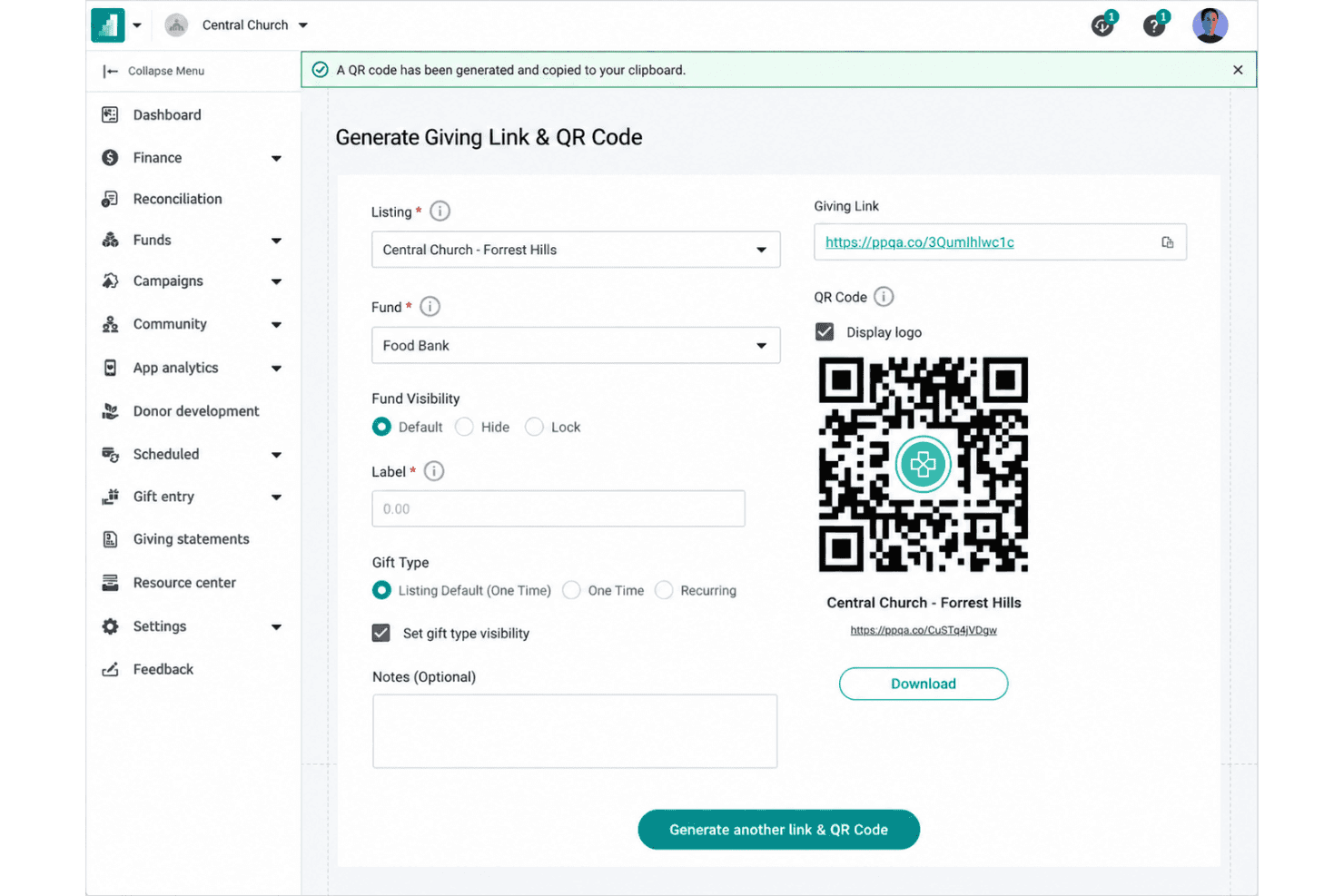
Set up and manage online giving with scheduled recurring donations with different payment methods, making it simple for members to support your ministry.
Custom-Branded Mobile App
Launch a mobile app with your church's branding, giving members access to giving, event signups, prayer requests, and messages. The app encourages engagement beyond Sunday and keeps communication clear.
Text-to-Give Functionality
Members can give using simple text messages, lowering barriers to participation and speeding up donations. Pushpay links these gifts directly to donor profiles for accurate tracking.
Donor and Member Management
Keep detailed profiles for donors and congregation members, helping you track attendance, engagement, volunteering, and contributions. Automated insights reveal giving trends and help with follow-up.
Contribution and Engagement Reporting
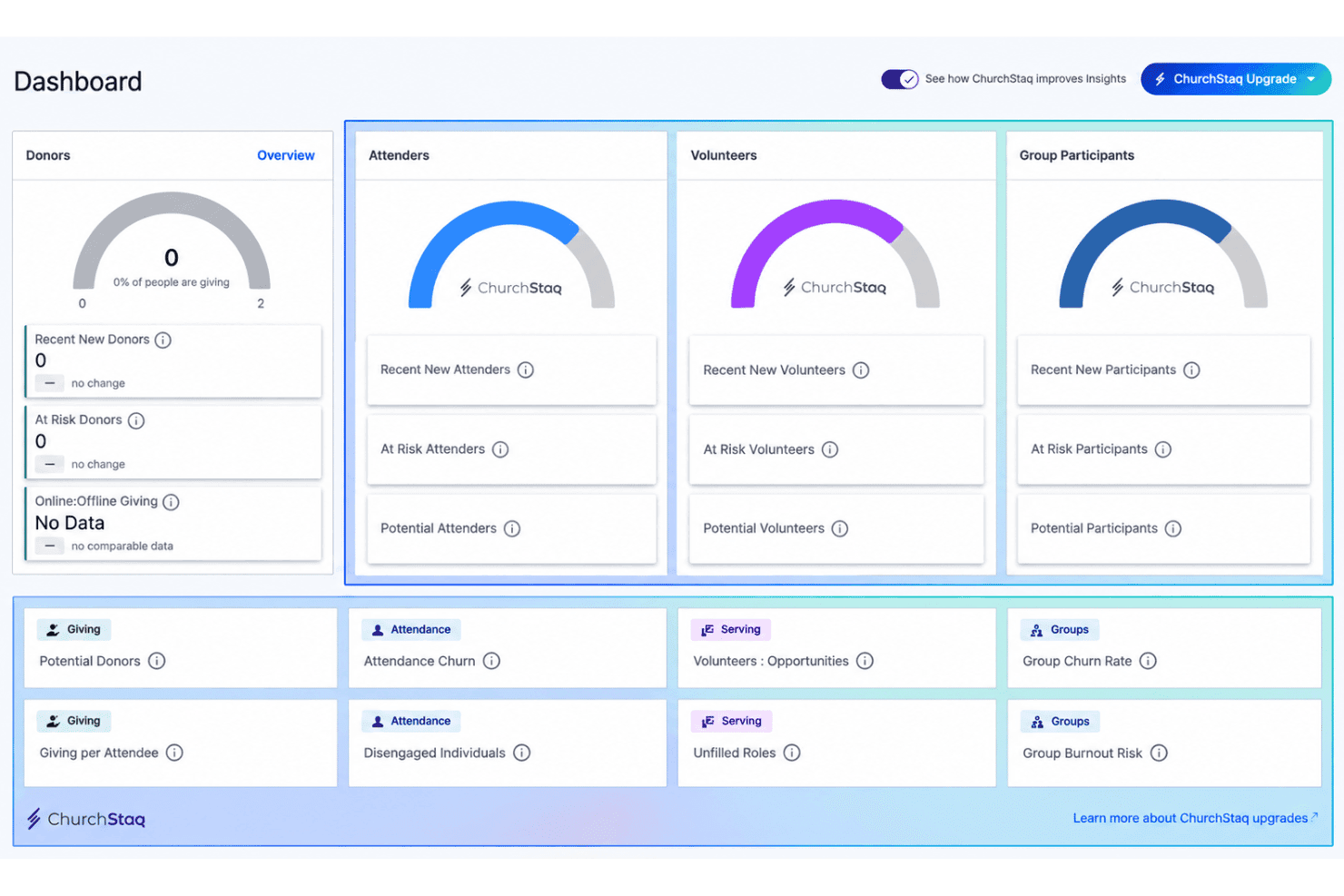
View real-time dashboards and detailed reports on giving patterns, campaign results, and congregational engagement. These insights help you plan budget decisions and connect with members who may need outreach.
Event and Volunteer Management
Organize volunteer scheduling and manage event registrations within the platform, reducing manual coordination. Send reminders and track participation to make planning simpler.
Ease of Use
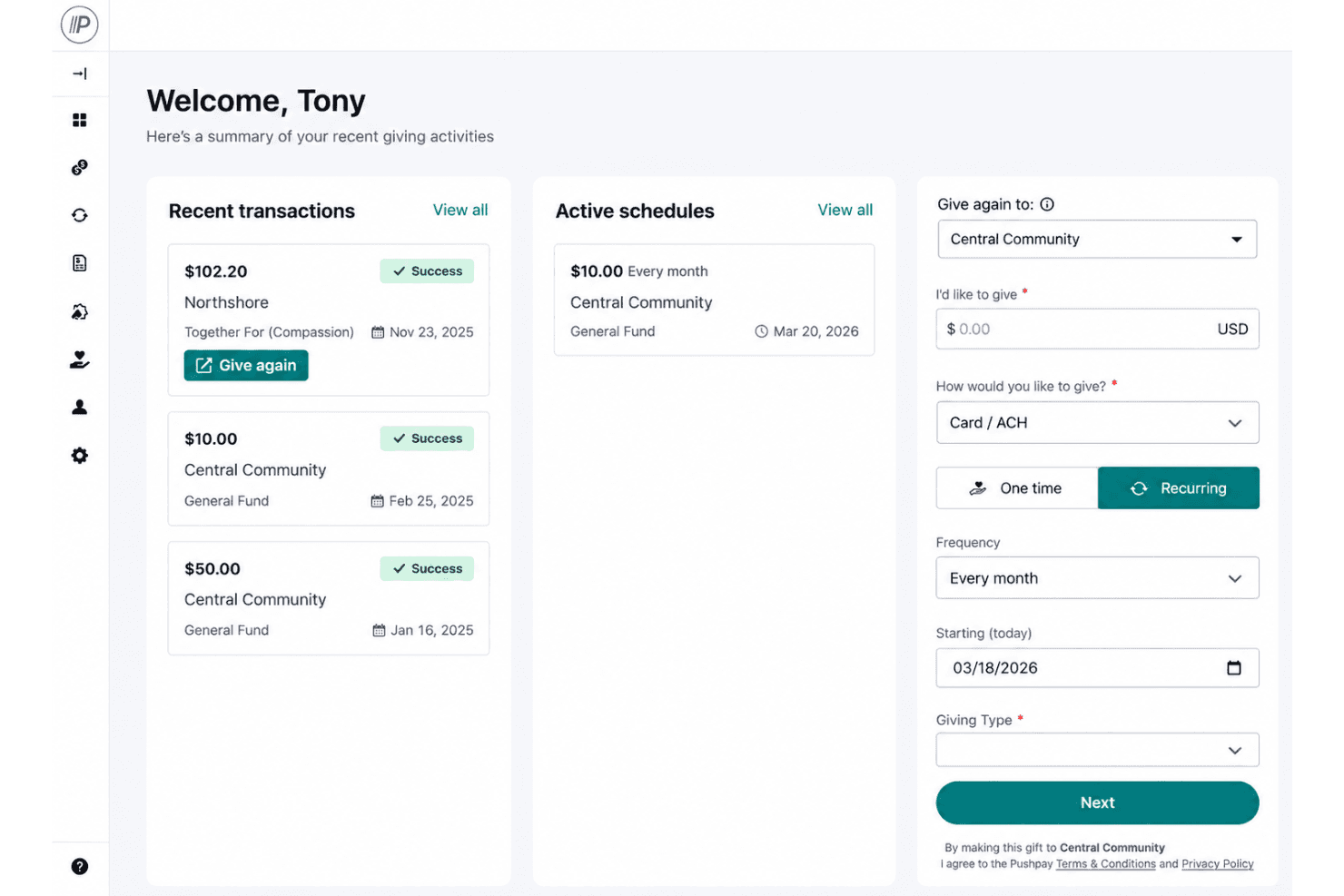
Pushpay is easy for volunteer-driven teams to pick up thanks to its clean layout and guided setup. The dashboard keeps giving, event signups, and reporting just a click away, so you rarely dig through menus. User reviews highlight quick onboarding, intuitive mobile app workflows, and well-organized donor records as strengths. Some leaders mention a learning curve around advanced reporting, but most say even tech-averse staff can manage day-to-day tasks confidently.
Integrations
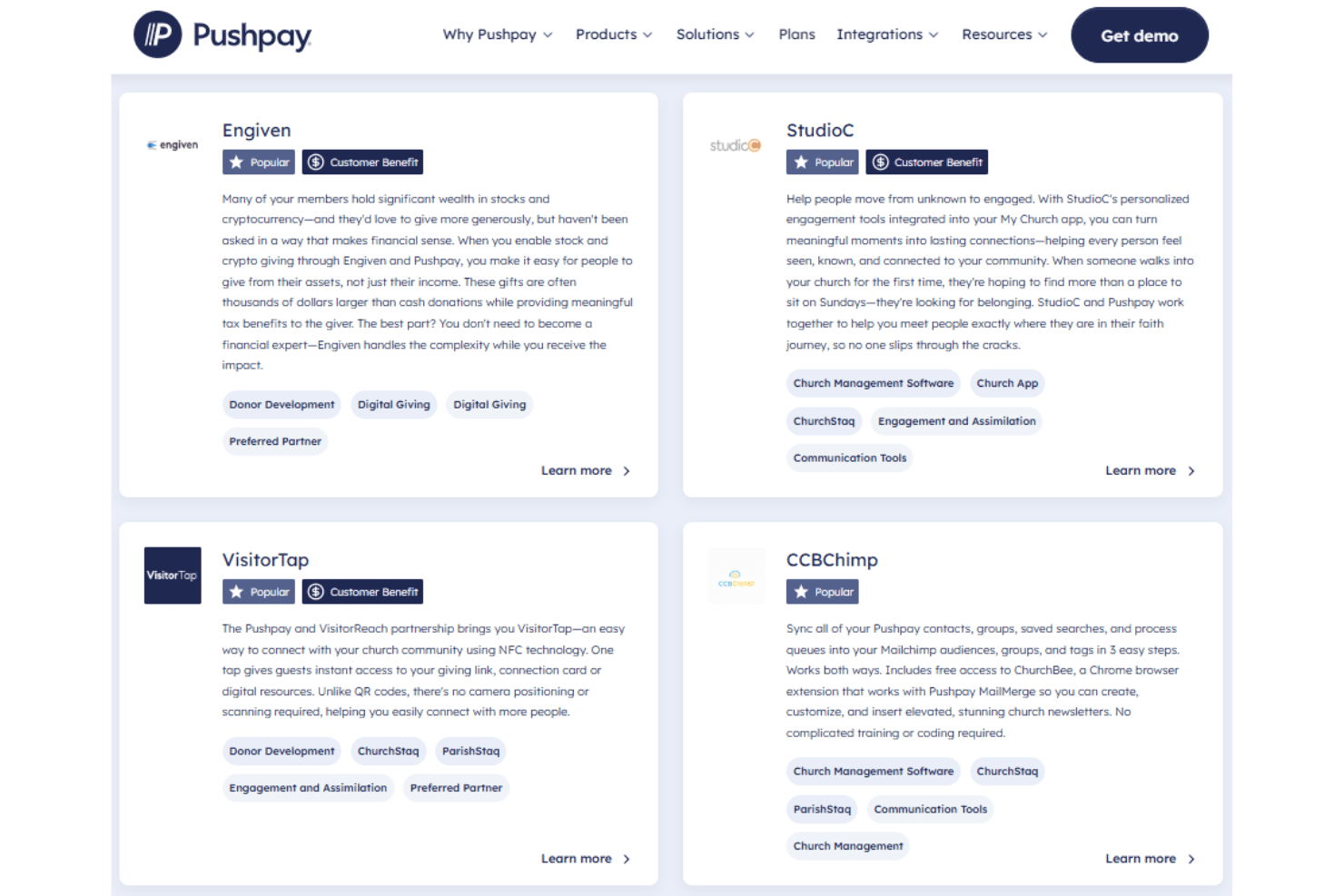
Pushpay integrates with Rock RMS, StudioC, MortarStone, Mailchimp, QuickBooks, Txt2Give, and Sage Intacct, among others.
Pushpay also offers an API for custom integrations and connects with certain third-party tools.
Pushpay Specs
- API: Yes
- Calendar Management: Yes
- Contact Management: Yes
- Dashboards: Yes
- Data Export: Yes
- Data Import: Yes
- Document Management: Yes
- External Integrations: Yes
- Multi-User: Yes
- Notifications: Yes
- Payment Gateway Integration: Yes
- Scheduling: Yes
- Workflow Management: Yes


