

ShareFaith Presenter Review: Pros, Cons, Features & Pricing
ShareFaith Presenter excels in offering comprehensive church presentation tools that cater to both small congregations and larger church events.

We review tools independently, and commissions help fund our testing. See our transparency policy, our methodology, or suggest a tool.
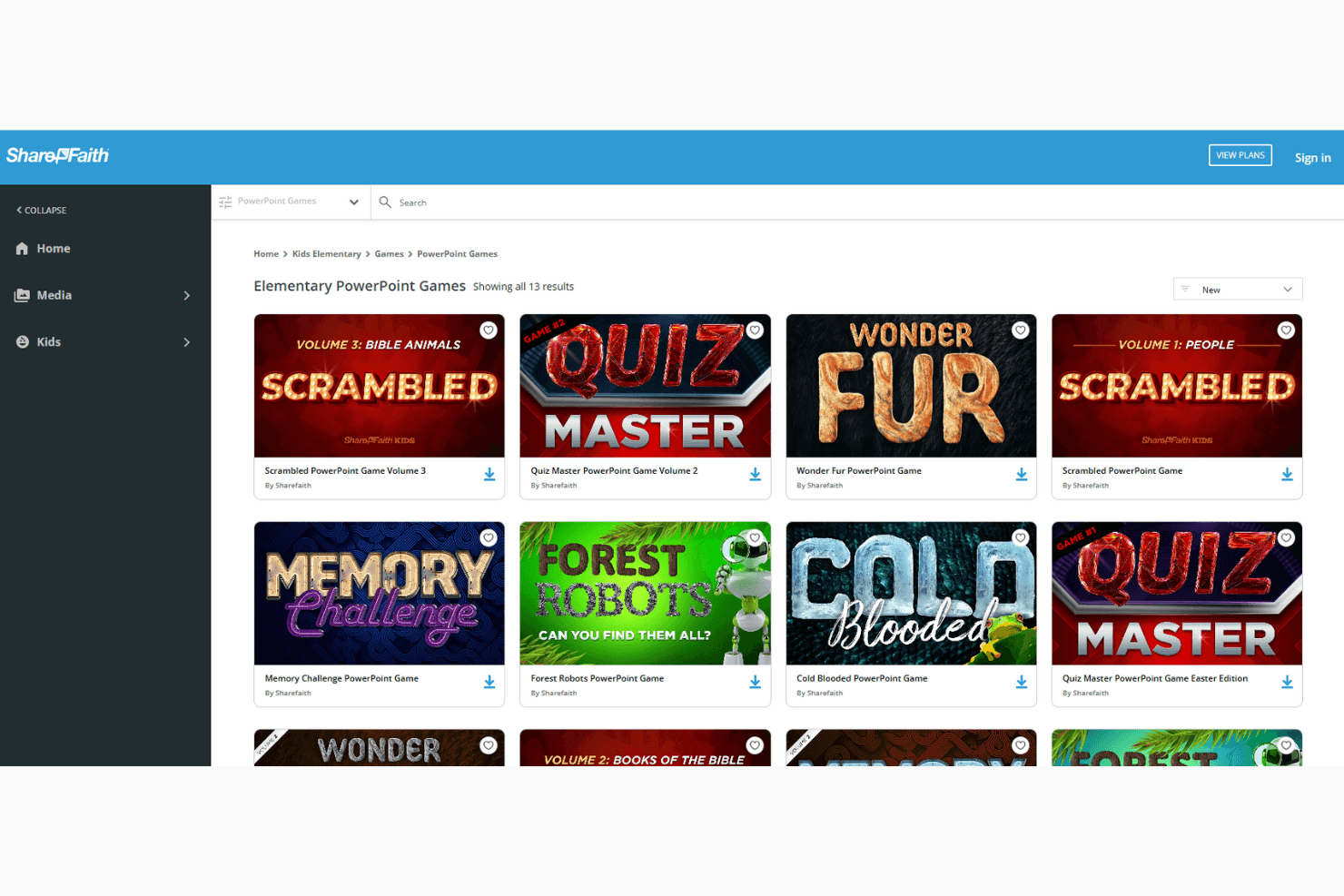
ShareFaith Presenter is a church presentation software designed for congregations that display worship lyrics, sermon slides, Bible verses, and video during services. I'd put it on your shortlist if you want a presentation tool with a large built-in media library already included. That's a meaningful advantage over ProPresenter, which requires you to source and manage your own media assets separately.
ShareFaith Presenter Evaluation Summary

0/5
- Pricing upon request
- Free trial available
Why Trust Our Software Recommendations
6,700+
Reviews
20
Industry experts
16+
Evaluation factors
14
Years
Our team has been testing and reviewing software since 2012. As church leaders ourselves, we know how difficult—and important—it is to choose the right software.
For this guide, we evaluated tools using hands-on testing and independent research, scoring tools using our selection criteria.
Our reviews reflect our human editorial judgment, not a sales pitch.
ShareFaith Presenter Overview
In my opinion, ShareFaith Presenter is a solid choice for churches seeking a reliable presentation software. It offers a range of features that cater well to church settings, including integration with tools like a website builder and church website support. While its standout features like multimedia integration are commendable, the onboarding process and customer support could use some improvement.
Compared to other tools, it provides good value for money, especially for churches looking to enhance their worship experience without breaking the bank. Based on various ShareFaith reviews, it’s best suited for churches that prioritize visual storytelling and need a straightforward, effective solution.
Pros
- You can easily create engaging worship presentations with its multimedia features.
- It offers a wide variety of templates tailored for church services.
- Your team can benefit from the intuitive interface, which simplifies the presentation process.
Cons
- You might find that the onboarding process requires more time than expected.
- Your team could experience delays with customer support response times.
- You may notice that some advanced features are less intuitive compared to other tools.
Is ShareFaith Presenter Right For Your Needs?
Who Would Be a Good Fit for ShareFaith Presenter?
Churches of various sizes that aim to enhance their worship services with engaging visuals would benefit from ShareFaith Presenter. It’s ideal for pastors, worship leaders, and media teams who want an easy-to-use tool to create impactful presentations. With its extensive library of templates, church graphics, Bible videos, and PowerPoint integration, your team can craft meaningful and visually appealing services that resonate with your congregation.
- Small ChurchesYour small church can use ShareFaith Presenter to create professional presentations without needing a large tech team.
- Worship TeamsYour worship team will find its multimedia features helpful for integrating music and lyrics seamlessly.
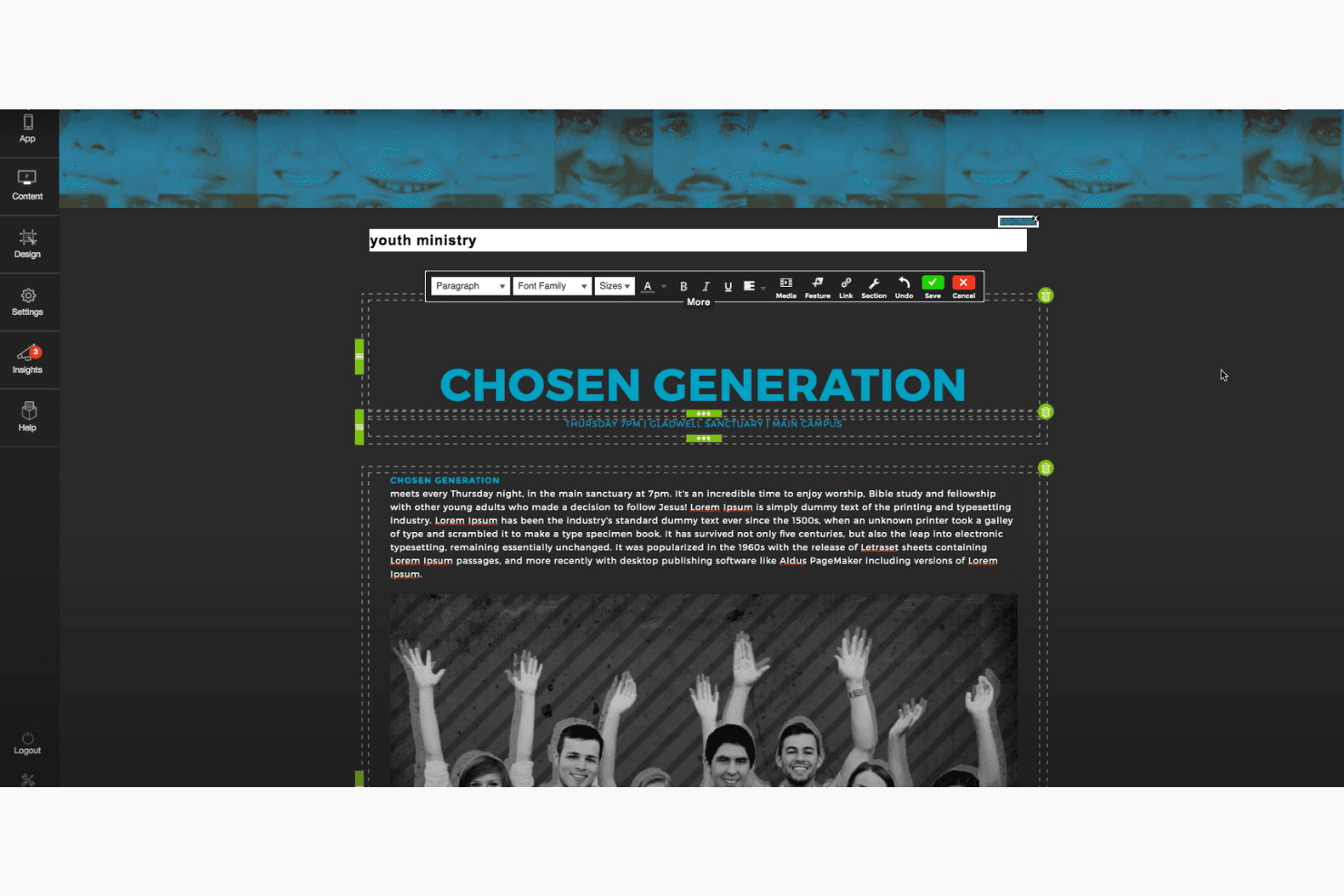
- Youth MinistriesYour youth ministry can engage young audiences with dynamic and vibrant visual presentations.
- Media DepartmentsYour media department will appreciate the intuitive interface that simplifies complex presentation tasks.
- Community EventsFor community events, ShareFaith Presenter provides an easy way to create visually impactful presentations quickly.
- Volunteer TeamsVolunteer teams will find the user-friendly design easy to learn, reducing the time needed for training.
Who Would Be a Bad Fit for ShareFaith Presenter?
Large corporations or businesses looking for a complex presentation tool with extensive data integration capabilities wouldn’t find ShareFaith Presenter suitable. It’s not designed for corporate environments that require advanced analytics, business slideshows, or integration with enterprise software. If your team needs a solution for detailed reporting, phone calls, or cross-platform integrations, this isn't the right fit. ShareFaith Presenter is tailored for church settings, focusing on worship videos and ministry needs rather than business applications.
- Corporate OfficesYour corporate office requires advanced data integration that ShareFaith Presenter doesn't offer.
- Educational InstitutionsEducational institutions needing robust data analytics would find ShareFaith Presenter lacking in necessary features.
- Marketing TeamsMarketing teams looking for sophisticated design tools will find ShareFaith Presenter too limited.
- Tech StartupsTech startups needing cutting-edge presentation features may find ShareFaith Presenter too basic.
- Event PlannersEvent planners who require extensive customization options might find ShareFaith Presenter restrictive.
- Financial ServicesFinancial services demanding detailed data visualization will not benefit from ShareFaith Presenter’s features.
How We Test & Score Tools
We’ve spent years building, refining, and improving our software testing and scoring system. The rubric is designed to capture the nuances of software selection and what makes a tool effective, focusing on critical aspects of the decision-making process.
Below, you can see exactly how our testing and scoring works across seven criteria. It allows us to provide an unbiased evaluation of the software based on core functionality, standout features, ease of use, onboarding, customer support, integrations, customer reviews, and value for money.
Core Functionality (25% of final scoring)
The starting point of our evaluation is always the core functionality of the tool. Does it have the basic features and functions that a user would expect to see? Are any of those core features locked to higher-tiered pricing plans? At its core, we expect a tool to stand up against the baseline capabilities of its competitors.
Standout Features (25% of final scoring)
Next, we evaluate uncommon standout features that go above and beyond the core functionality typically found in tools of its kind. A high score reflects specialized or unique features that make the product faster, more efficient, or offer additional value to the user.
We also evaluate how easy it is to integrate with other tools typically found in the tech stack to expand the functionality and utility of the software. Tools offering plentiful native integrations, 3rd party connections, and API access to build custom integrations score best.
Ease of Use (10% of final scoring)
We consider how quick and easy it is to execute the tasks defined in the core functionality using the tool. High scoring software is well designed, intuitive to use, offers mobile apps, provides templates, and makes relatively complex tasks seem simple.
Onboarding (10% of final scoring)
We know how important rapid team adoption is for a new platform, so we evaluate how easy it is to learn and use a tool with minimal training. We evaluate how quickly a team member can get set up and start using the tool with no experience. High scoring solutions indicate little or no support is required.
Customer Support (10% of final scoring)
We review how quick and easy it is to get unstuck and find help by phone, live chat, or knowledge base. Tools and companies that provide real-time support score best, while chatbots score worst.
Customer Reviews (10% of final scoring)
Beyond our own testing and evaluation, we consider the net promoter score from current and past customers. We review their likelihood, given the option, to choose the tool again for the core functionality. A high scoring software reflects a high net promoter score from current or past customers.
Value for Money (10% of final scoring)
Lastly, in consideration of all the other criteria, we review the average price of entry level plans against the core features and consider the value of the other evaluation criteria. Software that delivers more, for less, will score higher.
Core Features
Slide Templates:
ShareFaith Presenter offers a wide range of templates designed specifically for church services. You can quickly create consistent and visually appealing presentations.
Multimedia Integration:
Easily incorporate audio, video, and images into your presentations. This feature helps you create dynamic and engaging worship experiences.
Lyric and Scripture Management:
Manage and display song lyrics and scripture passages seamlessly. This ensures your congregation can follow along without distraction.
Customizable Themes:
Adjust themes to fit your church's branding and service style. This allows you to maintain a cohesive look across all presentations.
Live Preview:
View how your presentation will appear before going live. This feature helps you catch any errors and make adjustments on the fly.
Standout Features
Worship Backgrounds:
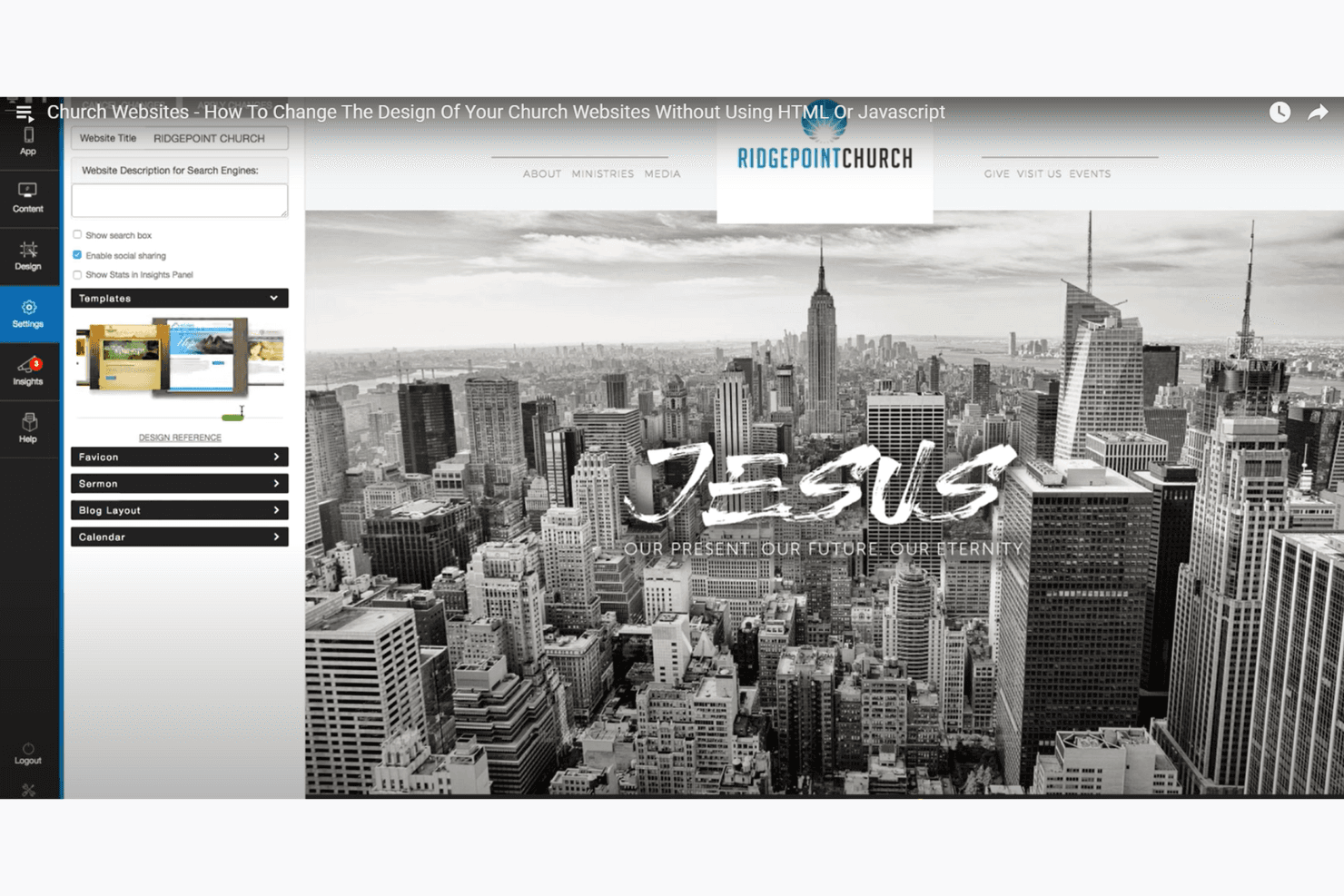
ShareFaith Presenter provides an extensive library of worship backgrounds. These backgrounds enhance the visual appeal of your presentations and create a more immersive experience.
Countdown Timers:
Add countdown timers to manage service timing effectively. This feature helps keep your services on schedule and ensures smooth transitions.

Ease of Use
ShareFaith Presenter offers a user-friendly experience that’s easy to navigate, even for those new to presentation software. Its intuitive interface allows you to quickly access core features—like slide templates, live streaming integration, and multimedia tools—without much hassle. The remote control feature adds convenience, letting you manage presentations from anywhere in the room.
Though some users mention a learning curve with onboarding, most find it straightforward once familiar with its functionalities. Your team will also find value in features that support small groups and enhance social media engagement, adding to the overall efficiency of service preparations.
Onboarding
ShareFaith Presenter’s onboarding process can be a bit challenging, with some users noting the initial learning curve. While the software provides basic tutorials and guides, more comprehensive resources—especially for features like Bible lessons and ShareFaith Kids—could enhance the experience. Your team might take some time to fully grasp all the functionalities. However, once familiar, users generally find the software straightforward to use. If your team is patient and willing to explore, the value of the tool becomes evident over time.
Customer Support
ShareFaith Presenter’s customer support receives mixed feedback in verified reviews, with some users finding response times slower than expected. While they offer standard support channels like email and phone, the level of assistance isn’t always top notch. If your team encounters issues, patience might be necessary when waiting for resolutions. Access to a more extensive knowledge base or community forum could improve the experience. Despite these challenges, once support is reached, users often find the staff helpful and knowledgeable.
Value for Money
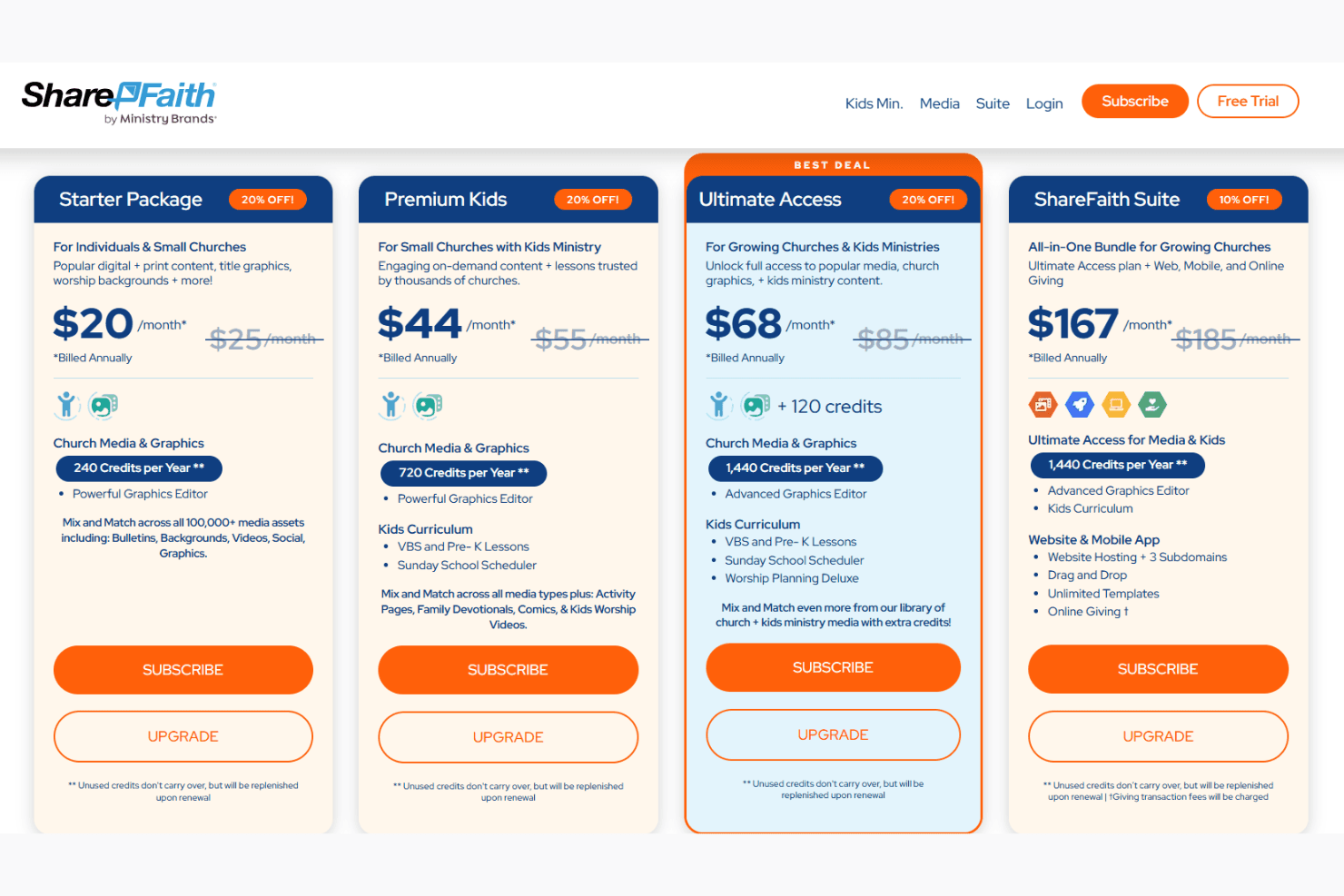
ShareFaith Presenter offers solid value for churches seeking to enhance their worship services with multimedia presentations. Integrated into ShareFaith’s membership plans, Presenter provides a range of features at competitive rates, making it a worthwhile investment for congregations of various sizes. The different pricing tiers allow flexibility, accommodating both smaller budgets and more extensive needs.
- Starter Package: Ideal for small churches, this plan includes access to essential presentation features and templates.
- Premium Kids: Designed for churches with active children's ministries, offering additional multimedia integration options.
- Ultimate Access: Offers advanced customization and priority support, suitable for larger congregations with extensive multimedia needs.
ShareFaith Presenter Specs
- API: No
- Calendar Management: No
- Contact Management: No
- Dashboards: No
- Data Export: No
- Data Import: No
- Document Management: No
- External Integrations: No
- Multi-User: No
- Notifications: No
- Payment Gateway Integration: No
- Scheduling: No
- Workflow Management: No
ShareFaith Presenter FAQs
ShareFaith Presenter Company Overview & History
ShareFaith Presenter is a prominent worship presentation software designed to enhance church services. Headquartered in the United States, ShareFaith is part of Ministry Brands and offers a comprehensive suite of church resources, including media, website building, and management tools. Known for winning the Worship Leader Magazine Best of the Best award for six consecutive years, ShareFaith caters to small and medium-sized churches, providing user-friendly solutions to modern congregational needs.
ShareFaith Presenter Major Milestones
- 2005: ShareFaith was founded, marking its entry into the church technology market.
- 2015: ShareFaith Presenter won its first Worship Leader Magazine Best of the Best award.
- 2020: Expanded its product suite to include a complete membership package with additional church resources.
- 2023: Celebrated six consecutive years of winning the Worship Leader Magazine Best of the Best award.
What's Next?
Subscribe to our newsletter to get the latest resources, best practices, and insights on managing churches from expert pastors and church leaders.