


Gusto is a church payroll software built for small to mid-sized ministries that need to handle clergy housing allowances, tax exemptions, and payroll compliance without a dedicated HR team. I'd consider it if your church has outgrown a manual process but isn't ready for something as complex as ADP—Gusto gives you automated payroll, benefits administration, and minister-specific tax handling in a far more approachable package.
Gusto Evaluation Summary

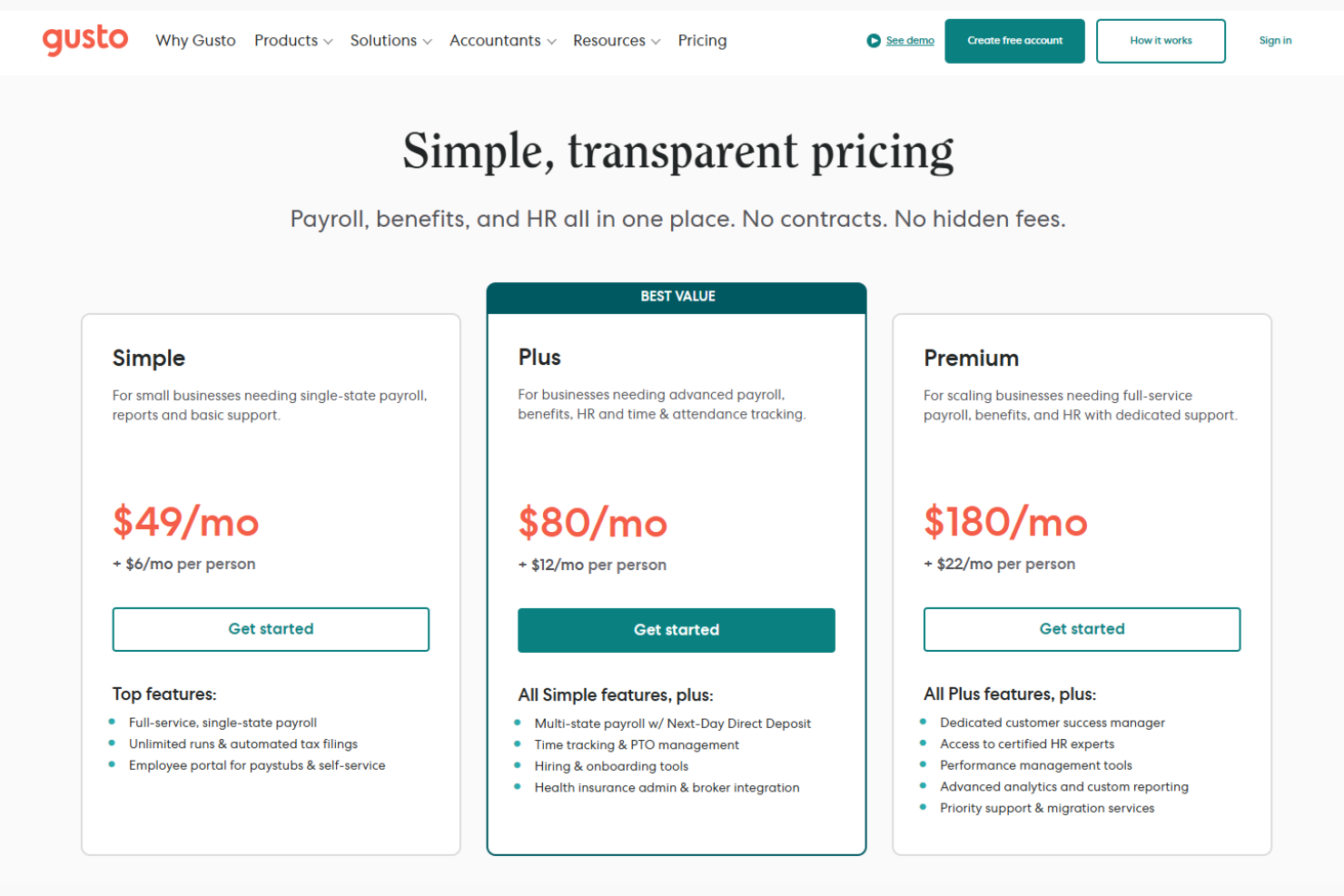
- From $49/month + $6/month/user
- Free demo available
Why Trust Our Software Recommendations
Our team has been testing and reviewing software since 2012. As church leaders ourselves, we know how difficult—and important—it is to choose the right software.
For this guide, we evaluated tools using hands-on testing and independent research, scoring tools using our selection criteria.
Our reviews reflect our human editorial judgment, not a sales pitch.
Gusto Overview
In my opinion, Gusto is a strong contender in the Church Payroll Software space. It excels in ease of use and value for money, making it a top choice for church administrators who need reliable payroll management without the complexity.
Compared to other software, Gusto outperforms in user interface design and customer support, though it may not offer the depth of customization found in more specialized tools. It's best suited for churches that prioritize straightforward payroll processing and appreciate a platform that integrates well with existing tools.
pros
-
Gusto offers a user-friendly interface that simplifies payroll management for church teams.
-
It provides excellent customer support, helping you resolve issues quickly and efficiently.
-
Gusto's onboarding process is smooth, making it easy for your team to get started without hassle.
cons
-
Gusto may lack advanced customization options that some churches might need.
-
The mobile app's functionality is limited compared to the desktop version.
-
Some users find Gusto's reporting features less flexible than those of other platforms.
Is Gusto Right For Your Needs?
Who Would Be a Good Fit for Gusto?
Gusto is ideal for small to medium-sized churches looking for straightforward payroll management. If your team values an easy-to-use interface and reliable customer support, Gusto is a great choice. It suits church administrators who need to manage payroll without diving into complex systems.
Teams that appreciate smooth onboarding and quick issue resolution will find it beneficial. Gusto's simplicity and efficiency make it perfect for churches focusing on ministry rather than administrative burdens.
-
Small Churches
Gusto's easy setup and user-friendly design make it perfect for small churches managing limited staff payroll.
-
Non-Profit Organizations
Non-profits benefit from Gusto's comprehensive payroll and benefit management tools tailored to their unique needs.
-
Church Administrators
Church administrators will appreciate Gusto's streamlined approach to handling payroll and compliance tasks efficiently.
-
Financial Teams
Financial teams in churches can rely on Gusto for accurate payroll processing and effective employee benefits management.
-
Ministry Leaders
Ministry leaders who want to focus on their mission rather than paperwork will find Gusto's automation features invaluable.
-
New Church Plants
New church plants can start strong with Gusto's simple onboarding and support, ensuring smooth payroll operations from day one.
Who Would Be a Bad Fit for Gusto?
Large enterprises with complex payroll needs might find Gusto lacking in advanced features and customization. If your team requires intricate reporting or specialized payroll functions, Gusto's simplicity could be a limitation.
Companies needing extensive mobile functionality or highly tailored solutions might not benefit from Gusto's straightforward approach. It's not the best fit for organizations that demand deep customization and advanced integrations beyond standard offerings.
-
Large Corporations
Gusto's limited customization options may not meet the complex payroll needs of large corporations.
-
Tech-Savvy Teams
Tech-savvy teams looking for advanced features and integrations might find Gusto too basic for their needs.
-
Custom Payroll Needs
Organizations with unique payroll requirements may find Gusto's standard offerings insufficient.
-
Mobile-Dependent Teams
Teams that rely heavily on mobile access could be disappointed by Gusto's limited app functionality.
-
Highly Regulated Industries
Industries with stringent regulatory requirements may require more robust compliance features than Gusto offers.
-
Global Organizations
Global organizations needing multi-country payroll capabilities might find Gusto's services too limited.
How We Test & Score Tools
We’ve spent years building, refining, and improving our software testing and scoring system. The rubric is designed to capture the nuances of software selection and what makes a tool effective, focusing on critical aspects of the decision-making process.
Below, you can see exactly how our testing and scoring works across seven criteria. It allows us to provide an unbiased evaluation of the software based on core functionality, standout features, ease of use, onboarding, customer support, integrations, customer reviews, and value for money.
Core Functionality (25% of final scoring)
The starting point of our evaluation is always the core functionality of the tool. Does it have the basic features and functions that a user would expect to see? Are any of those core features locked to higher-tiered pricing plans? At its core, we expect a tool to stand up against the baseline capabilities of its competitors.
Standout Features (25% of final scoring)
Next, we evaluate uncommon standout features that go above and beyond the core functionality typically found in tools of its kind. A high score reflects specialized or unique features that make the product faster, more efficient, or offer additional value to the user.
We also evaluate how easy it is to integrate with other tools typically found in the tech stack to expand the functionality and utility of the software. Tools offering plentiful native integrations, 3rd party connections, and API access to build custom integrations score best.
Ease of Use (10% of final scoring)
We consider how quick and easy it is to execute the tasks defined in the core functionality using the tool. High scoring software is well designed, intuitive to use, offers mobile apps, provides templates, and makes relatively complex tasks seem simple.
Onboarding (10% of final scoring)
We know how important rapid team adoption is for a new platform, so we evaluate how easy it is to learn and use a tool with minimal training. We evaluate how quickly a team member can get set up and start using the tool with no experience. High scoring solutions indicate little or no support is required.
Customer Support (10% of final scoring)
We review how quick and easy it is to get unstuck and find help by phone, live chat, or knowledge base. Tools and companies that provide real-time support score best, while chatbots score worst.
Customer Reviews (10% of final scoring)
Beyond our own testing and evaluation, we consider the net promoter score from current and past customers. We review their likelihood, given the option, to choose the tool again for the core functionality. A high scoring software reflects a high net promoter score from current or past customers.
Value for Money (10% of final scoring)
Lastly, in consideration of all the other criteria, we review the average price of entry level plans against the core features and consider the value of the other evaluation criteria. Software that delivers more, for less, will score higher.
Core Features
Payroll Management:
Gusto automates payroll processing, ensuring your team gets paid accurately and on time. This feature saves you from manual calculations and reduces errors.
Tax Filing:
Gusto handles federal, state, and local tax filings for you. This feature helps you stay compliant and avoid penalties.
Time Tracking:
Gusto offers built-in time tracking, letting you easily monitor hours worked. This feature integrates seamlessly with payroll to ensure accurate paychecks.
Employee Self-Service:
Your staff can access their pay stubs, benefits, and personal information through Gusto's portal. This empowers employees and reduces administrative tasks for your team.
Compliance Management:
Gusto keeps you up-to-date with labor laws and compliance requirements. This feature ensures you're meeting all legal obligations without the hassle.

Standout Features
User-Friendly Interface:
Gusto's interface is intuitive and easy to navigate, making payroll tasks straightforward. Even if you're not tech-savvy, you can manage payroll with ease.
Tool Integrations:
Gusto integrates with accounting and time-tracking software like QuickBooks, Xero, and TSheets for streamlined operations.
Ease of Use
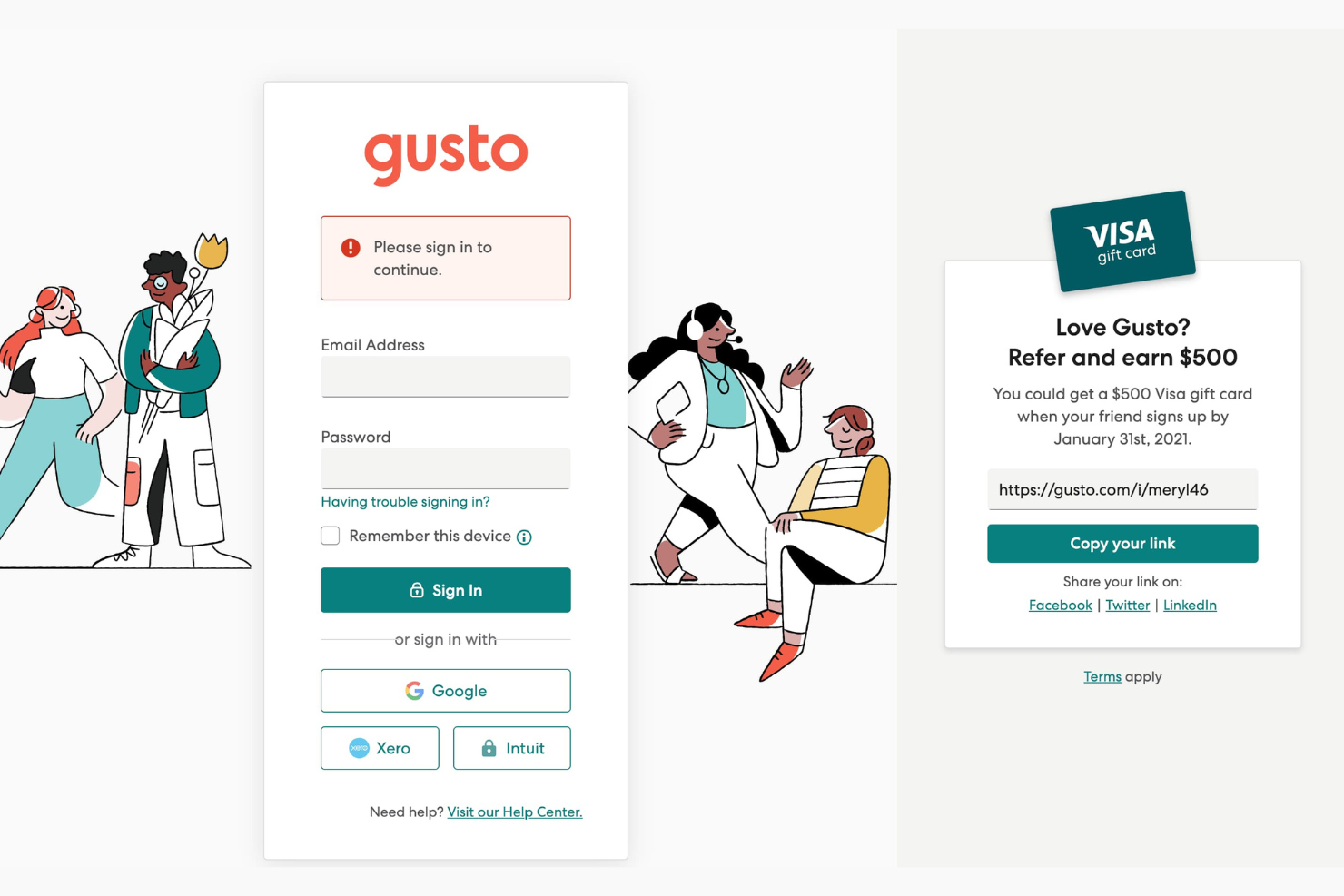
Gusto stands out for its user-friendly design, making payroll tasks simple for your team. The intuitive interface requires minimal training, so even non-tech-savvy users can navigate it easily. With features like employee self-service and automated tax filing, you spend less time on administrative duties. User reviews consistently highlight how Gusto's straightforward setup and operation save time and reduce errors, making it an excellent choice for churches seeking efficient payroll management.

Onboarding
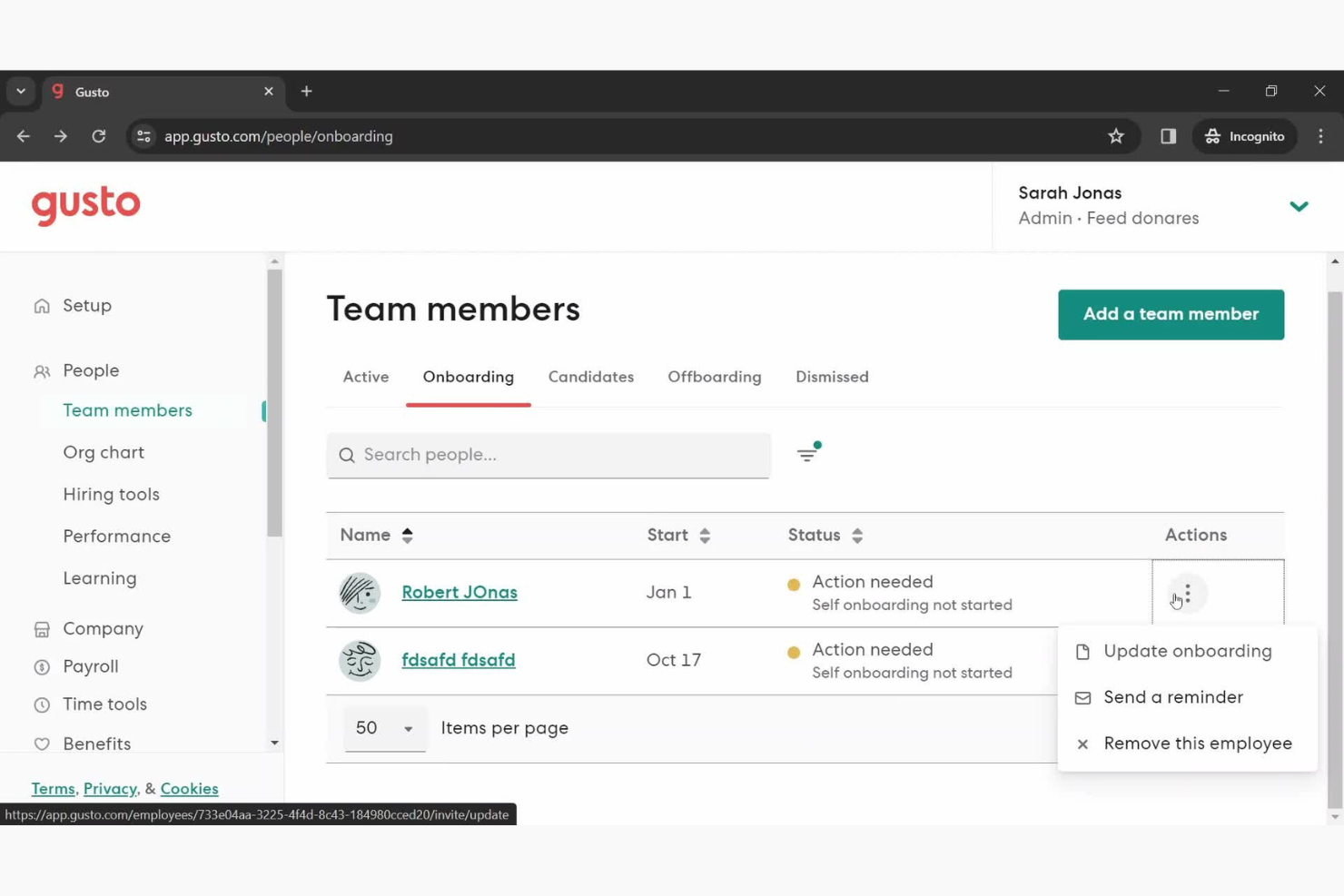
Gusto offers a smooth onboarding experience, helping your team get up and running quickly. With digital forms and guided setup, new users find it easy to start managing payroll without confusion. The available support, including tutorials and customer service, ensures you can tackle any issues promptly. Users appreciate how Gusto's onboarding tools reduce the time to value, allowing you to focus on more important tasks in your church operations.
Customer Support
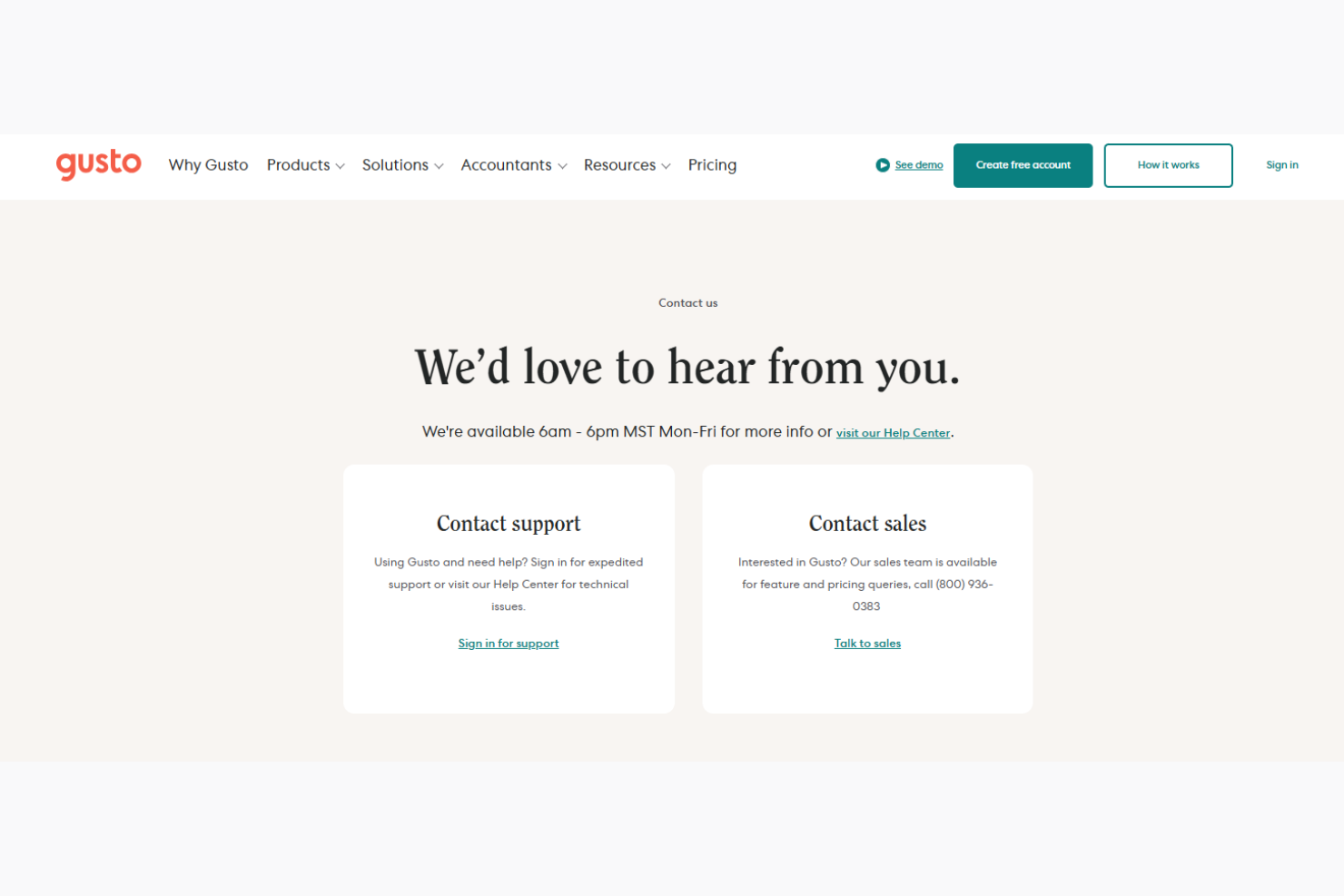
Gusto's customer support is reliable, offering several channels to assist your team when needed. Users commend the prompt and helpful responses from the support staff, ensuring issues are resolved efficiently. With options like live chat, email, and phone support, you can choose the most convenient way to get help. Gusto also provides a wealth of online resources, including FAQs and tutorials, making it easier for your team to find solutions independently.
Value for Money
Gusto pricing offers competitive value, providing essential payroll and HR features at a reasonable cost. Users appreciate the balance between functionality and price, with options to scale as your church grows. While some advanced features require higher-tier plans, Gusto’s pricing remains accessible for ministries of all sizes.
- Simple Plan: Includes full-service payroll, employee self-service, health benefits administration, and basic compliance support.
- Plus Plan: Adds next-day direct deposit, time tracking, employee onboarding tools, and expanded HR features.
- Premium Plan: Offers dedicated support, access to certified HR professionals, and advanced administrative tools for larger teams.
New Product Updates from Gusto
Gusto Adds Solo Advisory Tools and Mobile Money Features
Gusto adds Solo S-Corp Advisory Tools with tax and salary calculators, plus mobile access to Gusto Money for invoicing and bill payments. These updates make it easier to provide S-corp guidance and manage incoming and outgoing payments on the go. Highlights include:
- Tax Savings Calculator: Compares S-corp and sole proprietor or LLC taxation to help assess potential tax savings.
- Reasonable Salary Calculator: Uses BLS wage data to help determine a defensible salary for S-corp owners.
- Mobile Invoicing: Creates branded invoices with shareable payment links, card or bank payments, and automatic reminders from mobile.
- Mobile Bill Pay: Pays bills by card or bank transfer and schedules one-time or recurring payments from mobile.
Visit Gusto’s official site for more details.
 for more details.
Gusto Expands 401(k), Life, and Disability Benefits
Gusto now lets admins set up and manage 401(k) plans directly from the Benefits dashboard while offering voluntary life and disability coverage through national carriers. These updates reduce administrative work, keep benefit deductions connected to payroll, and give employees access to more coverage options without adding employer premium costs. Highlights include:
- Built-In 401(k) Management: Set up and manage retirement plans directly from Gusto’s Benefits dashboard without using a separate platform.
- Voluntary Life Insurance: Offer employee-paid life insurance through national carriers with deductions synced to payroll.
- Voluntary Disability Insurance: Add employee-paid disability coverage without additional employer premium costs.
- Integrated Benefits Administration: Manage retirement and insurance benefits alongside payroll from the same system.
Visit Gusto’s official site for more details.
Gusto Automates FICA Tip Tax Credit Calculations
Gusto now automatically calculates the FICA tip tax credit and generates pre-filled, ready-to-file tax documents for eligible employers with tipped workers. These updates reduce manual tax preparation and make it easier to claim eligible Social Security and Medicare tax credits. Highlights include:
- Automatic FICA Tip Tax Credit Calculations: Calculate eligible FICA tip tax credits automatically for tipped employees.
- Pre-Filled Tax Forms: Generate ready-to-file tax documents with pre-filled credit information.
- Simplified Tax Filing: Reduce manual work when claiming Social Security and Medicare tax credits.
Visit Gusto's official site for more details.
Gusto Specs
- API
- Application Tracking
- Approval Workflows
- Attendance Tracking
- Budgeting
- Calendar Management
- Compliance Tracking
- Dashboard
- Data Export
- Data Import
- Data Visualization
- Employee Database
- Employee Incentive Management
- Employee Onboarding
- Expense Tracking
- External Integrations
- Feedback Management
- Forecasting
- Multi-Currency
- Multi-User
- Notifications
- Payroll
- Scheduling
- Tax Management
- Time Management
- Timesheets
- Travel Management
- Vacation & Absence Calendar
Gusto FAQs
How does Gusto handle data security and compliance?
Can I process payroll for multiple locations with Gusto?
Is it easy to switch to Gusto from another payroll provider?
How does Gusto support non-profit organizations?
Can I customize payroll schedules in Gusto?
Does Gusto offer employee self-service options?
How does Gusto assist with tax filing?
What kind of customer support does Gusto provide?
Gusto Company Overview & History
Gusto, initially founded as ZenPayroll in November 2011, is based in San Francisco and employs about 2,400 people. The company specializes in payroll, benefits, and HR management software for U.S. businesses and was rebranded to Gusto in September 2015. Known for its user-friendly services, Gusto has expanded its offerings to include health benefits and workers' compensation, achieving a valuation of $3.8 billion by July 2019.
Gusto Major Milestones
- 2011: Founded as ZenPayroll in San Francisco.
- 2012: Launched payroll services in December.
- 2015: Rebranded to Gusto in September, expanding offerings.
- 2019: Valuation reached $3.8 billion by July.
- 2020: Launched over 50 new products to support small businesses.
What's Next?
Subscribe to our newsletter to get the latest resources, best practices, and insights on managing churches from expert pastors and church leaders.