

GoDoChurch Review: Pros, Cons, Features & Pricing
GoDoChurch stands out with its user-friendly interface and affordable pricing, making it a great choice for churches looking for comprehensive management tools.

We review tools independently, and commissions help fund our testing. See our transparency policy, our methodology, or suggest a tool.
GoDoChurch is a church administration software built for churches that need to manage members, donations, events, and communications in one place. I'd consider it a strong fit if your team wants something more intuitive than Planning Center, without navigating its module-based pricing just to access core features. It's a practical choice for small to mid-sized congregations that want day-to-day admin handled without a steep learning curve.
GoDoChurch Evaluation Summary
2.5/5
- From $22/month/account
- 30-day free trial
Why Trust Our Software Recommendations
6,700+
Reviews
20
Industry experts
16+
Evaluation factors
14
Years
Our team has been testing and reviewing software since 2012. As church leaders ourselves, we know how difficult—and important—it is to choose the right software.
For this guide, we evaluated tools using hands-on testing and independent research, scoring tools using our selection criteria.
Our reviews reflect our human editorial judgment, not a sales pitch.
GoDoChurch Overview
Pros
- You can easily manage members and groups with its intuitive interface.
- It offers effective communication tools for keeping your congregation informed.
- Event management is streamlined, allowing you to organize church activities efficiently.
Cons
- The onboarding process could be more straightforward for new users.
- Some users find the navigation a bit confusing due to numerous features.
- Advanced reporting features might be limited compared to competitors.
Is GoDoChurch Right For Your Needs?
Who Would be a Good Fit for GoDoChurch?
- Small ChurchesGoDoChurch's user-friendly interface helps small churches manage their congregations without hassle.
- Community GroupsIts communication tools make it simple for community groups to stay connected and informed.
- Event PlannersThe event management features allow planners to organize church activities efficiently.
- Youth MinistriesYouth groups can benefit from easy member management and communication capabilities.
- Volunteer CoordinatorsThe platform simplifies organizing and communicating with volunteers during church events.
- Administrative TeamsChurch administrative teams will appreciate the straightforward management tools for daily operations.
Who Would be a Bad Fit for GoDoChurch?
- Large ChurchesGoDoChurch may not handle the complex needs of large congregations with its current feature set.
- Data AnalystsThose needing detailed analytics might find GoDoChurch's reporting capabilities insufficient.
- Tech-Savvy TeamsTeams seeking advanced technical features and integrations may find GoDoChurch too basic.
- Corporate ChurchesCorporate environments requiring sophisticated management tools may find GoDoChurch limiting.
- Multi-Campus ChurchesManaging multiple campuses can be challenging due to GoDoChurch's interface and navigation.
- Advanced UsersUsers looking for cutting-edge features and customizations might not be satisfied with GoDoChurch.
How We Test & Score Tools
We’ve spent years building, refining, and improving our software testing and scoring system. The rubric is designed to capture the nuances of software selection and what makes a tool effective, focusing on critical aspects of the decision-making process.
Below, you can see exactly how our testing and scoring works across seven criteria. It allows us to provide an unbiased evaluation of the software based on core functionality, standout features, ease of use, onboarding, customer support, integrations, customer reviews, and value for money.
Core Functionality (25% of final scoring)
The starting point of our evaluation is always the core functionality of the tool. Does it have the basic features and functions that a user would expect to see? Are any of those core features locked to higher-tiered pricing plans? At its core, we expect a tool to stand up against the baseline capabilities of its competitors.
Standout Features (25% of final scoring)
Next, we evaluate uncommon standout features that go above and beyond the core functionality typically found in tools of its kind. A high score reflects specialized or unique features that make the product faster, more efficient, or offer additional value to the user.
We also evaluate how easy it is to integrate with other tools typically found in the tech stack to expand the functionality and utility of the software. Tools offering plentiful native integrations, 3rd party connections, and API access to build custom integrations score best.
Ease of Use (10% of final scoring)
We consider how quick and easy it is to execute the tasks defined in the core functionality using the tool. High scoring software is well designed, intuitive to use, offers mobile apps, provides templates, and makes relatively complex tasks seem simple.
Onboarding (10% of final scoring)
We know how important rapid team adoption is for a new platform, so we evaluate how easy it is to learn and use a tool with minimal training. We evaluate how quickly a team member can get set up and start using the tool with no experience. High scoring solutions indicate little or no support is required.
Customer Support (10% of final scoring)
We review how quick and easy it is to get unstuck and find help by phone, live chat, or knowledge base. Tools and companies that provide real-time support score best, while chatbots score worst.
Customer Reviews (10% of final scoring)
Beyond our own testing and evaluation, we consider the net promoter score from current and past customers. We review their likelihood, given the option, to choose the tool again for the core functionality. A high scoring software reflects a high net promoter score from current or past customers.
Value for Money (10% of final scoring)
Lastly, in consideration of all the other criteria, we review the average price of entry level plans against the core features and consider the value of the other evaluation criteria. Software that delivers more, for less, will score higher.
Core Features
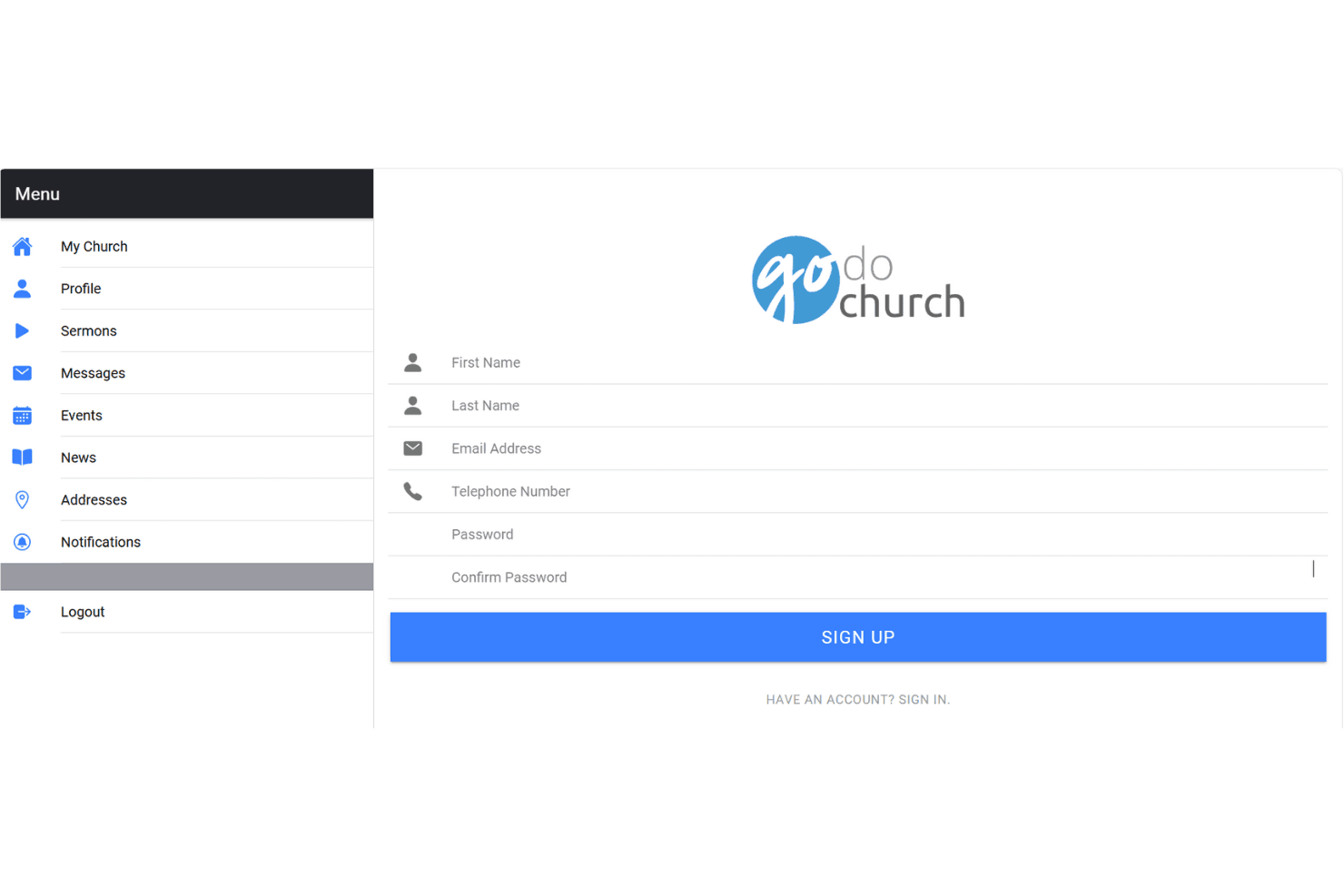
Member Management: Manage your congregation easily with tools that let you track member information and engagement. This feature helps you keep your community connected and informed.
Event Management: Plan and organize church events with ease. You can set schedules, manage RSVPs, and track attendance, making your events run smoothly.
Communication Tools: Send emails and messages to your congregation effortlessly. Keep everyone updated with announcements, newsletters, and reminders.
Group Management: Organize different church groups and activities efficiently. This feature allows you to manage group memberships and communication effectively.
Volunteer Coordination: Manage and communicate with volunteers for different events. Assign tasks and track volunteer participation to ensure successful events.
Reporting: Access basic reports to understand your church's activities and engagement. This feature gives you insights into attendance and event success.
Standout Features
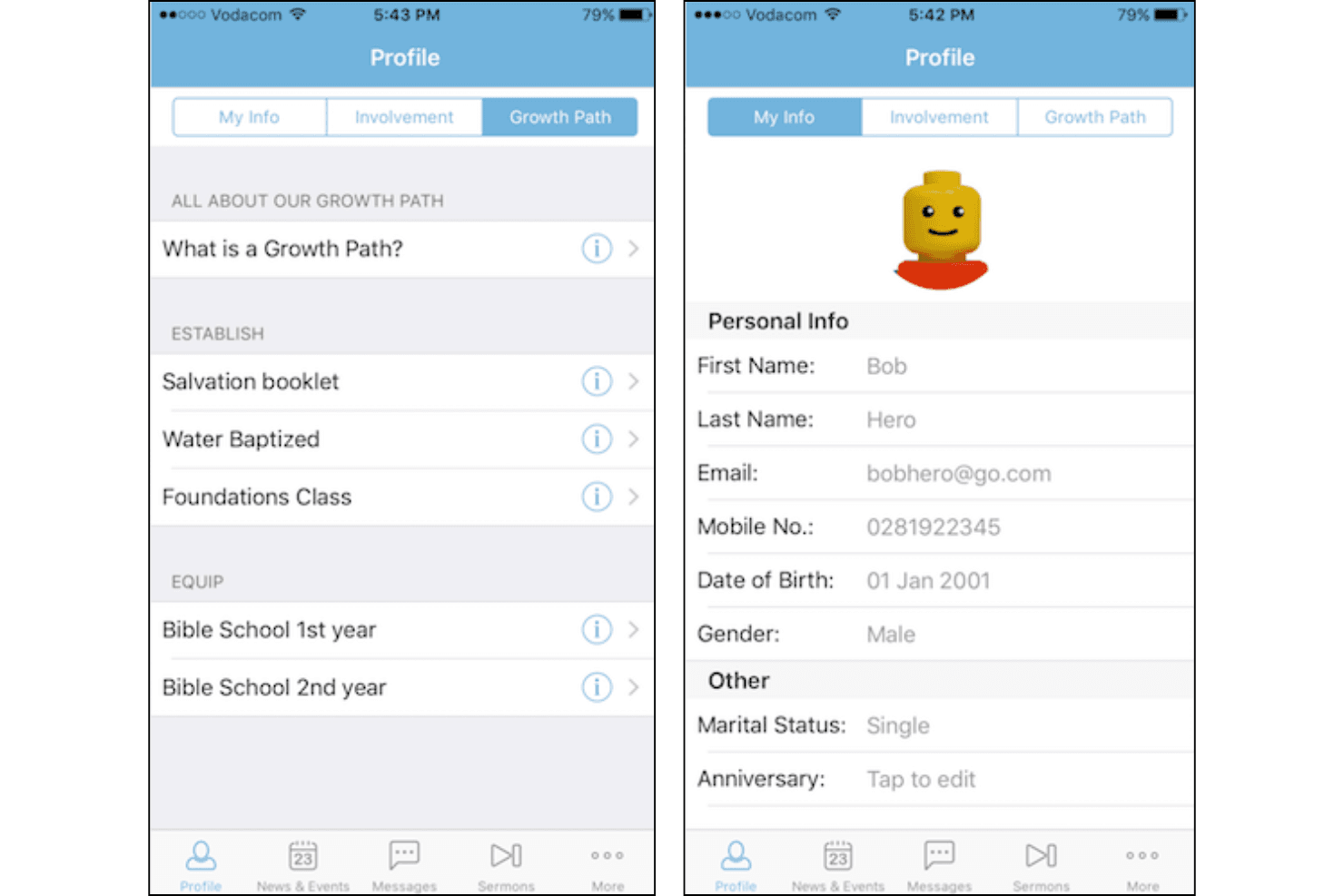
User-Friendly Interface: GoDoChurch offers an intuitive design that's easy for anyone to navigate. This makes managing church activities straightforward and accessible.
Effective Communication: The platform excels in keeping your congregation informed with streamlined messaging capabilities. You can quickly send out updates and maintain strong communication within your church community.
Ease of Use
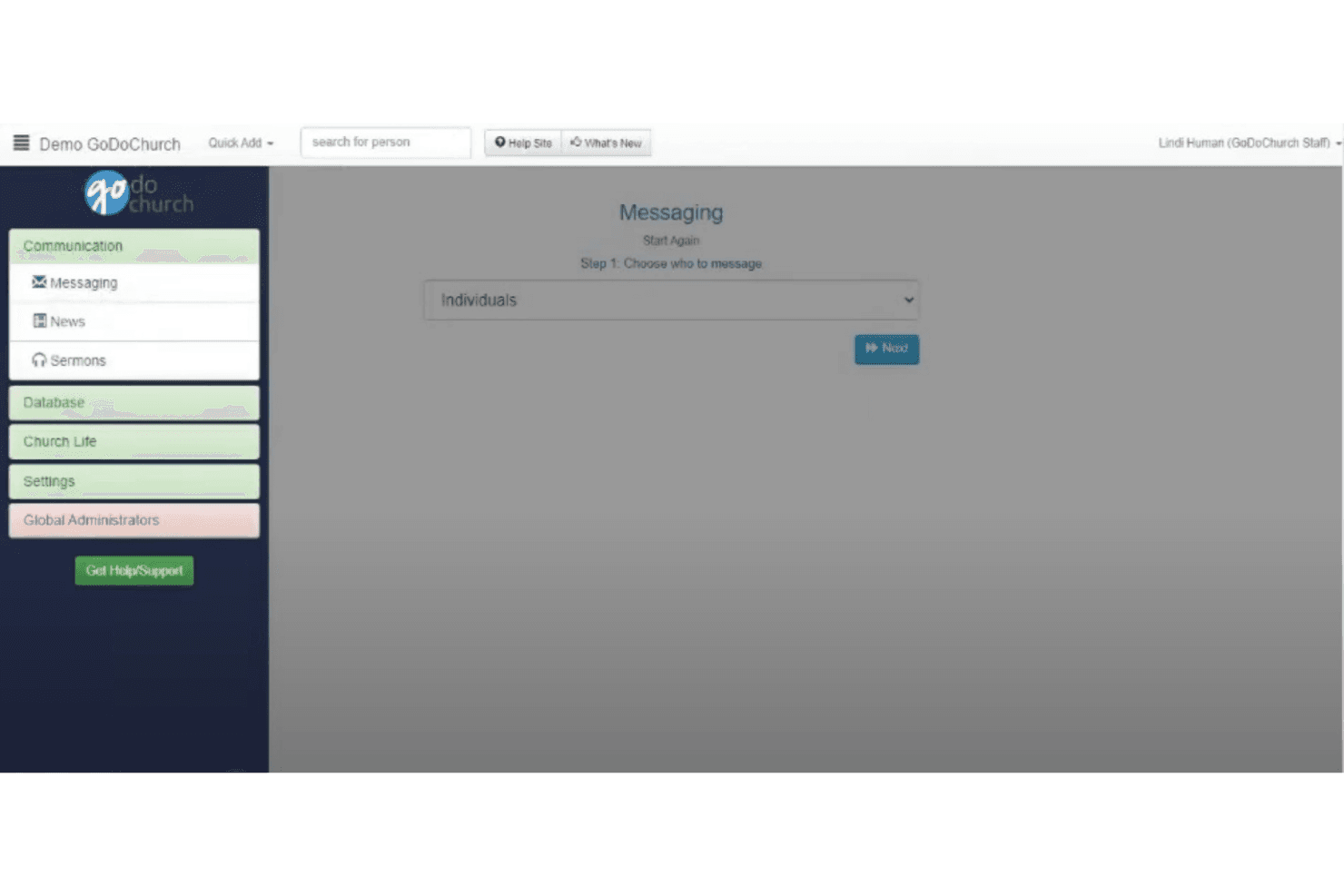
GoDoChurch scores well in user-friendliness with its intuitive interface that simplifies managing church activities. While it offers a straightforward experience, some users find navigation challenging due to the array of features. Its event and member management tools are easy to use, helping you focus on community engagement without getting bogged down by complex processes. Overall, GoDoChurch provides a solid balance of functionality and ease, making it accessible for most church teams.
Onboarding
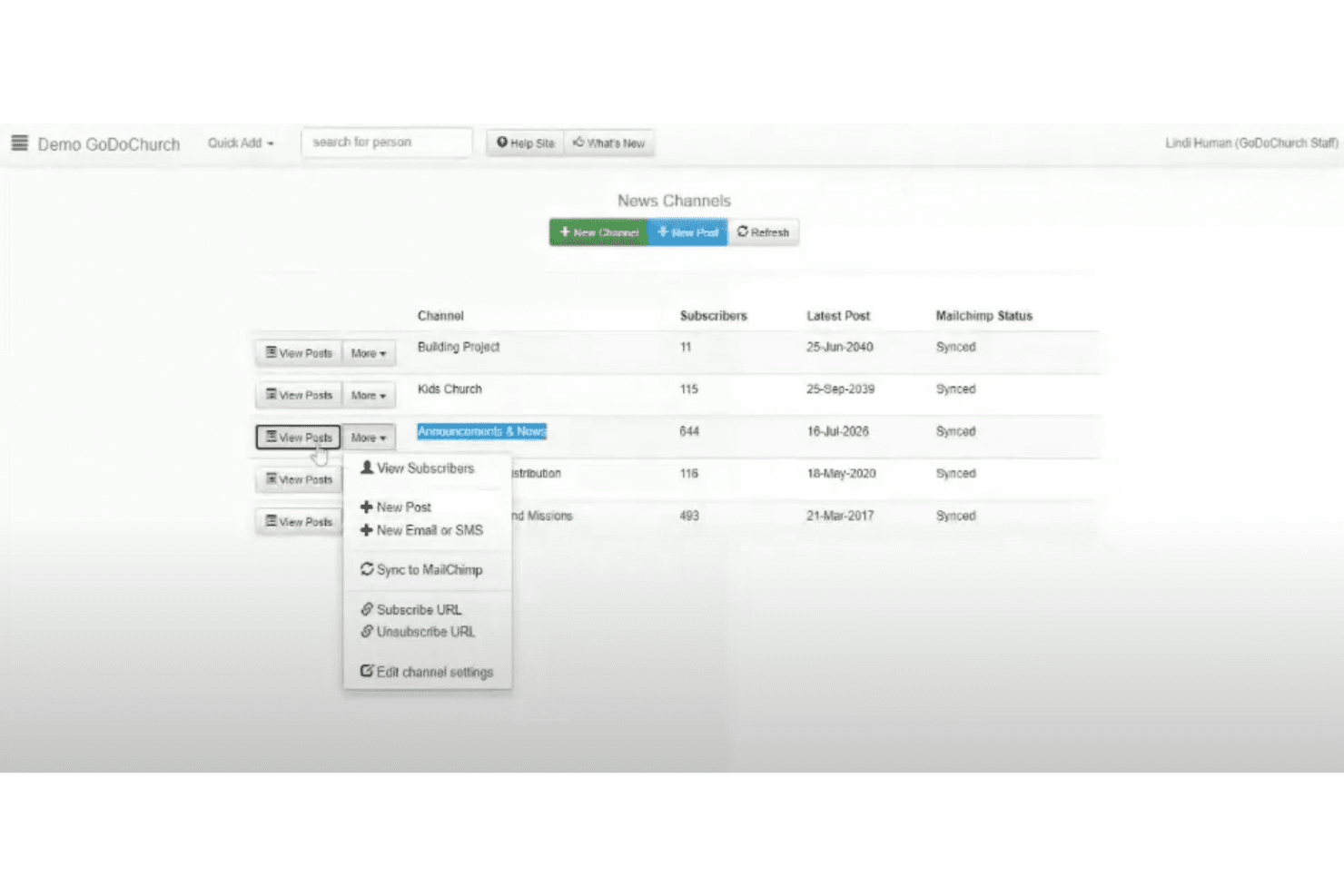
GoDoChurch's onboarding process could be smoother, as some users find it a bit daunting initially. The platform provides basic tutorials and support resources, but the guidance might not be comprehensive enough for everyone. Despite this, once you get past the initial setup, the tools are straightforward and easy to use. If your team is patient and ready to explore, you'll find GoDoChurch's features worth the initial learning curve.

Customer Support
GoDoChurch provides solid customer support, with users appreciating the responsive and helpful assistance they receive. The support team is accessible via multiple channels, ensuring your issues are addressed promptly. While the resources and FAQs available can be improved for more comprehensive self-help options, the overall support experience is positive. If you run into challenges, you can expect timely responses and effective solutions from the GoDoChurch team.

Value for Money
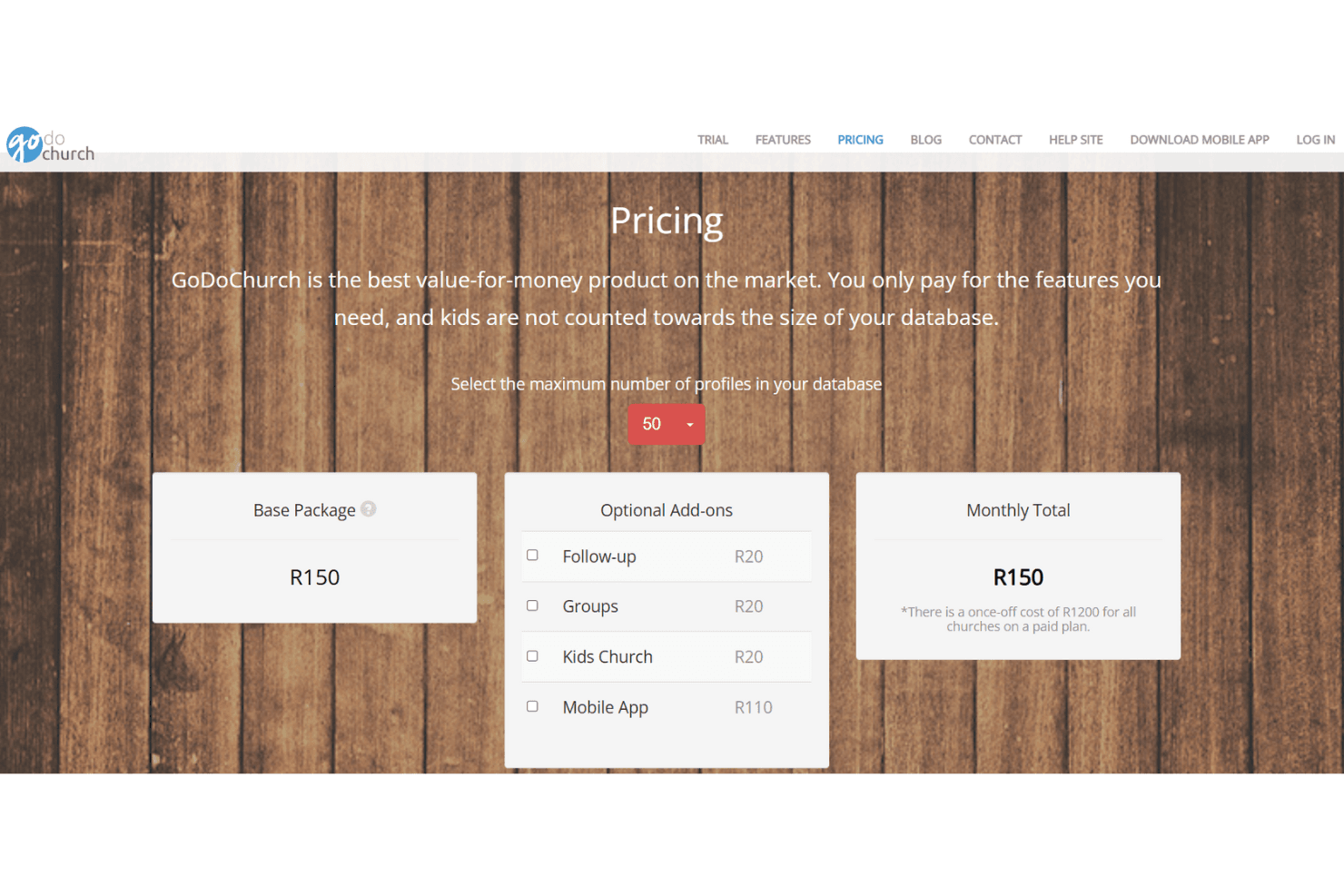
GoDoChurch pricing's seen as fair because it gives small and medium churches access to core tools like member management, communication, and events without a high cost. Users often note that the features match real needs, making the platform worth the spend.
GoDoChurch’s base plan starts at R150 (about USD $8.71) for up to 50 member profiles, with optional add-ons such as the mobile app available for an additional fee.
GoDoChurch Specs
- API: No
- Calendar Management: No
- Contact Management: No
- Dashboards: No
- Data Export: No
- Data Import: No
- Document Management: No
- External Integrations: No
- Multi-User: No
- Notifications: No
- Payment Gateway Integration: No
- Scheduling: No
- Workflow Management: No
GoDoChurch FAQs
GoDoChurch Company Overview & History
GoDoChurch is a web-based church administration software provider headquartered in Cape Town, South Africa. It helps you manage congregant profiles, messaging, events, and even a church mobile app. The company is relatively small (some sources list around 4 employees) and doesn’t appear to own other major products or have large subsidiaries.
GoDoChurch Major Milestones
- 2006: Founded in South Africa.
- 2020–2023: Transitioned its mobile app development to a progressive web app (PWA) model.