

Flocknote Review: Pros, Cons, Features & Pricing
Flocknote excels in user-friendly church communication, offering a unique blend of email and text messaging tailored for congregations.

We review tools independently, and commissions help fund our testing. See our transparency policy, our methodology, or suggest a tool.
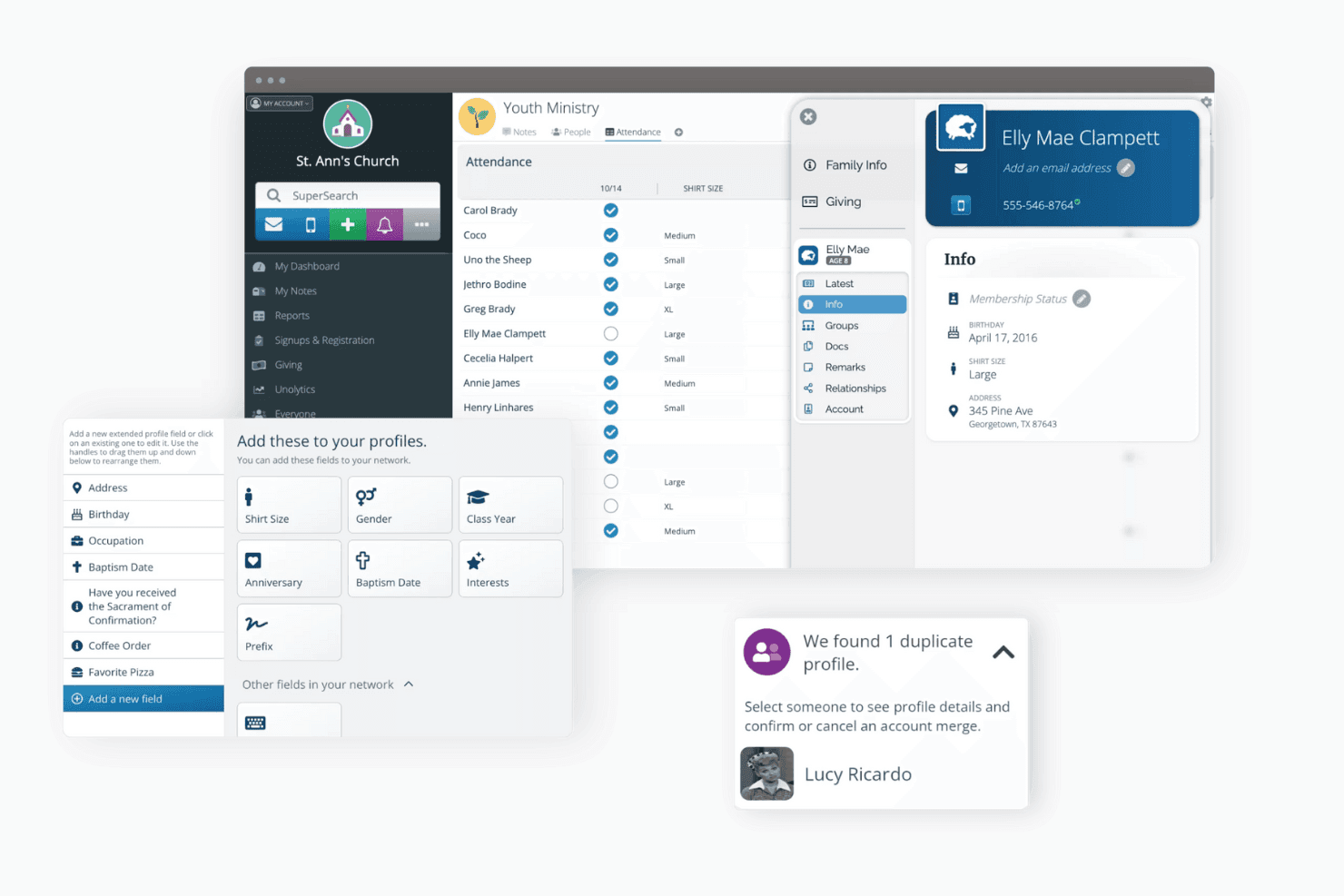
Flocknote is a church communication software built for churches and ministry teams that need a reliable way to reach members through email and text messaging. If you've tried managing congregational outreach through a general tool like Mailchimp, you'll find that Flocknote is designed around how churches actually operate—with group-based messaging, ministry-specific organization, and member sign-up tools that don't require a marketing background to use.
Flocknote Evaluation Summary
0/5
- From $10/month
- Free trial + free plan + free demo available
Why Trust Our Software Recommendations
6,700+
Reviews
20
Industry experts
16+
Evaluation factors
14
Years
Our team has been testing and reviewing software since 2012. As church leaders ourselves, we know how difficult—and important—it is to choose the right software.
For this guide, we evaluated tools using hands-on testing and independent research, scoring tools using our selection criteria.
Our reviews reflect our human editorial judgment, not a sales pitch.
Flocknote Overview
In my opinion, Flocknote serves as a robust church communication software that excels in user-friendliness and effective congregation engagement. Compared to other tools, Flocknote's combination of email and text messaging stands out, though its onboarding process could be smoother. It's best suited for churches looking for straightforward communication solutions without complex integrations. For those prioritizing ease of use and value, Flocknote is a strong contender.
Pros
- Flocknote offers a user-friendly interface that makes communication straightforward.
- It combines email and text messaging, making it easy to reach your congregation.
- The platform helps foster community engagement, enhancing your church's connection with its members.
Cons
- Some users find the onboarding process a bit challenging.
- Customer support doesn't always meet expectations for real-time assistance.
- The platform lacks advanced customization options compared to competitors.
Is Flocknote Right For Your Needs?
Who Would be a Good Fit for Flocknote?
Small to medium-sized churches and ministries would greatly benefit from Flocknote. Its user-friendly interface and combination of email and text messaging make it ideal for churches seeking to enhance communication with their congregation. If your team values straightforward tools that encourage engagement and require minimal training, Flocknote's streamlined approach will suit your needs. Its capabilities are particularly beneficial for pastors and church staff focused on fostering community connections without the need for complex integrations.
- Small ChurchesFlocknote's simplicity and ease of use make it perfect for small churches looking to improve communication without overwhelming staff.
- Community OutreachIts text messaging feature is great for community outreach, allowing you to send timely updates and calls to action.
- Youth MinistriesYouth ministries can benefit from Flocknote’s engaging communication tools, keeping younger members informed and involved.
- Event CoordinatorsEvent coordinators will find Flocknote useful for sending reminders and updates to attendees, ensuring everyone stays in the loop.
- Volunteer ManagementManaging volunteers becomes easier with Flocknote’s ability to quickly communicate schedules and important information.
- Church AdminsChurch administrators can streamline announcements and updates to the congregation, enhancing overall communication efficiency.
Who Would be a Bad Fit for Flocknote?
Large organizations with complex communication needs might find Flocknote lacking. Its limited customization options and absence of advanced features can be a drawback for teams requiring detailed analytics or extensive integrations. If your work demands sophisticated tools with deep customization and robust reporting capabilities, Flocknote may not meet your expectations. It’s better suited for simpler communication tasks rather than intricate organizational needs.
- Large EnterprisesLarge enterprises might find Flocknote inadequate due to its limited scalability and customization options.
- Data-Driven TeamsTeams that rely heavily on data analytics won't find Flocknote's reporting features sufficient for their needs.
- Tech-Savvy UsersTech-savvy users looking for advanced features and integrations might feel restricted by Flocknote's simplicity.
- Complex Event PlannersEvent planners handling large, multifaceted events may find Flocknote's features too basic for their requirements.
- Marketing DepartmentsMarketing departments requiring detailed segmentation and targeting could find Flocknote's capabilities lacking.
- Multi-Site ChurchesMulti-site churches needing centralized communication management might struggle with Flocknote's limited coordination tools.
How We Test & Score Tools
We’ve spent years building, refining, and improving our software testing and scoring system. The rubric is designed to capture the nuances of software selection and what makes a tool effective, focusing on critical aspects of the decision-making process.
Below, you can see exactly how our testing and scoring works across seven criteria. It allows us to provide an unbiased evaluation of the software based on core functionality, standout features, ease of use, onboarding, customer support, integrations, customer reviews, and value for money.
Core Functionality (25% of final scoring)
The starting point of our evaluation is always the core functionality of the tool. Does it have the basic features and functions that a user would expect to see? Are any of those core features locked to higher-tiered pricing plans? At its core, we expect a tool to stand up against the baseline capabilities of its competitors.
Standout Features (25% of final scoring)
Next, we evaluate uncommon standout features that go above and beyond the core functionality typically found in tools of its kind. A high score reflects specialized or unique features that make the product faster, more efficient, or offer additional value to the user.
We also evaluate how easy it is to integrate with other tools typically found in the tech stack to expand the functionality and utility of the software. Tools offering plentiful native integrations, 3rd party connections, and API access to build custom integrations score best.
Ease of Use (10% of final scoring)
We consider how quick and easy it is to execute the tasks defined in the core functionality using the tool. High scoring software is well designed, intuitive to use, offers mobile apps, provides templates, and makes relatively complex tasks seem simple.
Onboarding (10% of final scoring)
We know how important rapid team adoption is for a new platform, so we evaluate how easy it is to learn and use a tool with minimal training. We evaluate how quickly a team member can get set up and start using the tool with no experience. High scoring solutions indicate little or no support is required.
Customer Support (10% of final scoring)
We review how quick and easy it is to get unstuck and find help by phone, live chat, or knowledge base. Tools and companies that provide real-time support score best, while chatbots score worst.
Customer Reviews (10% of final scoring)
Beyond our own testing and evaluation, we consider the net promoter score from current and past customers. We review their likelihood, given the option, to choose the tool again for the core functionality. A high scoring software reflects a high net promoter score from current or past customers.
Value for Money (10% of final scoring)
Lastly, in consideration of all the other criteria, we review the average price of entry level plans against the core features and consider the value of the other evaluation criteria. Software that delivers more, for less, will score higher.
Core Features
Email Messaging:
Flocknote lets you send targeted emails to your congregation, keeping everyone informed. You can easily create and manage email lists to suit different groups in your church.
Text Messaging:
With Flocknote, you can send quick text updates, reaching members instantly. It's perfect for urgent announcements or reminders.
Donor Management:
Organize and track donor information, making it easier to manage contributions, send acknowledgments, and maintain strong supporter relationships.
Event Management:
Flocknote allows you to schedule and manage church events, keeping your community engaged. Send reminders and updates to ensure attendance.
Note Tracking:
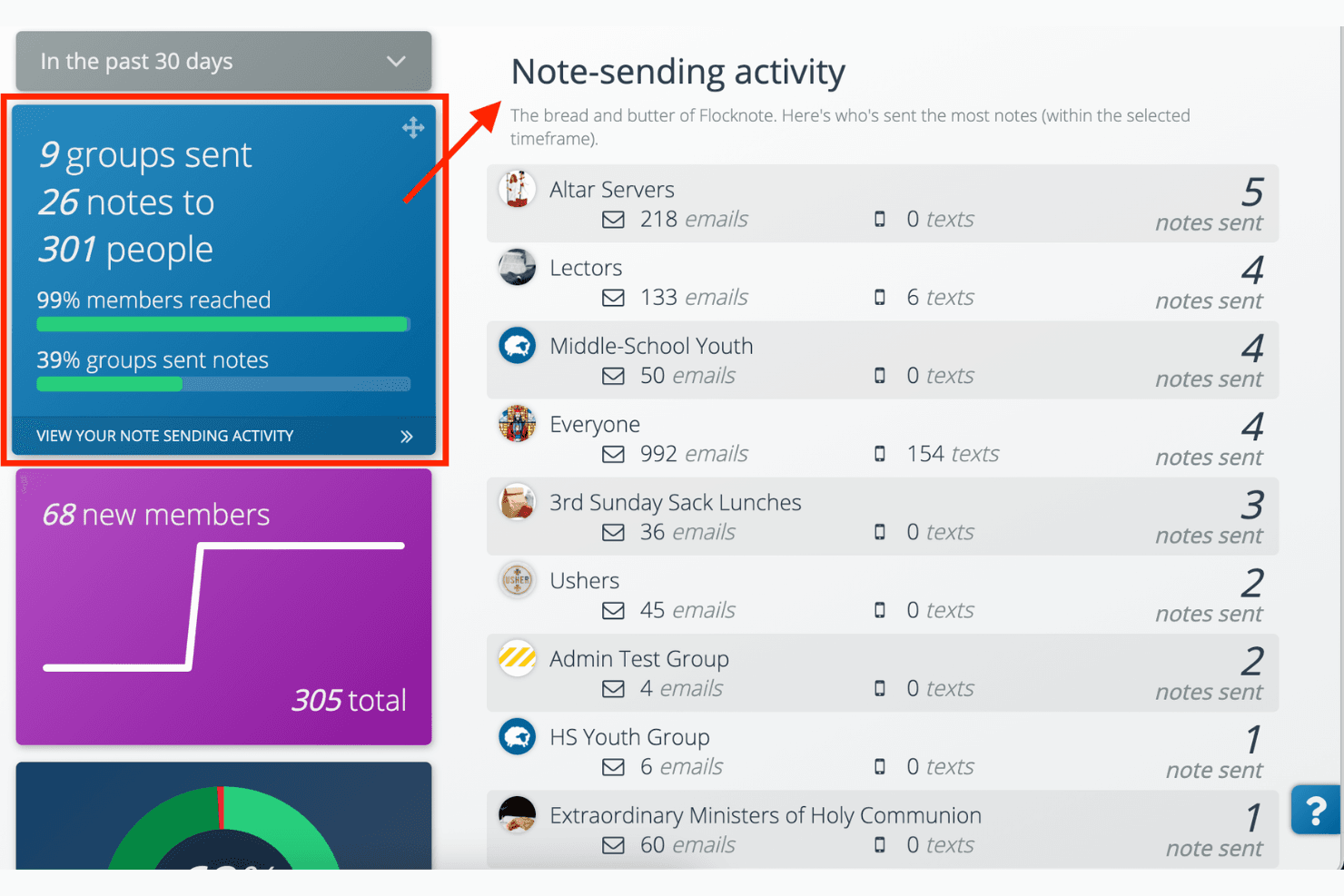
Track who’s reading your messages with Flocknote’s note tracking. It helps you gauge engagement and improve communication strategies.
Unlimited Contacts:
Flocknote provides unlimited contacts, so you can grow your communication reach without limits. It supports expanding church communities effortlessly.
Standout Features
Text-to-Join:
Members can easily join your communication list by sending a text, simplifying the onboarding process. It’s a great way to boost engagement quickly.
Polls and Feedback:
Gather opinions and feedback from your congregation with built-in polls. This feature helps you make informed decisions and keeps your community involved.

Ease of Use
Flocknote stands out for its user-friendly interface, making it easy for your team to communicate effectively. Setting up groups and sending messages is straightforward, even for those not tech-savvy. Users appreciate its intuitive design, which requires minimal training and allows you to focus on engaging with your congregation. Compared to other tools, Flocknote simplifies communication tasks, ensuring your team can quickly adapt and use its features to their full potential.
Onboarding
Flocknote's onboarding process can be a bit challenging for some users, as it lacks comprehensive guides and real-time support. While the platform offers some resources to help you get started, they might not cover all the nuances new users face. This can lead to a steeper learning curve and longer time to value. If your team needs more assistance at the start, you might find the available support somewhat limiting.
Customer Support
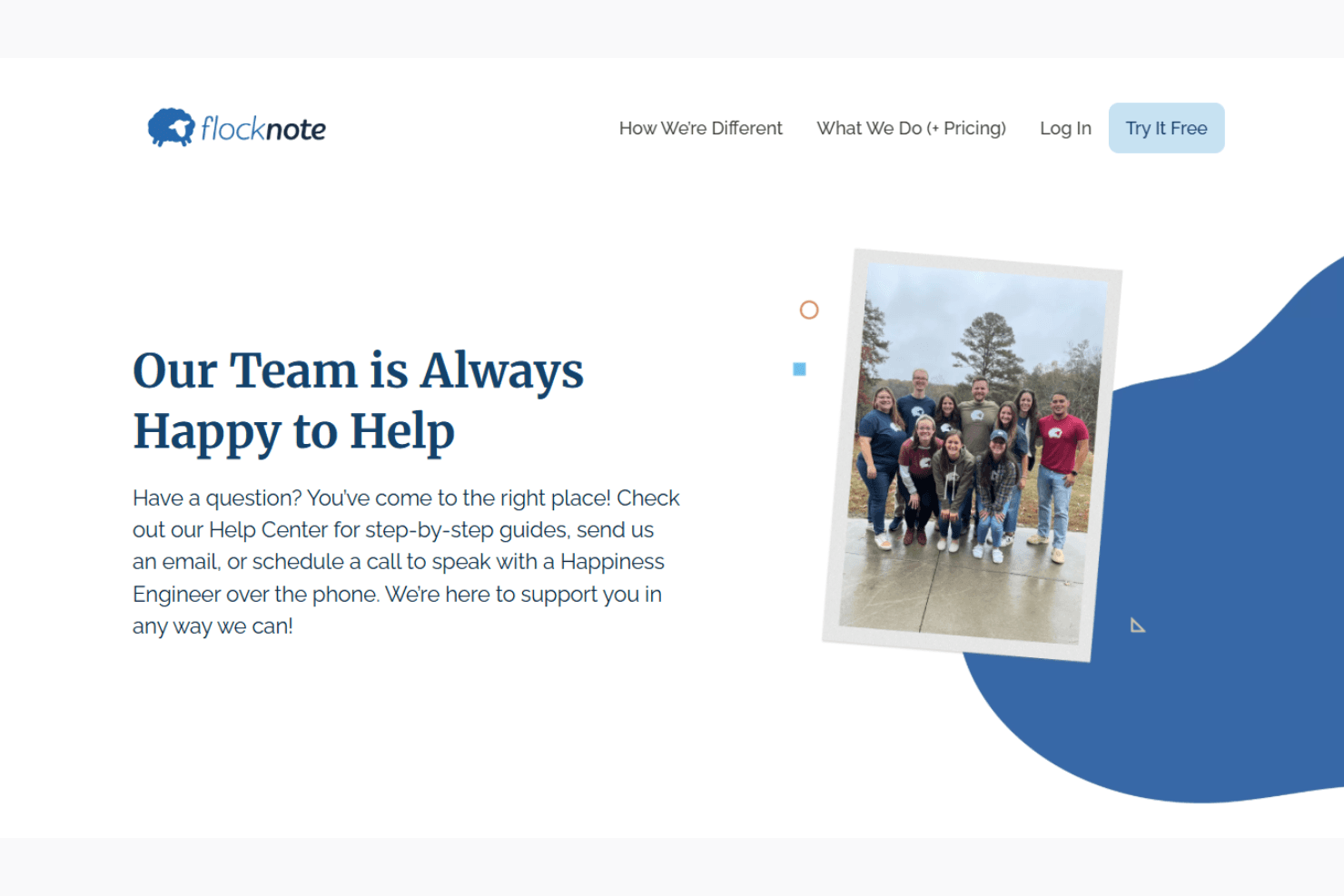
Flocknote's customer support receives mixed reviews, as some users find the assistance lacking in immediacy and depth. While they offer email support and a help center, users sometimes experience delays in response times. This can be frustrating if your team encounters urgent issues. The resources provided may not fully address complex problems, leaving you to seek additional help. If timely and comprehensive support is crucial for your work, Flocknote's support might not fully meet your expectations.
Value for Money
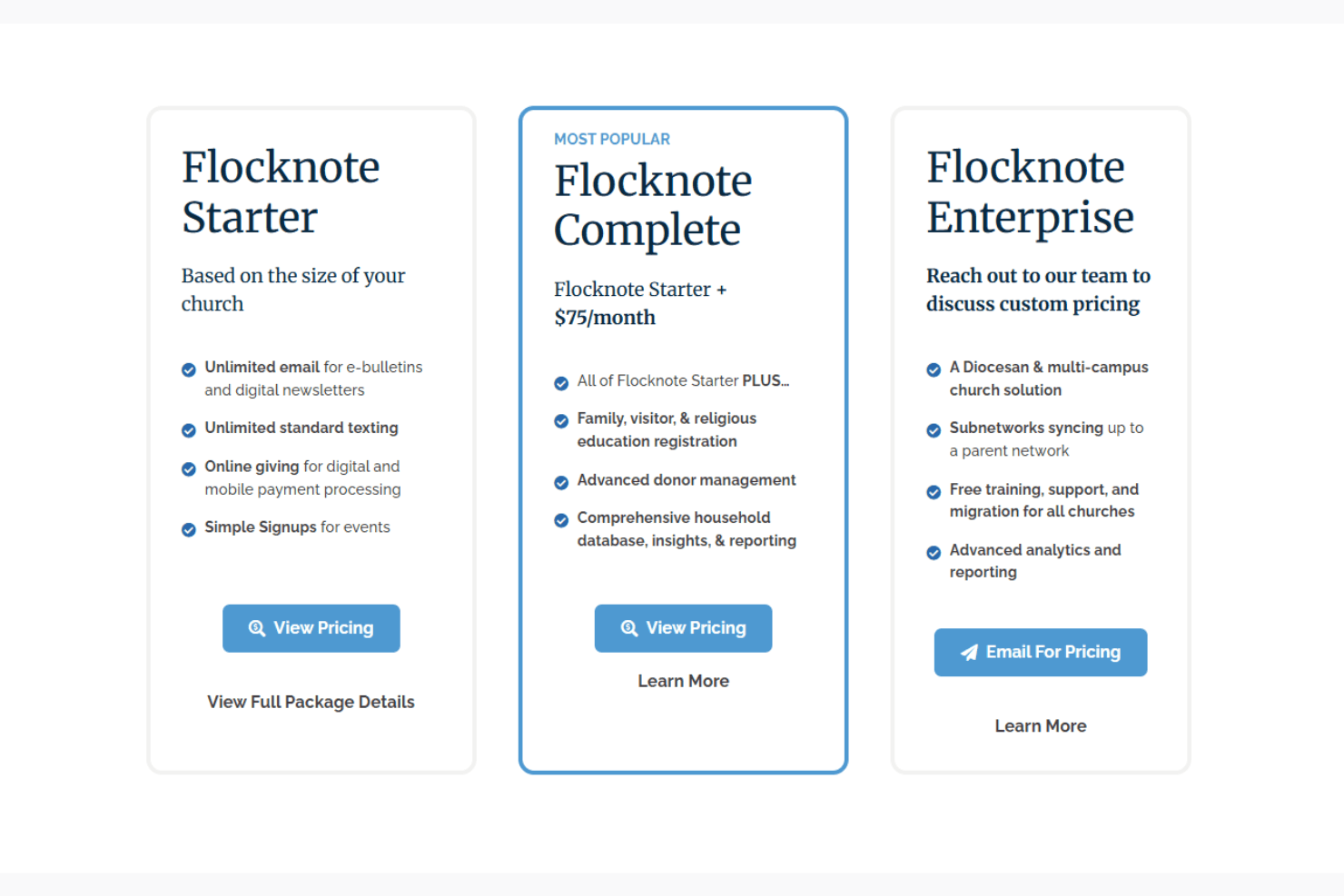
Flocknote offers strong value for churches seeking an easy, effective way to communicate with members. Its pricing is based on the number of people in your network, making it scalable for churches of all sizes. With no contracts, no setup fees, and unlimited email and text messaging, Flocknote gives you the flexibility to manage communication and engagement without hidden costs. It’s especially ideal for churches that prioritize simplicity and reliability in their outreach tools.
Flocknote Specs
- API: No
- Calendar Management: No
- Contact Management: No
- Dashboards: No
- Data Export: No
- Data Import: No
- Document Management: No
- External Integrations: No
- Multi-User: No
- Notifications: No
- Payment Gateway Integration: No
- Scheduling: No
- Workflow Management: No
Flocknote FAQs
Flocknote Company Overview & History
Flocknote is a communication-first church software founded in 2009 by Matthew Warner. Born from his experience as a parish leader and former Lockheed Martin engineer, Flocknote offers email, SMS, event sign-ups, and giving tools for church communities. Today, it’s employee-owned and trusted by over 9,000 churches and thousands of ministry leaders.
Flocknote Major Milestones
- 2009: Flocknote was founded by Matthew Warner to improve church communication.
- 2015: The company transitioned to employee ownership via an ESOP, reinforcing its ministry-focused values.
- 2019: Recognized on the Inc. 5000 list for rapid growth, validating its impact in the church tech space.
- 2022–2024: Continued expansion across parishes and dioceses, with over 10,000 churches now served.
What's Next?
Subscribe to our newsletter to get the latest resources, best practices, and insights on managing churches from expert pastors and church leaders.