


Continue To Give Review: Pros, Cons, Features & Pricing


Continue to Give is a church giving software for congregations that need to collect donations across multiple channels—online, text, and kiosk—without overcomplicating the donor experience. I'd consider it if you want the donation management depth you'd find in a platform like Pushpay, but with pricing that makes sense for smaller or mid-sized churches rather than large, well-resourced ministries with a dedicated tech team.
Continue to Give Evaluation Summary

- From $29/month
- Free plan available
Why Trust Our Software Recommendations
Our team has been testing and reviewing software since 2012. As church leaders ourselves, we know how difficult—and important—it is to choose the right software.
For this guide, we evaluated tools using hands-on testing and independent research, scoring tools using our selection criteria.
Our reviews reflect our human editorial judgment, not a sales pitch.
Continue to Give Overview
In my opinion, Continue To Give is a solid choice for churches seeking a versatile giving platform. It offers a good balance of features and value, though its onboarding and customer support could improve compared to competitors. It's best suited for small to mid-sized churches that prioritize ease of use and cost-effectiveness.
pros
-
You can easily manage donations with its user-friendly interface.
-
It offers flexible fundraising options for your church’s needs.
-
You'll appreciate its reliable tracking and reporting features.
cons
-
Your team might find the onboarding process a bit challenging.
-
Customer support could be more responsive to your needs.
-
The interface might lack some advanced customization options you want.
Is Continue to Give Right For Your Needs?
Who Would Be a Good Fit for Continue To Give?
Small to mid-sized churches and non-profit organizations would find Continue To Give ideal for managing donations and fundraising. If your church has a team that values ease of use and reliable reporting, this tool suits you well. Its user-friendly interface helps you manage donations efficiently, and flexible fundraising options cater to various needs. Churches with limited tech resources will appreciate the simplicity and effectiveness of Continue To Give's functionalities.
-
Small Churches
Continue To Give offers easy setup and straightforward donation management for your small congregation.
-
Non-Profits
Your organization can benefit from its flexible fundraising features to support diverse causes.
-
Church Administrators
It simplifies donation tracking and reporting, making your administrative tasks more manageable.
-
Finance Teams
You'll find its reliable reporting tools helpful for maintaining accurate financial records.
-
Community Events
Its fundraising options support various campaigns, enhancing your community outreach efforts.
-
Youth Programs
You can easily set up and manage fundraising initiatives to support your youth activities.
Who Would Be a Bad Fit for Continue To Give?
Large organizations or churches needing advanced customization and extensive support might find Continue To Give lacking. If your team requires highly tailored features or rapid customer service, this software may not meet your needs. Its onboarding process could be challenging for teams looking for quick implementation without a learning curve. Large-scale operations needing robust integration capabilities might need a more comprehensive solution.
-
Large Corporations
Your complex needs might not be met due to limited customization and support.
-
Tech-Savvy Teams
You might find the lack of advanced features limiting for your innovative projects.
-
Mega Churches
Its standard functionalities might not support the scale of your large congregation.
-
Advanced Fundraisers
Your need for detailed customization could be unmet with its basic fundraising tools.
-
Fast-Paced Teams
You might struggle with its slower onboarding process and need for immediate implementation.
-
Highly Customizable Needs
If your operations demand extensive customization, you might find it insufficient.
How We Test & Score Tools
We’ve spent years building, refining, and improving our software testing and scoring system. The rubric is designed to capture the nuances of software selection and what makes a tool effective, focusing on critical aspects of the decision-making process.
Below, you can see exactly how our testing and scoring works across seven criteria. It allows us to provide an unbiased evaluation of the software based on core functionality, standout features, ease of use, onboarding, customer support, integrations, customer reviews, and value for money.
Core Functionality (25% of final scoring)
The starting point of our evaluation is always the core functionality of the tool. Does it have the basic features and functions that a user would expect to see? Are any of those core features locked to higher-tiered pricing plans? At its core, we expect a tool to stand up against the baseline capabilities of its competitors.
Standout Features (25% of final scoring)
Next, we evaluate uncommon standout features that go above and beyond the core functionality typically found in tools of its kind. A high score reflects specialized or unique features that make the product faster, more efficient, or offer additional value to the user.
We also evaluate how easy it is to integrate with other tools typically found in the tech stack to expand the functionality and utility of the software. Tools offering plentiful native integrations, 3rd party connections, and API access to build custom integrations score best.
Ease of Use (10% of final scoring)
We consider how quick and easy it is to execute the tasks defined in the core functionality using the tool. High scoring software is well designed, intuitive to use, offers mobile apps, provides templates, and makes relatively complex tasks seem simple.
Onboarding (10% of final scoring)
We know how important rapid team adoption is for a new platform, so we evaluate how easy it is to learn and use a tool with minimal training. We evaluate how quickly a team member can get set up and start using the tool with no experience. High scoring solutions indicate little or no support is required.
Customer Support (10% of final scoring)
We review how quick and easy it is to get unstuck and find help by phone, live chat, or knowledge base. Tools and companies that provide real-time support score best, while chatbots score worst.
Customer Reviews (10% of final scoring)
Beyond our own testing and evaluation, we consider the net promoter score from current and past customers. We review their likelihood, given the option, to choose the tool again for the core functionality. A high scoring software reflects a high net promoter score from current or past customers.
Value for Money (10% of final scoring)
Lastly, in consideration of all the other criteria, we review the average price of entry level plans against the core features and consider the value of the other evaluation criteria. Software that delivers more, for less, will score higher.
Core Features
Donation Management:
You can easily track and manage donations through a straightforward dashboard. It simplifies your work with easy-to-read reports and summaries.
Fundraising Campaigns:
Set up and manage fundraising campaigns to support your church's initiatives. The feature helps you engage your community and reach your goals.
Recurring Giving:
Encourage consistent support with recurring donation options. Your donors can set up automatic contributions, ensuring steady funding.
Mobile Giving:
Enable donations through mobile devices, making it convenient for your community to give anytime. It enhances accessibility and participation.
Text-to-Give:
Allow your congregation to donate via text message for quick and easy contributions. It simplifies the giving process for tech-savvy members.
Reporting and Analytics:
Access detailed reports to track your church's financial health. You'll gain insights into donation trends and areas for improvement.

Standout Features
Customizable Donation Pages:
Design donation pages that reflect your church's branding and mission. This feature helps you create a personalized giving experience for your donors.
Batch Deposit Mapping:
Organize and assign contributions into deposit batches to simplify tracking and streamline financial reporting.
Ease of Use
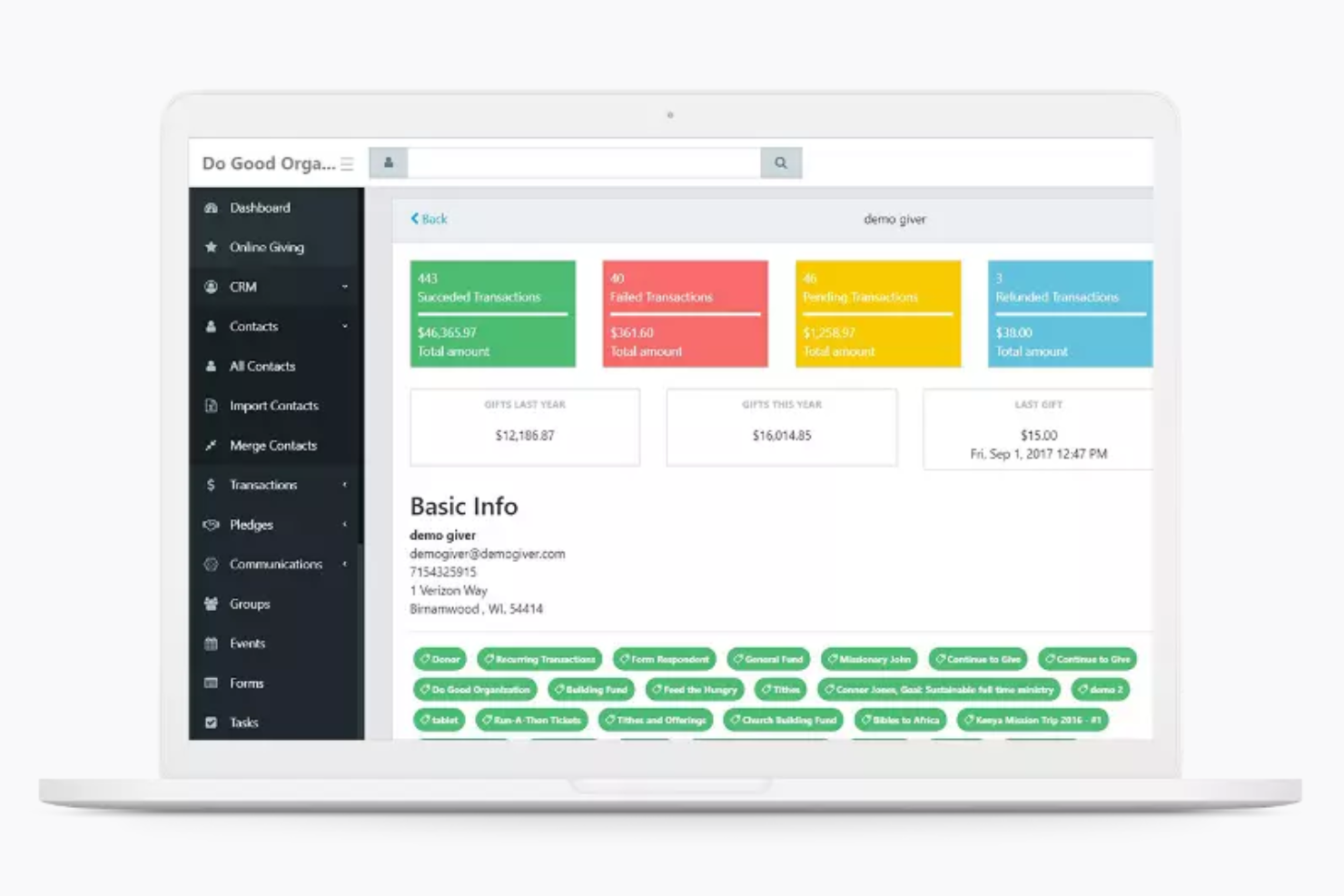
Continue To Give is user-friendly with its intuitive interface that makes donation management a breeze for your team. You’ll find setting up campaigns straightforward, though some users mention a learning curve initially. The clean dashboard and helpful reporting tools let you access vital information quickly. Compared to other platforms, it offers a balance of simplicity and functionality, allowing even those with limited tech experience to navigate it effectively.

Onboarding
The onboarding process for Continue To Give can be a bit challenging, requiring patience from your team. While the initial setup might take time, the platform provides basic guides and resources to assist you. Some users feel the support could be more responsive during this phase. Despite this, once familiar with the system, your team will appreciate the streamlined processes and the platform's capability to enhance your church's giving initiatives.
Customer Support
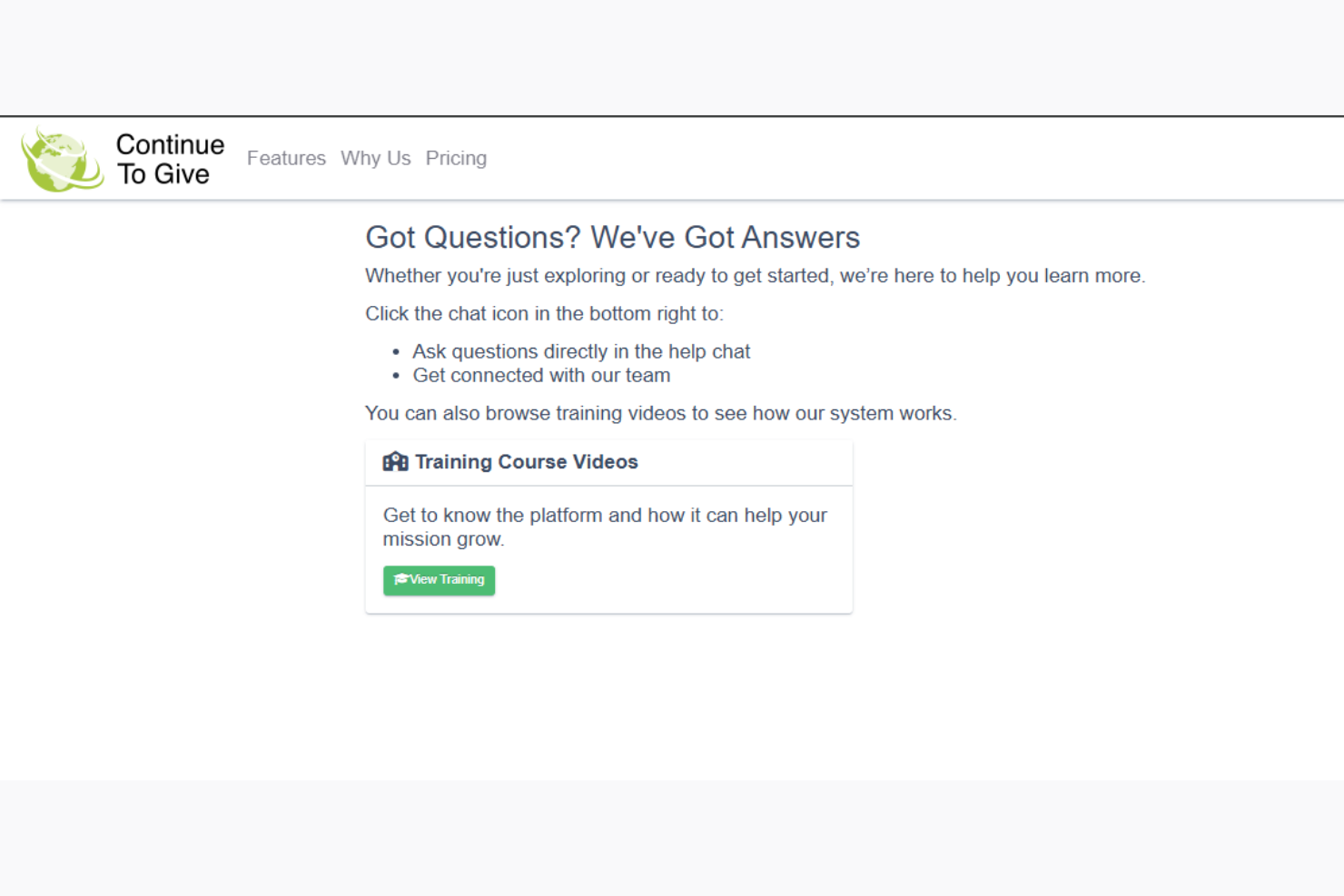
Continue To Give's customer support is adequate but could benefit from faster response times, as some users have noted delays. While they offer essential support channels like email and phone, the availability of detailed self-help resources could be improved. Your team might find the support helpful for basic inquiries, but complex issues may require patience. Overall, the support experience aligns with its rating, reflecting a need for more proactive assistance.
Value for Money
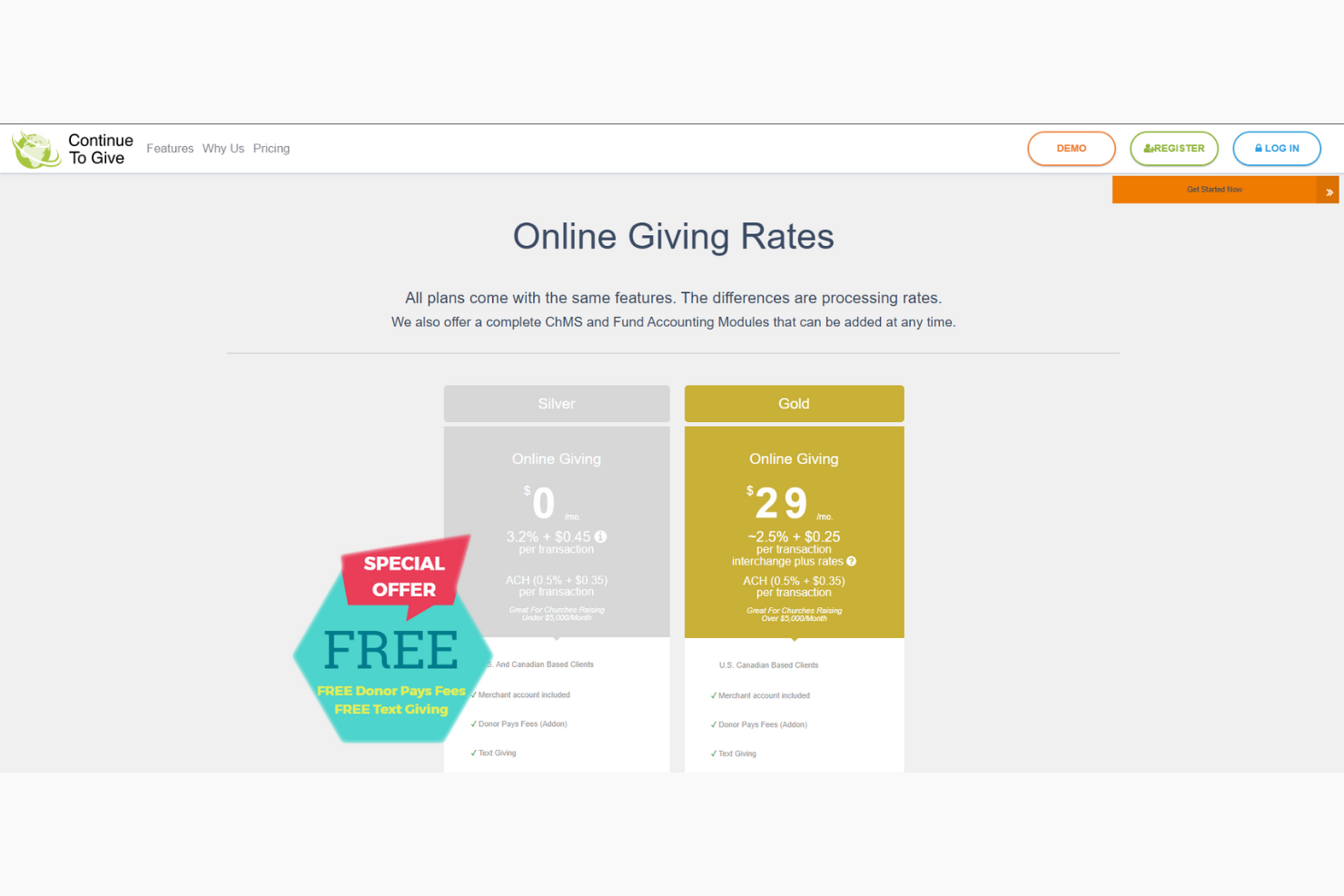
Continue To Give delivers cost-effective giving solutions tailored for churches of all sizes. With transparent pricing, no setup fees, and tools that support card, ACH, mobile, and kiosk giving, it’s a flexible option that scales with your ministry’s needs. Whether you're just starting out or handling high donation volumes, the platform's pricing structure adapts to support growth while keeping costs predictable.
- Pay As You Go: Ideal for smaller churches; no monthly fee, just transaction-based pricing.
- Monthly Plan: Best for growing churches; includes a fixed monthly fee with lower transaction rates.
Continue to Give Specs
- API
- Calendar Management
- Contact Management
- Dashboards
- Data Export
- Data Import
- Document Management
- External Integrations
- Multi-User
- Notifications
- Payment Gateway Integration
- Scheduling
- Workflow Management
Continue to Give FAQs
How does Continue To Give ensure data security and compliance?
Can I customize donation pages with Continue To Give?
What kind of support does Continue To Give offer if I encounter issues?
Is there a limit to the number of fundraising campaigns I can create?
Can donors set up recurring donations with Continue To Give?
Does Continue To Give offer mobile giving options?
How user-friendly is Continue To Give for non-tech-savvy users?
What happens if I need to refund a donation?
What's Next?
Subscribe to our newsletter to get the latest resources, best practices, and insights on managing churches from expert pastors and church leaders.