


ChMeetings vs. Planning Center: Expert Reviews In 2026
ChMeetings and Planning Center both cover core church management needs, but they take different approaches to features, pricing, and administration. See how they compare on accounting, migration, mobile access, communications, and more.

We review tools independently, and commissions help fund our testing. See our transparency policy, our methodology, or suggest a tool.
ChMeetings


4.9/5
- Free plan available + 30-day free trial
- From $12/month
Planning Center
4.7/5
- Free plan available
- From $15/month
Why Trust Our Software Recommendations
6,700+
Reviews
20
Industry experts
16+
Evaluation factors
14
Years
Our team has been testing and reviewing software since 2012. As church leaders ourselves, we know how difficult—and important—it is to choose the right software.
For this guide, we evaluated tools using hands-on testing and independent research, scoring tools using our selection criteria.
Our reviews reflect our human editorial judgment, not a sales pitch.
| ChMeetings | Planning Center | |
|---|---|---|
| Free Trial | Free plan available + 30-day free trial | Free plan available |
| Pricing | From $12/month | From $15/month |
ChMeetings vs. Planning Center Pricing & Hidden Costs
ChMeetings uses tiered pricing based mainly on the number of active people, with most church management features bundled into each plan and annual billing available at a discount. Extra costs can come from SMS and voice credits, the optional Custom Branded Church App, and third-party payment processing. Planning Center uses a modular subscription model, so total cost depends on which products a church uses and how usage scales within them.
To compare the two, look beyond the starting price and map out which functions the church actually needs, along with expected growth in members, giving, events, volunteers, and communications. Factor in add-ons, usage-based charges, billing flexibility, and how costs may change as administrative needs expand so the comparison reflects the real long-term cost rather than the cheapest entry point.
| ChMeetings | Planning Center | |
|---|---|---|
| API | Yes | Yes |
| Calendar Management | Yes | Yes |
| Contact Management | Yes | Yes |
| Dashboards | Yes | Yes |
| Data Export | Yes | Yes |
| Data Import | Yes | Yes |
| Document Management | No | No |
| External Integrations | Yes | Yes |
| Multi-User | Yes | Yes |
| Notifications | Yes | Yes |
| Payment Gateway Integration | Yes | Yes |
| Scheduling | Yes | Yes |
| Workflow Management | Yes | Yes |
| Integration | ChMeetings | Planning Center |
|---|---|---|
| IntegrationStripe | ChMeetings✅ | Planning Center✅ |
| IntegrationMailchimp | ChMeetings✅ | Planning Center✅ |
| IntegrationPayPal | ChMeetings✅ | Planning Center❌ |
| IntegrationTwilio | ChMeetings✅ | Planning Center✅ |
| IntegrationPaystack | ChMeetings✅ | Planning Center❌ |
| IntegrationSMS Global | ChMeetings✅ | Planning Center❌ |
| IntegrationClickatell | ChMeetings✅ | Planning Center❌ |
| IntegrationBluesnap | ChMeetings✅ | Planning Center❌ |
| IntegrationAPI | ChMeetings✅ | Planning Center✅ |
| IntegrationZapier | ChMeetings✅ | Planning Center✅ |
Both ChMeetings and Planning Center support common church software integrations, APIs, and automation tools, but their ecosystems reflect different priorities. ChMeetings leans toward connecting communications, payments, and church administration within its unified system, while Planning Center supports integrations around its modular applications and broader ministry workflows. Overall, ChMeetings suits churches that want integrations to extend a centralized platform, while Planning Center fits organizations that prefer connecting separate tools around specific ministry functions.
| Factor | ChMeetings | Planning Center |
|---|---|---|
| FactorHosting & Encryption | ChMeetingsHosted on Microsoft Azure in the US with a 99.9% uptime SLA, TLS encryption in transit, infrastructure-level encryption at rest, daily backups, and US-only data residency. | Planning CenterCustomer data is encrypted in transit and at rest, with additional protections applied to sensitive financial information. |
| FactorAccess Controls | ChMeetingsOptional two-factor authentication (2FA) can be enforced for elevated users, with granular role-based permissions, immediate access revocation, and access logs covering account activity and failed login attempts. | Planning CenterTwo-step verification, product-level permissions, controlled access to Giving data, and security-history logs help manage account access. |
| FactorCompliance & Privacy | ChMeetingsGDPR compliant, with only strictly necessary payment details stored while full payment information is handled by integrated payment gateways. | Planning CenterSOC 2 Type 2 certification, PCI Level One compliance, and GDPR commitments cover key security and privacy requirements. |
| FactorBackups & Recovery | ChMeetingsDaily cloud backups protect platform data, while users can also export records or automate backups through the API on paid plans. | Planning CenterPoint-in-time backups and daily snapshots support recovery from hardware failure, regional disasters, and malicious acts. |
| FactorMonitoring & Response | ChMeetingsUser sign-ins, IP addresses, and data changes are logged, with procedures for incident investigation, response, and customer notification when affected. | Planning CenterSecurity logging, automated testing, employee access controls, and ongoing HackerOne vulnerability testing support monitoring and response. |
Both platforms provide safeguards for church member and financial data. ChMeetings combines Azure hosting, encryption, access controls, backups, logging, and international privacy coverage, while Planning Center pairs account controls and monitoring with PCI compliance and vulnerability testing; US-only data residency remains an important consideration for ChMeetings.
| Factor | ChMeetings | Planning Center |
|---|---|---|
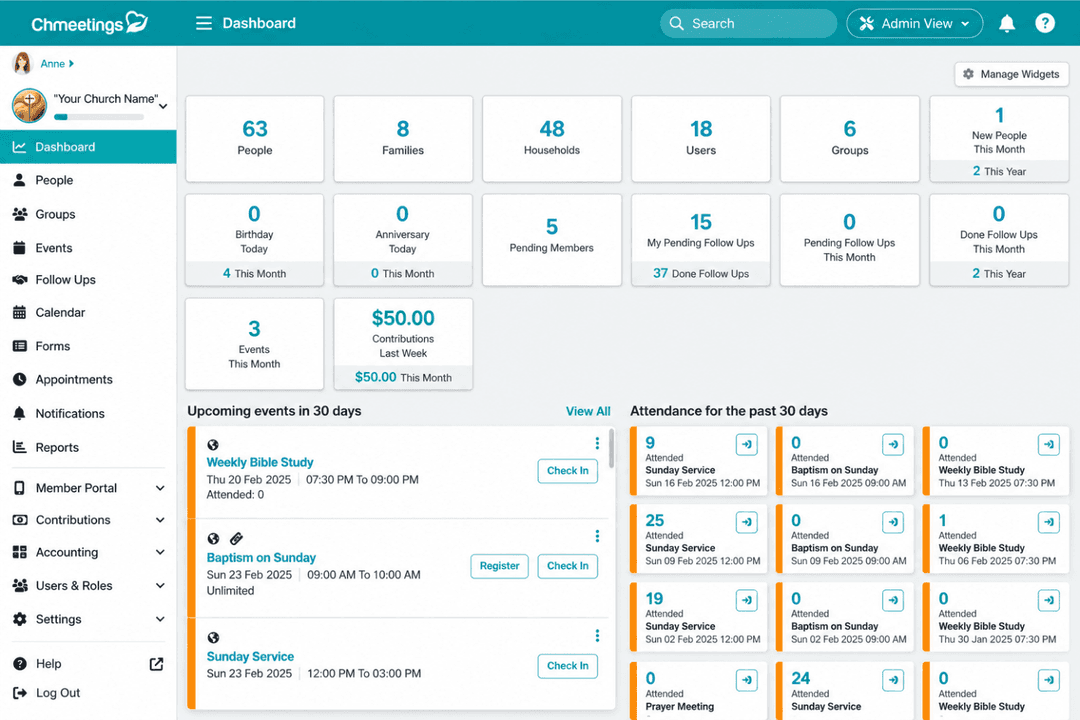
| FactorUser Interface | ChMeetingsUses a unified interface for member records, giving, events, communications, worship planning, accounting, and other church workflows, though the breadth of features can take some time to learn. | Planning CenterUses separate interfaces for its individual applications, so day-to-day navigation depends on which products a church has configured. |
| FactorOnboarding | ChMeetingsChurches can start independently or book a free guided onboarding session, with help articles, video walkthroughs, and direct assistance available during setup. | Planning CenterOffers product trials, transition resources, training courses, and in-product help for churches learning its applications. |
| FactorSetup | ChMeetingsSupports custom fields, ministries, groups, roles, permissions, imports, and member-facing tools, with free managed data migration included on paid plans. | Planning CenterSupports data imports and configurable settings across its applications, with setup handled according to the products a church chooses to use. |
| FactorVolunteer Use | ChMeetingsVolunteers can access relevant events, schedules, groups, check-ins, and communications according to assigned roles without needing access to the full administrative system. | Planning CenterVolunteers can access scheduling, service coordination, check-ins, and other ministry tasks through the relevant Planning Center tools. |
| FactorSupport | ChMeetingsProvides phone, live chat, Zoom support, help documentation, video walkthroughs, and migration assistance for paid customers. | Planning CenterProvides customer support alongside searchable documentation, training materials, and product-specific help resources. |
The main usability difference comes down to structure. ChMeetings keeps most church administration within one connected workspace, which can reduce switching between separate tools once administrators learn the broader feature set. Planning Center separates functions across individual applications, which may suit churches that prefer to configure and use each area independently.
ChMeetings
- Combines member management, giving, events, volunteers, worship planning, communications, and fund accounting in one church-focused system.
- Member portal and mobile app let congregants update profiles, register for events, give online, and receive church communications directly.
- Built-in AI supports tasks such as people searches, form creation, and email drafting, while read-only AI connections can query church data without changing records.
- Customer data is hosted only in the United States, with no option to choose another hosting region.
- Some capabilities, including accounting and appointments, require higher paid plans.
- SMS and voice messaging require additional credits, adding usage-based costs beyond the subscription price.
Planning Center
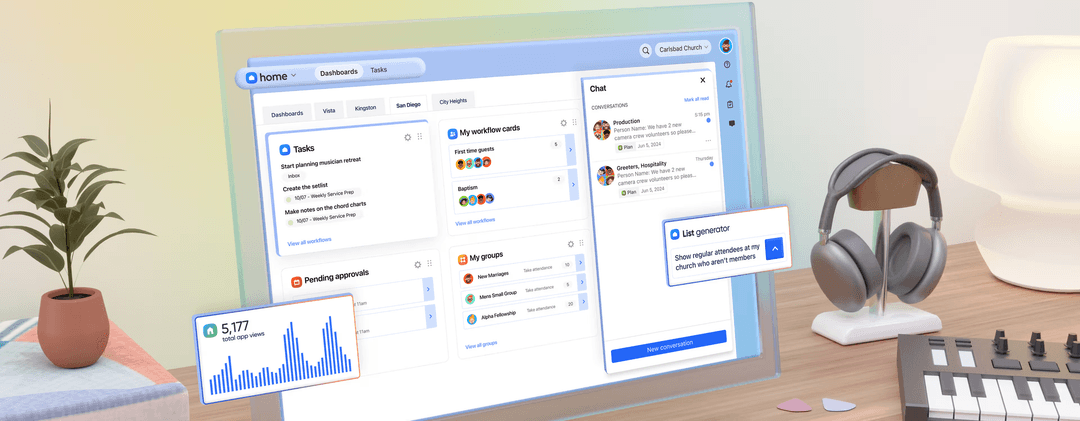
- Modular system lets you choose the tools you need—People, Services, Giving, Check-Ins, and more.
- Strong tools for scheduling, reminders, and communication.
- Solid mobile apps for both staff and congregants.
- Can add up if you use multiple tools.
- Not built for full accounting or fund management.
- Focuses more on engagement than donor development.
ChMeetings
- Small and Growing ChurchesSmaller churches can start with core member, giving, event, and communication tools, then expand into more advanced features as their needs grow.
- Mid-Sized and Large ChurchesLarger congregations can manage membership, attendance, giving, volunteers, worship planning, accounting, forms, and follow-ups without splitting those workflows across several systems.
- Multi-Campus ChurchesMulti-location churches can organize people, ministries, groups, events, and permissions across locations while maintaining centralized administration.
- Dioceses and Church NetworksDioceses can oversee multiple independent churches, manage shared members and reporting, and run elections while allowing each church to manage its own operations.
- Churches Consolidating Multiple ToolsChurches using separate systems for membership, giving, worship planning, communications, and accounting can bring more of those workflows into ChMeetings.
- Faith-Based Nonprofits and MinistriesChristian nonprofits and ministries with similar needs around membership, donations, events, groups, and fund accounting may also be a good fit.
Planning Center
- Small to Mid-Sized Churches:Planning Center’s simple layout and flexible tools make it ideal for churches with lean teams.
- Volunteer CoordinationEasily schedule, remind, and communicate with volunteers across ministries.
- Worship TeamsThe Services module is built specifically for planning worship sets and assigning roles.
- Family MinistriesCheck-ins and attendance tools make managing kids' ministry or youth groups simple and secure.
- Multi-Ministry ChurchesEach module works well independently, or together, to support multiple departments.
- Churches Focused on Sunday ExcellenceHelps your team stay aligned, prepared, and distraction-free heading into weekends.
Who Should Use ChMeetings, and Who Should Use Planning Center?
If you’re looking for church management software that keeps member records, giving, communications, events, worship planning, and fund accounting connected in one system, ChMeetings is likely the better fit. It’s especially useful if you value people-based pricing, free managed migration, multilingual support, a custom branded app option, or centralized administration across multiple churches and dioceses.
If, instead, you prefer a modular setup where individual church functions are managed through separate applications, Planning Center may suit your organization. It can work well for churches that want to select tools around specific ministry needs, particularly for service planning, workflows, room and resource tracking, custom reporting, and text giving.
| ChMeetings | Planning Center | |
|---|---|---|
| Church Accounting | ChMeetings Includes built-in fund accounting, budgeting, bank transaction syncing, financial reports, and check printing. | Planning Center Focuses on giving and donation management rather than full church accounting, so you may still need separate accounting software. |
| Data Migration | ChMeetings Includes free managed migration with every paid plan, including people, giving, groups, events, and accounting data. | Planning Center Supports imports and migration resources, with additional migration assistance available through third-party providers. |
| Multi-Church Administration | ChMeetings Provides dedicated Diocese tools for centralized oversight across multiple churches, including shared-member workflows and church-level autonomy. | Planning Center Supports multiple campuses within a Planning Center organization, with administration organized across its individual applications. |
| Platform Structure | ChMeetings Brings people, giving, events, communications, worship planning, accounting, and other church operations into a unified system. | Planning Center Organizes church management across separate applications that can be selected according to ministry needs. |
| Pricing Model | ChMeetings Uses plans based mainly on the number of active people, with most functionality bundled according to tier. | Planning Center Uses modular subscriptions, with costs determined by the applications selected and usage within them. |
| Events & Check-In | Both support event registration, attendance tracking, calendars, and child check-in for services and ministry activities. |
|---|---|
| Giving Tools | Both support online and offline giving, recurring donations, funds, pledges, donor records, and contribution reporting. |
| Member Access | Both provide mobile and web-based ways for congregants to access church information, events, groups, giving, and other self-service functions. |
| People & Groups | Both maintain member and household records, organize people into groups or ministries, and connect those records with other church activities. |
| Volunteer & Service Planning | Both help churches schedule volunteers, assign serving roles, communicate with teams, and organize upcoming services. |