


ChMeetings vs. ChurchTrac: Expert Comparison for 2026
ChMeetings and ChurchTrac both cover core church management needs, but they differ in mobile access, AI tools, multilingual support, pricing, and member engagement features. See how they compare on administration, accounting, communications, integrations, and best use cases.

We review tools independently, and commissions help fund our testing. See our transparency policy, our methodology, or suggest a tool.
ChMeetings
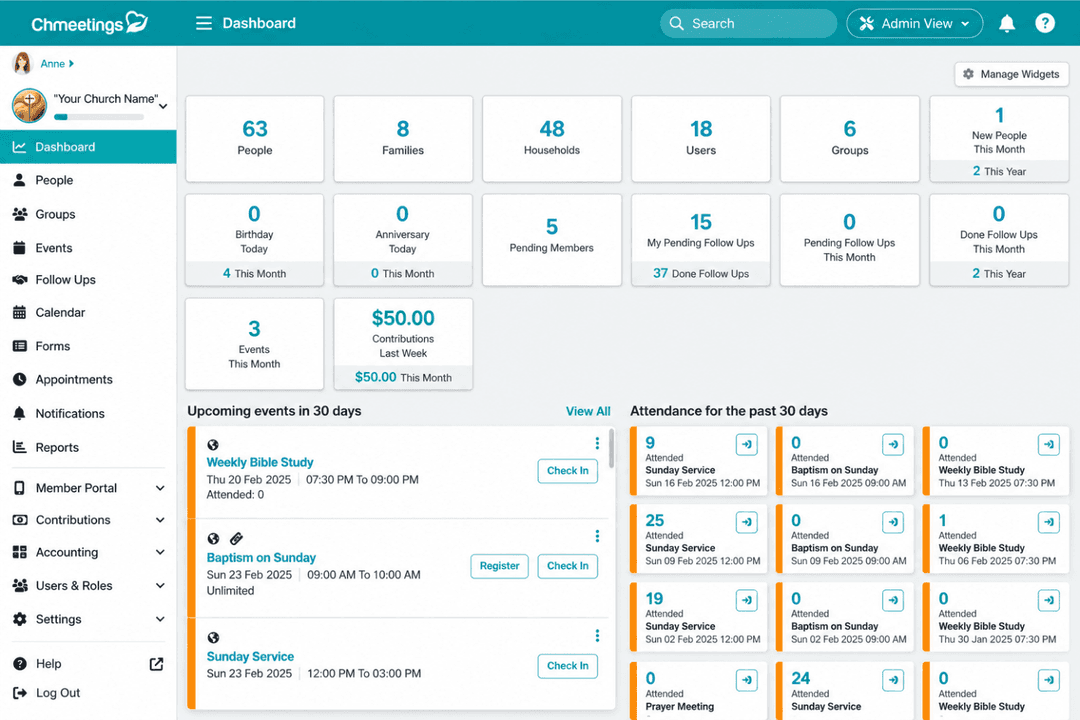


4.9/5
- Free plan available + 30-day free trial
- From $12/month
ChurchTrac
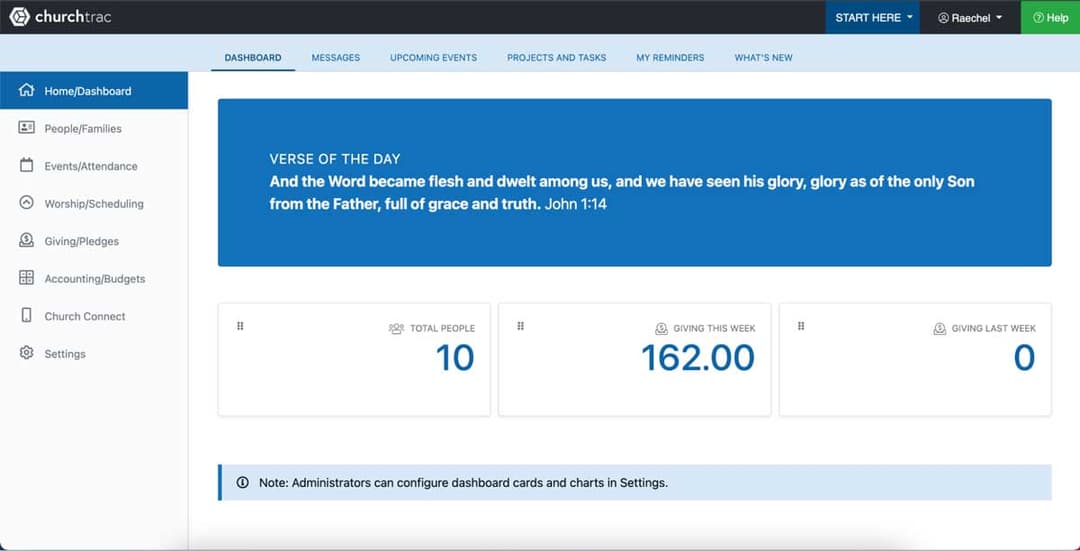
4.8/5
- 30-day free trial
- From $29/month (billed annually)
Why Trust Our Software Recommendations
6,700+
Reviews
20
Industry experts
16+
Evaluation factors
14
Years
Our team has been testing and reviewing software since 2012. As church leaders ourselves, we know how difficult—and important—it is to choose the right software.
For this guide, we evaluated tools using hands-on testing and independent research, scoring tools using our selection criteria.
Our reviews reflect our human editorial judgment, not a sales pitch.
| ChMeetings | ChurchTrac | |
|---|---|---|
| Free Trial | Free plan available + 30-day free trial | 30-day free trial |
| Pricing | From $12/month | From $29/month (billed annually) |
ChMeetings vs. ChurchTrac Pricing & Hidden Costs
ChMeetings uses tiered pricing based on the number of active people, with a permanent free plan, monthly or annual billing, no separate user or administrator limits, and most church management features bundled by tier. Extra costs can come from messaging credits, the optional branded app, additional media storage, and payment processing. ChurchTrac, on the other hand, also uses people-based subscription pricing, with additional costs possible for selected add-ons and services.
To compare the two, look beyond the base subscription and map out the features your church needs now and as it grows. Factor in congregation size, messaging volume, giving transactions, storage, add-ons, billing flexibility, and how costs may change over time so you can compare long-term value rather than entry pricing alone.
| ChMeetings | ChurchTrac | |
|---|---|---|
| API | Yes | Yes |
| Calendar Management | Yes | No |
| Contact Management | Yes | No |
| Dashboards | Yes | No |
| Data Export | Yes | Yes |
| Data Import | Yes | Yes |
| Document Management | No | No |
| External Integrations | Yes | Yes |
| Multi-User | Yes | Yes |
| Notifications | Yes | Yes |
| Payment Gateway Integration | Yes | No |
| Scheduling | Yes | No |
| Workflow Management | Yes | No |
| Integration | ChMeetings | ChurchTrac |
|---|---|---|
| IntegrationStripe | ChMeetings✅ | ChurchTrac✅ |
| IntegrationMailchimp | ChMeetings✅ | ChurchTrac✅ |
| IntegrationPayPal | ChMeetings✅ | ChurchTrac❌ |
| IntegrationTwilio | ChMeetings✅ | ChurchTrac✅ |
| IntegrationPaystack | ChMeetings✅ | ChurchTrac❌ |
| IntegrationSMS Global | ChMeetings✅ | ChurchTrac❌ |
| IntegrationClickatell | ChMeetings✅ | ChurchTrac❌ |
| IntegrationBluesnap | ChMeetings✅ | ChurchTrac❌ |
| IntegrationAPI | ChMeetings✅ | ChurchTrac❌ |
| IntegrationZapier | ChMeetings✅ | ChurchTrac❌ |
Both ChMeetings and ChurchTrac support common church software integrations, but ChMeetings offers the broader connectivity options through payment providers, messaging services, API access, and Zapier. ChurchTrac focuses on a smaller set of supported integrations around payments, email, and messaging. Overall, ChMeetings is better suited to churches that want to connect their church management software with a wider range of external tools, while ChurchTrac keeps integrations centered on core administrative needs.
| Factor | ChMeetings | ChurchTrac |
|---|---|---|
| FactorData Protection | ChMeetingsUses Microsoft Azure hosting in the US, TLS encryption in transit, infrastructure-level encryption at rest, and US-only data residency. | ChurchTracUses TLS-encrypted connections, separate databases for each church account, encrypted or hashed sensitive data, and protected file access through expiring URLs. |
| FactorAccess Controls | ChMeetingsSupports two-factor authentication (2FA) that can be required for all users, with email or SMS/voice verification, user permissions, and trusted-device management. | ChurchTracSupports two-factor authentication (2FA) for user accounts, with email or SMS/voice verification, plus account access controls and trusted-device management. |
| FactorPayment Security | ChMeetingsStores only limited payment details while payment information is handled through integrated gateways such as Stripe, PayPal, and Paystack. | ChurchTracUses Stripe for payment processing and tokenization without storing donor credit card or bank account details. |
| FactorBackups & Reliability | ChMeetingsPerforms daily backups retained for 90 days, supports user exports and API-based backups, offers point-in-time restore for eligible Enterprise databases, and includes a 99.9% uptime SLA. | ChurchTracUses redundant AWS infrastructure, autoscaling, and hourly, daily, weekly, and monthly backups stored offline and offsite. |
| FactorPrivacy & Monitoring | ChMeetingsGDPR compliant, with activity logging, security monitoring, incident-response procedures, and prompt notification when customer data is affected. | ChurchTracUses continuous infrastructure monitoring, internal and third-party security audits, and documented privacy and security practices. |
Both platforms cover the core safeguards churches should expect for member, giving, and administrative data. ChMeetings emphasizes granular access controls, activity logging, GDPR compliance, and structured backup options, while ChurchTrac emphasizes isolated databases, infrastructure redundancy, and frequent backups. The main difference is how those protections are implemented rather than a clear security gap.
| Factor | ChMeetings | ChurchTrac |
|---|---|---|
| FactorUser Interface | ChMeetingsUses a unified web and mobile interface for people, giving, events, communications, worship planning, accounting, and other church workflows. | ChurchTracUses a browser-based interface organized around core church administration, giving, attendance, accounting, and ministry tools. |
| FactorOnboarding | ChMeetingsSupports self-guided setup or free guided onboarding, with help articles, video walkthroughs, and free managed migration, including accounting data, on paid plans. | ChurchTracProvides setup guidance, documentation, videos, and support resources for churches moving into the platform. |
| FactorDaily Workflows | ChMeetingsKeeps common tasks such as attendance, messaging, giving, events, volunteer scheduling, and member management connected within the same system. | ChurchTracBrings people, attendance, giving, accounting, and other church administration into a central workspace, with member-facing tools available through Church Connect. |
| FactorCustomization | ChMeetingsSupports custom fields, forms, ministries, roles, permissions, dashboards, member-facing tools, and configuration across church workflows. | ChurchTracSupports configurable records, forms, reports, workflows, and Church Connect content for different ministry needs. |
| FactorSupport | ChMeetingsProvides phone, live chat, Zoom support, documentation, video guidance, onboarding assistance, and migration support for paid customers. | ChurchTracProvides ticket-based support, documentation, training videos, and scheduled phone assistance. |
The main usability difference is how each platform handles day-to-day administration. ChMeetings combines broad functionality with mobile admin access, guided onboarding, and managed migration, while ChurchTrac centers on browser-based workflows and Church Connect for members. ChMeetings may take some familiarization in areas such as accounting and integrations, but its connected structure keeps most tasks within the same system.
ChMeetings
- Combines member management, giving, events, volunteers, worship planning, communications, and fund accounting in one church-focused system.
- Member portal and mobile app let congregants update profiles, register for events, give online, and receive church communications directly.
- Built-in AI supports tasks such as people searches, form creation, and email drafting, while read-only AI connections can query church data without changing records.
- Customer data is hosted only in the United States, with no option to choose another hosting region.
- Some capabilities, including accounting and appointments, require higher paid plans.
- SMS and voice messaging require additional credits, adding usage-based costs beyond the subscription price.
ChurchTrac
- ChurchTrac’s customer support is highly praised for its responsiveness and helpfulness.
- It provides user-friendly tools for managing church attendance tracking and communication, including SMS.
- The software’s giving, online donations, and donation tracking features are robust and easy to use.
- The user interface can feel outdated compared to newer church management software.
- Some users find the onboarding process less intuitive and challenging for non-profits.
- It lacks advanced customization options for more complex church needs or integration-heavy organizations.
ChMeetings
- Small and Growing ChurchesSmaller churches can start with core member, giving, event, and communication tools, then expand into more advanced features as their needs grow.
- Mid-Sized and Large ChurchesLarger congregations can manage membership, attendance, giving, volunteers, worship planning, accounting, forms, and follow-ups without splitting those workflows across several systems.
- Multi-Campus ChurchesMulti-location churches can organize people, ministries, groups, events, and permissions across locations while maintaining centralized administration.
- Dioceses and Church NetworksDioceses can oversee multiple independent churches, manage shared members and reporting, and run elections while allowing each church to manage its own operations.
- Churches Consolidating Multiple ToolsChurches using separate systems for membership, giving, worship planning, communications, and accounting can bring more of those workflows into ChMeetings.
- Faith-Based Nonprofits and MinistriesChristian nonprofits and ministries with similar needs around membership, donations, events, groups, and fund accounting may also be a good fit.
ChurchTrac
- Small ChurchesChurchTrac is perfect for a small church that needs an easy-to-use church management software to manage congregational data and communication.
- Volunteer CoordinatorsIts tools for attendance tracking and managing volunteer schedules help you organize your team effectively.
- Youth MinistriesWith features for event planning and communication, ChurchTrac supports youth ministries in engaging with younger members.
- Donation ManagersChurchTrac’s online giving and donation tracking features simplify church finances for those handling church bookkeeping.
- Community OutreachIts communication tools, including sms, enable effective outreach and engagement with your community.
- Non-Tech-Savvy UsersChurchTrac‘s user-friendly interface makes it accessible for users who aren’t tech-savvy, allowing them to manage tasks easily.
Who Should Use ChMeetings, And Who Should Use ChurchTrac?
If you’re looking for church management software that combines people, giving, events, communications, worship planning, accounting, and member engagement in one system, ChMeetings is likely the better fit. It’s especially useful if you value mobile administration, AI-assisted tools, multilingual support, API and Zapier access, a custom branded app option, or centralized management across multiple churches and dioceses.
If, instead, you prefer a straightforward church management setup centered on core administration, accounting, giving, attendance, and member engagement, ChurchTrac may suit your organization. It can work well for churches that value Church Connect, text giving, background-check integrations, centralized file management, and dedicated worship tools.
| ChMeetings | ChurchTrac | |
|---|---|---|
| AI & Connectivity | ChMeetings Provides in-app AI assistance and read-only AI assistant connectivity, plus a public API and Zapier for extending workflows. | ChurchTrac Focuses on built-in workflows and supported integrations without a public API, Zapier connection, or comparable AI tools. |
| Mobile Experience | ChMeetings Provides iOS and Android access for both members and administrators, plus an optional app published under the church’s own branding. | ChurchTrac Provides Church Connect for member-facing mobile access, while church administration remains primarily browser based. |
| Organizational Scale | ChMeetings Supports 26 languages and dedicated diocese tools for centralized administration across multiple churches. | ChurchTrac Supports individual church organizations with English and Spanish language options. |
| Pricing Model | ChMeetings Uses people-based tiers with a permanent free plan, no separate user or administrator limits, and most functionality bundled according to tier. | ChurchTrac Uses people-based paid plans, with selected capabilities and services available as add-ons. |
| Specialized Administration | ChMeetings Includes appointments, digital signatures, elections, blog tools, and dedicated diocese capabilities. | ChurchTrac Includes MinistrySafe background checks and centralized file management for additional administrative needs. |
| Communication & Follow-Up | Both support email, text and voice messaging, forms, follow-up workflows, and automated communications so churches can stay in contact with members and ministry groups. |
|---|---|
| Events & Check-In | Both help churches create events, manage registrations, track attendance, maintain calendars, and handle child check-in with labels or name tags for safer ministry programs. |
| Giving & Accounting | Both support online and in-person giving, pledges, contribution statements, donor records, budgeting, accounting workflows, and financial reporting for church operations. |
| People & Groups | Both platforms manage member and household records, relationships, groups, ministries, attendance history, and other participation data used for day-to-day church administration. |
| Volunteers & Worship | Both provide tools for scheduling volunteers, assigning serving roles, coordinating ministry teams, and planning worship services or other church activities. |