

Excellerate Review: Pros, Cons, Features & Pricing
Excellerate excels in offering user-friendly church management solutions with robust features tailored for diverse ministry needs.

We review tools independently, and commissions help fund our testing. See our transparency policy, our methodology, or suggest a tool.
Excellerate is a church software designed for congregations that need to track membership, manage contributions, and coordinate small groups in one place. I'd consider it if you want a system that's easier to get up and running than a platform like Planning Center—especially if your church prefers a cost-effective, locally installed solution over a subscription-heavy cloud tool where costs can climb quickly as your congregation grows.
Excellerate Evaluation Summary

0/5
- Pricing upon request
- Free demo available
Why Trust Our Software Recommendations
6,700+
Reviews
20
Industry experts
16+
Evaluation factors
14
Years
Our team has been testing and reviewing software since 2012. As church leaders ourselves, we know how difficult—and important—it is to choose the right software.
For this guide, we evaluated tools using hands-on testing and independent research, scoring tools using our selection criteria.
Our reviews reflect our human editorial judgment, not a sales pitch.
Is Excellerate Right For Your Needs?
Who Would Be a Good Fit for Excellerate?
Small to medium-sized churches and ministries are well-suited for Excellerate. Its easy-to-use interface and effective volunteer coordination make it ideal for teams that may not have extensive technical expertise. If your church relies on managing member data and tracking progress through reports, Excellerate's robust reporting tools will serve your needs well. Its focus on simplifying administrative tasks makes it a great choice for churches looking to enhance community engagement without the complexity of more advanced systems.
- Small ChurchesExcellerate simplifies managing member data and events, perfect for small churches with limited resources.
- Volunteer TeamsIts volunteer coordination feature makes organizing your team straightforward and efficient.
- Community OutreachYou can use its reporting tools to track and enhance your outreach programs effectively.
- Ministry LeadersExcellerate provides user-friendly tools to manage ministry-specific activities and data.
- Event PlannersIts event management capabilities help you plan and execute church events smoothly.
- Data-Driven ChurchesRobust reporting features allow you to track progress and make informed decisions for your church.
Who Would Be a Bad Fit for Excellerate?
Large churches and organizations with complex needs may not find Excellerate suitable. Its limited customization options and basic mobile functionality can be restrictive for those requiring advanced features and integrations. If your team relies heavily on mobile access or needs extensive customization, you might find Excellerate lacking. Similarly, if your church demands intricate data analytics or specialized workflows, exploring other comprehensive solutions would be more beneficial.
- Large ChurchesIts limited customization might not meet the complex needs of large congregations.
- Tech-Savvy TeamsIf you're looking for advanced tech features, Excellerate's basic offerings could fall short.
- Mobile-Dependent UsersThe mobile app's limited functionality may not support users who need robust mobile access.
- Complex Event PlannersFor intricate event planning, Excellerate's straightforward tools might not suffice.
- Highly Customized WorkflowsIf you need extensive customization, Excellerate's offerings can be restrictive.
- Data-Intensive OrganizationsOrganizations requiring detailed data analytics may find Excellerate's reporting tools too basic.
How We Test & Score Tools
We’ve spent years building, refining, and improving our software testing and scoring system. The rubric is designed to capture the nuances of software selection and what makes a tool effective, focusing on critical aspects of the decision-making process.
Below, you can see exactly how our testing and scoring works across seven criteria. It allows us to provide an unbiased evaluation of the software based on core functionality, standout features, ease of use, onboarding, customer support, integrations, customer reviews, and value for money.
Core Functionality (25% of final scoring)
The starting point of our evaluation is always the core functionality of the tool. Does it have the basic features and functions that a user would expect to see? Are any of those core features locked to higher-tiered pricing plans? At its core, we expect a tool to stand up against the baseline capabilities of its competitors.
Standout Features (25% of final scoring)
Next, we evaluate uncommon standout features that go above and beyond the core functionality typically found in tools of its kind. A high score reflects specialized or unique features that make the product faster, more efficient, or offer additional value to the user.
We also evaluate how easy it is to integrate with other tools typically found in the tech stack to expand the functionality and utility of the software. Tools offering plentiful native integrations, 3rd party connections, and API access to build custom integrations score best.
Ease of Use (10% of final scoring)
We consider how quick and easy it is to execute the tasks defined in the core functionality using the tool. High scoring software is well designed, intuitive to use, offers mobile apps, provides templates, and makes relatively complex tasks seem simple.
Onboarding (10% of final scoring)
We know how important rapid team adoption is for a new platform, so we evaluate how easy it is to learn and use a tool with minimal training. We evaluate how quickly a team member can get set up and start using the tool with no experience. High scoring solutions indicate little or no support is required.
Customer Support (10% of final scoring)
We review how quick and easy it is to get unstuck and find help by phone, live chat, or knowledge base. Tools and companies that provide real-time support score best, while chatbots score worst.
Customer Reviews (10% of final scoring)
Beyond our own testing and evaluation, we consider the net promoter score from current and past customers. We review their likelihood, given the option, to choose the tool again for the core functionality. A high scoring software reflects a high net promoter score from current or past customers.
Value for Money (10% of final scoring)
Lastly, in consideration of all the other criteria, we review the average price of entry level plans against the core features and consider the value of the other evaluation criteria. Software that delivers more, for less, will score higher.
Core Features
Member Management:
You can easily store and organize member information, making it simple to track attendance and engagement. This helps you stay connected with your congregation.
Event Scheduling:
Plan and manage church events with ease using Excellerate's event scheduling feature. It ensures your team stays on top of upcoming activities.
Volunteer Coordination:
Assign roles and responsibilities effortlessly, helping your team collaborate effectively. This feature ensures no volunteer effort goes unnoticed.
Donation Tracking:
Monitor donations and financial contributions with precision. It gives you a clear view of your church's financial health.
Reporting Tools:
Generate insightful reports to analyze church activities and growth trends. These reports help you make informed decisions.
Communication Tools:
Send messages and updates to your congregation quickly. This keeps everyone informed and engaged.

Standout Features
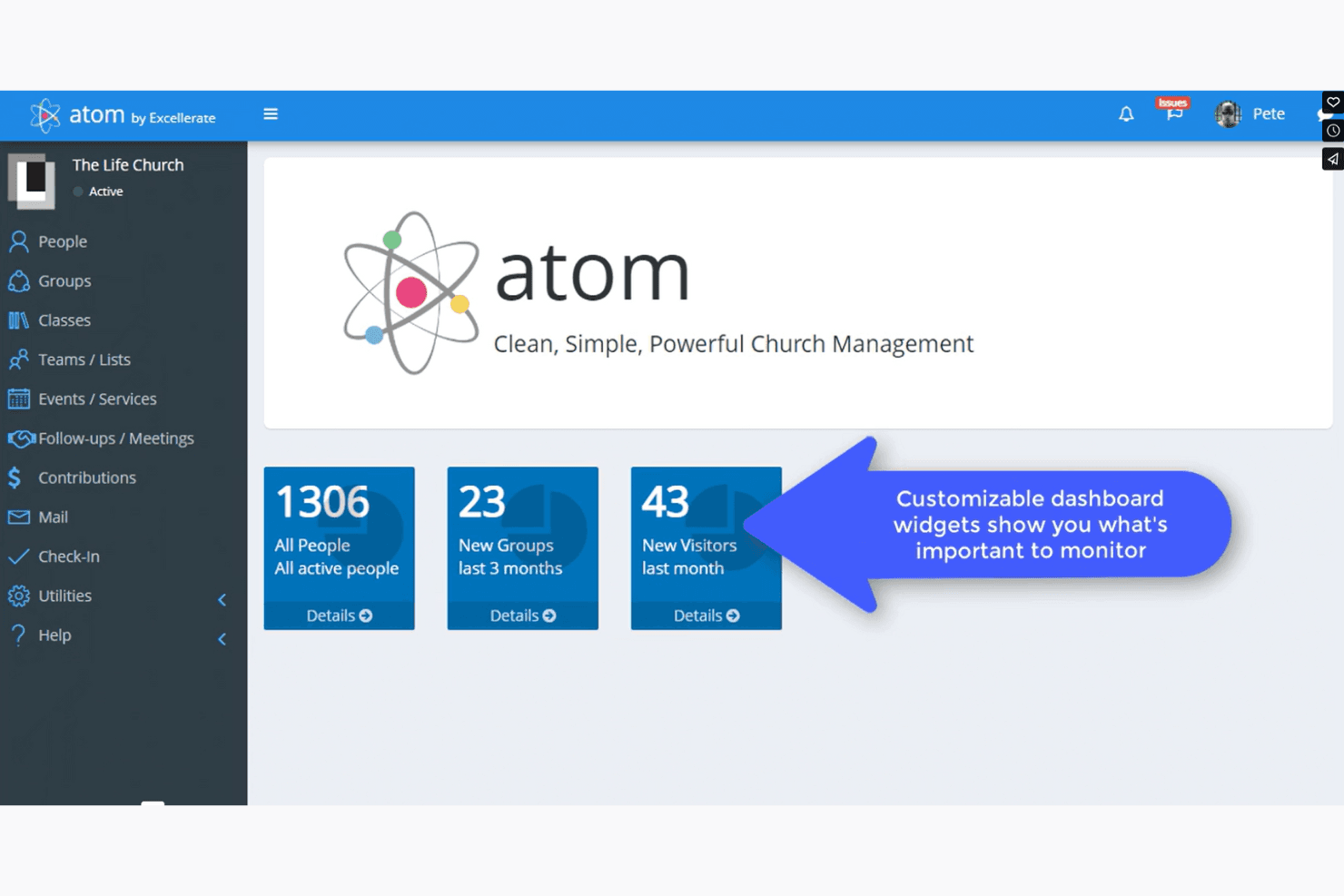
Customizable Dashboards:
Tailor your dashboard to display the most relevant information for your church. This helps you focus on what matters most.
Automated Follow-Ups:
Set up automated follow-ups to engage with members and visitors. This ensures no one falls through the cracks in your outreach efforts.
Ease of Use
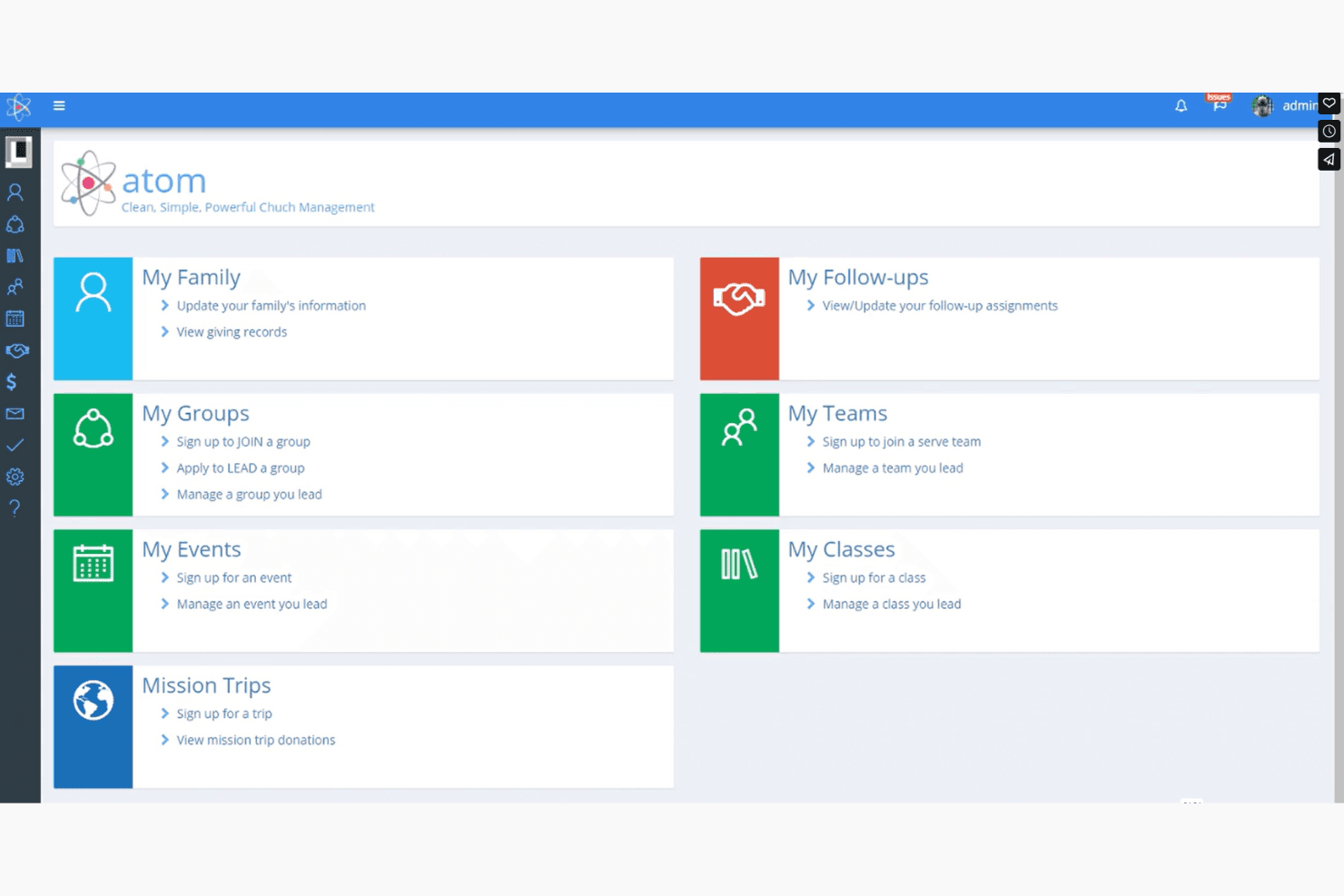
Excellerate is user-friendly, making it easy for you and your team to manage church activities without a steep learning curve. Its straightforward interface helps you navigate member data and event scheduling effortlessly. While some users mention it takes time to master all features, the intuitive design supports quick adoption. If you're looking for a tool that simplifies church management tasks without overwhelming your team, Excellerate is a solid choice.

Onboarding
Excellerate's onboarding process can feel a bit lengthy, but it provides comprehensive resources to guide you through the setup. With detailed tutorials and support, you and your team can gradually familiarize yourselves with the system. While some users find the initial learning curve challenging, the available resources help ease this transition. If you're patient and make use of the provided materials, you'll find yourself effectively managing your church's operations in no time.
Customer Support
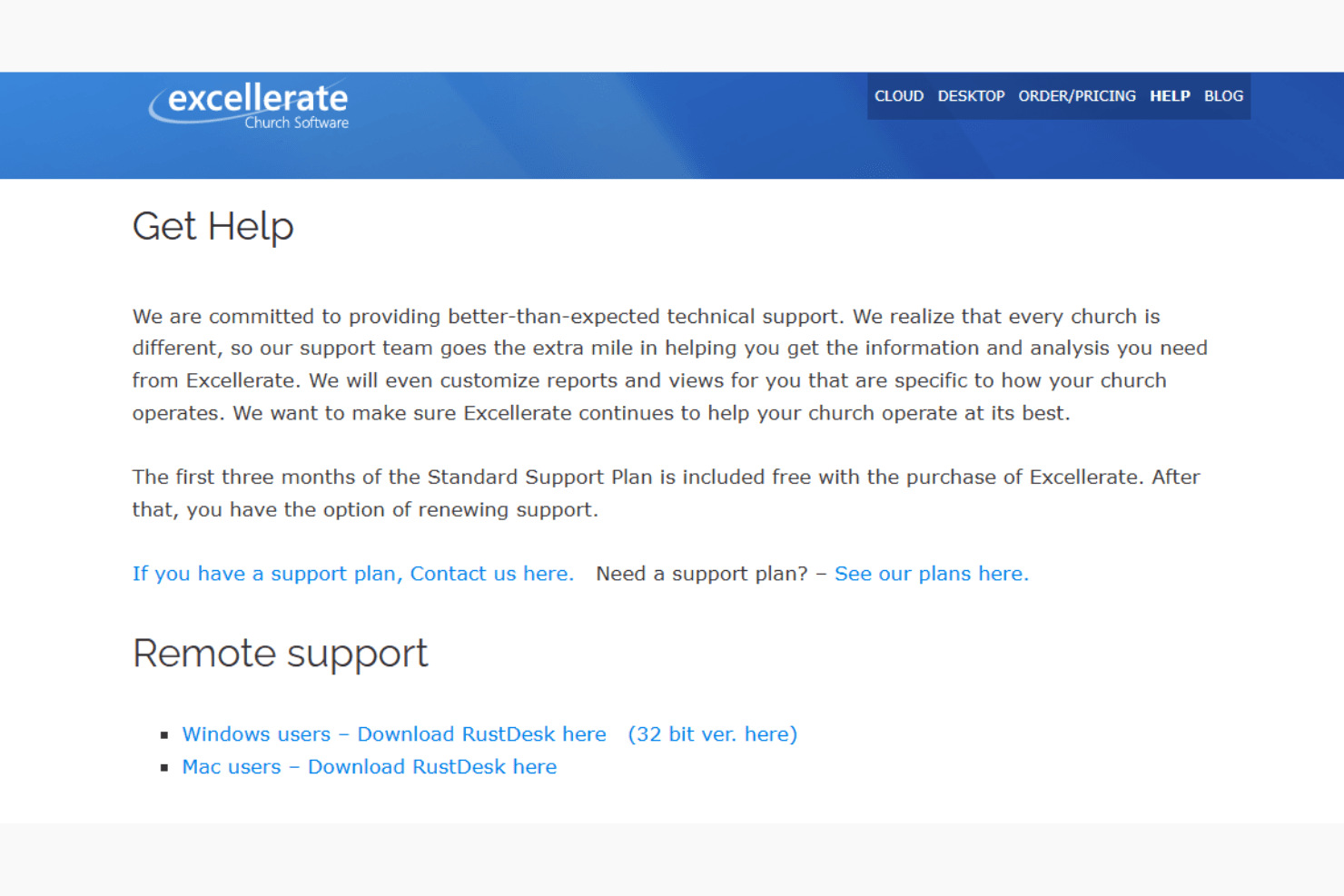
Excellerate offers solid customer support, helping you and your team navigate any challenges with ease. Users appreciate the responsive assistance, ensuring your questions are addressed promptly. With multiple support channels available, including tutorials and direct contact options, you can find the help you need when issues arise. While some users wish for faster resolution times, the overall support experience is positive, aiding in smooth church management operations.
Value for Money
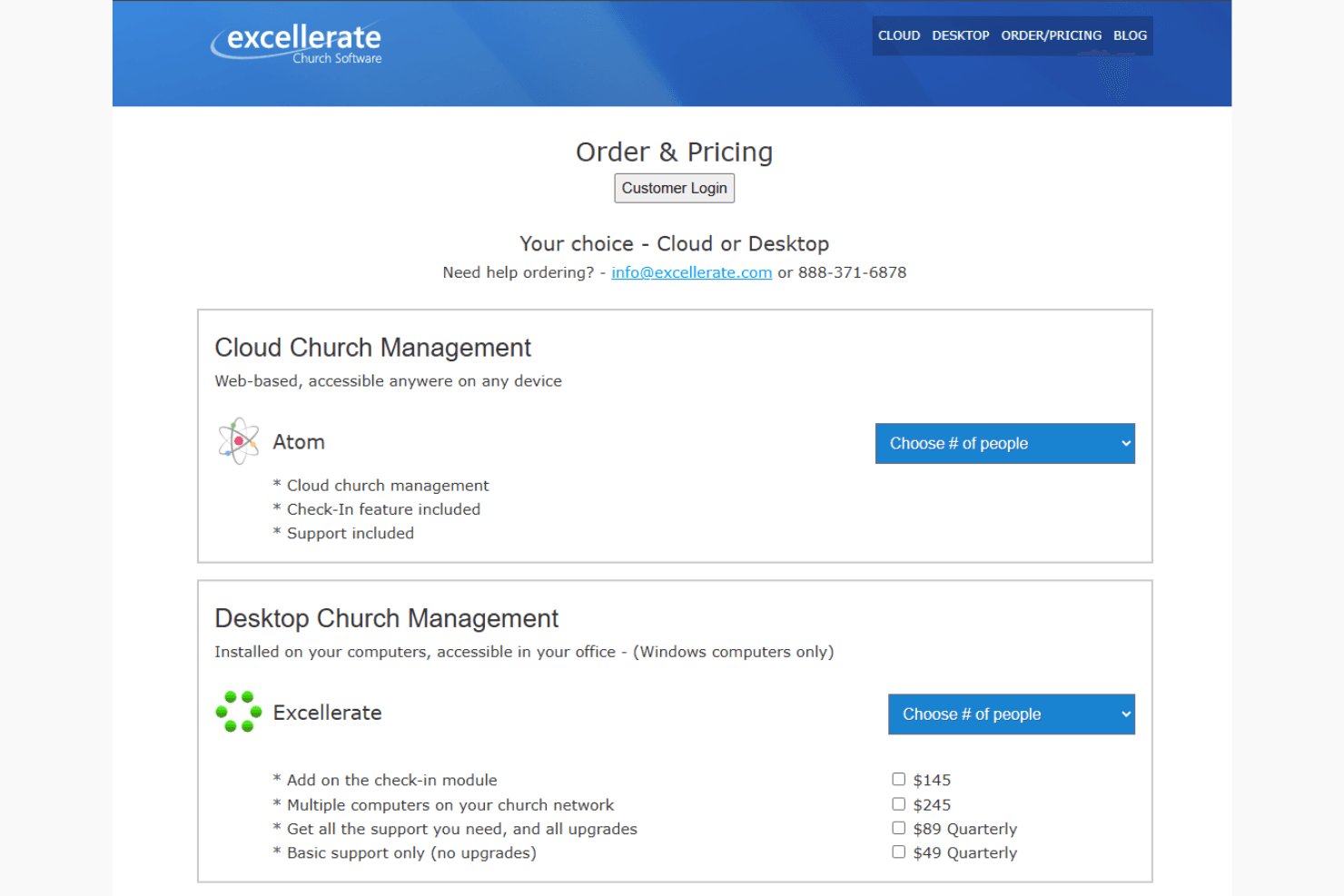
Excellerate offers scalable pricing based on deployment type and church size, making it flexible for growing ministries. Churches can choose between cloud-based or on-premise options, each with tailored feature sets. While some users may find advanced tools locked behind higher tiers, the overall value lies in customization and long-term scalability.
- Cloud Option: Ideal for churches wanting remote access with minimal IT setup.
- On-Premise Option: Best for churches seeking full control over installation and data.
Excellerate Specs
- API: No
- Calendar Management: No
- Contact Management: No
- Dashboards: No
- Data Export: No
- Data Import: No
- Document Management: No
- External Integrations: No
- Multi-User: No
- Notifications: No
- Payment Gateway Integration: No
- Scheduling: No
- Workflow Management: No
Excellerate FAQs
What's Next?
Subscribe to our newsletter to get the latest resources, best practices, and insights on managing churches from expert pastors and church leaders.