

Churchteams Review: Pros, Cons, Features & Pricing

We review tools independently, and commissions help fund our testing. See our transparency policy, our methodology, or suggest a tool.
Churchteams is a church software built around group-based ministry—tracking membership, attendance, giving, and communication from a single connected system. It's worth a close look if your church needs a true all-in-one platform without managing multiple subscriptions. Compared to Planning Center, which charges separately for each module, Churchteams keeps everything under one price, making it a more predictable option for churches that want full functionality without the cost creep.
Churchteams Evaluation Summary
4.7/5
- From $37/month
- 30-day free trial available
Why Trust Our Software Recommendations
6,700+
Reviews
20
Industry experts
16+
Evaluation factors
14
Years
Our team has been testing and reviewing software since 2012. As church leaders ourselves, we know how difficult—and important—it is to choose the right software.
For this guide, we evaluated tools using hands-on testing and independent research, scoring tools using our selection criteria.
Our reviews reflect our human editorial judgment, not a sales pitch.
Churchteams Overview
Pros
- Customer support is highly responsive and personal, setting it apart from automated systems.
- The platform's ease of use makes it accessible for teams with varying tech skills.
- Member engagement tools effectively strengthen community connections.
Cons
- Some users find the onboarding process could be more streamlined.
- The interface may not be as visually appealing as some competitors.
- Reporting features might lack depth for data-driven churches seeking extensive analytics.
Is Churchteams Right For Your Needs?
Who Would be a Good Fit for Churchteams?
- Small ChurchesChurchteams excels at helping small churches manage their community and communication effectively without overwhelming your team.
- Youth MinistriesIts member engagement features are perfect for youth ministries aiming to foster strong connections with younger members.
- Volunteer CoordinatorsChurchteams makes tracking volunteers and organizing schedules a breeze, simplifying your coordination efforts.
- Outreach ProgramsThe platform's communication tools support outreach programs by ensuring clear and consistent messaging.
- Non-Technical TeamsChurchteams's intuitive interface is ideal for teams without technical expertise, allowing you to focus on ministry work.
- Community BuildersIf your goal is to build a strong church community, Churchteams provides the tools to engage and connect members effectively.
Who Would be a Bad Fit for Churchteams?
- Large ChurchesChurchteams may struggle to meet the complex data and reporting needs of large congregations.
- Tech-Savvy TeamsIf your team prefers advanced customization and tech integrations, Churchteams might feel too basic.
- Data-Driven AnalystsChurchteams' reporting features aren't robust enough for teams needing extensive data analysis.
- Design-Focused OrganizationsIts interface may not satisfy those who prioritize cutting-edge design and aesthetics.
- Highly Customized OperationsOrganizations needing extensive customization might find Churchteams's straightforward setup limiting.
- Advanced IntegratorsIf your work involves integrating multiple complex systems, Churchteams might not offer the flexibility you need.
How We Test & Score Tools
We’ve spent years building, refining, and improving our software testing and scoring system. The rubric is designed to capture the nuances of software selection and what makes a tool effective, focusing on critical aspects of the decision-making process.
Below, you can see exactly how our testing and scoring works across seven criteria. It allows us to provide an unbiased evaluation of the software based on core functionality, standout features, ease of use, onboarding, customer support, integrations, customer reviews, and value for money.
Core Functionality (25% of final scoring)
The starting point of our evaluation is always the core functionality of the tool. Does it have the basic features and functions that a user would expect to see? Are any of those core features locked to higher-tiered pricing plans? At its core, we expect a tool to stand up against the baseline capabilities of its competitors.
Standout Features (25% of final scoring)
Next, we evaluate uncommon standout features that go above and beyond the core functionality typically found in tools of its kind. A high score reflects specialized or unique features that make the product faster, more efficient, or offer additional value to the user.
We also evaluate how easy it is to integrate with other tools typically found in the tech stack to expand the functionality and utility of the software. Tools offering plentiful native integrations, 3rd party connections, and API access to build custom integrations score best.
Ease of Use (10% of final scoring)
We consider how quick and easy it is to execute the tasks defined in the core functionality using the tool. High scoring software is well designed, intuitive to use, offers mobile apps, provides templates, and makes relatively complex tasks seem simple.
Onboarding (10% of final scoring)
We know how important rapid team adoption is for a new platform, so we evaluate how easy it is to learn and use a tool with minimal training. We evaluate how quickly a team member can get set up and start using the tool with no experience. High scoring solutions indicate little or no support is required.
Customer Support (10% of final scoring)
We review how quick and easy it is to get unstuck and find help by phone, live chat, or knowledge base. Tools and companies that provide real-time support score best, while chatbots score worst.
Customer Reviews (10% of final scoring)
Beyond our own testing and evaluation, we consider the net promoter score from current and past customers. We review their likelihood, given the option, to choose the tool again for the core functionality. A high scoring software reflects a high net promoter score from current or past customers.
Value for Money (10% of final scoring)
Lastly, in consideration of all the other criteria, we review the average price of entry level plans against the core features and consider the value of the other evaluation criteria. Software that delivers more, for less, will score higher.
Core Features
Membership Management:
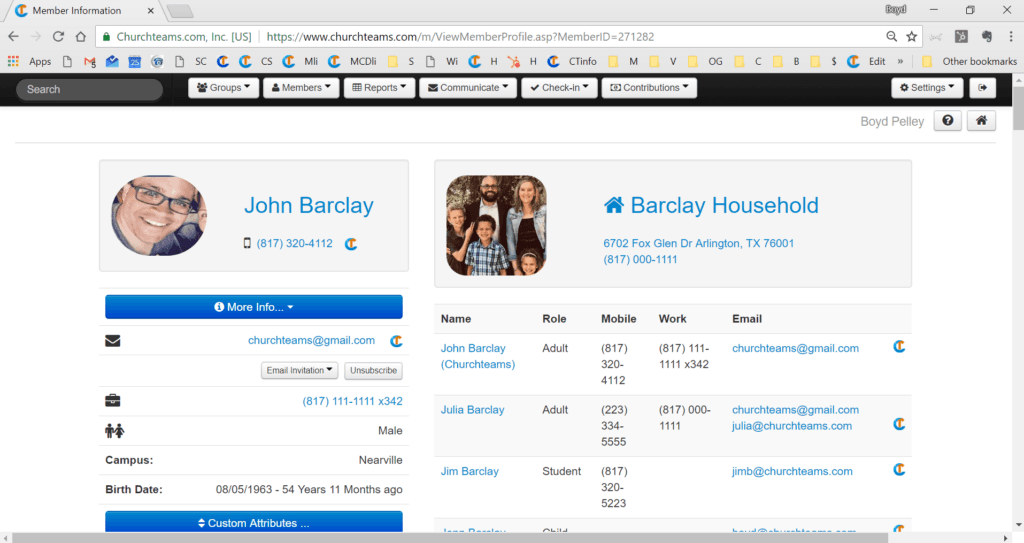
Churchteams helps you keep track of your members' information easily, allowing for personalized engagement and communication. You can quickly update records and access member details anytime.
Communication Tools:
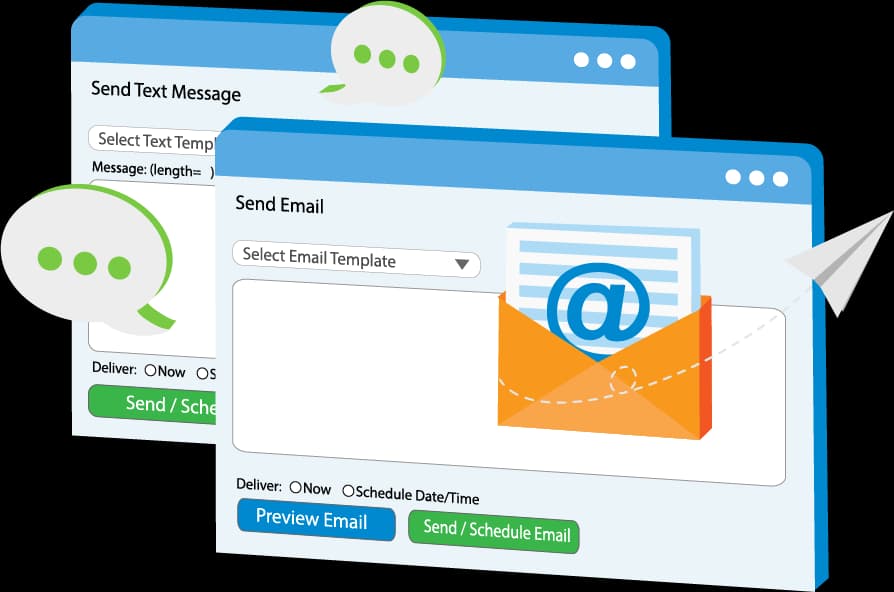
The platform offers email and text messaging features to keep your congregation informed and connected. You can send targeted messages to specific groups effortlessly.
Event Scheduling:
Organize and manage church events with Churchteams's scheduling feature. It simplifies the process, helping you coordinate resources and notify participants.
Volunteer Management:
Easily track volunteer availability and roles with this feature. It helps you coordinate and assign tasks without hassle, ensuring smooth operations.
Attendance Tracking:
Monitor member attendance with Churchteams's tracking feature, which provides insights into participation trends. This data helps you engage with members more effectively.
Giving and Contributions:
Manage donations and contributions efficiently with built-in giving tools. These tools provide you with reports and insights to support your financial planning.
Standout Features
Member Engagement Tools:
Churchteams offers unique tools that strengthen community bonds, such as personalized communication and feedback options. These features help foster a sense of belonging and involvement.
Responsive Customer Support:
Known for its exceptional customer service, Churchteams provides timely support to resolve your issues quickly. This ensures you can focus on your ministry without tech-related interruptions.
Ease of Use
Churchteams stands out for its user-friendly design, making it accessible to teams with varying tech skills. Its straightforward interface allows you to navigate features like member management and event scheduling without frustration. Users appreciate the intuitive layout, which minimizes the learning curve and lets you focus on your ministry rather than wrestling with complex software. This simplicity makes it a preferred choice for churches seeking efficiency without sacrificing functionality.
Onboarding
Churchteams offers a decent onboarding experience with clear instructions and helpful resources to guide new users. While some find the process could be more streamlined, the available support compensates with responsive customer service and detailed documentation. This ensures your team can get up to speed without prolonged delays. The combination of support and resources helps you achieve value from the software relatively quickly, despite the initial learning curve.
Customer Support
Churchteams shines with its exceptional customer support, offering responsive and personalized assistance that users value highly. Whether you reach out via email or phone, the team is quick to address your concerns, ensuring smooth operation of your church management tasks. The support staff's dedication to resolving issues and providing guidance enhances your overall experience, making it a standout feature compared to others. This reliability gives you confidence in using the software effectively.
Integrations
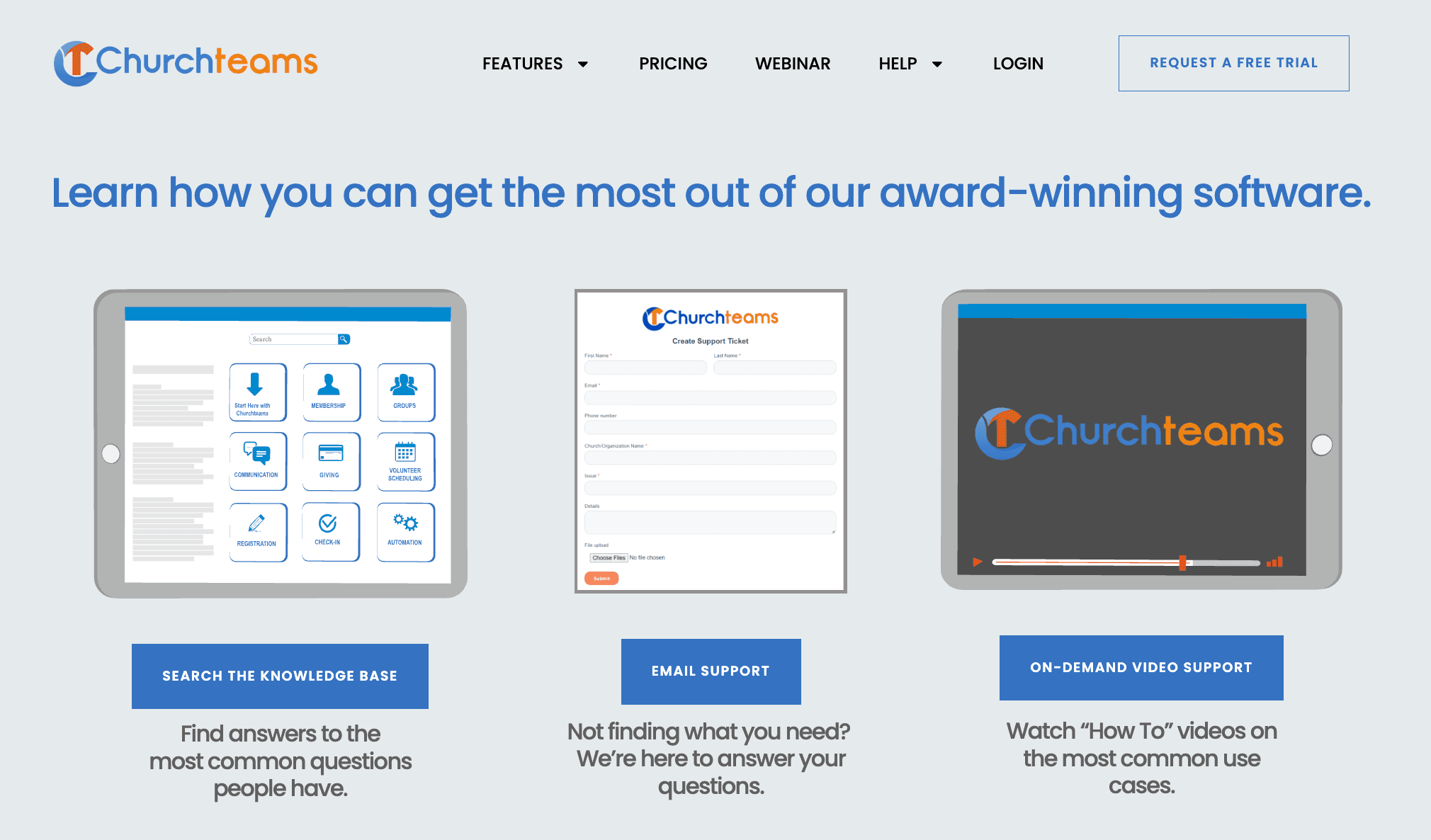
Churchteams integrates natively with Mailchimp, Planning Center, QuickBooks, Text-to-Church, MinistrySafe, Authorize.Net, Pushpay, Stripe, PayPal, and Zoom.
It also offers an open API and connects with third-party tools like Zapier.
Value for Money
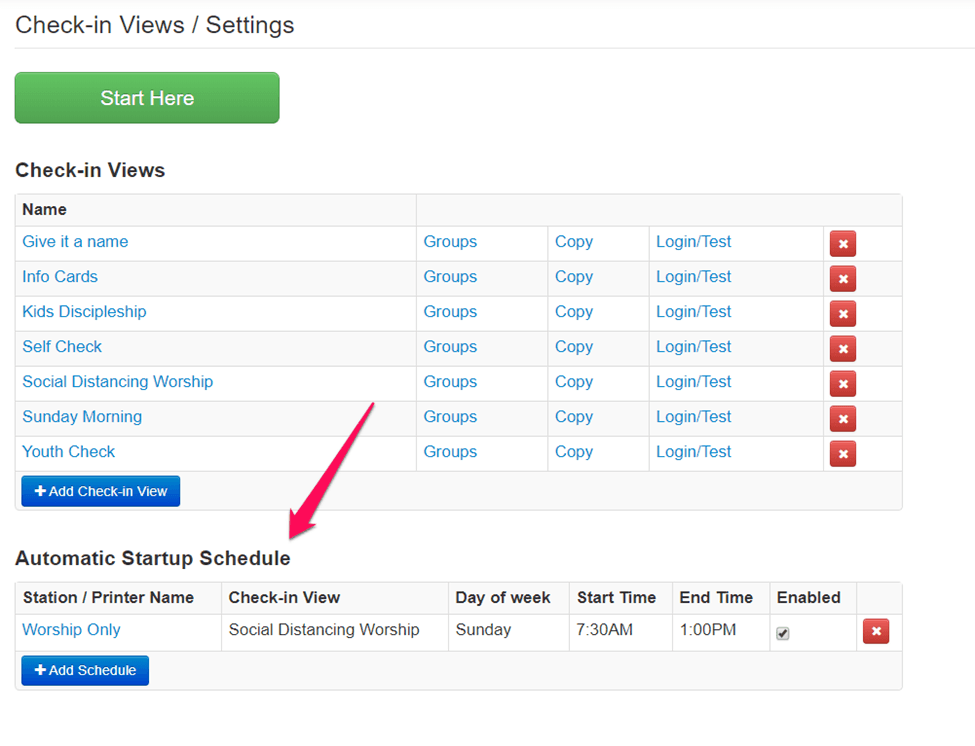
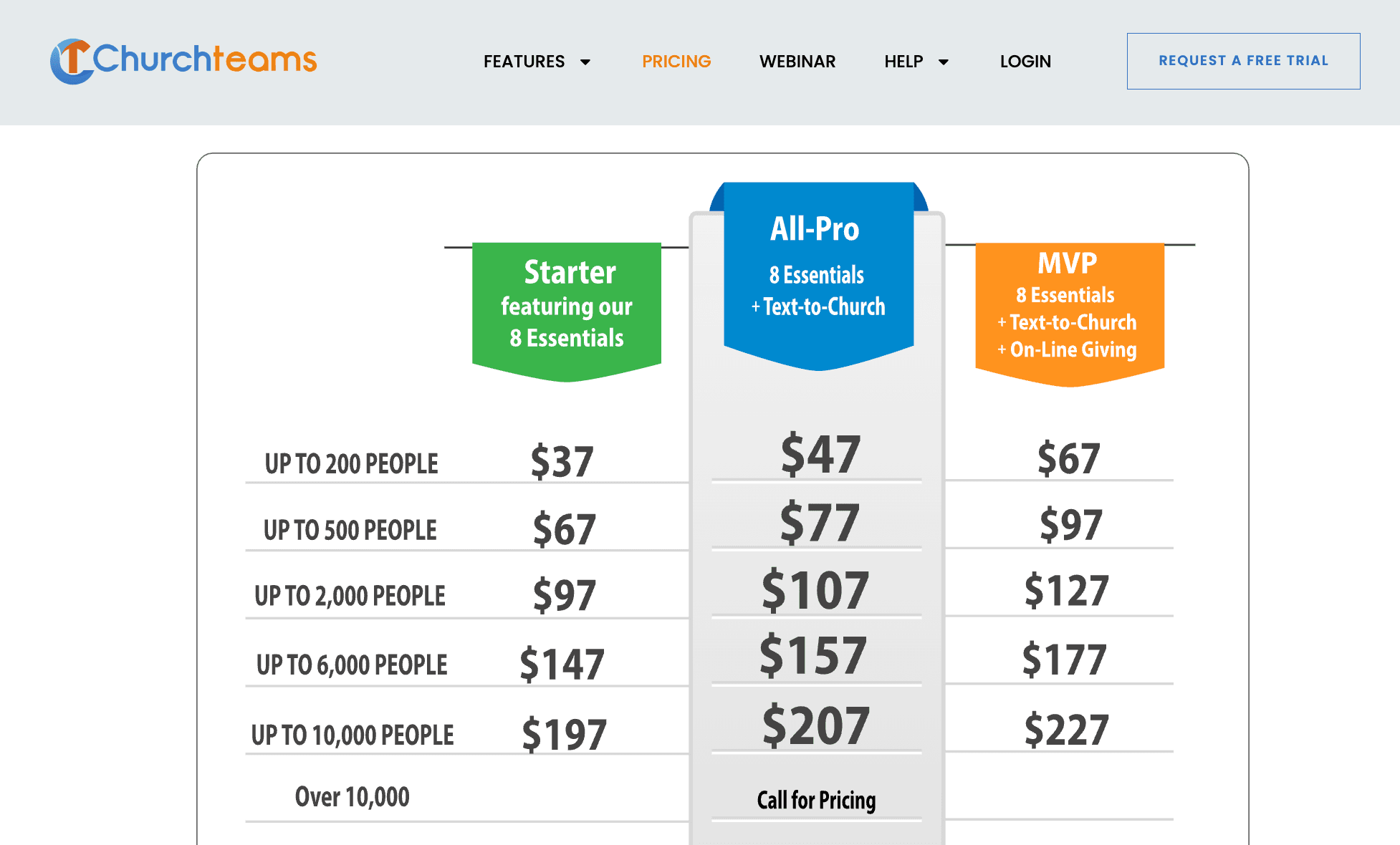
Churchteams delivers strong value, especially with all features included in every plan—no paywall for core tools like giving, check-in, or automation. Pricing scales by member count, so you’ll pay more as you grow, but even small teams get full access from the start.
- Up to 200 people: Full-featured plan at an affordable flat rate
- 201–500 people: Same features, adjusted pricing for mid-sized churches
- 501–1,000 people: Supports growing teams with higher capacity needs
- 1,001–2,000 people: Designed for large churches managing multiple ministries
- 2,001+ people: Custom pricing for enterprise-level churches and networks
Churchteams Specs
- API: No
- Calendar Management: No
- Contact Management: No
- Dashboards: No
- Data Export: Yes
- Data Import: Yes
- Document Management: No
- External Integrations: Yes
- Multi-User: Yes
- Notifications: Yes
- Payment Gateway Integration: No
- Scheduling: No
- Workflow Management: No
Churchteams FAQs
Churchteams Company Overview & History
Churchteams Company Overview & History
Churchteams is a church management software company based in Plano, Texas. It was founded by a pastor and a tech-minded lay leader to help churches grow and stay connected through small group engagement and broader ministry tools. The company’s all-in-one platform has expanded over time to support member management, communication, giving, child check-in, and more. While Churchteams doesn’t disclose its workforce size or financials publicly, its tools are used by a wide range of churches across the U.S., from small congregations to multi-campus ministries.
Churchteams Major Milestones
- 2000: Founded by Boyd Pelley and Matt McMaster to support small group ministry
- 2003: Released early web-based small group management tool
- 2010: Expanded platform to include full-featured church management system
- 2015: Introduced mobile features and text-to-engage tools
- 2020: Added online giving, check-in, and more as part of an all-in-one system overhaul