

Recensione Sage: Pro, Contro, Caratteristiche e Prezzi
Cosa c’è dopo? Iscriviti alla nostra newsletter per ricevere le ultime risorse, le migliori pratiche e approfondimenti sulla gestione delle chiese da pastori esperti e leader ecclesiastici.

Recensiamo gli strumenti in modo indipendente e le commissioni ci aiutano a finanziare i nostri test. Consulta la nostra politica sulla trasparenza, la nostra metodologia, oppure suggerisci uno strumento.
Sage Accounting is a church accounting software built for small to mid-sized ministries that need to track income, manage expenses, and generate financial reports without a dedicated finance team. If your church has outgrown spreadsheets but doesn't need the complexity of QuickBooks, Sage Accounting gives you the core financial tools to stay organized and accountable without the steep learning curve.
Sage Accounting Evaluation Summary
4.3/5
- Pricing upon request
- Free demo available
Perché fidarsi dei nostri consigli sui software
6,700+
Reviews
20
Industry experts
16+
Evaluation factors
14
Years
Il nostro team testa e recensisce software dal 2012. In quanto leader ecclesiastici noi stessi, sappiamo quanto sia difficile — e importante — scegliere il software giusto.
Per questa guida, abbiamo valutato gli strumenti attraverso test pratici e ricerche indipendenti, assegnando un punteggio agli strumenti in base ai nostri criteri di selezione.
Le nostre recensioni riflettono il nostro giudizio editoriale umano, non un discorso di vendita.
Sage Accounting Overview
In my opinion, Sage is a strong contender in the church accounting software space, offering simplicity and affordability. It excels in ease of use and customer support, making it ideal for small to mid-sized churches that need straightforward financial management without unnecessary complexity.
While it lacks some advanced customization and integration options found in competitors, its modular pricing and user-friendly interface provide excellent value for organizations focused on core accounting tasks. For larger churches needing intricate reporting and integrations, Sage might not be the best fit, but for those prioritizing cost-effectiveness and ease of use, it's a solid choice.
Pros
- Sage's interface is intuitive, making it easy for your team to navigate.
- The customer support is responsive and helpful, ensuring you get the answers you need.
- It offers flexible modules that let you pick features that fit your church's needs.
Cons
- Sage doesn't offer advanced customization options that some users might expect.
- Larger churches might find its reporting capabilities limited.
- It may lack some integration options that are available in other software.
Is Sage Accounting Right For Your Needs?
Chi sarebbe adatto a Sage?
Small to mid-sized churches and non-profit organizations would find Sage a great fit. If your team needs straightforward financial management without the bells and whistles, Sage's intuitive interface and modular features make it easy to tailor to your specific needs. Its responsive customer support ensures you can quickly resolve any issues, allowing you to focus more on your mission and less on your finances.
- Small ChurchesSage's user-friendly design makes it perfect for small churches needing basic accounting without complexity.
- Non-ProfitsFor non-profits, Sage offers essential financial tools that help you manage funds effectively.
- Volunteer TeamsVolunteer teams will appreciate Sage's straightforward setup and easy navigation, minimizing training time.
- Budget-Conscious OrganizationsIf your organization needs to manage costs, Sage's modular pricing lets you pay only for what you use.
- New Church PlantsNew church plants can benefit from Sage's simple onboarding process, getting you up and running quickly.
- Youth MinistriesYouth ministries can manage their budgets and donations efficiently with Sage's core financial features.
Chi non sarebbe adatto a Sage?
Larger churches and organizations needing advanced reporting and integrations won't find Sage suitable. If your team relies on detailed customization and complex financial analysis, Sage's capabilities might fall short. Its limited reporting functions and fewer integration options could hinder your ability to connect with other systems or generate in-depth financial insights, making it less ideal for high-demand environments.
- Large ChurchesLarge churches may need more robust reporting tools than what Sage offers.
- Financial AnalystsFinancial analysts might find Sage lacking in advanced data analytics and reporting features.
- Tech-Savvy TeamsTech-savvy teams looking for deep customization will be disappointed with Sage's limitations.
- Complex Non-ProfitsComplex non-profits requiring intricate financial management might find Sage insufficient.
- Corporate DepartmentsCorporate departments needing seamless integration with multiple systems may struggle with Sage.
- Advanced UsersAdvanced users seeking high-level financial operations might find Sage's features too basic.
Come Testiamo e Valutiamo gli Strumenti
Abbiamo trascorso anni a costruire, perfezionare e migliorare il nostro sistema di test e valutazione dei software. Il nostro metodo è progettato per cogliere tutte le sfumature della selezione software e ciò che rende uno strumento efficace, concentrandosi sugli aspetti critici del processo decisionale. Qui sotto puoi vedere esattamente come funzionano i nostri test e valutazioni in base a sette criteri. Questo ci permette di offrire una valutazione imparziale dei software considerando funzionalità di base, caratteristiche distintive, facilità d’uso, onboarding, supporto clienti, integrazioni, recensioni dei clienti e rapporto qualità-prezzo.
Funzionalità di Base (25% del punteggio finale)
Il punto di partenza della nostra valutazione è sempre la funzionalità di base dello strumento. Dispone delle funzionalità e caratteristiche essenziali che un utente si aspetterebbe di trovare? Alcune di queste funzioni di base sono limitate a piani con prezzi superiori? In sostanza, ci aspettiamo che uno strumento sia all’altezza delle capacità minime offerte dai concorrenti.
Caratteristiche Distintive (25% del punteggio finale)
Successivamente analizziamo le caratteristiche distintive che vanno oltre la funzionalità base tipica degli strumenti di questa tipologia. Un punteggio alto riflette funzioni specializzate o uniche che rendono il prodotto più veloce, efficiente o offrono valore aggiunto all’utente. Valutiamo anche quanto sia semplice integrare altri strumenti comunemente presenti nello stack tecnologico per espandere la funzionalità e l’utilità del software. Gli strumenti che offrono numerose integrazioni native, connessioni di terze parti e accesso API per creare integrazioni personalizzate ottengono il punteggio migliore.
Facilità d’Uso (10% del punteggio finale)
Consideriamo quanto sia veloce e facile eseguire i compiti principali definiti usando lo strumento. I software con punteggi elevati sono ben progettati, intuitivi, offrono app mobili, mettono a disposizione modelli e rendono semplici anche i compiti più complessi.
Onboarding (10% del punteggio finale)
Sappiamo quanto sia importante adottare rapidamente una nuova piattaforma, quindi valutiamo quanto sia semplice imparare e utilizzare uno strumento con il minimo training. Esaminiamo quanto rapidamente un membro del team possa essere operativo senza esperienza precedente. Le soluzioni con punteggio alto richiedono poco o nessun supporto.
Supporto Clienti (10% del punteggio finale)
Valutiamo quanto sia rapido e semplice risolvere i problemi e ottenere assistenza tramite telefono, chat dal vivo o knowledge base. Gli strumenti e le aziende che forniscono supporto in tempo reale ottengono il punteggio migliore, mentre i chatbot ottengono la valutazione più bassa.
Recensioni dei Clienti (10% del punteggio finale)
Oltre ai nostri test e valutazioni, prendiamo in considerazione il net promoter score di clienti attuali e passati. Esaminiamo la loro propensione, data la scelta, a selezionare nuovamente lo strumento per le funzioni principali. Un software con punteggio alto riflette un net promoter score elevato da parte dei clienti attuali o precedenti.
Rapporto Qualità-Prezzo (10% del punteggio finale)
Infine, considerando tutti gli altri criteri, esaminiamo il prezzo medio dei piani base rispetto alle funzionalità principali e valutiamo il valore degli altri indicatori. I software che offrono di più, a meno, ottengono un punteggio superiore.
Core Features
Budget Management:
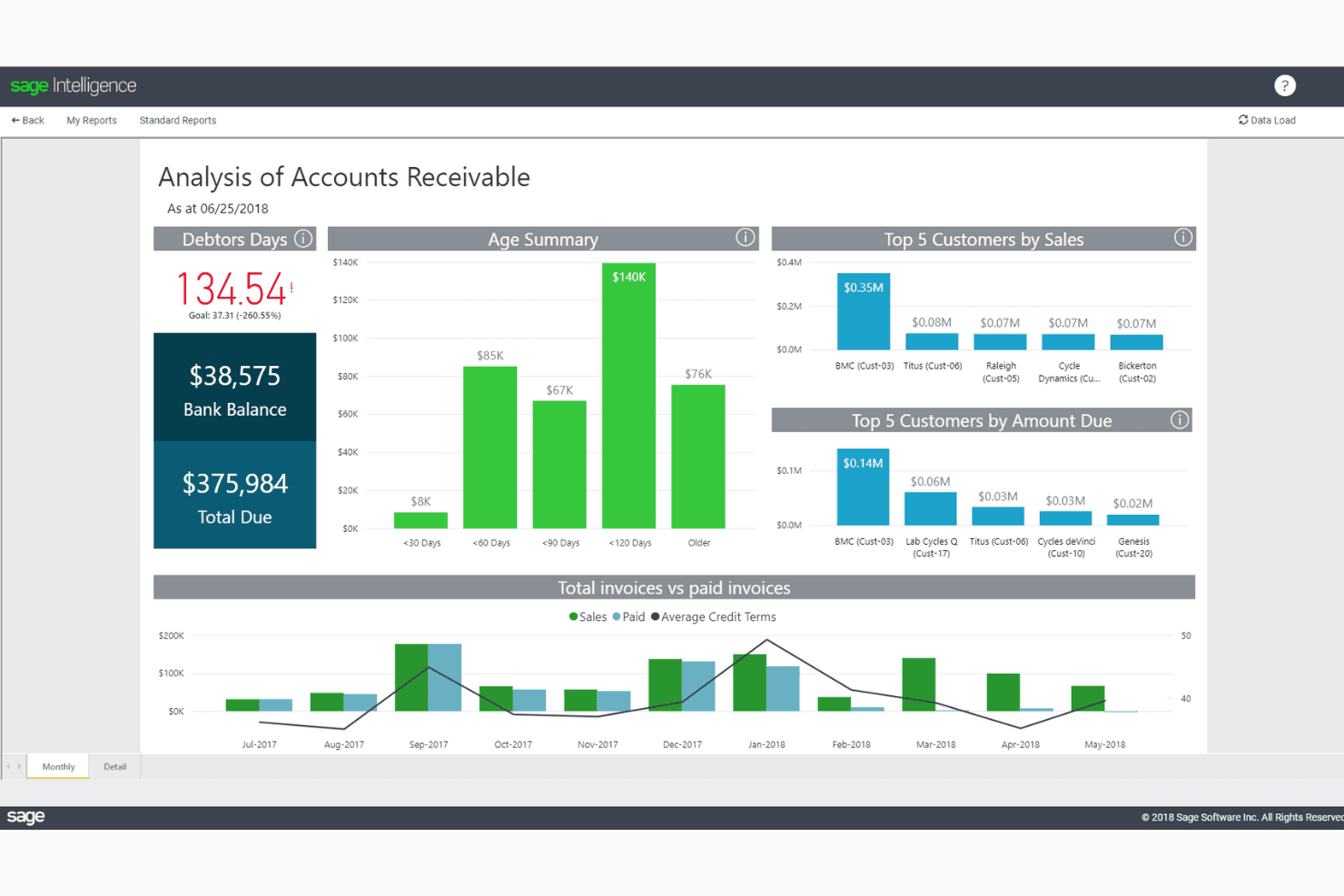
Set and track your church's budget with Sage's straightforward tools. It allows you to adjust and monitor expenses, helping you stay within financial limits.
Expense Reporting:
Create detailed expense reports to keep your church's spending transparent. Sage simplifies the process, ensuring you can report on and analyze expenses efficiently.
Fund Accounting:
Manage multiple funds with Sage's fund accounting feature, ensuring each fund's financial integrity is maintained. This is vital for churches managing designated donations.
Payroll Management:
Handle payroll with ease using Sage's payroll features, which automate calculations and ensure timely payments. This saves your team time and reduces errors.
Financial Reporting:
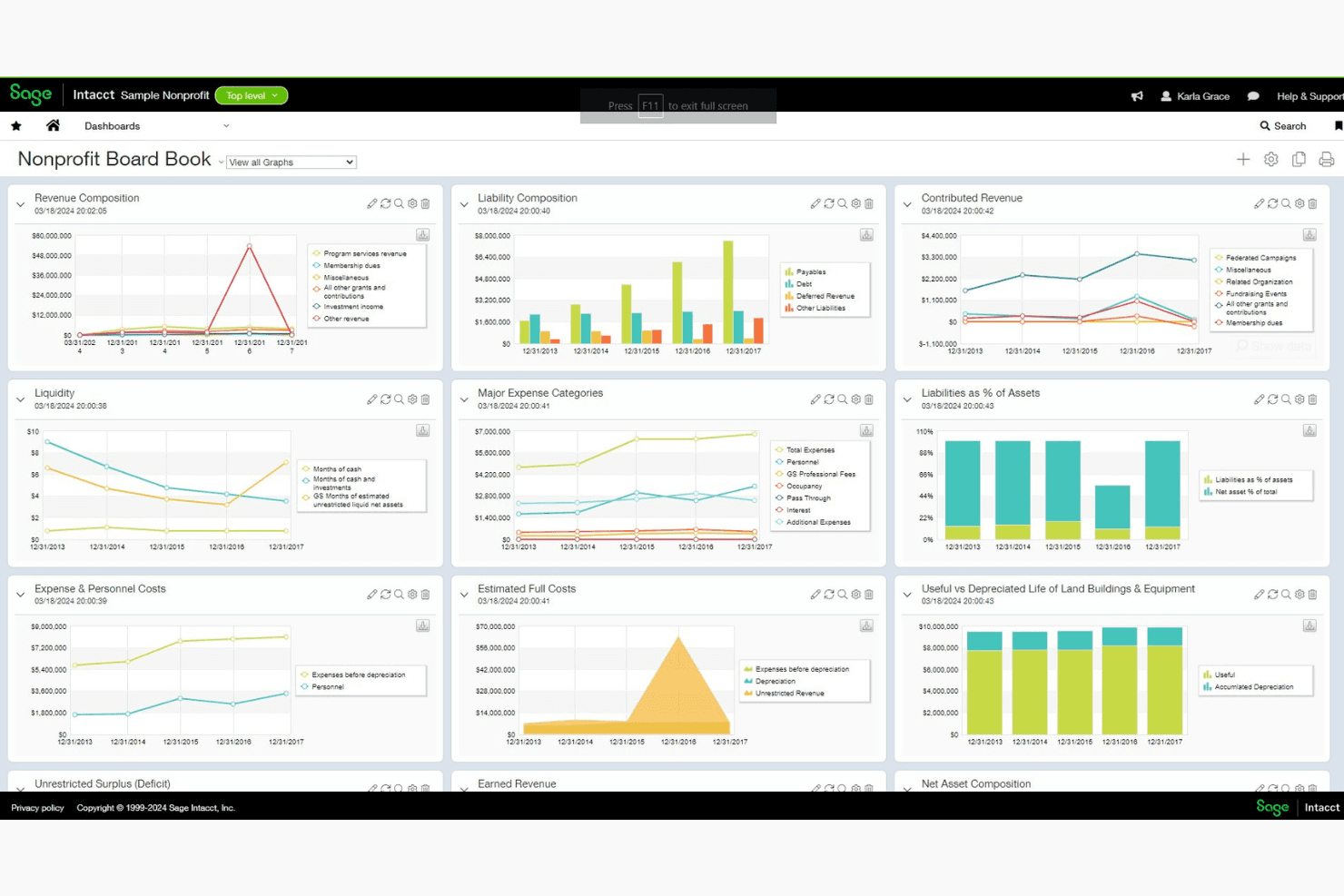
Generate essential financial reports quickly to get insights into your church's financial health. Sage's reporting tools are user-friendly, providing clear data for decision-making.
Ease of Use
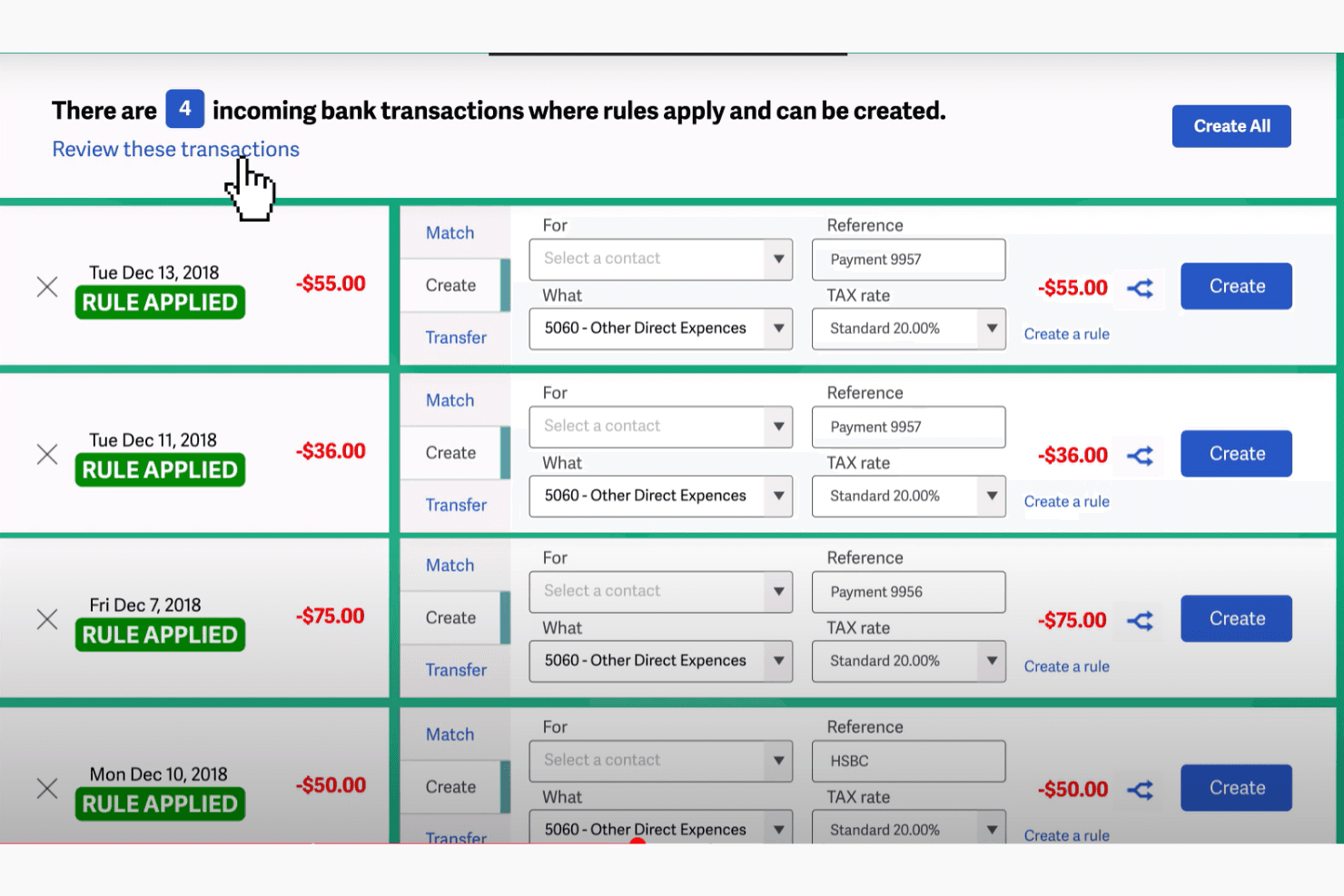
Sage stands out for its user-friendly interface, making it accessible even for those without accounting expertise. Its intuitive design allows your team to focus on tasks without getting bogged down by complex processes. Users appreciate how easy it is to navigate, with clear menus and straightforward functionalities that minimize the learning curve. This ease of use ensures you spend less time training and more time managing your church's finances effectively.
Sage Accounting Specs
- 2-Factor Authentication: No
- Accounts Payable: No
- Accounts Receivable: No
- API: No
- Balance Sheet: No
- Billing/Invoicing: No
- BitCoin: No
- Budgeting: No
- Calendar Management: No
- Contact Management: No
- CRM Integration: No
- Customer Management: No
- Dashboard: No
- Data Export: No
- Data Import: No
- Data Visualization: No
- Expense Tracking: No
- External Integrations: No
- Forecasting: No
- General Account Ledger: No
- Inventory Tracking: No
- Multi-Currency: No
- Multi-User: No
- Notifications: No
- P&L: No
- PayPal: No
- Payroll: No
- SAP Integration: No
- Stripe: No
- Supplier Management: No
- Tax Management: No
Alternatives to Sage Accounting


Sage Accounting FAQs
Cosa succede ora?
Iscriviti alla nostra newsletter per ricevere le ultime risorse, le migliori pratiche e approfondimenti sulla gestione delle chiese da pastori esperti e leader ecclesiastici.