

Recensione di Gestione Spese Sage (precedentemente Fyle): Pro, Contro, Caratteristiche e Prezzi
Gestione Spese Sage si distingue per la sua interfaccia intuitiva e la flessibilità dei prezzi, risultando una delle migliori scelte per le chiese che cercano una gestione finanziaria semplice.

Recensiamo gli strumenti in modo indipendente e le commissioni ci aiutano a finanziare i nostri test. Consulta la nostra politica sulla trasparenza, la nostra metodologia, oppure suggerisci uno strumento.
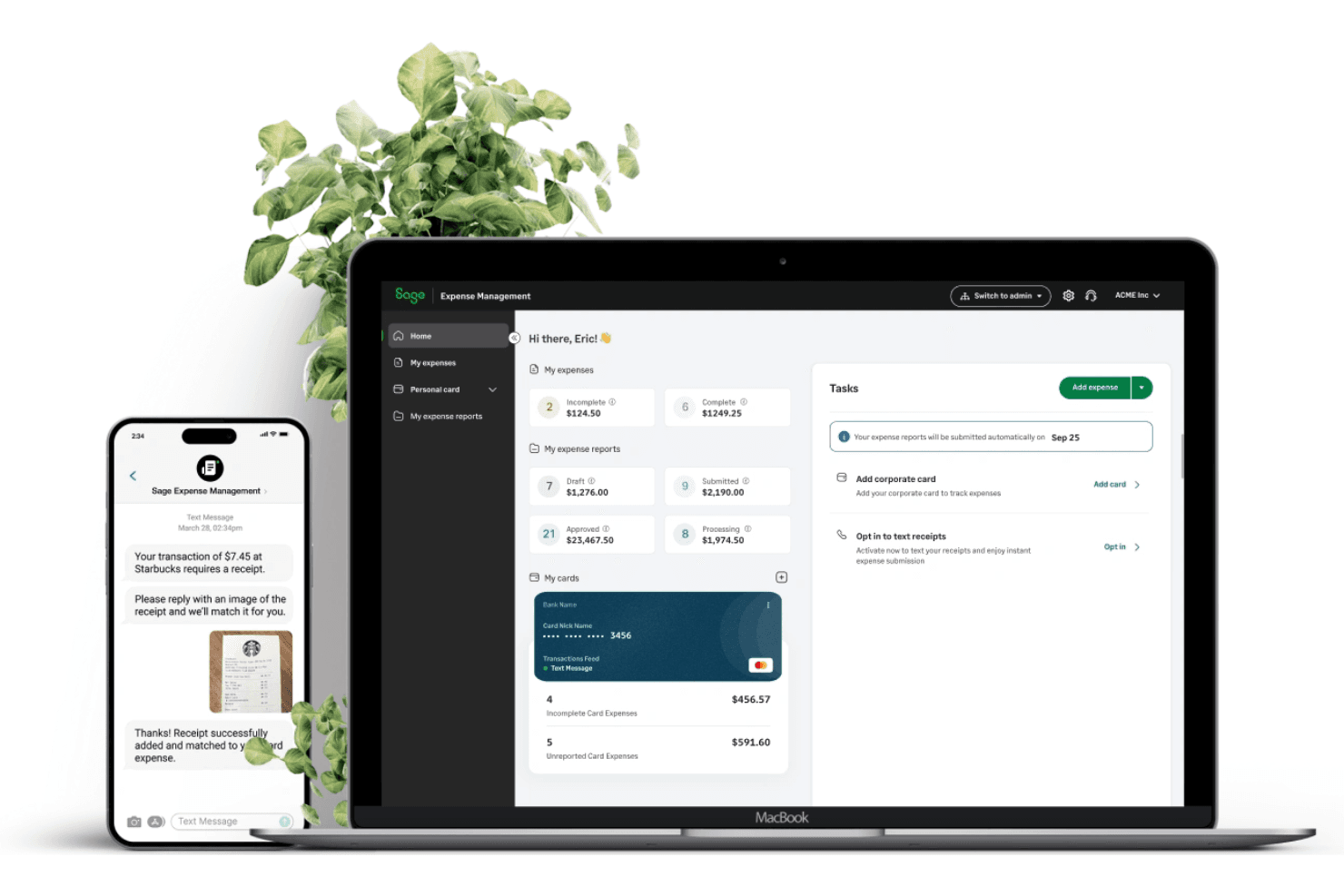
Sage Expense Management (formerly Fyle) is a church accounting software built around real-time expense tracking, receipt capture, and credit card reconciliation. It's worth a close look if your ministry staff and volunteers are submitting expenses in the field and you need those receipts matched and categorized without chasing anyone down. I'd choose it over Expensify if your church already runs on Sage Intacct—that native integration keeps your expense data and general ledger in sync without the manual back-and-forth.
Sage Expense Management (formerly Fyle) Evaluation Summary
4.6/5
- From $11.99/user/month (billed annually)
- Free demo available
Perché fidarsi dei nostri consigli sui software
6,700+
Reviews
20
Industry experts
16+
Evaluation factors
14
Years
Il nostro team testa e recensisce software dal 2012. In quanto leader ecclesiastici noi stessi, sappiamo quanto sia difficile — e importante — scegliere il software giusto.
Per questa guida, abbiamo valutato gli strumenti attraverso test pratici e ricerche indipendenti, assegnando un punteggio agli strumenti in base ai nostri criteri di selezione.
Le nostre recensioni riflettono il nostro giudizio editoriale umano, non un discorso di vendita.
Sage Expense Management (formerly Fyle) Overview
In my opinion, Sage Expense Management is a solid choice for small to mid-sized churches looking for reliable accounting software. It offers a user-friendly interface and good value for money, especially with its modular pricing. While it might not have the advanced features some larger organizations need, it excels in ease of use and customer support. Compared to other tools, Sage stands out for its affordability and straightforward setup, making it ideal for churches without complex accounting needs. If your church needs basic expense tracking and reporting, this could be a great fit.
Pros
- You can easily track and report expenses with its intuitive interface.
- Your team benefits from efficient customer support that resolves issues quickly.
- It's designed with user-friendly features that make onboarding simple for everyone.
Cons
- Your team might find the reporting features limited for complex financial tasks.
- It may lack customization options that some churches require for specific needs.
- You could face challenges with scalability if your church grows significantly.
Is Sage Expense Management (formerly Fyle) Right For Your Needs?
Who Would be a Good Fit for Sage Expense Management (formerly Fyle)?
Sage Expense Management is ideal for small to mid-sized churches needing straightforward expense tracking. If your team values ease of use and efficient support, this software can meet your needs. Its intuitive interface ensures quick adoption, which is great for churches with limited tech resources. The focus on basic financial tasks makes it suitable for organizations that don't require complex accounting features.
- Small ChurchesYour small church benefits from its easy setup and user-friendly features.
- Finance TeamsYour finance team will find its expense tracking and reporting capabilities straightforward and efficient.
- Church TreasurersAs a treasurer, you'll appreciate the simplicity of managing budgets and expenses.
- Religious OrganizationsYour organization can easily handle financial tasks without needing extensive IT support.
- Volunteer-Run ChurchesVolunteers in your church will quickly learn and use the intuitive interface.
- Nonprofit OrganizationsYour nonprofit benefits from the efficient customer support and basic accounting functionalities.
Who Would be a Bad Fit for Sage Expense Management (formerly Fyle)?
Sage Expense Management isn't suitable for large churches or organizations needing advanced accounting features. If your team handles complex financial operations, you'll find its reporting tools limited. Churches with rapidly growing needs or those requiring extensive customization may struggle with its standard functionalities. Its lack of scalability can be an issue if you're planning for significant growth or expansion.
- Large EnterprisesYour large enterprise may find its features too basic for complex financial operations.
- Advanced AccountingYour advanced accounting team will miss out on the detailed reporting tools needed for intricate financial tasks.
- Rapid GrowthIf your church is experiencing rapid growth, you might find its scalability lacking.
- Custom SolutionsOrganizations needing custom solutions will find its limited customization options inadequate.
- IT-Heavy ChurchesYour IT-heavy church might require more technical features than what Sage offers.
- Complex Financial StructuresChurches with complex financial structures will need more advanced functionalities than what Sage provides.
Come Testiamo e Valutiamo gli Strumenti
Abbiamo trascorso anni a costruire, perfezionare e migliorare il nostro sistema di test e valutazione dei software. Il nostro metodo è progettato per cogliere tutte le sfumature della selezione software e ciò che rende uno strumento efficace, concentrandosi sugli aspetti critici del processo decisionale. Qui sotto puoi vedere esattamente come funzionano i nostri test e valutazioni in base a sette criteri. Questo ci permette di offrire una valutazione imparziale dei software considerando funzionalità di base, caratteristiche distintive, facilità d’uso, onboarding, supporto clienti, integrazioni, recensioni dei clienti e rapporto qualità-prezzo.
Funzionalità di Base (25% del punteggio finale)
Il punto di partenza della nostra valutazione è sempre la funzionalità di base dello strumento. Dispone delle funzionalità e caratteristiche essenziali che un utente si aspetterebbe di trovare? Alcune di queste funzioni di base sono limitate a piani con prezzi superiori? In sostanza, ci aspettiamo che uno strumento sia all’altezza delle capacità minime offerte dai concorrenti.
Caratteristiche Distintive (25% del punteggio finale)
Successivamente analizziamo le caratteristiche distintive che vanno oltre la funzionalità base tipica degli strumenti di questa tipologia. Un punteggio alto riflette funzioni specializzate o uniche che rendono il prodotto più veloce, efficiente o offrono valore aggiunto all’utente. Valutiamo anche quanto sia semplice integrare altri strumenti comunemente presenti nello stack tecnologico per espandere la funzionalità e l’utilità del software. Gli strumenti che offrono numerose integrazioni native, connessioni di terze parti e accesso API per creare integrazioni personalizzate ottengono il punteggio migliore.
Facilità d’Uso (10% del punteggio finale)
Consideriamo quanto sia veloce e facile eseguire i compiti principali definiti usando lo strumento. I software con punteggi elevati sono ben progettati, intuitivi, offrono app mobili, mettono a disposizione modelli e rendono semplici anche i compiti più complessi.
Onboarding (10% del punteggio finale)
Sappiamo quanto sia importante adottare rapidamente una nuova piattaforma, quindi valutiamo quanto sia semplice imparare e utilizzare uno strumento con il minimo training. Esaminiamo quanto rapidamente un membro del team possa essere operativo senza esperienza precedente. Le soluzioni con punteggio alto richiedono poco o nessun supporto.
Supporto Clienti (10% del punteggio finale)
Valutiamo quanto sia rapido e semplice risolvere i problemi e ottenere assistenza tramite telefono, chat dal vivo o knowledge base. Gli strumenti e le aziende che forniscono supporto in tempo reale ottengono il punteggio migliore, mentre i chatbot ottengono la valutazione più bassa.
Recensioni dei Clienti (10% del punteggio finale)
Oltre ai nostri test e valutazioni, prendiamo in considerazione il net promoter score di clienti attuali e passati. Esaminiamo la loro propensione, data la scelta, a selezionare nuovamente lo strumento per le funzioni principali. Un software con punteggio alto riflette un net promoter score elevato da parte dei clienti attuali o precedenti.
Rapporto Qualità-Prezzo (10% del punteggio finale)
Infine, considerando tutti gli altri criteri, esaminiamo il prezzo medio dei piani base rispetto alle funzionalità principali e valutiamo il valore degli altri indicatori. I software che offrono di più, a meno, ottengono un punteggio superiore.
Core Features
Expense Tracking: You can easily track expenses with real-time notifications, helping you manage your church's finances efficiently. This feature allows your team to input expenses quickly and view detailed summaries.
Budget Management: Manage your church's budget with tools that let you set limits and monitor spending. This helps you keep your finances in check and avoid overspending.
Reporting: Generate basic expense reports that give you insights into your church's financial health. Use these reports to make informed decisions for your organization.
User Access Control: Control who accesses financial data with customizable user permissions. This ensures only authorized team members can view or edit sensitive information.
Receipt Management: Store and organize receipts digitally, so you have a clear record of all transactions. This feature simplifies record-keeping and is easy to use.
Audit Trail: Maintain a clear audit trail of all financial activities to ensure transparency and accountability. This feature helps you track changes and identify any discrepancies.
Ease of Use
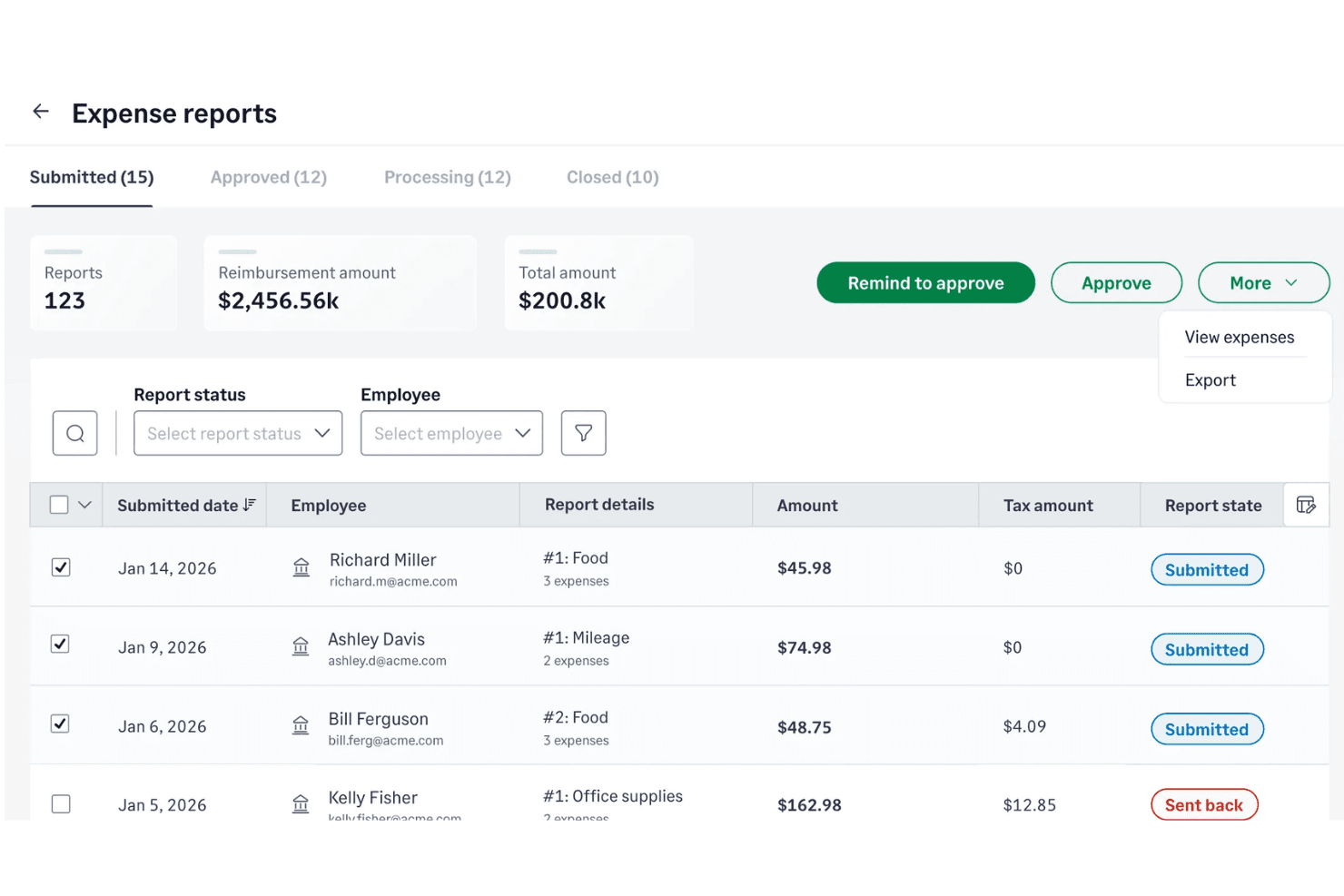
Sage Expense Management shines in user-friendliness, making it a breeze for your team to handle church accounting tasks. The intuitive interface, optimized for both desktop and the mobile app, requires minimal training, so you can get started quickly without hassle. Its straightforward navigation and clear layout let you easily track expenses and manage budgets. Compared to other software, users appreciate how easily they can access essential features without digging through complicated menus, ensuring your work is efficient and stress-free.
Integrations
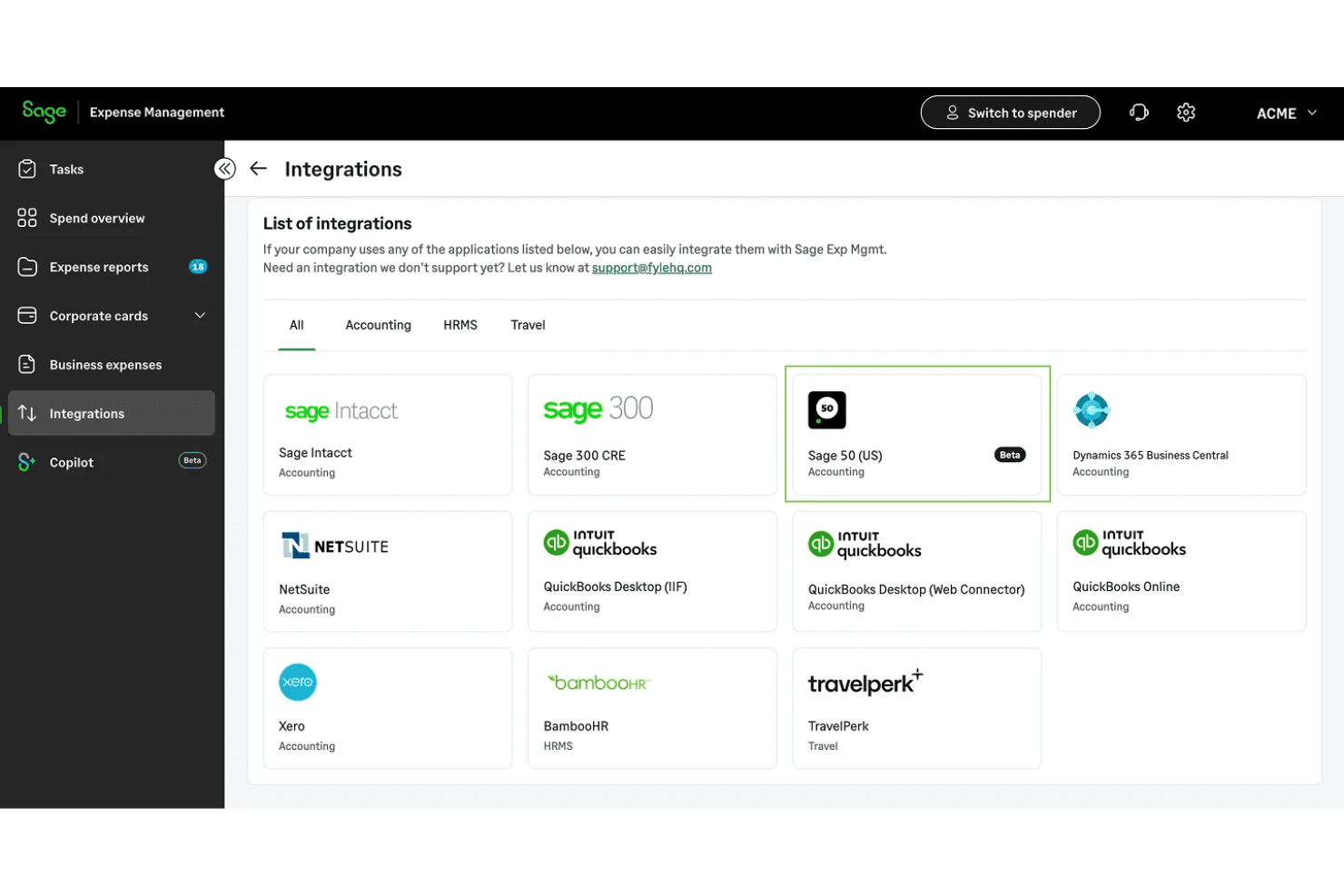
Sage Expense Management integrates with Sage accounting products including Sage Intacct, Sage 300 CRE, and Sage 50, and also connects with QuickBooks Online, QuickBooks Desktop, NetSuite, and Xero.
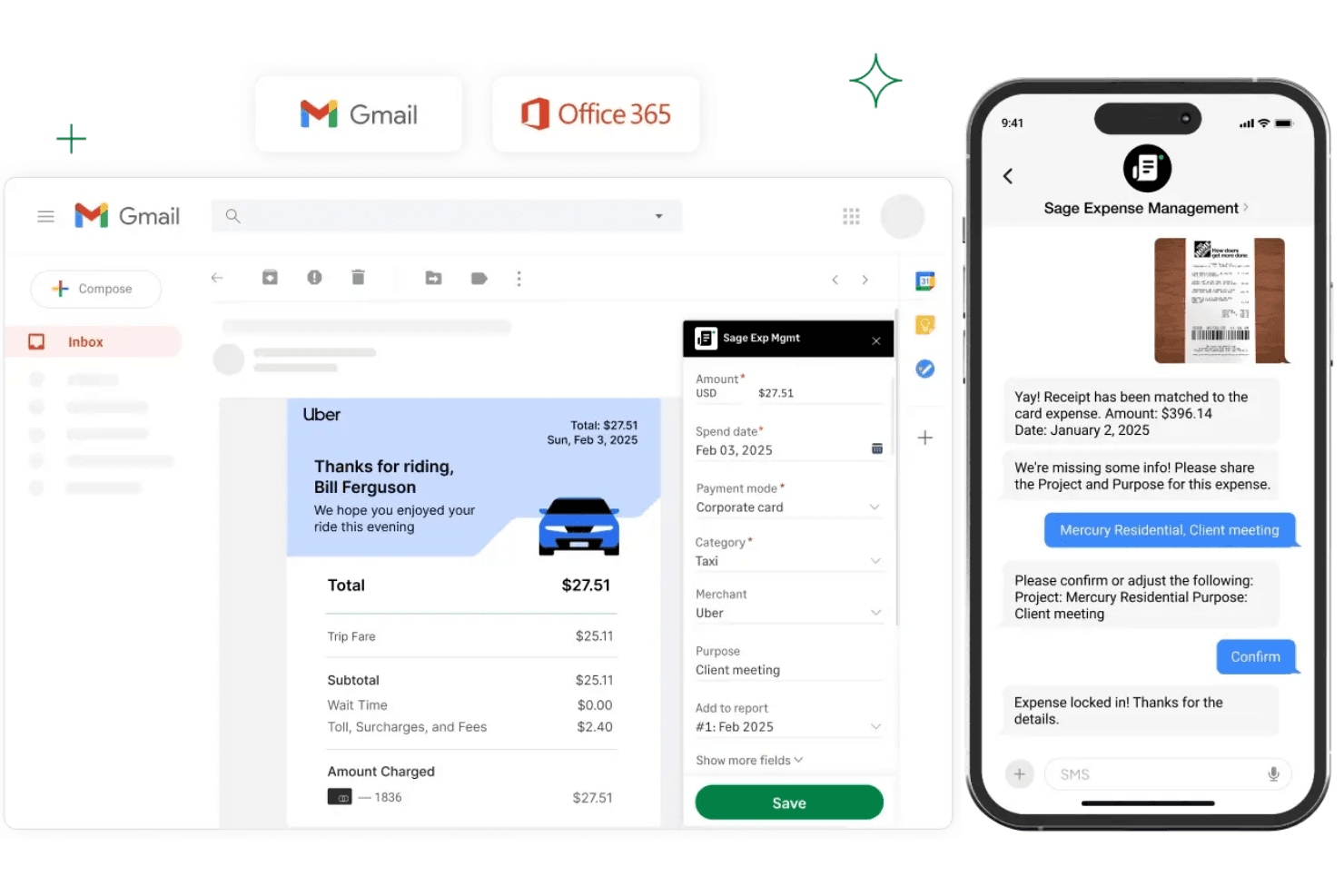
Sage Expense Management supports productivity tools like Gmail, Microsoft Outlook, and Slack, and provides an API for custom integrations and third-party automation workflows.
New Product Updates from Sage Expense Management (formerly Fyle)
 Opens new window
Sage Expense Management Adds Reconciliation and Expense Review Updates
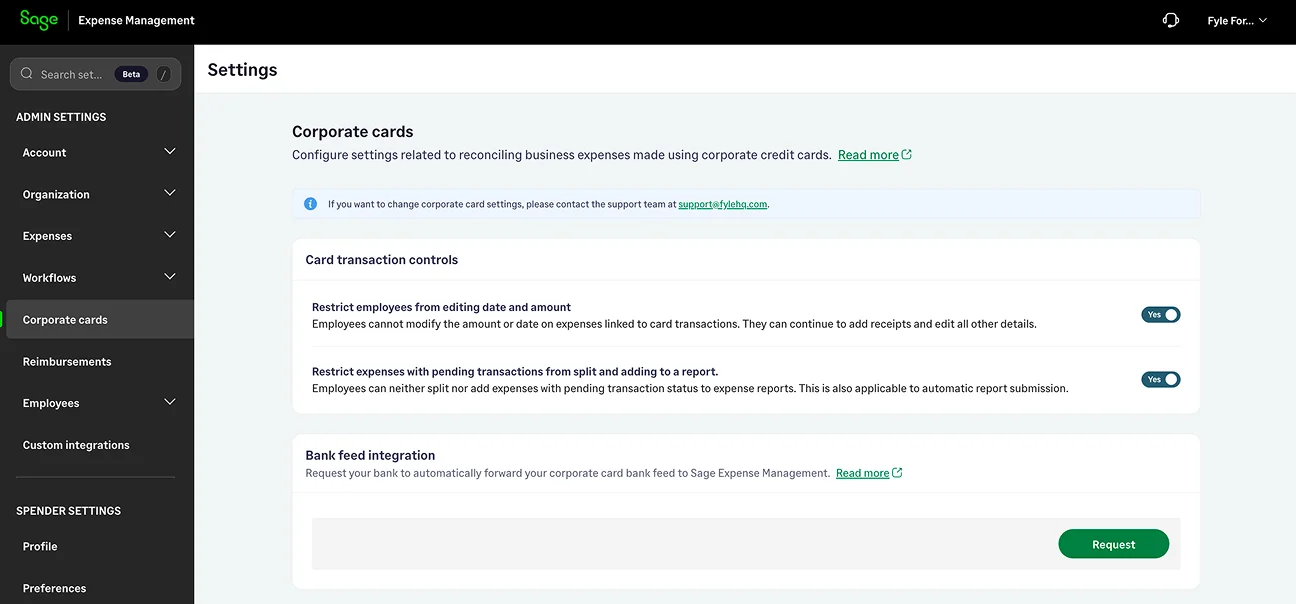
Sage Expense Management launched a new Reconciliation module that automatically matches uploaded card statements with existing expenses, while adding faster editing tools, expanded administrator controls, Copilot support for corporate cards, and email-based two-factor authentication. Highlights include:
- Reconciliation Module: Automatically categorizes uploaded card statement transactions into matched, missing, and review-needed items to simplify reconciliation.
- Inline and Bulk Expense Editing: Lets admins and approvers edit individual expenses directly from list views or update up to 50 expenses at once.
- Expanded Admin Controls: Introduces granular delegate permissions and optional restrictions for editing card-linked expense amounts and dates.
- Copilot for Corporate Cards: Enables admins to ask natural language questions about corporate cards and transactions.
- Email-Based Two-Factor Authentication: Adds an extra layer of account security by requiring a verification code during sign-in for non-SSO users.
Visit Sage Expense Management's official site for more details.
 Opens new window
Sage Expense Management Adds Faster Reimbursements and Controls
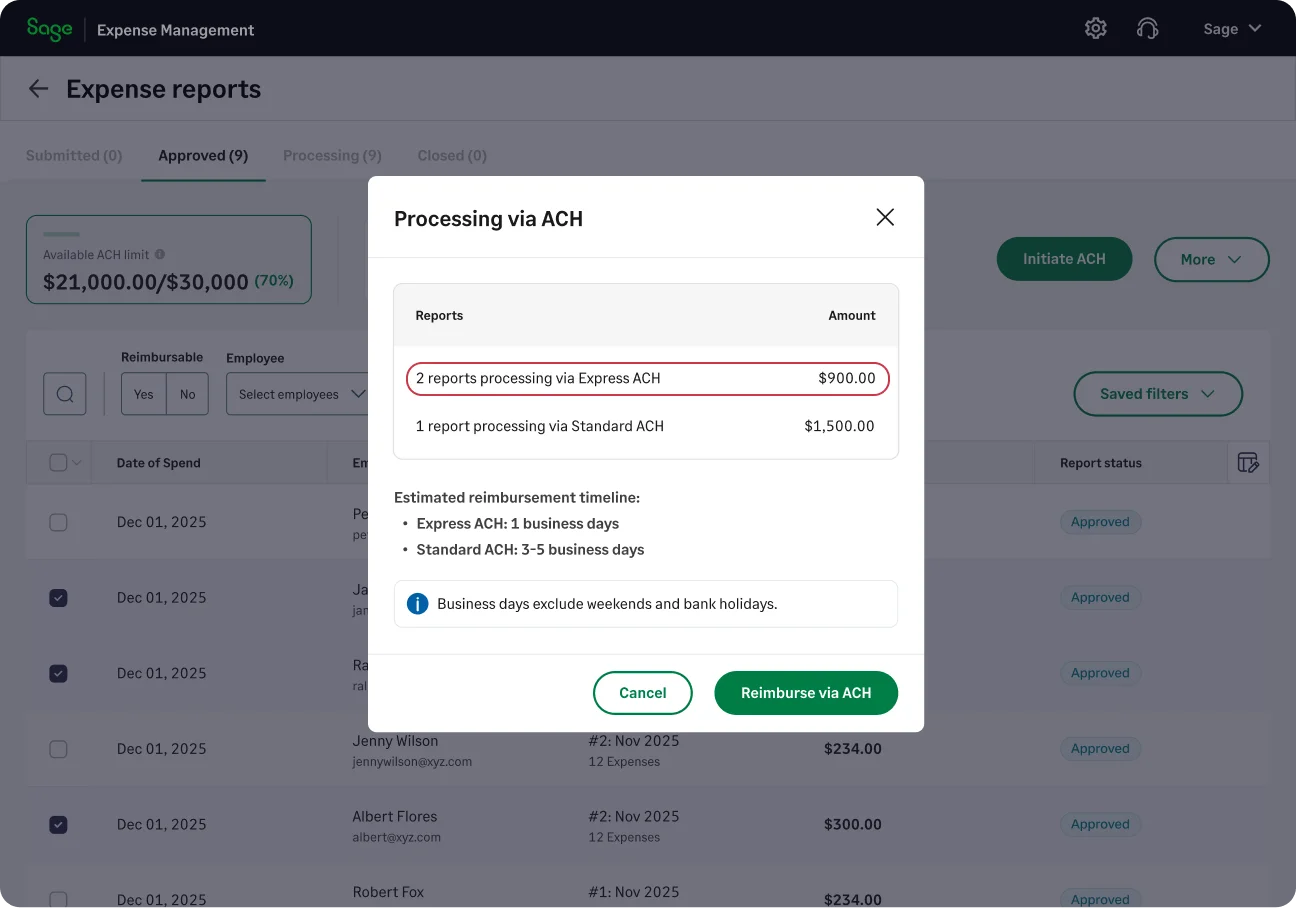
Sage Expense Management has introduced Express ACH reimbursements, automation updates, budget controls, and mobile and regional settings. These updates help teams reduce manual work, track expenses, and manage reimbursement workflows more efficiently. Highlights include:
- Express ACH Reimbursements: Processes eligible expense reports up to $1,000 within 1–2 business days.
- Automatic Approvals: Approves low-risk expense reports based on predefined rules and conditions.
- Budget Visibility: Gives teams access to budget usage, remaining spend, historical data, exports, and status tracking.
- Automatic Report Submission: Lets admins group and submit expense reports based on payment mode, project, or cost center.
- Mobile Notifications: Sends real-time alerts for expenses, approvals, comments, and reimbursement updates.
- Regional Settings: Allows teams to configure date, time, and currency formats based on regional preferences.
Visit Sage Expense Management’s official site for more details.
Sage Expense Management (formerly Fyle) Specs
- 2-Factor Authentication: Yes
- API: Yes
- Approval Workflows: Yes
- Audit Trail: Yes
- Balance Sheet: Yes
- Billing/Invoicing: Yes
- Budgeting: Yes
- Calendar Management: Yes
- Compliance Tracking: Yes
- Contact Management: Yes
- CRM Integration: Yes
- Custom Reports: Yes
- Customer Management: Yes
- Dashboard: Yes
- Data Export: Yes
- Data Import: Yes
- Data Visualization: Yes
- Document Management: Yes
- Expense Tracking: Yes
- External Integrations: Yes
- Forecasting: Yes
- Inventory Tracking: Yes
- Multi-Currency: Yes
- Multi-User: Yes
- Notifications: Yes
- P&L: Yes
- Risk Assessment: Yes
- SAP Integration: Yes
- Scheduling: Yes
- Supplier Management: Yes
- Workflow Management: Yes

