

Recensione di Ekklesia360: Vantaggi, Svantaggi, Caratteristiche e Prezzi

Recensiamo gli strumenti in modo indipendente e le commissioni ci aiutano a finanziare i nostri test. Consulta la nostra politica sulla trasparenza, la nostra metodologia, oppure suggerisci uno strumento.
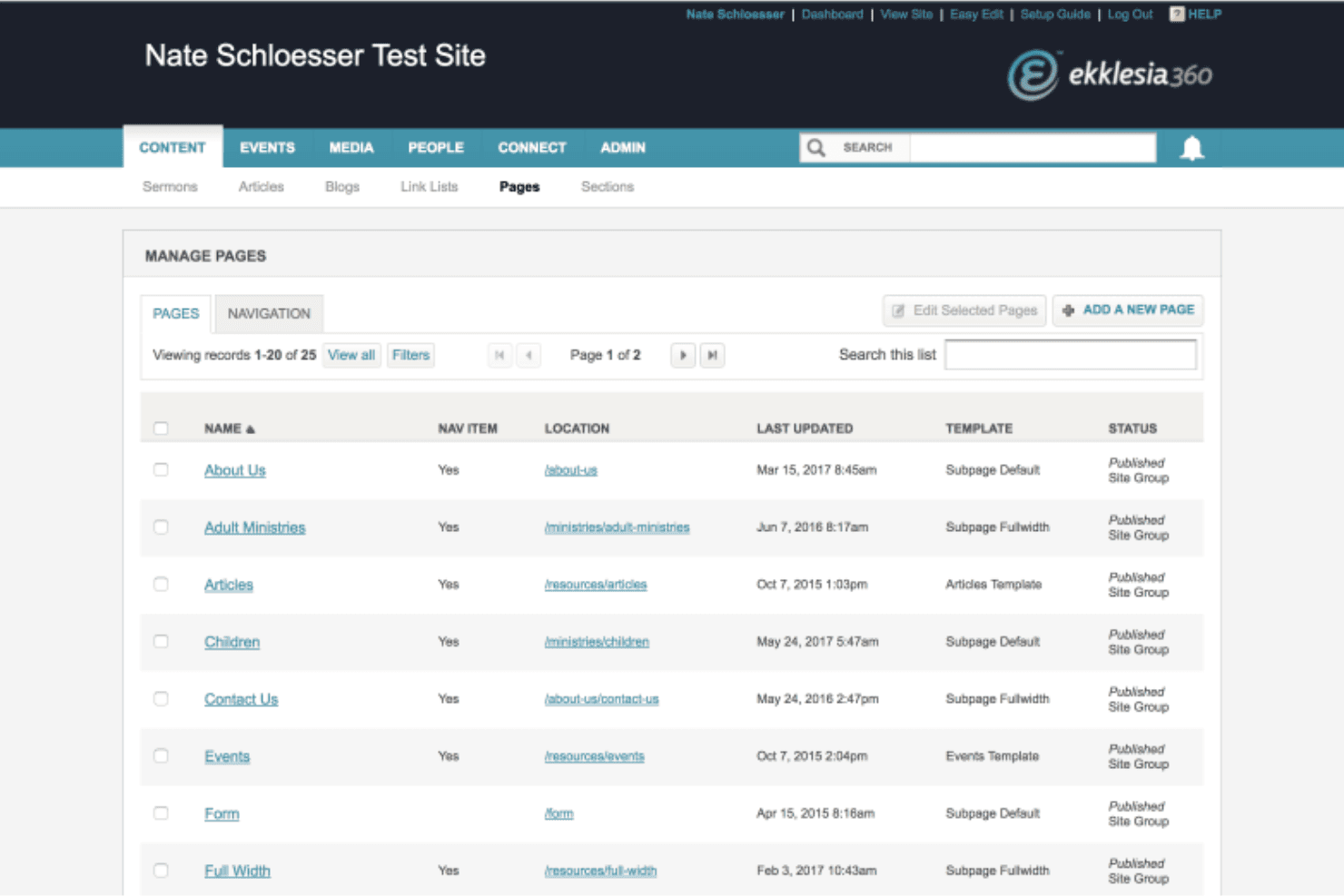
Ekklesia360 is a church website builder designed specifically for churches that need a web presence built around ministry functions—sermon archives, event registration, and giving tools included. I'd look at it seriously if your church needs more than a general builder like Squarespace can offer out of the box. Where Squarespace requires you to piece together third-party plugins to handle church-specific needs, Ekklesia360 builds those features in from the start.
Ekklesia360 Evaluation Summary
0/5
- from $65/month
- No free trial
Perché fidarsi dei nostri consigli sui software
6,700+
Reviews
20
Industry experts
16+
Evaluation factors
14
Years
Il nostro team testa e recensisce software dal 2012. In quanto leader ecclesiastici noi stessi, sappiamo quanto sia difficile — e importante — scegliere il software giusto.
Per questa guida, abbiamo valutato gli strumenti attraverso test pratici e ricerche indipendenti, assegnando un punteggio agli strumenti in base ai nostri criteri di selezione.
Le nostre recensioni riflettono il nostro giudizio editoriale umano, non un discorso di vendita.
Ekklesia360 Overview
Ekklesia360 is an excellent choice for churches looking for a website builder that truly understands their unique needs, offering specialized features like integrated giving, event management, and sermon media hosting. I highly recommend it to small to mid-sized churches seeking a user-friendly platform tailored specifically to faith communities, as it simplifies complex church operations while providing attractive designs. However, larger churches with highly customized requirements might find it somewhat limiting compared to more flexible web development options.
Ekklesia360 offers integrations with popular tools like Planning Center and Mailchimp to streamline church management and communication. These integrations help churches connect their administrative and outreach efforts efficiently.
Pros
- You can easily manage events and sermons, which helps keep your congregation informed and engaged through strong event management features.
- The platform provides strong customer support, ensuring you get help when you need it from a dedicated support team.
- Ekklesia360 offers a user-friendly interface that makes managing your church’s online presence straightforward.
Cons
- Some users find the website design options limited compared to other platforms.
- The initial setup can be time-consuming for those unfamiliar with web design or workflow tools.
- Users have noted that the platform lacks certain financial management features, such as advanced online giving or check-in functionality.
Is Ekklesia360 Right For Your Needs?
Who Would be a Good Fit for Ekklesia360?
Ekklesia360 is ideal for medium to large churches that need a robust online presence. If your church prioritizes community engagement and wants to streamline event management and sermon sharing, this platform fits your needs. Ministry leaders seeking reliable customer support and an easy-to-use interface will appreciate Ekklesia360’s capabilities. Its strong support and straightforward management tools make it a great choice for those who want to focus on connecting with their congregation rather than dealing with technical complexities.
- Medium ChurchesEkklesia360 helps you manage events and sermons efficiently, keeping your congregation informed and engaged through simple event registration and volunteer management.
- Large ChurchesIts robust features support extensive community interactions and digital engagement, including real-time updates and messaging.
- Ministry TeamsYour team will benefit from the platform’s user-friendly interface and strong customer support.
- Church AdministratorsEkklesia360 simplifies managing your church’s online presence, making your work more efficient with content management and permissions control.
- Event CoordinatorsYou can easily organize and promote church events, enhancing community participation with event management and workflow features.
- PastorsThe platform enables you to focus on outreach and communication with your congregation through built-in messaging and social media tools.
Who Would be a Bad Fit for Ekklesia360?
Small churches or those with limited budgets might find Ekklesia360 less suitable due to its comprehensive feature set, which can be overwhelming for smaller teams or nonprofit organizations. If you’re looking for extensive website design flexibility or advanced financial management tools, this platform might not meet your needs. Organizations that require a highly customizable interface may feel restricted by Ekklesia360’s templates, which are not as varied as some competitors.
- Small ChurchesEkklesia360’s robust features might be too complex and costly for your needs, especially if you need a simple website builder.
- Budget-Constrained TeamsYou might find better value with simpler, more affordable platforms, such as WordPress or other church management software alternatives.
- Design-Focused UsersIf you need extensive website design customization, Ekklesia360’s templates may feel limited.
- Financial ManagersEkklesia360 lacks advanced financial management features you might require, like integrated crm or online giving analytics.
- Tech-Savvy TeamsIf your team wants to heavily customize the backend, this platform might restrict you, even with available api access.
- Freelance Web DesignersYou may find Ekklesia360’s design templates limiting for unique client requirements, especially compared to WordPress.
Come Testiamo e Valutiamo gli Strumenti
Abbiamo trascorso anni a costruire, perfezionare e migliorare il nostro sistema di test e valutazione dei software. Il nostro metodo è progettato per cogliere tutte le sfumature della selezione software e ciò che rende uno strumento efficace, concentrandosi sugli aspetti critici del processo decisionale. Qui sotto puoi vedere esattamente come funzionano i nostri test e valutazioni in base a sette criteri. Questo ci permette di offrire una valutazione imparziale dei software considerando funzionalità di base, caratteristiche distintive, facilità d’uso, onboarding, supporto clienti, integrazioni, recensioni dei clienti e rapporto qualità-prezzo.
Funzionalità di Base (25% del punteggio finale)
Il punto di partenza della nostra valutazione è sempre la funzionalità di base dello strumento. Dispone delle funzionalità e caratteristiche essenziali che un utente si aspetterebbe di trovare? Alcune di queste funzioni di base sono limitate a piani con prezzi superiori? In sostanza, ci aspettiamo che uno strumento sia all’altezza delle capacità minime offerte dai concorrenti.
Caratteristiche Distintive (25% del punteggio finale)
Successivamente analizziamo le caratteristiche distintive che vanno oltre la funzionalità base tipica degli strumenti di questa tipologia. Un punteggio alto riflette funzioni specializzate o uniche che rendono il prodotto più veloce, efficiente o offrono valore aggiunto all’utente. Valutiamo anche quanto sia semplice integrare altri strumenti comunemente presenti nello stack tecnologico per espandere la funzionalità e l’utilità del software. Gli strumenti che offrono numerose integrazioni native, connessioni di terze parti e accesso API per creare integrazioni personalizzate ottengono il punteggio migliore.
Facilità d’Uso (10% del punteggio finale)
Consideriamo quanto sia veloce e facile eseguire i compiti principali definiti usando lo strumento. I software con punteggi elevati sono ben progettati, intuitivi, offrono app mobili, mettono a disposizione modelli e rendono semplici anche i compiti più complessi.
Onboarding (10% del punteggio finale)
Sappiamo quanto sia importante adottare rapidamente una nuova piattaforma, quindi valutiamo quanto sia semplice imparare e utilizzare uno strumento con il minimo training. Esaminiamo quanto rapidamente un membro del team possa essere operativo senza esperienza precedente. Le soluzioni con punteggio alto richiedono poco o nessun supporto.
Supporto Clienti (10% del punteggio finale)
Valutiamo quanto sia rapido e semplice risolvere i problemi e ottenere assistenza tramite telefono, chat dal vivo o knowledge base. Gli strumenti e le aziende che forniscono supporto in tempo reale ottengono il punteggio migliore, mentre i chatbot ottengono la valutazione più bassa.
Recensioni dei Clienti (10% del punteggio finale)
Oltre ai nostri test e valutazioni, prendiamo in considerazione il net promoter score di clienti attuali e passati. Esaminiamo la loro propensione, data la scelta, a selezionare nuovamente lo strumento per le funzioni principali. Un software con punteggio alto riflette un net promoter score elevato da parte dei clienti attuali o precedenti.
Rapporto Qualità-Prezzo (10% del punteggio finale)
Infine, considerando tutti gli altri criteri, esaminiamo il prezzo medio dei piani base rispetto alle funzionalità principali e valutiamo il valore degli altri indicatori. I software che offrono di più, a meno, ottengono un punteggio superiore.
Core Features
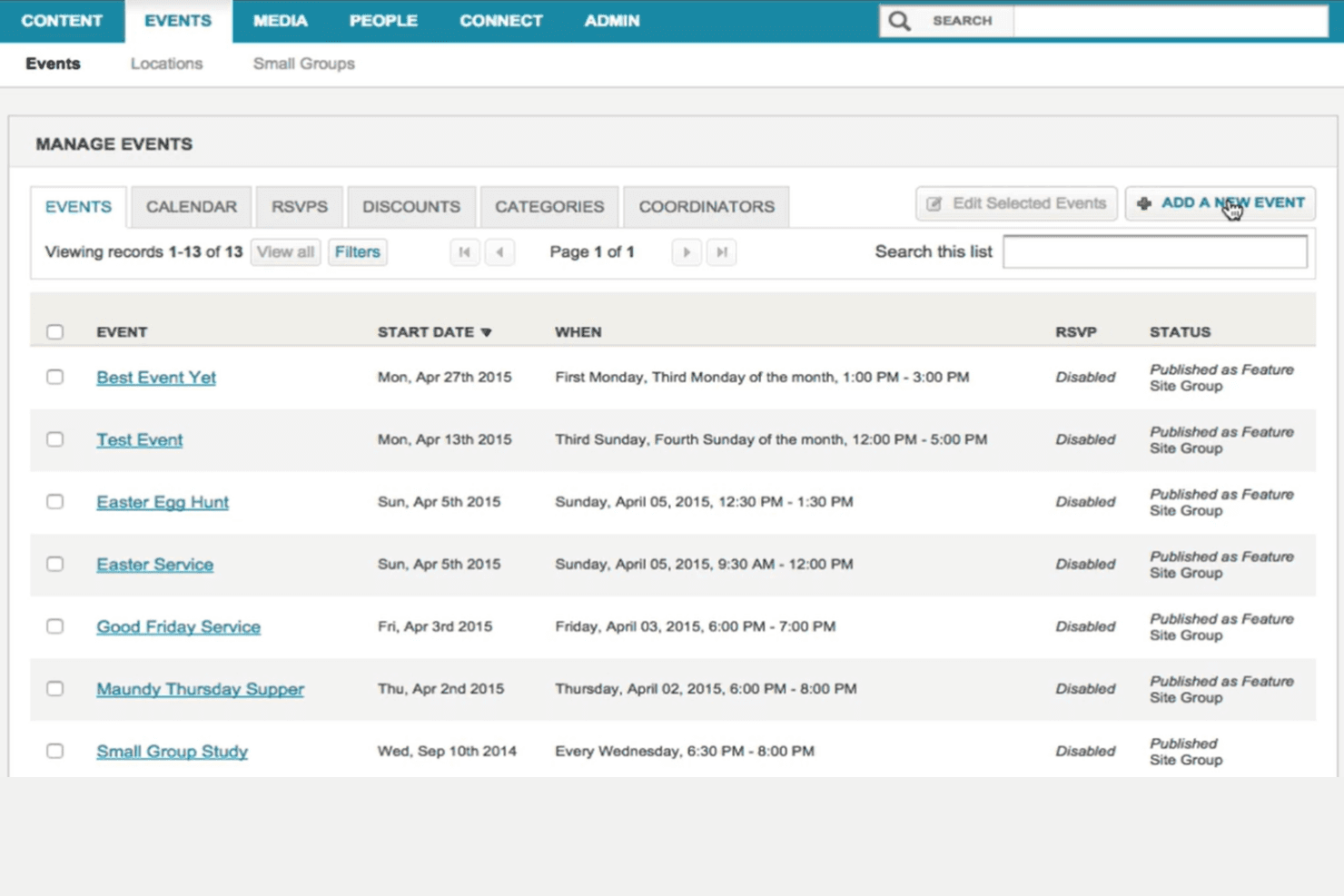
Event Management: You can easily schedule and promote church events, helping your congregation stay informed and involved. This feature simplifies event registration and boosts attendance.
Sermon Sharing: Upload and share sermons to connect with your community, even if they can’t attend in person. This keeps your message accessible and extends your reach, supporting small group engagement.
Content Management: Ekklesia360 allows you to manage your website content effortlessly, ensuring your site stays updated and relevant. You can make changes quickly without needing technical skills, thanks to its user-friendly interface.
Volunteer Coordination: Organize and manage volunteers efficiently, ensuring your events and activities run smoothly. This feature helps you match volunteers with roles that fit their skills, making volunteer management simple.
Donation Handling: Securely process online giving, making it easy for your congregation to contribute. This feature supports various payment methods to accommodate your donors, helping your nonprofit thrive.
Responsive Design: Your website will look great on any device, ensuring accessibility for your community. This feature enhances user experience by adapting to different screen sizes, which is essential for a strong online presence.
Ease of Use
Ekklesia360 offers a user-friendly interface that makes managing your church’s website straightforward, even if you’re not tech-savvy. Its drag-and-drop functionality allows you to update content with ease, saving you time and effort. While some users find the initial setup a bit complex, the platform’s intuitive design helps you navigate smoothly once you’re familiar with it. Compared to other options, Ekklesia360 strikes a good balance between functionalities and ease of use for church teams.
Integrations
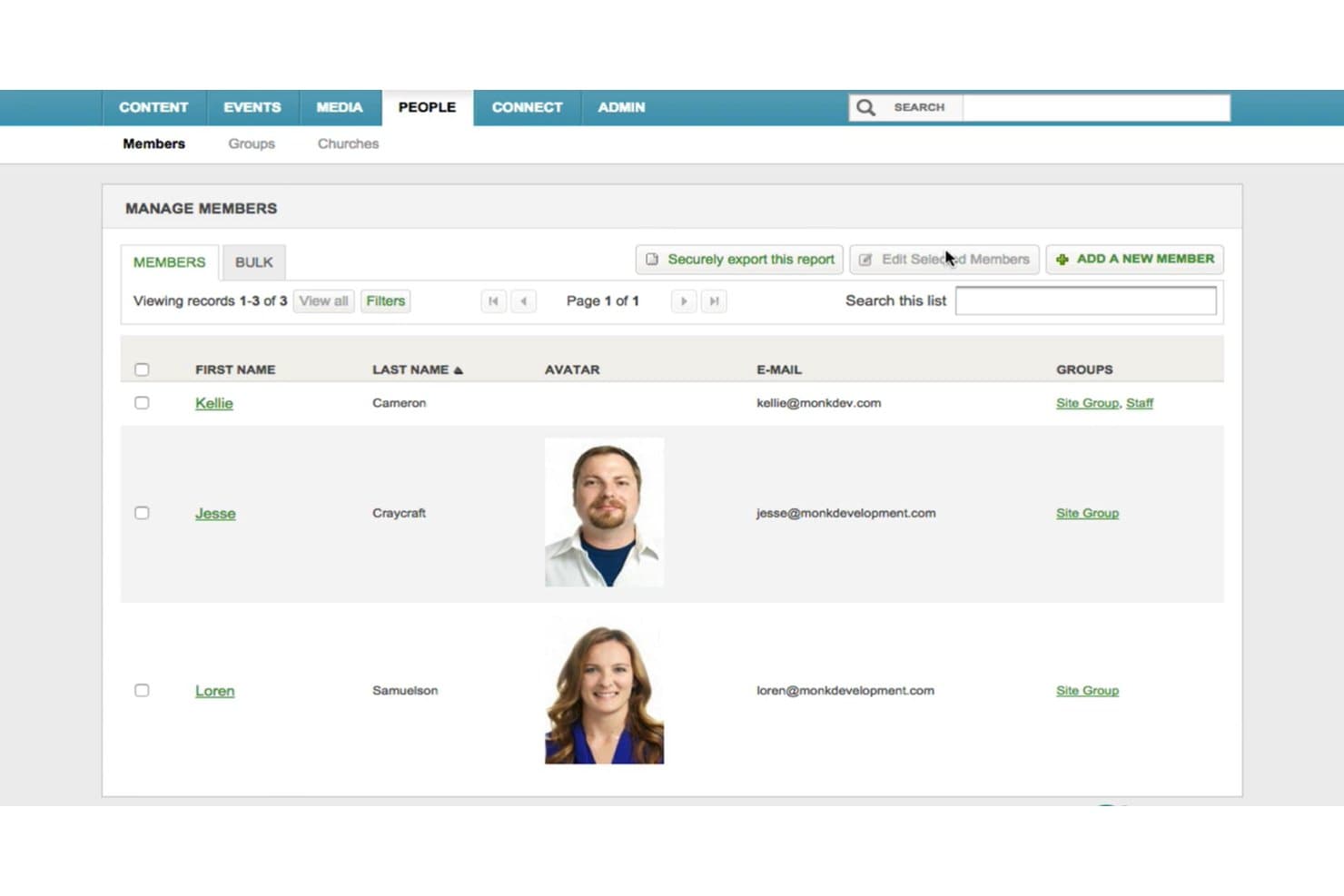
Ekklesia360 offers integrations with popular tools like Planning Center and Mailchimp to streamline church management and communication. These integrations help churches connect their administrative and outreach efforts efficiently.
Ekklesia360 Specs
- API: No
- Calendar Management: No
- Contact Management: No
- Dashboards: No
- Data Export: No
- Data Import: No
- Document Management: No
- External Integrations: No
- Multi-User: No
- Notifications: No
- Payment Gateway Integration: No
- Scheduling: No
- Workflow Management: No
Alternatives to Ekklesia360




Ekklesia360 FAQs
E adesso?
Iscriviti alla nostra newsletter per ricevere le ultime risorse, le migliori pratiche e approfondimenti per la gestione delle chiese da pastori esperti e leader ecclesiastici, con consigli su webinar, social media e sull’utilizzo di piattaforme tutto-in-uno come Ekklesia360.