

Recensione di actiTIME: Pro, Contro, Caratteristiche e Prezzi
actiTIME si distingue per un'interfaccia facile da usare e solide funzionalità di monitoraggio del tempo, diventando una scelta ideale per i team che necessitano di una gestione dettagliata delle ore.

Recensiamo gli strumenti in modo indipendente e le commissioni ci aiutano a finanziare i nostri test. Consulta la nostra politica sulla trasparenza, la nostra metodologia, oppure suggerisci uno strumento.
actiTIME is a church attendance software built around time and attendance tracking for teams managing recurring schedules and participation data. It's worth considering if your church needs a structured way to log volunteer hours, track engagement across ministries, and report on attendance patterns over time. I'd lean toward actiTIME over something like Planning Center if your priority is detailed time and attendance reporting rather than a broader church management suite—it's a more focused tool for leaders who want that data front and center.
actiTIME Evaluation Summary
4.6/5
- From $6/user/month (billed annually)
- Free plan + 30-day free trial + free demo available
Perché fidarsi dei nostri consigli sui software
6,700+
Reviews
20
Industry experts
16+
Evaluation factors
14
Years
Il nostro team testa e recensisce software dal 2012. In quanto leader ecclesiastici noi stessi, sappiamo quanto sia difficile — e importante — scegliere il software giusto.
Per questa guida, abbiamo valutato gli strumenti attraverso test pratici e ricerche indipendenti, assegnando un punteggio agli strumenti in base ai nostri criteri di selezione.
Le nostre recensioni riflettono il nostro giudizio editoriale umano, non un discorso di vendita.
actiTIME Overview
In my opinion, actiTIME is a solid choice for teams looking for an effective time tracker. It offers a user-friendly interface and valuable features that simplify time management tasks. Compared to other tools, actiTIME stands out for its ease of use and strong customer support, although its onboarding process could be smoother. It's best suited for small and midsized teams in industries such as IT and consulting, where detailed time tracking is important. While it might not offer more advanced features like competitors such as Toggl, its pricing and functionality make it a strong option for those wanting reliable time management without the need for complex spreadsheets.
Pros
- actiTIME's user-friendly interface makes time tracking simple.
- Detailed reporting helps you analyze productivity and project progress.
- Reliable customer support is available to assist when needed.
Cons
- Onboarding can be challenging for new users.
- Its customization options might feel limited.
- Some users find the mobile app less intuitive than the desktop version.
Is actiTIME Right For Your Needs?
Who Would be a Good Fit for actiTIME?
actiTIME is perfect for project-based teams and businesses that need a precise time tracking solution with detailed reporting. IT departments or consulting firms can benefit from its intuitive user interface and strong reporting features. If your team needs to monitor project progress closely and manage time efficiently, actiTIME offers the tools you need. Its user-friendly design ensures your team can adapt quickly, making it a valuable asset for industries where time tracking accuracy is critical.
- IT DepartmentsIT teams will appreciate actiTIME's precise tracking and reporting features for managing complex projects and deadlines.
- Consulting FirmsactiTIME helps consultants track billable hours accurately, ensuring transparent client billing.
- Remote TeamsRemote teams can log hours and track productivity with actiTIME's user-friendly interface.
- Small BusinessesactiTIME offers small businesses an affordable solution for managing time and resources efficiently.
- Project ManagersactiTIME supports your project managers with detailed reports to oversee project timelines and team productivity.
- FreelancersFreelancers can use actiTIME to track their hours and manage multiple different projects without hassle.
Who Would be a Bad Fit for actiTIME?
actiTIME might not suit large enterprises needing extensive customization and integration capabilities. If your business requires highly tailored solutions or complex integrations with other systems, actiTIME's limited customization may not meet your needs. Industries like manufacturing and large-scale logistics, which involve detailed tracking across multiple systems, might find actiTIME lacking in flexibility. If your team needs a tool that can adapt to a wide range of unique workflows, you might want to consider other options.
- Large EnterprisesLarge enterprises may find actiTIME's limited customization options restrictive for complex workflows.
- ManufacturingactiTIME might not provide the detailed tracking your manufacturing processes require across multiple systems.
- Logistics CompaniesLogistics operations might need more flexible integration options than actiTIME offers.
- Highly Specialized IndustriesIf your industry demands specific features, actiTIME's general approach might not meet your unique needs.
- Custom Software DevelopmentYour custom software projects might require more adaptable tools than actiTIME provides.
- Complex Project ManagementIf your project management needs are intricate, actiTIME's simplicity might not handle all your requirements.
Come Testiamo e Valutiamo gli Strumenti
Abbiamo trascorso anni a costruire, perfezionare e migliorare il nostro sistema di test e valutazione dei software. Il nostro metodo è progettato per cogliere tutte le sfumature della selezione software e ciò che rende uno strumento efficace, concentrandosi sugli aspetti critici del processo decisionale. Qui sotto puoi vedere esattamente come funzionano i nostri test e valutazioni in base a sette criteri. Questo ci permette di offrire una valutazione imparziale dei software considerando funzionalità di base, caratteristiche distintive, facilità d’uso, onboarding, supporto clienti, integrazioni, recensioni dei clienti e rapporto qualità-prezzo.
Funzionalità di Base (25% del punteggio finale)
Il punto di partenza della nostra valutazione è sempre la funzionalità di base dello strumento. Dispone delle funzionalità e caratteristiche essenziali che un utente si aspetterebbe di trovare? Alcune di queste funzioni di base sono limitate a piani con prezzi superiori? In sostanza, ci aspettiamo che uno strumento sia all’altezza delle capacità minime offerte dai concorrenti.
Caratteristiche Distintive (25% del punteggio finale)
Successivamente analizziamo le caratteristiche distintive che vanno oltre la funzionalità base tipica degli strumenti di questa tipologia. Un punteggio alto riflette funzioni specializzate o uniche che rendono il prodotto più veloce, efficiente o offrono valore aggiunto all’utente. Valutiamo anche quanto sia semplice integrare altri strumenti comunemente presenti nello stack tecnologico per espandere la funzionalità e l’utilità del software. Gli strumenti che offrono numerose integrazioni native, connessioni di terze parti e accesso API per creare integrazioni personalizzate ottengono il punteggio migliore.
Facilità d’Uso (10% del punteggio finale)
Consideriamo quanto sia veloce e facile eseguire i compiti principali definiti usando lo strumento. I software con punteggi elevati sono ben progettati, intuitivi, offrono app mobili, mettono a disposizione modelli e rendono semplici anche i compiti più complessi.
Onboarding (10% del punteggio finale)
Sappiamo quanto sia importante adottare rapidamente una nuova piattaforma, quindi valutiamo quanto sia semplice imparare e utilizzare uno strumento con il minimo training. Esaminiamo quanto rapidamente un membro del team possa essere operativo senza esperienza precedente. Le soluzioni con punteggio alto richiedono poco o nessun supporto.
Supporto Clienti (10% del punteggio finale)
Valutiamo quanto sia rapido e semplice risolvere i problemi e ottenere assistenza tramite telefono, chat dal vivo o knowledge base. Gli strumenti e le aziende che forniscono supporto in tempo reale ottengono il punteggio migliore, mentre i chatbot ottengono la valutazione più bassa.
Recensioni dei Clienti (10% del punteggio finale)
Oltre ai nostri test e valutazioni, prendiamo in considerazione il net promoter score di clienti attuali e passati. Esaminiamo la loro propensione, data la scelta, a selezionare nuovamente lo strumento per le funzioni principali. Un software con punteggio alto riflette un net promoter score elevato da parte dei clienti attuali o precedenti.
Rapporto Qualità-Prezzo (10% del punteggio finale)
Infine, considerando tutti gli altri criteri, esaminiamo il prezzo medio dei piani base rispetto alle funzionalità principali e valutiamo il valore degli altri indicatori. I software che offrono di più, a meno, ottengono un punteggio superiore.
Core Features
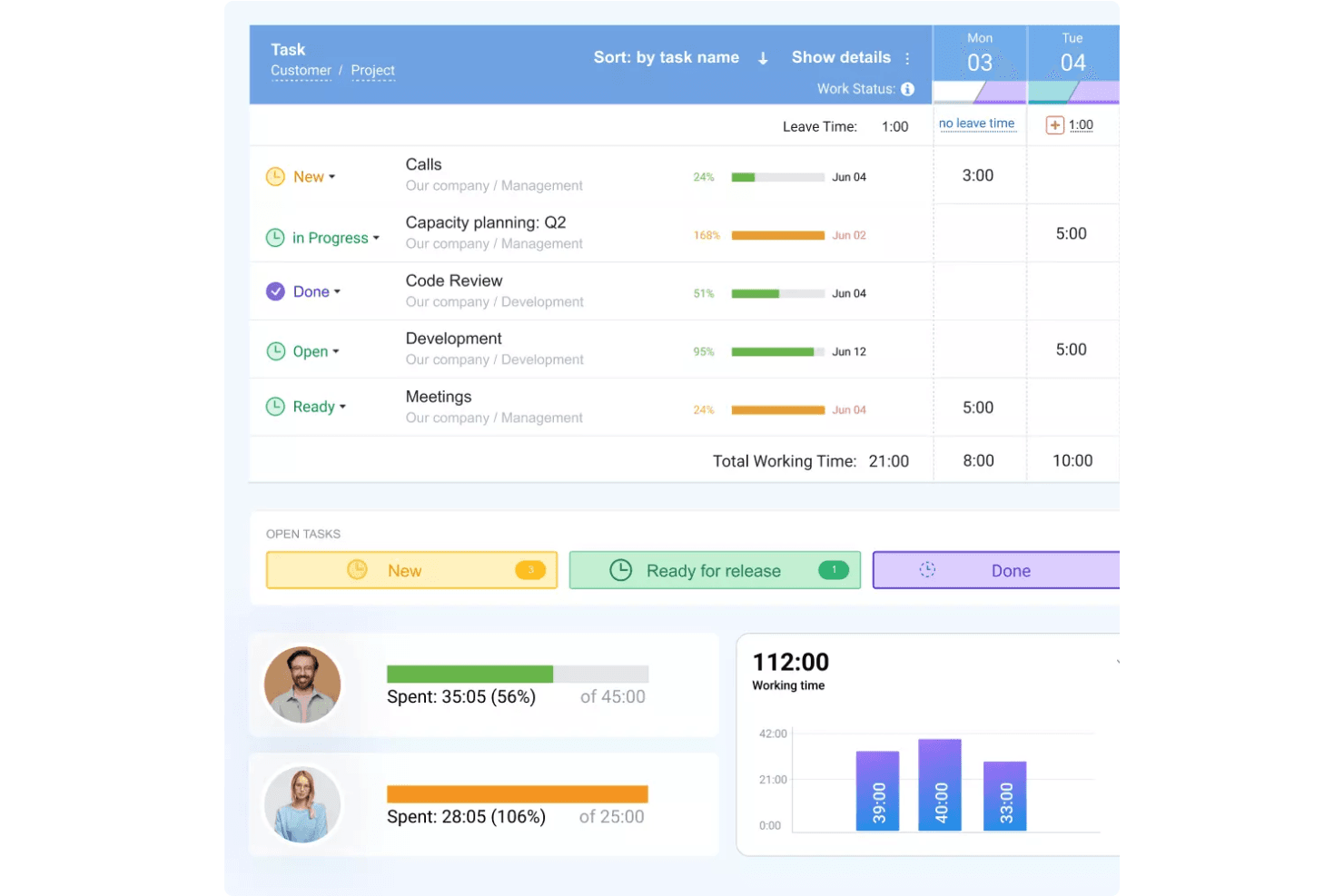
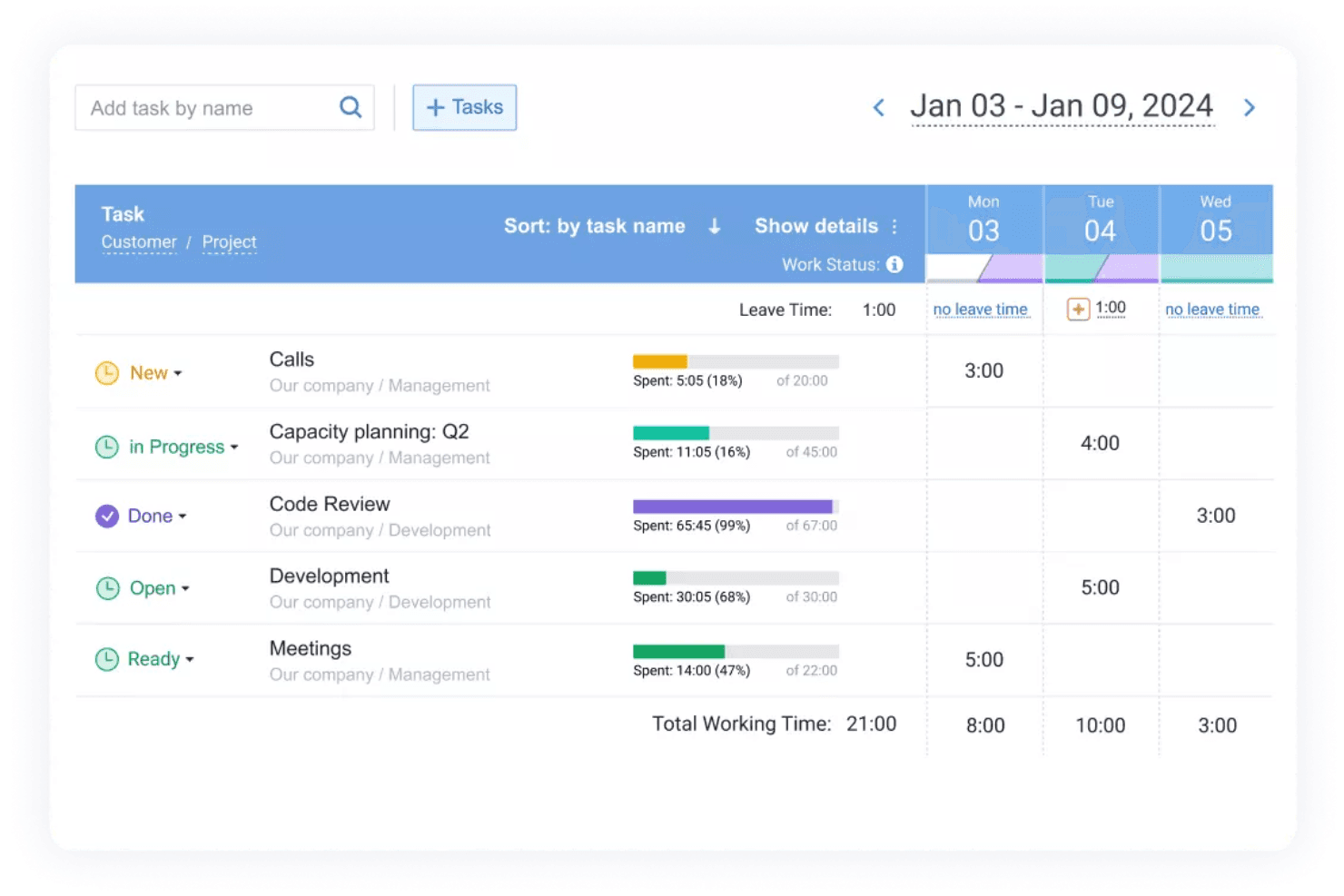
Time Tracking: You can log hours with actiTIME's intuitive time tracking interface. This helps you maintain an accurate record of employee time.
Project Management: Manage projects with actiTIME's built-in tools that let you assign tasks, set deadlines, and grant access permissions. This keeps your team organized and on track.
Reporting Tools: Generate detailed reports to analyze productivity and project time. You can display data in Kanban boards and bar graphs to monitor your team's performance in real time and make more informed decisions.
Task Management: Assign and track tasks to ensure your team meets deadlines. actiTIME makes it simple for you to monitor task completion.
Overtime Calculation: Automatically calculate overtime for your team, ensuring accurate payroll. This saves you time and reduces errors.
Administrative Tasks: Carry out tasks such as filling out employee timesheets and approving time off and leave requests.
Standout Features
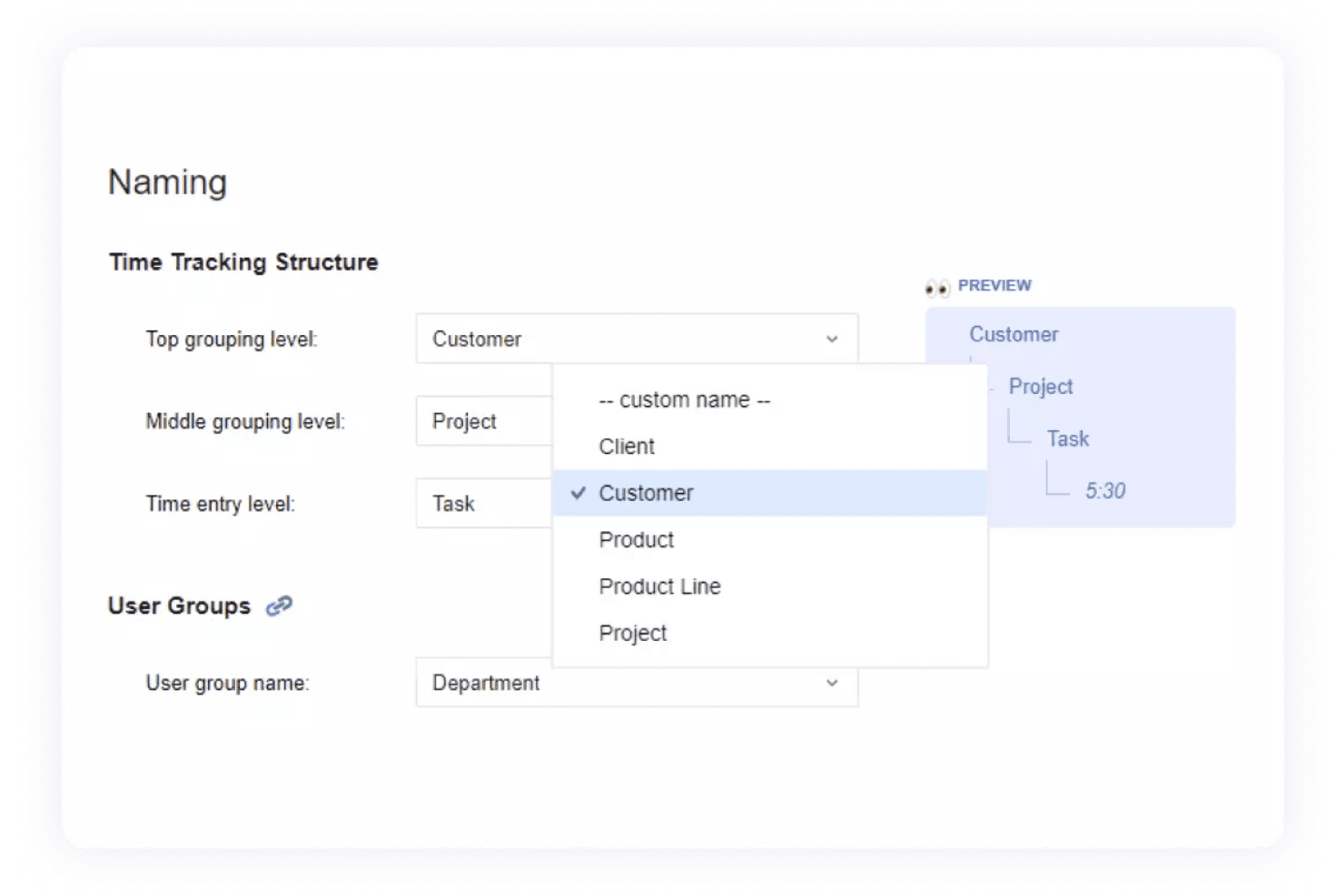
Customizable Workflows: You can tailor workflows to fit your team's specific needs, increasing flexibility. This lets you adapt actiTIME to your unique processes.
Mobile Accessibility: Track time and manage tasks on the go with actiTIME's mobile app, keeping your team connected and productive.
Ease of Use
actiTIME scores high for usability, with an intuitive interface that makes time tracking straightforward for your team. You can quickly log hours, manage projects, and generate reports without hassle. Its simplicity ensures a strong user experience, even for those new to time tracking. Users often praise its clean design and clear navigation, which helps your team stay focused on their work rather than struggling with complex software. Overall, actiTIME keeps your time management tasks simple and efficient.
Onboarding
actiTIME's onboarding process is straightforward, but it could be simplified to reduce the learning curve for new users. Your team gets access to helpful tutorials and support resources, but some users find the initial setup challenging. While the support team is responsive and ready to assist, a more guided onboarding flow could improve your team's experience. Despite this, once you get familiar, actiTIME's functionalities become more simple to navigate.
Customer Support
actiTIME offers solid customer support, with responsive channels that help your team resolve issues quickly. Users appreciate the prompt assistance and knowledgeable support staff. They provide helpful resources and are available through various channels, including phone support, email, and live chat, ensuring you get the help you need without delay. This support reliability makes actiTIME a dependable choice for managing your time reporting needs.
Integrations
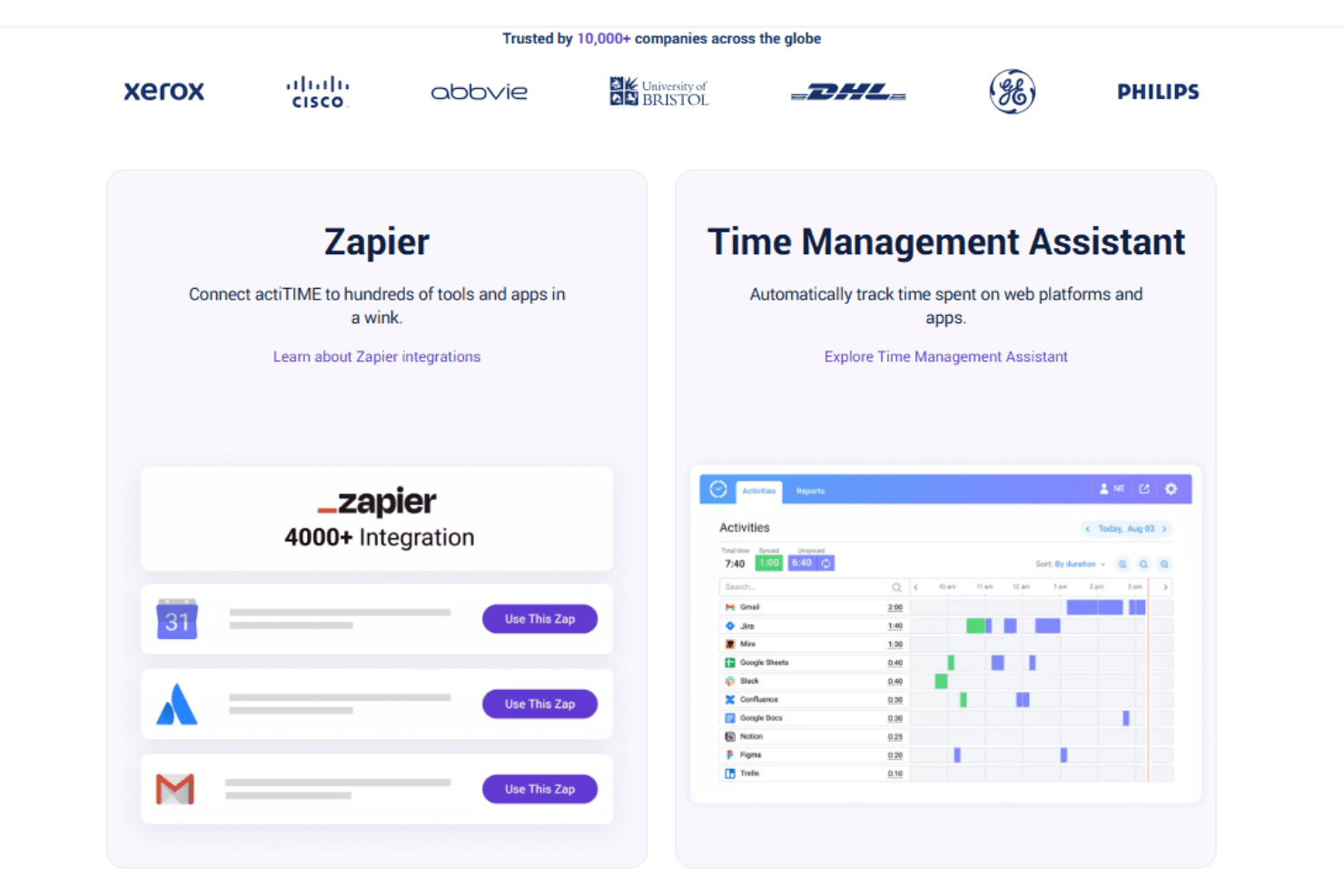
actiTIME integrates actiPLANS and QuickBooks.
It also offers an API for custom integrations and connects with third-party tools such as Zapier to expand its capabilities.
Value for Money
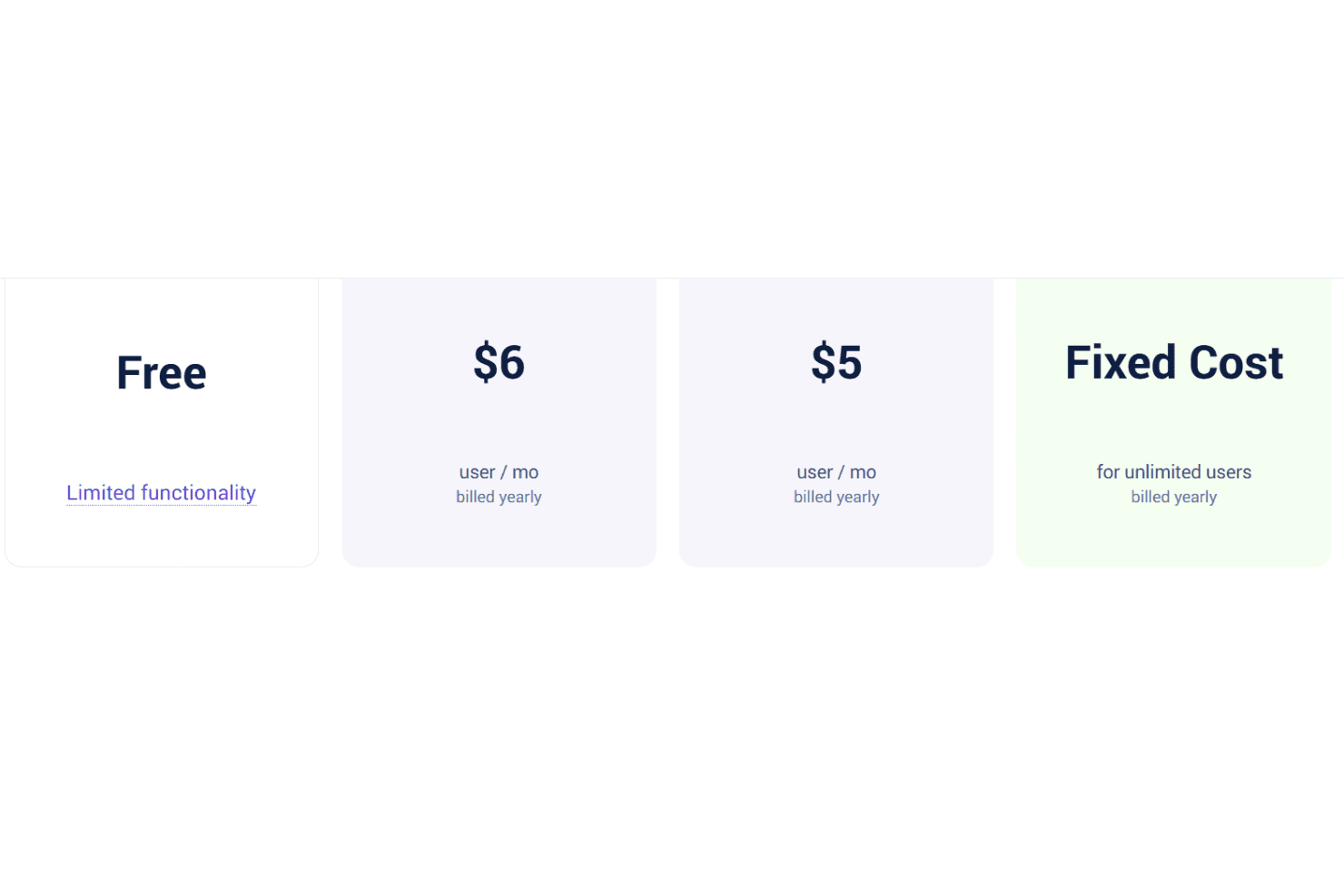
actiTIME pricing offers competitive plans that scale according to your team's size. Users find value in its cost-effective pricing, especially when considering its strong set of features for time tracking and project management. A free version and a 30-day trial are available, allowing your team to evaluate the software before committing to a purchase.
- Free actiTIME Online: Offers basic functionality for up to three users.
- actiTIME Online: Custom pricing (billed annually); includes full functionality, integration with QuickBooks, and API access.
- actiTIME Self-Hosted: $120/user; offers full platform access on your internal server for a one-time payment.
New Product Updates from actiTIME
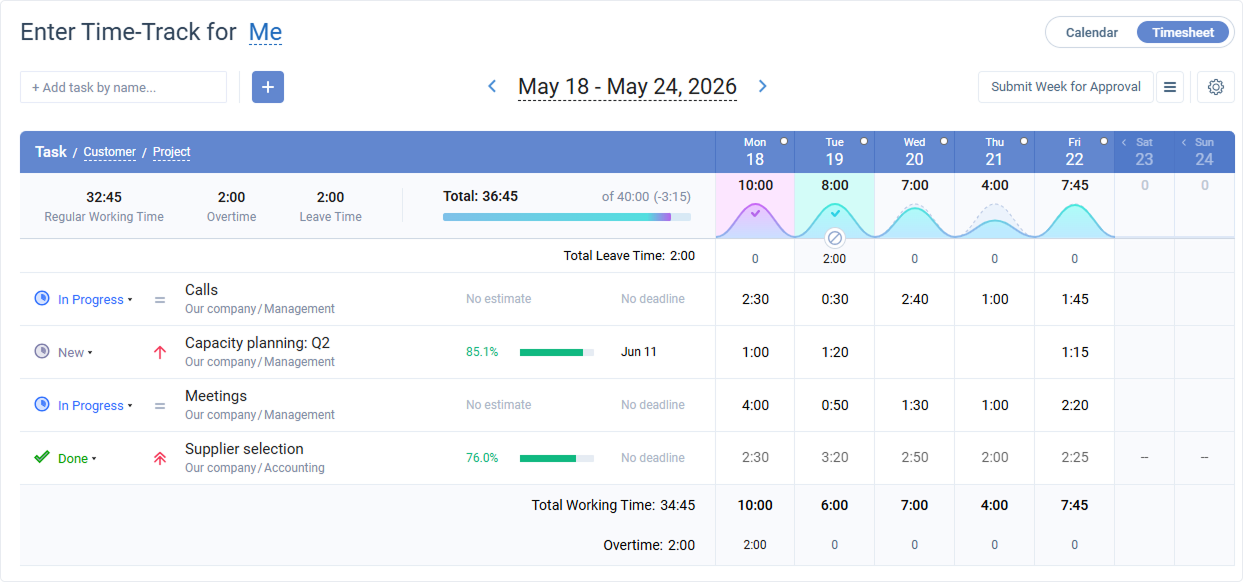 Opens new window
actiTIME Visual Hour Indicator and Time-Track Report Redesign
actiTIME introduces the Visual Hour Indicator and a redesigned Time-Track Report to improve time tracking and reporting. These updates add visual progress indicators, continuous scrolling, custom sorting, and clearer report layouts for a more efficient reporting experience. Highlights include:
- Visual Hour Indicator: Displays logged hours with a wave-based progress indicator that shows daily completion status and weekly totals at a glance.
- Redesigned Time-Track Report: Adds continuous scrolling, improved table hierarchy, custom sorting, and updated charts for easier navigation and clearer reporting.
Visit actiTIME's official site for more details.
actiTIME Specs
- Analytics: Yes
- API: Yes
- Approval Workflows: No
- Attendance Tracking: Yes
- Batch Permissions & Access: Yes
- Billing/Invoicing: Yes
- Budgeting: Yes
- Calendar Management: Yes
- Dashboard: Yes
- Data Export: Yes
- Data Import: Yes
- Data Visualization: Yes
- Expense Tracking: Yes
- External Integrations: Yes
- Forecasting: No
- Multi-User: Yes
- Notifications: Yes
- Project Management: Yes
- Resource Management: No
- Scheduling: Yes
- Task Scheduling/Tracking: Yes
- Time Management: Yes
- Timesheets: Yes
- Vacation & Absence Calendar: Yes
actiTIME FAQs
actiTIME Company Overview & History
actiTIME is a time tracking software company founded in 2004 by Charlie Gilkey, headquartered in Toronto, Canada. The company operates without external funding and with a small team of eight employees. actiTIME offers features such as time and project tracking, data analysis and reporting, leave management, and billing.
actiTIME Major Milestones
- 2004: Founded by Charlie Gilkey in Toronto, Canada.
- 2026: Ranked 127th among over 600 competitors on Tracxn's platform.