

Patriot Payroll -arvostelu: hyvät ja huonot puolet, ominaisuudet ja hinnoittelu
Patriot Payroll erottuu edullisuudellaan ja helppokäyttöisyydellään, mikä tekee siitä ihanteellisen vaihtoehdon pienyrityksille, jotka etsivät yksinkertaista mutta tehokasta palkanlaskentaratkaisua.

We review tools independently, and commissions help fund our testing. See our transparency policy, our methodology, or suggest a tool.
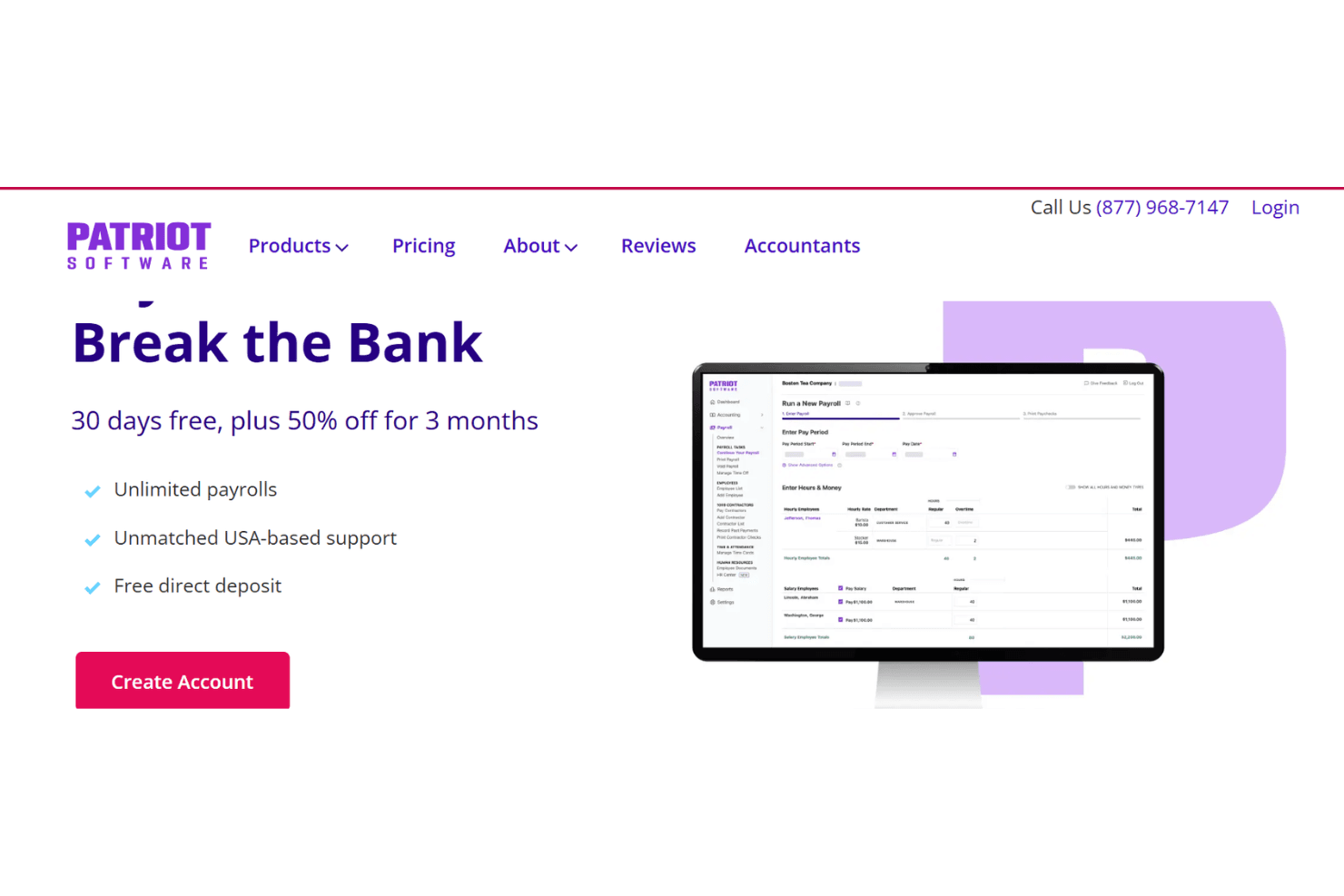
Patriot Payroll is a church payroll software built for small organizations that need to pay staff and clergy accurately without managing a complicated system. It's worth considering if your church runs a lean administrative operation and can't justify paying for HR features you'll never use. I'd choose it over Gusto if keeping costs low is the priority—Patriot Payroll's pricing is significantly more affordable, and you get a straightforward payroll tool without the added complexity that comes with Gusto's broader HR suite.
Patriot Payroll Evaluation Summary
5/5
- From $17/month + $4/employee/month
- 30-day free trial
Miksi luottaa ohjelmistosuosituksiimme
6,700+
Reviews
20
Industry experts
16+
Evaluation factors
14
Years
Tiimimme on testannut ja arvioinut ohjelmistoja vuodesta 2012 lähtien. Seurakuntajohtajina tiedämme itse, kuinka vaikeaa — ja tärkeää — oikean ohjelmiston valitseminen on.
Tätä opasta varten arvioimme työkaluja käytännön testauksen ja itsenäisen tutkimuksen avulla, pisteyttäen työkalut valintakriteeriemme perusteella.
Arvostelumme perustuvat inhimilliseen toimitukselliseen harkintaamme, eivät myyntipuheeseen.
Patriot Payroll Overview
In my opinion, Patriot Payroll is a standout choice for small businesses and church administrators needing a straightforward payroll solution and basic bookkeeping functionality. Its user-friendly interface, combined with competitive pricing, makes it an attractive option for those new to payroll software. While it shines in ease of use and value for money, it may fall short for larger organizations seeking more advanced features or integrations. I think it's best suited for small teams looking for basic yet efficient payroll processing without the need for extensive customization. Compared to other software, it excels in simplicity but may not cater to highly specialized needs.
Pros
- It's easy for your team to navigate and use without extensive training.
- You get reliable customer support when you need help.
- It saves you time with efficient payroll processing.
Cons
- It may not offer advanced features for larger organizations.
- Your team might find limited customization options.
- It lacks extensive reporting capabilities compared to other software.
Is Patriot Payroll Right For Your Needs?
Who Would be a Good Fit for Patriot Payroll?
Patriot Payroll is ideal for small businesses and non-profit organizations, like churches, needing straightforward payroll processing. It's well-suited for teams that value ease of use and reliable customer support. If your team wants to save time with efficient payroll handling and doesn’t need extensive customization, Patriot Payroll fits perfectly. Its simple interface and focus on core payroll tasks make it a great choice for those looking to handle payroll without unnecessary complexity.
- Small BusinessesYour small business benefits from Patriot Payroll's user-friendly interface and efficient payroll processing.
- ChurchesChurches find it helpful due to its straightforward features and reliable customer support.
- Non-ProfitsNon-profits appreciate its affordability and ease of use for managing payroll without hassle.
- StartupsStartups enjoy the simplicity and time-saving aspects of Patriot Payroll as they grow.
- Retail ShopsRetail shops can easily manage payroll tasks without needing advanced features.
- Family-Owned BusinessesFamily-owned businesses value its efficiency and support without the need for complex integrations.
Who Would be a Bad Fit for Patriot Payroll?
Patriot Payroll isn't the best choice for large corporations or businesses needing advanced payroll features and extensive integrations. If your team requires detailed reporting or complex payroll management, you might find its capabilities limited. Industries that rely on intricate payroll systems or have a diverse set of payroll needs may not find Patriot Payroll's straightforward approach adequate. Businesses with specialized requirements or those expecting rapid scaling might find it lacking in customization and flexibility.
- Large CorporationsYour large corporation may need more advanced features and detailed reporting than Patriot Payroll offers.
- Tech StartupsTech startups requiring complex integrations might find Patriot Payroll's offerings too basic.
- Manufacturing CompaniesManufacturing companies needing specialized payroll solutions may find it lacks necessary features.
- Financial ServicesFinancial services teams may require more detailed reporting and customization than Patriot Payroll provides.
- Global EnterprisesGlobal enterprises needing multi-country payroll solutions will find it limited in scope.
- Healthcare OrganizationsHealthcare organizations might need more comprehensive payroll features to manage their complex structures.
How We Test & Score Tools
We’ve spent years building, refining, and improving our software testing and scoring system. The rubric is designed to capture the nuances of software selection and what makes a tool effective, focusing on critical aspects of the decision-making process.
Below, you can see exactly how our testing and scoring works across seven criteria. It allows us to provide an unbiased evaluation of the software based on core functionality, standout features, ease of use, onboarding, customer support, integrations, customer reviews, and value for money.
Core Functionality (25% of final scoring)
The starting point of our evaluation is always the core functionality of the tool. Does it have the basic features and functions that a user would expect to see? Are any of those core features locked to higher-tiered pricing plans? At its core, we expect a tool to stand up against the baseline capabilities of its competitors.
Standout Features (25% of final scoring)
Next, we evaluate uncommon standout features that go above and beyond the core functionality typically found in tools of its kind. A high score reflects specialized or unique features that make the product faster, more efficient, or offer additional value to the user.
We also evaluate how easy it is to integrate with other tools typically found in the tech stack to expand the functionality and utility of the software. Tools offering plentiful native integrations, 3rd party connections, and API access to build custom integrations score best.
Ease of Use (10% of final scoring)
We consider how quick and easy it is to execute the tasks defined in the core functionality using the tool. High scoring software is well designed, intuitive to use, offers mobile apps, provides templates, and makes relatively complex tasks seem simple.
Onboarding (10% of final scoring)
We know how important rapid team adoption is for a new platform, so we evaluate how easy it is to learn and use a tool with minimal training. We evaluate how quickly a team member can get set up and start using the tool with no experience. High scoring solutions indicate little or no support is required.
Customer Support (10% of final scoring)
We review how quick and easy it is to get unstuck and find help by phone, live chat, or knowledge base. Tools and companies that provide real-time support score best, while chatbots score worst.
Customer Reviews (10% of final scoring)
Beyond our own testing and evaluation, we consider the net promoter score from current and past customers. We review their likelihood, given the option, to choose the tool again for the core functionality. A high scoring software reflects a high net promoter score from current or past customers.
Value for Money (10% of final scoring)
Lastly, in consideration of all the other criteria, we review the average price of entry level plans against the core features and consider the value of the other evaluation criteria. Software that delivers more, for less, will score higher.
Core Features
Payroll Processing: Patriot Payroll handles your online payroll calculations and deductions, ensuring accuracy every pay period while simplifying running payroll.
Direct Deposit: You can deposit your team’s paychecks directly into their bank accounts, which speeds up the payment process and reduces paperwork.
Tax Filing: It automates calculatations and filing for your payroll taxes, helping you stay compliant without the hassle. Your team can trust that taxes are handled correctly.
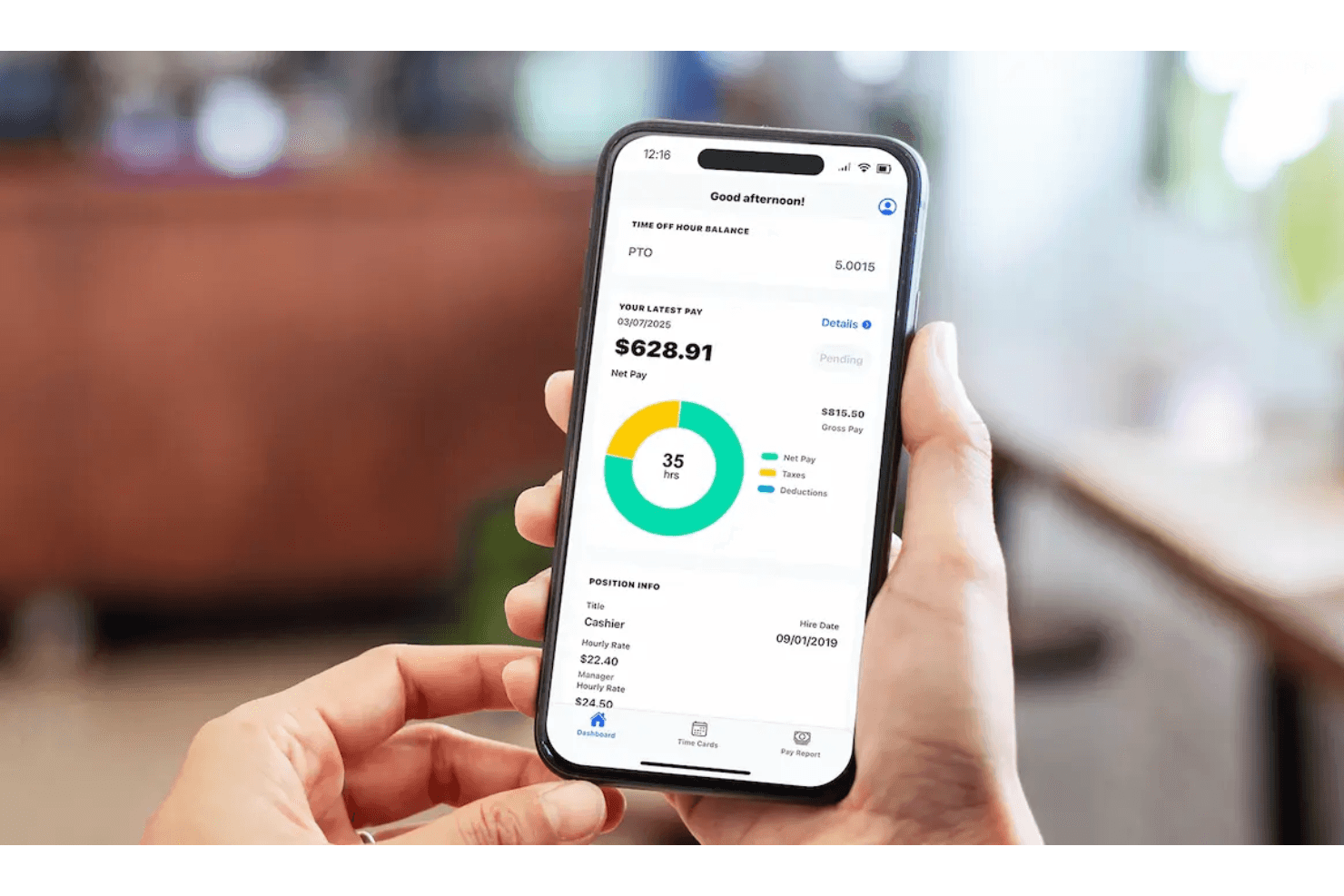
Employee Portal: Your team members can access their pay stubs and tax forms online, which saves you time on administrative tasks.
Time and Attendance: Track your team's hours with built-in time tracking and integrate them with your payroll reports, which simplifies the process and reduces manual entry errors.
Customizable Pay Schedules: You have the flexibility to set up different pay schedules for different employees, which caters to varied payment needs.
Ease of Use
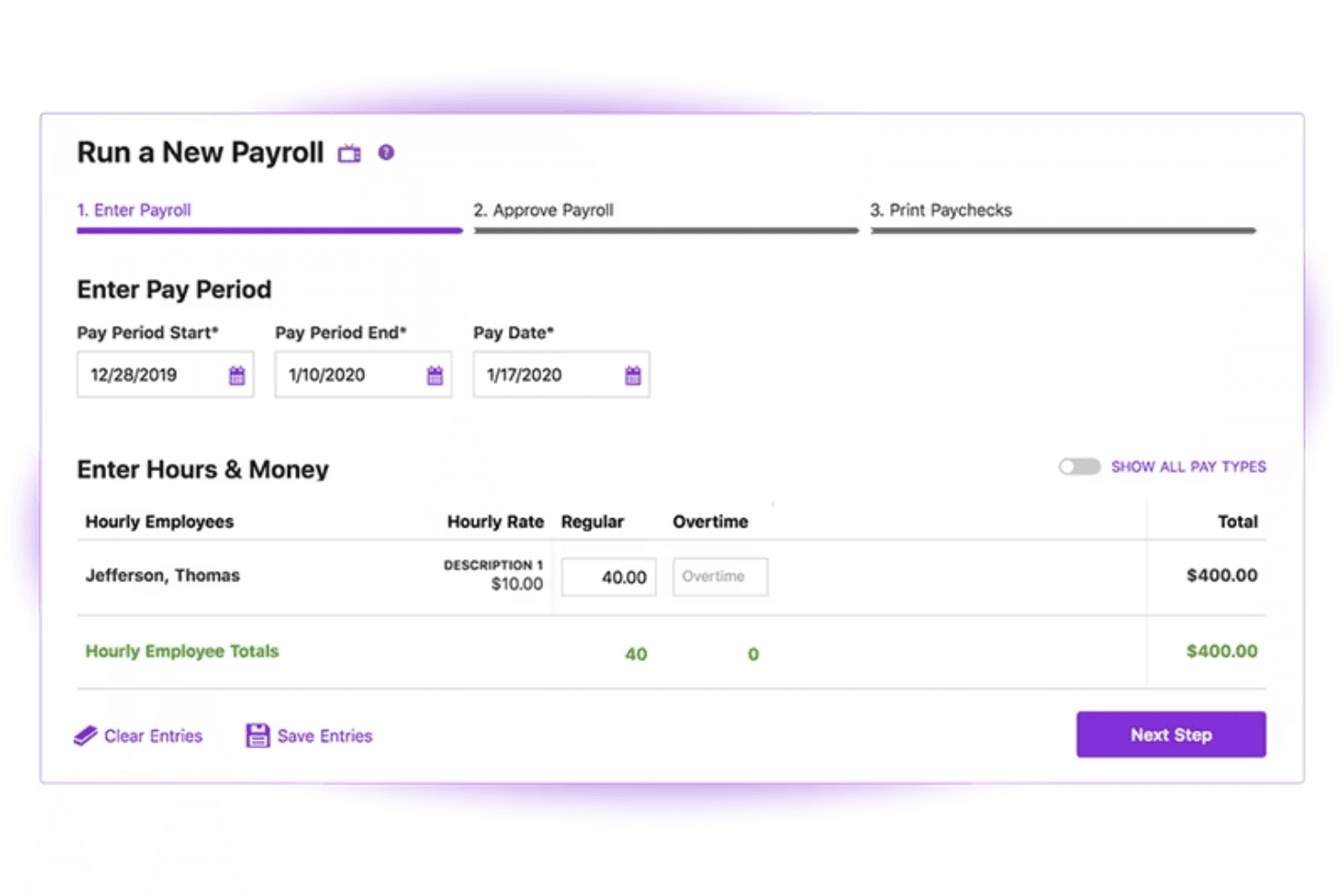
Patriot Payroll stands out for its user-friendly design, making it a breeze for you to manage payroll tasks without a steep learning curve. Its intuitive interface allows you to navigate through payroll processing, tax filing, and direct deposits with ease. Whether you're new to payroll software or just need something straightforward, Patriot Payroll simplifies the process with clear instructions and helpful features, ensuring you spend less time on payroll and more on your core activities.
Integrations
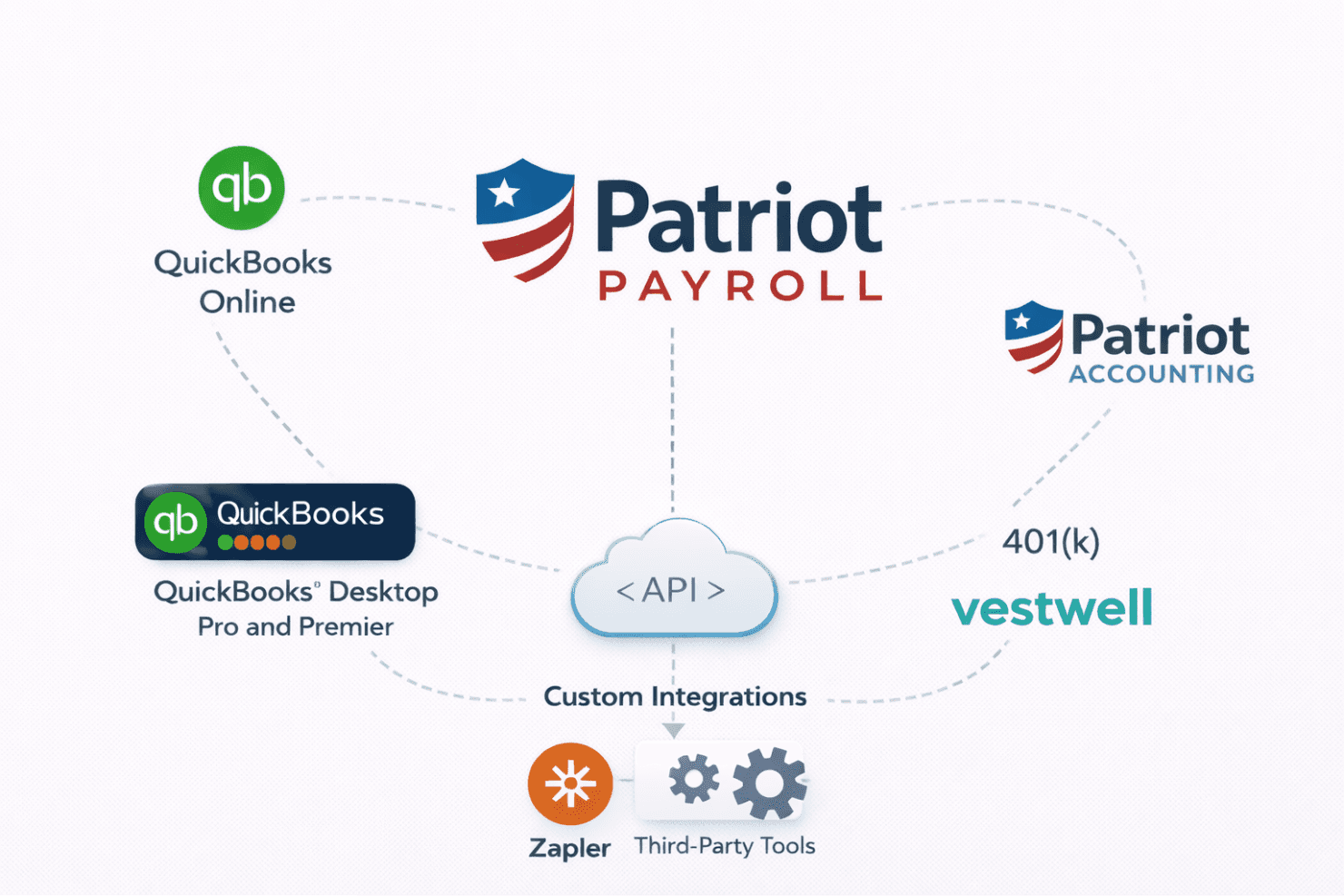
Patriot Payroll integrates with QuickBooks Online and supports exporting payroll data to QuickBooks Desktop (including Pro and Premier). It also syncs directly with Patriot Accounting and offers built-in 401(k) integration through Vestwell.
Patriot Payroll Specs
- API: Yes
- Application Tracking: No
- Approval Workflows: No
- Attendance Tracking: No
- Budgeting: No
- Calendar Management: No
- Compliance Tracking: No
- Dashboard: Yes
- Data Export: Yes
- Data Import: Yes
- Data Visualization: No
- Employee Database: No
- Employee Incentive Management: No
- Employee Onboarding: No
- Expense Tracking: No
- External Integrations: No
- Feedback Management: No
- Forecasting: No
- Multi-Currency: No
- Multi-User: No
- Notifications: Yes
- Payroll: Yes
- Scheduling: Yes
- Tax Management: Yes
- Time Management: Yes
- Timesheets: No
- Travel Management: No
- Vacation & Absence Calendar: No

